
In this article, we look at two giants among CRM tools: Monday and Pipedrive.
These two solutions answer different needs. Monday is ultra flexible and modular software, fairly easy to use, and it doesn’t impose any best practices. It’s designed more for managing complex projects that require a lot of collaboration and organization. On the other hand, when it comes to enrichment with B2B data, lead management and reporting, it’s a somewhat limited solution.
Pipedrive is one of the best CRMs for small and mid-sized businesses that have established sales processes, real stakes around prospecting and managing a flow of opportunities and leads, and relatively simple needs in account management and ABM (Account Based Marketing). It’s an ultra intuitive CRM, very focused on the sales process (pipeline), and it lets you go very far in terms of sales ops.
Pipedrive vs Monday: our analysis in brief
Monday
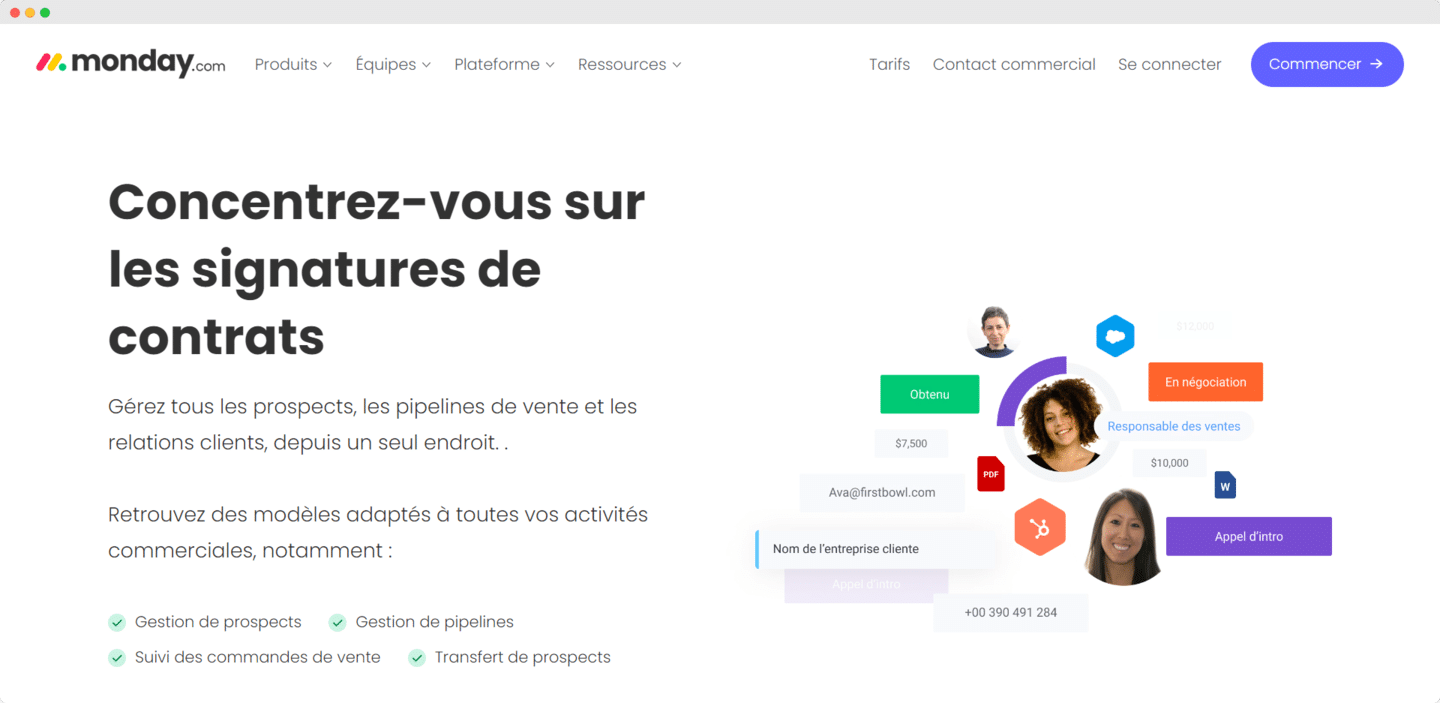
Monday is very easy to use and can be customized to fit your needs. Monday CRM offers basic features, and the monday.com project management tool it’s built on is also a perfect fit for anyone managing complex projects such as organizing events, handling budgets and building Gantt charts. Reporting is available from the Basic plan, automations from the Standard plan.
Monday offers unmatched customization. It’s a very complete tool that lets you design workflows, offers many integrations and can automate a huge number of tasks. Some features are only available on the Pro plan, such as bulk email sending and email sequences.
Pipedrive
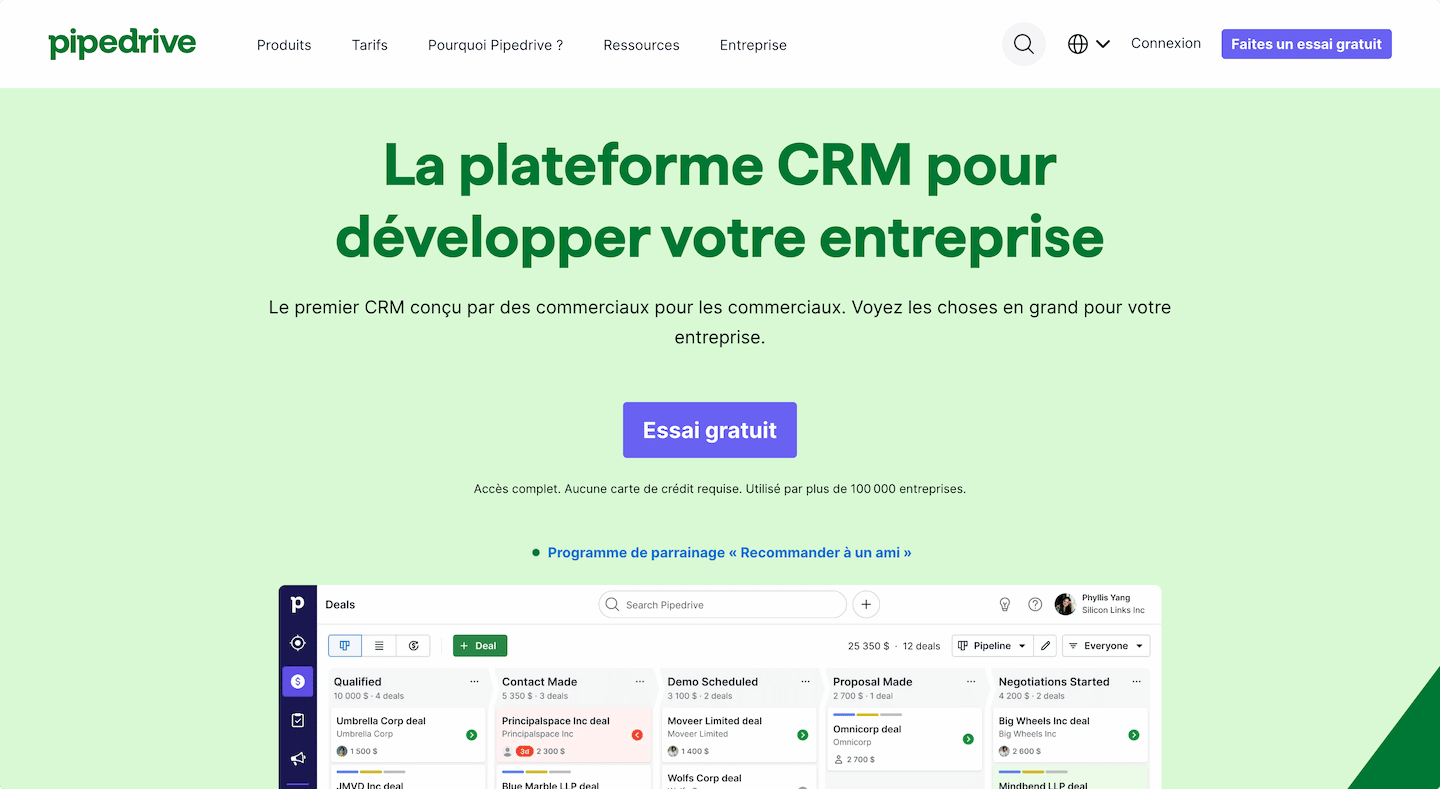
Pipedrive is one of the best CRMs on the market. It’s the deal-centric tool par excellence, very sales-focused, with very good management of sales tasks.
Pipedrive can handle large sales volumes and offers very good integrations. It’s a perfect solution for small teams that want something inexpensive and easy to use. The interface is very intuitive and offers a carefully designed Kanban view that lets you follow all your sales processes at the same time.
The interface lets you add every type of action (call, email, meeting, task) in record time compared with other solutions.
Pipedrive vs Monday: what their customers say
Both tools are well rated by their users on review sites (Pipedrive reviews, monday CRM reviews). Here’s what comes out of their feedback.
Pipedrive: what customers think
What they like:
- Overall, users find Pipedrive very easy to use and appreciate the interface, which lets them see the progress of each sales funnel at a glance. They’re also happy to be able to track their deals with prospects easily and to customize their sales pipeline.
- Many users also appreciate the reports, which they find effective and very readable.
What they regret:
- Some users struggle to integrate Pipedrive with third-party tools without going through Zapier.
- Others regret the lack of marketing automation.
Monday: what customers think
What they like:
- Overall, users find Monday very powerful on automations and integrations. They appreciate its ease of use and its collaboration features, which make project teamwork easy.
- Others also appreciate its customization features and its ease of use, for beginners and salespeople alike.
What they regret:
- Some users have difficulty handling the interface, getting an overview of tasks and customizing certain features.
Pipedrive vs Monday: functional scope
Managing the sales pipeline and sales tasks
Pipedrive
Pipedrive offers an excellent, very visual interface, built around deals that move from opportunity to success (or failure). The interface gives you a view of all your sales funnels at the same time, without drowning in customer data, and lets you identify the ones that succeed most. It’s a very valuable feature for adjusting your sales strategy.
Pipedrive offers standard pipelines to get started, but you can also create your own custom pipeline.
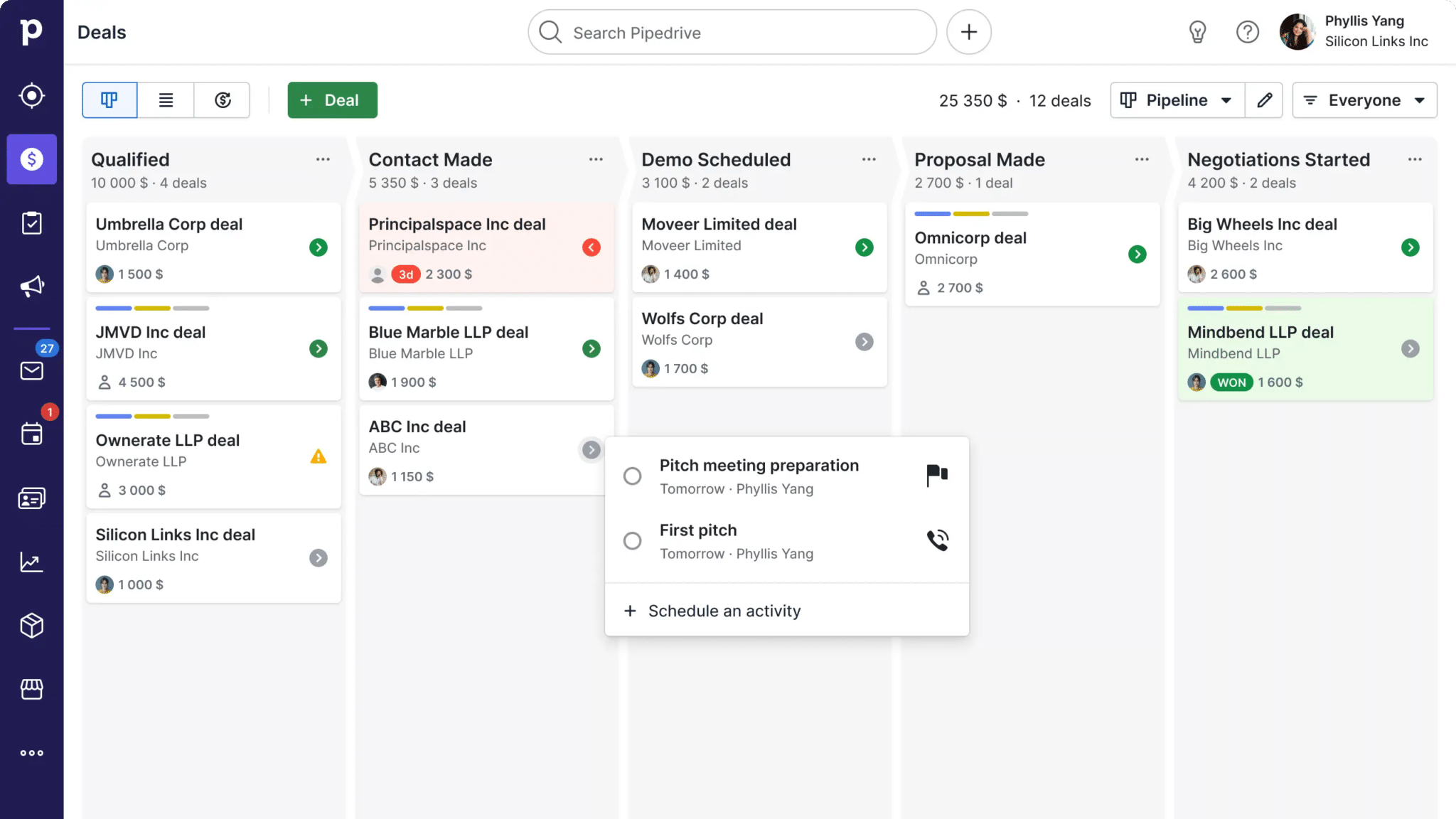
Its very visual interface makes it possible to identify very quickly which part of the sales funnel to work on first. You can monitor the statistics or the progress of your sales process and adapt it if necessary.
The Salesdorado tipPipedrive lets you add web forms, a chatbot and live chat to your website through the LeadBooster add-on (from €32.50 per month). This add-on also gives access to a database of 400 million profiles worldwide and fits the needs of companies that prospect a lot perfectly. If you want to generate even more prospects, Pipedrive offers, from €41 per month, to identify the companies visiting your site anonymously with its Web Visitors add-on.
Monday
monday CRM includes basic functions (also included in Pipedrive), such as:
- Prospect management: you get an overview of your contacts. You can qualify and follow up with prospects and send them emails directly from the dashboard.
- Contact management: you can get a complete overview of the interactions you’ve had with a contact, in one place.
- Opportunity management: you can get a view of your pipeline in a single dashboard and customize it to your needs.
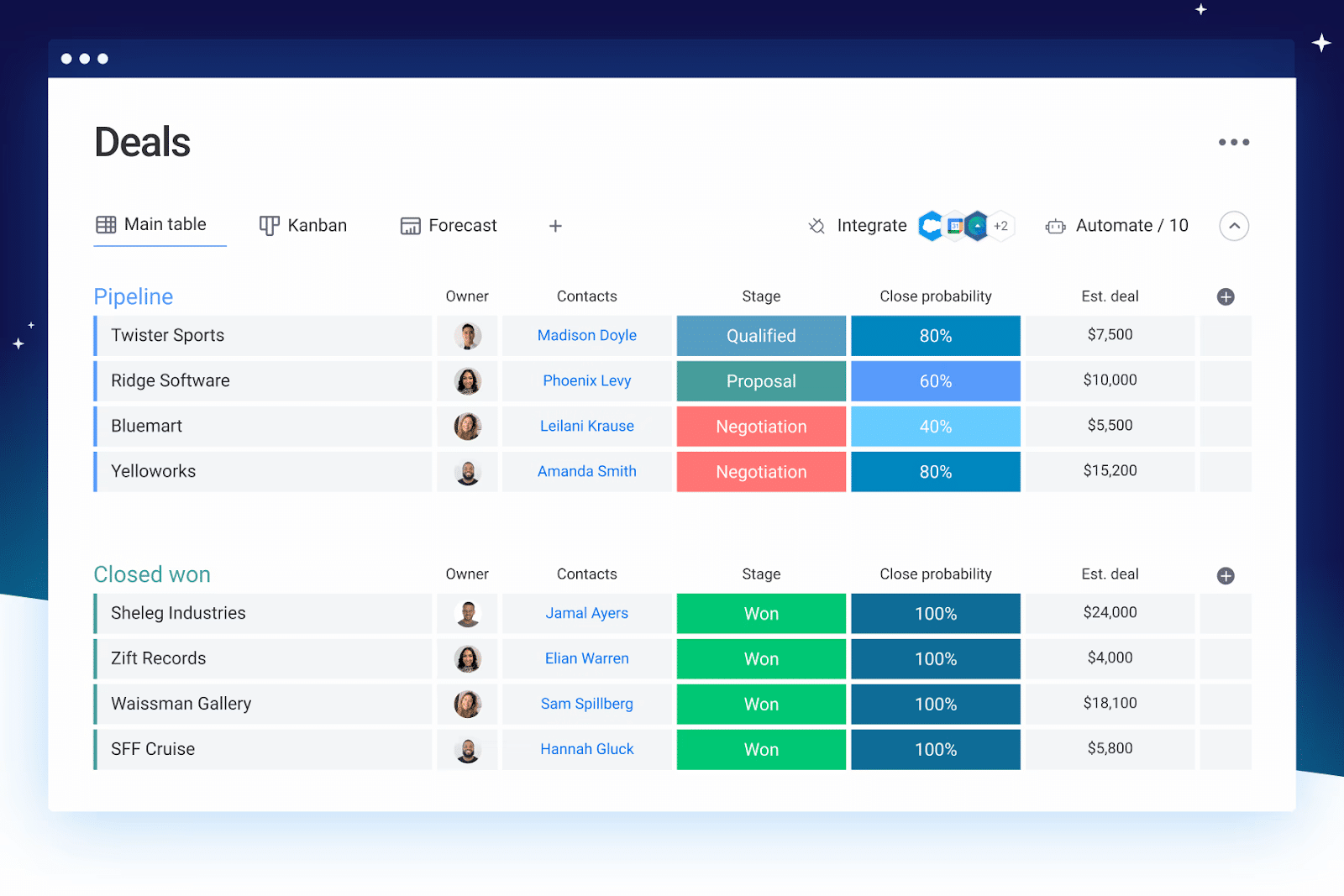
Monday will suit you better than Pipedrive if you’re looking for a more general CRM that’s highly customizable to your needs. It’s also a practical solution if you already use one of their products, such as the project management software.
Contact management
Pipedrive
Pipedrive offers several features to help users organize their contacts, for example identifying the people to contact first with the “Contacts Timeline” screen.
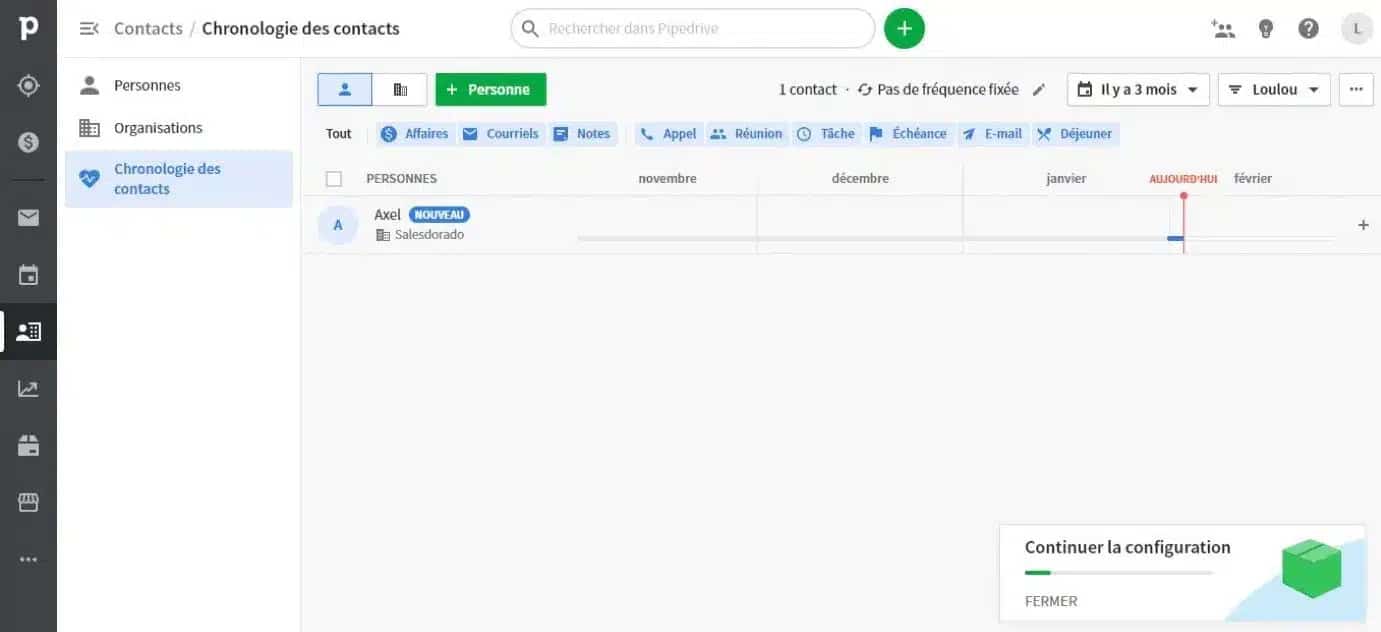
Customer and company records are clear.
Pipedrive also enriches records: company data (industry, size, revenue) with the Premium plan, and contacts’ email addresses and phone numbers with Ultimate. It’s a very useful feature for saving time when you’re handling requests from SMBs.
Pipedrive offers advanced features, including a CPQ tool, through integration with third-party applications such as GleanQuote and Mobileforce. These integrations can generate accurate, complex quotes based on the product catalogs already in Pipedrive.
Monday
Monday offers prospect management automation features that use trigger formulas to automate tasks, such as setting reminders, moving from one deal to another and sending reminder emails. These automation features can be customized.
Monday also offers a prospect scoring feature, which lets users sort prospects by category and priority. You can customize your prospect scoring criteria to fit your business.

This tool offers complete management of the prospect lifecycle. You can create customizable dashboards with data visualizations that let you track progress at a glance.
Reporting and forecasting
Pipedrive offers accessible reporting, easy to get started with and available from the Lite plan, at €14 per seat per month billed annually. You simply click on each stat card to access all the data it contains. The dashboard shows data on the number of opportunities started, won or lost by product. You also get a more in-depth analysis of pipeline conversion.
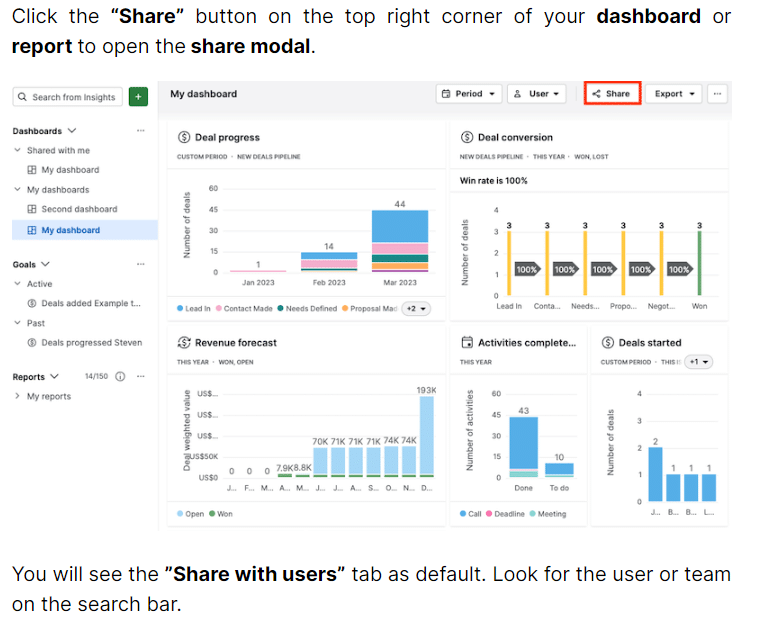
Monday’s reporting function is also powerful. You can view basic reports such as each rep’s performance, the average value of deals won, revenue forecasts and an overview of your sales pipeline. The downside: no report is generated automatically, each dashboard is built from widgets, and the Basic plan only offers one.
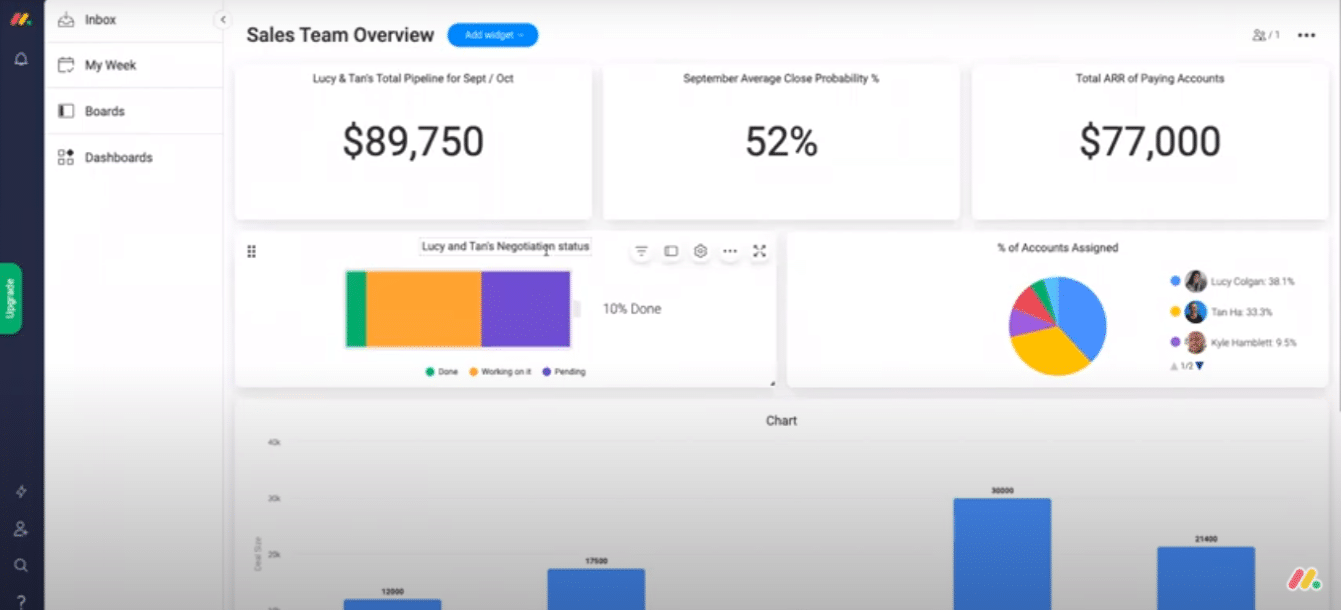
In short, Pipedrive’s reporting features are stronger and let you customize reports.
Workflow automation
Pipedrive
Pipedrive records all the conversations you have with your customers and analyzes them to improve the performance of your processes. Pipedrive offers many automations. For example, you can customize your workflow templates or create custom triggers to launch campaigns with the Campaigns add-on. From €13.33, this add-on lets you send personalized email campaigns, use easy-to-customize templates and move a deal to another stage of the sales process.
The tool also offers a sales assistant that gives sales teams real-time advice on managing their daily tasks and workflows.
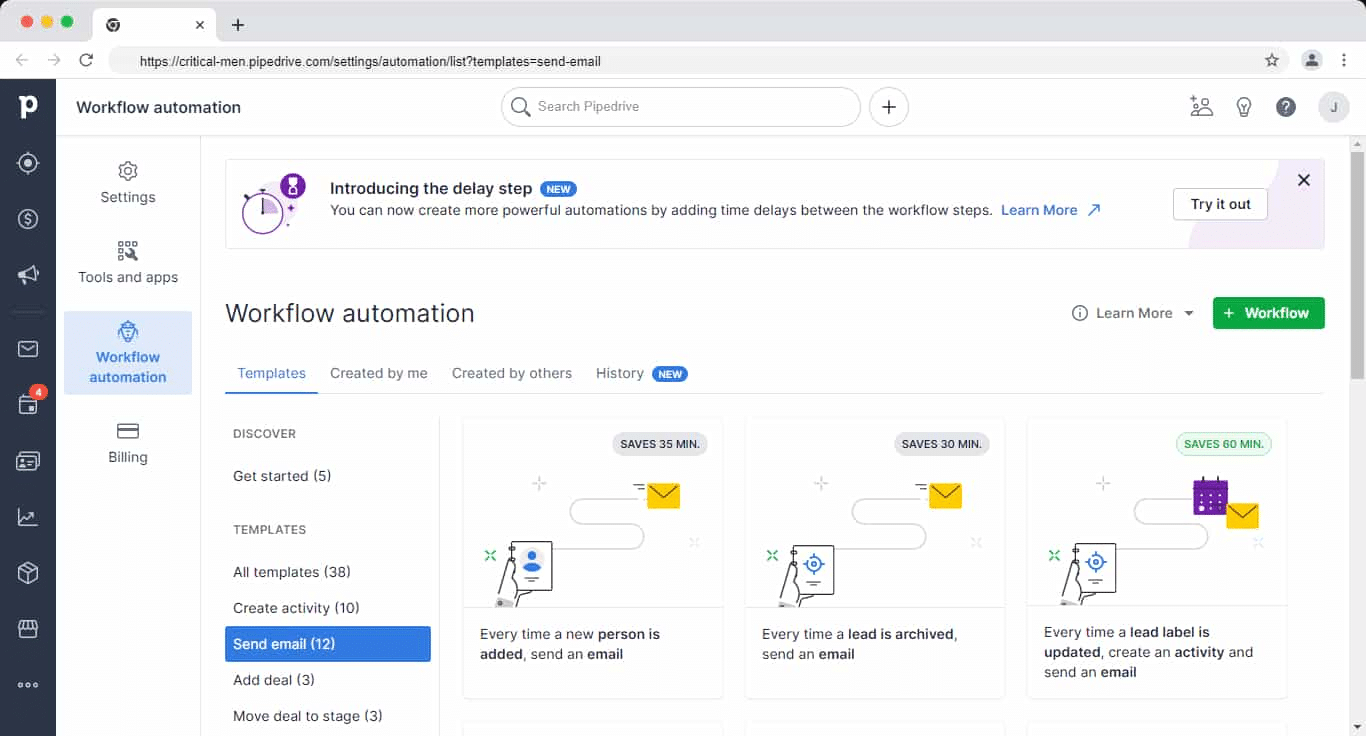
If your needs are greater, you can easily connect Pipedrive to a marketing automation tool.
Monday
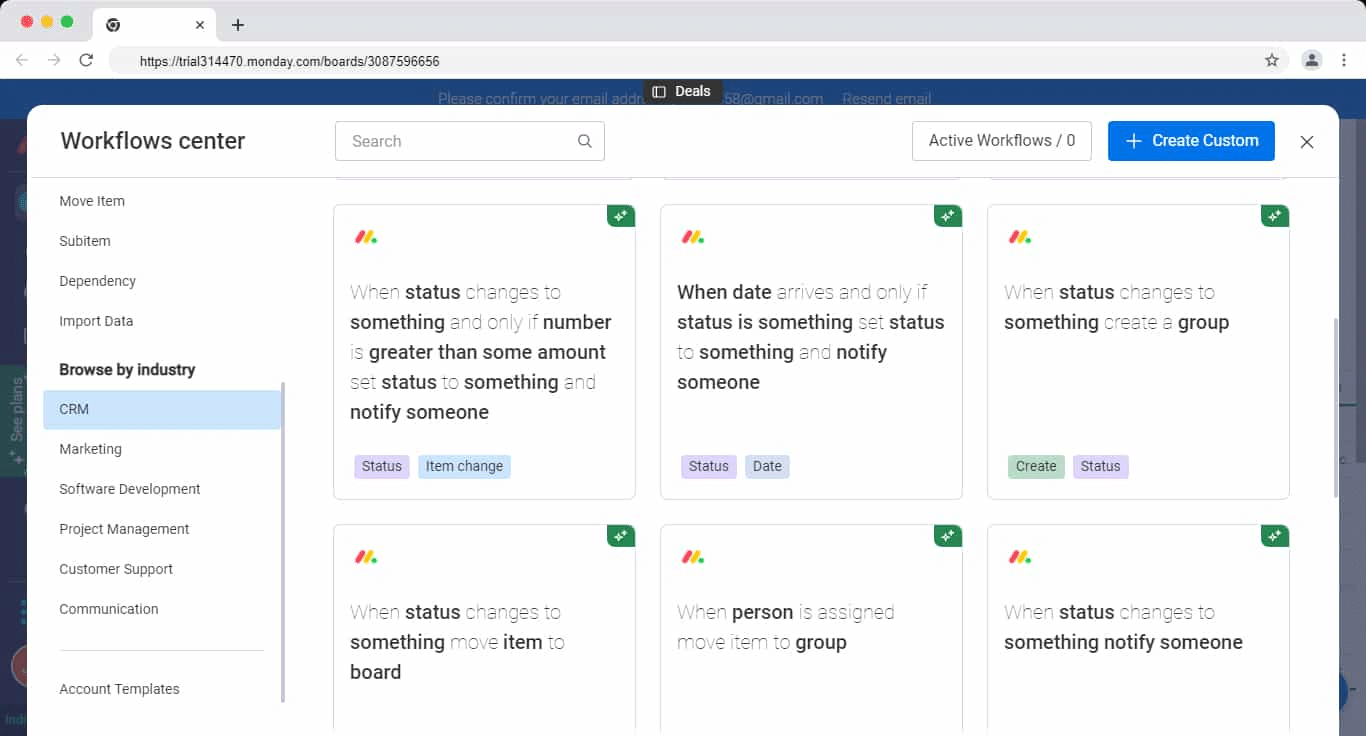
Automation is one of Monday’s strong points: you can create custom workflows directly from your boards. Monday also offers predefined automation templates for daily workflows, such as assigning tasks, updating statuses or sending reminders.
Monday can also automate the follow-up of your prospects and automatically send notifications to your team based on an event. Automations require at least the Standard plan, limited to 250 automations per month; the Pro plan allows 25,000.
Pipedrive vs Monday: integrations and philosophy
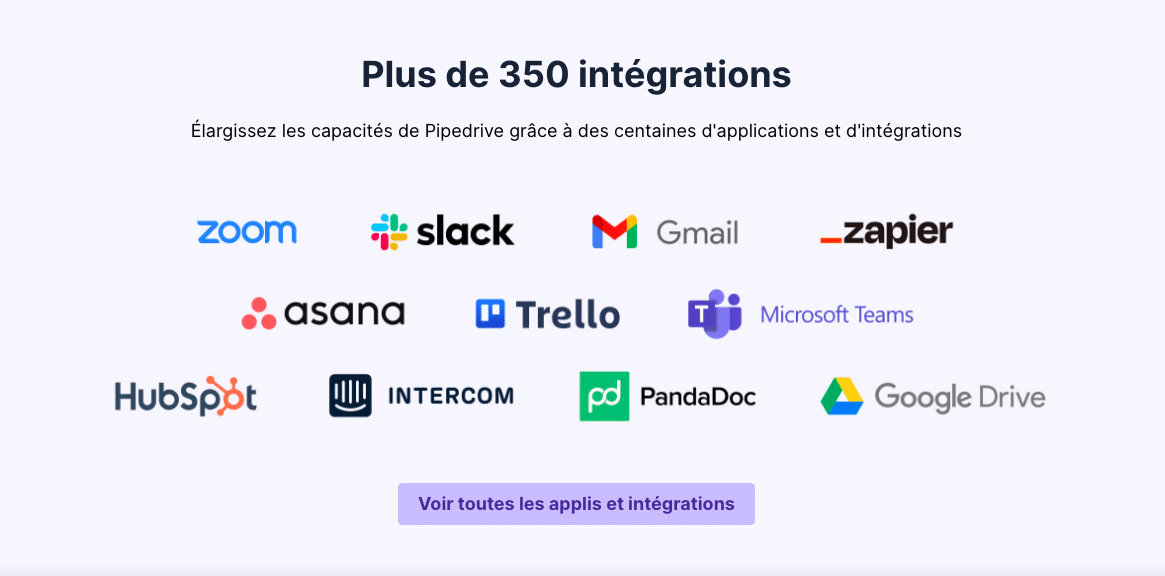
Pipedrive offers many integrations (more than 500 applications), including most newsletter tools and lead generation tools, as well as Zapier. Its open API is very easy to use, very complete and makes organizing information very simple.
The Salesdorado tipPipedrive lets you create up to 40 webhooks per user. From this webhook, Pipedrive automatically notifies the tools concerned about data changes as soon as they happen. For example, you can schedule an automatic email when a customer’s payment fails. You can find the webhooks guide here, go take a look!
Monday is an all-inclusive product that advertises more than 200 integrations and applications. That makes it very structured software, but also less flexible than Pipedrive: access to some integrations depends on the plan you choose.
Monday offers integrations with classic project management tools (Outlook, Google Suite, sales CRMs), as well as Zapier and its alternatives. You can find the full list of integrations here.
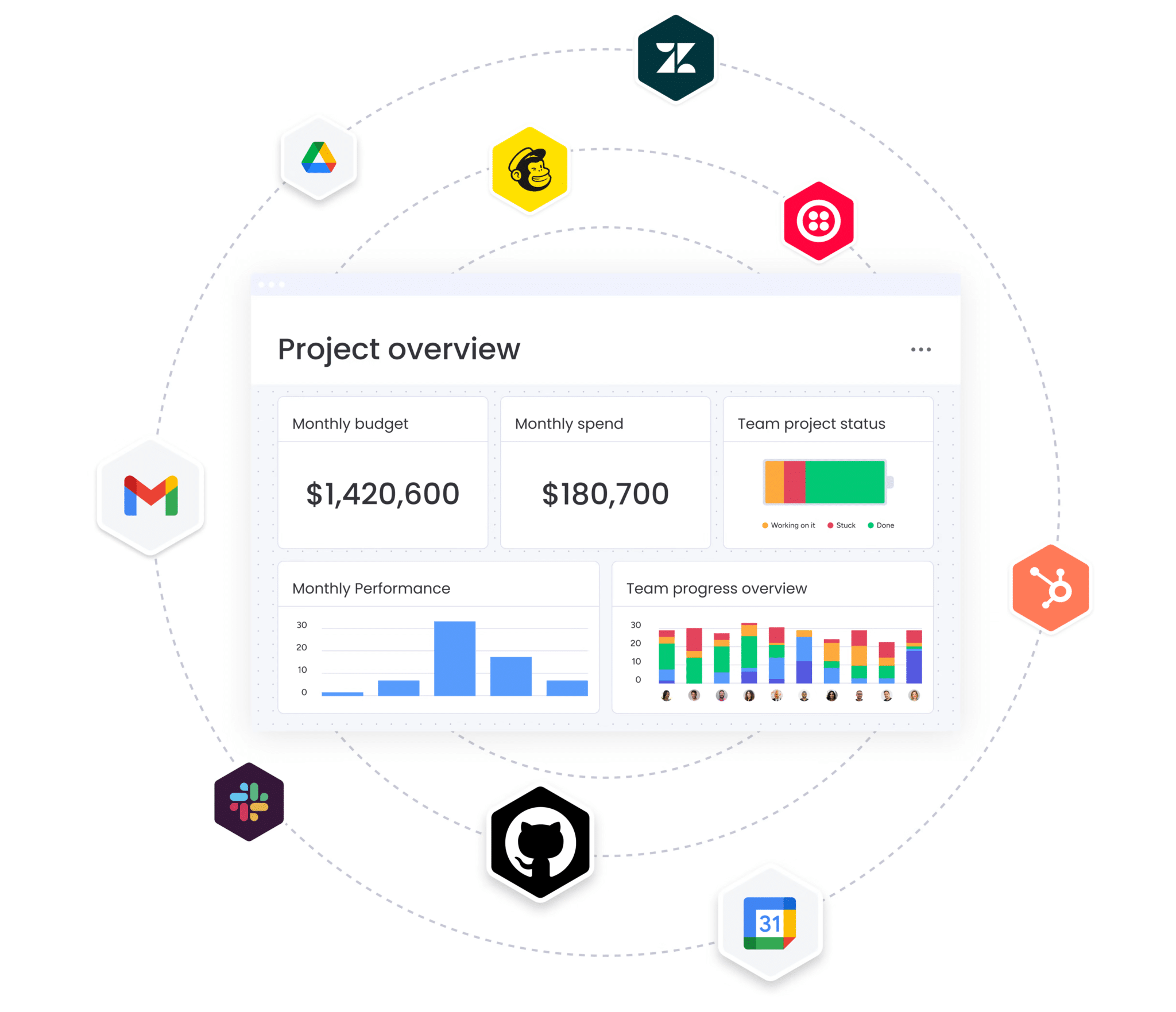
In short, Monday and Pipedrive are about even. It all depends on whether you’re looking for CRM-centric integrations or integrations centered on your broader processes.
Pipedrive vs Monday: pricing
Pipedrive
Pipedrive offers very good value for money for very sales-focused teams with only a small marketing team, or none at all.
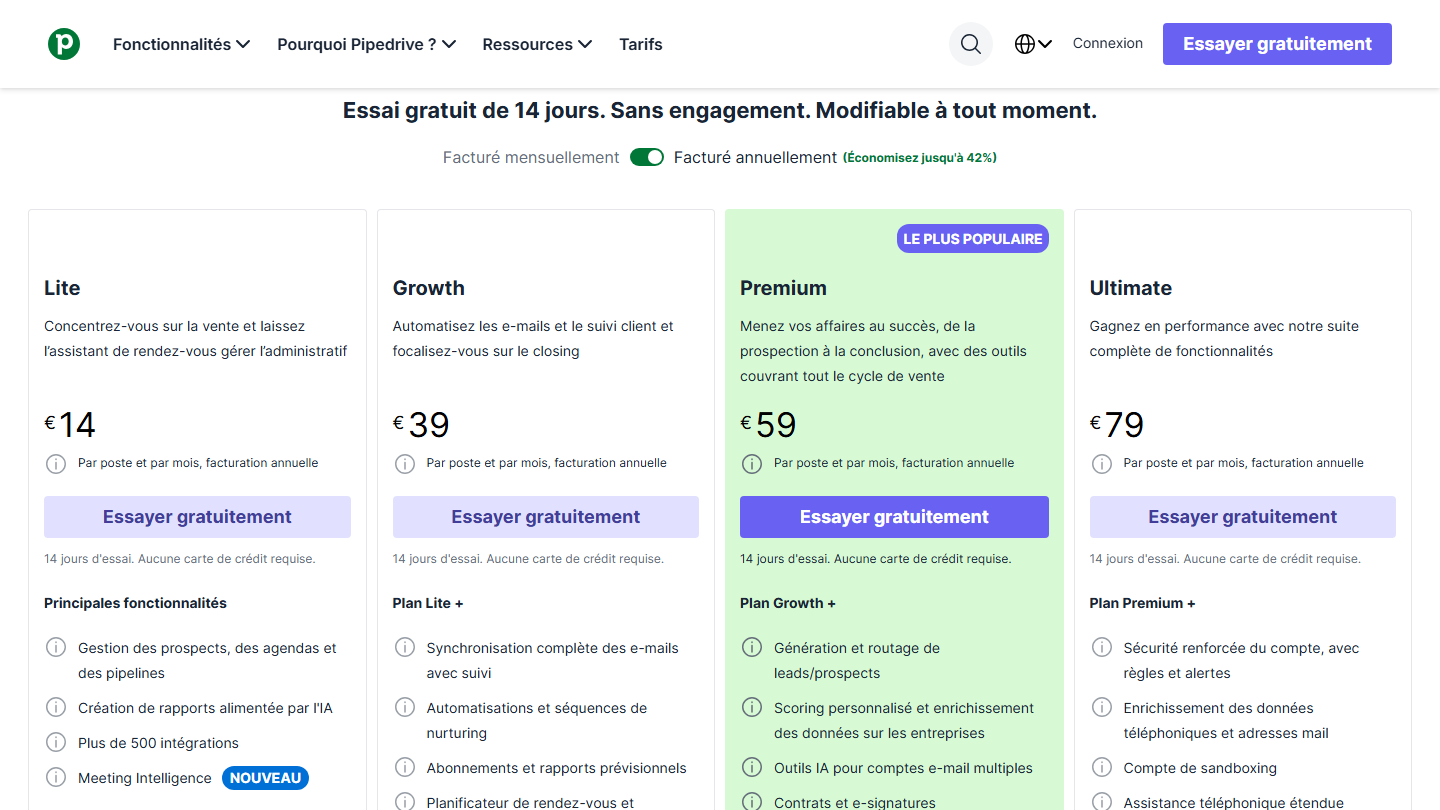
The tool has no free plan, but offers very competitive pricing and a 14-day free trial, no credit card required (30 days through our link). The first plan, Lite, at €14 per seat per month billed annually (€24 billed monthly), gives access to prospect and pipeline management, reports and more than 500 integrations, but not to automations, which come with Growth, at €39 (€49 billed monthly). Premium, at €59 (€79 billed monthly), adds LeadBooster, scoring and contracts with e-signature. The most expensive plan, Ultimate, at €79 per seat per month billed annually (€99 billed monthly), gives access to all features, including contact enrichment and phone support with extended hours. You can also add add-ons, billed per company, such as LeadBooster on plans that don’t include it, from €32.50 per month (€39 billed monthly).
Monday
Pricing works by user groups (3, 5, 10, 15, 20 or more), which means you may have to pay for more users than you actually need.
monday CRM has no free plan: after the trial, you have to subscribe to a plan. The prices below are per user per month billed annually, with a minimum of 3 users.
- The Basic plan, at €12 (€18 billed monthly), includes one custom dashboard, 1,000 active contacts and deals and 5 columns per board. But this plan doesn’t include automations.
- The Standard plan, at €17 (€25 billed monthly), offers 250 custom automations per month, 10,000 active contacts and deals and the iOS and Android apps. That number of automations can be limiting for some users’ needs.
- The Pro plan, at €28 (€41 billed monthly), goes up to 25,000 automations per month and 100,000 contacts and deals, and adds bulk email sending and email sequences.
- The Ultimate plan (formerly the Enterprise plan) has custom pricing, with unlimited contacts and priority support 24/7.
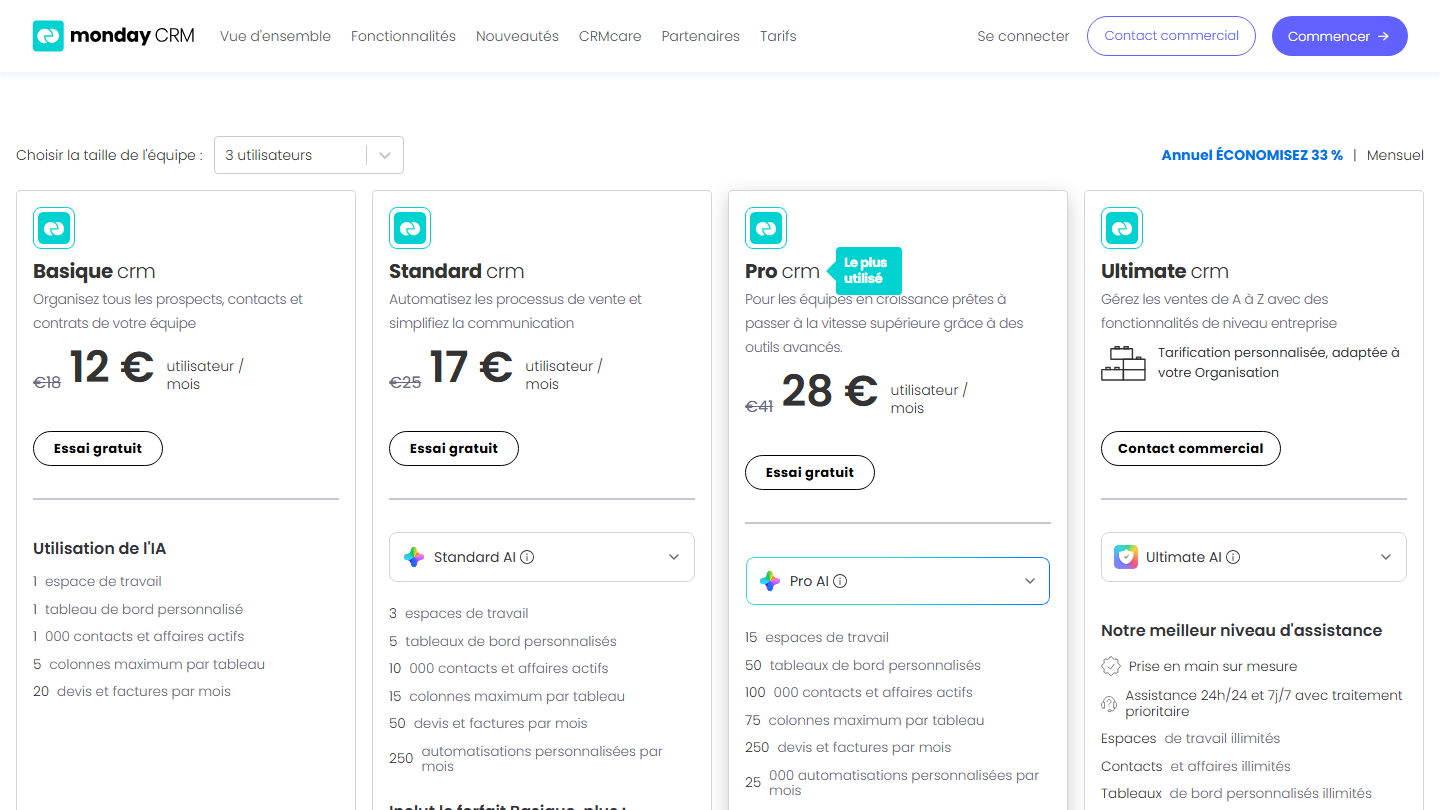
Monday offers a 14-day free trial, with no payment method required.