“In a nutshell” means “in short”, or “in a few words”. The name fits the identity of this CRM rather well: a tool that gets straight to the point and does not burden itself with needless complexity.
This CRM is winning over more and more European B2B SMBs looking for a sales tool that is both simple and intuitive. Nutshell has the advantage of offering a fluid user experience and a genuinely rich feature set at the same time.
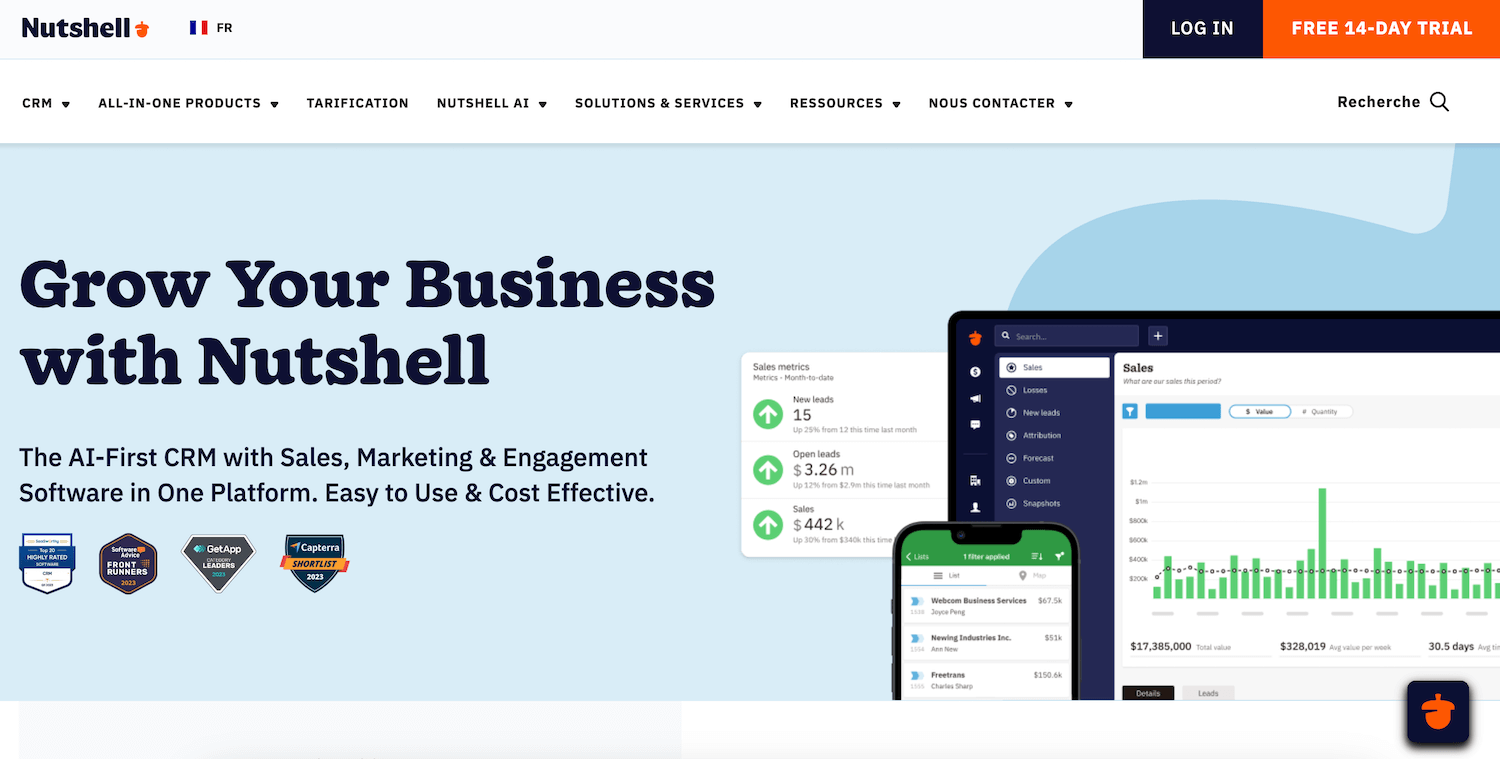
This is a long way from the over-engineered monsters that Salesforce or HubSpot can be. On Nutshell, everything is built to get straight to the point: tracking opportunities, following up on prospects, collaborating efficiently and keeping visibility on the sales cycle. It is a pragmatic, well-executed tool that puts the emphasis squarely on ease of adoption.
So yes, Nutshell is above all a field CRM: the automation, reporting and marketing functions are simpler than at the giants of the market, but for an SMB that is more than enough. The tool covers the essentials and does it rather well.
In this article we go through Nutshell’s strengths and limits in detail, its main features and its pricing, to help you see whether this CRM software can suit your organisation.
Our take on Nutshell’s main features
CRM and sales pipeline
The heart of Nutshell, as with any sales CRM, is its sales pipeline. On that front there is nothing to complain about: the interface is clear, visual and very easy to read. Every opportunity is shown in a board view that lets you follow how deals are progressing at a glance. You simply move opportunities from one stage to the next, drag and drop.
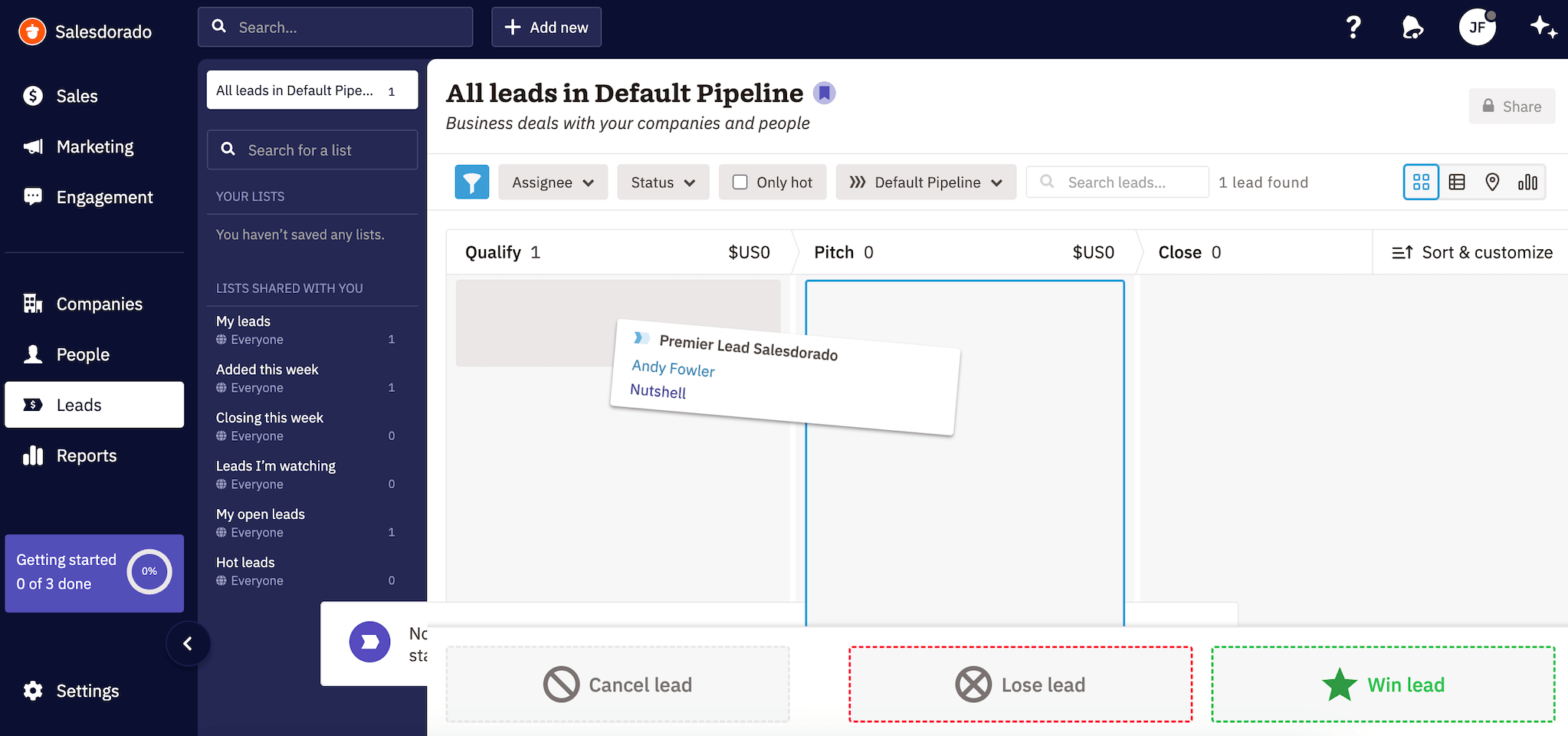
The stages are of course fully customisable: you can adapt the pipeline to your sales cycle, set closing probabilities, fix revenue or conversion targets and track each rep’s performance.
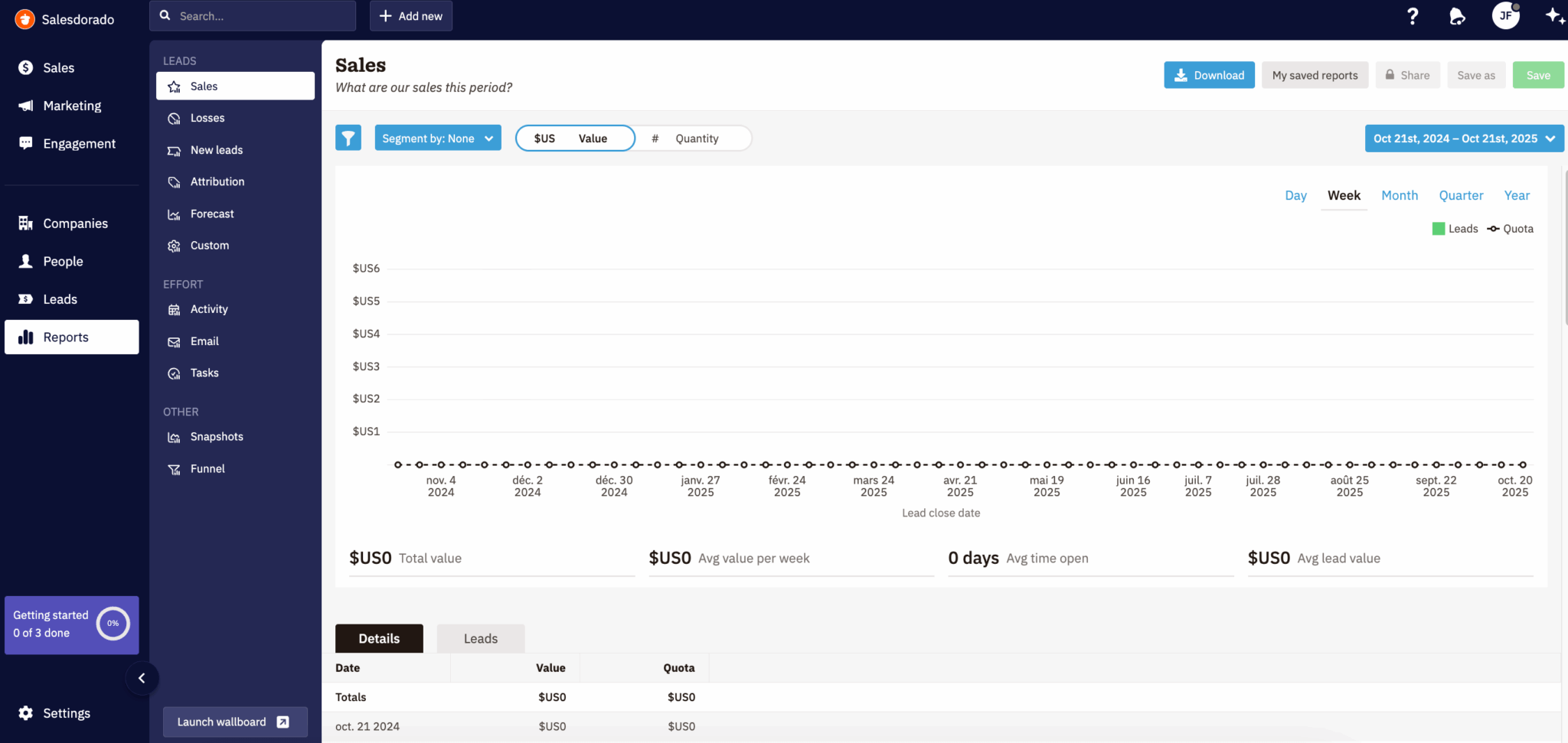
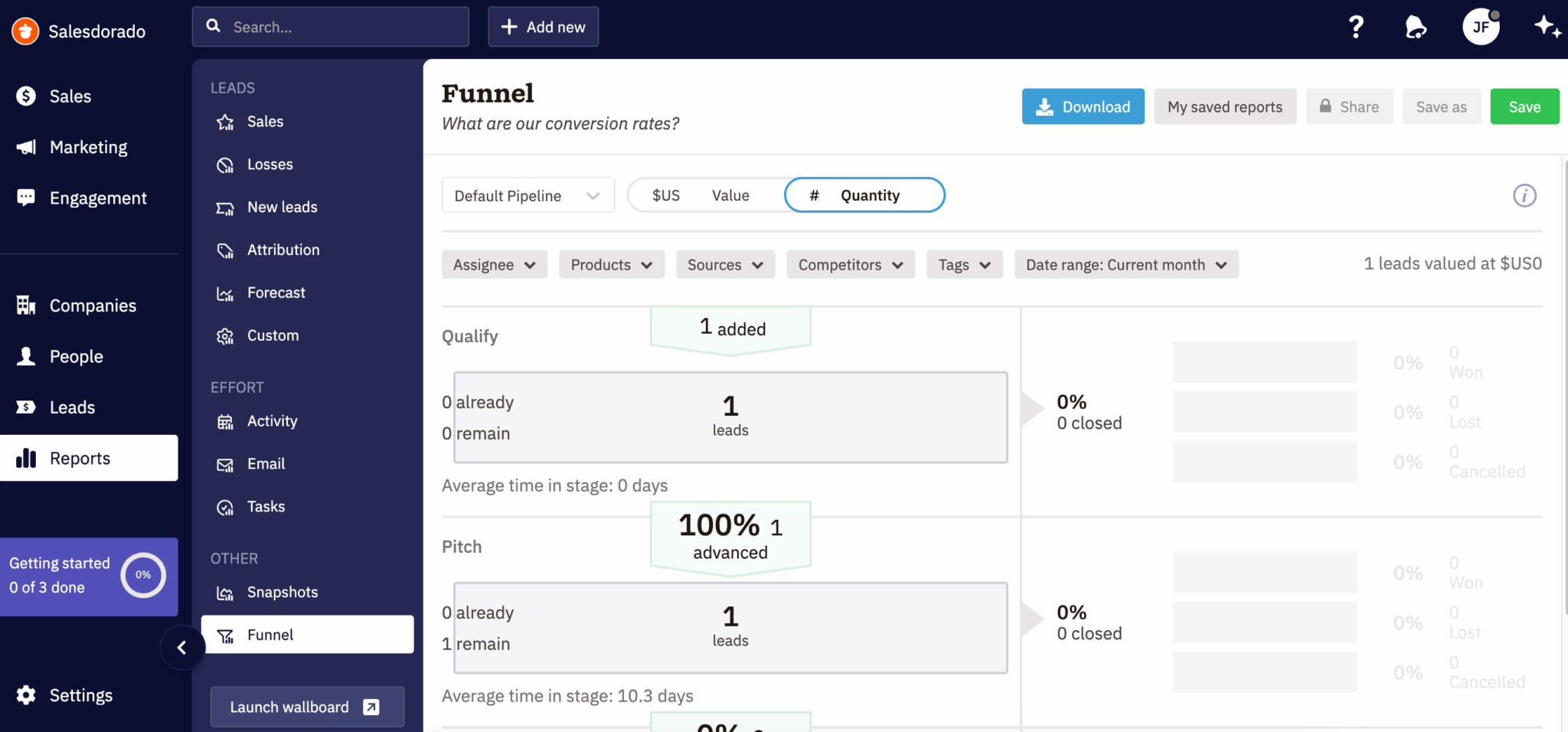
The dashboards let you visualise won deals, open opportunities, conversion rates and pipeline value in real time.
Salesdorado’s takeNothing to say against Nutshell’s pipeline, even if, let’s be honest, most CRMs on the market have reached that standard. You get everything you need: a readable, customisable view that is easy to work with, without heavy configuration or endless training.
Contact and activity management
Nutshell handles commercial relationships on two levels, like any good B2B CRM: contacts, meaning the people, and accounts, meaning the companies.
Each contact record gathers the essential information: details, job title, interaction history, documents, linked opportunities.
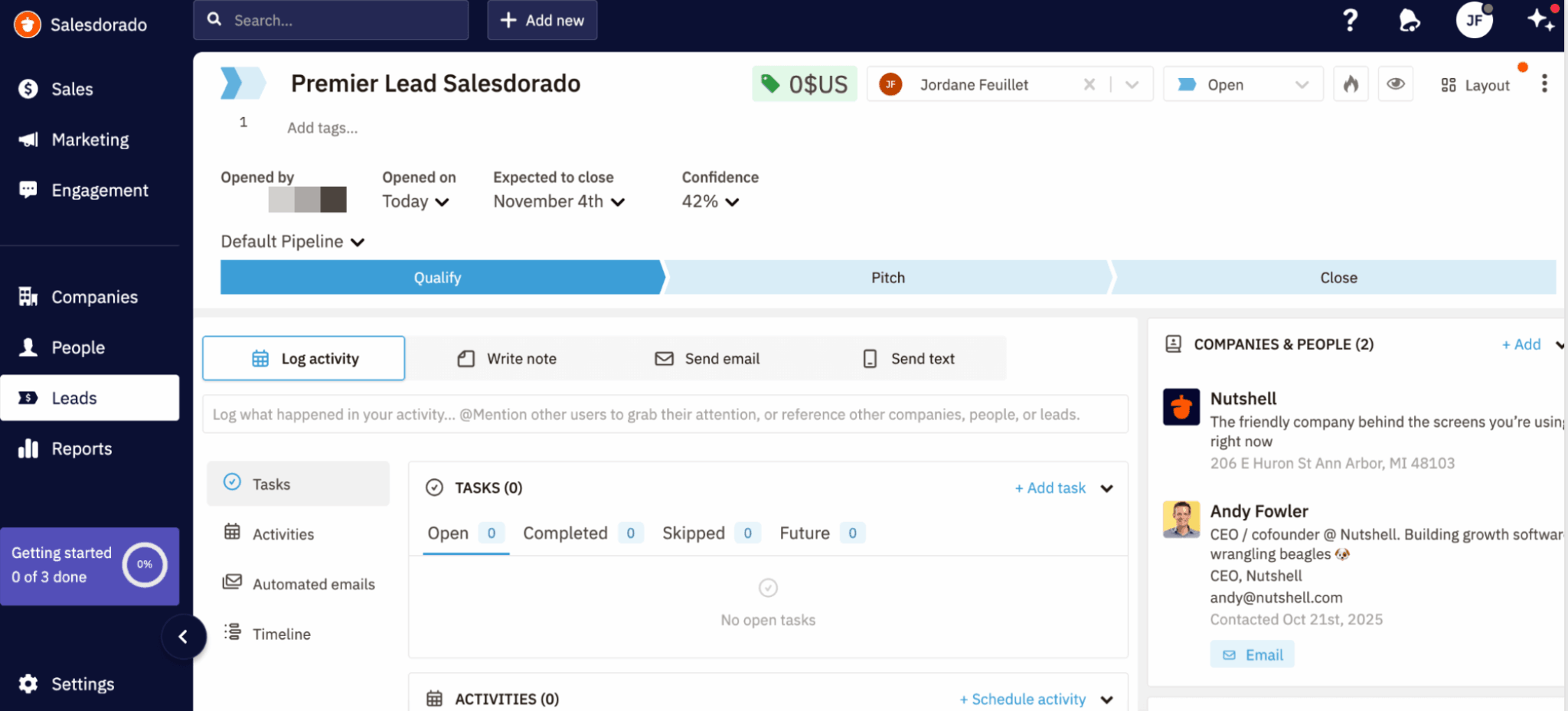
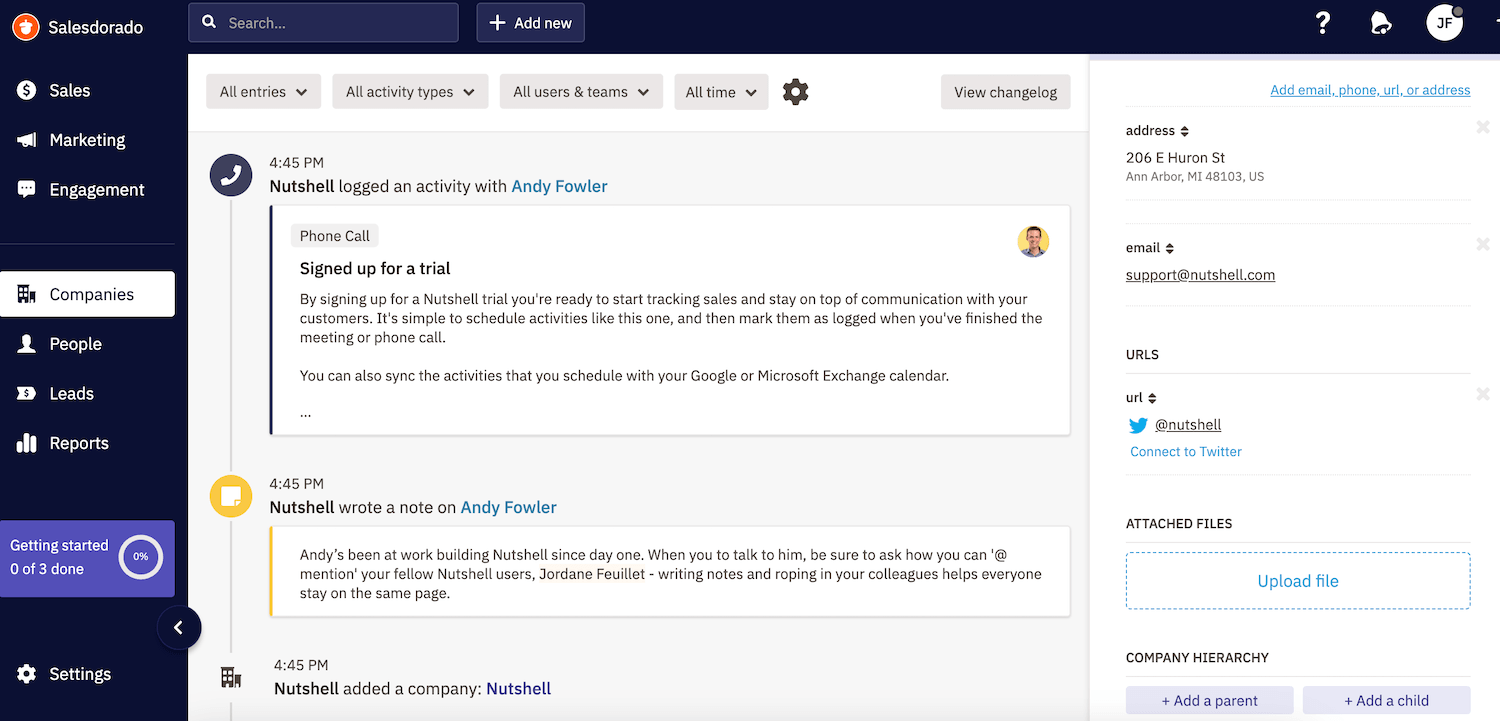
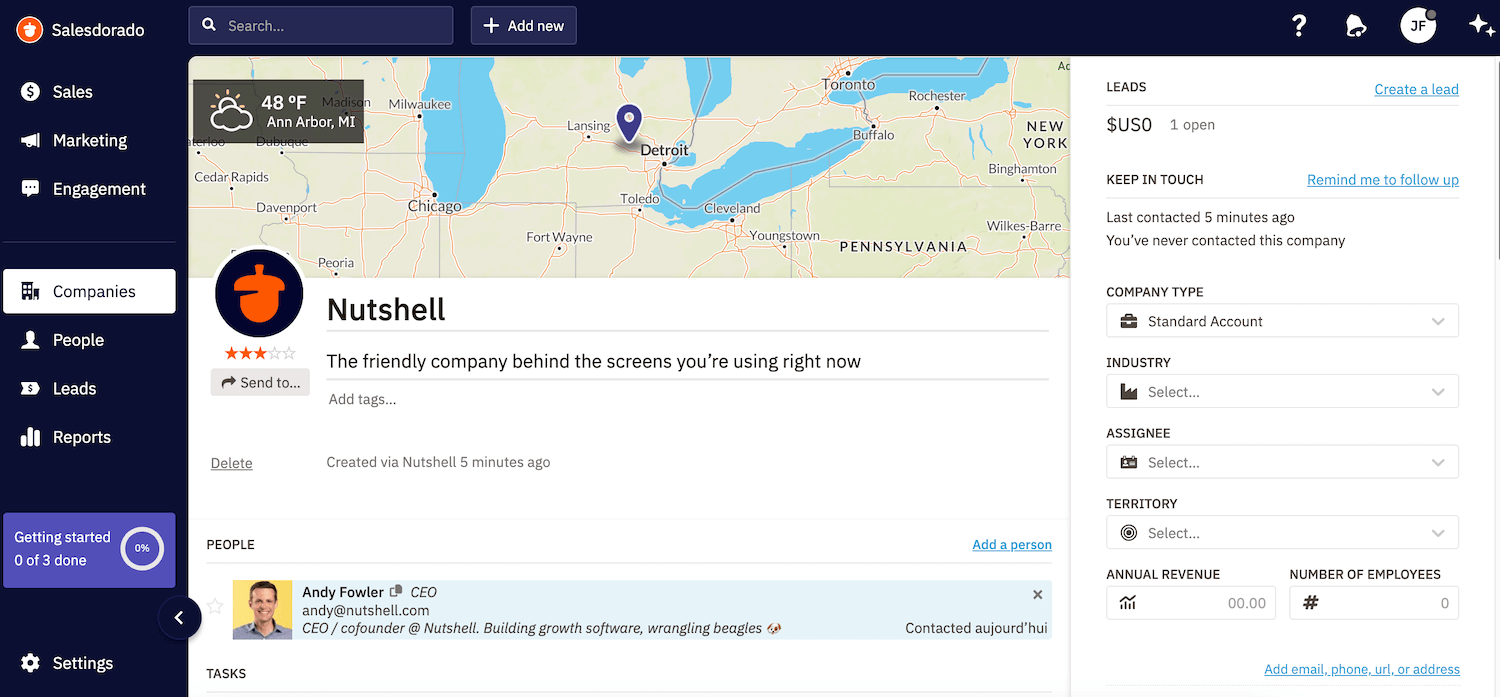
Account records, for their part, centralise data at company level: size, industry, associated pipeline and every linked contact. That double reading lets you follow the relationship both individually and as a whole.
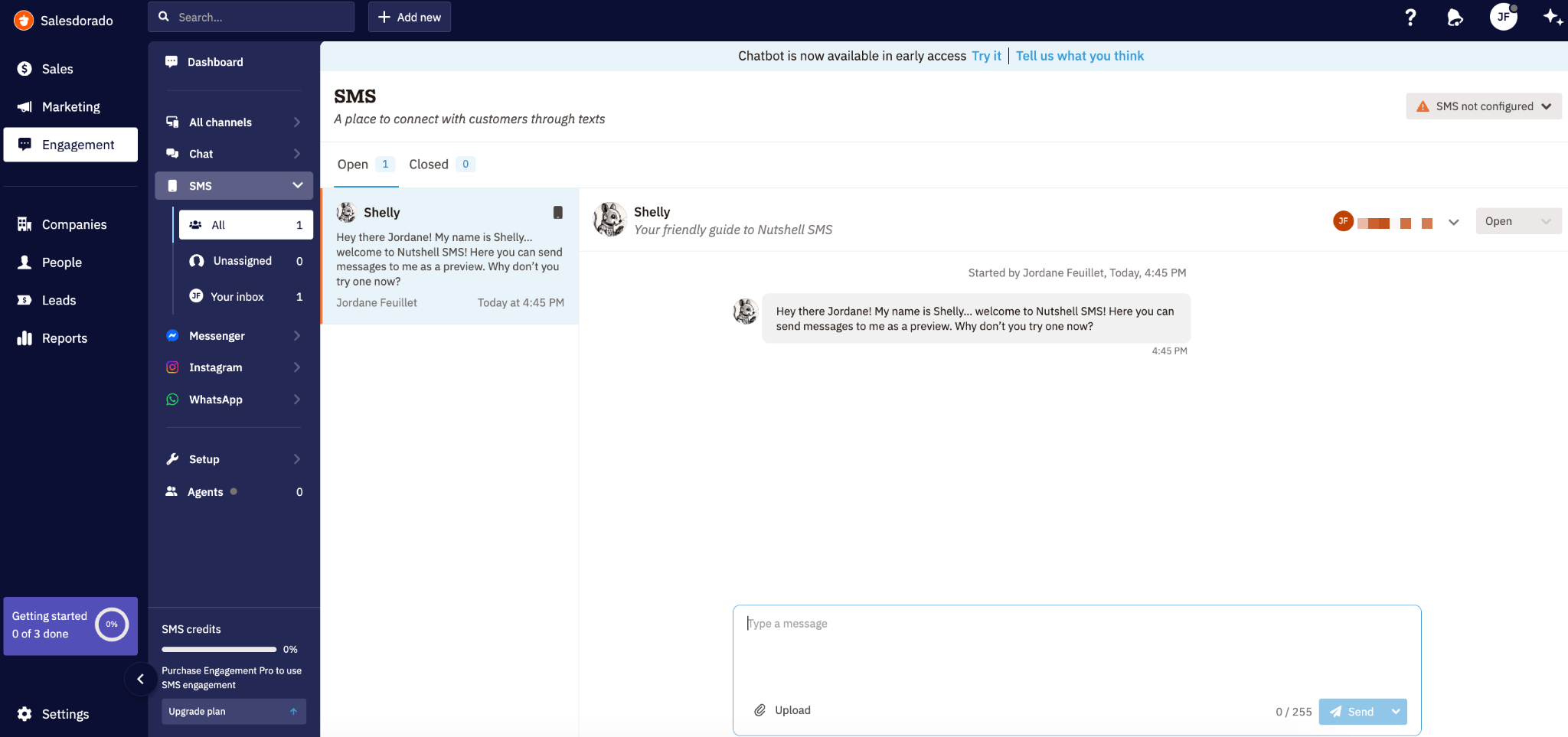
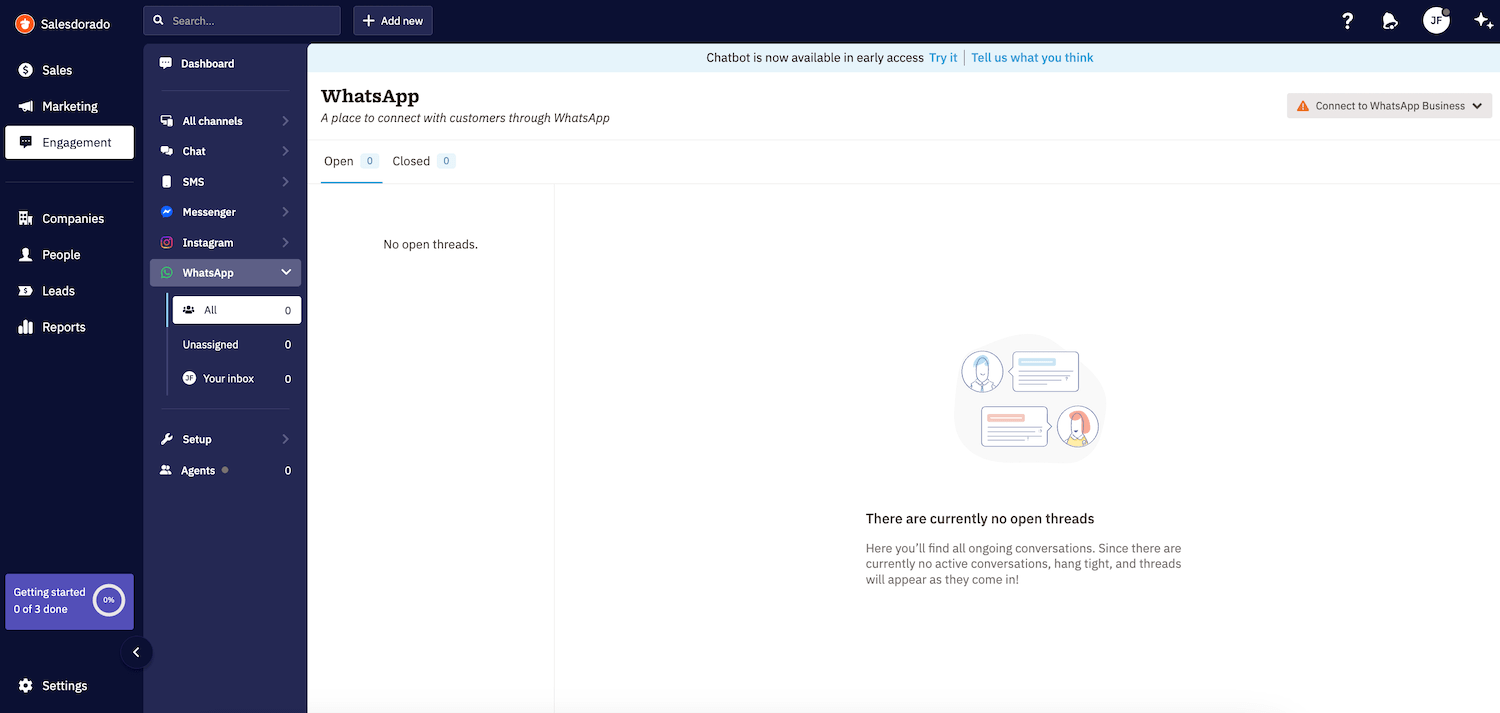
Interactions, emails, calls, meetings and WhatsApp, are synced automatically through the native integrations and the Engagement module. You genuinely get omnichannel management of customer exchanges, which is a very good point, because it keeps a complete record of your entire customer relationship.
On the activity side, Nutshell offers a built-in calendar to organise follow-ups, meetings and sales check-ins. Automatic reminders and views by day, week or rep keep priorities clear.
The whole thing is well thought out: the rep knows what to do, when and for whom, without juggling several screens.
Salesdorado’s takeNutshell ticks every box on contact and account management. The two-level tracking, people and companies, is very well handled, and omnichannel management of interactions, WhatsApp included, is a real asset.
Automation & sequences
Nutshell includes several automation options meant to simplify the daily work of sales teams without weighing the tool down.
You can automate repetitive tasks: creating activities, sending follow-up emails, notifications or stage changes in the pipeline. These rules are fairly easy to configure and need no particular technical skill.
Email sequences keep the relationship with prospects alive at every stage of the sales cycle. You can schedule personalised follow-ups based on precise triggers: a new opportunity, inactivity, a status change. It helps maintain a steady follow-up rhythm without depending solely on each rep’s individual discipline.
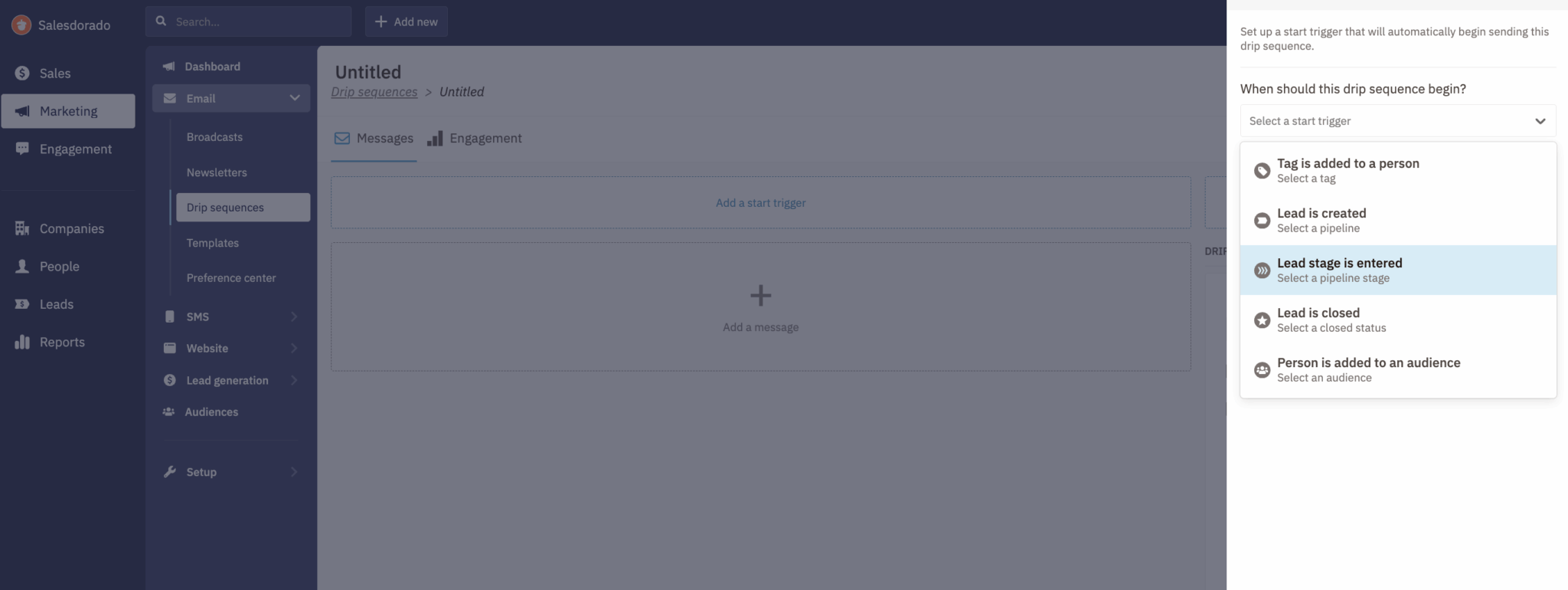
There are lighter marketing automations too: automatically adding a contact to a campaign, sending a welcome email, updating a field on the prospect record. It is simple, intuitive and enough for most SMBs, which are mainly looking to save time without turning their CRM into a workflow factory.
Salesdorado’s takeNutshell has found the right balance. Automation is developed enough to make teams’ lives easier, without creating needless complexity. We are clearly not at the level of a HubSpot or a Salesforce on the depth of the scenarios, but for SMB use it is more than enough and very well executed.
Marketing features
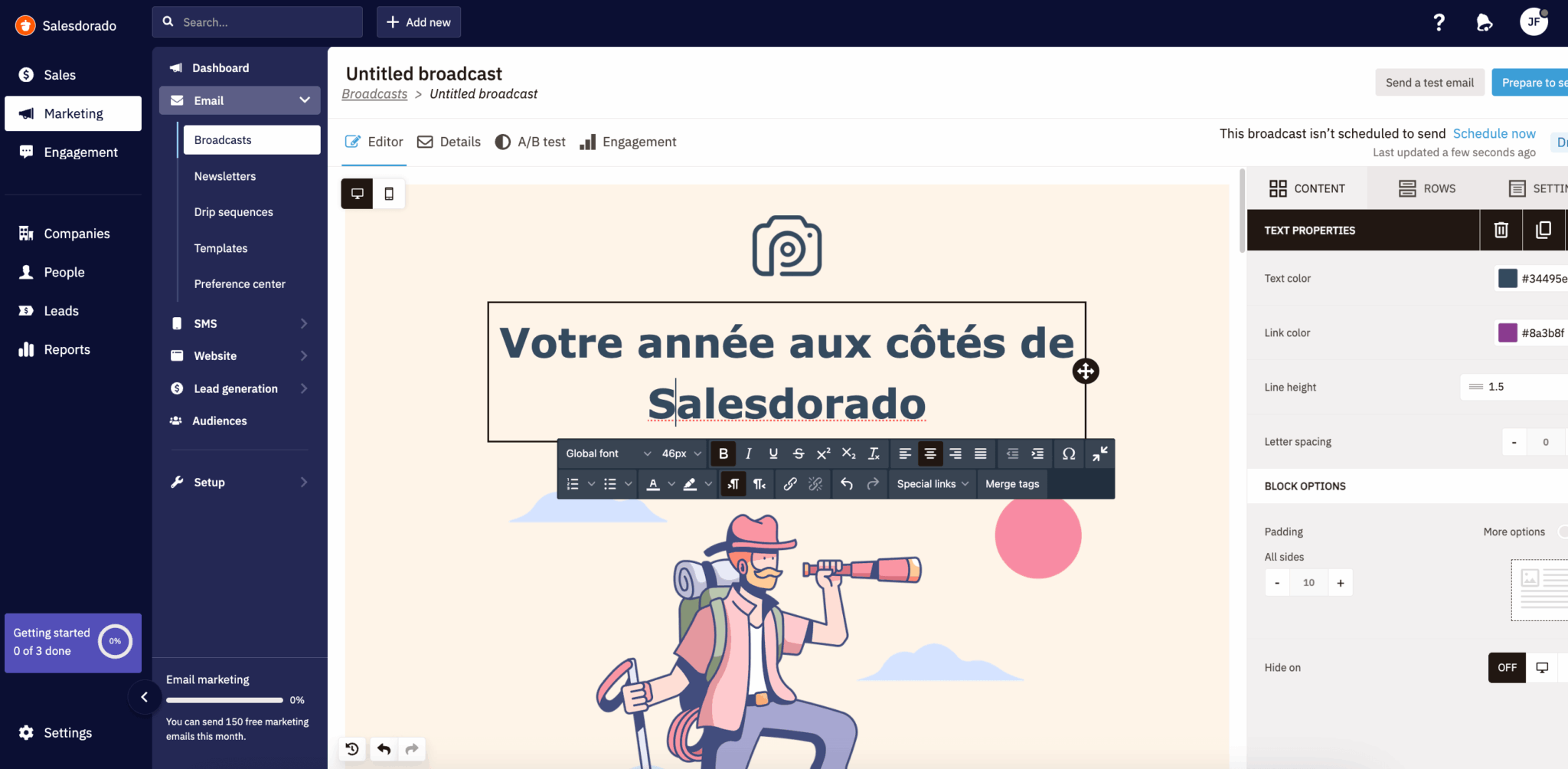
Like more and more B2B CRMs, Nutshell ships a marketing module that lets you run simple campaigns straight from the CRM. The idea is to centralise data and actions in the same tool: no need to export your contacts to a third-party platform to send a newsletter or a lead nurturing sequence.
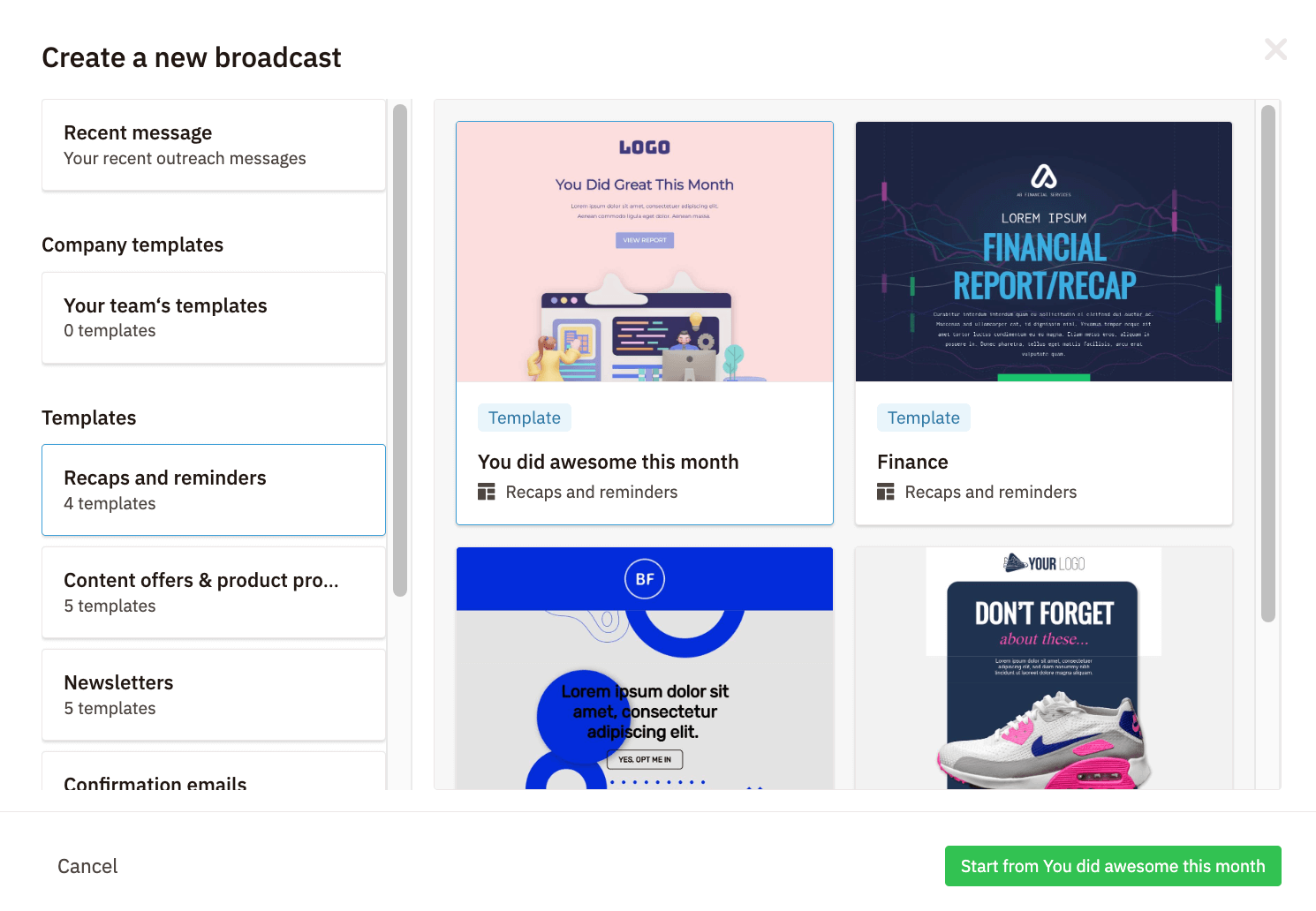
You can build emails from customisable templates, target your audiences with the CRM’s segmentation and track the results: open rates, clicks, unsubscribes. The built-in forms make it easier to capture leads on your site, and they are added to the CRM automatically with the right status or pipeline.
The marketing module stays deliberately simple: it does not replace a full marketing automation tool, but it covers an SMB’s basic needs very well.
Salesdorado’s takeNutshell’s marketing module does not have the sophistication of a dedicated platform, but it ticks the essential boxes. For SMBs it is a real plus: campaigns, forms and automated follow-ups in the same environment.
Mobile app
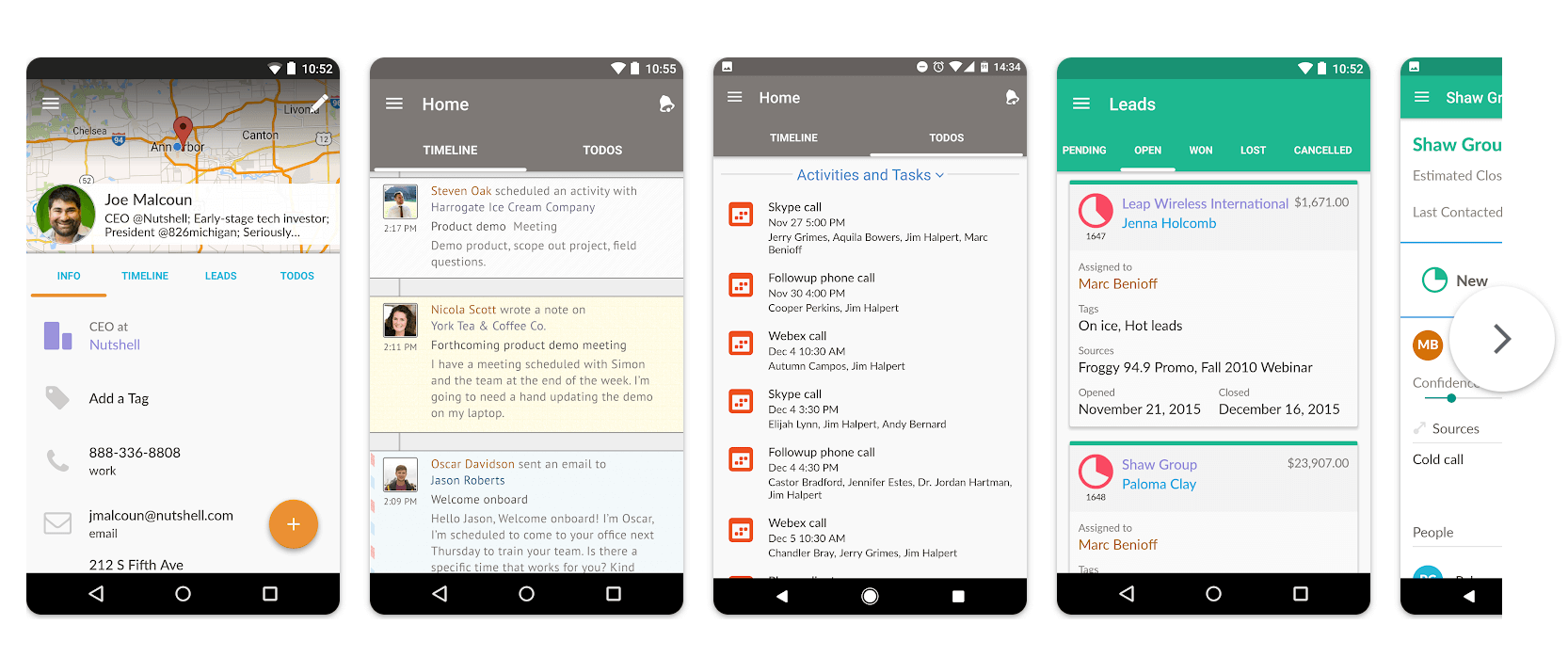
Nutshell offers a mobile CRM app available on iOS and Android, designed to support reps in the field. The interface follows the logic of the web CRM: simple, readable and centred on the essential information. You can consult contacts, opportunities, tasks and upcoming activities in seconds.
You can update records, add notes after a meeting or change an opportunity’s status straight from your phone. That is handy for travelling teams or those alternating between office and field. The app also offers partial offline access so you can keep working without a connection.
Customer service
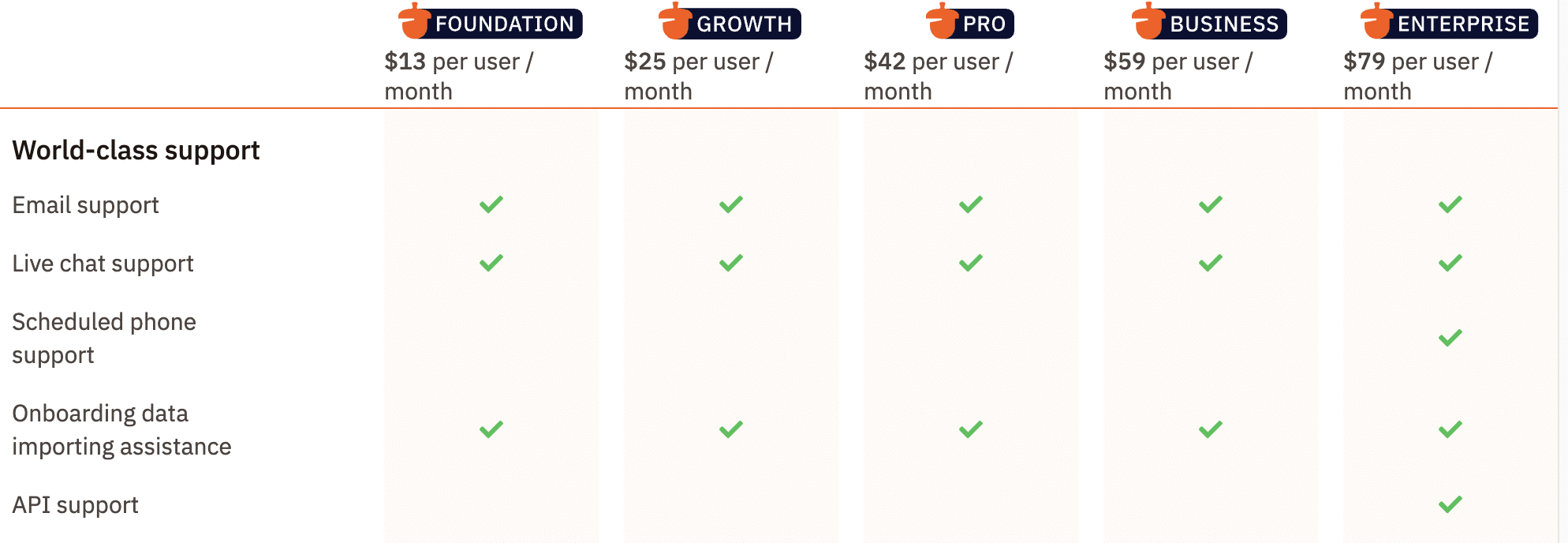
Nutshell’s customer support is one of its strong points. The vendor bets on human help, accessible and responsive, whatever plan you choose. Even users on the entry-level tiers get direct support by chat and email, which is far from the case at most competitors.
On the higher plans it is also possible to schedule phone sessions or get personalised help setting the account up.
On top of that, Nutshell offers a fairly well-stocked knowledge base, though mostly in English, with video tutorials, regular webinars and a blog focused on sales best practices.
Integrations and the ecosystem
Nutshell provides an official marketplace listing more than 200 native integrations that cover most of a modern SMB’s needs: prospecting, marketing, electronic signature, telephony, accounting, e-commerce, collaboration tools.
Among the flagship integrations are Apollo, Calendly, CallRail, LinkedIn Ads, QuickBooks, Shopify, Zoom, Microsoft Teams and, of course, the Google Workspace suite.
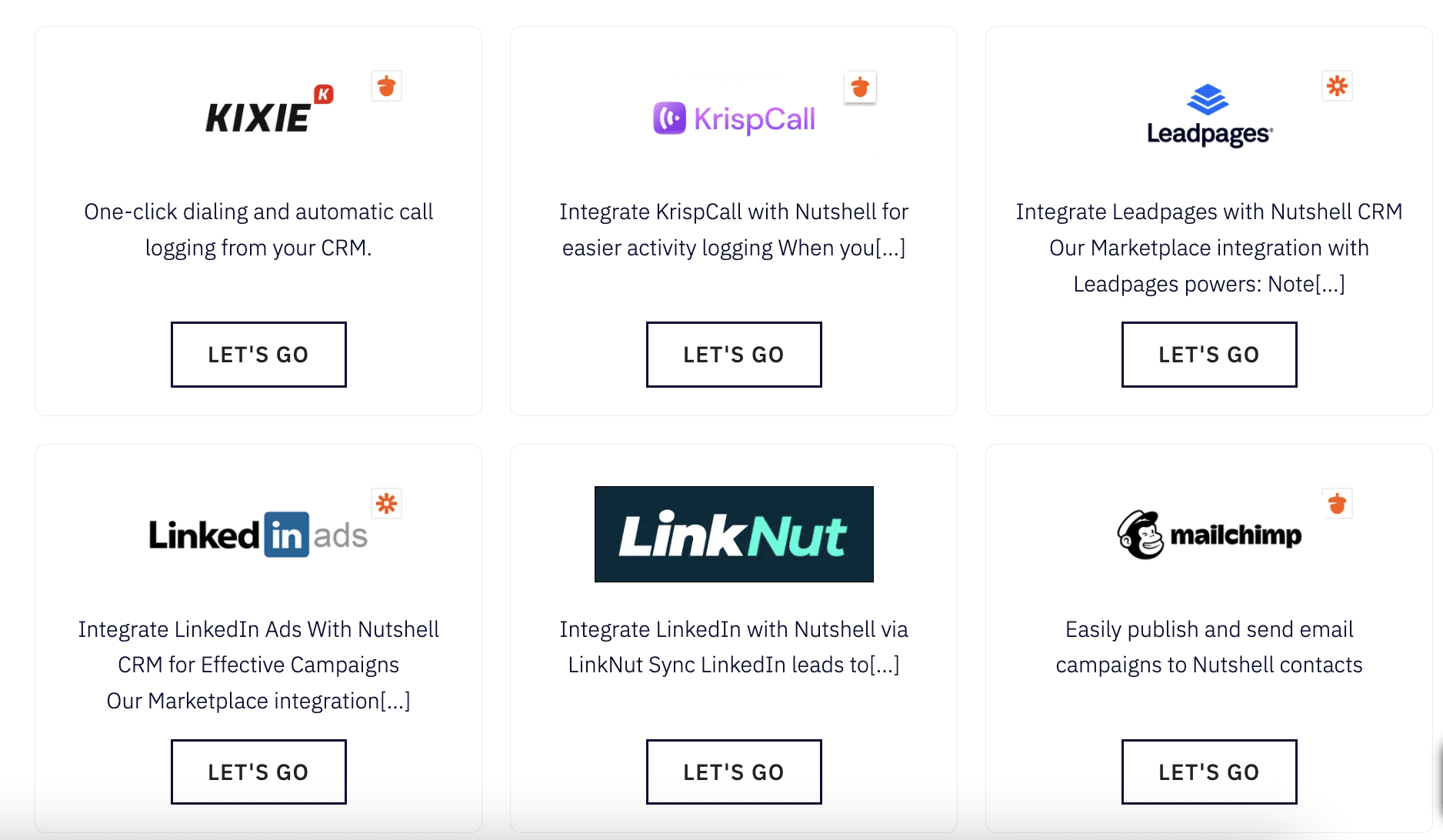
Nutshell is also compatible with Zapier and viaSocket, which has the merit of opening the door to more than 5,000 additional integrations. So you can connect your CRM to almost any business application.
Salesdorado’s takeNutshell surprises with the maturity of its ecosystem. More than 200 native integrations and 5,000 connections through Zapier or viaSocket is impressive for a CRM in this range.
Pricing and value for money
Nutshell offers a modular pricing structure designed to adapt to a company’s size and needs. The main product, Nutshell Sales, works on per-user pricing, while the Marketing and Engagement modules are billed per company.
Nutshell Sales
This is the heart of the CRM. Every plan includes the Marketing Foundation and Engagement Foundation modules free of charge.
| Plan | Price (no commitment) | Key features | Best for |
|---|---|---|---|
| Foundation | $13/user/month | Contact, lead and conversation management, 100 open leads maximum, email and calendar integration. | Teams discovering the CRM and wanting to structure their sales processes. |
| Growth | $25/user/month | Everything in Foundation, plus performance reports and extended analysis capabilities. | Small teams wanting to measure sales activity and track their performance. |
| Pro | $42/user/month | Sales automation, advanced reporting, multi-pipelines, API integration. | Growing SMBs wanting to automate and steer their pipe more precisely. |
| Business | $59/user/month | Everything in Pro, plus advanced customisation, built-in AI, change logs. | Organisations needing customised workflows and a higher level of automation. |
| Enterprise | $79/user/month | Advanced access controls, custom reporting, direct SQL, priority support. | Large organisations or multi-team structures with demanding analytical needs. |
Nutshell Marketing
Nutshell Marketing is billed per company and requires an active Nutshell Sales subscription. The Marketing Foundation offer is included free of charge. The Marketing Pro offer, for its part, is priced according to the number of marketing contacts.
- Marketing Foundation: included with every Sales plan. Provides an email editor, forms, landing pages and attribution reports.
- Marketing Pro: prices vary with the size of your database. The plan allows larger campaigns, gives access to SMS marketing and to richer reports. Each account can send up to 8 times its contact limit per month. Without a Pro subscription, the cap stays at 150 marketing emails per month.
Nutshell Engagement
Nutshell Engagement is also billed per company and included in every Sales plan through the Foundation version. It comprises form tracking, a webchat and an unlimited AI chatbot. The Engagement Pro version adds the ability to send SMS, mainly available in the United States and Canada, and fuller customer conversation features.
Add-ons
Several add-on modules can be activated à la carte:
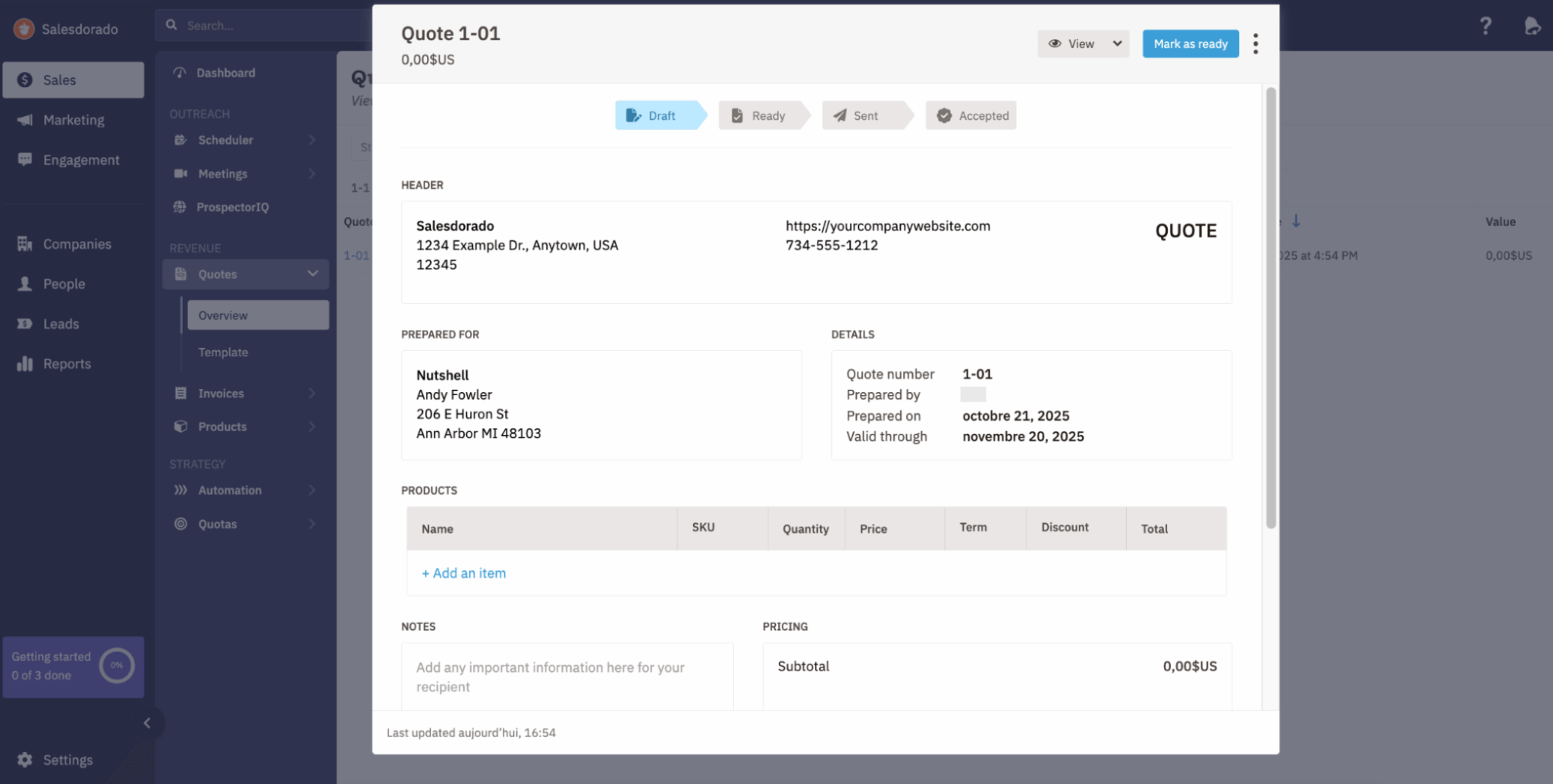
- Quotes & Invoices, which lets you create, send and track your quotes and invoices straight from Nutshell. The templates are customisable and the data syncs with your opportunities, which avoids double entry.
- LeadBoost, a built-in enrichment tool that identifies and automatically adds new qualified leads to your pipeline according to your prospecting criteria.
Salesdorado’s takeNutshell’s pricing grid is clear and flexible. For an SMB, the Pro plan probably offers the best balance between price, automation and reporting. The per-user model, combined with the marketing and engagement modules included, makes the investment predictable and scalable. No hidden fees, support included and a real effort at readability: this is a healthy, pragmatic approach, perfectly suited to SMBs.