Customizing your CRM has become one of the new challenges in B2B. Several tools draw criticism for an interface that lags behind some competitors. The result is an unpleasant UX.
Zoho, which has already been called out for these very reasons, decided to fix it. In this article we present their brand-new solution: Canvas by Zoho.
In a nutshell, it is an innovative solution that lets you customize your workspace. In this article, we walk you through it from A to Z!
Going furtherThis article is sponsored by Zoho France. Zoho is a software suite to run your business, from project management to accounting. Their CRM, Zoho CRM, is one of the most widely used CRM tools among French SMBs. For more information, you can browse our other articles on the topic:
Canvas by Zoho: how it works
A drag & drop builder, but for your CRM interface
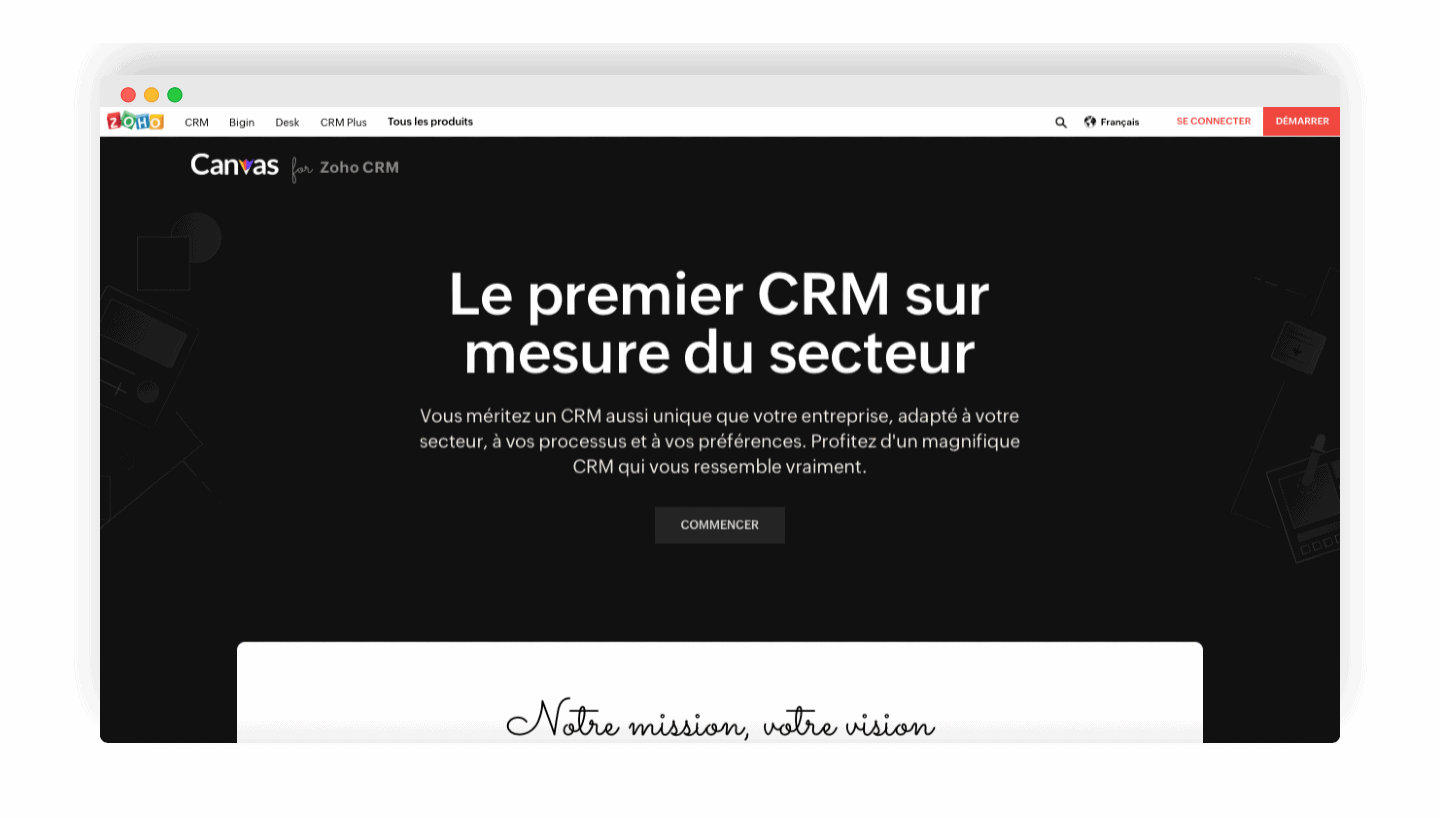
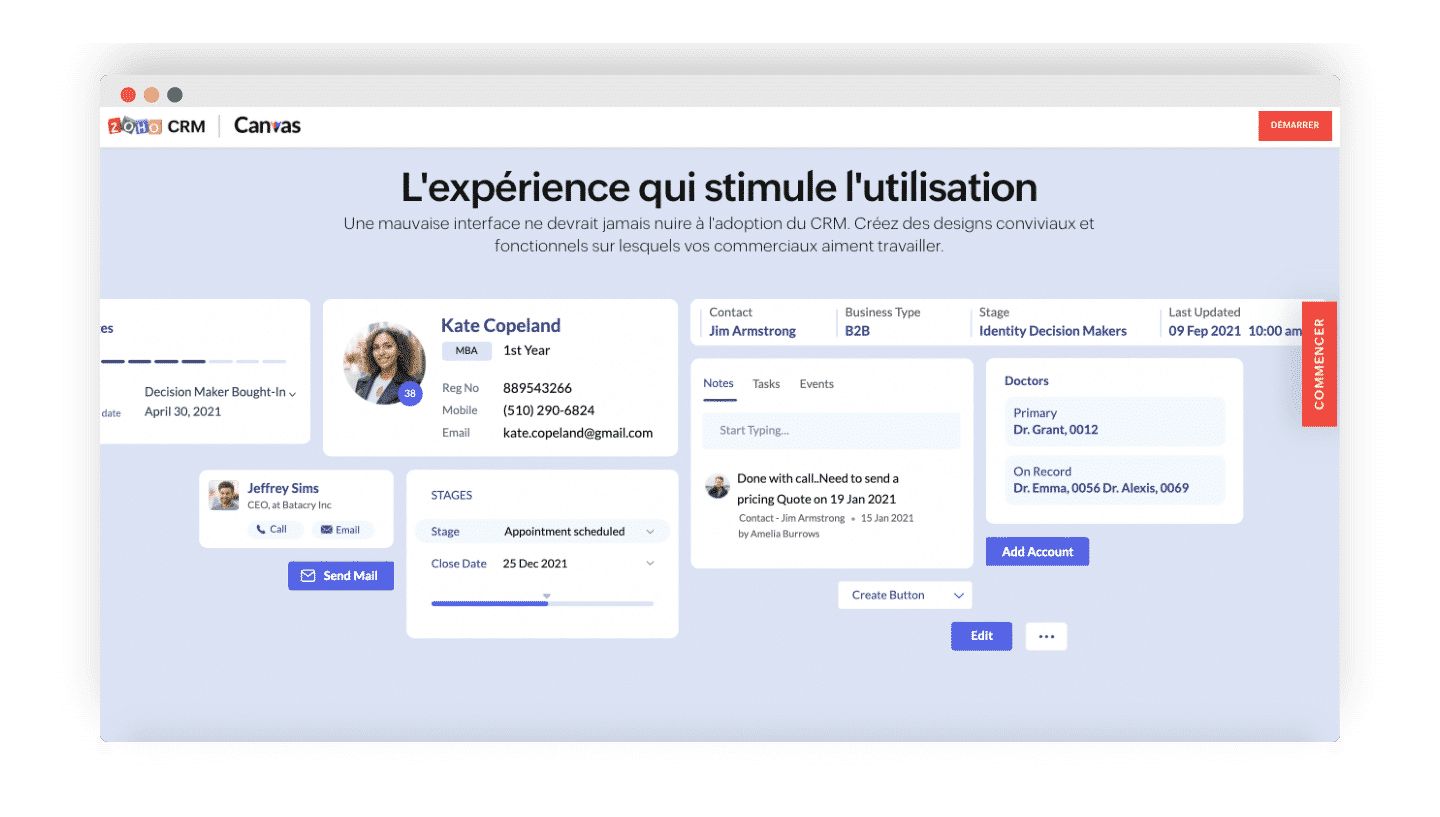
Just like Webflow or Wix for building your newsletters or your website, Canvas by Zoho lets you “build” your own CRM interface with a drag and drop tool. It is a feature that is easy to use and lets you customize your CRM user experience.
Canvas arrives at a time when Zoho was criticized for offering a somewhat outdated CRM interface. With this tool, you can now customize every element of your CRM interface!
Canvas by Zoho is a typical example of the new no-code use cases. The tool lets you customize your experience directly inside the software. It means treating your teams as the real users of the solution.
Salesdorado tipThe Canvas By Zoho page tells you more about the tool, its range of features and, more generally, the ways it can be used.
A large template gallery to customize the user experience
Customizing your CRM interface from a template makes the building process faster. To that end, Zoho offers many themes to help you get started.
These templates were built from scratch with the Canvas tool. They give good pointers to understand what the tool has to offer, so you can get the most out of it.
Canvas by Zoho for healthcare companies
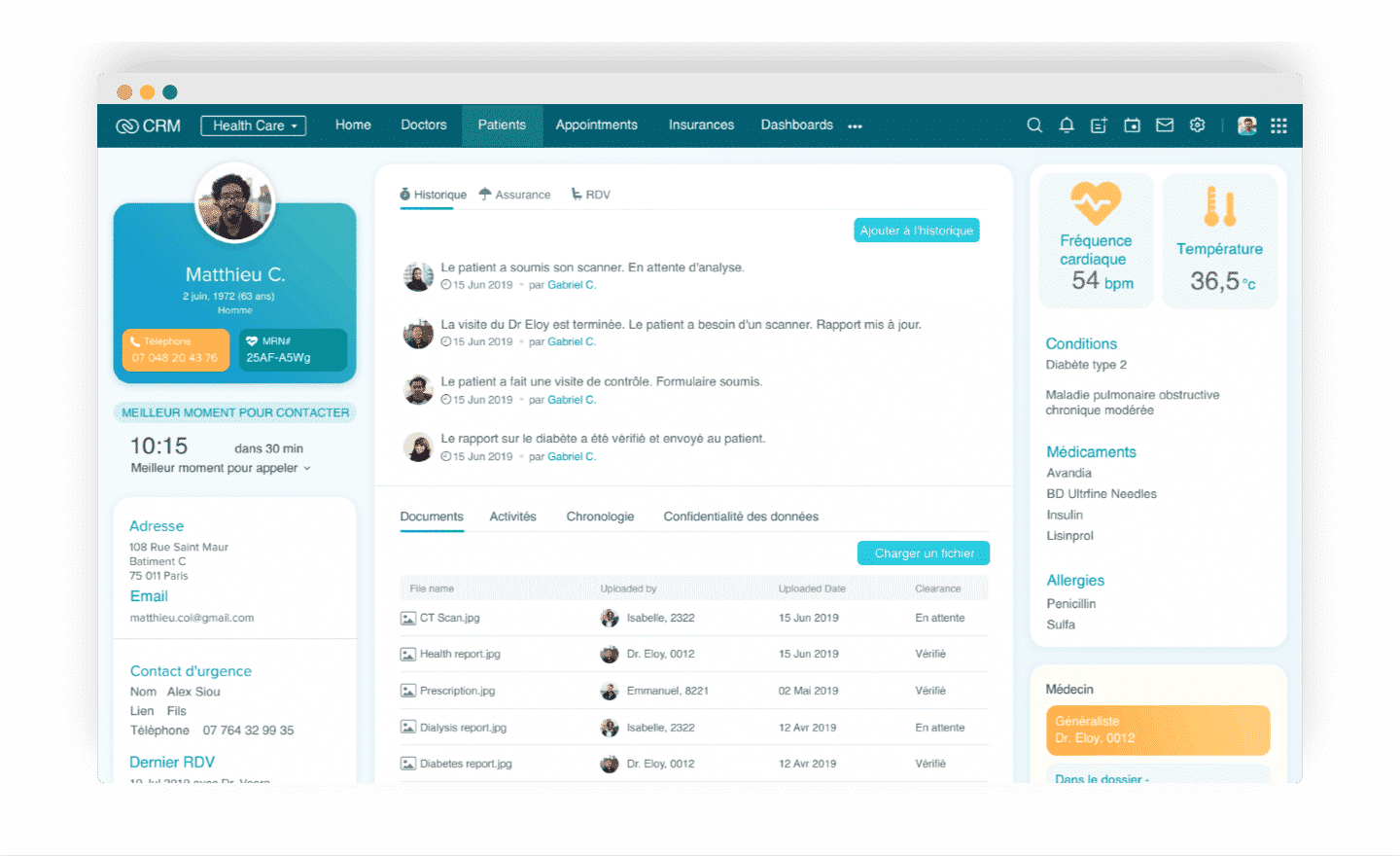
Canvas by Zoho for companies that sell products
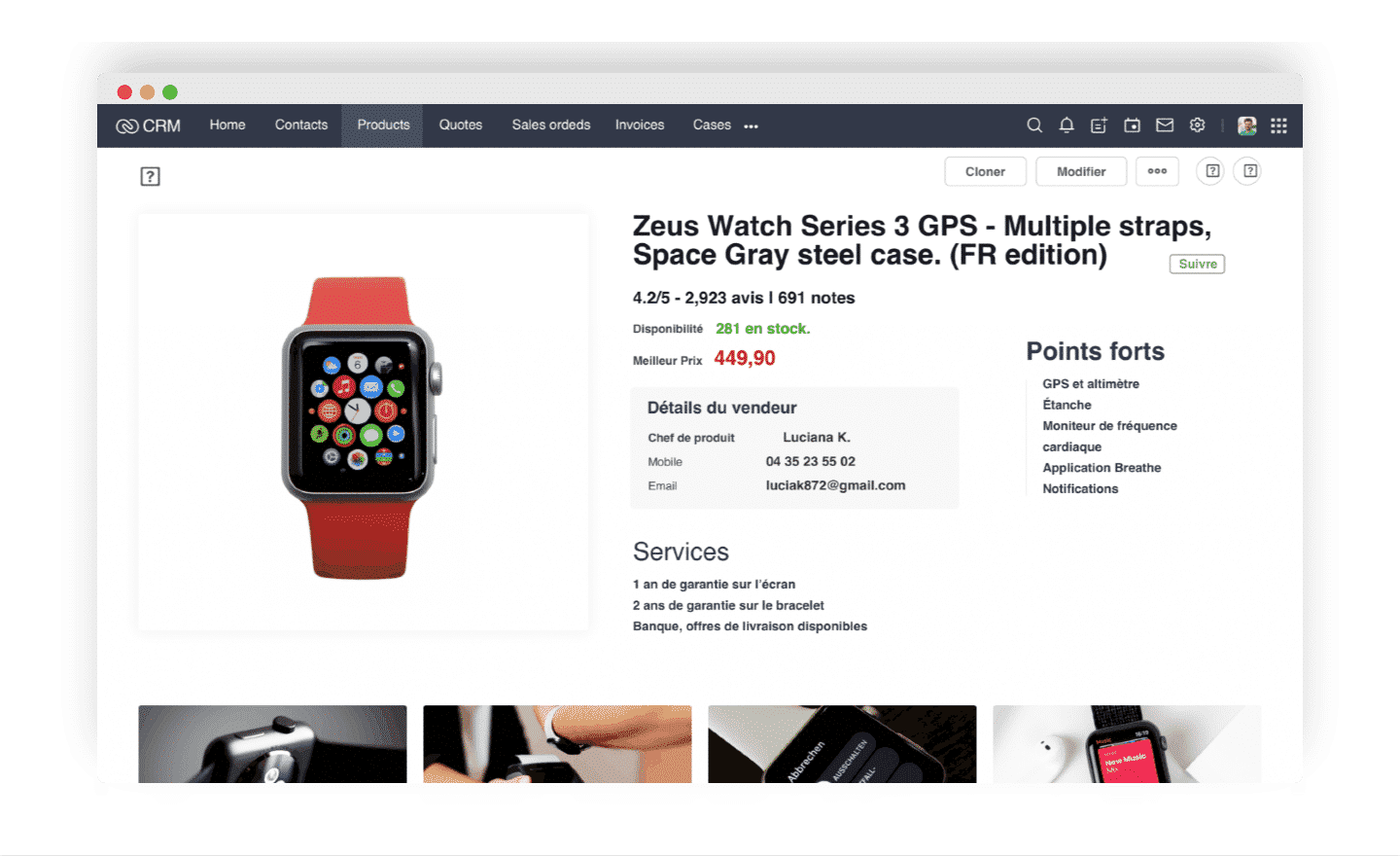
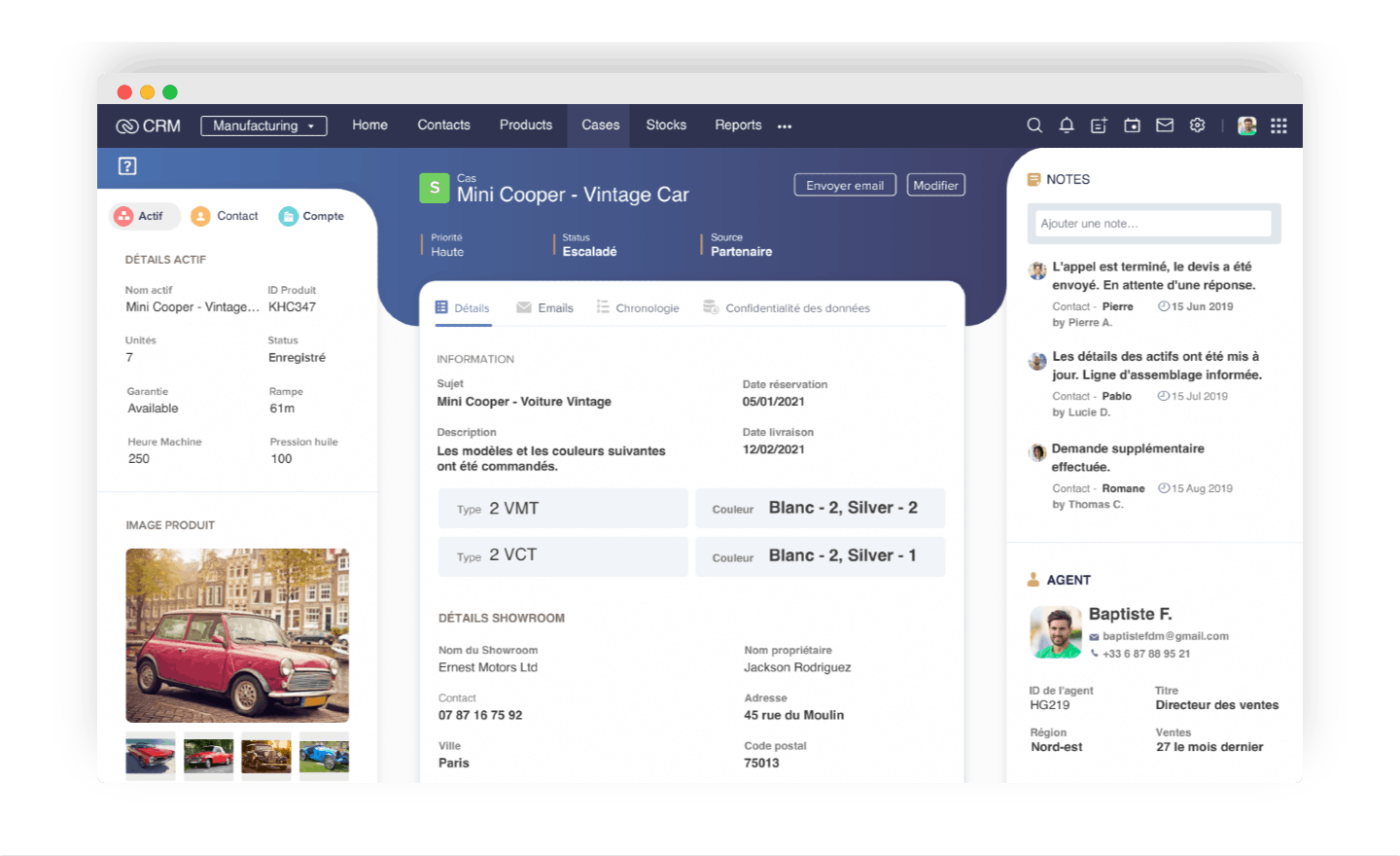
Canvas by Zoho for manufacturing companies
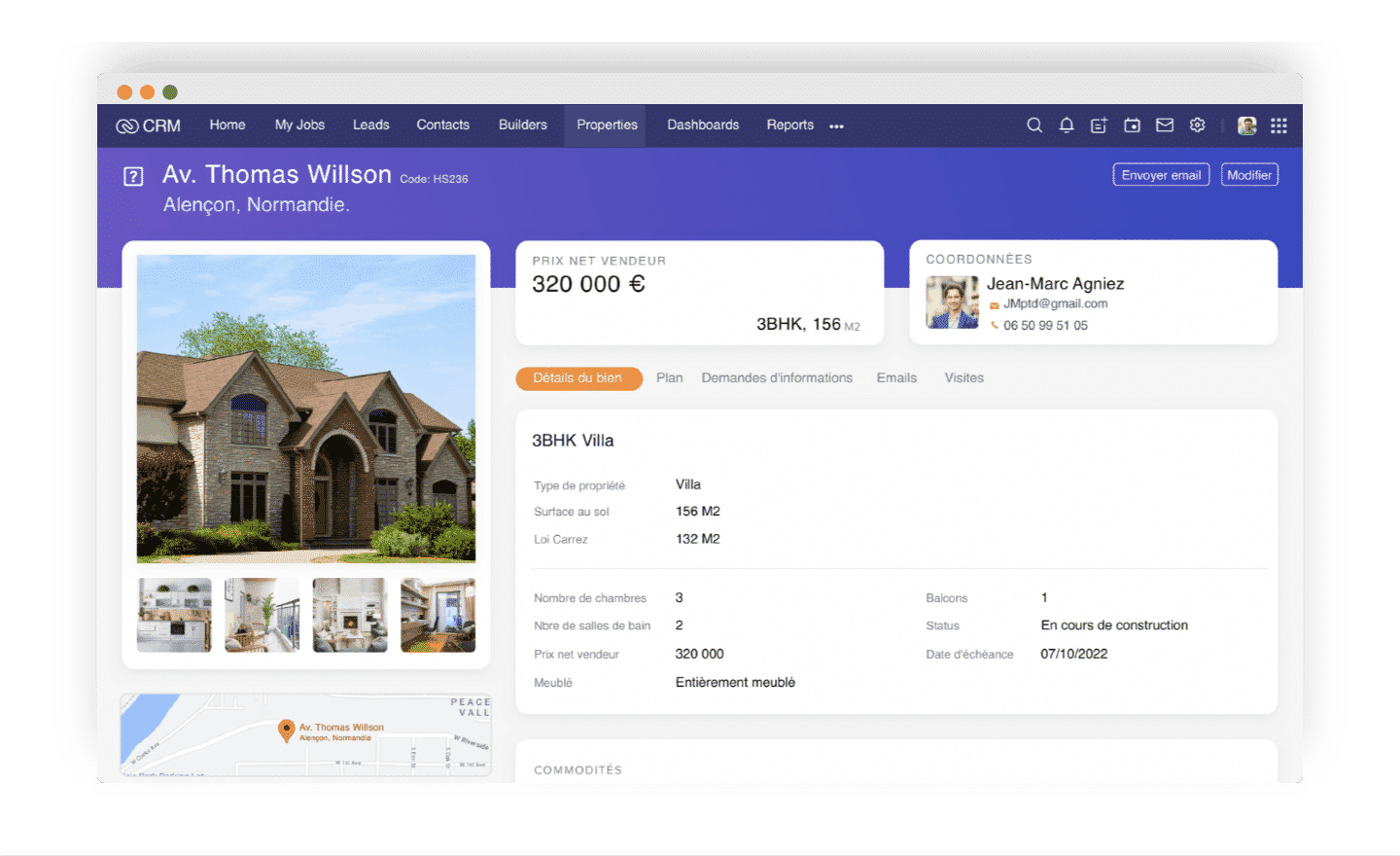
Canvas by Zoho for real estate companies
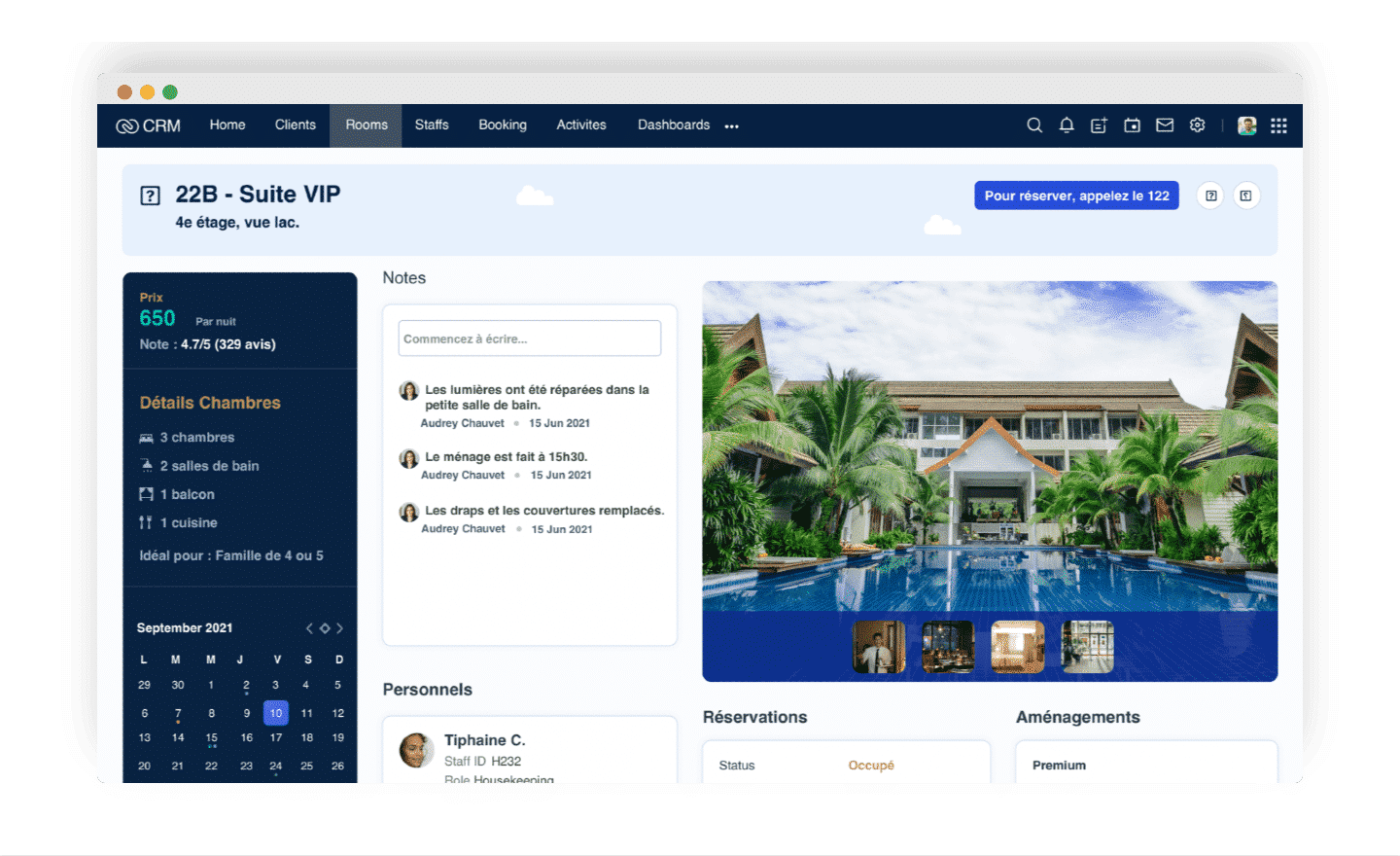
Canvas by Zoho for hospitality companies
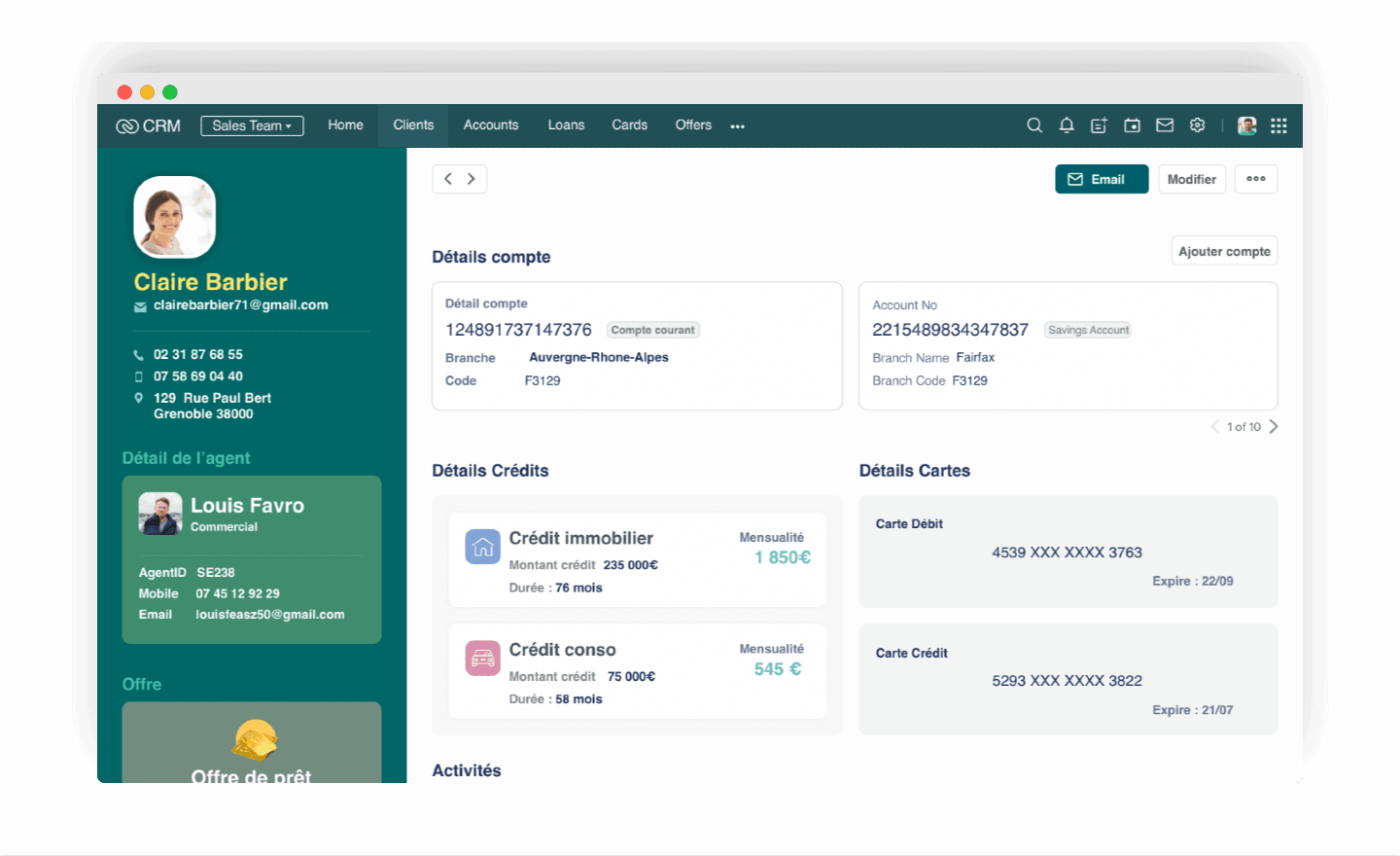
Canvas by Zoho for banking companies
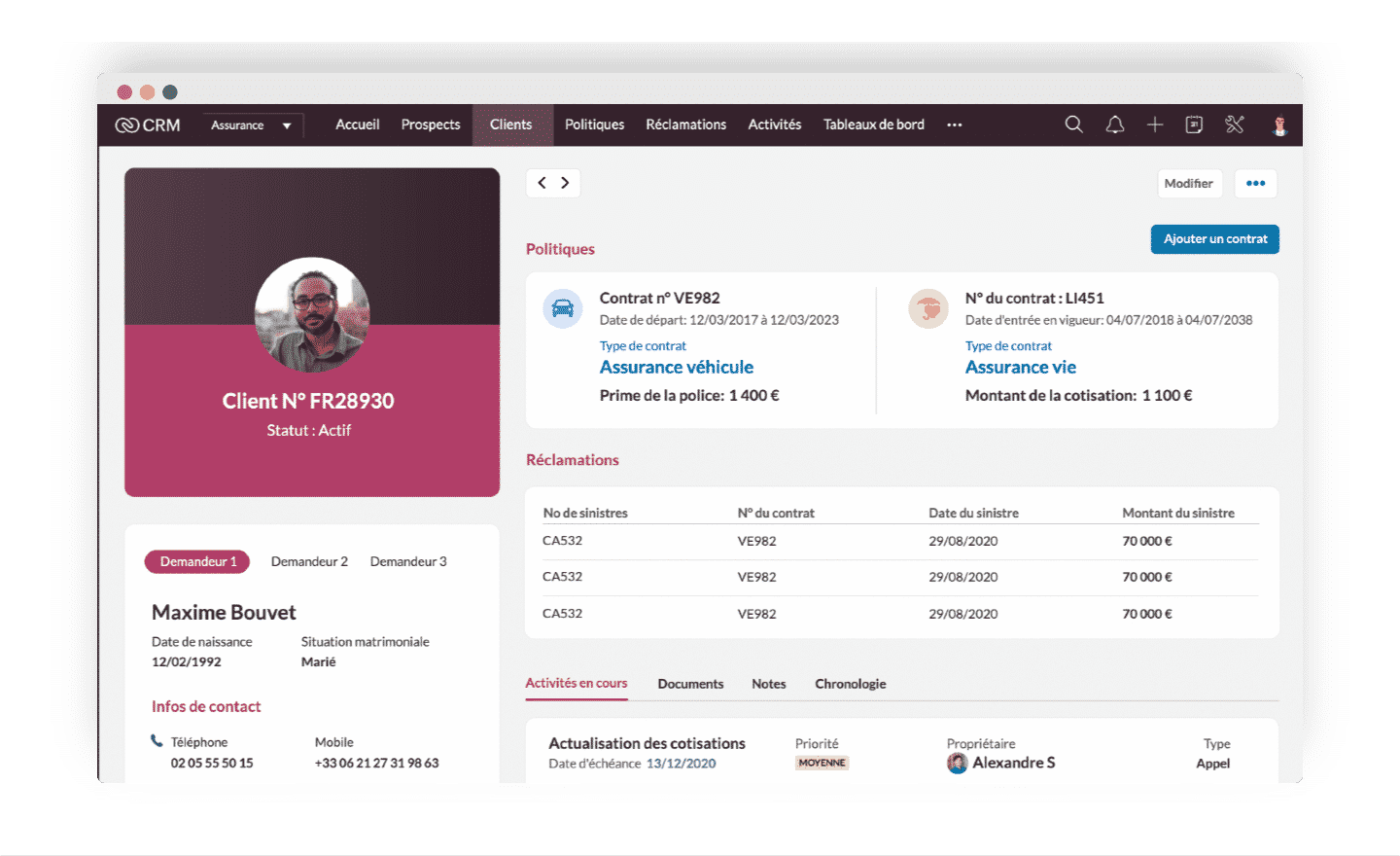
Canvas by Zoho for insurance companies
Who can access the Canvas by Zoho feature?
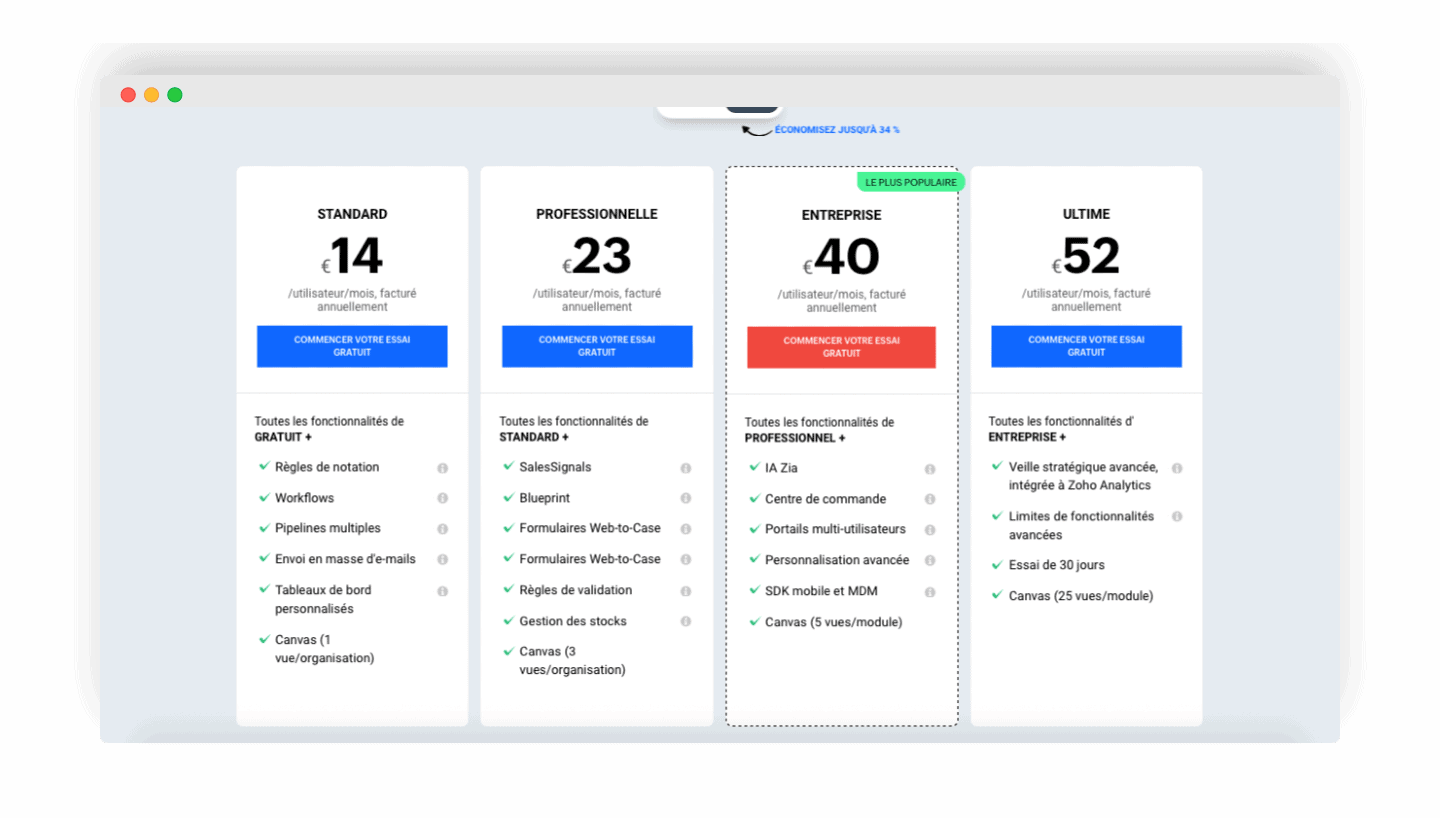
Canvas by Zoho is available on every CRM subscription plan. However, the number of views per organization depends on the plan you choose:
- 1 view / organization on the Standard plan
- 3 views / organization on the Professional plan
- 5 views / module on the Enterprise plan
- 25 views / module on the Ultimate plan
Salesdorado tipA free trial is available for every plan. A chance to discover the tool and its features before making your final choice!
Canvas by Zoho: what is it for?
In what context was the Canvas tool developed? Since its launch, Zoho has been adapting its offer to match the realities of the market.
The context: Zoho’s vision
Zoho explains its new feature through the history of the CRM, from its arrival on the market in the 90s to today:
Data management
The goal behind Zoho’s launch was to push the digitization of paper documents and offline processes. Zoho centralized information. Accessing it then became very fast.
Activity management
This is the Salesforce era, the split between SDR and Account Executive, and the systematization of sales processes.
This period in Zoho’s development gave the CRM its reputation as a tracking tool, even a “snooping” tool. It is, however, a misreading.
Automation management
Setting up systematic processes called for automation. It saved a huge amount of time.
Think of data enrichment tools, which replace manual data entry. Think also of prospecting tools, such as automated follow-ups!
Intelligence management
More recently, many tools have turned to developing and using artificial intelligence. Examples include lead scoring software, like Einstein at Salesforce, or conversation intelligence / chatbot tools, like Gong.io.
Experience management
The next step, according to Zoho, will be user experience management. The idea is to offer tools that optimize our experiences as consumers, rather than the tools we use.
Giving data access back to CRM administrators
Beyond UX and customizing the CRM interface, Canvas lets you add very powerful features. Features that used to be left aside because of the development costs involved.
Let’s take an example. If you use Zoho Desk, you can import all user tickets into their customer record.
Generally speaking, this is an operation that requires a sales ops. They have to set up all the connections between the tool used by customer support and your CRM. Tools like Zapier or Integromat are usually used.
With Zoho Canvas, you solve this problem in under a minute. You just drag and drop a data source called “Tickets” and then customize the listing.
It is a real no-code step forward for CRM integration and customization, a field that keeps maturing.
Customizing the experience based on the stage of a deal
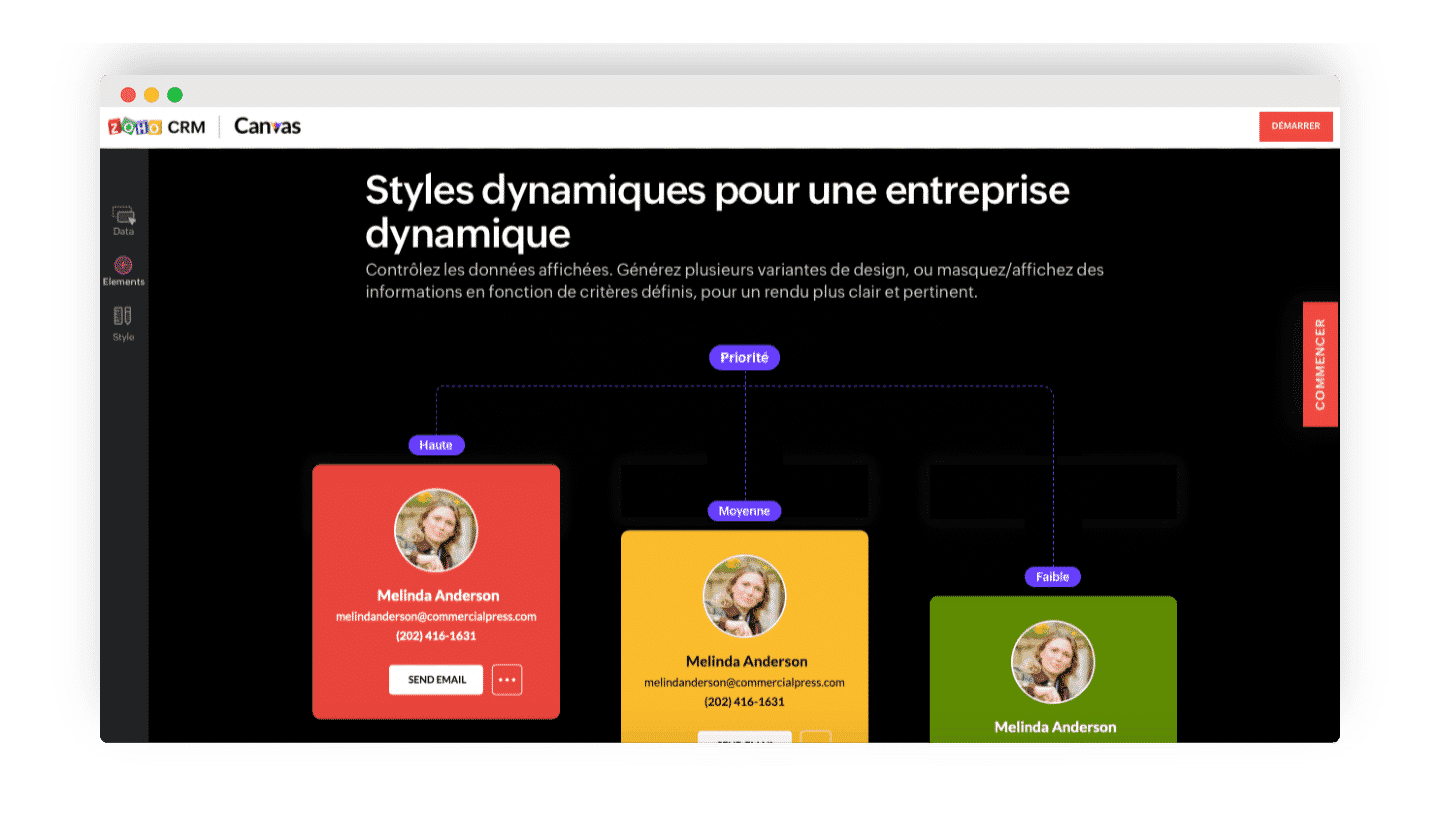
Depending on the prospect’s status, you can set up “Conditional styles”. These are defined rules that show or hide certain elements.
This lets you go far in collecting and passing clear information to your teams. It saves them a huge amount of time.
In practice, this can take the form of a color code that changes with the prospect’s status. In a few seconds, sales reps know where the lead sits in the sales funnel.
Zoho Canvas: next steps
The upcoming Zoho Canvas features are fairly numerous and point to solid improvements:
- A Sandbox mode: you will be able to work on Canvas views without affecting ongoing processes
- A native mobile version: it will offer an optimized mobile CRM experience
- The ability to add custom code: this feature aims to make it easier to modify elements the Zoho team did not plan for
- Component galleries
Also planned for the longer term:
- A reporting tool: it will analyze how much Canvas is used and how. This helps optimize your CMS and its features, so that all your teams adopt it for good.
- Adding Canvas to every Zoho tool to customize all interfaces. Zoho Desk comes to mind.
- A marketplace. It could open up new possibilities, such as a market for CMS interfaces. You could buy themes and templates there, as with WordPress or Wix.