
People often confuse CRM and ERP: both are management software tied to the CPQ process, “Configure, Price, Quote” (preparing quotes).
So what are the differences between a CRM and an ERP? Do you need both? Under what condition(s)?
We explain everything in this article.
What is an ERP?
ERP (Enterprise Resource Planning) software supports you in every operation of your business. It is first and foremost resource management software. That includes sales and marketing (hence the confusion), but also, and above all, human resources management, accounting, production, order management and distribution.
The basic features offered by an ERP are therefore:
- Production and purchasing planning
- Production and delivery scheduling
- Inventory management
- Shipping and payments
- Supply chain management
- Accounting
In shortBy optimizing “business” processes, ERP software lets you improve the quality of your product or service, and therefore the margin you make on it.
What is a CRM?
Sales, marketing and business development professionals use CRM (Customer Relationship Management) software because it lets them:
- Track their customers and their buying behavior
- Identify business opportunities and potential customers
- Streamline the sales process and cut down on repetitive tasks
- Automate marketing processes (emails or online ad campaigns)
- Manage social networks and their campaigns
- Provide better support to their customers
In shortBy optimizing sales processes, a CRM tool lets the company improve the quality of the buying experience and its customer relationships. So choosing a CRM that fits your business lets you sell more of a product or service of the same quality.
Where do an ERP and a CRM meet?
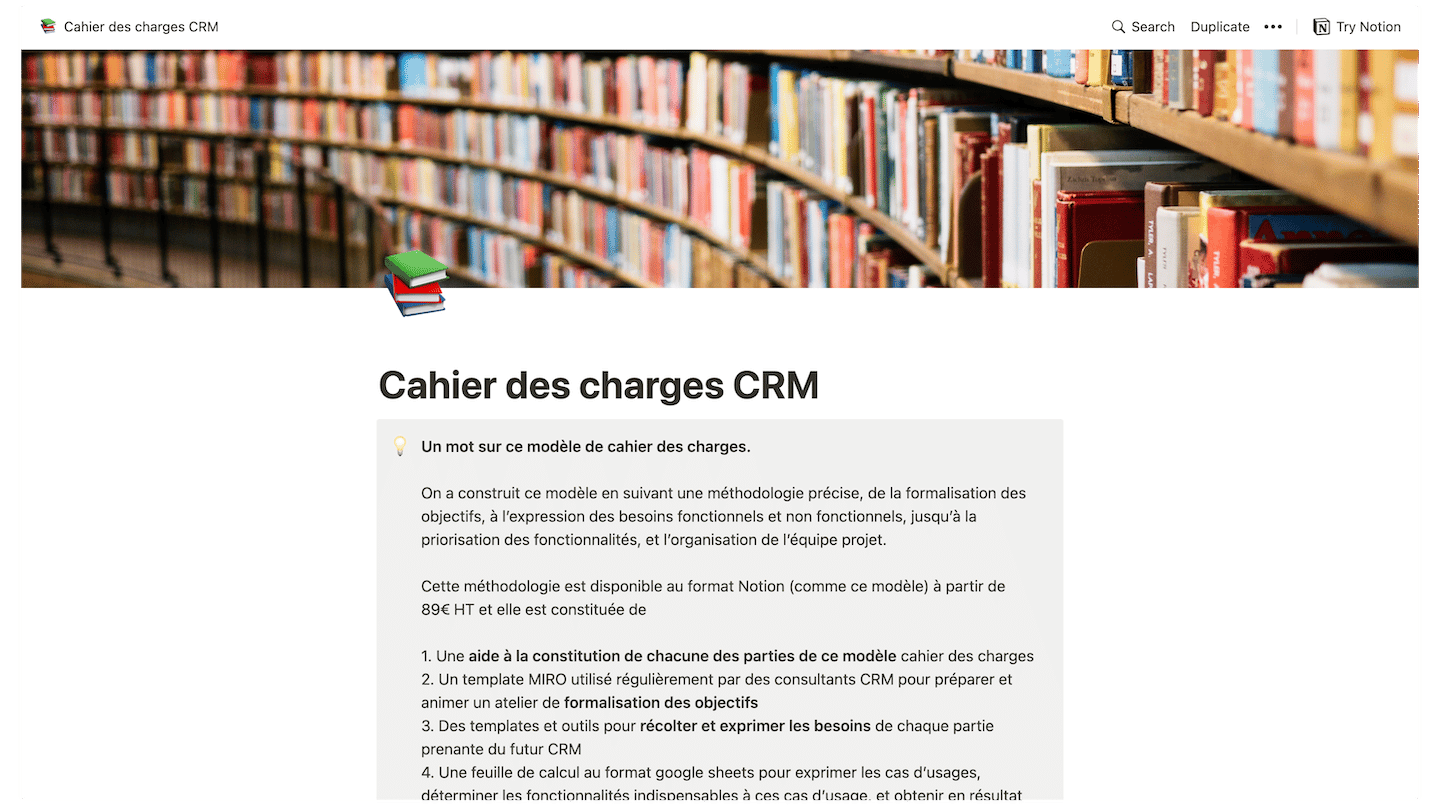
CRM requirements document templateWe have put together a complete CRM requirements document template with a detailed example. The template has 6 parts:
- Context
- Current CRM setup
- Project goals
- Functional requirements grid
- Non-functional requirements in detail
- Project organization
It is free, and it is right here 👇
Different features
When looking for software to grow sales, people often confuse the two types of software, because vendors do not always spell out what each one does.
We often know the features of a CRM, without knowing whether an ERP offers the same ones or will need extra apps.
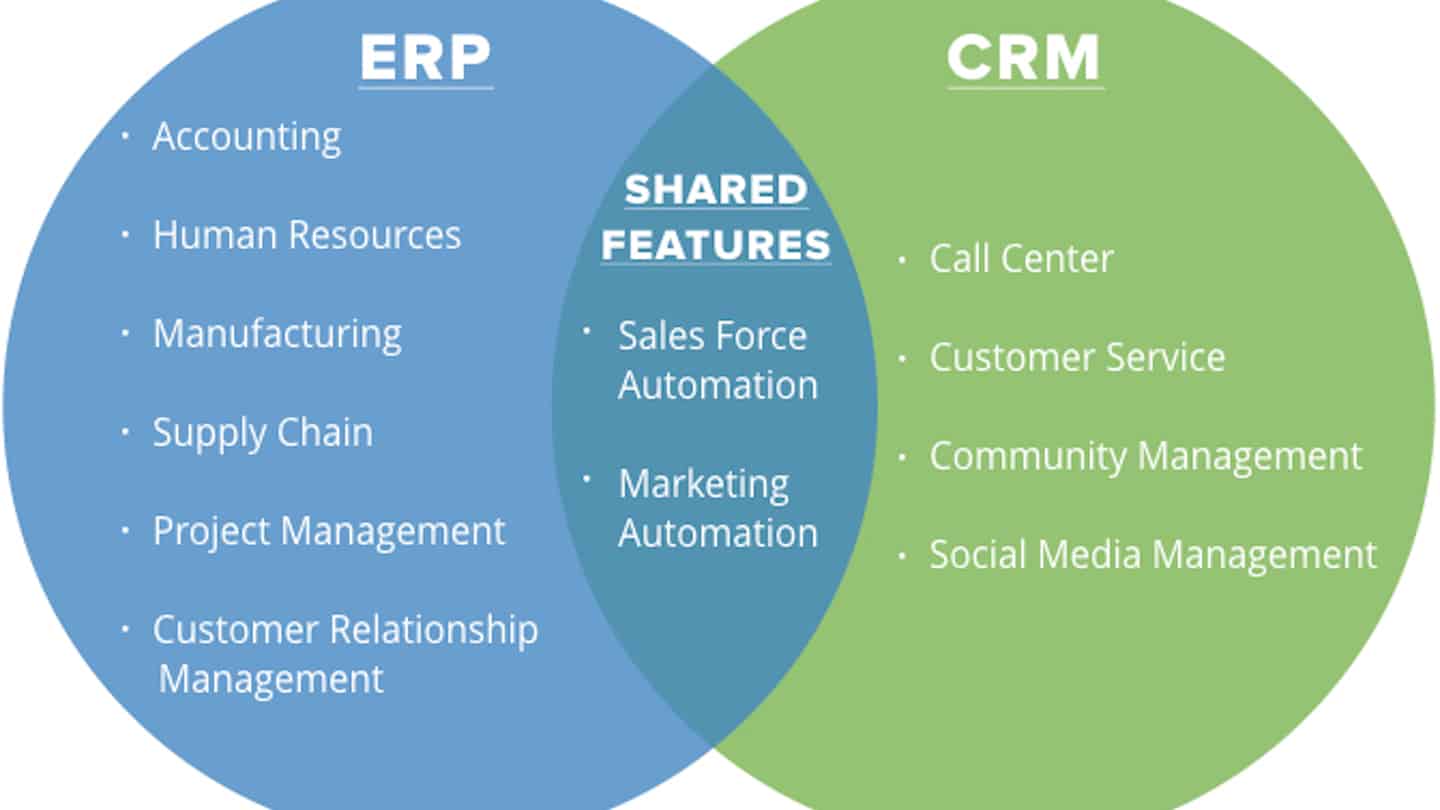
To put it simply, most ERP systems include CRM components, or can integrate them through a third-party CRM system.
Most ERP systems with CRM components offer basic sales automation and marketing automation features. However, some functions may be missing from these ERP systems, such as call center support, community management or social media management.
The following chart helps you understand the relationship between CRM and ERP:
ERP / CRM integration: a critical point
ERP and CRM systems need to exchange data: the simplest way to do this is a technical integration.
For example, the finance department may need access to the CRM system to calculate sales commissions to run payroll or build tiered pricing.
A CRM system added to an ERP platform also gives you a global view of the pricing structure, and lets you measure KPIs (for example: customer acquisition cost).
That is one of the reasons why some ERP solutions build the CRM in directly. One example is weclapp, which offers two versions of its ERP (Services or Commerce) and a native integration with its Cloud CRM tool.
CPQ (Configure, Price, Quote) is the process that calls for a good integration between CRM and ERP, because it needs information from both systems.
Most CRM or ERP vendors provide for this third-party integration in their system. However, keeping this ERP-CRM integration working through updates can be expensive and difficult.
That is why an ERP system with a CRM built on the platform offers many advantages:
- Buying a unified ERP and CRM system costs less than buying two separate pieces of software
- Data is updated in real time, with no waiting for information transfers or middleware connections
- ERP systems built from the ground up handle transaction processes better. Programming, customization and third-party integrations are therefore much simpler.
Salesdorado’s adviceAt Salesdorado, we often recommend Axonaut, because it is an ERP and CRM that combines a broad set of features with an excellent user experience. It is one of the only ERPs on the market whose CRM has a good adoption rate.
The verdict: do you need a CRM, an ERP, or both?
CRM requirements document templateWe have put together a complete CRM requirements document template with a detailed example. The template has 6 parts:
- Context
- Current CRM setup
- Project goals
- Functional requirements grid
- Non-functional requirements in detail
- Project organization
It is free, and it is right here 👇
If you want to improve your sales and marketing processes but are happy with the software you already use for accounting and human resources management, you probably just need a new CRM.
On the other hand, if you want to reorganize all the software your company uses, or if you are in a growth phase, then you should consider investing in a new ERP system.
At that point, you may find an almost perfect ERP that ticks every box… except the CRM one.
No need to worry: today, integrating a CRM system into your ERP is very easy.
If you are looking for a standalone CRM system, you have surely heard of Salesforce.
ERP and CRM vendors are pretty much all aware of how much this integration matters, and they all offer integrations with the leading solutions on the market.
That said, not every profession has complex business processes. If you work in consulting or in project management, simpler project management tools like Monday are more than enough.