
Want to automate your prospecting process to work more efficiently and get better results? You’re in the right place: we’ve picked 6 Sales Automation use cases for you, along with the tools worth a look for each one…
In this article, we first introduce the concept of sales automation. We cover the reasons for turning to this kind of strategy, and the benefits it brings. Then we get into 6 use cases, each with its own selection of sales automation tools.
Sales automation: what are we talking about?
Sales automation solutions are software tools designed to automate certain parts of the sales process, with the goal of making them more effective, faster and more profitable for the company.
These tools can automate several parts of the sales funnel. Think in particular of lead generation, contact management or performance analysis.
These sales automation tools are used for one-off tasks. They can also be built directly into your CRM, for a fully streamlined process.
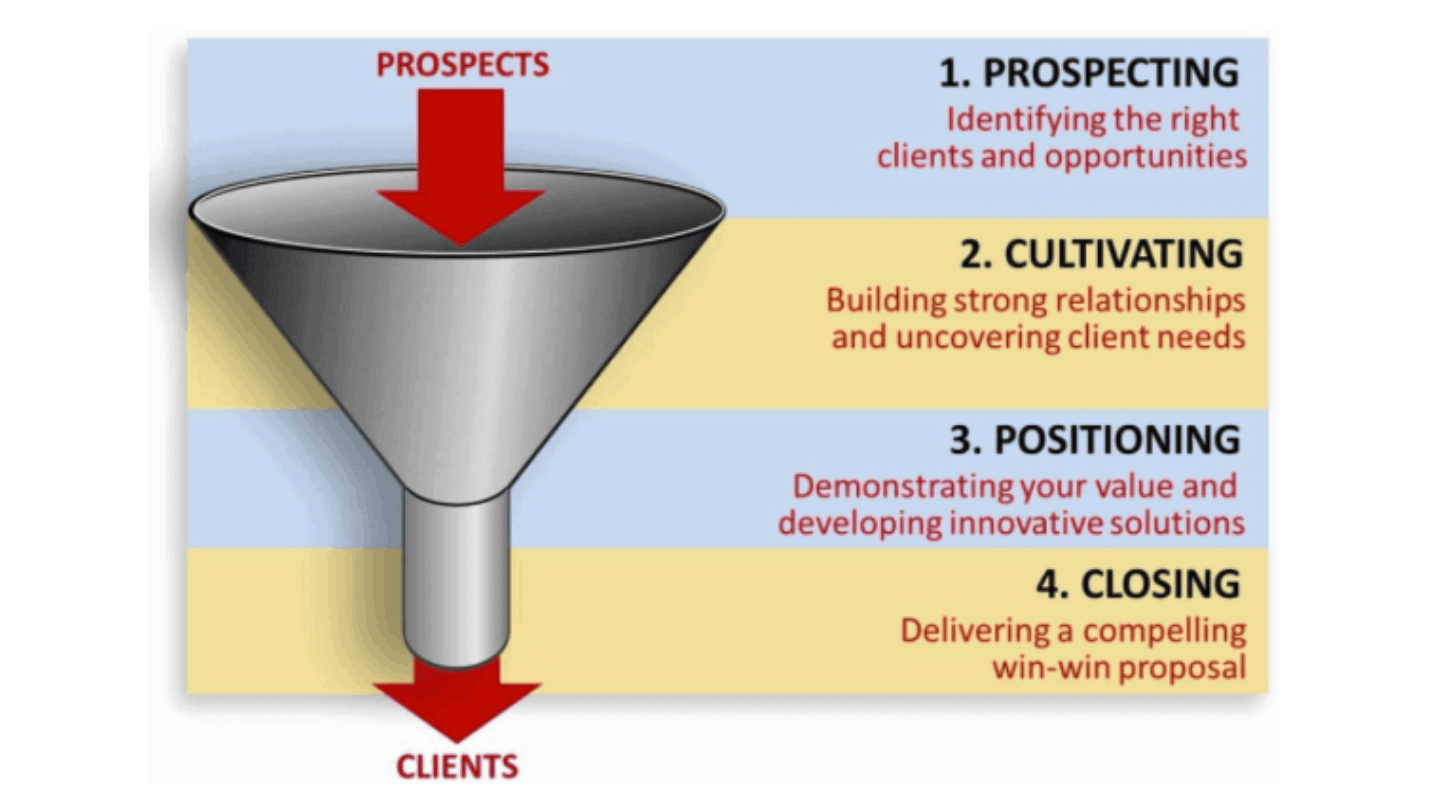
Your salespeople spend a lot of time and energy on the sales process. Most of that work should go to customers’ needs. The goal is to find solutions to their problems through your offers.
Sales automation goes in that direction. Salespeople put the time they save into customer follow-up, to check that the solution offered fits the needs expressed.
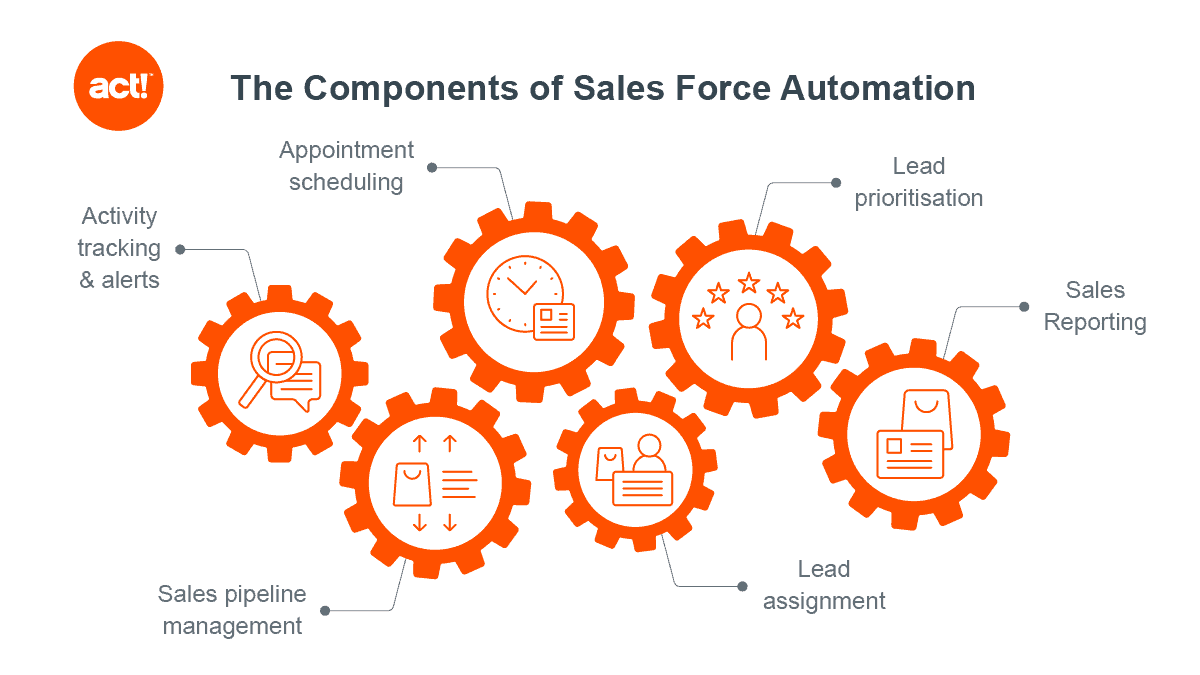
The more your company grows, the more complex the sales pipeline becomes. In a growth phase, you will also have more pipelines to manage. That means more customer relationships to build.
Sales automation tools save time. This lets salespeople focus more on prospects and customers, and bring them more value. The result is higher revenue for the company.
Why use automation in sales?
Using sales automation tools removes some time-consuming, repetitive tasks. But there are other benefits your company can count on with sales automation.
1. Spend more time selling
Salespeople spend about a third of their time talking with their prospects and customers. By improving that figure, they could close far more deals.
Sales automation tools let salespeople focus more on their core job and so spend more time selling. This also translates into better relationships between the company and its customers.
2. Make fewer human errors
We all make mistakes. Some have little impact. Others, though unintentional, are far more serious, to the point of keeping a deal from closing.
With a sales automation tool, you “delegate” data entry and analysis to your software. The result is fewer errors.
3. Shorten the sales cycle
The sales process can take a long time. As a rule, customers are understanding. Still, they won’t wait forever!
By turning to a sales automation tool, you automate part of the sales process, which saves time. Salespeople can focus on prospects and answer all their questions.
In the end, this improves the satisfaction of the prospect, who takes less time to be convinced and converted into a customer.
4. Centralize your data
To connect with a prospect, the sales team relies on accurate data. If that data were inconsistent, the Sales teams’ approach would miss the mark.
Sales automation centralizes customer data. This keeps information silos from forming, and stops outdated information from being recorded and used.
Whenever a salesperson or a member of the marketing team needs a piece of information, they can get to it in a few clicks, at any time.
5. Gain efficiency and performance
One of the main benefits of sales automation is better efficiency and performance across your teams.
You notice that the time lost on data entry or fixing errors is gone. The result is a faster sales cycle!
Salesdorado’s tipYou can automate a large part of the sales process. Still, we recommend studying closely the software and tools that tempt you most, to make sure your investment pays off. In the rest of this article, we present several of the tools that, in our view, are the most relevant!
Use case 1: Use web scraping to automate data extraction on your prospects

A few years ago, web scraping was a practice reserved for technical people who knew Python or how to configure APIs.
Without specific knowledge, most marketers ended up getting lost and giving up. The arrival of tools like Import.io or Agenty made the practice accessible to everyone!
How do you use web scraping tools for prospecting?
Web scraping can be used at the top of the conversion funnel, that is, for lead generation. Say you’re looking for new customers: restaurants in Paris or law firms in Marseille.
Why not grab, in one go, the contacts of every restaurant in Paris or law firm in Marseille listed in online directories such as Pages Jaunes?
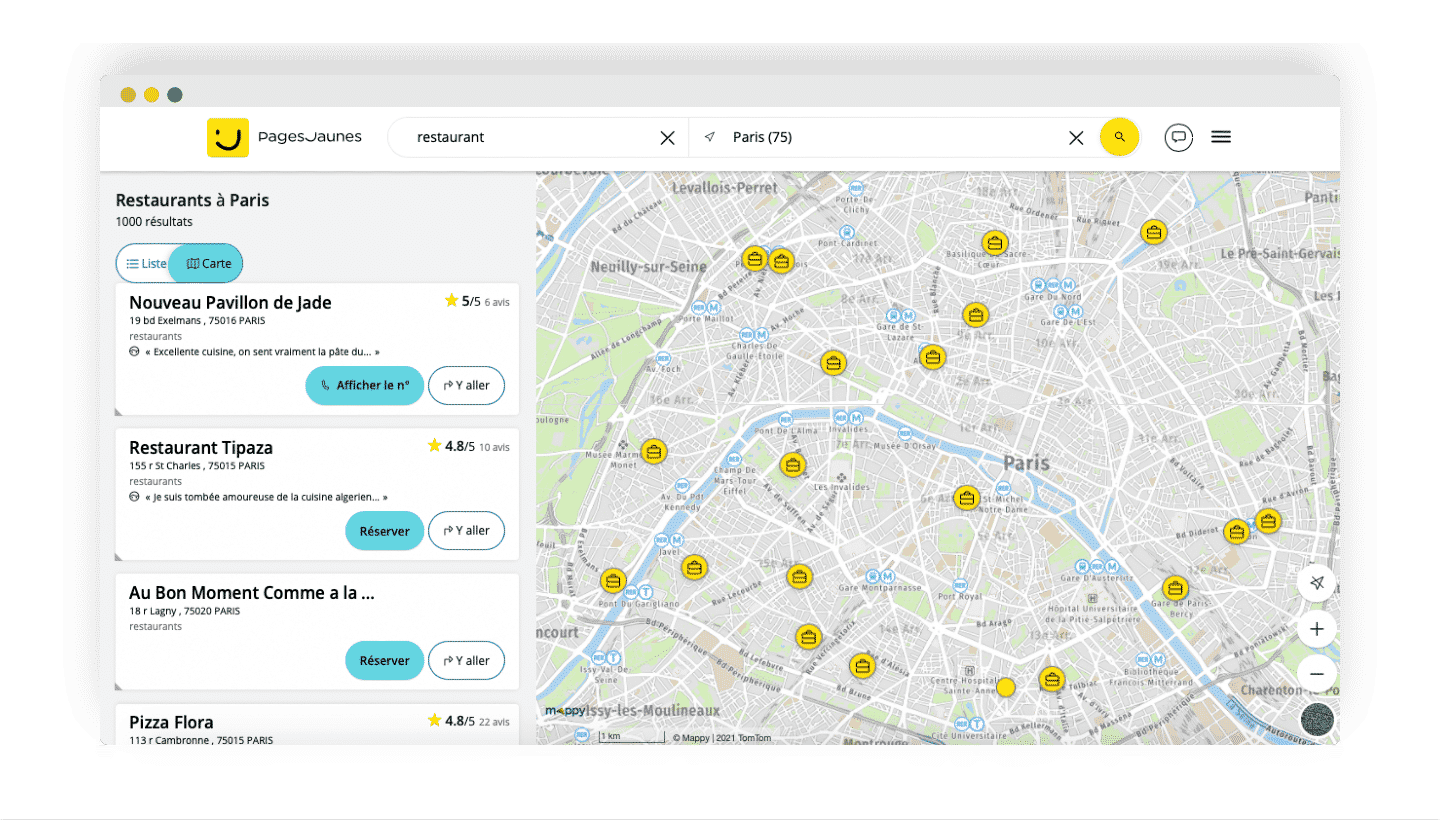
Scraping is very handy for pulling large volumes of leads from directories or listings, without having to fill in each row of the spreadsheet one by one.
The Salesdorado toolboxWe recommend several tools that specialize in web scraping:
Use case 2: Automate the creation of prospecting lists

Buying email lists has some drawbacks. First, it’s an expensive investment. For a young startup, it isn’t the priority.
On top of that, there’s a real question about list quality. The files are often dated and the contact data is no longer up to date.
The List Building tools below are alternatives to buying files.
How do you use lead generation tools for prospecting?
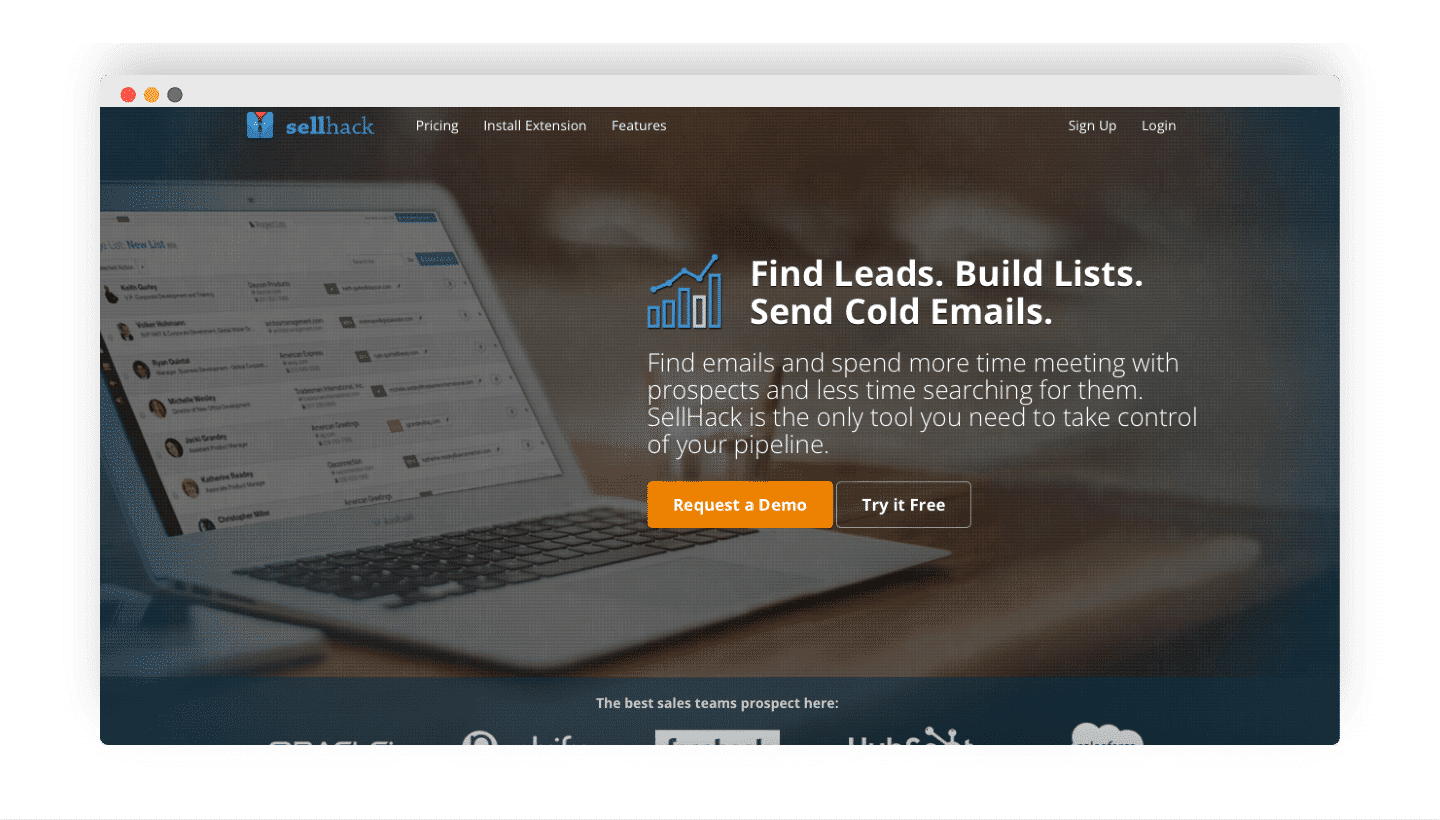
SellHack uses LinkedIn to generate lead lists with a whole bunch of useful information.
It works simply: you install an extension in your browser, which adds a new button to your LinkedIn account that lets you add prospects you find on LinkedIn to your list in one click. You can then export the list as a .csv.
The French tool SocieteInfo works in a similar way. It goes a little further, though. It provides the NAF codes (French business activity codes) of the companies the prospects belong to.
The Salesdorado toolboxWe recommend several tools that specialize in lead generation for prospecting:
Go further
Use case 3: Automate and systematize your follow-ups

Your company may not be able to collect thousands of inbound leads, through a form for example. You then need to think about a different, more aggressive strategy.
You need to gather your leads and set up an outbound sales strategy. The tools below meet that need. They are effective at improving the performance of prospecting campaigns.
It’s worth remembering, though, that good communication needs a human side. Don’t automate your phone calls. Nobody wants to talk to a robot. You can, however, automate other parts of the customer communication process.
Email tracking software can help you create and send email sequences. You can track and analyze your results, such as deliverability rate, data collection, etc.
The other advantage of these tools is that they work out the best time to engage with prospects by email. To do so, the software relies on data that is hard to collect manually.
These tools integrate with your CRM as well as with other email marketing software. This keeps messaging aligned with customer preferences.
You can also use software that automates phone call management. Salespeople call the prospect directly from the software and the data is recorded automatically during the conversation.
With a good CRM integration, the information flows back and is stored in your tool’s centralized database.
The Salesdorado toolboxWe recommend several tools that specialize in automating follow-ups:
Go further
Use case 4: Enrich your prospecting files automatically

You can then use a prospecting file enrichment tool, to make sure the data you’ve obtained is up to date. If needed, you can optimize your files.
You can fully automate data enrichment, or only part of it (which is what we recommend). You can also picture enrichment processes so systematized that they become automatic for your teams.
Think, for example, of delegating some low-value tasks to a freelancer, such as contact scraping, list building, sending emails, etc. Ideally, all the steps before the first phone contact should be delegated.
By combining intelligence and creativity, your teams build near-automatic data enrichment processes. Salespeople can then focus on high-value tasks such as reaching out and negotiating.
The Salesdorado toolboxWe recommend several tools that specialize in enriching prospecting files:
Use case 5: Push the data to all your systems

In some cases, data enrichment isn’t spread well. Teams start by enriching their tools through plug-and-play integrations, Salesforce-style. That implies data organized in silos.
Ideally, the data is synchronized, and your tools show the same view of each lead and each customer. This matters, especially at the handoff between marketing and sales.
In some tools, such as the Salesforce CRM, contacts are only created after subscribing, signing up or being contacted by a salesperson.
On the marketing side, leads are managed in a separate marketing automation tool. This keeps the CRM clean and easier to manage.
Even so, marketing teams also have to enrich their data to qualify leads, segment messages and personalize content.
They have to enrich their leads for all their tools: email, advertising, live chat, website personalization, outbound calls, postal mail, analytics and, more broadly, every tool that feeds on profile data.
That’s why you should choose a data enrichment service that can enrich all the databases and tools you use!
Salesdorado’s tipSome services charge for additional integrations, which can make sense in some cases (when the service provides connectors, for example). But we do recommend avoiding tools that charge you several times to use the same data in different tools, with no added value.
The Salesdorado toolboxWe recommend several tools that specialize in data distribution:
Use case 6: Automating follow-ups and helping track open deals

Some companies bring in sales engagement software to connect their sales process to their communication channels.
These tools are very effective for automating email sequences and scheduling follow-ups, as well as prospect tracking.
Sales engagement software also offers these features for calls, messages sent on social networks and even text messages.
A reminder: the conversation itself should not be automated. Sales automation software does free up time, though. Salespeople can then focus more on their interaction with the customer.
The Salesdorado toolboxWe recommend several tools that specialize in automating follow-ups:
There are also many tools for learning the new ways of prospecting online, or simply for keeping up with what’s new on the market.
Among them, we recommend John Barrows’ site: he has opened a training platform that anyone can access.
The Salesdorado toolboxWe recommend several tools that specialize in online training:
- The Salesdorado newsletter 😇
- John Barrows Training
- SalesHood