ActiveCampaign started out as a marketing automation software aimed at B2B that has grown considerably, notably on the CRM side.
While more classic sales CRMs such as Pipedrive and Salesforce let you improve your pure sales performance, an alternative like ActiveCampaign can be worth a look to work higher up the funnel and improve your lead generation.
Contact management in ActiveCampaign
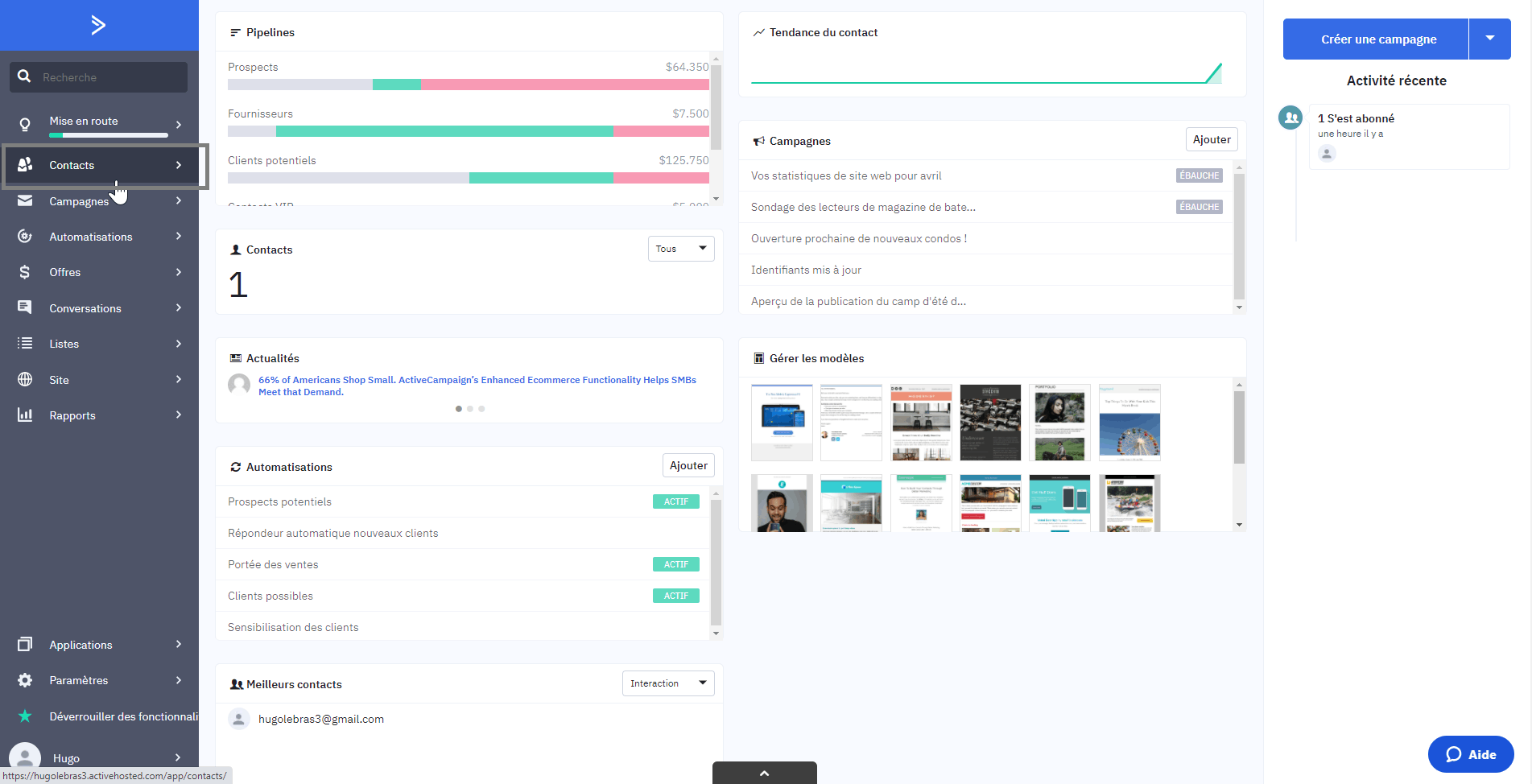
If you have ever used Salesforce, you probably know how confusing it can be. Why are there different sections for opportunities, leads, contacts and accounts, and what is the difference between them anyway?
For large companies fielding plenty of enquiries, making those distinctions can matter. But if you are an SME, all you probably need is a quick, easy way to view and handle all your active opportunities.
That is where ActiveCampaign’s simple approach really stands out. The concept of leads and accounts does not really exist in the tool. Everyone is a contact, and everything to do with a deal or opportunity, whether the deal itself or the contacts tied to it, is handled from a single place.
And all of it is logged in the record linked to the deal, which you can easily reach from your own pipeline.
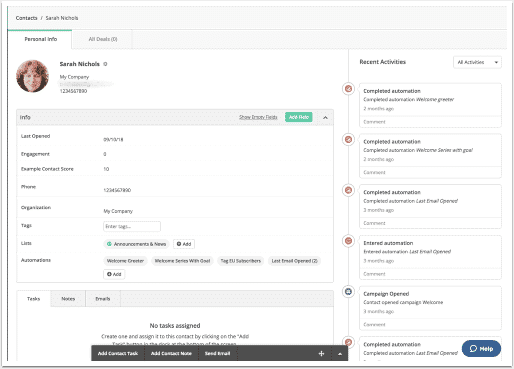
Source: ActiveCampaign Help Center
You can carry out different actions on each deal:
- Add tasks
- Take notes
- Send emails
Every time you carry out one of those actions, it is logged in the deal in question, which lets you track what has been done and what is left to do.
Salesdorado’s takeBy decluttering the tool and removing every potential source of confusion, ActiveCampaign helps you focus on what really matters: getting sales and marketing working together to move deals forward.
Opportunity management in ActiveCampaign
Ease of use
CRMs are often too complicated. They can be stuffed with pointless features and sometimes even require full training courses to master. It is refreshing to find that with ActiveCampaign CRM, that is not the case.
Anyone familiar with Trello will quickly find their way around the card-based “Kanban view” of ActiveCampaign CRM’s pipeline, where deals can easily be moved from one stage to the next by simple drag and drop.
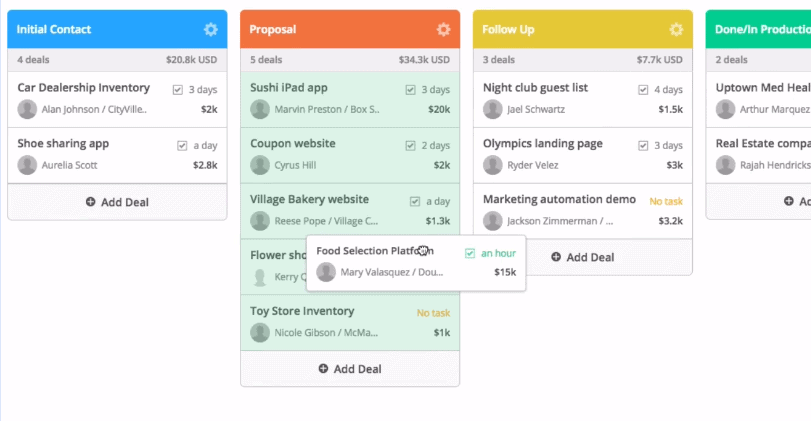
Source: ActiveCampaign
Deals are easy to create and to tie to pipelines and stages, with your standard fields for the description, the value, the stage, the contact details and the assigned deal owner.
Stages are entirely customisable, so you can create as many as you like to match your existing sales process. If you have several sales processes, for instance for each product or service you sell, you can also create a pipeline for each of them.
The lead scoring module
ActiveCampaign offers an excellent lead scoring module that can be set up through rules or automations and lets you assign scores to contacts based on their demographic characteristics or the actions they take:
- Visiting a page
- Opening an email
- Clicking in an email
- …
As you can see below, the home menu surfaces the contacts with the highest scores.
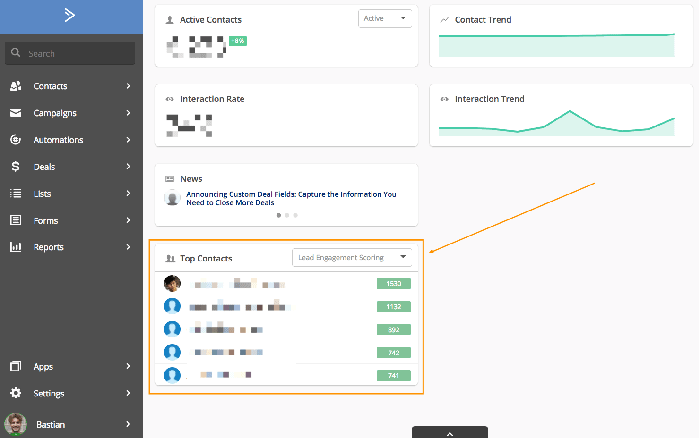
Source: Wild Audience
Contact scores are useful at an earlier stage of the sales process, to help you flush out the individual contacts most likely to turn into opportunities.
But what about later in the process, once you have a deal in progress? For that, ActiveCampaign offers a deal scoring system.
Just like contact scoring, deal scoring also assigns scores to contacts based on their characteristics or their actions, but this time it only does so for contacts tied to deals in progress.
Salesdorado’s takeOverall, the product offers plenty of flexibility, enough to suit companies whose sales processes are both simple and more complex. The scoring module is very well built and will help your sales team spot the deals most likely to close and allocate resources accordingly.
ActiveCampaign’s strength: automation
This is the tool’s great strength: ActiveCampaign offers advanced marketing automation scenarios that will let you move your sales processes forward.
How, exactly? Take this example: your company offers website design and you have a form on your site that lets visitors request a quote.
You have set up an auto-reply to tell the lead you will get in touch soon, but you also want anyone who fills in the form to enter your pipeline as a buyer, and more precisely at the enquiry stage.
ActiveCampaign has no trouble setting up that kind of automation. In fact, it gives you several ways to do it. When you want to build a new scenario, the tool offers a library of pre-built scenarios to inspire you. Those examples are very useful in that they are sorted by industry, and they will help you find a basis you can adapt to your needs.
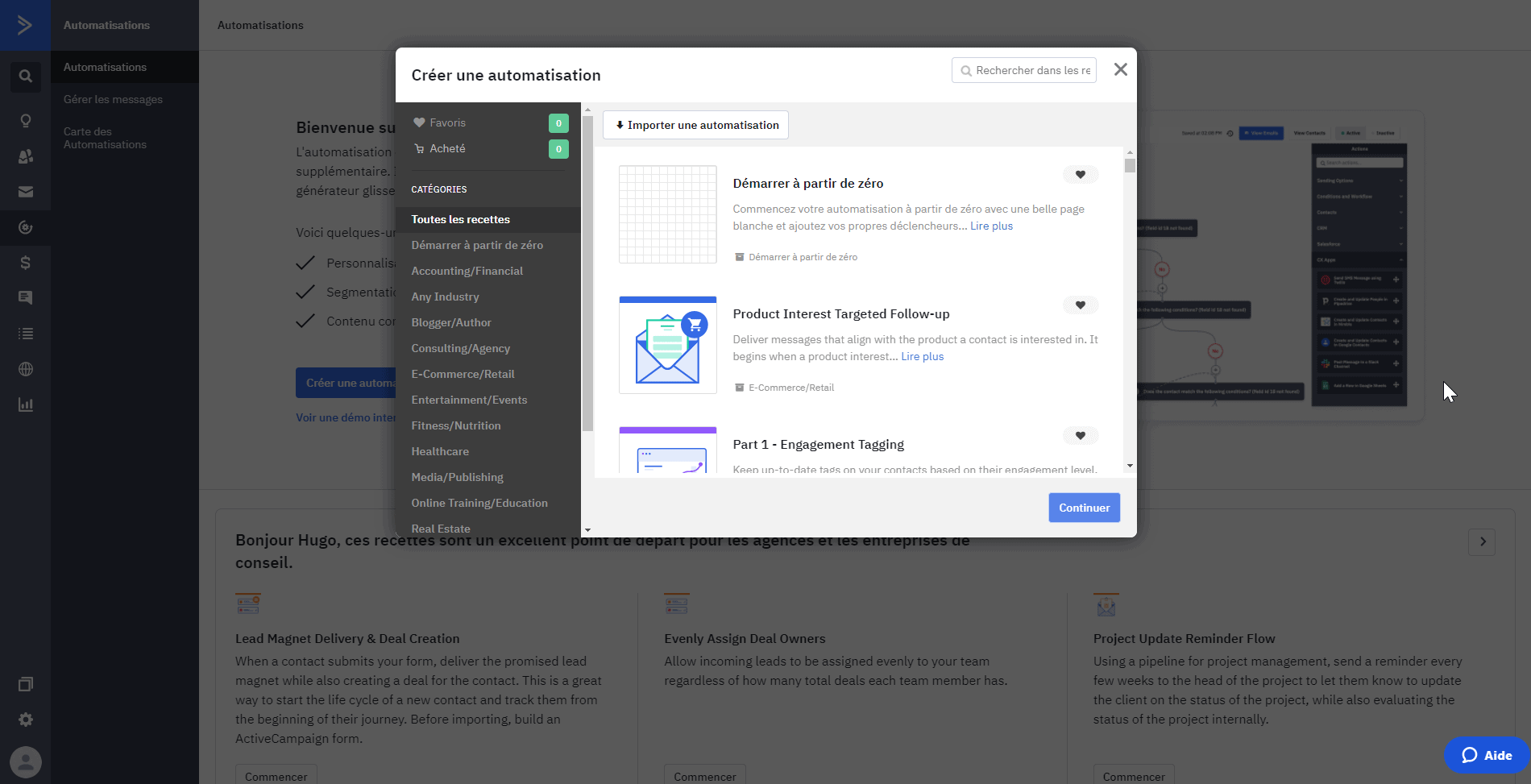
To carry on with our example, we pick a scoring scenario tied to a form submission. You can then adapt the workflow to your business with the help of the setup assistant on the right.
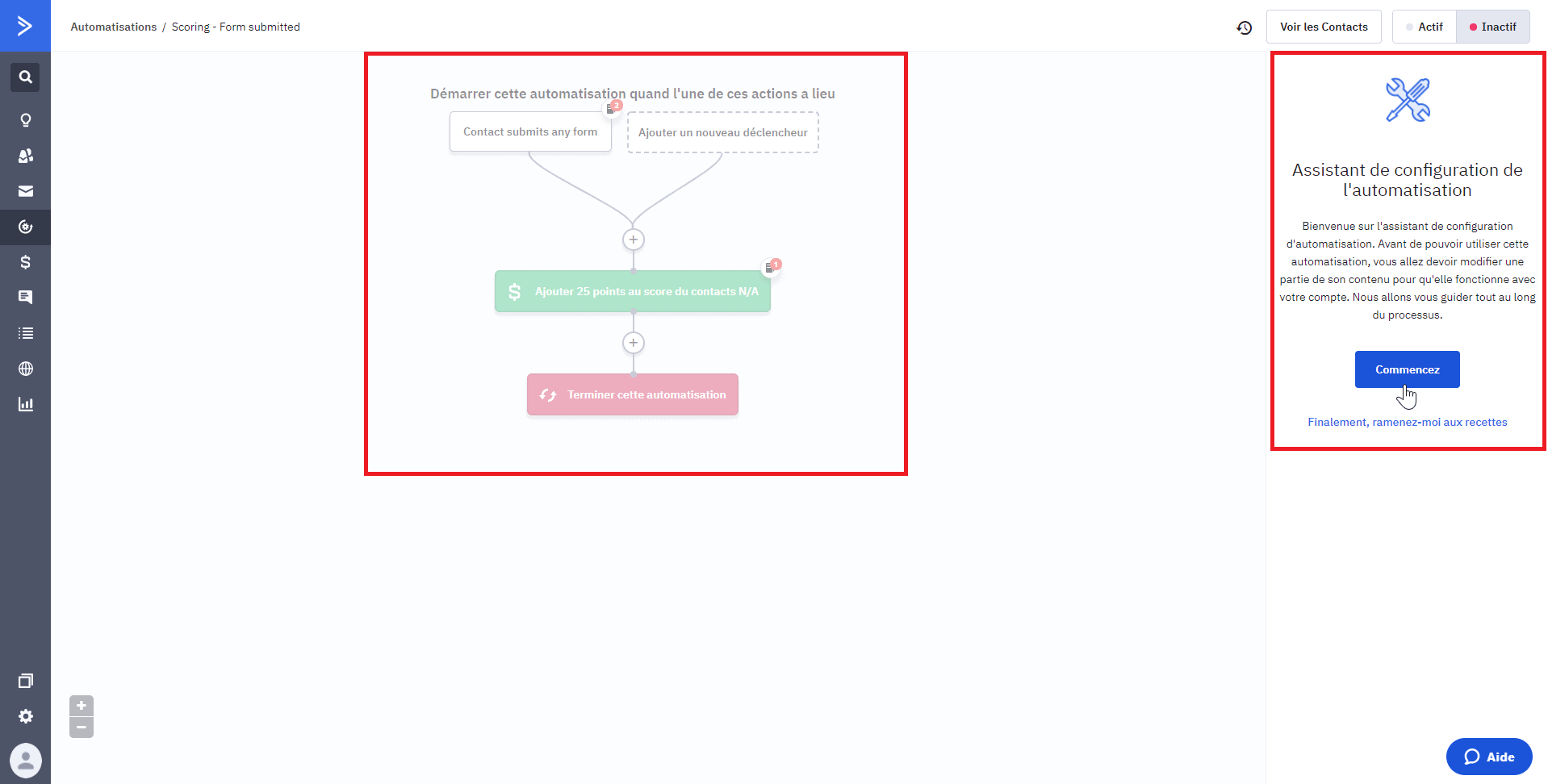
But it does not stop there. Automations run both ways, from marketing to sales and the other way round.
Say I want to set up a marketing automation for the moment a contact has reached the quote-sent stage, a little further along the process.
The process assumes the quote has already been sent by email, through another ActiveCampaign automation. My automation has to check whether the contact has replied after 1 day. If not, the automation has to send a follow-up email, asking whether the contact needs more information.
Once again, ActiveCampaign makes setting up that kind of scenario a great deal simpler.
Salesdorado’s takeThe marketing automation tools ActiveCampaign offers are among the most advanced on the CRM market aimed at SMEs, and it is a considerable advantage that they can be tightly connected to your sales processes.
Reporting in ActiveCampaign
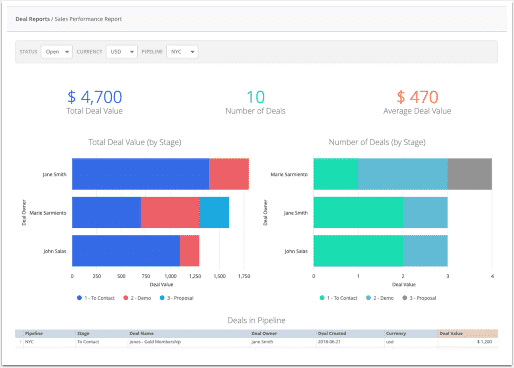
ActiveCampaign offers plenty of report types, tied to its emailing solution in particular. We will look here at the reports on sales performance. That report is available from the “Reports” tab, then the “Deal report” section.
The sales performance report gives you an overview of how your sales team is performing. That information is displayed in high-level metrics and visual bar charts. Using that report will give you a quick view of your sales team’s current health and provide historical information.
More concretely, that report will let you look at:
- The total value of deals,
- The total number of deals and the average deal value,
- The deal value stage by stage through visual charts,
- The number of deals for each sales rep on your team, and a table of every deal in the selected pipeline with its owner and its value,
- The information by deal status (open, won or lost), by currency or by pipeline.
Source: ActiveCampaign
Salesdorado’s takeActiveCampaign offers plenty of reports tied to campaigns and automated scenarios, so watch out not to get lost when it comes to tracking your sales team’s performance.
ActiveCampaign pricing
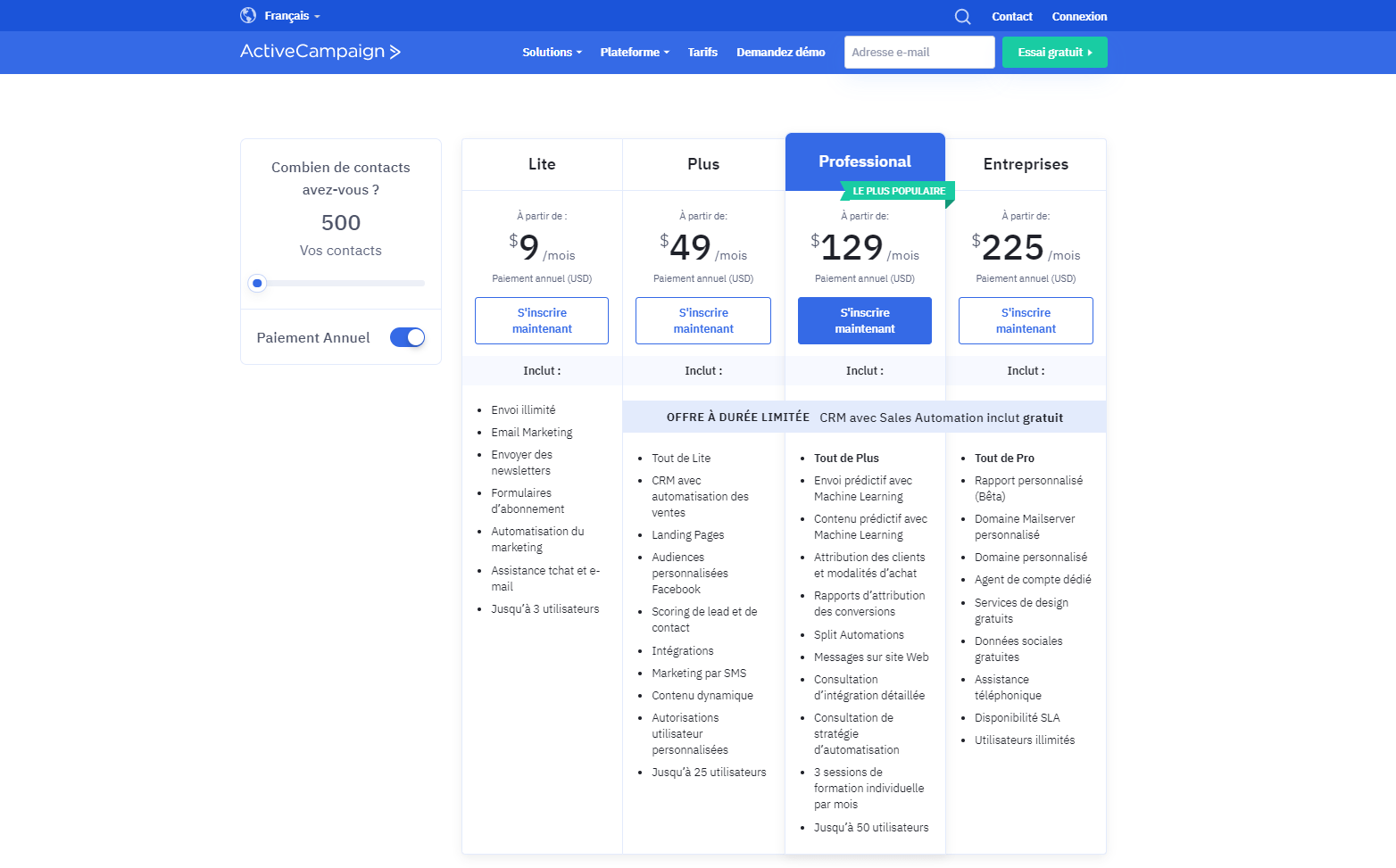
As you can see above, ActiveCampaign bills you based on the number of contacts you have in your database.
On a base of 500 contacts, we therefore get:
- Lite: $9 per month for up to 500 contacts, an unlimited number of emails and a maximum of 3 users. That plan does not include the CRM part described throughout this article.
- Plus: $49 per month with the CRM features, the lead scoring module and up to 25 users.
- Professional: $129 per month with even more advanced features, notably predictive content through machine learning, training sessions to learn how to use the tool, up to 50 users.
- Enterprise: $225 per month, for larger organisations, deeper support with a dedicated account agent and an unlimited number of users.
ActiveCampaign offers a 14-day free trial that requires no credit card so you can form your own view of the solution.
Salesdorado’s takeA rather premium position in the segment of CRMs firmly aimed at SMEs. A price that is ultimately quite reasonable given the many possibilities ActiveCampaign gives you.