Instantly is built above all to run high-volume campaigns, from several thousand to several hundred thousand emails a month, with excellent deliverability management.
The interface design is clean, minimalist, barely colored, a bit Notion-like. But the functional depth of this prospecting tool is fairly limited. We came away a little disappointed by Instantly. For mass prospecting, we clearly prefer a tool like Smartlead.
Instantly’s key features
Finding new prospects (Lead Finder)
Unlike a tool such as Smartlead, which focuses on running prospecting campaigns, Instantly is both a cold mailing campaign manager and a B2B database for finding new leads.
The Instantly database (Lead Finder) holds more than 80 million B2B contacts. We tested it and honestly we came away a little disappointed. The database is certainly huge, but the French market is barely covered, with only 160,000 contacts. If you prospect internationally though, and especially in the US market, the database is very well stocked.
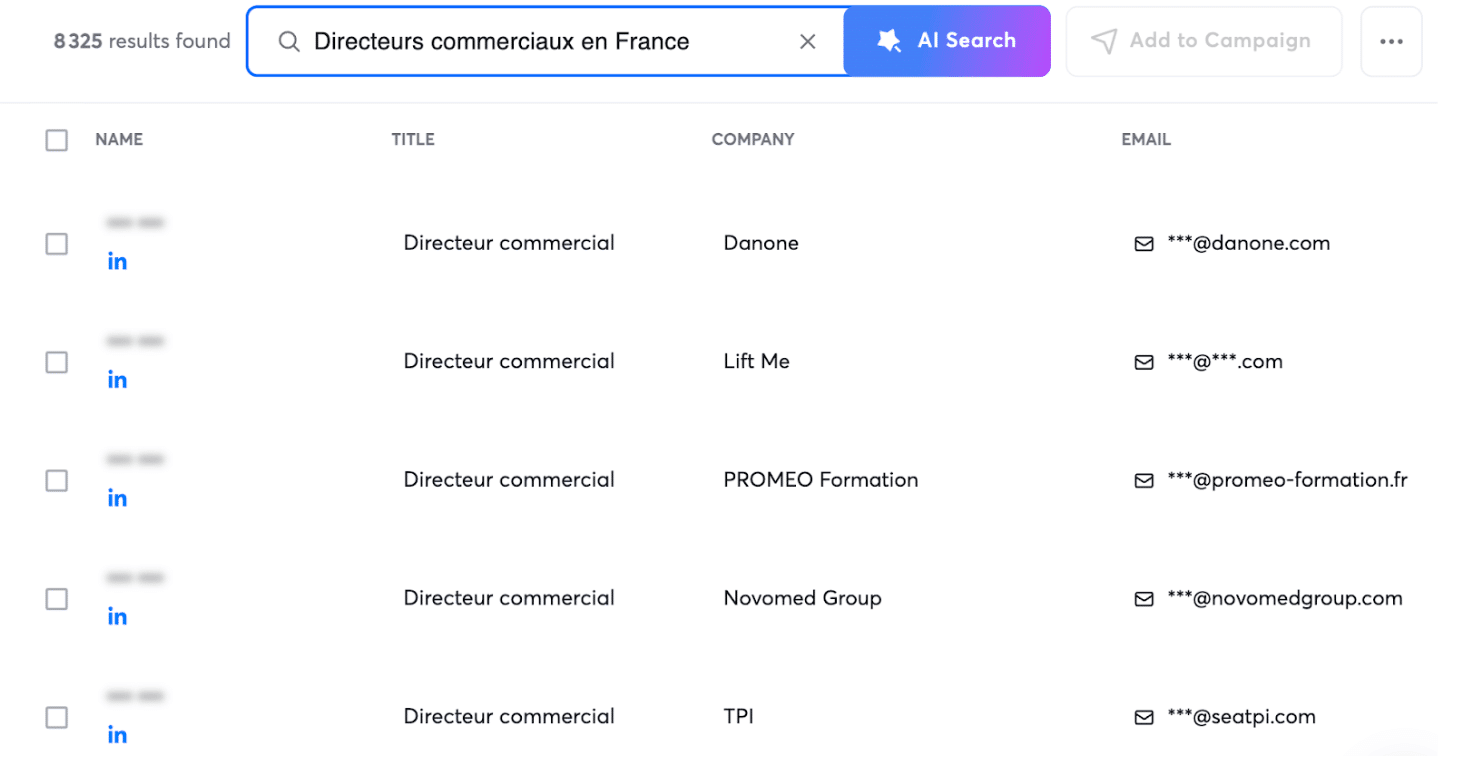
You can query it through a filter system or by typing your request in plain language into the AI Search bar. It is a good alternative to the classic filter approach. For example: “Sales directors in France”:
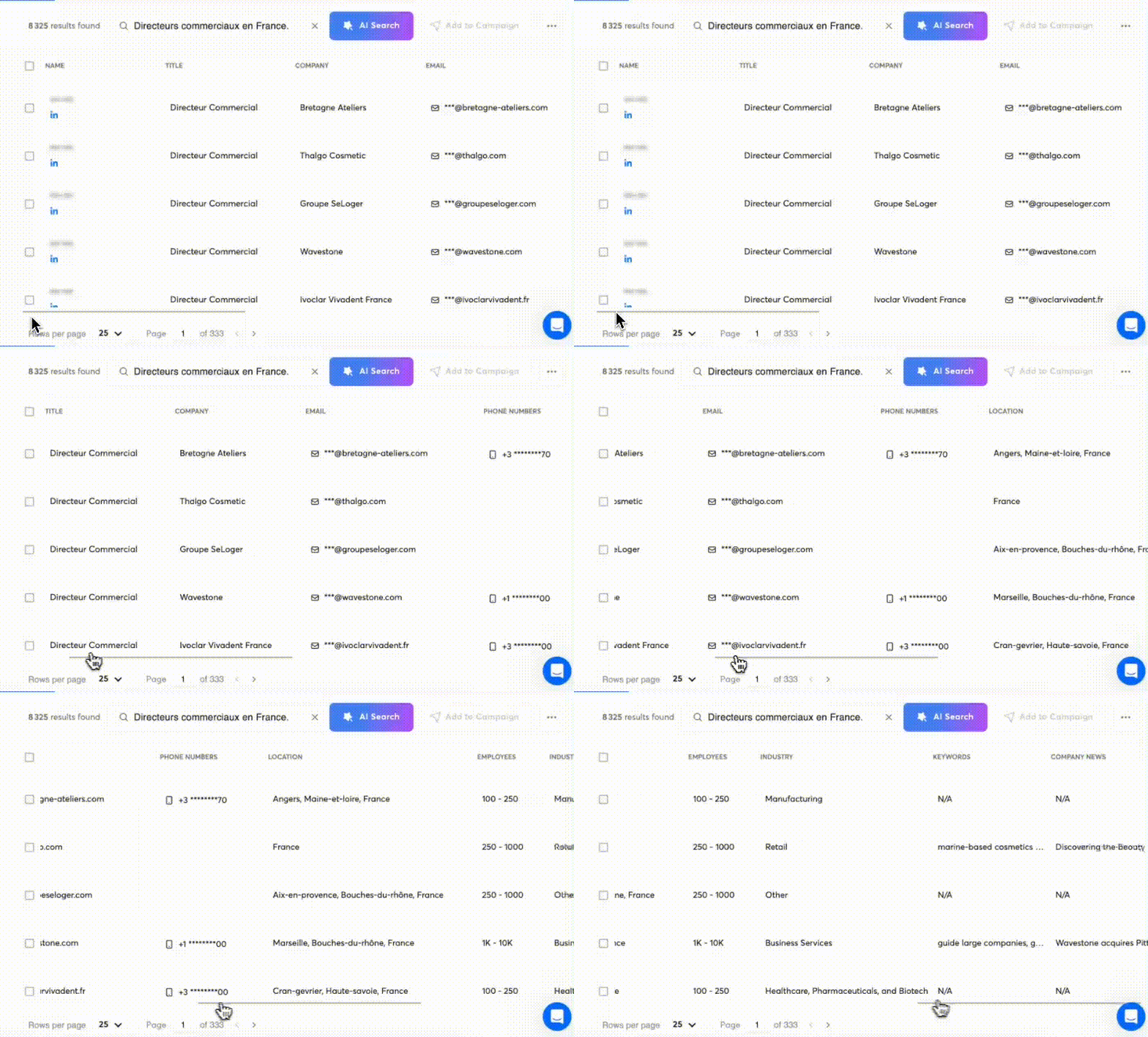
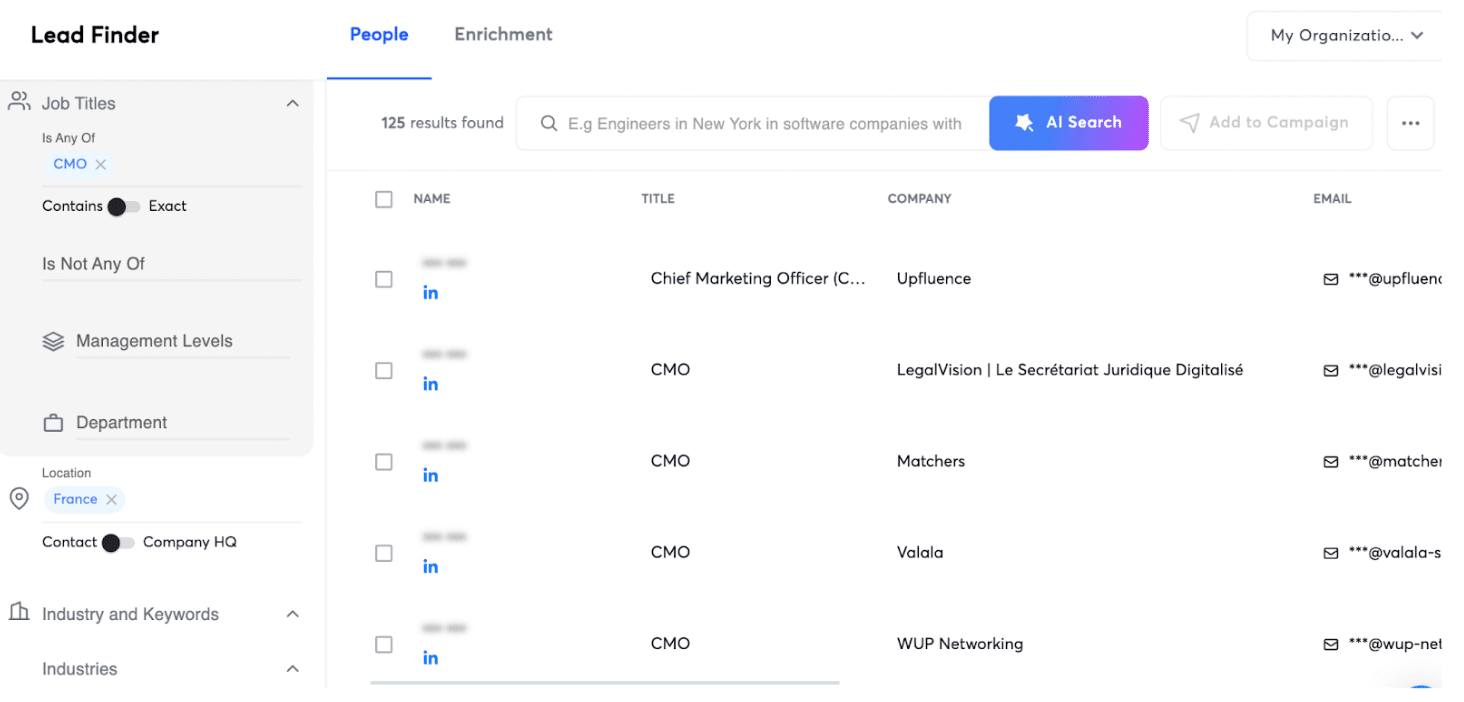
If you use the classic search mode, Instantly offers several search filters:
- Job titles
- Industries
- Headcount
- Revenue
- Domains
The interface is rather well designed, even if it stays on familiar ground.
Enriching your CRM software
You can also use Instantly to enrich existing prospect lists.
The process is simple:
- You import your list as CSV or Google Sheets.
- Instantly fills in the missing information in your file (the empty cells) from the data available in its database.
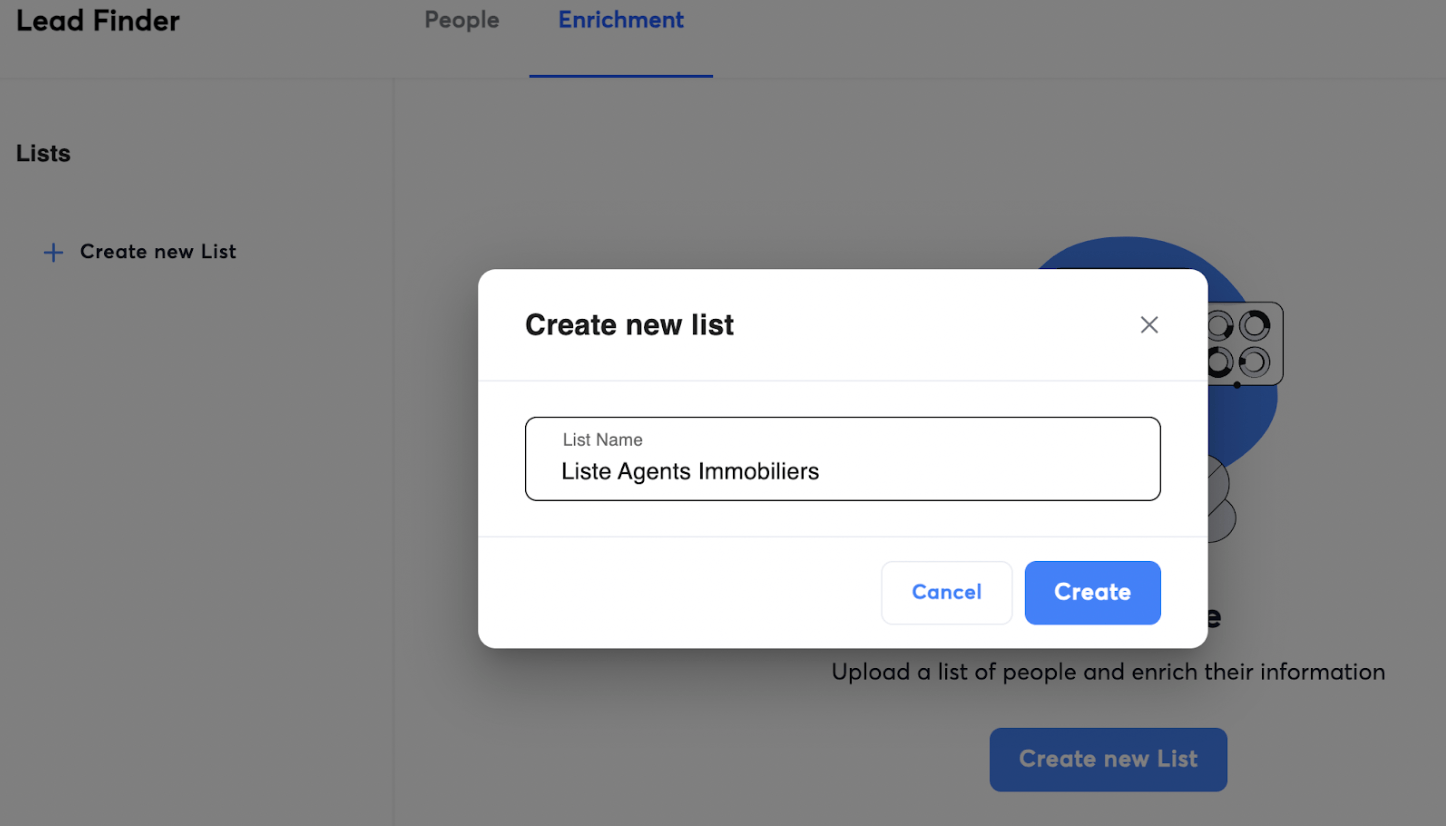
Enrichment quality obviously depends on the data available in the Instantly database. If your prospecting files cover the French market, the results will not always be conclusive.
Instantly handles leads as lists. You can import them as CSV, as Google Sheets or by pasting the addresses manually. You can also, as we saw, generate lists from the Lead Finder.
Once your file is loaded into Instantly, the tool asks you to configure the matching rules.
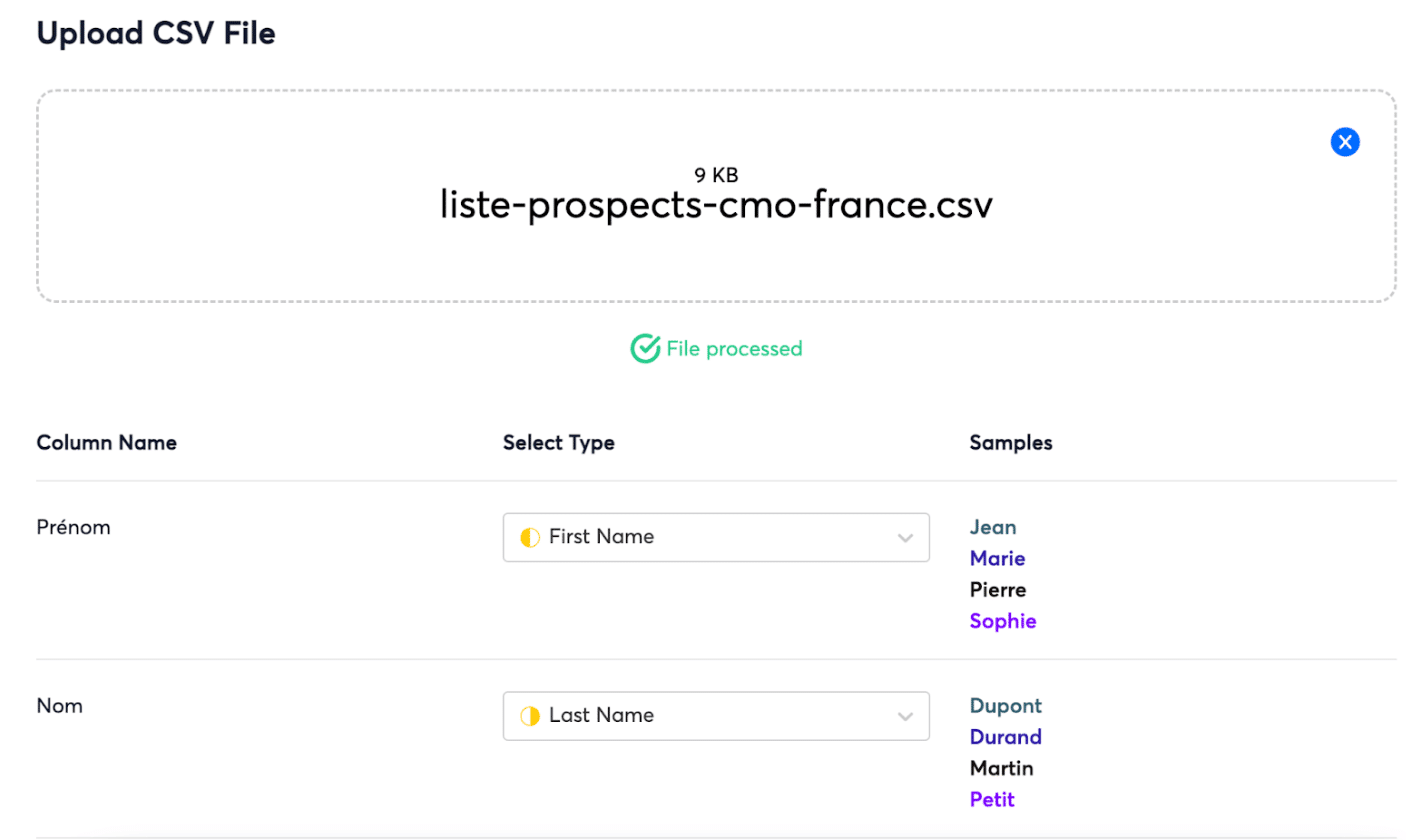
Lists are cleaned automatically at import: duplicates are not imported and wrong emails are removed.

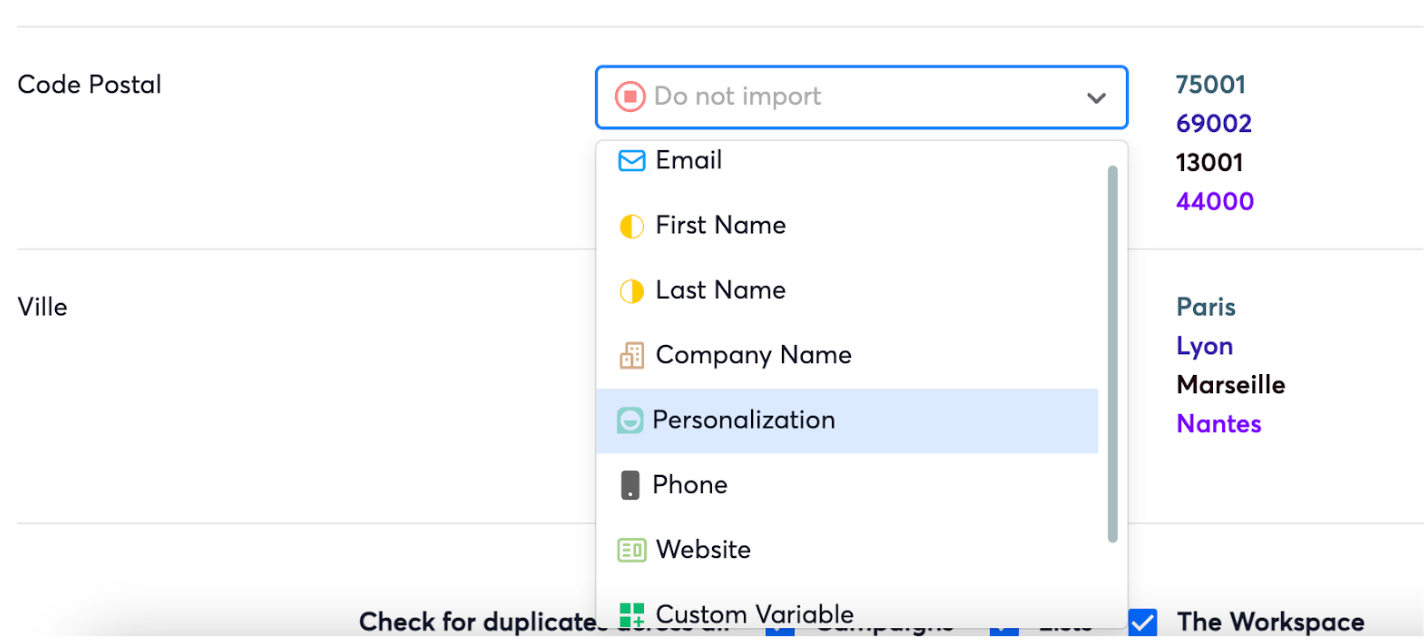
Surprisingly, Instantly does not handle anything to do with street address and postal code. If you import files with address or postal code columns, those cannot be brought into the platform.
Running email prospecting campaigns
Instantly is a B2B database for finding prospects, but it is also, and above all, a cold emailing campaign manager.
The Campaign tool has the advantage of being very simple to use, and the drawback of being simplistic, fairly basic in what it offers.
Here is how it works, step by step:
- You start by creating a campaign and giving it a name.
- You choose the lead list, meaning the recipients of the campaign.
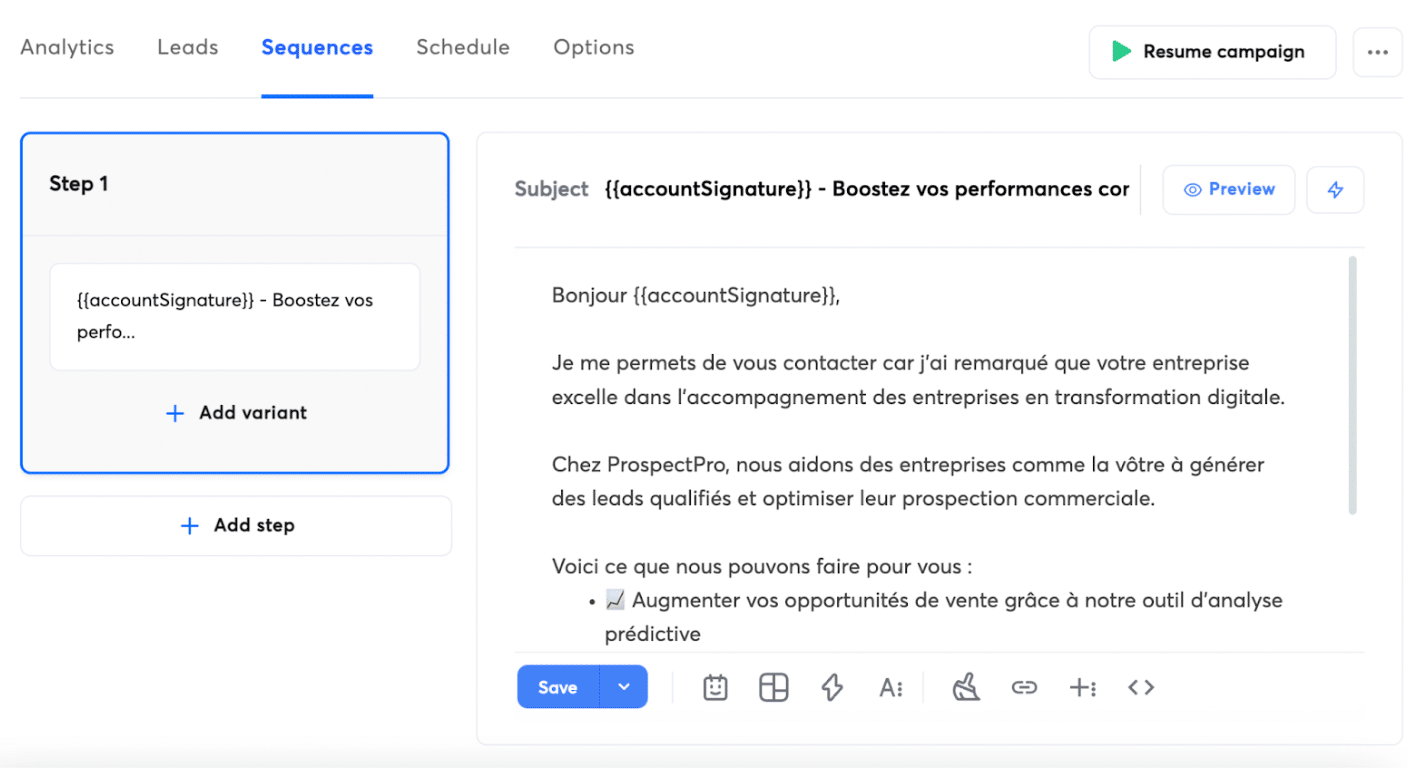
- Then you write your prospecting email or your sequence of prospecting emails:
- You can add as many emails as you want to your sequences.
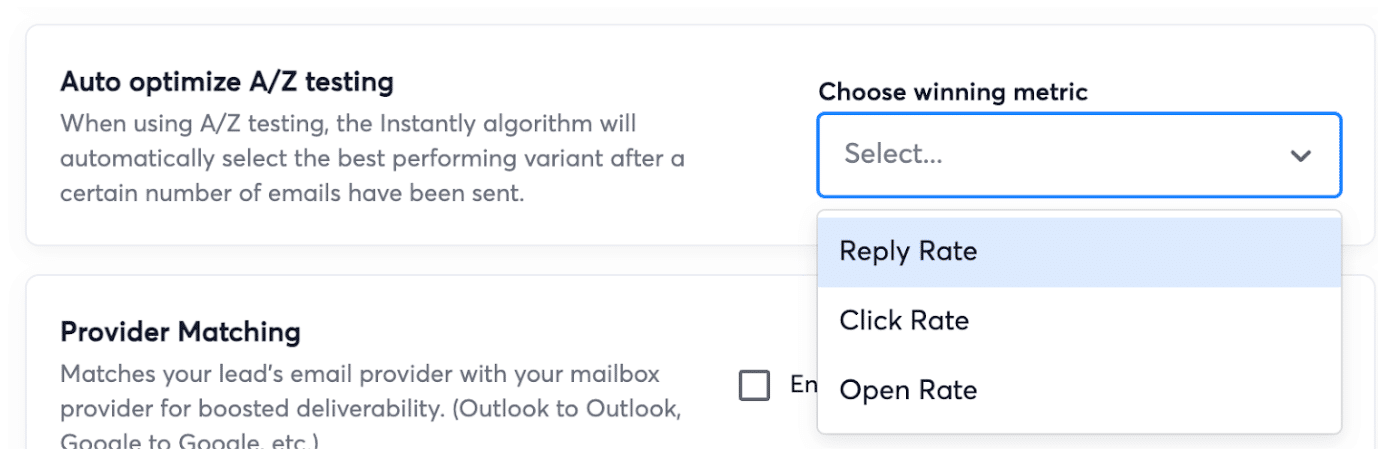
- You can run A/Z tests on subject lines. We liked this feature, which lets you test 3, 4, 5 or more subjects at once. Instantly also offers an auto-optimizer, which hands the AI the job of picking the winning subject line and rolling it out once the test period ends.
- You can also insert personalization variables into your emails:
- Once the email or emails are written, you schedule the campaign and choose the sending address.
Instantly offers a number of options. You can, for instance:
- Stop sending to prospects who replied or sent you a message.
- Track opens.
- Improve deliverability by sending emails as plain text, without HTML.
- Set the maximum number of emails sent each day.
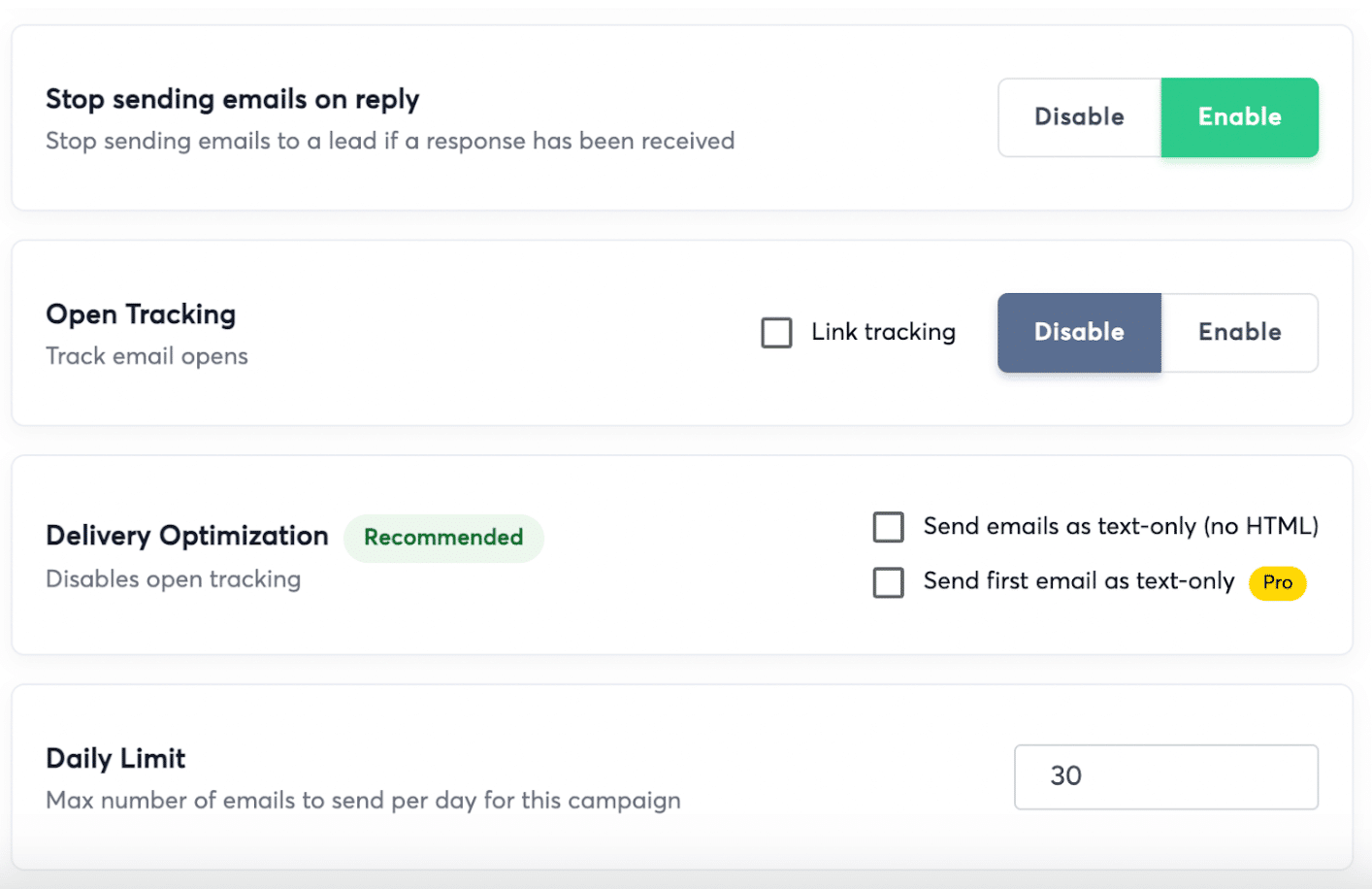
Those features mainly aim to protect the reputation of your sending addresses and improve the deliverability of your email campaigns. They are essential if you want to send email at volume.
The personalization options do not stop there, as you can see in the screenshot below:
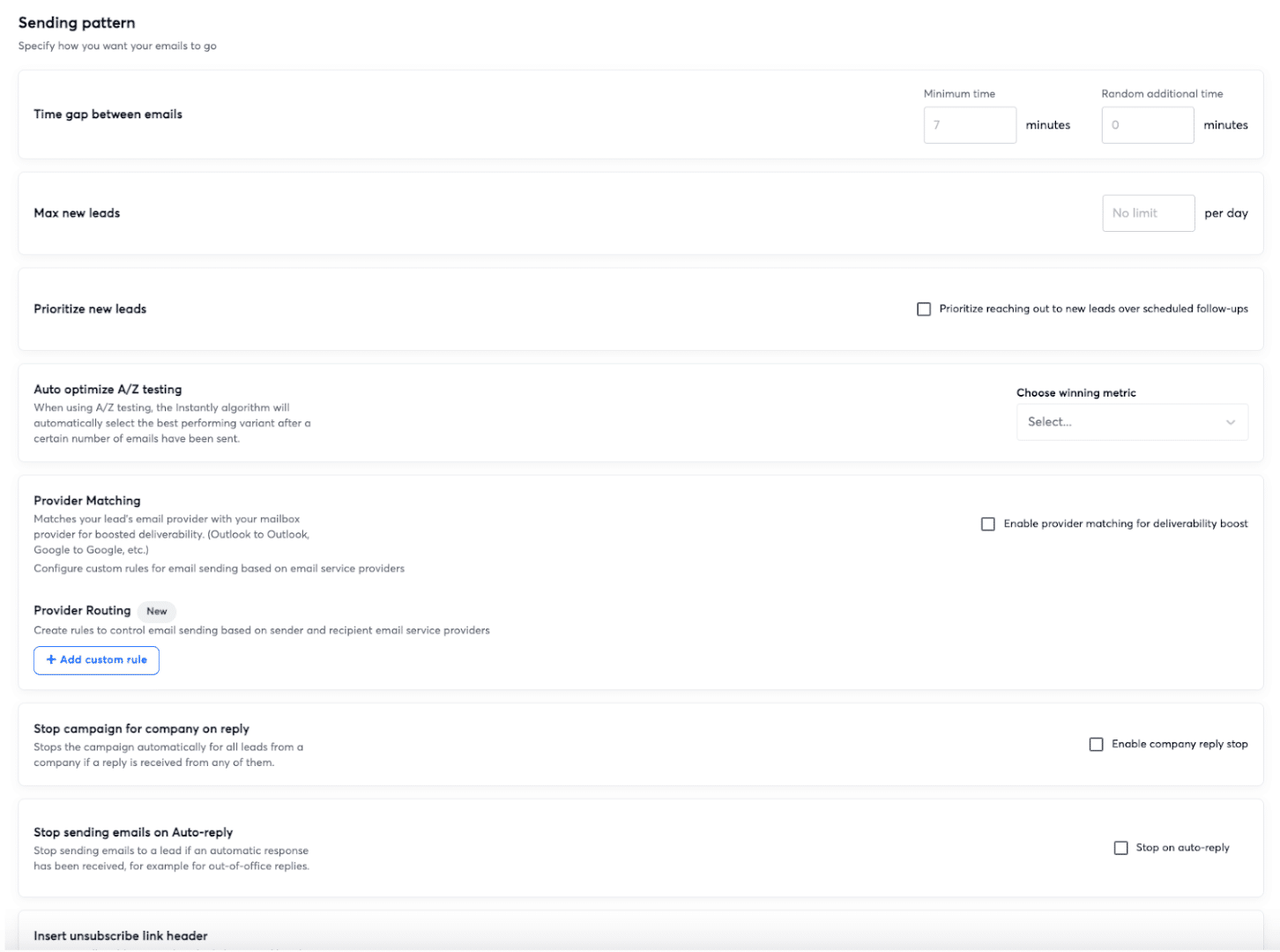
In short, Instantly’s prospecting sequence editor is fairly basic, particularly on triggers. You can only set the delay between sending a message X and a message Y, and the options stop there.
For example, there is no way to send a message Y or Z depending on how the contact reacted to message X. If you are used to more advanced marketing automation tools, that is likely to frustrate you.
That said, Instantly offers a good range of personalization options that partly makes up for how simple its editor is. And you can see that everything is designed with campaign deliverability in mind. Here, Instantly looks a lot like Smartlead, a tool in the same vein, just as modern, but broadly more complete than Instantly.
Handling replies in one place (Unibox inbox)
The Unibox inbox Instantly offers is a centralized inbox for reading and replying to every email your prospects send after your campaigns.
The feature is fairly standard, you find it on most cold emailing tools, but it is effective. It makes handling prospect interactions much easier.
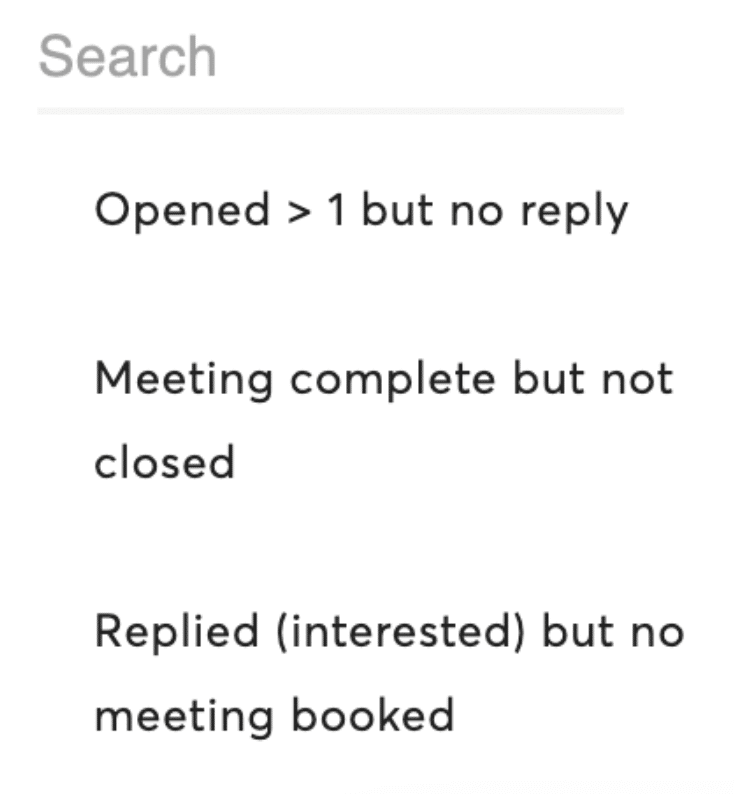
The small extra: you can find contacts matching certain conditions. For example, “opened more than one email but never replied”. Handy for building lists on behavioral criteria and aiming your sales effort better.
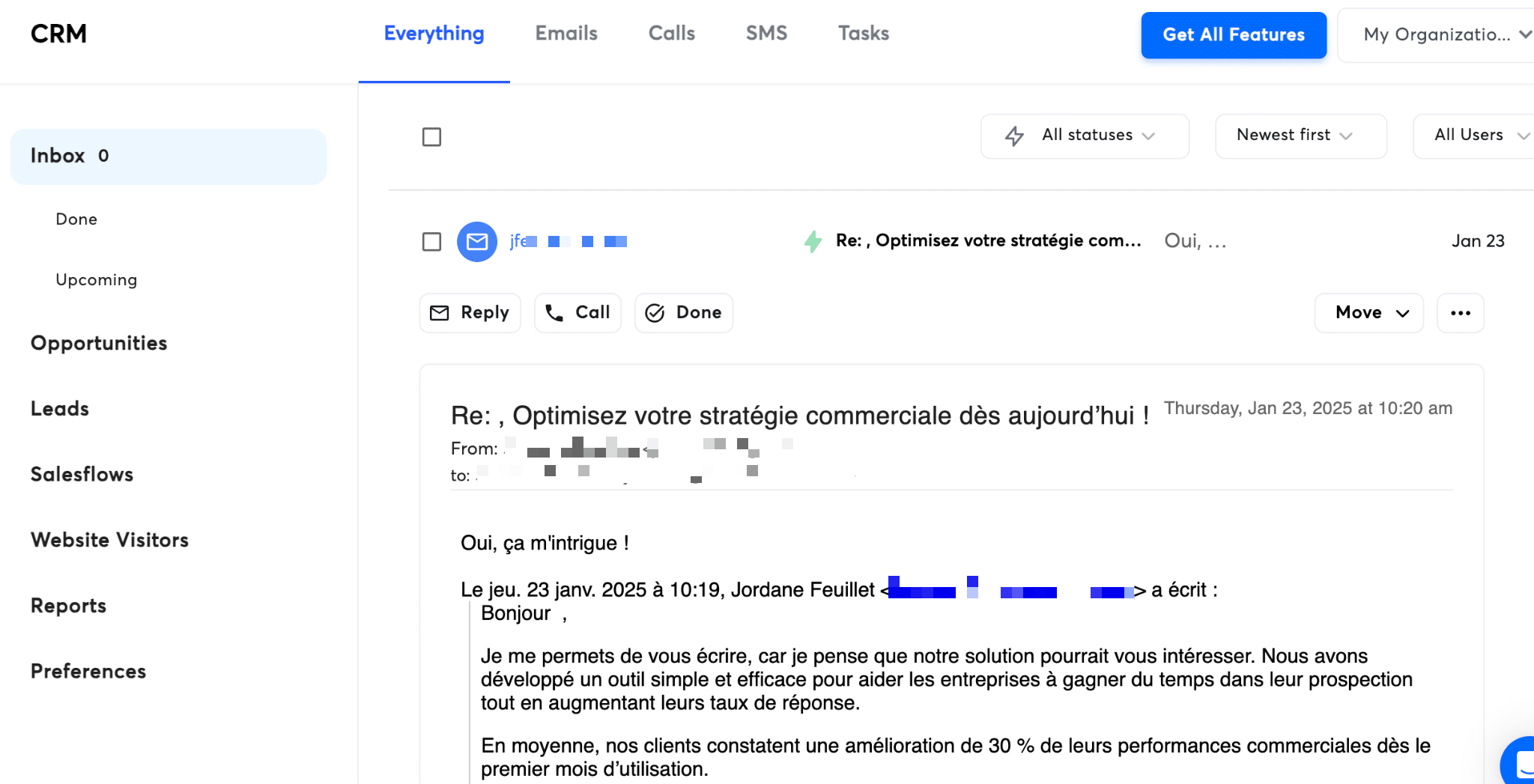
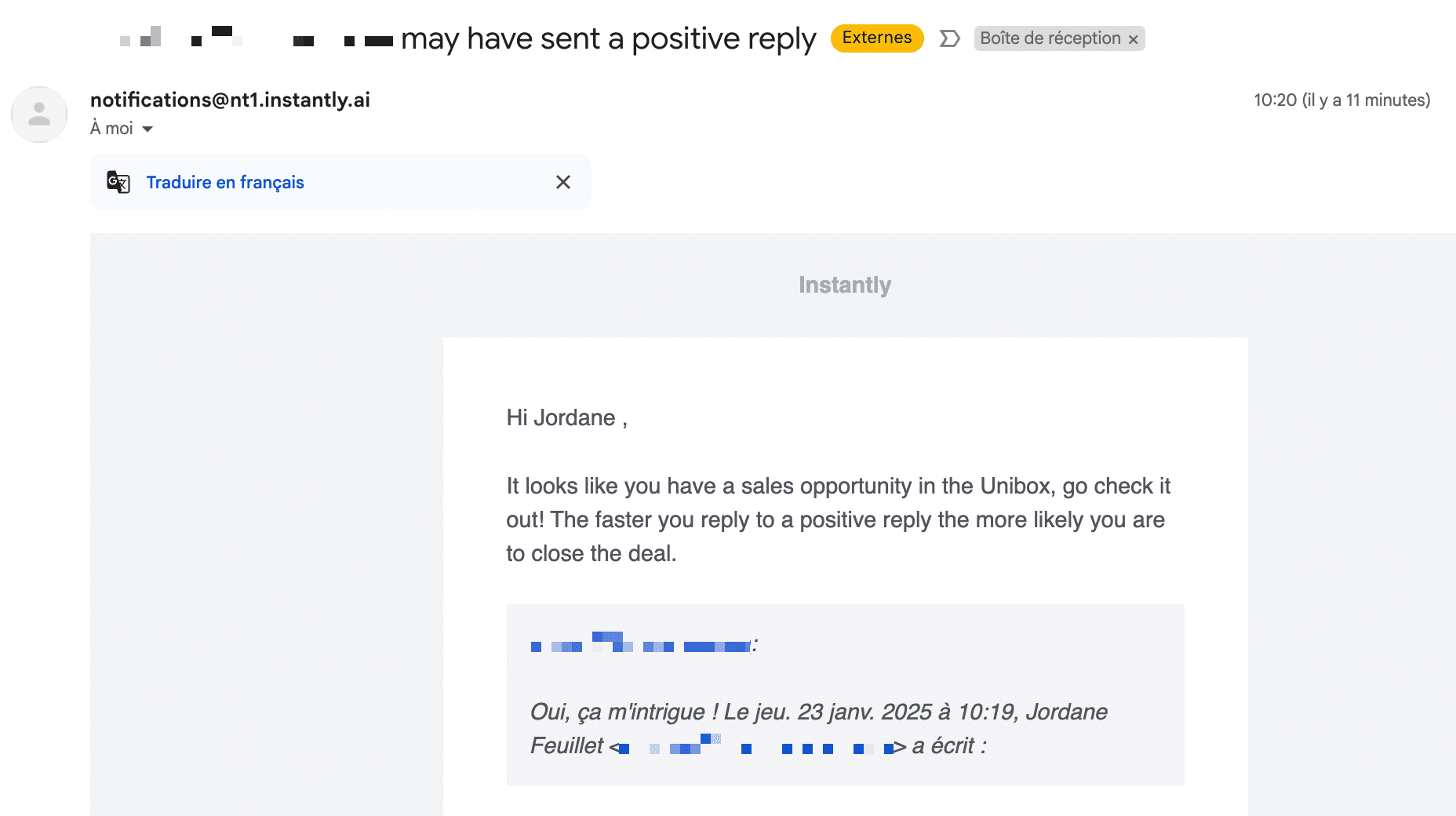
You can set up notifications to your main mailbox when replies come in:
Improving the deliverability of your messages
The problem with email prospecting campaigns is that emails often land in spam and never reach the prospect. It is a structural problem, and it is getting worse as ISPs and mailbox providers tighten their terms.
To answer that and improve campaign deliverability, Instantly has built a whole set of features.
First, on Instantly you can use as many sending addresses as you want. That keeps the number of sends per address down. You can:
- Add your existing email addresses.
- Hand that work over to the Instantly team (for your Google Workspace addresses only).
- Use pre-warmed email addresses. Instantly provides accounts and domains that have already been created and prepared for sending.
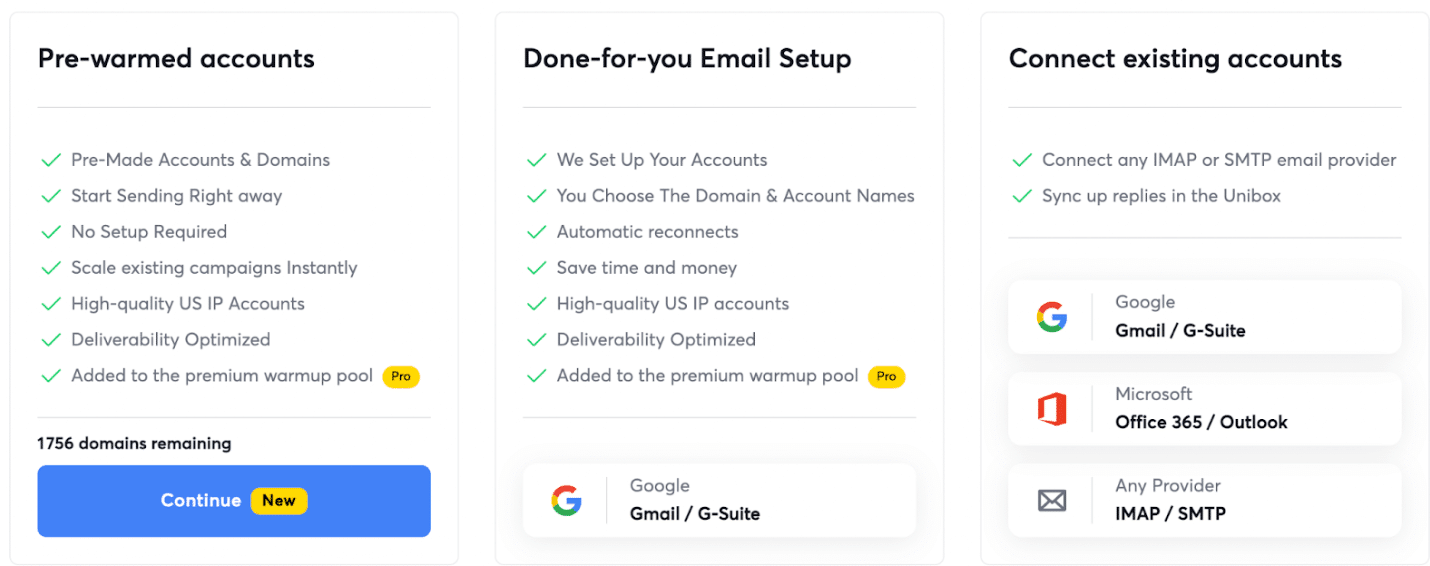
To use pre-warmed addresses, you just type a keyword, your company name, and Instantly offers you a set of domains related to that keyword:
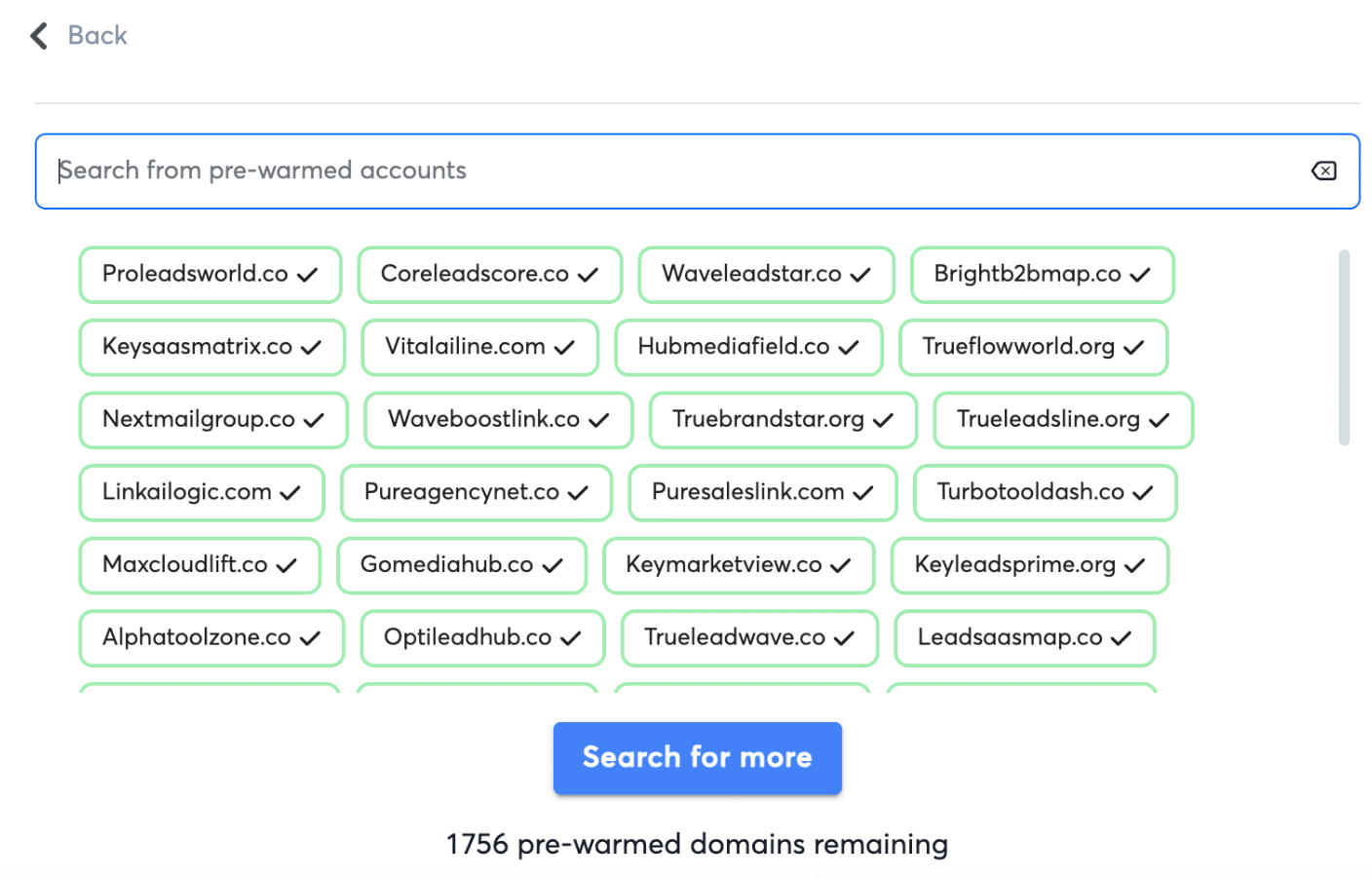
We are a little skeptical about the principle. Sending prospecting emails from addresses that do not carry your company’s domain name is not great for the brand.
Still on deliverability, Instantly offers:
- A mailbox rotation feature.
- A deliverability dashboard, to know your deliverability score and the share of email addresses landing in spam. It helps you spot the sending addresses that need better warming.
- An automated warm-up system. As we saw earlier, inside your campaigns you can set the maximum number of emails sent per day and reach other features to control how your addresses are used.
Managing your sales pipeline (CRM)
Let us recap. Instantly lets you find qualified leads through its B2B database. The platform also offers a campaign editor whose strengths and limits we have shown. But sales work does not stop at sending those campaigns. You also have to handle interactions, opportunities, deals, in short everything that follows from your prospecting effort.
So it is no surprise that Instantly recently added CRM features. You can now handle your customer relationships straight inside Instantly. More precisely, you can:
- Reach the list of leads.
- Reach, for each lead, a record gathering every piece of information about them and the history of your interactions.
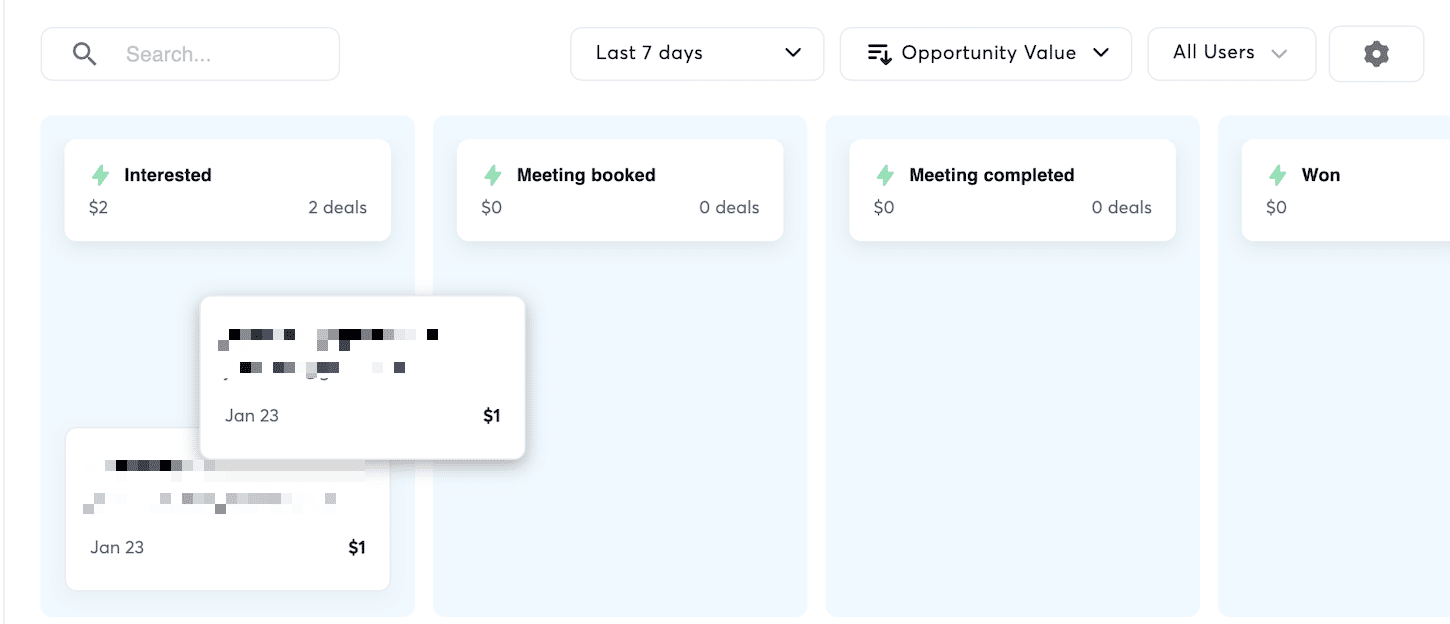
- See how leads are spread and how far along the conversion funnel they are, through a Kanban view.
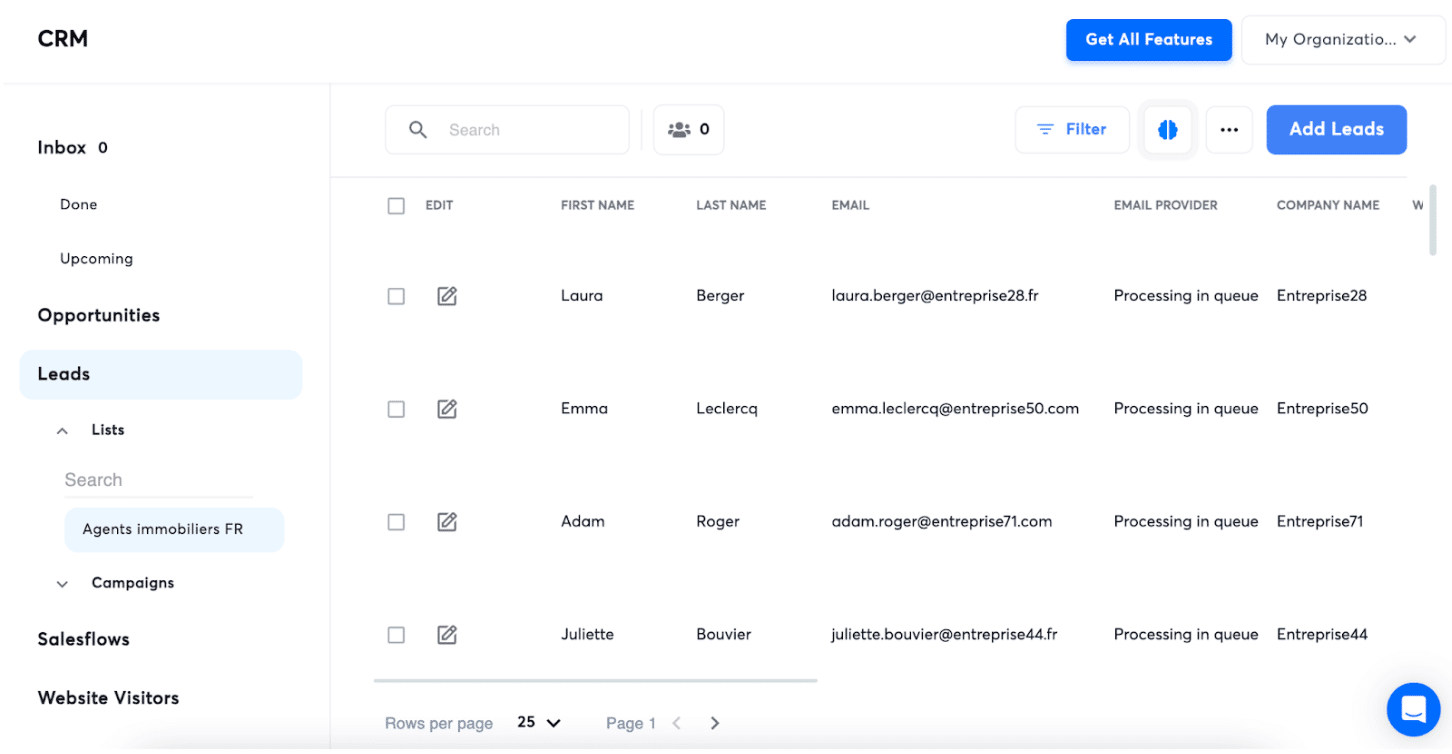
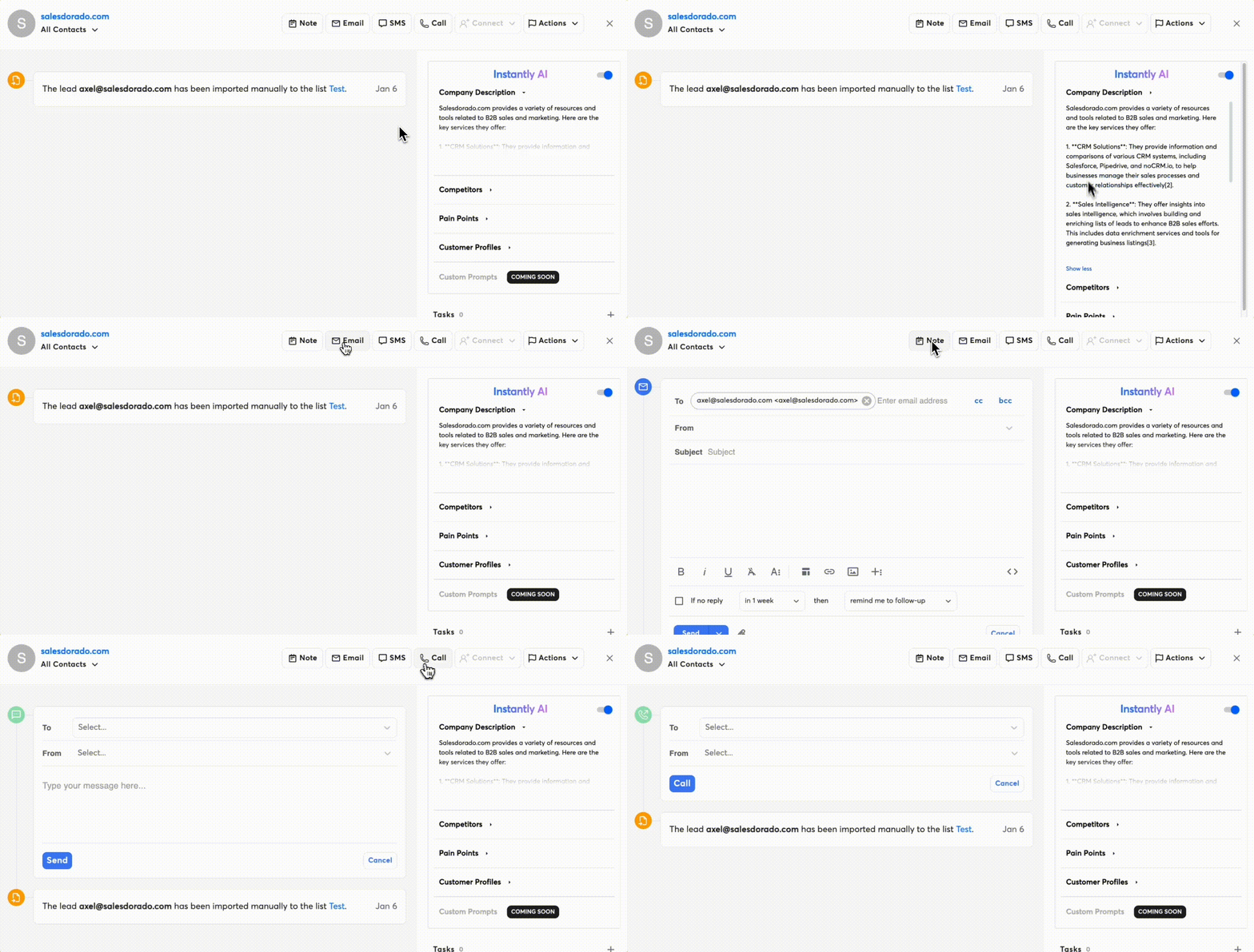
The CRM gives you access to your lead list. Click a lead and you reach their record, with all the information about them: personal details and relationship history. We liked the Instant AI module, which surfaces detailed information about the account.
We did not test these CRM features in depth. What you need to know is that some essential CRM features, such as sales pipeline management, are only available on the Hyper CRM plan at $97 per month. That is relatively expensive, even though you can add an unlimited number of users to your account.
So it is one of two things:
- Either you already have a CRM, in which case we advise you to keep it.
- Or you work out of spreadsheets, in which case yes, using Instantly as a CRM can make sense.
But let us be clear, Instantly is first and foremost a lead generation tool. Its CRM features are nowhere near what you find in a Pipedrive or a HubSpot. It is barely comparable.
Analyzing the performance of your prospecting (reporting)
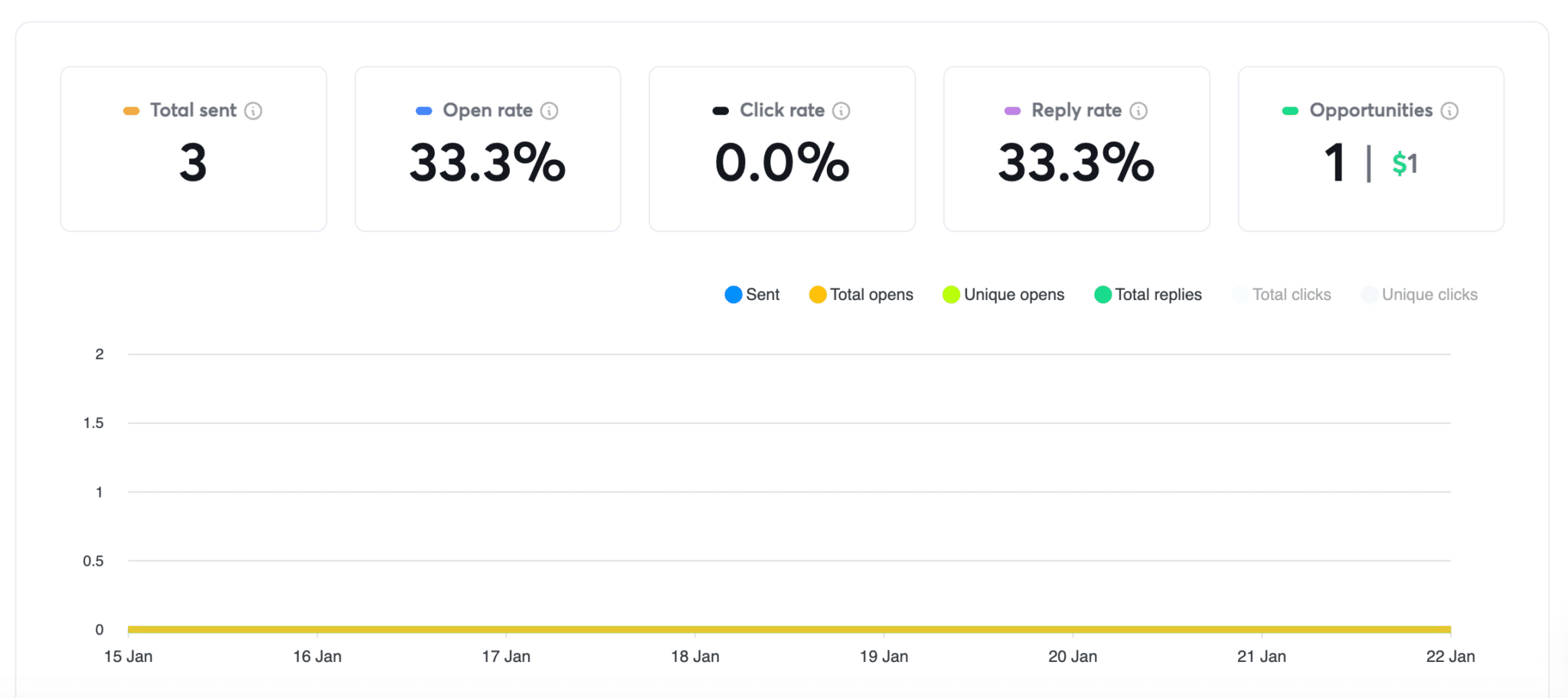
Instantly offers a campaign performance report that pulls the key data such as open rate, click rate, reply rate and opportunities.
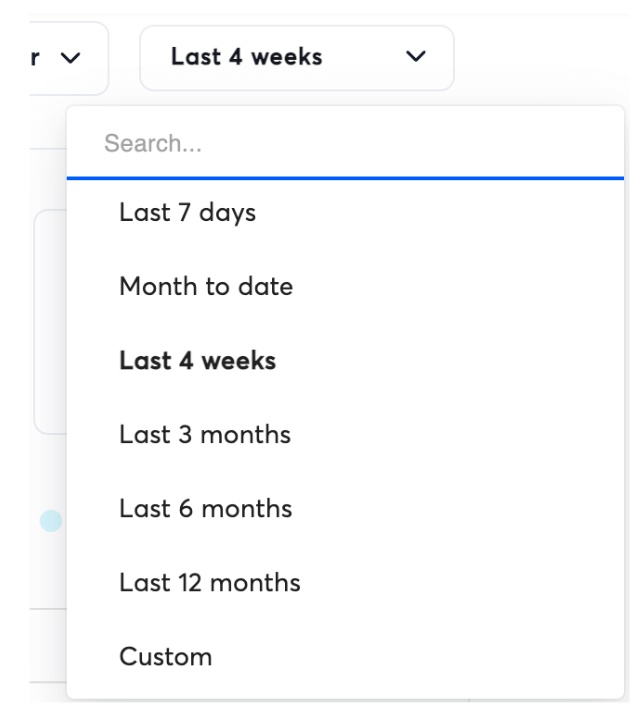
You can filter that report by:
- Time range.
- Campaign.
- Campaign status: active, paused, finished and so on.
- Sending addresses.
Instantly also gives you a sales performance report, with some interesting metrics:
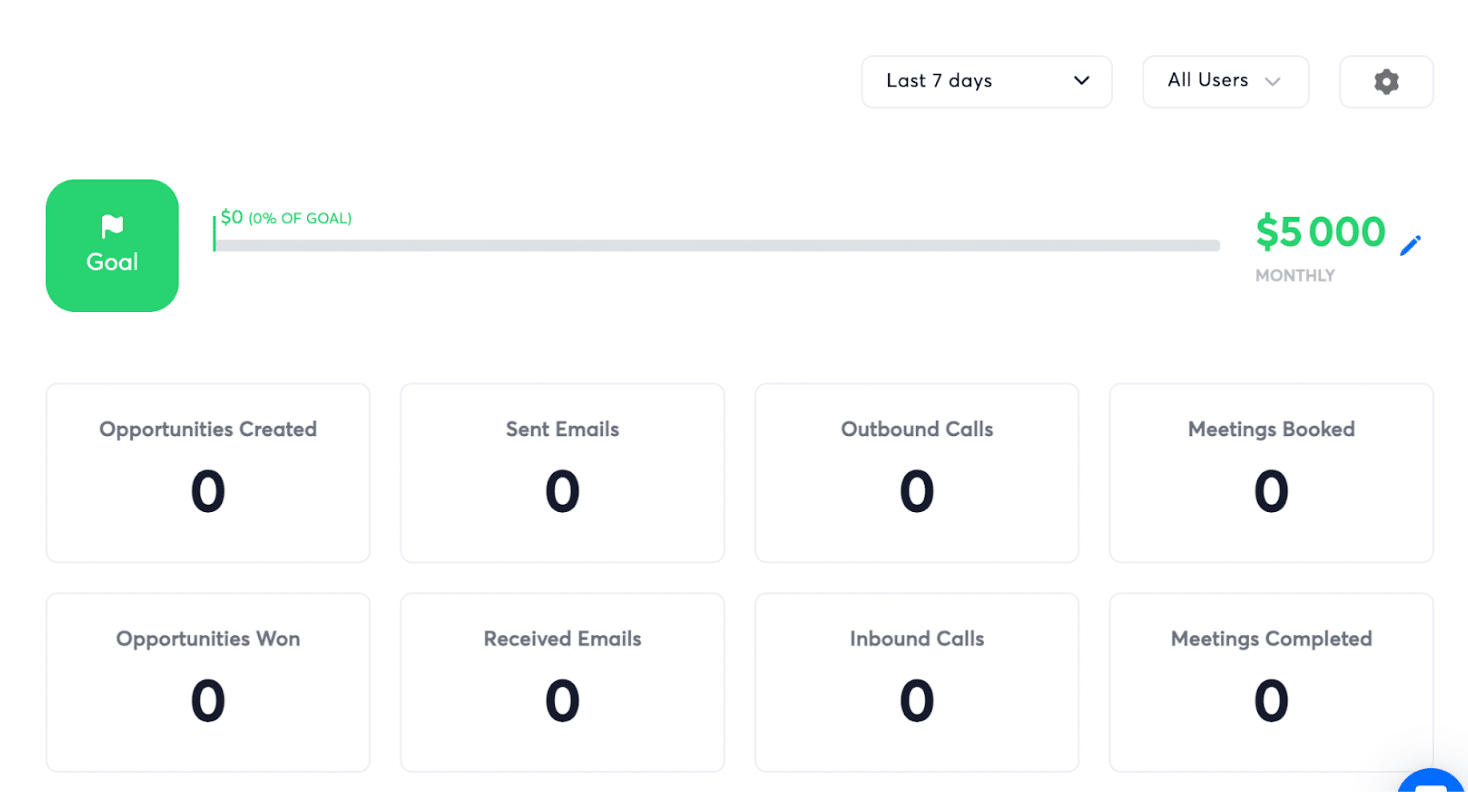
Instantly’s reporting tool is fairly simple and basic, but it does the job.
Instantly’s integrations
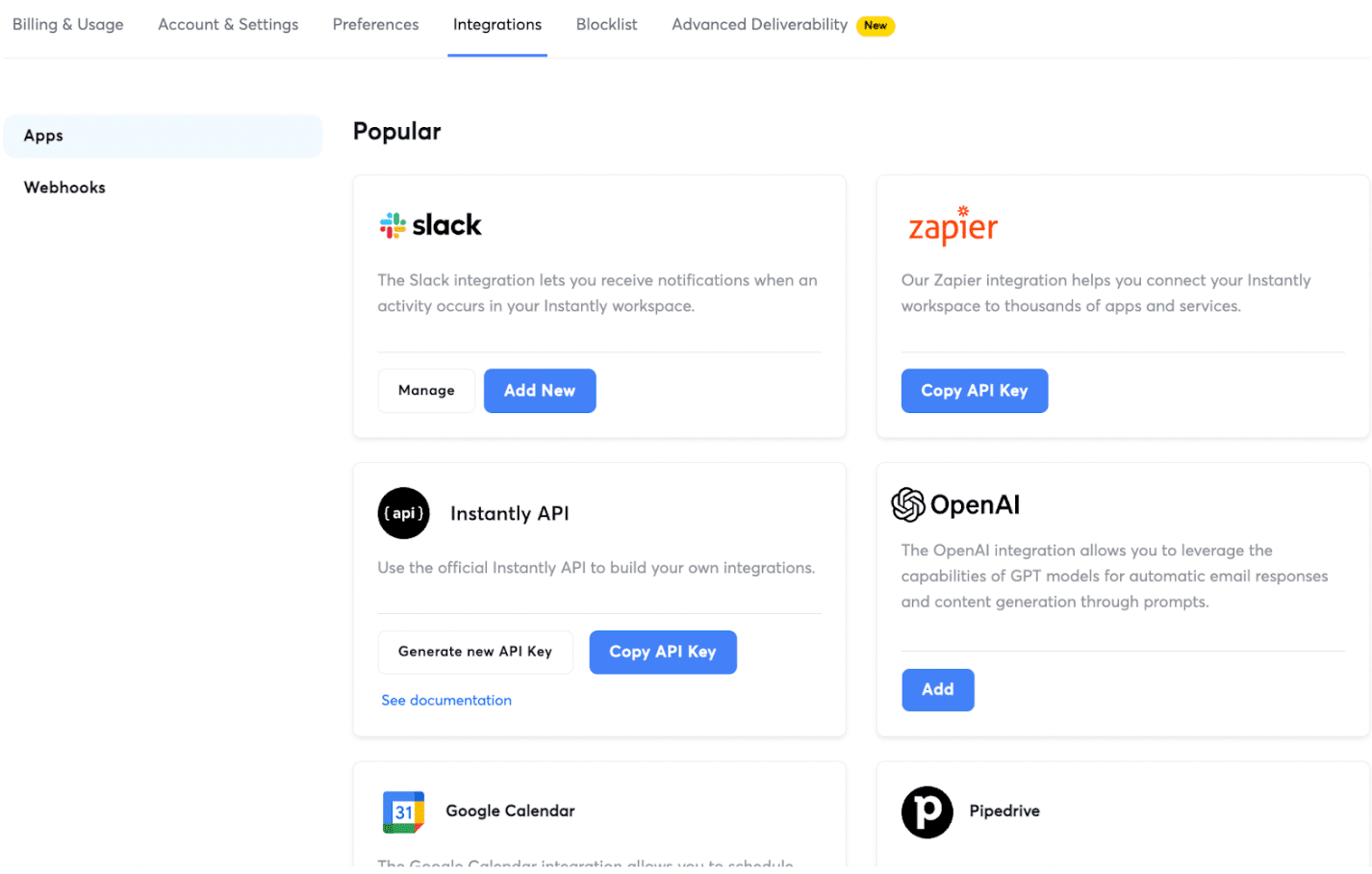
Instantly offers a number of native connectors:
- CRM: Pipedrive, Salesforce and HubSpot
- Slack
- Zapier
- OpenAI
- Google Calendar
There is also an API to connect Instantly to other tools, for instance if you use a CRM other than Pipedrive, HubSpot and Salesforce. Finally, Instantly handles webhooks, which is quite handy for pushing notifications to third-party tools when an event happens: an open, a click and so on.
Instantly’s customer support
The level of support depends on the plan you choose. If you go for the entry plan (Growth), you only get chat. For premium support you need at least the Hypergrowth plan at $97 per month. Customer support gets a lot of praise from users, as we saw. I have not tested it personally.
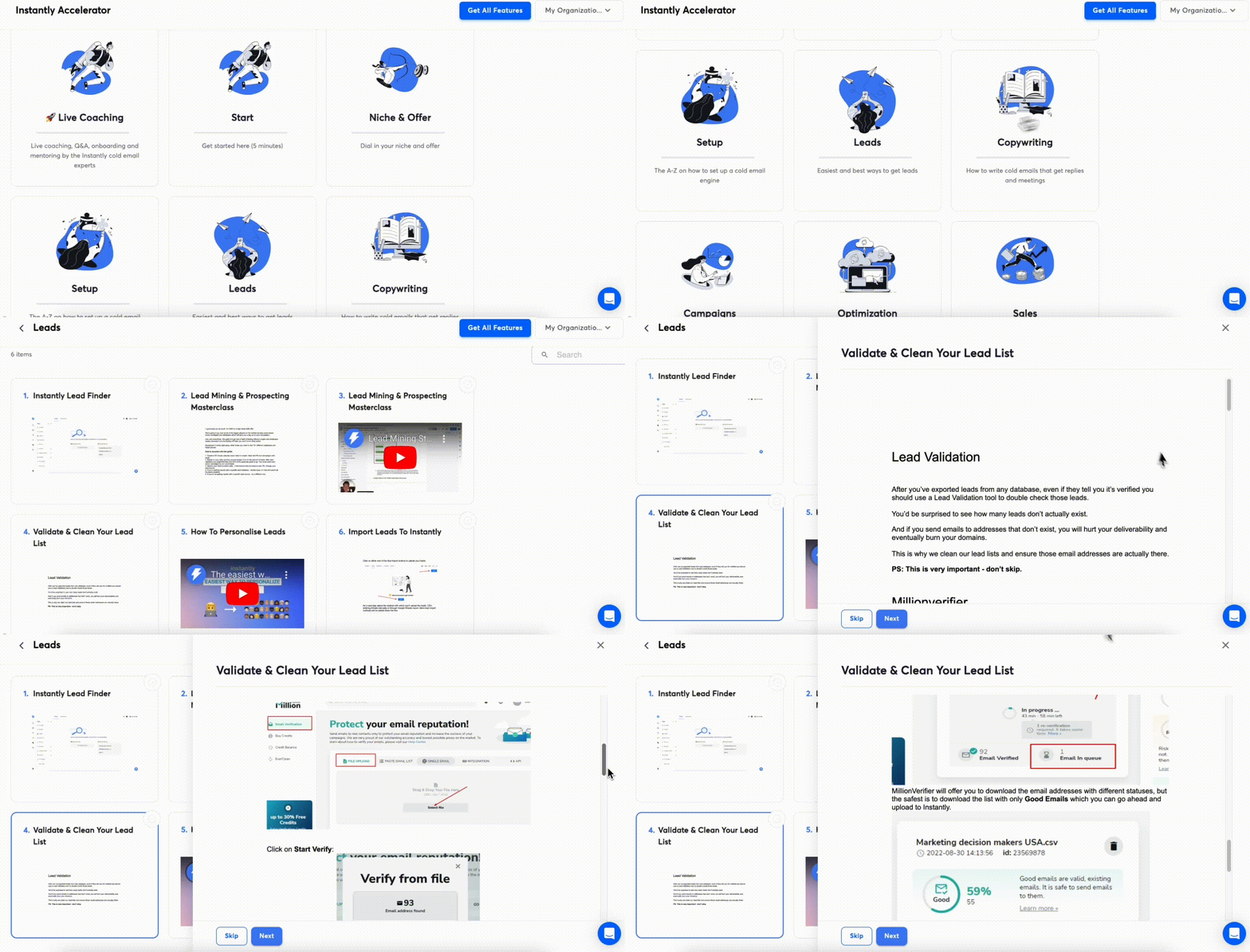
Instantly offers a well stocked resource center, but only in English, along with a private, fairly active Facebook community where users help each other out.
Instantly’s pricing
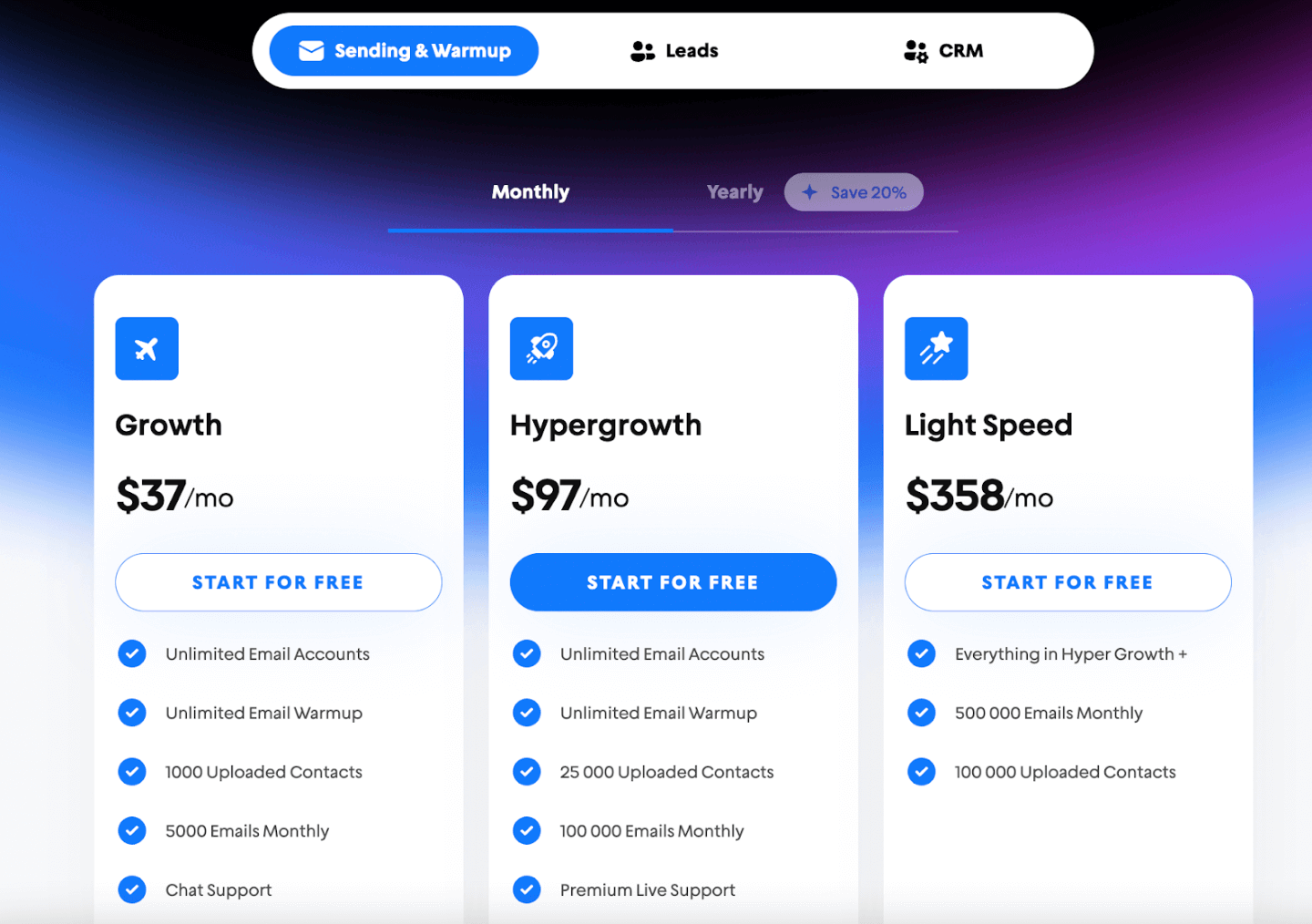
Instantly offers 3 families of pricing plans:
- The plans that only cover cold email campaigns:
- The entry plan, “Growth”, is $37 per month. It lets you use an unlimited number of sending addresses and gives access to the address warm-up features. You are limited, however, to 1,000 contacts (leads) and 5,000 emails sent per month.
- The Hypergrowth plan, at $97 per month, which lets you load 25,000 contacts and send 100,000 emails per month. This plan also brings priority support, lets you invite team members onto the account and unlocks premium features: A/Z Testing, blocklists, Unibox, webhooks and more.
- The Light Speed plan, at $358 per month, raises the quotas to 100,000 contacts and 500,000 emails sent per month.
- The plans that cover email campaigns plus finding new leads (access to the Instantly database):
- The Growth Leads plan, at $47 per month, which lets you find 1,000 leads per month.
- The Supersonic Leads plan, at $97 per month, which lets you find 4,500 leads per month.
- The HyperLeads plan, at $197 per month, which lets you find 10,000 leads per month.
- The Light Speed plan, at $492 per month, which lets you find 25,000 leads per month.
- The plans that give access to campaign management, to the database and on top of that to the CRM features:
- Growth CRM, at $47 per month, which lets you use the Master Unbox, the lead records and the CRM task manager.
- Hyper CRM, at $97 per month, which additionally unlocks the AI features, the SMS and phone channels, web visitor tracking and advanced reporting.
Like most prospecting tools, Instantly offers a discount (20%) if you commit annually. Instantly also offers a 14-day free trial to test the platform, with no credit card.