We’ve been using Make at Salesdorado for a long time. Back then, it was still called Integromat. It was already a flexible tool and far more affordable than Zapier (which we never liked…).
Since then, Make has come a long way, without ever losing what made it strong from the start: a crystal-clear visual interface, very fine-grained automation logic and plenty of flexibility.
It’s a platform we often recommend to anyone who wants to do clean automation, at scale, without breaking the bank.
For us, Make ticks some important boxes: reliable, mature, very complete, and above all easy to use. Where Zapier is starting to age (and to fall seriously behind), Make remains a very solid choice.
And even though n8n is growing fast, it remains less accessible than Make for most teams.
Granted, Make’s interface can be a little intimidating at first, but once you’ve understood how it works, it’s smooth, logical and very pleasant to use.
As with any software, there’s a short adjustment period you can’t skip. Anyway, without further ado, here is our full review of Make.
Make’s key features
What sets Make apart from most other automation tools is its ability to combine power and accessibility.
The tool was designed to automate complex processes (with conditions, loops, parallel routes, API calls, data processing, etc.) but without ever forcing the user to write a single line of code.
And it has to be said: it works. The interface is clear, smooth and flexible enough to handle simple needs just as well as very advanced automations.
Make has all the ingredients of a mature platform:
- a polished visual editor,
- a wide range of triggers,
- a rich template library,
- built-in AI modules
- and even a small internal database system.
It’s this functional depth, combined with genuine ease of use, that still makes it one of the best tools on the market today.
A very flexible visual editor for building complex workflows
Make is built around a drag-and-drop editor, in the form of a dynamic graph. Each scenario is built by connecting blocks (called “modules”) representing actions, conditions, routes or processing steps.
Unlike other tools where automations are often linear, Make lets you create tree structures, with conditional branches, loops, routers, aggregators…
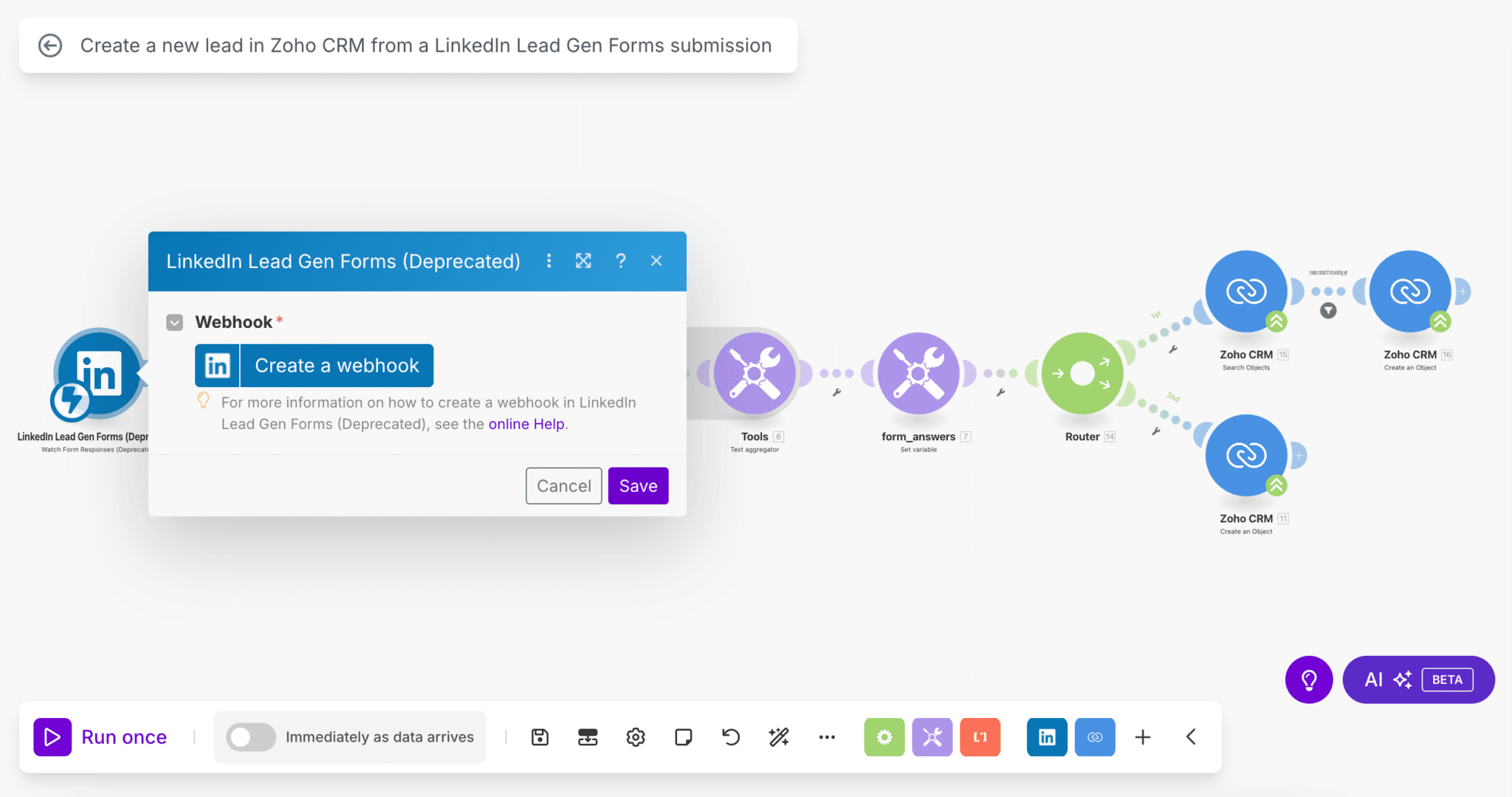
What we particularly like is the freedom you get when designing scenarios. You can chain as many modules as you want, add conditions between each step, manipulate data at every pass, all without ever leaving the interface.
It’s both readable and very advanced. Even on very complex automations, you always keep a good overview.
And if something doesn’t work, Make shows you exactly where it’s stuck. Errors are contextualized, with detailed logs on each module.
You can partially replay a scenario, test a single module or view the output values. For us, it’s one of the best built-in debugging tools we’ve tested on this type of platform.
A library of scenario templates to get started quickly
Make also offers a gallery of preconfigured scenarios, very handy so you don’t start from a blank page. To date, Make offers nearly 10,000 scenario templates.
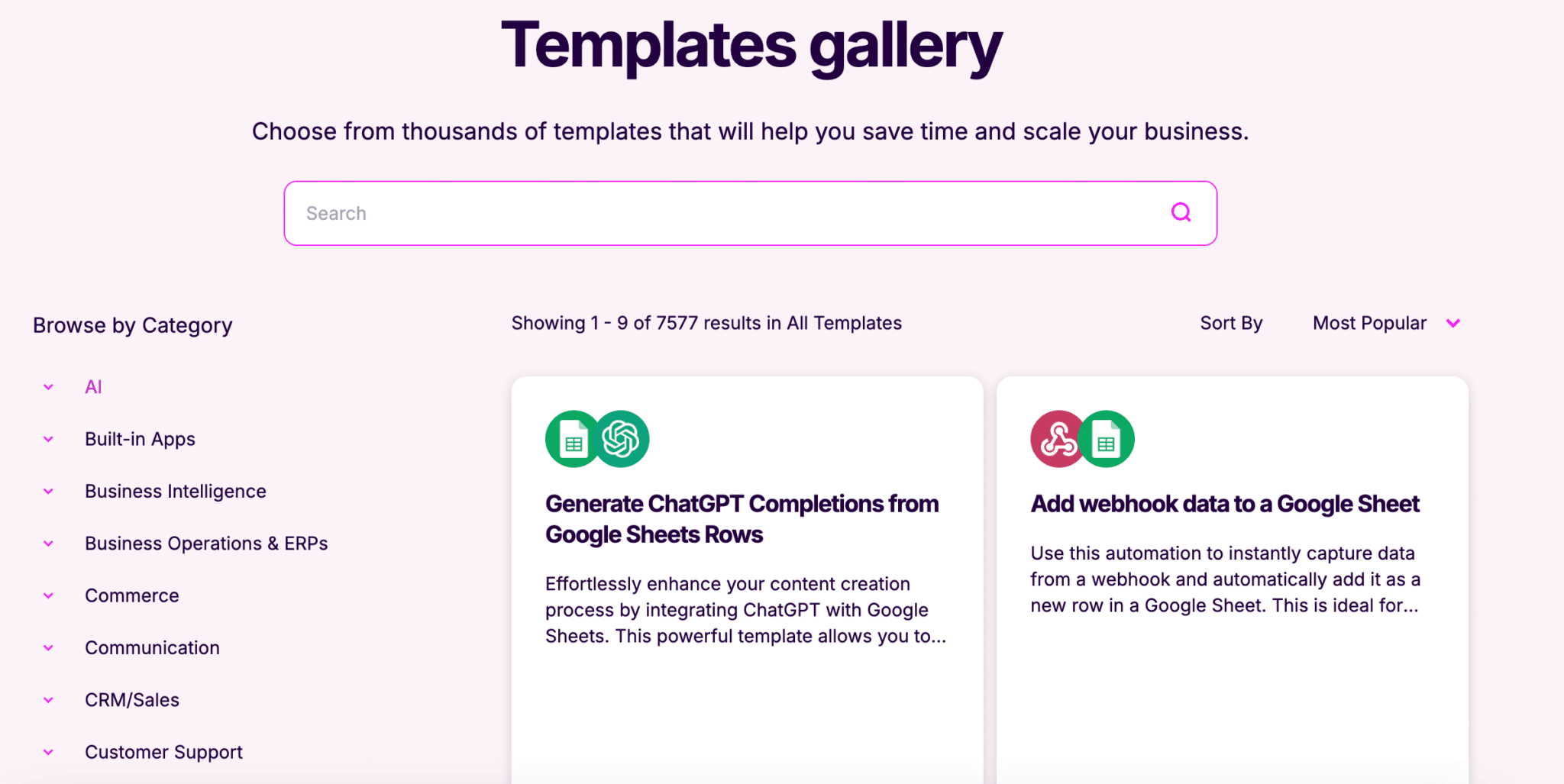
These templates aren’t just examples: they’re 100% editable, ready to use and often already well thought out in terms of business logic (because each template addresses a specific use case).
In a few clicks, you can adapt a scenario to your own context, test how it works and then build on it as needed. It’s especially helpful for less technical profiles who want to automate without starting from scratch, without reinventing the wheel.
And since the Make community is also very active, you regularly find new templates shared by other users, often specialized in particular business stacks or very specific niches. In short, it’s a real favorite of ours.

Fine-grained trigger management to automate at the right time
Make lets you trigger a scenario run in several ways, with a level of granularity that’s fairly rare for this kind of tool.
You can choose a scheduled run (every 15 minutes, once a week, on a specific date…), trigger a scenario via a webhook or react to a specific event in a connected app (for example, receiving an email or a form submission).
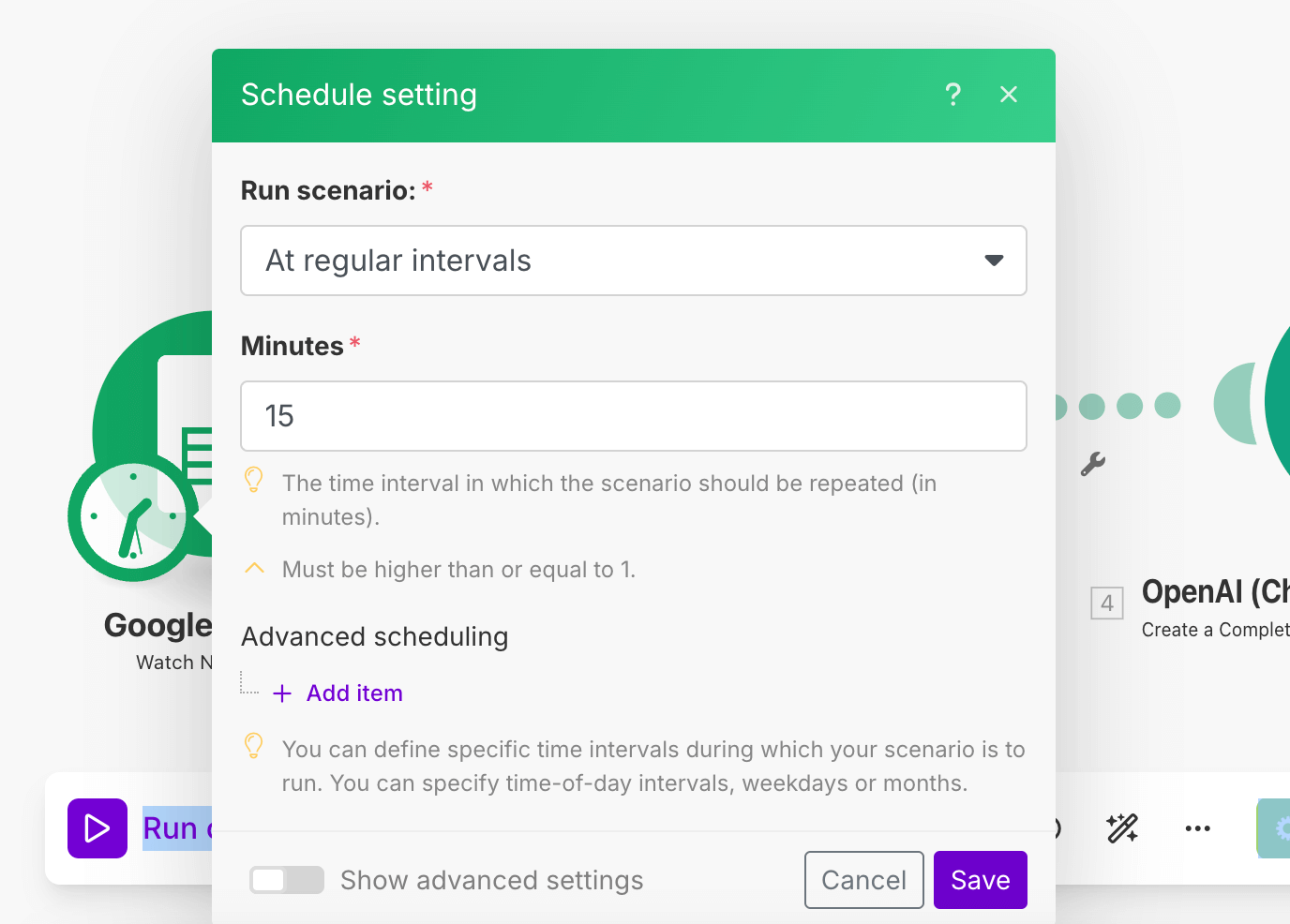
But where Make stands out is in how these triggers can be combined. You can set up scenarios that only run if certain conditions are met, or that wait for several events to arrive at the same time.
And above all, you stay in control of execution pace and volume. That’s very useful so you don’t blow through your credit quota if you’re working with large data volumes or sensitive integrations.
Built-in AI modules to automate intelligent tasks
Make clearly reached a milestone in 2025 by integrating advanced artificial intelligence capabilities that transform the automation experience.
The tool no longer just connects apps or runs scenarios. It can now reason, decide and orchestrate entire workflows autonomously.
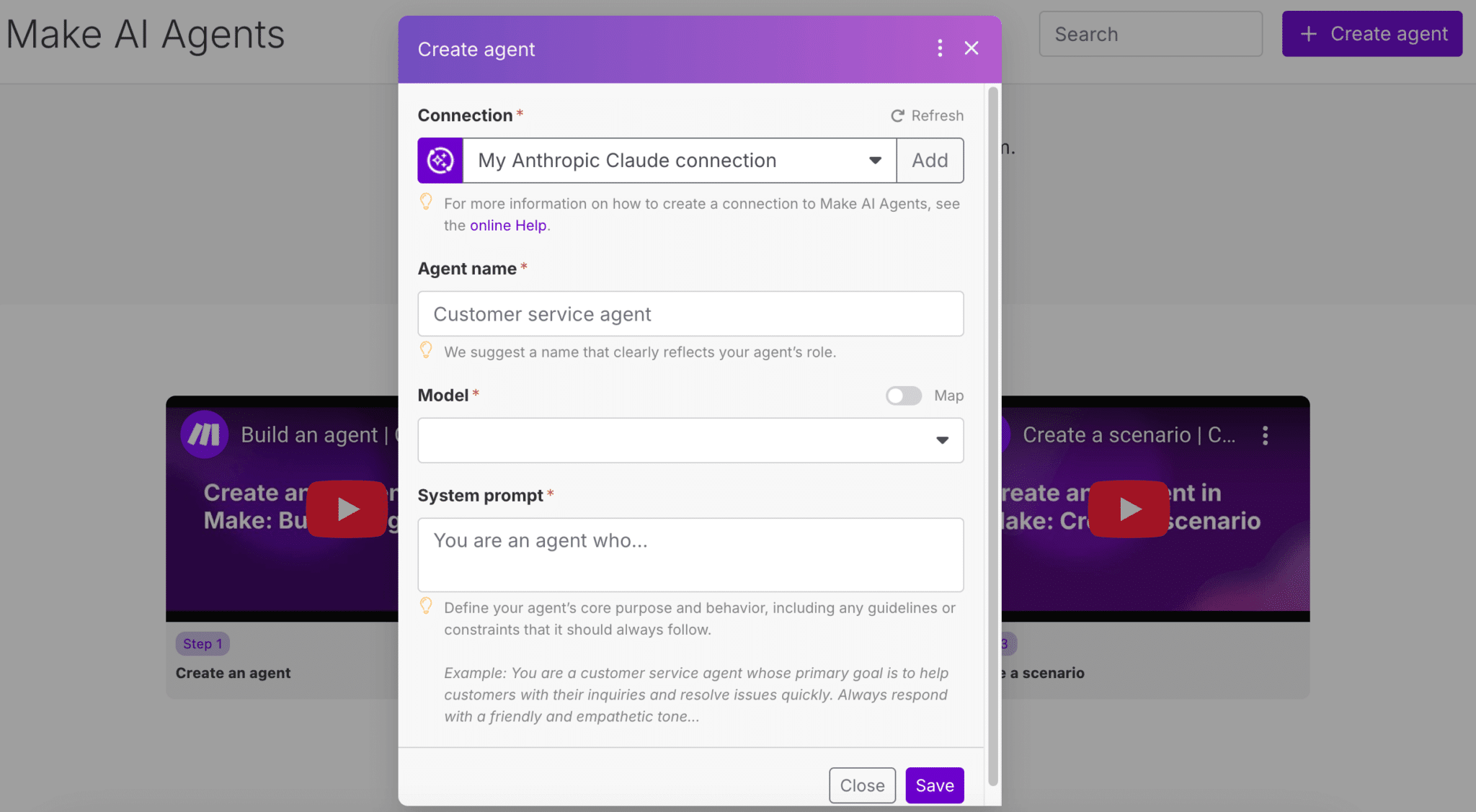
The flagship new feature is the introduction of goal-oriented AI agents. In practice, instead of manually breaking down each step of a process, you define a goal (e.g. “Notify my team as soon as a priority lead is identified on LinkedIn”) and the AI agent builds the scenario itself.
It chooses the modules, the conditions and the tools to activate, taking into account the constraints of your environment. This makes designing automation scenarios a lot easier.
On top of that come ready-to-use AI modules, notably with ChatGPT (OpenAI) or Perplexity.
You can generate or summarize text, classify messages, translate, extract key information from an email or a contract… All of this plugs natively into your workflows, like any standard module.
And it’s not just cosmetic: Make also lets you transform your data intelligently (sorting, enrichment, aggregation, scoring, etc.), automate error handling (with AI-driven corrective actions) and trigger real-time decisions based on business criteria. AI isn’t just a gimmick here, it’s a real logic building block serving automation.
A Data Store to easily store and reuse your data
Finally, Make includes a small internal database system, which they call the “Data Store”. The idea is simple: you can store data between two scenarios, keep track of a status or centralize information without having to use a third-party tool.
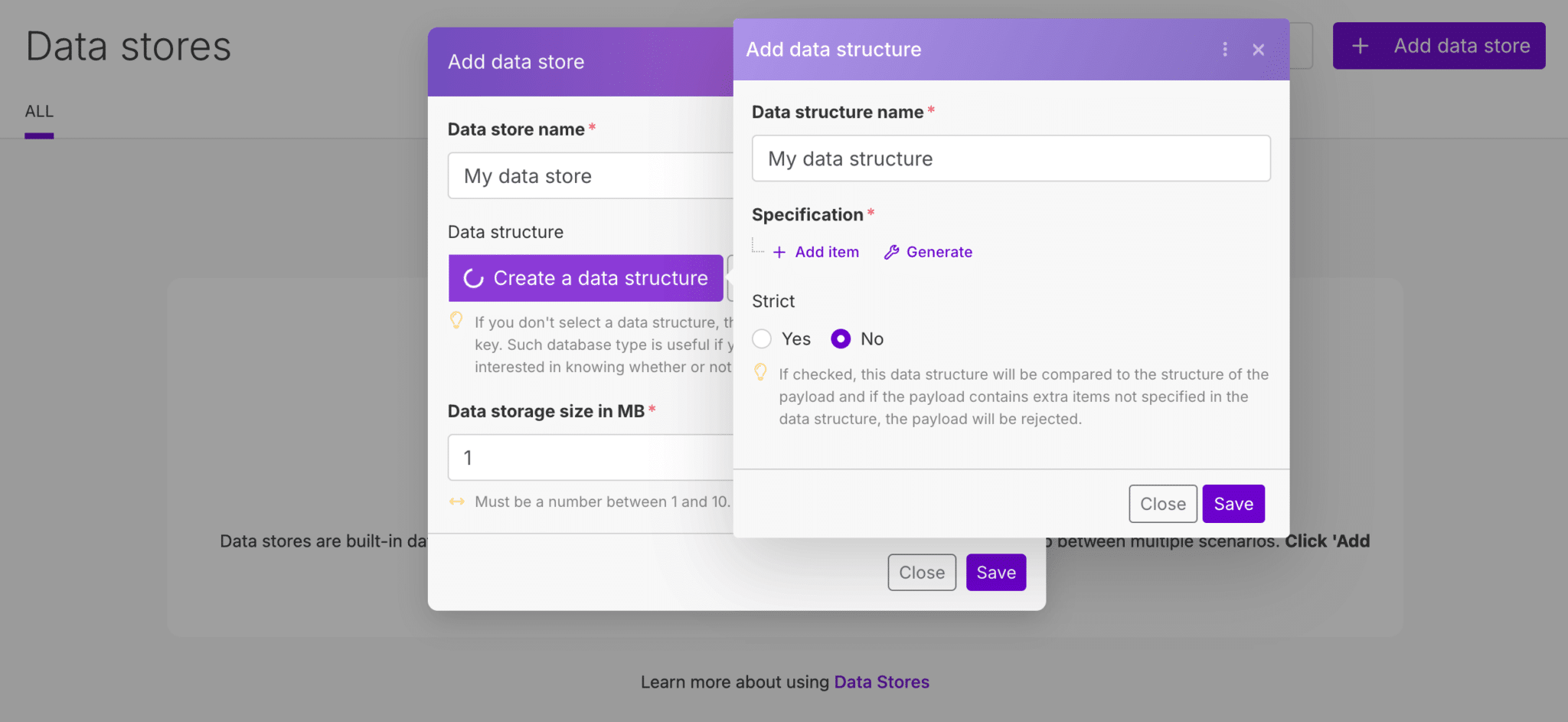
It’s especially useful when you want to build, for example, multi-step workflows or cross-reference data at different points in time.
For example, you can save a lead ID when a ticket is created, then reuse it several hours later in another scenario. You can also keep a list of contacts “to exclude” from a campaign, without touching your main CRM.
It’s not a data warehousing tool, of course, but for many B2B use cases (lead tracking, enrichment, multi-source qualification…), it’s a real plus.
Getting started and user experience
The first impression when you open Make is that the interface is both clean and a bit intimidating. Everything happens in a visual editor on a blank canvas, where you build your scenarios by hand.
Once you’ve understood the logic (a scenario = a sequence of linked modules), the experience quickly becomes very smooth. You enjoy testing, adjusting, visualizing.
Each module displays the data it receives and sends, which makes testing and debugging much easier. And you can disable, duplicate or isolate parts of a scenario without breaking everything.
The internal search engine lets you quickly find the apps or modules you need, and the configuration options are all accessible without ever leaving the editor.
Even the execution logs are well integrated into the interface: you can replay a run, inspect errors module by module or compare two different runs. It’s one of the few tools where the UX doesn’t degrade as scenarios grow more complex.
On the other hand, Make isn’t a “plug and play” tool, in the sense that you need to spend some time grasping its logic, and certain concepts (such as aggregators, conditional routes or API calls) require a bit of upskilling. But once you’re past that stage, you’re fully autonomous, and that’s exactly what most advanced users are looking for.
For somewhat technical teams, or simply curious ones, it’s an excellent compromise between accessibility and power. You can build sophisticated automations without ever touching a line of code, but without feeling constrained by an overly rigid interface either. In short: a true “no-code” UX, but designed for people who want to go far.
Integrations and API
Make offers more than 3,000 native integrations, covering most of the SaaS tools on the market: CRM, marketing automation, messaging, no-code tools, e-commerce platforms, databases, cloud services, etc.
The quality of these integrations is fairly good: each module is well documented, fields are customizable and you can combine several actions or triggers for the same tool.
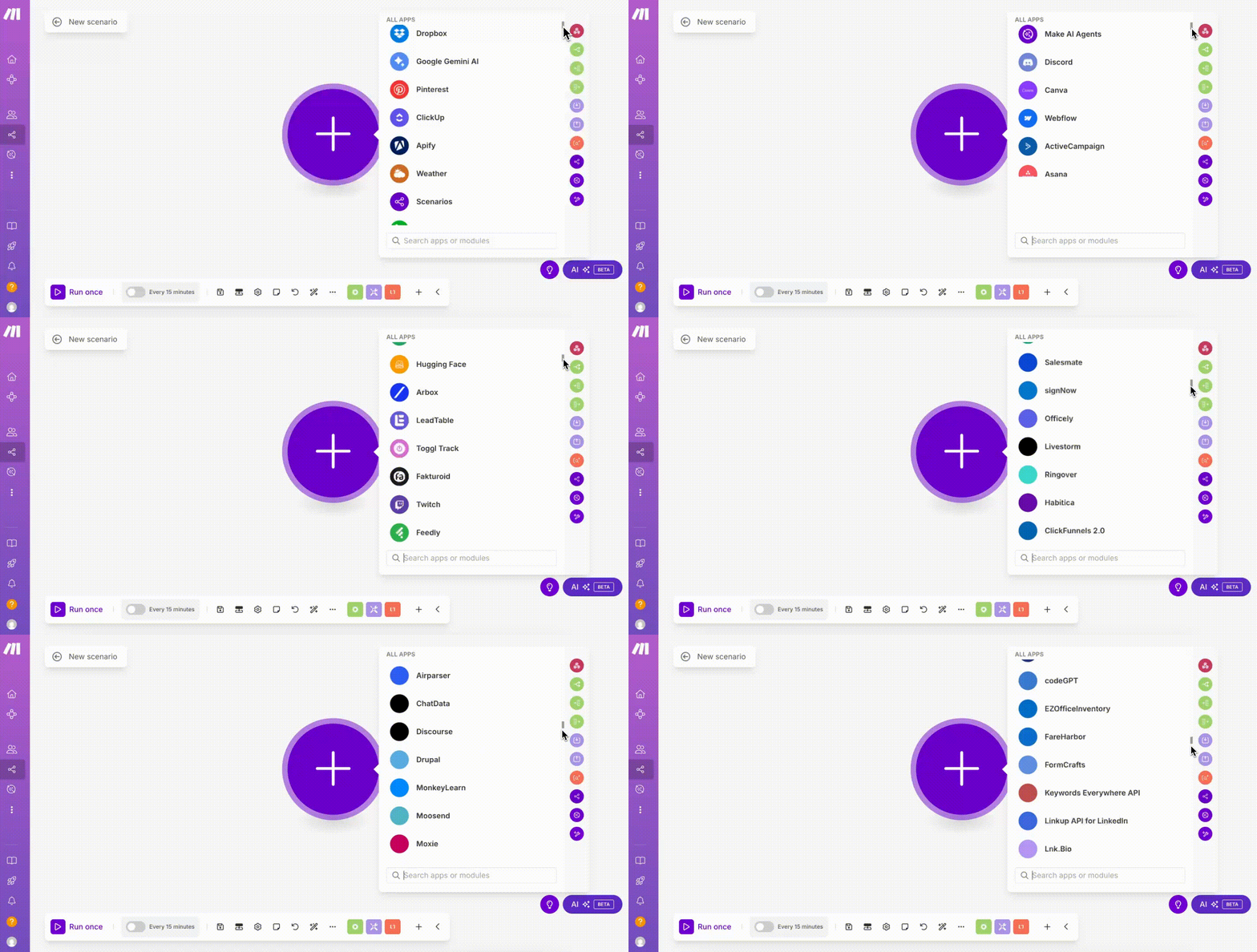
But where Make really makes the difference is in its ability to go beyond the “official” integrations.
The tool offers several generic modules to interact with any external API: custom HTTP requests, sending or receiving webhooks, processing data in JSON, XML or even SOAP…
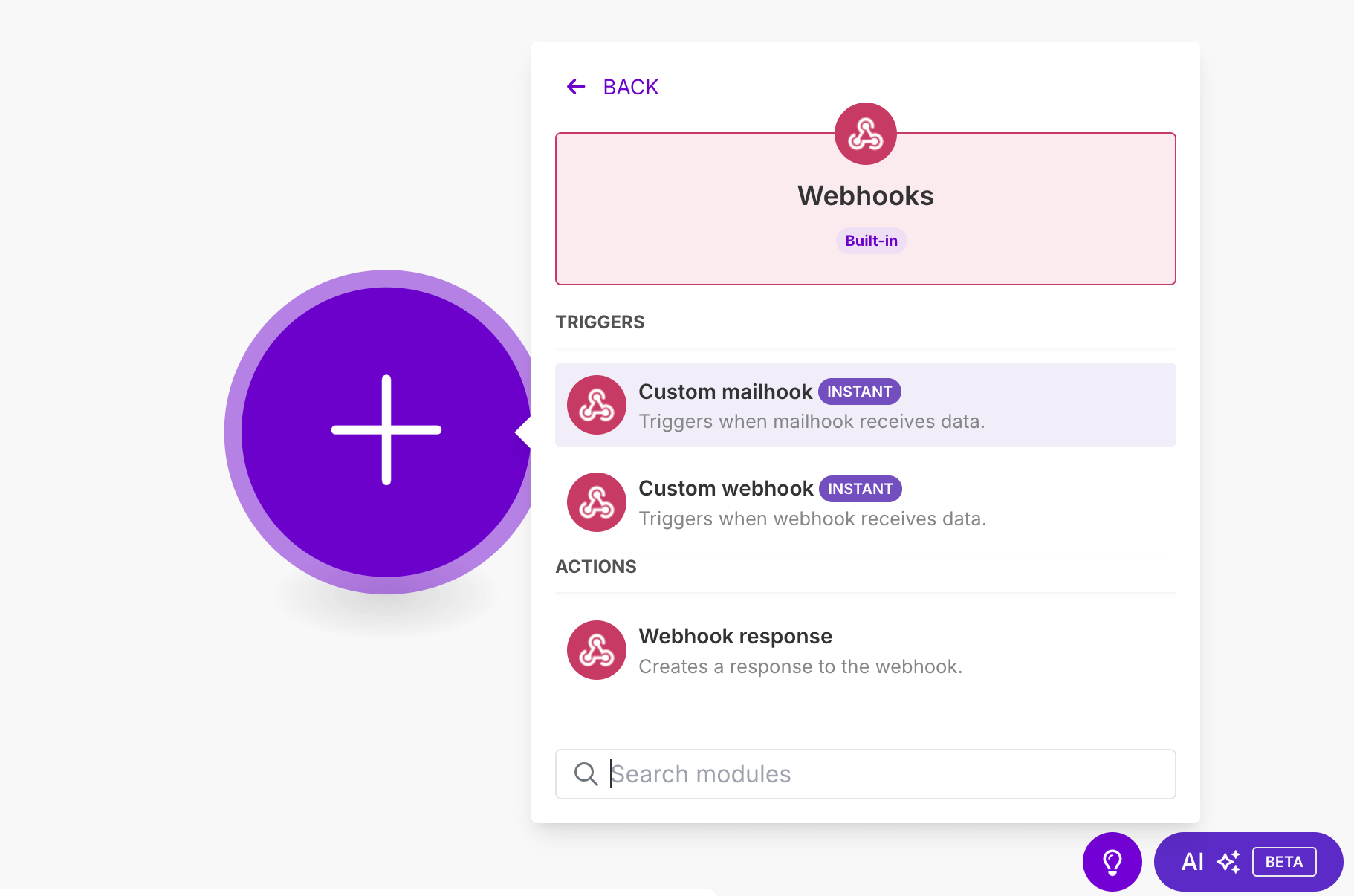
You can connect to (almost) anything, without waiting for Make to release a dedicated connector.
And that changes everything in a B2B environment, where tech stacks aren’t always very standard, let’s say. Need to push information to a somewhat obscure business tool, or pull internal data through an in-house API? Make can do it.
It gets even better: once the call works, you can model its response, process the data, filter it, enrich it, inject it elsewhere, all within the same interface.
Support & resources
Make offers several levels of support, but as is often the case, the experience varies depending on your subscription plan. On free plans or the first paid tiers, you have to go through an online support center with a ticketing system. Answers are generally relevant, but response times can be a bit long.
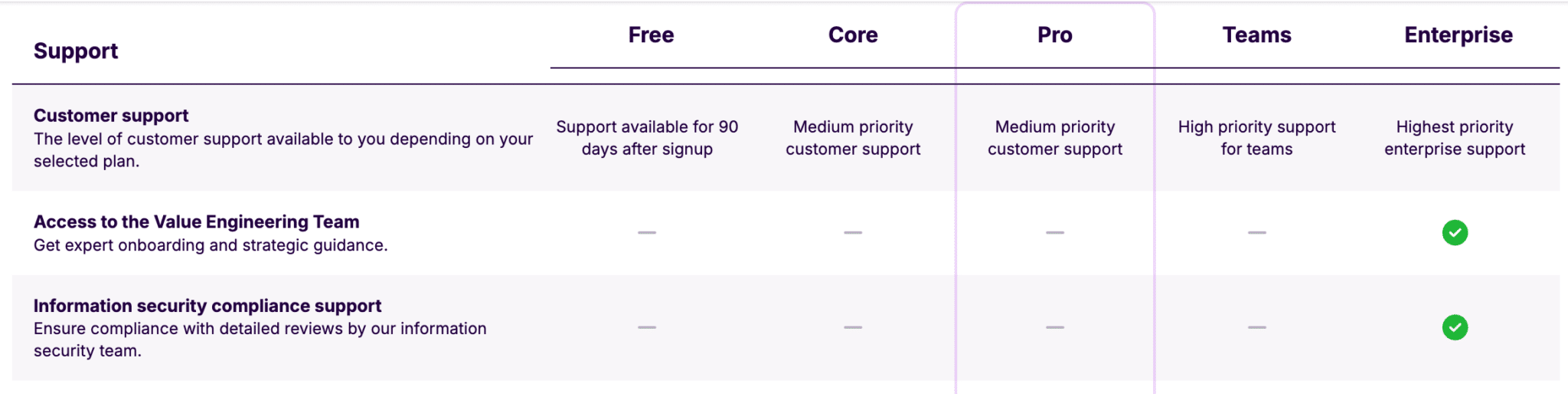
On the other hand, on Enterprise plans, support is much more responsive and personalized, sometimes with a dedicated contact.
That said, for most users, the online documentation is more than enough. It’s rich and well structured, with step-by-step guides, video tutorials and detailed explanations for each module.
You’ll also find quite a few concrete examples, including for advanced integrations or custom API calls.

Another strong point: the community. The official forum is active, the discussions are high quality and the base of shared scenarios keeps growing.
You’ll also find lots of resources on YouTube, Reddit or LinkedIn, where Make consultants regularly share tips, use cases and best practices.

Make also recently launched an “Academy” with structured courses based on user level. It’s still a bit young, but it shows a clear willingness to support upskilling. And given how rich the tool is, that’s a good thing.
In short, even if customer support isn’t yet on par with more mature tools like Zapier or Airtable, Make’s ecosystem is very much alive, the documentation solid and the learning curve well supported.
Pricing and value for money
Make uses a pricing model based on the volume of credits your scenarios consume. Credits replaced operations as the billing unit in August 2025. Every action, every API call, every routing or data transformation consumes one credit, and some AI modules consume more.
This model, more granular than classic “per task” pricing, makes the tool very competitive as soon as you start automating at scale.
For equivalent features, Make is significantly cheaper than Zapier.
But it also has to be said: the “credits” metric is a bit of a trap. Even triggers (which only wake up a scenario) count toward the monthly quota. This means that a poor design or an overly frequent trigger can quickly drive up the bill.
Fortunately, Make provides precise tracking tools to keep your consumption under control, and well-thought-out logic generally lets you optimize without too much effort.
Here’s an overview of the different plans, with our recommendations based on your profile:
| Plan | Price (annual) | Volume | Key features | Best for |
|---|---|---|---|---|
| Free | $0/month | 1,000 credits/month | No-code visual editor, 3,000+ apps, filters & routers, basic support, runs every 15 min | Testing the tool or automating a few simple workflows |
| Core | $9/month | 10,000 credits/month (adjustable) | Unlimited active scenarios, API access, runs every minute | Solo users or small teams with recurring needs |
| Pro | $16/month | 10,000 credits/month (adjustable) | Priority execution, custom variables, advanced error handling | Teams with complex workflows and reliability requirements |
| Teams | $29/month | 10,000 credits/month (adjustable) | Team collaboration, role management, shared templates | Collaborative departments and tech/ops teams |
| Enterprise | Custom quote | Unlimited + overage protection | SSO, audit logs, 24/7 support, custom functions | Large organizations with security, scalability and SLA requirements |
In short, Make is extremely competitive, especially if you work on complex scenarios with several internal actions. The free plan is already very useful to get your hands dirty, the Core and Pro plans broadly cover the needs of most B2B teams, and the Enterprise plan is aimed at organizations that want to industrialize automation in a secure framework. One point to keep in mind: the price depends on the volume of credits you choose, so it’s best to estimate your monthly consumption before getting started.
Salesdorado’s takeOn Capterra, Make scores 4.8/5, on Trustpilot 2.7/5. The gap is less contradictory than it looks: Trustpilot complaints are about billing, scenarios triggered by mistake and how hard it is to reach support, not about the tool itself. Make remains a technical platform, but for teams that take the time to understand its logic (or that already have some tech maturity), the experience is overwhelmingly positive. In B2B, Make is often cited as a reference among ops, growth or advanced no-code profiles, and it’s the tool that comes up when you’re looking for a serious alternative to Zapier.