Pharow is a French B2B prospecting platform that stands out on two points:
- Coverage that is exclusively French: 4 million companies and 10 million prospects, all located in France.
- An unusual technical approach built on reconciling legal data (SIREN, INPI, INSEE), websites, LinkedIn profiles and hiring sources.
The tool covers the whole outbound prospecting workflow: advanced targeting, email and phone enrichment, two-way CRM sync (HubSpot, Pipedrive…), and collaborative team prospecting.
We tested Pharow in depth, with a full demo run by Alexis Martel, the company’s COO. Here is our detailed review of the tool’s features, pricing, strengths and limits.
Try Pharow for freePharow offers a 15-day free trial with 100 free credits, no credit card required. That is plenty to test the filters, the enrichment and the CRM sync on your real use cases.
What exactly is Pharow?
Pharow is a French B2B prospecting platform founded in Paris in 2020, entirely focused on the French market. What sets it apart is the team’s DNA: mostly data professionals and engineers. You can feel it in the technical depth of the product.
The founding idea: rather than buying databases here and there or settling for LinkedIn scraping like most tools on the market, Pharow built its own reconciliation infrastructure.
In practice, for every French company, the platform links a SIREN number to its website, its LinkedIn URLs (company page + employee profiles), the job offers it publishes (LinkedIn + Welcome to the Jungle) and the available legal data (INSEE, INPI, Infogreffe).
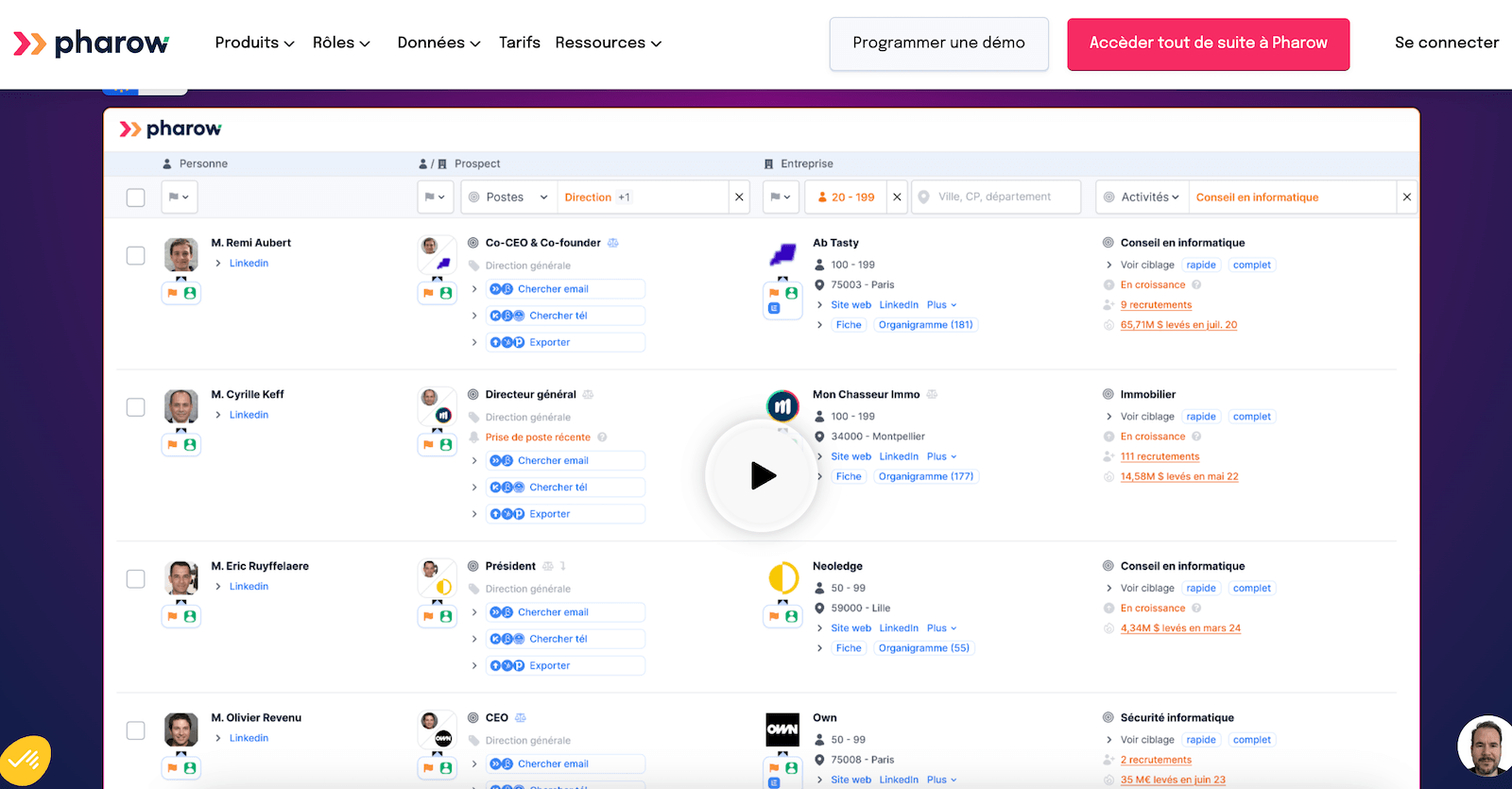
The Salesdorado takeThis matching work sounds obvious when you describe it, but it is actually a technical nightmare. How do you know that the site entreprise.fr really matches SIREN 123456789 and the LinkedIn page Entreprise SAS? You have to handle namesakes, subsidiaries, name changes, web redirects, mergers, liquidations. This is exactly where most tools give up, and it is why targeting is often disappointing elsewhere.
Once this reconciliation work is done, everything else becomes possible: filters that cross legal data with LinkedIn data, rebuilt org charts, multi-source signals, and email enrichment that is far more reliable because the input data is consistent.
The platform gives access to more than 4 million active French companies and 10 million prospects, with more than 1,300 combinable filters.
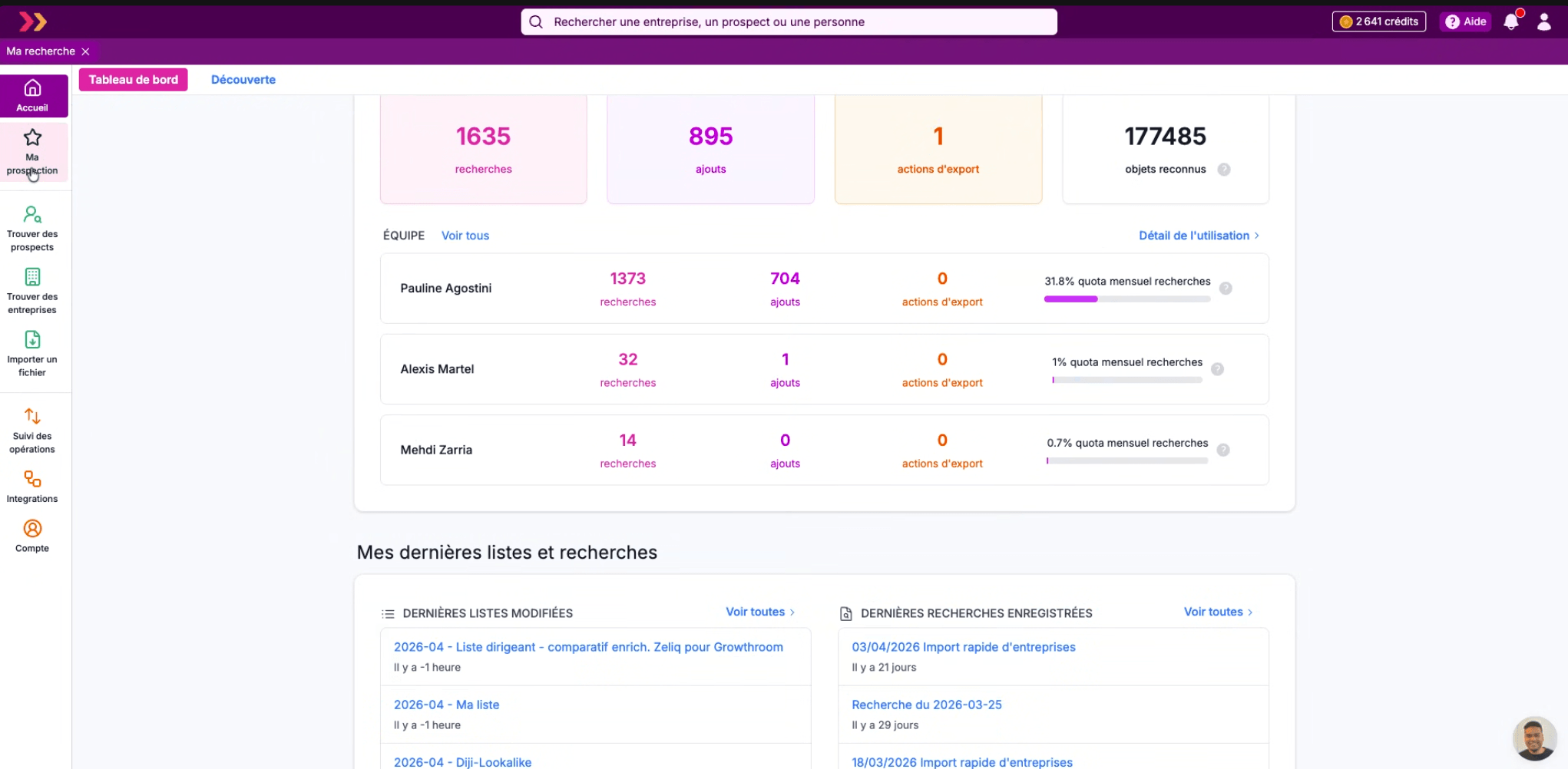
Three concepts to understand from the start
Pharow draws a strict line between three objects, and this distinction shapes the whole product:
- A company, identified by its SIREN, its website and its LinkedIn URL.
- A person, uniquely identified by their legal data or their LinkedIn URL. The same person can hold several positions (corporate directorships, for example).
- A prospect, which is the unique combination of a person and a company. When someone changes company, the old prospect disappears automatically and a new prospect is created.
Thanks to this level of granularity, Pharow never confuses Marie Dupont at her former employer with Marie Dupont at her new one. This enables things most tools cannot do, such as detecting that one of your CRM contacts no longer works at the associated company.
Pharow’s prospecting workflow in 4 steps
Pharow has structured prospecting around an explicit workflow: Targeting → Adding to lists → Enrichment → Export. The whole interface is designed around this logic.

This is not just a matter of ergonomics. It is also the product’s economic logic: credits are consumed when you add to a list, not when you search. So you can explore as widely as you like, test filter combinations, and see how many companies match a given criterion, without spending anything. You only commit credits when you decide “OK, these prospects, I want them in my list”.
Pharow: targeting with a rare level of precision on the French market
This is clearly Pharow’s strong point, the one that alone justifies a detailed review. Most tools stop at the NAF code on the company side and LinkedIn scraping on the prospect side. Pharow goes much further on both dimensions.
On the company side: 3 classification systems + free search
The NAF code is an administrative nomenclature that was never designed for sales targeting. A B2B SaaS and a digital agency often share the same code 6201Z, even though they are two completely different markets.
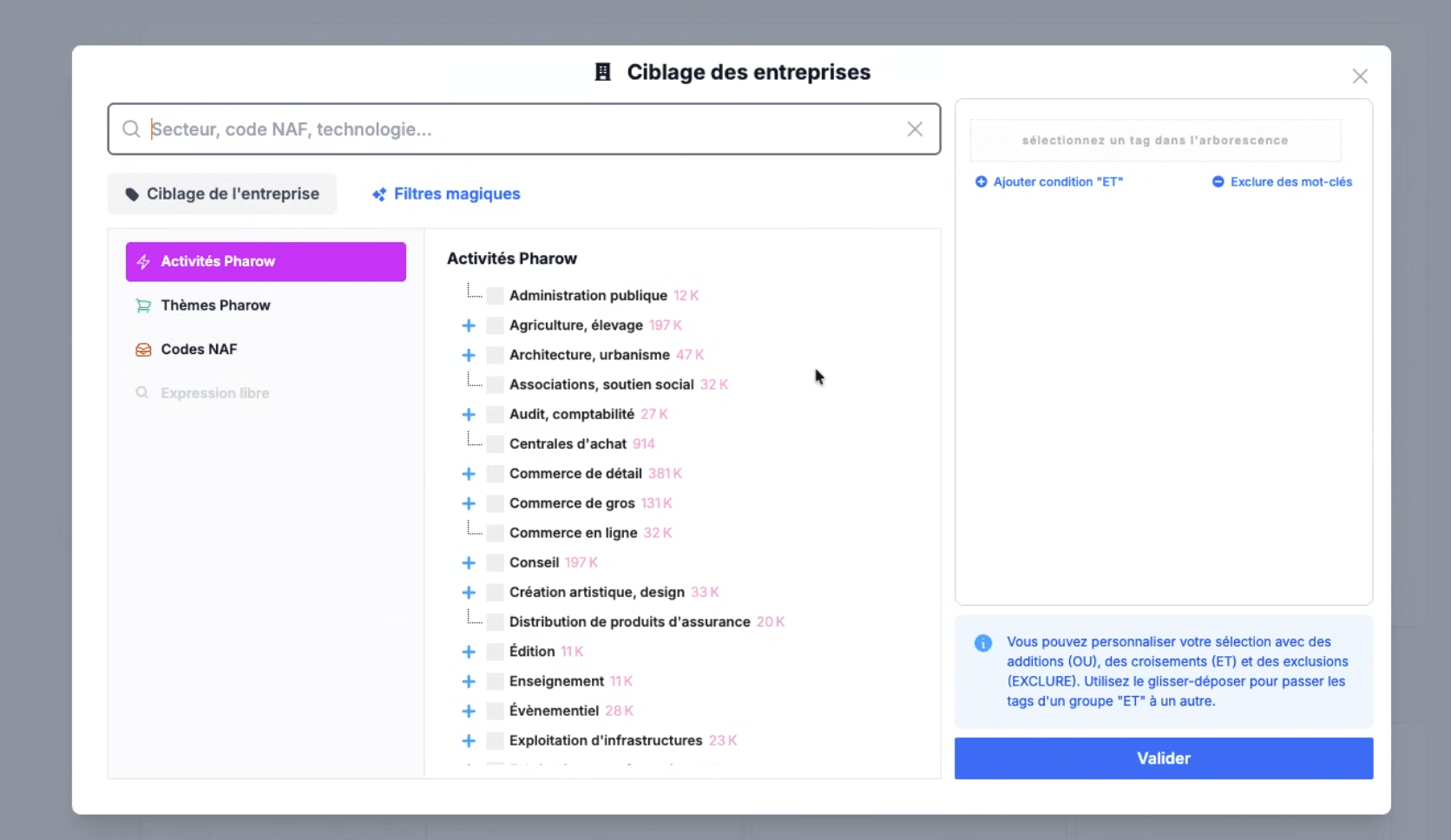
To solve this problem, Pharow provides three activity classification systems, which can be combined in a single query, plus a free-text search:
- NAF codes, organized by major INSEE sections (A: Agriculture, C: Manufacturing, F: Construction, G: Trade, J: Information and communication, K: Financial activities, M: Professional, scientific and technical activities, etc.). Handy for staying compatible with official nomenclatures.
- Pharow Activities, a proprietary classification built from several B2B sources. You will find categories designed for prospecting: Consulting, Audit/accounting, Retail, E-commerce, Architecture/urban planning, Events, Publishing… This in-house classification covers sectors that are invisible or poorly split in the INSEE nomenclature.
- Pharow Themes, which classify companies by what they sell rather than by their administrative activity: Aeronautics, Food, Cosmetics/perfume, Audiovisual, Jewelry/watchmaking, Defense/security, Education… This can be useful to isolate a market by end use.
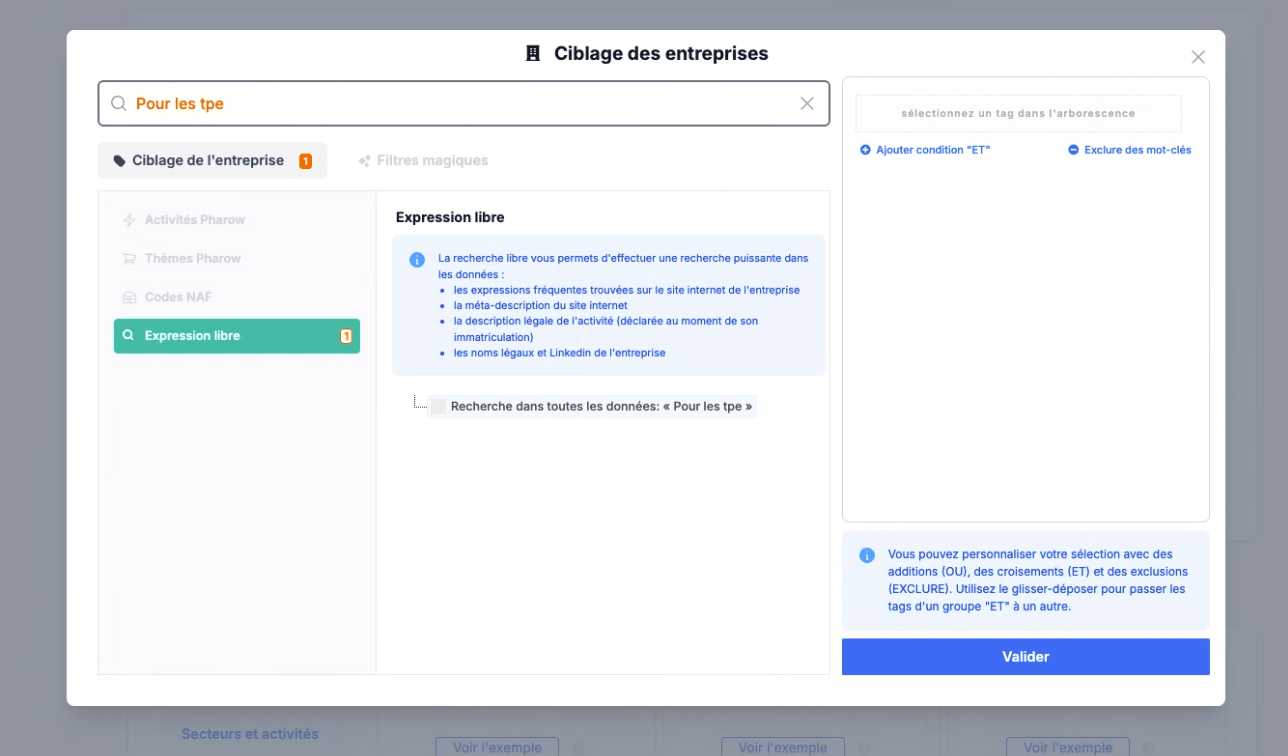
- Free-text search, which looks for a term in the website, the meta description, the legal description of the activity (declared at registration) and the company’s legal and LinkedIn names.
Free-text search is one of Pharow’s most interesting features. In practice, it lets you target companies that describe themselves with very specific vocabulary. If your product is aimed at consulting firms that position themselves as “data-driven” or “scale-up friendly”, you will never find that in a NAF code. But you will find it in their legal description or on their website.
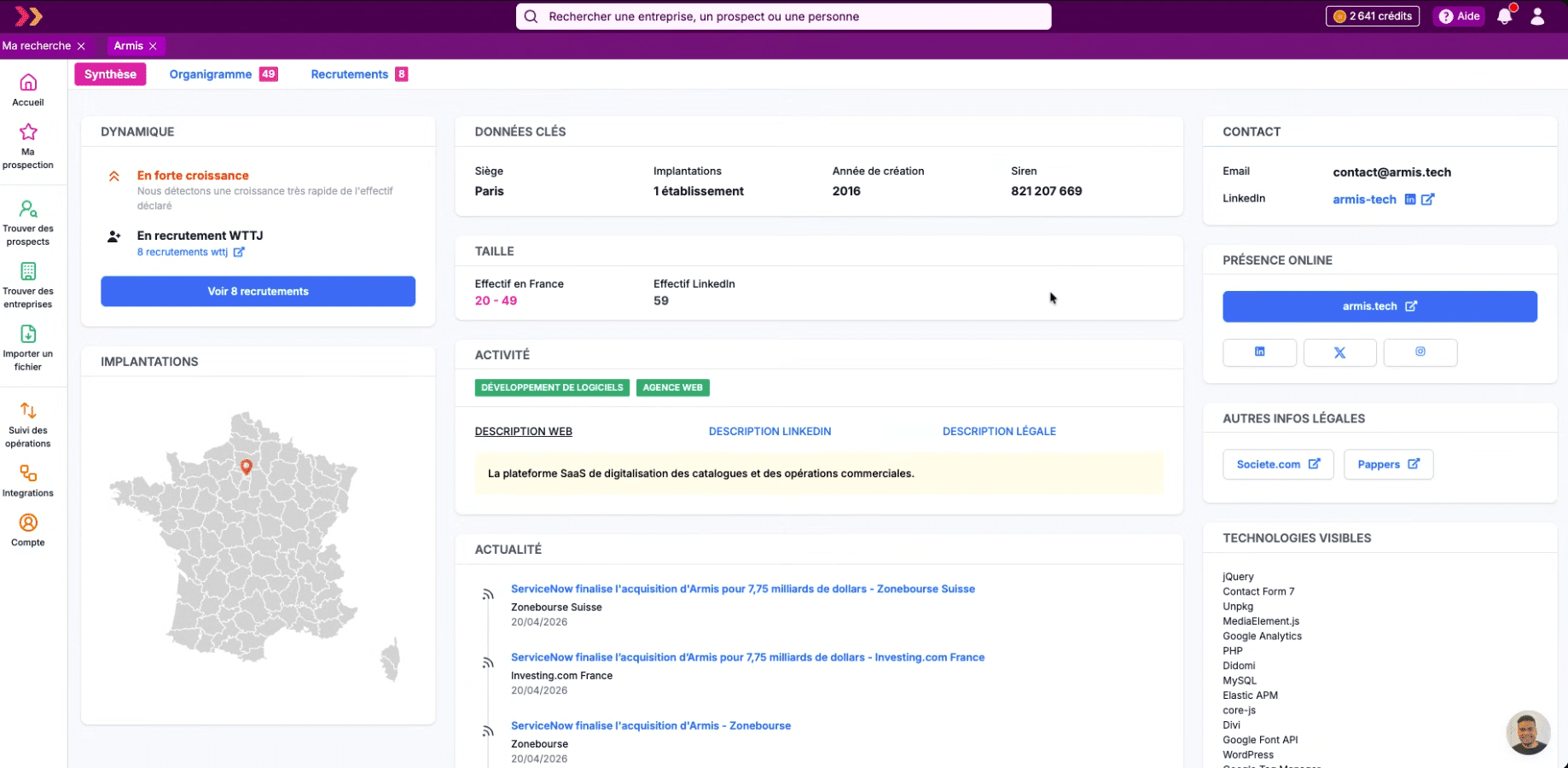
The Salesdorado takeThe combination of classification + free search is what makes Pharow really effective for atypical ICPs. For example, you can cross “NAF code 6201Z + Pharow Theme B2B Software + keyword ‘API’ in the legal description” to isolate technical SaaS vendors. Good luck doing the same in Sales Navigator or Apollo.
Filtering by company size
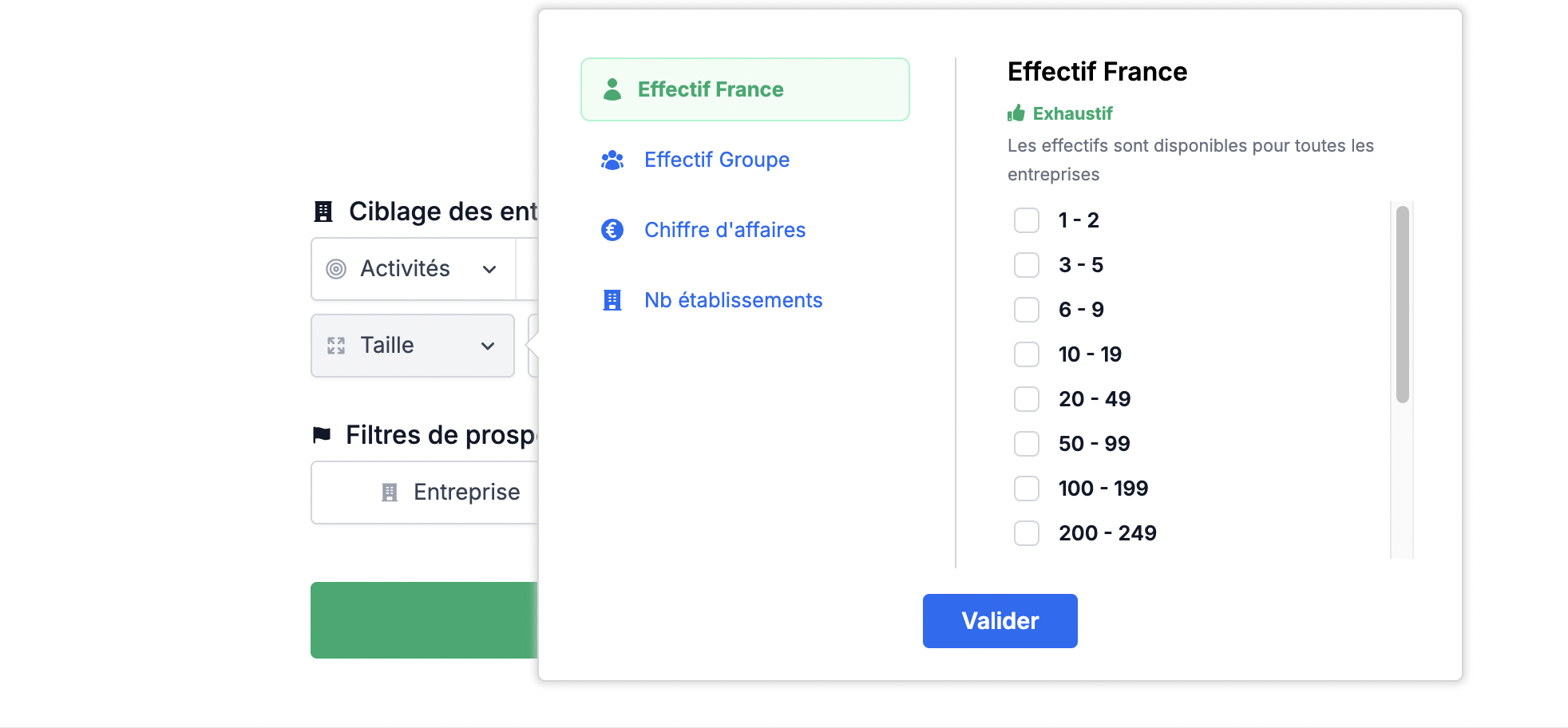
On top of the activity classifications, Pharow offers a dedicated module for targeting by size, with four distinct dimensions:
- France headcount (exhaustive data, available for 100% of companies), with fine brackets: 1-2, 3-5, 6-9, 10-19, 20-49, 50-99, 100-199, 200-249, etc.
- Group headcount, to target based on the size of the parent company rather than the subsidiary.
- Revenue, by bracket.
- Number of establishments, useful to tell a multi-site player from a single-site one.
The “Group headcount” detail is worth a look: most tools cannot tell the difference between an independent SME with 30 employees and a 30-person subsidiary belonging to a group of 5,000. Pharow can, because the legal data is properly reconciled.
On the prospect side: Pharow Hierarchy + Job title suggestions + Free search
To target a person, you have two main approaches that combine in the “Job targeting” module.
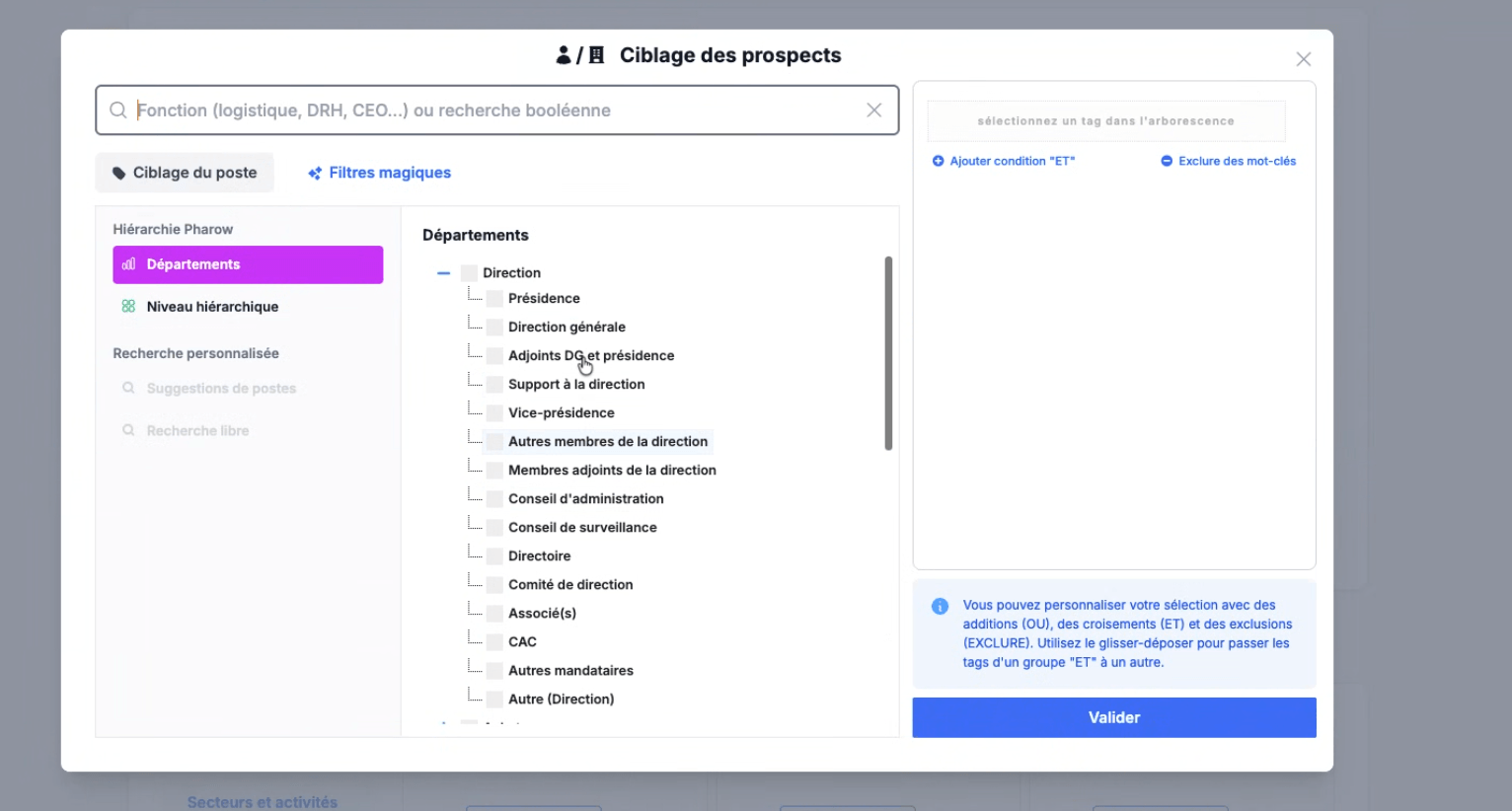
First, the Pharow Hierarchy, which organizes positions along two complementary axes:
- By department: Management, Purchasing, Sales, Marketing, IT, Human resources, Communication, Media, Finance, Operations, Production/Logistics/Quality, Works/Architecture, After-sales service, Medicine/Care, R&D/Innovation, Engineering/Design/Technical, etc.
- By seniority level: Directors, Managers, etc.
When you type “CMO”, the tool automatically identifies the matches on these two axes (Marketing + Directors, for example) and suggests the combination directly. This avoids the false positives of keyword searches and gives you conceptually clean targeting: “I want the Directors of the Marketing department”, rather than “I’m looking for people with ‘CMO’ in their title”.
Next, Custom search, which comes in two modes:
- Job title suggestions: for a search like “CMO”, Pharow suggests 30 title variants actually used on the market: Chief marketing officer, Directeur marketing, Directrice marketing, Marketing director, etc. You tick the variants relevant to your targeting.
- Free search with Boolean operators: you can type “head of growth” OR “growth lead” NOT “intern” for surgical targeting. The search runs either on titles containing your term, or on identical titles. Useful for atypical or very recent positions the hierarchy has not yet integrated.
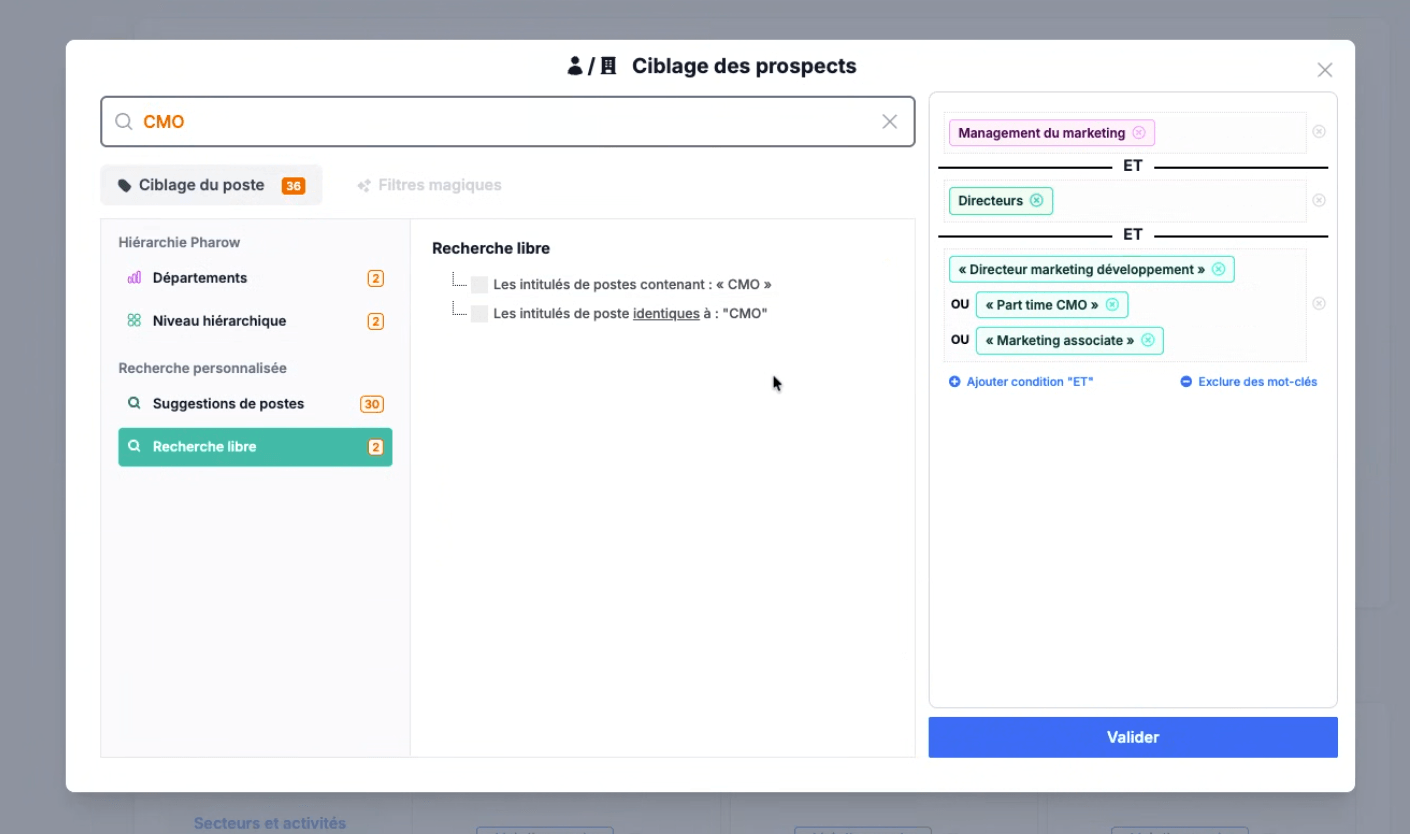
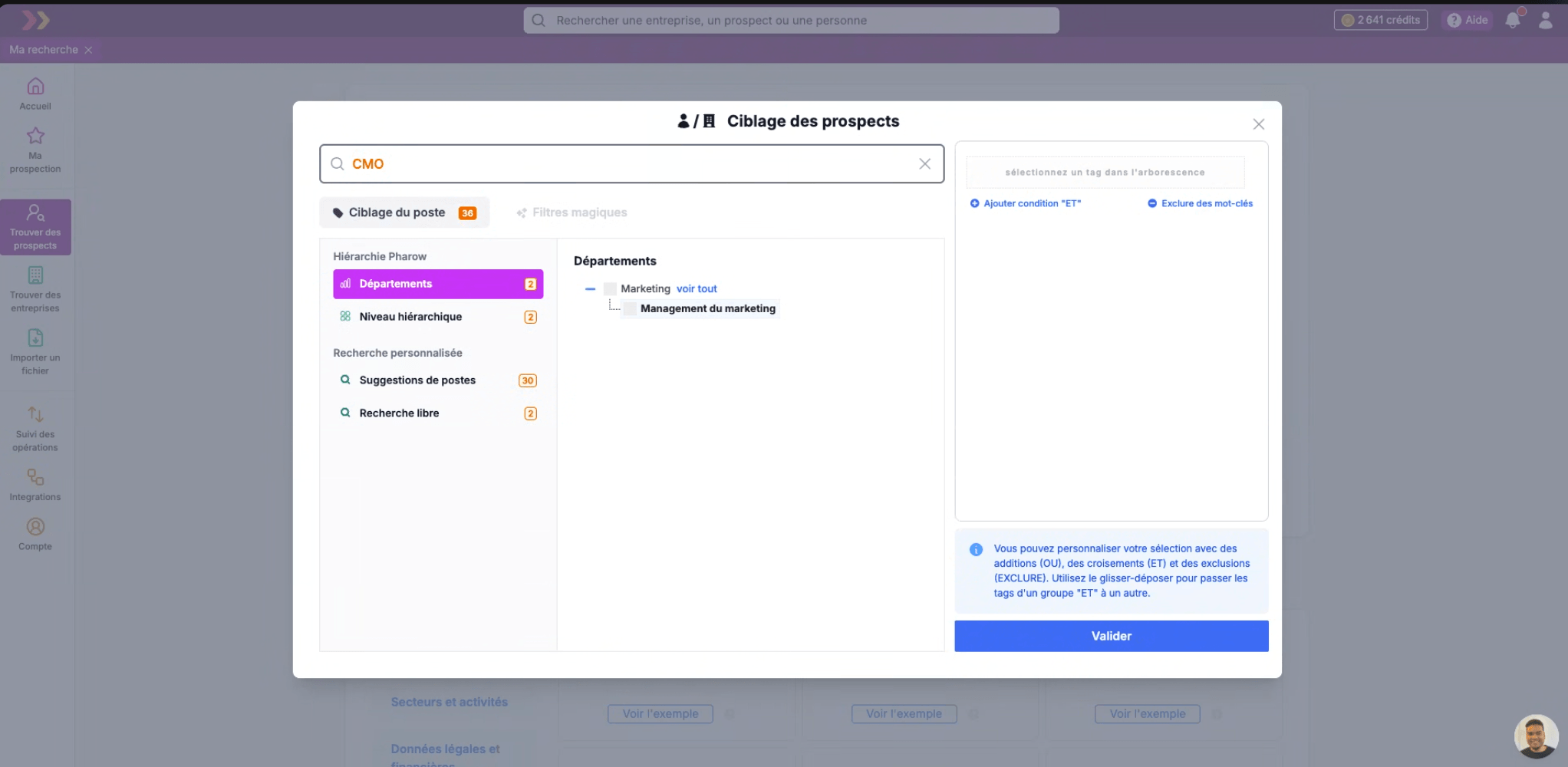
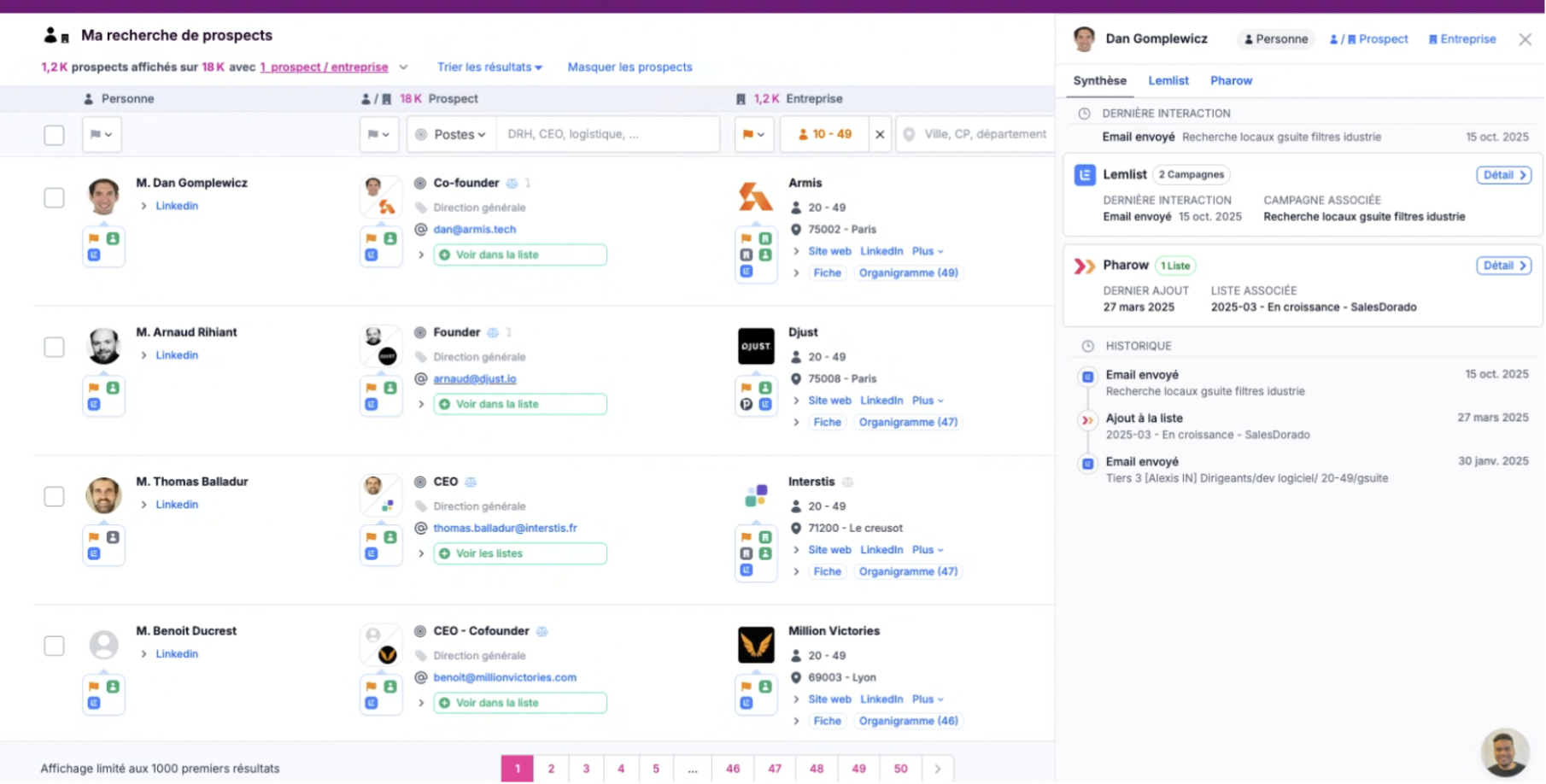
The Salesdorado takeThe Job title suggestions feature solves a classic prospect targeting problem: “CMO” ↔ “Chief Marketing Officer” ↔ “Directeur marketing” ↔ “Head of marketing”… All these variants refer to the same person but are rarely handled properly by the tools on the market. Pharow gives you, in one click, a consolidated list of real variants observed in the database, with an aggregated counter per mode (Hierarchy / Suggestions / Free search). You build your targeting in a few seconds instead of getting lost in regexes.
Magic filters on the prospect side
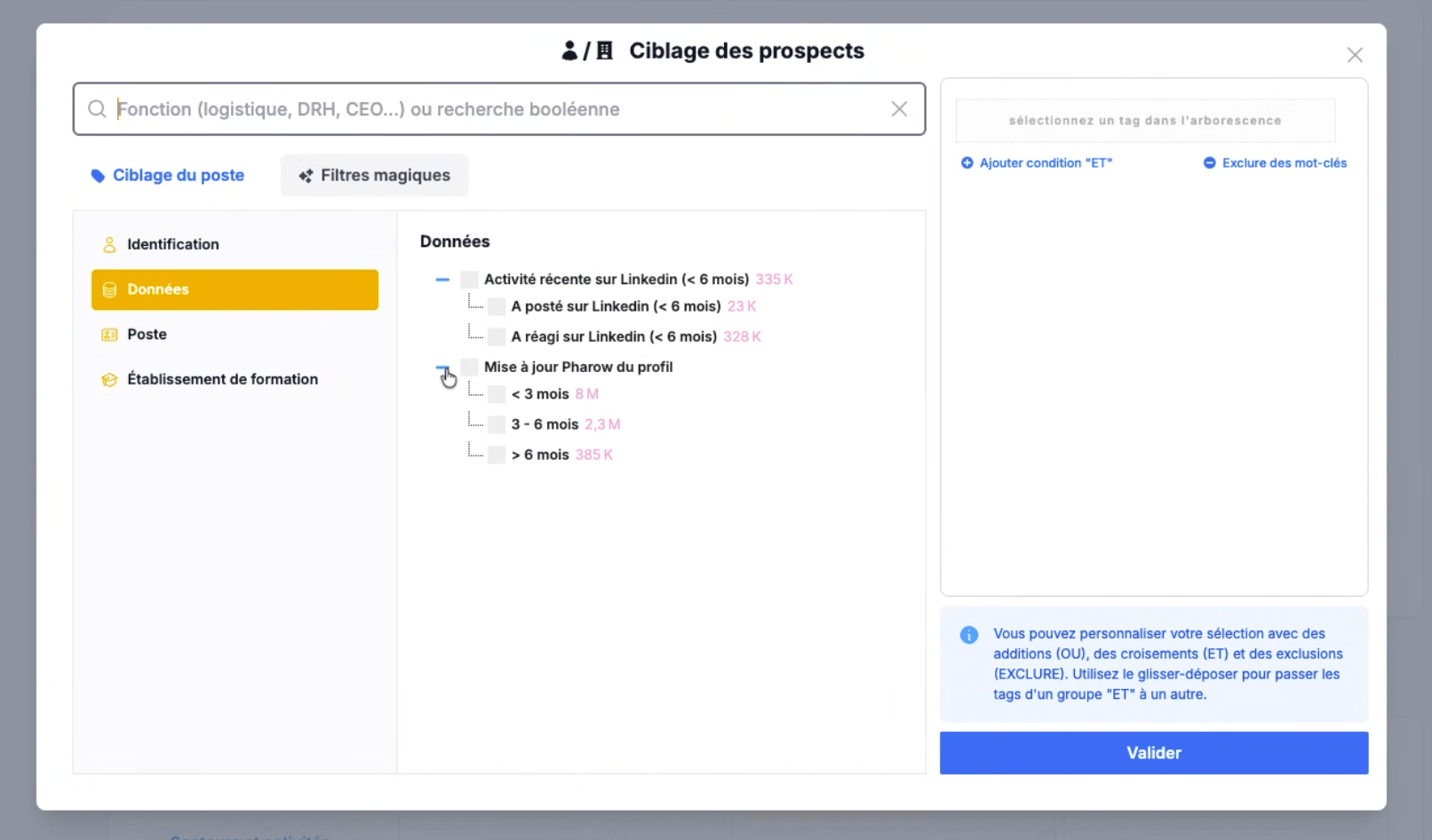
On top of job targeting, magic filters refine by behavior and profile:
- Recent LinkedIn activity (posted or reacted in the last 6 months)
- Freshness of Pharow’s update of the profile
- Educational institution (grandes écoles, universities, IAE, IUT, specialized schools)
Magic filters on the company side: 8 categories to go beyond activity
Beyond activity classification, Pharow offers a dedicated module of company-side magic filters, organized into 8 categories:
- Go-to-market / Business Model: B2B / B2C, E-commerce and SaaS, Luxury, Made in France, International presence…
- Financial data: CAC 40 / SBF 120 membership, financial ratios (on 3.3M companies). This filtering is useful to qualify financial soundness upfront.
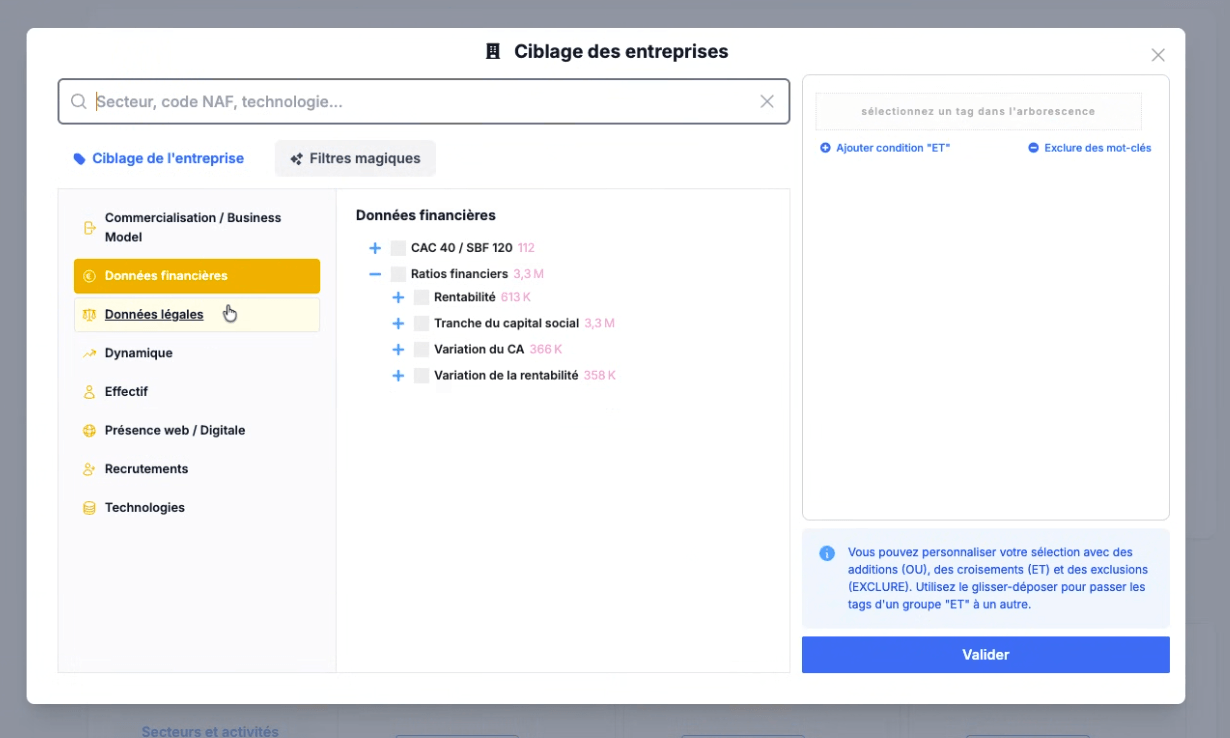
- Legal data: company age, year of creation, collective bargaining agreements (which lets you isolate lawyers, notaries, chartered accountants and other regulated professions within the same NAF code), vehicle fleet, companies belonging to a group, legal forms.
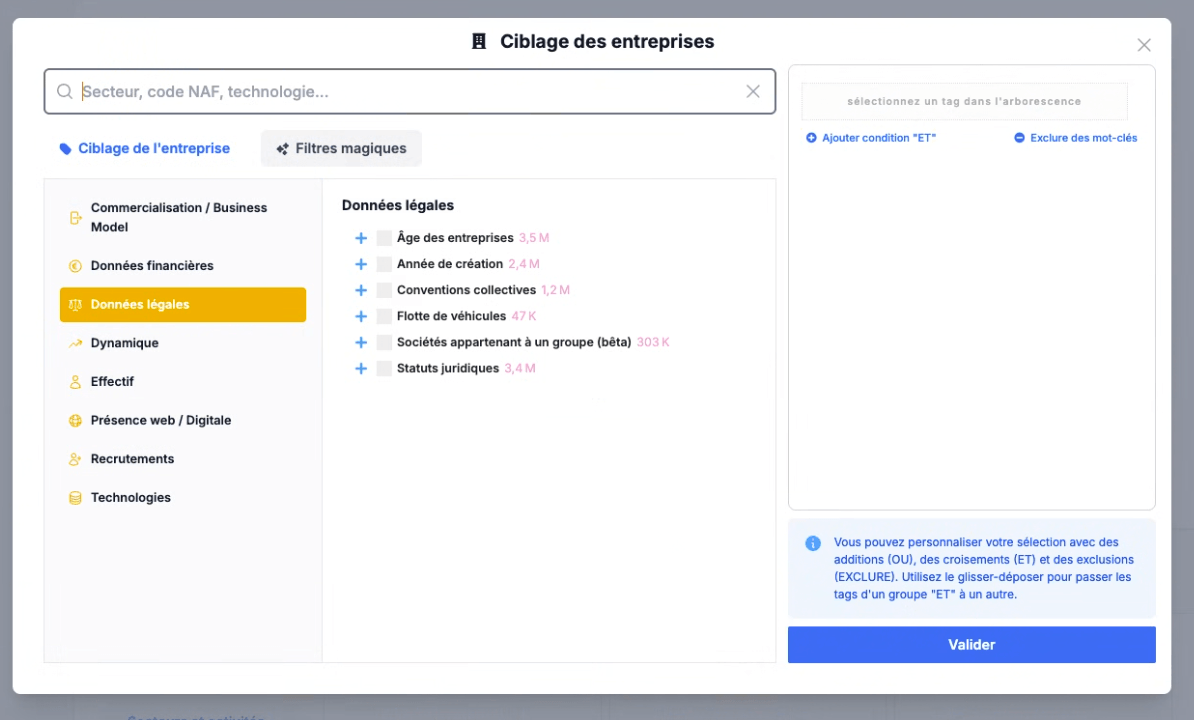
- Momentum: growing companies, fast-growing companies, detailed growth indicators.
- Headcount: team growth, headcount by department (FR).
- Web / Digital presence: mobile app, website traffic ranking, social media presence…
- Hiring: companies currently hiring, which can be refined by platform (LinkedIn, Welcome to the Jungle), type of position and hiring volume.
- Technologies: 15+ subcategories detected automatically from the website: Analytics, Web development, Marketing, Content, Servers, Security, Add-ons, Commerce, Communication, etc. For example, you can isolate companies that use HubSpot, a chat solution or Webflow as their CMS.
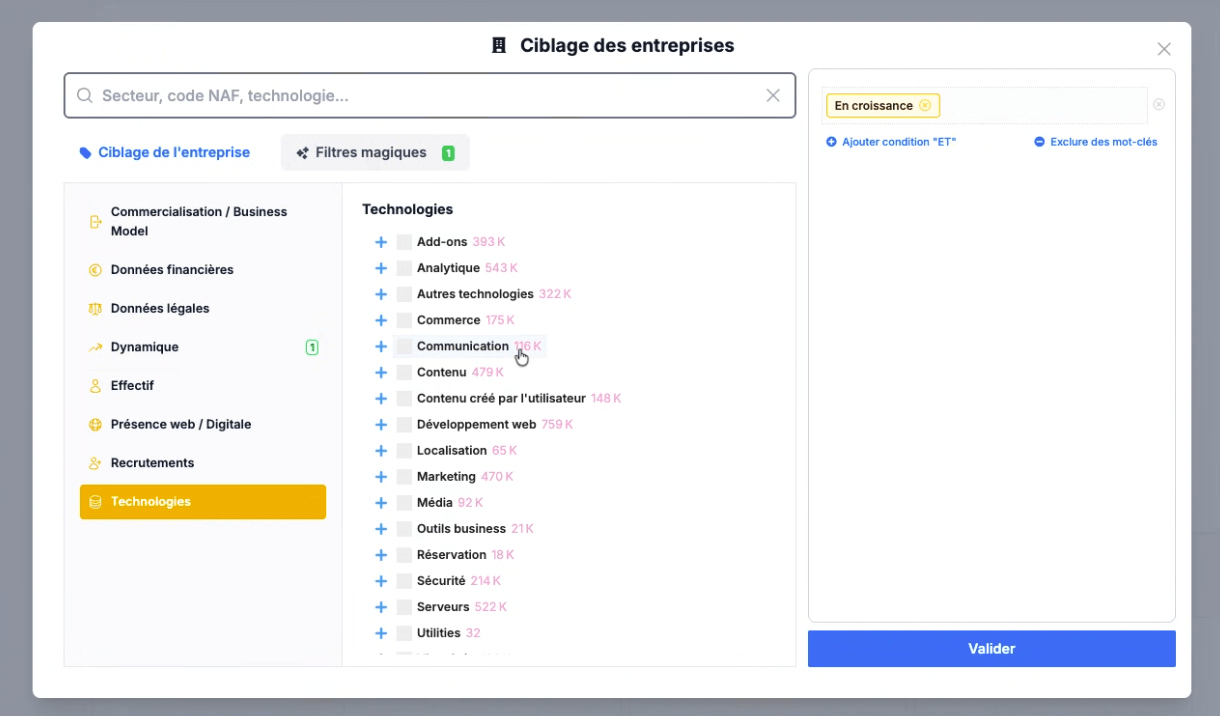
The real strength is the combination. Pharow highlights a telling example: “growing companies that are hiring salespeople, use HubSpot and have just raised funds”. Four signals that no tool can cross natively with such precision on France. And you can cross them with any of the three activity classification systems seen above or with a free-text search.
The Salesdorado takeThe “Growing” filter looks simple on paper. In reality, it is the result of heavy engineering. It crosses several signals: revenue trends over several years, legal headcount trends, LinkedIn headcount trends and recent fundraising… That is what separates a real prospecting tool from a simple Sales Navigator scraper.
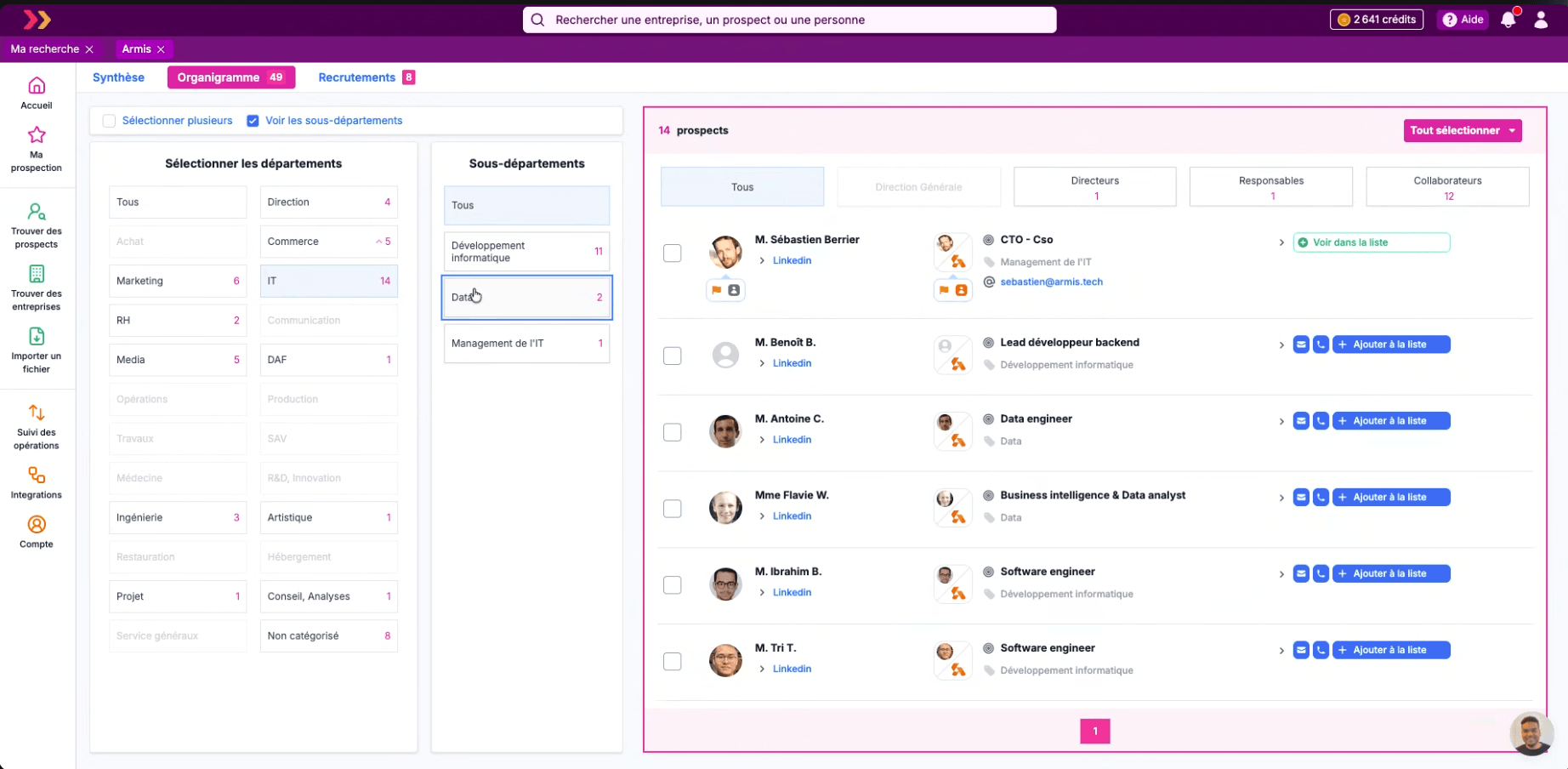
Along the way, the company profile gives access to a rebuilt org chart that combines legal data (corporate officers) and LinkedIn data (positions, departments, seniority levels). It is useful for ABM approaches where you want to quickly map the decision-makers and influencers of a key account.
Several entry points to start a search
Pharow does not offer just one targeting mode. Depending on how you approach the problem, you have four distinct entry points:
- Free targeting, the classic mode with all filters open.
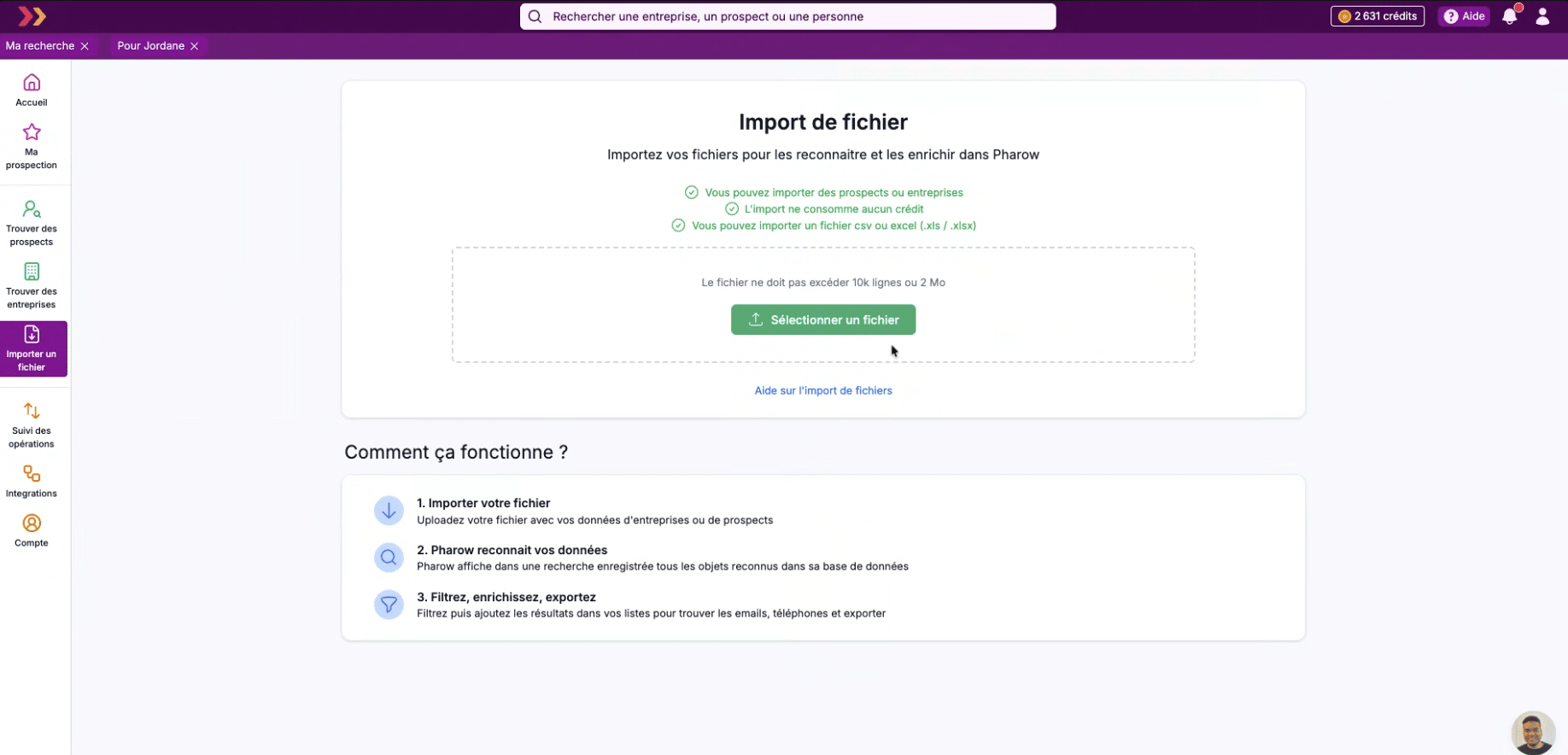
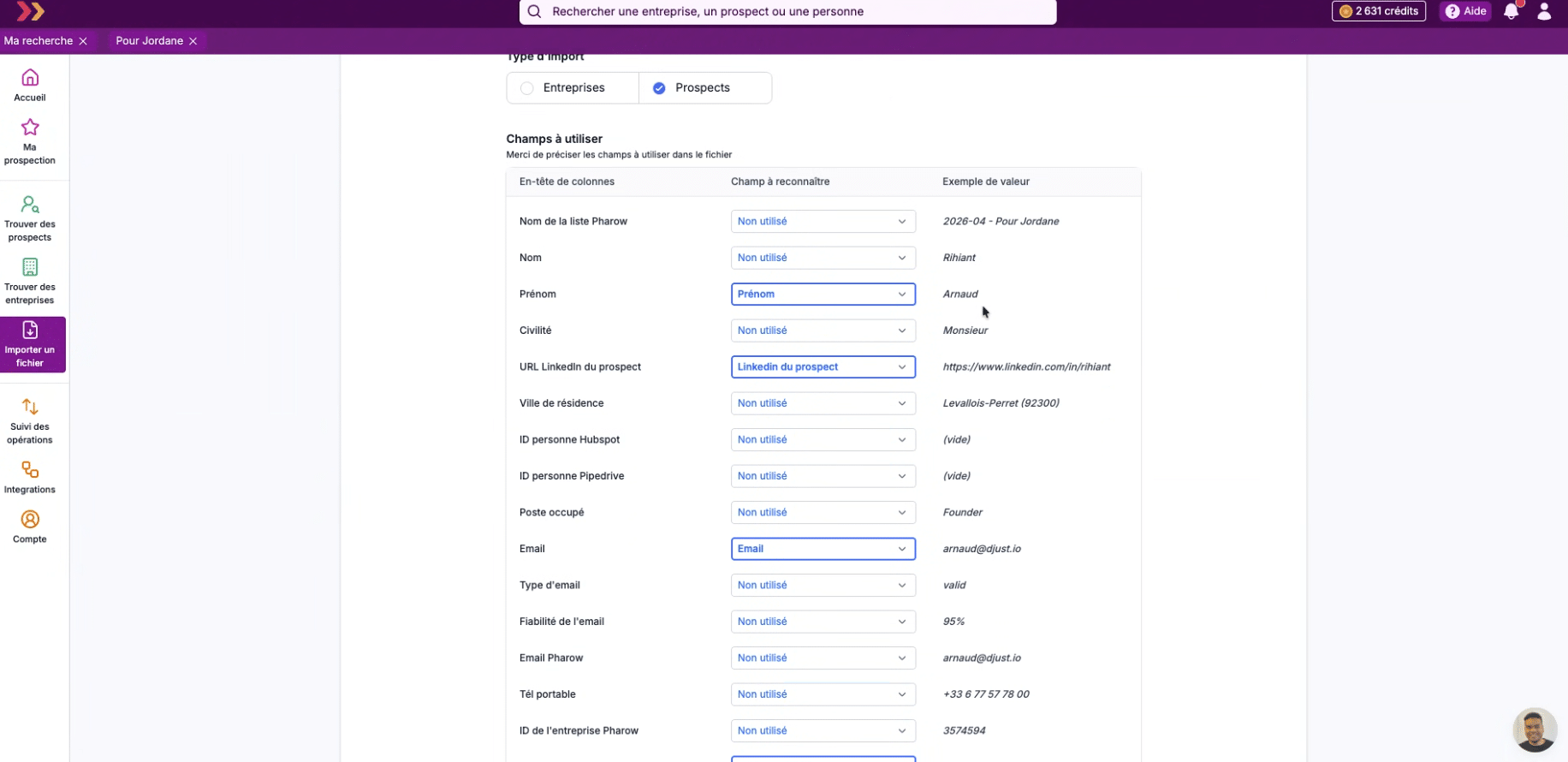
- Quick import: you upload a CSV or Excel file of up to 10,000 rows, Pharow recognizes your data in its database and offers to enrich it. Importing does not consume any credits, only enrichment does.
- Job ads, a dedicated module that lets you target companies based on the positions they are currently hiring for.
- Web visits, which detects the companies visiting your website and lets you enrich them automatically to send them to your CRM.
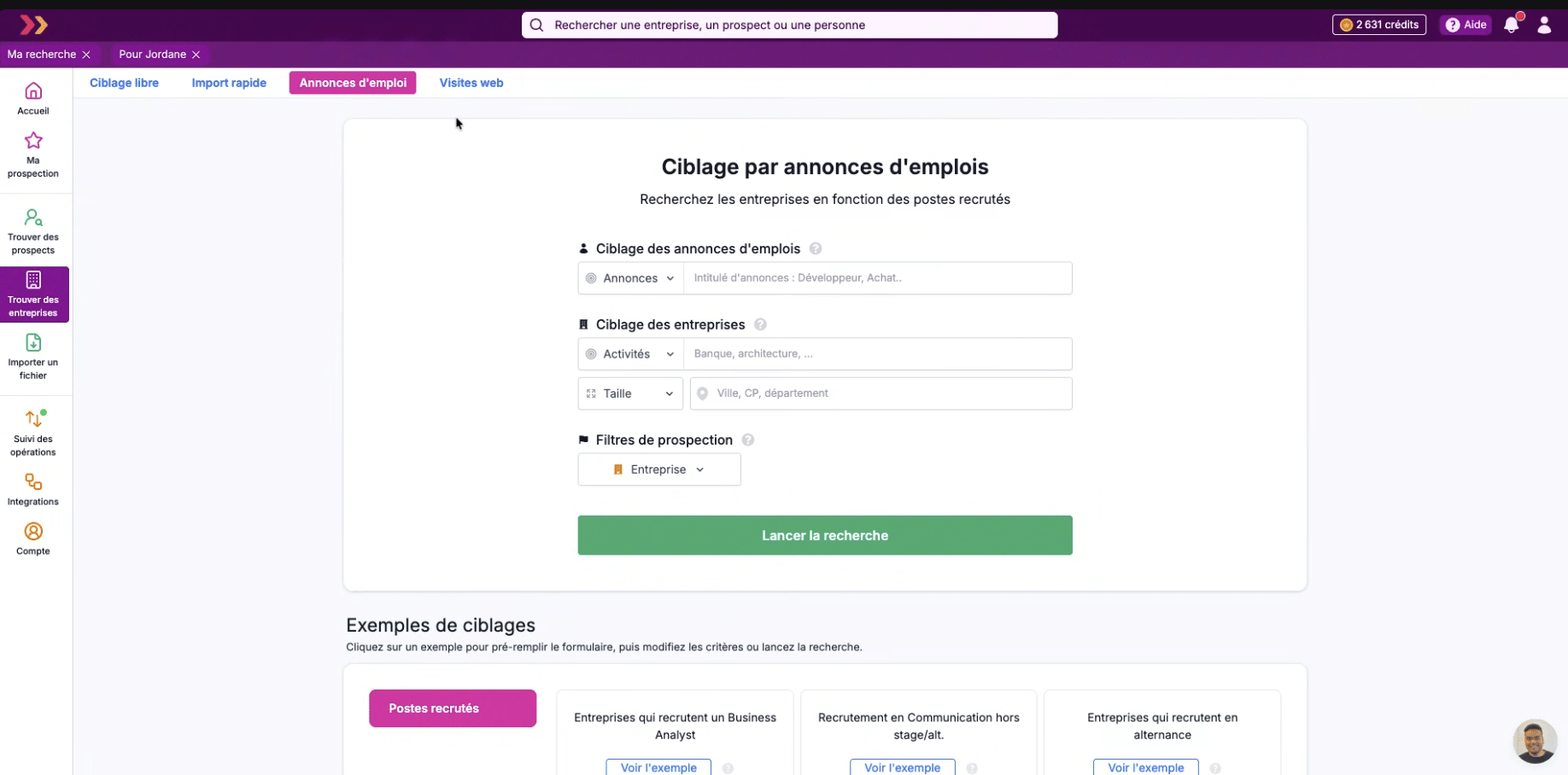
The Job ads module is worth a look. Pharow scrapes LinkedIn and Welcome to the Jungle in near real time, which lets you target, for example, “all companies hiring a Business Analyst in Île-de-France” in a few clicks. It is a strong intent signal that most tools do not capture.
Enrichment: the Pharow cascade
This is an important point to understand: Pharow does not store a database of emails and phone numbers. It is a deliberate position that explains a lot. The platform fetches contact details in real time, on demand, through a cascade of partners.
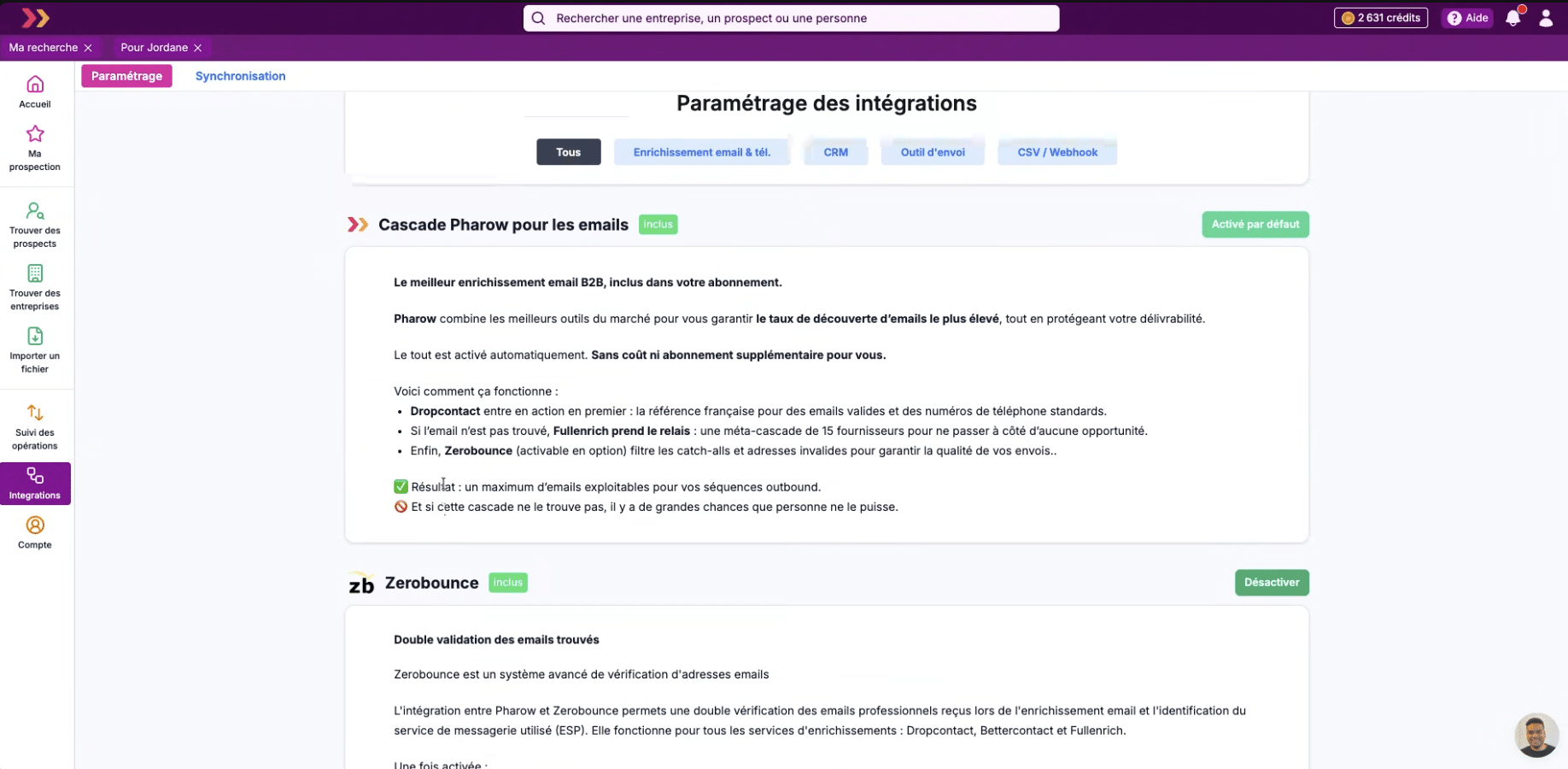
Enrichment relies on an automatic cascade included in the subscription, which combines two distinct approaches:
- For emails: Pharow first queries Dropcontact, the French reference for business emails and switchboard numbers. If Dropcontact does not find anything, FullEnrich takes over. And FullEnrich is not a single provider: it is a meta-cascade that queries 15 different providers, which maximizes the chances of finding the email even when the first provider has failed.
- For mobile numbers: Pharow relies directly on FullEnrich.
- Verification: every email found then goes through Zerobounce, which filters out catch-alls and invalid addresses before they pollute your sends. It is not a discovery step but a quality layer applied at the output of the cascade.
All of this is included in the subscription, at no extra cost beyond standard credits.
And if you already have a Kaspr or BetterContact subscription…
Beyond the automatic cascade, Pharow offers native integrations with other enrichment providers, notably Kaspr and BetterContact. In practice, on a prospect’s profile, the “Find phone” option opens a menu that lets you choose between FullEnrich (the standard cascade) and the integrations you have added (for example Kaspr and/or BetterContact):
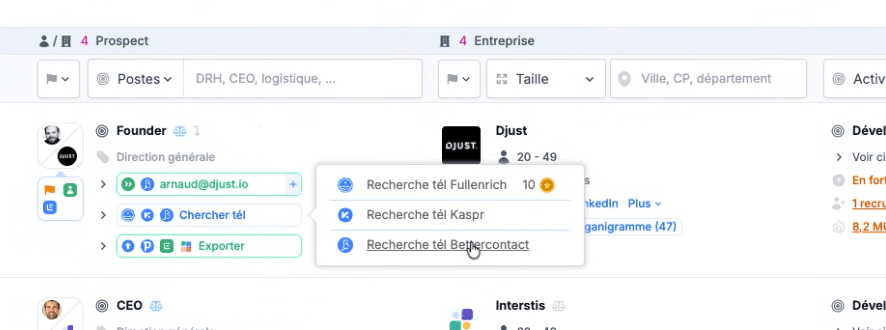
It is a BYO (“bring your own account”) approach: you connect your Kaspr or BetterContact account and trigger the enrichment from Pharow, without juggling several tabs. Useful if you already have a subscription with one of them or if you want to multiply sources on hard-to-find profiles.
Why no pre-stored email database?
It is a choice worth understanding:
The first reason is GDPR compliance. Keeping a database of business emails and phone numbers in permanent storage is frowned upon by the CNIL (the French data protection authority), which considers this kind of practice problematic in terms of purpose and retention period.
By querying sources on demand, Pharow stores no personal contact details and considerably simplifies the risk analysis for its customers.
The second reason is data freshness. Pre-compiled email databases age badly: an employee changes jobs, their business email becomes invalid, but it stays in the database for months or years. On-demand search, on the contrary, gives you fresh data at a given moment, aligned with the prospect’s real situation.
How credits work for enrichment
The system is deliberately protective:
- 1 credit = 1 prospect or 1 company added to a list
- Email enrichment is included at no extra consumption
- Mobile phone enrichment = 10 credits if found, 0 credits if not found
- Option: if you enable the “only if email/phone found” filter, no credits are consumed when enrichment fails
This logic changes the cost structure compared with tools that charge per lookup, even when the result is “not found”. In practice, you only pay for records you can actually use.
Prospecting filters: your sales activity becomes a filter
This is probably the feature that most sets Pharow apart from its competitors, and the least visible one when you look at the tool from afar. Beyond classic targeting (position + company + size + magic filters), Pharow offers a third level of filters dedicated to the state of your prospecting. This logic applies both to Pharow’s own lists and to external tools (CRMs, sending platforms).
Three filtering angles: Person, Prospect, Company
The module is consistent with the Person / Prospect / Company conceptual distinction presented above. You can filter from all three angles:
- Person: has this person already been prospected? Do they have a LinkedIn profile?
- Prospect (person + company combination): is this specific prospect in one of my Pharow lists? In a list shared by a colleague? In a team list?
- Company: has the company already been prospected? Is it in one of our lists?
Each angle has sub-tabs: Prospecting (state of Pharow lists), Data, Enrichment, Integrations (connected CRMs), Campaigns (connected sending tools). It is this unification (Pharow’s native lists AND external tools handled in the same filter module) that sets the tool apart on the market.
#1 Filter on the state of Pharow’s own lists
Even before connecting a CRM, you can already filter on what is happening in your Pharow team. For example, you can:
- Exclude prospects already in your own lists (so you don’t prospect them twice)
- Exclude prospects in lists shared with you (so you don’t step on a colleague’s toes)
- Exclude prospects in any team list (total exclusion logic)
- Conversely, specifically target the prospects in a shared list to work it as a team
This works across all three angles (Person / Prospect / Company), with an important nuance: Pharow distinguishes “this contact is in my list” from “this company is in a prospect list”. It is useful for a multi-touch approach on a key account without risking duplicates.
#2 Filter on the state of your CRM and your campaigns
When you connect Pharow to HubSpot, Pipedrive, Lemlist or La Growth Machine, the same filtering logic extends to your external tools. And the sync is two-way: Pharow also reads external data to turn it into search criteria.
For example, you can:
- Exclude contacts already in HubSpot or Pipedrive (to prospect only new ones).
- Exclude people involved in an open deal (so you don’t disrupt an active sales cycle).
- Exclude prospects contacted via Lemlist or La Growth Machine in the last 3 months, to avoid excessive marketing pressure on the same contact.
- Conversely, specifically target the accounts of a deal lost more than 6 months ago (to reactivate them).
- Find new decision-makers in companies you already work with.
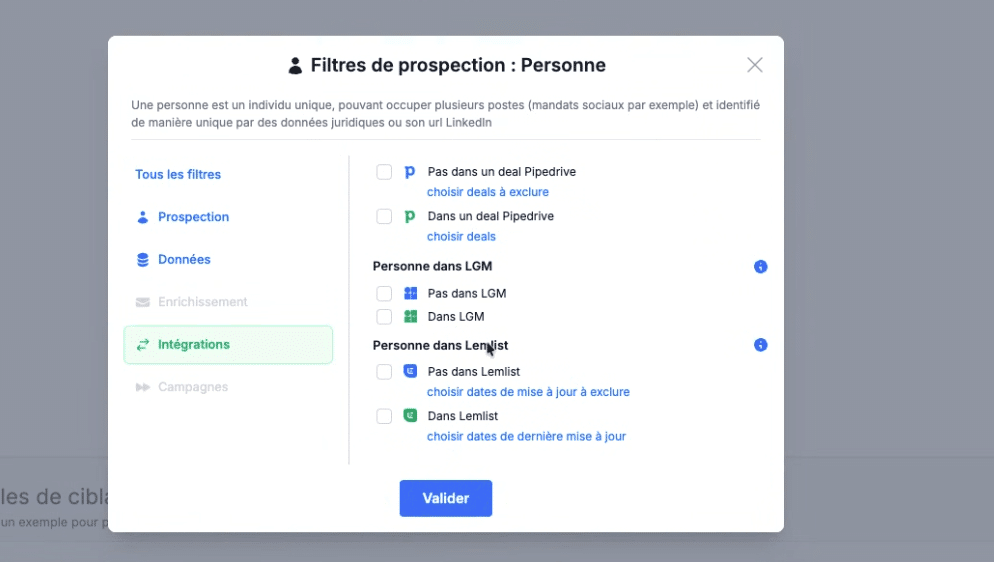
The Salesdorado takeSales Navigator + Apollo + Cognism can all export to a CRM, but to our knowledge none of them can filter the search itself based on the state of the CRM or the team’s prospecting history. In practice, it changes day-to-day productivity: you no longer spend 20 minutes after each search manually deduplicating against your CRM or your colleagues’ lists in Excel.
Integrations: CRM sync, exports and webhooks
Pharow has gone far on connecting to external tools. The logic is not a one-off export (even though that is possible too), but a two-way sync that keeps Pharow and your stack consistent over time. Two-way in the true sense of the term: Pharow does not just send data to your tools, it also reads the state of your CRM and your campaigns (Lemlist, La Growth Machine) to turn them into search criteria.
Available native integrations
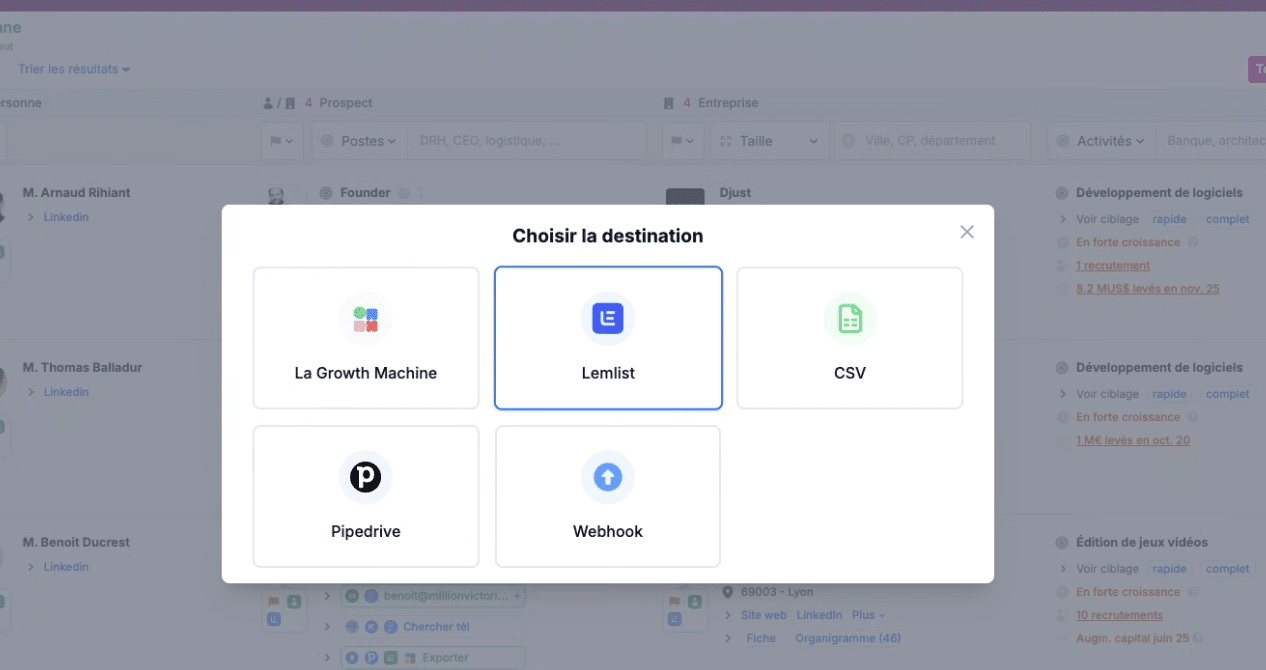
On the CRM and sending tool side, the native integrations currently available:
- HubSpot: full two-way sync.
- Pipedrive: same logic, with filtering on deals.
- Lemlist: two-way sync. Direct export to campaigns, and filtering of Pharow results based on the state of Lemlist campaigns (to exclude recently contacted prospects, for example).
- La Growth Machine: two-way sync. Native integration for multichannel sequences, with the same logic of filtering Pharow results based on the state of LGM campaigns.
The native Salesforce integration is planned for late 2026. In the meantime, Pharow and Salesforce communicate via webhook, which covers basic needs but allows neither two-way sync nor search filtering on the state of the CRM. For 100% Salesforce teams, this is a real point to consider.
Sync as a quality check of your CRM database
When you connect Pharow to HubSpot, Pipedrive or Lemlist, you get a sync view that goes beyond a simple count:
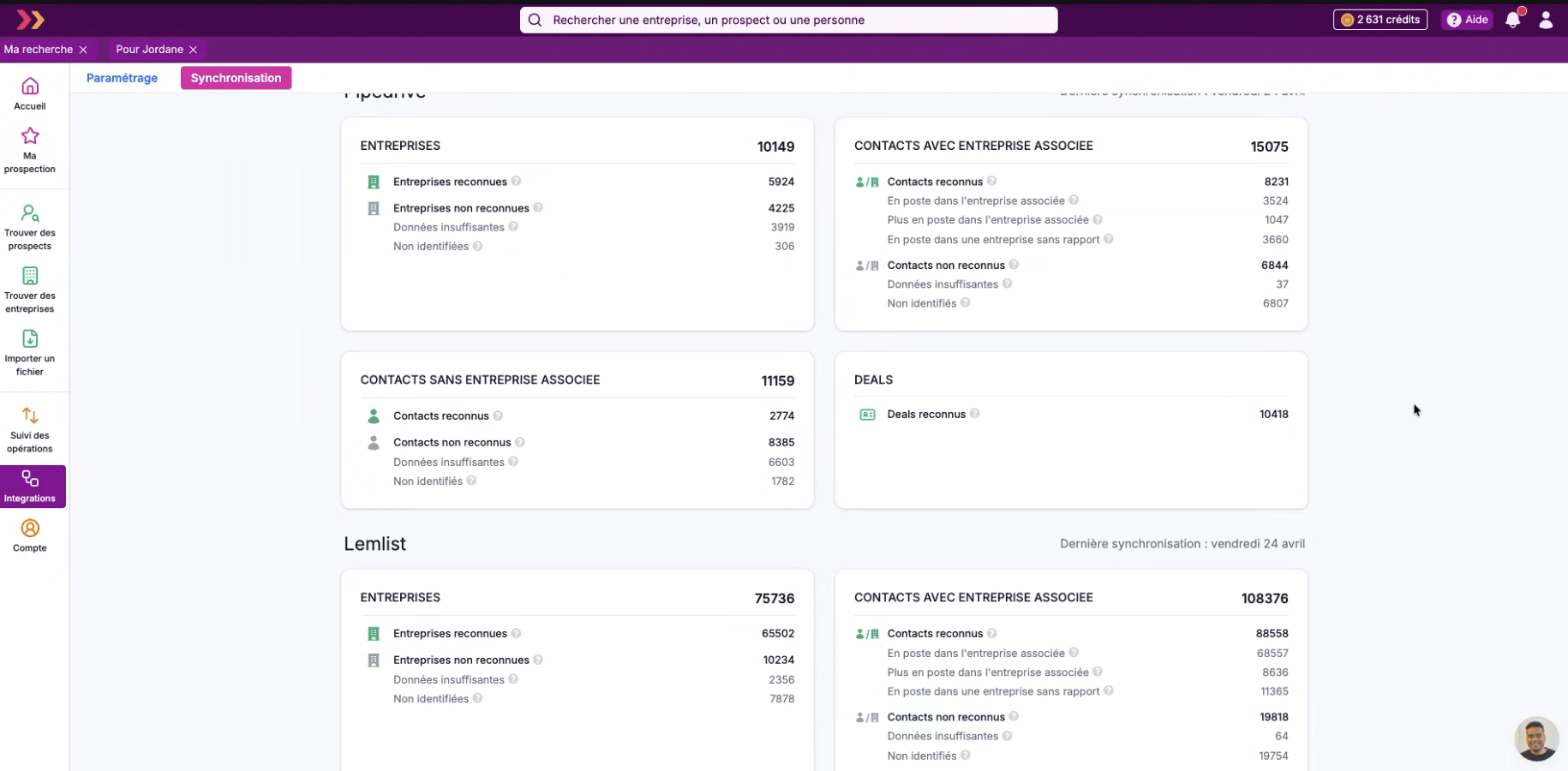
Pharow tells you not only how many companies and contacts it recognizes in your CRM, but also in what state they are. For the contacts in a Pipedrive account, for example, you can see how many are:
- Still in their role at the associated company (the normal situation)
- No longer at the associated company (= your contact changed companies without you knowing)
- Working at an unrelated company (= even more problematic)
In practice, it is an automatic audit of how outdated your CRM database is. You immediately know how many contacts in your Pipedrive can no longer be used as they are.
An export you can configure field by field
When you export a list to your CRM, you don’t just send all the data in a jumble. Pharow offers a dedicated 4-step setup module (Start / Prospects / Companies / Owners) that lets you map precisely which Pharow field goes into which field of your CRM:
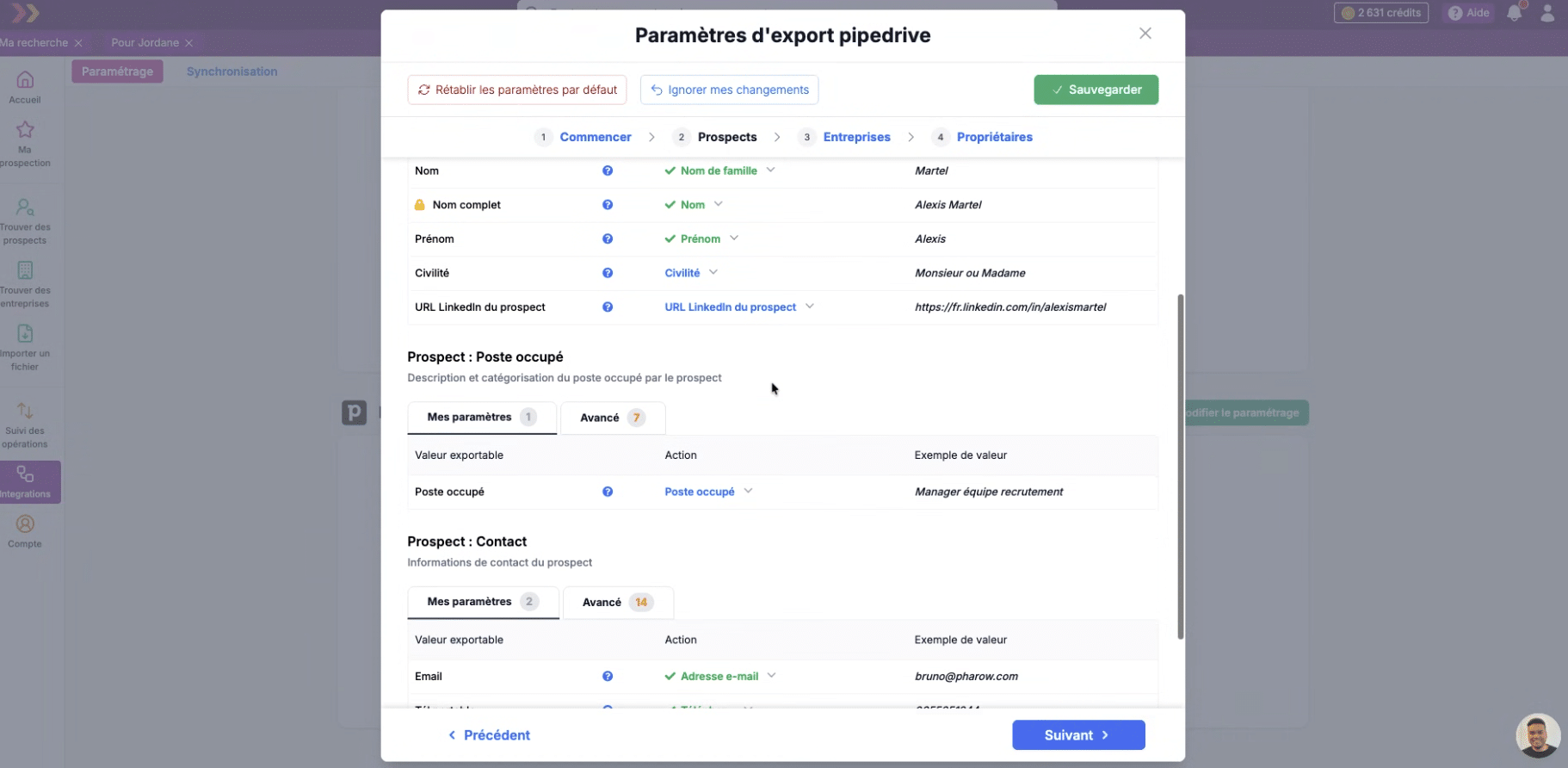
For each section (Identification, Contact, Activity, Position held), you have two levels: “My settings” (the basic fields) and “Advanced” (many more fields available). For example, you can choose to send Pharow’s “Trade name” to Pipedrive’s “Name” field, and the “Legal name” to a separate custom field. This level of granularity explains why the sync stays clean over time.
Webhooks for custom scenarios
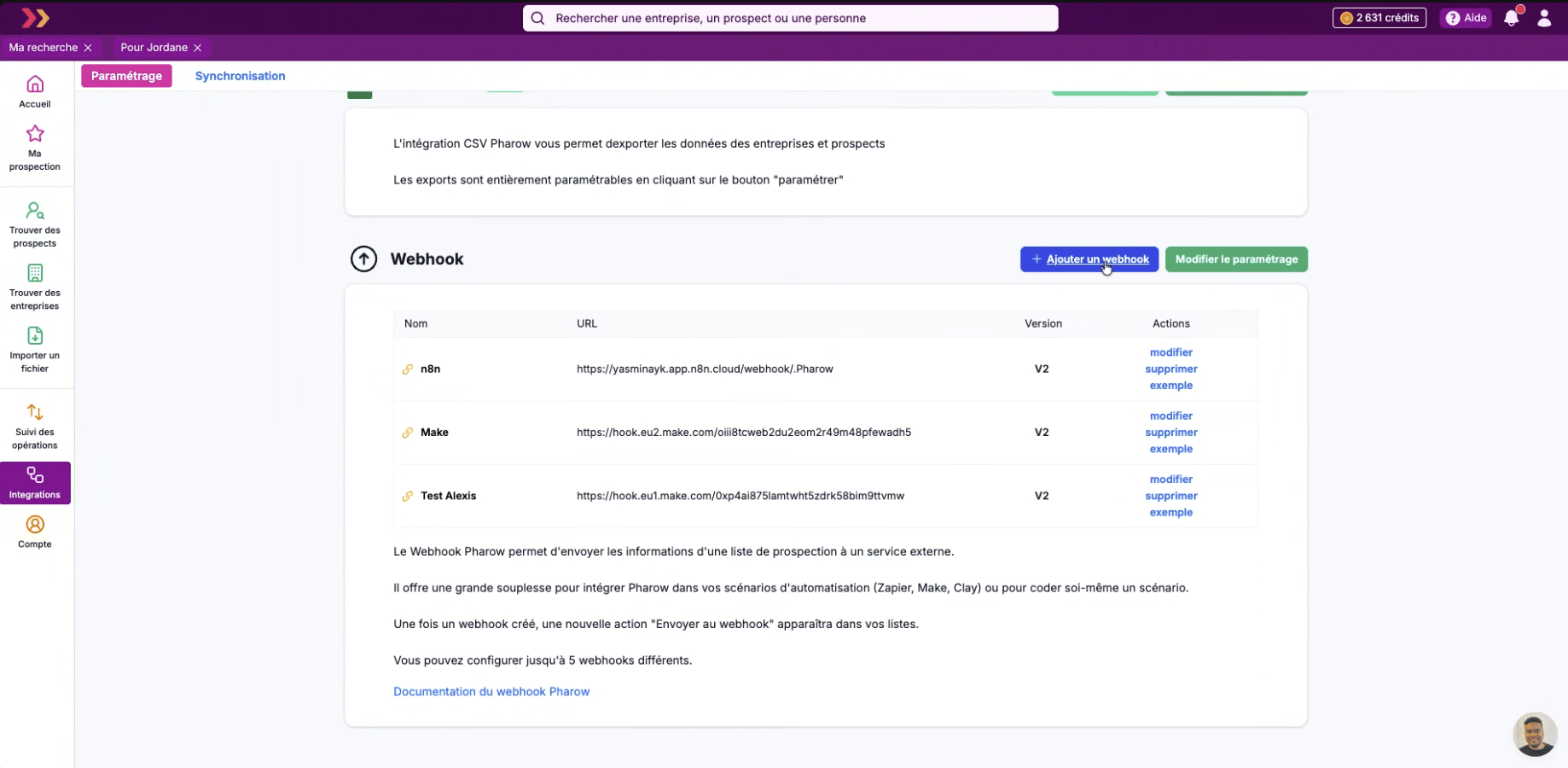
Beyond the native integrations, Pharow lets you configure up to 5 webhooks, which opens the tool to more complex stacks: Make, n8n, Clay, Zapier or in-house scripts. Once a webhook is created, a “Send to webhook” action appears directly in the lists interface. This is what lets Pharow fit into advanced enrichment chains without having to build every connector natively.
Team prospecting: the new feature that changes the game
This is Pharow’s major development in recent months. For structured sales teams, the feature solves a problem that every B2B tool has been dragging along for years: duplicate work.
Shared lists and searches
Every list and every saved search can be shared in one click or kept private. You decide case by case.
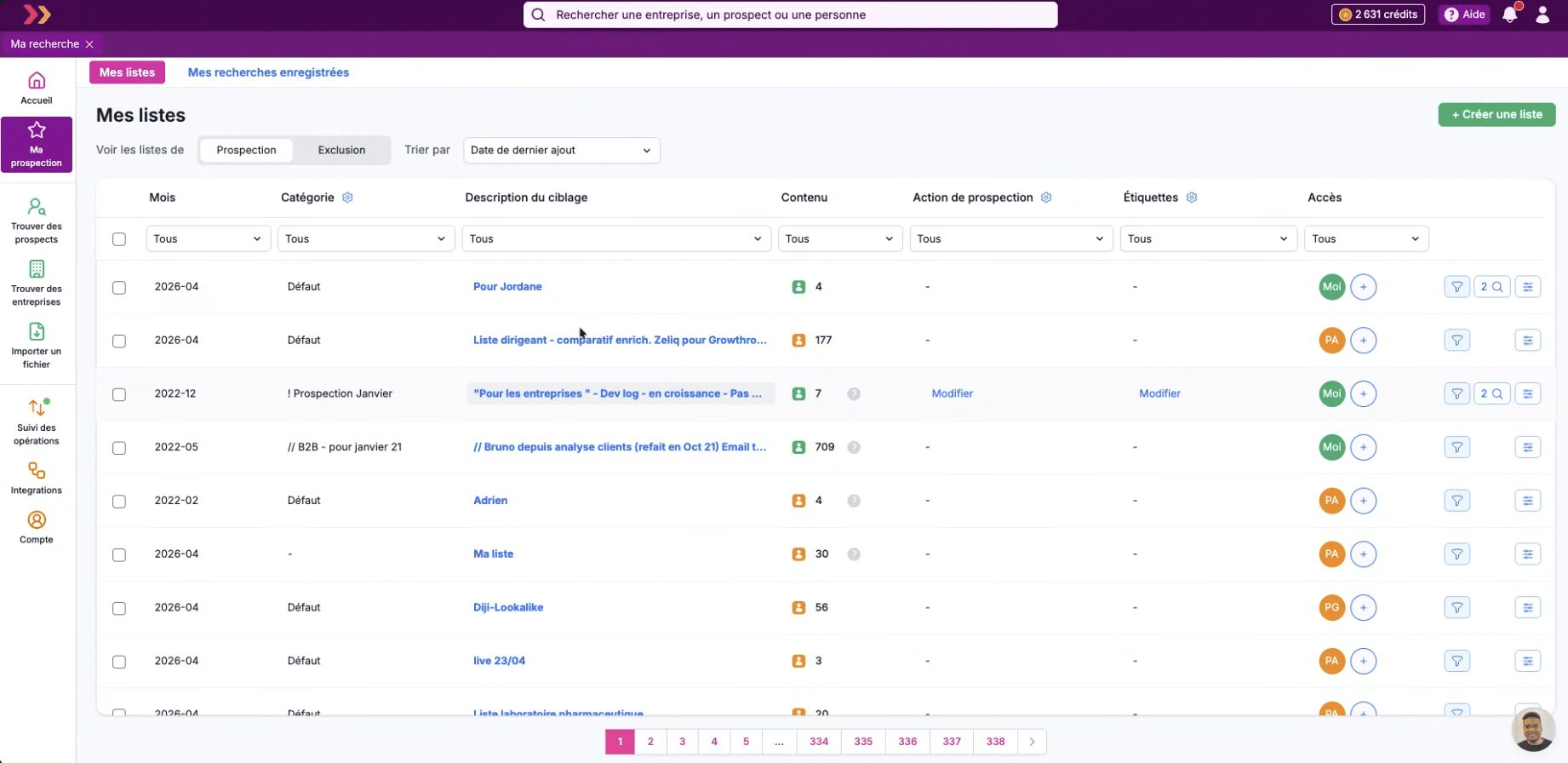
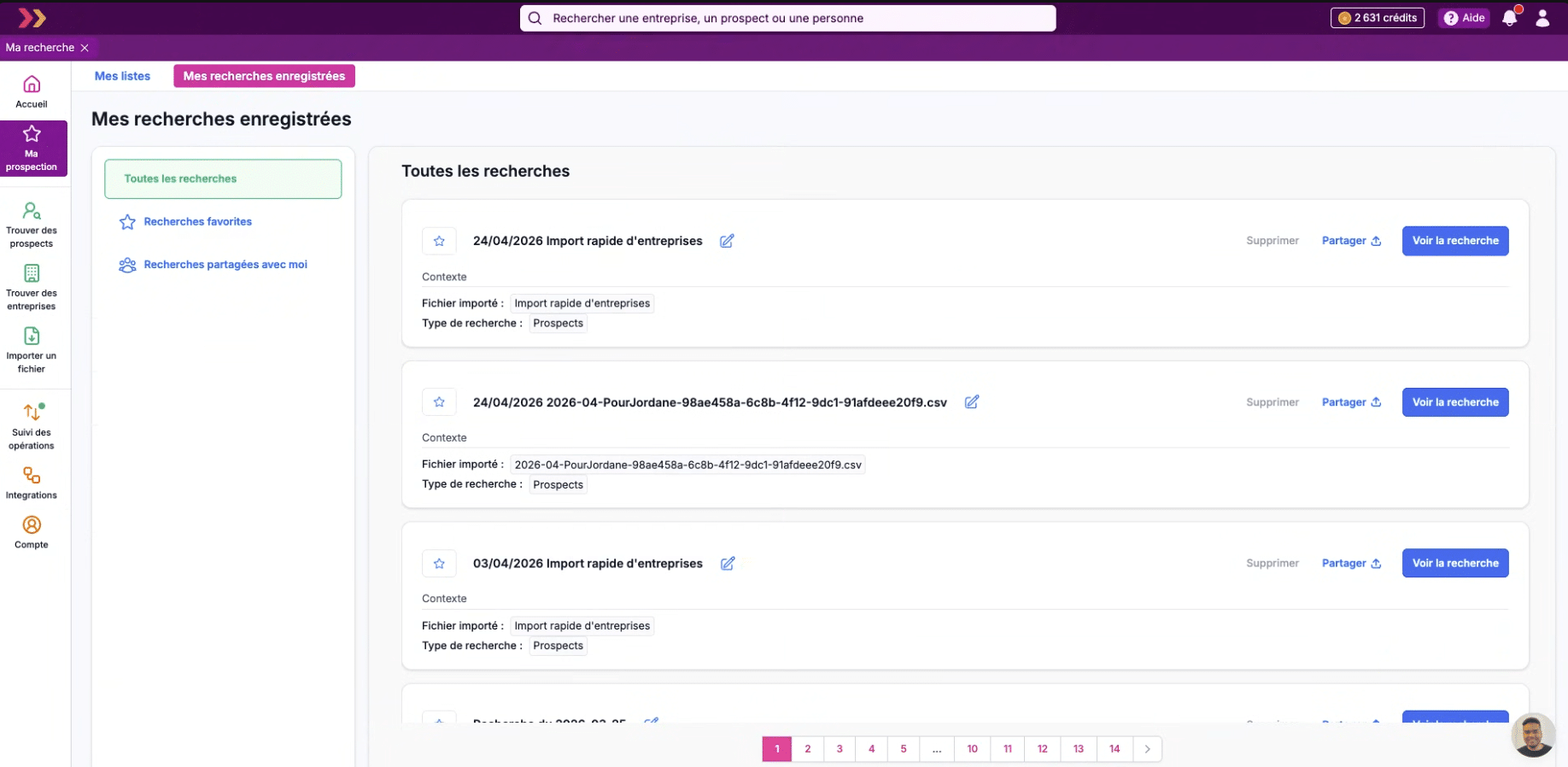
The value goes beyond simple file sharing. A list in Pharow is not static: it is a set of prospects with their metadata, their tags, their prospecting actions, their categories. When a salesperson shares a list built with fine targeting, the colleague gets the full history and can pick up the work where it was left. No need to redo targeting someone else has already built.
Shared exclusion lists
This is probably Pharow’s most useful feature for teams. You create an exclusion list (active customers, permanently lost accounts, direct competitors, off-limits sectors) and it applies automatically to every search by every team member.
In practice, when a junior salesperson runs a prospect search in the retail sector, the accounts you have flagged as “competitors” or “active customers” are automatically removed from their results. Nobody prospects an off-limits account again, without you having to set up rules or train anyone.
Shared credit pool and manager visibility
Where Sales Navigator, Apollo or Cognism charge per seat (each salesperson has their own allowance), Pharow offers a shared credit pool at team level. In practice:
- The team draws from the same credit allowance
- You track consumption per team member in real time from the dashboard
- Granular permissions (view / edit / enrich / export / share) per member
- When a salesperson leaves, their lists can be transferred to another member
- Pharow blocks automatically when the pool runs out: no bad surprises on the invoice
Pharow can accommodate up to 10 members on standard plans; beyond that, it is a custom plan.
The Salesdorado takeOn costs, the gap is significant. For a team of 5 salespeople, Pharow quotes €241/month, versus around €700 with Sales Navigator (€140 per seat). The shared pool also avoids under-used seats you keep paying for month after month. On this criterion, it is a real economic advantage for structured teams.
Pharow pricing
Pharow publishes its prices, which is not always the case among the long-standing players in French B2B data (such as Nomination or Kompass, to name just two):
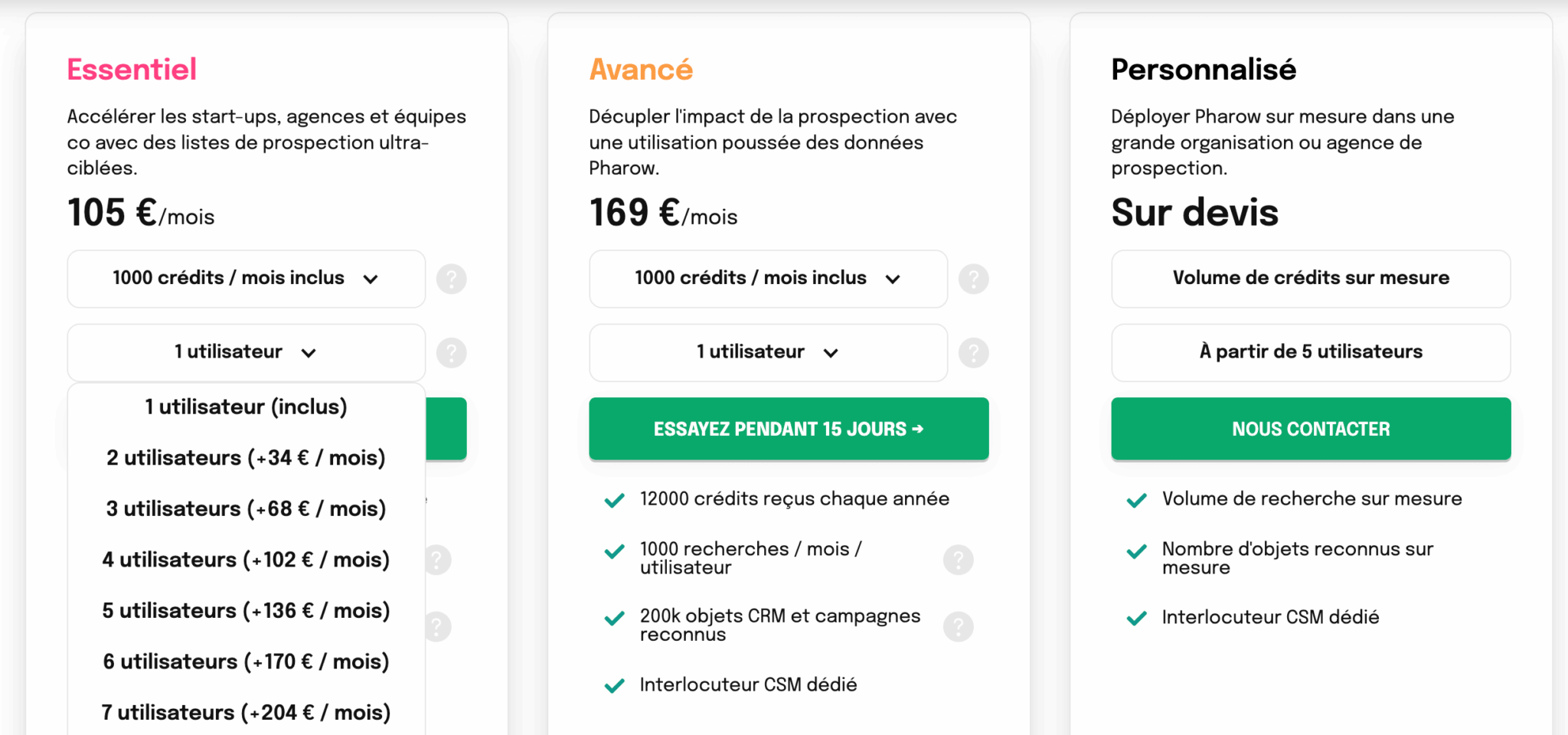
The system, based on credit consumption, is simple:
- 1 credit = 1 prospect or 1 company added to a list (which triggers automatic email enrichment)
- Email enrichment is included at no extra consumption
- Mobile phone enrichment = 10 credits per number found, 0 credits if not found
- Credits roll over from one month to the next and do not expire (with a cap of 48,000)
- Extra credit packs are available for purchase (from €90 excl. VAT for 500 credits to €600 excl. VAT for 10,000 credits)
The Salesdorado takeBefore comparing prices, work out the cost of your current stack. If you currently pay for Sales Navigator Core + a Dropcontact subscription and spend 3 to 4 hours a week patching your tools together, the real cost of your prospecting is well above Pharow’s €105/month. Not to mention the lost selling time. For a freelancer with low prospecting volume, on the other hand, 1,000 credits a month may not be fully used.