An all-in-one Salesforce at such a reasonable price is tempting. We wanted to take a closer look.
Let us find out together what Salesforce Starter really offers: the features included, the customer reviews, the advantages of the package and of course the limitations too. At that price, there are bound to be some.
An overview and our general take on Salesforce’s Starter offer
Until 2023, Salesforce was reserved for companies with serious financial means. So for very large SMEs, mid-market companies and large groups. But that was then. In 2023, Salesforce launched the Starter offer to target the lucrative SME market, following in the footsteps of HubSpot and its offer called… HubSpot Starter. Salesforce did not innovate on the naming front.
If the battle between Salesforce and HubSpot interests you, we have an article on the subject: Salesforce VS HubSpot.
Salesforce Starter is a stripped-down version of the most popular CRM in the world. For 25 € per user per month, you get access to the essential features of sales, marketing and customer service management. In short, everything you need to handle your customer relationship from A to Z without breaking the bank.
So yes, of course, there are limits. Let us not kid ourselves, at that price you will not get all the advanced features of the Enterprise editions. But honestly, for most small companies, it is more than enough to get started.
The big advantage of Starter is that it opens the doors of the Salesforce ecosystem to you. You get the power and the reliability of the number one platform, with the option of moving easily to beefier versions if your needs grow. It is a bit like buying a Clio, but with the guarantee that you can turn it into a Mégane or an Espace when your family grows!
In short, if you are after a complete, scalable and affordable CRM for your SME, Salesforce Starter is clearly worth a look. It may not be the ultimate solution for everyone, but it is an excellent entry point into the Salesforce world.
Salesforce Starter’s key features
Salesforce Starter is not just a CRM, it is a genuine all-in-one suite. It gives you access to the essential features of sales, marketing and customer service in a single integrated tool.
Salesforce Starter’s Sales and CRM features
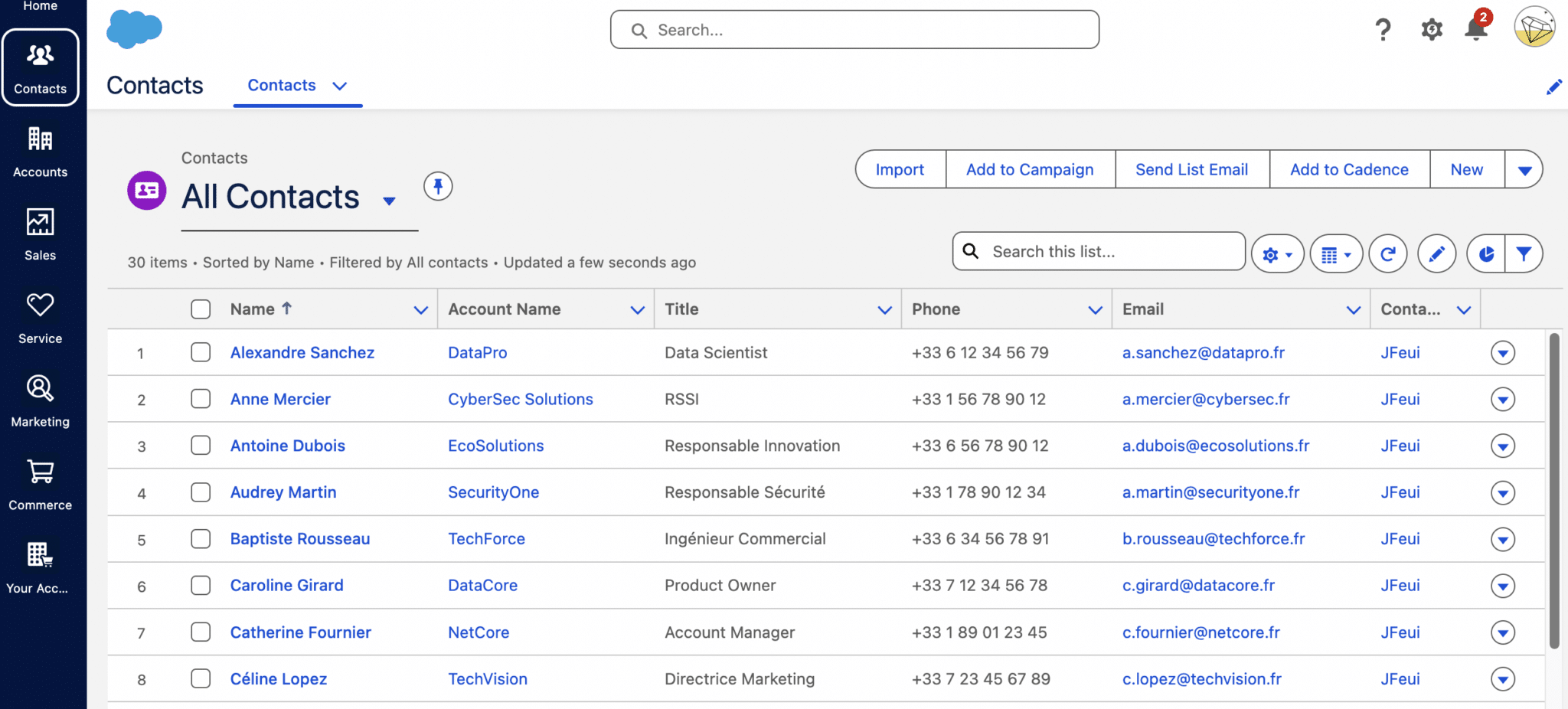
On the sales side, Salesforce Starter offers the basic building blocks of a classic CRM. Do not expect ultra-advanced features, we stay in essentials territory. The idea is to let you structure your sales approach without drowning under a mountain of options. It is a good starting point for SMEs that want to get out of their Excel sheets, but companies with complex sales processes will quickly feel cramped.
Let us look at what Starter actually brings to the table:
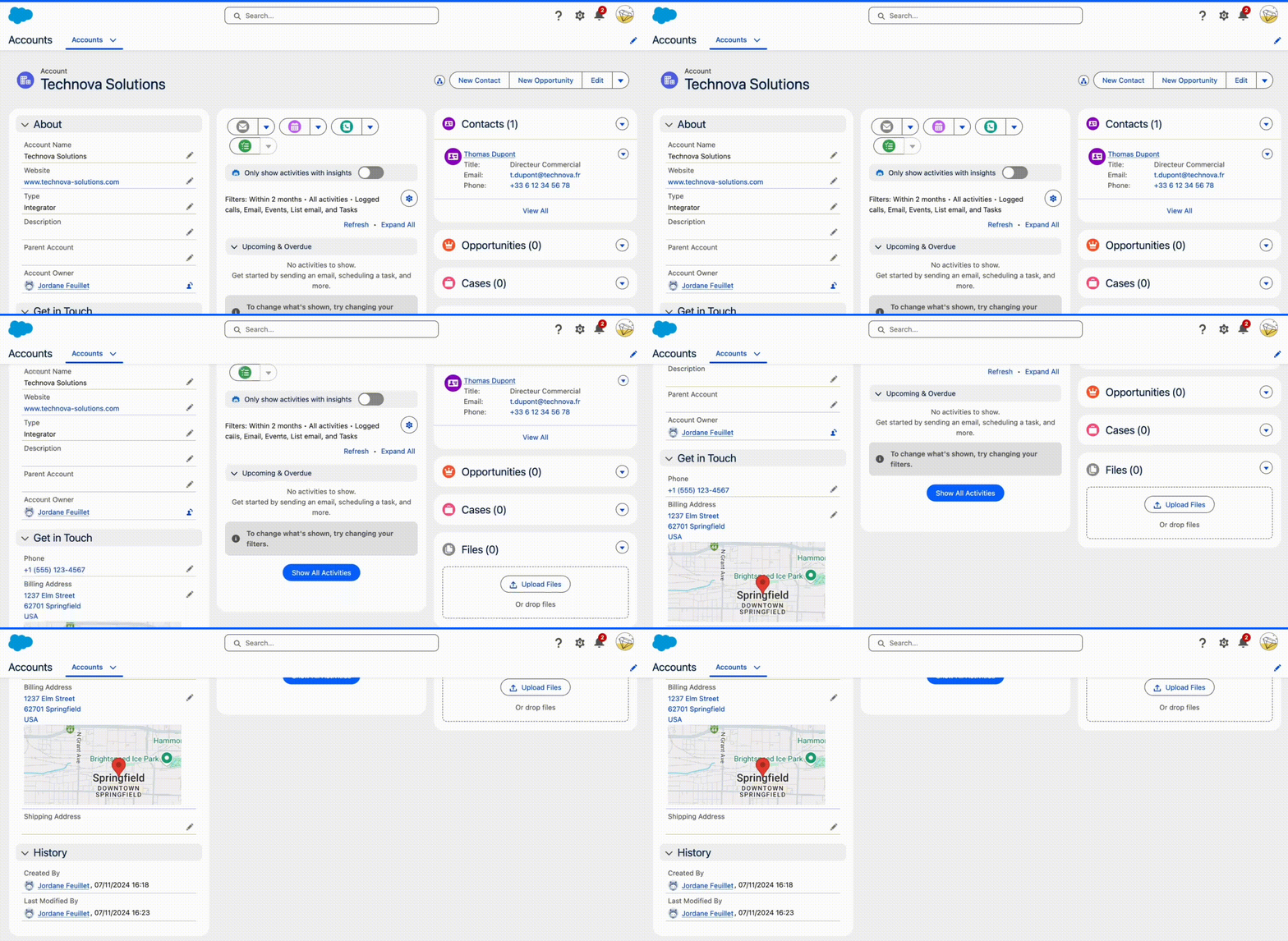
- Account and contact management. You can centralise all the information on your leads and customers and create detailed profiles, track the history of interactions and customise fields to your specific needs.
- Lead and opportunity tracking. Starter gives access to an intuitive module for handling your sales pipeline. You can track each stage of the sales cycle, from lead qualification to closing deals, with customisable views and automatic alerts.
- Email integration. Starter lets you easily sync your emails with Gmail or Outlook. That integration automatically links emails to the matching accounts and contacts in Salesforce, which gives a complete view of the exchanges with each customer.
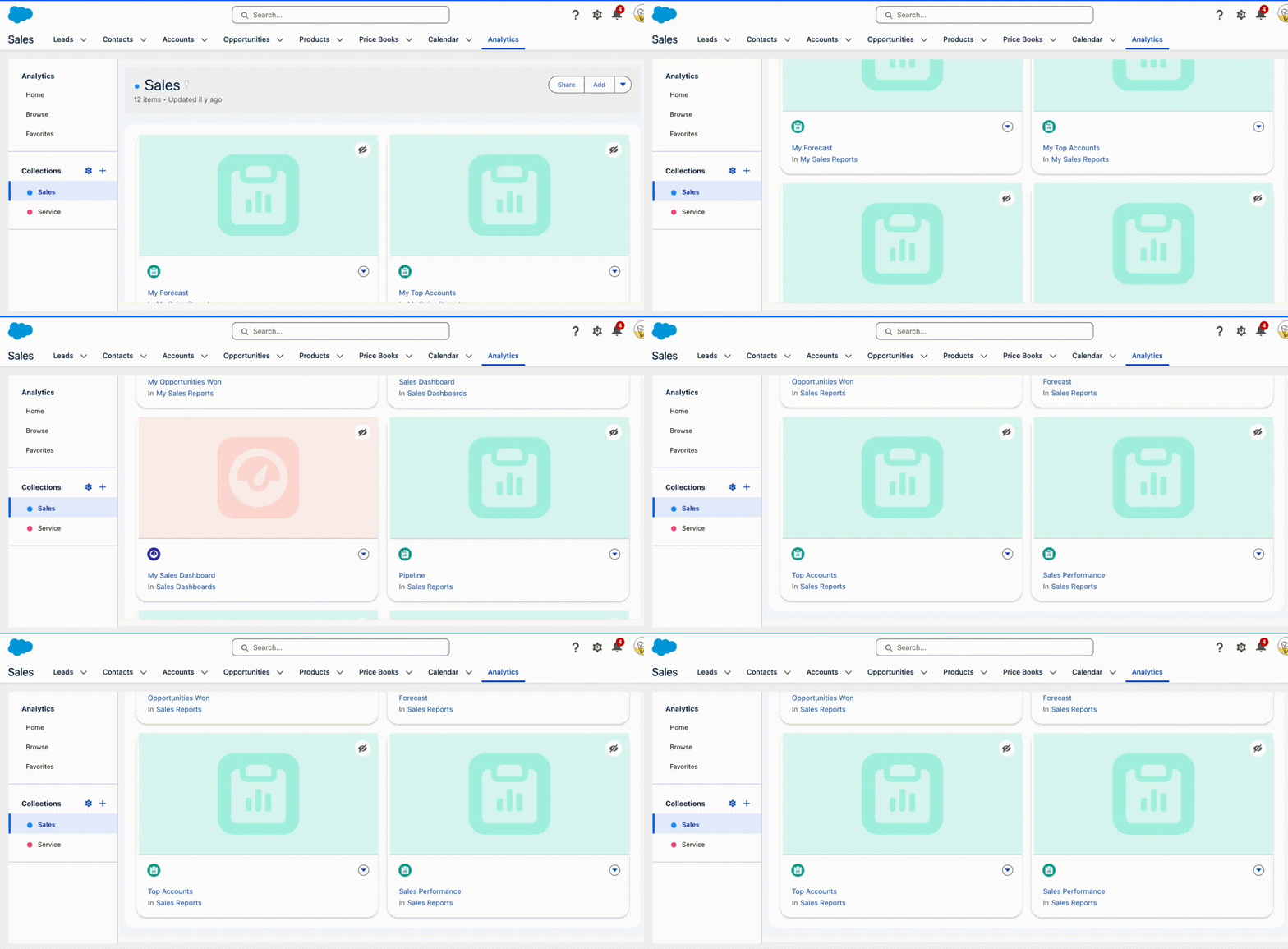
- Dashboards and reports. You get access to reporting tools with customisable dashboards. Starter lets you build tailored reports and offers a number of off-the-shelf report templates.
- Mobile access. Starter provides a well-built mobile application that lets your sales reps reach your CRM data on the move. Users can update opportunities, look up customer information and record new notes straight from their smartphone.
- Sales process automation. Starter includes basic automation tools to streamline your sales processes. You can, for instance, set up lead assignment rules, automatic notifications and automated actions for certain stages of the sales cycle.
Salesforce Starter’s marketing features
On the marketing side, Salesforce Starter does the job even though we are far from a high-end marketing automation tool such as Salesforce Marketing Cloud. That said, it is already a good start for SMEs that want to structure their marketing.
The marketing features on offer:
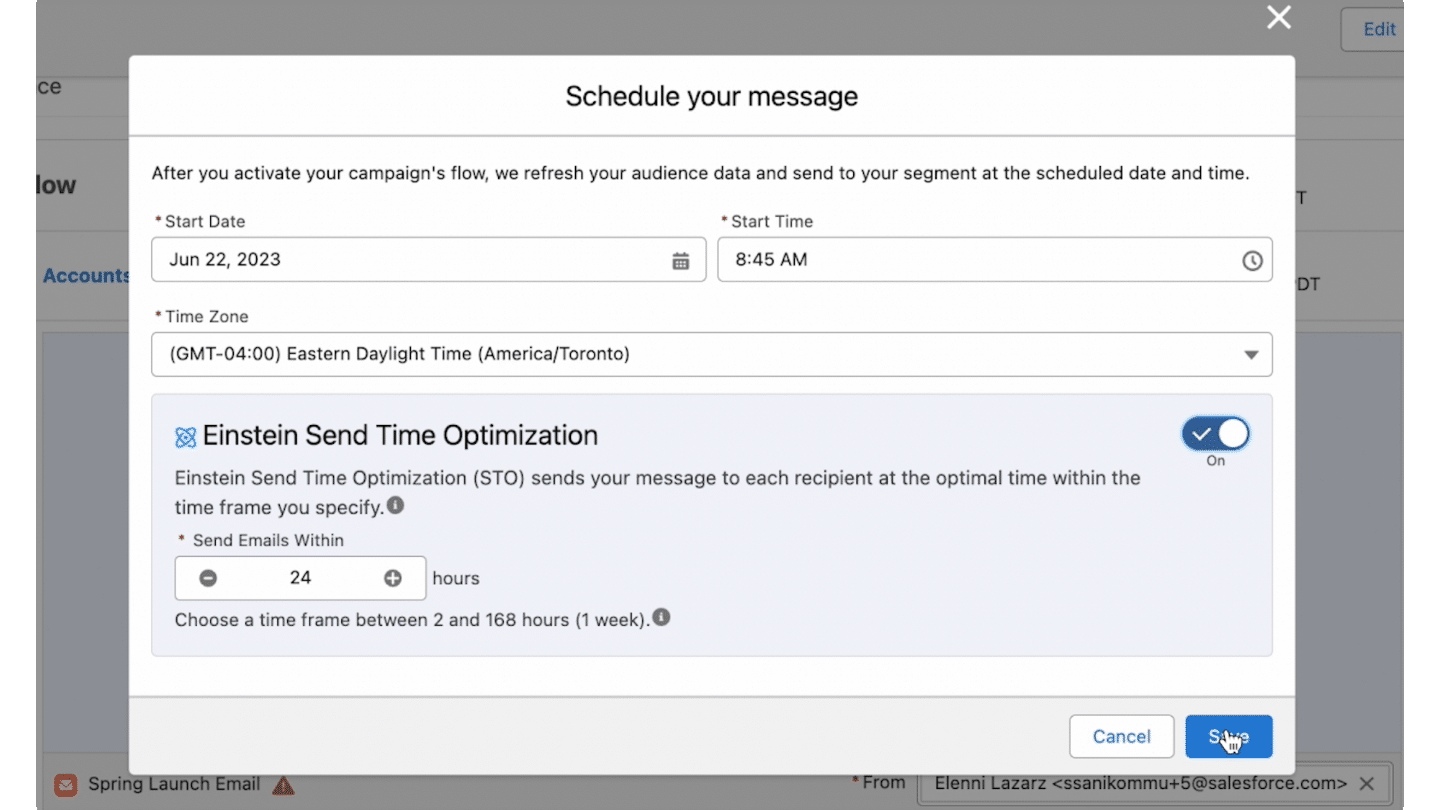
- Email marketing. You can build and send email campaigns effectively. Personalisation and segmentation options are there, even if they do not rival specialised tools. Starter also gives access to a few Einstein AI features, notably automatic, smart optimisation of campaign send timing.
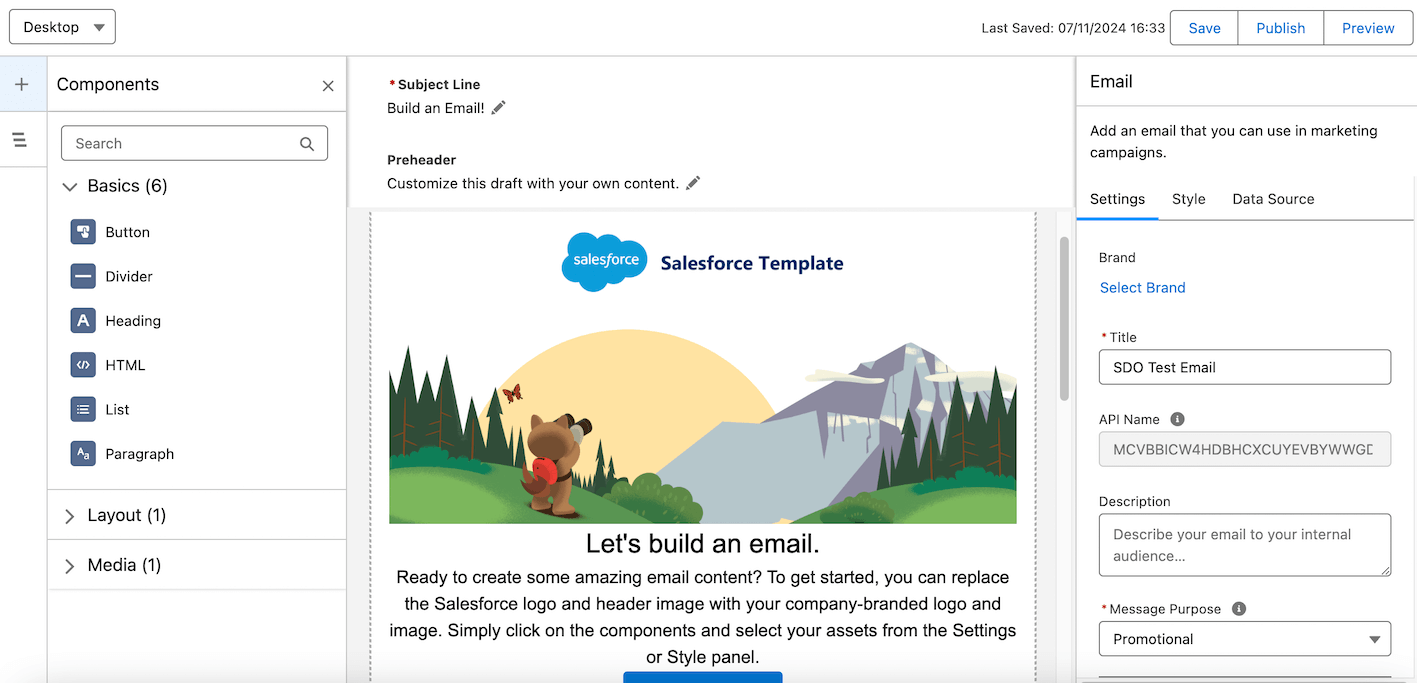
- Email templates. Starter offers a selection of pre-built templates. That is enough to launch professional campaigns quickly, with decent customisation options.
- List management. Contact segmentation is possible, which lets you target your campaigns. The criteria available cover the everyday needs of SMEs.
- Performance tracking. You get access to the essential metrics such as open and click rates. That data lets you improve your campaigns over time.
- Automation. Set up auto-replies and email sequences to keep your leads engaged. The possibilities are worth a look for a first approach to automation.
Salesforce Starter’s customer service features
On the customer service side, Salesforce Starter offers a basic but workable package. Do not expect to revolutionise your support overnight, but you have what you need to structure your processes and work more efficiently.
Here is what Starter offers:
- Ticket management. An intuitive system to create, assign and track customer requests. That is the basis of a well-organised support desk.
- Knowledge base. You can create and share articles to help your customers. That feature cuts your team’s workload by offering self-service solutions.
- Email-to-case. Emails are automatically turned into tickets, which ensures consistent tracking of requests. Workflow customisation options are there, even if they are not unlimited.
- Dashboards. Starter gives access to reporting functions to track how your customer service is performing.
- Integration with sales. You can combine sales data and support data for a 360 view.