Looking for an affordable, effective tool to help you structure your sales processes? To support you, Zoho decided to create the “little brother” of Zoho CRM: Zoho Bigin.
A CRM designed for SMEs, very small businesses and freelancers, to give them a mobile solution built for them, with no pointless or superfluous options.
In this article, we go through the detail of the software’s key features, the pricing and the main feedback from the tool’s users.
Zoho Bigin’s functional scope
Opportunity management
With Bigin, managing opportunities is made a lot easier. As soon as you have imported your contacts, you can head to the “Deals” section to create your sales opportunities.
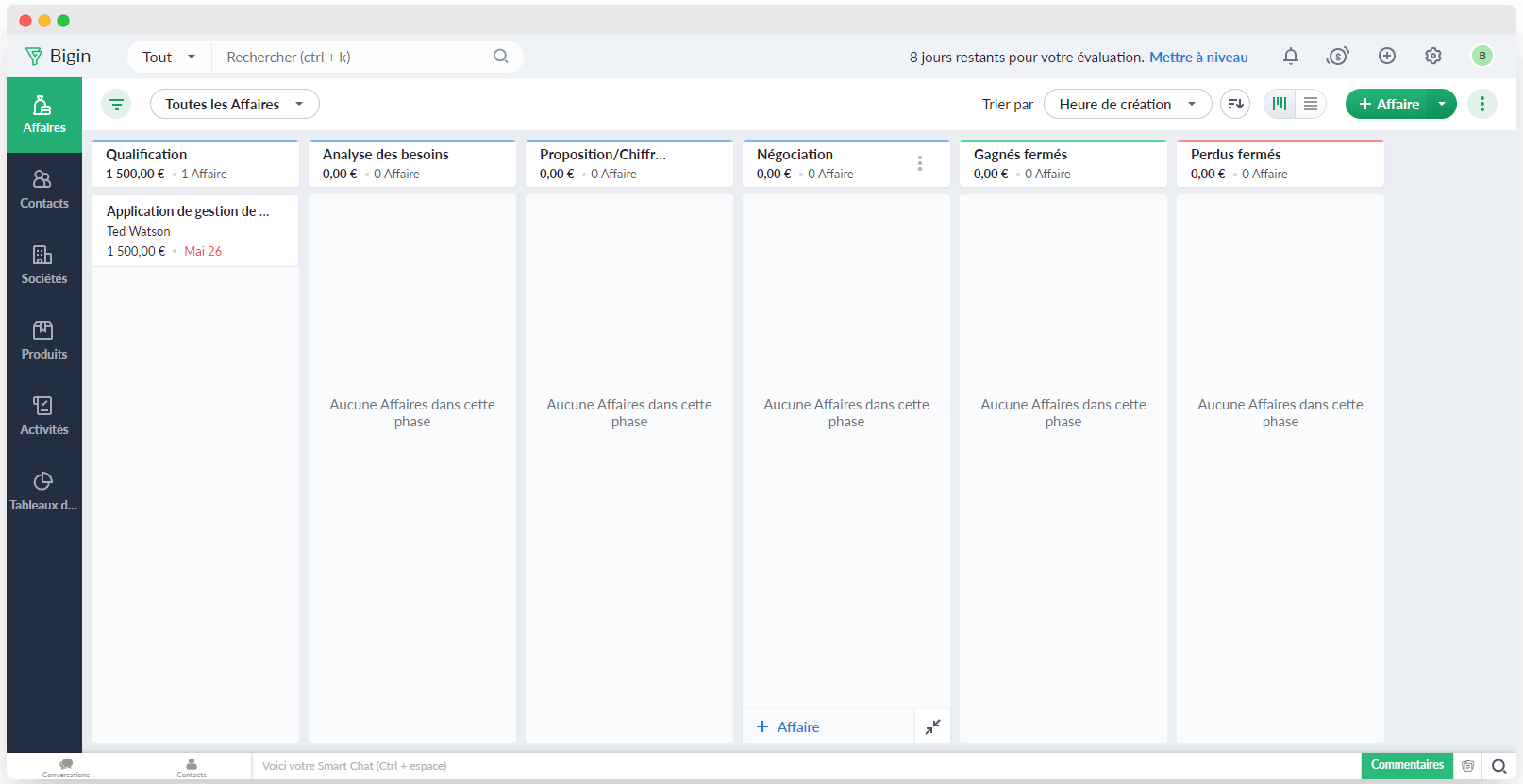
In that space, you fill in the useful information, meaning the name of the deal, the name of the company, and the stage the opportunity is at:
- Qualification and needs analysis
- Quote under negotiation
- Deal won or lost
- …
You can also fill in the amount of each opportunity, or a description to give more detail on the deal in progress. That information is available from your computer as well as from your smartphones and tablets. Ideal for your sales reps in meetings, who can view every open opportunity and edit it at any time.
Small organisations, which often do not have an excessive number of open deals, will find their way around without going through contacts to dig out the deals under negotiation. They can look through the list of customers to follow up within a few minutes of opening Bigin.
It is a real time-saver that keeps you from losing leads who are on the verge of buying. Zoho Bigin pushes you to carry on with open negotiations and close them quickly and positively.
Contact management
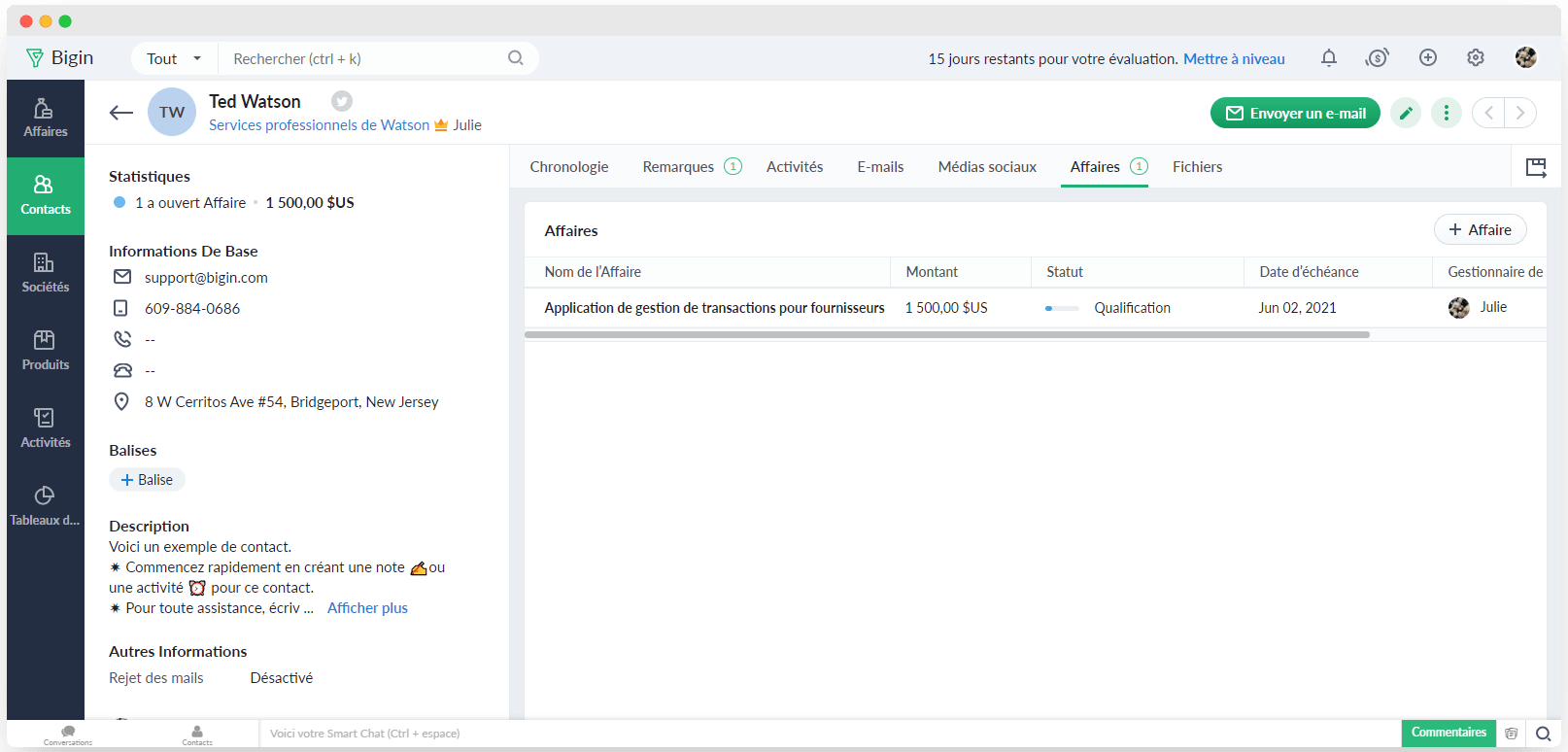
The interface gives you direct access to every essential section of the application. It takes a single click to find your open opportunities, your activities, your emails and your contacts.
When you open one of your contacts, you instantly see all the information about them: the name of the company’s manager, their full contact details, their website, the deals in progress, your previous exchanges and their history with you.
You can also place your calls straight from the Zoho Bigin contact record thanks to built-in telephony, while keeping access to the information about your lead. That is very handy because you keep a trace of your phone exchange right inside the application.
The incoming or outgoing call is automatically logged in the activity part of the CRM, and you can then complete the information about that exchange in the activity description. In the same way, you can send your sales emails to your contacts straight from Zoho Bigin, as well as prospecting email campaigns.
Sales automation
Despite being affordable, Zoho Bigin offers workflows worth a look to automate your most repetitive tasks:
- Track deal updates,
- Set up email alerts,
- Notify team members when tasks are created,
- …
But what becomes of those automations you have customised once your sales growth calls for a more robust tool? Zoho lets you import those functions into Zoho CRM, which suits more mature companies.
Importing Bigin data into other CRMs, on the other hand, is more complicated and goes through REST APIs.
Reporting
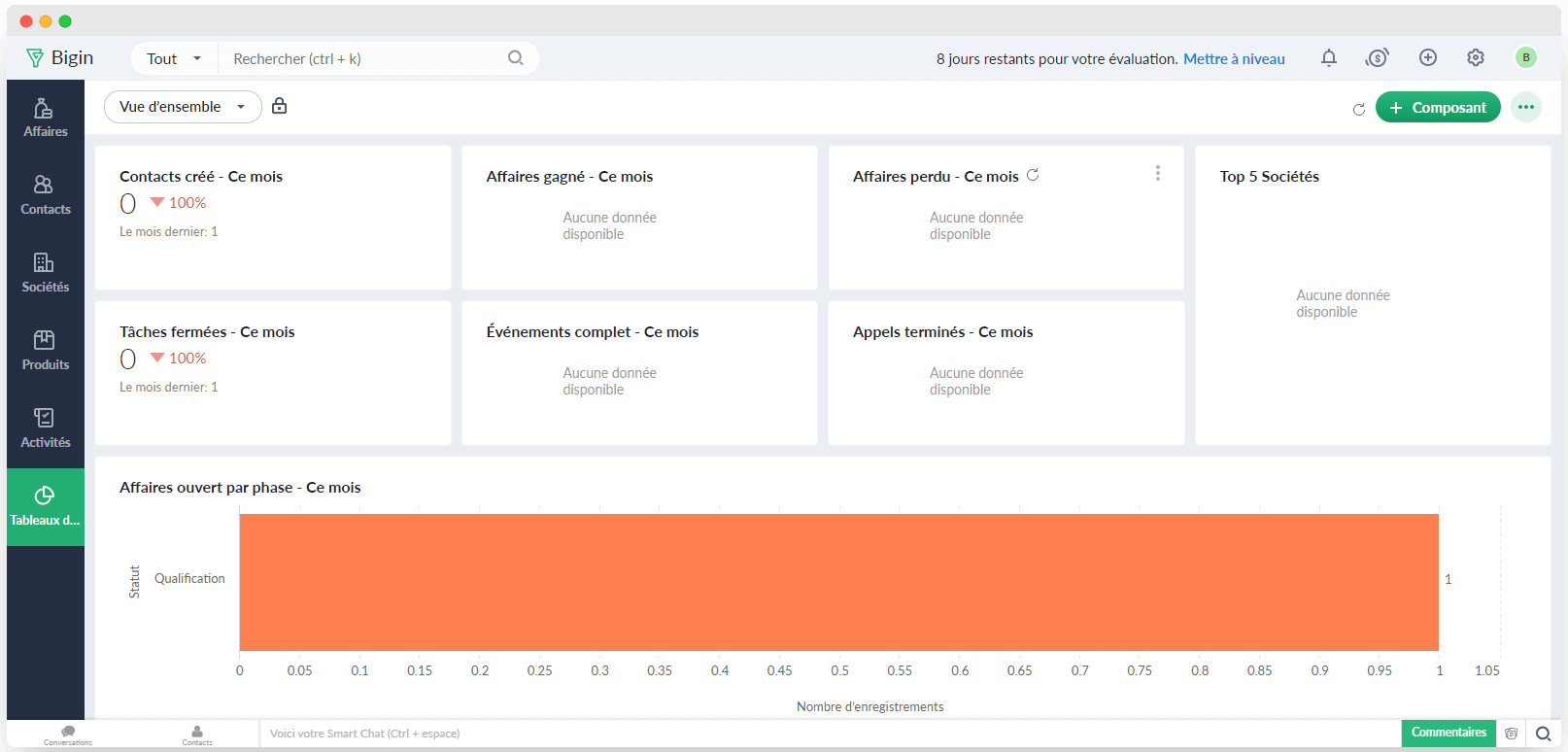
Zoho Bigin gives you a reporting tool that provides the main sales performance indicators.
You will find the following, among others:
- Amounts of your won opportunities or those under negotiation,
- Top 5 of your best customers,
- Number of calls made and tasks completed in the month, and so on.
You can customise the data you want to analyse, for instance by picking a particular city, potential revenue, or a specific period. The custom fields available to each user are fairly limited, you cannot add more than 20.
Salesdorado’s takeZoho Bigin holds every feature small businesses need. Even though some are limited, they suit a good many very small businesses and SMEs, especially those just starting out. All the data entered in Bigin can be imported into Zoho CRM if your needs grow.
Bigin: a CRM built for mobile
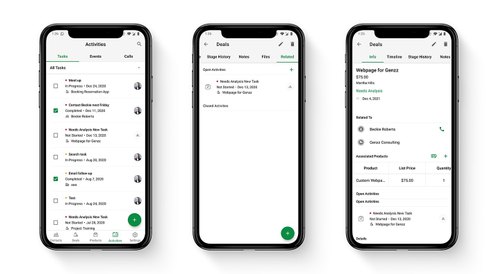
Zoho Bigin is available on every mobile device, and downloadable from the App Store and Google Play, so you can see your upcoming activities and the opportunities not to be missed at any moment.
You can perfectly well edit or create your contacts, your activities, or your deals from your smartphone or your tablet. iPad users can also use the Apple Pencil to write text in any Zoho Bigin field.
Salesdorado’s takeZoho Bigin is fully compatible with mobile use, in particular with Apple. That is a real strength for customer relationship software that every sales rep or business owner may need on the road. They can prepare their meetings, keep in touch with their leads and customers, or add extra information on contacts and opportunities.
Getting started
Zoho has traditionally been criticised for a somewhat “features-first, design-later” approach, but for a few years now they have really gone all in on user experience.
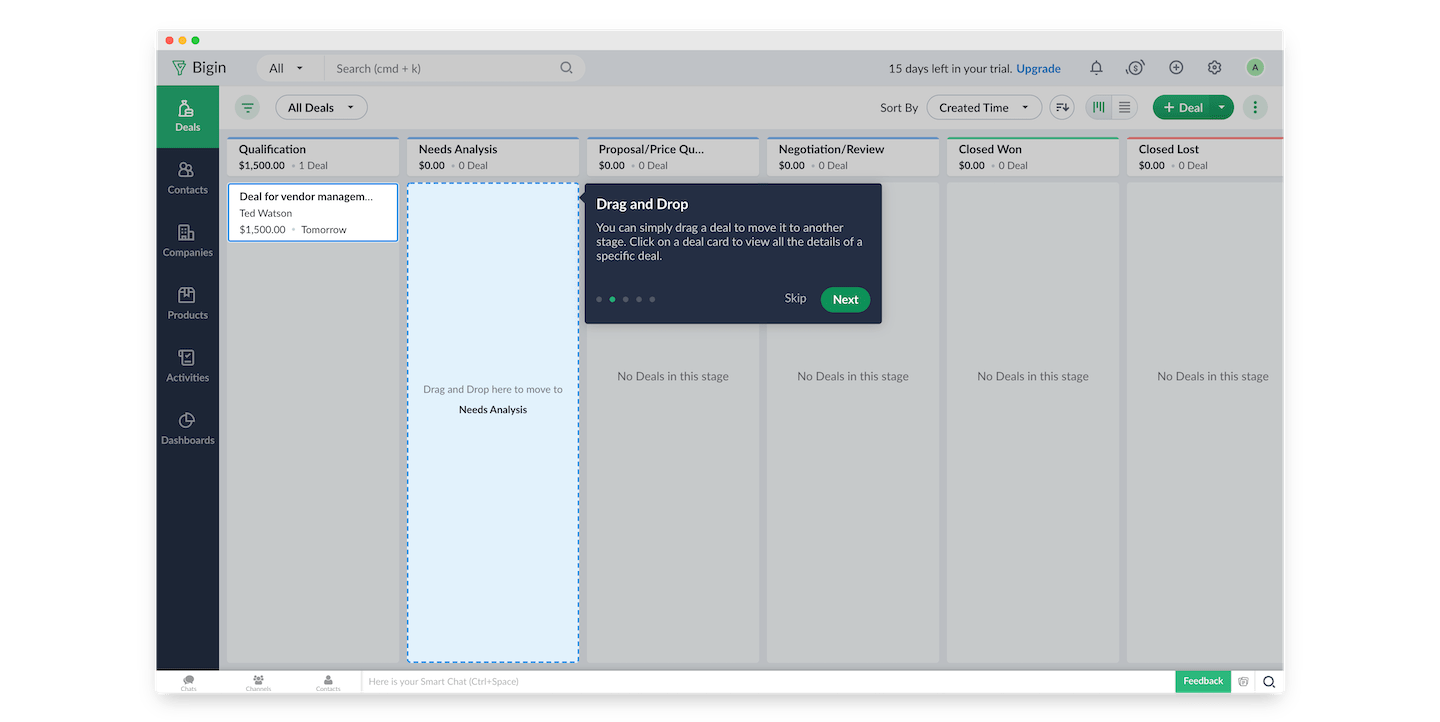
When you create your account, the tool walks you through every important element of the software, step by step.
We are completely sold on the navigation bar, very simple and effective. You can feel it has been thought through.
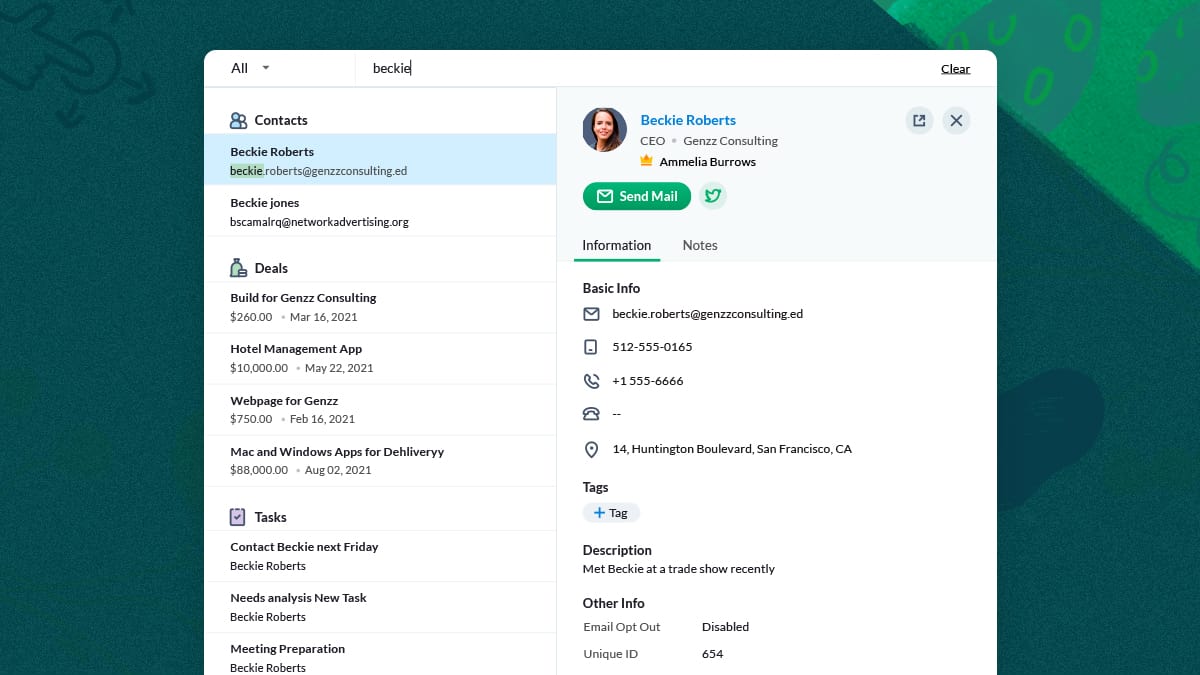
The search bar, available from any page of the software with CMD + K (like Slack, for those who use that too) is extremely effective: the search is fast and dynamic, the results are beautifully laid out, and you get every piece of information on a lead in a single step. A real plus.
The interface is clear, simple to understand and completely intuitive. A few explanatory videos and a knowledge base are available, in English only, to help you get to grips with the tool.
You can import your contact lists and your open deals from an Excel or CSV file in a few clicks, and you instantly get all the information on your deals in progress.
Those imports are fairly short, though, limited to 50 entries at a time. For longer lists, the file has to be reformatted or adjusted, which will therefore take more time.
Salesdorado’s takeHonestly, it is a flawless performance on that front: Zoho Bigin’s modern, intuitive interface makes the user experience particularly pleasant.
Integrations
Zoho has also concentrated its efforts on making Bigin compatible with solutions such as Microsoft Office 365 or Google G-Suite. That lets Bigin integrate emails and the calendar perfectly, and sync with the prospecting tools you use every day. You will easily find your meetings and your emails, without having to leave Bigin to run your search.
Zoho Bigin was designed to work perfectly on every modern platform, including Apple smartphones and tablets. Given that most companies, including the smallest ones, use an iPhone or an iPad every day at work, Bigin has done everything to make its CRM solution fully compatible with Apple tools. Adding Bigin widgets is possible on those mobile devices. So is handling notifications and alerts on Apple Watch.
Salesdorado’s takeZoho Bigin is compatible with all the applications commonly used by very small businesses and SMEs, letting you pull every essential piece of your customer relationship data into Bigin so that you can reach all the information about your leads and opportunities without leaving the tool.
Zoho Bigin pricing
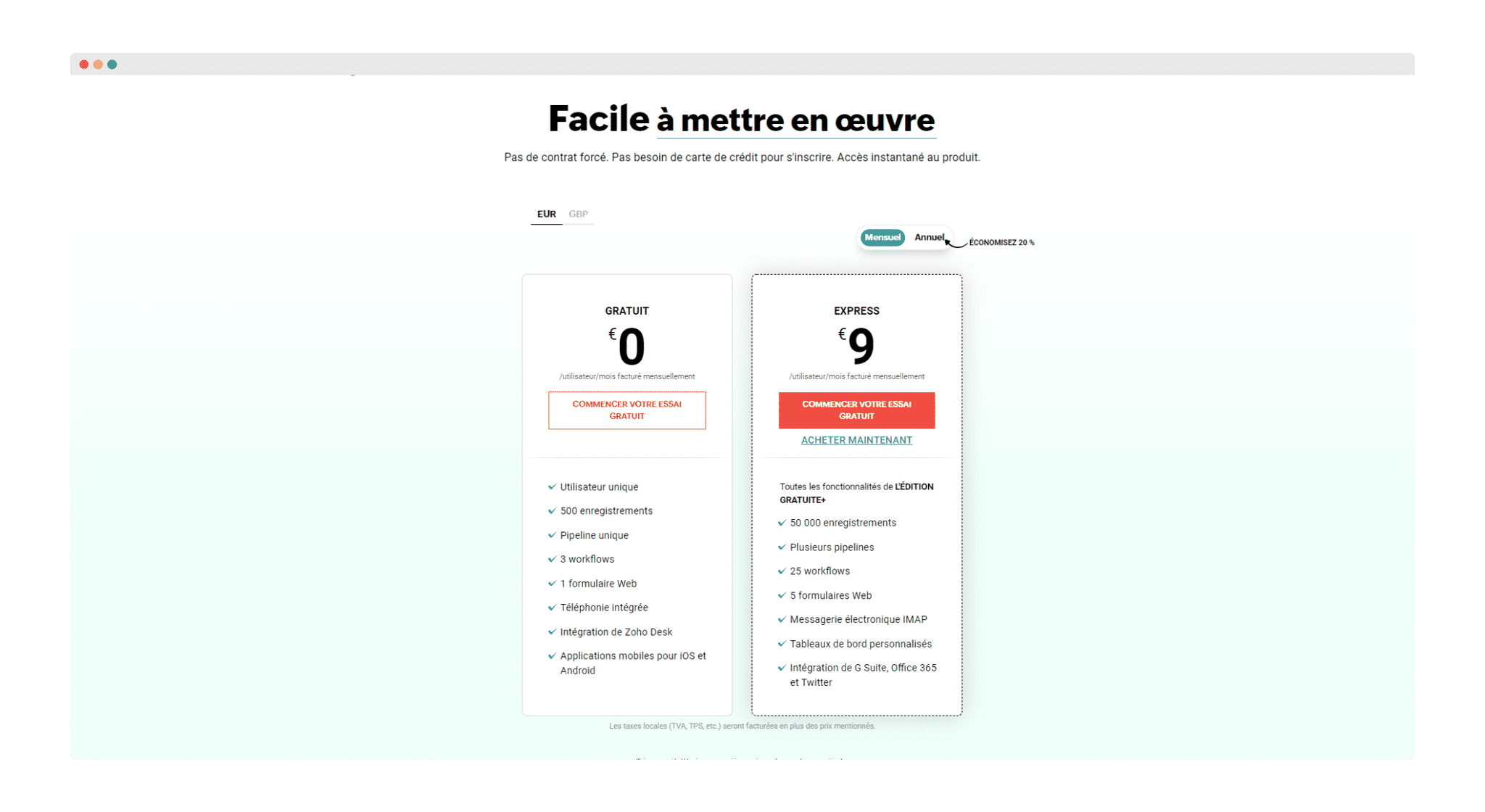
Bigin is aimed at SMEs and very small businesses, so its price is perfectly affordable and a free version lets freelancers use the essential functions of this CRM solution.
- The free version of Zoho Bigin gives access to the solution for 1 user with 1 GB of data storage, 500 records, 3 workflows, 1 web form, 1 pipeline, the Zoho Desk integration, mobile use, and built-in telephony.
- The Express version of Zoho Bigin is available for 9 € per user per month on an annual subscription. That version gives access to Bigin with the ability to hold 50,000 records, 25 workflows, 5 web forms, 5 pipelines, 20 custom fields per module, an IMAP-based mailbox, and custom dashboards. Natively, the Express version lets you store 1 GB of data, and you can then increase your storage capacity for 9.6 € per GB per year. In the same way, you can increase your record capacity for 0.0012 € per record per year.
If you use this software, feel free to share your review of Zoho Bigin with us in the comments!