Like other light tools on the CRM software market, Copper focuses on the essential features to offer you a tool that is flexible and easy to pick up.
In this article, we go through those features in detail and give you our take on each of them.
Contact management in Copper CRM
When you start out with Copper CRM, the tool offers to sync with your Gmail account, then to install the Chrome extension. If you use Gmail as your work inbox, Copper CRM can therefore import your contacts from Gmail automatically.
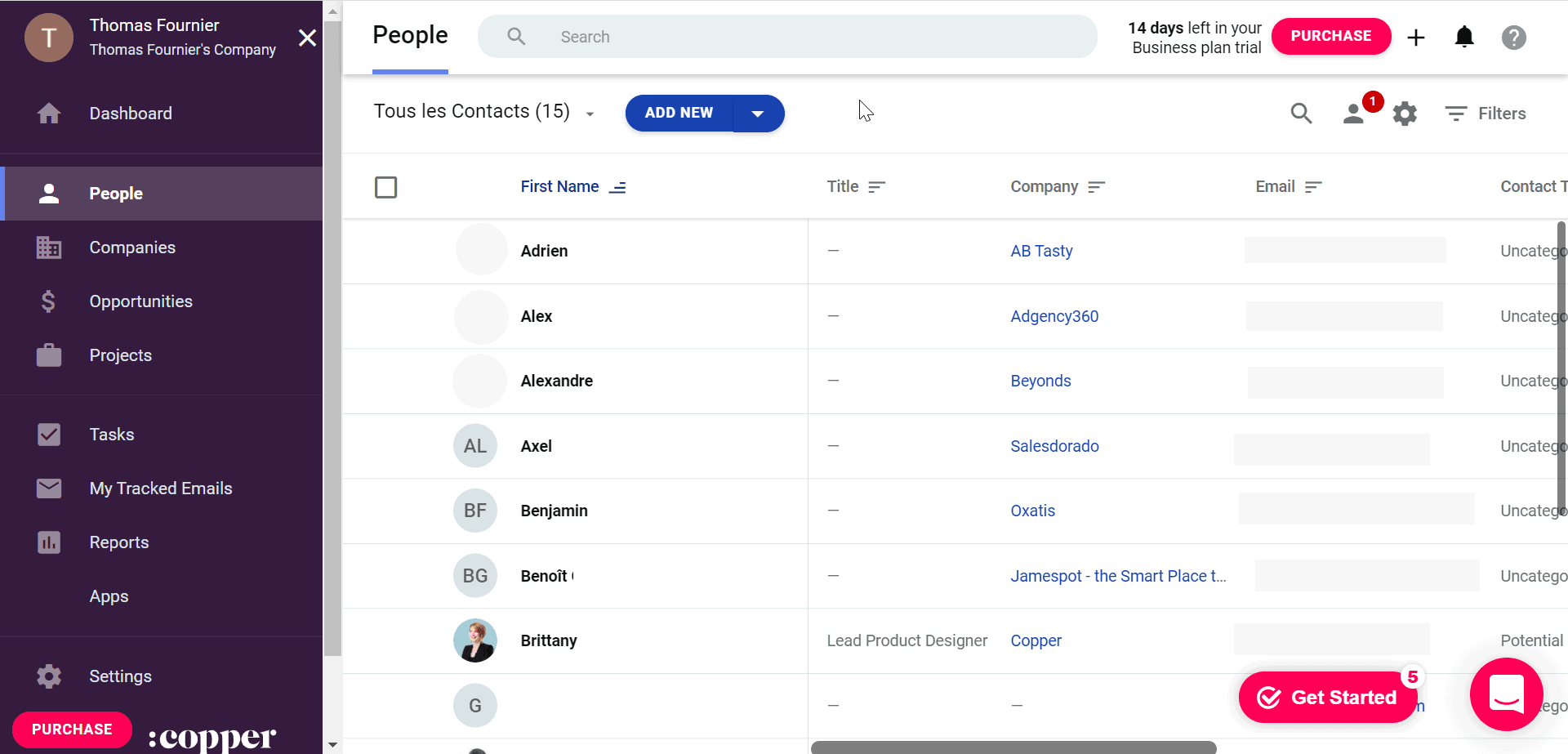
The dashboard even goes as far as suggesting contacts, or actions to take, in a very intuitive way, based on your activity in your Gmail account.
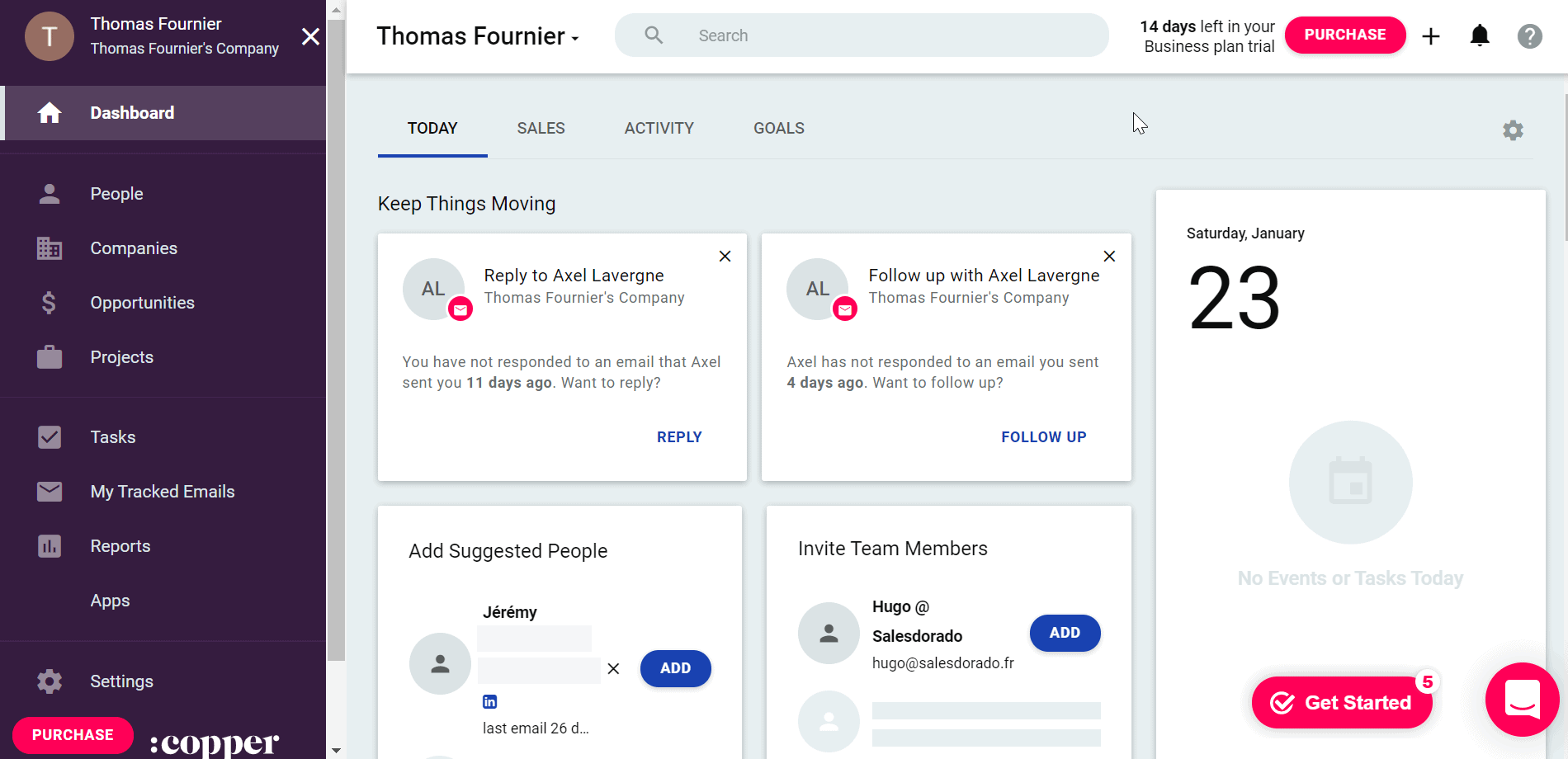
You can import contacts, companies and opportunities from other CRMs or through a spreadsheet and a CSV file. Although you cannot create a contact form for your website directly through Copper CRM, the software works with Google Forms and other similar tools; it also connects to Zapier to help you pull data from forms and social media.
The Chrome extension lets Copper enrich your customer data straight from your Gmail inbox through the “Add to Copper” button.
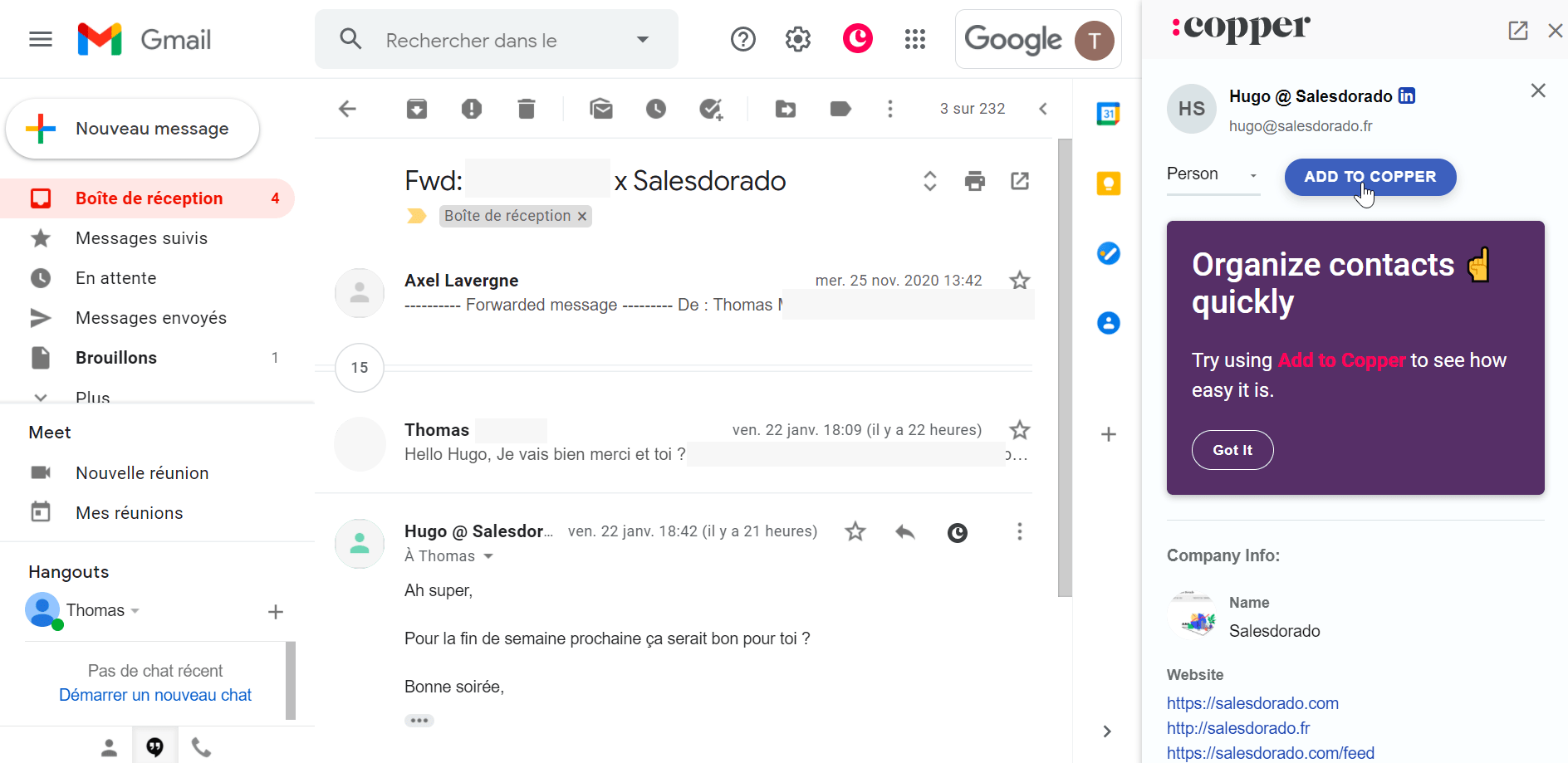
Copper also enriches the information you hold on your leads, with data it pulls from social media or the web to help you qualify your leads.
Salesdorado’s takeThe tool really is very intuitive. When you use Gmail as your work inbox, accounts sync in a few minutes and you can start using Copper CRM in under 10 minutes, stopwatch in hand!
The sales funnel
In Copper CRM, handling your sales funnel happens through two tabs: “Leads” and “Opportunities”.
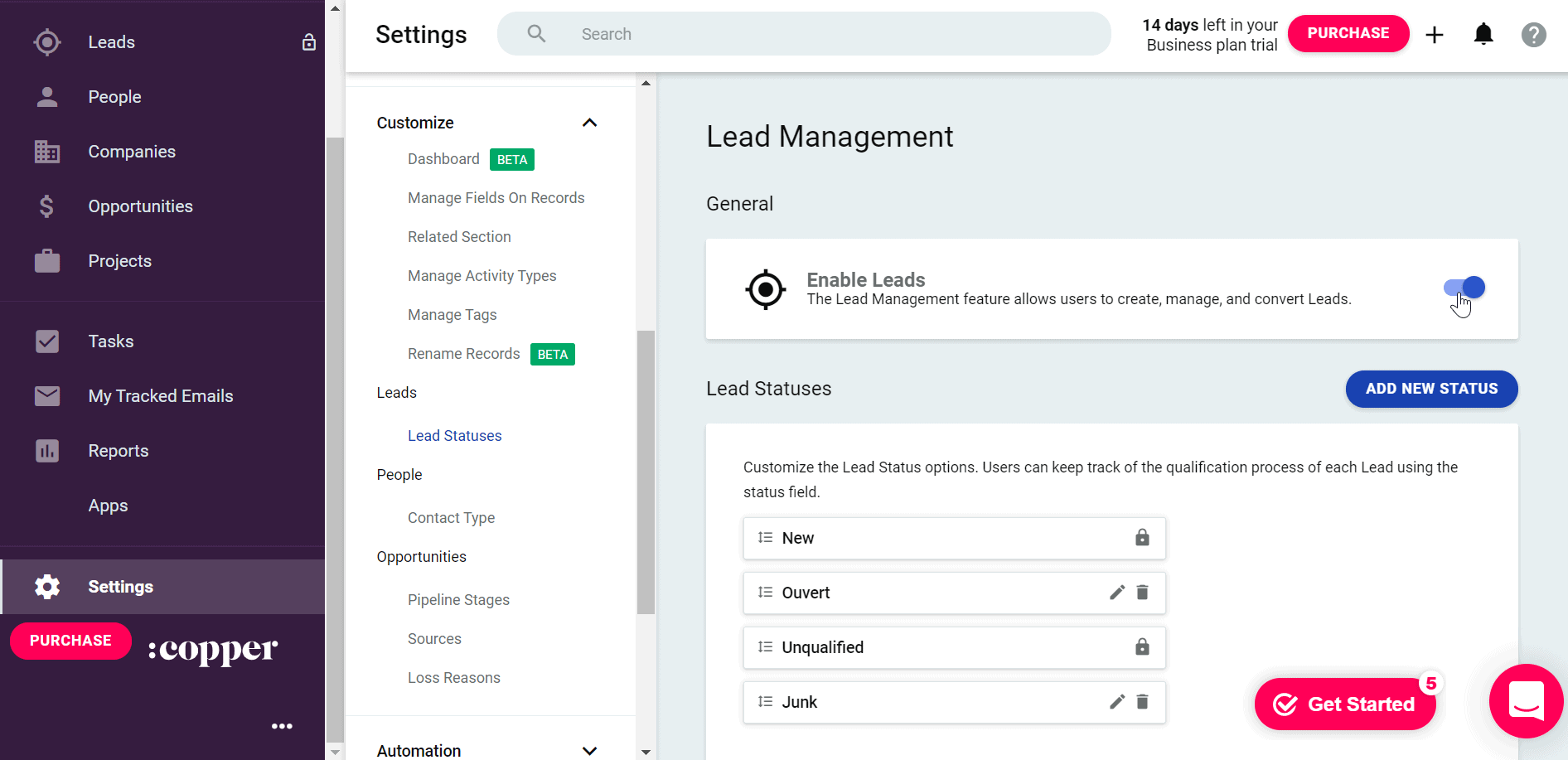
Lead tracking is optional and switched off by default. To turn it on, go to Settings and enable the option. Lead statuses can be customised, as can the default status of a new lead.
To help you, you can create triggers in Copper that automatically create and assign tasks. For instance, you can set up reminders to follow up on inactive contacts or trigger an onboarding task if a lead becomes a customer.
The “Leads” tab then appears in the drop-down menu on the left and lets you update the status of each of your leads.
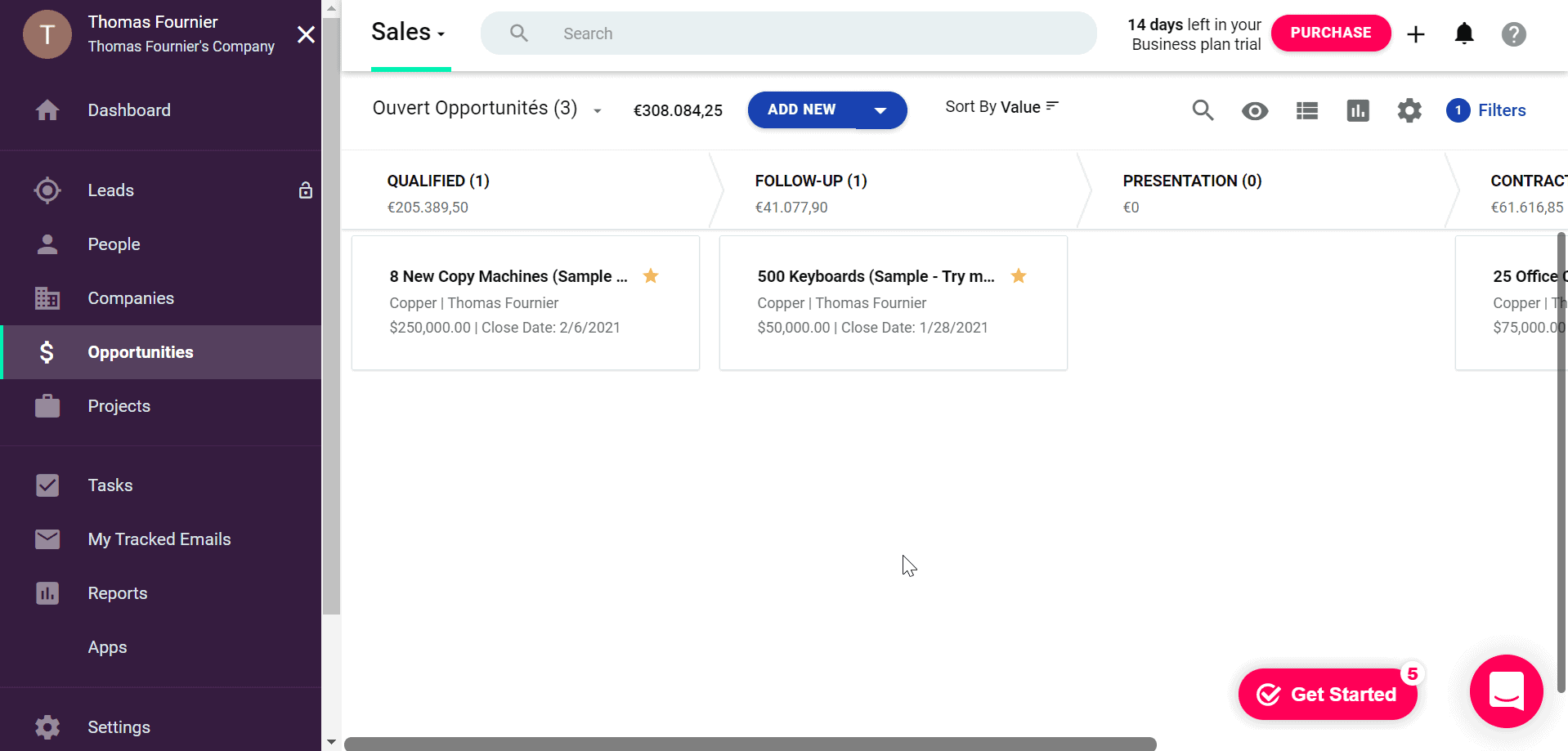
From the “Opportunities” tab, you can create the stages of your sales pipeline and track how opportunities progress through a “Kanban” view. You can of course edit each stage and adapt it to your sales processes.
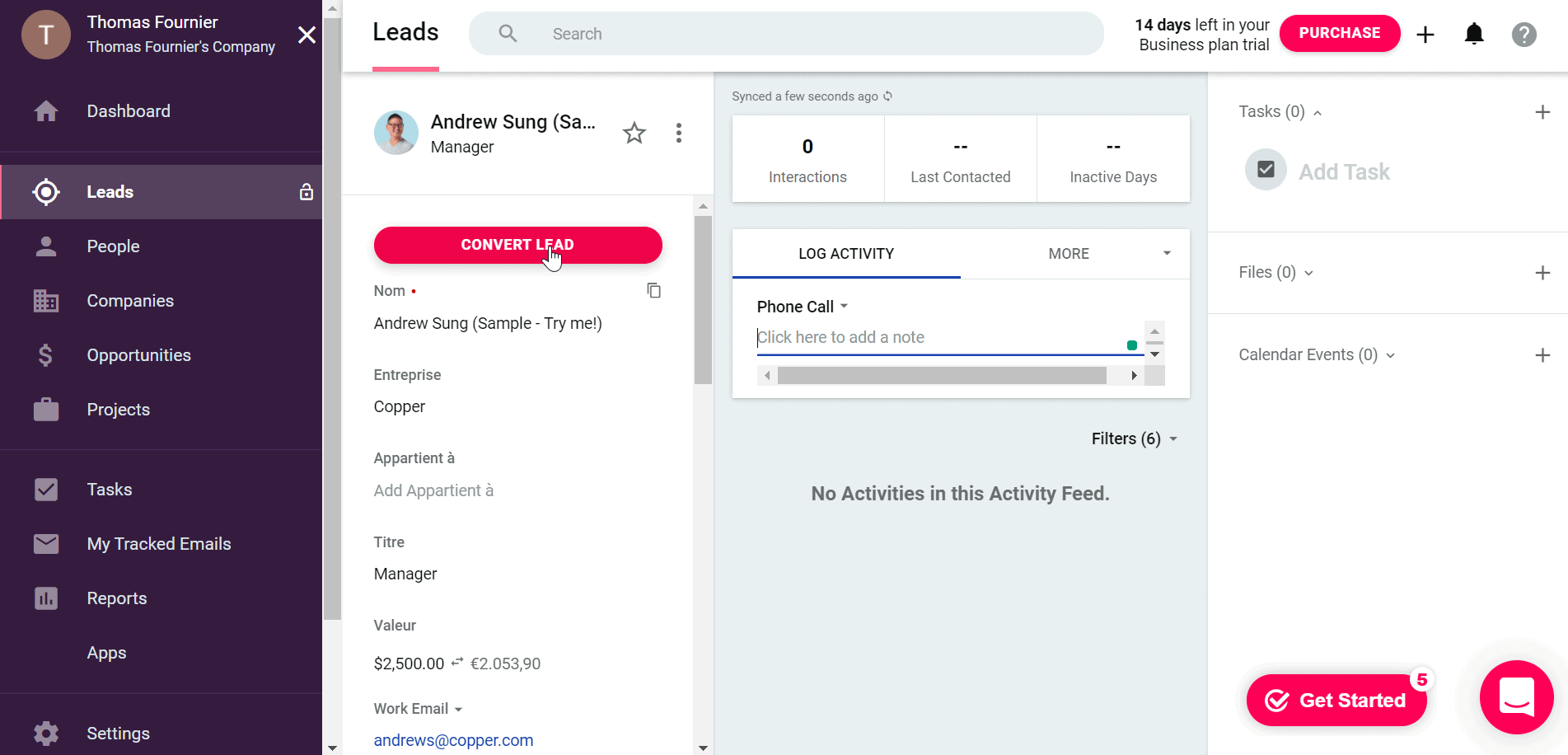
Copper lets you create new leads or contacts from inbound calls. Converted leads automatically move into the sales pipeline, which sits in the “Opportunities” section.
You can also switch on automated actions to, for instance, trigger a notification to the lead owner telling them it is time to follow up on an inactive lead.
There are plenty of useful reports for lead management, notably a summary of lead conversions, leads by source and conversions by source. Finally, for even more information and automation, Copper connects to MailChimp and Zapier.
Salesdorado’s takeBeing able to customise each stage of your sales funnel and the automation options make Copper a very complete solution for tracking your leads.
Ease of use and setup
The tool offers a complete set of features your sales team can use to convert your leads. If you already use the Google suite, getting started is more than easy, your contacts and leads will be imported into the tool in a few minutes.
A small learning curve will be needed to understand the various automations the tool lets you set up. The fact that Copper CRM is not available in French is also something to factor in, as it may hold back adoption among some of your sales reps.
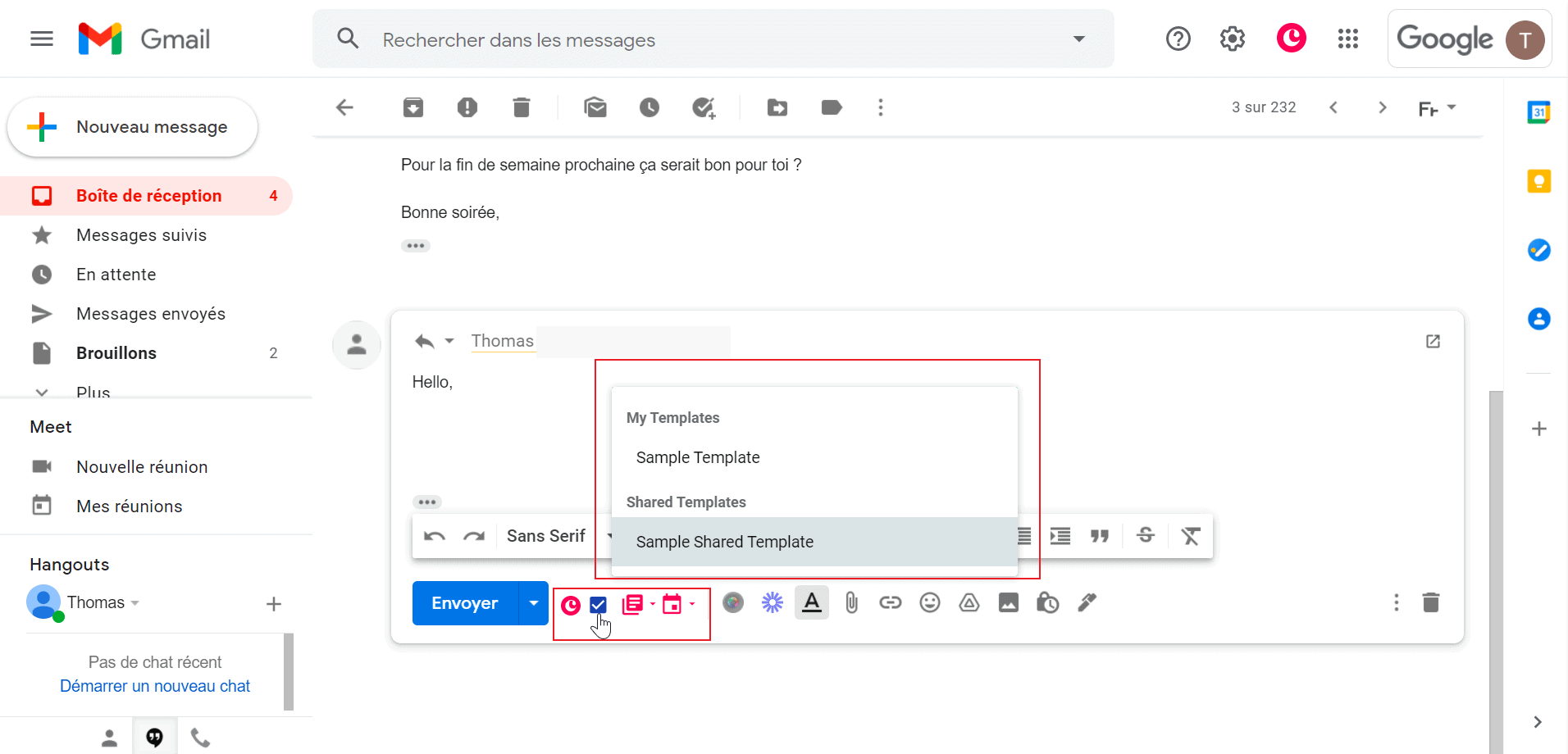
The Chrome extension lets you go a little further with the tool, notably through the email tracking feature. Switched on automatically, that option notifies you when the person you wrote to opens your email. You can also pick pre-saved email templates and event templates to save time.
Salesdorado’s takeWe are broadly very taken with the tool, which turns out to be a very good choice for SMEs, especially if you use the Google suite: the optimised integration will get your sales teams up and running quickly. One small reservation, though, on the language.
The integrations Copper CRM offers
Copper CRM is an ideal CRM solution if your company already uses Google products such as Gmail, Drive and Calendar.
Do not forget that Gsuite is THE main Copper integration: if your company uses Microsoft tools, it will not get the same integration characteristics.
Copper connects to the main marketing automation, support and collaboration tools, notably the following:
- Mailchimp
- QuickBooks
- HubSpot
- Zendesk
- RingCentral
- Slack
- Docusign
Those integrations and the API, however, are not available on every plan, so pay attention when you make your choice!
Salesdorado’s takeThe deep integration with the Google suite is both the strength and the limit of the tool: very effective and intuitive if you use it, far less so if you do not. For the other tools, note carefully that the “Basic” package gives you access to almost none of those integrations.
Copper CRM pricing
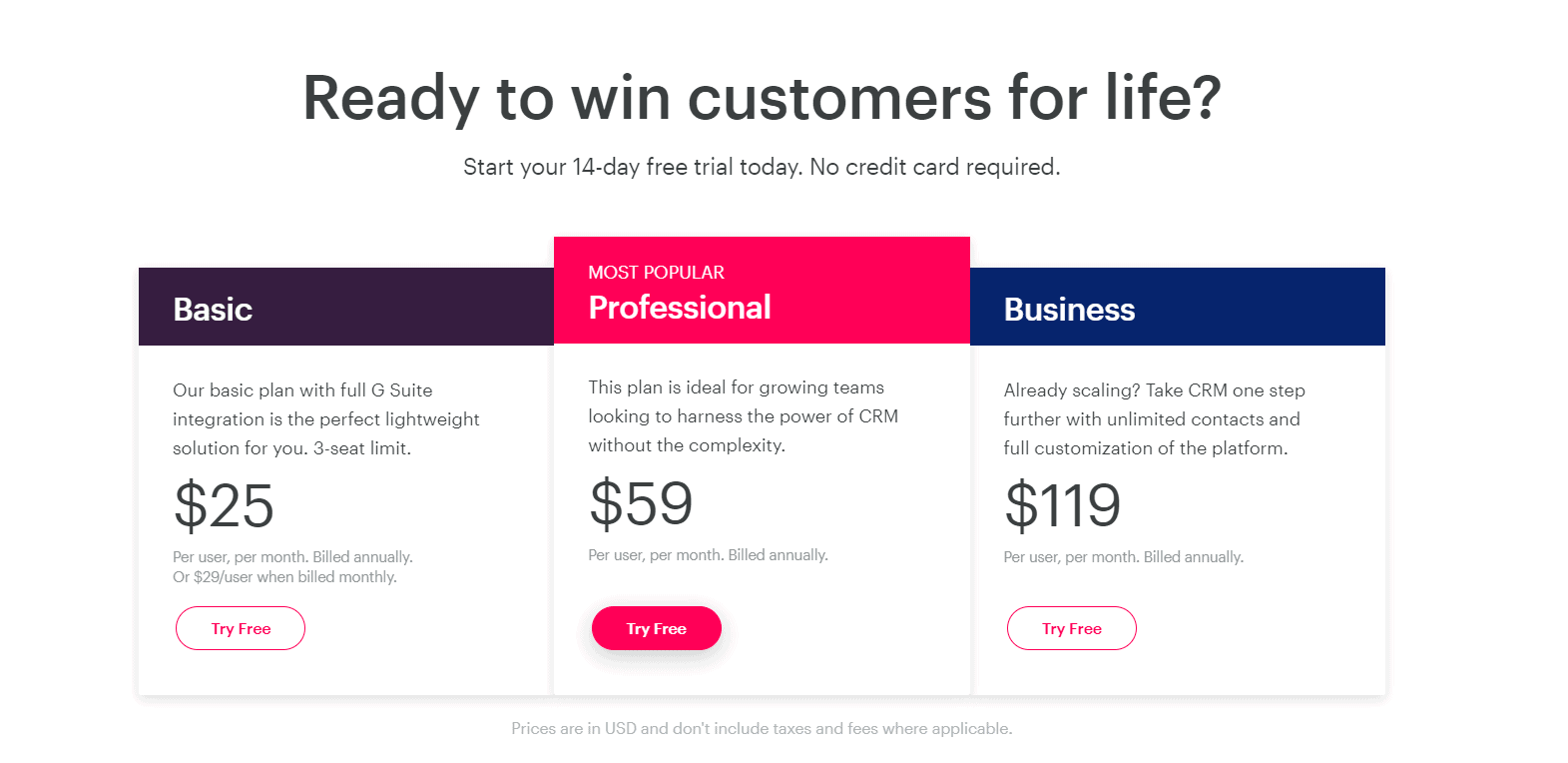
Copper offers three plans: Basic, Professional and Business.
- The Basic plan: $25 per user per month. It supports only three users at most. Overall that plan is fairly limited: no integrations, no access to automations and limited reporting tools.
- The Professional plan: $59 per user per month. That plan gives access to an unlimited number of users and up to 15,000 contacts, which leaves plenty of room. It also opens up all the Gsuite integrations and the other tools.
- The Business plan: $119 per user per month. For an unlimited number of users and contacts, that plan gives you every reporting feature, notably Goal Tracking.
Salesdorado’s takeOverall the price of the tool is a little higher than its direct competitors, but if you already use Gsuite across your organisation you will not regret it.