No more useless fields, imposed workflows and customisations that take weeks of development. With its no-code interface inspired by Notion, Attio lets you design the CRM of your dreams in a few clicks.
But does that make Attio the perfect CRM? Its youth shows on a few points such as the still limited integrations or the absence of advanced sales reporting features. Its approach can also throw you off at first, so far does it stray from the classic workings of a CRM.
In this complete review of Attio, we tell you everything you need to know about this very promising newcomer. Enough to help you work out whether Attio is the right CRM to support your business as it grows.
Attio CRM: an overview of the functional scope
Contact and company management
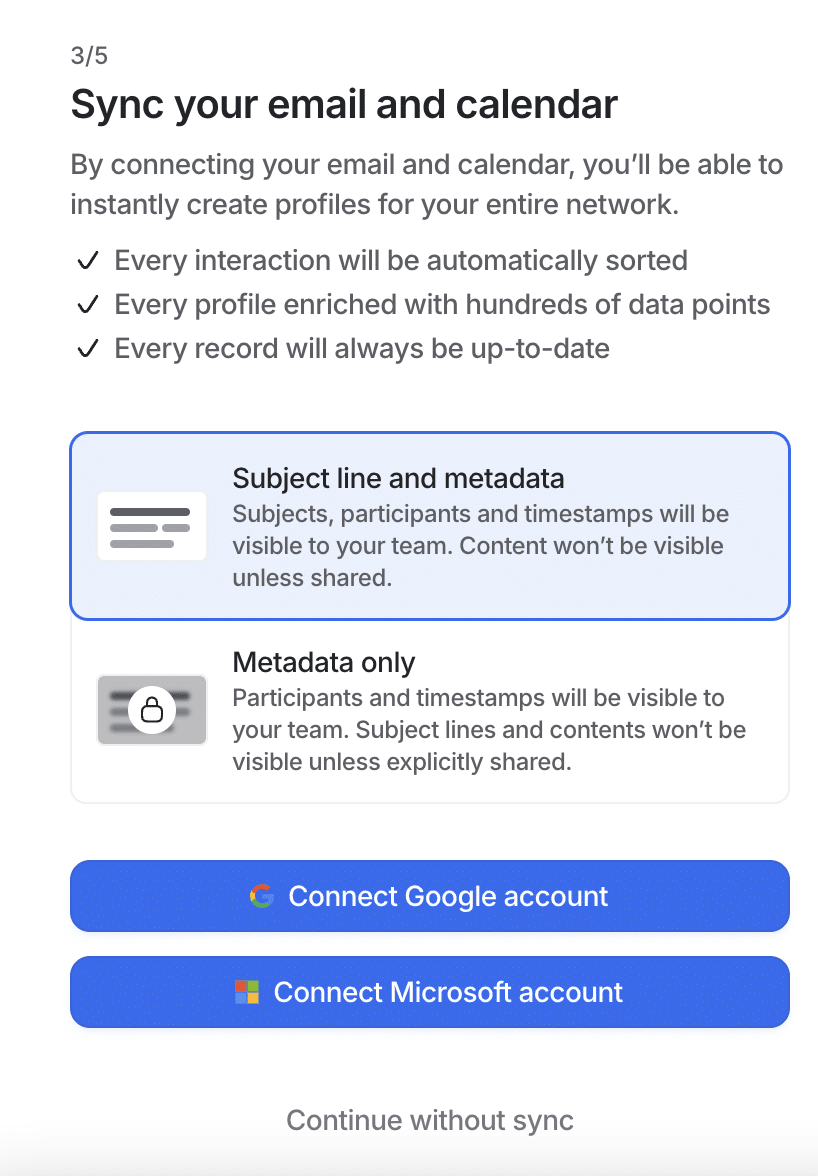
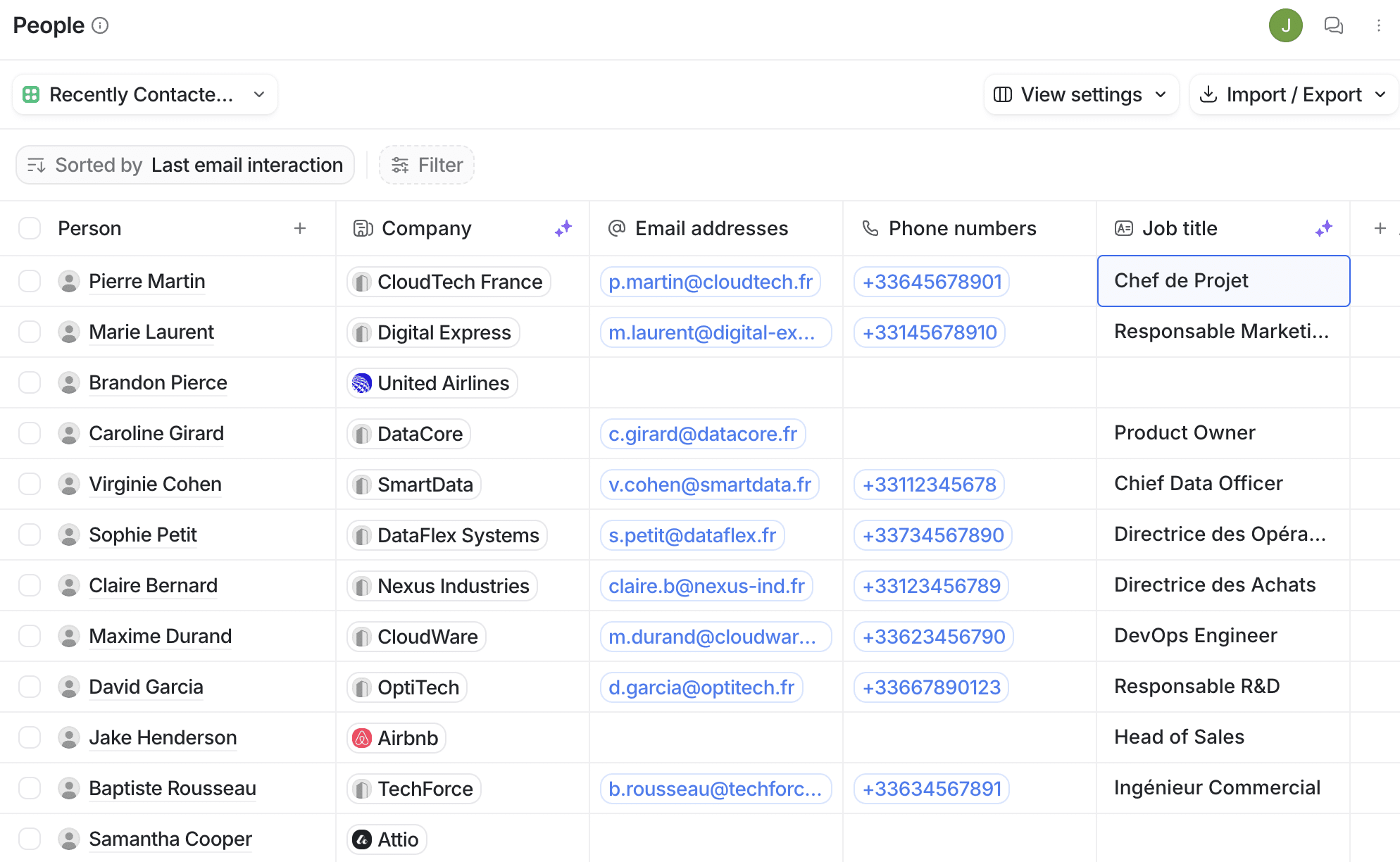
Contact and company management is at the heart of Attio, as of any CRM software. Every contact record can be fully customised with the fields you need, with no limit. You can add attributes specific to your business in a few clicks, to qualify your prospects against your own criteria.
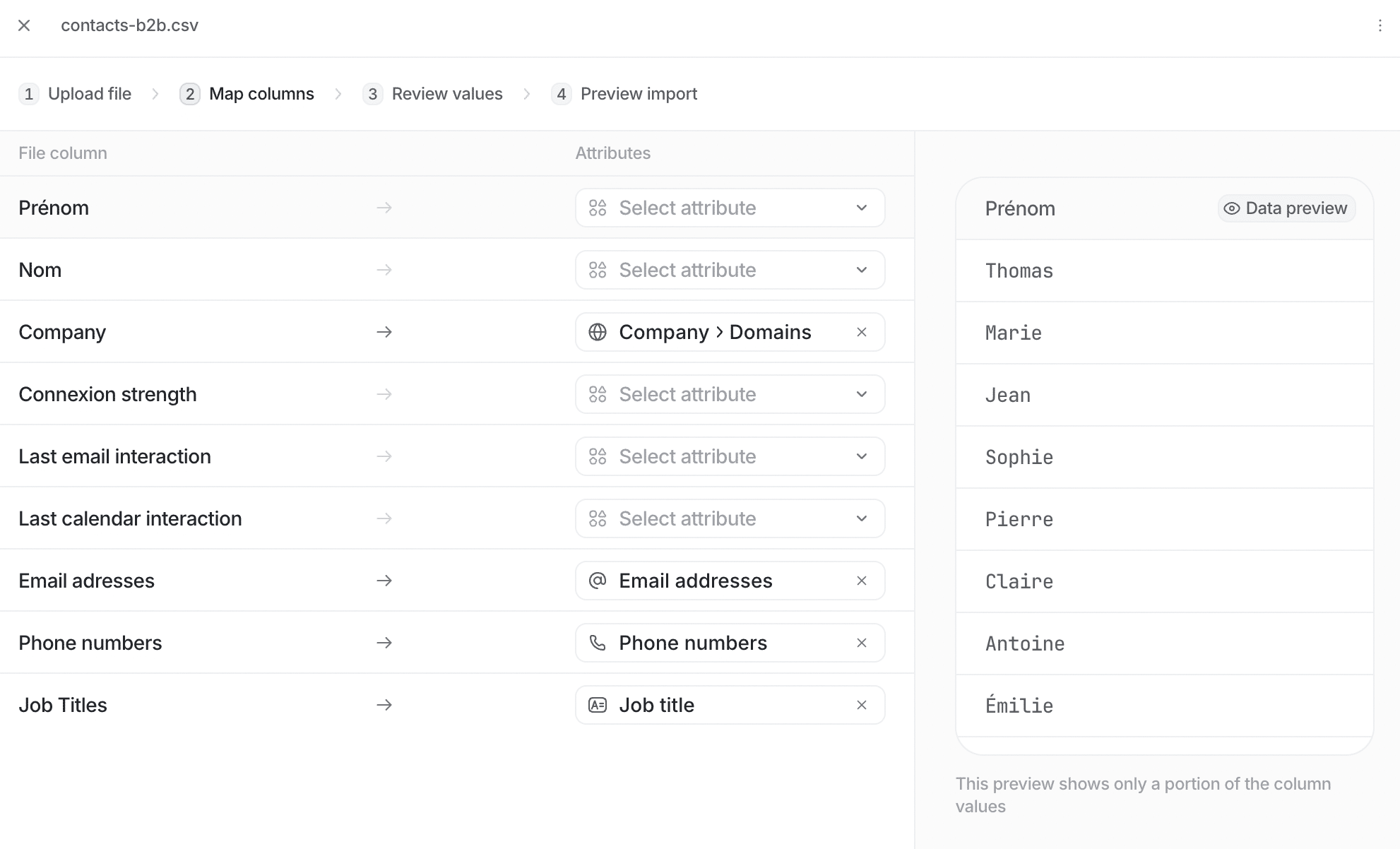
Importing your existing data into Attio is easy through CSV files or by connecting your mailbox. You can sync your contacts from your current CRM or your address book. The tool then takes care of automatically deduplicating and enriching the information.
Tracking the interactions with every contact is automated. All the exchanges by email, notes taken or tasks scheduled are centralised on the record. You therefore have a complete history, updated in real time. The timelines let you see the latest activity at a glance.
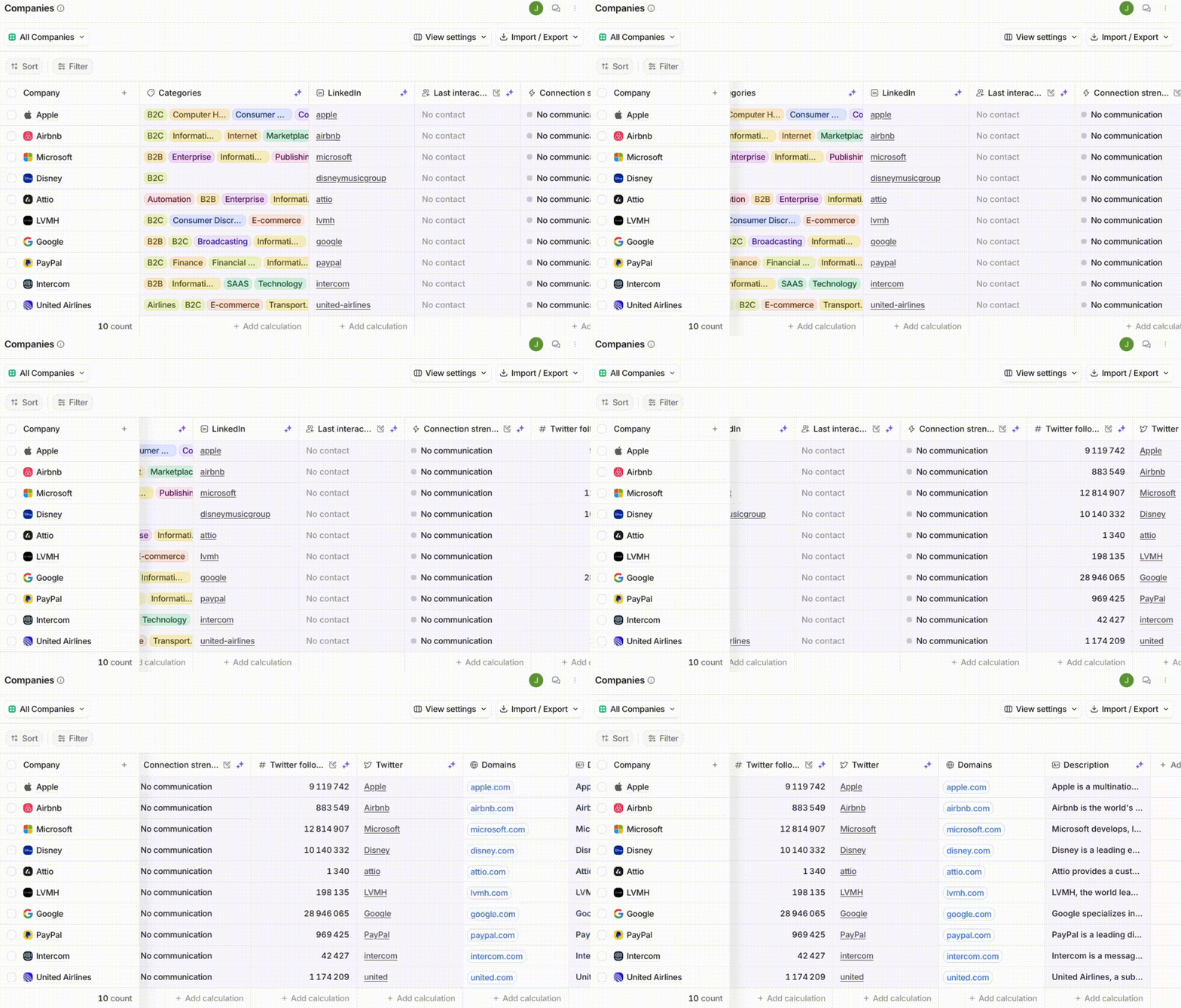
Ultra flexible filters and custom views then let you segment your contact base against any criterion whatsoever. The search engine also lets you find a person or a company easily.
Salesdorado’s takeAttio shines through its flexibility in managing contacts and companies. The intuitive Notion-style interface and the unlimited customisation possibilities make it a great tool for startups that need a flexible CRM.
Tailor-made sales pipelines
No more rigid, imposed pipelines. With Attio, you create your own deal stages and statuses, the ones that fit YOUR sales processes. You can qualify your opportunities however you like, without being limited by predefined fields.
Watch outThink your pipelines through carefully before creating them. Once your deals are inside, changing everything will be more complicated. Take the time to model your sales processes and to challenge them with your teams before getting started.
The Kanban-style pipeline view lets you follow the progress of every deal visually. At a glance, you see where your deals stand, which ones are stuck and what should be prioritised. You can easily move a deal from one stage to the next by drag and drop.
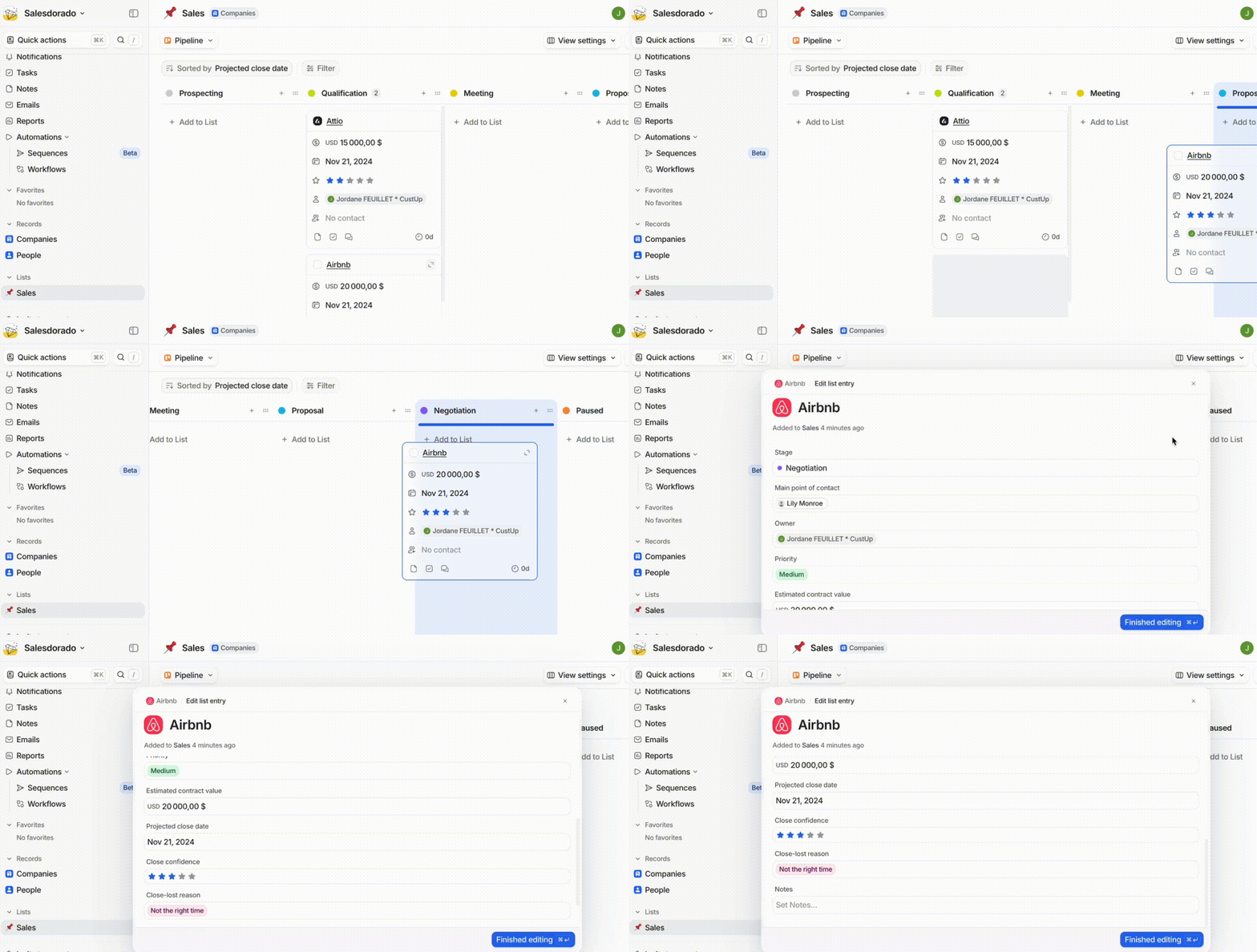
Every pipeline has its own settings. You can define triggers and automated actions at each stage, to gain productivity. For instance, you can automatically send an email to the customer when a deal moves to the “Proposal sent” stage.
Tracking targets and sales forecasts is built in natively. You can set an amount and an estimated close date for each deal and track your performance in real time. Reporting gives you a clear view of the state of your pipeline at any moment.
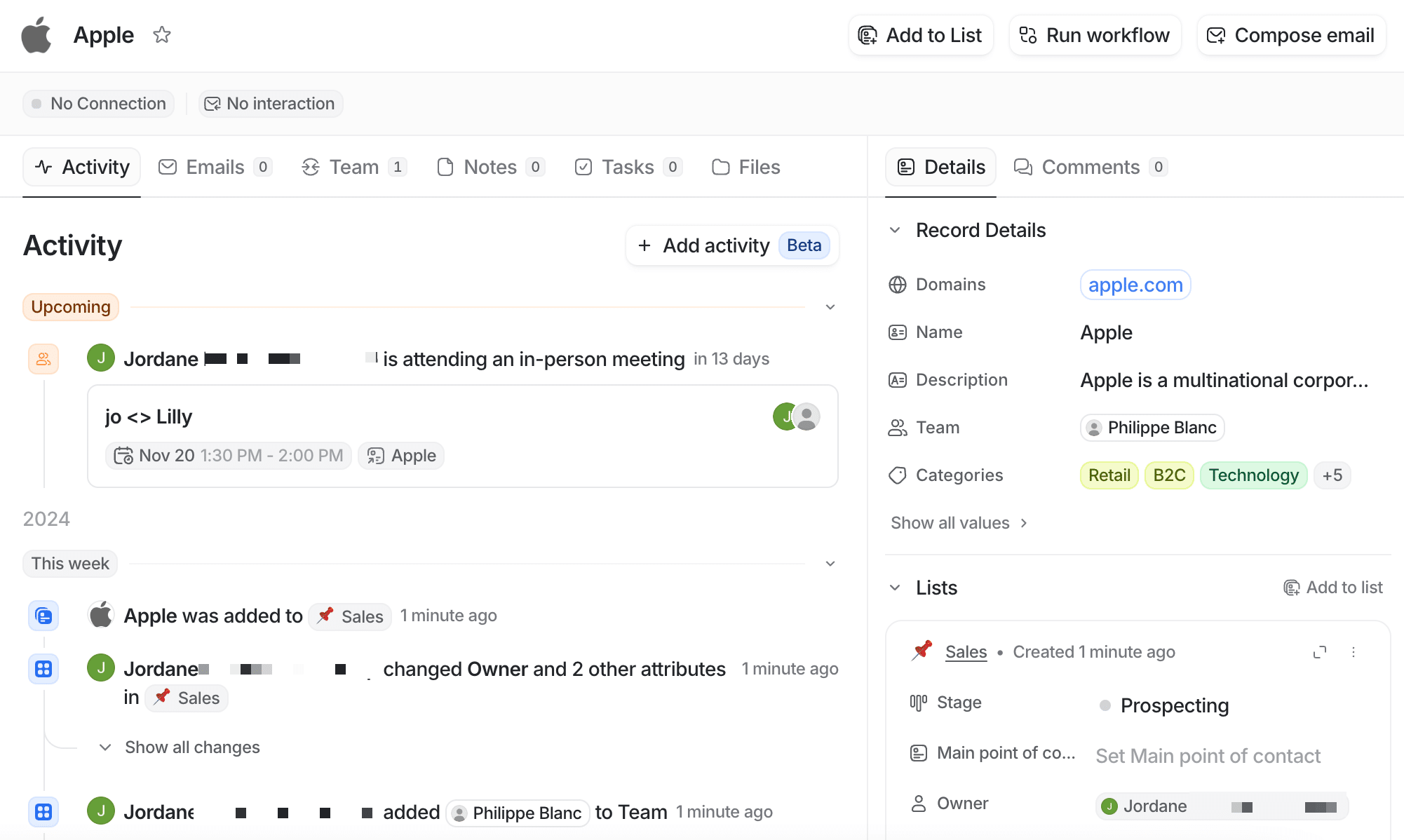
Salesdorado’s takeThe deep customisation of the sales pipelines is one of Attio’s strong points. That flexibility lets every company model its own sales processes, without being constrained by preset structures. But do think your pipelines through carefully before putting them in place, because changes after the fact are always a pain.
Team collaboration and communication
Attio has been designed to smooth out teamwork and centralise information. Within a single space, you can create discussions around a contact, a company or a deal. No more exchanges scattered across email or an external chat. All the information is straight in the CRM.
You can easily mention your colleagues to draw their attention. Everyone can leave a comment, share a note or a useful document. All the exchanges are saved and timestamped to keep a clear history.
The tool also lets you assign tasks to your colleagues. In one click, create assignments and track how they progress. Smart notifications alert you to tasks coming due or running late. You get an overall view of who has to do what, without letting anything slip.
Tracking external communications with customers is also made simpler. All the emails exchanged are automatically brought into the CRM and matched to the right contact. Your team therefore has access to the complete interaction history, for better customer knowledge.
Watch outMake sure you set the ground rules for internal communication in Attio. Who can see what, who can comment where… Having a clear framework will avoid drift and ensure your teams adopt it properly.
Sales reporting and analytics
Attio offers simple but effective reporting, centred on the key metrics of your pipeline. Native, customisable dashboards give you a real-time view of the state of your sales.
You have the option of tracking the volume and the amount of deals by stage, the average time to close a deal or the conversion rate of your pipeline. All those indicators help you quickly identify your strengths and the points to improve.
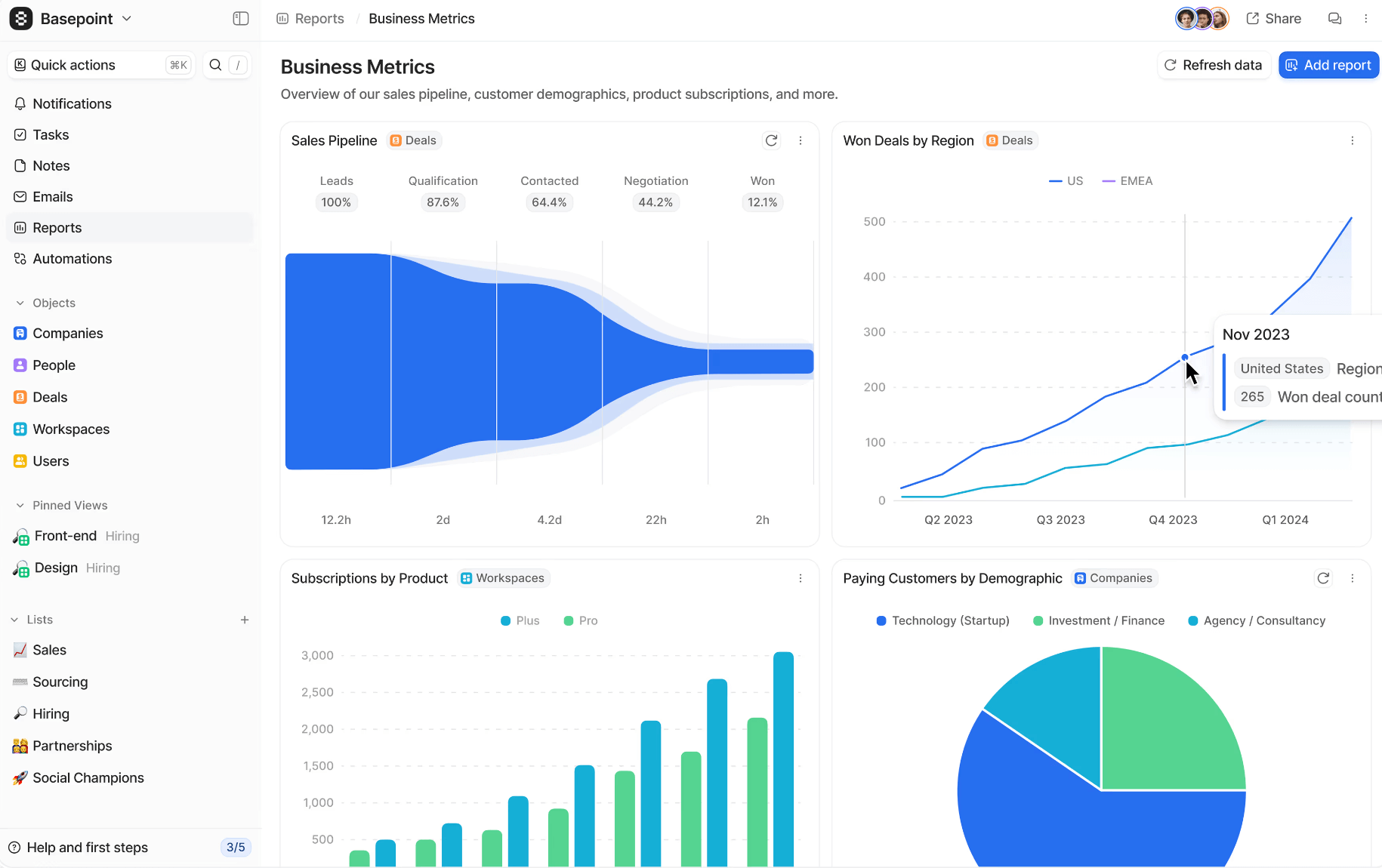
Visual reports also let you analyse the individual performance of every sales rep. You can track who generates the most revenue, who closes fastest or who has the best conversion rate. That information is key to challenging and motivating your teams.
You can also create your own tailor-made reports, cross-referencing the data to suit your specific needs. The possibilities are wide: analysing the best lead sources, tracking revenue by region or by customer type, and so on.
Predictive analytics, still in beta, will soon be built out. It will let you obtain ever more reliable sales forecasts and optimise your pipeline accordingly. A roadmap that will fill a gap for data-oriented teams.
Salesdorado’s tipThink your reporting through against your business goals. Which indicators really matter for your activity? Focus on those to begin with. You can always build out your dashboards later.
Automation and data security
Automation is at the heart of Attio. Plenty of time-consuming and repetitive tasks can be automated to make your sales reps’ lives simpler and help them gain productivity.
Workflows can be set up in a few clicks, using custom triggers and actions. Examples: automatic assignment of new leads to the right sales rep according to rules, sending a follow-up email after a proposal, updating a status if the customer opens an offer, and so on.
Those “recipes” are easy to configure, even for non-technical people thanks to the no-code interface. And to go further, Attio has an open and well documented API. You can therefore connect the CRM to your internal tools and develop your own integrations.
On security and compliance, Attio makes no compromises. All your data is encrypted, stored and backed up on secure servers (AWS). Security audits are carried out regularly and the best standards on the market are applied: GDPR, CCPA and ISO 27001 compliance.
You keep full control over your data and over user access. Roles can be assigned to every team member to define their permissions, read, write or administrator. Enough to guarantee the confidentiality of sensitive information.
Attio CRM’s customer support: how good is it?
Customer support is an essential criterion when choosing a CRM software. At Attio, the support aims to be premium, whatever the size of the client company. A chat built straight into the tool lets you contact the support team directly and get a fast answer.
Most requests are handled in a matter of hours, with a search for concrete solutions suited to your needs. The technical teams are responsive and do not hesitate to go deep on complex subjects.
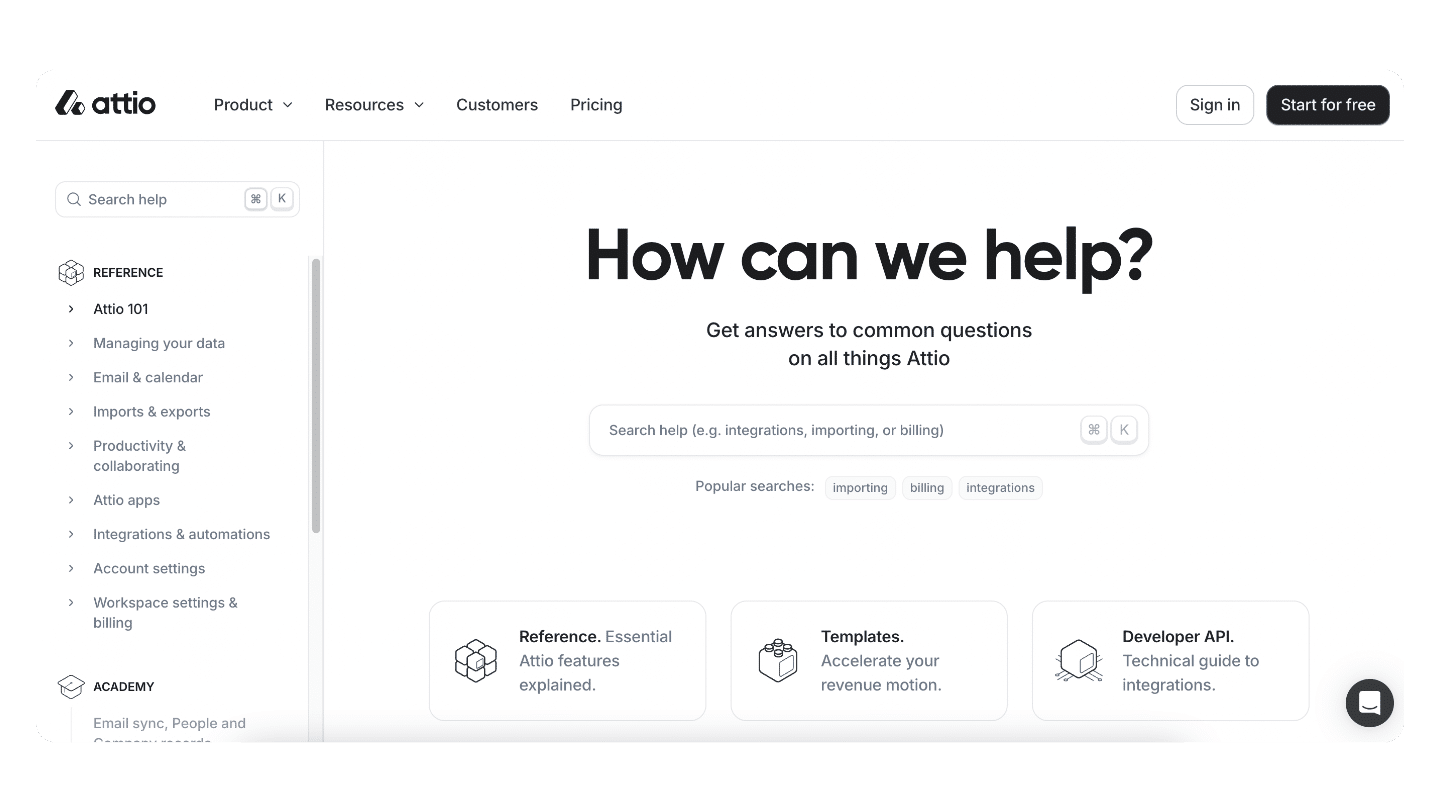
For more basic questions, an online help centre gathers plenty of articles, organised by theme. There you will find precise answers about the CRM’s features, along with screenshots and explanatory videos.
Webinars are also held regularly to present the good practices for using the tool and answer users’ questions live. They let you get up to speed quickly.
Lastly, we like the proactive help resources, built straight into the tool. When you use a feature for the first time, contextual help bubbles come up to guide you step by step. Very welcome for getting started quickly, without even having to call on support.
The one reservation is that most of the resources are in English as things stand. The articles are starting to be translated into French but there is still a long way to go. An effort is still needed to fully win over the French-speaking market.
Despite that point, Attio’s customer support is impressive in its quality and its responsiveness. It remains to be confirmed whether that high level of service can be held over the long run.
Salesdorado’s takeAttio’s customer support is responsive and good, a major asset for a CRM that is growing fast. The proactive help resources and the built-in chat make getting started much easier. The one reservation remains how much English dominates the documentation.
Attio CRM pricing
A generous free plan
Attio stands out with a free plan among the most generous on the market. Up to 3 users, you can enjoy most of the tool’s features without spending a cent.
The only limits concern the number of integrations through Zapier, 5 at most, and some advanced automation and reporting options. But to discover the tool and adopt it in a small team, that free plan does the job perfectly. It is an excellent way to test Attio in real conditions before reaching for your wallet.
Pricing in the market average
Beyond 3 users, Attio works on a per-seat pricing model, that is to say per user, with 3 paid plans.
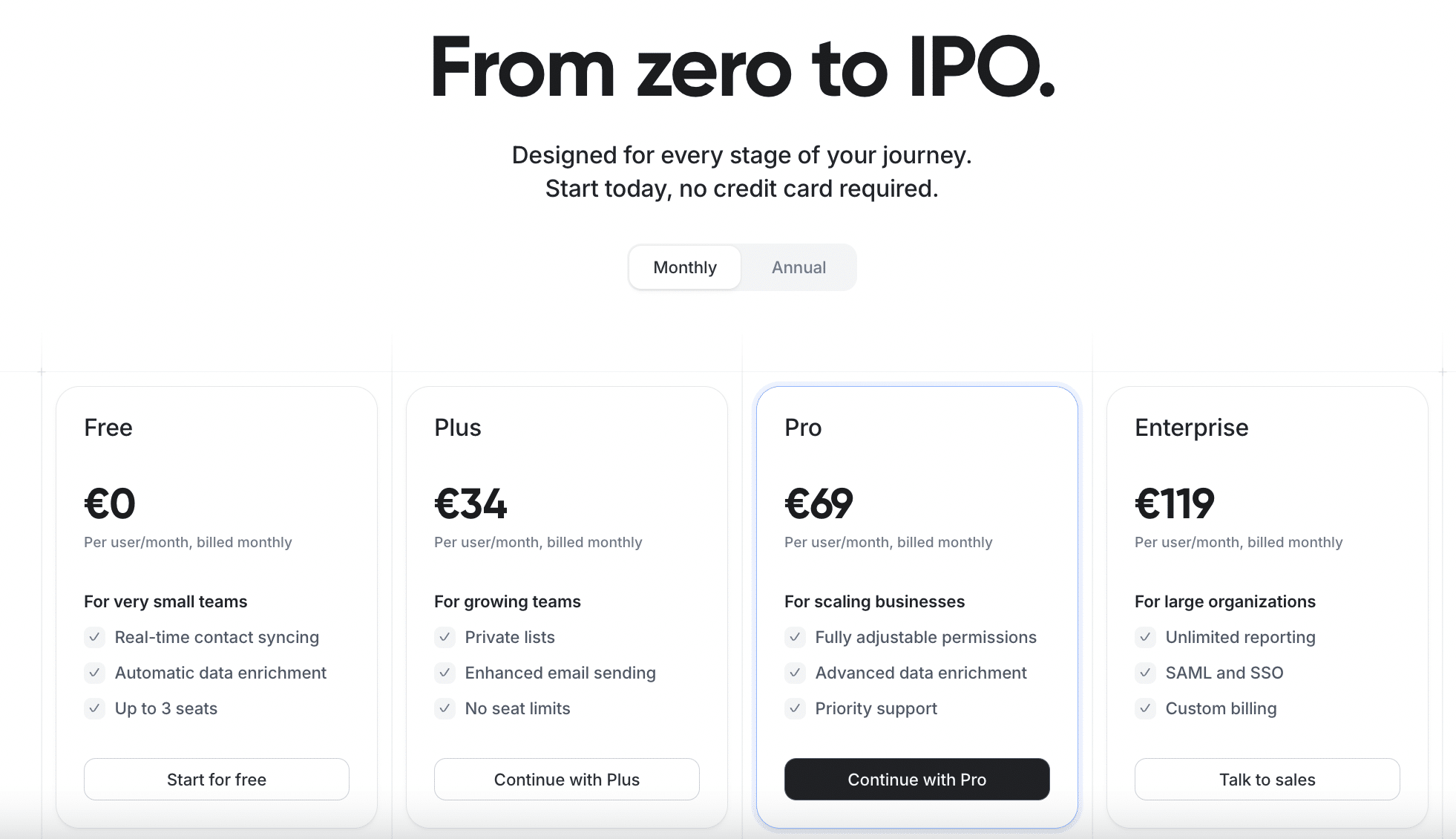
- The first one starts at €34 per user per month. It gives access to all the CRM’s basic features: contact and company management, custom pipelines, team collaboration, email and calendar integrations.
- To unlock the more advanced options, you have to move up to the “Pro” plan at €69 per user per month. That notably lets you create roles and access privileges to better secure your data and enjoy priority customer support.
- Lastly, for companies with specific needs such as SSO, annual billing or dedicated onboarding, an “Enterprise” plan is offered at €119 per user per month.
Overall, Attio’s pricing grid sits rather in the market average, or even cheaper than some competitors at an equivalent scope.