Here is our detailed review of Freshsales. In a few minutes you will know whether Freshsales is for you, or not.
Freshsales: a tool in the Freshworks suite
Freshsales is the CRM software published by Freshworks. Founded in 2010 by former Zoho CRM people, Freshworks is a suite of business software focused on customer relationship management that includes the following products:
- Freshdesk, a solution for handling tickets on the web, by email and on social networks.
- Freshcaller, contact centre management software (CCaaS) for handling inbound and outbound calls.
- Freshchat, a tool for building and deploying a chatbot on your digital channels, the website in particular.
- Freshmarketer, marketing CRM software for running your campaigns and marketing scenarios.
The Freshworks products cover customer relationship management in its different dimensions: sales, service and marketing.
So be careful not to confuse Freshworks and Freshsales. If you hear about “Freshworks CRM”, that is Freshsales.
Salesdorado’s takeFreshworks offers a very coherent suite, with tools that genuinely complement each other. If you are considering the Freshsales CRM and you are looking for ticketing software at the same time, for instance, we clearly recommend looking at Freshdesk too, which has a strong reputation in its field, ticketing software.
Dashboard
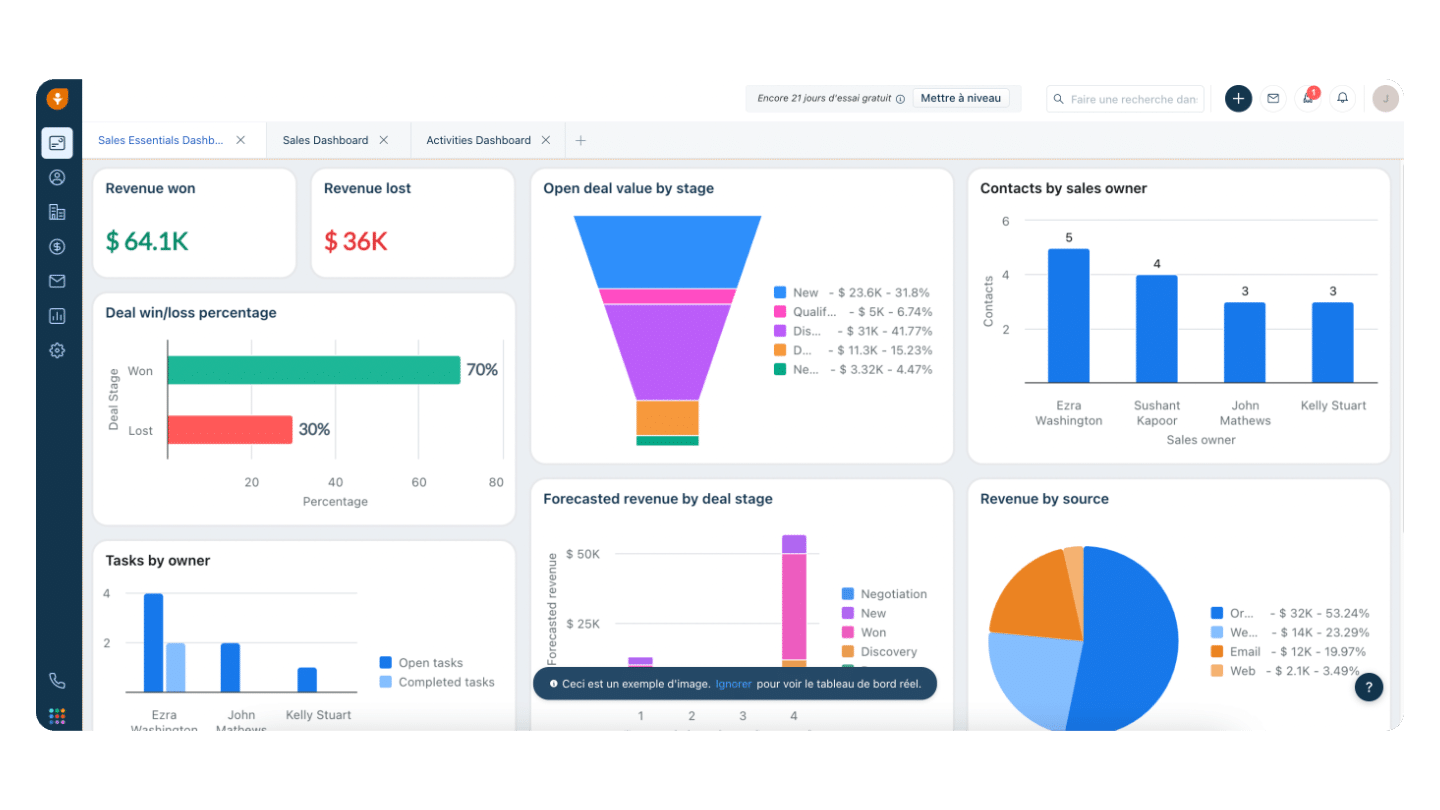
Let’s dive straight into the Freshsales interface. The tool has a menu on the left that gives access to its various features. The first button in the menu opens the dashboard. The one shown in the screenshot above is an example of what is possible, but the Freshsales dashboard is 100% customisable.
You can customise in detail how the data is displayed and which indicators you want to track. Freshsales offers surprising flexibility here. On top of the performance table, you can also see upcoming tasks, meetings and reminders.
Contact management and customer records
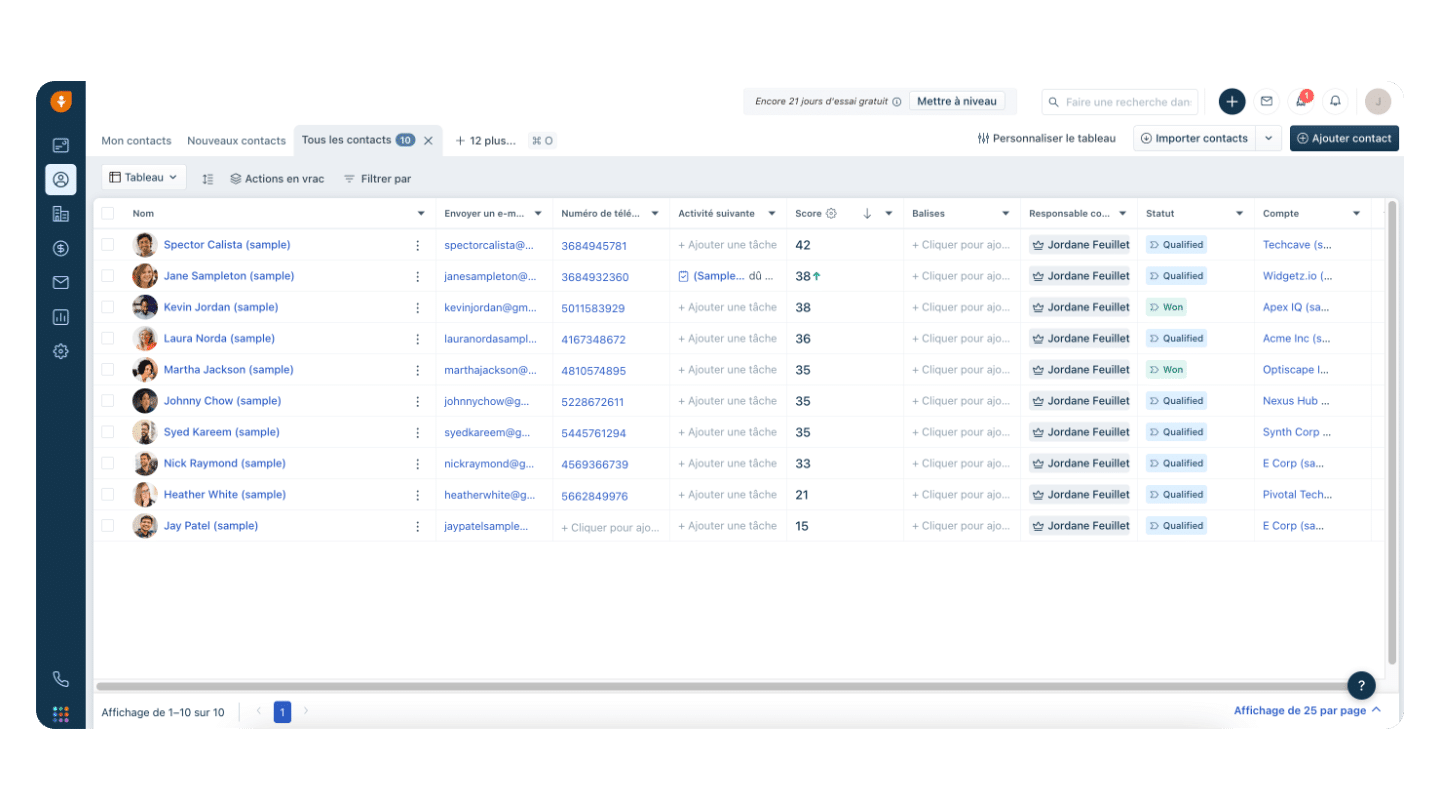
On Freshsales, contact management is very simple: you get a list of every contact with columns showing the key information. You can use a search engine to find your contacts more easily and customise the columns of the contact database. If you click on a contact, a window opens with the detail of that customer’s record.
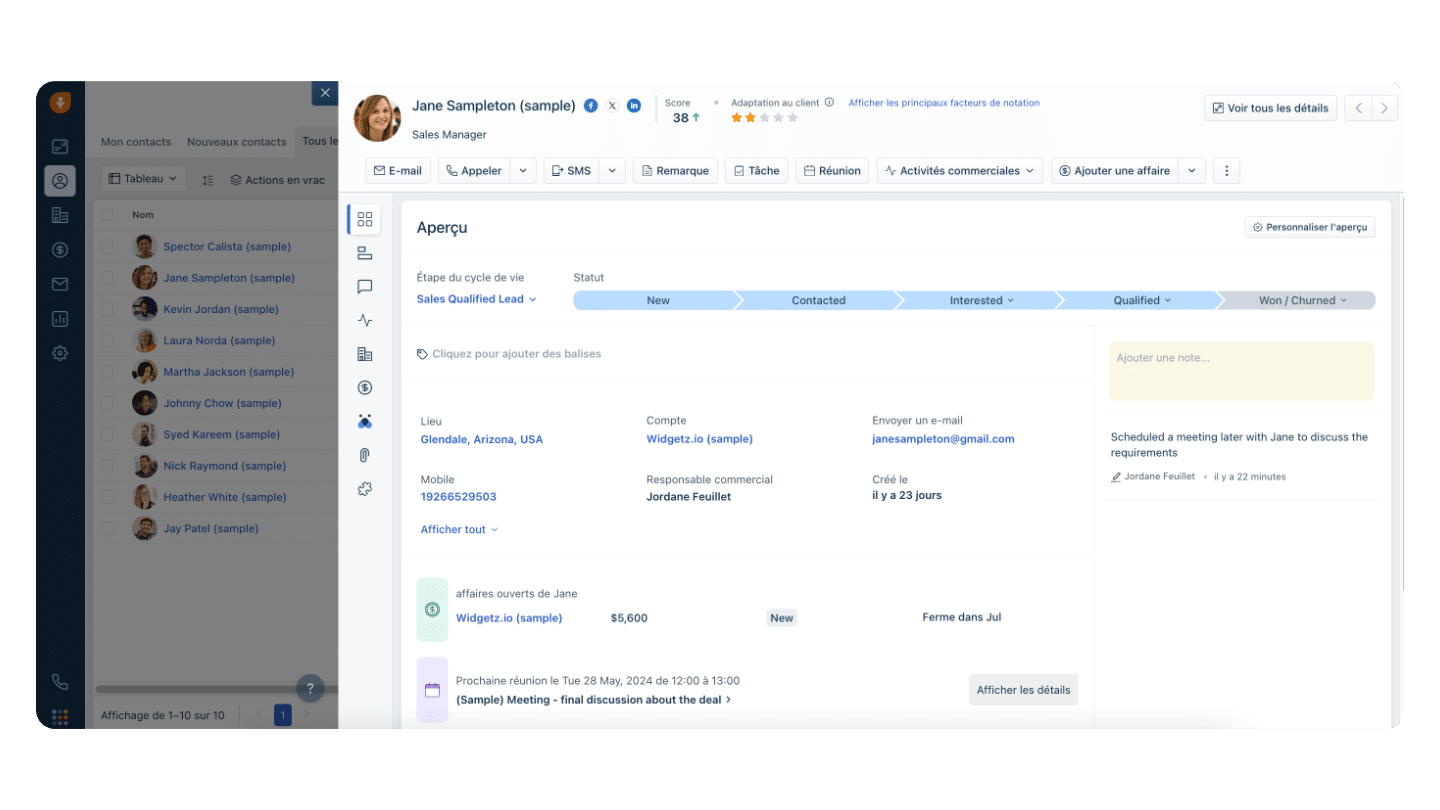
The customer record shows all the information about the customer: their stage in the sales funnel, their attributes and information, their contact details, the conversation history, the timeline of activities and events, the attachments, and their score if you use Freddy AI, the Freshsales AI available from the Growth plan onwards.
From a customer record you can add a task or a meeting related to that customer, or place a call directly, or send an email or an SMS. In short, Freshsales handles sales contacts, prospects, opportunities and customers very effectively, all served by a clean interface that is pleasant to use.
Account management
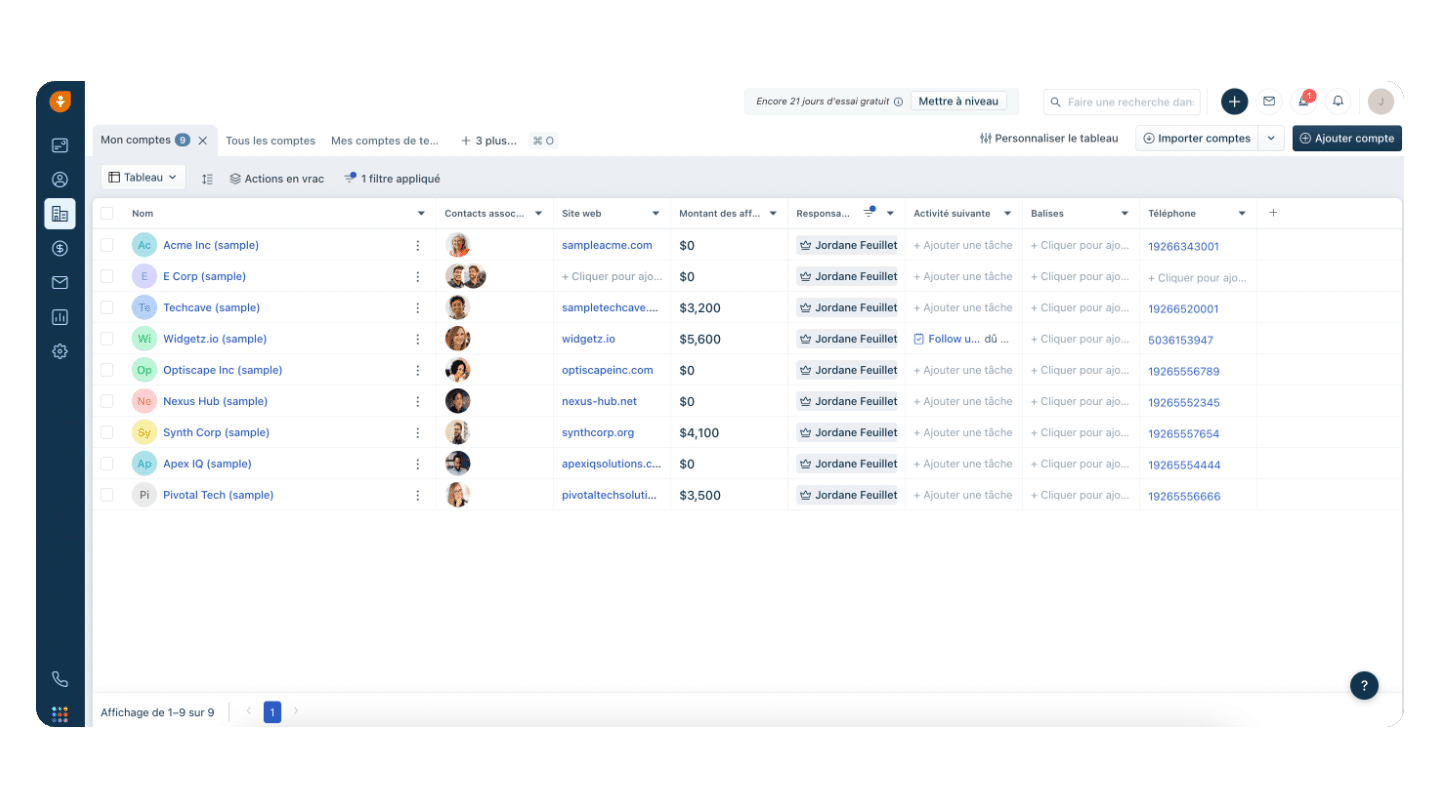
The account management interface is very close to the contact management one. Clicking an account opens the account record. It shows all the key information and data about the company: firmographic data, the list of people you are in touch with inside the company, the conversation history with the company’s contacts, the activity timeline, and closed or open deals.
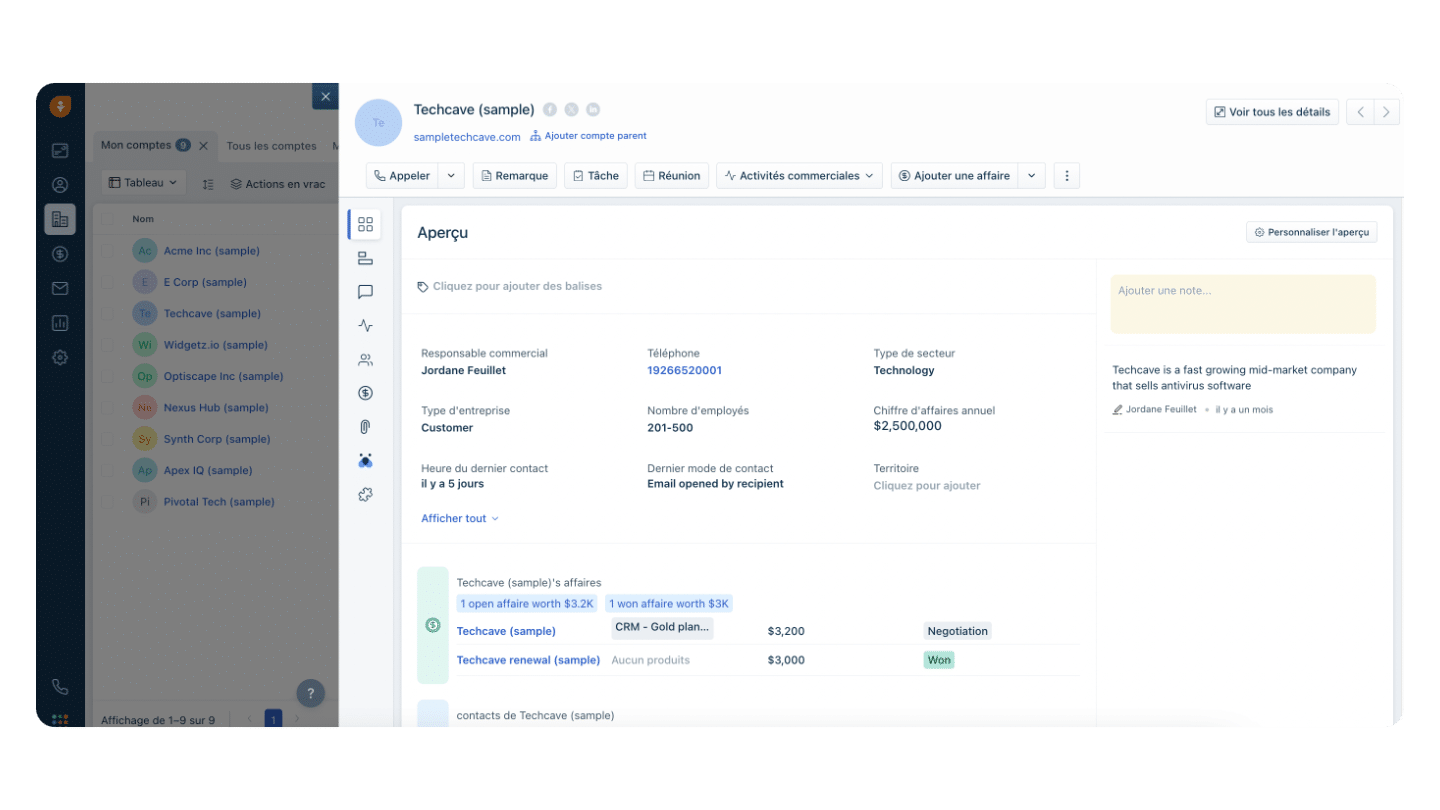
Salesdorado’s tipIf you have subscribed to the Enterprise plan, you can use the lead enrichment feature to fill certain fields automatically with public information. For example: revenue, headcount, industry classification code and sector of activity.
Deal management (sales pipeline)
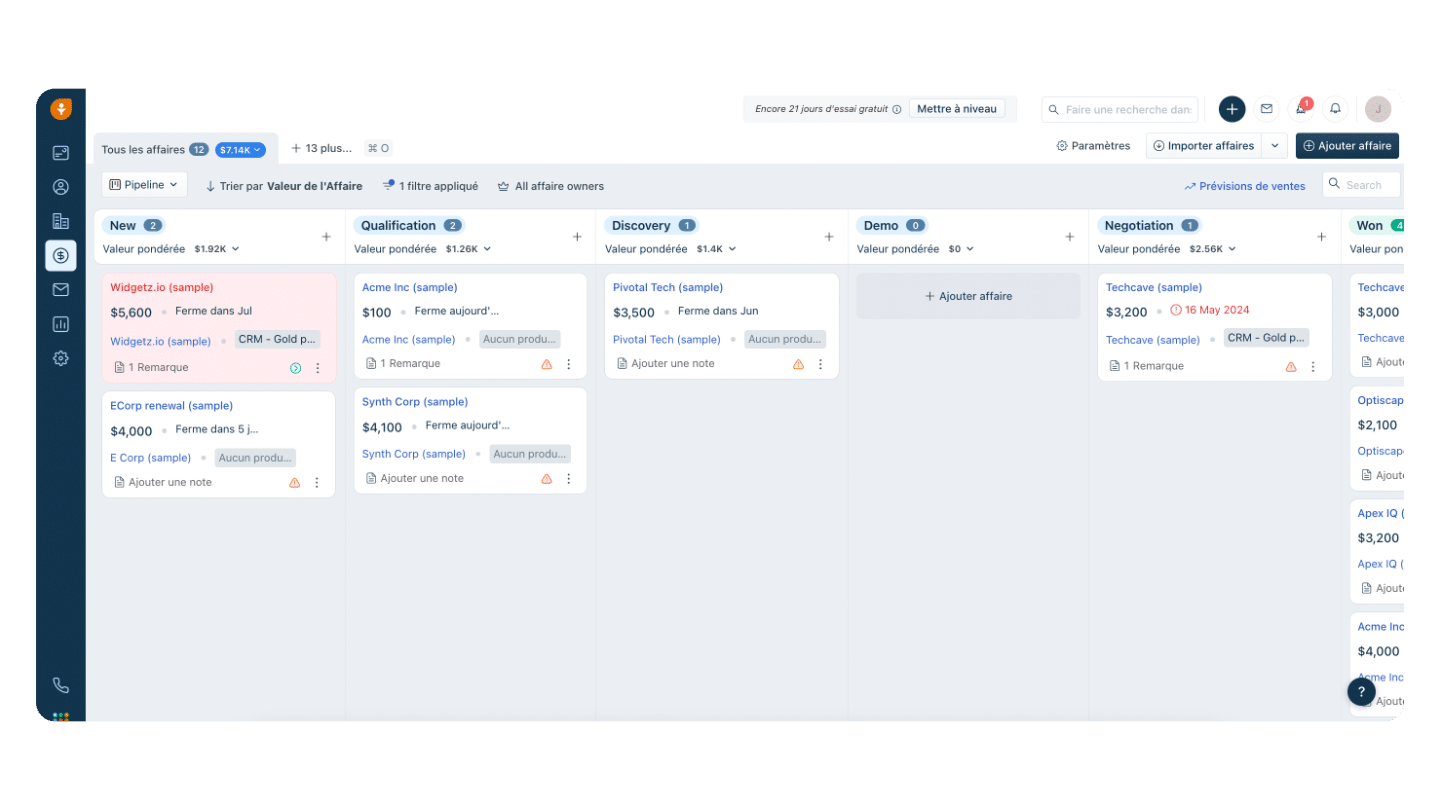
The sales pipeline takes the form of a Kanban board. It lets you see sales activity and the handling cycle of your prospects in detail, from the moment the contact is created through to the deal. If you use a tool like Asana or Trello, you will feel at home. It works the same way here: you move the “cards” to the right as leads progress through the sales funnel, all the way to the “Won” column… or “Lost”.
You can open the account records linked to a card by clicking on it. In short, the sales pipeline Freshsales offers clearly does the job. It is clear, simple and complete at the same time.
For the record, if you subscribe to the Pro or the Enterprise plan, you can create up to 10 distinct sales pipelines. That is handy if you have several teams or several departments with segmented management of sales activity.
Conversation management (email, phone, SMS, chatbot)
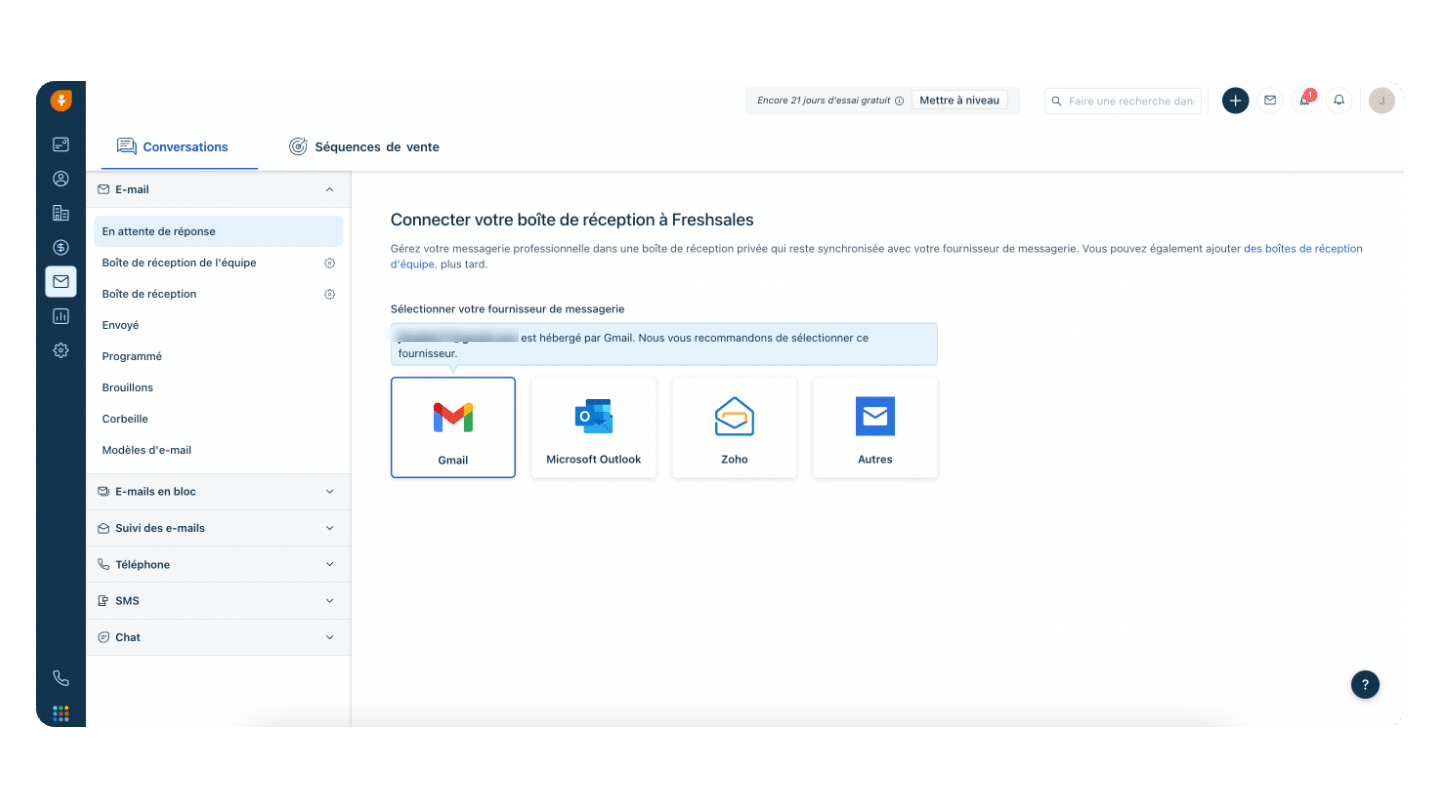
Freshsales lets you manage your work inboxes straight from the CRM. You can connect your Gmail and Outlook addresses by setting up two-way or one-way syncing, all in a few clicks. Two-way syncing is handy if you want to keep sending and receiving mail in your third-party inboxes.
Freshsales also lets you create team inboxes, which let every member of a defined team read the mail that comes in. A genuinely handy feature for teamwork and collaborative lead management.
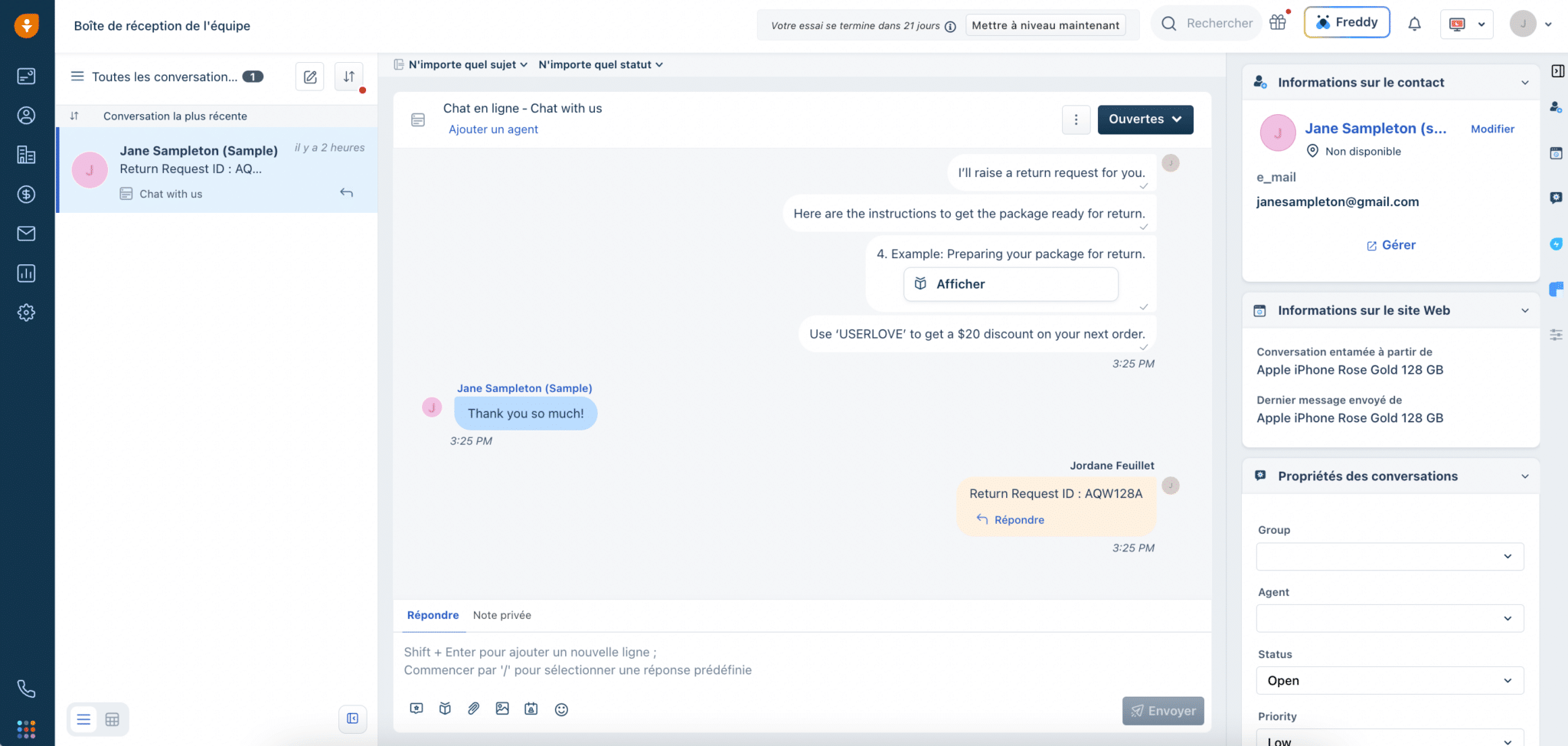
The conversation management module is not limited to email. You can also handle phone calls, SMS and the sessions of your chatbot users in the same way.
Reporting & analytics
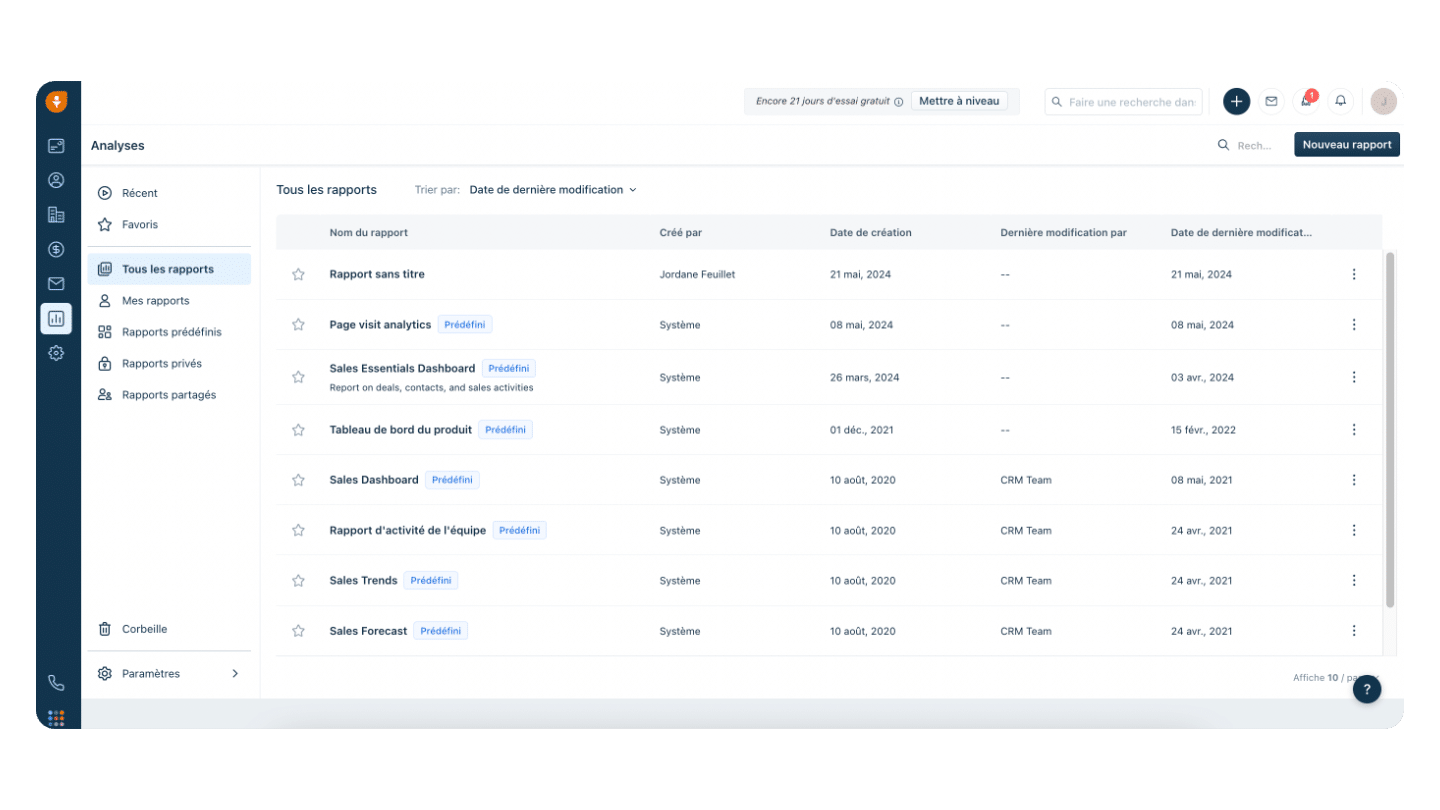
Freshsales offers a good ten predefined sales reports that look visually like the dashboard shown above. There are predefined reports on sales activity, on products, on sales team activity, on sales trends and on sales forecasting.
All these pre-built reports are fully customisable: you can rework how the blocks are laid out, the “widgets” in Freshsales vocabulary, delete blocks, and create new blocks with the indicators and presentation modes of your choice. Here again, Freshsales stands out for its great flexibility.
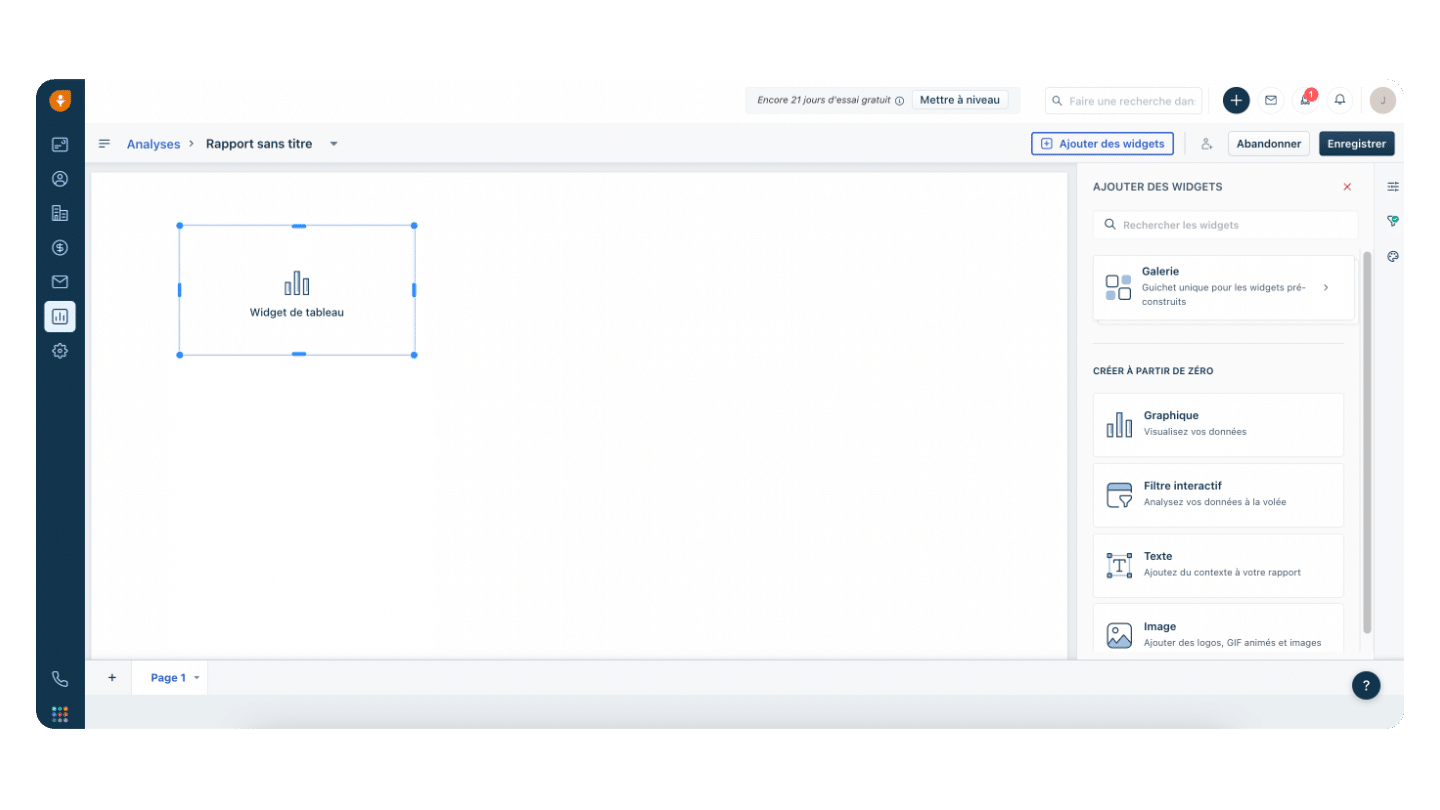
And, the icing on the cake, you can create reports from scratch, 100% bespoke. The report editing mode is simple and intuitive. You can choose between different block types: charts, filters, text, images. You then place the widget type you have chosen wherever you want on the report’s blank page.
Finally, you edit the widget by choosing the indicators you want to use. Freshsales also offers around sixty predefined widgets to save you time.
Integrations
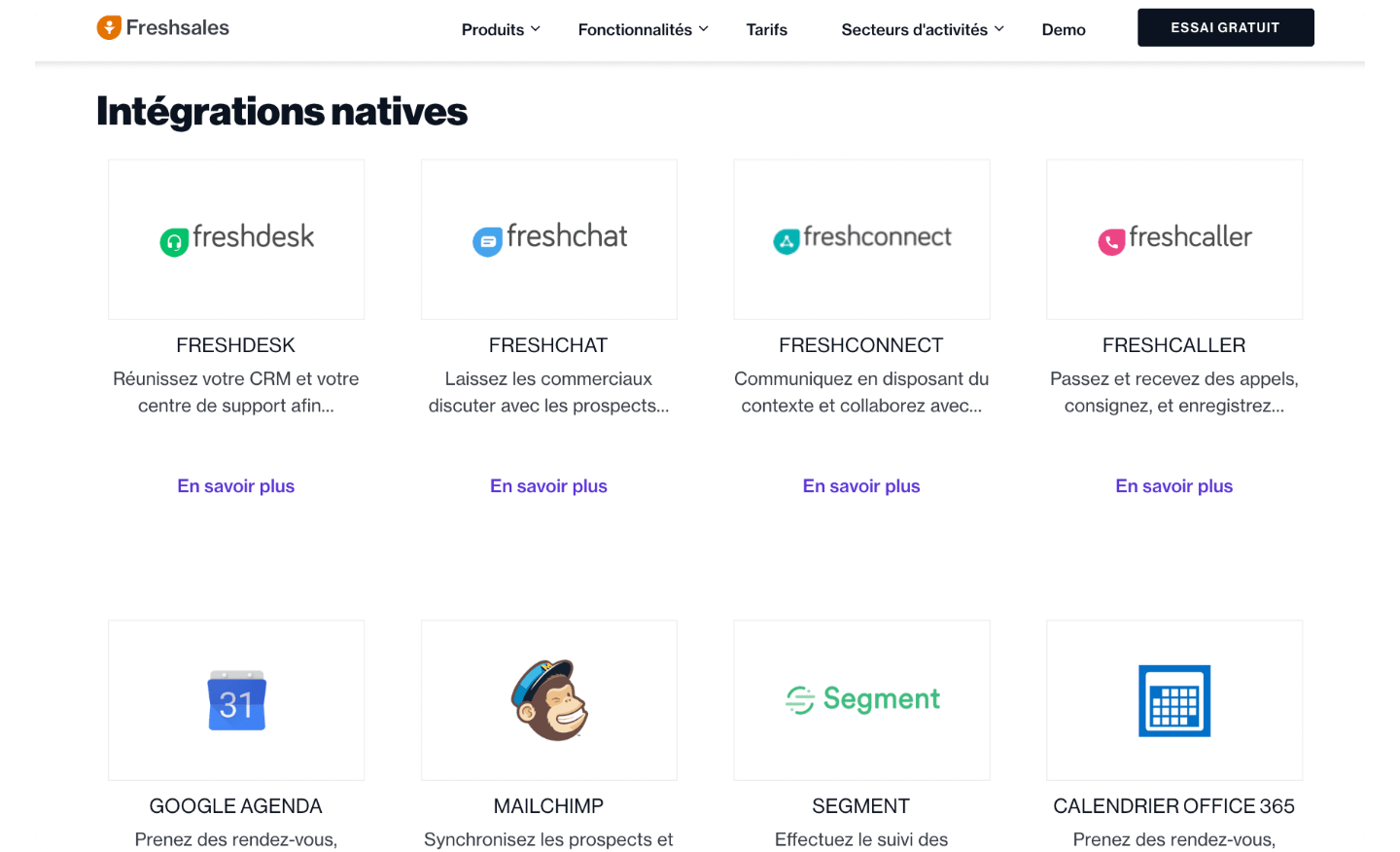
Freshsales integrates very well with the other products of the Freshworks suite, of course, whether that is Freshdesk, Freshservice or Freshchat. On the other hand, the vendor offers few native connectors with third-party solutions. There are only around thirty, compared with the 400 integrations offered by Pipedrive or the 1,600 third-party apps offered by HubSpot.
Freshsales’ main third-party integrations are: Google Calendar, MailChimp, Twilio Segment, Office Calendar, HubSpot, Zapier, Quickbooks, Google Suite, Xero, Calendly, Facebook, Make, 3CX, Trello.
Fortunately, Freshsales offers an API that extends the integration possibilities. You can also use the native Make connector or the Zapier connector to build flows between the Freshsales CRM and your third-party applications.
Salesdorado’s takeThe limited number of integrations should not scare you too much. With the API, you will be able to connect Freshsales to most of your third-party tools. It will just take you a bit more time, or a bit more money if you hand the integration to a provider.
Freshsales plans & pricing
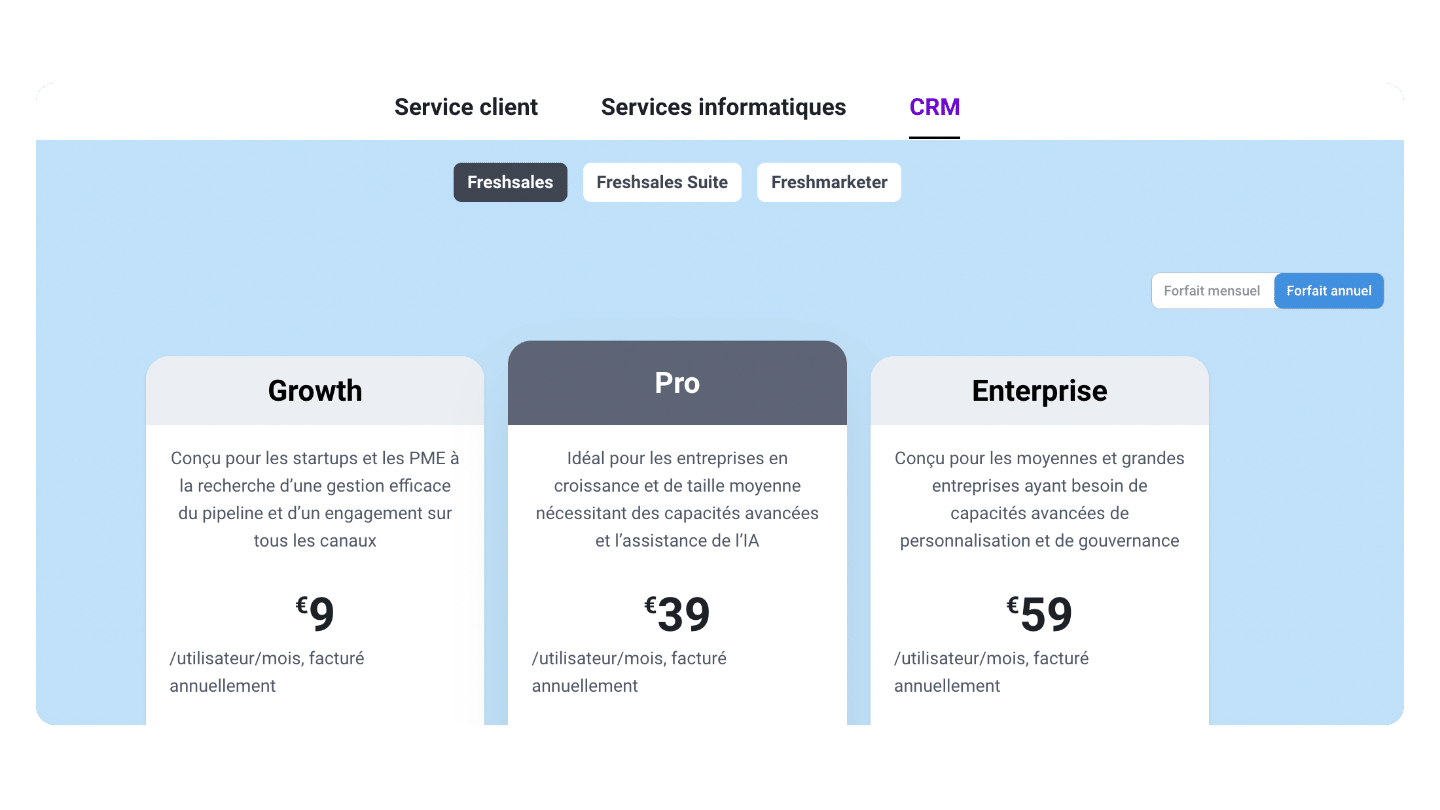
Freshsales offers 3 billing tiers that you can try free for 21 days:
- The Growth plan costs €9 per user per month. It gives access to a Kanban-style sales funnel view, contact and account management, a task, meeting and note manager, custom field creation, phone coupling, the AI-based chatbot editor, the form builder, and it gives access to the API and the integrations. Round-the-clock customer support is included. The number of contacts is unlimited. This plan suits companies looking for CRM software with basic needs very well.
- The Pro plan, at €39 per user per month, additionally gives access to AI lead scoring, lets you create up to 50 workflows to waste less time on repetitive tasks, and gives access to territory management and to automatic lead assignment based on custom rules. The Pro plan lets you manage several sales teams and create several sales pipelines. So this plan suits companies with a larger sales organisation or advanced automation needs.
- The Enterprise plan costs €59 per user per month. On top of everything above, this plan lets you enrich leads automatically, create up to 100 workflows, and offers 100 GB per user for file storage, against only 5 GB on the Pro plan.
Freshworks rounds out this pricing grid with add-ons:
- Phone credits, to place and receive more calls straight from Freshsales.
- Additional workflows from €10 per month for 10 workflows.
- A CPQ module at €19 per user per month to handle invoices, quotes and contracts.
- Freshbots packs to go beyond your chatbot’s usage limit. The pack price: €100 for 1,000 sessions.
Salesdorado’s takeFreshsales’ prices have come down a lot over the years. They have been divided by 2 or 3, which shows Freshworks’ intent to position itself as CRM software designed for SMBs and within their reach.