Since June 2026, the vendor has added Chloe, a voice AI agent that calls, qualifies and books meetings on your behalf.
That said, the tool remains deeply built for the American market: Chloe is for now available only in the United States and Canada, in English, and the interface exists in no other language.
Under what conditions is Close the right choice among the B2B CRM tools on the market? What is it worth without its headline act for a team selling outside North America? And how much does it really cost, once usage-based telephony is added to the advertised price? We analysed the tool in depth, here is our full review.
Close, the self-declared anti-Salesforce
Close is a case apart in the CRM landscape. The company was founded in 2013 by Steli Efti, a well-known figure in US sales content, and has never raised funds. It is profitable, 100% remote and counts around a hundred employees for more than 11,500 customer teams. No investor pressure, so no headlong rush into features: in thirteen years, the product has never strayed from its original thesis.
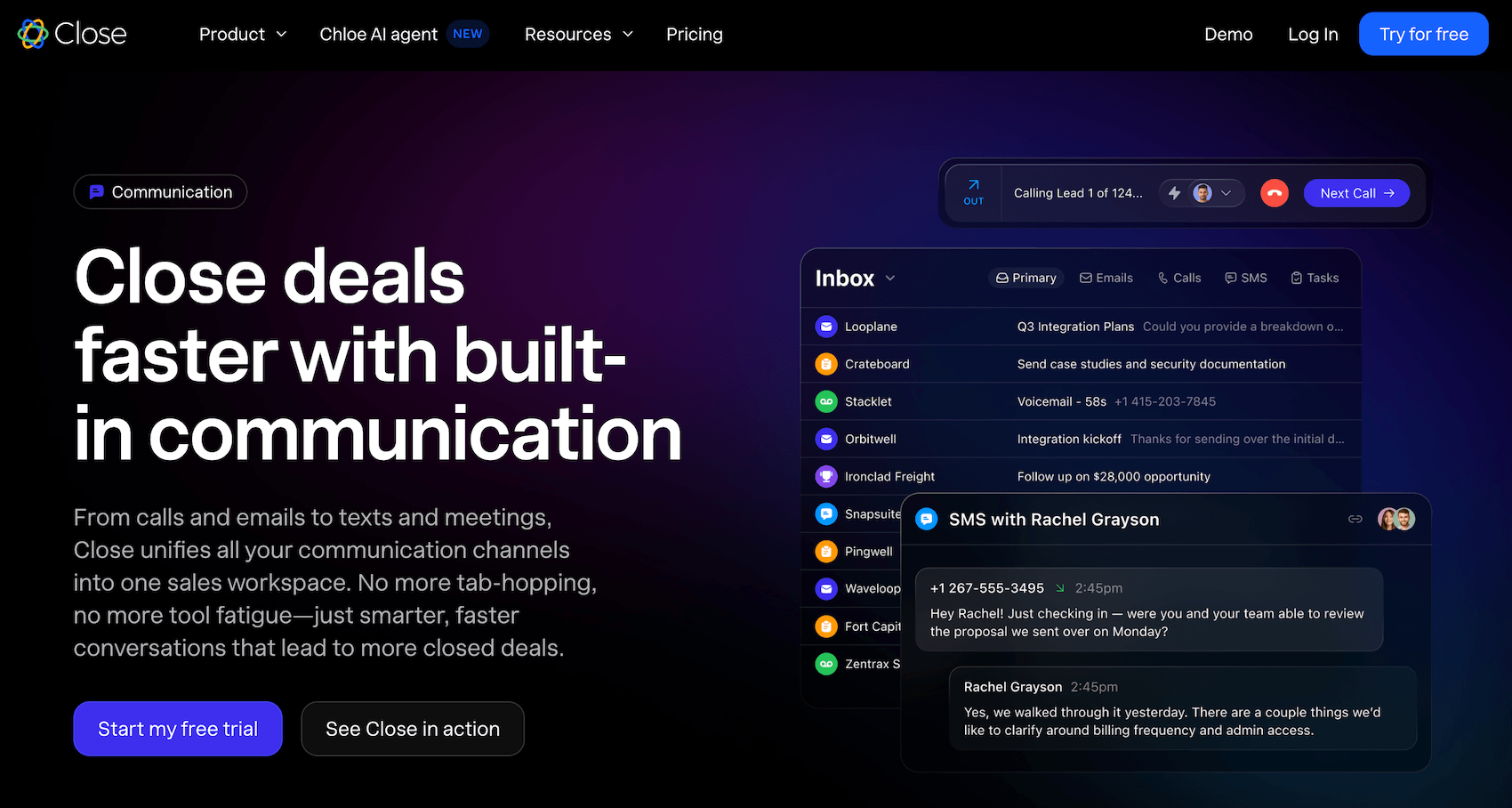
That thesis holds in one sentence: most CRMs are systems of record, Close wants to be a system of action. In concrete terms, the tool is not trying to store your data neatly so it can serve it back in reports. It is trying to get more calls made and more conversations started, with as little friction as possible between the rep and their prospect.
The vendor pushes honesty as far as publishing on its own blog an article listing the reasons not to buy Close. We genuinely appreciated the move, seen nowhere else. It tells you that Close targets neither large organisations, nor teams looking for an all-in-one platform with marketing and invoicing, nor those wanting a free CRM. Its target is teams of 3 to 15 reps who live on the phone and want to be operational the same day. That clarity of positioning shows everywhere in the product.
Chloe: what Close’s AI agent actually does
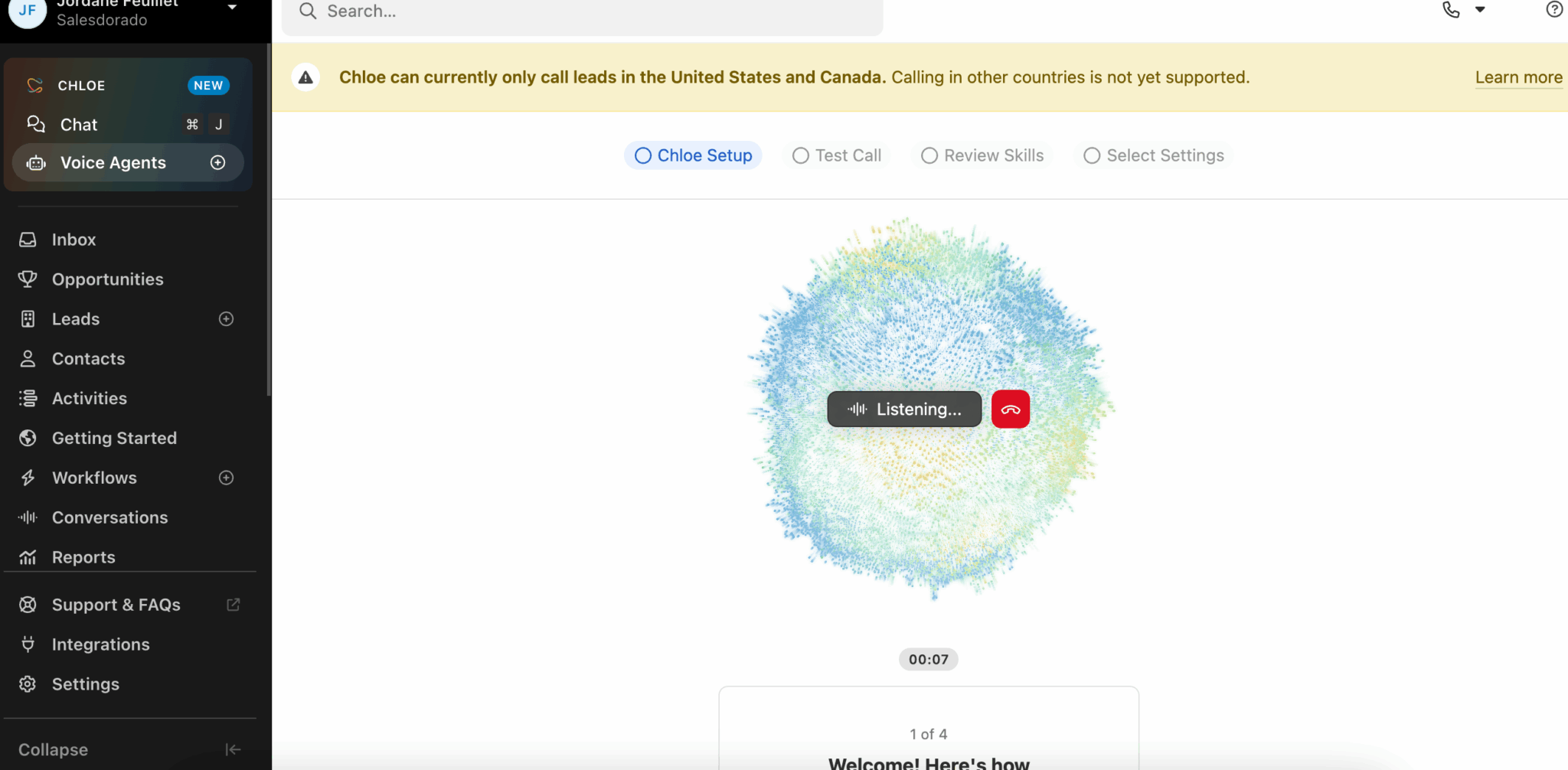
Chloe is the big new thing of 2026, and it deserves a close look even though it stays out of reach for companies outside the United States and Canada for now.
The principle: an AI agent natively built into the CRM, working your pipeline the way a junior SDR would. Its most spectacular function is the voice one. When a lead enters Close, Chloe can call within minutes, run a structured discovery based on your qualification criteria, handle the common objections, then book a meeting straight into the right rep’s calendar.
If nobody picks up, it leaves a voicemail and moves on to the next. Everything is transcribed, summarised and logged on the record before the call is even over.
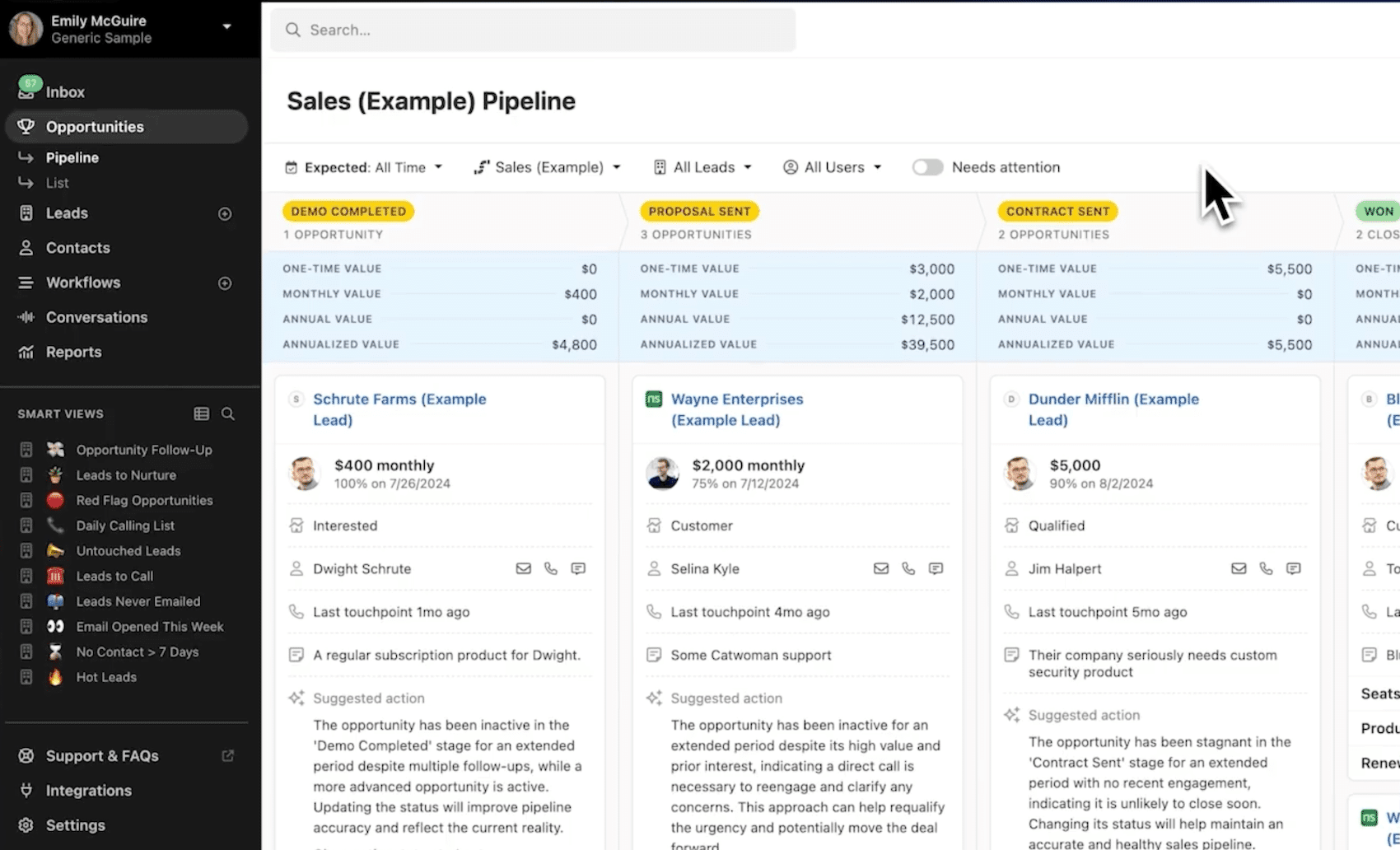
But the voice agent is only the visible part. Chloe also enriches records from the conversations, writes meeting summaries through the Notetaker, suggests the next action on each deal and answers natural-language questions such as “which deals have not moved in 30 days?”. The whole thing runs on a system of AI credits included in each plan, consumed as you go.
Watch outChloe is only available to customers based in the United States and Canada, and only in English. Multilingual support is announced on the roadmap, with no date. If Chloe is your main reason for looking at Close from anywhere else, wait for the wider rollout before committing.
Salesdorado’s takeThere are dozens of AI voice agents out there. Chloe’s real break is its native integration: it calls with the lead’s entire history in mind and every action lands directly in the CRM with no connector to maintain. That is exactly the direction the market is taking, as we explained in our guide to AI-powered CRMs for SMBs. Worth watching very closely as soon as it opens up beyond North America.
The features that built Close’s reputation
Chloe aside, Close remains above all an excellent sales production tool. Four building blocks made its reputation.
#1 Native telephony
This is the historic feature, the one the product was built on. Where most CRMs lean on an integration with a third-party calling tool, Close carries its own telephony with all the associated features: one-click calls from the record, automatic logging, recordings, pre-recorded voicemail dropped in one click.
Two automatic dialling modes are offered:
- The power dialer runs through the calls in a list without the rep touching their keyboard.
- The predictive dialer, reserved for the Scale plan, dials several numbers at once and only connects the rep when a human picks up.
Aimed at managers, the live coaching features (silent listening, whispering, barging in) make it possible to train new reps on real calls.
One point to watch: the telephony runs on Twilio’s infrastructure and is billed by usage, on top of the subscription. You cannot plug in your existing VoIP carrier. That is the price of total integration.
#2 The unified inbox and Smart Views
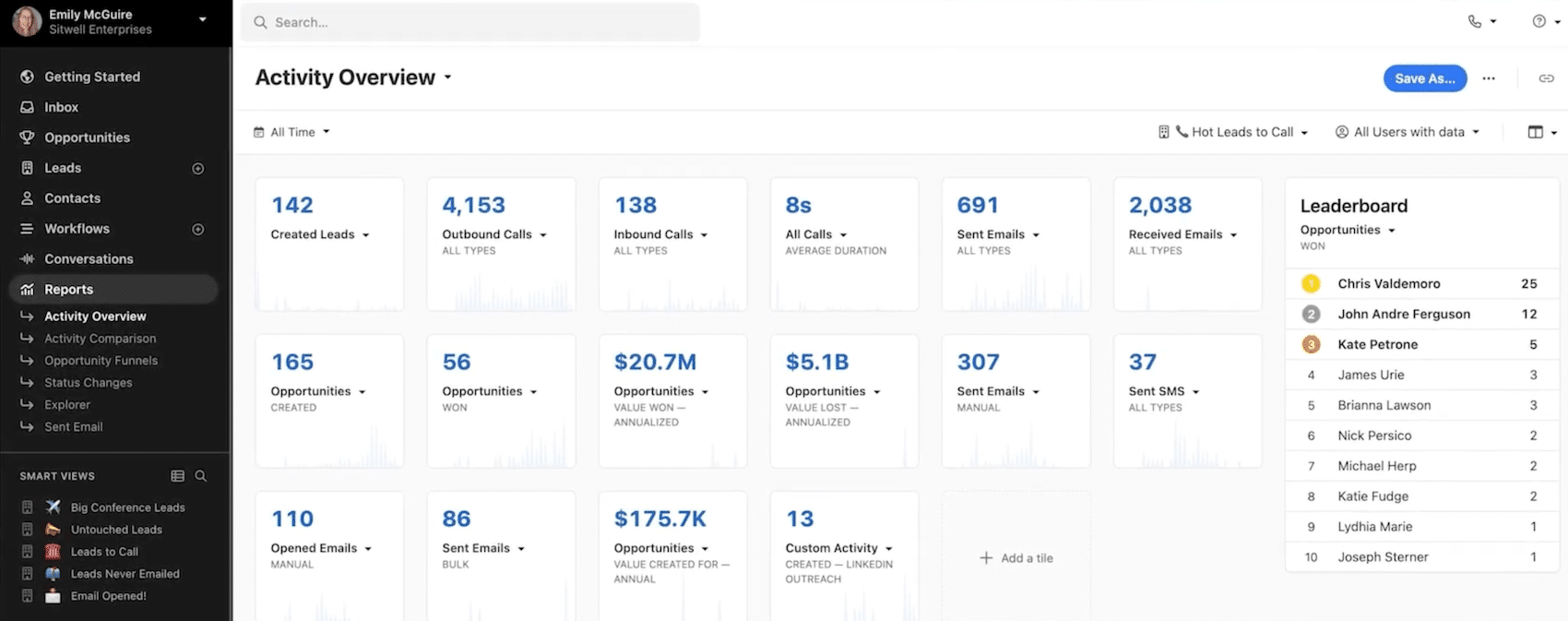
The inbox centralises everything that needs an action: emails received, missed calls, overdue tasks, follow-up reminders. The rep opens Close in the morning and works down the list, without navigating between five tools.
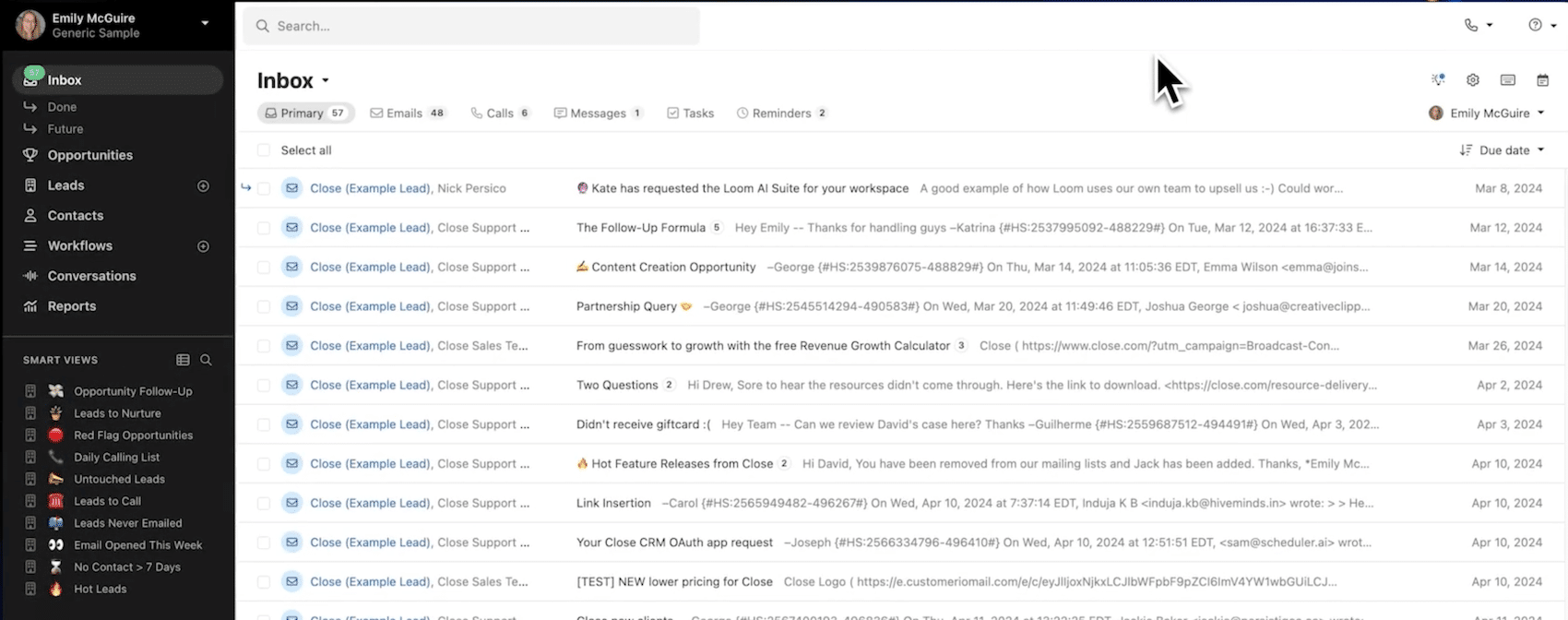
Smart Views round out the setup. These are dynamic lists built on any criterion: leads that opened an email without replying, deals with no activity for 30 days, contracts up for renewal this quarter.
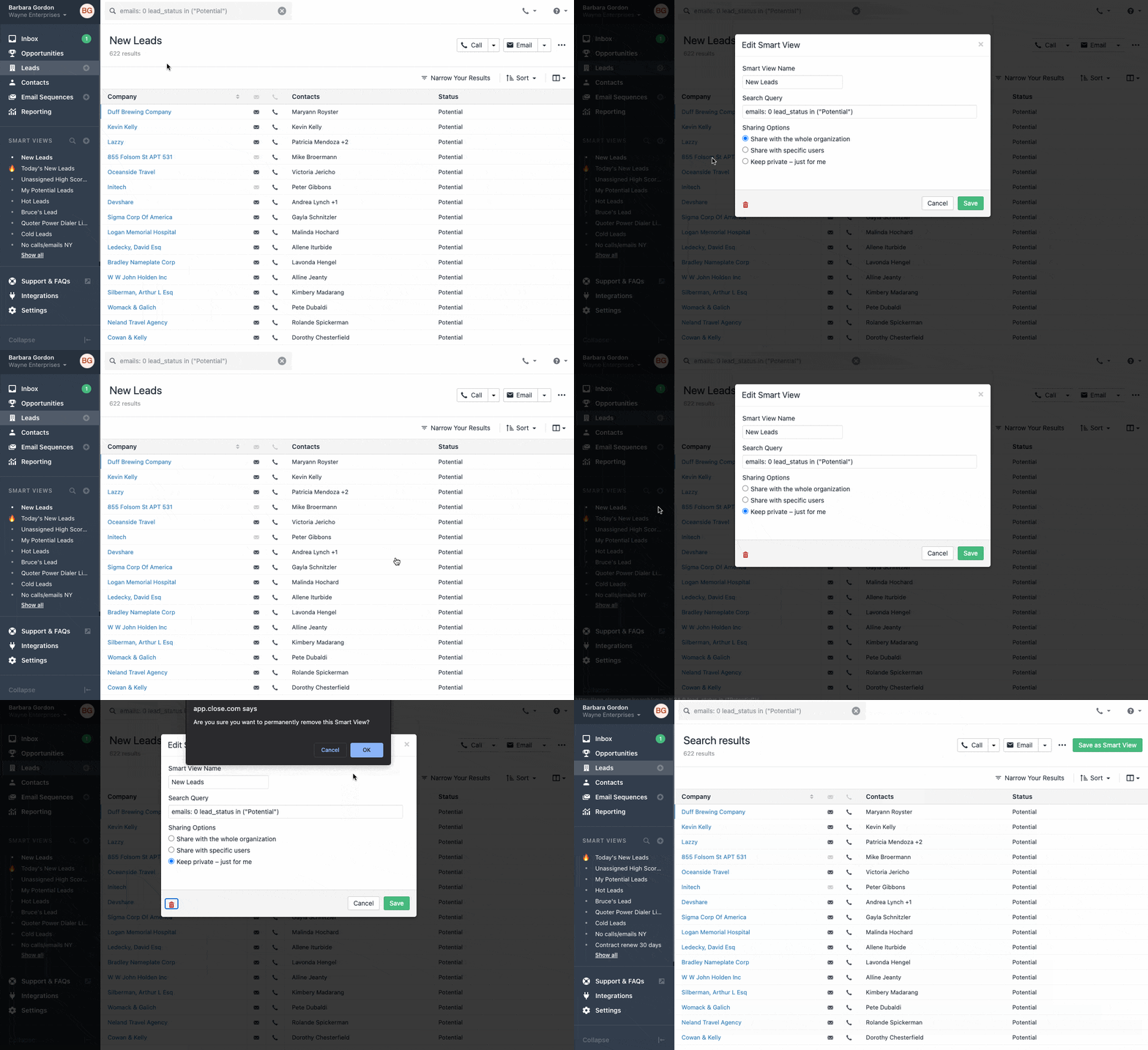
They update in real time and are shared with the team, which makes them a genuine sales pipeline steering tool. Search is remarkably powerful. One reservation only: at very high conversation volumes, prioritisation in the inbox shows its limits and some teams end up organising around Smart Views rather than the inbox itself.
#3 Multichannel Workflows
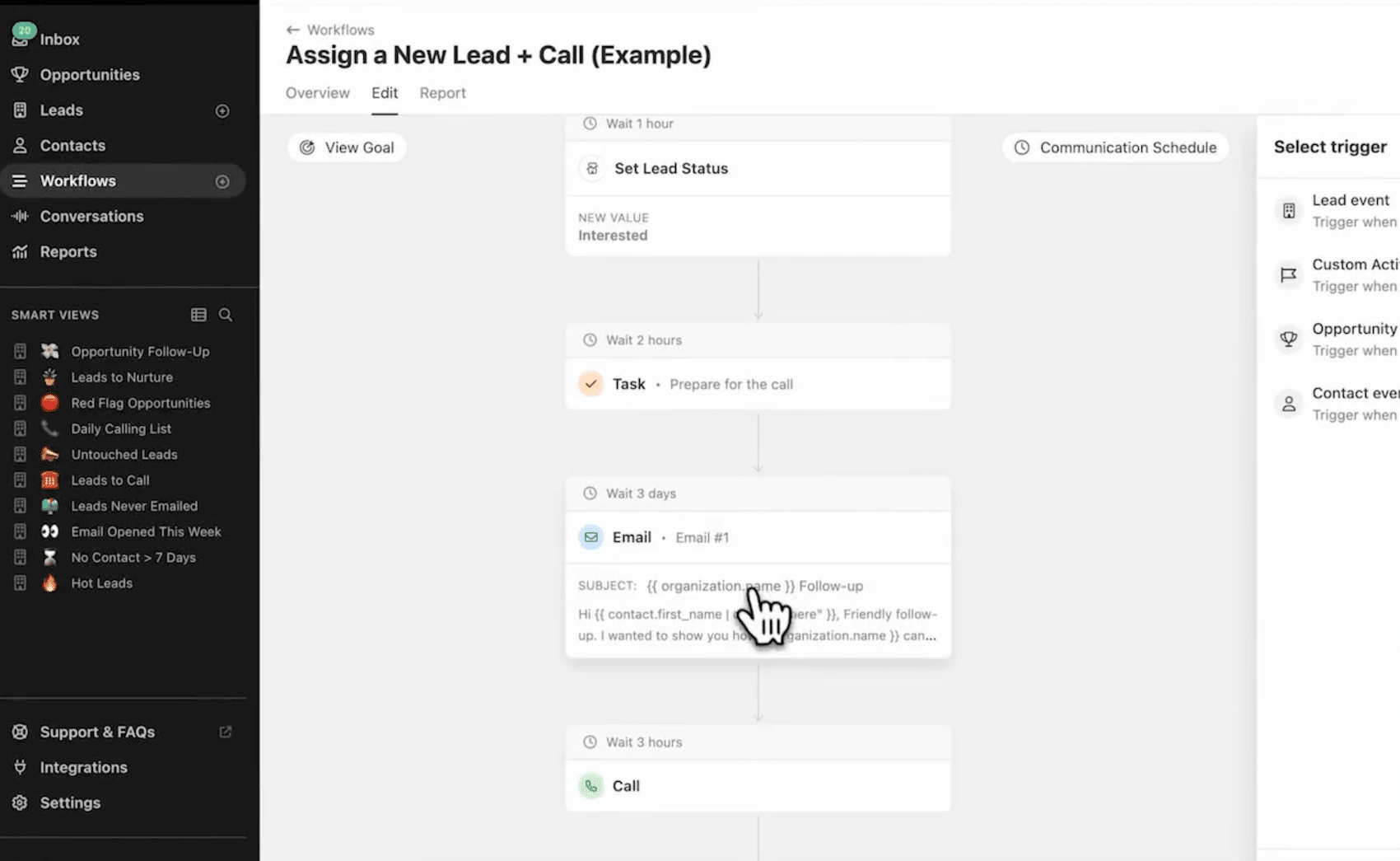
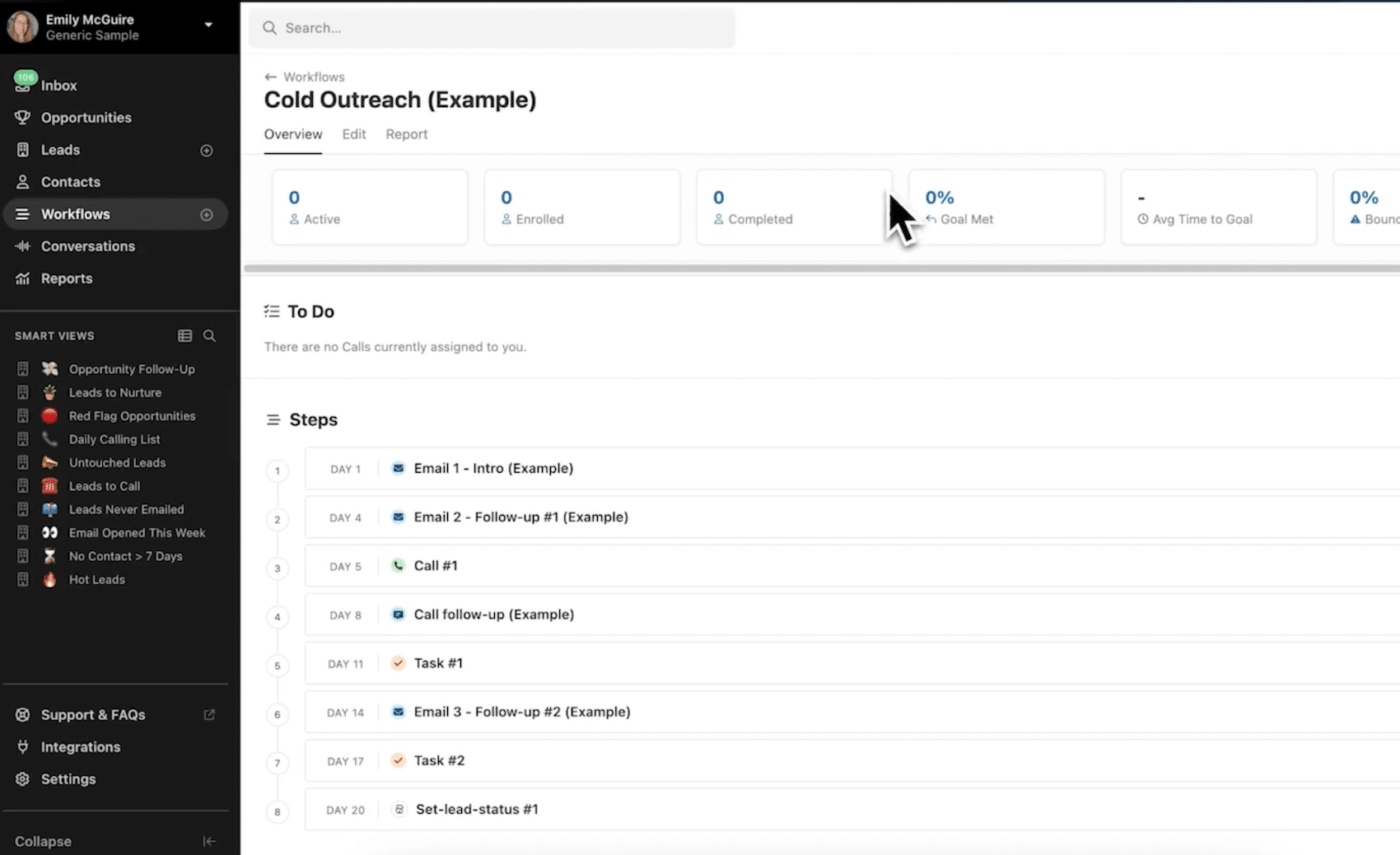
Workflows are Close’s multichannel prospecting sequences: a series of steps mixing automatic emails, SMS, call tasks and delays, triggered when a lead meets certain criteria. It is simple to build and effective, whether for assigning a new lead automatically or for systematising follow-ups.
You do have to know their limits, though:
- Workflows are reserved for the Growth and Scale plans.
- The engine stays centred on contact sequences: for more advanced back-office automation, the available triggers are narrower than what search allows, and many teams keep Zapier or Make alongside.
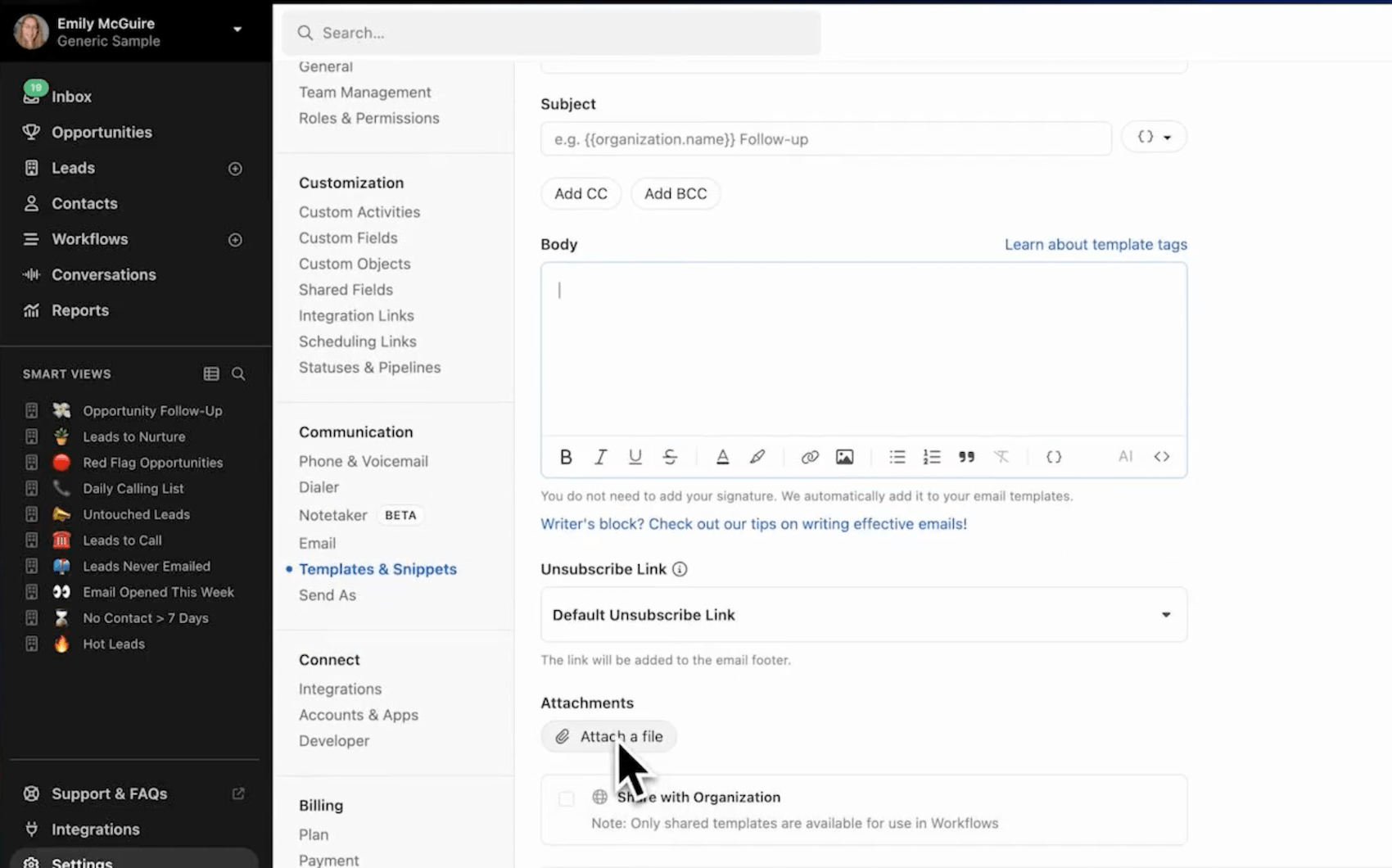
- You cannot write an email directly inside a workflow, you have to create a template first and then insert it, which clutters the template library fast.
#4 A data model that surprises
Close organises everything around the “Lead”, which here means the target company. Contacts, opportunities, calls and emails all live inside that single record. So you will not find in Close the separation, very classic in sales CRMs, between accounts (organisations) and contacts (people).
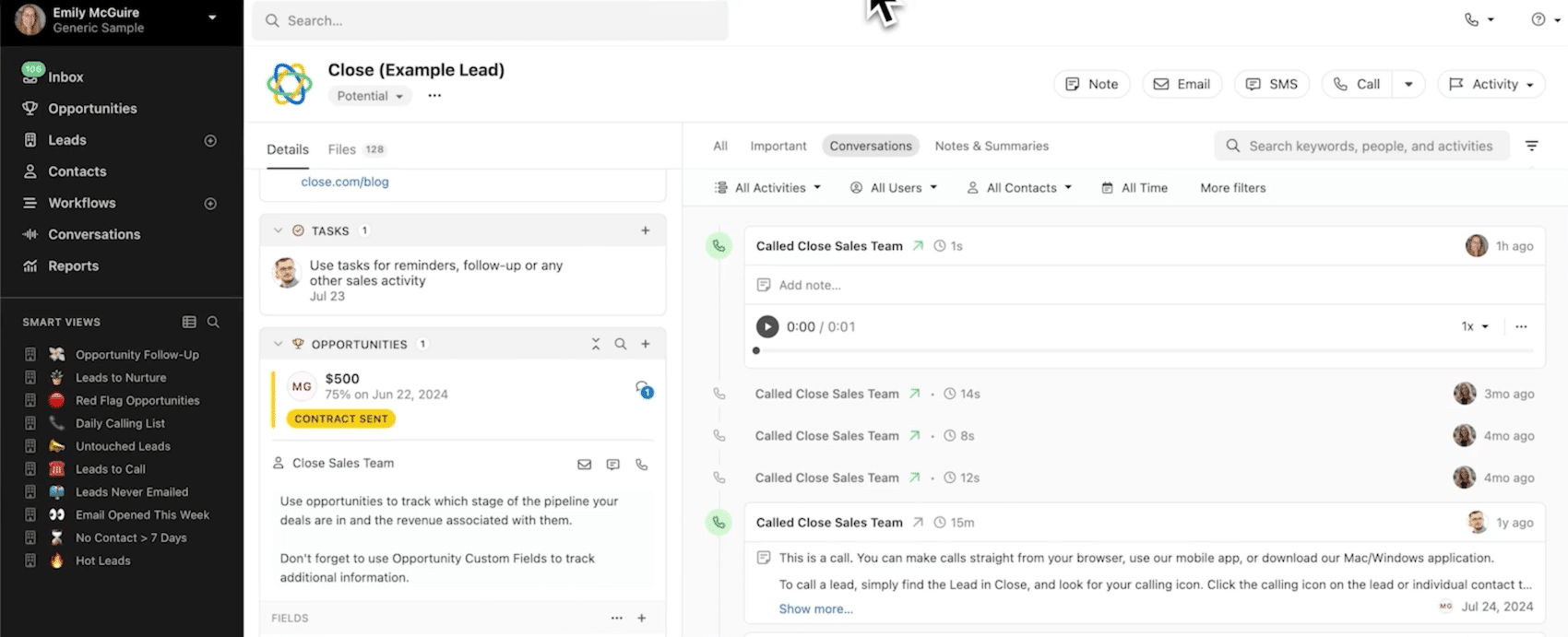
That design choice has real logic in transactional selling: the whole history of an account reads on a single screen, chronologically.
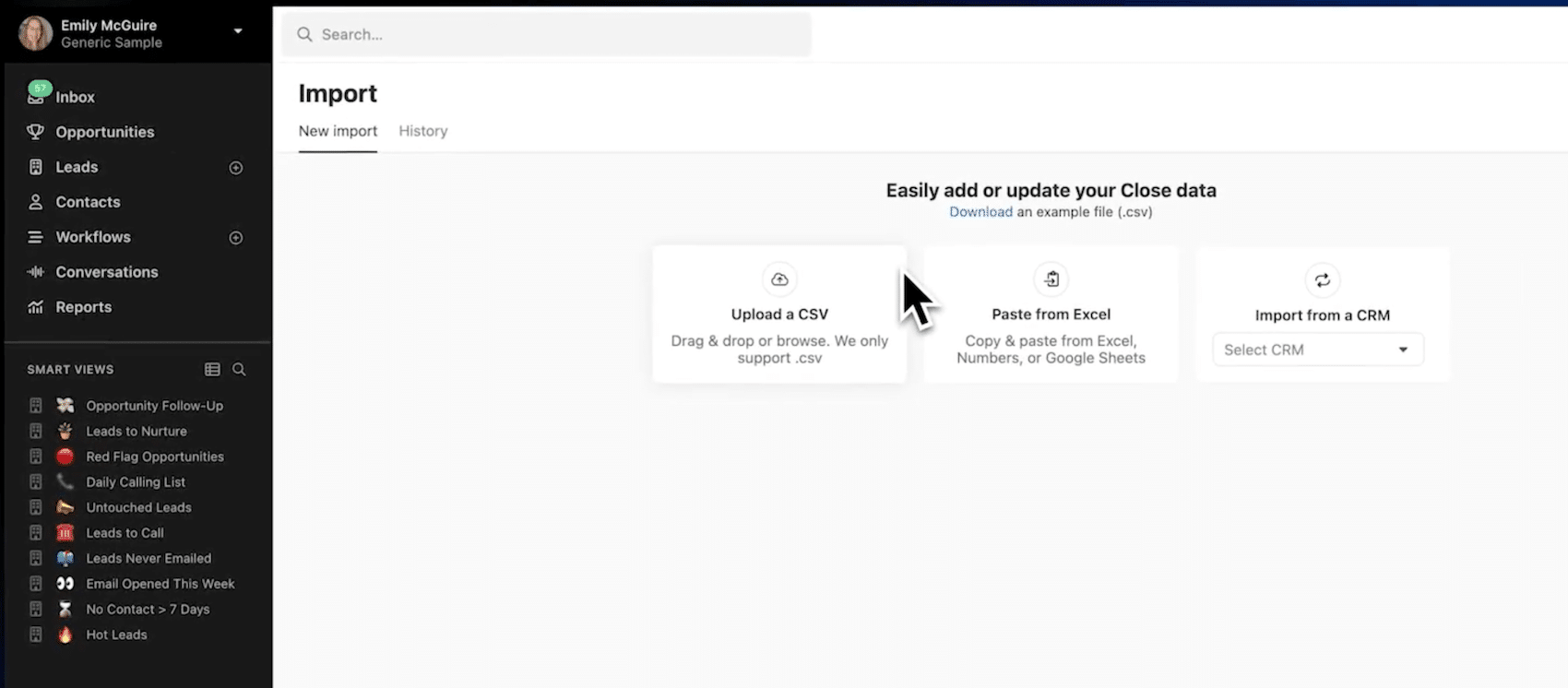
It can throw teams arriving from a traditional CRM and, let’s be blunt, it complicates complex sales cycles with multiple stakeholders and subsidiaries. If you are considering a CRM migration to Close, plan real adaptation time on that point, even though the vendor offers a free migration tool from the main CRMs on the market.
Close pricing: how much does this CRM cost?
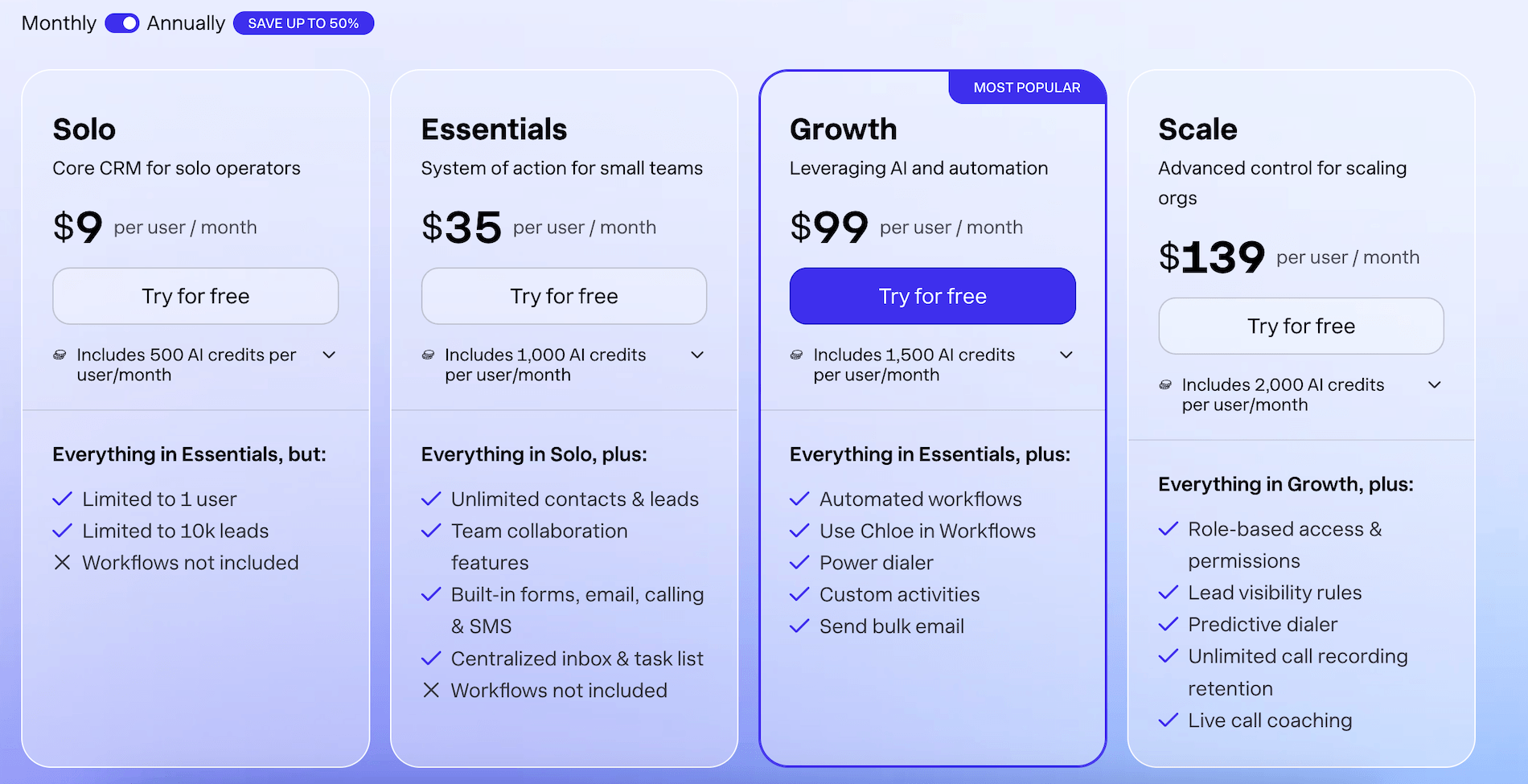
Close offers four plans, billed per user per month. The prices below are for annual billing, appreciably better value than monthly billing:
| Plan | Annual price | Monthly price | What you need to know |
|---|---|---|---|
| Solo | $9/month | $19/month | Limited to 1 user and 10,000 leads, no workflows. Think of it as an extended trial rather than a real plan. |
| Essentials | $35/user/month | $49/user/month | Unlimited leads, inbox, calls, SMS and forms. But neither workflows nor power dialer, which rules it out for serious outbound. |
| Growth | $99/user/month | $109/user/month | Workflows, power dialer, bulk emails, custom activities. This is the real entry ticket for a sales team. |
| Scale | $139/user/month | $149/user/month | Predictive dialer, live call coaching, advanced permissions, unlimited recording retention and custom objects. |
First lesson from this table: the plan structure pushes you mechanically towards Growth. The Solo plan is a loss leader and Essentials deprives the user of the two features that justify choosing Close over a cheaper competitor. If your team does outbound, work on the basis that your reference price is $99 per user per month.
Second lesson, less visible: the subscription does not cover everything. Telephony is billed by usage at Twilio rates, rounded up to the minute. Phone lines start at $1 per month, but premium numbers with routing and a welcome menu cost $19 per line. The Call Assistant, which transcribes and summarises calls, is a $50 per month add-on plus $0.02 a minute. Add that the AI functions consume credits, of which each plan includes a monthly quota, extendable by paying.
Let’s do the maths for a team of 5 outbound reps on the Growth plan: $495 of subscription, plus lines, call consumption and a few options. In practice the monthly bill sits nearer $700 to $800, so $140 to $160 per rep. That is consistent with what we see on this kind of tool, but it is a long way from the $9 that catches the eye on the pricing page. To put those amounts in perspective, our guide on the real cost of CRM software details every hidden line item in this sort of project.
Salesdorado’s takeThe real question is not whether Close is expensive, but whether the integration is worth its price. A Pipedrive plus Aircall setup offers 80% of the features for appreciably less, at the cost of an integration to maintain and data split across two tools. Close only justifies itself economically if your team makes enough calls for the built-in dialer to save time every day. Below that, the two-tool setup wins.
Using Close outside North America: what to check before signing
Let’s start with what works. Close provides local numbers in more than 200 countries, so your prospects will indeed see a local number appear. Call billing follows Twilio rates by destination, reasonable on domestic calls in most markets.
On compliance, the vendor is SOC 2 Type 2 certified and documents its GDPR compliance, but the data is hosted in the United States, with no European hosting option. Depending on your industry, that point is worth a pass by your data protection officer.
Three limits weigh more heavily:
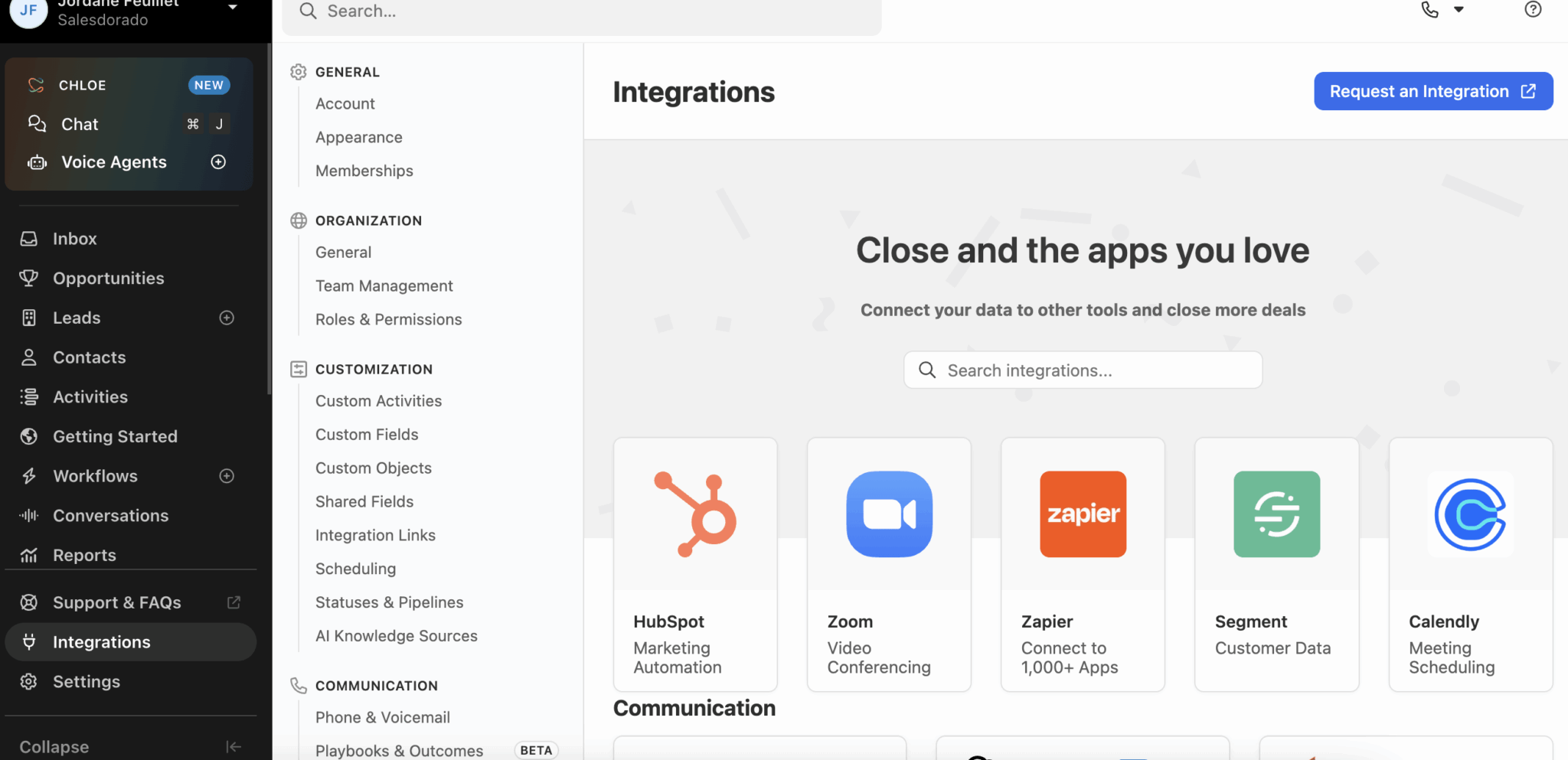
- SMS coverage first. Close documents SMS support for seventeen countries: the United States, Canada, the United Kingdom, Germany, Australia, France, Belgium, Denmark, Israel, Puerto Rico, South Africa, Austria, Switzerland, Finland, the Netherlands, Poland and Sweden. Latin America and Asia are absent from that list, so an entire channel of the product disappears there, along with part of the Workflows.
- Chloe next, which we have already covered: United States and Canada only.
- The interface and the support exist in English only. For a team that does not work in English, adoption will suffer.
For a team selling into a market Close does not cover by SMS and working in another language, the equation is unfavourable. You would be paying in dollars for a product whose SMS channel and AI agent you cannot use. On the other hand, for a team prospecting internationally in English, with SDRs running calls into the United States, the United Kingdom or Northern Europe, Close becomes a very relevant choice and Chloe’s future rollout a reasonable bet on the future.