The tool is only available in English. But the French-speaking support team is fast and effective. Above all, Leadin lets you run several accounts in parallel, to multiply the impact of your campaigns across several LinkedIn accounts.
Leadin’s key features
Building multichannel prospecting sequences
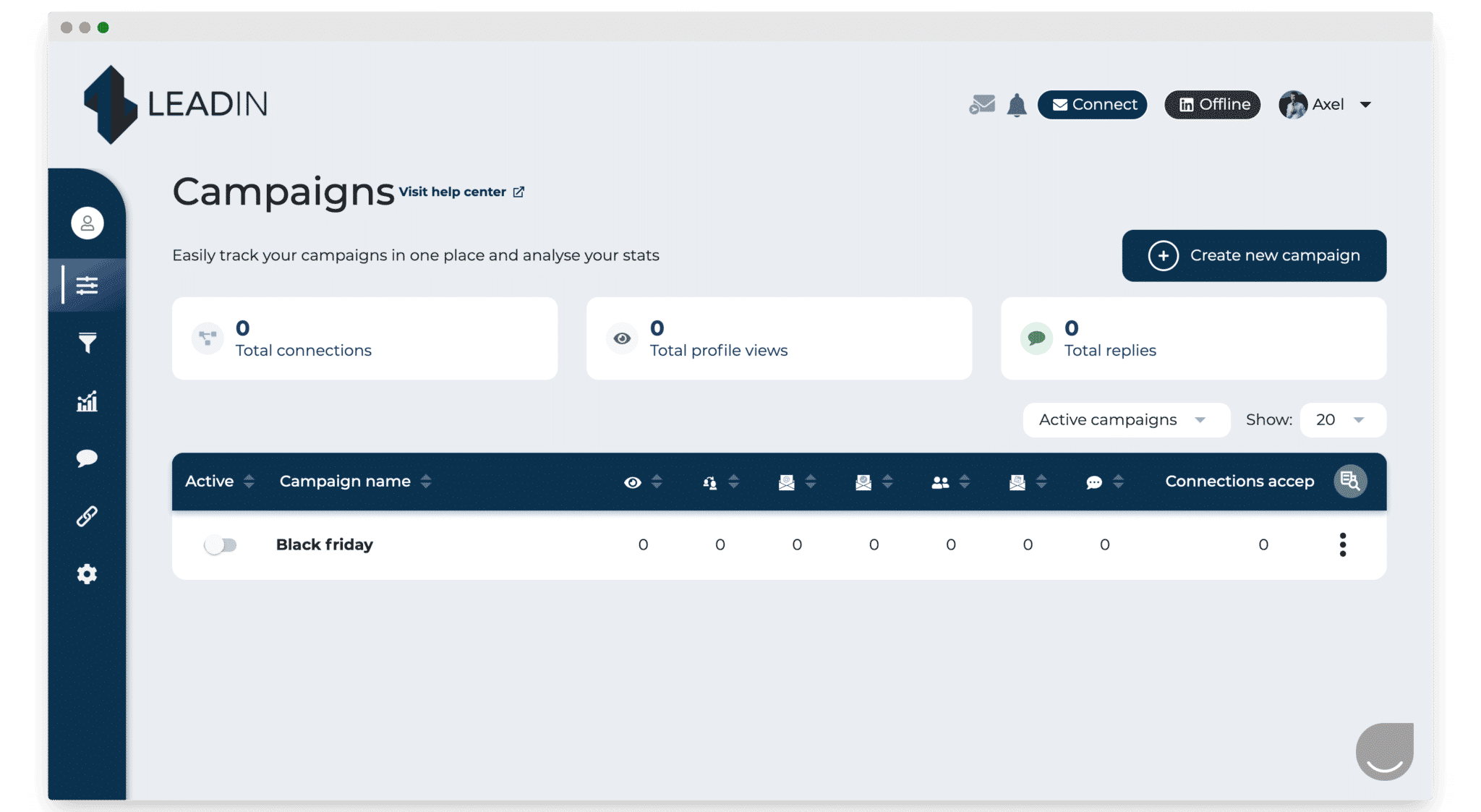
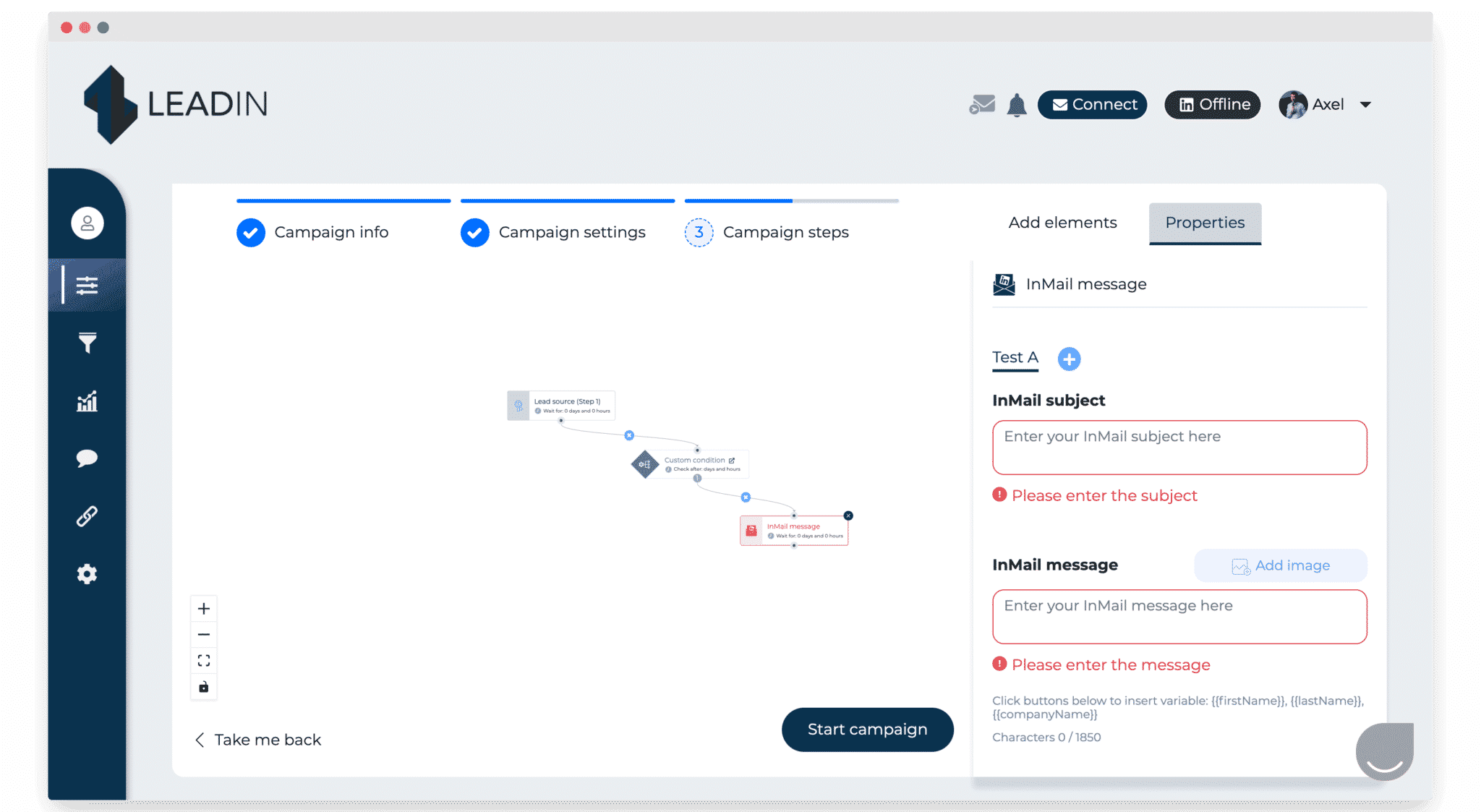
From the Leadin dashboard, you can easily reach your existing campaigns and create new ones in a few clicks.
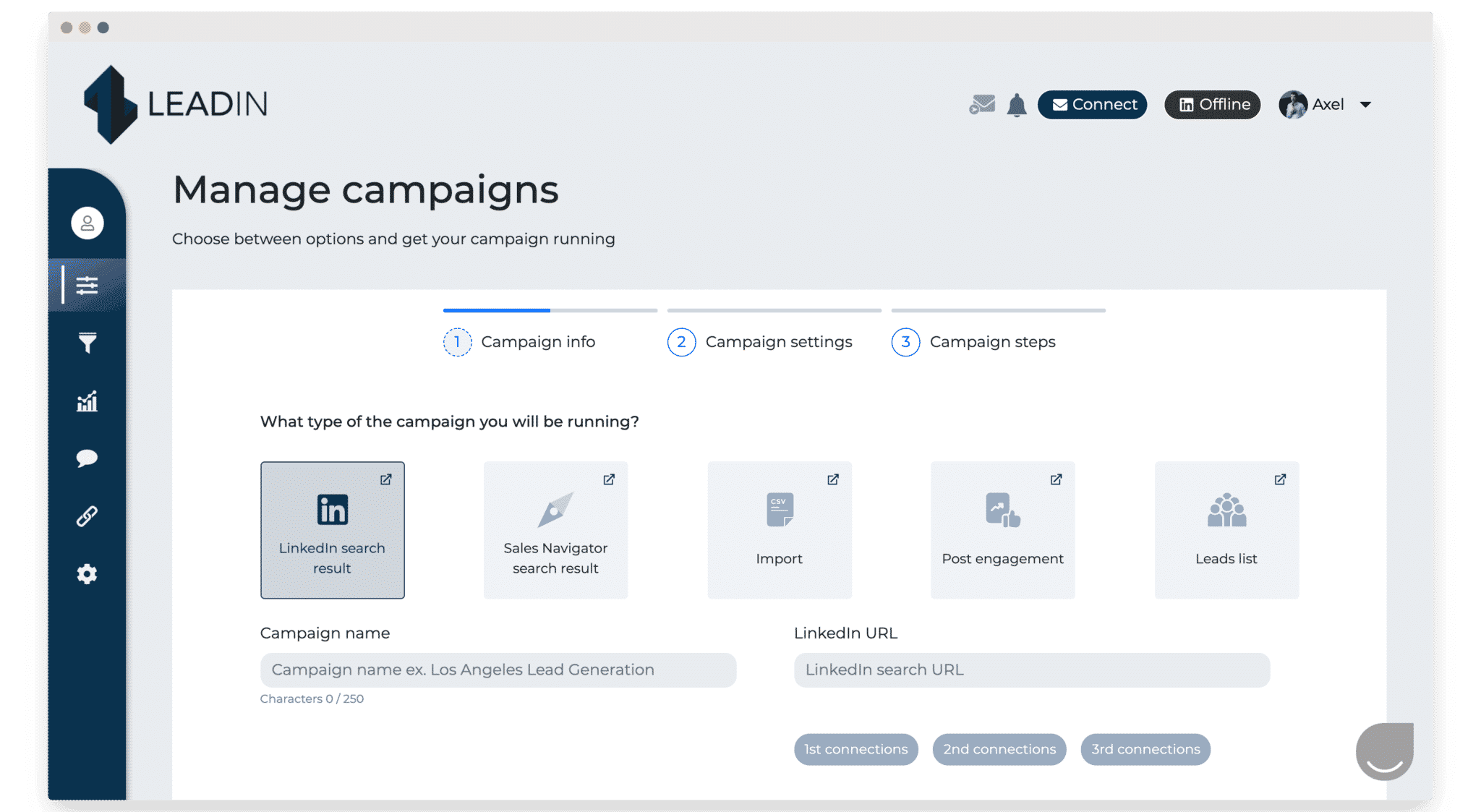
When you create a campaign, you choose the data entry point: the results of a LinkedIn search, LinkedIn Sales Navigator, a CSV import, engagement on a post, an existing lead list or a prospecting file.
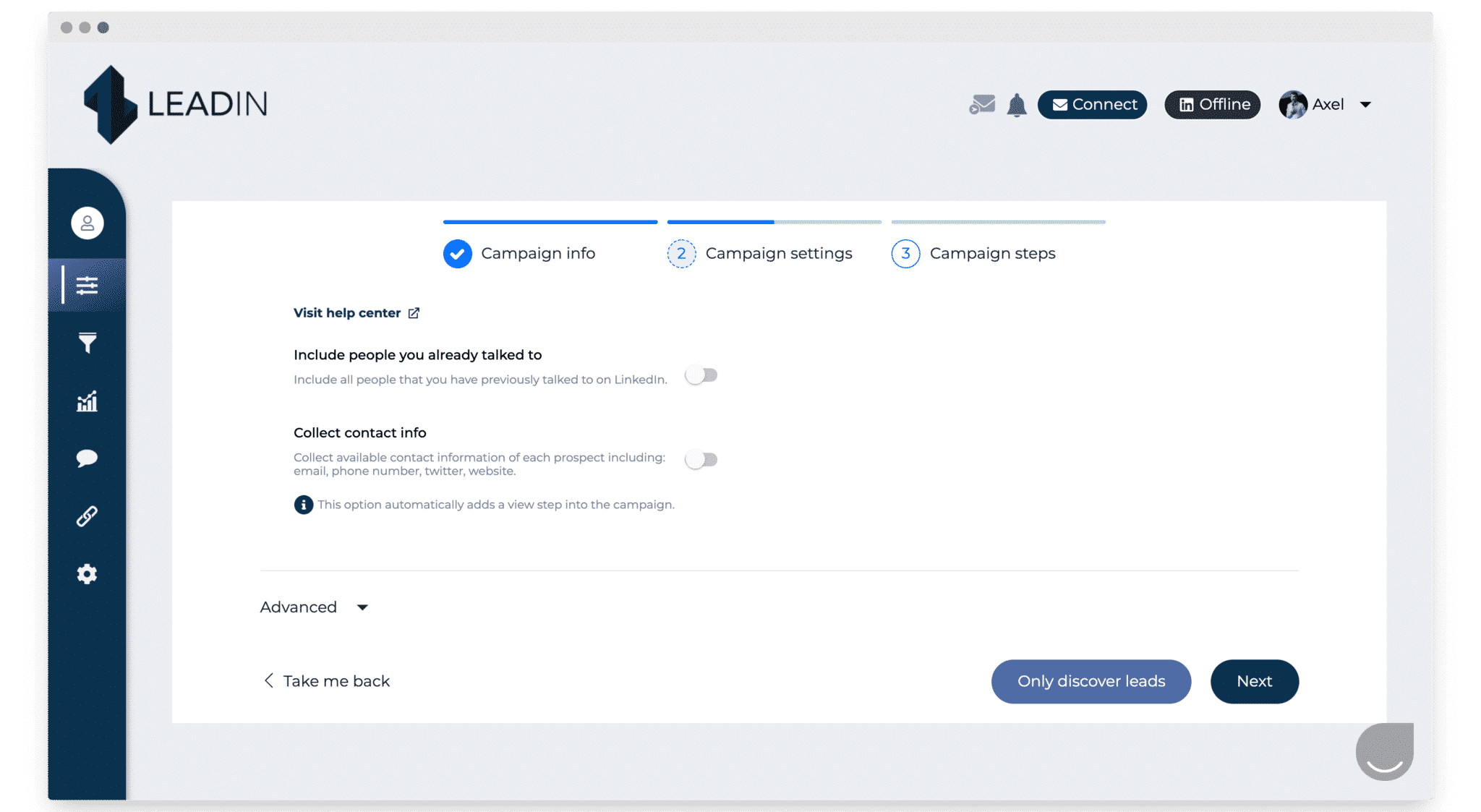
Once the data import step is done, you can start configuring the campaign, in particular how people are contacted and how data is collected.
Once the campaign settings are done, you can build sequences specific to that campaign. You pick the type of action the campaign will carry out.
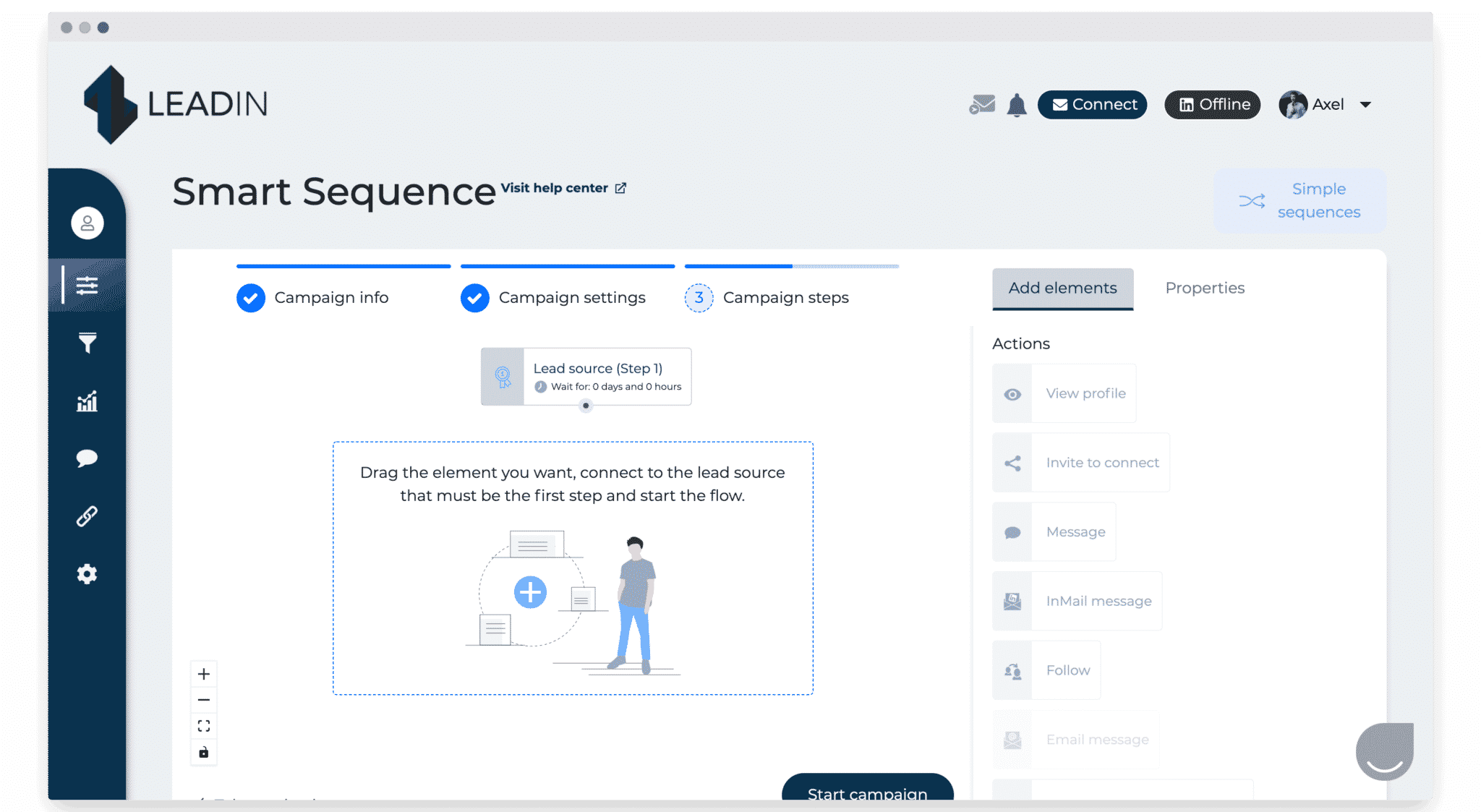
Steps can be, for example, visiting the person’s LinkedIn profile, sending them a connection request or sending them a message.
You can also set the order in which the actions run.
Finally, you can personalize the LinkedIn messages, or personalize the prospecting emails the campaign sends straight to your targets.
The Salesdorado verdictThe tool gets fairly advanced multichannel sequences up and running very fast, with smart entry points and touchpoints. We also like the automatic exclusion of every lead you already have a conversation with on LinkedIn. Simple, and it saves you from awkward moments.
Built-in email finder, unlimited and at no extra cost
To make multichannel sequences dead simple to set up, Leadin also ships a built-in email finder.
Inside your prospecting sequences, you can add the “email discovery & verification” step, which finds and verifies a professional email address for every prospect in the sequence, using crawlers and third-party databases.
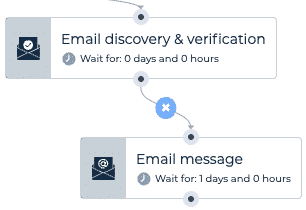
Every email is verified, which protects your email deliverability. The discovery rate sits between 25 and 40% of verified emails depending on the industry and the type of profile, which is fairly impressive.
As a bonus, once you have a new lead’s email address, it is included in all your CSV exports.
The Salesdorado verdictBundling an email finder means you can build multichannel sequences on top of LinkedIn lists, and that is very powerful. We also like that every email address is validated before being saved, which protects your reputation with the ISPs.
A centralized inbox for all your conversations
One of the headaches of multichannel prospecting is that replies land all over the place. On LinkedIn, by email, and potentially across several accounts.
Leadin answers that with an inbox that centralizes all your conversations. Every interaction, on any channel, is pushed back into Leadin. It is the feature that lets you handle all your interactions across the different social networks in one place.
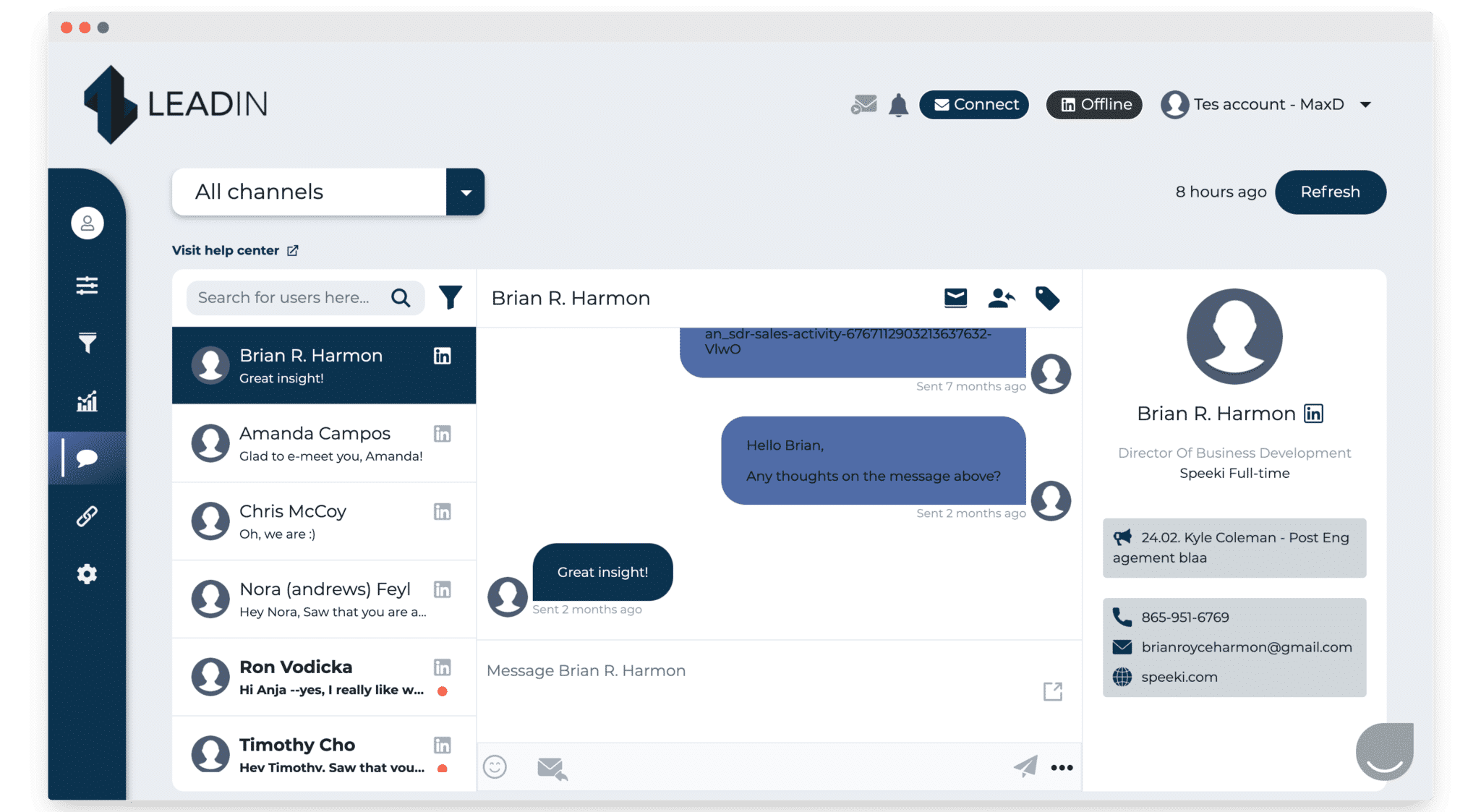
Concretely, as soon as you get a message following a campaign, whatever the channel, it is listed in this section of Leadin and you can reply straight from there.
The Salesdorado verdictVery handy for following your leads in one place, and above all for using labels, filters and the like, which are genuinely useful for your reporting.
Hyper-personalized images and GIFs
On top of that, Leadin also lets you add personalized images or GIFs. Lemlist made the format mainstream: the personalized picture carrying a custom message. GIFs in your emails can catch the reader’s eye and lift engagement.
Leadin lets you drop that kind of media into LinkedIn messages as well as emails.
You could, for instance, use this GIF to illustrate an email.

The Salesdorado verdictIt is a bit of a glitter feature, but it opens the door to some genuinely funny ideas, and having it on board is clearly a plus.
Campaign reporting
Reporting in Leadin is exactly that: very simple, and very effective. Every event lands on a chart, and you can switch each item you want to track on or off.
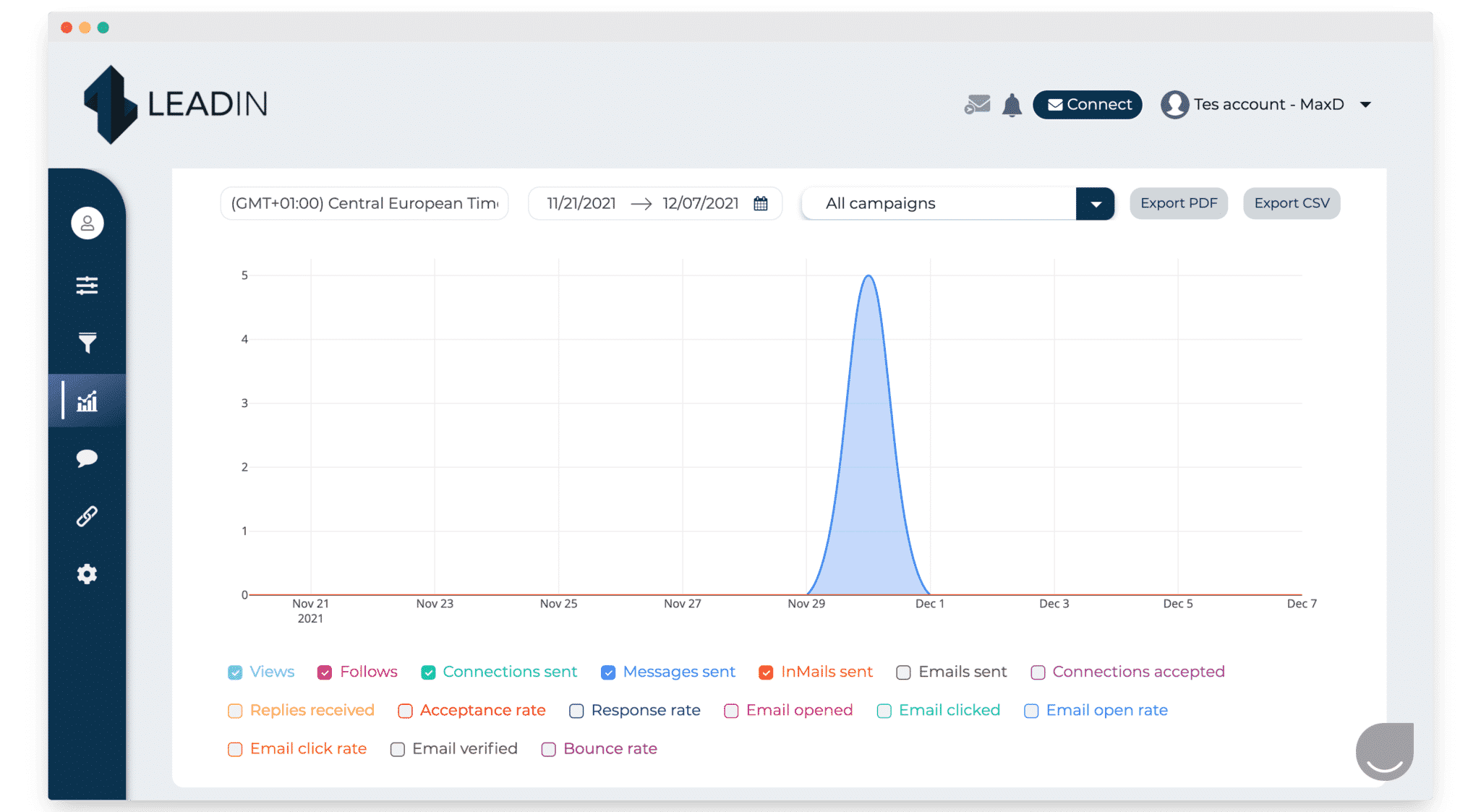
You can also pull a detailed export by date, as PDF or CSV, with as many columns as you want.
You can track a range of data to steer campaign performance: the number of views on a post, the number of follows, the number of messages sent, the number of InMails sent, the various reply rates, the email click rate and so on.
The Salesdorado verdictReporting on prospecting tools usually turns to mush: too many KPIs, charts that are too complex or, the other way round, too thin, with meaningless emojis everywhere. And not every tool even offers it. At Leadin the balance is honestly quite good, you get a clear read on performance at a glance. Filtering and segmenting to dig into the data is easy.
Multi-account management: a big plus for Leadin
Switching from one account to another is very easy and extremely fast. That lets you run several different campaigns at the same time. It also lets you bring in a third party, a sales prospecting agency for example, to take over.
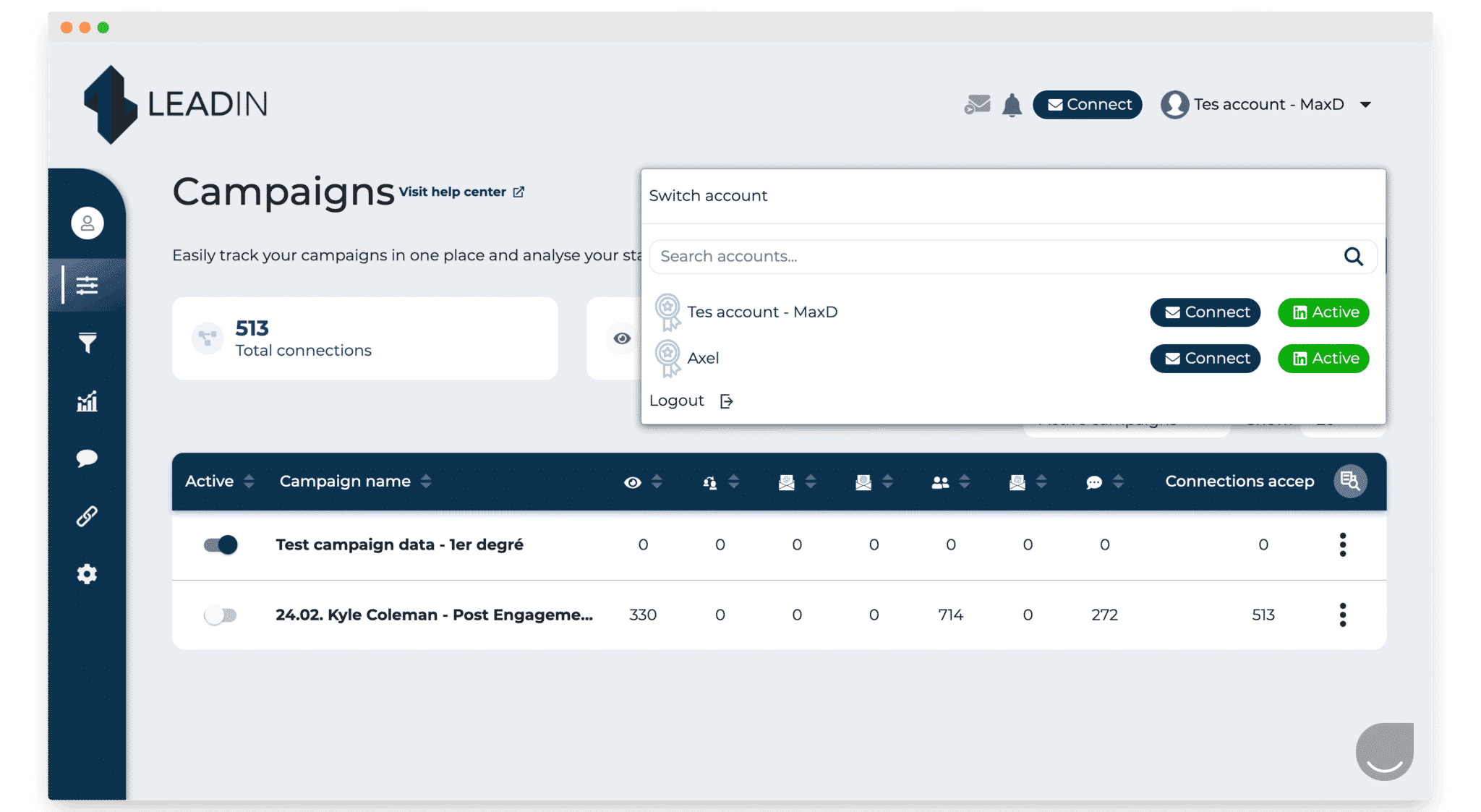
The Salesdorado verdictA very interesting feature if you want to outsource all or part of your prospecting to an agency, for the sales ops and growth hackers who want to hand sequences to their reps, or simply to let the most hands-on person on the team set up everyone else’s sequences.
Leadin’s integrations
The most obvious integration: LinkedIn
Leadin sits very well alongside LinkedIn and connects straight to your account. Communication between the two tools is smooth.
During setup you choose between linking your LinkedIn Premium account or your Sales Navigator account.
You can then set whatever limits make sense to you: the number of messages, the number of people followed, the number of invitations, the number of emails sent and so on.
You can also set an email sending delay, which is the number of minutes between each email Leadin sends.
Email integrations
The email integrations are fairly simple but still very effective. You can connect Gmail, Outlook, and custom (SMTP).
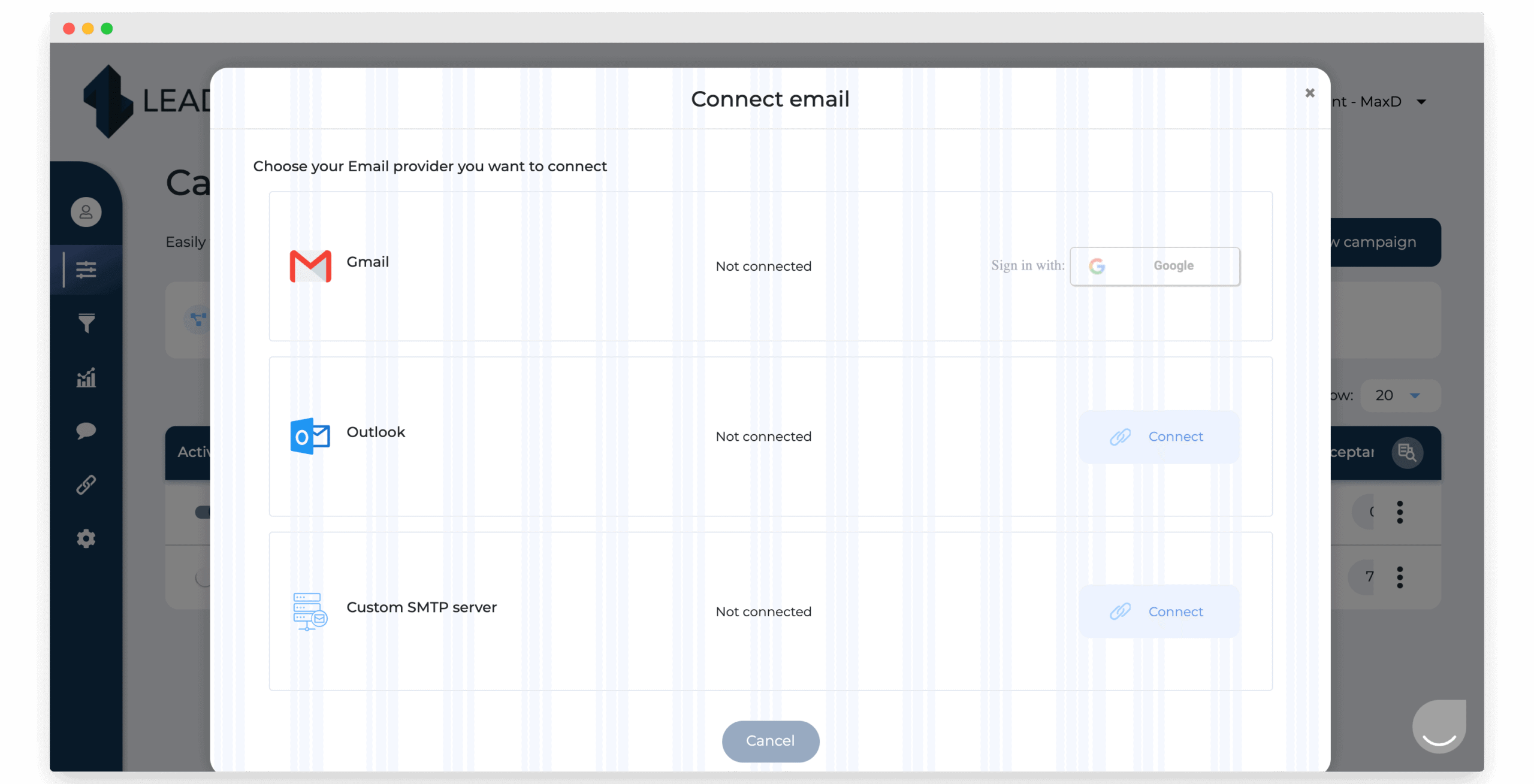
You can build your own signature to personalize your emails.
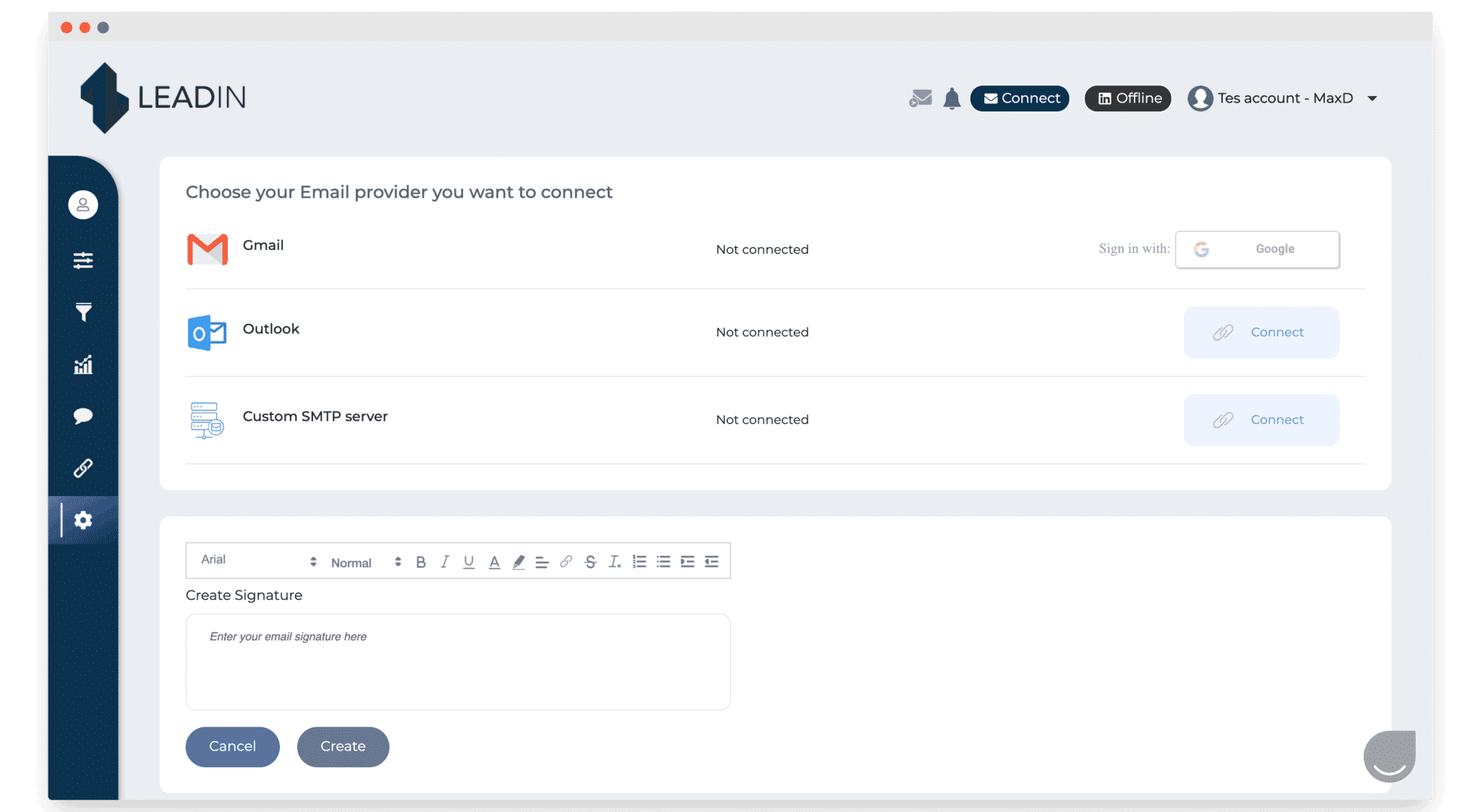
You can even set a systematic blind copy, meaning a BCC added automatically to every email sent.
Leadin webhooks and API
Leadin does not (yet) offer a native integration with the CRMs on the market, but they have shipped webhooks and an API that allow a fairly deep integration.
Broadly, a webhook is a URL configured to “listen” to a set of events, and to fire an action every time it receives one.
Concretely, you can listen to the interesting events in your campaigns (profile visited, email opened, and so on) and notify your CRM.
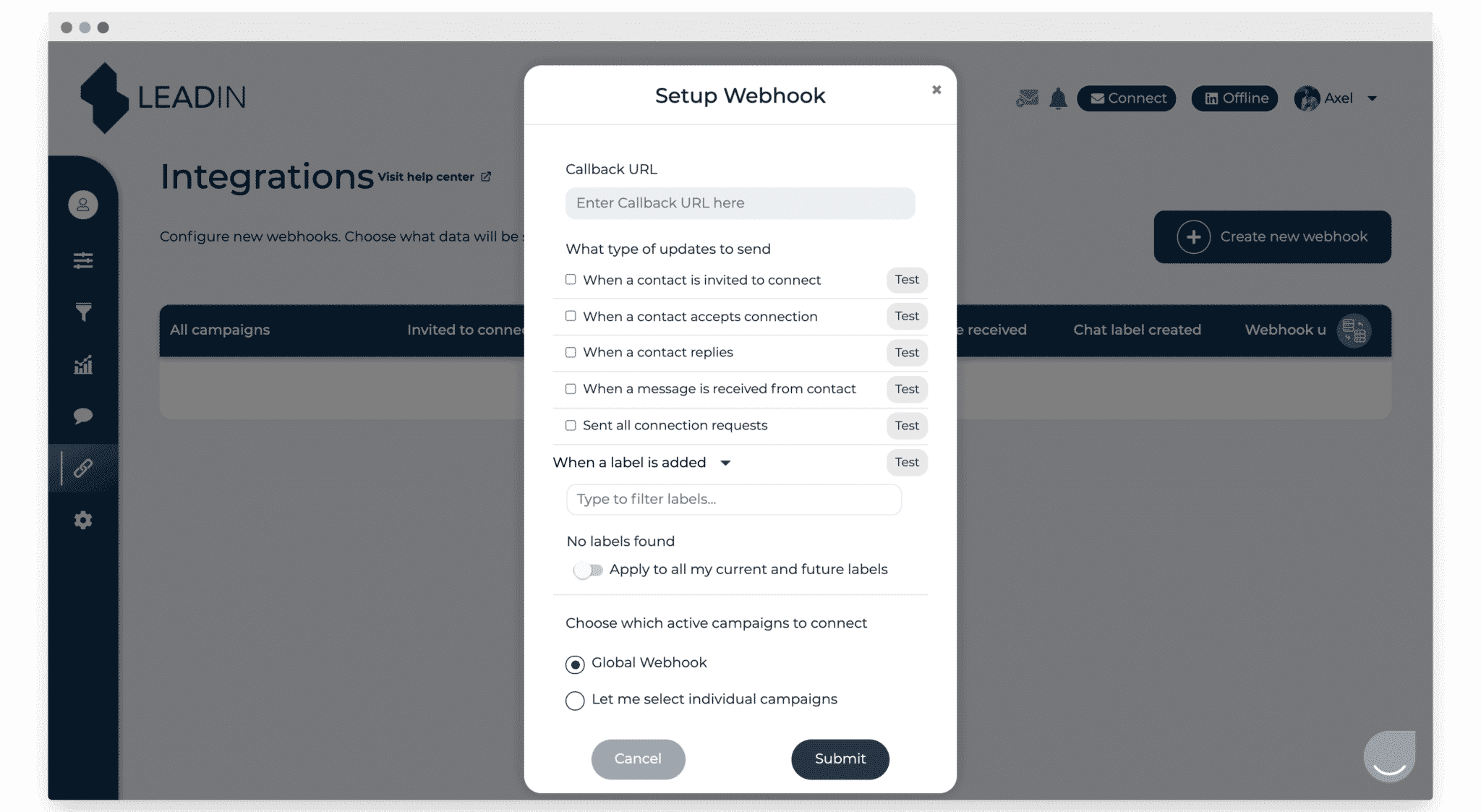
The webhook settings let you receive notifications and kick off a process as soon as an event happens.
You can set up events such as inviting a contact to connect, a connection being accepted, or a prospect replying. You can also create an event from a label you added to an email or a message.
You can also drive actions the other way round. For example, you can pause a campaign when a lead changes status in Pipedrive. With the Leadin API, that is a Zap or an Integromat scenario you can configure in two minutes.
Leadin customer support and assistance: a real strength
Customer support is part of Leadin’s DNA. The backstory: this is an agency selling software it started out using in-house. Everyone there knows the tool inside out, and customer satisfaction has been baked into the company’s processes for a long time.
If something goes wrong, support is available by chat every day from 8am to midnight, weekends included.
Worth noting too: the help center is very thorough, with videos that usually answer your questions.
Leadin pricing
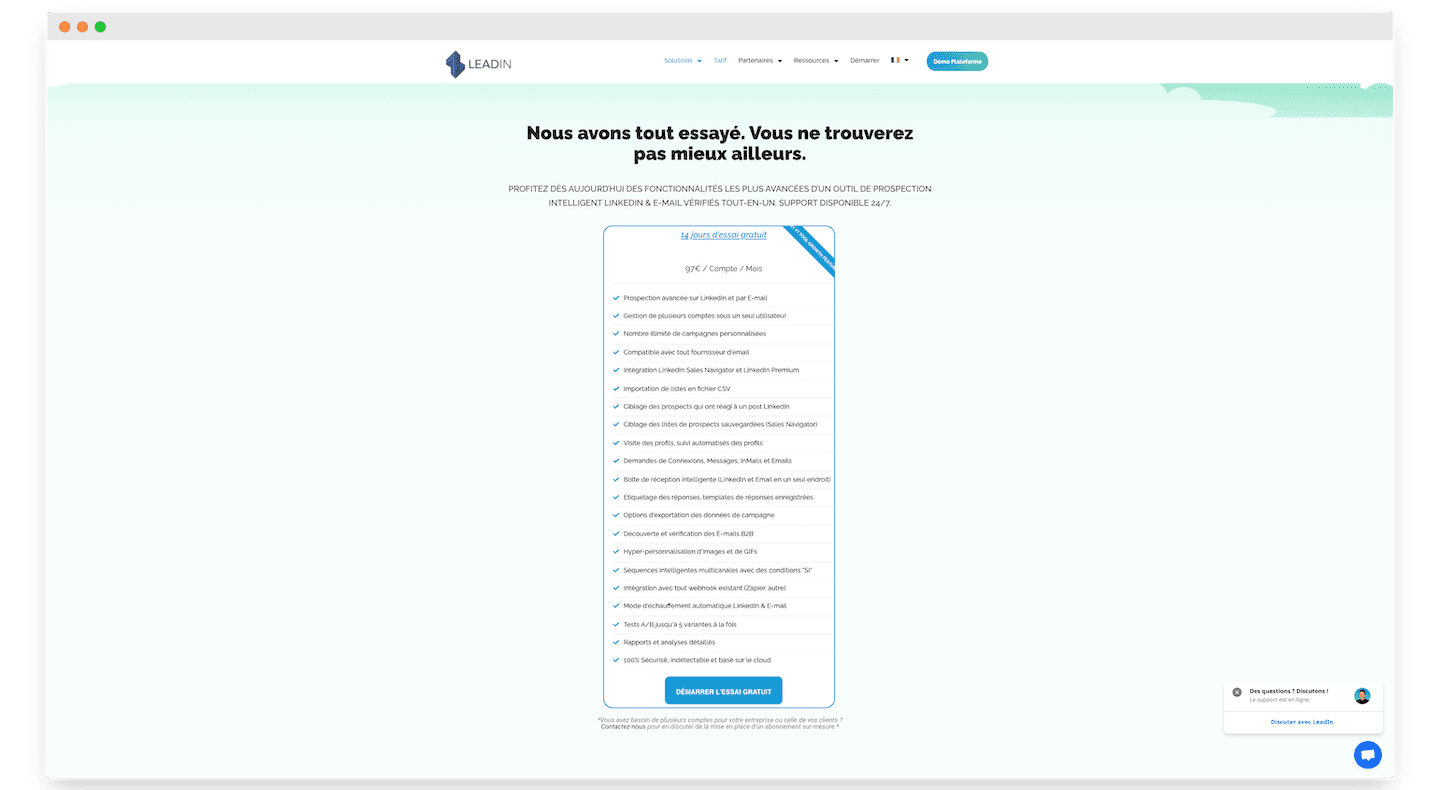
Leadin has a single price: 97 € per account per month. Past a certain number of accounts, Leadin offers discounts.
Worth stressing that you can run several accounts from a single “master” account at no extra cost, beyond the accounts themselves.
So for around a hundred euros a month you get every feature in the tool, no half measures, and unlimited. Leadin sets no prospecting quota whatsoever, whether for cold emailing or LinkedIn prospecting.
Leadin offers a 14-day free trial, and during that window you get every feature in the tool. You do have to enter your credit card details to start the free trial.