This article walks through a good number of those features, and will help you form your own opinion on a piece of software that promises to reinvent how companies grow.
The impressive functional scope of the platform
Twilead is a genuine all-in-one that lets you handle customer relationships through marketing tools, sales tools, and even customer support. For SMBs, small businesses and freelancers, it is an excellent option that replaces more than a dozen common marketing and sales tools.
1. Contact management in Twilead
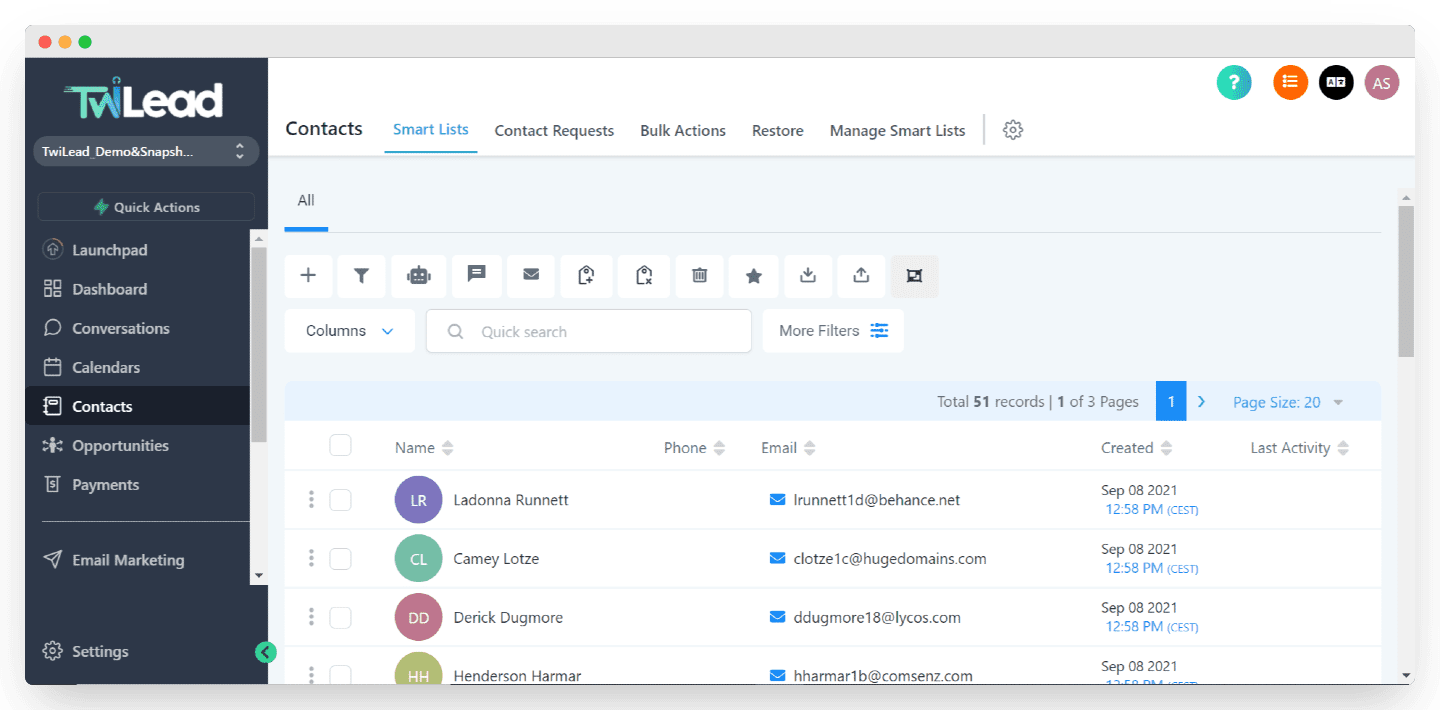
Contact management sits right there in the left-hand navigation bar. All your contacts live in that tab. You can tick the ones you want and easily add a tag, send them an email or an SMS, and even move them to another stage of the sales pipeline through one of the tabs at the top of the page.
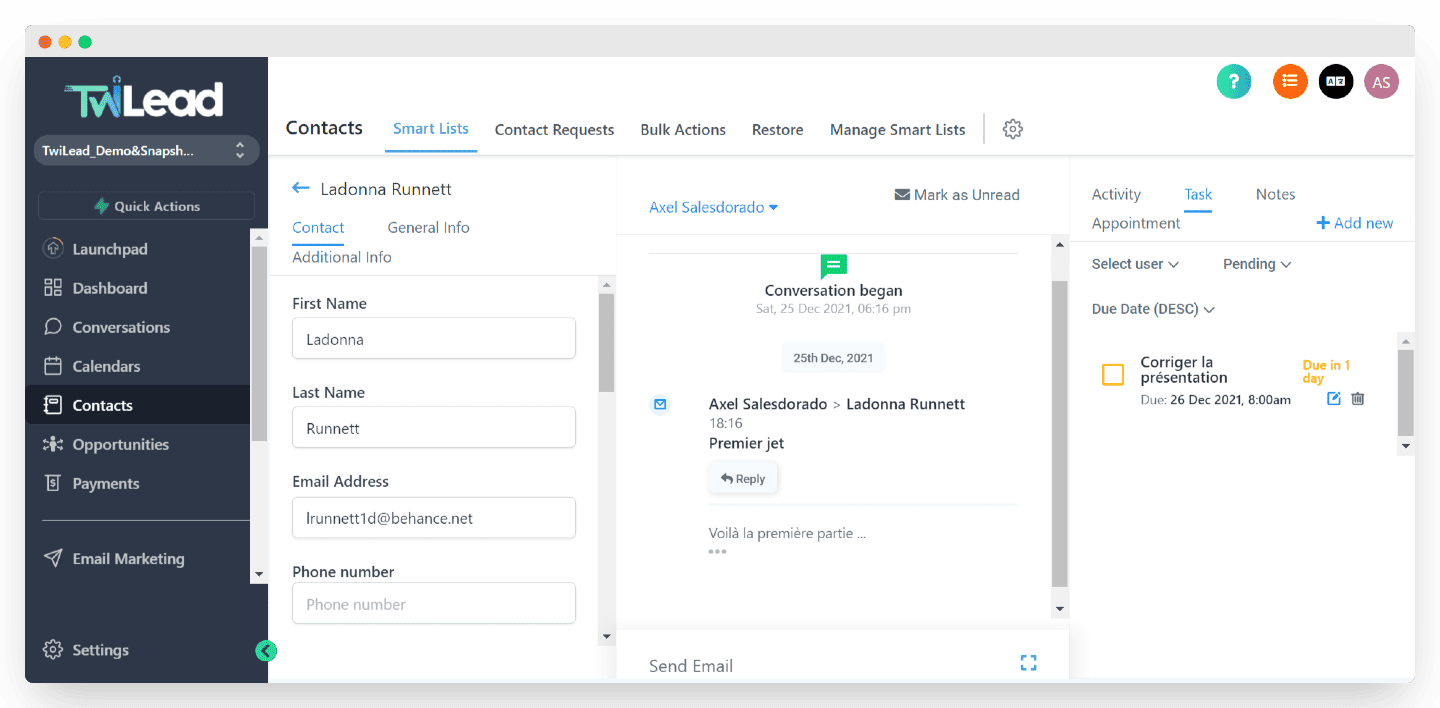
Clicking a contact opens their detailed information, your conversation history, their activity, appointments and assigned tasks. On the right, for example, a task has been assigned for this customer.
The Salesdorado verdictThe essentials, and a little more, are all clearly there. You get a genuine 360-degree view of every contact and you can build contact segments easily with the advanced segmentation engine. Tags or custom fields, your call.
2. Managing opportunities and the sales pipeline in Twilead
Twilead lets you see your sales pipeline in an intuitive way.
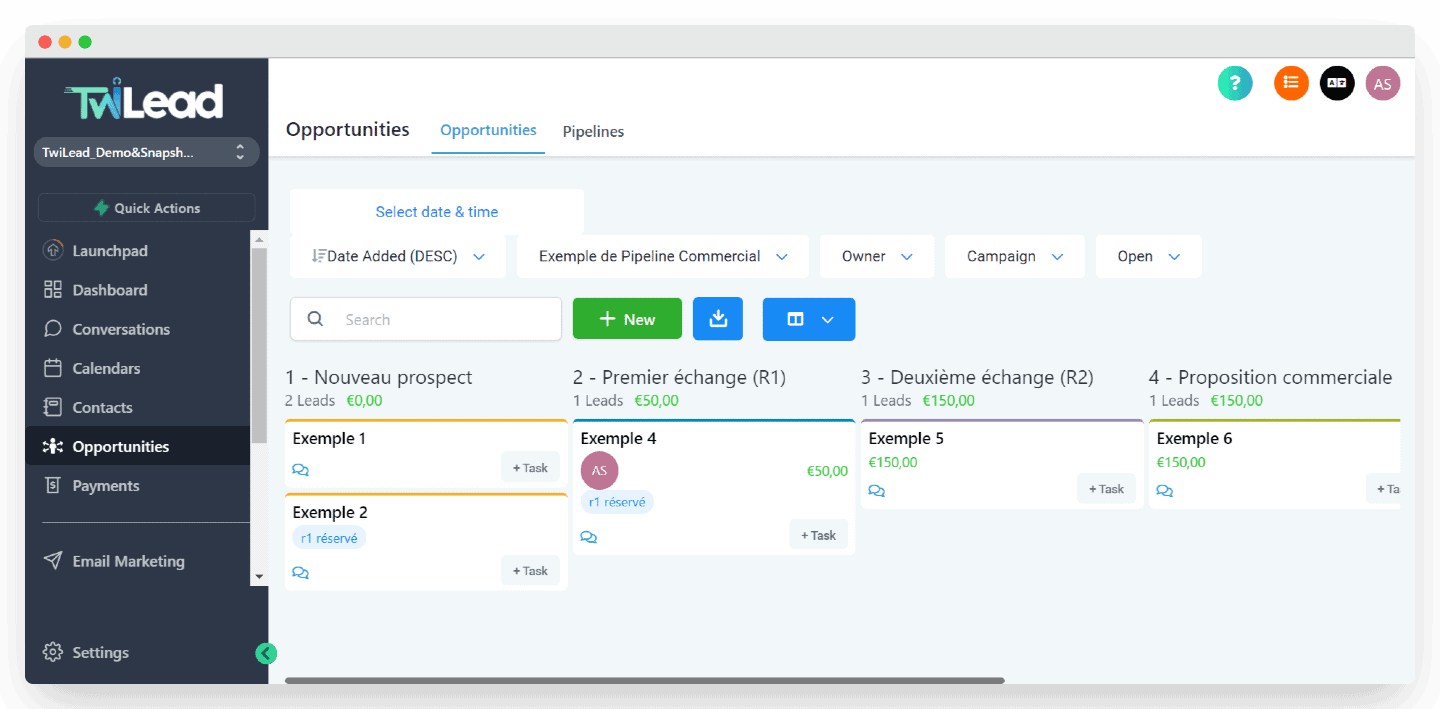
This is the main view for sales teams. The pipeline is broken down into several stages, with the matching leads inside.
You can build several sales pipelines and customize the stages. You can also pull up every necessary detail at a glance, add notes, upcoming appointments or tasks to follow up, in a few clicks.
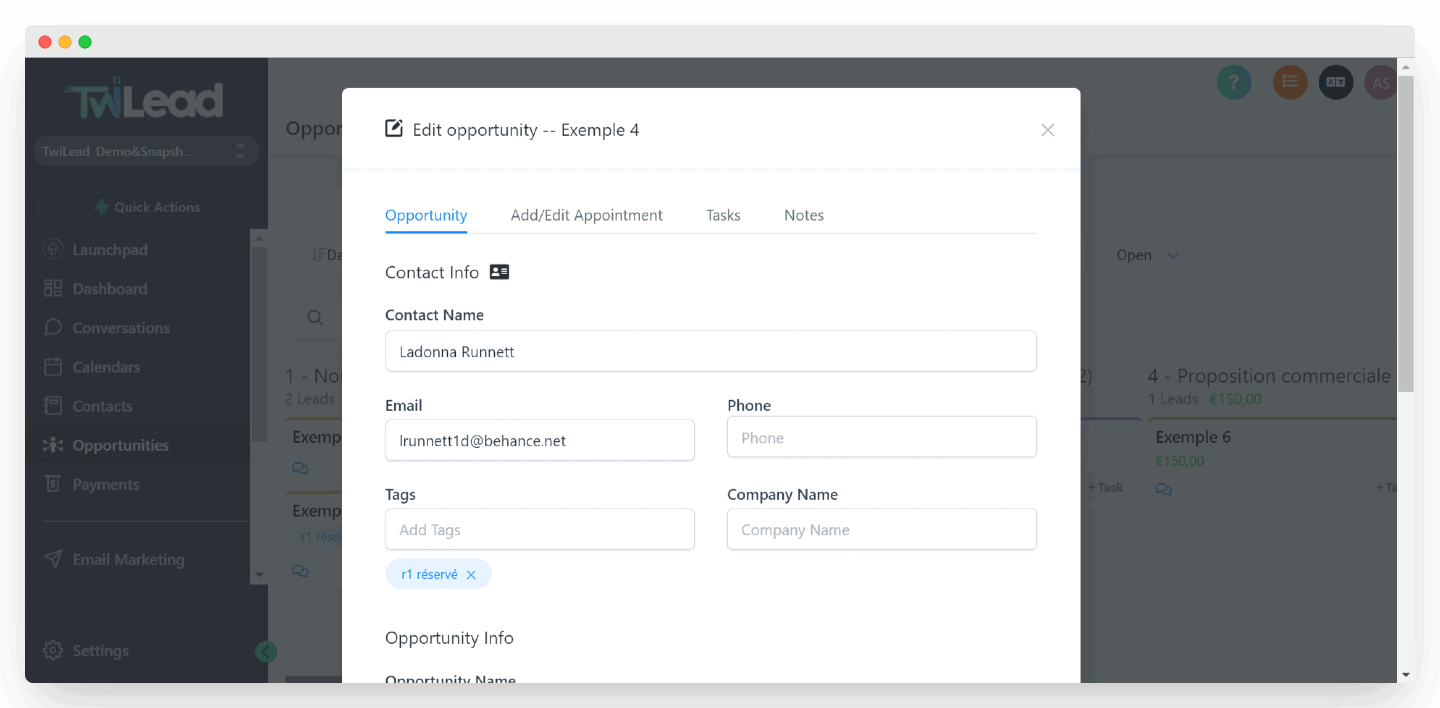
Click a prospect and you get their contact details right away, and you can pick actions such as booking a meeting, assigning a task or simply leaving a note.
The Salesdorado verdictThe pipeline view is simple, and very effective. We like how flexible the tool is for creating new opportunities, or adding tasks, appointments or notes, and for using tags from a single interface.
3. Websites, funnels and live chat
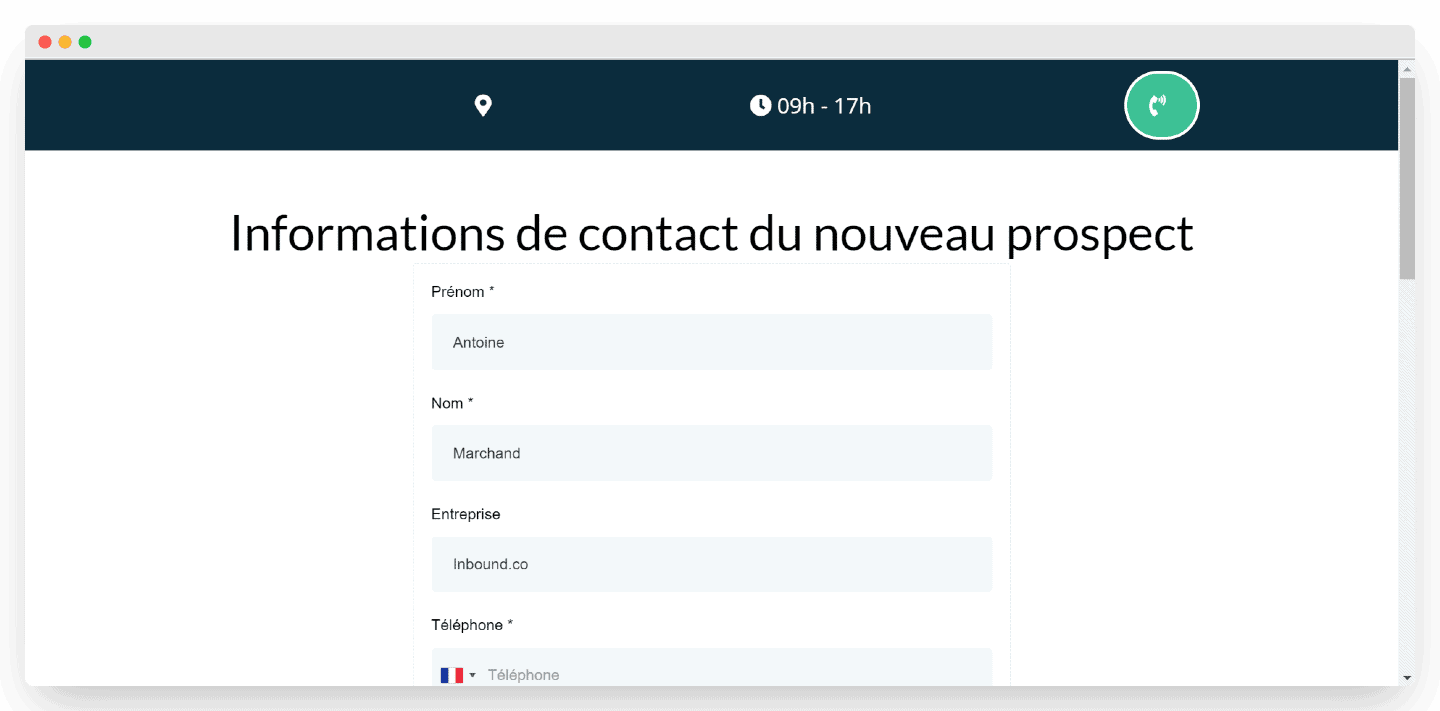
Twilead lets you build a form and host it on a custom landing page in a few clicks. All you have to do is enter the new prospect’s details.
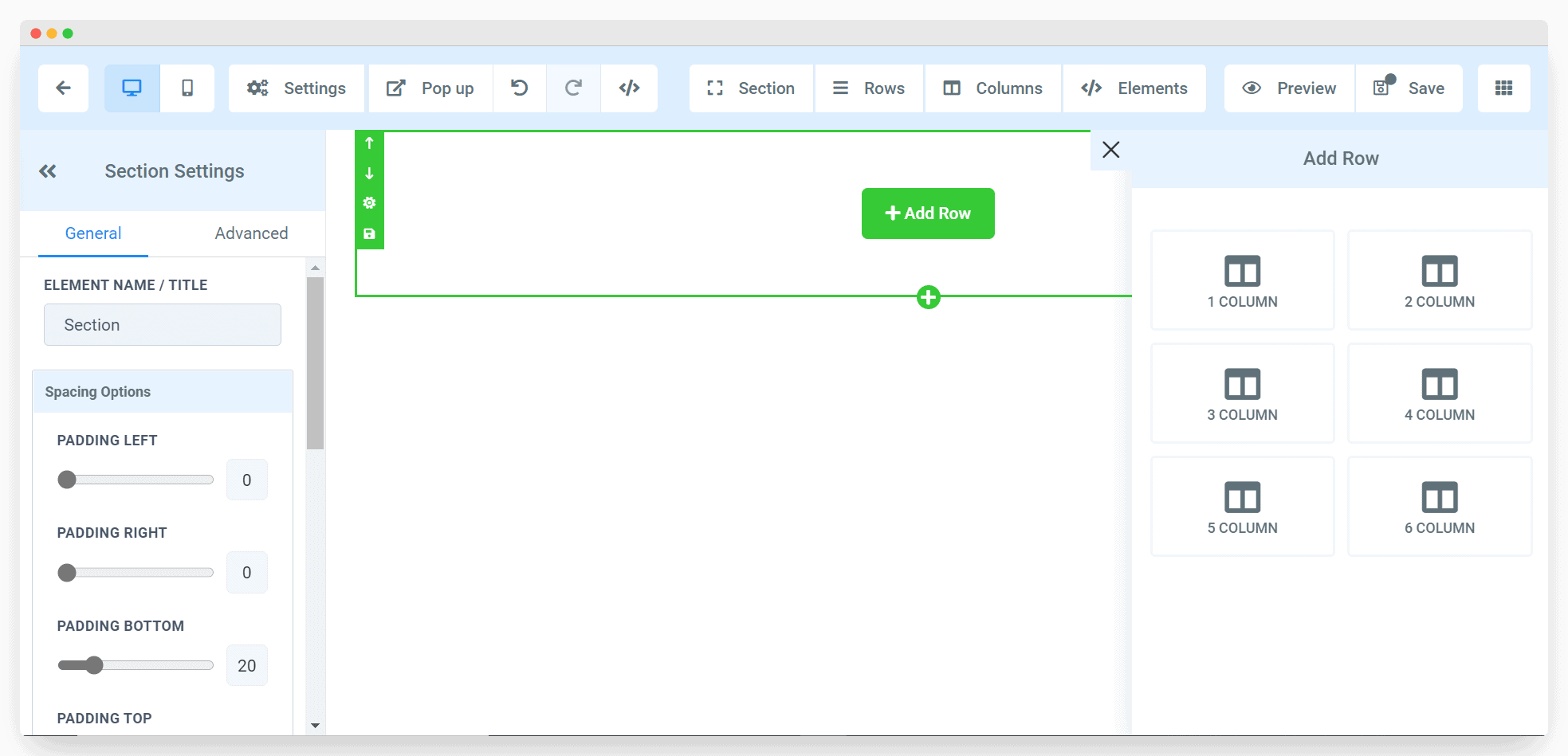
The landing page builder is very simple, and very effective. It lets you add rows and columns intuitively, and change the font, the background and the layout easily.
But Twilead goes further, and even lets you replace the traditional contact form with a synced calendar so people can book a meeting on the spot.

You can also add a chat widget, to talk to your visitors directly and capture more leads. It is one of the simplest and most effective lead generation strategies out there.
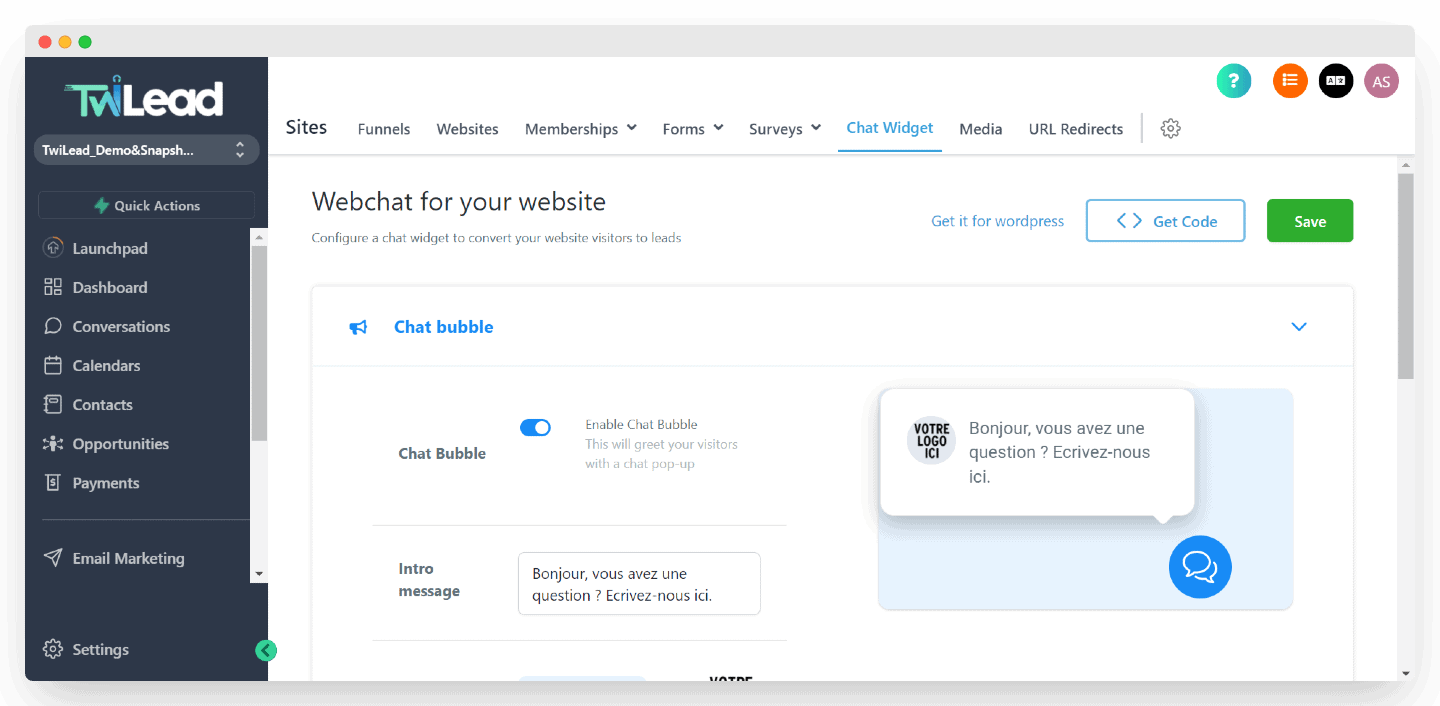
The Salesdorado verdictThe tool goes really far on lead generation, with a module that is genuinely complete, very simple to use and approachable. You can set up more or less complex forms, a booking calendar, survey questionnaires. But you can also build more complex multi-step funnels, and even create an entire showcase site from A to Z.
4. Conversations
Another important feature, since it gathers all your conversations under a single interface.
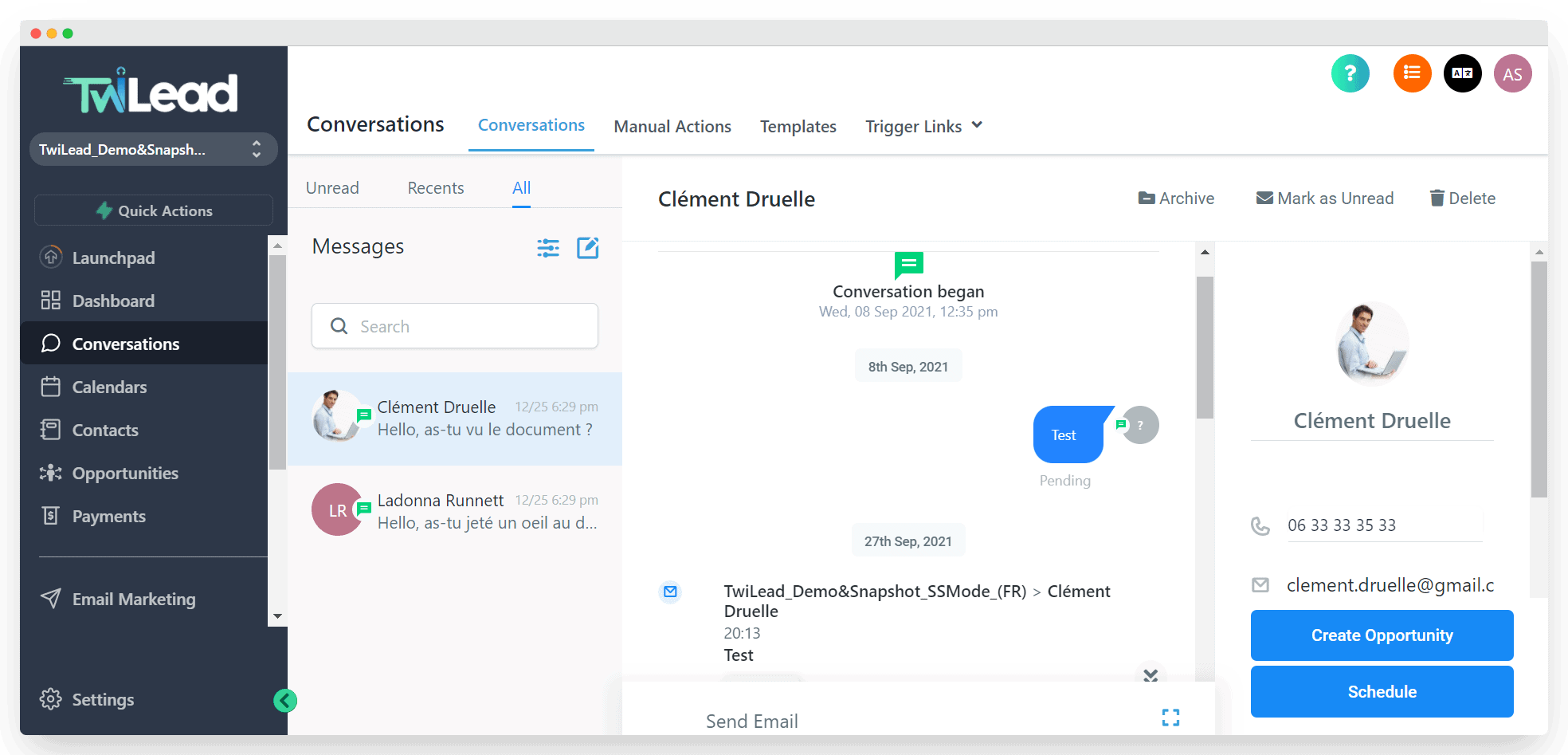
The conversations module gathers every communication with your leads & customers through:
- Phone
- SMS
- Facebook, Instagram and WhatsApp
- Google My Business (reviews)
You can also use templates to keep your communications consistent and save time.
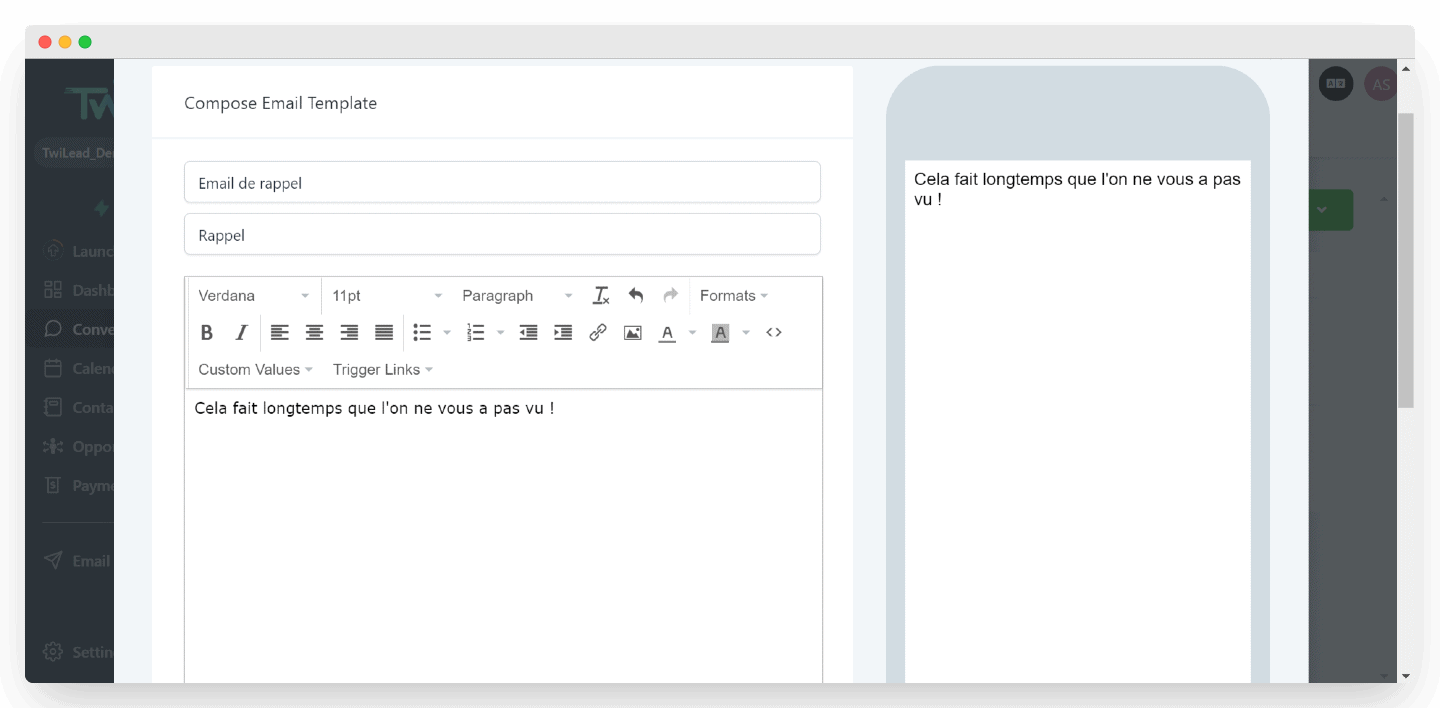
The Salesdorado verdictGathering every conversation with your prospects and customers is no small feat, but Twilead makes the 360-degree customer view reachable from a simple interface, and it works rather well. Ideal for launching multichannel prospecting sequences.
5. Email marketing with Twilead
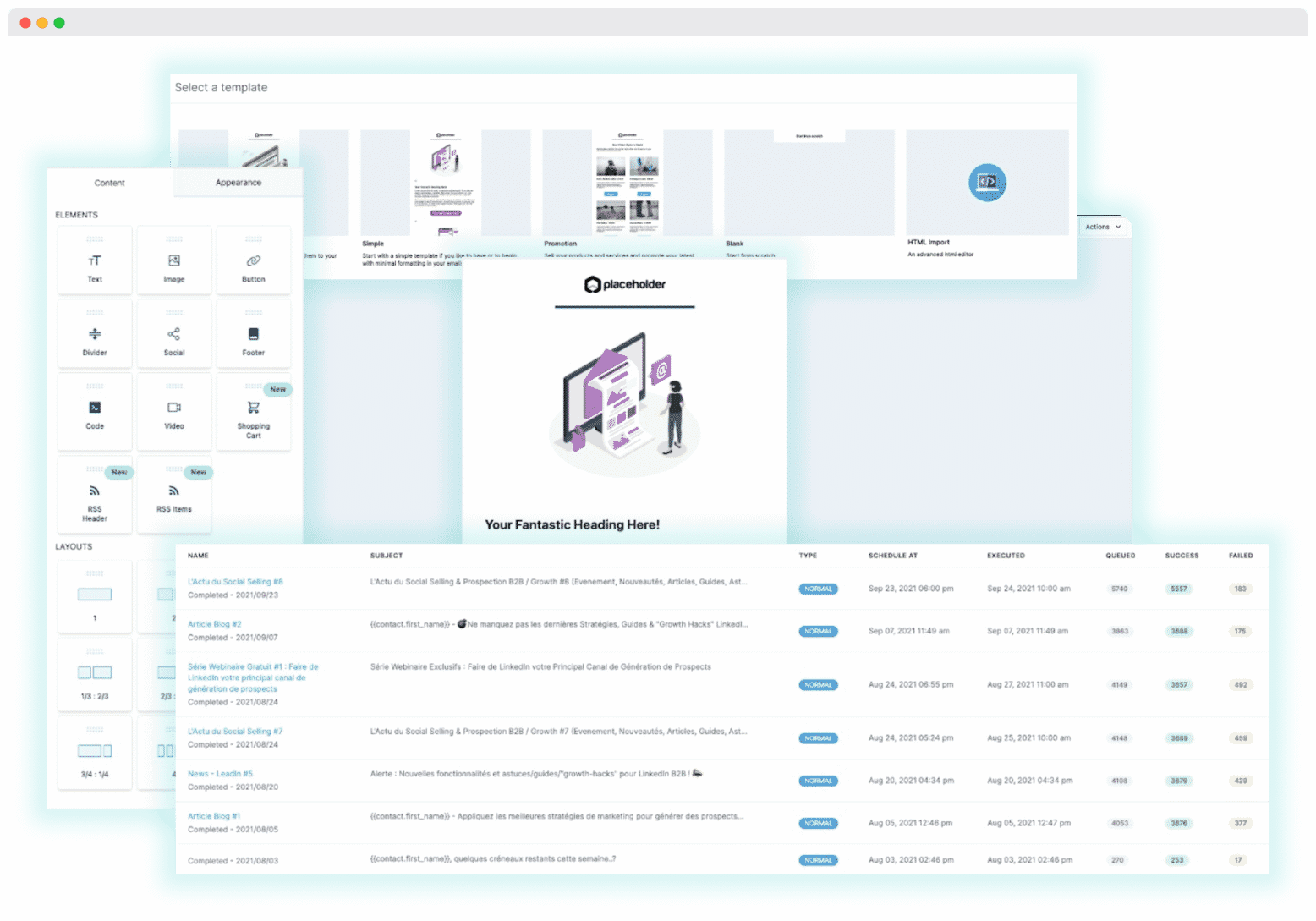
Twilead lets you activate your database very easily thanks to marketing software bundled into the platform, which lets you run your email marketing and replace your other marketing tools of the Mailchimp variety.
The software offers a range of email templates to catch the attention of the prospects you target.
It tracks emails to make sure they are properly delivered, which is how the information you collect, GDPR compliance included, turns into results.
The Salesdorado verdictAnother advantage of all-in-one software, since Twilead replaces your traditional email marketing tools by offering the same features.
6. Automation
This, in our view, is where the all-in-one side of the software adds enormous value. The automation platform lets you orchestrate every module of the tool without forcing complex data models and data flows on yourself.
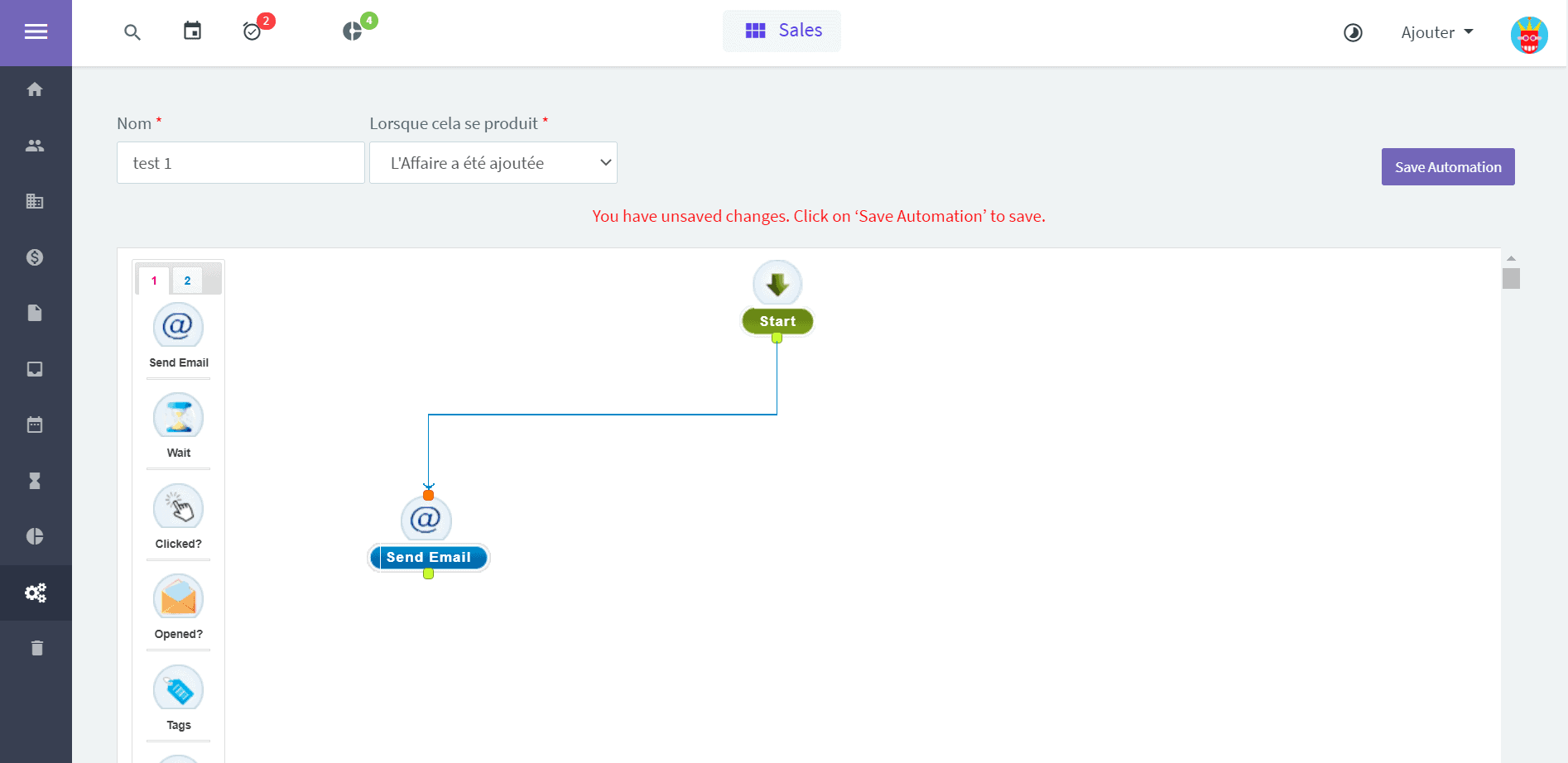
For instance, when a lead fills in a form you built with Twilead, you can:
- Create the opportunity in the CRM (the contact will already have been created automatically).
- Add tags to flag the source of the lead.
- Notify the sales rep the meeting was booked with.
- Automatically send a confirmation email to the prospect who booked.
- Send a reminder the day before or an hour before the meeting to cut down no-shows, by email, SMS and so on.
- In short, the tool lets you automate a significant part of your sales processes, and pushes you to systematize them to gain efficiency.
Exactly what we like.
The Salesdorado verdictThe automated workflow builder is very effective in itself. Easy to use, clear, and powerful all the same. It also offers detailed statistics for every step of the workflow, and complete logs to make debugging easier or to study a journey in detail. But the real strength of automation in Twilead comes above all from the functional richness of the tool. The platform lets you design workflows running from lead capture to appointment reminders in a few clicks, and that is very strong.
7. Reporting
Reporting in Twilead is very thorough too. The more classic CRM reports are all present and very effective:
- Tracking phone calls and performance
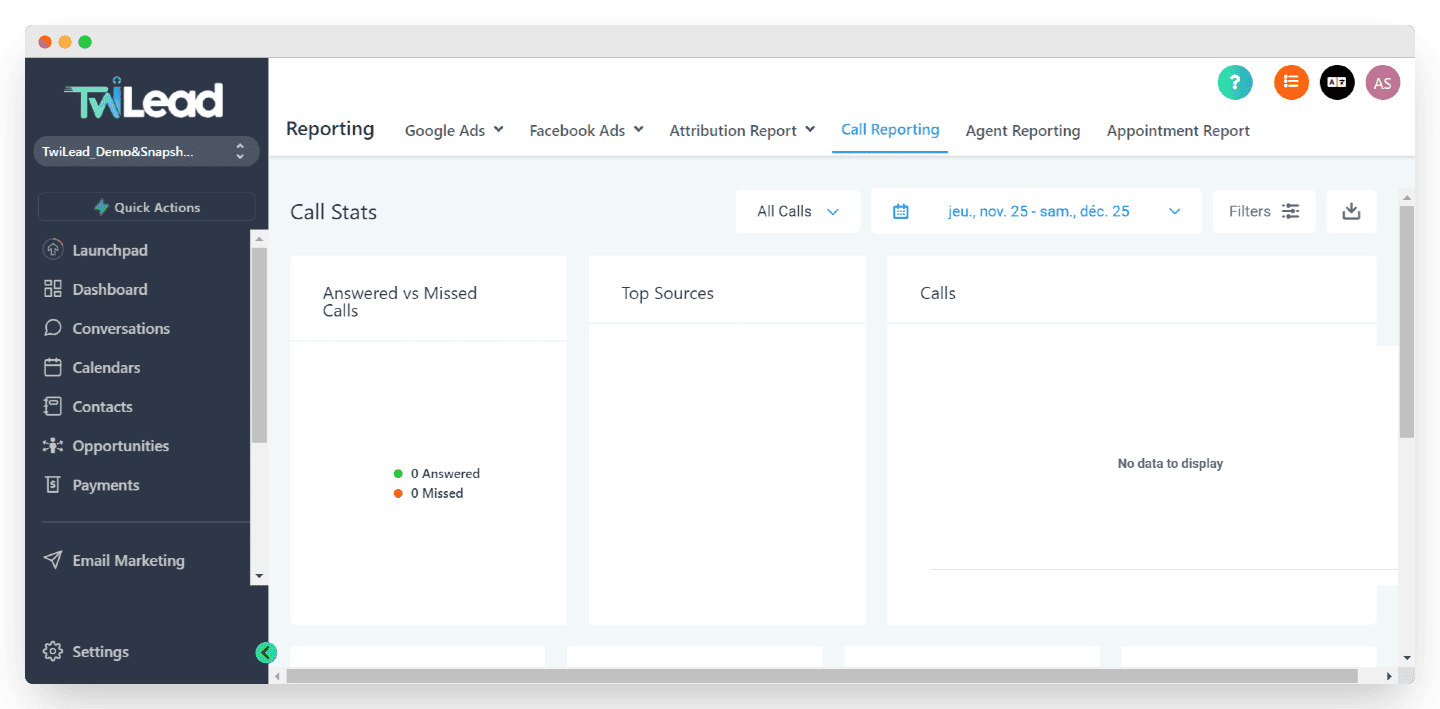
- Tracking performance per sales rep, with a leaderboard
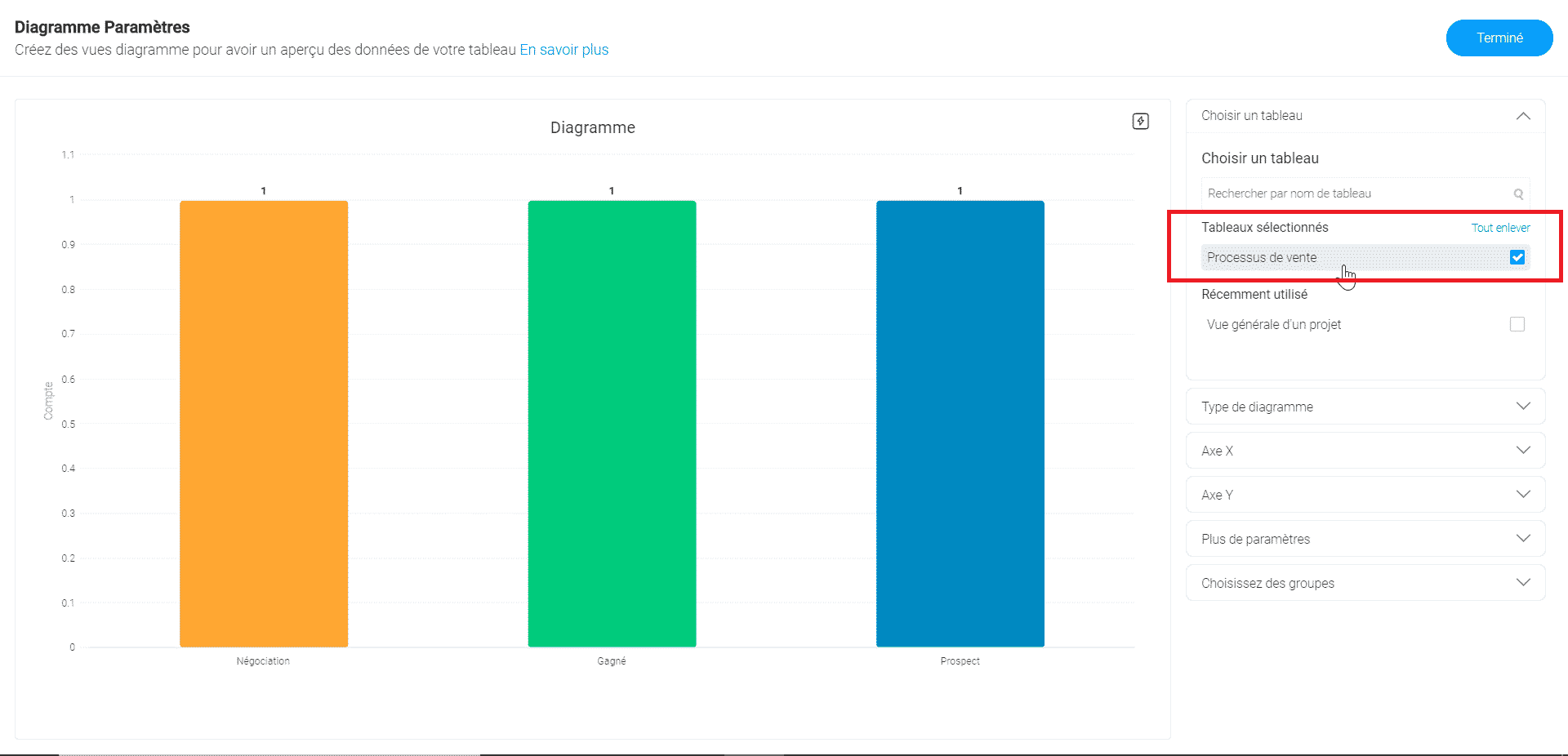
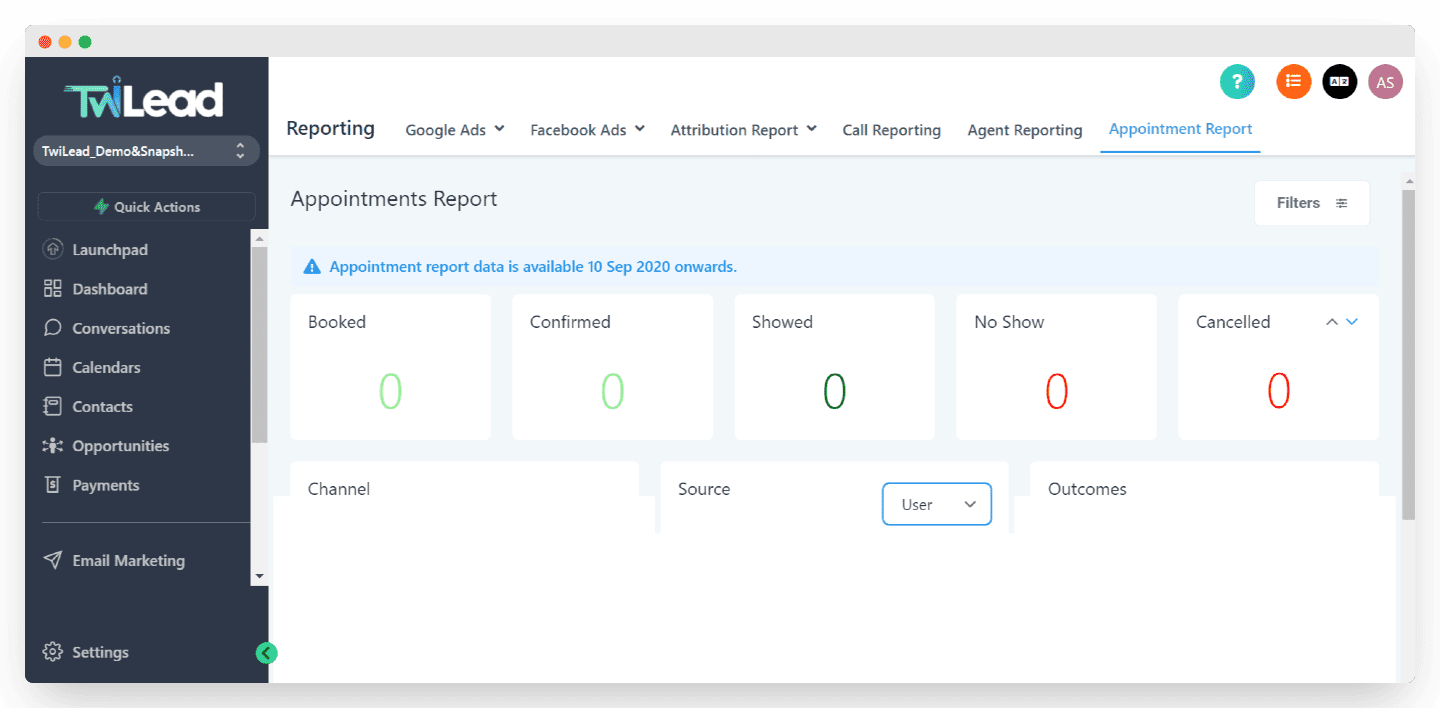
- Tracking opportunities and appointments for a broader view of the sales funnel
But here too we like the connection to the marketing tools, which lets you build detailed reports on the performance of every Google Adwords or Facebook campaign, from CPM or CPC all the way to conversion and average order value, since everything lives in the same software.
Twilead offers a tool to analyze the performance of every traffic source so you can optimize your marketing campaigns knowing what you are doing, and that is a real plus.
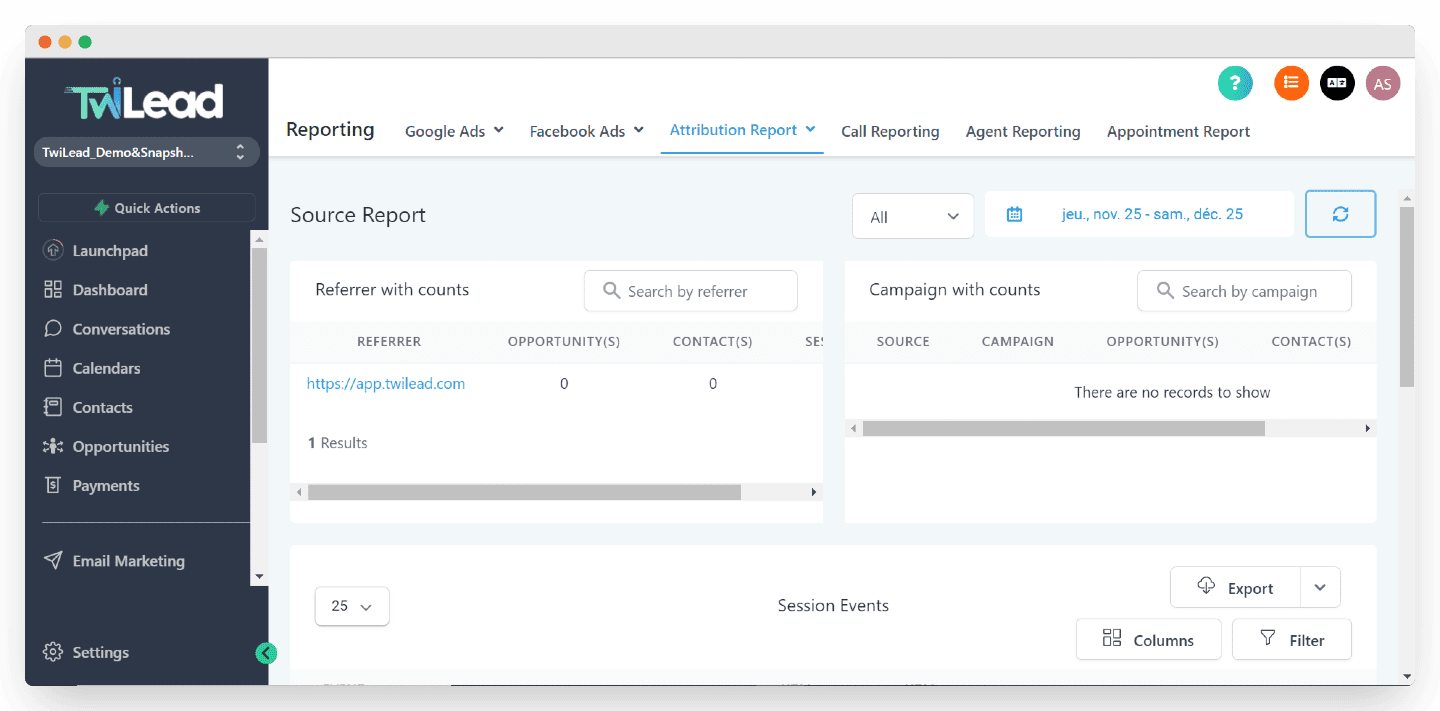
The Salesdorado verdictReporting is broadly a success: thorough and approachable. We particularly like the depth of the features that track marketing campaign performance, wired straight into the CRM and into economic reality. An asset for aligning your sales and marketing teams.
8. Reputation management
A bit more of a gimmick, but having it inside the CRM suite is genuinely an asset. Twilead also offers a tool to track and improve customer reviews.
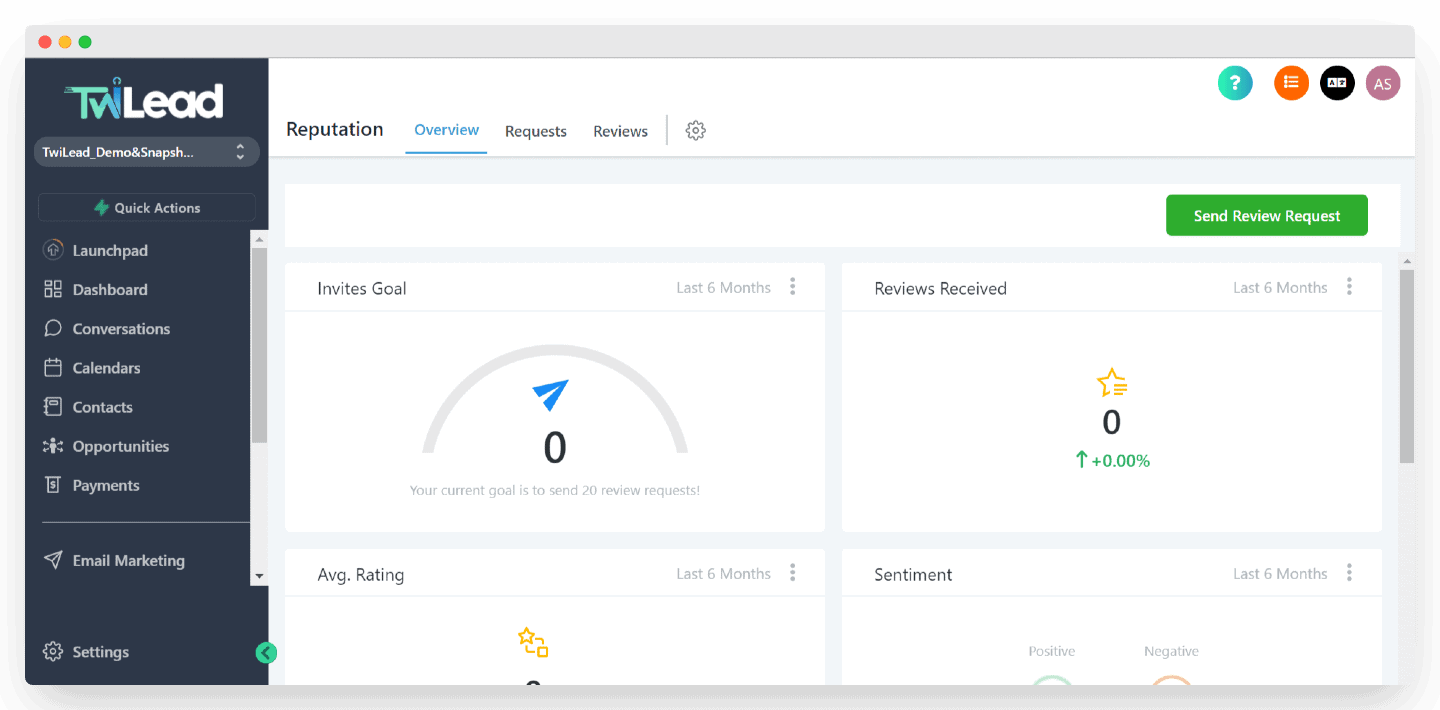
It lets you ask your happy customers to leave a positive review simply, and above all at the right moment.
It also lets you fold public reviews into how you follow your customers, and notifies you the instant a review, positive or negative, is left about your company so you can react.
The Salesdorado tipHaving an online reputation management tool built into the CRM is genuinely an asset, and the module is very well done, with email and SMS templates to request a review, and a custom landing page.
Twilead’s integrations
Twilead also plugs in very well to most of the tools that sit upstream and downstream of a CRM: email communications, calendar, payment, prospecting tools and so on.
Email, calendar, Google Meet & Zoom integrations
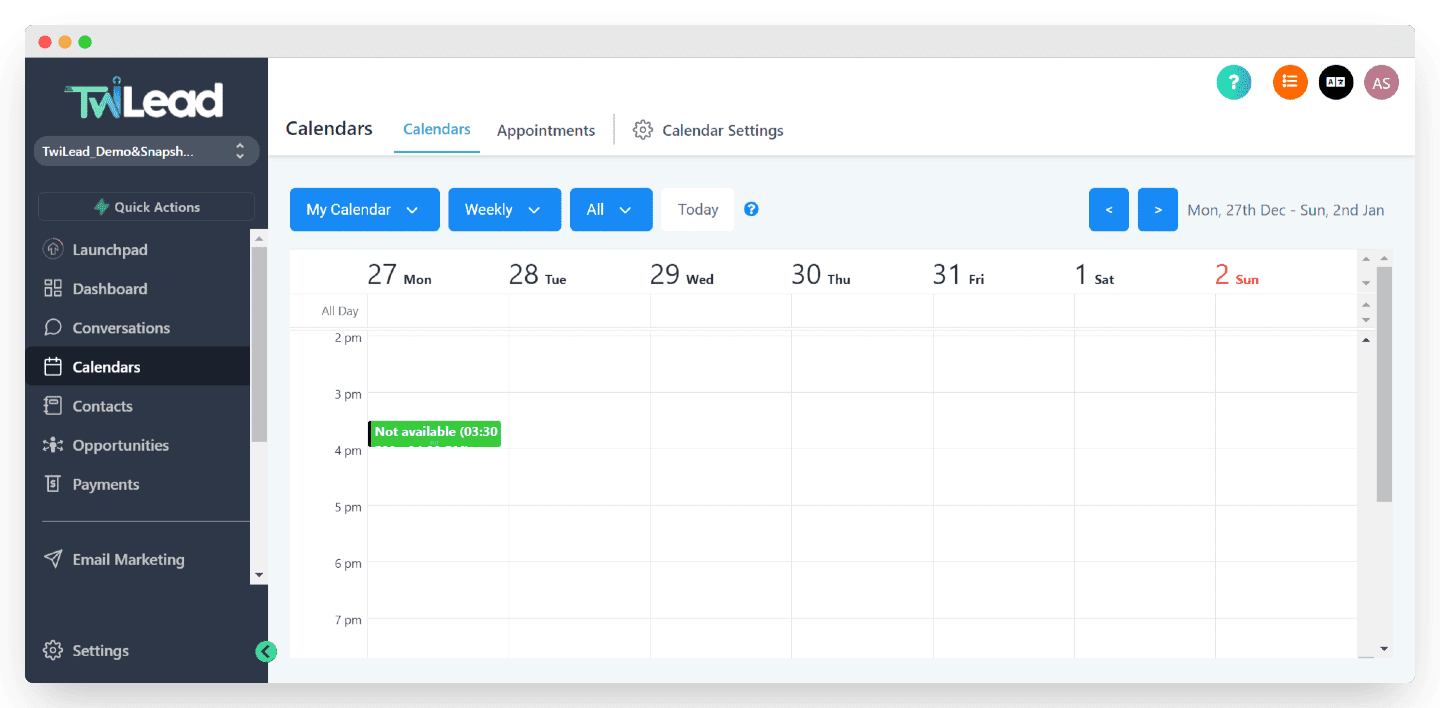
You can simply add a Gsuite or Outlook account to Twilead, and build a two-way integration:
- Send emails from Twilead with your own email account.
- Categorize and organize every email received inside Twilead.
We also like the native integration of the Gsuite or Outlook calendar into Twilead, which unlocks booking features straight from the website and more.
You can also configure a custom SMTP or Sendgrid to send mailing campaigns at a larger scale.
The Salesdorado verdictThe Gsuite & Outlook integrations are very thorough. We also like being able to configure a custom SMTP to send larger email volumes.
The Leadin integration
Leadin is a very effective multichannel prospecting tool (email & LinkedIn), published and supported by the same company. Twilead therefore offers a native integration that automatically connects your prospecting tools and your customer relationship tracking.
A real plus for speeding up your sales cycles and lifting conversion, by pushing the hottest leads straight, and automatically, over to the CRM side.
Ads & Facebook Ads
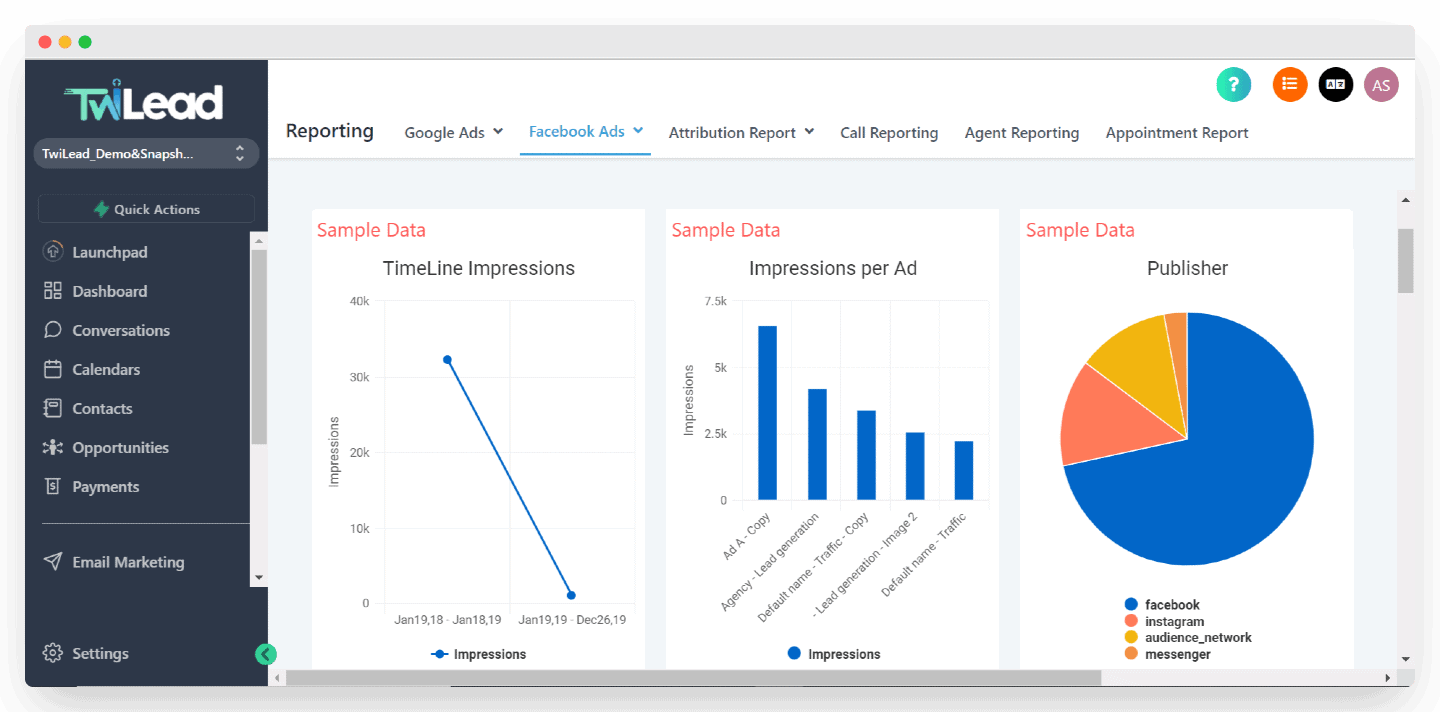
The tool also offers a complete integration with your Google Ads & Facebook Ads accounts, to give you detailed reports by connecting your sales data (CRM) with your marketing campaign data.
Those integrations are what feed the advanced sales-by-campaign reports, so you can optimize on the only KPI that really counts: revenue generated.
Stripe & Paypal
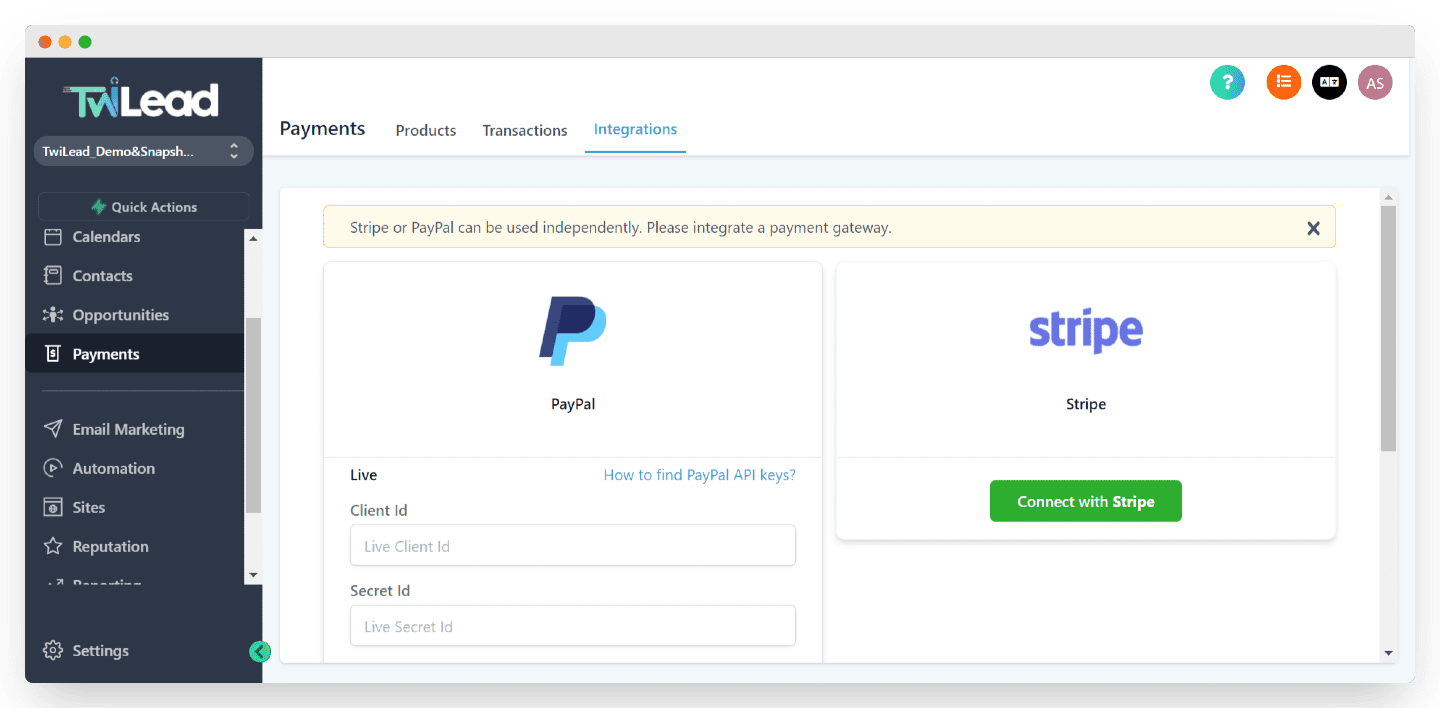
By plugging in Stripe or Paypal, you can offer direct sales from your website.
Twilead lets you create products, and turn your site into an ecommerce site in a few clicks. Powerful integrations, here again, for tying your real revenue to your CRM, marketing and customer data.
The tool also offers a Shopify integration to run your ecommerce site from the platform, and a Quickbooks one to automate nearly all your invoicing processes.
Google My Business and Facebook location
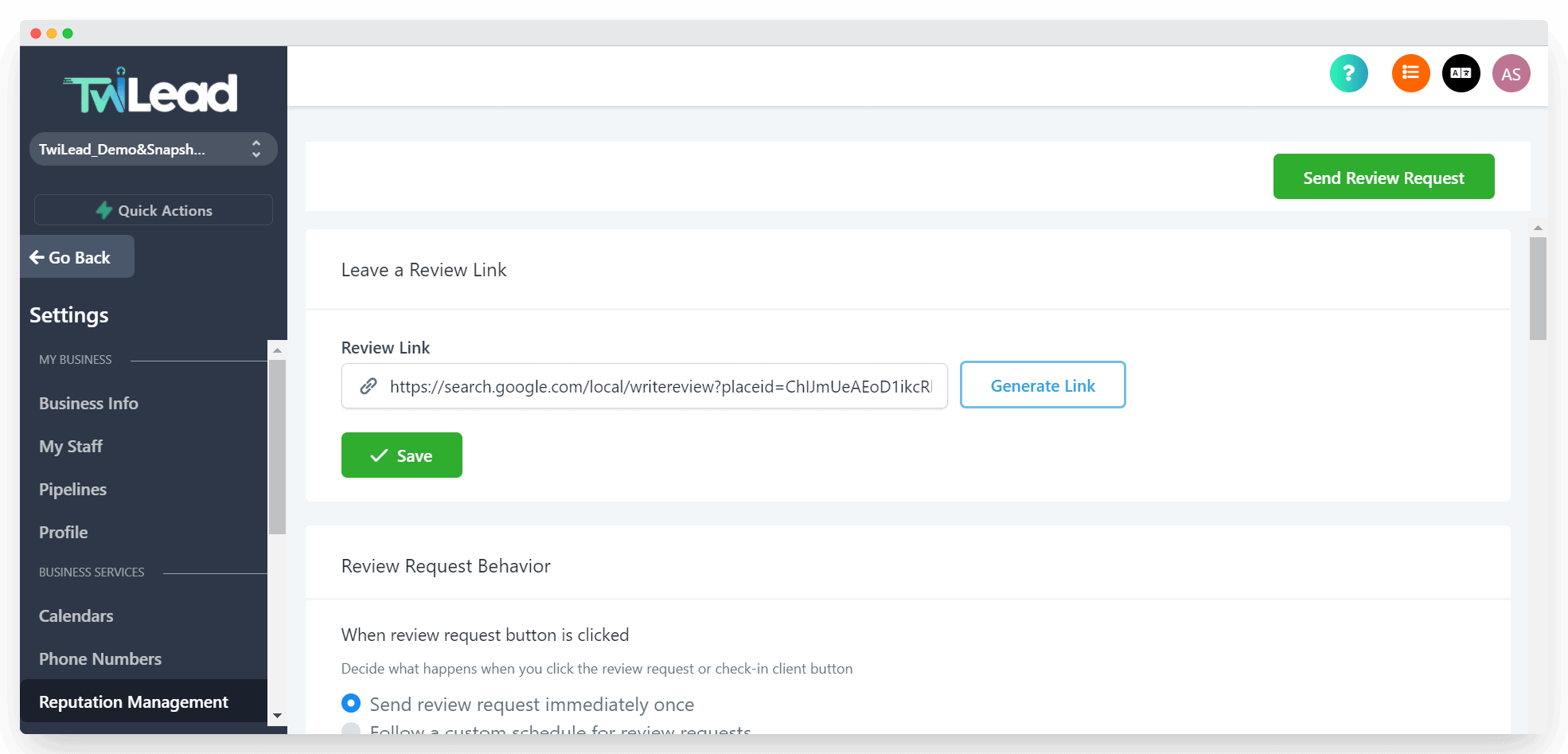
Last category of integrations offered by Twilead: tracking your public profiles on Google My Business, Facebook and the like.
This is the integration that lets you follow your customer reviews and react to them quickly. It also lets you know which of your customers left a review, positive or negative, so you can thank them or try to solve the problem they ran into.
The Salesdorado verdictThis is clearly one of the tool’s big strengths, with a great many integrations, all of them rather deep. Worth noting too, there is an open API that is fairly well documented for anyone who wants to go further, and a fairly advanced Zapier connection.
Twilead’s mobile app

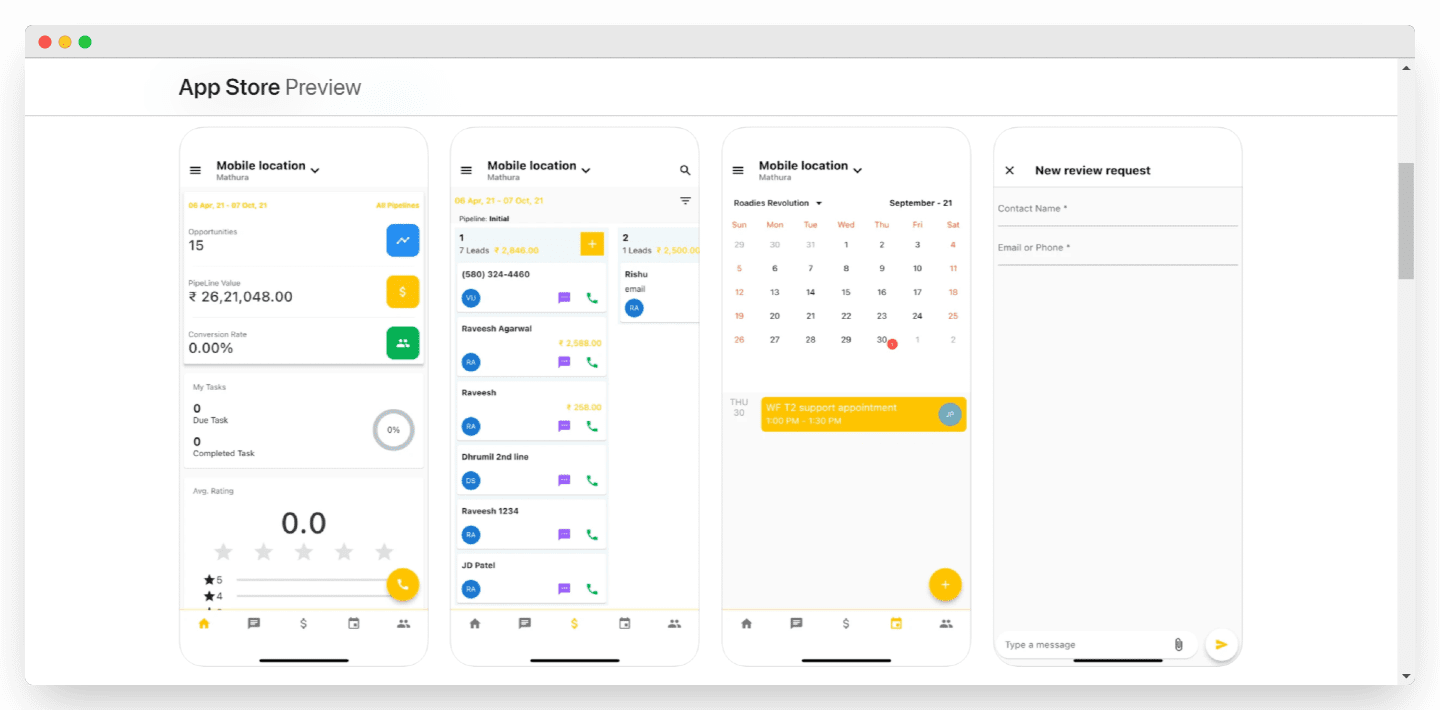
The app, available on the App Store and Google Play, lets you keep growing your business from your phone. With the Lead Connector app you can, among other things:
- Reach your leads
- Reach your calendar
- Watch your sales pipeline
- Check your statistics.
Customer reviews of Twilead
The app is fairly recent, so for now there is little hindsight and few statistics available on it. Finding complete customer reviews is complicated at this stage.
Customer support at Twilead
Twilead presents itself as the number one platform to automate your company’s sales growth. Customer satisfaction is therefore at the heart of its policy.
Before subscribing to Twilead, you can ask for a demo of the software by one of the company’s experts. If you have questions before signing up or while using the software, a contact form, a chatbot and a phone number are available to answer you.
Articles are also freely available on the site to help you with your sales growth strategy.
Twilead pricing

On the pricing side, Twilead offers 3 plans:
- Business: at 75 €/month, this plan includes the main features such as conversations, the sales pipeline, email marketing, website creation and reputation. On the other hand, this plan gives you no access to automation scenarios, personal and team calendars, survey creation, performance reports and other advanced features.
- Performance: at 140 €/month, this plan offers every Business feature, plus the advanced tools listed above.
- Expert: at 240 €/month, the Expert plan includes the Performance plan plus a full audit and the rollout of your automation strategy. You also get tailored support in French from an expert.
The real plus is that Twilead is 100% unlimited, in number of contacts as well as number of users. The subscription price does not change whether you have 300,000 contacts in the platform and 25 user accounts.
To close, Twilead is a very deep tool offering plenty of ways to grow your sales. Detailing every feature in a single article is impossible, but we hope this overview helped you understand whether that kind of platform fits your company.