Wrike is a project management tool founded in 2006. With a very broad feature scope, this software is ideal for complex projects and large teams.
Even if Wrike can be harder to set up for small teams, its strengths mean it is used by more than 20,000 customers worldwide.
Wrike: feature scope
Task management and planning
In Wrike, work happens in building blocks: tasks. They can be added to projects and hold information such as a duration, a status, a due date, an assignee or comments.
These tasks can be split into subtasks, which can be turned into standalone tasks if needed. Tasks can have files attached, be marked as favorites, be duplicated or be made recurring.
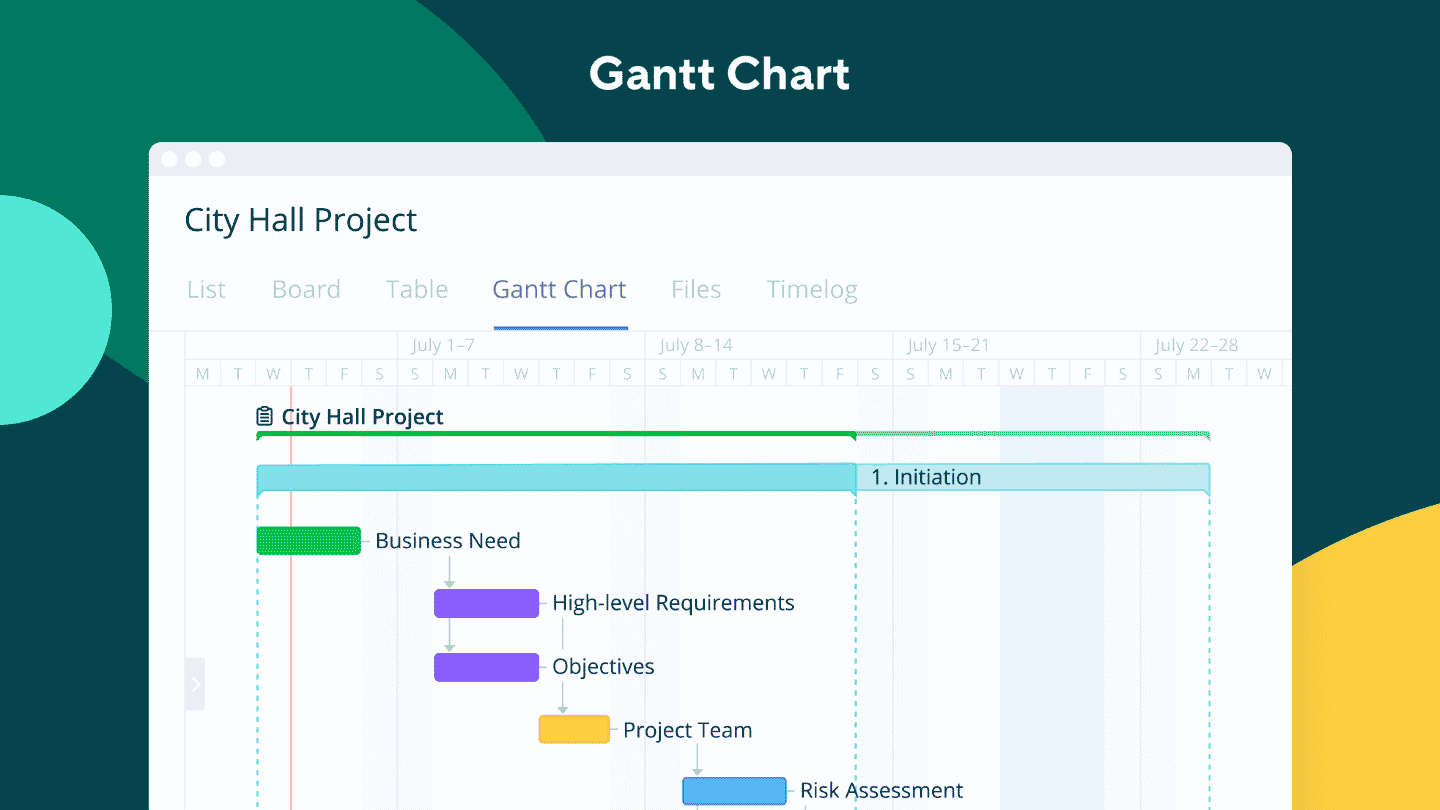
In Wrike, the Gantt chart gives an overview of project progress. It lets you create tasks directly, track their progress and see pending tasks.
It also lets you schedule or reschedule tasks and update the project timeline with a simple drag and drop. Finally, it lets you filter tasks by status, owner, start and end dates.
Collaboration and communication
Users can choose how, and with whom, to share projects and folders, and communicate through comments or mentions. The tool does not offer team chat or audio and video calls, but these are available through integrations.
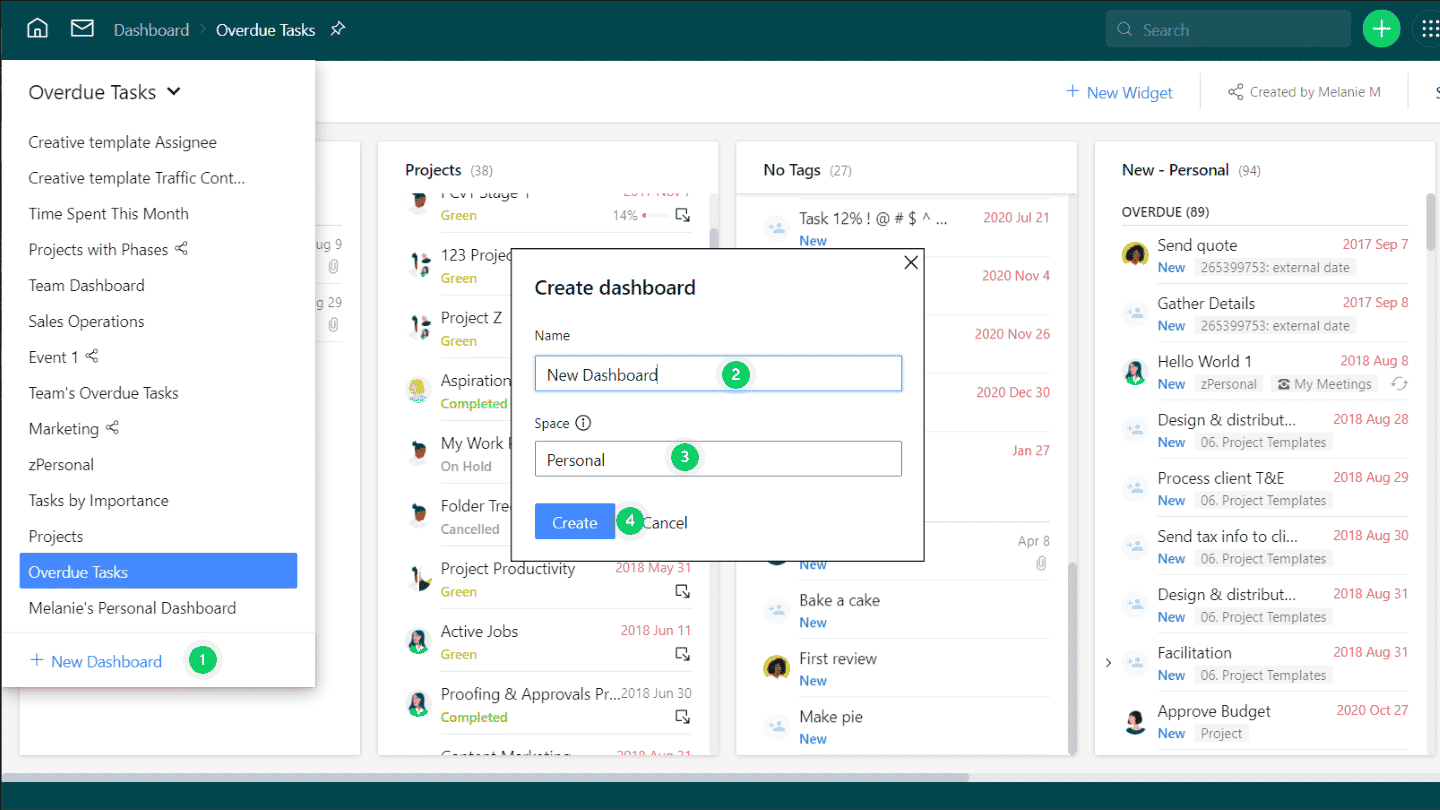
Wrike makes collaboration easier with customizable dashboards, which let you organize a team’s work by client, project or calendar. They give an overview of ongoing tasks and subtasks, and let you track their deadlines.
Wrike lets you upload and share external files, and preview Word, Excel and PowerPoint files directly, so they don’t need to be downloaded. Project and task files can also be shared with coworkers or clients.
The “Work schedules” feature helps manage working and non-working days, and shows when a team, or individual coworkers, are working. It lets you add vacation days and overtime.
Reporting and time tracking
Time tracking is used to log billable hours and invoice a client, or to estimate the duration of tasks and projects. In Wrike, it is included from Business accounts and up. It works on the mobile apps, including offline.
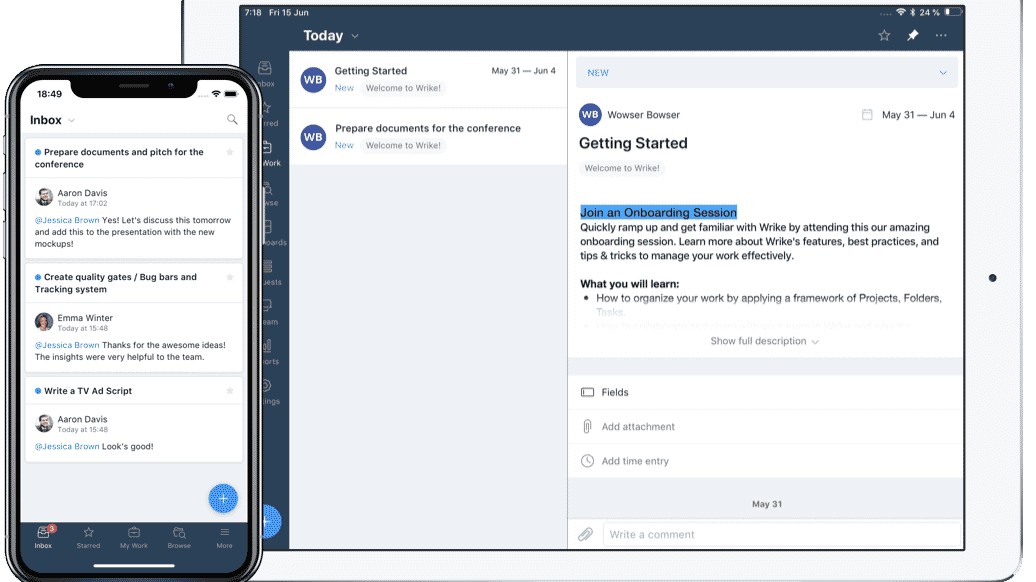
You can enter time manually, or measure it with a timer built into the app. Wrike lets you create a timelog report and, depending on the subscription, export timesheets.
Wrike’s time tracking is less capable than that of dedicated tools, and does not work for clocking in and out. It is also less easy to use than that of other project management software: in particular, it can only be started by opening a task.
Wrike gives an overview of projects and tasks through reports, which can be refreshed at any time with recent data. You can use a predefined report template or build a custom report.
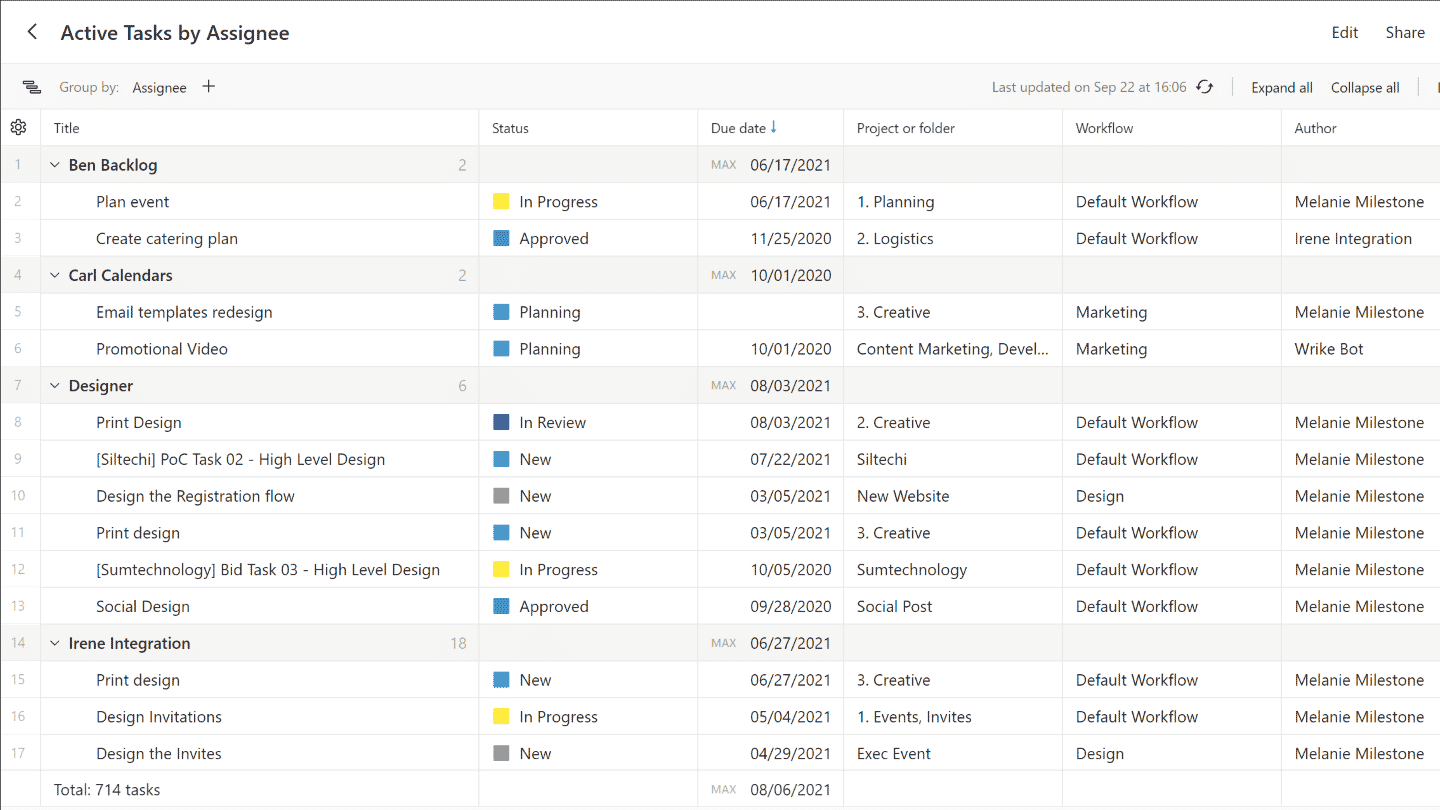
A report builder helps create new reports. For example, the project risk report template uses artificial intelligence to analyze active projects and give the probability that each project will be completed on time.
Customization options
Wrike lets you manage a project from start to finish, thanks to its task system, with people assigned to the work, a deadline, attachments, customizable status options, and its many classic tools, such as the Gantt chart.
Wrike stands apart from its competitors, however, because it is not only built for project management, but also for managing ongoing work. That covers tasks that don’t necessarily have a final deliverable or a fixed deadline.
For non-project work, Wrike lets you create folders in any space and keep them there. Within a folder, the tool lets you organize work in different formats and views: list, board, Gantt chart.
Wrike’s home page is split into three dashboards. The left one shows the latest notifications and assignments, the center one holds shortcuts to your work, and the right one quick links to smart folders and tools.
This dashboard system is very easy to use. It is also highly modular thanks to the four building blocks in which work is done: spaces, folders, projects and tasks.
Automation in Wrike
Free plan users only have access to default workflows. From the Team plan up, users have access to custom workflows, which let them create and edit team workflows.
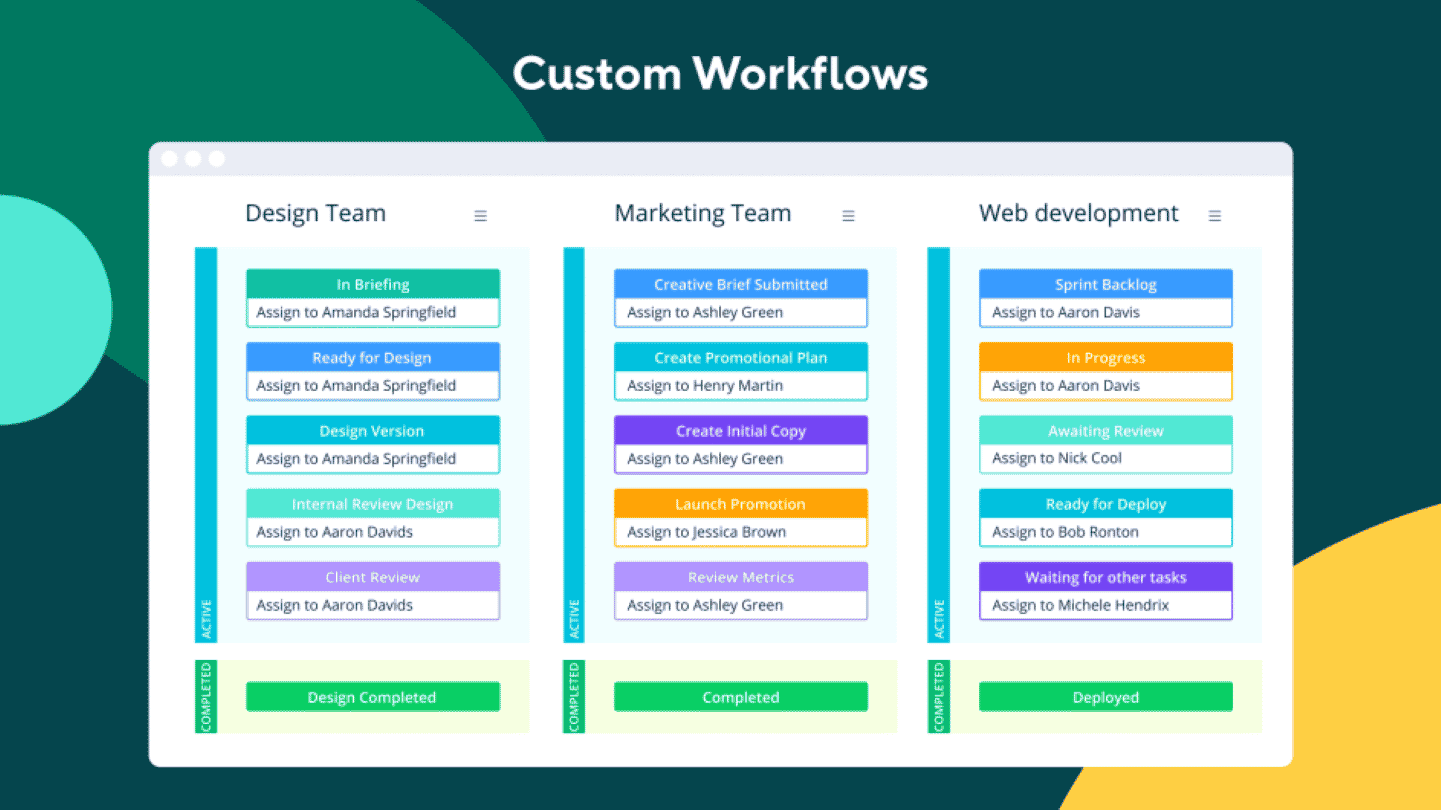
The Automation Engine is a built-in tool that automates the most used workflows to cut down manual work. It lets you create a wide range of automation rules, using triggers and actions. It is available from the Team plan up.
Customer support at Wrike
Wrike’s customer support can be reached through many different options: email, phone, live chat or a ticketing system. However, it is not always very responsive, and sometimes does not keep customers informed enough.
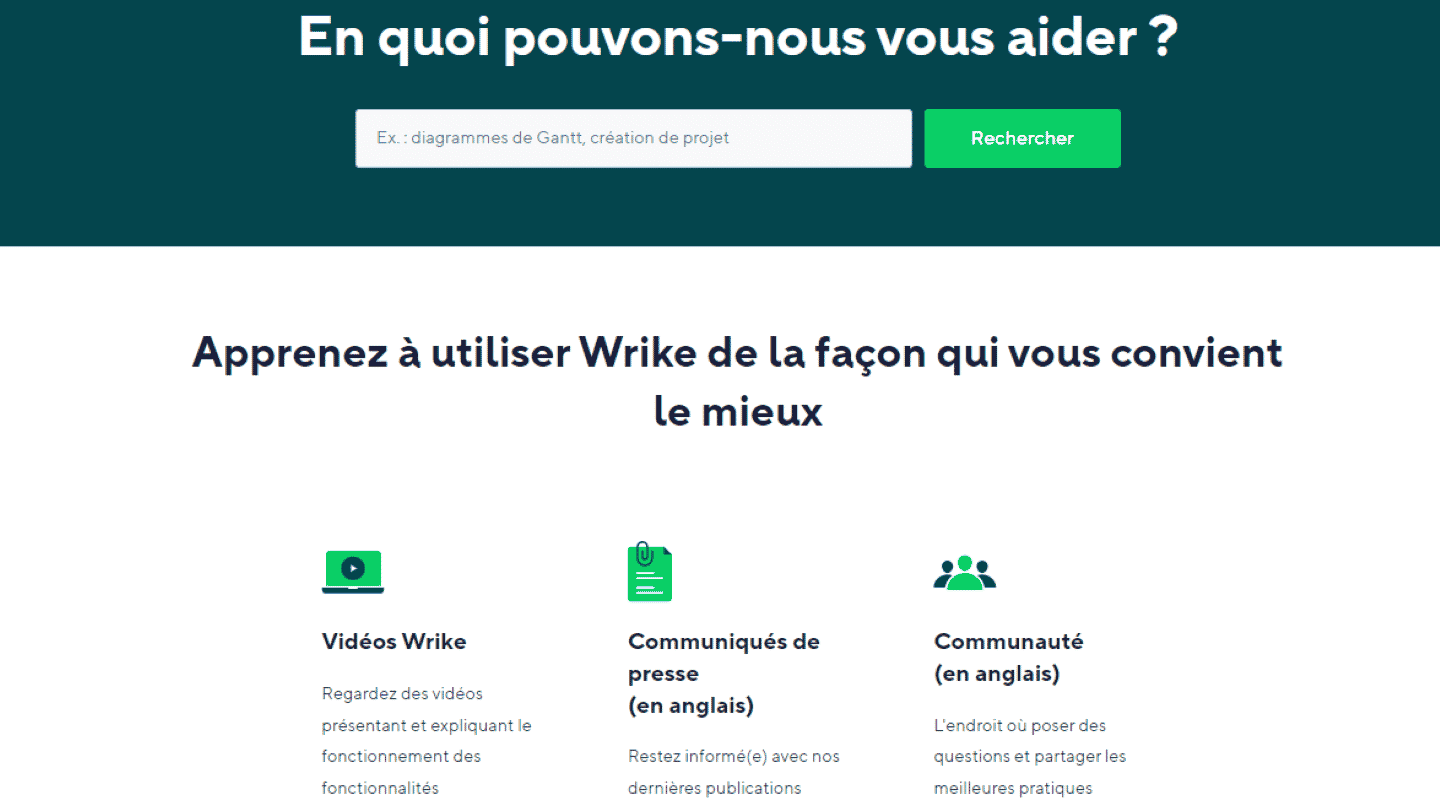
Wrike’s help center is very thorough. One area lets you ask questions and get results as articles or community posts. Wrike indeed runs a community space to ask questions or share best practices.
To help its users and teach them how to use the tool, Wrike also offers interactive training, videos and updated release notes. Finally, a rich knowledge base is available in the help center, and monthly webinars are held.
Wrike also showcases many detailed case studies on its YouTube channel, for example a video explaining in detail how the 75th anniversary campaign of the 49ers, San Francisco’s American football team, was prepared.
Wrike: integrations
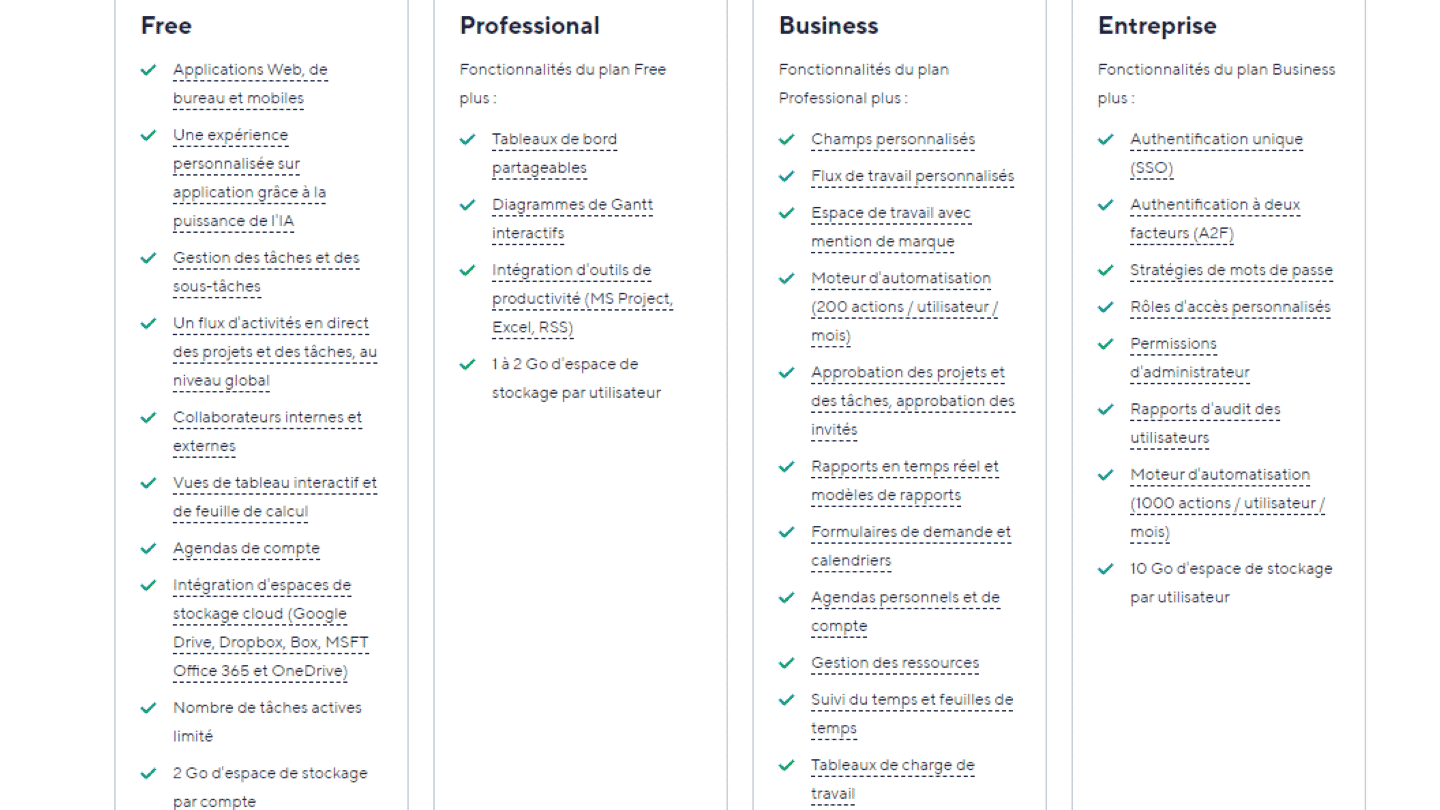
Depending on their plan, Wrike users can integrate more than 150 other tools: cloud storage platforms for Free plan users, and many productivity apps for those on paid plans.
Wrike also lets you use add-ons dedicated to integration. The Wrike Integrate add-on, a paid option on the Business and Pinnacle plans and included in the Apex plan, unlocks for example more than 400 custom integrations. Some add-ons are even free, such as the one for Microsoft Teams.
Wrike: pricing
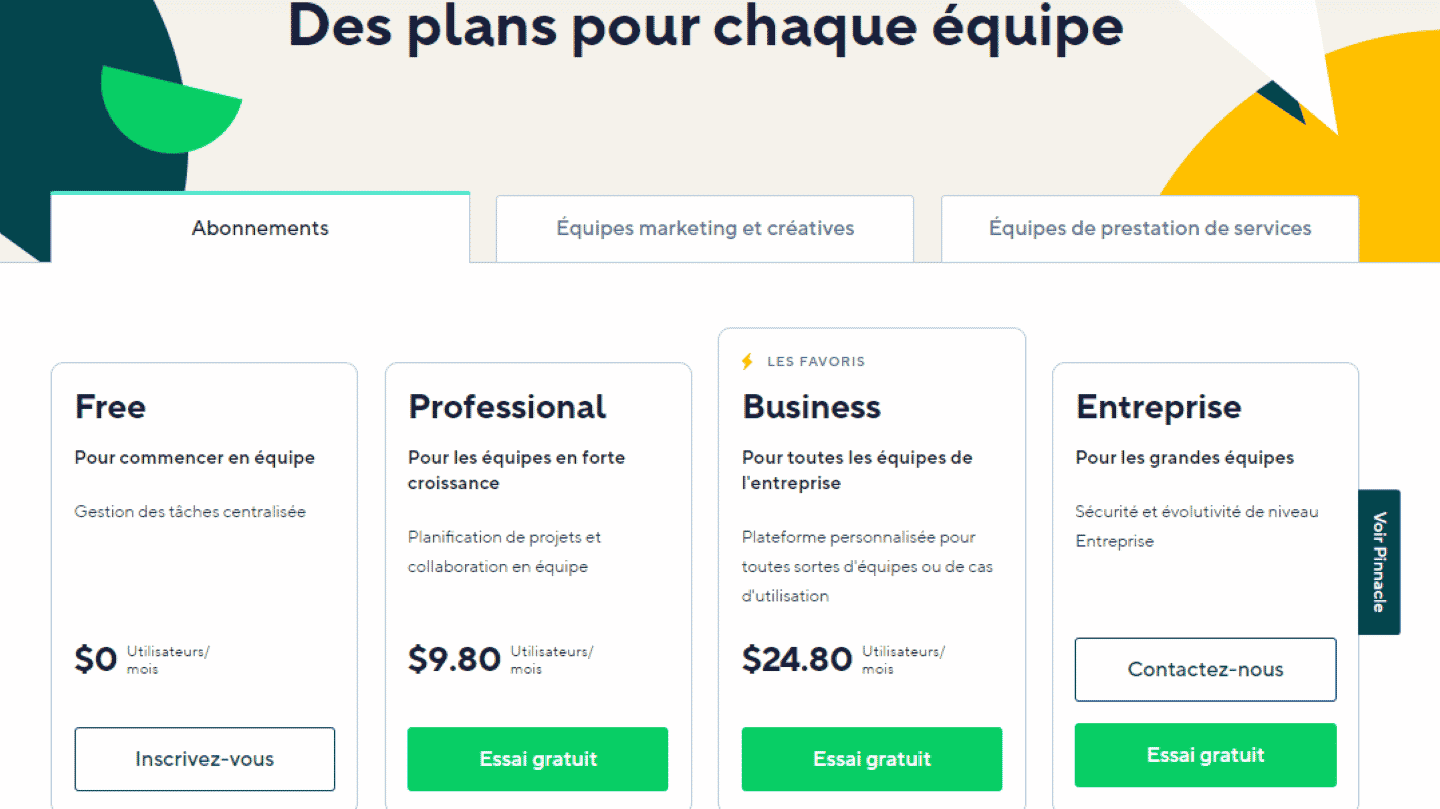
Wrike offers 5 different plans, billed annually:
- Free: gives access to task and subtask management on the web, desktop and mobile apps. Lets you work with internal and external collaborators, with up to 2 GB of storage per account.
- Team: $10 per user per month, for 2 to 15 users. Gives access to shareable dashboards, interactive Gantt charts, custom workflows and the Automation Engine, with up to 2 GB of storage per user.
- Business: $25 per user per month, up to 200 users. Gives access to many add-ons, integrations and features, such as time tracking, plus 5 GB of storage per user.
- Pinnacle: custom quote. Carries over the advanced options of the former Enterprise plan, with 15 GB of storage per user.
- Apex: custom quote. Includes everything in Pinnacle, the Wrike Integrate add-on and 50 GB of storage per user.