GetResponse is a veteran of the email marketing software and marketing automation tools market. It is a very complete solution with a huge number of features, which has managed to stay very simple and accessible.
The software lets you build email campaigns and marketing automation sequences. The design and overall ergonomics of the tool are a bit dated, but it is perfectly suited to beginners who want to run successful campaigns.
GetResponse: ideal for hardcore marketers
If you are betting big on inbound marketing and plan to build campaigns to generate leads, sales or customer retention, GetResponse will not let you down. The tool is probably the most complete on the market in this price range.
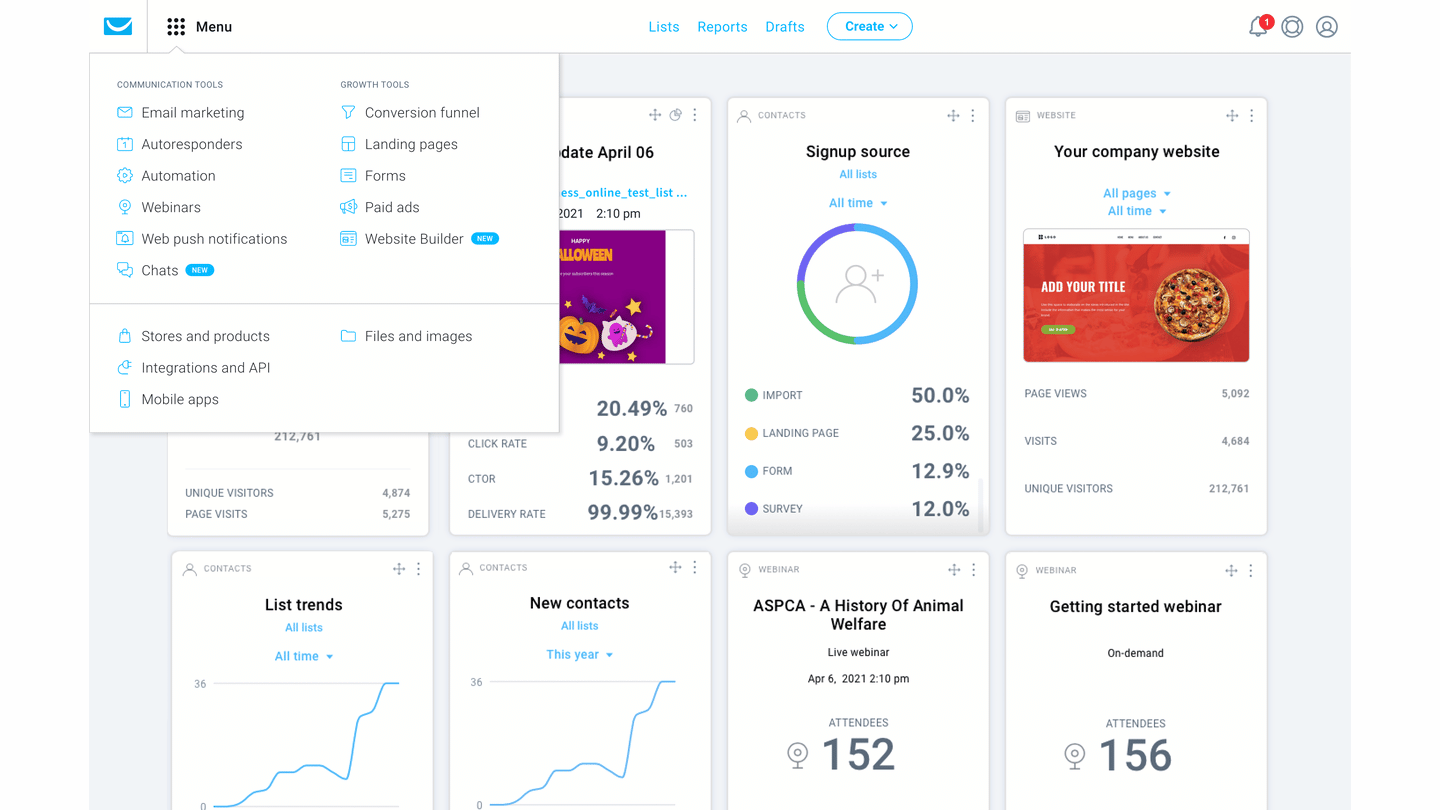
But given the sheer volume of features, you are going to spend time on it. The software is a bit slow at times, and deliverability is not always guaranteed. These are problems you will run into less with simpler solutions like Brevo (formerly Sendinblue), MailerLite or even ActiveCampaign, very complete too, but rather easier to use.
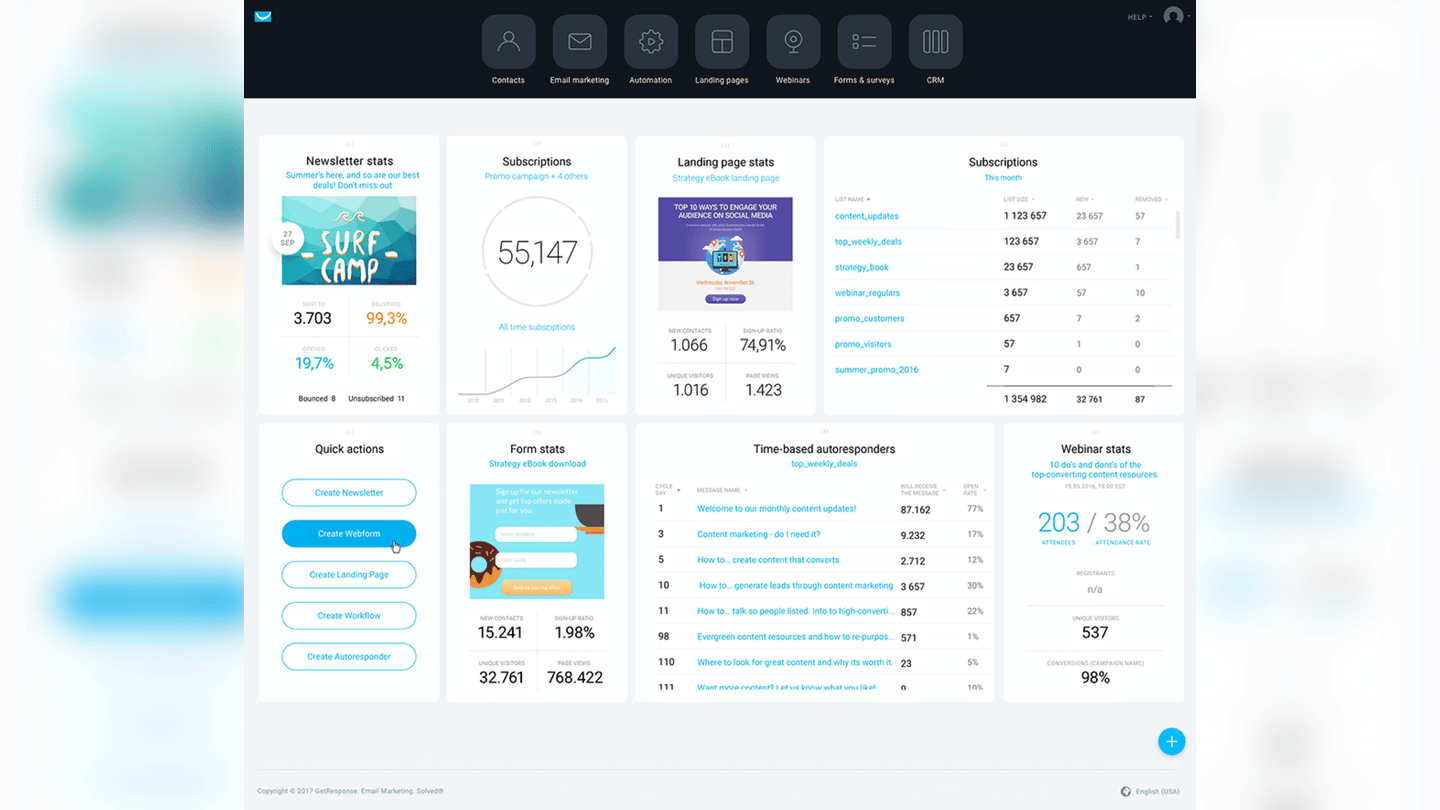
GetResponse has a very deep feature set
Sending email marketing campaigns
Drag and drop email editor
GetResponse offers a drag and drop email editor that lets you build campaigns in a fairly intuitive way. There are quite a lot of features: adding images, text, videos, margins, links, custom HTML. The software also lets you save blocks and sections, which will save you time.
The editor lets you create custom templates and define the structure and look of the email yourself.
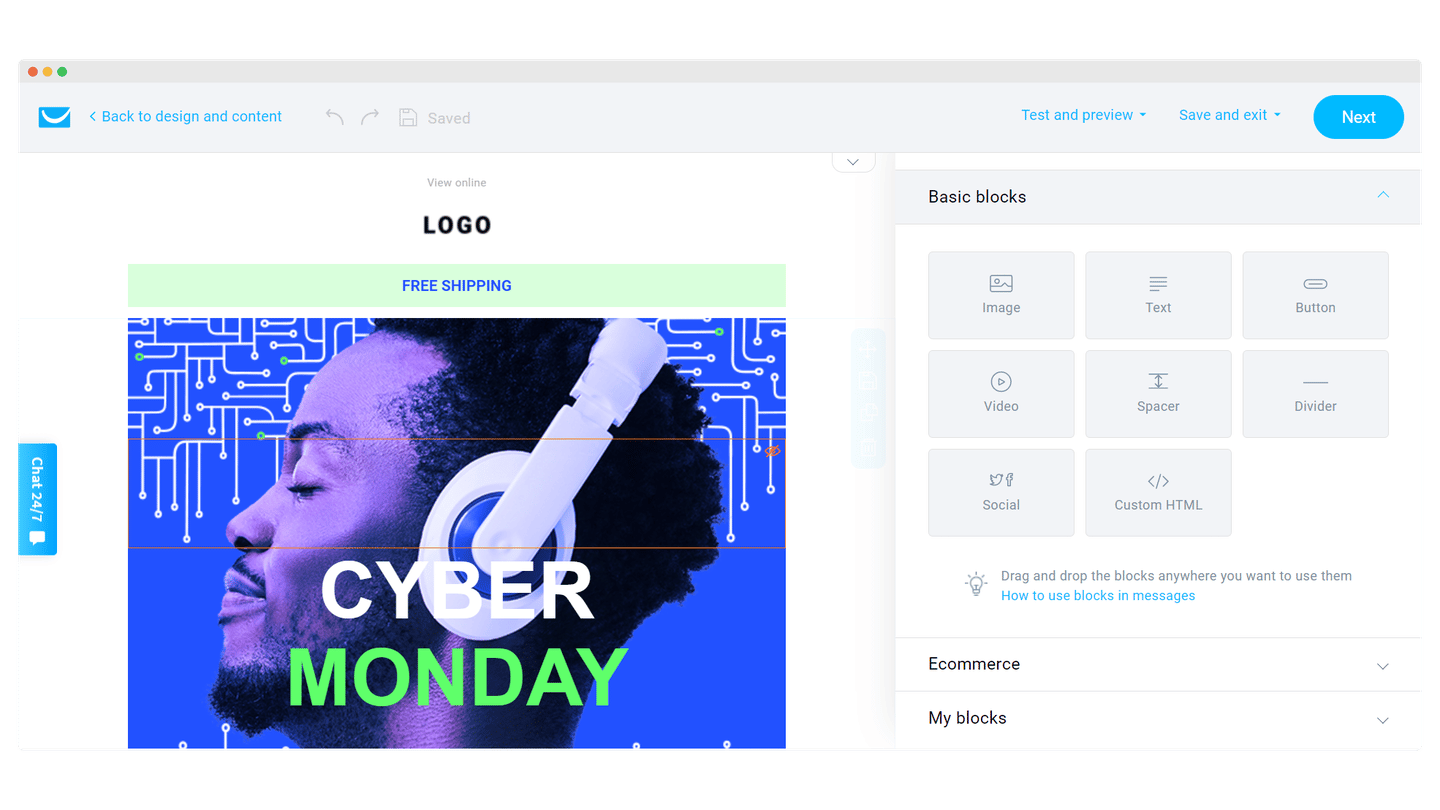
You can also add products to your email from your online store, through Shopify in particular.
Template library
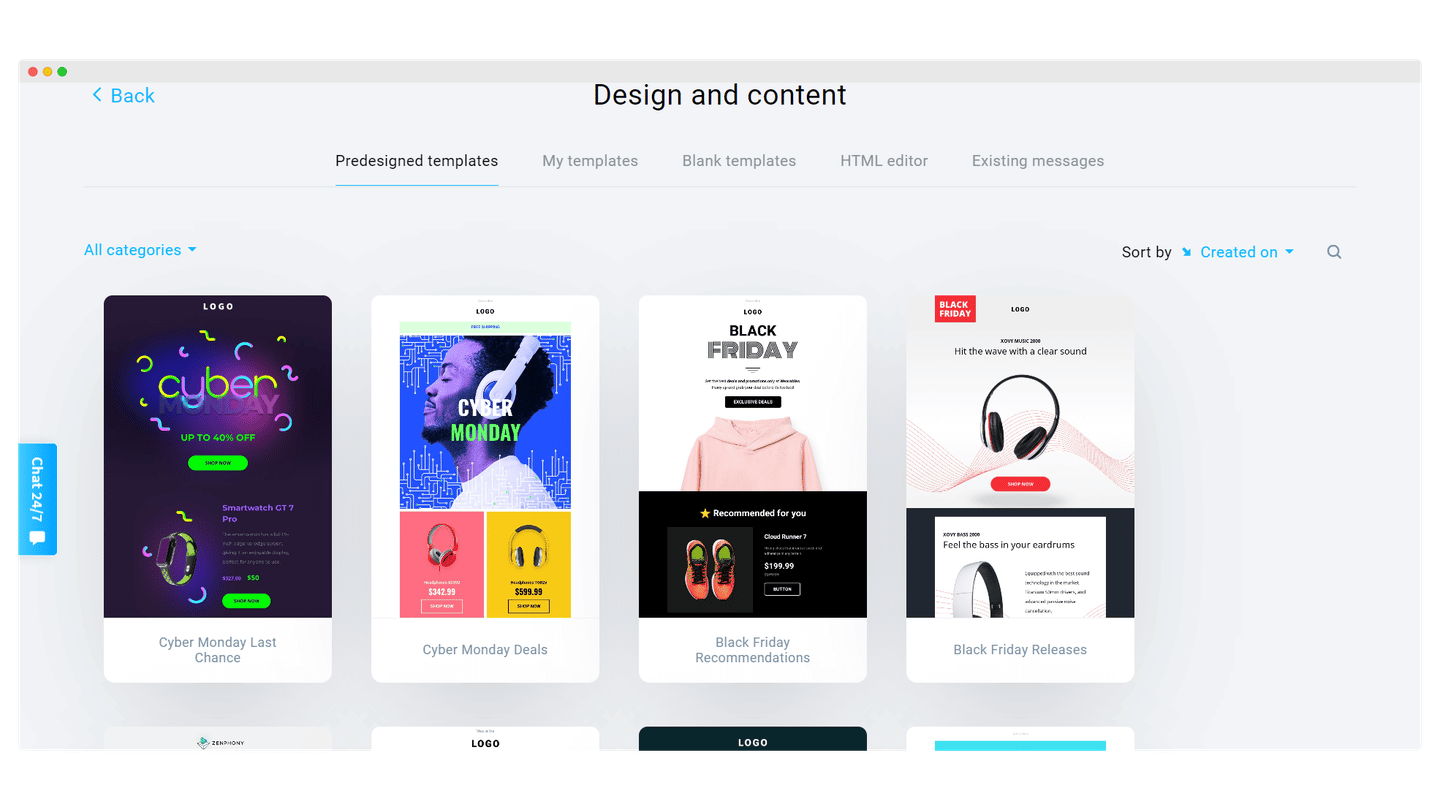
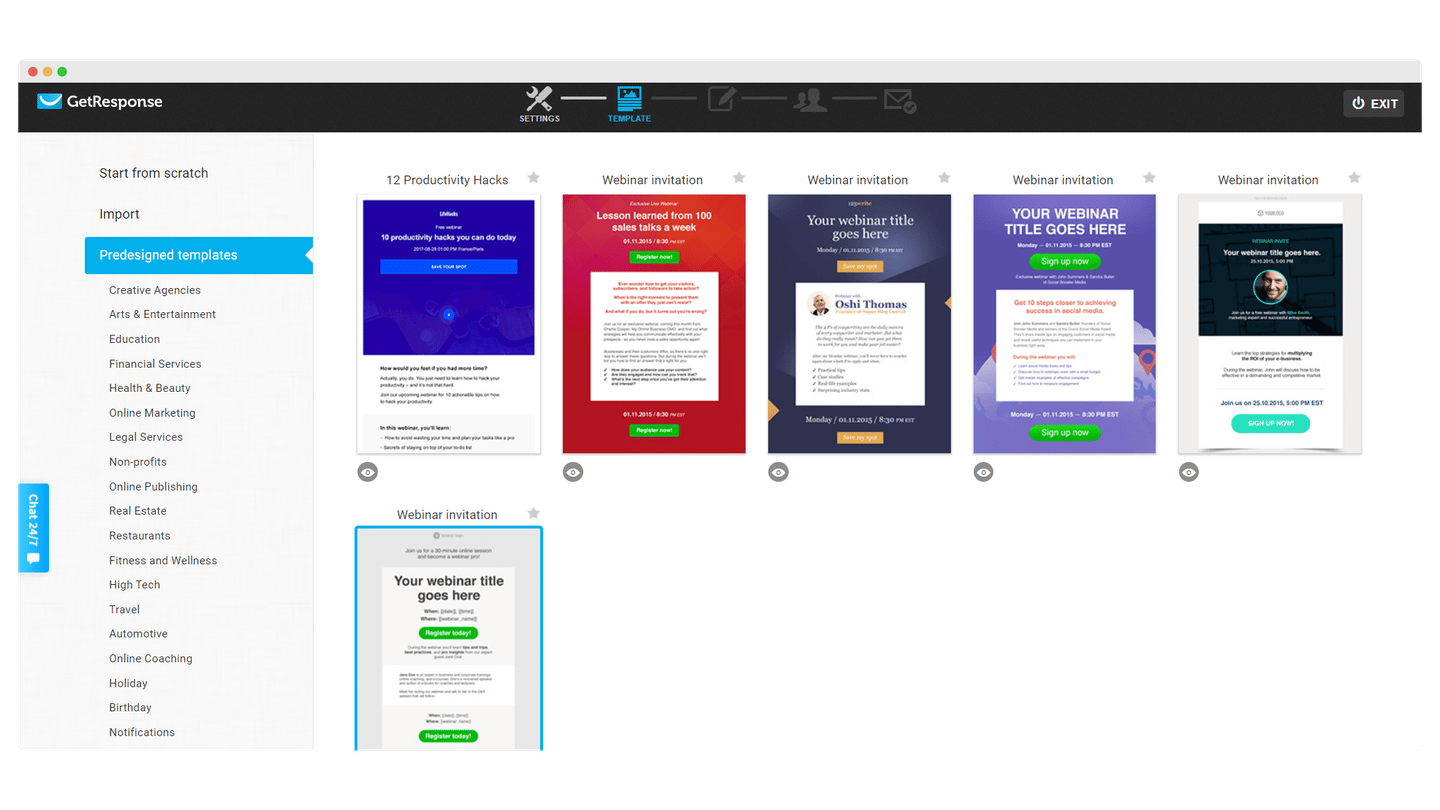
GetResponse offers 7 categories of email templates, to educate, promote to or welcome your customers. The product also lets you build your own library by saving the templates you have already used.
Contact management and segmentation
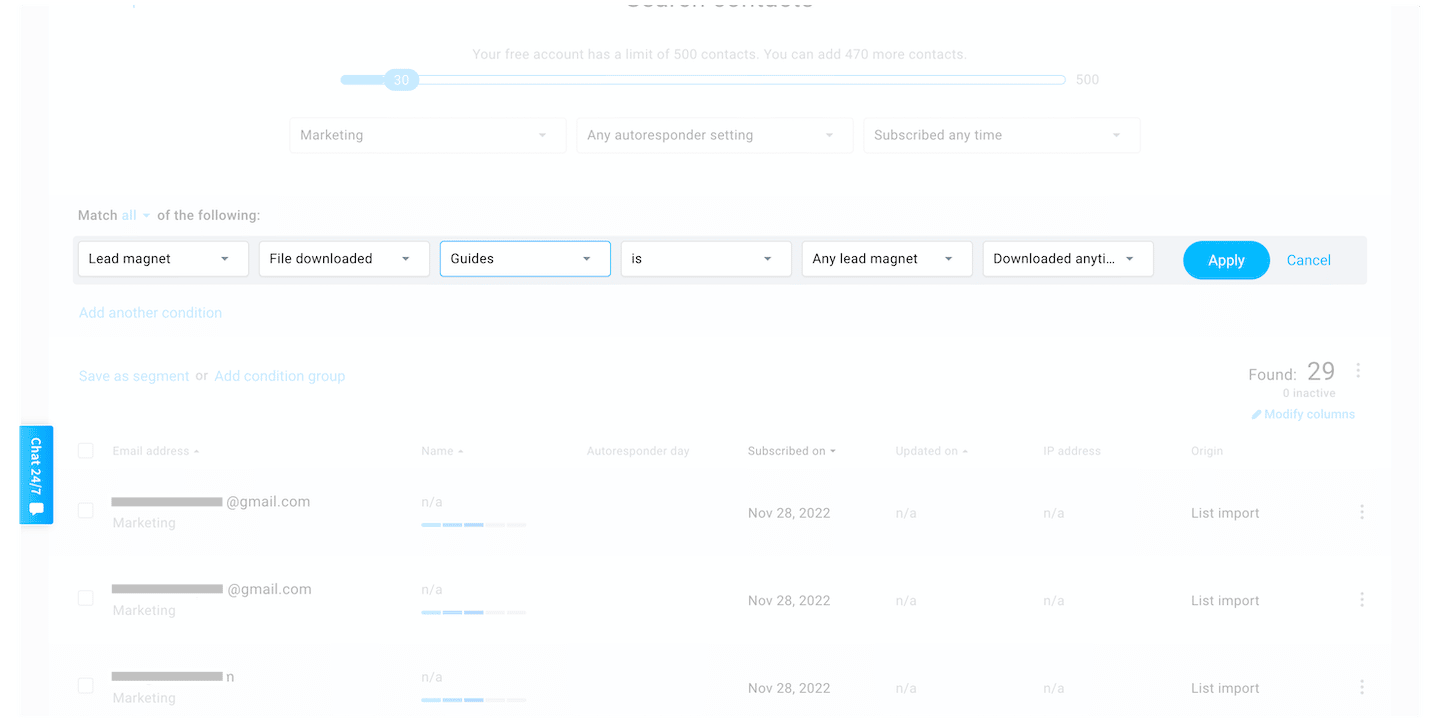
GetResponse lets you manage your contacts and segment your campaigns so your sends are more relevant. You can create segments based on your customers’ characteristics, geolocation for example, on their activity or on how they signed up, then build a tailored campaign for each segment. This lets you profile each of your subscribers and build more relevant email campaigns.
Signup forms, popups and landing pages
Forms and popups
There are two ways to use forms in GetResponse: you can either add an HTML form that you style yourself, or design your form in GetResponse, picking from a set of templates and adapting them to your site’s design. The second option lets you add the form to your site with a JavaScript snippet.
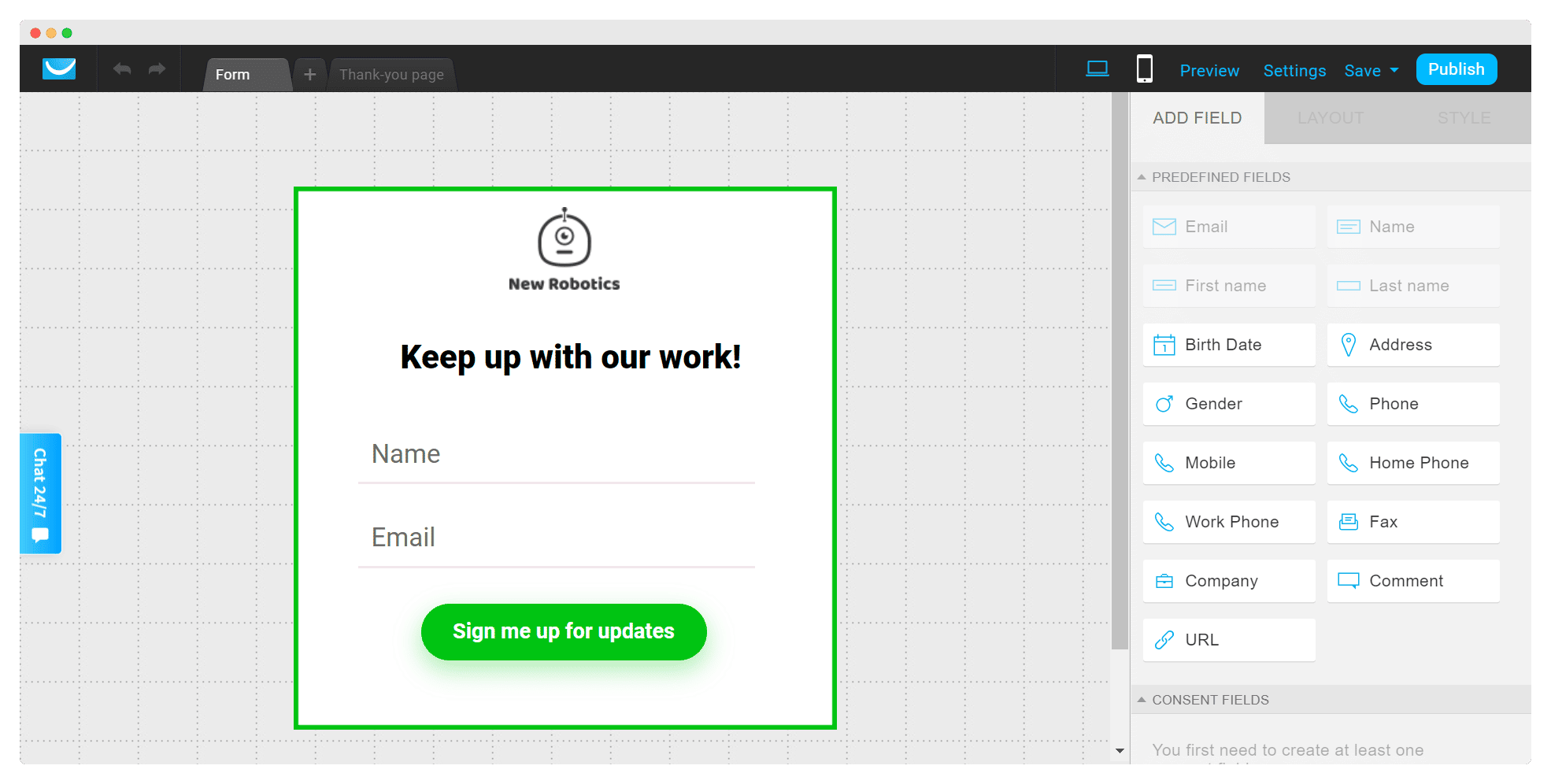
To capture data in GetResponse’s standard or custom fields, you can use both HTML forms and JavaScript forms. You can also send your contacts an opt-in confirmation message, or add users to an autoresponder cycle.
The interesting thing about GetResponse’s form builder tools is the level of control you get over how your popups are triggered and who you want to show them to. You can define what triggers them, timing, page exit, inactivity, as well as the number of seconds to wait before showing them or the devices to show them on.
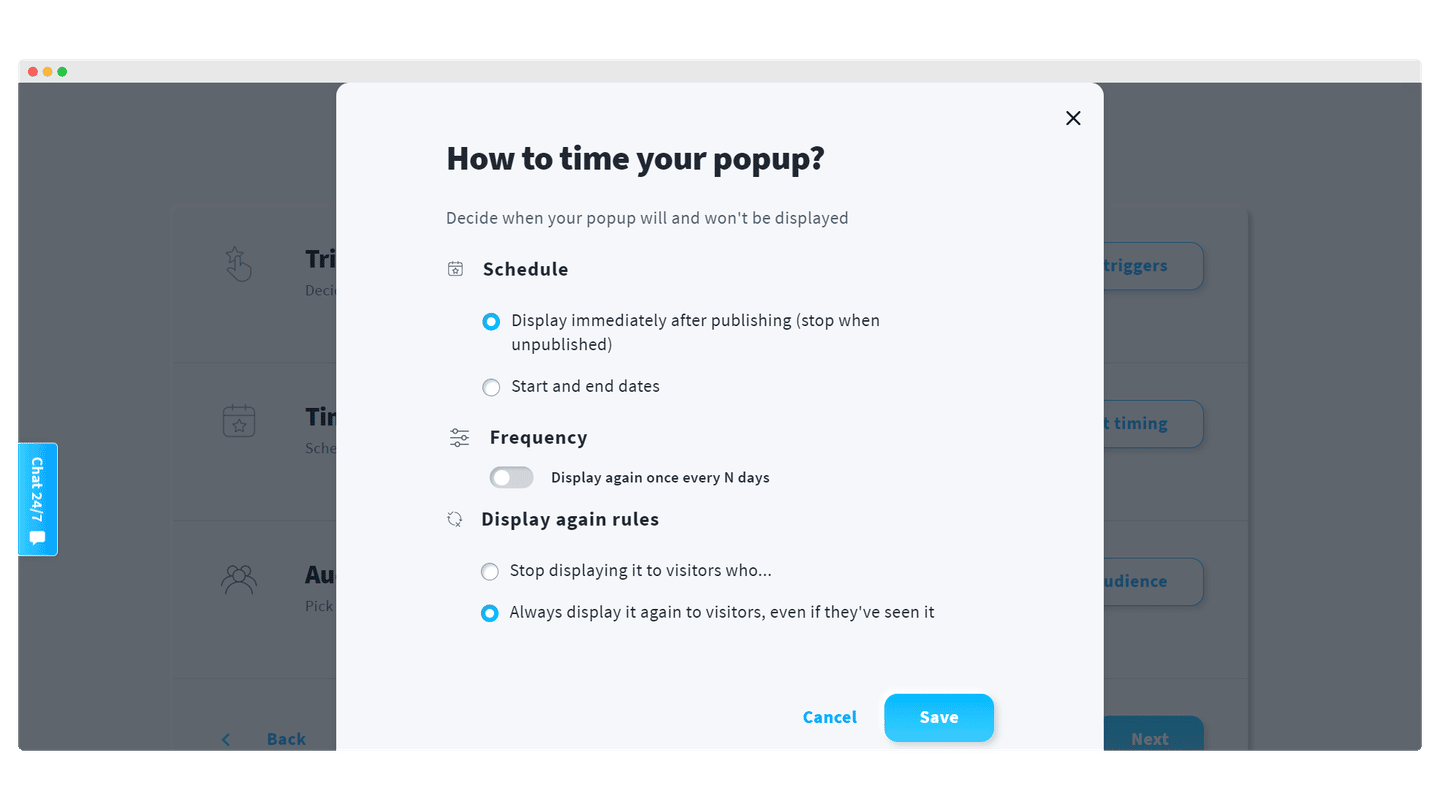
With this feature, you can also display promo codes or encourage your subscribers to follow your company on social media.
Landing pages
GetResponse also comes with a landing page builder, included for free in all plans. It offers more than 200 customizable templates.
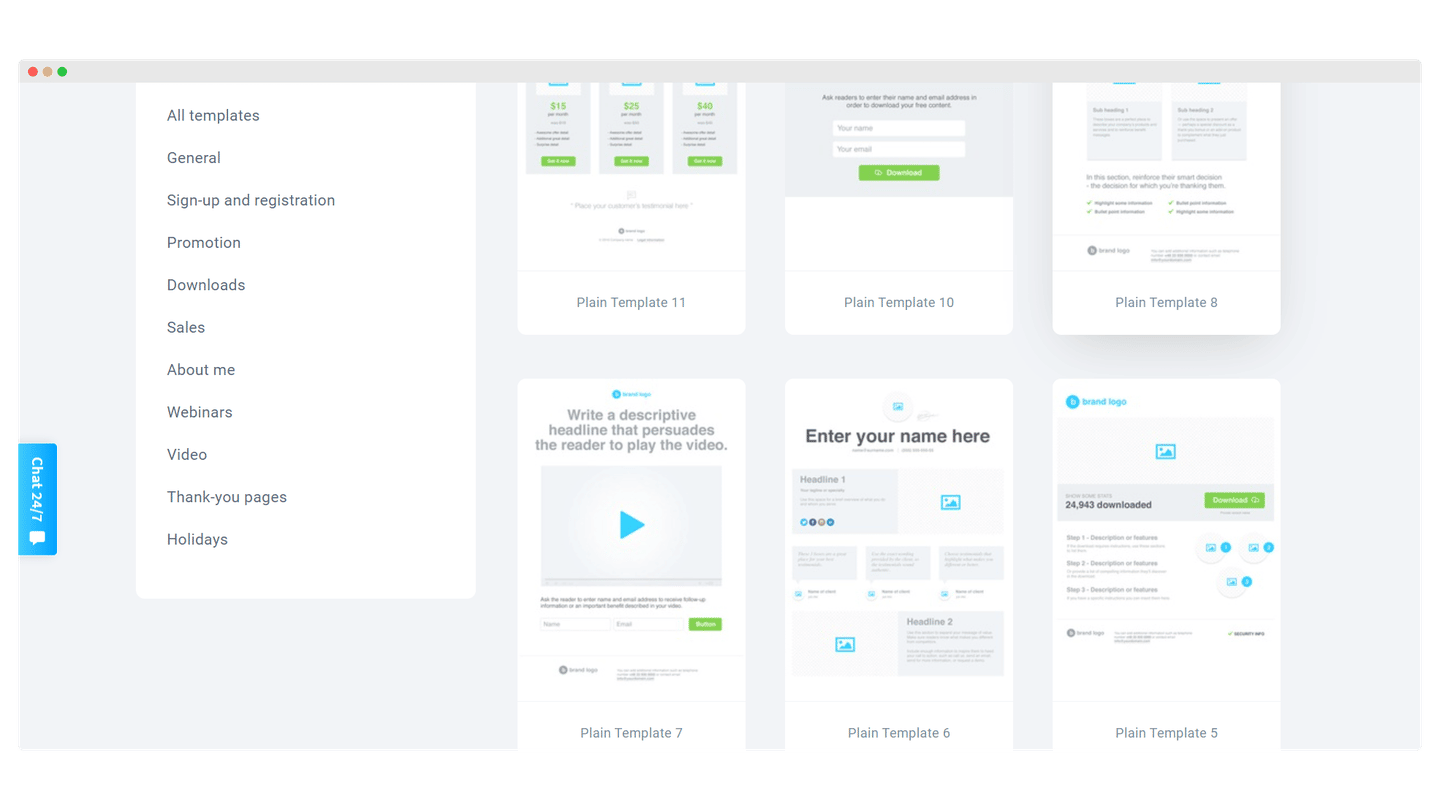
The editing experience is a bit different from the email builder. You can create A/B variants right from the start, with no limit, as well as forms and thank-you pages.
Website builder
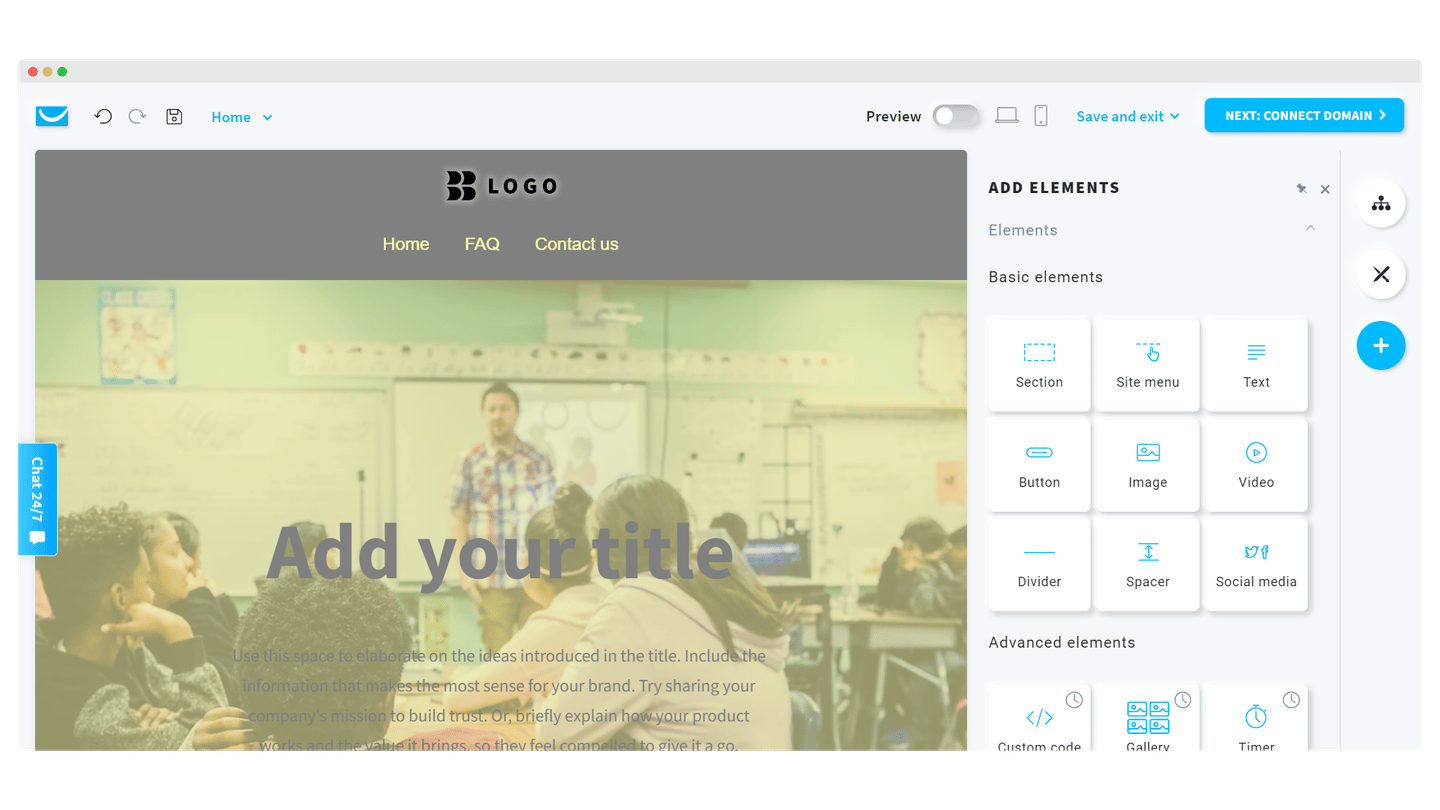
GetResponse also offers a website builder, which lets you create a site inside the software’s interface and connect it to another domain you own.
The templates are good quality and plentiful, around 125, but the tool remains fairly basic and only lets you create classic, static pages. The website builder is reserved for the Creator plan, which lets you create five sites, and Enterprise, which goes up to ten.
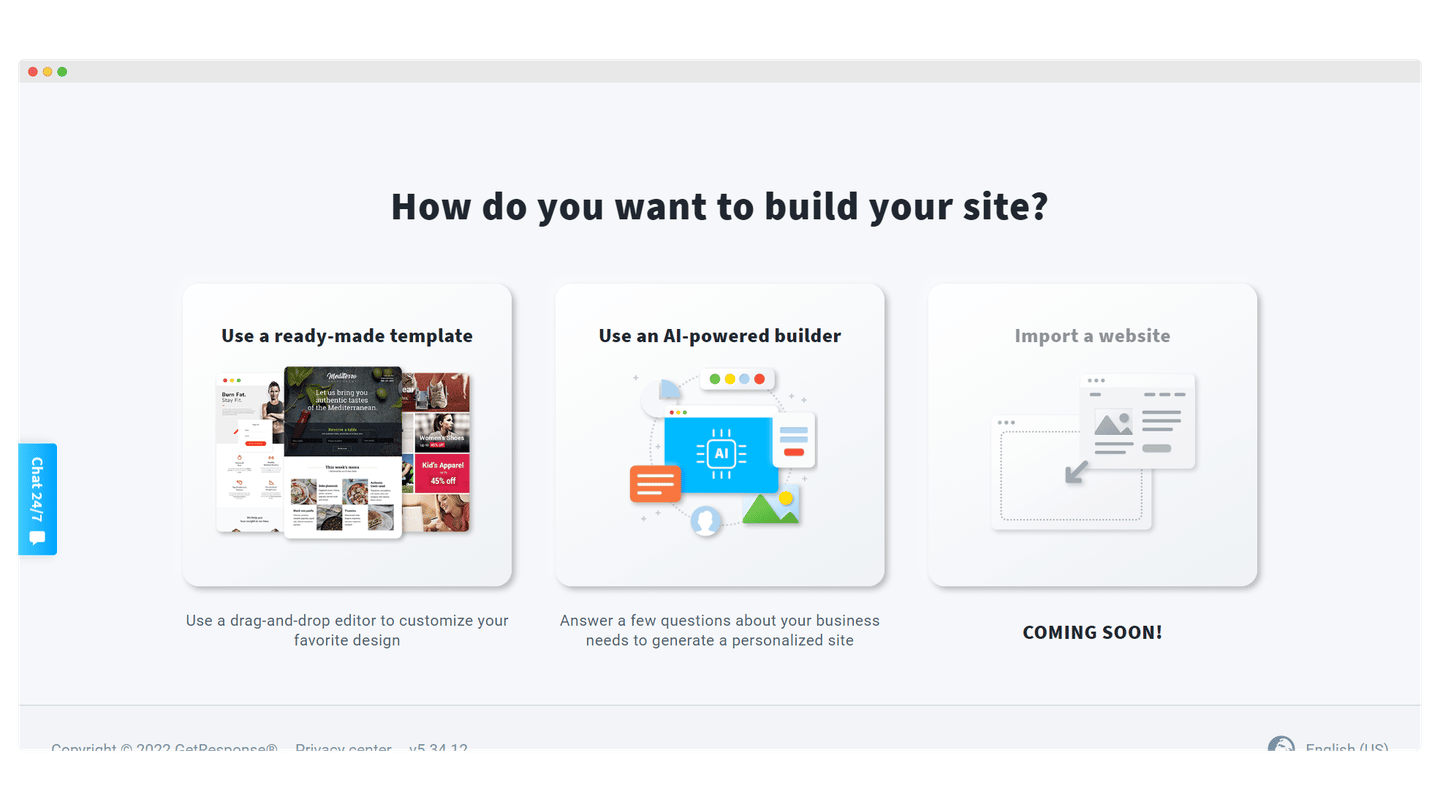
You can also add GetResponse forms to it very easily. The software suits people who are new to web design and want to create a site simply. But the user experience is still not very intuitive, and the speed and stability standards of the sites you can build leave something to be desired, especially compared with solutions like Big Cartel, Squarespace or Wix. If you are hoping to build an online store with this tool, you will be somewhat disappointed.
But this feature is still in its early days, and it is quite possible it will improve. Either way, having one platform that centralizes your website, email marketing and webinars is a very attractive proposition, especially for small business owners.
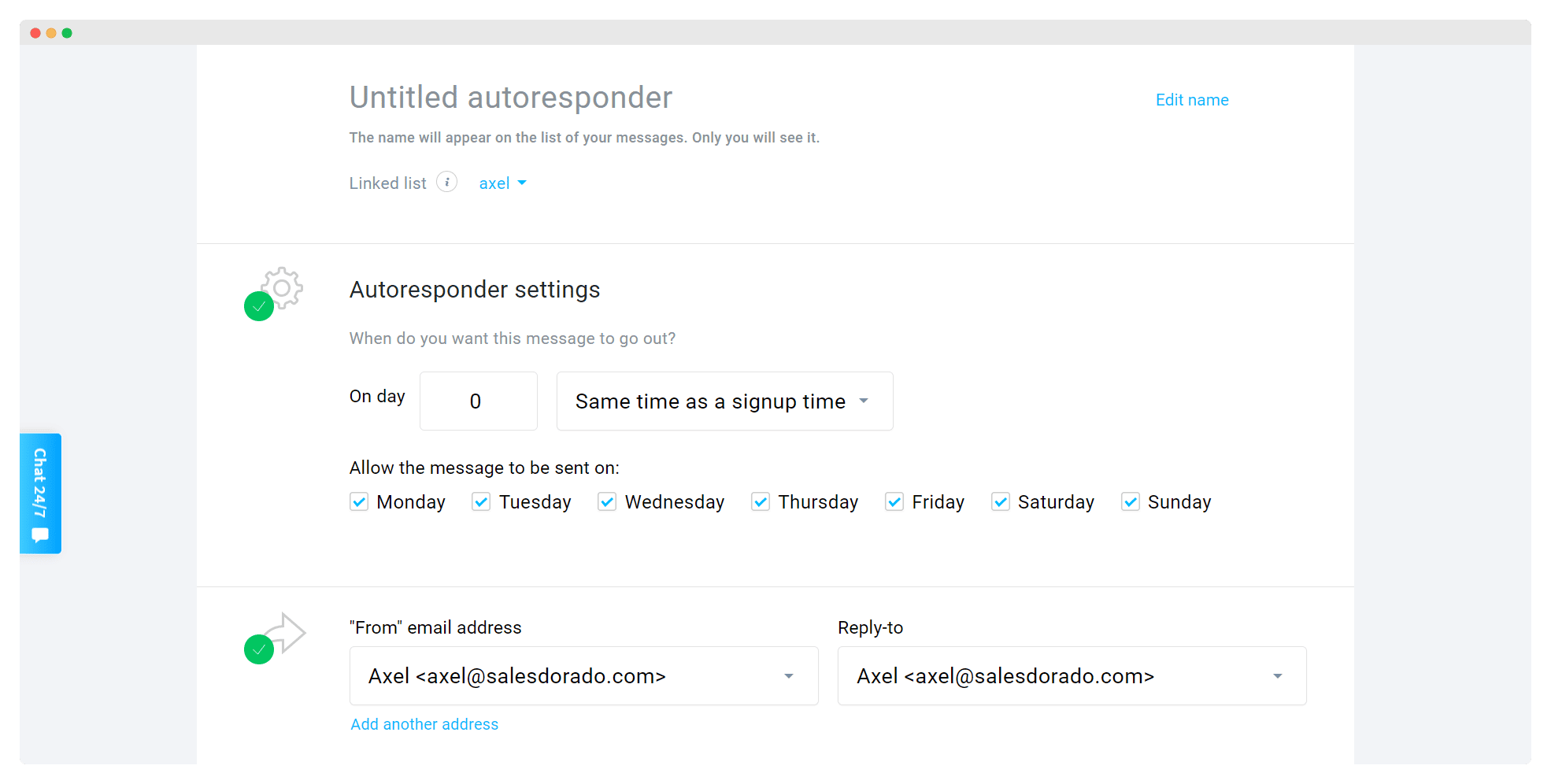
Marketing automation and autoresponders
Autoresponders. They let you send emails when one of your contacts does something, for example when they sign up. You can untick the days of the week when you do not want the autoresponder to go out.
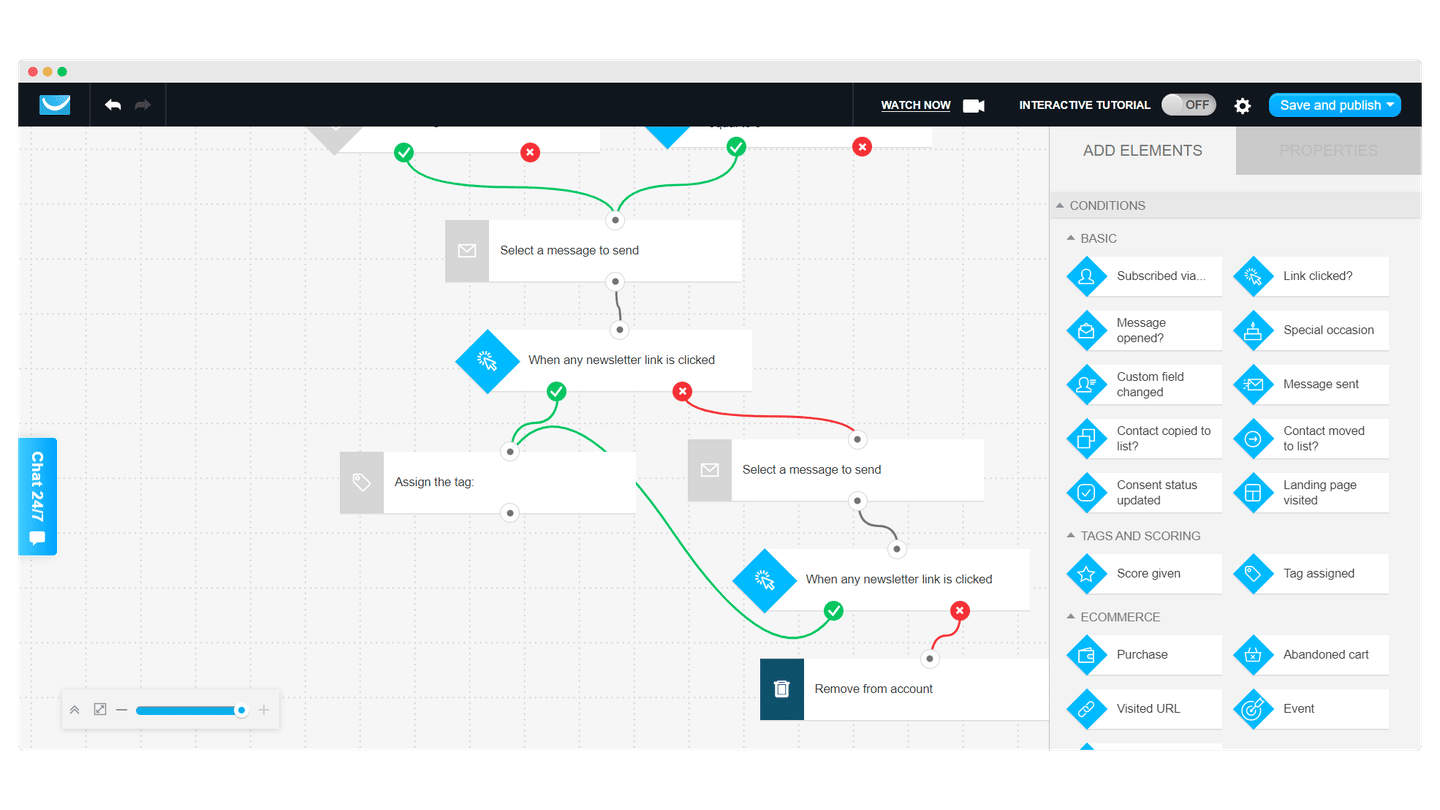
The marketing automation workflow editor. GetResponse offers brilliant marketing automation solutions, very popular with SMBs, especially thanks to its automated workflows. Several automation templates are available.
Product recommendations for e-commerce.
- GetResponse lets you import a product feed straight from your e-commerce site, Shopify or WooCommerce for example, to add products directly into the email. Everything is generated automatically from what is written on the site. The strength of the feature is that you can suggest different products depending on the contact.
- E-commerce-specific tracking lets you reconcile actions taken from emails with conversions on an e-commerce site. You can put a revenue figure on an email campaign.
Conversion funnels
Conversion funnels are a GetResponse specialty. You assemble the pieces and build a funnel to turn visitors into customers. GetResponse offers several lead magnets you can use to build it.
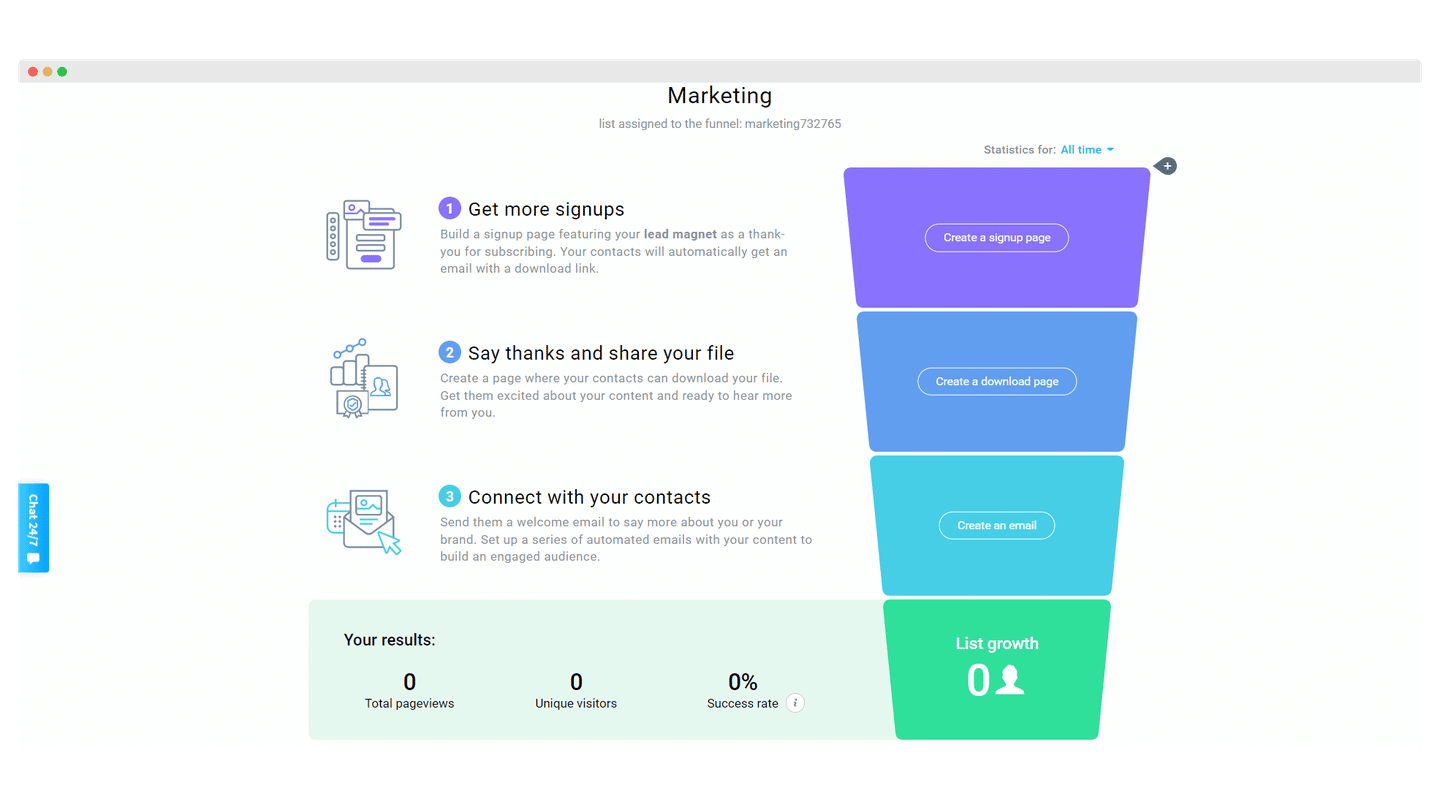
Conversion Funnel takes the guesswork out of high-converting campaigns, the ones made of signup forms, landing pages and emails. All that is left is to fill in the blanks.
Webinars
GetResponse also lets you run webinars on its platform, from the Creator plan up. It is handy for generating leads and revenue.
- Prices are quite attractive compared with other webinar solutions like GoToWebinar, especially once you factor in all the marketing features the software offers.
- The interface is very intuitive and the features are of very good quality.
- Screen sharing, video sharing, PowerPoint uploads and pre-recorded webinars are also much appreciated.
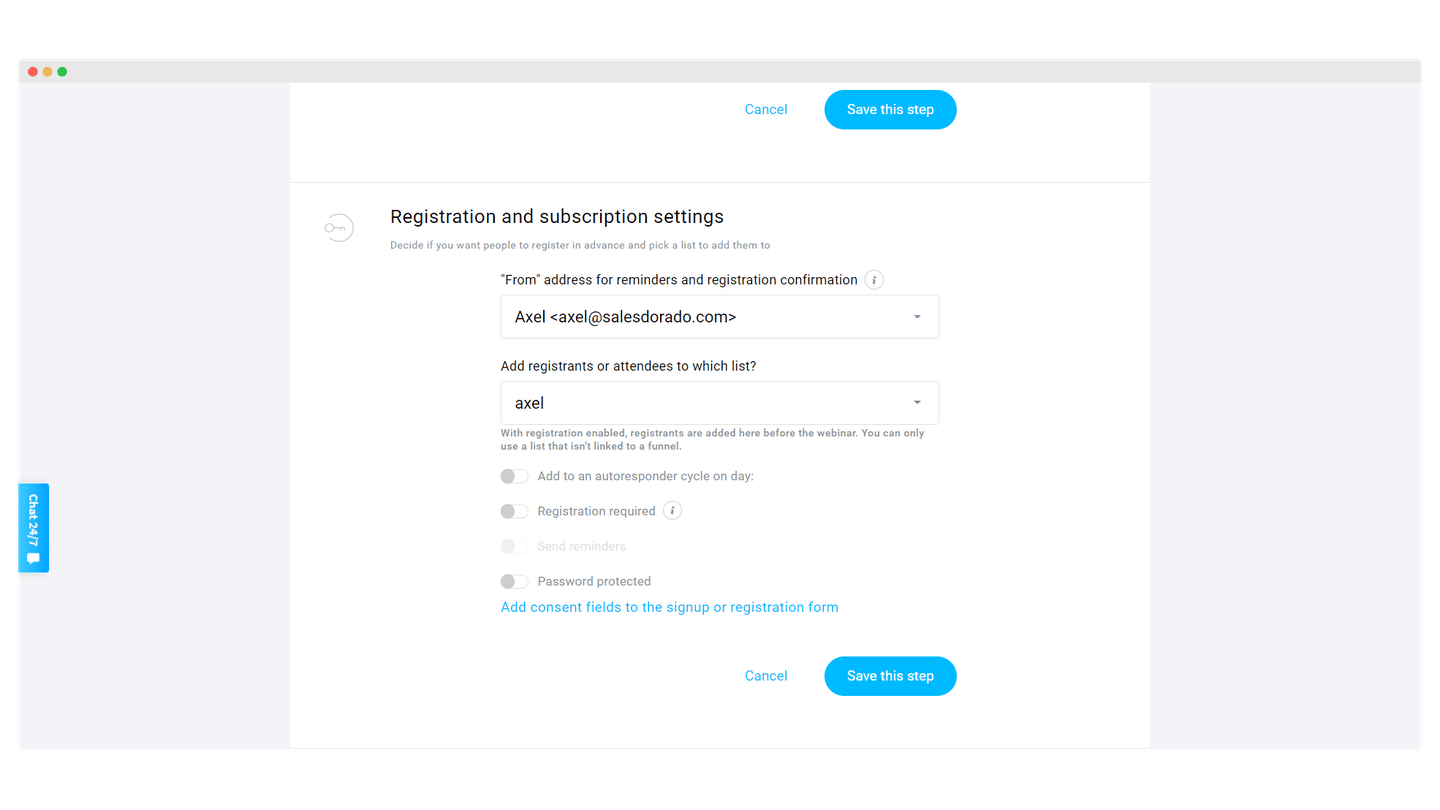
- The number of attendees is somewhat limited, especially on the Creator plan, which caps it at 100 attendees, versus 1,000 on the Enterprise plan.
- On-demand webinars and paid webinars are only available if you are on the Creator or Enterprise plans.
- File storage limits for recorded webinars are not very generous: 3 hours on the Creator plan, and up to 20 hours on the Enterprise plan.
But overall, the webinar feature is very useful to have in your email marketing arsenal, and including it gives GetResponse a significant edge over its main competitors. Having your email list fully integrated with your webinar broadcasting tool is a serious asset, and the quality of this feature is very high.
Live chat and push notifications
GetResponse also offers a live chat feature for your website, whether it is a site built with its builder or your own existing site.
This feature is only available from the Marketer plan up.
It is a very useful feature, which can help you raise your conversion and subscription rates if you use it properly. But, like all interactive tools of this kind, it can slow down your page load times.
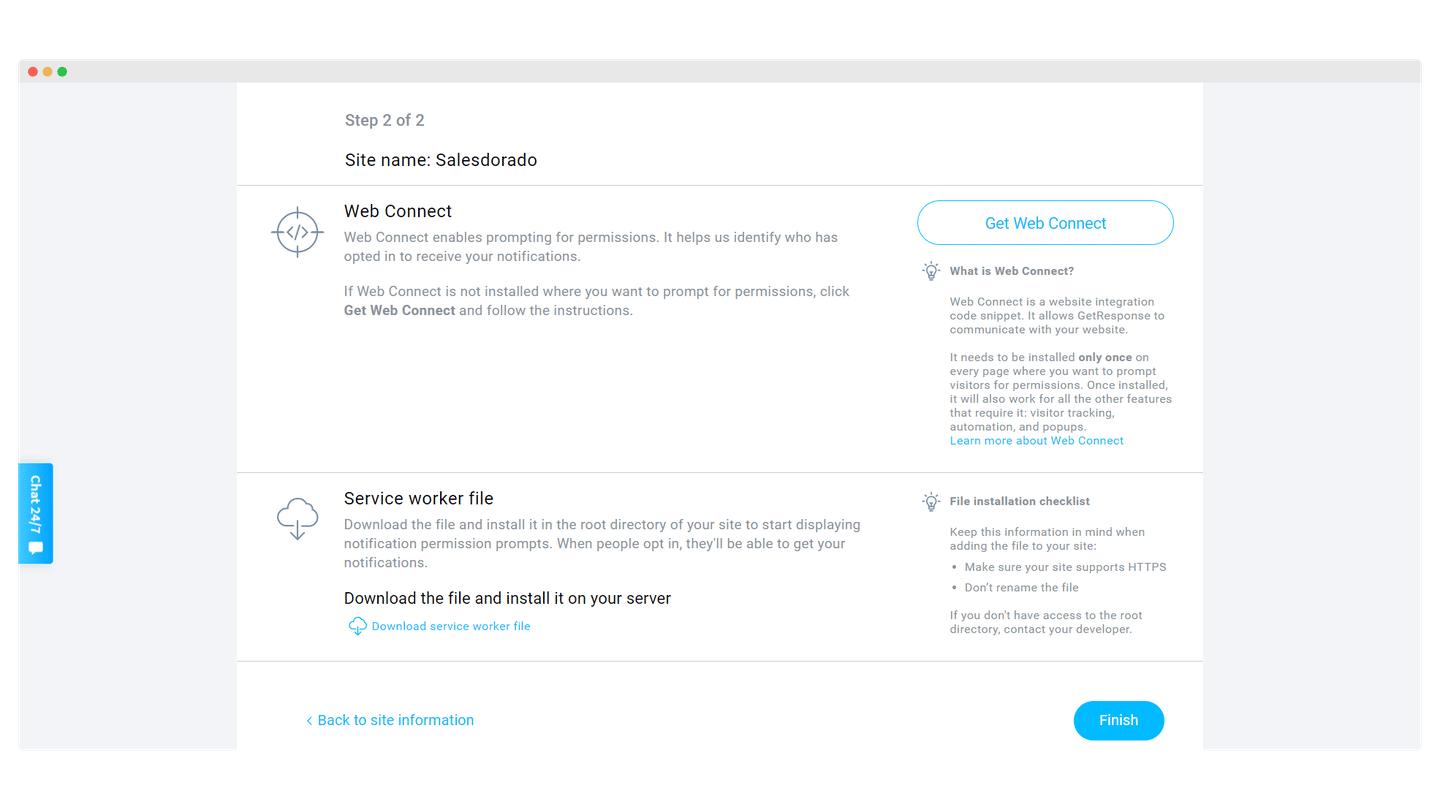
GetResponse also lets you send push notifications in your subscribers’ browsers. The feature is fairly sophisticated, but use it sparingly because it can quickly become annoying. It is available from the Marketer plan up.
Reporting in GetResponse
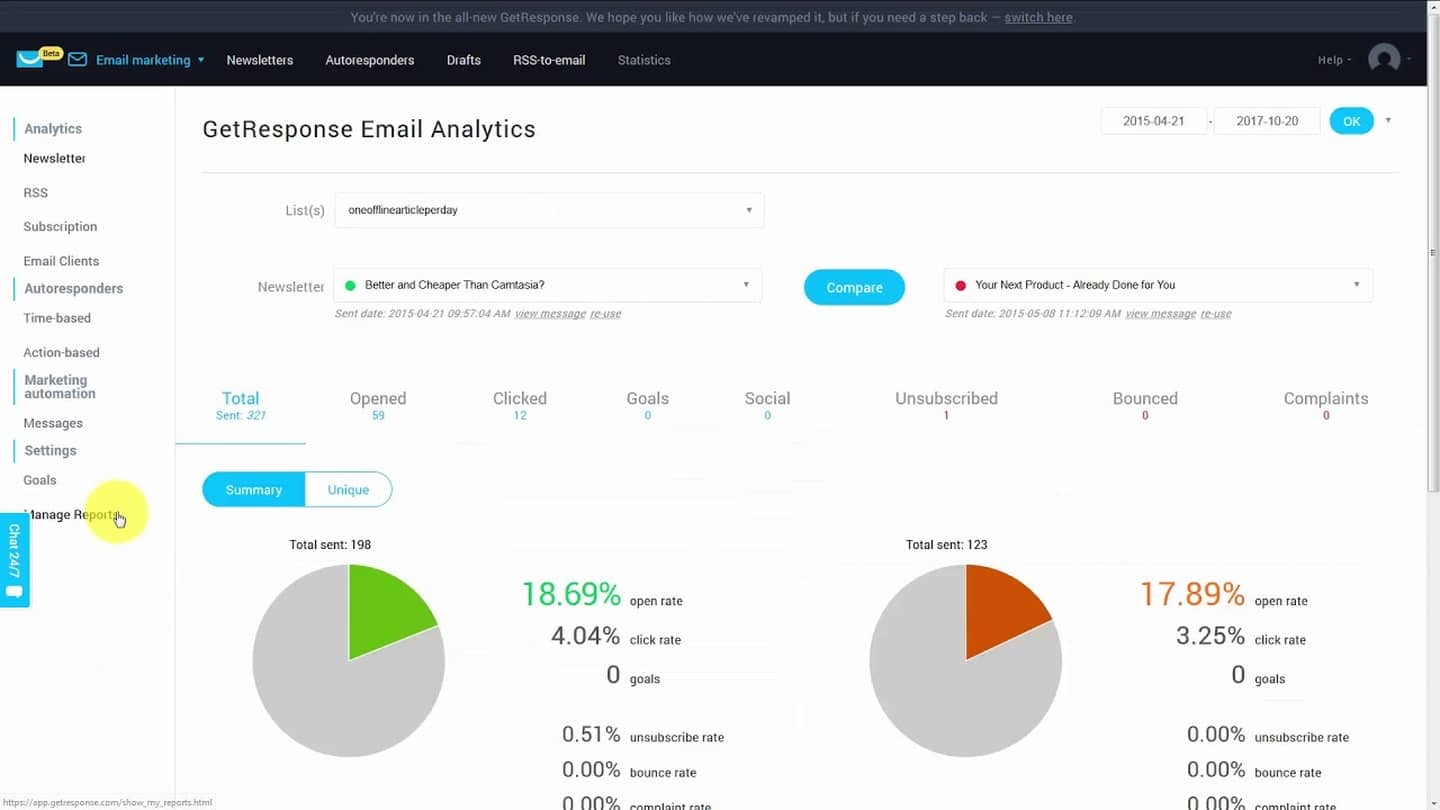
GetResponse offers reporting that gives simple information on your emails’ deliverability rates and on your campaigns’ open and click rates. More detailed information is also available, such as bounce and unsubscribe rates, or the number of complaints received.
Customer support at GetResponse
Customer support is available by email 24/7, in 7 languages including French. Chat with an agent is in English or Polish, over extended hours, and a chatbot answers around the clock.
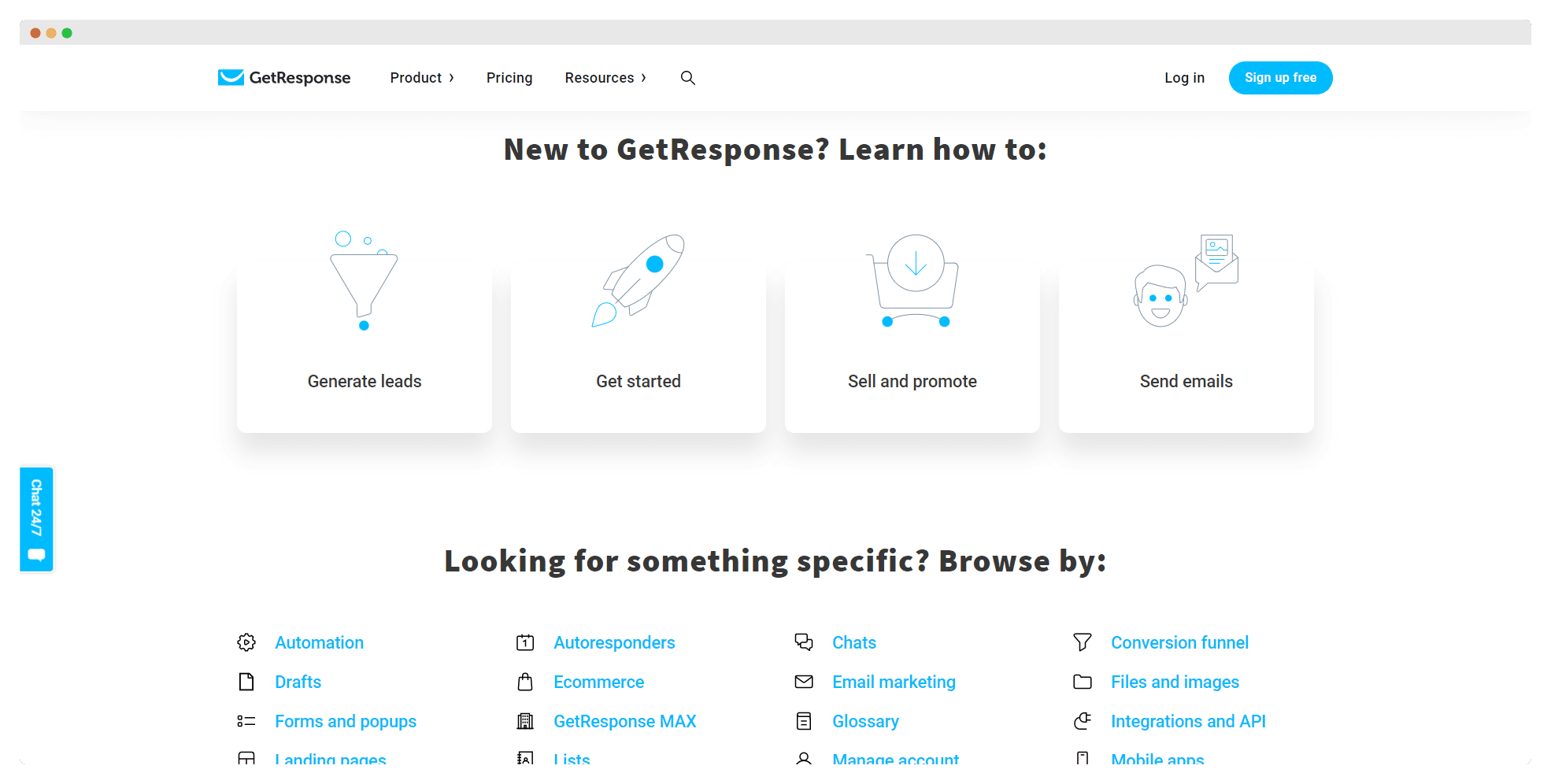
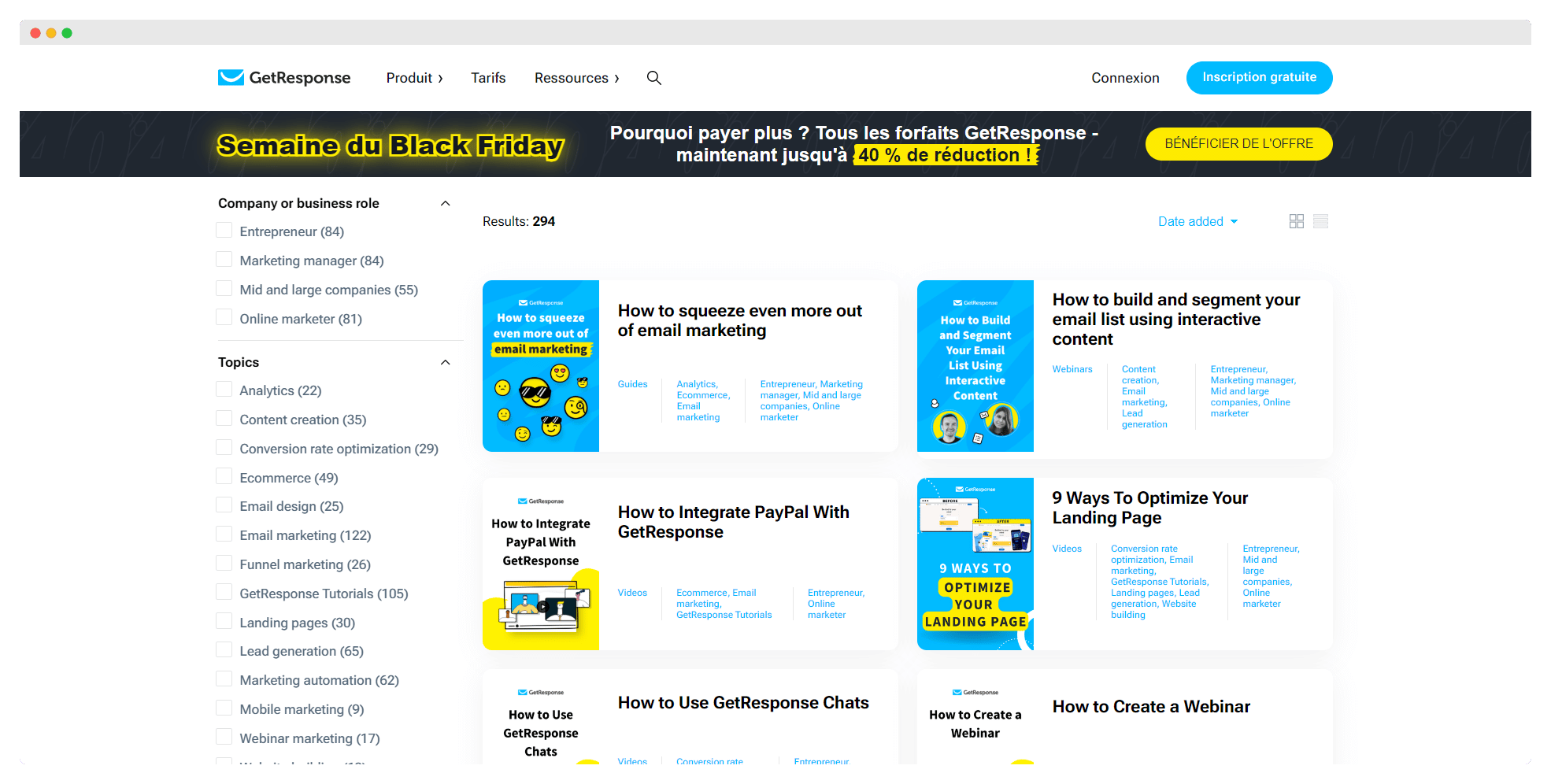
The help center is well stocked, and sorts resources by category: automation, landing pages, e-commerce. Articles are available in every language the site offers, and videos are available as a complement.
A fairly active YouTube channel provides additional, very well explained information, but the videos are only available in English. Users can also swap tips in a private Facebook group, Landing Page and Funnel Experts, which has more than 12,000 members. Interactive guides are also available.
Integrations in GetResponse
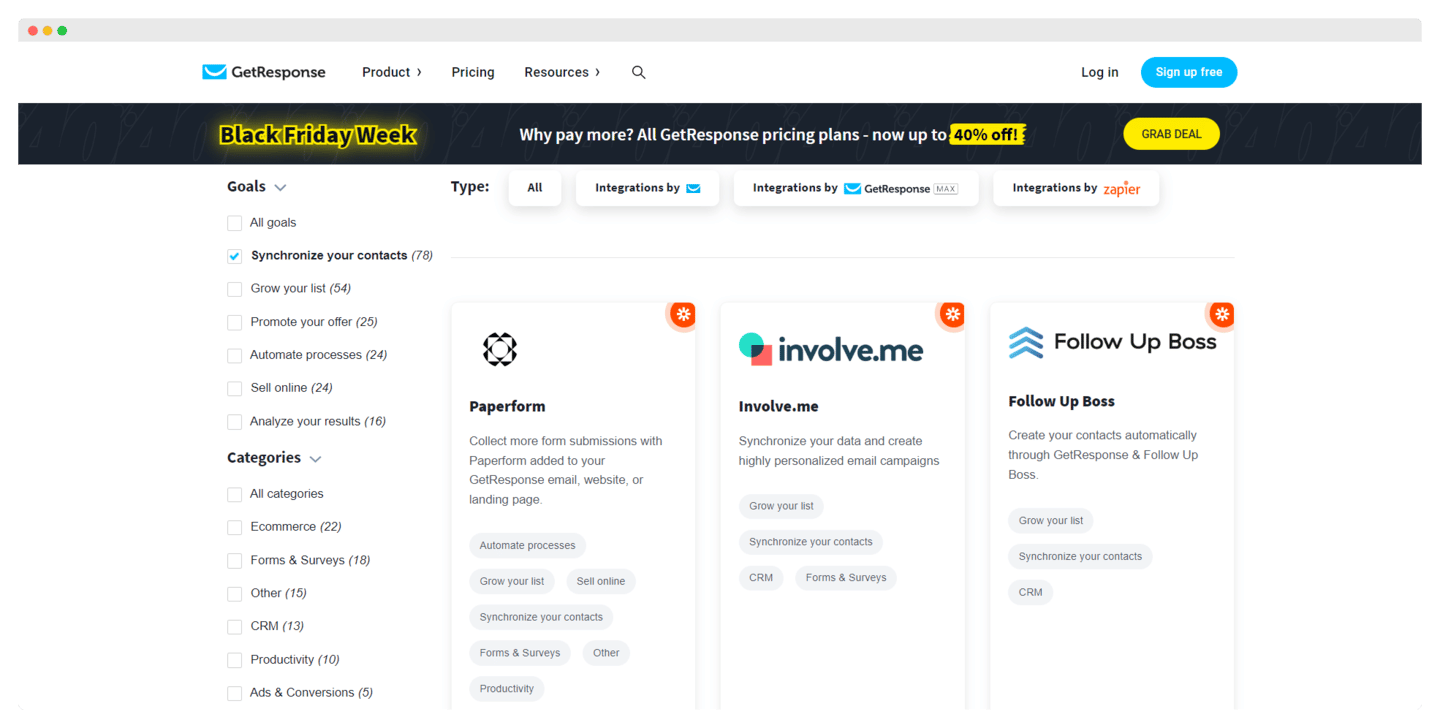
- Grow your list: Paperform, Involve.me, Follow Up Boss. To sync your data and build personalized email campaigns.
- Promote your offer: Sendtric, MailTimers, CountdownMail. To generate revenue, boost your click rates and make your campaigns more effective.
- Automate your processes: GrowSurf, SMS-iT, LeadsBridge. To generate more leads and connect your marketing apps to GetResponse.
The API is open on all plans. The GetResponse Enterprise plan adds integrations such as Microsoft Dynamics 365, and also offers to build a custom integration, with pricing on request.
GetResponse: pricing
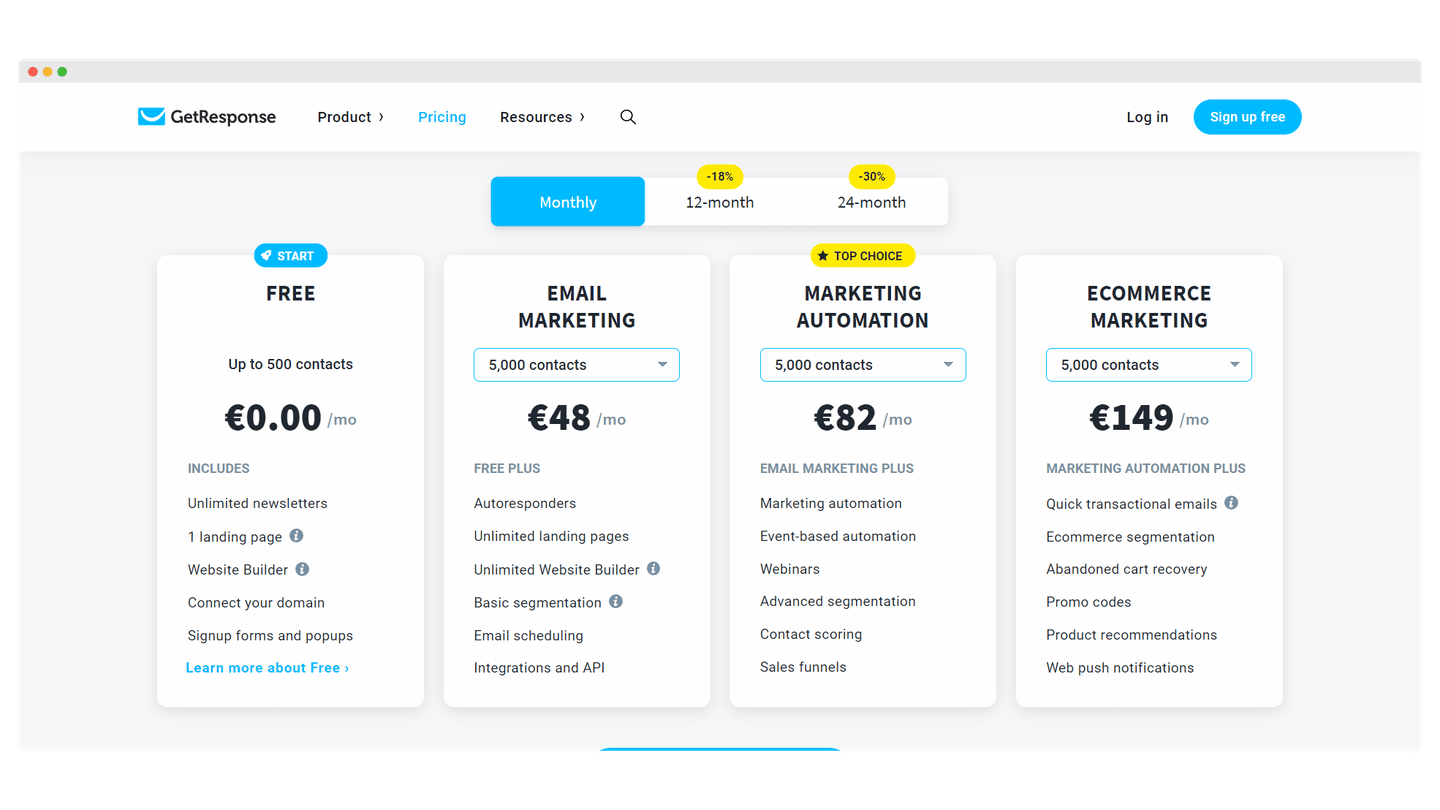
- The free plan, free forever, gives you a list of 500 contacts, 2,500 newsletters per month and one landing page. It also gives access to the form and popup editor. Every email sent carries the GetResponse badge. On the other hand, you cannot schedule your email campaigns, you have to send them yourself.
- The Starter plan starts at €16 per month for 1,000 contacts. Count on €48 per month for 5,000 contacts. It lets you schedule your campaigns however you like, and gives access to unlimited landing pages, basic contact segmentation tools, integrations and the API. On the other hand, on the marketing automation side, you only get autoresponders and a single custom workflow with limited features: for more complex sequences, you will need to move up to the higher plans.
- The Marketer plan starts at €54 per month for 1,000 contacts, and climbs to €82 per month for 5,000 contacts. It unlocks unlimited automation workflows, advanced segmentation tools and sales funnels, plus the e-commerce features: promo codes, product recommendations, abandoned cart recovery. It also gives access to live chat and web push notifications.
- The Creator plan starts at €62 per month for 1,000 contacts, and goes to €94 per month for 5,000 contacts. It adds webinars, up to 100 attendees, webinar funnels and the website builder.
- The Enterprise plan gives you every feature in the software, including transactional emails, a dedicated IP address and webinars of up to 1,000 attendees, with custom pricing based on your needs.
The free account gives access to premium features for 14 days, with no credit card. You can also get an 18% discount by committing annually, roughly two months free.