Let’s be honest: why pay $28 a month for a form tool when Google Forms is free and unlimited?
The short answer: Typeform has become much more than a “form builder”. The platform has turned into an AI-powered conversational engagement tool, with automatic form generation, smart answer clarification and built-in automation workflows. We’re a long way from the simple questionnaire.
Founded in Barcelona in 2012, Typeform now claims more than 150,000 business customers and 60% of the Fortune 500 (Volvo, Uber, Amplitude). The secret? A user experience nobody has managed to match. Typeform forms make people want to answer, and that changes everything for completion rates.
But does that justify the premium price? Who is Typeform really worth it for, and for whom is it wasted budget?
Typeform’s key features
Typeform has changed a lot in recent years. What used to be a simple tool for “pretty” forms has become a complete platform with AI, automations and analytics. Let’s see what it looks like in practice, feature by feature.
Building conversational forms
This is what made Typeform’s reputation, and it’s still its number one strength. The principle: instead of showing every question on a single page (like Google Forms), Typeform presents one question at a time, with a smooth transition to the next.
It sounds trivial, but it changes everything. The respondent no longer faces a wall of questions, it feels like a conversation. The result: fewer drop-offs, more thoughtful answers and an experience people remember.
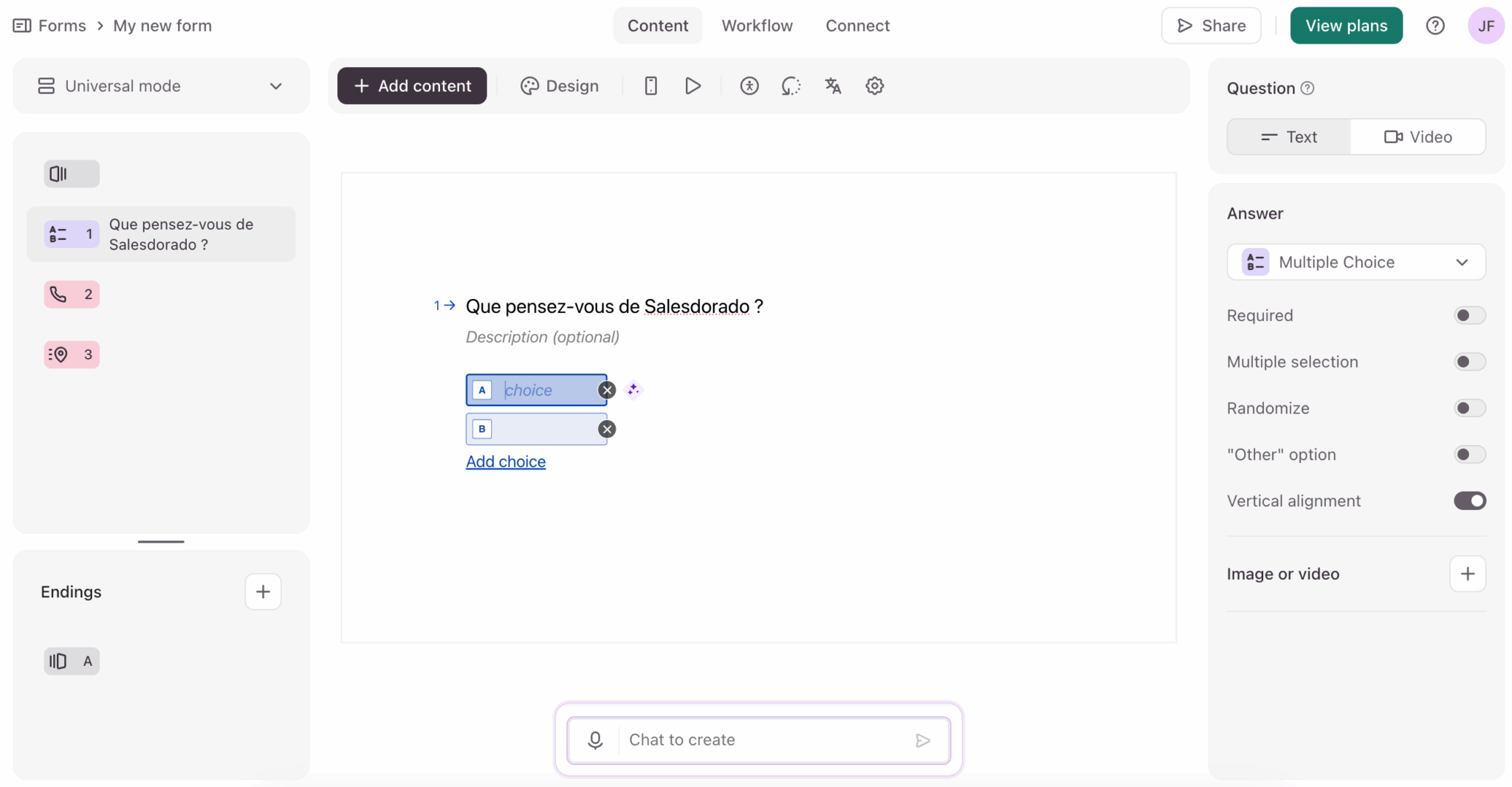
On the building side, the interface is drag-and-drop and intuitive, even for non-technical users. You get access to more than 3,000 templates sorted by use case (lead generation, customer satisfaction, recruiting, quizzes). That lets you start from a solid base rather than a blank page.
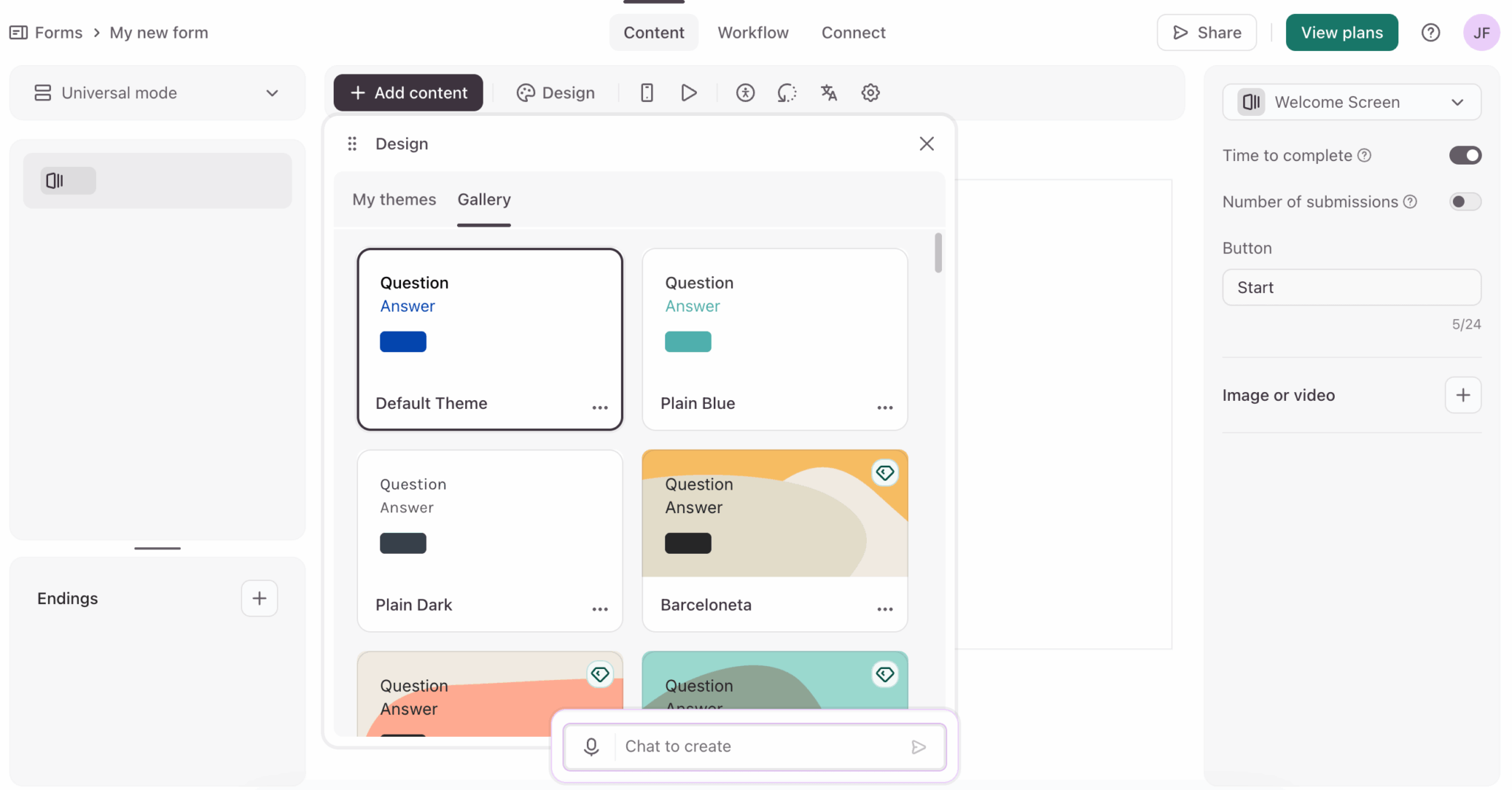
Customization goes quite far: colors, fonts, logo, background images and even custom CSS for the most demanding. On the Enterprise plan, you can also use your own domain so the form lives on yoursite.com/form rather than on typeform.com. The Plus and Business plans are limited to a custom subdomain.
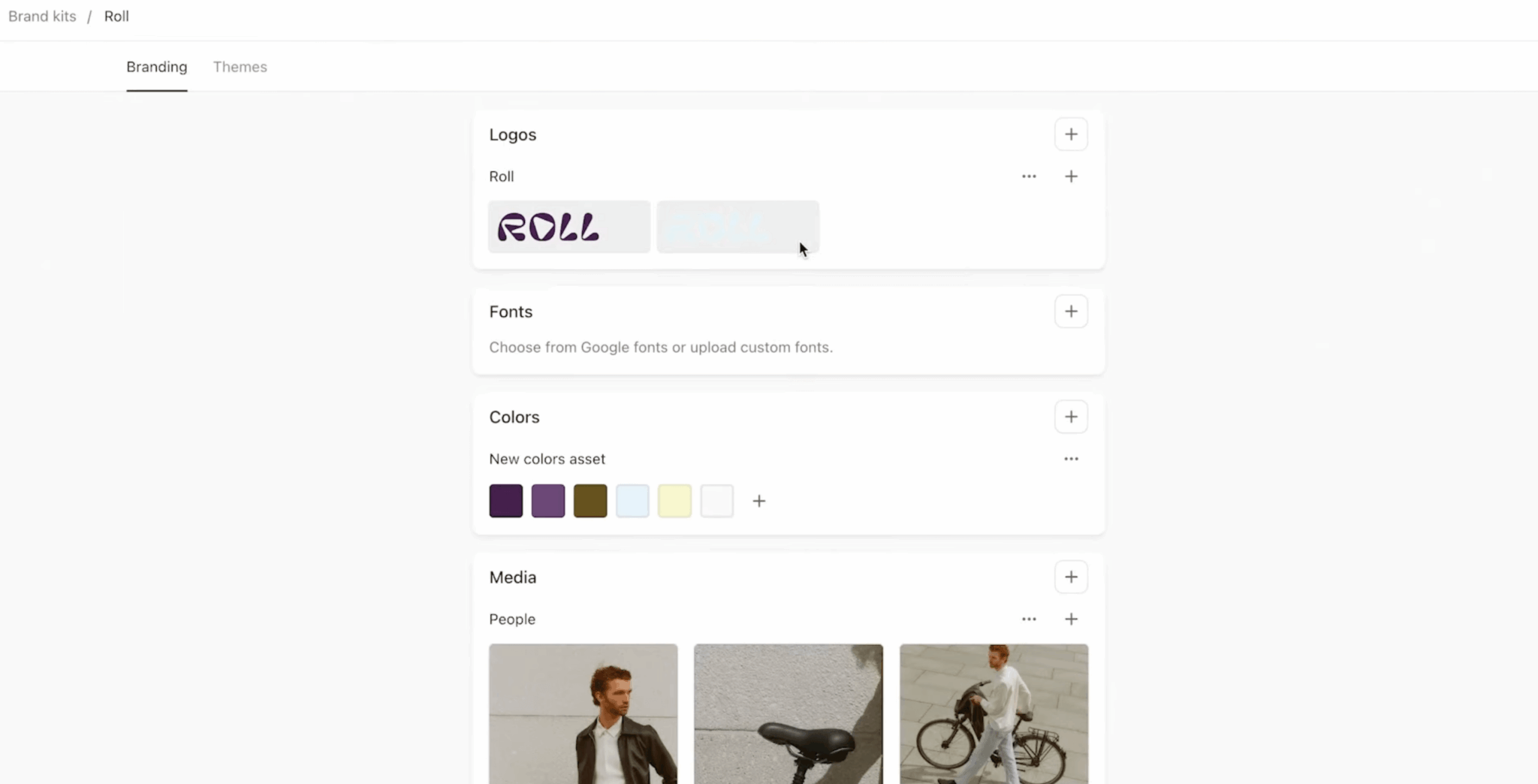
Salesdorado’s takeThe form editor is one of the most pleasant on the market. You quickly understand how it works, the templates save time and the end result is always clean. If you’re coming from Google Forms, you’ll feel the difference immediately.
30+ question types, including video
Typeform offers a good thirty different question types. The classics are there: short text, long text, multiple choice, dropdown, rating scale, ranking, date, email, phone, file upload.
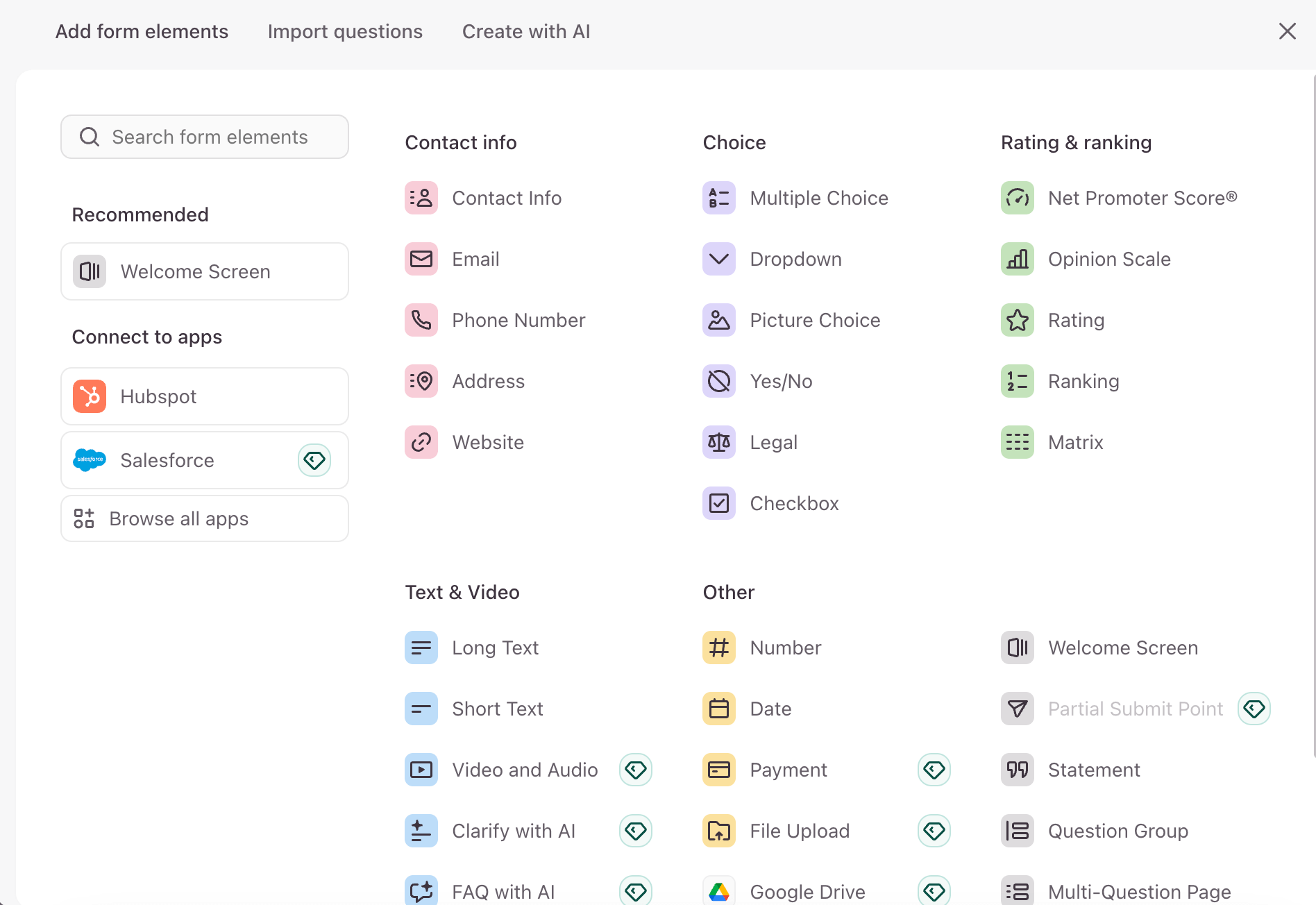
But what really sets Typeform apart are the advanced formats:
- Video questions. You can record a question on video rather than in text. It humanizes the form and increases engagement: the respondent sees a real person asking the question.
- Video answers. The reverse: the respondent can record their answer on video directly in the form. For recruiting (seeing the candidate before the interview), customer testimonials or user interviews, it’s a real differentiator competitors don’t have.
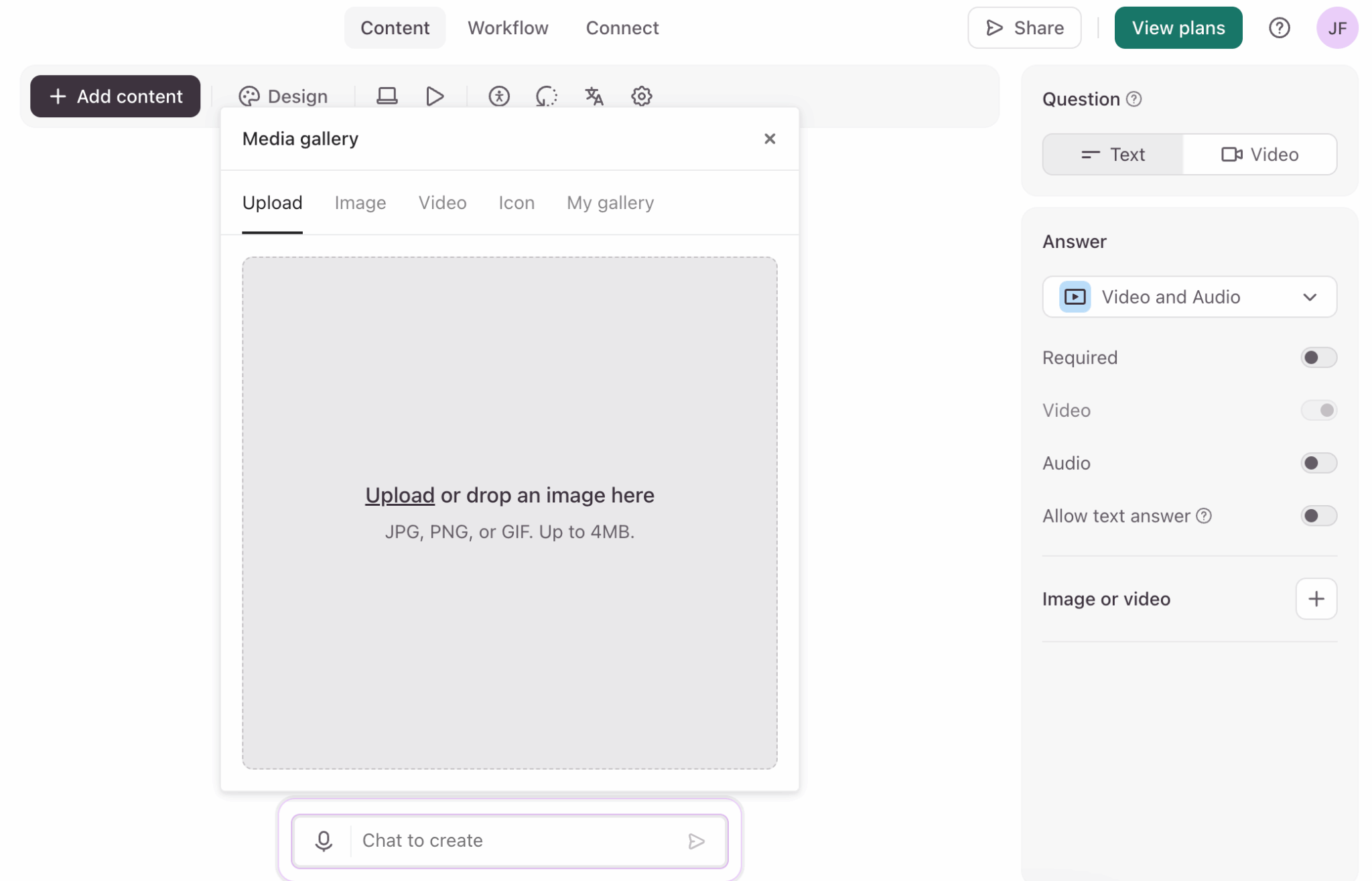
- Built-in payments. Typeform integrates natively with Stripe or PayPal. You can collect payments directly in the form. Handy, for example, for event registrations or simple orders.
- Hidden fields. Fields invisible to the respondent but pre-filled with data (UTM source, customer ID, etc.). Very useful for tracking and automatic enrichment.
Salesdorado’s takeVideo questions and answers really are Typeform’s differentiator. If your use case lends itself to it (recruiting, testimonials, qualitative feedback), it’s a strong argument for choosing Typeform over a competitor. For classic text-only forms, the advantage is less clear-cut.
Typeform’s AI features
Typeform offers three separate AI modules. It’s ambitious, so we wanted to see what they were really worth.
Creator AI: form generation
The idea is simple: you describe the form you want in natural language (“a lead qualification form for a web agency with questions about budget, timelines and technical needs”) and the AI generates the complete structure.
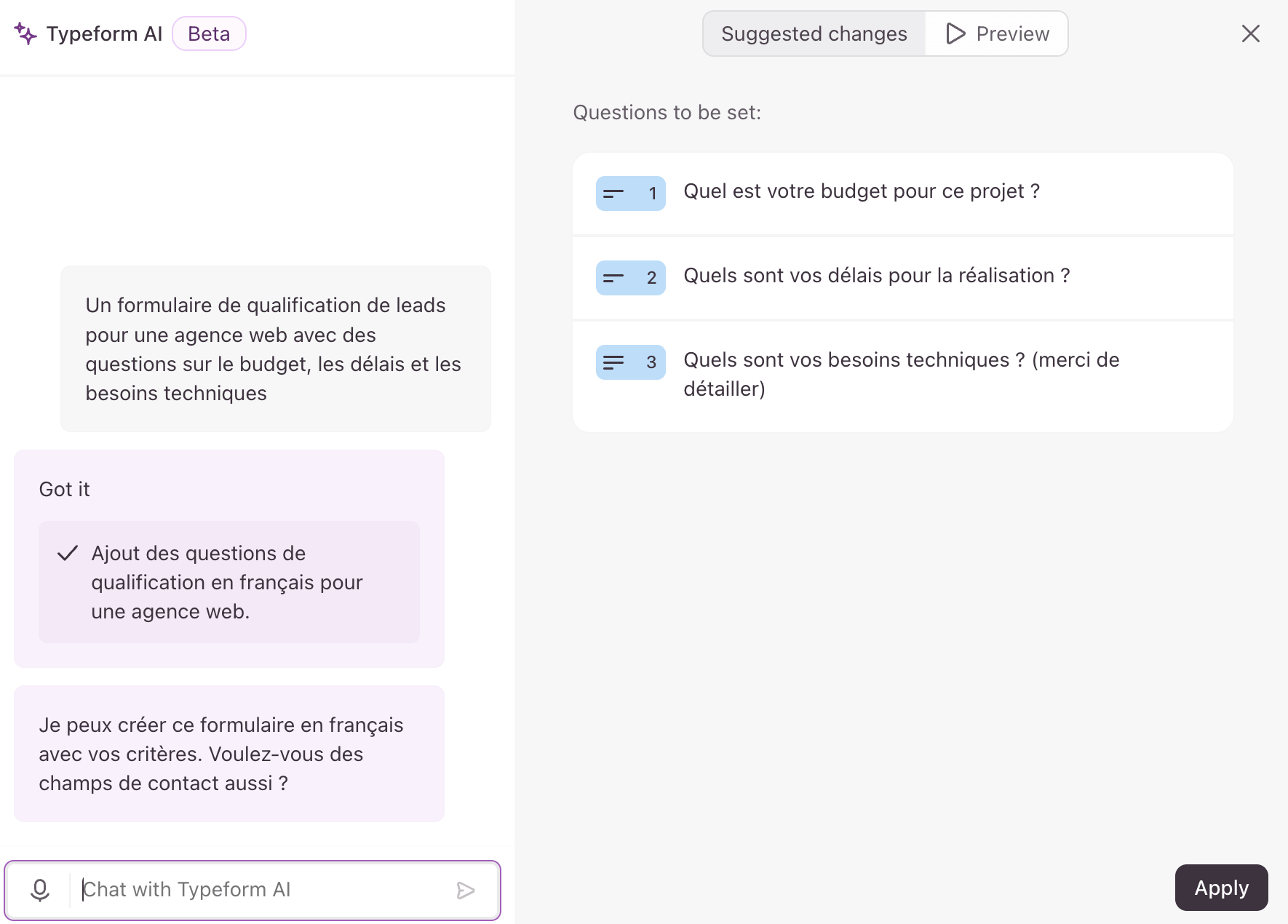
It works surprisingly well for standard forms. The AI suggests relevant questions, in a logical order, with the right field types. You then adjust to your needs rather than starting from scratch.
Interaction AI: automatic clarification
This is the most interesting feature on the data collection side. When a respondent gives a vague or incomplete answer to an open question, the AI detects the problem and automatically generates a clarifying question.
For example, if someone answers “I had a problem” to the question “What did you think of our service?”, the AI can ask “Could you specify what kind of problem you ran into?”.
Typeform claims 3.5 times more data collected thanks to this feature. That’s probably optimistic, but the principle is sound: richer answers without weighing down the base form.

Insights AI: answer analysis
With large volumes of answers, manual analysis quickly becomes unmanageable. That’s where Insights AI comes in, with essentially three functions:
- Ask AI: you ask questions about your data in natural language (“What are the main friction points mentioned?”) and the AI answers with the relevant insights.
- Topic Detection: the AI automatically identifies recurring themes in open answers and groups them. Rather useful for surfacing patterns without reading everything.
- Sentiment Analysis, which analyzes the tone of answers (positive, neutral, negative). It also works on video answers.
Conditional logic and branching
Conditional logic lets you adapt the form path based on answers. It’s a must as soon as you want to qualify leads or segment respondents.
Typeform offers the basic functions:
- Skip logic, to skip certain questions based on previous answers. If someone answers “No” to “Do you have a website?”, there’s no point asking for the URL.
- Branching, to route to different sections of the form. A B2B prospect and a B2C prospect can follow completely different paths in the same form.
- Scoring, to assign points to answers and calculate a final score. Useful for quizzes, assessments or lead qualification.
For 80% of use cases, that’s more than enough. But if you need truly complex logic (conditions nested over several levels, advanced calculations, dynamic variables), Typeform shows its limits. Jotform is more flexible on that front.
The new Workflow Builder improves things a little on the automation side, but conditional logic within the form itself remains basic to intermediate.
Salesdorado’s takeTypeform’s conditional logic covers standard needs without any problem. If you have truly complex forms (multi-level technical assessments, sophisticated scoring), test thoroughly beforehand, you may run into the tool’s limits.
Workflow Builder and automations
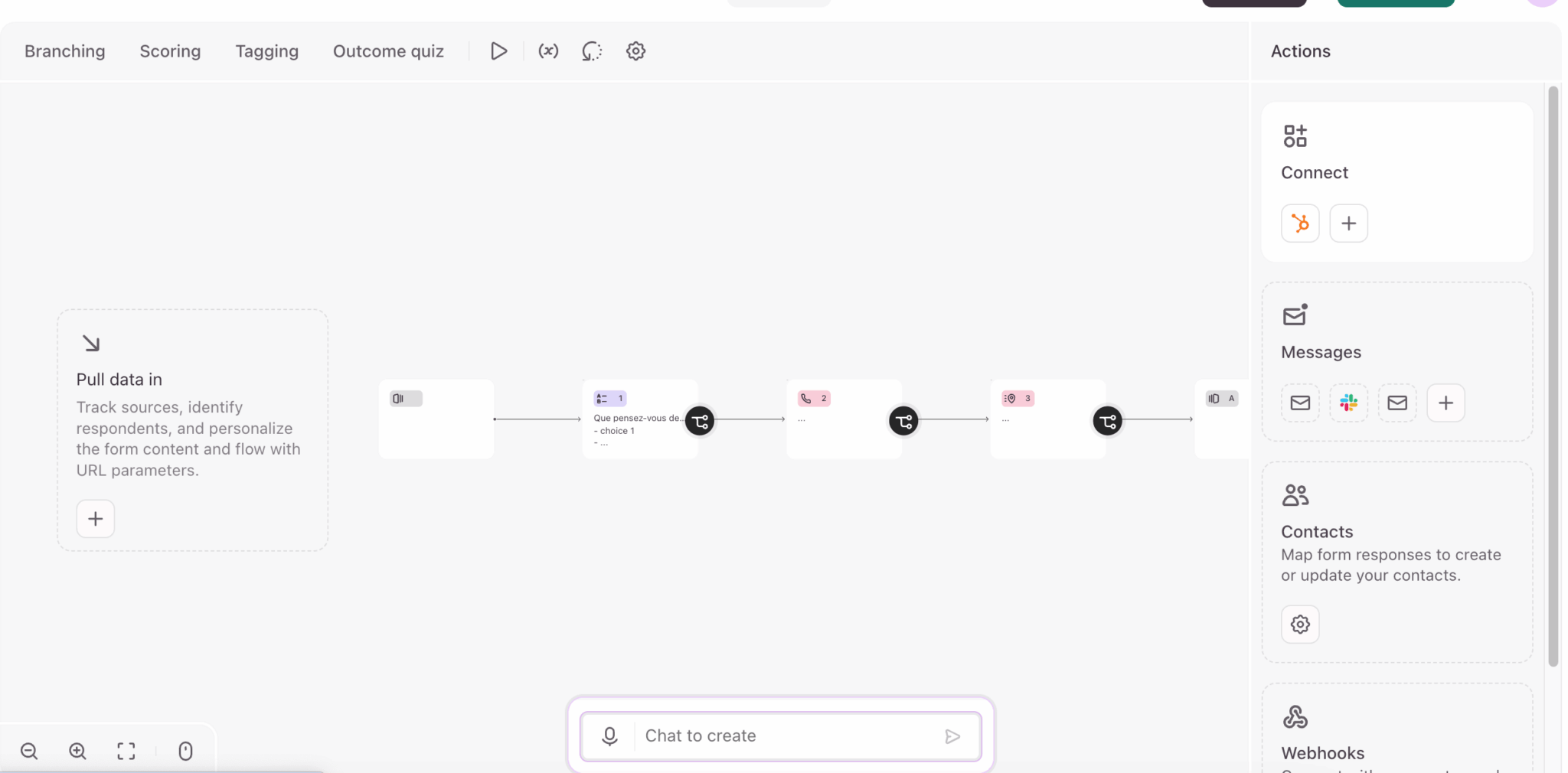
This is the big new feature that changes Typeform’s positioning. Before, to automate actions after a form submission, you had to go through Zapier or Make. Now you can build workflows directly in Typeform.
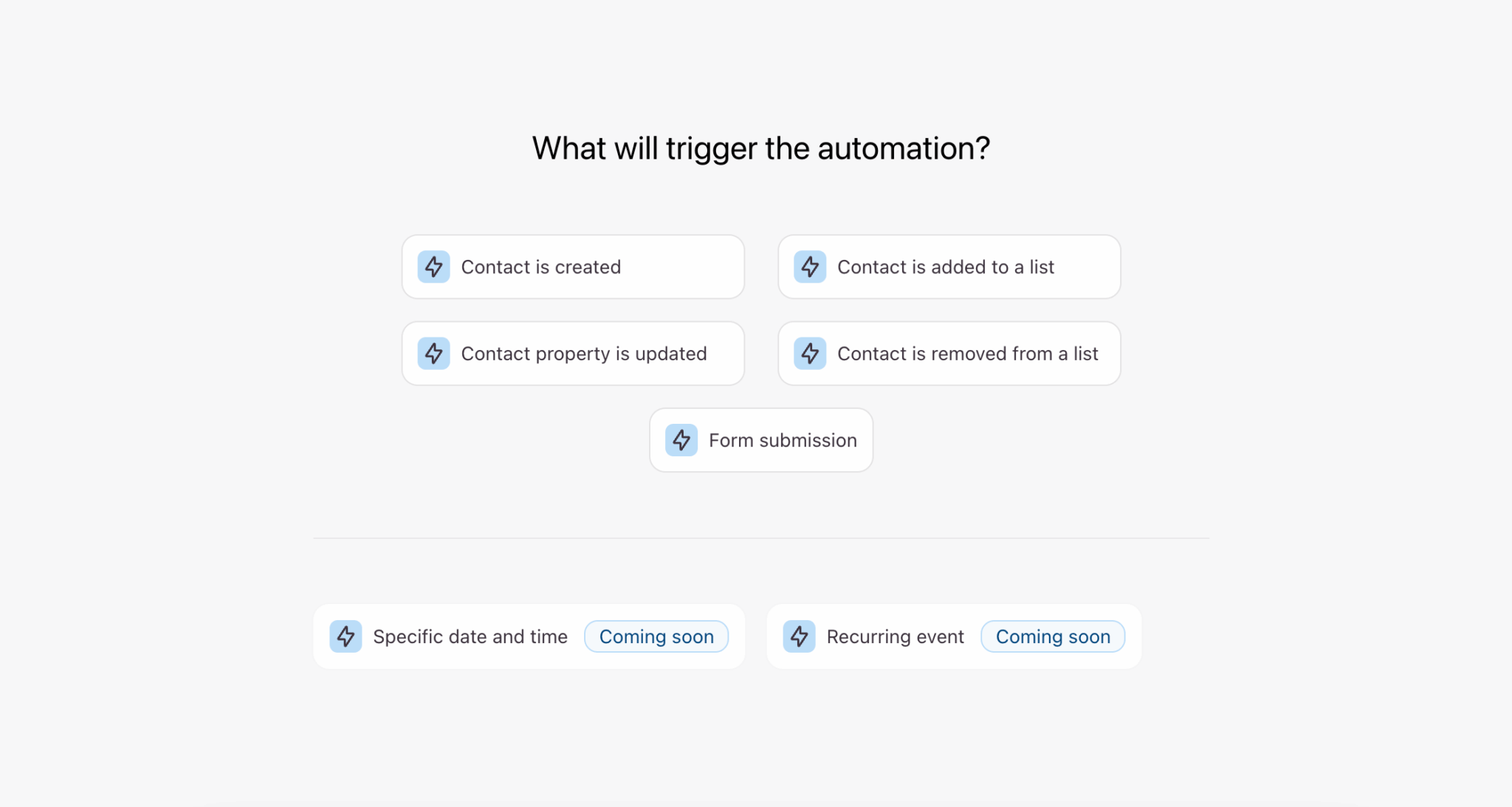
The Workflow Builder is a visual canvas where you build sequences of actions:
- Automatic follow-up emails. For example: send a confirmation email to the respondent, a notification to your team, a conditional reminder if certain criteria are met.
- CRM actions. For example: automatically create a contact in HubSpot or Salesforce, update an existing record, trigger a CRM workflow.
- Slack notifications. For example: alert a channel when a form is submitted, with the key info right in the message.
- Conditional branching. Different actions depending on the answers: a qualified lead triggers one action, an unqualified lead another.
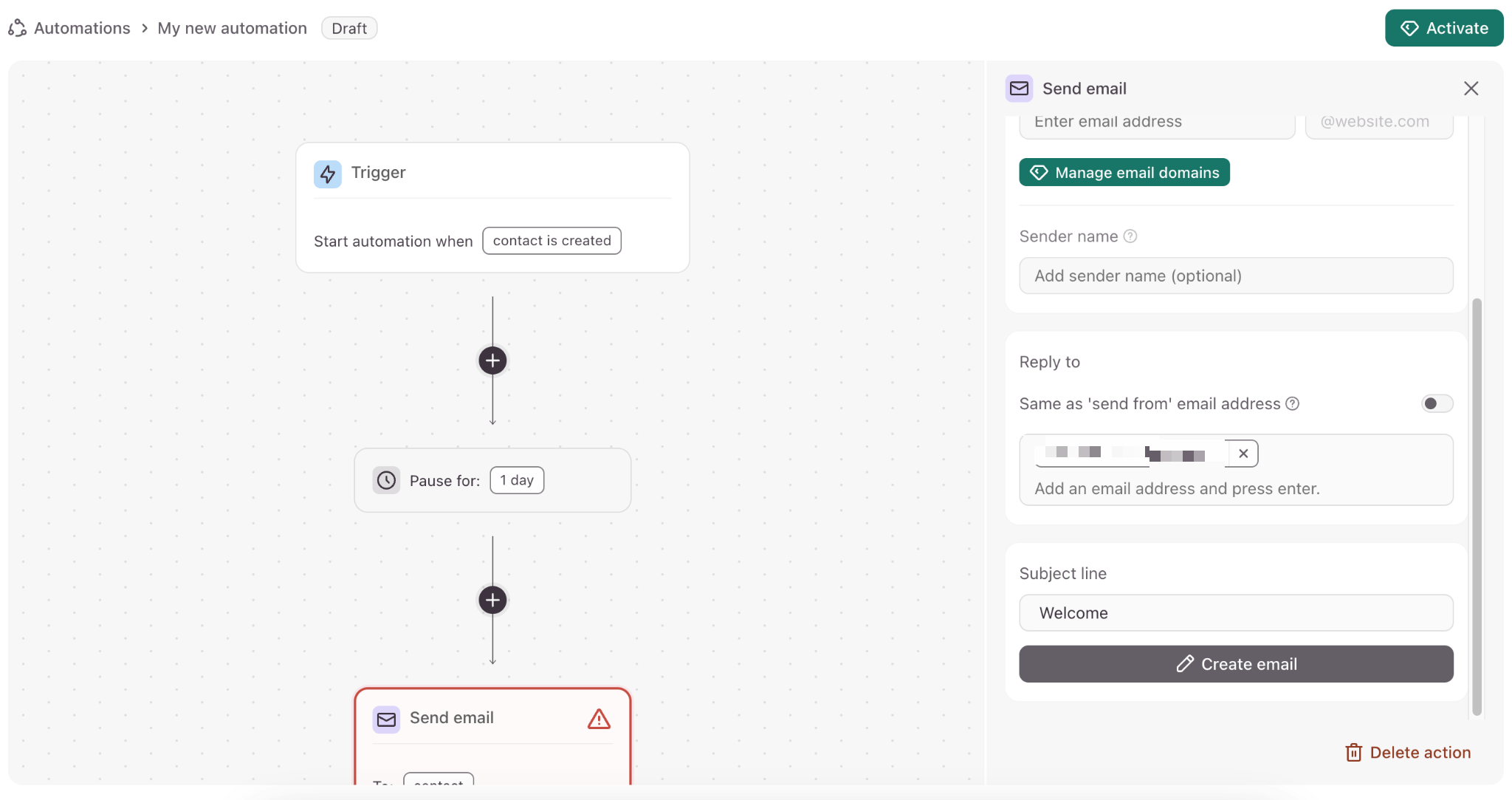
It’s real progress for simple to moderate automations. You no longer need to juggle between Typeform and Zapier for standard cases.
As for native integrations, Typeform covers the essentials: HubSpot, Salesforce, Pipedrive, Mailchimp, Slack, Calendly, Stripe, Google Sheets, Notion, Airtable. More than 100 integrations in total, and Zapier remains available for cases not covered.
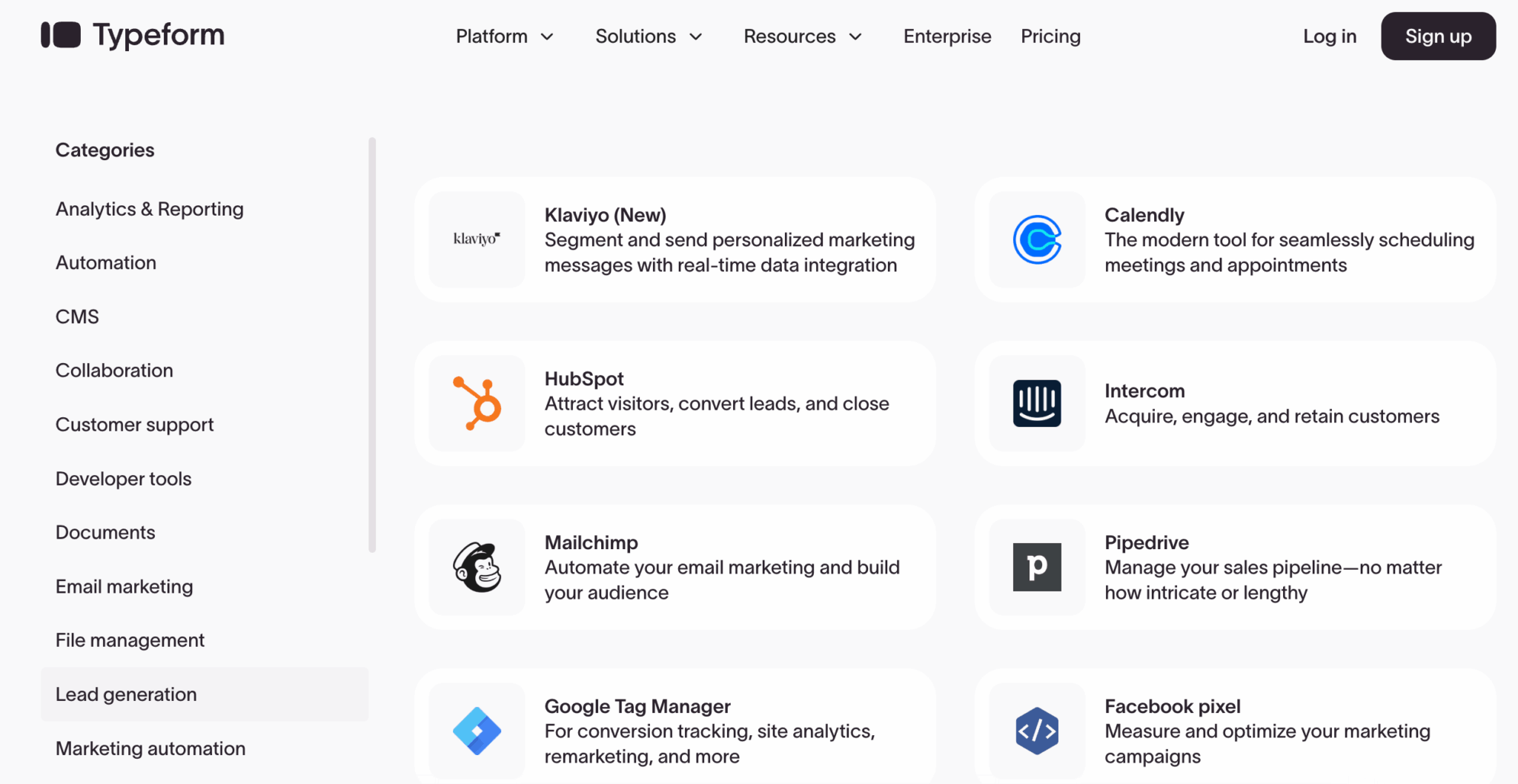
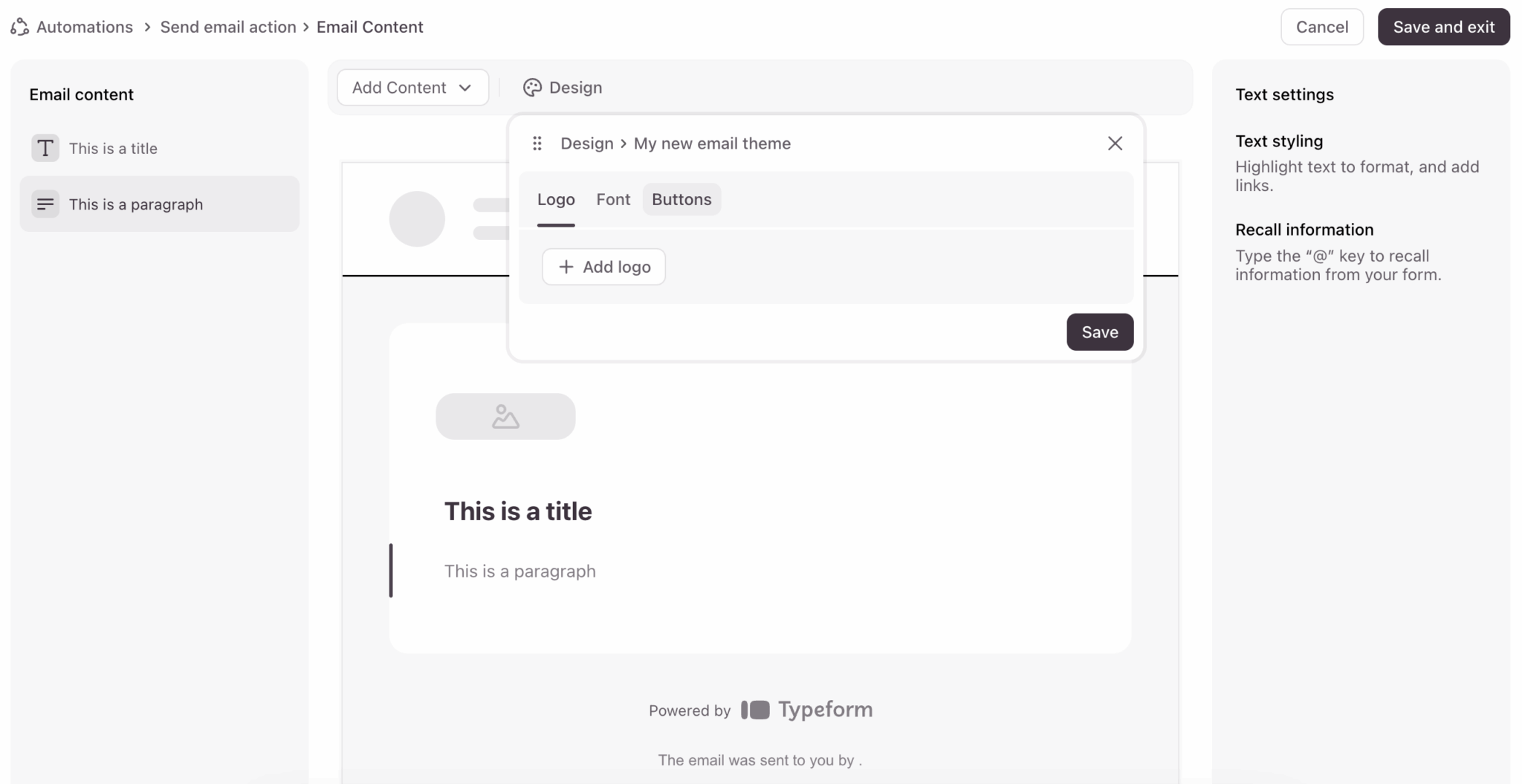
The new Email Builder also lets you create follow-up emails directly in Typeform, with your branding. The beginning of a “complete platform” logic rather than a simple data collector.
Analytics and reporting
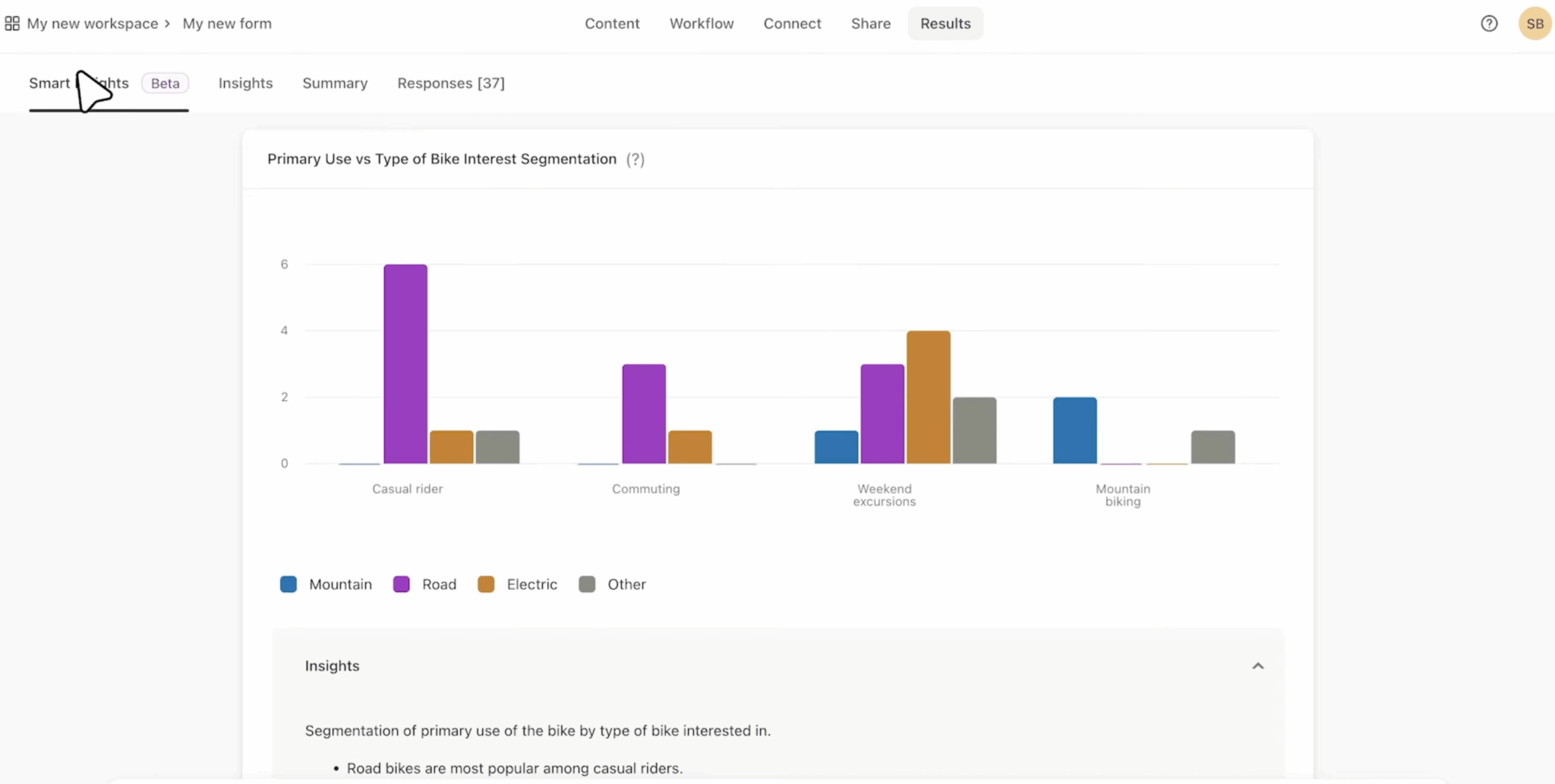
Typeform offers a real-time results dashboard with the essential metrics: number of responses, completion rate, breakdown of answers per question, trends over time.
Charts are generated automatically based on the question type: pie charts for multiple choice, bars for scales, and so on. It’s clean and readable with no configuration.
From the Business plan up, you get access to the drop-off rate per question. It lets you identify where respondents give up and optimize the form accordingly. An underrated but very useful feature.
The AI Insights (topic detection, sentiment analysis), which we covered earlier, add a layer of analysis for open answers and videos.
Analytics can be exported as CSV or XLS, with filters by date, tag or custom properties. Real-time Google Sheets sync is also available for those who prefer working in a spreadsheet.
For advanced needs (attribution, integration with BI tools), the Business plans and above give access to Google Analytics tracking and the Facebook pixel.
Salesdorado’s takeTypeform’s analytics do the job for most uses. The per-question drop-off rate is particularly useful for optimizing your forms. For truly in-depth analysis, you’ll need to export and process the data elsewhere, but that’s the case with most form tools.
Support, documentation and community
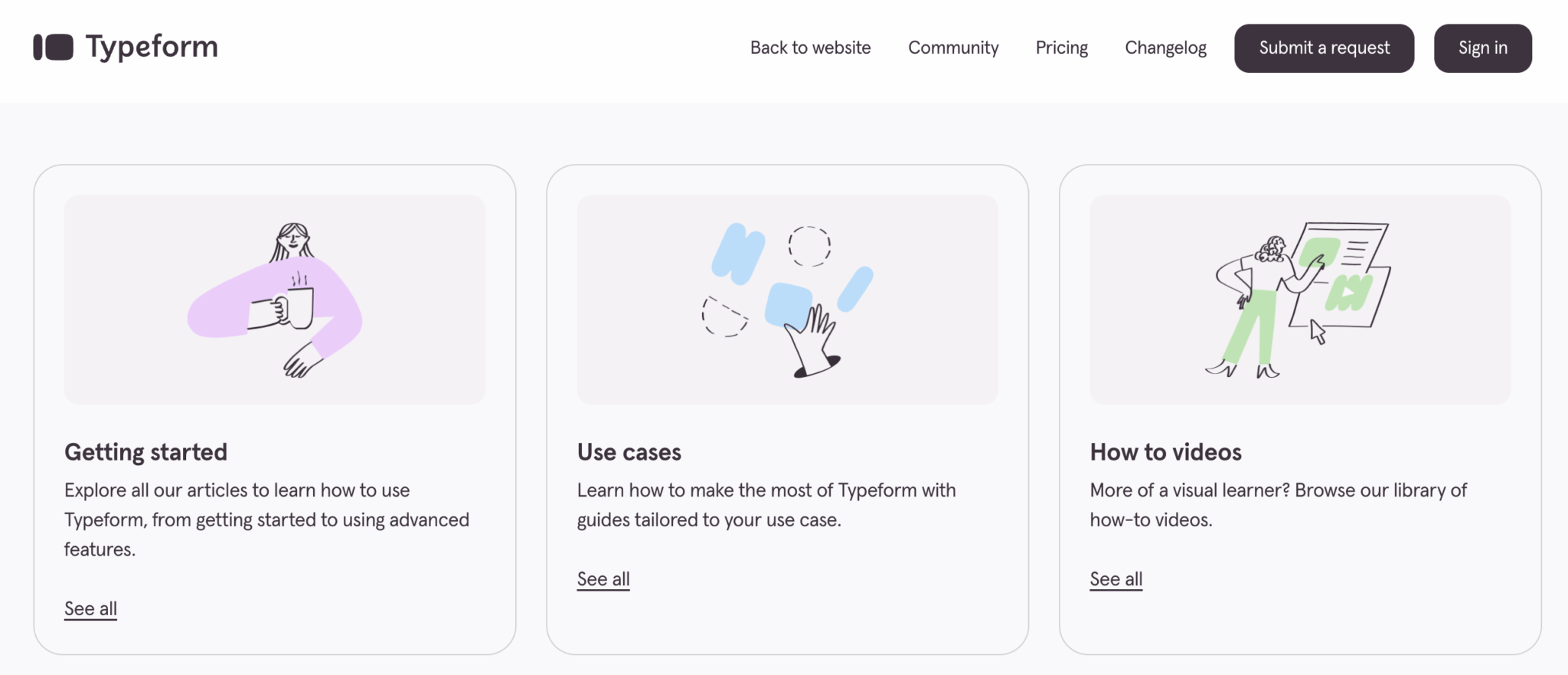
Typeform offers a fairly complete help center, in English only, with guides sorted by topic: building forms, conditional logic, integrations, analytics. It’s well organized, with up-to-date screenshots. For common questions, you’ll usually find the answer without having to contact support.
As for human support, the level depends on your plan:
- Basic plan: email support only, with response times of 24 to 48 hours. Enough for simple questions, frustrating if you’re stuck on an urgent problem.
- Plus and Business plans: priority support with shorter response times. You move up the queue.
- Enterprise plan: VIP support with a dedicated customer success manager. Personalized onboarding, regular reviews, a direct line for emergencies.
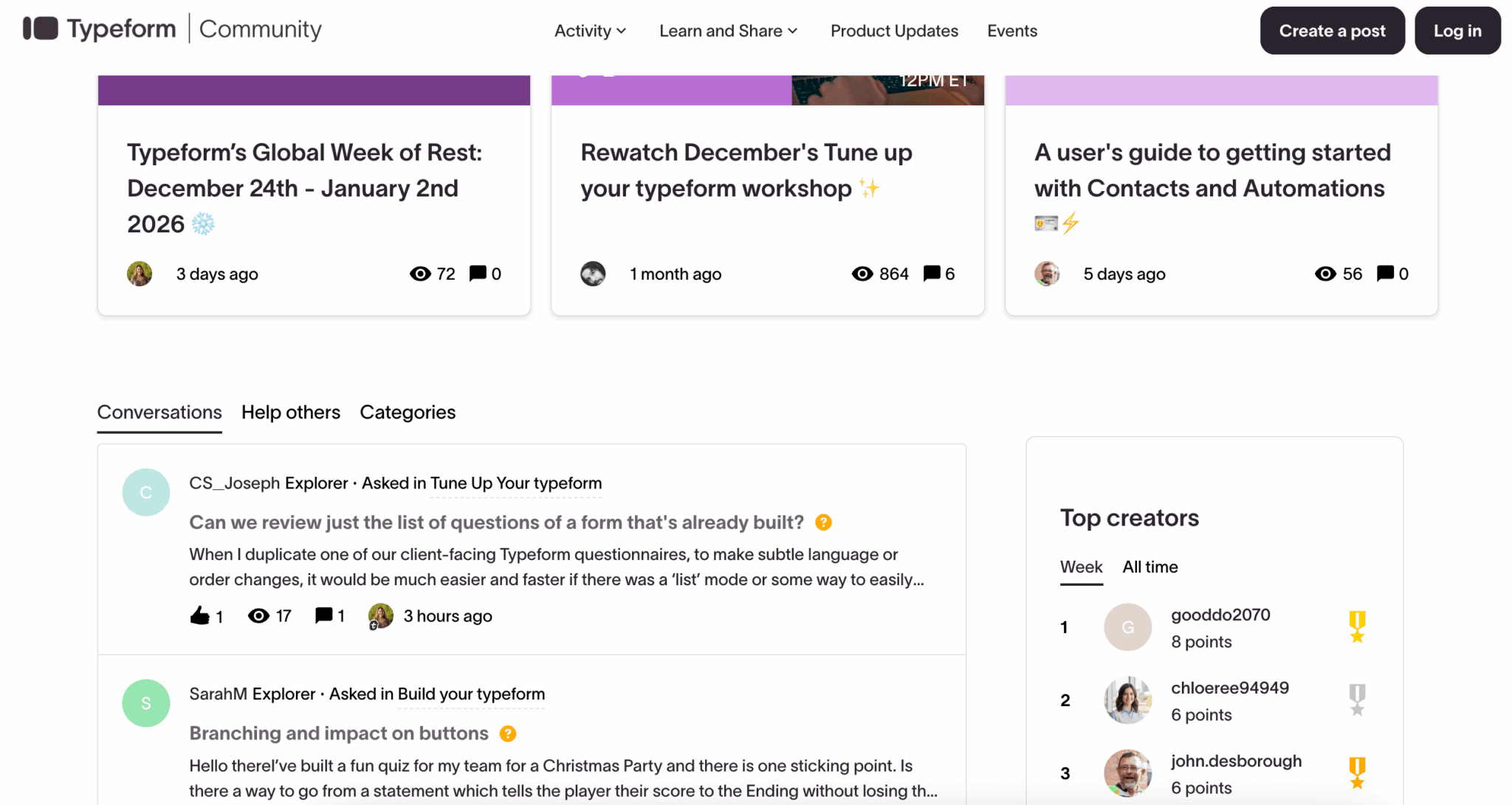
Typeform also has an active user community, again in English, with a forum where you can ask questions and swap with other users. Less extensive than the HubSpot or Salesforce communities, but useful for finding solutions to specific problems or template ideas.
Typeform pricing and value for money
Let’s talk about the touchy subject. Typeform isn’t cheap, and the pricing grid can come as a surprise when you’re coming from Google Forms (free) or low-cost alternatives. Here are the current prices, billed annually, the most advantageous option:
| Plan | Monthly price (annual) | Responses per month | Users | For whom? |
|---|---|---|---|---|
| Basic | $28 per month | 100 | 1 | Freelancers, very small businesses. Unlimited forms and questions, but only 100 responses per month. It’s the bare minimum. |
| Plus | $56 per month | 1,000 | 3 | SMBs, marketing teams. Typeform logo removed, 1,000 responses, 3 users. The real entry point for serious use. |
| Business | $91 per month | 10,000 | 5 | Structured teams. Drop-off rate, advanced analytics, 10,000 responses. For those with volume. |
| Enterprise | On quote | Custom | Unlimited | Large accounts. SSO, HIPAA compliance, VIP support, dedicated customer success, custom domains. |
A few important points to note:
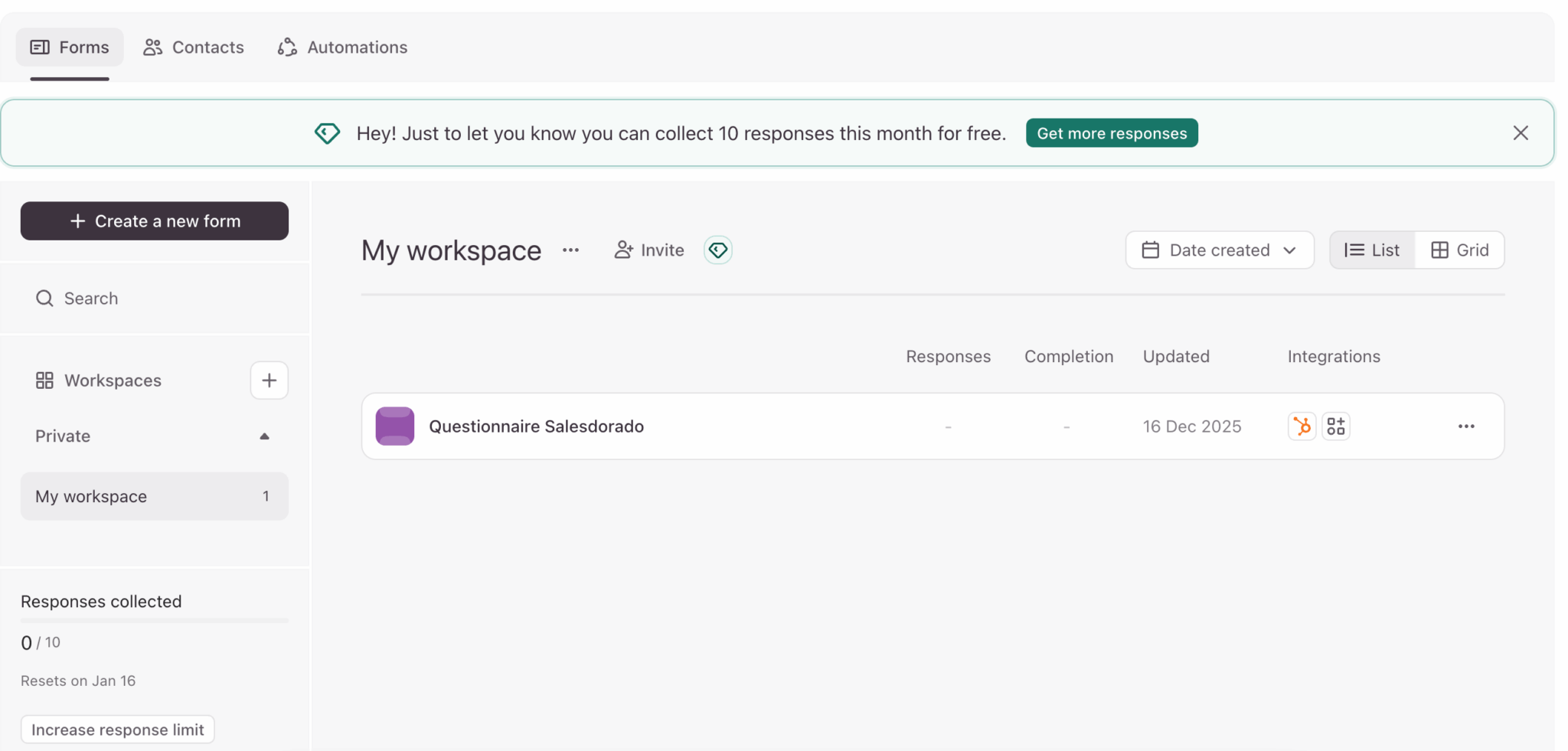
- A very limited free version. Typeform offers a free plan capped at 10 responses per month: enough to test the tool, not enough to use it. The Basic plan at $28 per month is the first paid plan, with only 100 responses per month, which is very limited.
- The Plus plan at $56 per month is the real entry point. That’s where you unlock 1,000 responses per month, removal of Typeform branding and 3 users. For a team doing lead gen or regular surveys, it’s the realistic minimum.
- The Business plan at $91 per month unlocks analytics. The per-question drop-off rate is only available from this plan. If you have volume and want to optimize your conversions, this is the one you need.
- Responses are capped, not forms. You can create as many forms as you like, it’s the number of responses collected that counts. Watch out for usage spikes: a campaign that performs well can blow through your quota.
- The prices shown are for annual billing. With monthly billing, expect to pay about 40% more ($39, $79 and $129 per month respectively). The annual commitment is clearly encouraged.
Typeform VS Google Forms, Jotform, Tally
To place Typeform in the landscape, here’s how it stacks up against the main alternatives:
Typeform VS Google Forms (free)
Google Forms is free and unlimited, and that’s its only argument. The UX is basic, the design dated, the integrations limited to the Google ecosystem.
If you send a Google form to a prospect, it looks cheap. If you send a Typeform, it looks professional. The question is: is that difference worth $28 a month on an annual commitment ($39 monthly)? For B2B lead gen, probably yes. For an internal survey, probably not.
Typeform VS Jotform (from €34 per month)
Jotform is more flexible on conditional logic and complex forms. The respondent UX is decent but less elegant than Typeform’s. Jotform also offers a fairly generous free version (100 submissions per month but 5 forms).
If you have truly complex forms with lots of conditions, Jotform is probably a better choice. If engagement and completion rate are the priority, Typeform wins.
Typeform VS Tally (free with paid options)
Tally is the rising newcomer. A generous free plan (unlimited responses), a Notion-inspired interface, aggressive prices on the paid plans. The UX is good but less polished than Typeform’s, and the advanced features (video, AI, Workflow Builder) don’t exist.
For simple forms on a tight budget, Tally is a real alternative. For more advanced needs, Typeform stays ahead.
Typeform VS Microsoft Forms (included in Microsoft 365)
If you already have Microsoft 365, Forms is “free”, included in the subscription. The integration with the Microsoft ecosystem is good, but the respondent UX is as bland as Google Forms. Same logic: for internal use, it can be enough. For external use with customers or prospects, Typeform makes a better impression.
Salesdorado’s takeTypeform is expensive, let’s say it plainly. The price is justified if you use the tool for lead generation, recurring customer surveys or cases where the completion rate directly impacts your business. For one-off or internal uses, Google Forms or Tally do the job for less, or even for free.