Feedly is a name web professionals have known for a long time. Launched in 2008 as a simple RSS feed aggregator, the tool established itself as the natural heir to Google Reader after Google shut it down in 2013. But today’s Feedly has little in common with the original feed reader.
Feedly has become a full-fledged monitoring platform and a business intelligence tool. With its AI, Leo, it no longer just collects information: it filters it, sorts it and summarizes it. The tool now lets you follow not only websites, but also newsletters, social networks, forums (and even dark web sources!).
Feedly now targets two audiences:
- On one side, monitoring and content professionals, with its ultra-complete “Pro+” RSS reader.
- On the other, marketing, innovation or cybersecurity teams, with its Market Intelligence and Threat Intelligence offerings built for B2B.
We tested Feedly: here is our full review.
Feedly’s main features
Feedly is no longer limited to its role as an RSS feed aggregator. The vendor has gradually built a real suite of tools around its Leo artificial intelligence, to meet very different needs: information monitoring, strategic intelligence and cybersecurity.
The platform is now split into three main products:
- Feedly News Reader, the original tool for content aggregation and individual monitoring.
- Feedly Market Intelligence, a complete competitive and strategic intelligence solution for marketing and innovation teams.
- Feedly Threat Intelligence, a module dedicated to cybersecurity teams, to track vulnerabilities, threats and malicious actors.
Feedly News Reader, the tool to centralize and filter all your monitoring
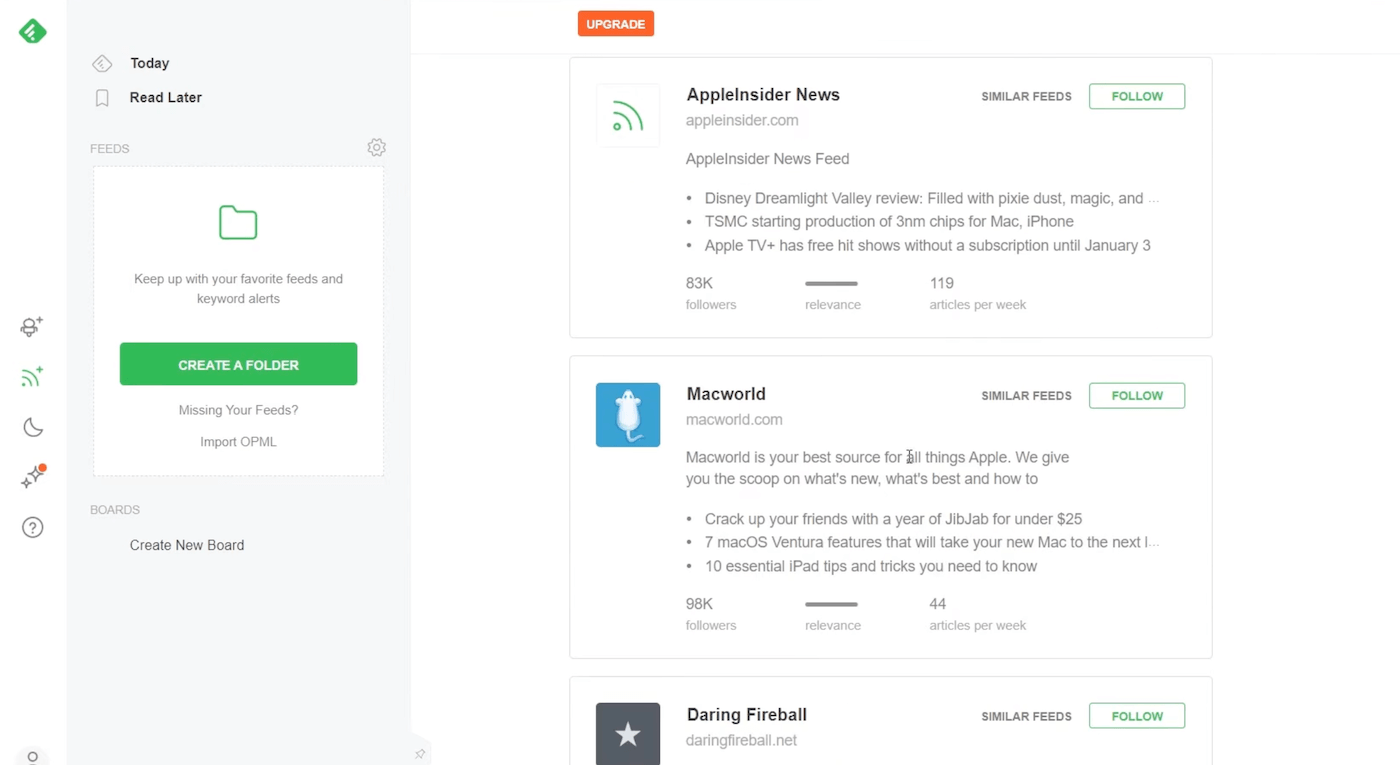
Historically, Feedly News Reader is the product that made the brand known. It is an RSS feed aggregator that lets you gather all your information channels in one place, whether websites, blogs, newsletters, YouTube channels, Reddit, X (Twitter) or even specific pages monitored through custom RSS feeds.
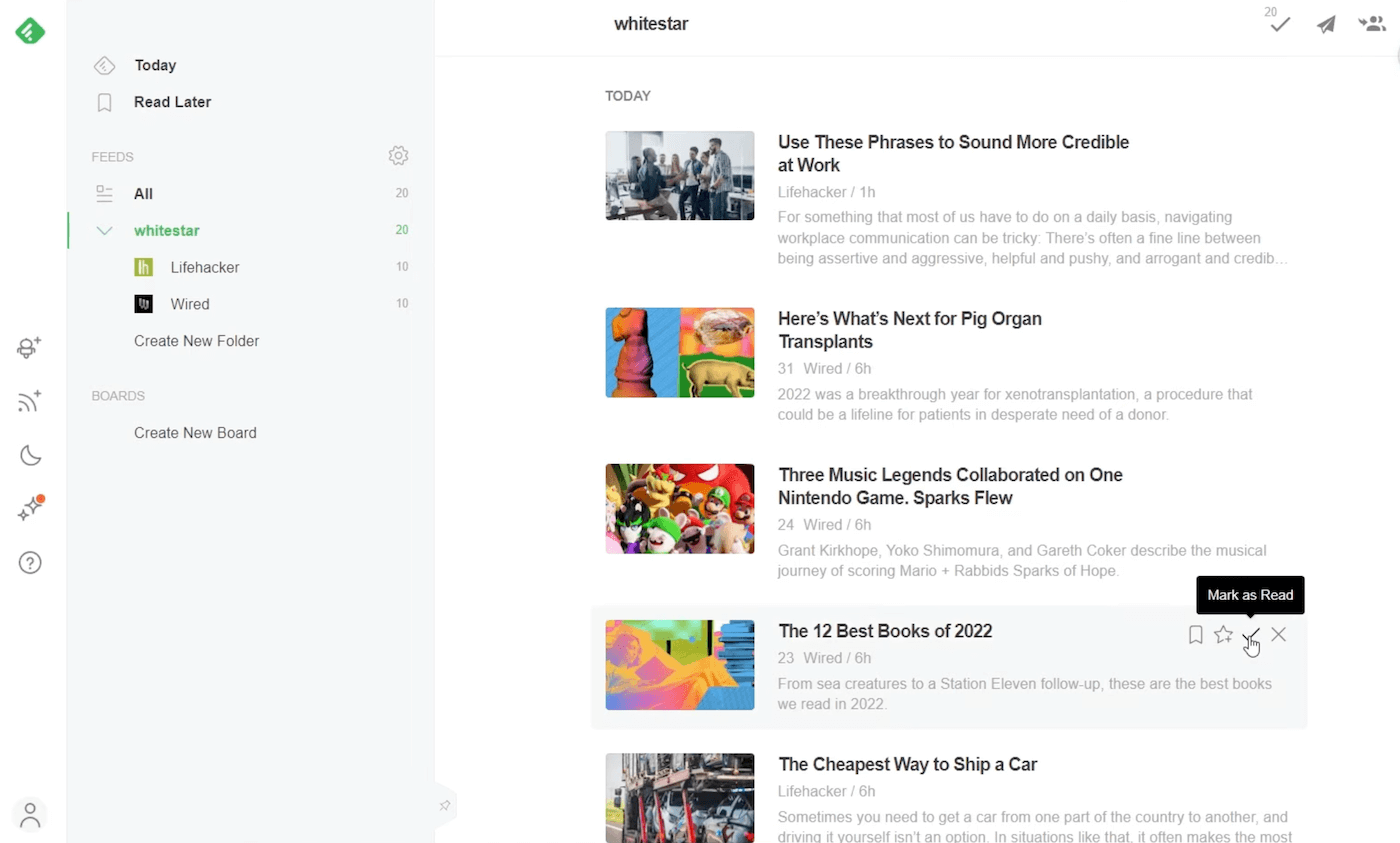
Feedly handles very large volumes of content while keeping a clear, fast interface. You can group your sources into thematic folders, save articles to read later, add notes and highlight important passages. The experience is smooth, pleasant and really designed for daily use, whether on a computer or on mobile (Feedly is available as a mobile app).
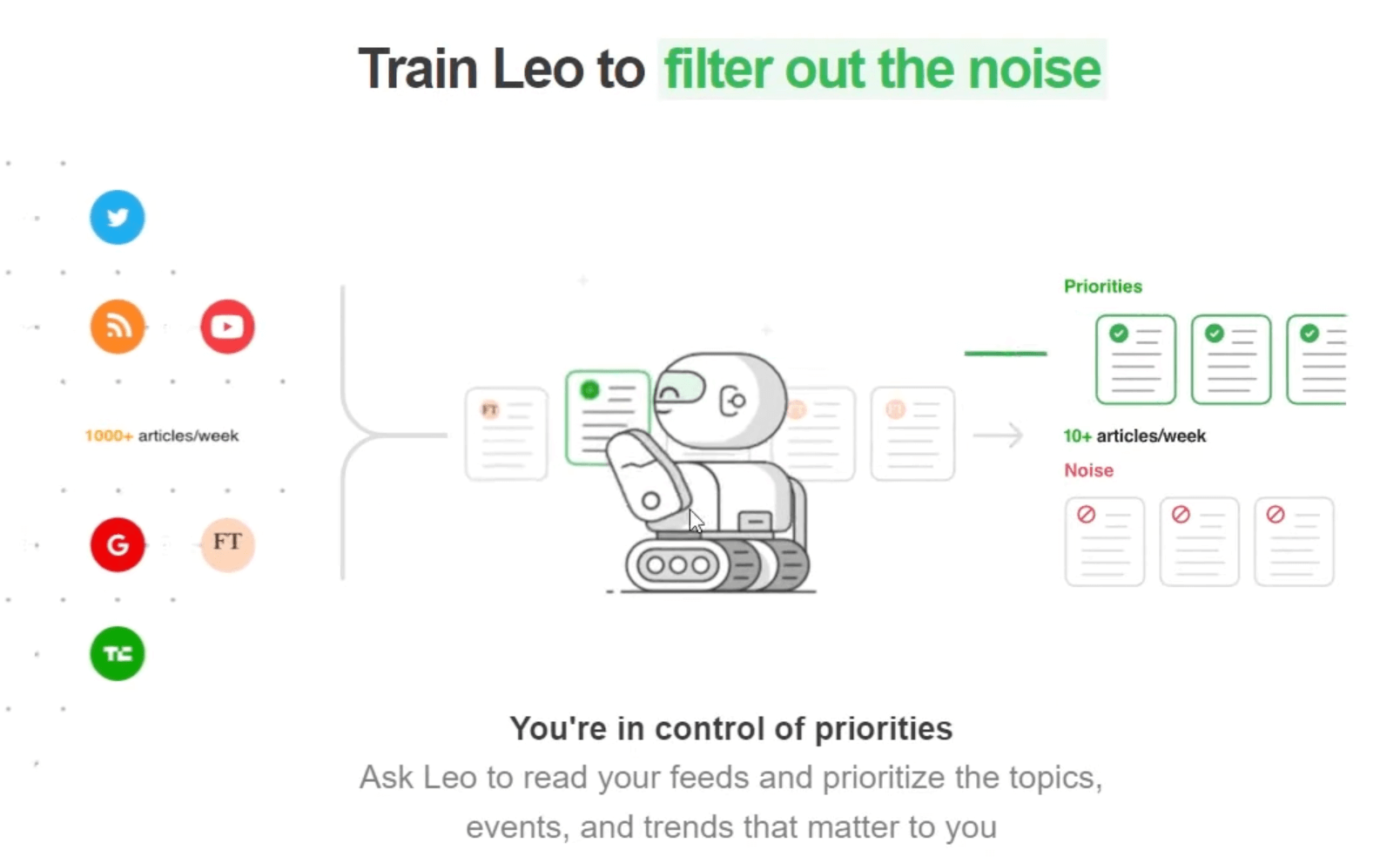
But what really makes the difference today is Leo, the artificial intelligence assistant built into Feedly. Leo learns to recognize what matters to you:
- it automatically filters out irrelevant articles,
- it removes duplicates,
- it summarizes long content
- and it can even detect emerging trends or sensitive topics in your industry.
In a few clicks, you can ask it to follow news about a company, a competitor or a specific technology, and it will refine its results with every interaction. We were quite impressed by what it can do.
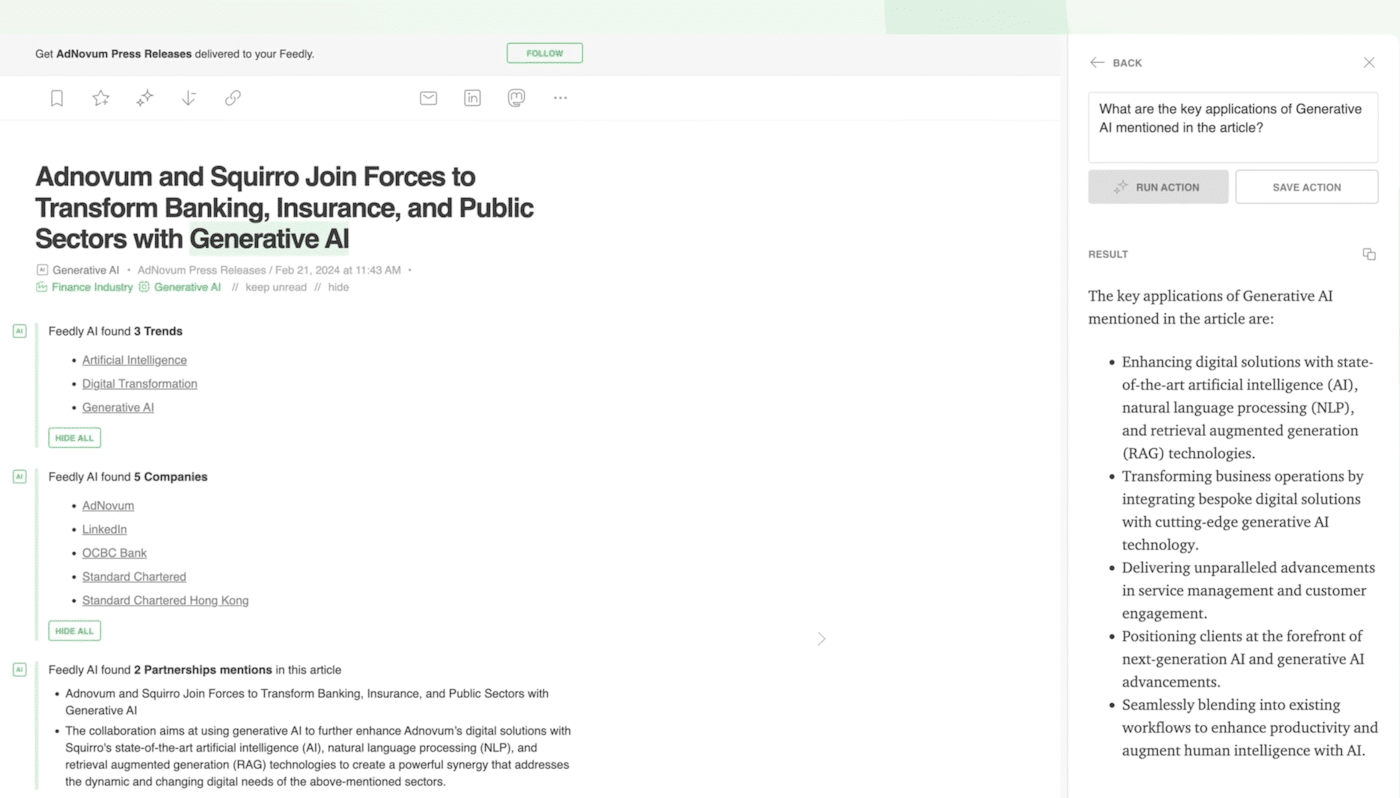
If you are on the Pro+ plan, you also get advanced features: detailed AI summaries, custom smart filters and even the ability to create your own AI Feeds (feeds entirely driven by artificial intelligence). These “smart feeds” select only the information that matches your areas of interest (for example: “European AI startups” or “Product innovations at my direct competitors”).
Feedly Market Intelligence, to turn your monitoring into a strategic advantage
With Feedly Market Intelligence, the platform moves up a level. You leave simple information aggregation behind and enter the field of AI-augmented strategic intelligence. The goal of this product is to help you catch the right signals, follow your markets and anticipate trends before your competitors.
The solution relies on the Leo AI and its AI Feeds, smart feeds capable of analyzing several million pieces of content per day and extracting only the relevant information.
Rather than surfacing all the news in a sector, Feedly identifies weak signals for you: product innovations, new entrants, funding rounds, regulatory changes or competitor strategies. You can configure each feed according to your priorities: companies, technologies, geographic areas or specific topics.
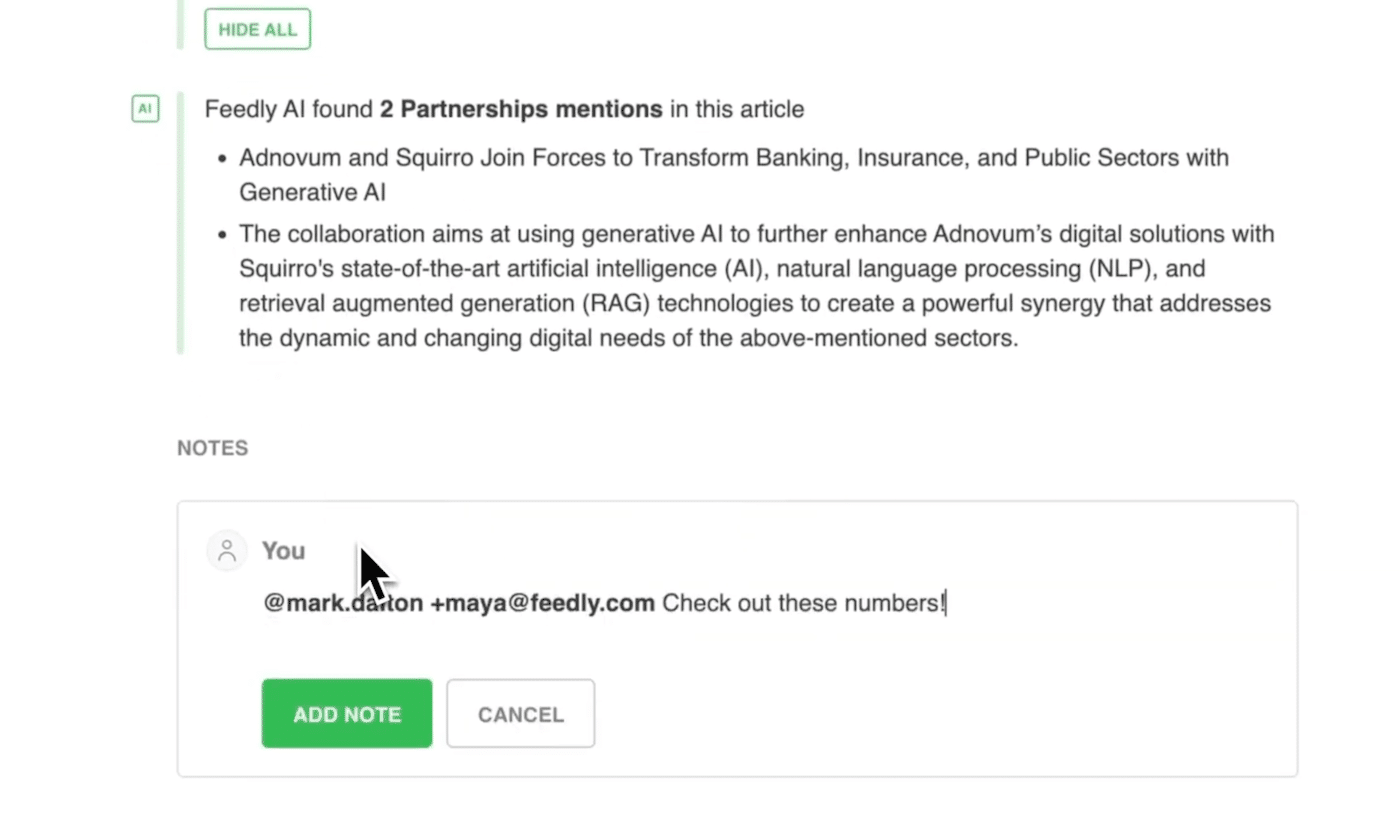
The collected information is then synthesized as Insights Cards, a kind of enriched reading notes grouped into collaborative dashboards. You can follow how your market evolves, detect trends and share these insights with your marketing, product or leadership teams.
Everything can be pushed automatically to Slack, Teams, Notion, SharePoint or HubSpot, or built into your internal reports.
With the Ask AI feature, you can interact directly with your monitoring feeds. You can question the AI (“Which startups are positioning themselves in foodtech in Europe?”) or ask it to generate actionable summaries from a series of articles.
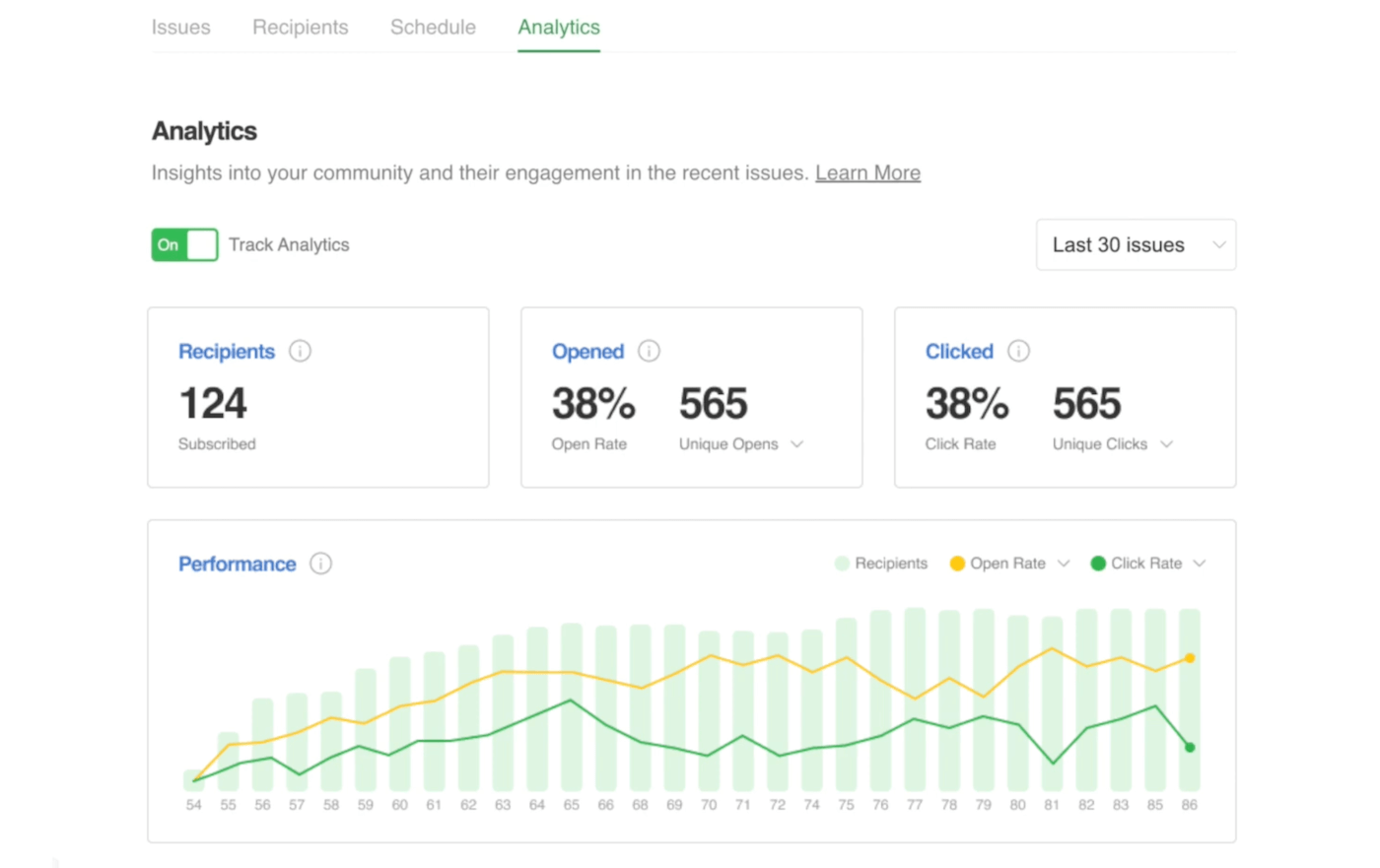
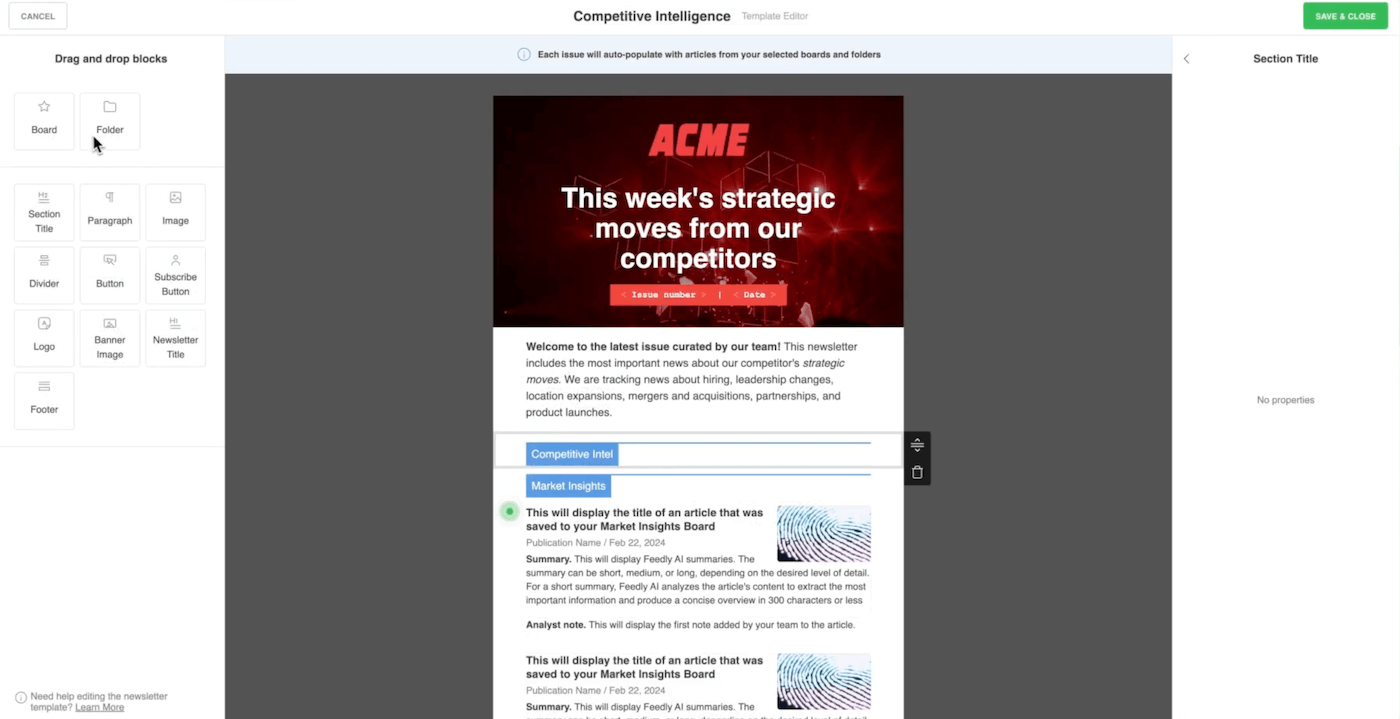
Feedly Market Intelligence is also a collaborative workspace in its own right: you can share dashboards, annotate insights, create internal newsletters or schedule follow-up actions.
Salesdorado’s takeFeedly Market Intelligence is a complete solution for structuring your strategic intelligence. The entry ticket is still rather high (from $1,600/month), but if monitoring is part of your core business, the investment is more than justified.
Feedly Threat Intelligence, to anticipate threats and protect your organization
Feedly Threat Intelligence is the cyber version of the platform. It is aimed at security teams, CISOs and SOCs who need to identify, understand and prioritize threats before they turn into incidents.
The idea is simple: turn the continuous stream of raw information from the web, vulnerability bulletins and the dark web into actionable, prioritized signals.
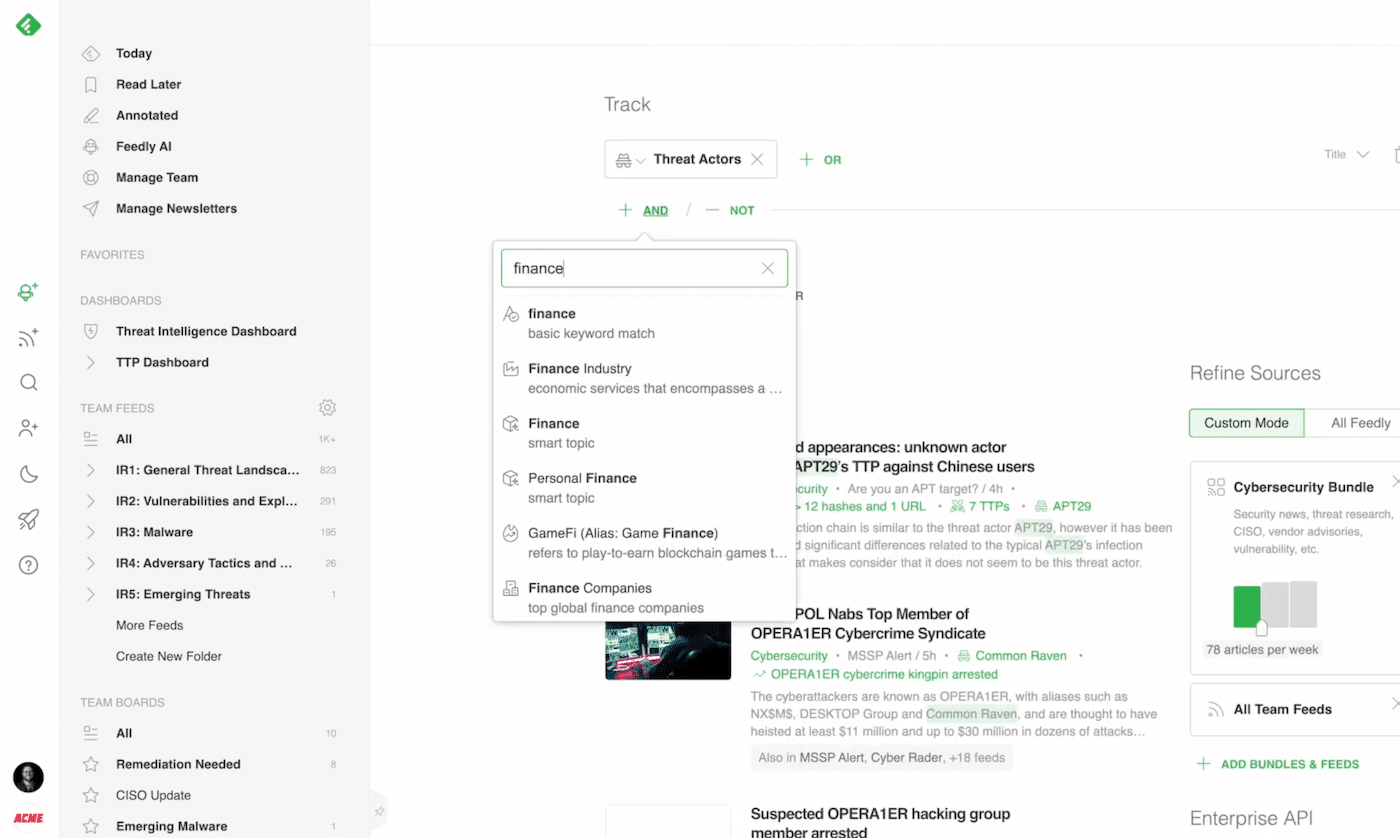
As with Market Intelligence, the solution relies on the Leo AI to analyze millions of sources: CERT reports, CVEs, hacker blogs, specialized forums, social networks or GitHub repositories.
Leo automatically classifies threats, spots critical vulnerabilities, active malicious actors and new attack techniques (TTPs). You can create AI Feeds dedicated to your technologies, your environments or your industry so that you only receive the alerts that really concern you.
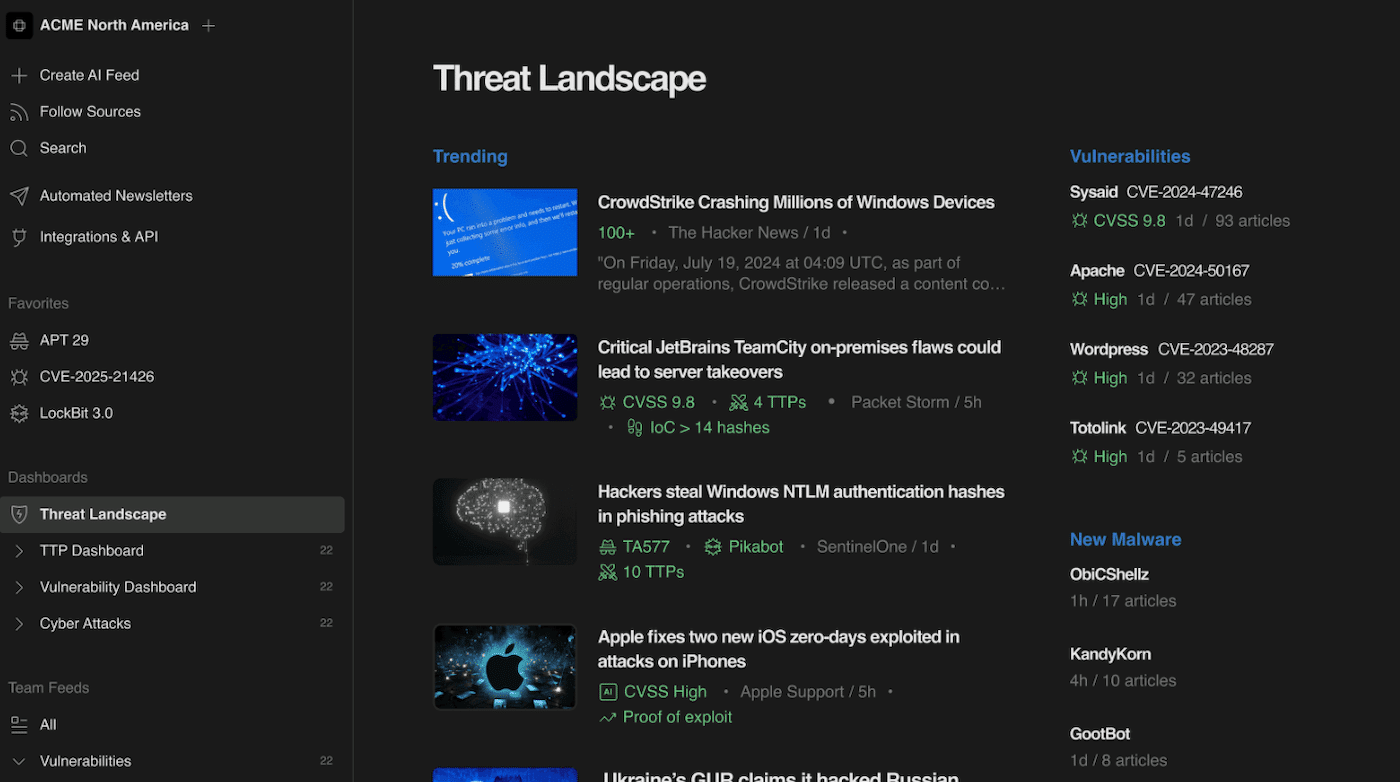
The information is then grouped into threat maps and interactive dashboards: there you can see emerging vulnerabilities, active ransomware families, targeted geographic areas or ongoing attack campaigns.
These insights can be shared with your teams or exported to your internal tools: OpenCTI, Cortex XSOAR, Anomali, Slack or Microsoft Teams. The integration is smooth and designed to feed your incident management systems or response workflows directly.
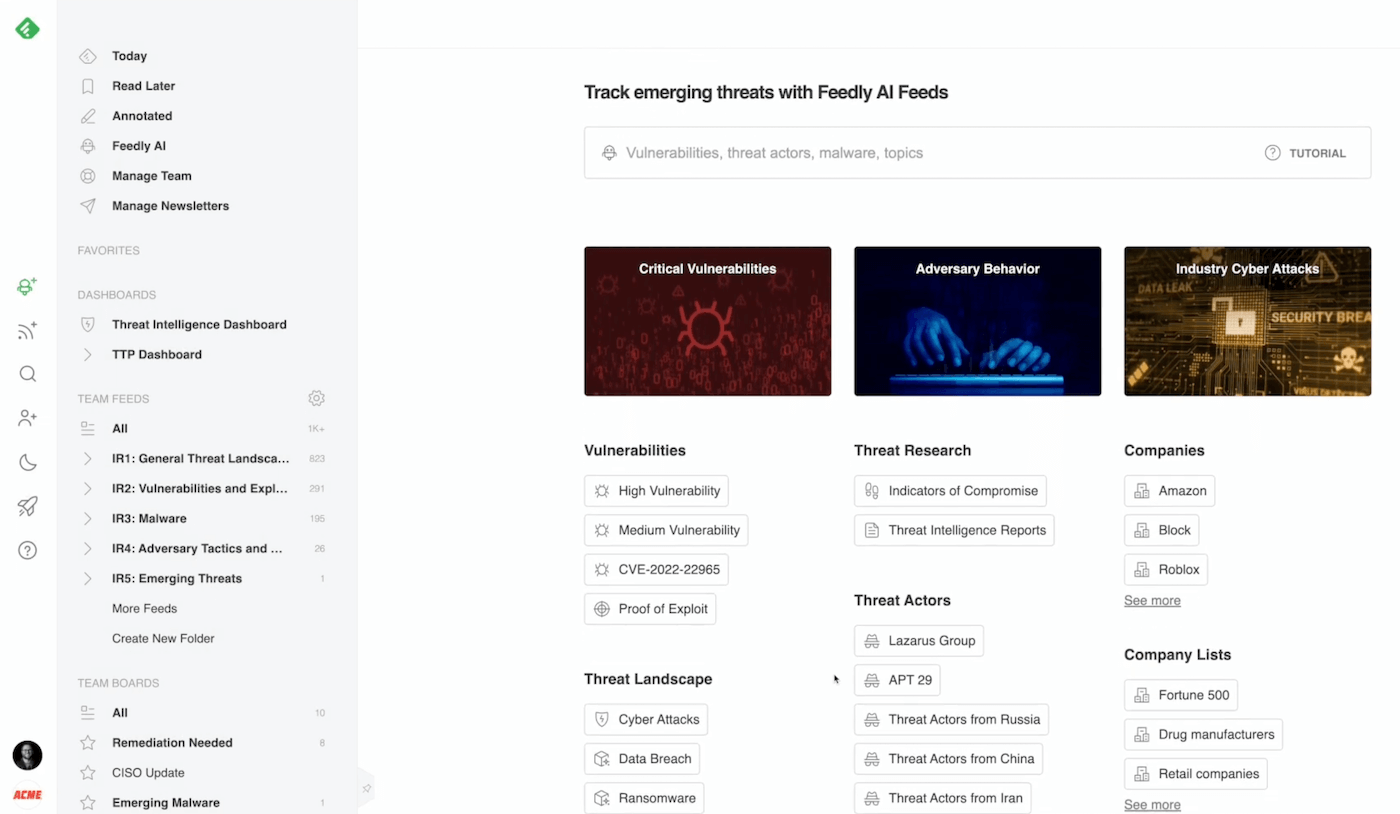
You can also set up custom alerts to be notified as soon as a vulnerability affects a technology used in your environment, or a known group targets your industry.
Feedly review: Customer service & support
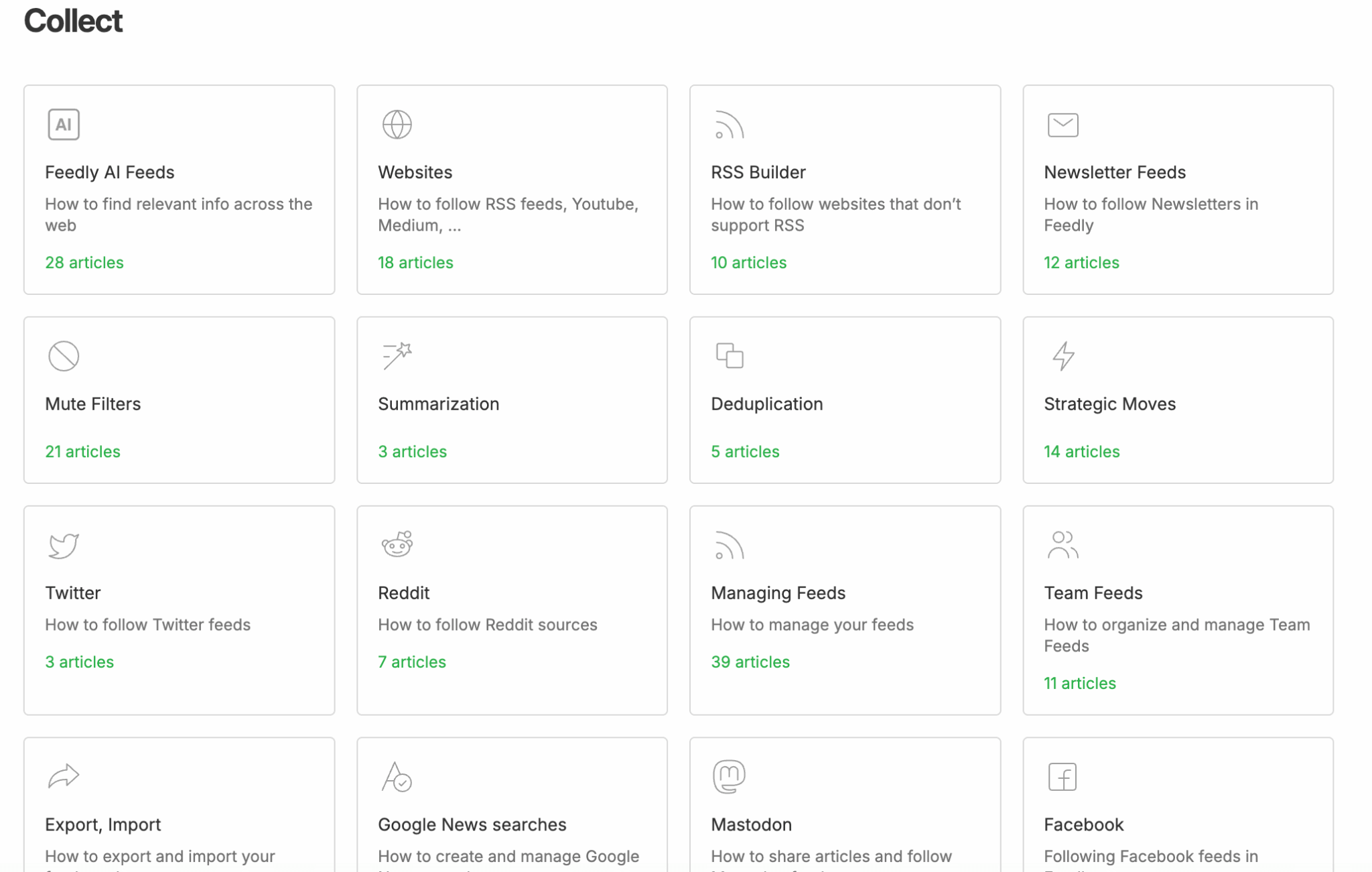
Feedly may be a very technical tool, but its vendor has taken care of customer support. You have access to a complete help center (tutorials, documentation, video guides) and a very well-structured knowledge base.
You will find everything there: feed setup, AI Feed creation, integrations, automations and even methodological advice to better organize your monitoring. The only limitation is that all the content and support are in English.
Customer support is available by email on all paid plans (Pro, Pro+, Enterprise) and by live chat for the Market and Threat Intelligence offerings.
On the Market Intelligence and Threat Intelligence plans, support clearly moves upmarket. You get personalized onboarding, dedicated training sessions for your teams and an assigned account manager to adjust the tool’s configuration to your organization.
Feedly also offers strategic intelligence or cybersecurity workshops for Enterprise customers, to help companies make full use of Leo’s capabilities.
Salesdorado’s takeFeedly’s customer service lives up to the quality of the product: responsive, competent and user-focused. We still regret the lack of French-language support, which may hold some people back. On the professional plans, the follow-up is even remarkable, with onboarding, training and strategic advice to get the most out of Leo.
Feedly review: Integrations and ecosystem
Native integrations cover most of the collaboration and productivity tools used in companies: Slack, Microsoft Teams, Trello, Notion, Google Workspace, HubSpot, SharePoint, Zapier and Make to automate the distribution of insights, etc.
For example, you can automatically send articles filtered by Leo to a “monitoring” Slack channel, a Notion database or a sales CRM.
The Market Intelligence and Threat Intelligence versions go even further, with business-oriented integrations.
On the strategic intelligence side, Feedly can feed your internal dashboards or your marketing CRMs directly (HubSpot, Salesforce). On the cybersecurity side, connectors with OpenCTI, Cortex XSOAR, Anomali or Splunk let you automatically inject threat indicators (IoC, TTP, CVE) into your SOC or CTI tools.
Finally, for the most technical teams, Feedly offers a complete REST API and customizable webhooks. Thanks to them, you can integrate your monitoring feeds or AI insights into any environment (data warehouse, internal portal, specific business application…).
Feedly review: Pricing and value for money
Feedly offers highly segmented pricing depending on users’ profiles and needs. The vendor distinguishes three product lines: Feedly News Reader for individual monitoring, Feedly Market Intelligence for strategic intelligence and Feedly Threat Intelligence for cybersecurity.
Each one serves a specific audience.
| Product | Plans | Pricing | Target |
|---|---|---|---|
| Feedly News Reader | Free / Pro / Pro+ / Enterprise | Free to €12.99/month (quote-based for Enterprise) | Individuals, monitoring professionals, journalists, marketers, consultants. |
| Feedly Market Intelligence | Standard / Advanced | From $1,600 to $2,400/month | Marketing, innovation, strategy and business development teams (mid-sized and large companies). |
| Feedly Threat Intelligence | Standard / Advanced | Quote-based | Cybersecurity teams, SOC, CISOs, risk management. |
Feedly’s positioning is clear: an accessible tool for individual and professional use, and high-end solutions for companies that make monitoring a strategic lever.
The Pro+ version already offers excellent value for money, since it includes the AI features, integrations and advanced automations. At the other end, the Market and Threat Intelligence suites carry prices that match their functional scope and their tailored support.
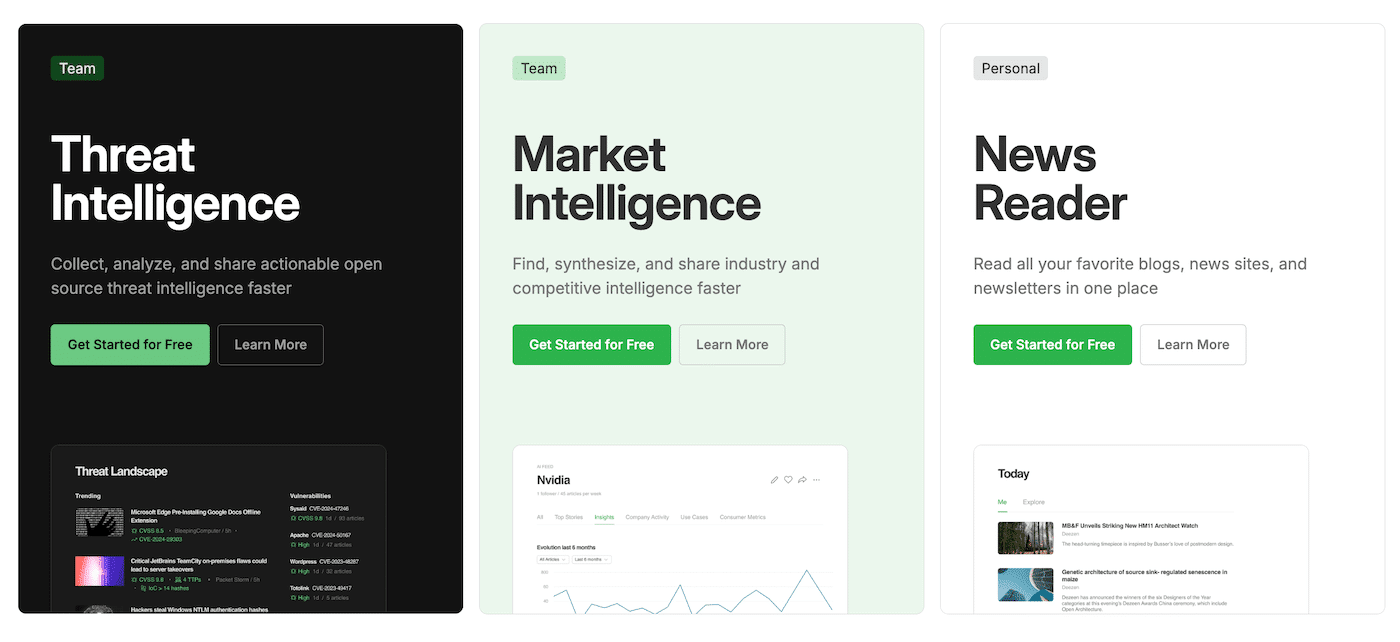
The pricing grid rests on clear principles: no hidden costs, no mandatory options and a gradual scale-up. You can start for free, test the AI features with Pro+, then move to the professional solutions if your organization justifies it.
Salesdorado’s takeFeedly has a very readable pricing structure: simple and affordable for freelancers, ambitious and complete for large companies. For an SMB or a research firm, the Pro+ plan is clearly the best compromise. The Market and Threat Intelligence suites are clearly a strategic investment, but they offer coverage and a level of support that are hard to match.