Freshdesk: our take on the core features
1. Handling support tickets across every channel
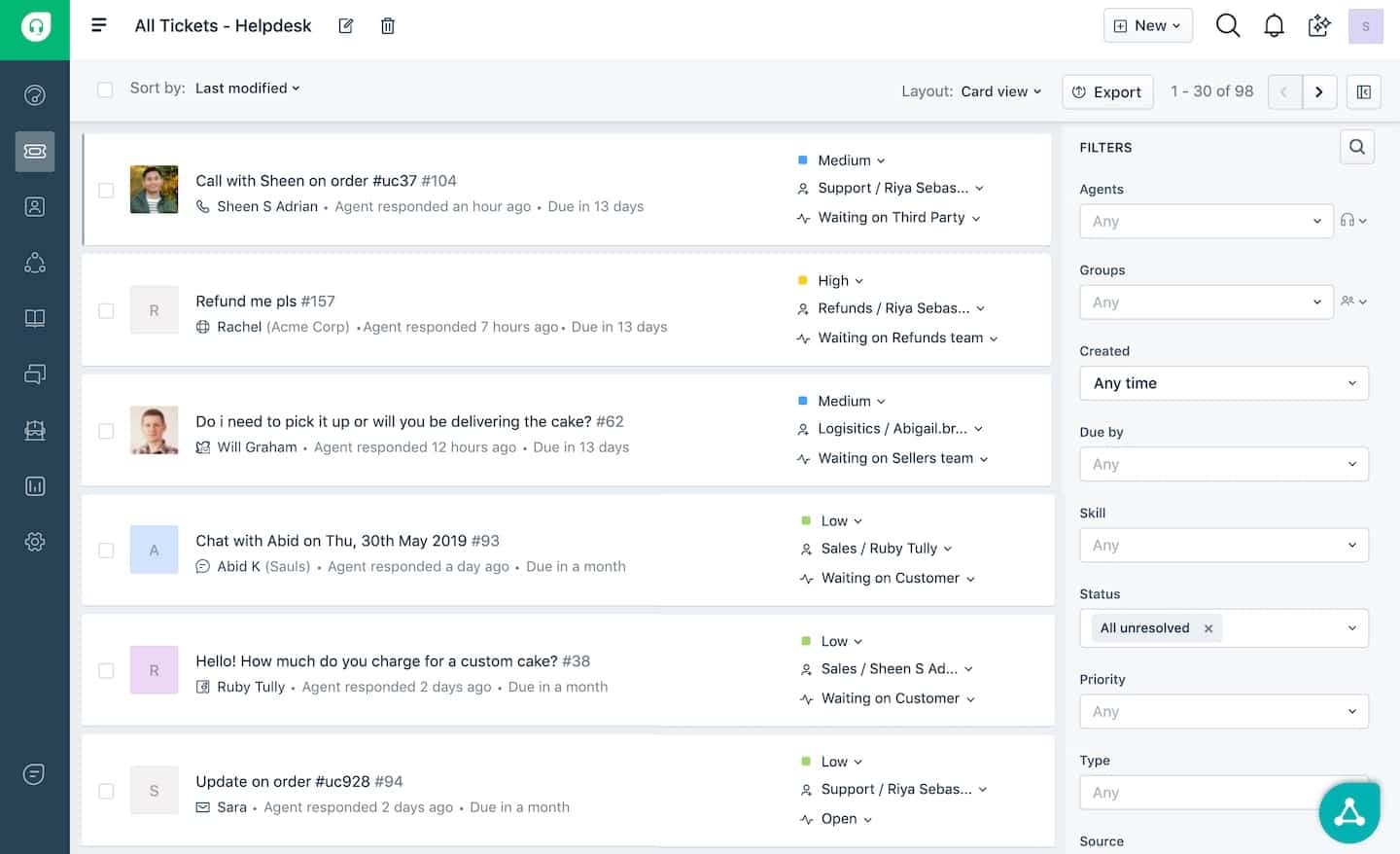
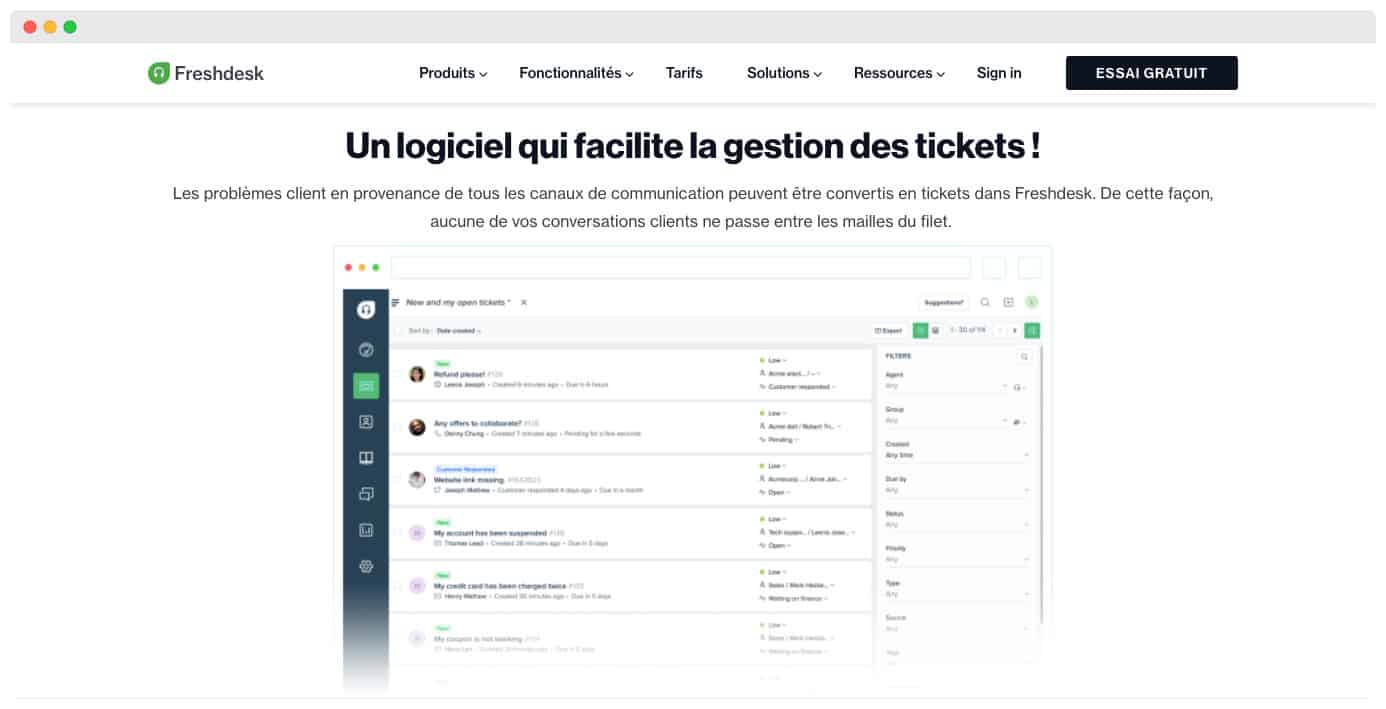 This is the core feature. Freshdesk lets you find tickets quickly against various criteria: open, pending, overdue, urgent, high priority and so on.
Navigating the ticket list is far easier, both for each agent and at team level.
If you have created custom categories, you can set those as search filters too.
Adding one is very simple: Freshdesk offers an intuitive drag-and-drop editor. You can add, remove and move fields with ease. Mapping to your ticket fields happens automatically.
If you need to filter a ticket list by hand, you can use the search bar at the top of the screen or the filter function on the right for a fuller search.
Careful
One downside: the basic search function drops you straight into results that mix tickets, contacts, forum content and more. Finding your way around is harder as a result.
2. Collaboration tools
This is one of Freshdesk’s flagship areas: making support tickets simpler to raise and collaboration between agents easier. Here are the most useful tools in detail:
- Shared ownership and agent collision detection: Tickets can be assigned by agent and ranked by priority. With the filter function, your agents go straight to the priority tickets.
If several agents are working on the same support ticket, the help desk tells them where things stand. You avoid 2 agents working on a ticket at once without knowing! - Custom ticket statuses: They keep you informed of where each ticket stands. Through the customisation tool, you can create the categories that make the most sense for your organisation.
- Parent-child ticketing: Parent-child ticketing lets you split tickets into smaller tasks that are simpler to handle. The same team can work on them in parallel.
Another option: merge similar tickets and send a single status update covering all of them. - Canned responses: Freshdesk remembers the frequent answers to the problems customers raise. Your agents can answer common customer questions faster and more effectively.
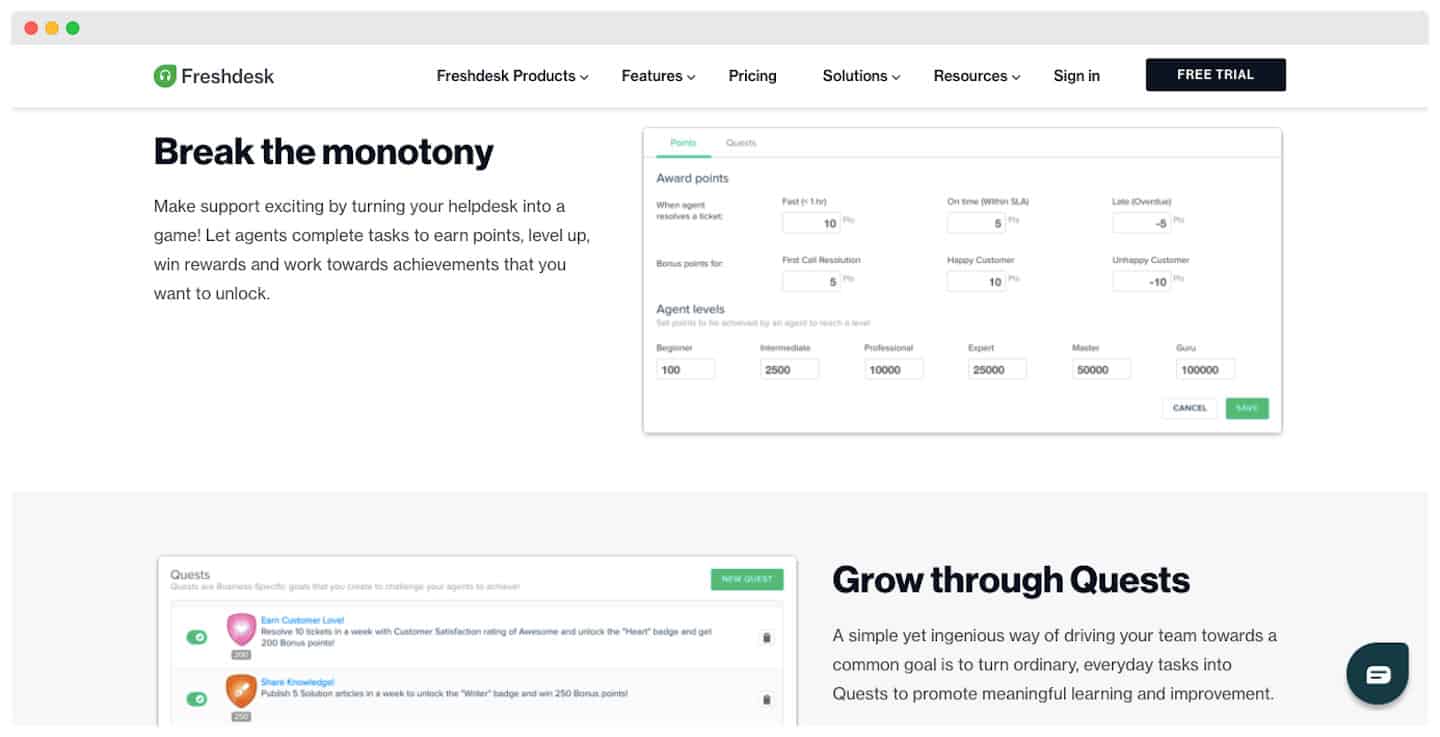
- Gamification: This is one of Freshdesk’s specialities. The platform lets you kick off healthy competition between your staff to spur their productivity. The goal is to collect as many points as possible.
You can then reward the best agents against various criteria: best overall score, highest customer satisfaction rate, fastest resolution time and so on.
The Salesdorado take
The gamification feature is unanimously praised: this is where Freshdesk clearly stands apart from the competition.
3. Automation
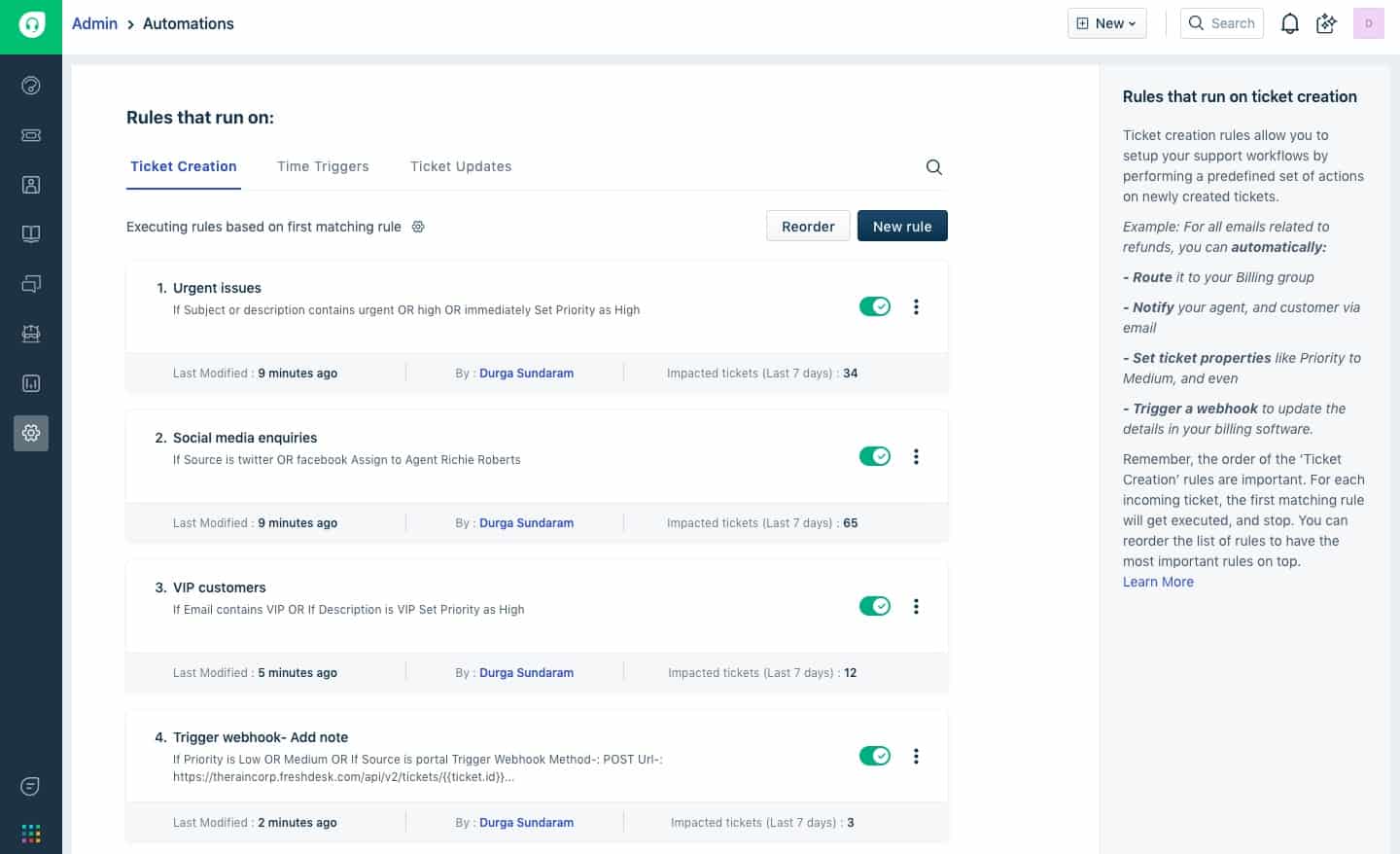 Automation makes you more efficient. The AI analyses and ranks customer requests, and assigns tickets to each agent based on their skills and availability.
You can also save standard scenarios ahead of time. These are groups of actions with several steps that Freshdesk runs automatically. Standard scenarios can cover plenty of ground: priority, problem category, ticket status and so on.
When you run a search, you can use those common criteria without filtering the list by hand every time.
What we make of it
Freddy AI makes suggestions based on past tickets. Tickets are updated automatically, and your agents get a notification whenever a customer gets in touch!
4. Freddy AI: Freshdesk’s secret weapon
Freddy AI is a suite of AI features built for Freshdesk. It lets you create bots that answer tickets received by email, by chat or through the Freshcaller tool automatically.
Freddy AI also handles smart handover of conversations to agents. It offers instant assistance on WhatsApp and Facebook Messenger.
The social media monitoring feature creates tickets automatically by spotting posts that signal a need for help.
Another strong point: with automatic ticket ranking and suggested standard replies, your staff’s productivity is sharpened.
Detecting customer thank-you emails allows a suitable automatic reply to be generated.
Freddy AI then feeds Freshdesk’s reporting and analytics functions.
Freddy AI offers 2 services in particular:
- Freddy Answers: Your customers no longer wait for an answer! This smart chatbot handles the most common requests so your agents can focus on the more complex problems.
- Freddy Self-service: You can provide personalised assistance to your customers in 42 languages.
What we make of it
Setting these services up takes no technical skill. You can have them running in no time. Do keep an eye on the quality of the service you end up offering, though.
5. The Freshdesk help centre
 The Freshdesk portal gathers the answers to frequently asked questions: your customers don’t have to wait for an agent to be free. In return, your agents can focus on the most complex, highest-value tickets.
You can embed the content of this knowledge base into every support channel, chat or your company website included.
Customers can also take part in discussions on community forums.
- Automatic solution suggestions: Freddy AI suggests solutions or articles to your agents automatically. You can also make relevant solutions available to customers.
- Feedback mechanism: With the option to leave comments on articles, you can make the necessary adjustments easily.
Reporting on Freshdesk: our take
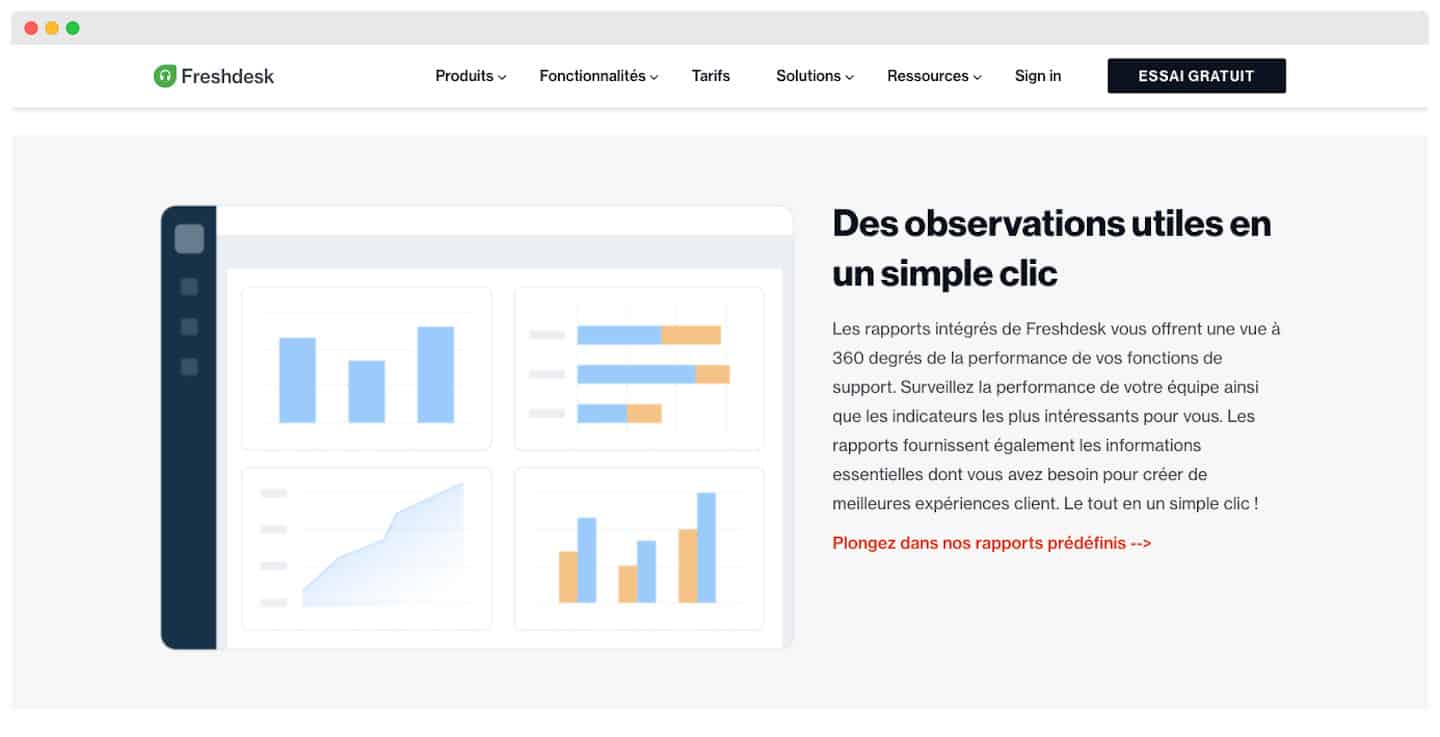 Freshdesk offers built-in reports and analytics tools to help you improve the quality of your customer service continuously.
The ready-made dashboards give you an overview of your performance as charts: number of support tickets, agent and team productivity, customer satisfaction surveys and so on.
You can filter reports by agent, team or support type, and export them as PDF.
Moving to more detailed analysis, Freshdesk gets a little trickier. You can build custom dashboards by adding analytics widgets to a dedicated page.
You can lean on existing templates, but generally you have to add blank charts and pick the data to display. You can also add images and text boxes, change fonts and colours.
On the whole, Freshdesk’s reporting is hard to beat: it is the ideal tool for producing quality reports. But it takes a little time to get familiar with the platform, so the first reports take a while to finish!
Customer support on Freshdesk: our take
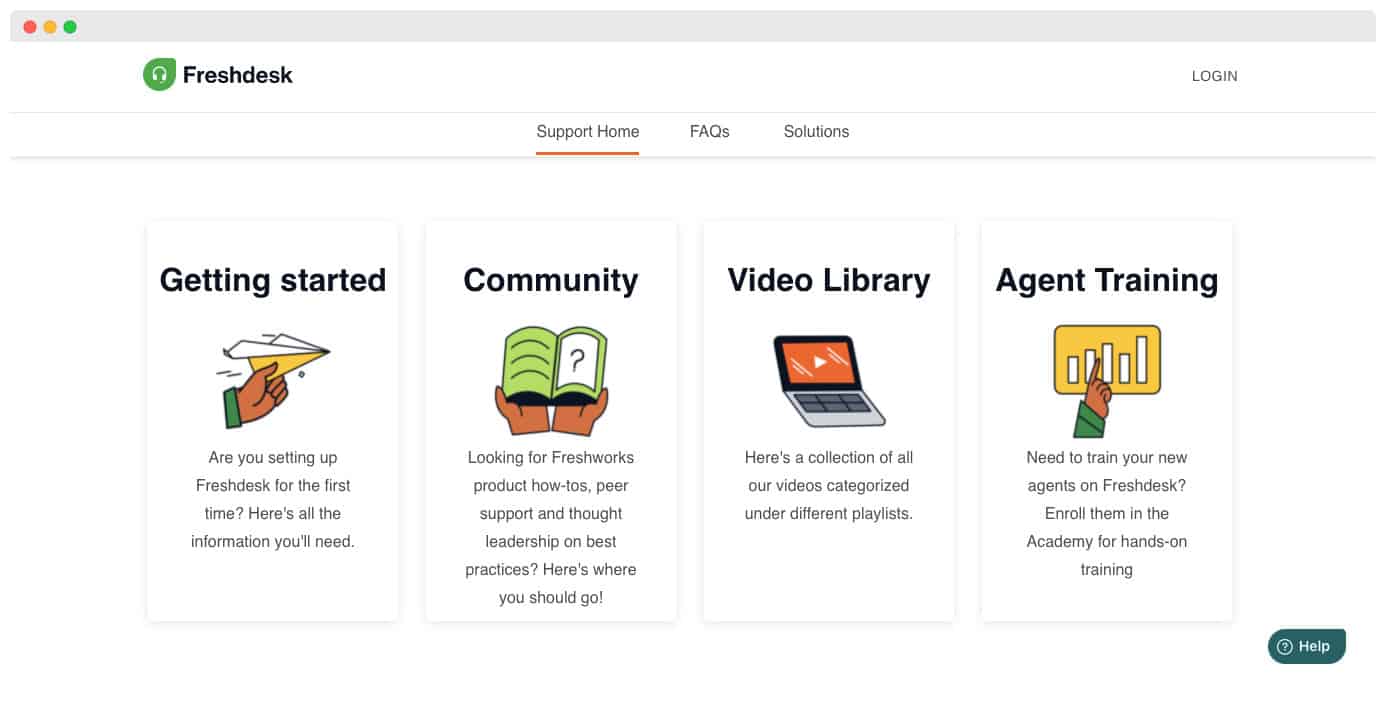 The Freshdesk team is often available, though the size of the organisation means waiting times can be long. Agents can be reached through live chat or the helpdesk. Product videos are also on hand if no agent is free.
Freshdesk support covers various products, languages and time zones:
- With multi-product support, requests are sorted and sent to the matching agents. Each product can also have specific assignment rules, custom email notifications and so on.
- Freshdesk supports 26 different languages.
- The platform adapts to the international side of your organisation. Your agents can plan working hours by location or by a given team.
- The SLA can be customised by product, department or the organisation covered.
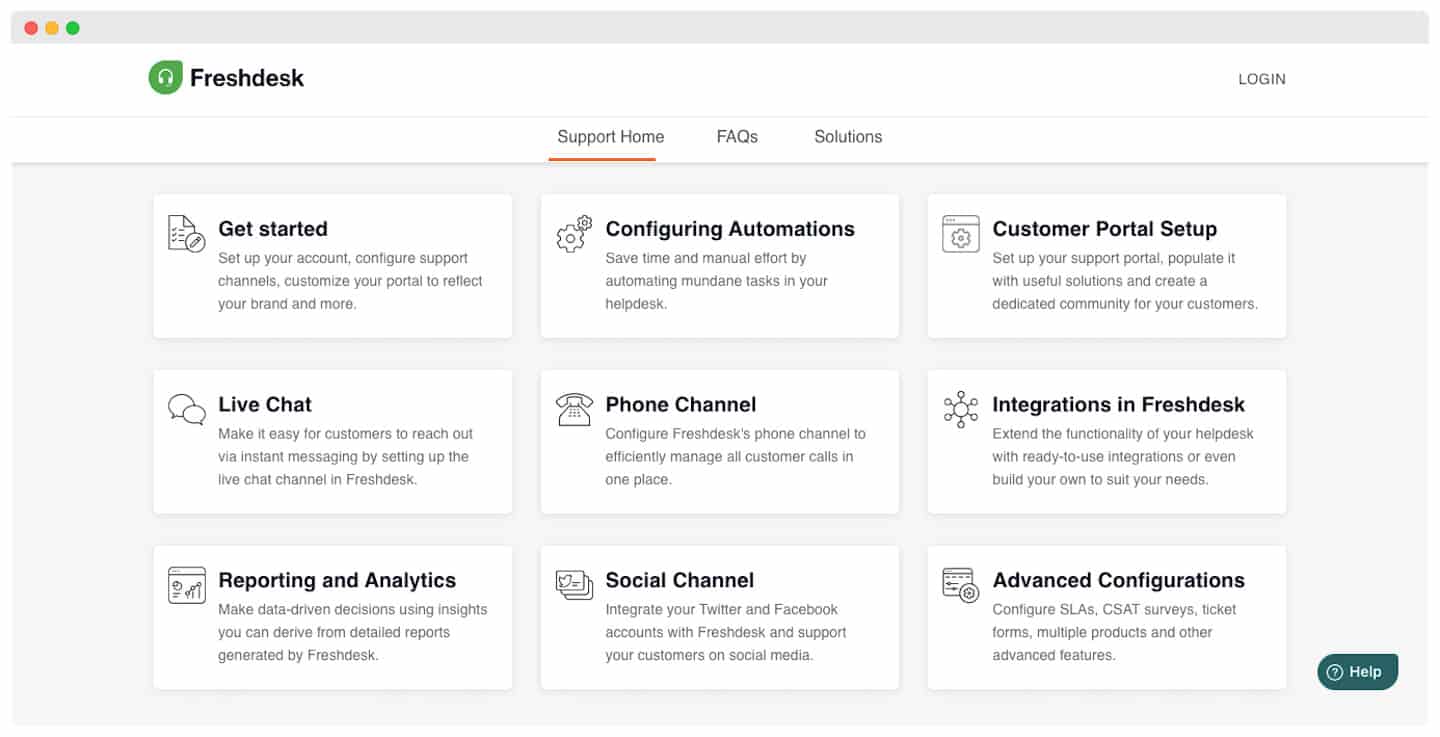
Integrations on Freshdesk
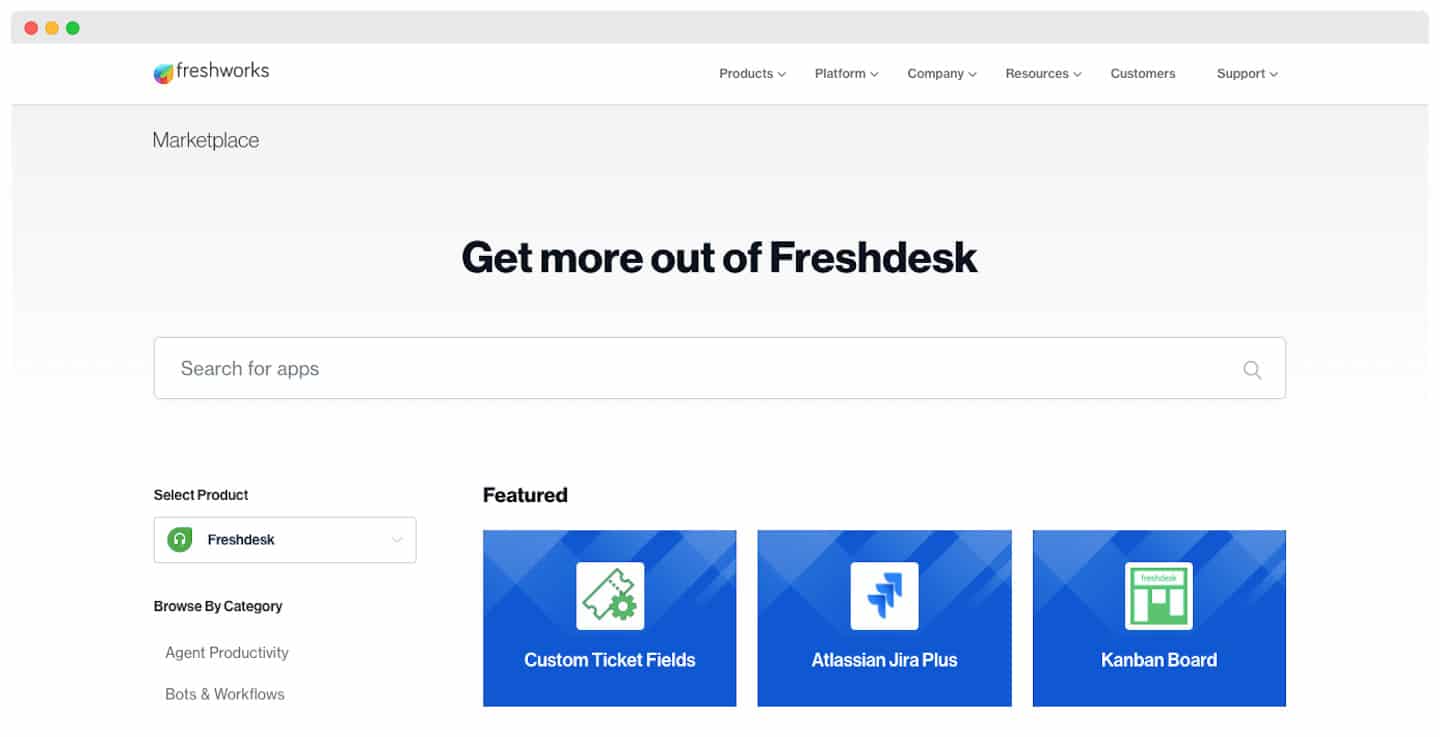 The Freshworks Marketplace connects to the most popular applications: project management tools, agent productivity and CRM, sales and marketing, customer file sharing and collaboration, and user and content management.
Freshdesk offers the Freshworks tool suite in particular:
- Freshdesk Caller: A voice platform that lets you cut waiting times and missed calls.
- Freshservice: The tool for modernising your IT services through an intuitive, smart solution.
- Freshworks CRM: The solution bringing sales and marketing together to lift your revenue. Have a look at the 9 main benefits of implementing a CRM.
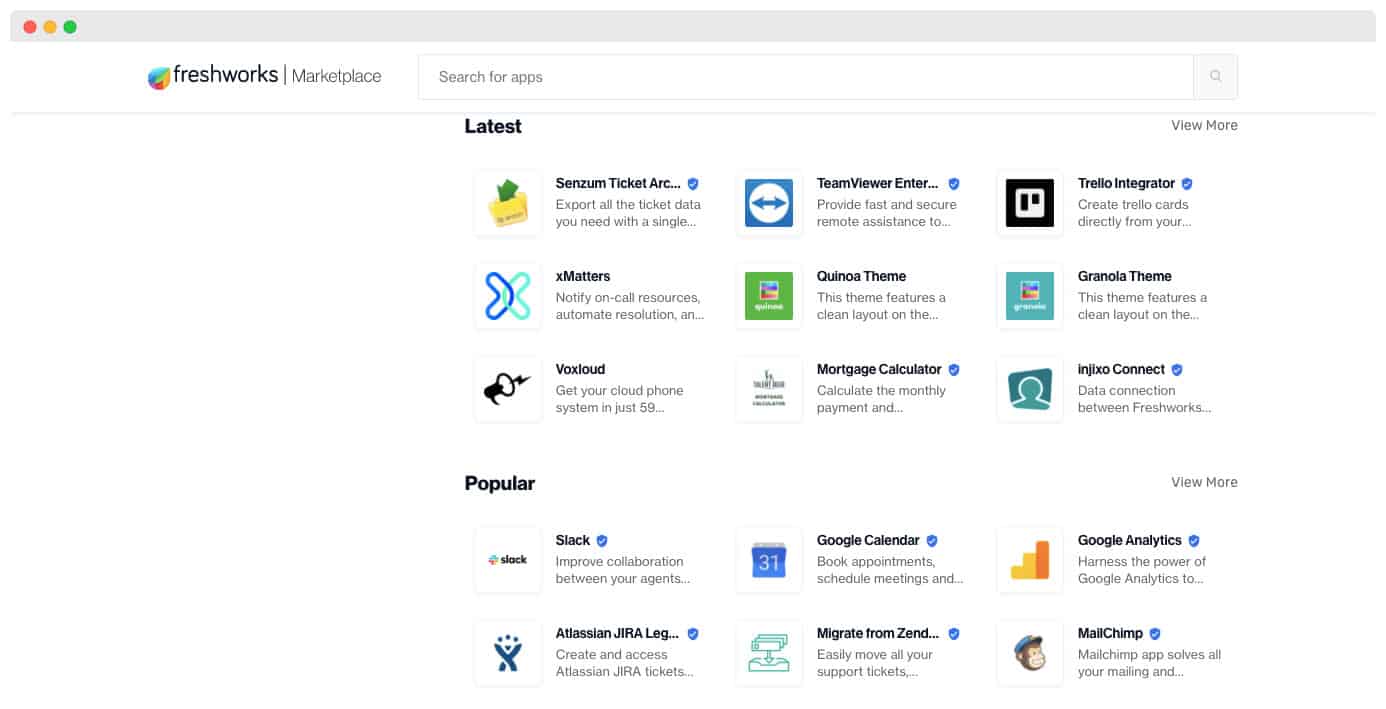
With the API function, you can add custom features to your help desk. The integration with the Google product suite is ideal for companies that rely on Google for Work.
Another strong point: the Slack integration makes communication between agents easier. It doubles as a tracking system, with real-time notifications of new tickets and updates on private or public Slack channels.
You can turn conversations between customers and your teams into support tickets. A very effective tool for improving how tickets are assigned and followed!
Freshdesk: pricing
Freshdesk splits its pricing into 2 families: Support Desk and Omnichannel. Support Desk handles tickets created by email or through social networks, while Omnichannel adds telephony, live chat, WhatsApp Business and so on.
Each pricing family is then split into several plans with increasingly advanced features.
Freshdesk offers a free 21-day plan with no commitment. You get access to every feature, and for an unlimited number of agents!
Freshdesk’s Support Desk plans: pricing
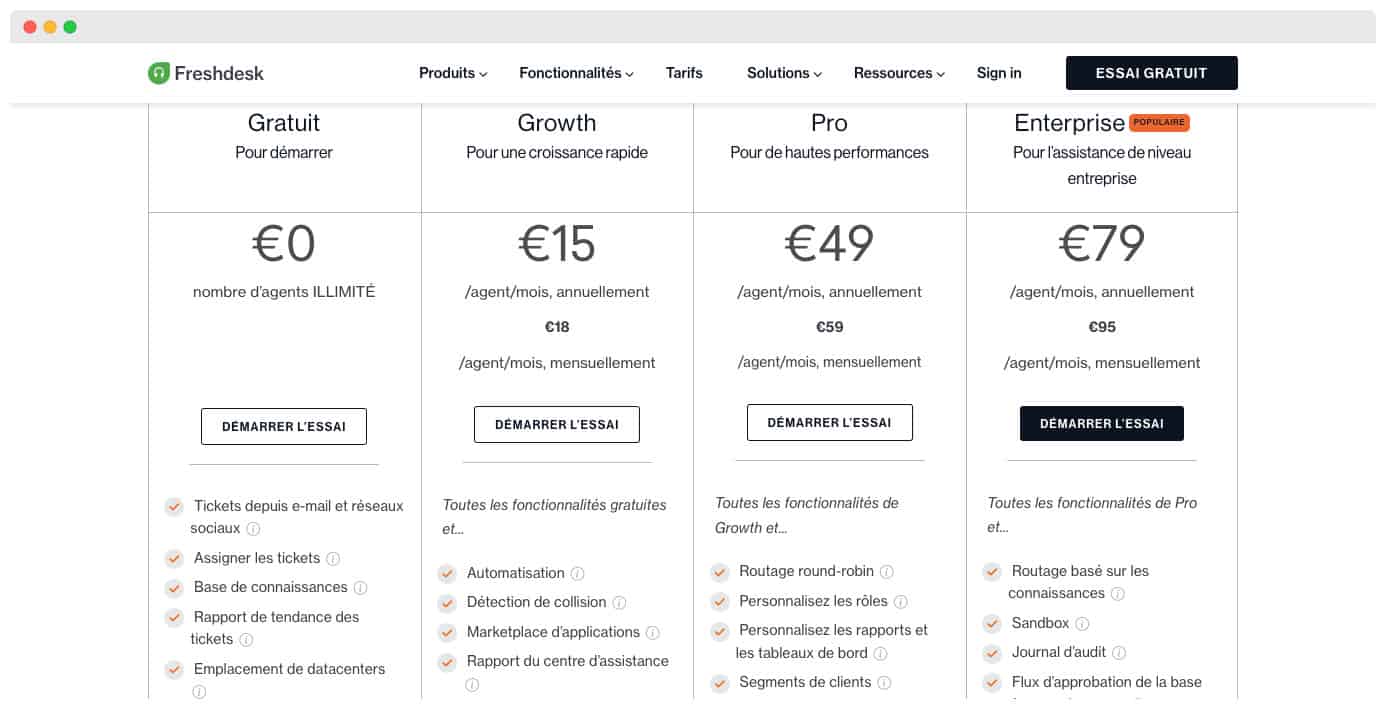
The Support Desk plans bring together the best of support tickets, assistance and the reporting tool.
- Growth: For access to the automation features, the integrations and much beefier reporting. The monthly price is 18€ per agent.
- Pro: For access to automatic ticket routing (Round-robin), satisfaction surveys (and CSAT reporting) and to customise roles and dashboards. Budget 59€ per agent per month.
- Enterprise: The most popular plan. It unlocks the Freddy AI features (chatbot, article suggestions, reply suggestions and so on). 95€ per agent per month.
Freshdesk’s Omnichannel plans: pricing
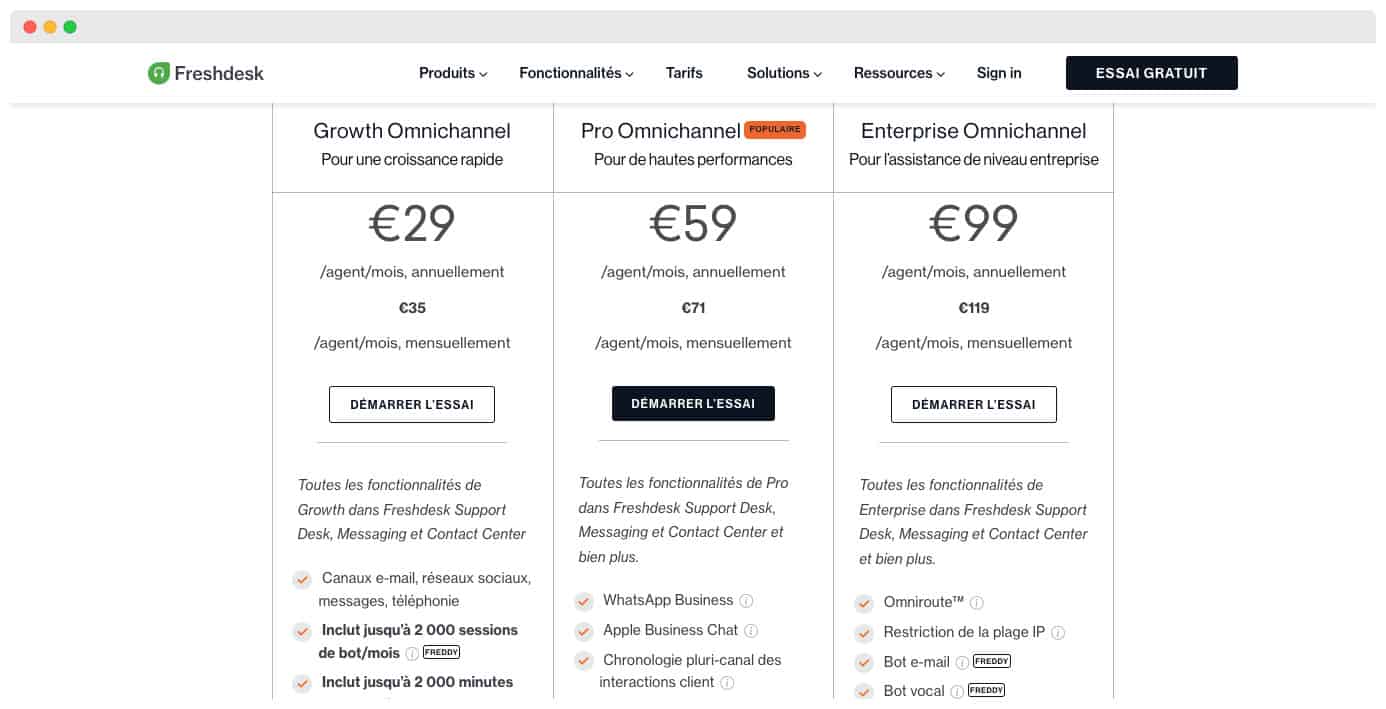
With each plan you get the matching Support Desk plan, plus extra messaging features:
- Growth Omnichannel: Access to the live chat and telephony channels (up to 2000 inbound minutes a month). Access to the Freddy AI chatbot (up to 2000 conversations a month). Budget 35€ per agent per month.
- Pro Omnichannel: You move to 3000 inbound minutes a month and 3000 chatbot conversations. The WhatsApp Business and Apple Business Chat features let you message your customers directly. The monthly price is 71€ per agent.
- Enterprise Omnichannel: The fullest plan. You move to 5000 inbound minutes and 5000 chatbot conversations. It gives you the email bot and voice bot, and brings plenty of flow customisation features. Budget 119€ per agent per month.