Choosing a business phone system when you’re a freelancer or running a small sales team means hitting the same wall every time. The established players, Aircall, Ringover, RingCentral, JustCall, all sell roughly the same thing: a base plan around €30 to €50 per user, a minimum of 3 licences, and AI relegated to a paid option or reserved for Enterprise plans. For a solo or a team of 2, the entry ticket comes to around €90 a month, with no AI. B2B VoIP more or less stopped innovating on its business model a good ten years ago.
Allo takes all of these conventions head-on: the option to buy a licence for a single user, call summaries and transcriptions included from the first plan, and a 24/7 AI receptionist as an option. The app is clearly designed for the smartphone first, the desktop second.
We took the time to test Allo and run the numbers plan by plan. In practice, the “AI included, dead simple, cheap” promise largely holds: at €10 a month for a solo and €35 per licence for a team, Allo costs barely more than Aircall while including AI that Aircall charges extra for. We explain where Allo is particularly relevant, where the product shows its limits, and who we recommend it to without reservation.
What exactly is Allo?
In practical terms, Allo replaces your phone system. You install an app on your smartphone and your computer, you get a business number, and you make your calls over the internet instead of a traditional line. Nothing out of the ordinary so far: that’s the definition of a cloud phone system.
What sets Allo apart is what it has built around the call.
Every conversation is recorded, transcribed and summarised by AI, without you having to switch anything on. When you can’t pick up, a virtual receptionist takes over, asks the right questions and sends you a report. Where most vendors sell telephony on one side and charge extra for AI on the other, Allo chose to merge everything into a single product. That stance is what shapes the tool.
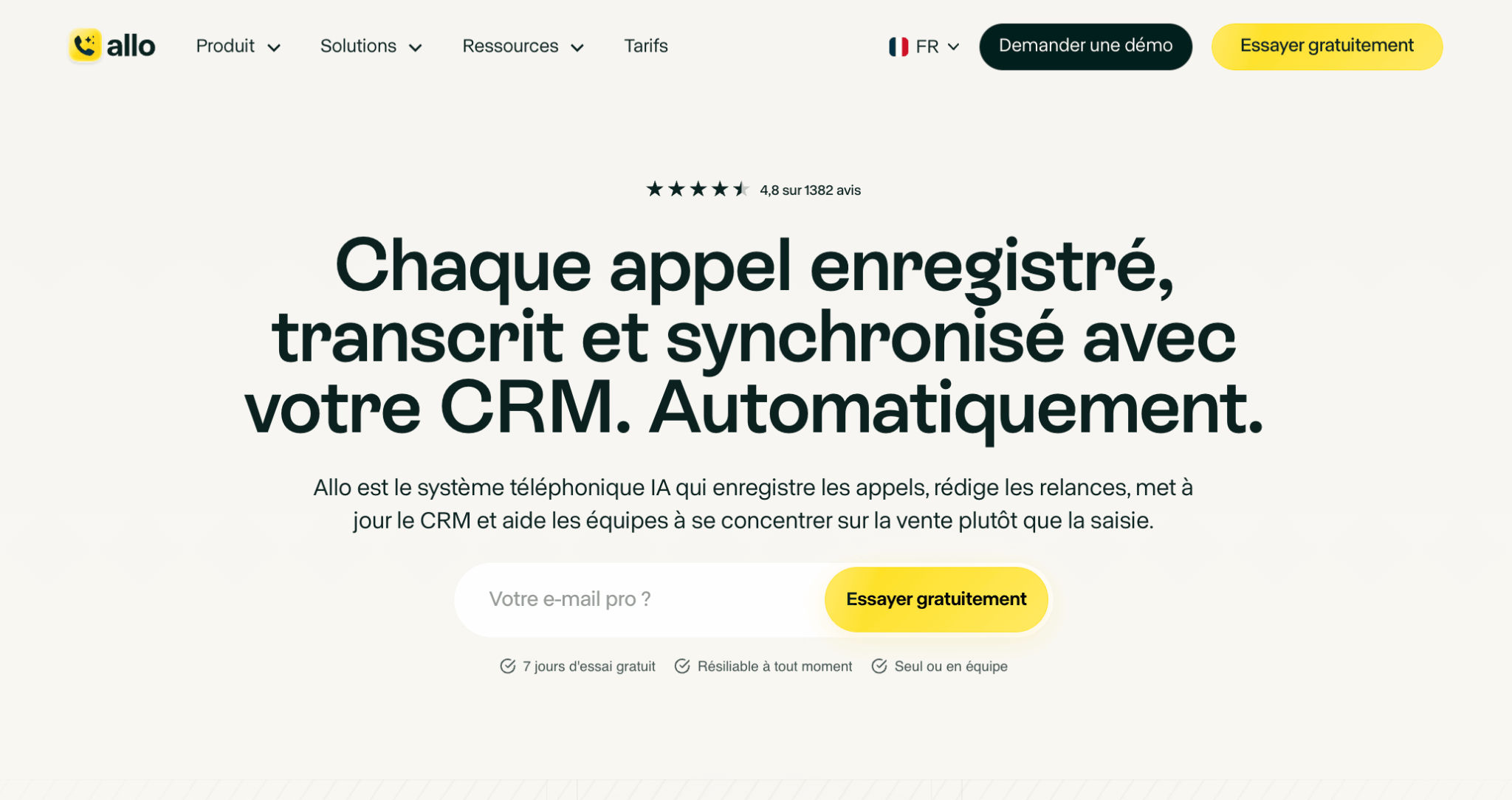
The other founding choice is mobile. Aircall, Ringover and RingCentral all offer a smartphone app, but as a complement to a dashboard designed for the office. Allo flips the logic: the mobile app is the main experience, the desktop version comes second. This is not a cosmetic detail. It steers the whole user experience towards the sales rep on the road, the tradesperson between two jobs, the independent who has no desk phone. On the flip side, an office-based team used to running its telephony from a big screen may find the approach disorienting at first.
Behind the product is The Mobile-First Company, a studio founded in 2023 by Jérémy Goillot, who worked on Spendesk’s growth, and Franco Pinto on the tech side. The project won investors over: after an initial seed round, the company closed a $12M raise at the end of 2025 with US funds, with several well-known figures of French tech on the cap table, such as Xavier Niel and Thibaud Elzière.
That leaves the question that matters before testing anything: is this a tool for you? Allo owns a narrow target. It goes after independents and sales teams of up to around thirty people and is particularly at ease where the phone is a central channel for selling or booking appointments, such as agencies, consulting firms or SDR teams getting started. Conversely, a sales department managing fifty agents across several campaigns won’t find what it needs, and the vendor doesn’t try to sell itself on that ground anyway.
Allo’s key features
A complete VoIP phone system, without the complexity
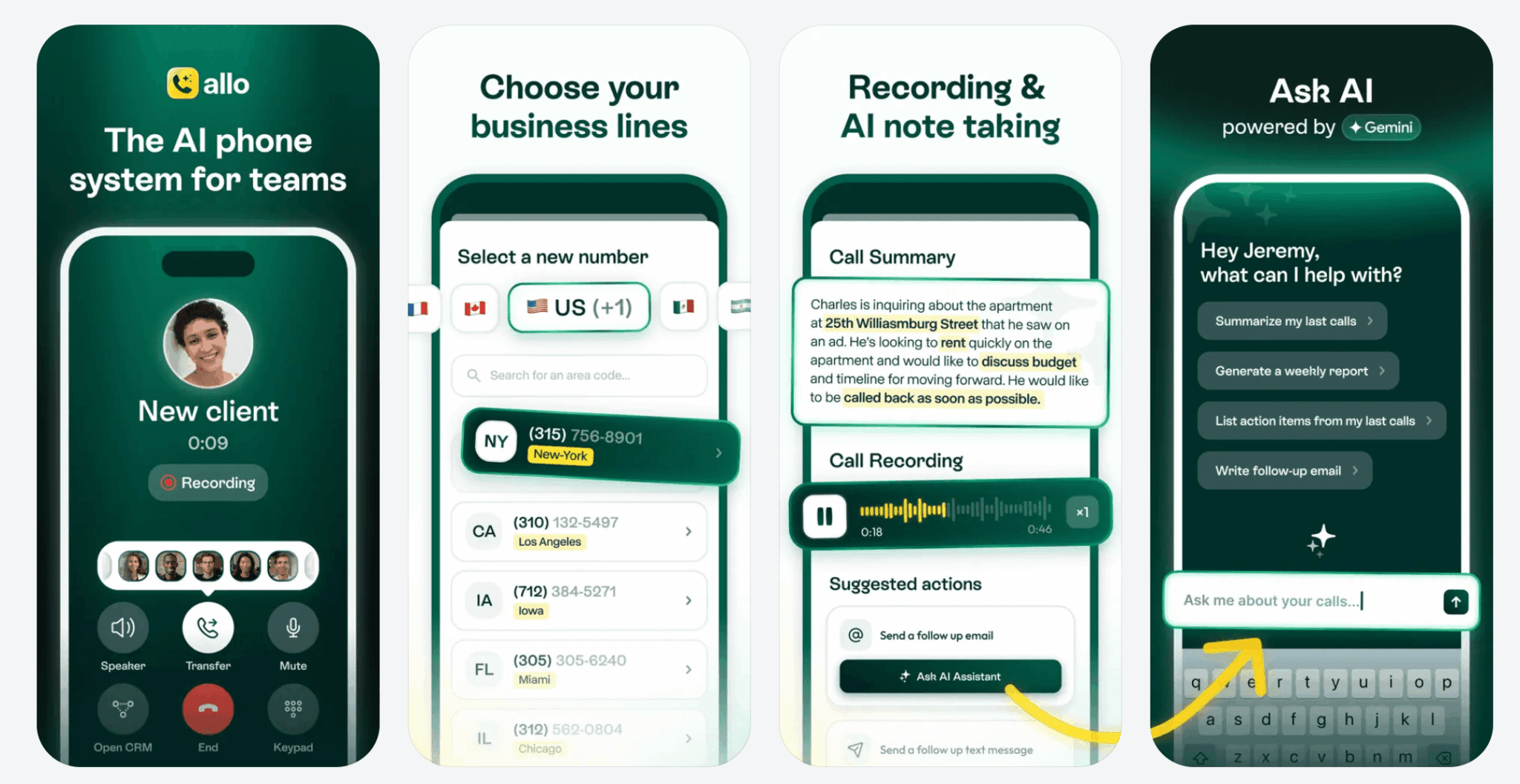
On the core product, Allo ticks every box you’d expect from a VoIP phone system. You get a business number in a few minutes (French landline 01-05/09 or mobile 06/07, US/CA and European numbers for international teams). National calls are unlimited on every plan. International calls are billed by usage on every plan, according to a public rate card.
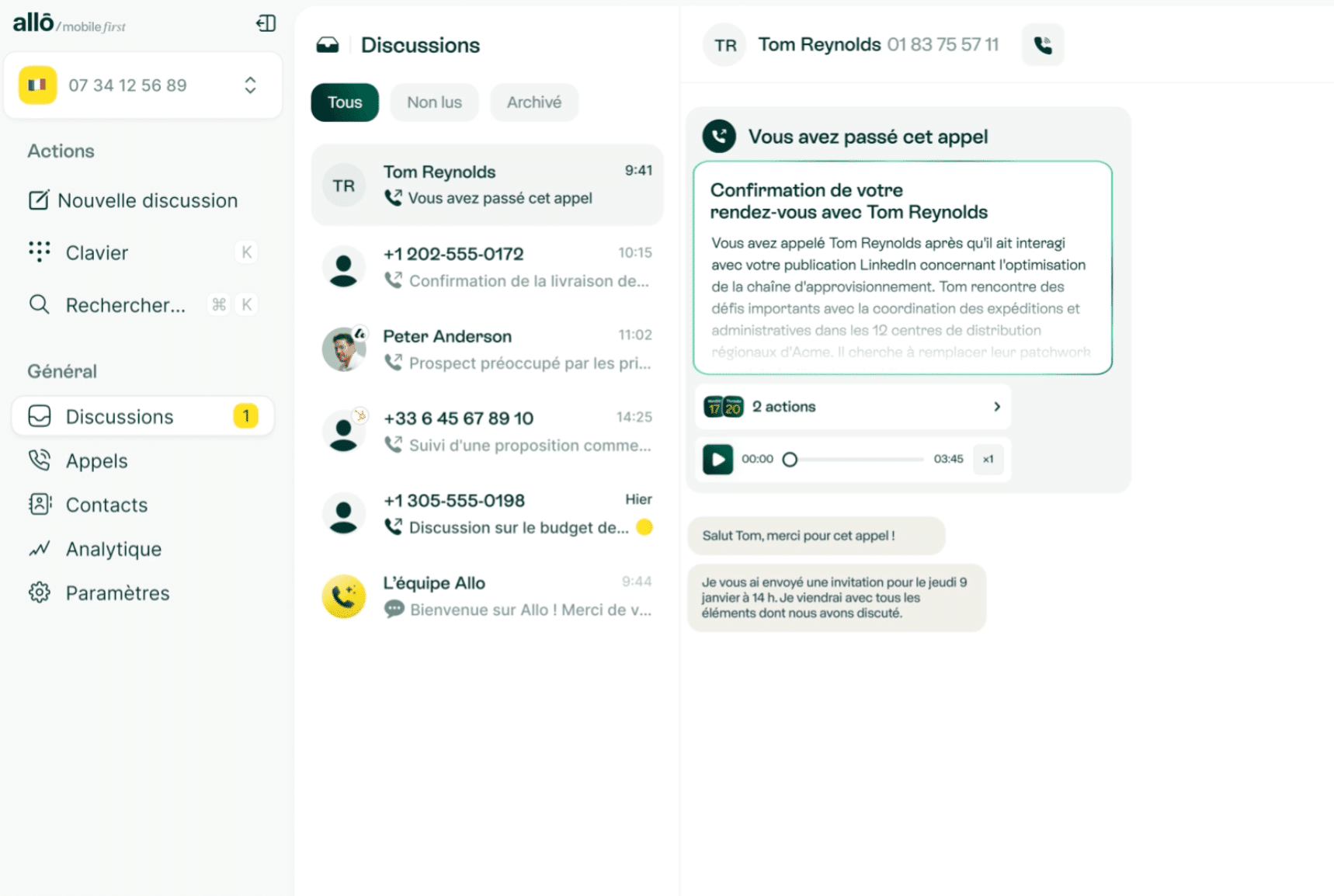
For teams, the tool offers ring groups, shared numbers, collaborative inboxes and smart routing. You can also set up an IVR (a welcome menu with keypad options), define business hours with separate scenarios outside opening times, and create forwarding rules by tag or by VIP segment. Everything can be configured without IT and without paid onboarding.
The app is available on iOS, Android, macOS, Windows and in the web browser. Click-to-call works from the CRM, and WebRTC technology delivers decent call quality on a stable connection (although, as with any VoIP solution, quality of course depends directly on your network).
The 24/7 AI receptionist: the real differentiator
This is the feature that on its own justifies Allo’s place in the VoIP landscape. The AI receptionist answers calls when you’re busy, identifies the caller’s intent, collects their contact details and sends a summary. It is sold as an option on every plan: €35 per month per agent with annual billing.
Setup is surprisingly simple:
- You define the greeting, the questions to ask (name, reason, urgency, preferred slot), the actions to trigger (transfer to a sales rep, take a message, callback SMS, Calendly link).
- The voice is generated by ElevenLabs and sounds natural in everyday conversations.
In use, the receptionist correctly routes the vast majority of simple requests such as “I want to talk to sales” or “I’d like an appointment”. For more ambiguous requests or highly specific industry vocabulary, you need to plan fallback cases (systematic transfer to a human), which is easy to set up in the interface.
AI screening also does real work on unwanted calls. The Whisper feature tells you the caller’s intent before you pick up, so you can decide in a second whether to take the call or let it go to voicemail. For a small sales team that doesn’t want to hire an assistant, it’s a game-changer.
Transcription, summaries and automatic follow-ups
All calls are recorded, transcribed and summarised automatically, with no option to switch on. The summary arrives less than 30 seconds after the call ends and captures the gist of what was discussed. On long, technical calls, you sometimes need to cross-check with the full transcript to retrieve a specific detail, but in the vast majority of cases the summary is enough to call a prospect back with the context in mind.
The transcript is full-text searchable, and the “Ask AI about your calls” feature lets you query your history in natural language (“which prospects mentioned a budget above €50K this month?”).
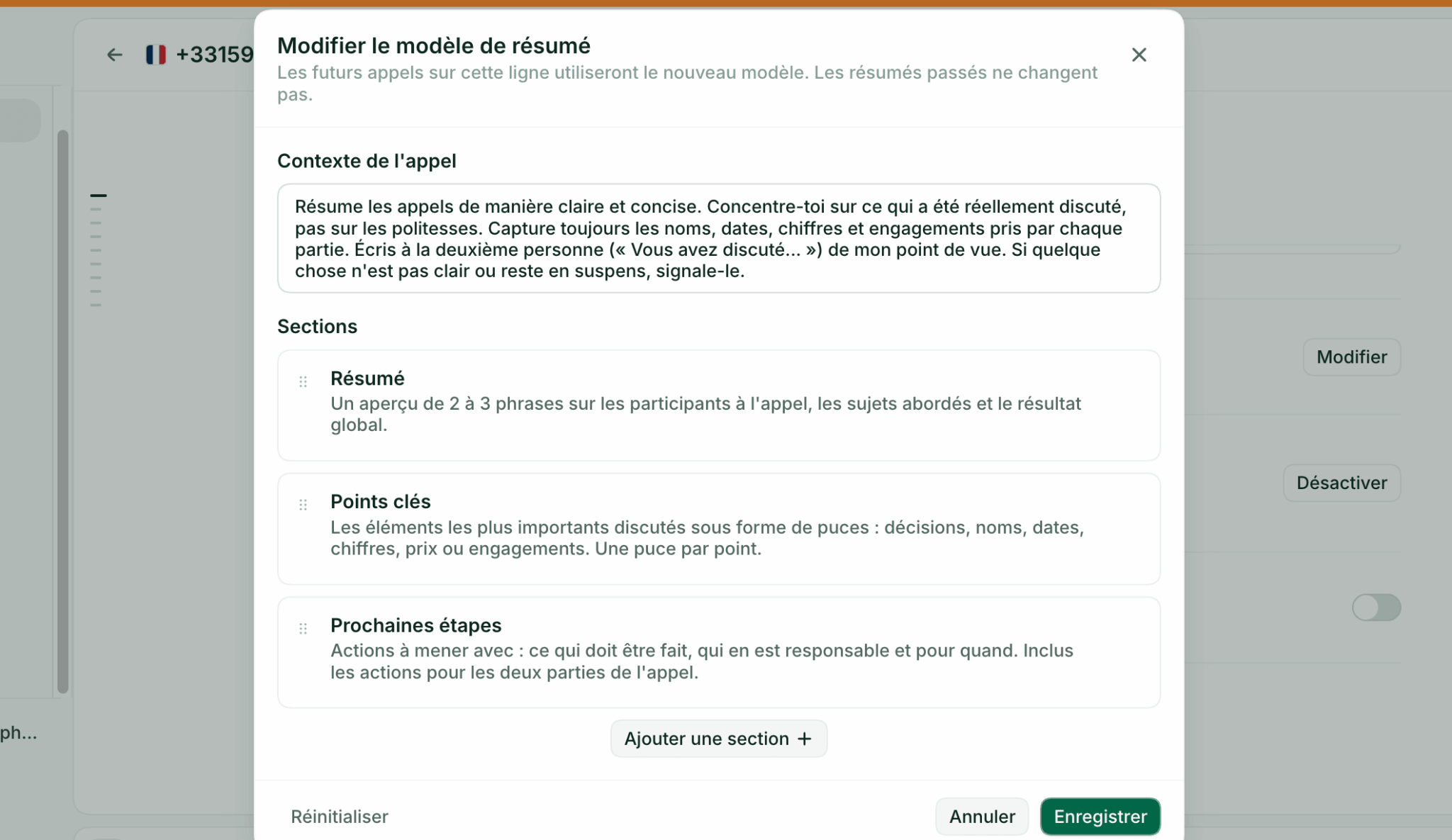
Allo also generates personalised follow-up emails and SMS based on the transcript: prospect’s name, topic discussed, proposed next steps.
A particularly useful use case: the automatic SMS on a missed call. For every unanswered call, Allo sends a personalised SMS (customisable template) offering a callback or an appointment slot.
Salesdorado’s takeAllo’s AI features are not marketing gimmicks. In real sales use, the AI receptionist and automatic summaries save around 30 to 45 minutes a day for a rep making 8 to 12 calls daily. That’s the equivalent of a quarter of an SDR position, without the hiring.
Routing, IVR and shared inboxes
For team use, Allo offers the expected building blocks without slipping into the complexity of a call centre. You configure business hours, a multi-level IVR, routing rules by skill or by user, and numbers shared between several team members. Conversations are visible in a collaborative inbox where every call, SMS or voicemail can be assigned, commented on or picked up by a colleague.
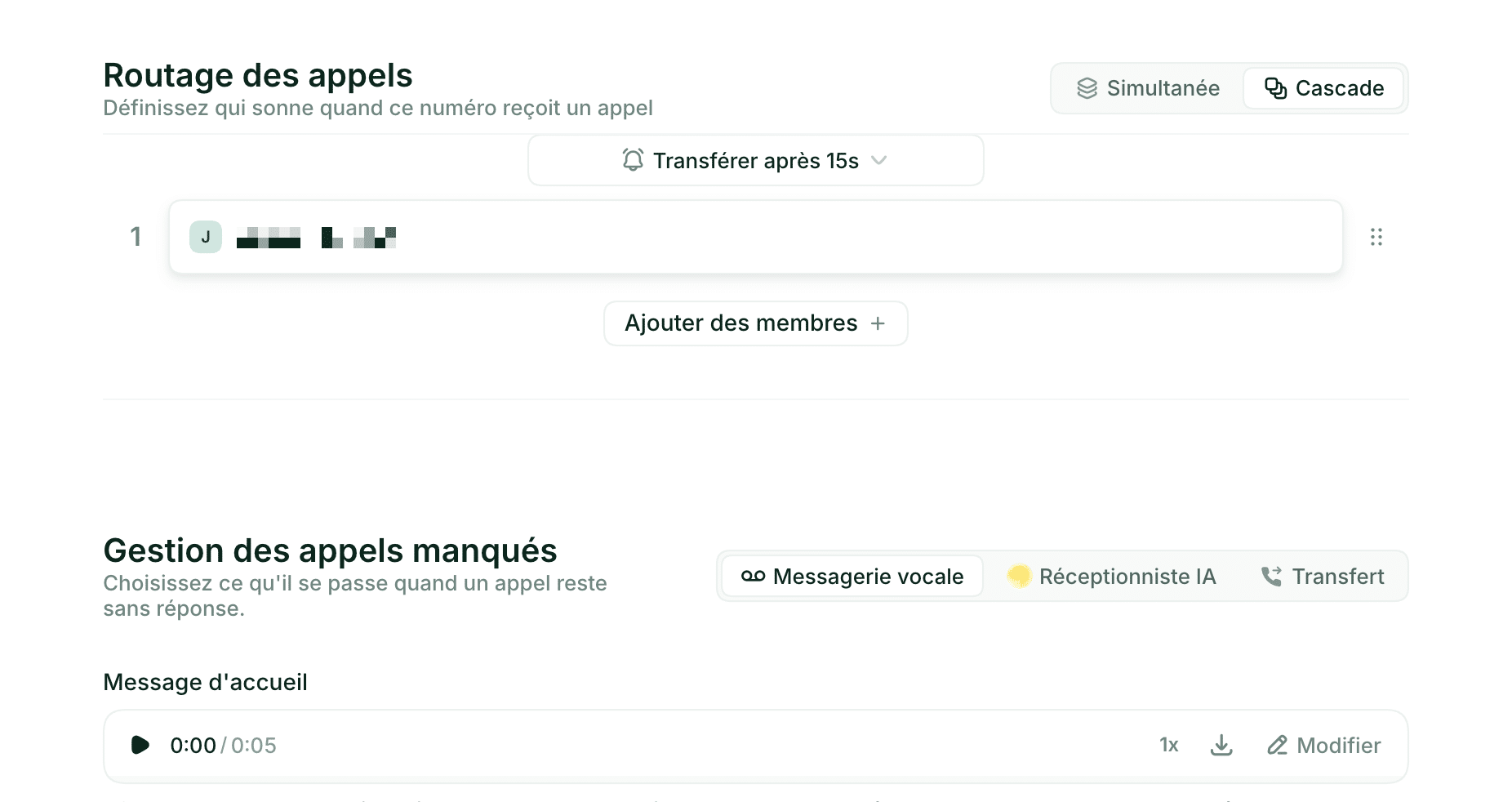
Call sharing also lets you hand a conversation and its context over to another rep without them having to ask the customer to repeat themselves.
What Allo doesn’t offer, and it’s only fair to say so: no real-time monitoring of multiple queues, no complex wallboards, no IVR scenarios with advanced conditional branches. If you run 50 agents in parallel across several campaigns, look instead at Aircall, CloudTalk or a proper call centre software.
CRM integrations
This is Allo’s most impressive aspect given how young the product is (launched in 2024). The native integration catalogue already covers almost every serious B2B CRM: HubSpot, Salesforce, Pipedrive, Attio, Folk, Sellsy, Streak, Zoho. And for everything else, Zapier, Make and webhooks open access to more than 1,000 tools.
In practice, after every call, Allo automatically pushes into the contact record:
- The audio recording.
- The transcript.
- The AI summary.
- The call duration.
- The identified next steps.
On top of that, real-time caller identification displays contact information during the call: stage in the sales pipeline, last interaction, deal in progress.
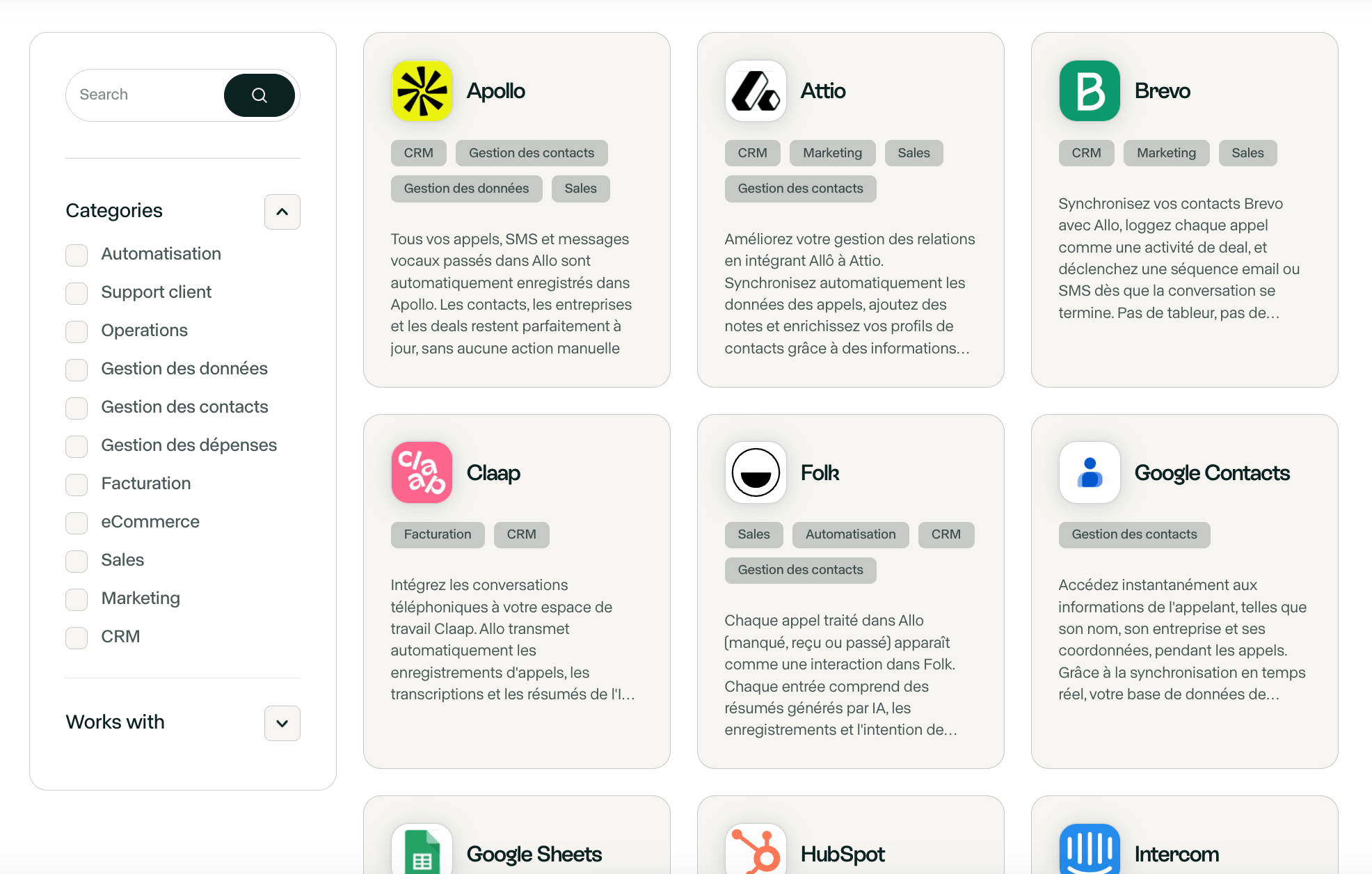
On HubSpot and Pipedrive, logging is almost instant, a matter of seconds after the call ends. On Salesforce, it’s just as clean. On less common CRMs or for very specific custom fields, you sometimes have to go through Zapier, which adds a layer of configuration but raises no fundamental problem.
Allo pricing: how much does it really cost?
Three plans and transparent prices
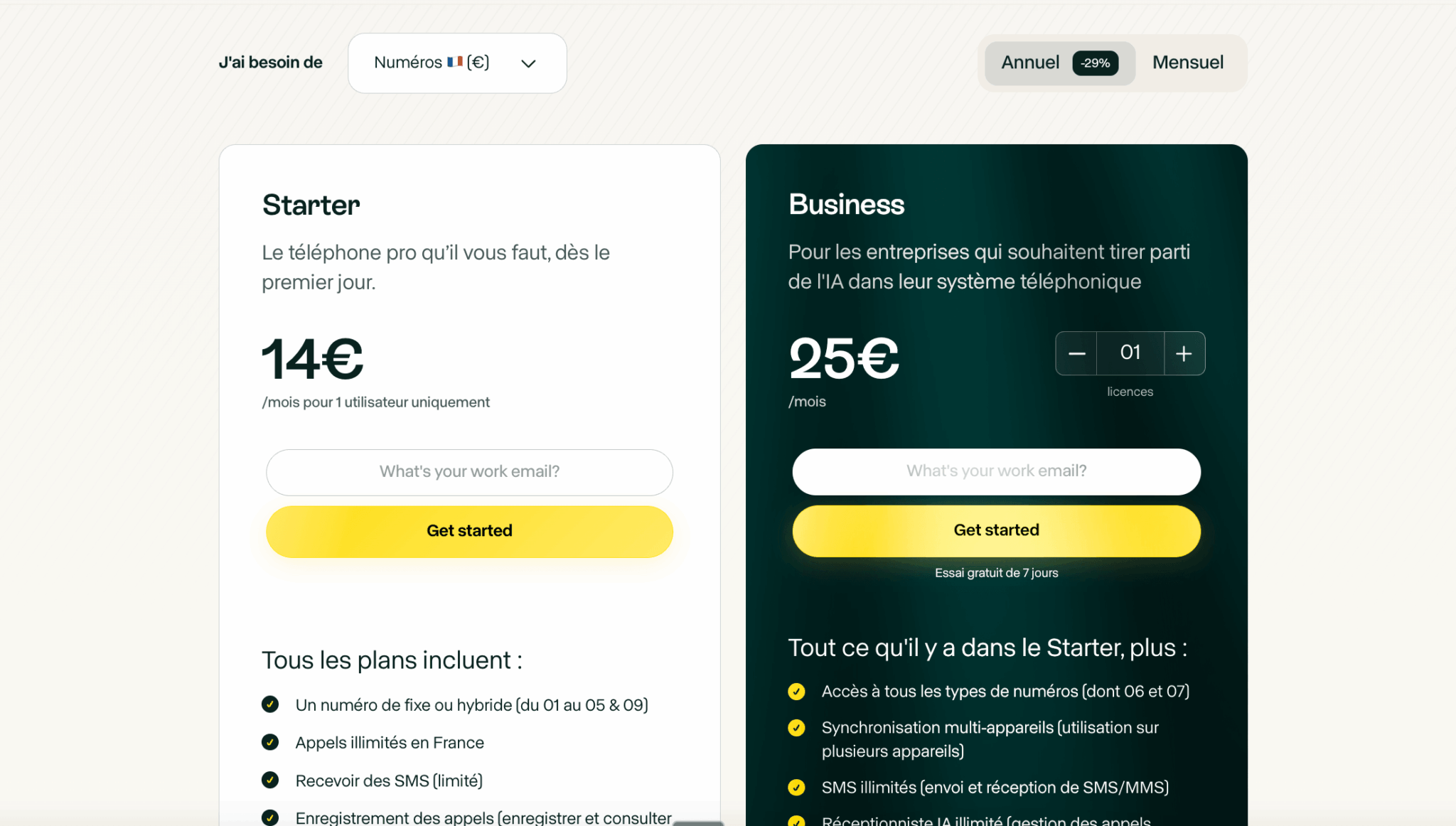
Allo’s pricing structure stays easy to read: three plans (Solo, Business, Ultra), two billing modes (monthly or annual) and two paid options, the AI receptionist (€35/month per agent, billed annually) and the Power Dialer (€50/month for the whole team, Business and Ultra plans). An important point before comparing: the Solo plan is limited to 1 user and, as of October 2026, is only available via a waitlist. As soon as there are two of you, the Business plan becomes mandatory.
| Plan | Annual price (per month) | Monthly price | Target | Main inclusions |
|---|---|---|---|---|
| Solo | €10/month | €15/month | Solo, freelancer | 1 user only (waitlist), 1 landline number, mobile, desktop and web apps, unlimited national calls, recording, AI summaries and transcripts, native CRM sync, email support |
| Business | €35/month/licence | €45/month/licence | Teams of 2 to 250 people | Everything in Solo + one number per licence, outbound SMS, collaborative inbox, AI summary templates, AI post-call actions, call analytics, live chat and priority support |
| Ultra | €100/month/licence | €120/month/licence | Teams that want AI agents | Everything in Business + AI agents (SDR, customer support, lead qualification), custom dashboards, Slack support, dedicated account manager, SLA |
The free trial lasts 7 days, with full access to the Business plan features. There’s no permanent free plan like Google Voice, but the €10/month entry ticket (Solo plan, once it opens) remains very affordable for serious professional use.
How much does Allo really cost depending on team size?
Here is the real cost by team size, with annual billing (the cheapest option). From 2 users, it’s necessarily the Business plan at €35/month/licence.
| Team size | Allo plan | Total Allo cost | Aircall Essentials comparison |
|---|---|---|---|
| 1 user | Solo | €10/month (€120/year), waitlist | Aircall not possible (min. 3 licences = €90/month) |
| 3 users | Business | €105/month (€1,260/year) | €90/month without AI |
| 5 users | Business | €175/month (€2,100/year) | €150/month without AI |
| 10 users | Business | €350/month (€4,200/year) | €300/month without AI |
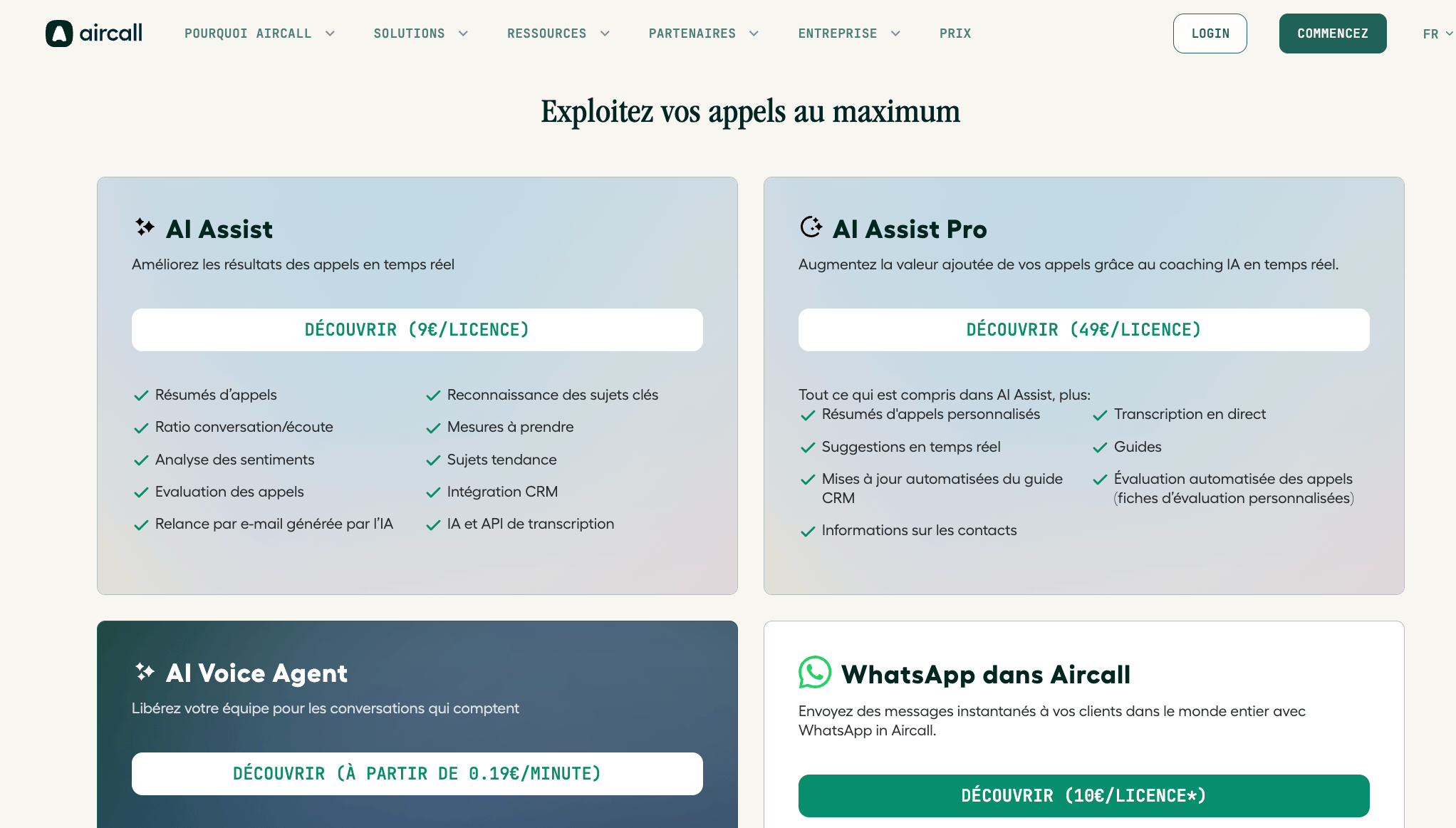
From 2 users, Allo costs €5 more per licence than Aircall Essentials, but it includes AI transcripts and summaries where Aircall charges extra for them. For the record, on Aircall, AI features are billed as extras, as this screenshot shows:
For a solo, the comparison is moot anyway, since Aircall requires a minimum of 3 licences, i.e. €90/month to get started. Ringover and Quicktalk have lower entry prices, but without the AI.
The cost per licence doesn’t change: whether you’re 3 or 30, it’s €35/month per person on annual billing. There are no tiers, no volume discounts, no surcharges. The only real point of caution lies in the all-inclusive model itself: every Business licence pays for the AI and the 1,000+ integrations, whether the user makes use of them or not. For a team of 10 reps of whom only 4 make outbound calls regularly, you’re funding premium AI for 6 people who won’t use it.
That’s where a modular solution can become more rational. Aircall or Ringover let you reserve AI features for the profiles that need them and keep a base plan for everyone else. You lose the simplicity of the all-inclusive model and the per-head bill climbs for equipped users, but on a large team with uneven usage, the calculation is worth doing. For a team where everyone is on the phone, Allo remains the simplest choice.
Hidden costs to know about
Allo’s pricing transparency is real, but a few extra costs are worth anticipating:
- The most visible: 10DLC registration for sending SMS to the United States and Canada, billed $24 once at sign-up. If you only target France, this fee doesn’t apply.
- Additional numbers are billed from €5/month per extra number beyond your base licence. Useful for a team that wants a local number per city or a dedicated number per campaign.
- Finally, international calls are billed per minute, with a public rate card available in real time at rates.withallo.com. A few euros of credit are offered to get started. For a team that makes a lot of international calls, check the rate card before committing.
Allo vs Aircall: which phone system should you choose?
This is the real question for most Salesdorado readers. Aircall is the long-standing French benchmark for B2B cloud telephony, used by thousands of sales and support teams. Allo is the challenger that wants to reinvent the category for small teams.
The fundamental difference fits in one sentence: Aircall was designed for structured teams of 10 to 200 agents, Allo for teams of 1 to 30 people. That orientation runs through the whole product, from the pricing model to the philosophy of the interface.
On pricing, Aircall starts at €30/user/month on the Essentials plan, with a mandatory minimum of 3 licences, i.e. €90/month to get started. Allo accepts 1 user at €10/month on annual billing (Solo plan, on a waitlist as of October 2026), and its Business plan at €35/licence is €5 per licence above Aircall Essentials, AI included. For a freelancer or a team of 2, Aircall simply isn’t an option. Allo is, and with AI on top.
On AI, the gap is even wider. At Aircall, AI features (transcription, summaries, conversation analytics) are only available on the Professional plan at €50/user/month, with some advanced functions as an extra add-on. At Allo, transcripts and summaries are included from the base plan. Only the 24/7 AI receptionist is an option, at €35/month per agent.
But Aircall keeps solid arguments for more structured teams. Its native integration catalogue runs deeper. Its analytics are far more complete: real-time wallboards, detailed reports by agent and by campaign, multi-queue monitoring. Enterprise support is better organised. For a 30-person customer service team or a 50-person SDR team, Aircall remains the rational choice.
| Criterion | Allo | Aircall |
|---|---|---|
| Ideal target | Solos, freelancers, small teams of 1-30 | Structured sales and support teams of 10-200 |
| Entry price | €10/month (1 user, waitlist), then €35/licence | €30/month/user (min. 3 = €90/month) |
| AI included | Yes, transcripts and summaries from the base plan, receptionist as an option | No, Professional plan at €50/month minimum + add-ons |
| Philosophy | Mobile-first, all-inclusive, self-service | Web-first, modular, sales-led onboarding |
| Integrations |
|
|
| Analytics and reporting |
|
|
| Data sovereignty | GDPR, SOC 2, Miami headquarters, hosting not documented | GDPR, SOC2 Type II, AWS infrastructure |
| Free trial | 7 days, no credit card, full Business access | 7 days, sales demo usually required |