Brevo’s feature scope
On the whole, the feature depth is impressive (emailing, CRM software, marketing automation software and more) but Brevo isn’t really a complete B2B marketing automation solution.
Its determination to stay generalist and affordable makes it a little thin for the most advanced needs. Bear in mind too that its main target is e-commerce. But those needs can easily be filled with companion tools.
Email marketing, the bedrock of the software
While Brevo has grown a great deal on the feature front over the last few years, its flagship offer remains email marketing.
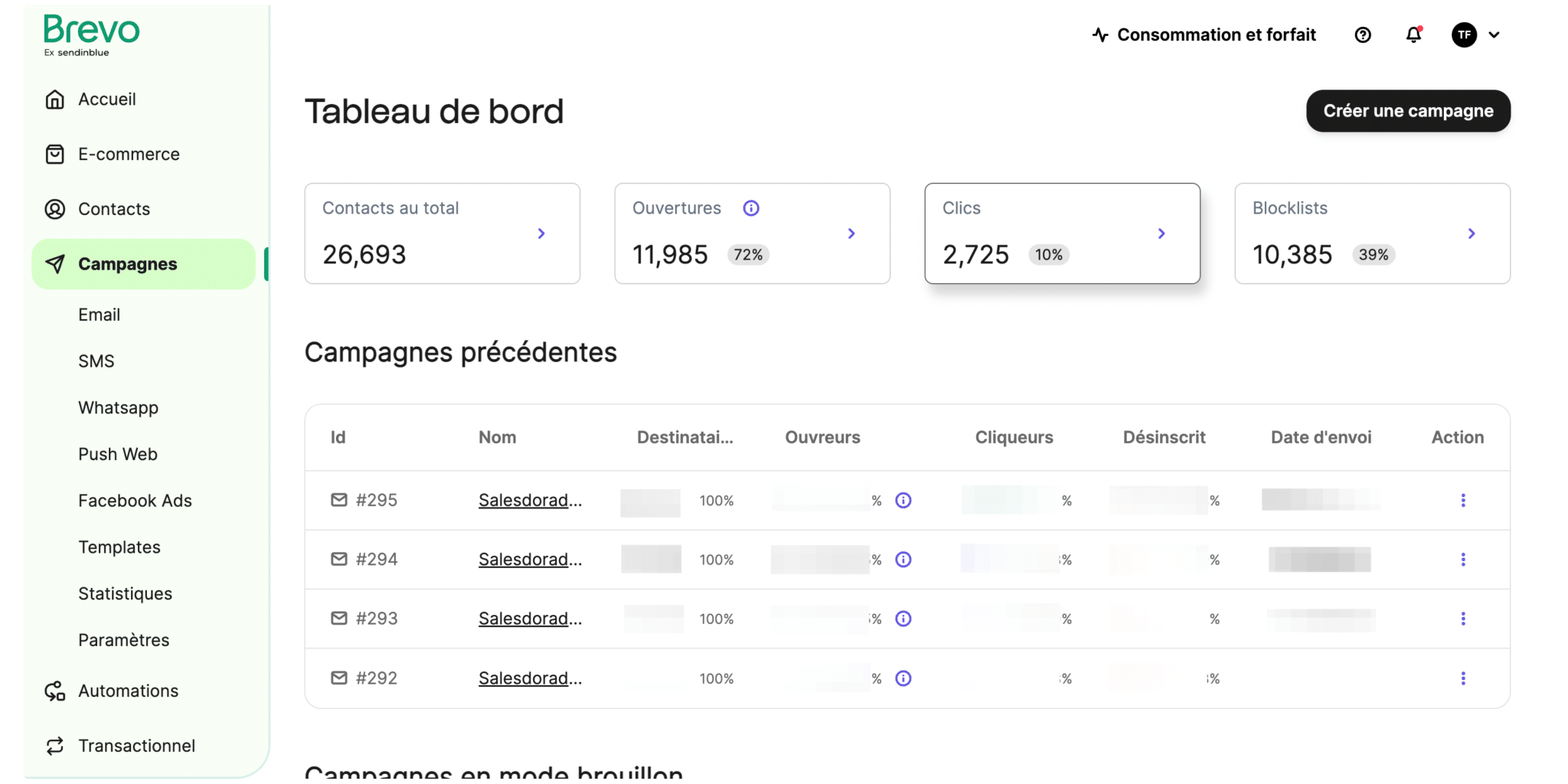
Creating and setting up a campaign is straightforward, straight from the “Campaigns” tab in the main menu.
Once the campaign is set up, you can start building the design. The editor works as blocks you drag and drop wherever you want them (we’ll come back to this later in the article).
Once the design is finished, pick your contact list and, if you like, an ideal time to send your campaign. Once the campaign has gone out, the first detailed statistics come in a few minutes later.
Sending statistics are fairly deep overall. The click report is very handy, and quickly shows which links got the most clicks. The tool also gives you access to the list of everyone who opened and clicked on each campaign, and you can export it easily (and even dynamically, through webhooks in automation scenarios).
On tracking, though, you can either set up each of your links or use the default UTMs the tool suggests. If you want to customise at the level of a campaign, a template, one particular link type and so on, you’ll have to improvise.
Salesdorado’s takeOn the whole, Brevo lets you run email marketing campaigns very cleanly and easily, but as soon as you get into slightly sharper needs, you have to tinker. Watch out too, every campaign setting has consequences for your deliverability and your results
Contact management & segmentation
On Brevo, contact management is simple and streamlined. To import a contact list, 3 options are available:
- Import a .CSV or .TXT file,
- Copy and paste the contacts from a list,
- Enter the contact details by hand.
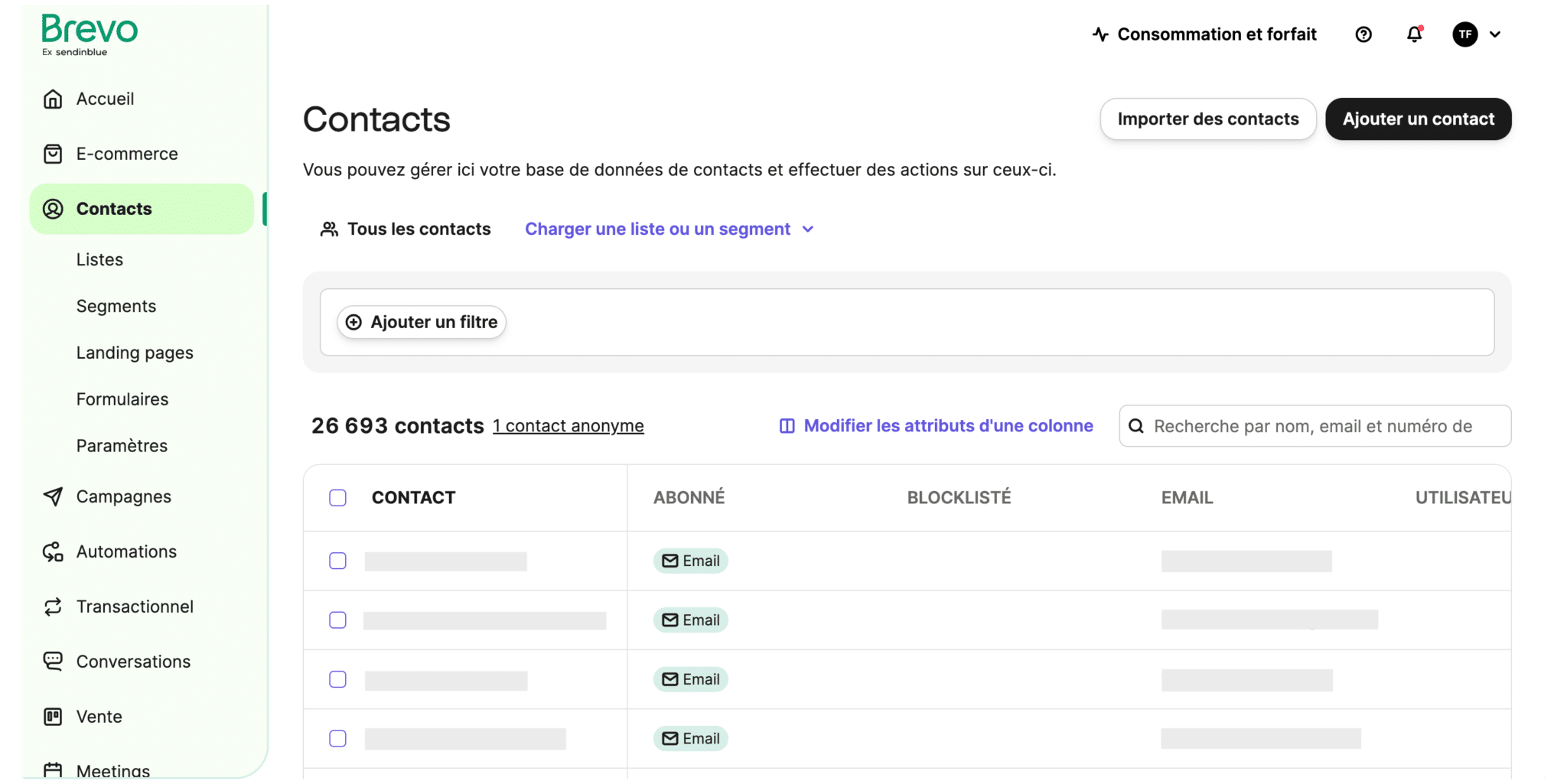
Adding new fields and editing attributes and field types is easy too. So you can add other characteristics, such as the date the contact was added to the list and whether or not the contact has opened an email.
Finally, automatic triggers are available for managing and segmenting contacts. This practice helps personalise email content based on what your contacts do. Honestly, automation should be the priority if you want databases that stay up to date. Avoid import-export cycles, which beyond the tool itself are a waste of your teams’ time.
Salesdorado’s takeSome people miss the absence of tags. We don’t. We have never really felt limited by it. The segmentation engine is rather good, apart from a few UX hiccups that make the experience slightly painful (no keyboard shortcuts for multi-select, a new page load to get more detail on a contact, and so on).
Landing pages & forms
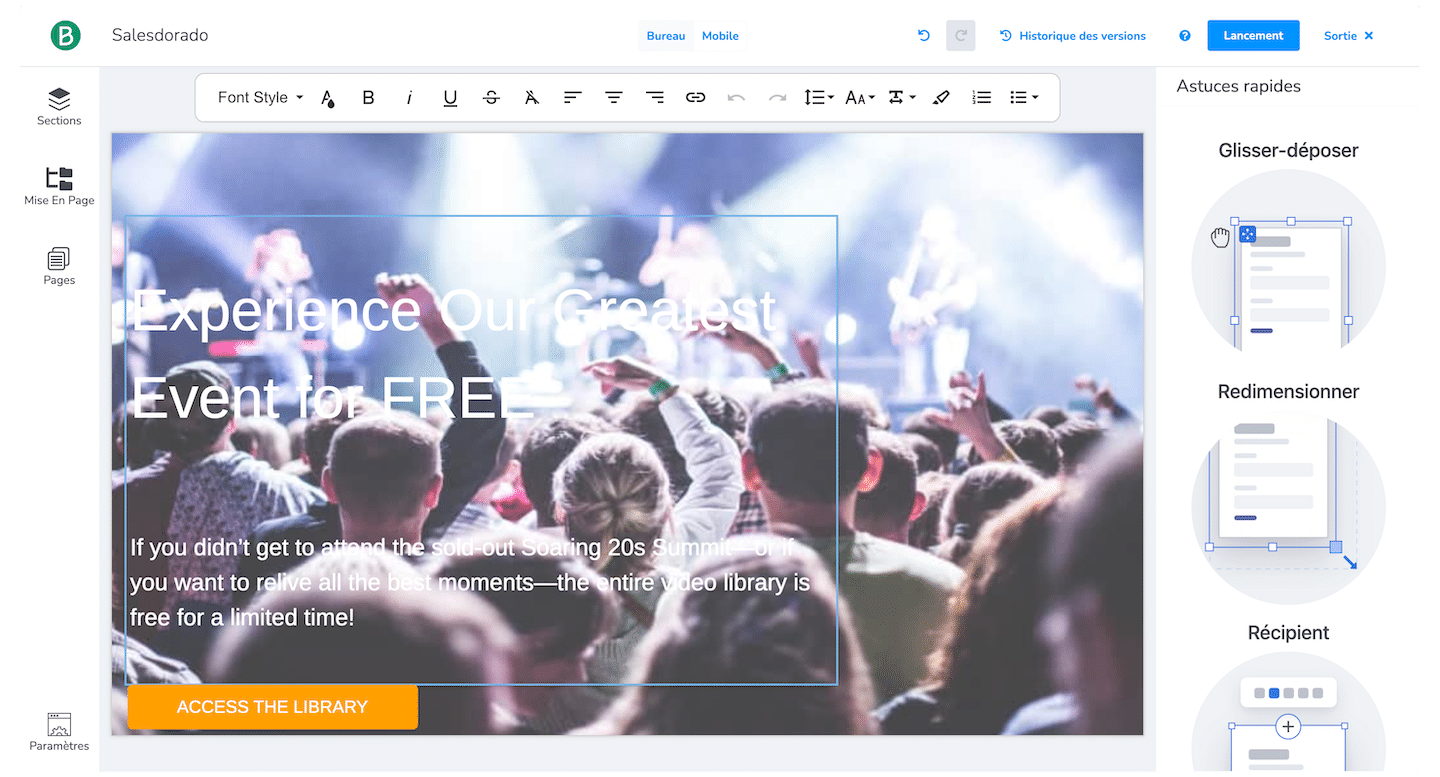
The templates Brevo offers for building forms and landing pages are numerous but a little dated. Your own creations are built in a drag-and-drop editor.
In a few seconds, colours, images, text, fonts and the rest can be changed. You can also add as many different fields as you like to your forms: you are entirely free to choose which information you collect.
- Dropdown lists,
- Text fields,
- Radio buttons.
- and so on
Embedding is done with a snippet of HTML to copy and paste. To meet the regulatory requirements of your market, you can set up a single or double opt-in process.
Be careful with double opt-in, though: Brevo doesn’t validate the emails it collects and instead requires you to install captchas on the capture site (at the expense of your users’ experience, then).
If your visitors amuse themselves by testing your forms with invalid emails, Brevo will send double opt-in emails to those addresses, which produces hard bounces that can get your account blocked. Sadly, the only remedy on offer is to slow your site down, or to degrade the capture experience considerably with a captcha.
Salesdorado’s takeThis is probably Brevo’s biggest weakness. Despite varied templates and a form and landing page editor that is easy to use, the restrictions on email capture are too constraining, and put the burden of validation on users. That’s a shame.
Lead management, with personalisation anything is doable
Lead management and Brevo are technically compatible. But in practice, you have to know your way around to get the most out of this feature.
Unfortunately, you have to do almost everything yourself. For example, there is no built-in lead scoring feature.
You can, on the other hand, use lists to organise your contacts by whatever criteria you like. That could be demographic data, the source the prospects came from, how far along the sales funnel they are, and so on. You can also create a “lead scoring” attribute that updates itself automatically through marketing automation. It lacks a bit of business focus, but it can be done
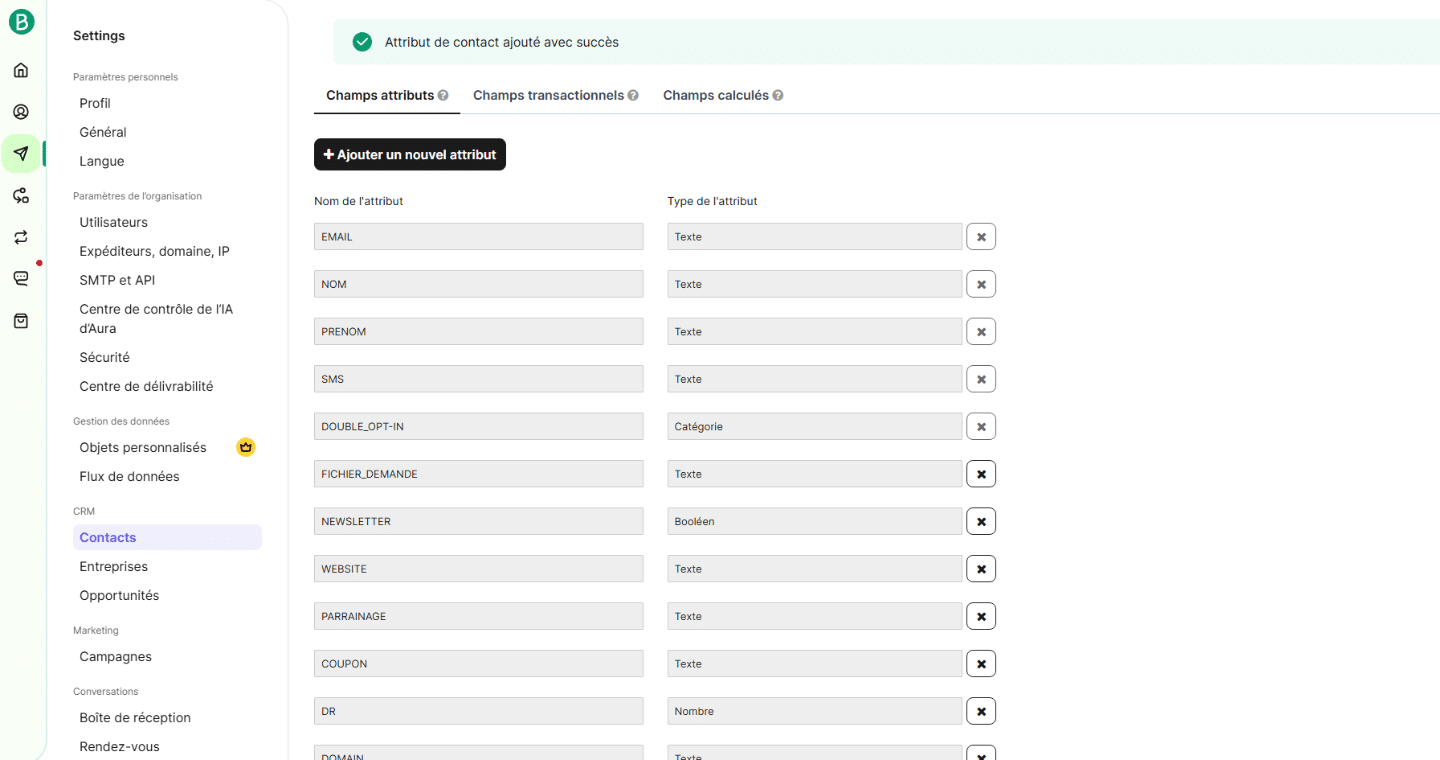
Thanks to Brevo’s built-in CRM, you can find all your leads’ information and plan your follow-ups in one place. You can set up lead nurturing sequences on top of the classic campaigns, through the automation platform. The amount of information the tool gathers is impressive.
Salesdorado’s takeOn lead management, Brevo can do everything. That said, if you are after a solution that handles lead management out of the box, go for something like Activecampaign or Hubspot.
Live chat & WhatsApp, a welcome bonus
The promise is a powerful one. Especially for smaller organisations. Emailing sits at the heart of the customer relationship strategy, and live chat connects day-to-day operations and reality to marketing. It is a hugely powerful building block for a tool like Brevo.
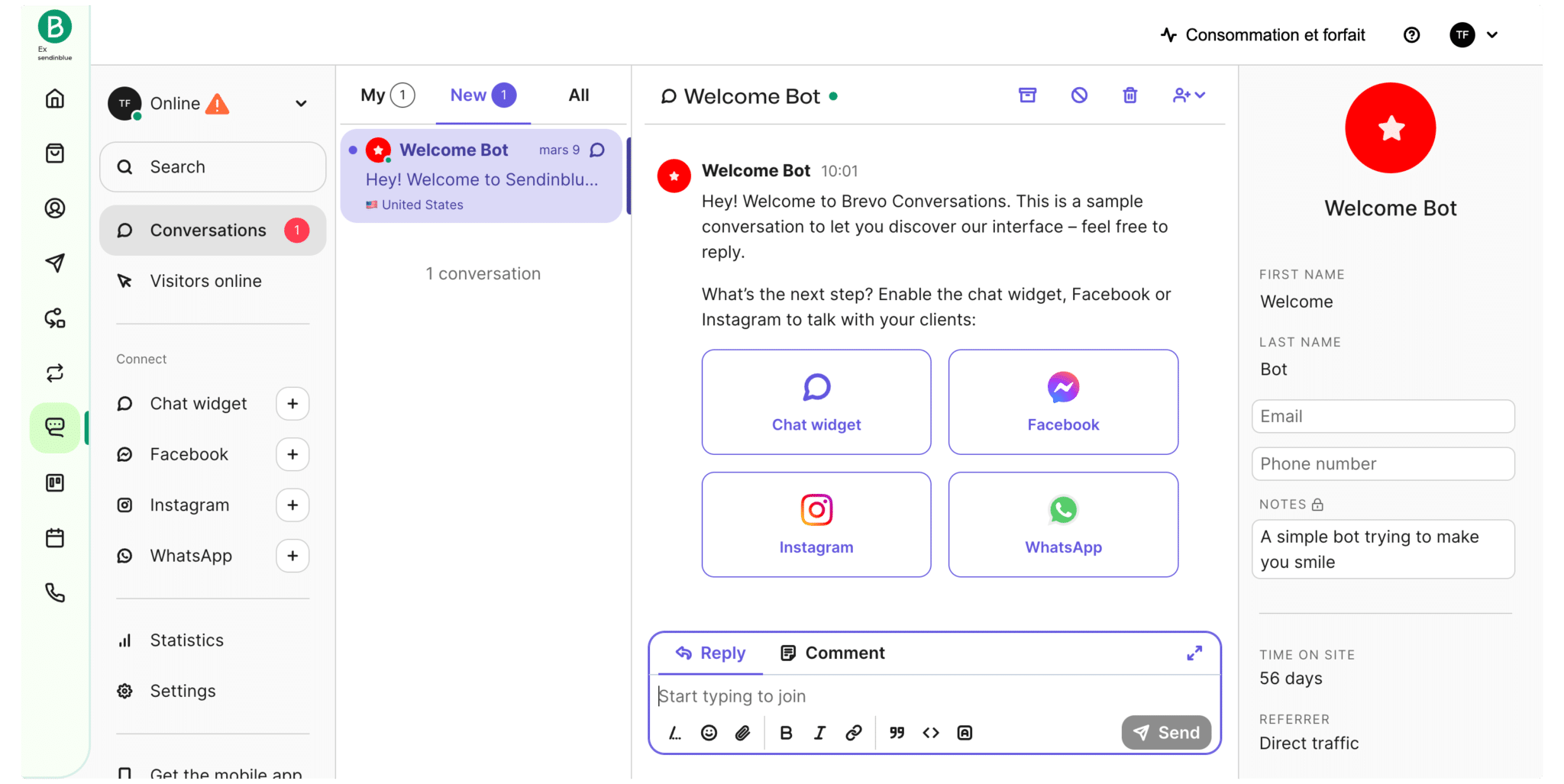
We tried it for a few weeks and frankly it is rather convincing and squarely comparable to genuine live chat software like Crisp or Drift as long as your use stays basic. You can connect the Brevo Conversations mobile app (App Store | Play Store) to talk to your customers straight from your phone, and/or set up a notification system. You can even dispatch conversations to several agents connected at the same time.
Setting it up is very simple. It isn’t very clear how far it does or doesn’t work with the marketing automation snippet, and the integration with the automation platform isn’t obvious, but if you follow the instructions you’ll have a chat bubble in production in 5 minutes. It is accessible, flexible and it remains a rather capable module if you don’t want an AI-fuelled chatbot.
It is still a little below the market, for all those small reasons, those small hiccups you have to spend too much time on, and the way the tool fits into the rest of the Brevo suite, but on the whole it is hugely interesting.
On our side, we went back to Crisp for now, because it is more customisable. The costs aren’t the same but neither are the expectations.
Reporting, what are your options?
On this front, the tool ships with plenty of features to help you assess how your campaigns and scenarios perform.
Beyond the classic statistics on email opens or clicks, Brevo provides an engagement timeline so you can see when your emails are opened.
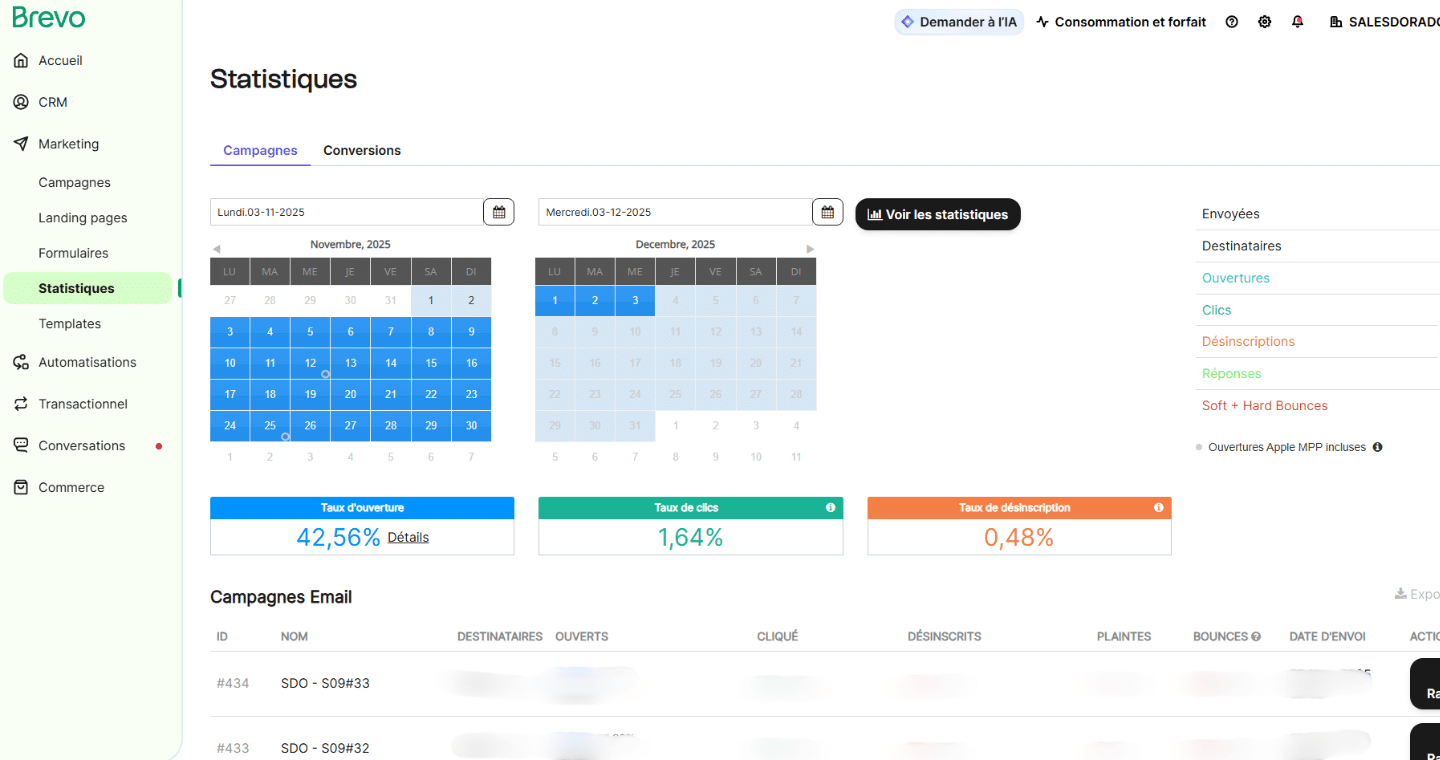
You can also filter the reports by geographic area and by the email providers your contacts use.
Reporting doesn’t stop there. Two other features are worth a look to sharpen your marketing strategy:
- The heatmap,
- A/B tests.
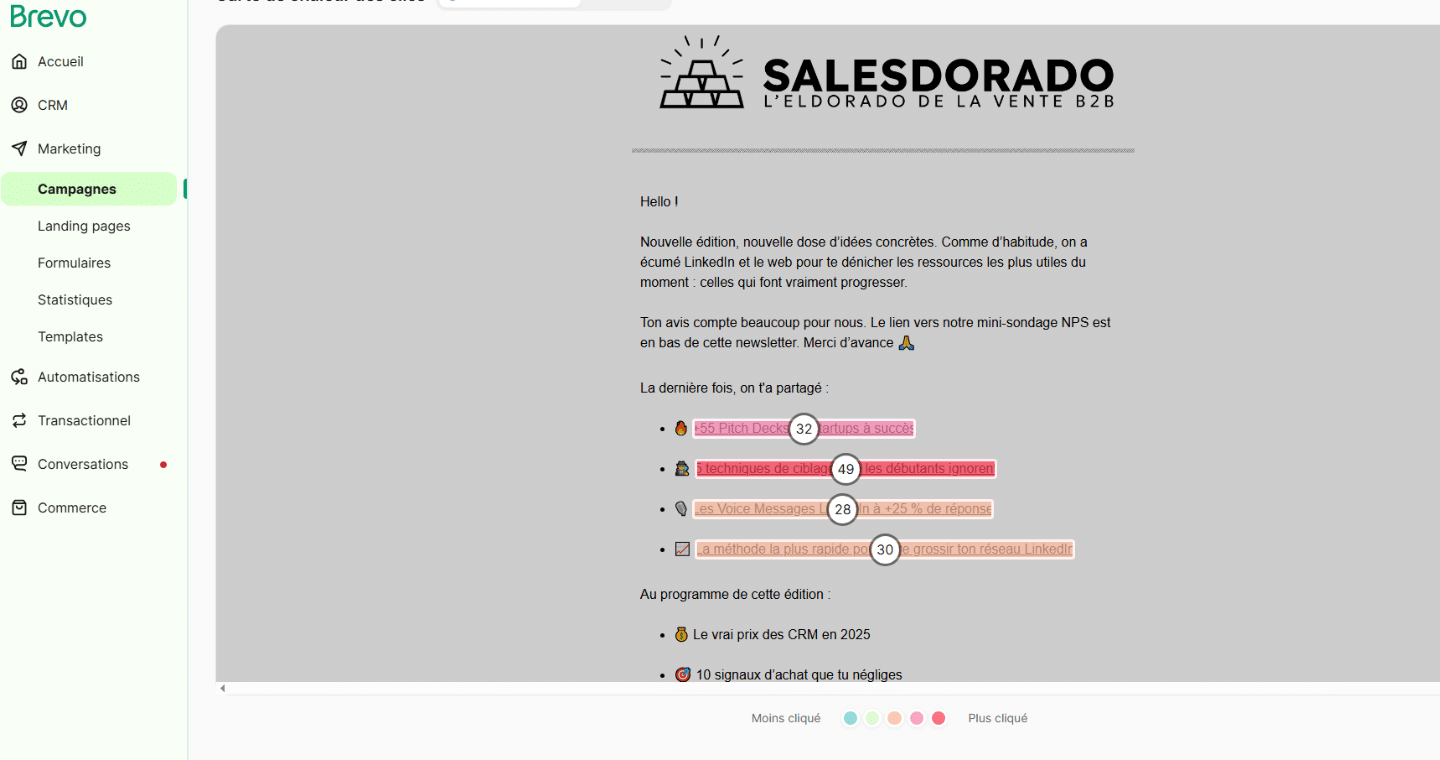
The heatmap helps you picture how your contacts engage with your emails. You can see the sections they pay attention to and the ones they ignore entirely. With that information, you can tailor your templates to spark more interest.
For A/B tests, you just create two different emails and put them through a test. The A/B test report will tell you which performs better. Be careful, though, there is a small subtlety here. By default your campaigns are set to split testing (10% vs 10% and the winner goes to the remaining 80%). So you need sizeable databases for the results to be meaningful.
Salesdorado’s takeThe reporting tools on offer are very useful. Thanks to its advanced features (heatmaps, A/B tests, filters of every kind and so on) pick out the statistics that matter to you, and Brevo will supply them.
Getting started, thank you for the simplicity
The user interface is easy to understand and to pick up. The main menu, right at the top, gathers Brevo’s features (Campaigns, Automation, Transactional, Contact management).
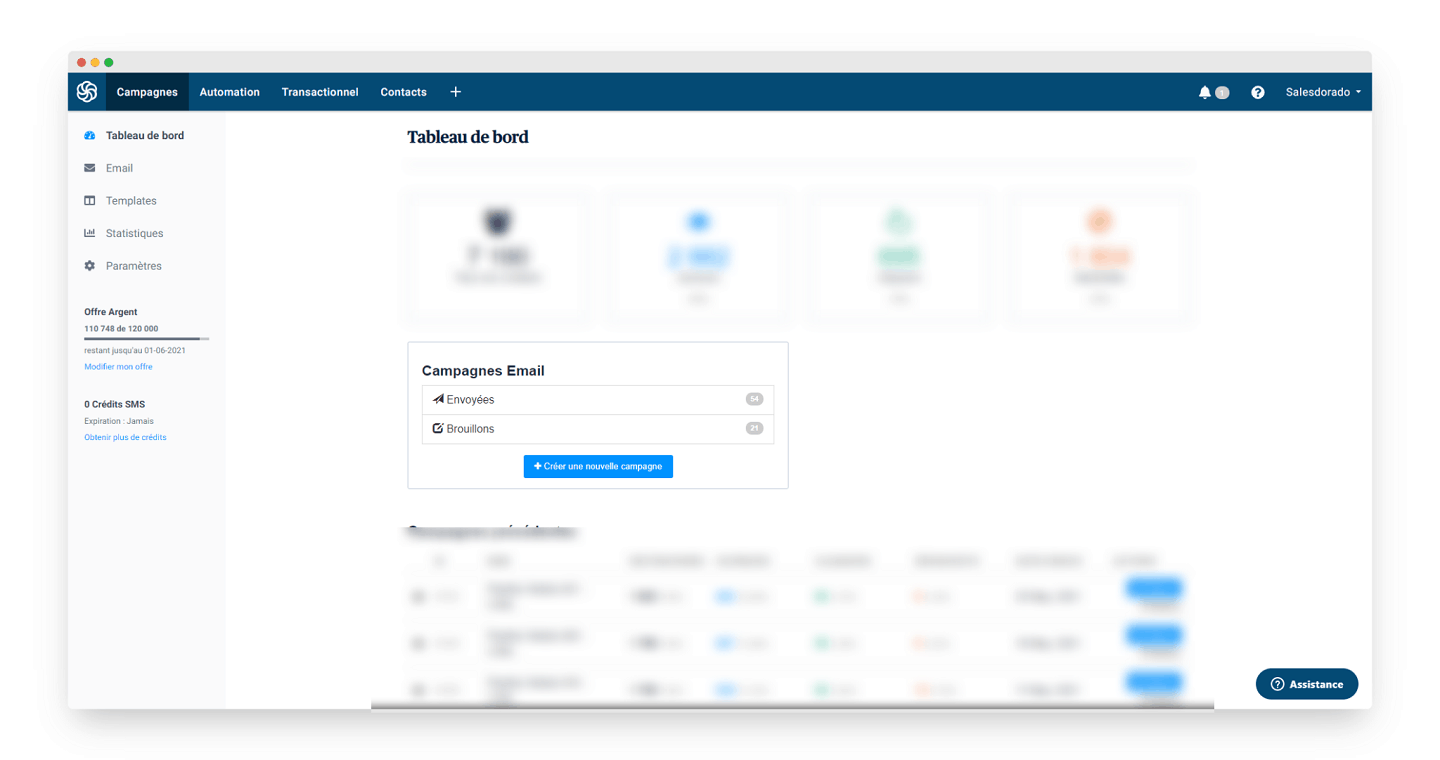
The side menu gives access to the statistics, the templates and the emails sent, as well as the tool’s global settings.
To build emails, the heart of the offer (and we touched on this a little further up), the design tool is very simple to use. To send them, the software walks you step by step towards your end goal: communicating.
Salesdorado’s takeGetting started is very simple. Thanks to its main menu and side menu, navigating to find what you are looking for is quick and easy.
Guidance and support
Brevo has a support centre to turn to for help with the tool’s features. If you are a beginner, you’ll find plenty of resources to smooth the onboarding process.
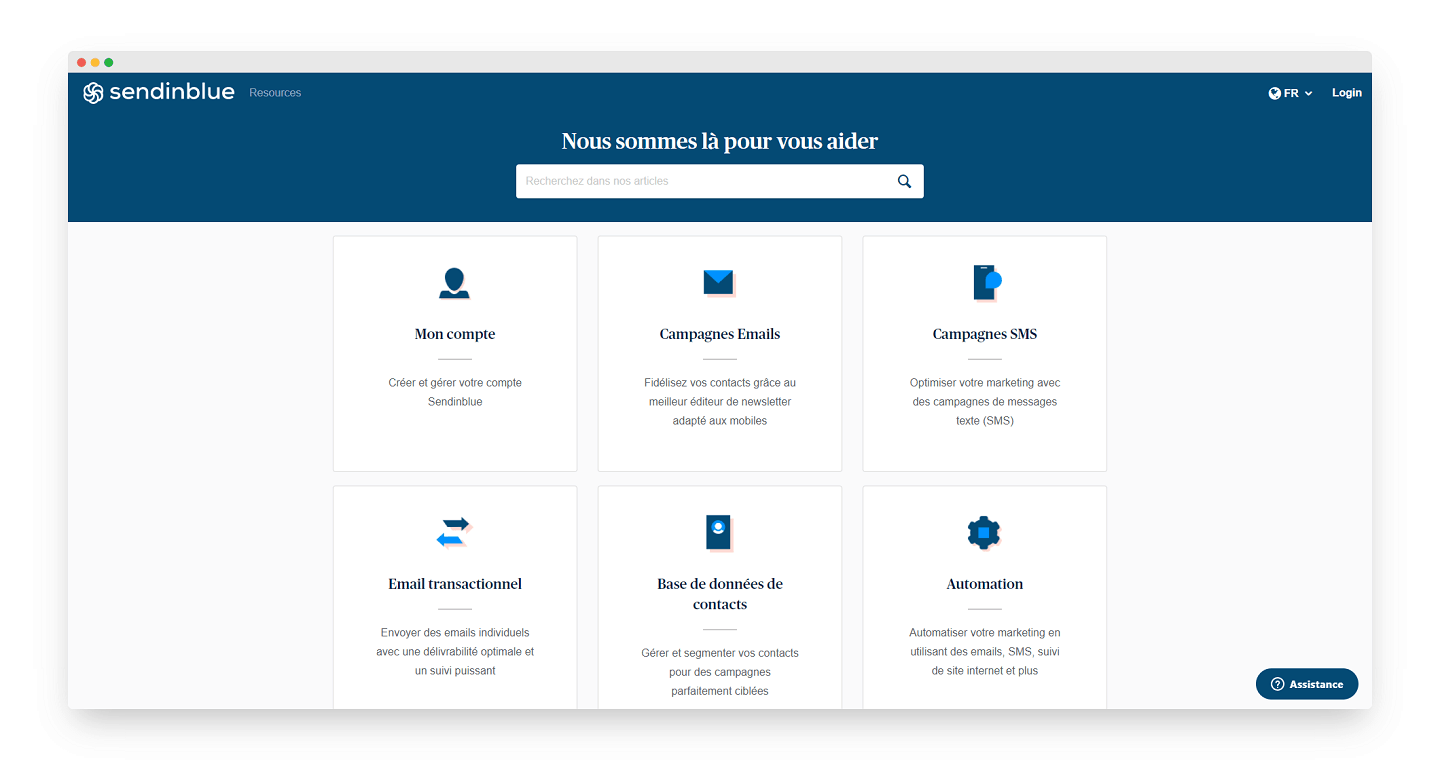
Topics are sorted into categories: from how to set up an account and launch an emailing campaign to how to manage contacts and automate your marketing.
There is also a search function so you can quickly find the topic that interests you.
If the online resources don’t help you solve your problem, several other options exist:
- Raise a support ticket,
- Contact customer support through a form,
- Call a free support line (Premium plans only).
It is worth noting that phone support is only available to users on a Premium account.
Salesdorado’s take Tickets, phone or email support, written resources and so on. Brevo offers plenty of options for solving the problems its users run into.
Integrations
The software offers solid integrations, which we’ll break down by category:
- Lead generation and email capture: sadly, few integrations are designed and maintained. Most lead generation tools integrate with Brevo partly because they have no choice: it is a major player in the email marketing market, and one of the only European solutions.
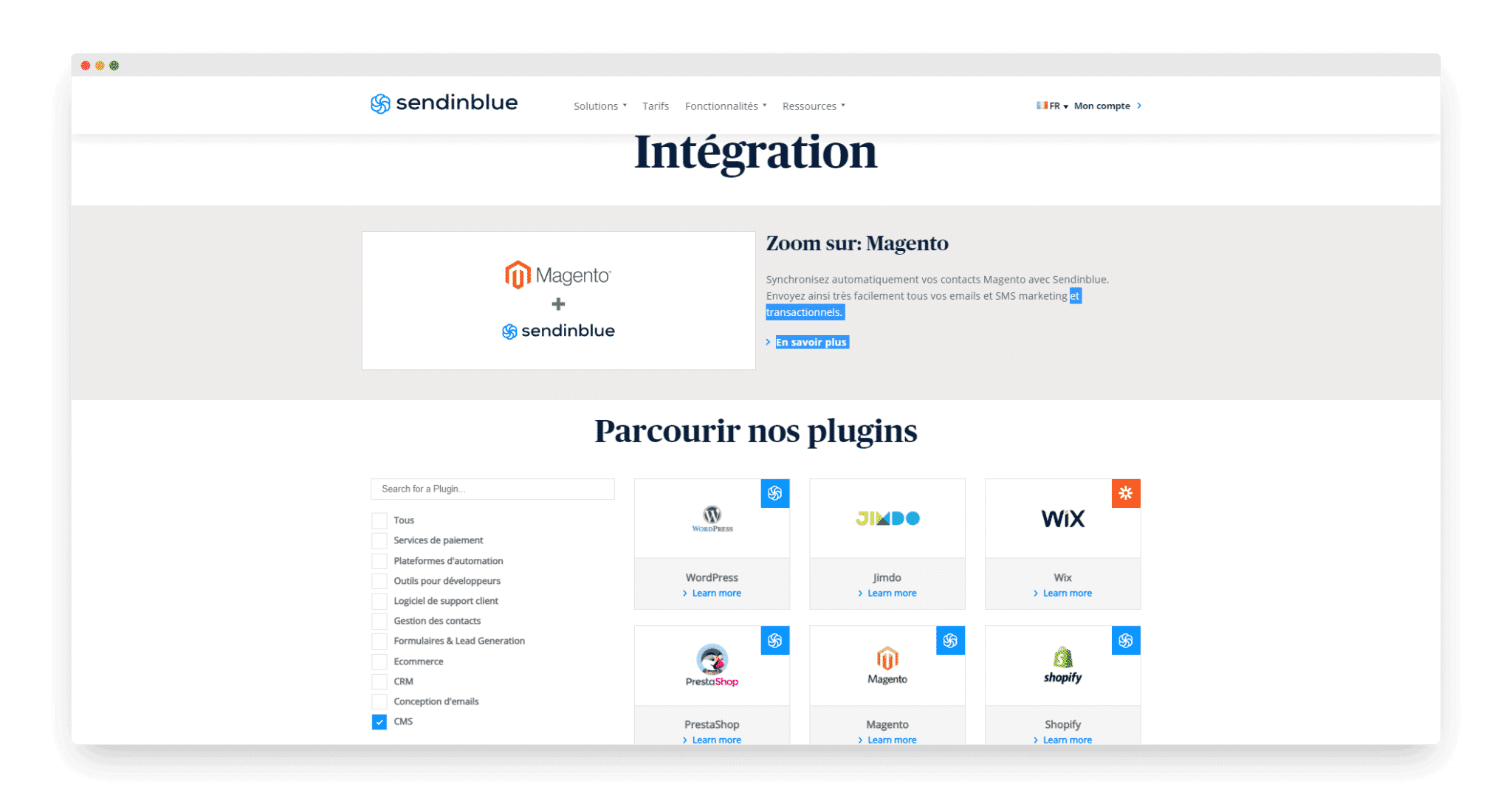
- CMS: the e-commerce integrations are rather decent, but on the B2B side there is nothing of interest. A pity, the WordPress plugin isn’t bad, but it has aged badly and amounts to something of an empty shell for embedding marketing automation on your site easily. That said, it is no worse than most competitors, who don’t do anything very well either.
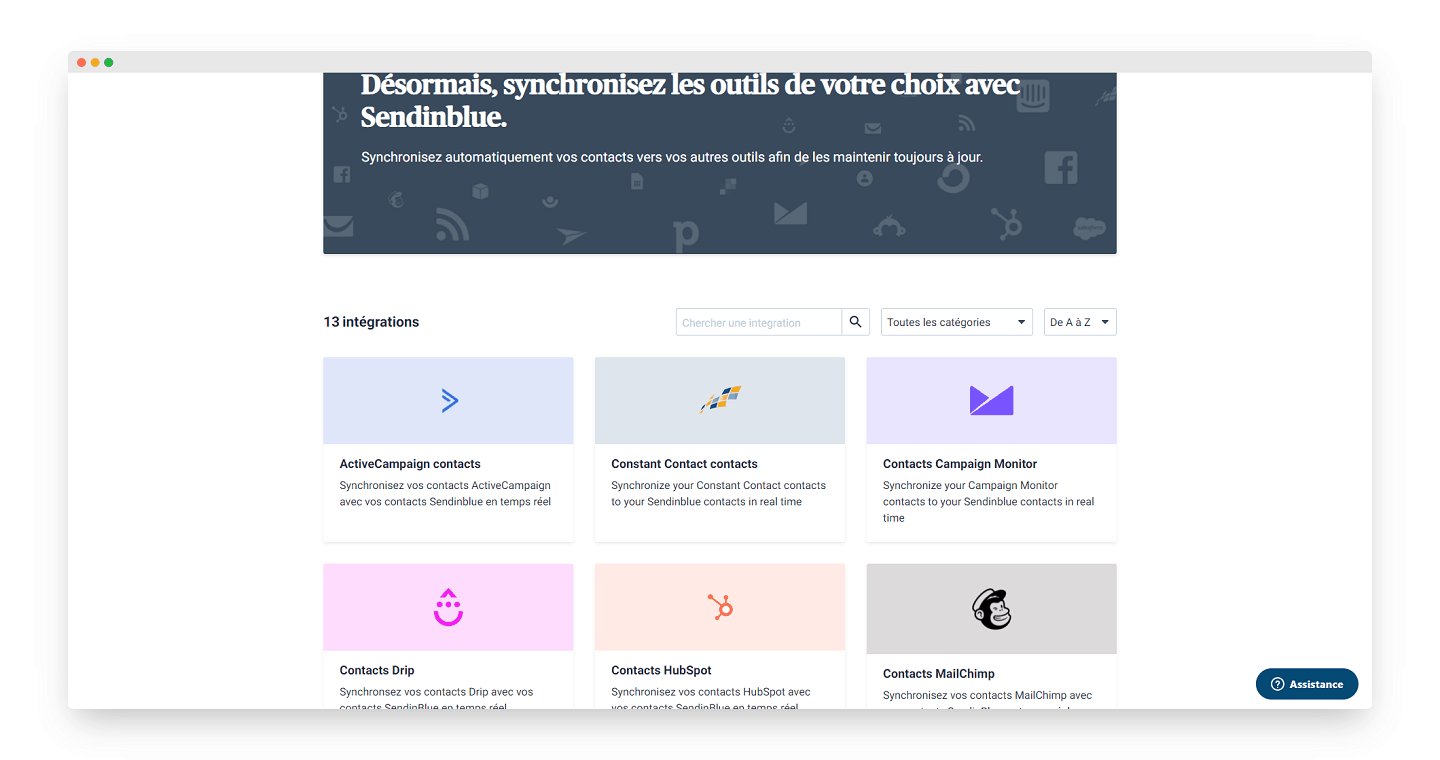
- Sales CRMs: what is (very) interesting about Brevo is that the number of contacts is unlimited. So the tool could act as a Lead Relationship Management platform. A sort of “mass” CRM sitting upstream of the sales CRM. The integrations with most of the sales CRMs on the market are an important step in that direction: Pipedrive and Hubspot in particular. Unfortunately, the integration with SFDC (Salesforce) isn’t up to standard. So we don’t recommend it at all.
Salesdorado’s takeThe integrations are very solid. Thanks to the unlimited number of contacts, it can act as a Lead Relationship Management tool for setting up a lead nurturing and lead scoring strategy upstream of your CRM software A shame the email capture and validation tools & processes aren’t up to standard.
Value for money
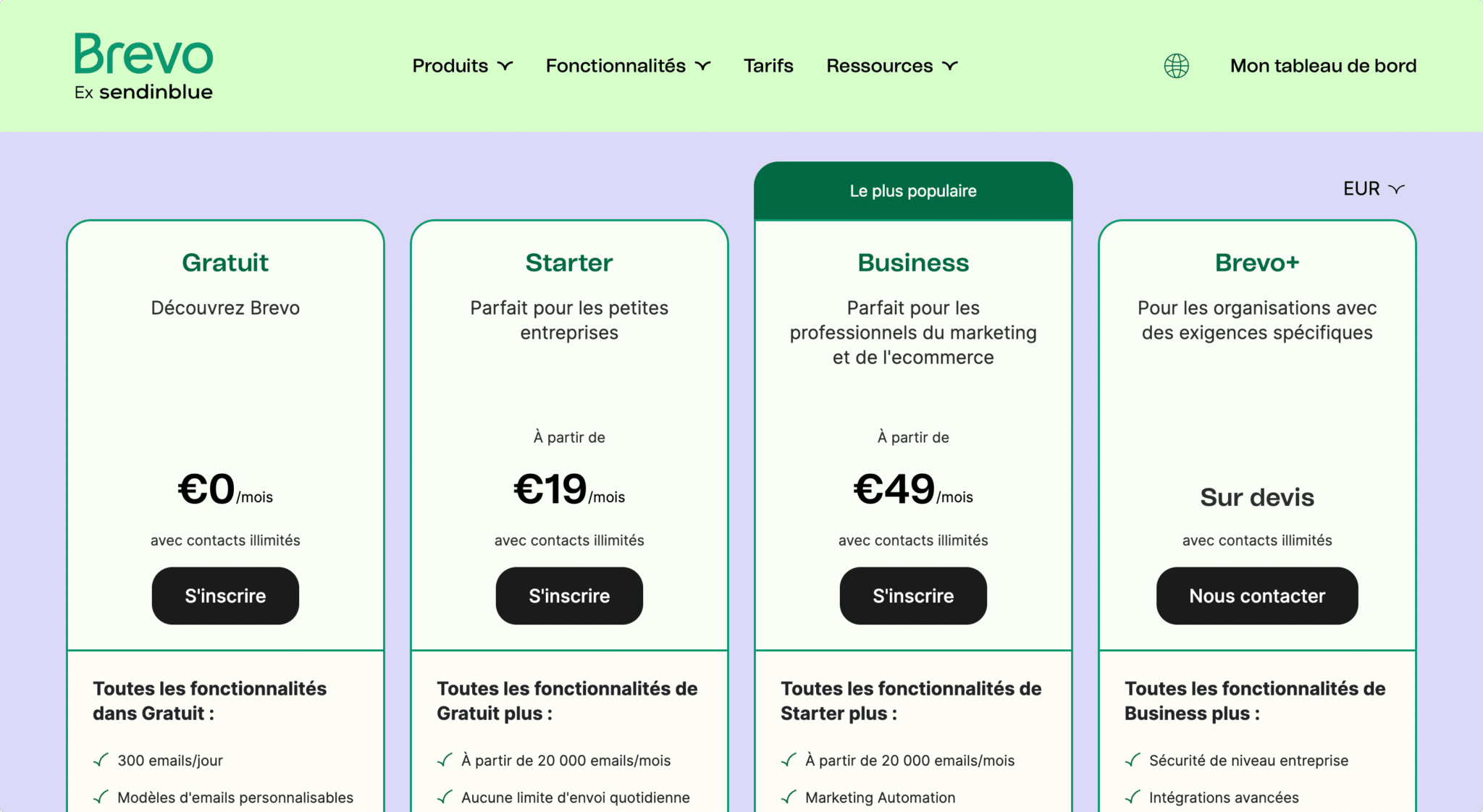
Brevo bills “per email sent” and not by the size of your contact list. It makes no difference whether your list holds 100 or 1,000,000 contacts.
You’ll also find a free plan capped at 300 emails sent per day. It is a good starting point for testing the tool and setting up a few automations. Don’t count on it too much for sending your newsletter free of charge, though.
The value for money is excellent and very different from other solutions that bill by number of contacts rather than emails sent. It is a very interesting tool for companies with a large contact list and low marketing pressure.
Salesdorado’s takeBrevo’s value for money is excellent for those who use it with a lot of contacts and relatively low marketing pressure. In terms of feature tiers, a genuine automation platform at 49€/month is hard to beat. The only ones who manage it are ActiveCampaign at $39/month, but the pricing takes off as soon as you go past 2,500 contacts.