Lemlist’s key features
A built-in database to find and enrich your prospects
One of Lemlist’s main selling points is its built-in database of more than 450 million profiles worldwide.
Reachable from your Lemlist account interface, the database lets you build prospect lists to work through in a few clicks (people or companies). Lemlist offers a well-made search tool, with an impressive number of filters as you can see below:
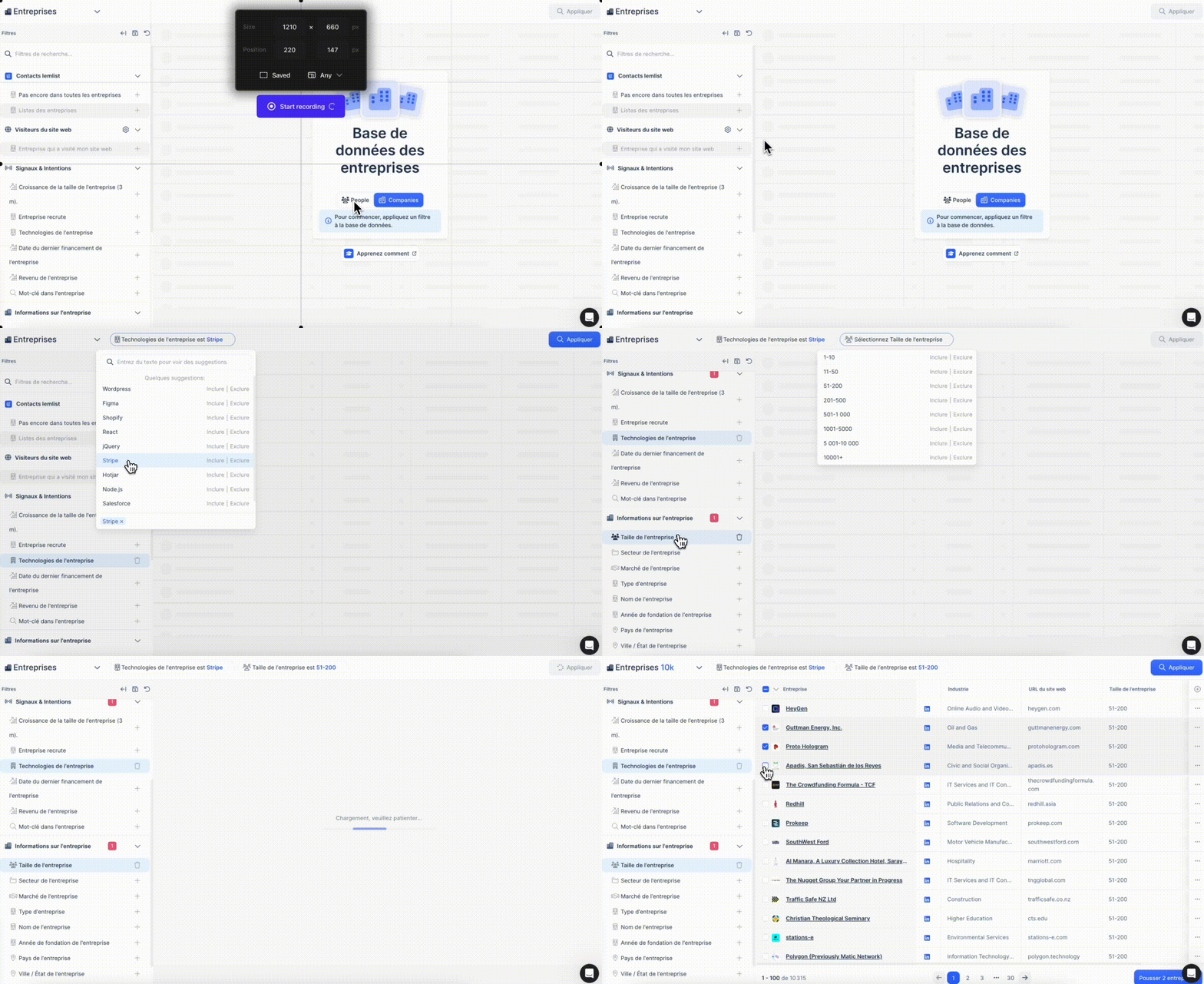
In seconds, you get a list of profiles that “match” your ideal target (ICP). That is a big advantage over LinkedIn Sales Navigator, for instance, where you often have to juggle boolean operators to find the right people.
Another Lemlist strength is being able to enrich data straight from the tool. One click adds a prospect’s work email address, mobile number or social profiles. Lemlist aggregates several sources to find that information, with a reliability rate of 98% according to them.
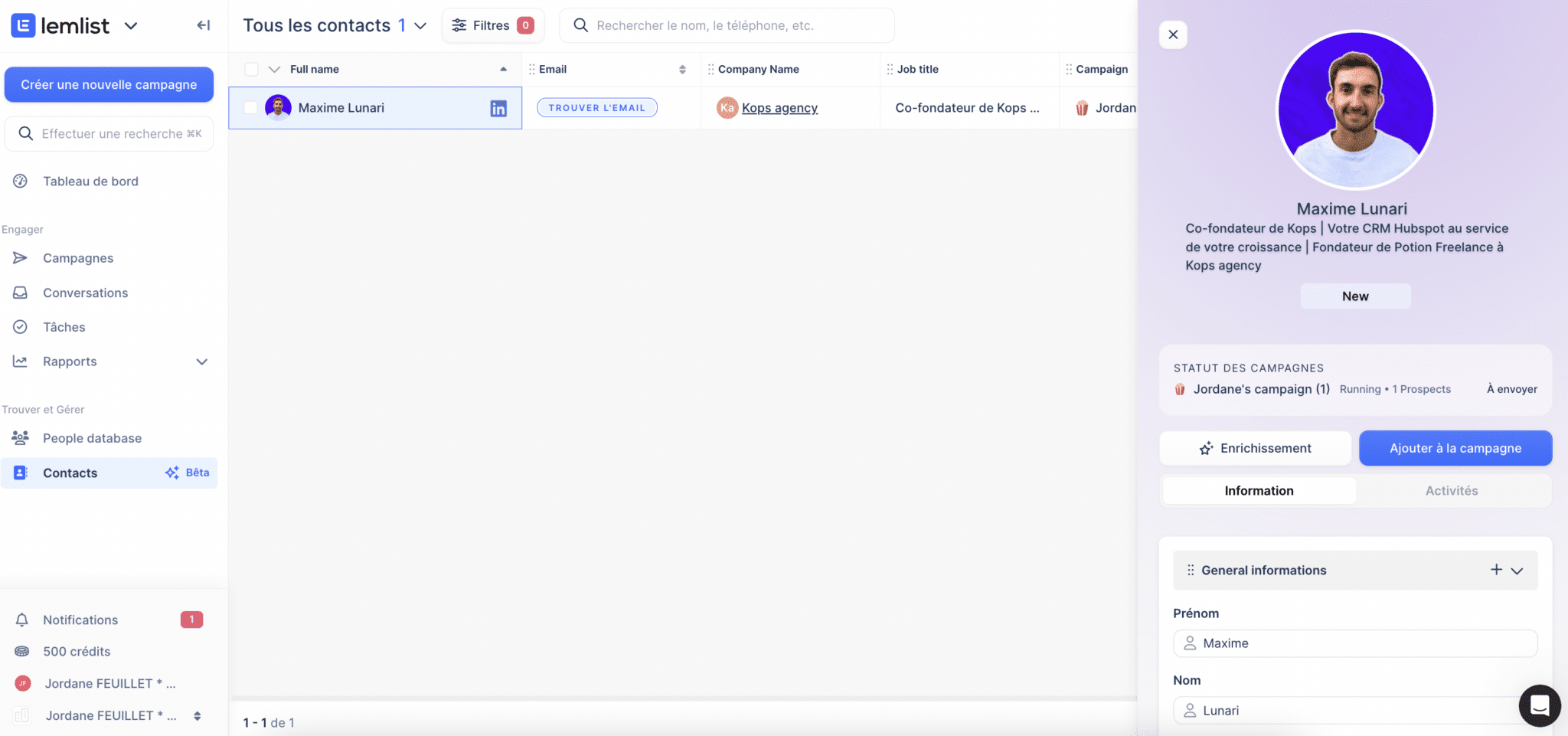
One small snag: the number of enrichments is capped by the plan you pick, as you can see below (from 150 to 500 free emails a month depending on the plan):

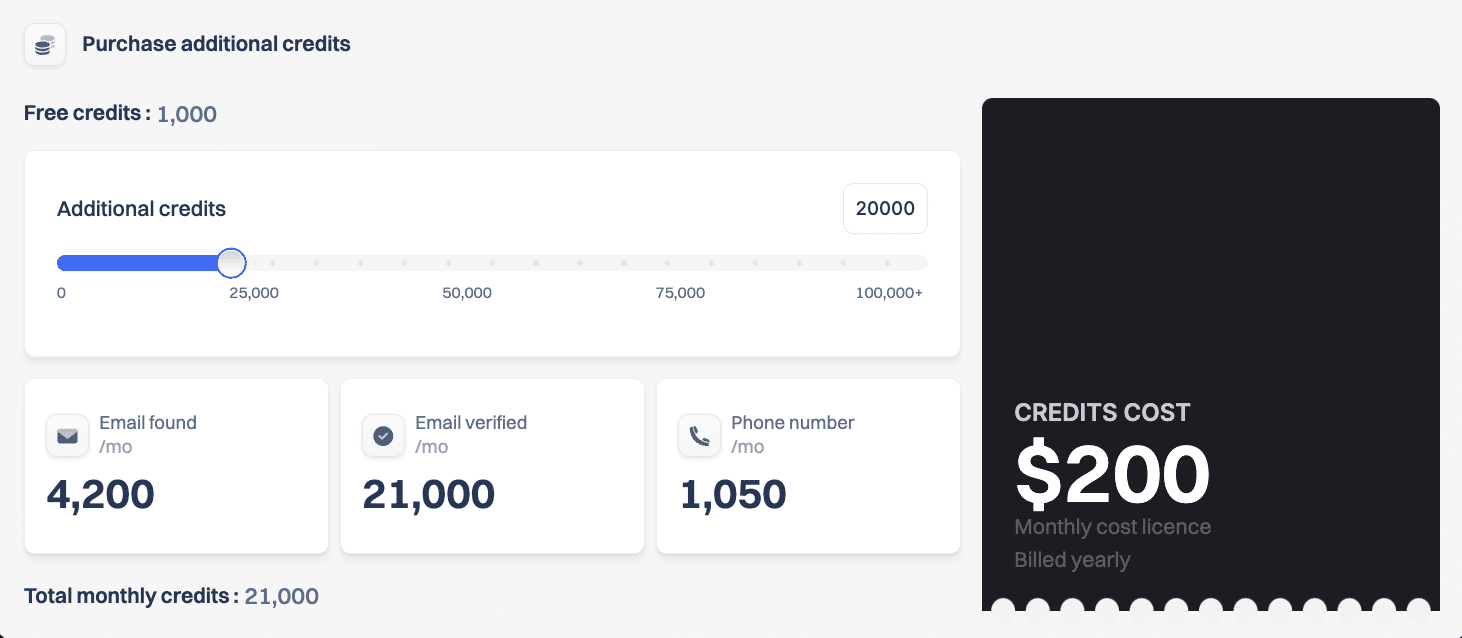
The number of free emails (and phone numbers) is genuinely limited, the priciest plans included. To go further, you have to buy credits.
And let’s not kid ourselves, the volume and freshness of the data vary a lot by country and by sector. Looking for IT directors at French industrial SMBs will surely turn up fewer results than HR managers in England.
But on the whole the database remains one of Lemlist’s big strengths. It is very well thought out and holds a genuinely impressive number of contacts with email and phone.
The multichannel prospecting sequence builder
Now that we have seen how Lemlist finds and enriches prospects in a few clicks, on to the logical next step: engaging them in multichannel sequences. This is the heart of Lemlist.
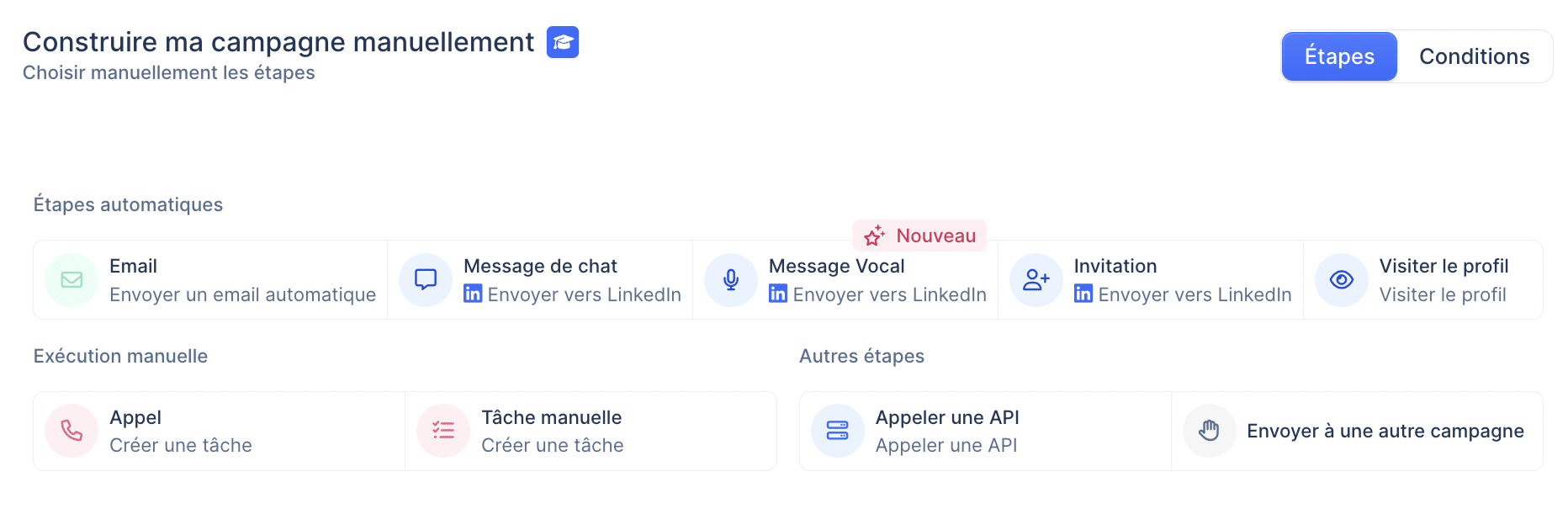
The principle is simple and works much like the other prospecting tools on the market (such as Waalaxy or La Growth Machine): you define a series of steps (email, LinkedIn message, call and so on) that follow one another based on the prospect’s behaviour.
For example:
- Day 1: send a first-contact email
- Day 3 (if not opened): send an email follow-up
- Day 5 (if opened but no reply): send a LinkedIn message
- Day 7 (if no reply): add a “Make a call” task
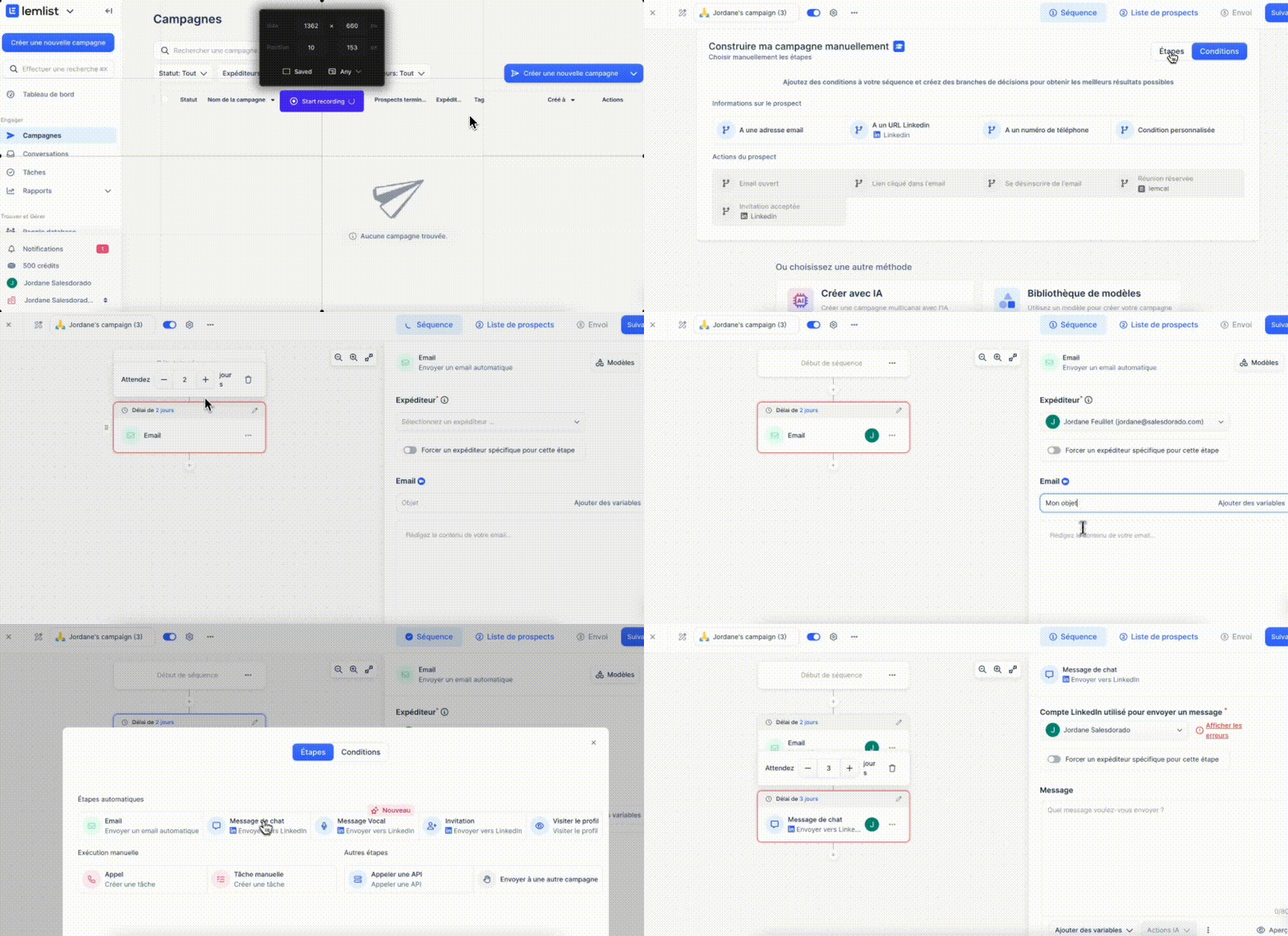
You can pick from around fifteen triggers and actions, whether on the sales side (email, call, task and so on) or on the prospect side (open, click, reply and so on).
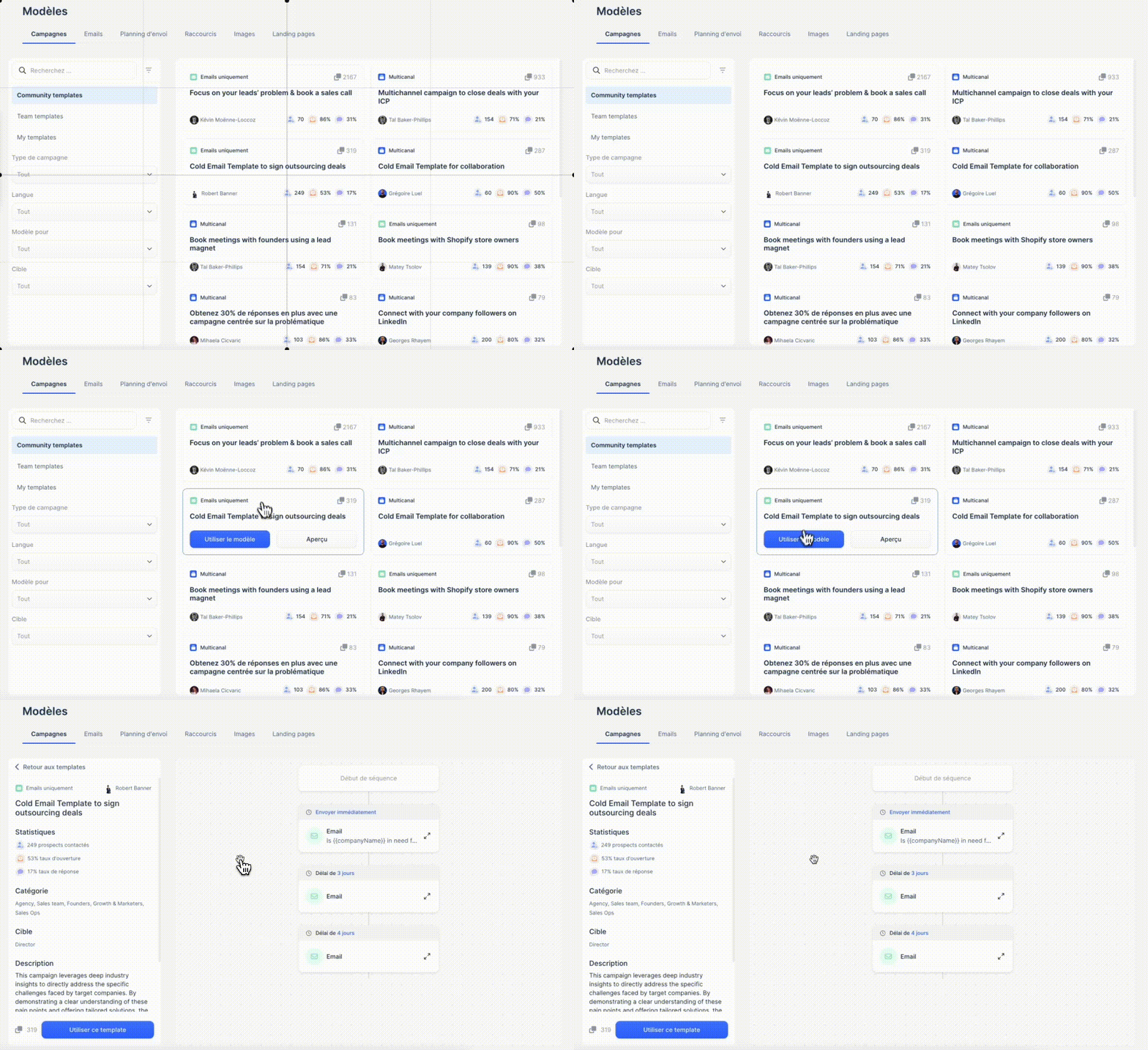
Lemlist also provides a fine library of scenario templates, contributed by the community. You can of course build your own templates too.
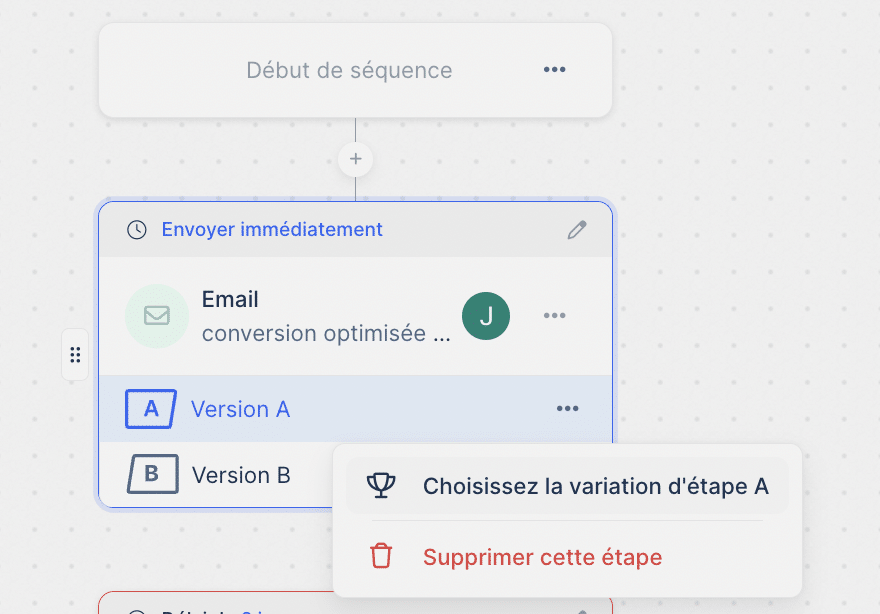
Let’s be honest, Lemlist’s workflow editor won’t give you the same functional depth as a HubSpot. You can’t really do deep A/B testing, for instance. And lead scoring features are missing altogether.
But let’s say Lemlist is more than enough for basic prospecting.
Templates and advanced personalisation options
Lemlist offers fine features for personalising the content of your prospecting messages. It is one of the tool’s strengths.
On email or LinkedIn message templates, we are on classic but effective ground. You can insert variables for basic fields such as first name, company name or job title. But also more exotic fields pulled during enrichment, such as headcount, annual revenue or founding date.
That alone gives you slightly more “contextualised” messages, without much effort. It always beats the endless “Hello |FNAME|” you still see far too often.
But Lemlist goes much further by letting you embed personalised images directly in the body of your emails. In practice, you can generate an image on the fly carrying the prospect’s first name, their company logo or text tailored to them. All of it while respecting your brand guidelines.
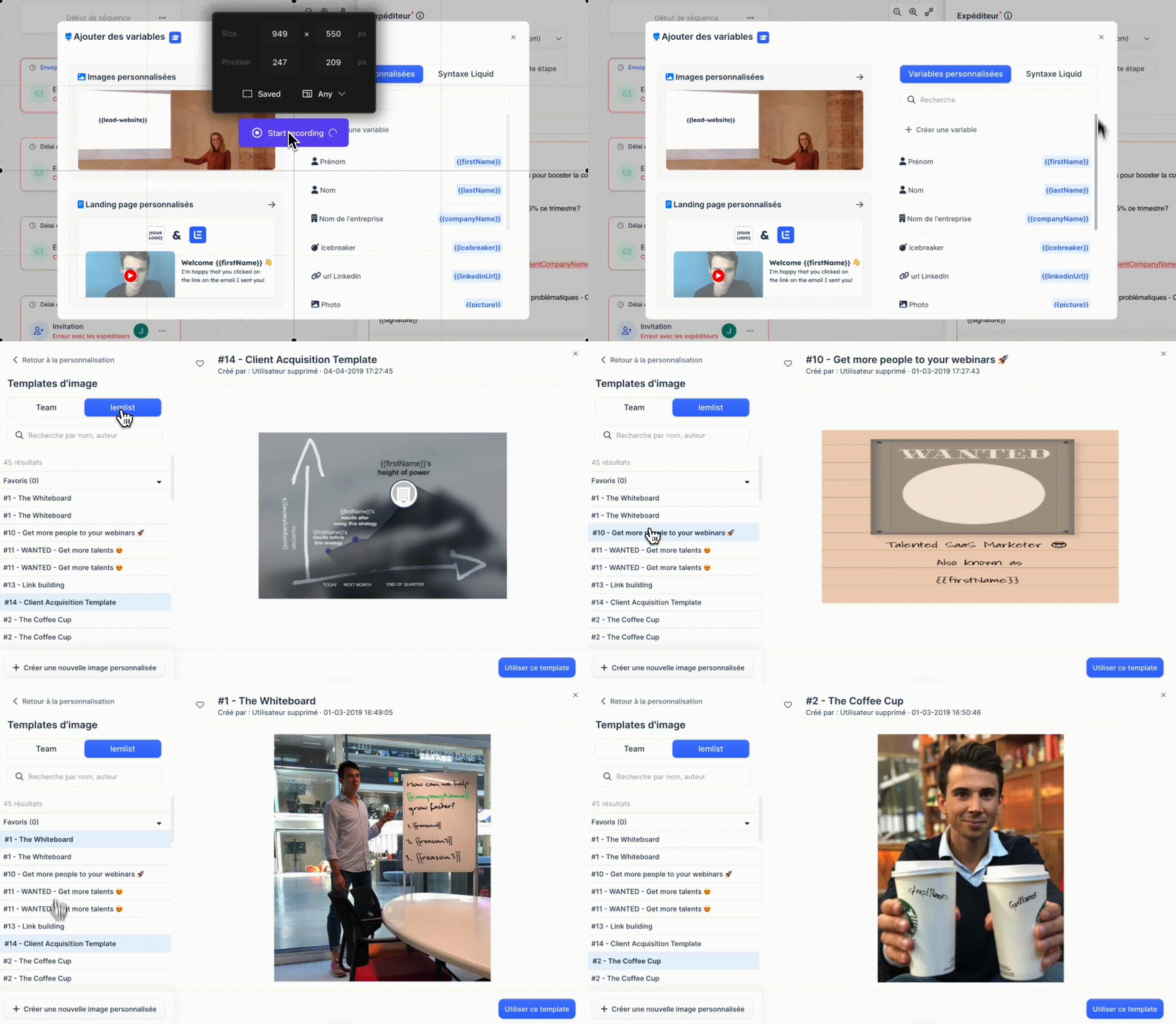
You can make the prospect’s first name appear on a coffee cup, a sign or a computer screen, for example. Or drop their company logo onto a badge, a plane ticket or a business card.
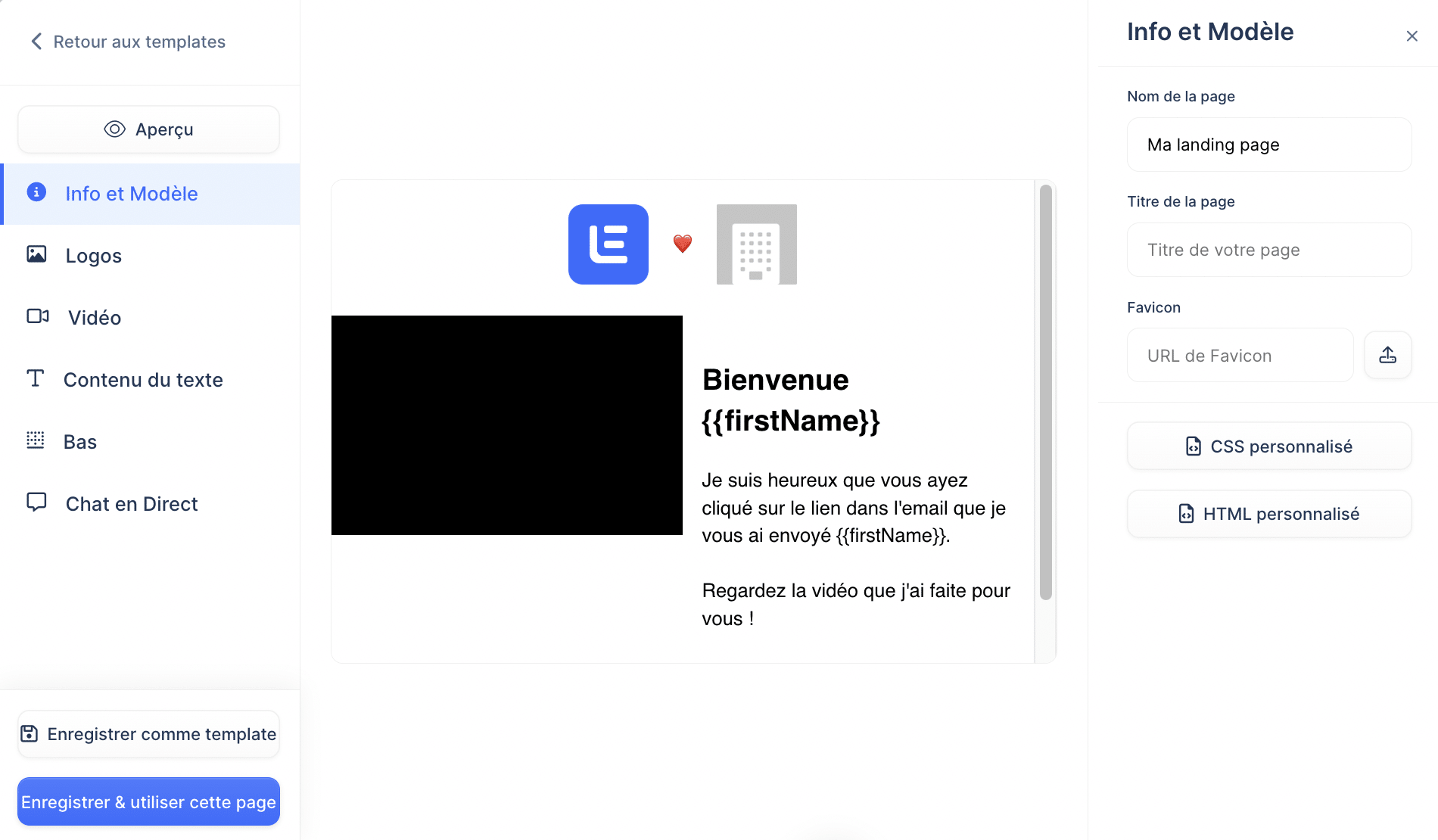
Another neat personalisation option: personalised landing pages. Instead of sending the prospect to a generic page, here too you can inject specific information (first name, company and so on) to build hyper-contextualised pages.
Lemlist’s Chrome extension
The Chrome extension Lemlist offers lets you import LinkedIn profiles straight into the tool in a few clicks.
Once installed, the extension adds a “Send to Lemlist” button on every LinkedIn profile. Clicking it opens a window with the information pre-filled (surname, first name, company, job title and so on). All that is left is choosing the campaign you want to add the prospect to.
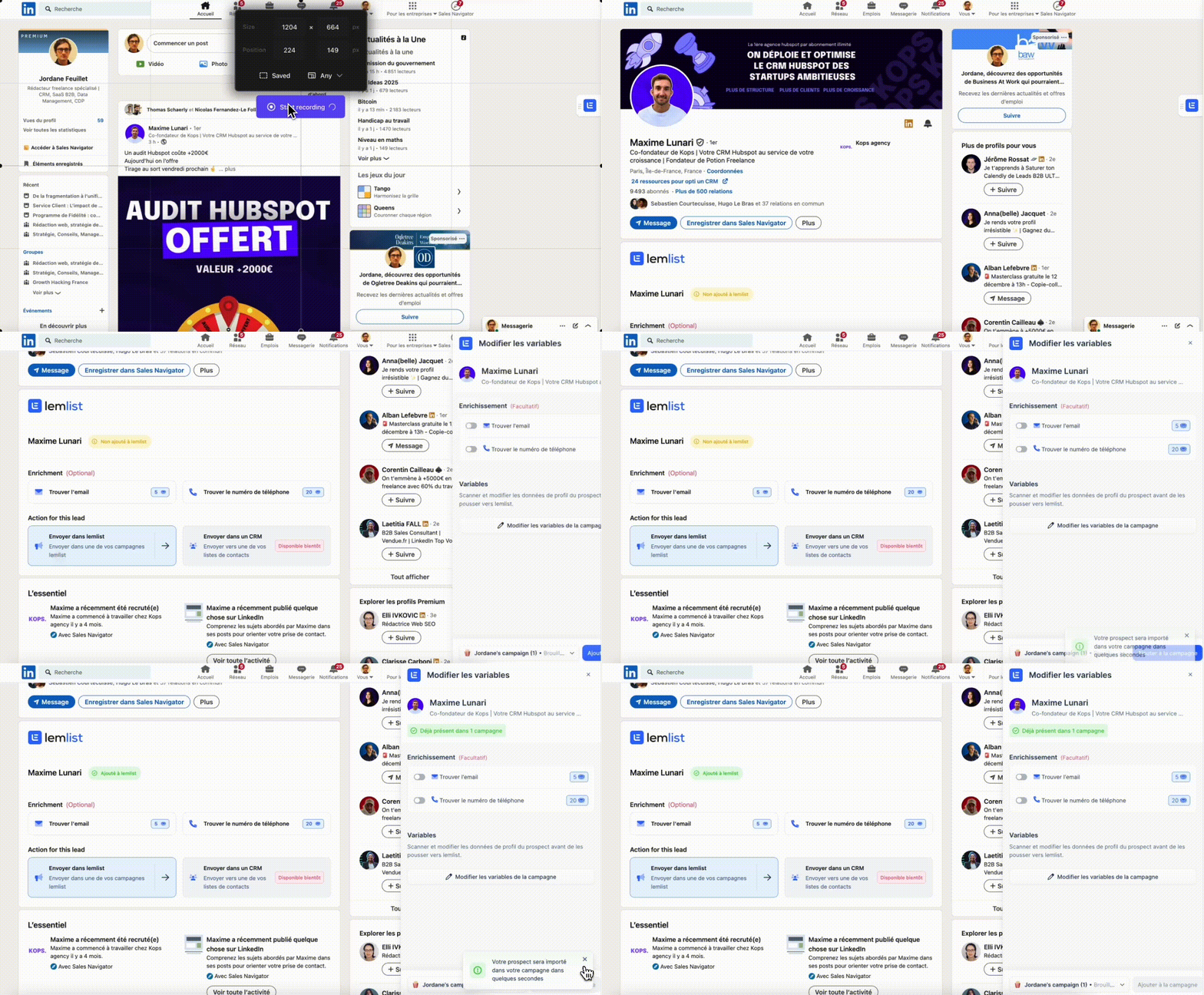
The advantage is that it works on company pages just as well as on profiles.
You can also import several profiles at once from the results pages to industrialise things.

The extension also enriches profiles automatically with extra information such as email address or phone number. But you can also run the enrichment afterwards, once the contacts are in Lemlist.
Lemlist’s Chrome extension is a nice little bonus that saves a fair amount of time. It spares you constantly exporting and re-importing lists between LinkedIn and your emailing tool. And it slots into the LinkedIn workflow rather well.
Tracking campaign performance in real time
Lemlist offers a fairly complete tracking tool for analysing campaign performance in real time.
The dashboard lets you follow the classic metrics such as the number of emails sent, the open rate, the click rate or the reply rate. You can also see the number of bounces (undelivered emails) and unsubscribes.
Nothing revolutionary so far.
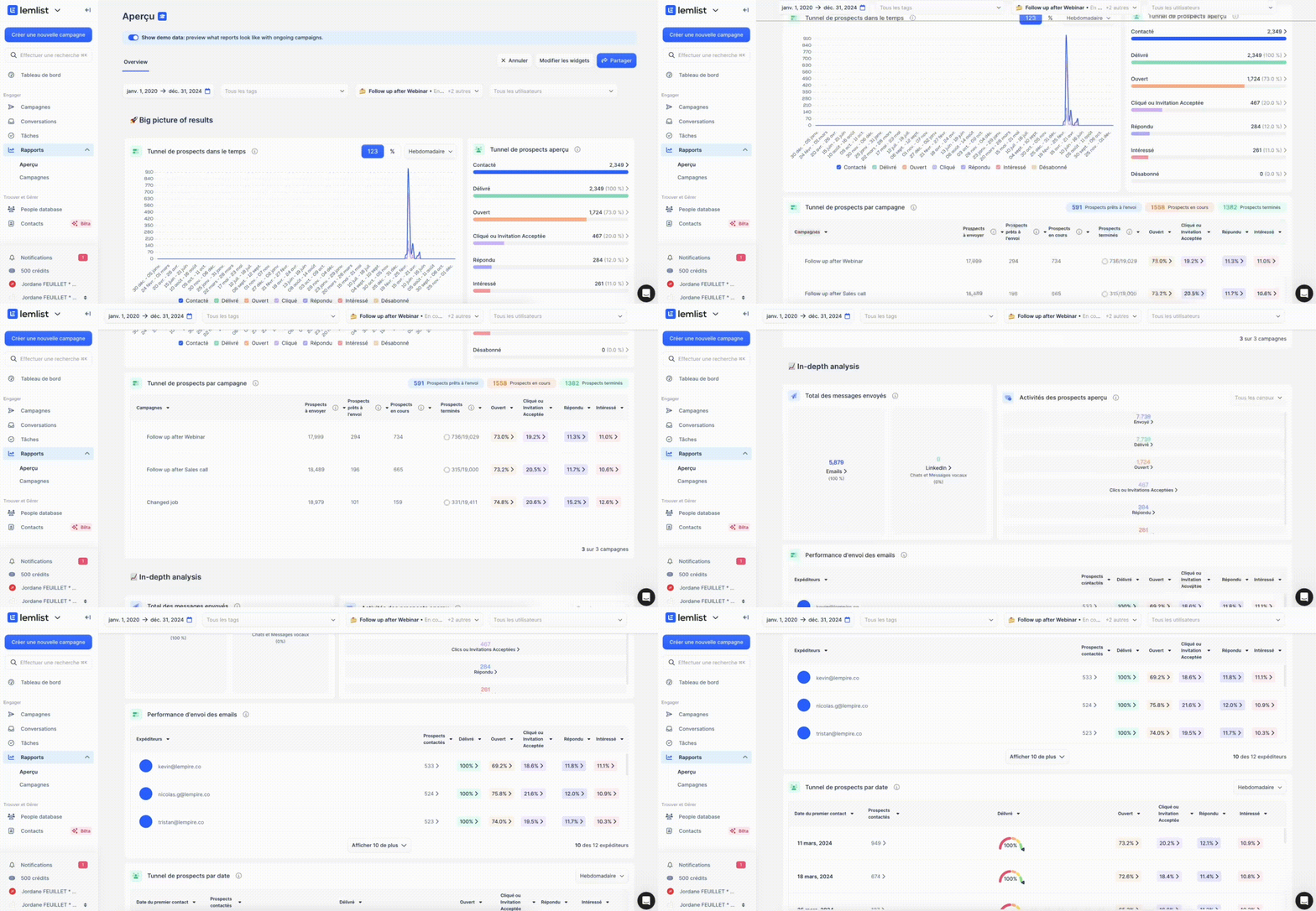
What is more interesting is being able to follow those KPIs by sequence, by step and even by rep. That lets you quickly spot the blockages and the levers to optimise.
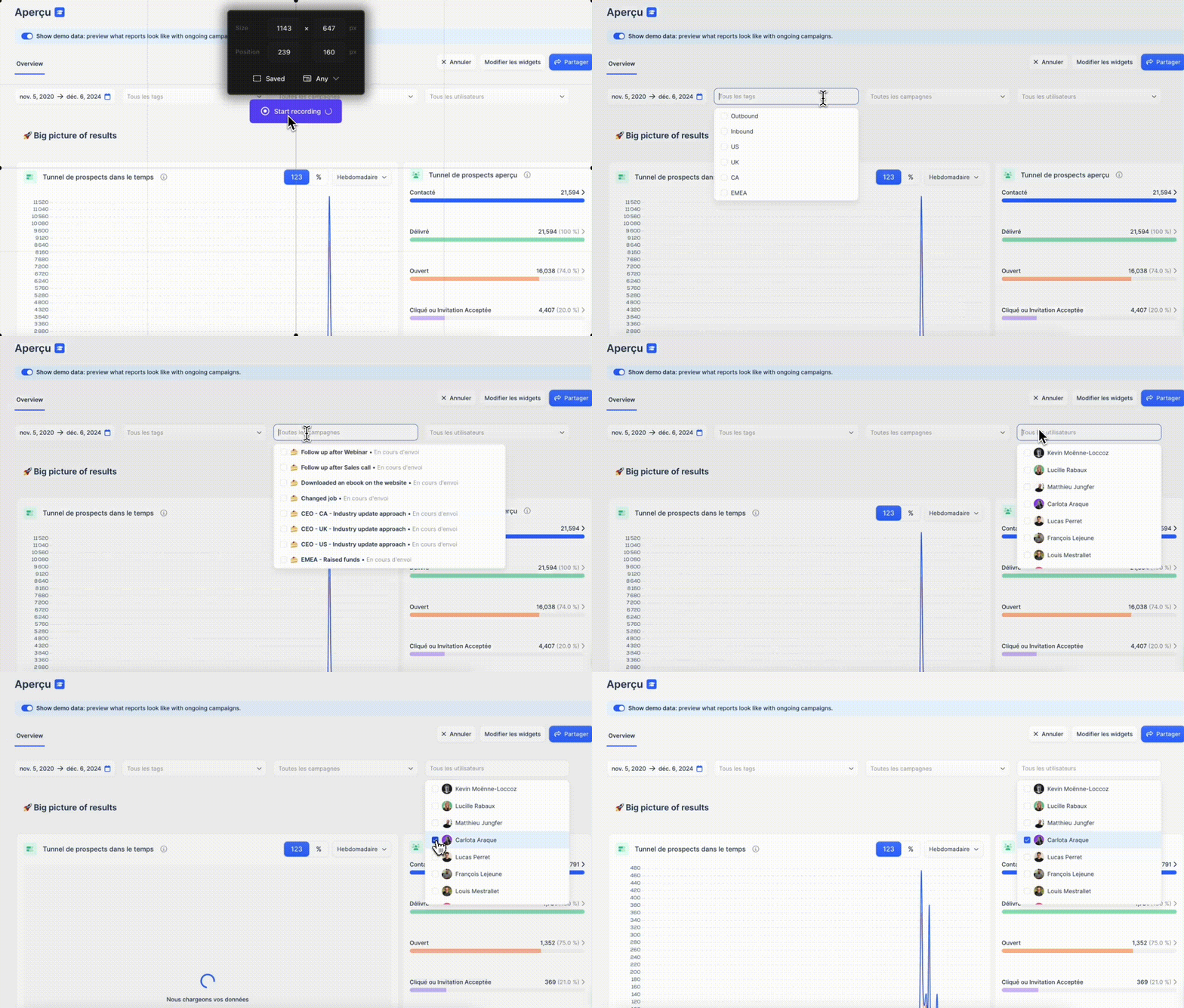
Worth noting too that reports can be customised. Lemlist offers a fine variety of widgets for that.
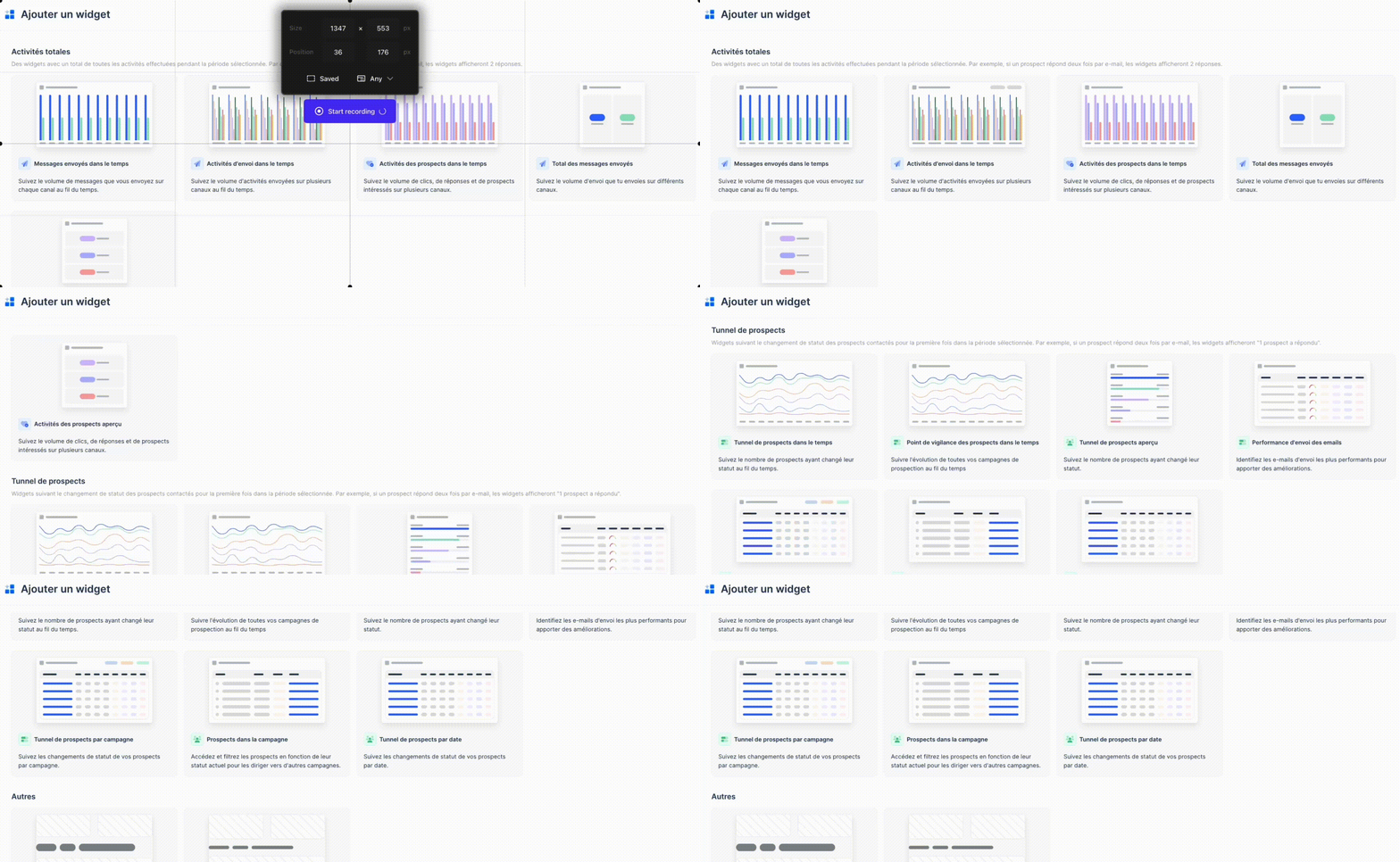
Lemlist naturally offers export features to pull all that data out. You can even schedule reports to be sent at whatever frequency you like.
In short, Lemlist is rather solid on the reporting side.
Of course, we are still on fairly basic analytics. Don’t expect the same features as a dedicated sales reporting tool. But for most use cases, it is more than enough.
The one negative is the absence of a real lead scoring tool for spotting the “hottest” prospects. You can rig up point systems based on actions (email opened = 1pt, link clicked = 2pts and so on) but it stays homemade.
A shame, because it is a valuable lever for prioritising sales effort. Especially in “account-based” prospecting, where you target key accounts with long sales cycles. Let’s hope Lemlist fills that gap in future.
An ecosystem of companion tools (Lemwarm, Lemcal)
As we have seen, Lemlist is already well equipped feature-wise. But the tool doesn’t stop there. It sits within a genuine ecosystem of companion tools that round out the experience. A quick tour.
Lemlist’s first “bonus” tool is Lemwarm (from $29 a month). It is a small piece of software that “warms up” your email domain before you launch a campaign. In practice, it sends “blank” emails (with no commercial content) to qualified contacts, to improve your deliverability.
It is a little technical, but broadly it builds a good reputation with email servers, and so maximises your chances of landing in the inbox.
Another neat tool: Lemcal (available in a free version). It is the in-house take on Calendly, built specifically for booking meetings with prospects. You set your availability, your meeting types (demo, discovery and so on) and then share the link in your emails or messages.
The prospect only has to pick the slot that suits them. Everything syncs with Lemlist, which then lets you trigger automatic actions (confirmation, reminder and so on).
Is Lemlist easy to use?
Lemlist prides itself on being a tool that is simple to pick up, non-technical people included. And it has to be said the interface is rather intuitive and well thought out. You find your feet quickly and can create your first campaigns without too much head-scratching.
Lemlist’s strong point is its “plug-and-play” side. The tool offers plenty of ready-made templates for various use cases (prospecting, follow-up, reminders and so on). That is a real time-saver, especially when starting out.
Lemlist also builds in AI features. It has recently started offering to generate complete prospecting sequences automatically in a few clicks. The principle is simple: you fill in some information about your target (sector, role, pain points and so on) and let Lemlist’s AI do the rest. In seconds, it produces a complete scenario with personalised emails.
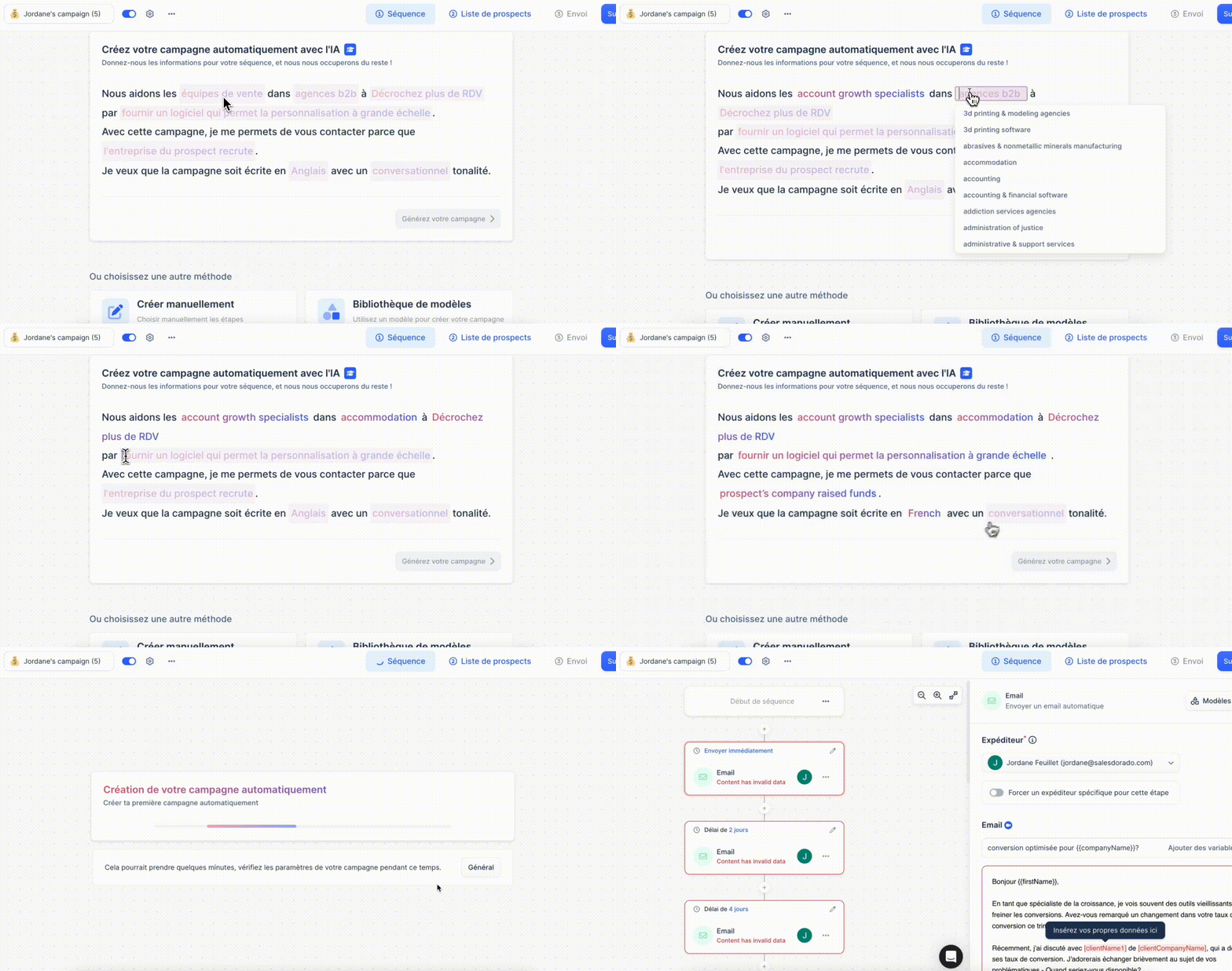
 Of course the result isn’t perfect and you will always have to refine the messages by hand. But it gives you an excellent starting point, even when you know nothing about it.
Lemlist’s AI also analyses your messages to spot wording that is too salesy or too aggressive. In that case the tool suggests alternatives to raise your chances of a reply. Clever.
All the same, Lemlist doesn’t get picked up in a few minutes, nor in a few hours. At the start, you feel your way around. Lemlist isn’t the most intuitive software on the market. On that front, an Apollo is much simpler (while being just as complete, if not more, it has to be said…).
You can’t talk about Lemlist without talking about content. We have seen that it is Lemlist’s trademark, betting on teaching to support its users. The tool offers plenty of guides, tutorials and webinars to build up your skills and get the most out of it. If you consume a lot of content, you will be delighted. And if you need help, you can reach Lemlist support by chat from the interface. Answers generally don’t keep you waiting too long.
Lemlist’s integrations
A prospecting tool is nothing without good integration options. On that front, Lemlist offers several.
First, you can connect Lemlist to your CRM to automate adding prospects to sequences and pushing actions back (opens, clicks, replies and so on). Lemlist offers native integrations with:
If you use another CRM software, you can use the API.
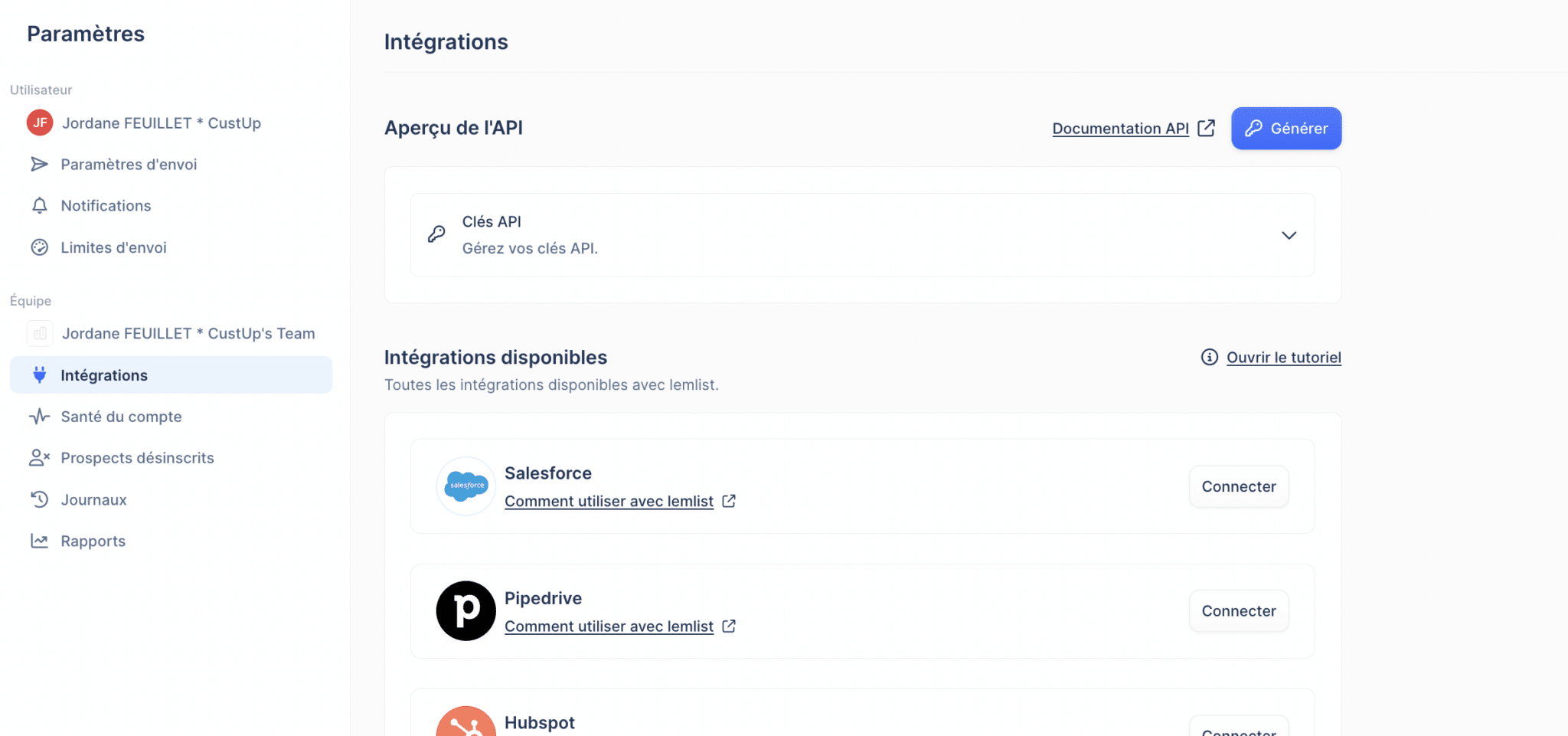
Lemlist also offers connectors with:
- Zapier, Make and n8n, to build automations and connect Lemlist to your other tools.
- Aircall, which lets you fold your phone calls straight into your prospecting campaigns.
- Slack, to receive notifications or reports tied to your Lemlist campaigns directly in your Slack channels.
- Open AI, to automate content generation (for your emails in particular).
- Ringover, which lets you call your prospects straight from Lemlist.
In the end, you get a fine set of native connectors. On this front, Lemlist earns points.
Lemlist pricing
On to the awkward question: how much does Lemlist cost? Before getting into the detail of the plans, bear in mind that Lemlist isn’t a low-cost tool. It is fairly expensive in use.
Lemlist offers 4 main plans depending on your needs:
- The Starter Email plan at 39€/month
- The Email Pro plan at 69€/month
- The Multichannel Expert plan at 99€/month
- The Outreach Scale plan at 159€/month
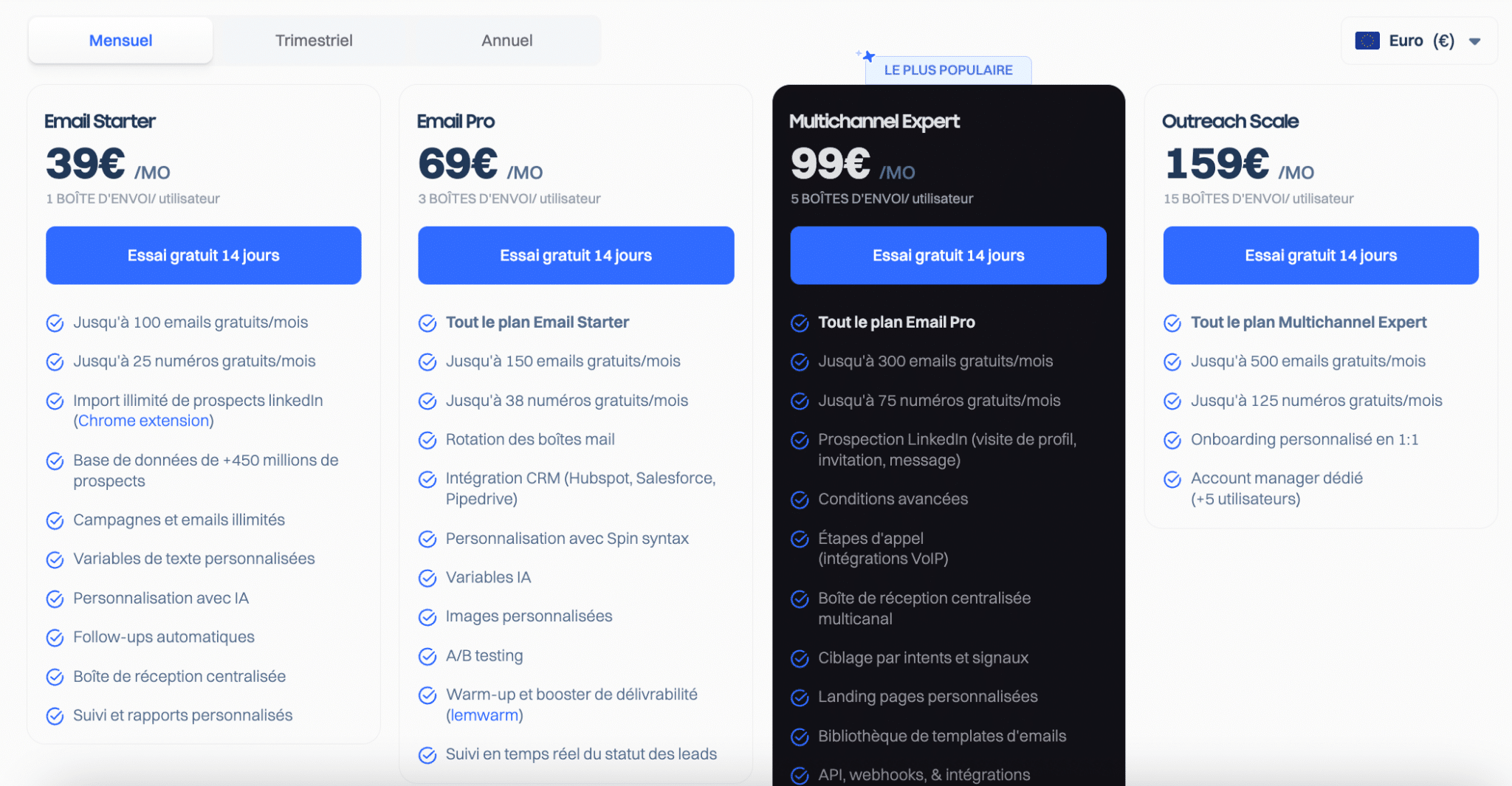
Careful: only the last two plans genuinely allow multichannel prospecting (email + LinkedIn + others). The two Email plans are limited to email campaigns!
That is an important subtlety to keep in mind. If you want to tap Lemlist’s full potential, sequences across several channels in particular, you will have to lay out at least 99€ a month per user.
Beyond that, the Outreach Scale plan at 159€/month lets you use up to 15 sending inboxes but, in practice, offers few functional differences from the Multichannel Expert plan. What really sets it apart is access to a dedicated account manager.
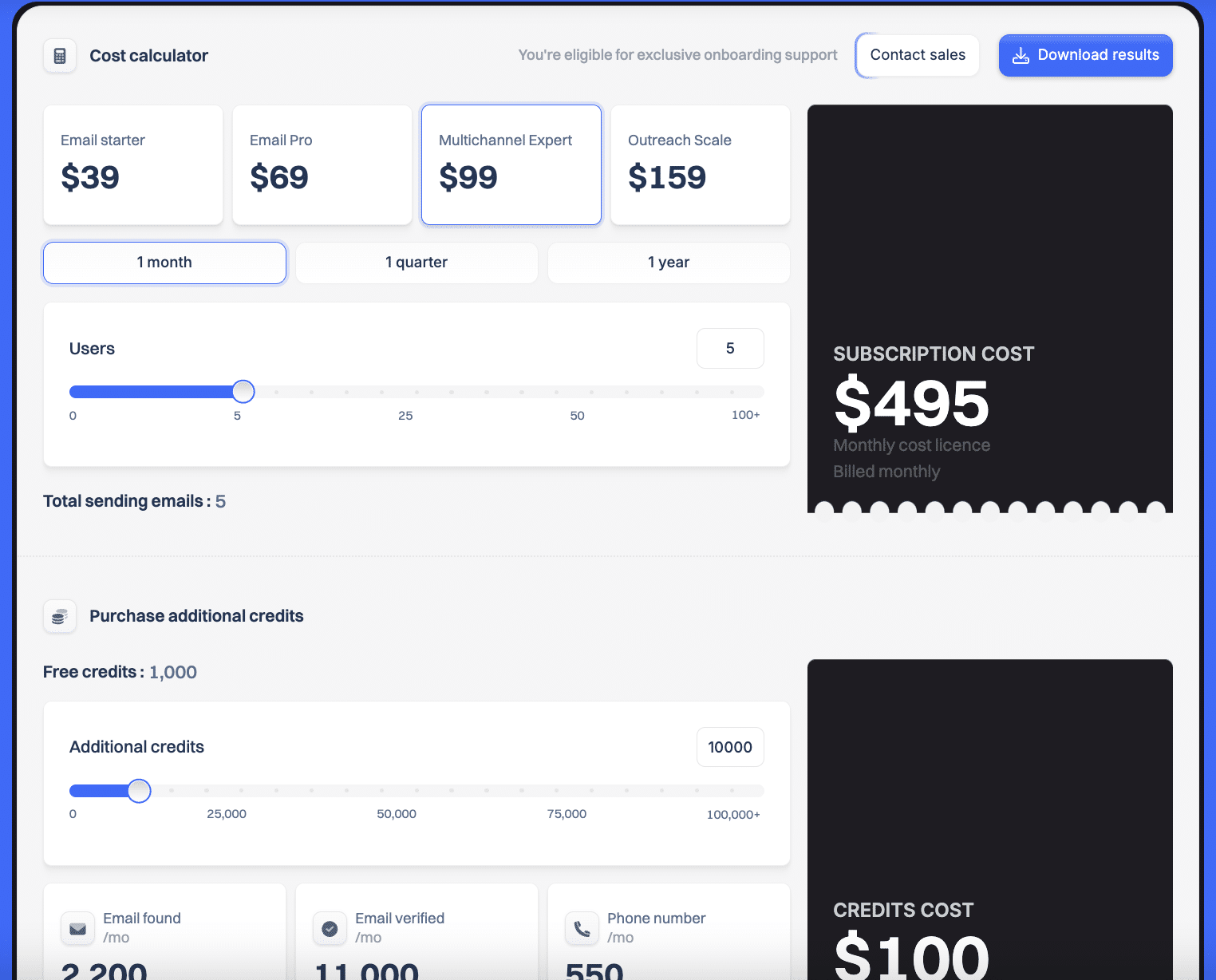
As mentioned at the start of the article, the number of free emails and phone numbers included in the subscriptions is very limited. The priciest plan, Outreach Scale, only offers 500 free emails, for instance. If you want to go (much) further, you will have to add the cost of extra credits on top of the subscription. To give you an idea, $100 of credits buys you 2,200 emails and 550 phone numbers.
On the Lemlist pricing page you will find a calculator to estimate what the software costs against your criteria: number of users, plan chosen, additional credits (for email and/or phone enrichment) and so on.
Lemlist is clearly positioned at the top of the market with fairly high prices, especially compared with more targeted tools such as Waalaxy. The investment can add up fast for startups or small sales teams needing several users.