What exactly is Claude Design?
Claude Design is a product launched on 17 April 2026 by Anthropic Labs, the experimental lab of Claude’s publisher. It generates visual material such as interactive prototypes, slides, landing pages, one-pagers and mockups, from instructions written in plain language.
The product is powered by Claude Opus 4.8, Anthropic’s best-performing vision model at the time of launch. That model is what reads your files, understands the context of your brand and generates the final output as interactive HTML.
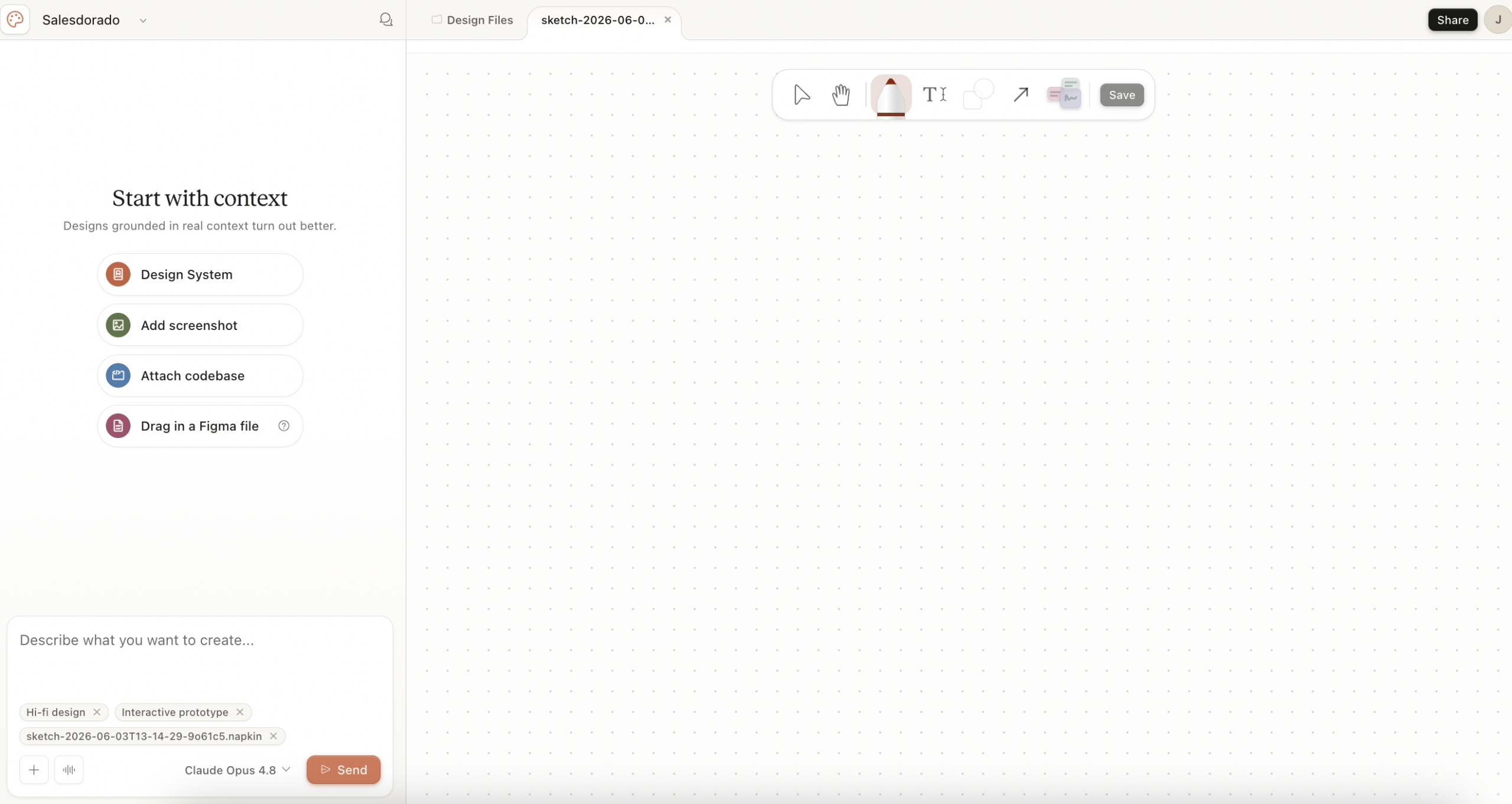
Anthropic’s official positioning is blunt: the target isn’t the seasoned Figma designer, it is founders, PMs, marketers and anyone who has a visual idea but neither the time nor the skills to execute it in a traditional design tool. Anthropic gives designers something to chew on too, but as a rapid exploration tool: generate a dozen directions in half an hour, then refine the best one in Figma.
The positioning: why this product, why now?
Claude Design launched three days after Mike Krieger, Anthropic’s CPO, resigned from Figma’s board. Figma officially stated that the departure wasn’t tied to any disagreement, but it is hard to believe in pure coincidence…
Anthropic wants to build an integrated “idea → design → code → production” stack, and Claude Design is the brick that was missing between Claude (text and thinking) and Claude Code (code generation).
The announcement drew an immediate reaction from the market, which read the launch as a frontal attack. Not because Claude Design replaces Figma on its premium uses such as vector collaboration, managed design systems or dev mode, but because it goes after a real and broad segment: every non-designer who was producing artefacts in Figma anyway for want of anything better.
Claude Design’s key features
Automatic design system extraction from your codebase
This is the differentiating feature, the one that justifies looking at Claude Design rather than another UI generator.
During onboarding, Claude Design asks you to point it at a reference source. You have several options:
- You can connect your GitHub repository.
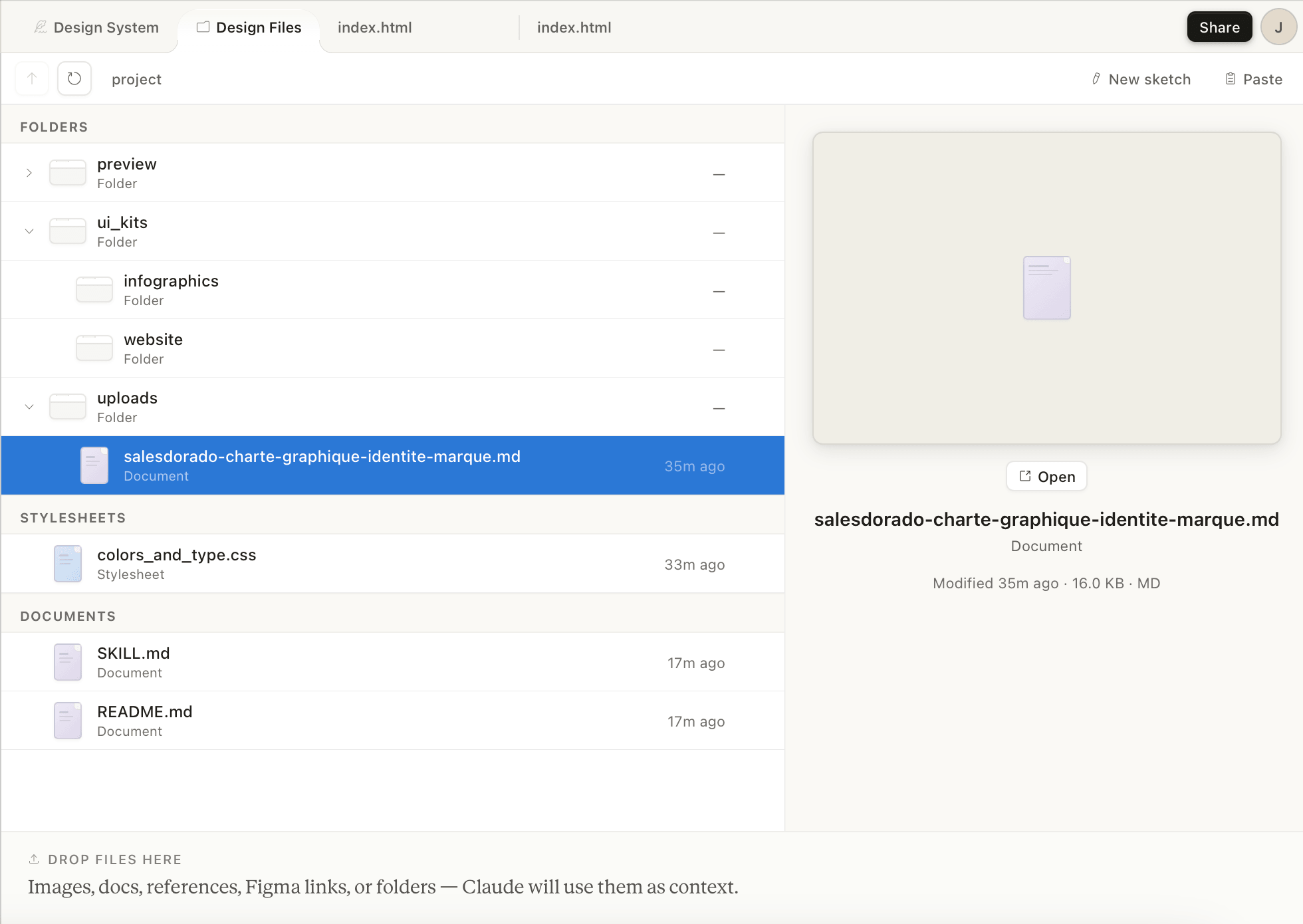
- You can upload your design files (Figma export, screenshots, captures of the existing site).
- You can also import structured documents (DOCX, PPTX, XLSX) that already reflect your visual identity, or even a brand book PDF.
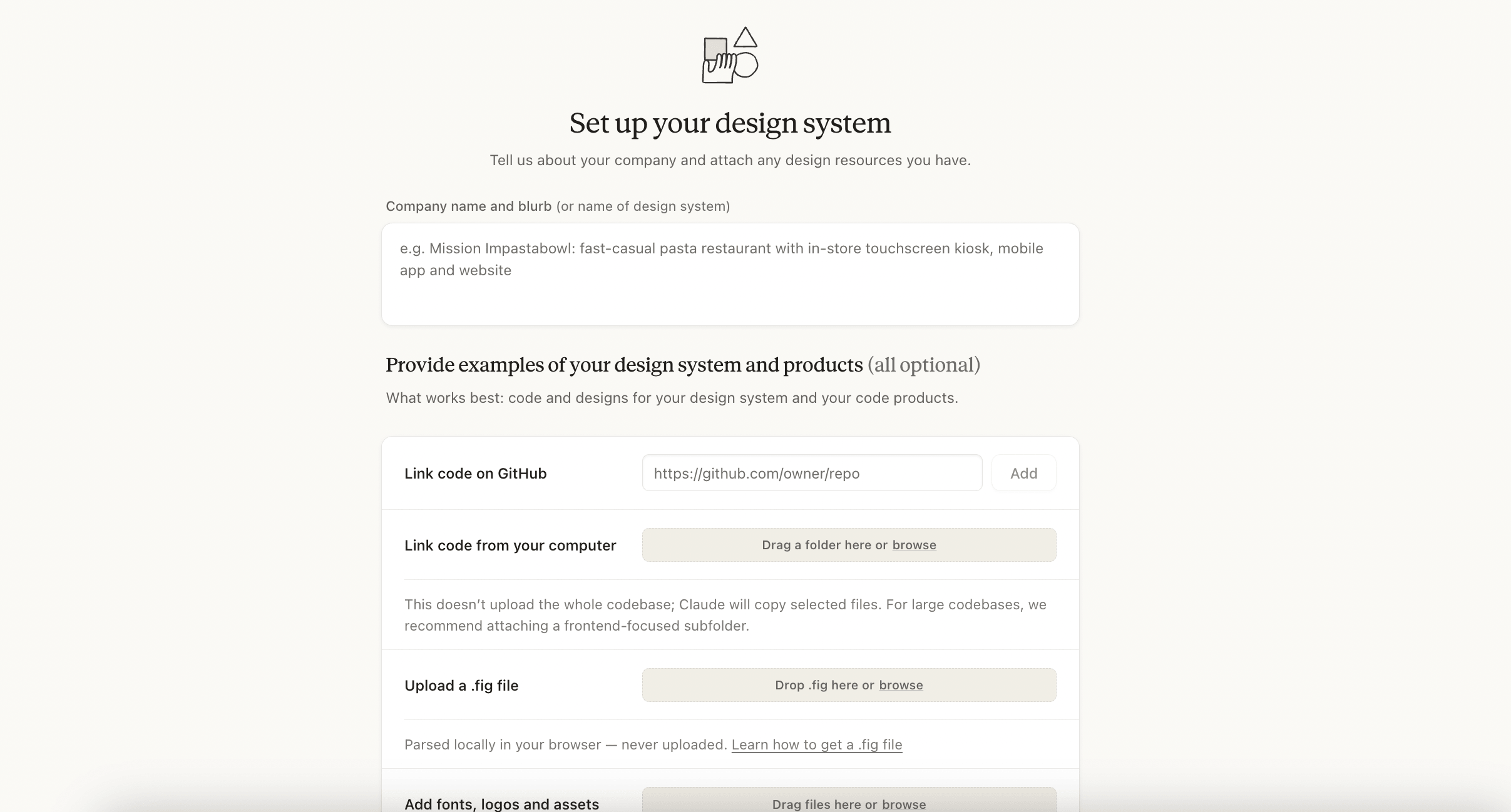
From those sources, Claude automatically extracts a design system:
- Colour palette.
- Typefaces.
- Hierarchy.
- Recurring UI components (buttons, layout patterns…
All your subsequent projects automatically use that base without you having to specify it again.
This is exactly what neither Lovable, nor v0, nor Figma Make manages to do this cleanly. Lovable and v0 import a one-off mockup, whereas Claude Design infers a coherent system from existing code.
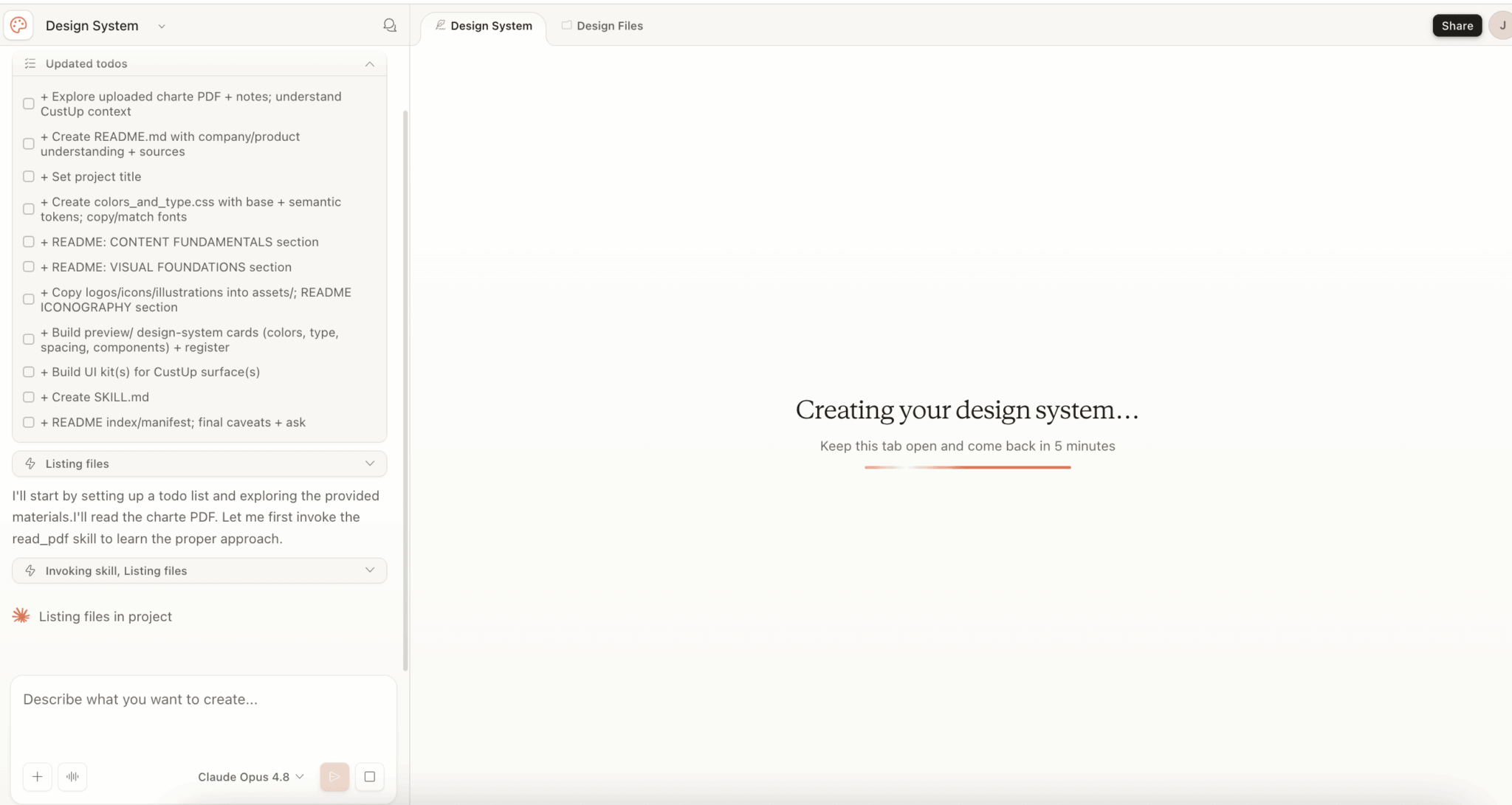
An important nuance in practice: that coherence doesn’t fall from the sky. If you start a generation without having plugged in your design system, Claude Design invents its own style guide. The result stays clean, but it doesn’t look like your brand.
As long as the colours, the typefaces and the components aren’t supplied explicitly, the tool improvises a generic visual identity. So the initial calibration isn’t optional, it is the condition for the “consistent with your brand” promise to hold.
The conversational canvas and the tweaks panel
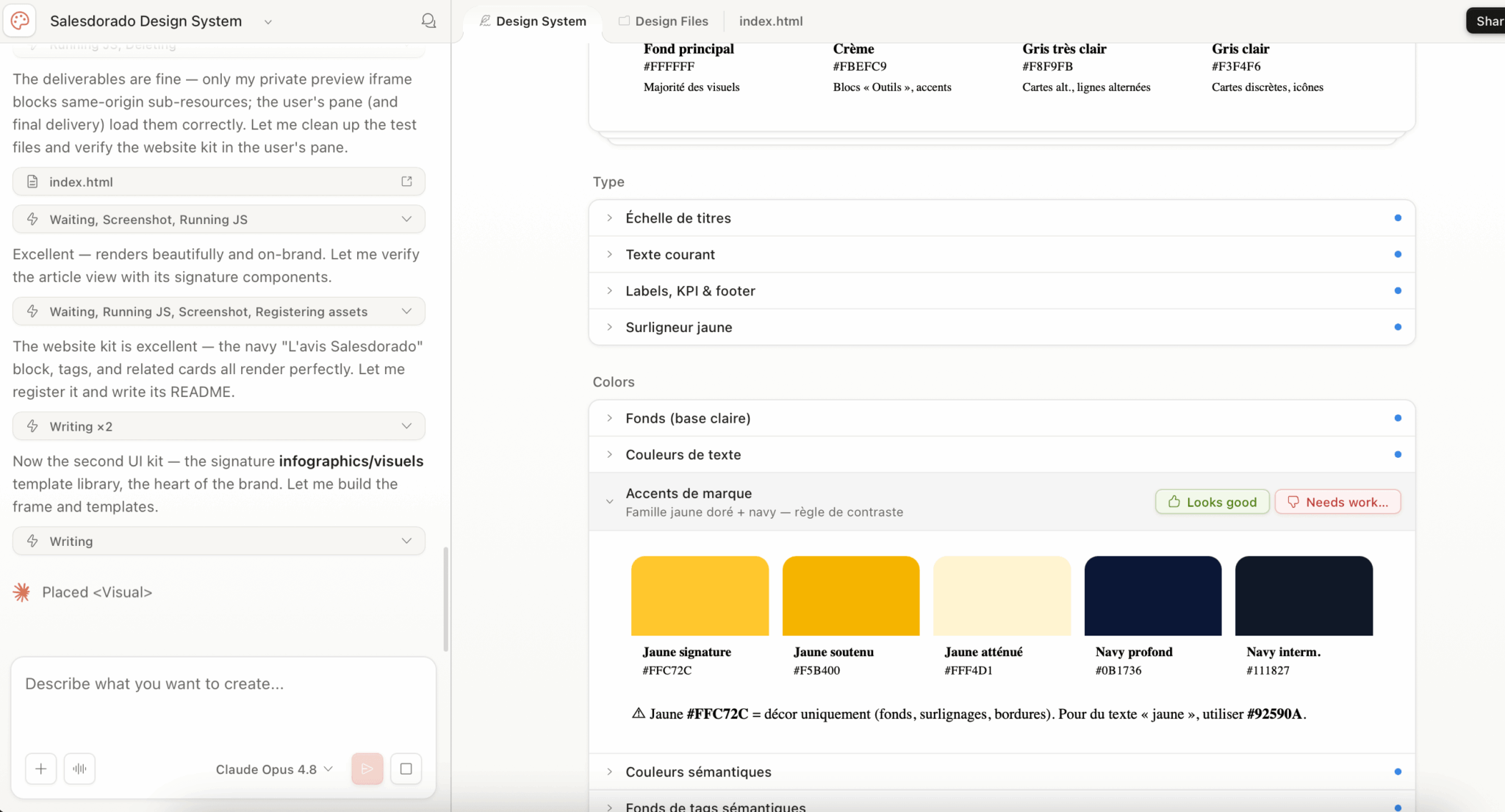
Once the first output is generated, Claude Design offers four channels for iterating: the classic conversation (you type “make the CTA punchier”), inline comments straight on the element you want changed, live text editing on the mockup and, above all, the tweaks panel.
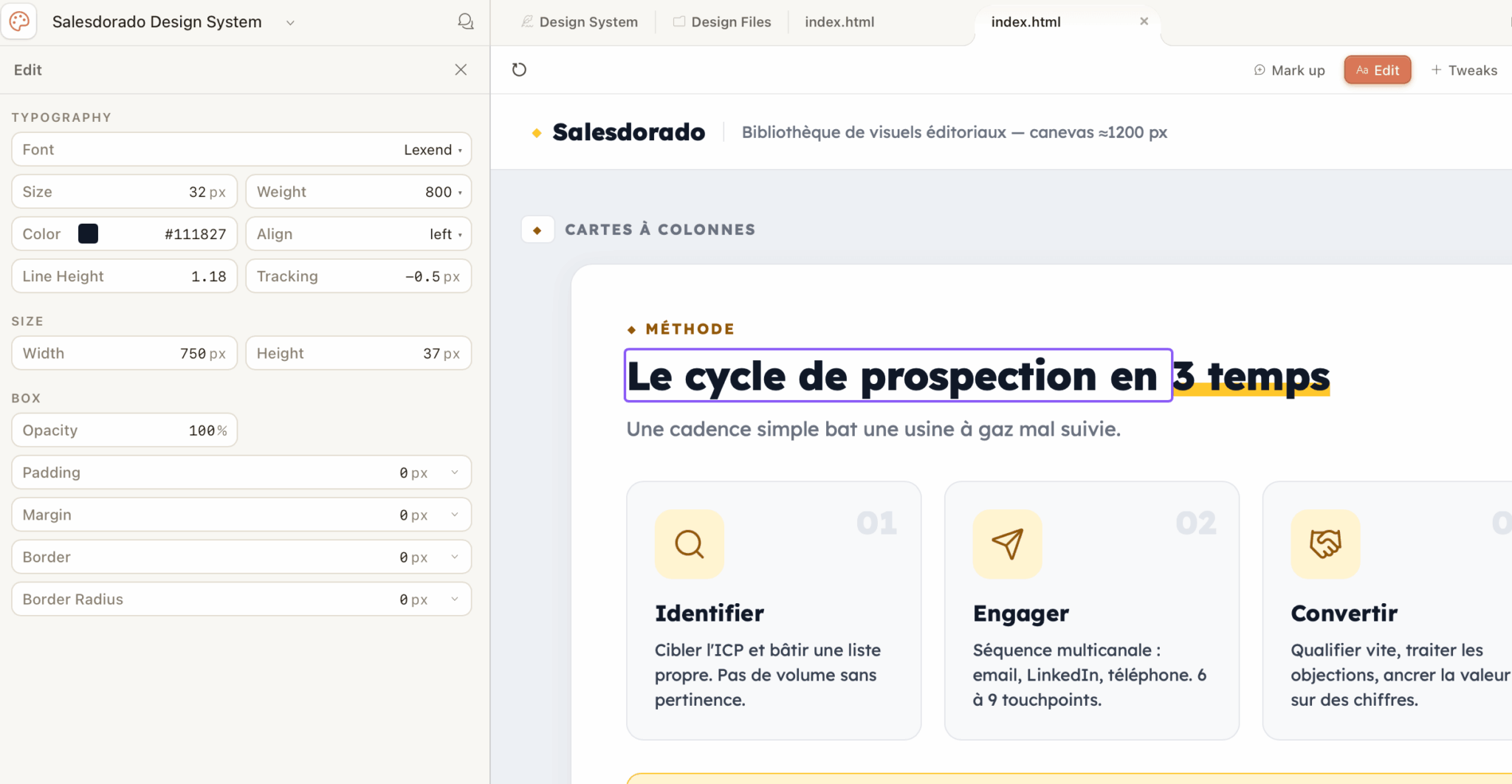
The tweaks panel is the product’s real UX innovation. For each project, Claude generates contextual sliders on the fly: interface density, palette aggressiveness, section height, type scale. You don’t re-prompt. You adjust live, with no full regeneration, and the output updates.
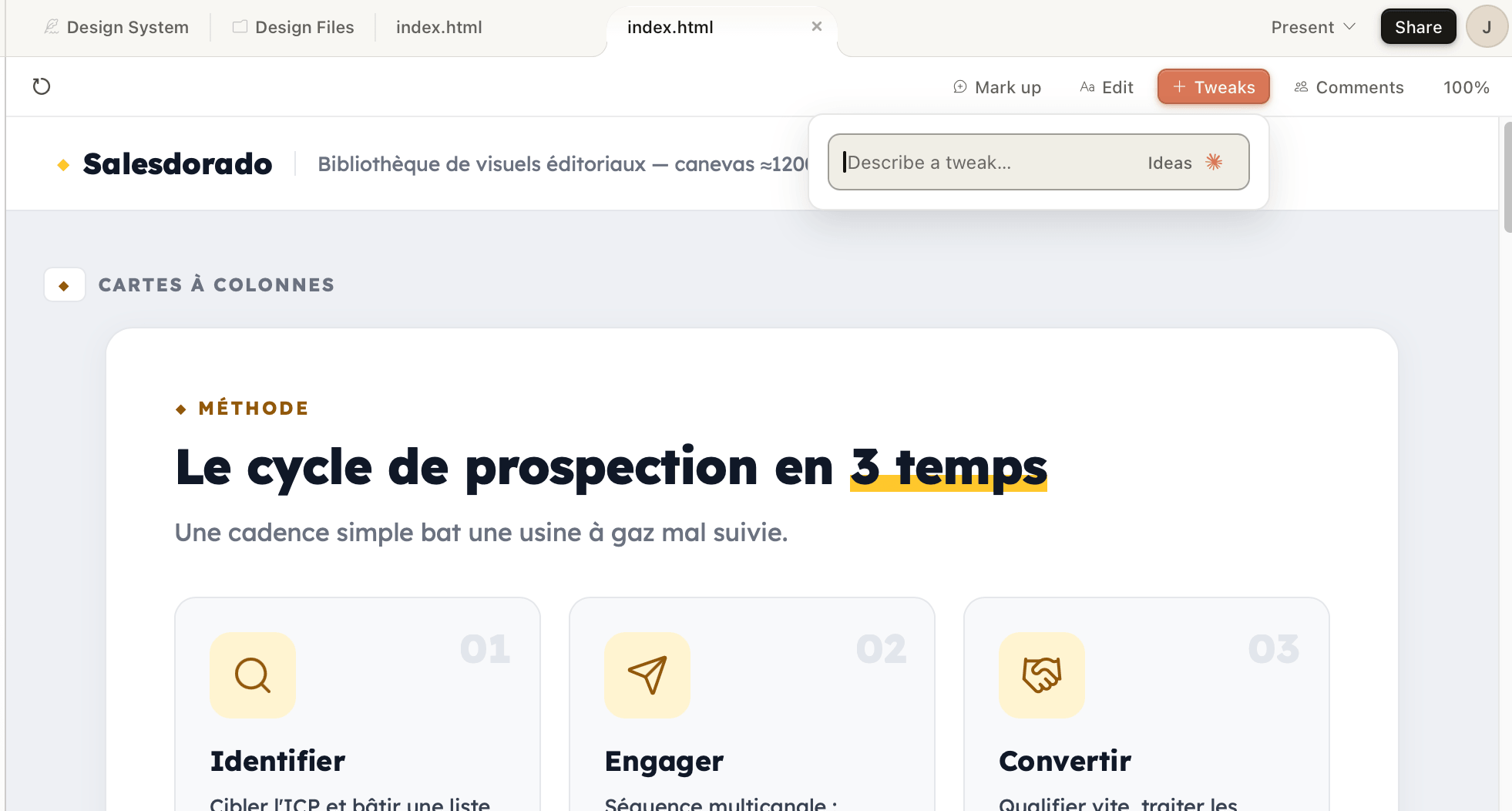
It is this logic that moves Claude Design from the status of “image generator” to that of a genuine design tool.
In practice, you feel it: on a mockup, adjusting density and spacing with a slider takes ten seconds, where you would have to re-prompt and wait for a regeneration with any other tool. Anthropic also points to the example of Brilliant’s product team, which reports that complex pages requiring around twenty prompts in competing tools took two in Claude Design.
That matches what we saw: the time saved comes less from the initial generation than from the adjustment phase.
Imports: everything becomes a design source
Claude Design accepts a fairly impressive variety of inputs to start a project:
- Plain text prompt: the basics. You describe what you want, Claude generates it.
- Images and screenshots: useful for showing a visual reference, a competitor’s site, a page you like and so on.
- Structured documents: DOCX for marketing briefs, PPTX for existing decks to rework, XLSX for the data to visualise.
- Codebase: to extract the design system of your existing product.
- Web capture tool: you point at a URL and Claude pulls in elements to use as a reference in the prototype.
Web capture is particularly useful if you want to prototype a redesign of your own site without having to export anything.
Exports: Canva yes, Figma no
Once your design is signed off, Claude Design offers several export formats, but with one notable absence:
- Canva: direct export to Canva through a technical partnership between Anthropic and Canva. You get an editable file a non-technical person can carry on working with by drag and drop.
- PPTX: to slot your slides into an existing PowerPoint or Google Slides presentation.
- PDF: to freeze a deliverable meant for circulation.
- Standalone HTML: to deploy the prototype as it is, or hand it to your dev team.
- ZIP with source code: useful for picking the project up in an IDE.
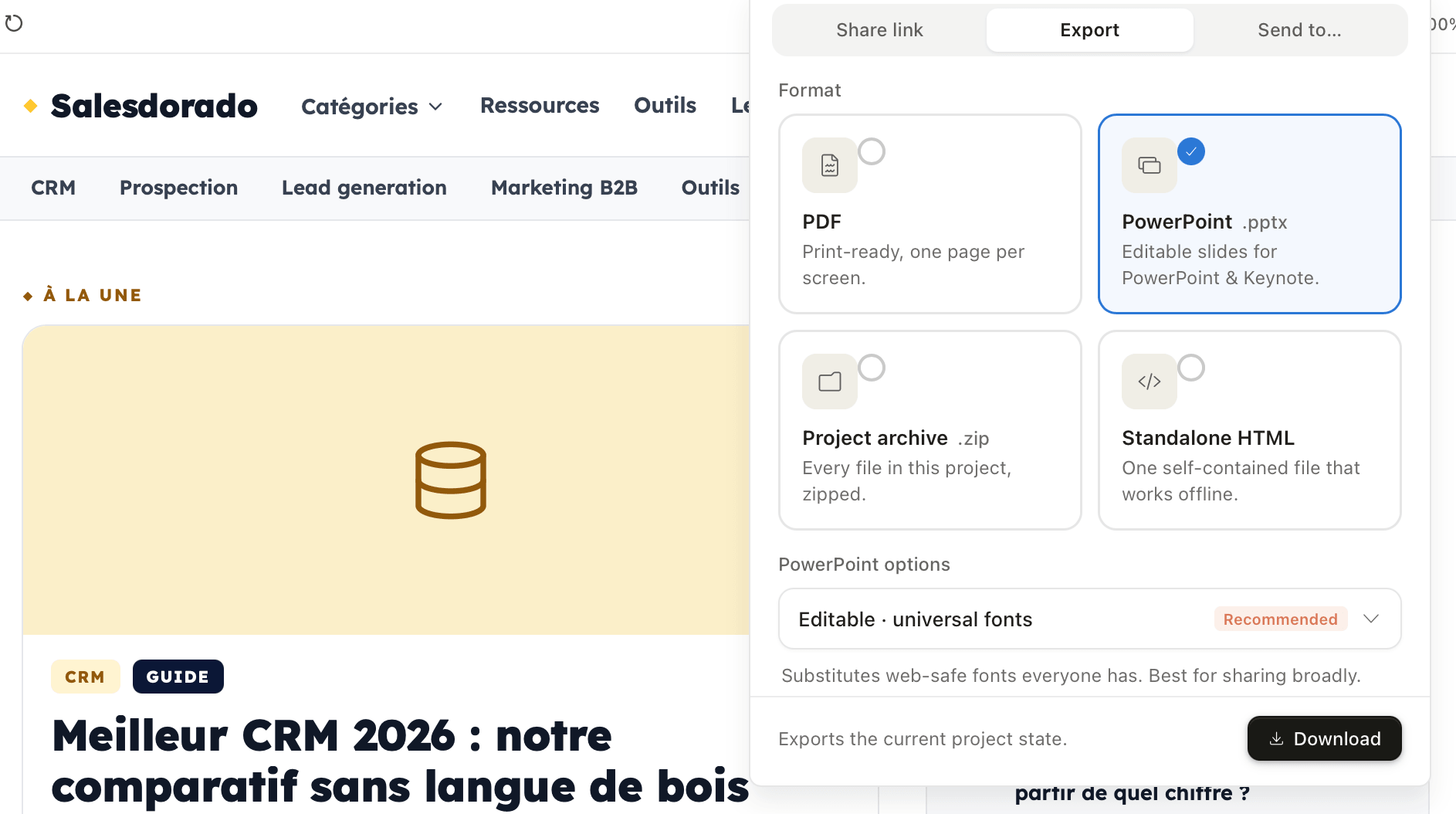
No Figma export, and that is deliberate. Anthropic clearly positions Claude Design as an alternative to Figma for non-designers, not as a companion upstream of it. If your process then runs through Figma for the finishing touches, you’ll have to recreate your design in Figma by hand from the exported HTML…
The “all in code” trap
Unlike Figma, which manipulates vectors, Claude Design writes HTML/CSS/JavaScript and renders it live. The consequence: you can’t edit to the pixel. You describe an intent, Claude interprets it. If your process demands exact pixel placement, typical of display campaigns or printed material, Claude Design isn’t the right tool.
Handing over to Claude Code: the real design-to-code loop
This is the other feature that changes things. Once your design is signed off, a single click packages the whole thing (components, design system, structure, context) into a “bundle” that Claude Code, Anthropic’s agentic coding tool, can work from.
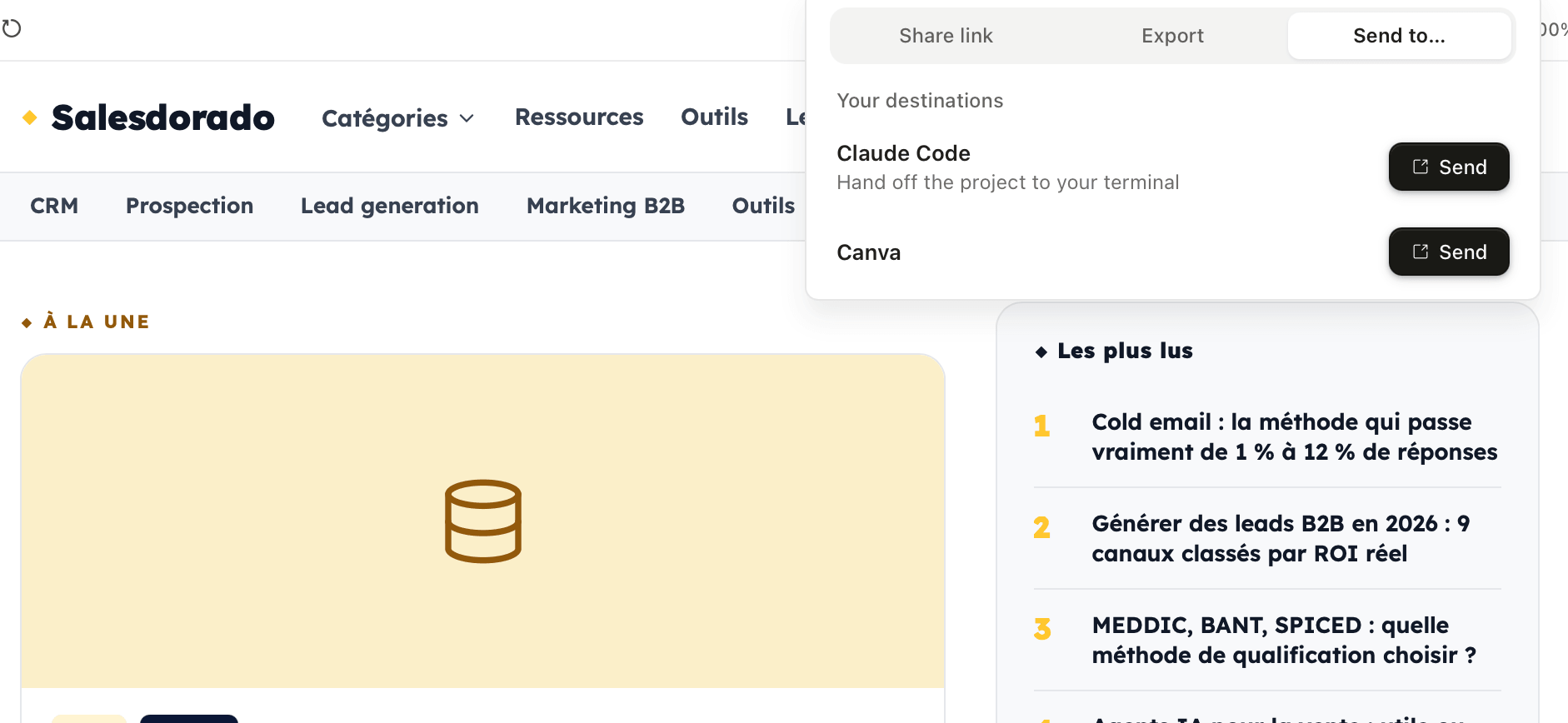
Claude Code reads that bundle, understands your design system and generates the matching front-end in the repository of your choice. On simple projects such as landing pages or dashboards, the generated code is usable almost as it stands. On complex projects, it serves as a very solid base a developer can build on.
This handover is what makes Claude Design more than one more prototyping toy. For the first time, there is a direct path, within the same ecosystem, between “I have an idea” and “I ship to production”. And that is a game-changer.
Pricing: what you really need to know before subscribing
Anthropic’s pricing page states that Claude Design is “included” in every paid plan. That is technically true, but it is also slightly misleading.
The plans that give access to Claude Design
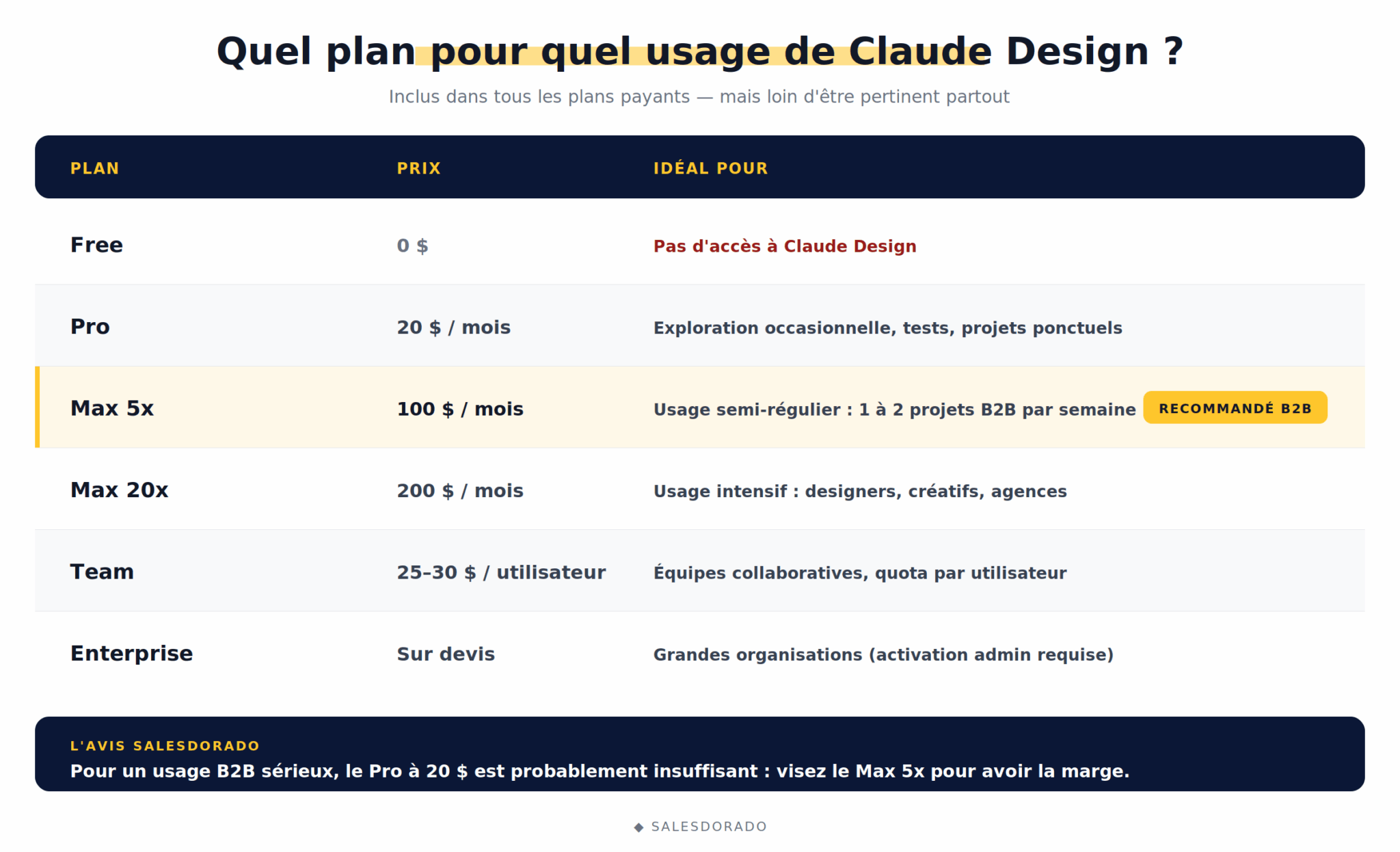
| Plan | Price | Best for Claude Design |
| Free | 0 € | No access to Claude Design |
| Pro | 20 € / month incl. tax | Occasional exploration, tests, one-off projects |
| Max 5x | 100 € / month incl. tax | Semi-regular use: PMs and marketers producing one or two projects a week |
| Max 20x | 200 € / month incl. tax | Heavy use: designers, creatives, agencies |
| Team | 25-30 € / user / month | Collaborative teams, quota per user |
| Enterprise | On quote | Large organisations (admin activation required) |
The separate weekly quota: the real issue
Claude Design has its own weekly quota, entirely independent of Claude’s other uses such as the chat and Claude Code.
What that means in practice has two sides:
- The good news first: using Claude Design doesn’t eat into your Claude chat quota.
- The bad news next: that dedicated quota is managed separately… and it empties fast.
What we saw in practice is that the most expensive phase isn’t generating the projects themselves, it is the initial step of building the design system, which asks Claude to explore and read an entire codebase or set of files.
That pass alone eats a substantial share of the weekly quota. Yes, you read that right…
Add the building of a slightly ambitious prototype on top, with its iterations, and on the Pro plan you hit the wall after two or three projects in the week.
Anthropic offers a pay-as-you-go extra usage option at the standard API rate, but that obviously changes the product’s economics.
Salesdorado’s tip for saving your quota
Save the heaviest model (Opus 4.8) for the initial generation, which demands the most power, then switch to a lighter model (Sonnet 4.6) for the micro-iterations (moving a block, adjusting a colour, rewording a heading). Most of the consumption happens on the first output and on the codebase analysis, not on the touch-ups.
Salesdorado’s take on the right plan
For serious B2B commercial use (a founder preparing a fundraise, a PM prototyping regularly, a marketer producing material every week), the Pro plan at 20 € is probably not enough. Count on the Max 5x plan at 100 €/month instead, to have the headroom you need. If you only use it very occasionally, stay on Pro but expect to buy extra usage in the busy weeks.
Who does Claude Design really make sense for in B2B?
So far we have talked a lot about what Claude Design does. The genuinely useful question is: who is it worth it for?
#1 The founder preparing a fundraise or a client pitch
This is probably the profile Claude Design is most directly useful for. A founder who has to produce a Series A pitch deck or a sales deck for a strategic account generally has neither the time nor the budget to brief a freelance designer.
With Claude Design, you describe your story, you supply your existing site as a brand reference and you get back a clean deck in about thirty minutes. The PPTX export then lets you finish the job in PowerPoint if needed. It is also an excellent way to shape a structured sales pitch without depending on a creative team.
#2 The PM who wants to prototype a feature before the spec
The classic situation: you have an idea for a feature, but before tying up the designer and the dev team for three weeks, you’d like to know whether it stands up visually. Today, either you make a rough Figma wireframe, or you write a text spec nobody can really picture. For PMs who run these processes in a project management tool such as Jira or Linear, this is exactly the moment when the “explore feature X” ticket sits stuck for weeks.
Claude Design lets you generate a credible interactive prototype you can use to validate the product intuition internally. If the feature is signed off, handing over to Claude Code speeds up the first implementation further. If it isn’t, you have only lost an hour.
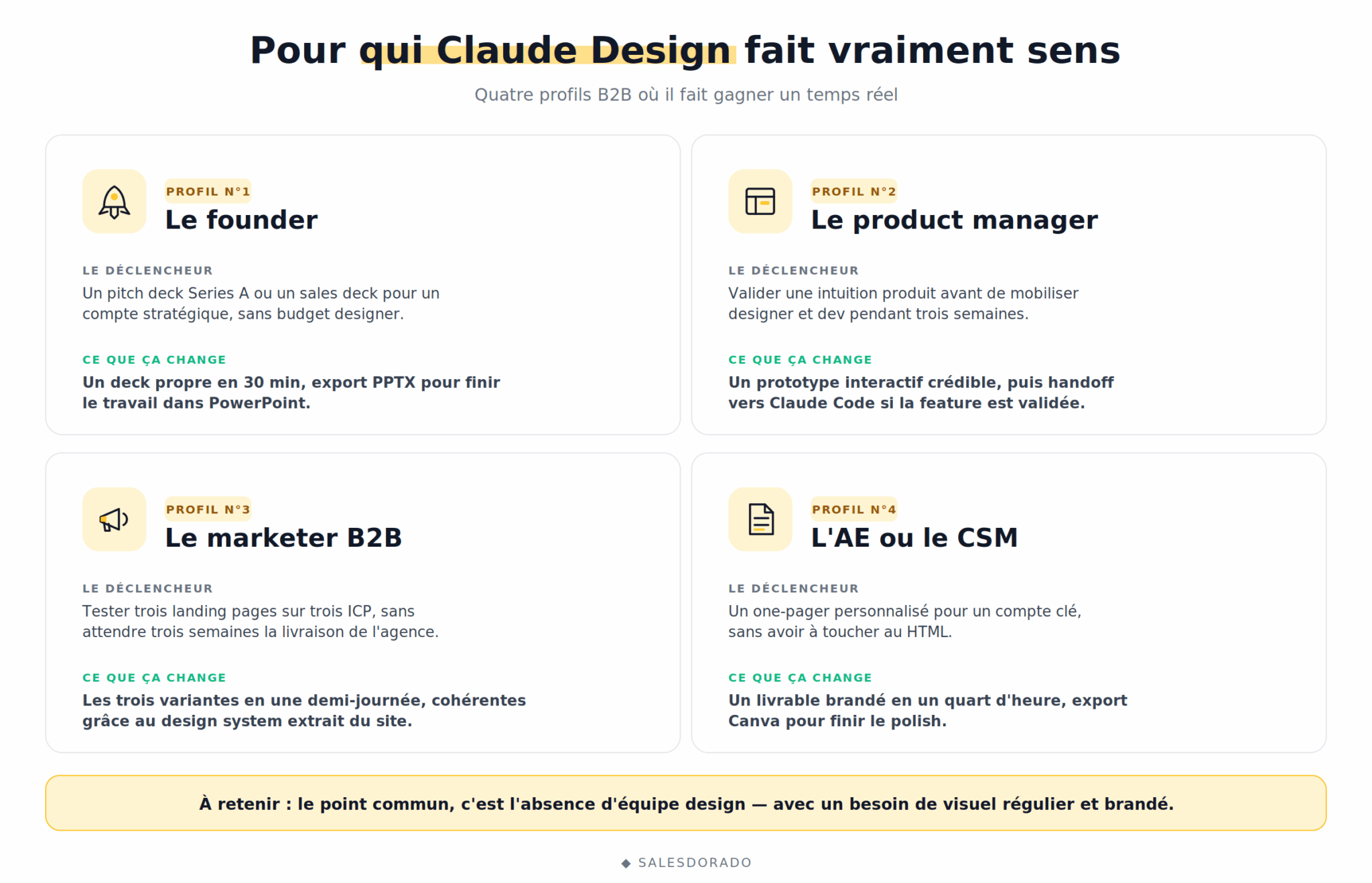
#3 The B2B marketer who wants to test several landing pages quickly
You are launching a LinkedIn Ads campaign on three different ICPs. Ideally you’d test three dedicated landing pages with different angles, but asking your agency for three pages will take three weeks.
Claude Design lets you produce the three variants in half a day, keeping brand consistency thanks to the design system extracted from your main site.
#4 The AE or CSM who has to produce a summary document
You are the sales rep on a key account and your prospect asks for a summary note on how your solution fits into their specific context. Two options:
- Do it in PowerPoint with an existing template.
- Describe the prospect, their sector and their context to Claude Design, then get back a summary visually consistent with your brand in a quarter of an hour.
It is also a use where the Canva export comes into its own: a sales rep who doesn’t want to touch HTML can do the finishing in Canva. If that workflow interests you, we go into it in more detail in our guide on using Canva for sales communication.
The profiles Claude Design isn’t relevant for
To be honest, two types of profile have no reason to rush to Claude Design:
- The design team looking for a Figma replacement: real-time collaboration is missing, pixel-perfect is missing, the plugin ecosystem is missing. Claude Design is not a Figma replacement on the premium uses.
- The branding or motion design agency: Claude Design doesn’t generate photorealistic images, doesn’t do video animation and doesn’t have the vector tooling for high-end creative work.
Claude Design vs Figma vs Canva vs Lovable
To clarify where Claude Design really sits against the main tools on the market, here is a practical reading grid.
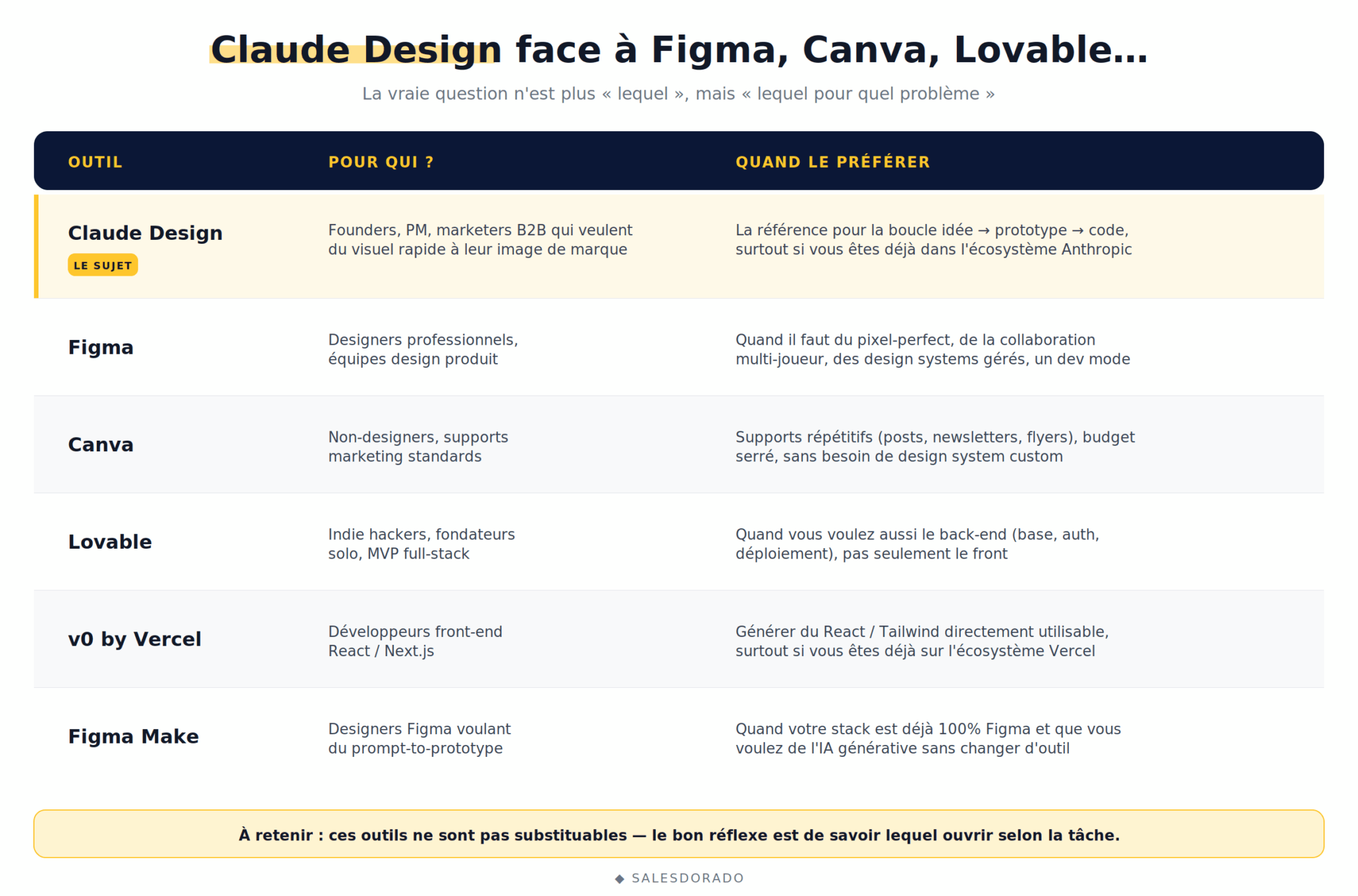
| Tool | Who for? | When to prefer it to Claude Design |
|---|---|---|
| Claude Design | Founders, PMs, B2B marketers who want quick visuals carrying their brand identity | The reference for the “idea → prototype → code” loop, especially if you are already in the Anthropic ecosystem |
| Figma | Professional designers, product design teams | When you need pixel-perfect, multiplayer collaboration, managed design systems or a full dev mode |
| Canva | Non-designers who want to produce standard marketing material | For repetitive material such as LinkedIn posts, newsletters or flyers, on a limited budget and with no need for a custom design system |
| Lovable | Indie hackers, solo founders who want a full-stack MVP | When you want the back-end too (database, authentication, deployment), not just the front |
| v0 by Vercel | React/Next.js front-end developers | To generate React/Tailwind code directly usable in a Next.js project, especially if you are already on the Vercel ecosystem |
| Figma Make | Figma designers who want prompt-to-prototype | When your stack is already 100% Figma and you want generative AI without changing tools |
The real question is no longer “Figma or Claude Design?”. It is “which tool for which problem, right now?”. On quick B2B material, Claude Design takes the lead. On collaborative design systems, Figma keeps the edge. These tools aren’t substitutes: they answer different problems, and the right instinct is knowing which one to open for the task at hand.
Conclusion
Claude Design is the first visual generation tool that takes the B2B non-designer segment seriously without falling into the “off-the-shelf template” trap.
The two real reservations remain the research preview status, with a few bugs still and features in motion, and above all the separate weekly quota, which can sting on the Pro plan. Well worth testing if you are in the Claude ecosystem, but to be weighed carefully before making it a central production tool.
Claude Design is probably, today, the best tool for B2B non-designers who want to produce visual material quickly and consistently with their brand. Not a Figma replacement nor a direct Canva competitor, but a new category of tool. Worth testing on a real project to form your own view.