If you have ever tried to build a serious LinkedIn prospecting stack, you know the problem: one tool for LinkedIn automation, another for data enrichment, a third for email sequences and Zapier in the middle trying to make the whole lot talk to each other. You inevitably end up with shaky integrations, data getting lost along the way and setup time blowing up.
That is exactly the problem Closely claims to solve. This all-in-one platform, launched in 2020, combines LinkedIn automation, B2B data enrichment and AI agents for qualification and execution of multichannel campaigns. All in a single interface. No Zapier to configure, no tools to stack. The promise is appealing. But does it actually hold up in practice, or are we looking at yet another tool that does “a bit of everything” without excelling anywhere?
In this review, we break down Closely’s real strengths, its concrete limitations and above all: who this tool actually makes sense for (spoiler: not everyone).
Closely’s main advantages & disadvantages
- An all-in-one that delivers on its promise: LinkedIn automation, enrichment, AI agents, multichannel sequences, Inbox Hub, everything is in the same interface. In practical terms, that means zero Zapier integrations to maintain and data that actually flows between the different parts. If you have already spent hours debugging workflows across 4 tools, that is good news.
- AI agents that do the research for you: Closely’s AI does not just fill in {firstName} variables. It looks up company information (technology used, current hiring, news), automatically qualifies prospects against your ICP and generates messages with context. The kind of work that takes 15 minutes per prospect when done manually.
- No stress over LinkedIn safety: Closely’s “human-like” approach (random delays, gradual ramp-up, smart limits) works. Users report no bans, even after months of use. A welcome change from the cold sweats some competitors can cause…
- Email enrichment that does not waste your time: 95%+ email accuracy thanks to two-step verification. When one source fails, another automatically takes over. Fewer bounces, less time wasted cleaning your lists.
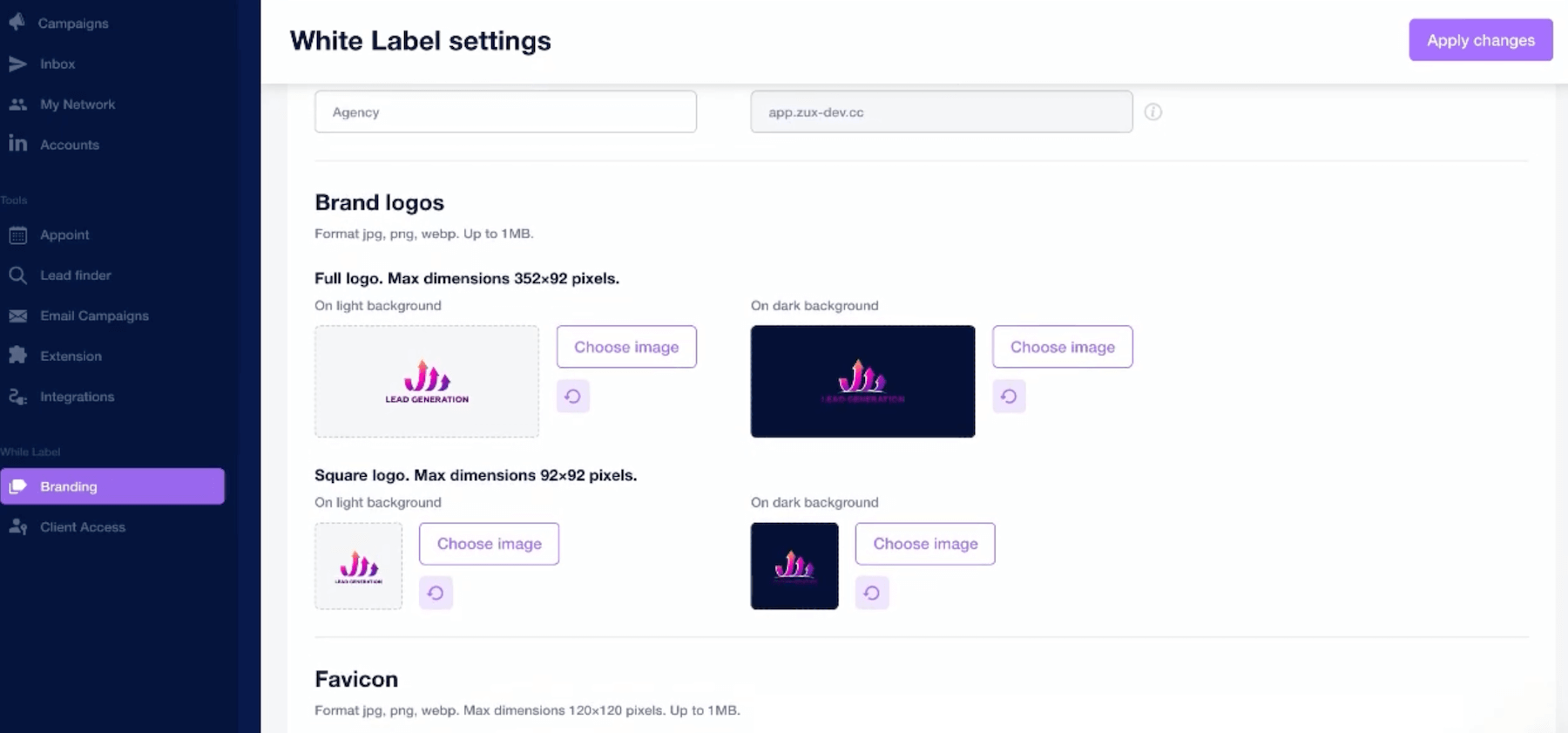
- Designed for agencies from day one: free white-label, native multi-account management (up to 10+), credit-based pricing rather than per-seat pricing. If you manage several clients or several LinkedIn accounts in parallel, the economics are clearly more favourable than with competitors.
- Pricing that does not hurt: starting at $49/month, Closely offers good value for money. And the higher plans remain reasonable for what they include.
- 50 emails/day on the Starter plan gets restrictive fast: if you have volume, this limit will hold you back quickly. You need to move to the higher plans to really use the tool.
- A few integration bugs linger: custom variables sometimes disappear, HubSpot sync can create duplicates, and BCC can be temperamental. Nothing dramatic, but it means checking your campaigns before launching them.
- Analytics do the bare minimum: acceptance rate, replies, booked meetings, the main metrics are there, but if you need granular attribution or detailed reporting, you will need something else alongside it.
- Phone number verification is not good enough: only around 65% accuracy, versus 95% for emails. If cold calling is part of your arsenal, keep a dedicated validation tool handy.
- Less relevant for email-first strategies: Closely is built around LinkedIn + Email, not Email + LinkedIn. For email-led campaigns with landing pages, personalised videos or advanced warming, Lemlist still has the edge.
Closely’s key features
Closely brings quite a few building blocks into a single platform. The idea is to cover the full outbound prospecting cycle, from list building to reply management, without having to juggle several tools.
Let’s see what that looks like in practice.
LinkedIn automation (the historical core)
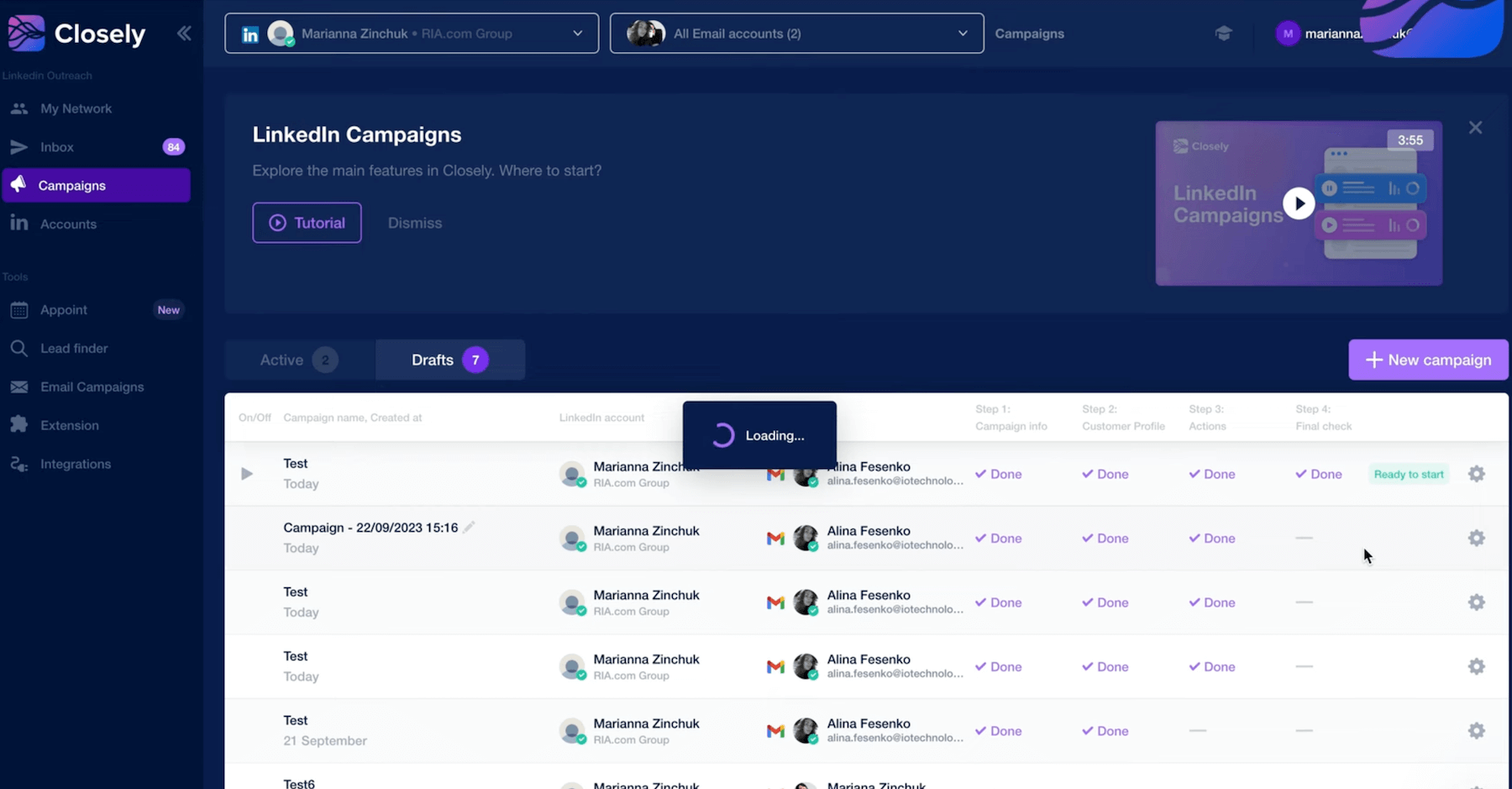
This is where Closely started and it remains the heart of the product. The tool automates all the standard LinkedIn actions: personalised connection requests, profile visits, follow-up messages, InMails and likes on posts.
So far, most LinkedIn automation tools do the same thing. What sets Closely apart is its approach to safety.
The problem with LinkedIn automation is the risk of getting banned. LinkedIn does not like bots, and tools that trigger actions at regular intervals (one connection every 3 minutes, for example) often end up setting off alerts.
Closely gets around this with what it calls a “human-like” approach: random delays between actions, limits that adjust to context (more active on weekdays, less on weekends) and a warm-up mode that gradually ramps up on new accounts.
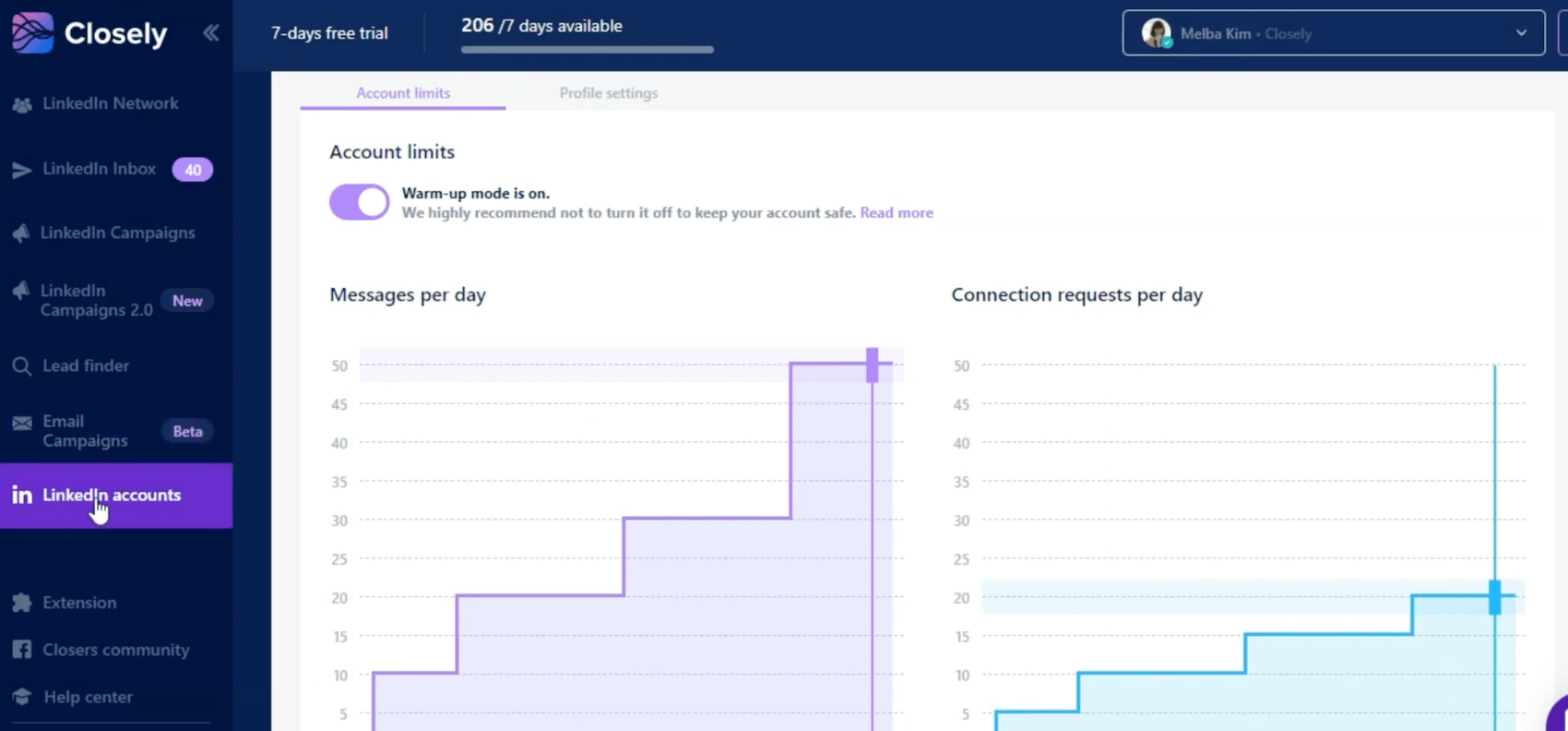
Does it work? User feedback is fairly reassuring: no reported bans, even after several months of intensive use. That matters when you know a banned LinkedIn account can mean months of networking work going up in smoke…
Closely’s LinkedIn automation gets the job done without taking unnecessary risks. It is not the most aggressive tool on the market (and that is a good thing), but it lets you maintain a steady prospecting pace without stress. If you want to send 500 connections a day, look elsewhere. If you want clean, sustainable LinkedIn prospecting, it is solid.
AI agents for autonomous prospecting
This is where Closely really stands out from the competition. Most prospecting tools use AI to generate messages, essentially improved templating with dynamic variables. Closely goes further with what it calls “AI Sales Agents”.
The idea is to automate not only message sending, but also all the research and qualification work upstream:
- Automatically qualify your leads against your ICP. You define your criteria (industry, company size, location, etc.), and the AI scores each prospect to tell you whether they match or not.
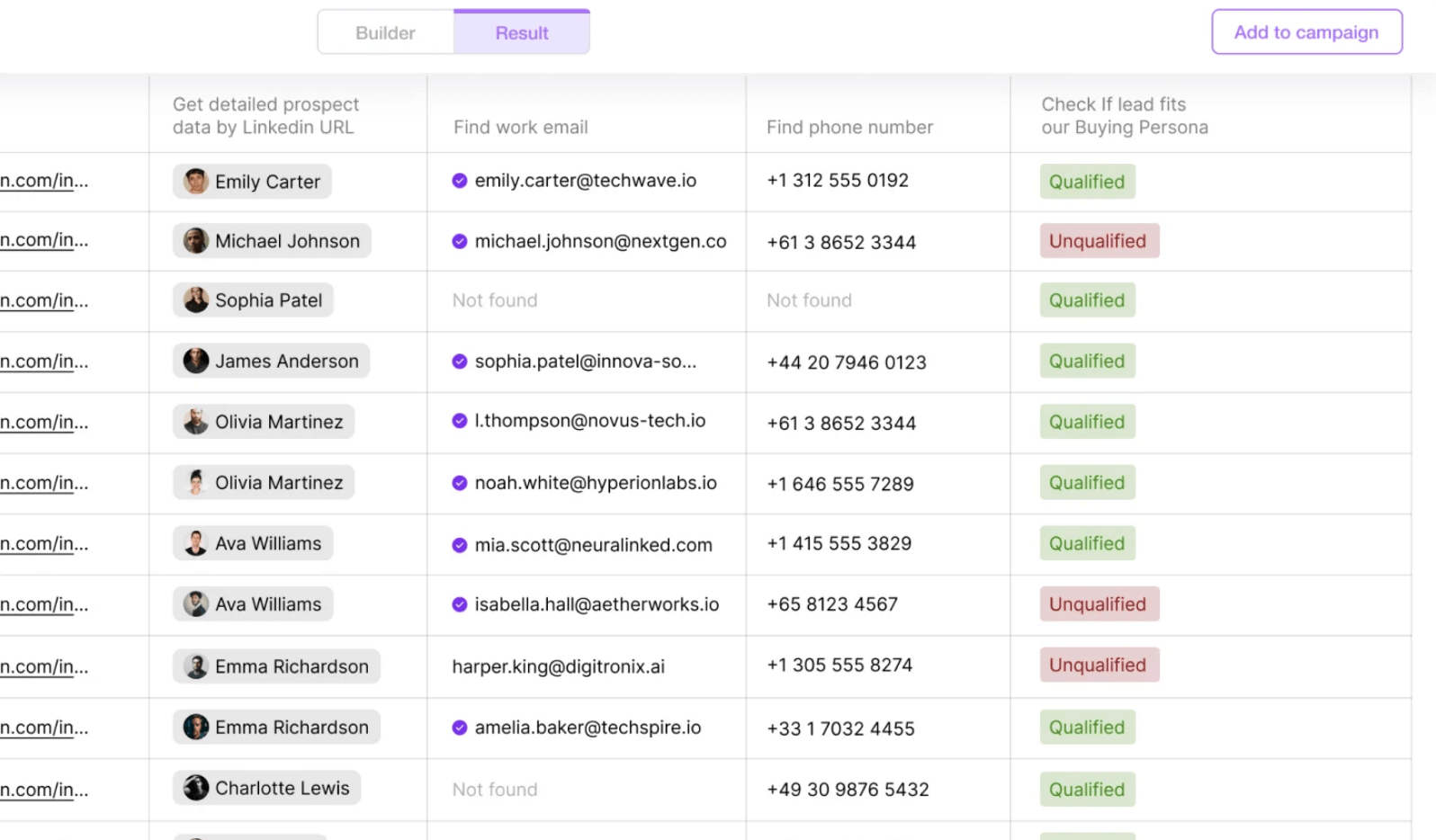
- Run real-time company research. The AI looks for information on the web: technology stack, current hiring, recent funding rounds, company news.
- Generate genuinely personalised messages. Not just “Hello {firstName}”, but messages that incorporate real context: a recent LinkedIn post by the prospect, a job change, company news. The result sounds less like “mass mailing” and more like “I did my research before contacting you”.
Does AI completely replace human work? No. The generated messages are still drafts that are better reviewed and adjusted. But the time saving is real: you go from 15 minutes of research per prospect to a few seconds.
Closely’s AI agents are probably the feature that best justifies the investment. For teams prospecting at volume while still wanting a minimum of personalisation, it is a real time saver.
Real-time data enrichment
Closely includes its own enrichment engine, so you do not need a third-party tool such as Dropcontact or Clearbit. The tool claims access to more than 140 million B2B contacts and combines more than 30 different data sources.
The principle is simple: you import a prospect list (or build it directly in Closely), and the tool automatically enriches profiles with missing data: emails, phone numbers, job titles, company size, industry, etc.
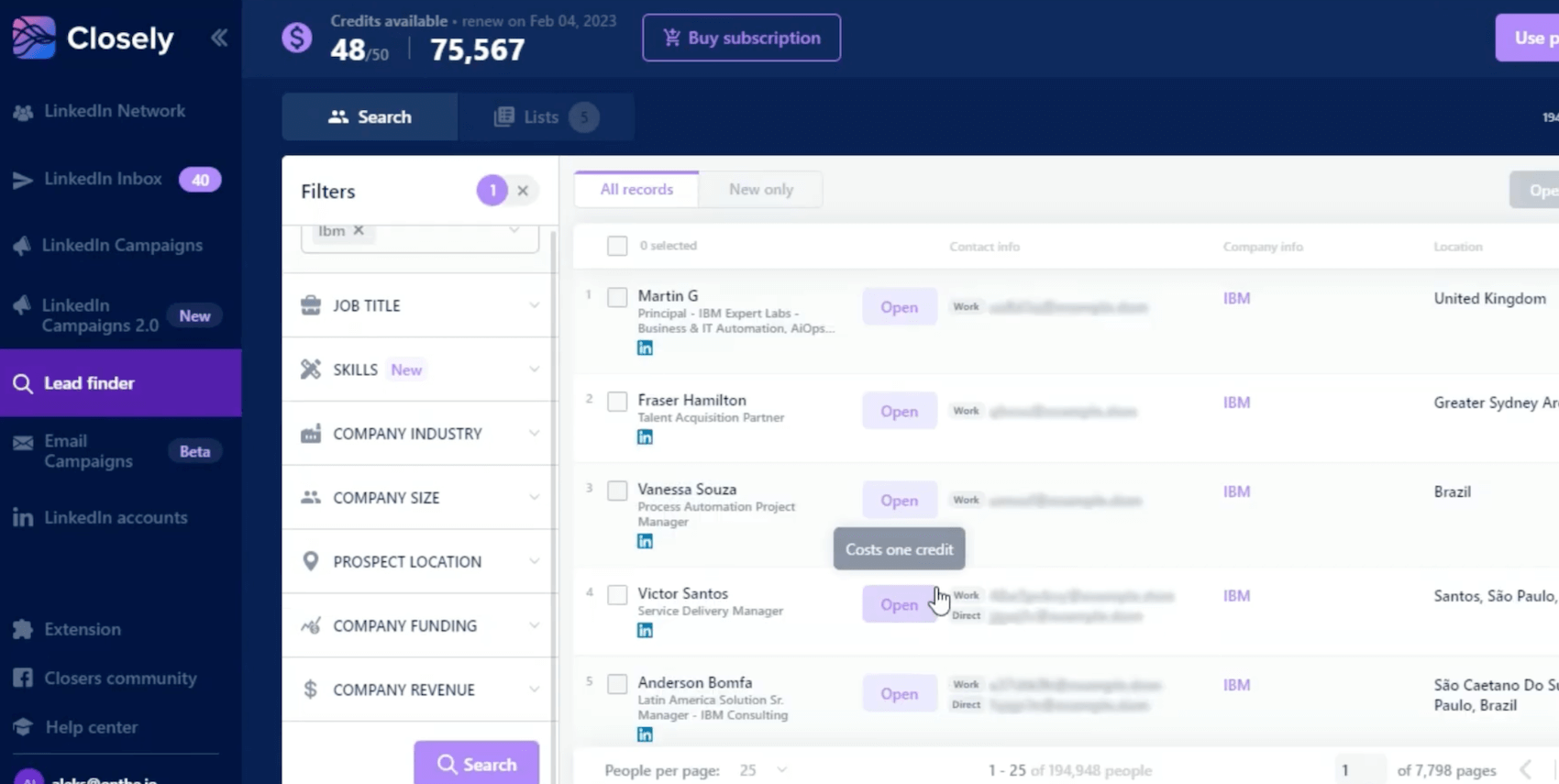
What makes the difference is the cascading verification system. If one source fails to find a prospect’s email, another automatically takes over. According to Closely, this delivers a match rate above 95% for emails, with two-step verification to reduce bounces.
The weak point is phone numbers. Accuracy drops to around 65%, which is acceptable but not enough if cold calling is central to your strategy. In that case, it is better to keep a dedicated validation tool alongside it.
LinkedIn + Email multichannel campaigns
This is one of Closely’s strongest commercial arguments: the ability to combine LinkedIn and email in a single sequence without setting up an external integration.
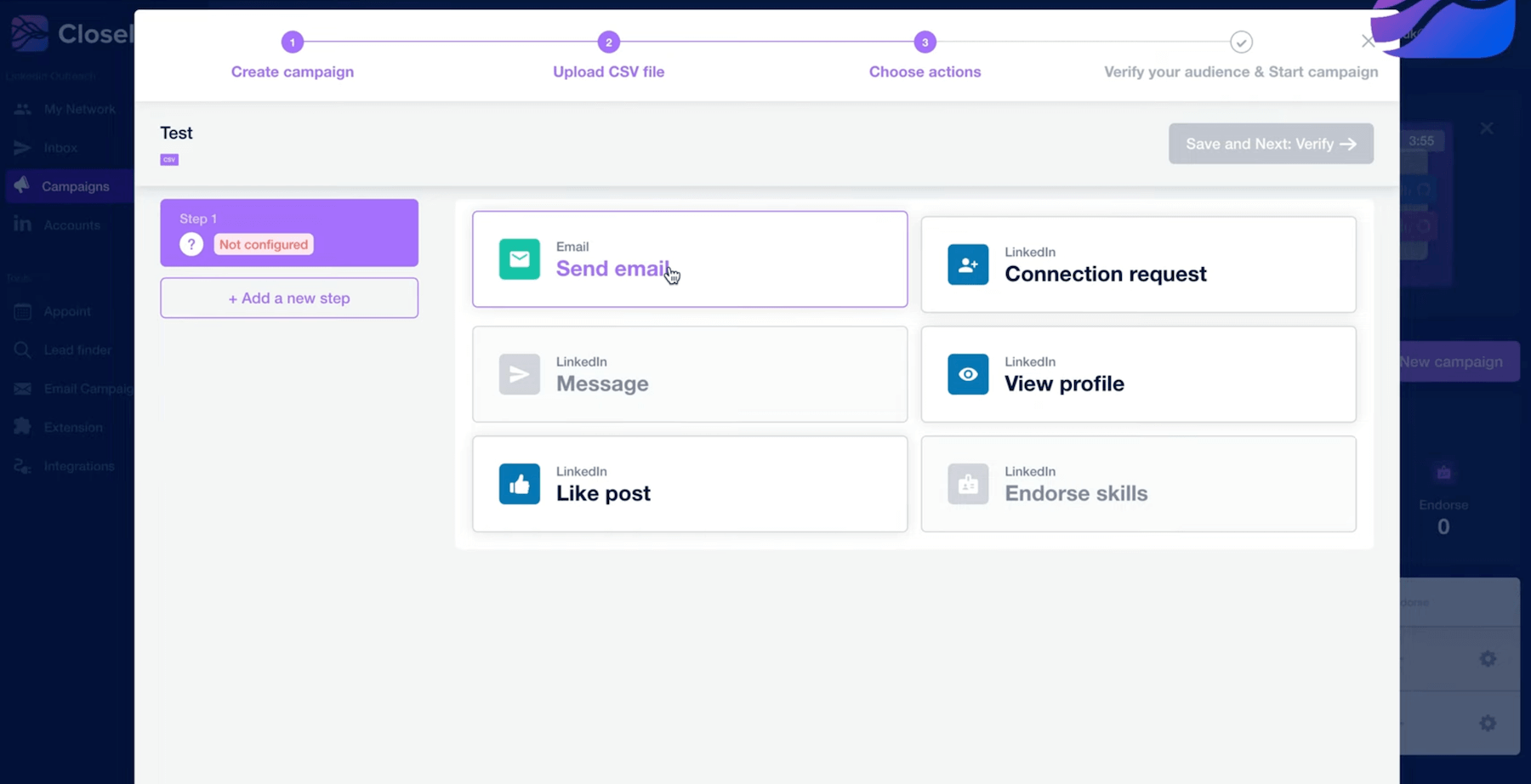
In practical terms, you can build scenarios that automatically chain together: LinkedIn connection request → wait X days → LinkedIn message if accepted / email if declined → email follow-up → LinkedIn follow-up message, etc. Everything is managed from one interface, with smart delays that adapt to prospect engagement.
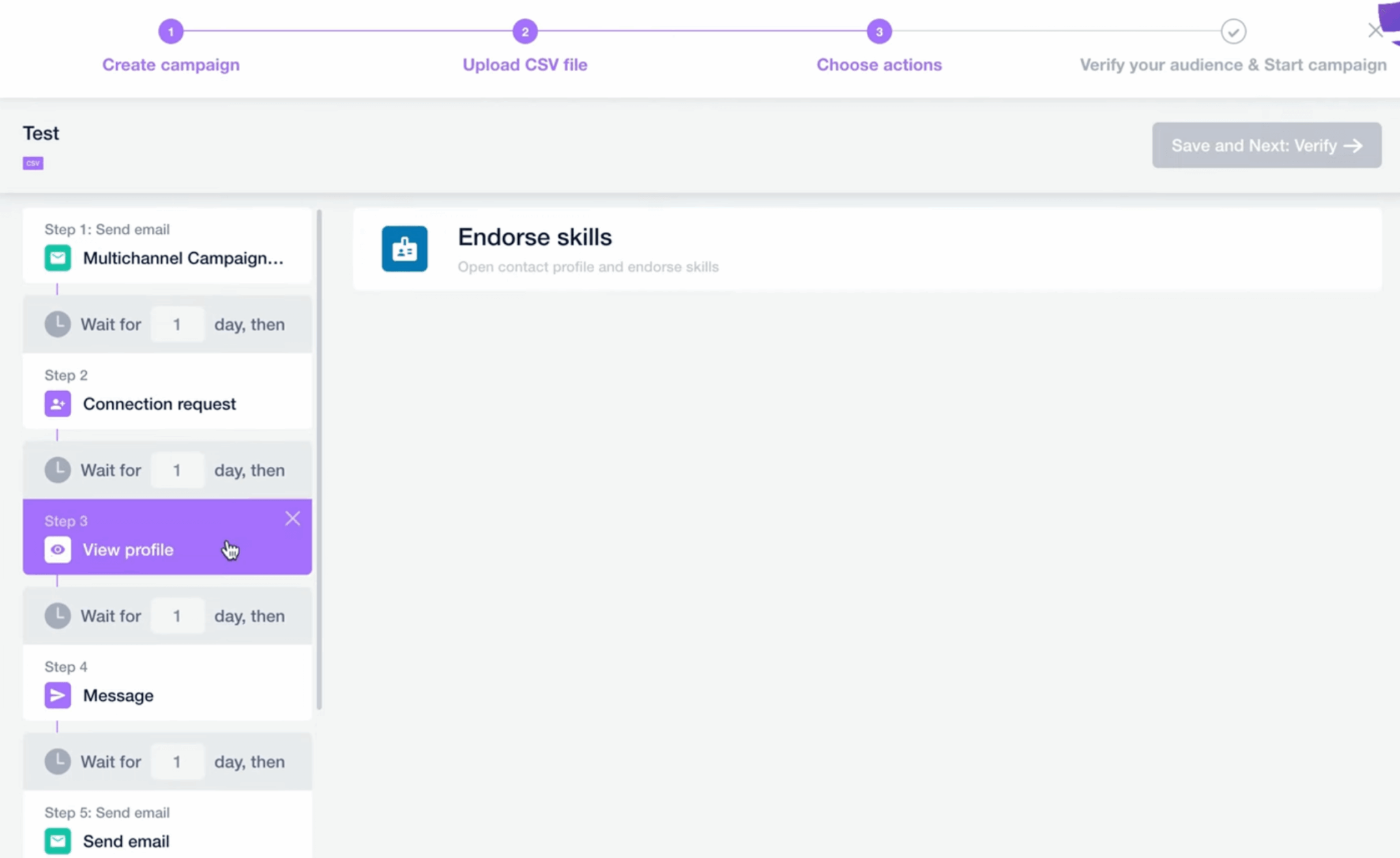
The tool also offers behaviour-based triggers: if a prospect visits your profile, opens an email or likes one of your posts, the sequence can adapt automatically. That is more refined than a simple linear chain of actions.
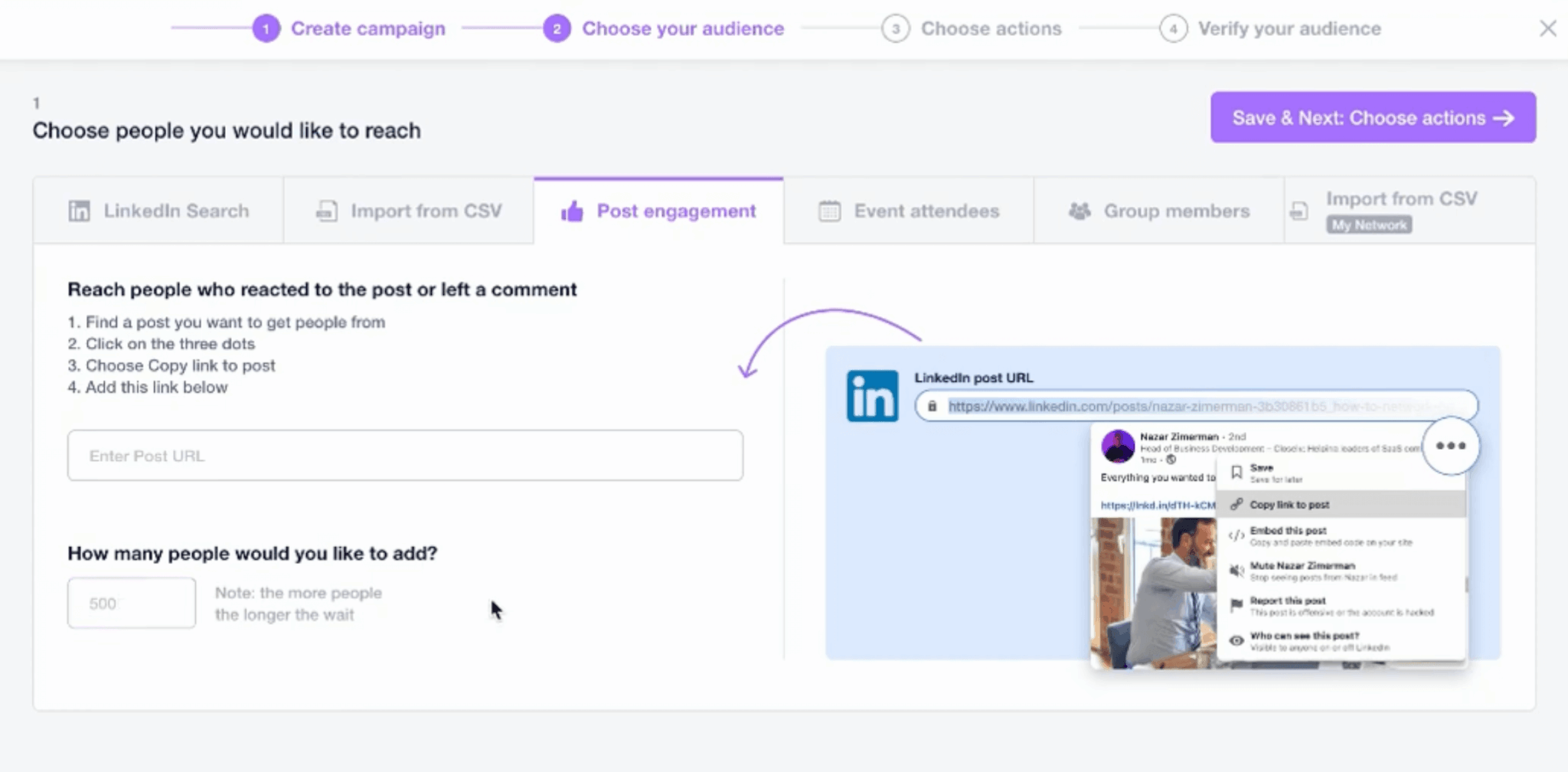
On the email side, Closely lets you connect Gmail or Outlook accounts directly, so there is no need for a third-party sending tool. A/B testing is built in to identify the best-performing messages.
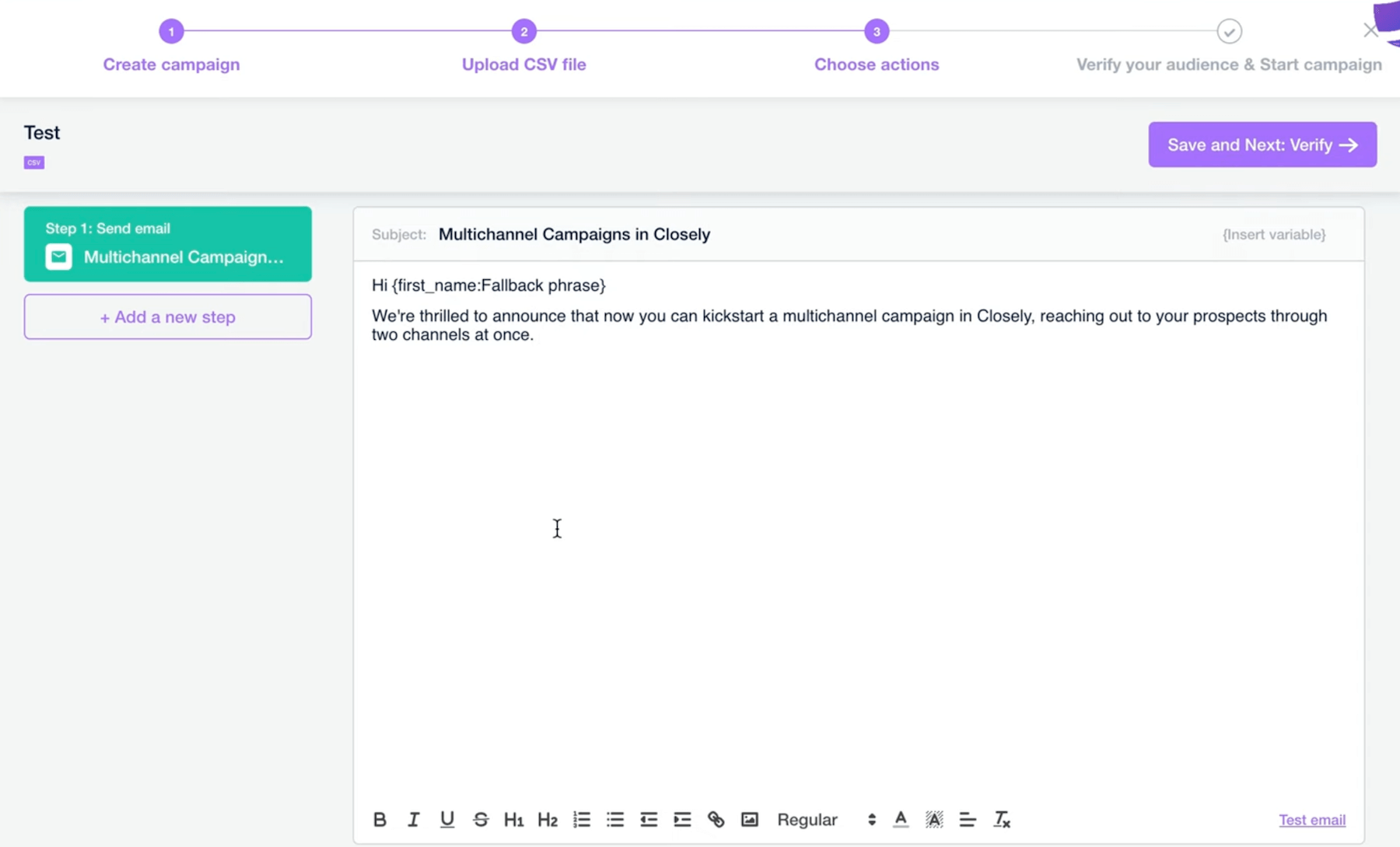
The main limitation is email volume on the lower plans. 50 emails/day on Starter can become restrictive quickly if you run several campaigns in parallel.
Inbox Hub: centralised conversation management
Closely offers an Inbox Hub that centralises everything: LinkedIn DMs, InMails and email replies, all in one inbox.
The benefit is twofold. First, you no longer spend your time switching between LinkedIn, your mailbox and your prospecting tool to follow conversations. Second, for teams, it lets you assign conversations to specific members, with shared tags and response templates.
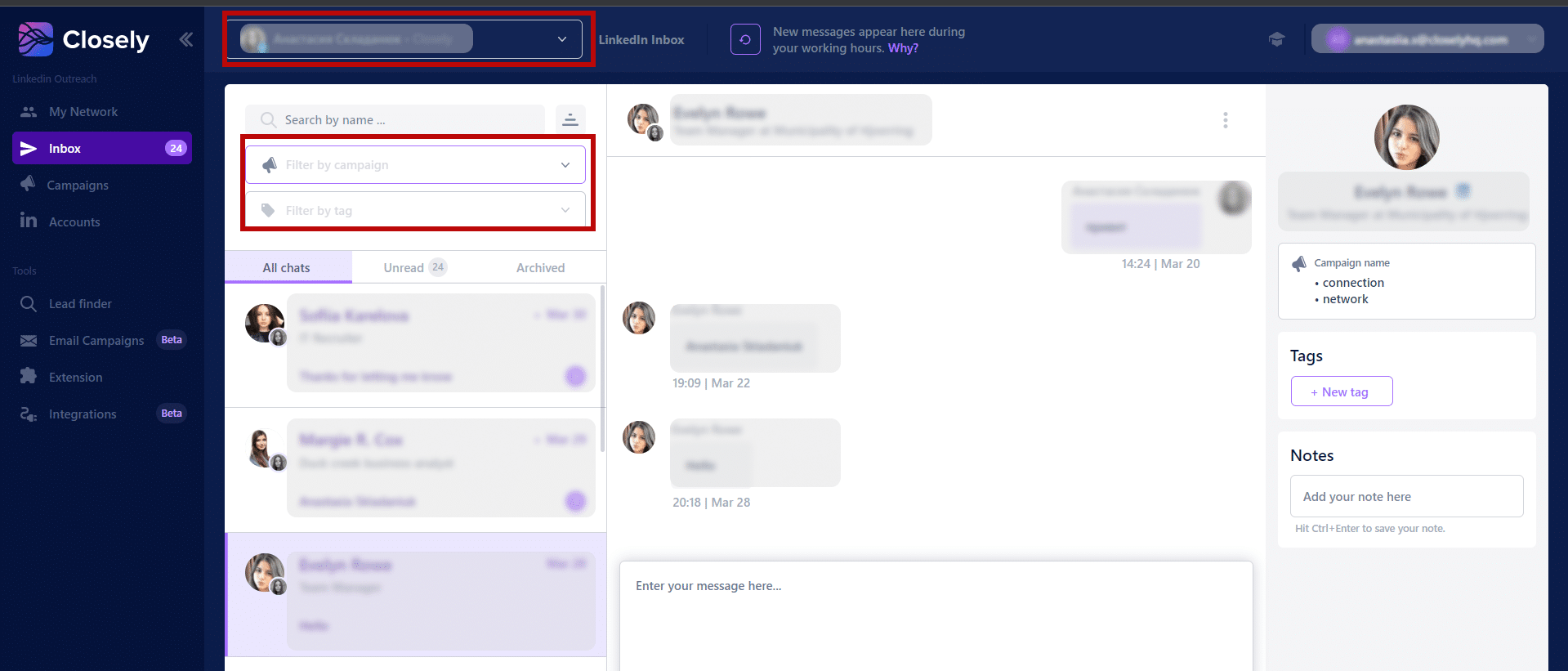
One useful detail: collision prevention. When one team member opens a conversation, others can see that it is “taken”, avoiding duplicate replies that look very amateurish to prospects.
The Inbox Hub syncs with the main CRMs (HubSpot, Salesforce, Pipedrive), which lets you keep a record of exchanges directly in your sales management tool.
The Inbox Hub is one of those features that looks minor on paper but genuinely changes day-to-day work for teams. For agencies managing several client accounts, it is almost indispensable. For a solo user, it is mostly a welcome convenience rather than a critical feature.
CRM integrations and workflows
Closely offers native integrations with the main CRMs on the market: HubSpot, Salesforce, Pipedrive…The idea is to automatically sync contacts, conversations and engagement data with your sales management tool.
In practical terms, when a prospect replies to one of your sequences, the information is pushed into the CRM with the full context: conversation history, channel used, sequence stage. That avoids manual data entry and information getting lost between tools.
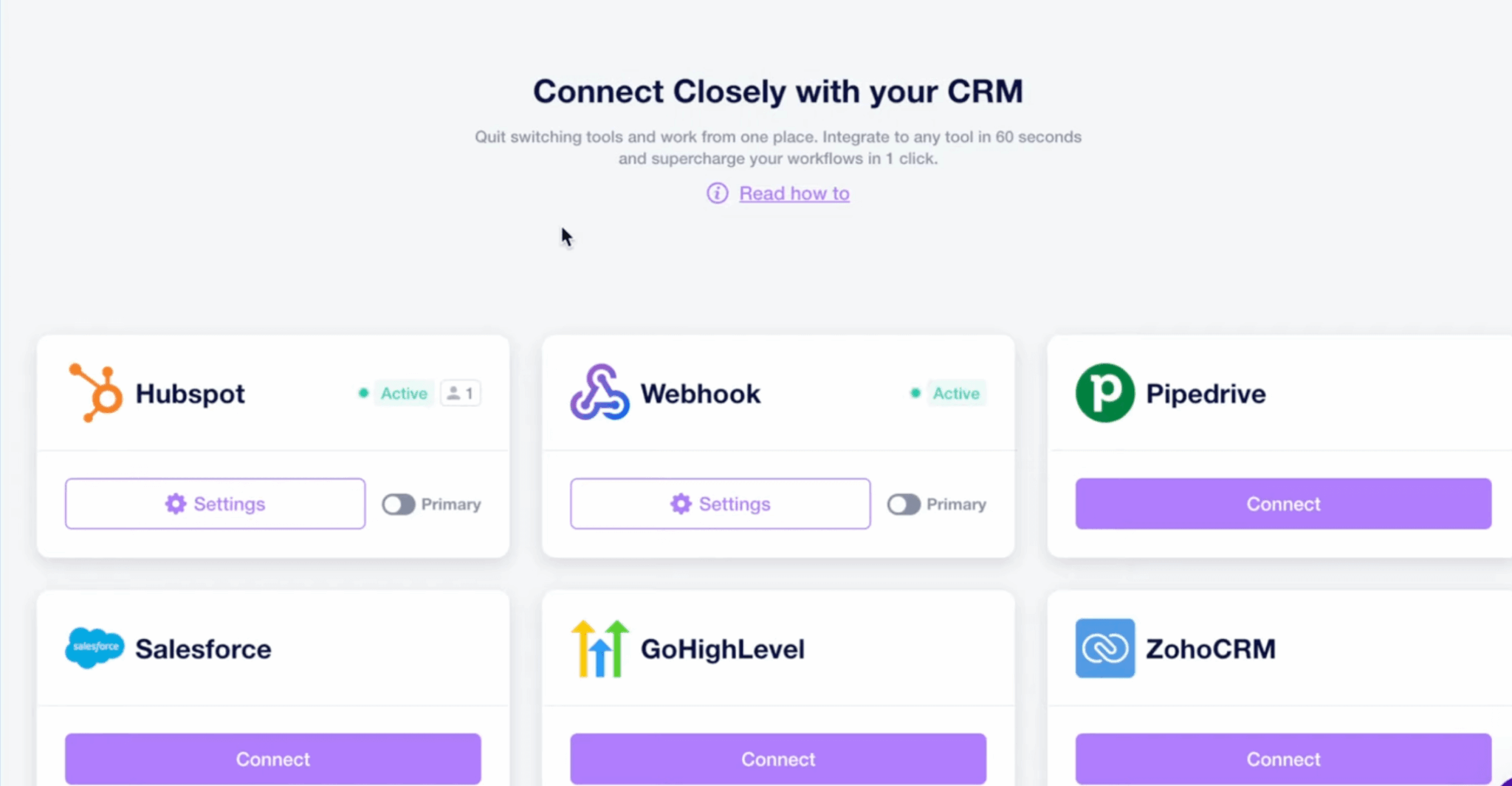
For more advanced workflows, Closely offers webhooks and custom integrations, plus a Zapier connection for cases not covered natively. Google Sheets export is also available for those who prefer working in spreadsheets.
The CRM integrations do the job for most use cases. If you use HubSpot or Pipedrive, synchronisation works well (apart from a few bugs). For genuinely complex workflows or less common CRMs, expect to use webhooks or Zapier.
Analytics and reporting
Closely provides dashboards to track campaign performance: connection acceptance rate, response rate for messages and InMails, booked meetings, generated pipeline.
You can also compare performance across team members and identify the best-performing messages through built-in A/B tests.
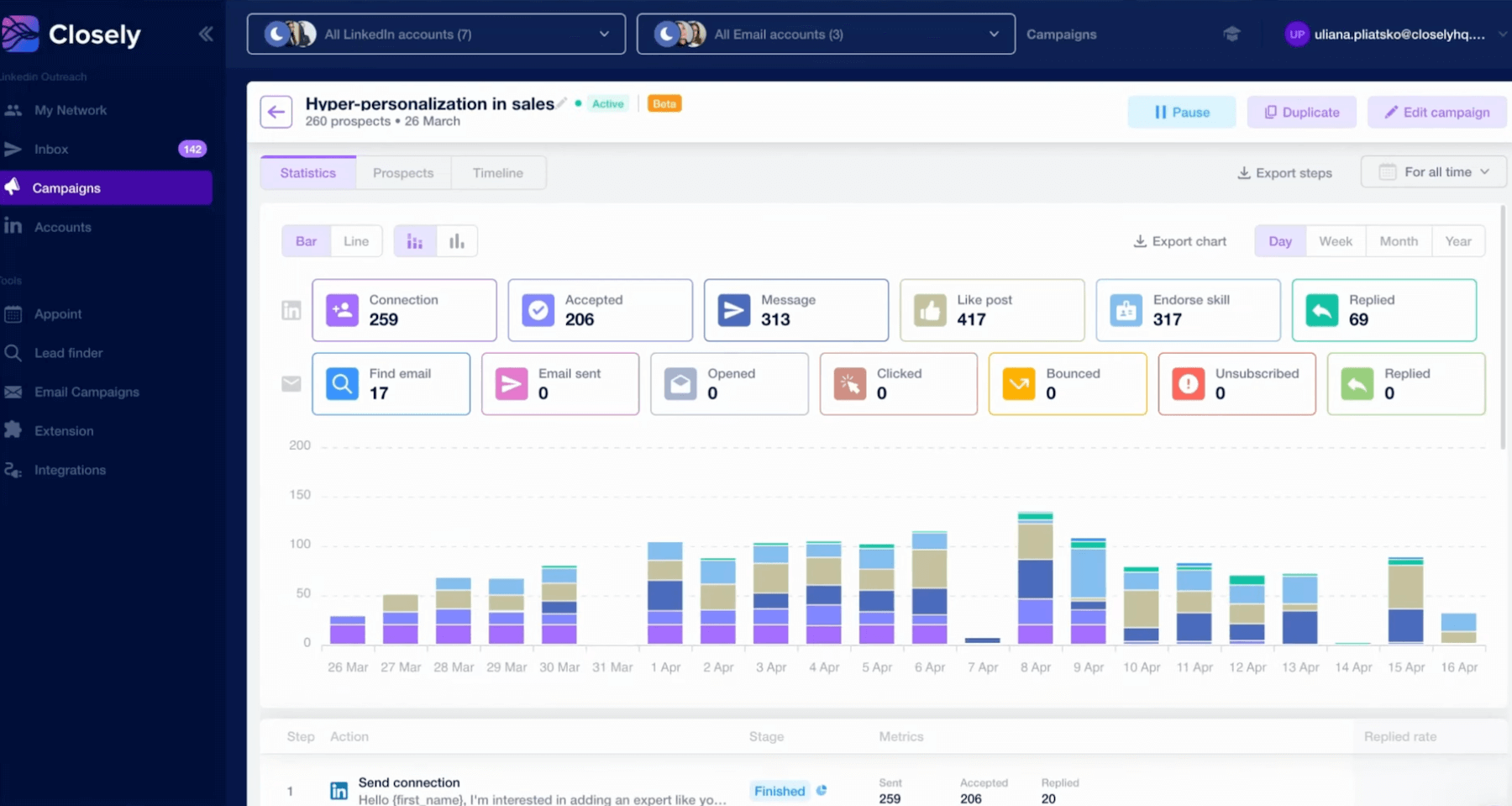
That is enough to manage campaigns day to day and adjust what is not working. But if you need advanced analytics (multi-touch attribution, detailed audience analysis, granular ROI reporting), Closely will feel limited. The tool covers the main metrics, no more.
Teams that need to prove the ROI of their LinkedIn activity at a granular level will need to add a dedicated tool or export the data for analysis elsewhere.
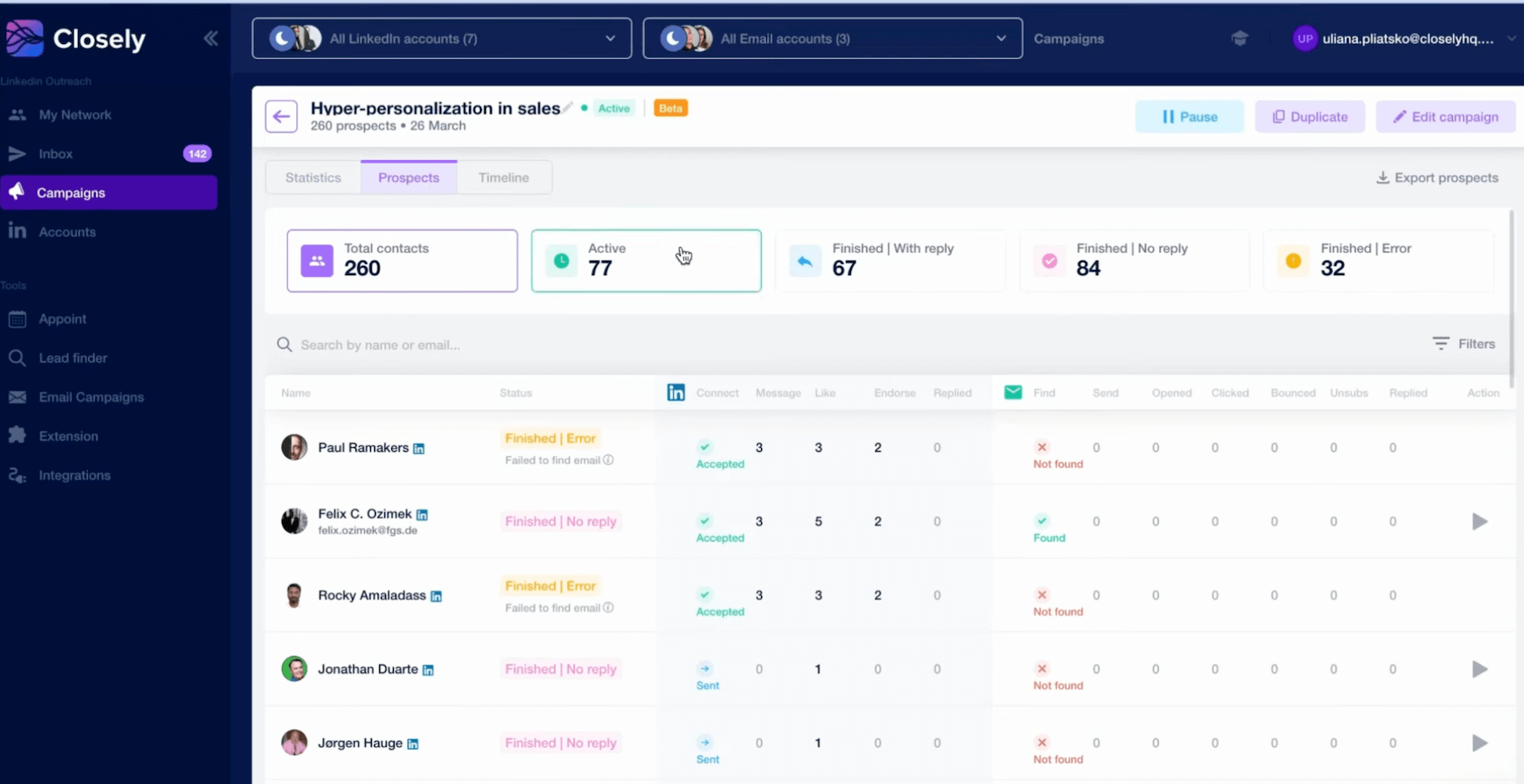
Closely’s analytics are honest: they cover what you need to optimise campaigns without pretending to do more. For 80% of users, that will be enough. The remaining 20% (data-driven teams, detailed executive reporting) will need something else.
Support, documentation & community
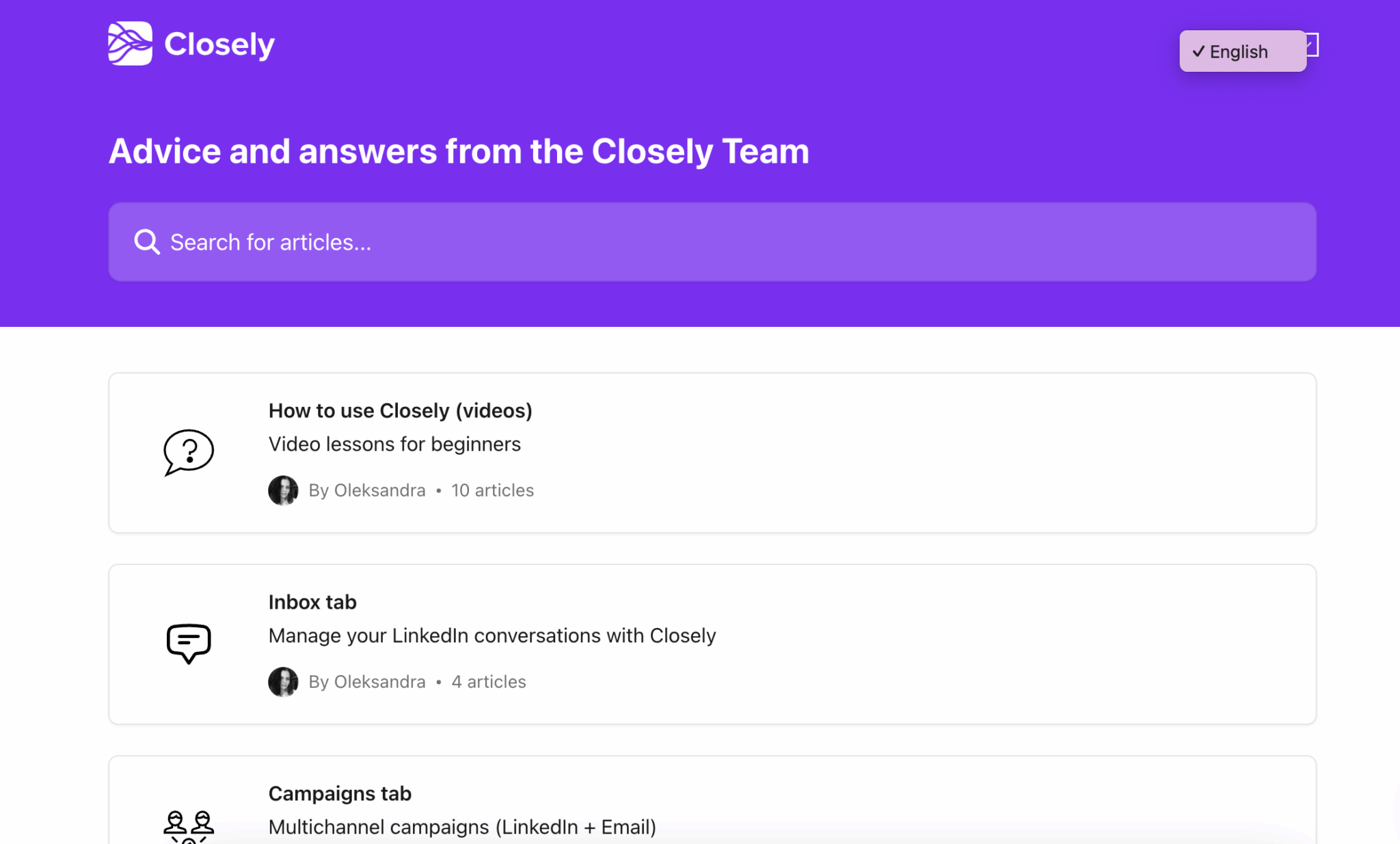
Closely offers decent online documentation, with guides covering the main features: campaign creation, sequence configuration and CRM integration setup. It is only available in English, but it is clear and well organised. Enough to handle standard use cases.
On the support side, service levels depend on your plan:
- On Starter, you get email support…expect a few hours for a response.
- Growth and Essential plans include more responsive support.
- Essential users get a dedicated customer success manager for onboarding and follow-up.
Closely does not (yet) have a very active dedicated user community such as a Slack group or forum. If you want to exchange with other users or find shared campaign templates, you will need to turn to broader growth/sales communities.
Closely pricing & value for money
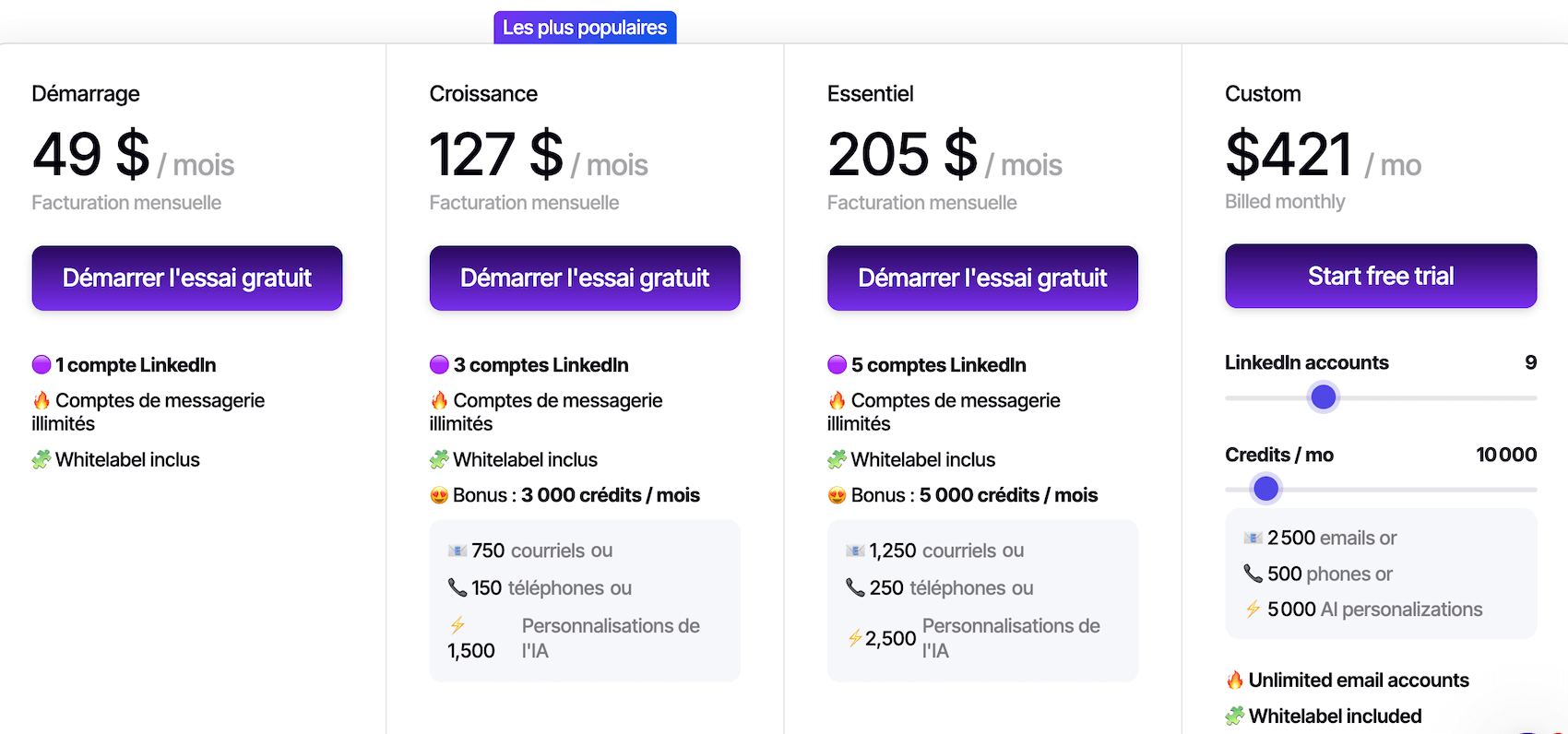
Closely offers a progressive pricing structure, with plans ranging from solo freelancers to multi-account agencies.
Here is the detail:
| Plan | Monthly price | LinkedIn accounts | What is included | Who is it for? |
|---|---|---|---|---|
| Starter | $49 /month | 1 | 250 profiles/month, 50 emails/day, basic Inbox Hub, standard filters, email support | Freelancers, consultants, solo prospectors getting started |
| Growth | $127 /month | 3 | 1,000 profiles/month, full database, email finder, full Inbox Hub, CRM integrations | SMBs, small sales teams looking to scale |
| Essential | $205 /month | 10+ | Unlimited profiles, team dashboards, white-label, priority support, dedicated customer success | Agencies, structured B2B teams, recruiters |
| Custom | Custom | Custom | Dedicated account manager, custom SLA, custom features | Large organisations, large-scale deployments |
One important point: Closely uses a credit system rather than per-seat pricing.
Closely VS the competition: where does it stand?
To place Closely in the market, here is how it compares with the main alternatives:
- Closely vs. Lemlist (from €69/month): Lemlist is more email-first, with advanced features (personalised videos, landing pages, warming). If your strategy relies mainly on email with LinkedIn as a complement, Lemlist still has the edge. If it is the other way around (LinkedIn + Email), Closely may be more interesting.
- Closely vs. Expandi (€99/month per account): Expandi is a LinkedIn pure player, with no enrichment or native email. More expensive per account and with less reassuring feedback on account safety. Closely offers more features for less, especially if you manage several accounts.
- Closely vs. Waalaxy (from €19/month): Waalaxy is easier to get started with, with a very simple interface. But the email integration is basic and per-seat pricing quickly becomes expensive for teams. Closely is more complete, Waalaxy is simpler.
- Closely vs. PhantomBuster (from €69/month): PhantomBuster is a very flexible scraping and automation tool, but it requires technical skills. Closely is ready to use, while PhantomBuster is aimed at more technical profiles that want something custom.