Among the B2B database tools I have tested, Decidento stands out for one thing: it is not just a company database and a contact database, it is also a database of news monitoring on companies. Few tools manage to build this dimension into their database. And for good reason: this information is hard to find and not always public.
And yet, as we know, sales prospecting works better when you know not only the company and decision-maker details, but also the business signals (investments, hiring, grants obtained…) that identify companies with projects underway.
By building business signals directly into its database (12.5 million company records and 16 million active contacts, according to the vendor), Decidento goes further than most competing B2B data providers on the French market (the only one Decidento currently covers).
Discover DecidentoTo form your own opinion, Decidento offers a free demo by appointment.
3 databases in 1 to find and target warm prospects
According to Decidento, 85% of strategic data cannot be found on Google. The vendor wants to give access to this hidden part of the B2B information iceberg.
Decidento’s B2B database actually brings together 3 separate databases, updated daily and accessible in a single SaaS tool:
- A company database, with 12.5 million enriched company records.
- A contact database, with more than 16 million active profiles.
- A news monitoring database, with more than 450,000 business signals detected per year.
Note that for now Decidento focuses on the French market. So the tool is not suited to international prospecting.
#1 The company database: 12.5 million enriched company records
Decidento’s company database contains every business with a SIRET number: not just companies, but also craftspeople, self-employed professionals…
The data in this database comes from official sources on the visible web, but also the invisible web: paid press, Big Data, public data from the State or local authorities (building permits, municipal council decisions…), Insee, INPI, Bodacc, Infogreffe, company financial statements, institutional websites, etc.
Decidento also works with many partners to enrich its company records, in compliance with the GDPR.
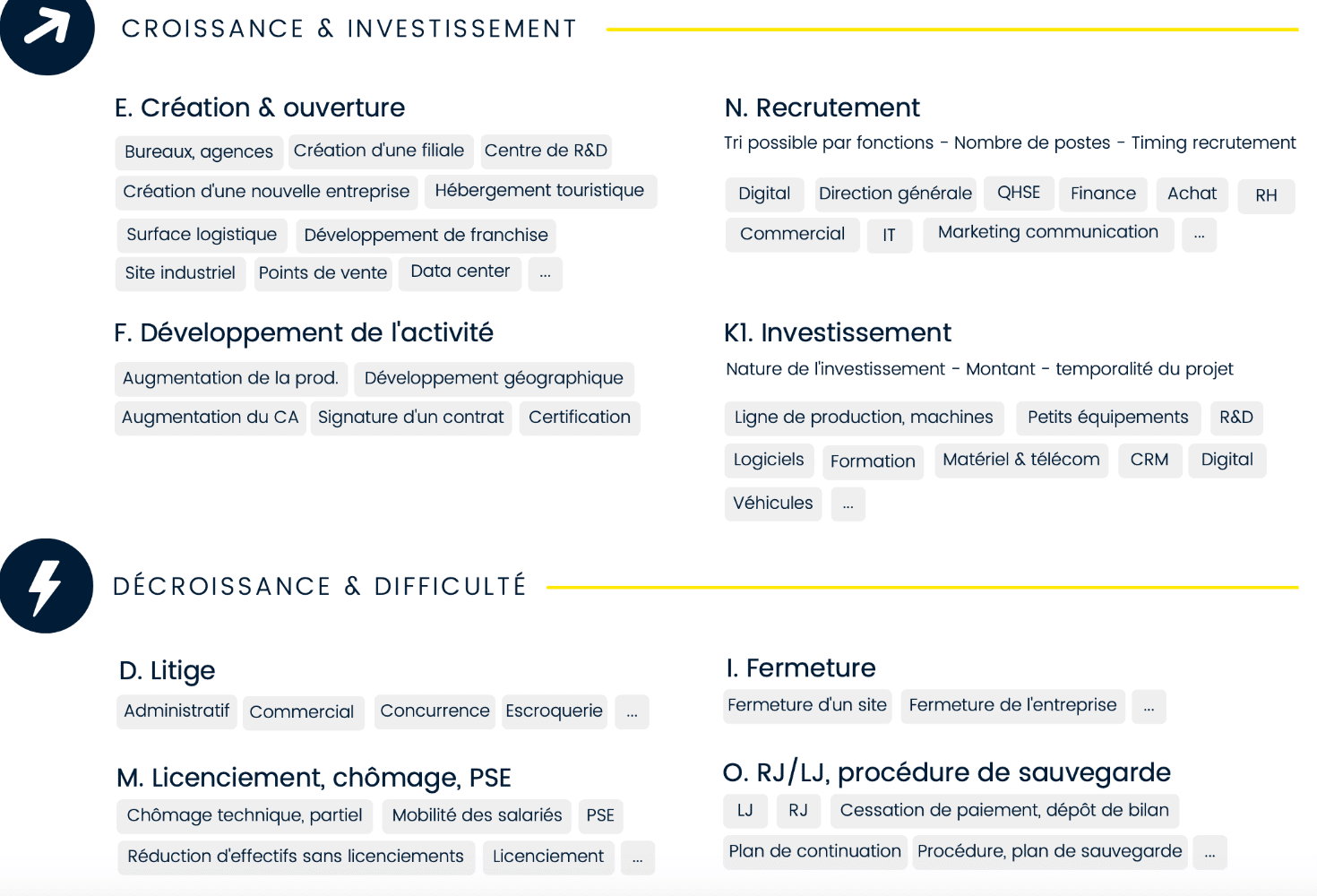
To give you an idea of how rich the company data in the Decidento database is, the search engine offers more than 5,000 filters. Here is a small preview.
Read alsoData Quality: A practical guide
#2 The contact database: 16 million active named contacts
Decidento’s contact database contains more than 16 million active profiles. Most of the data comes from LinkedIn. You can access the org chart directly from the company records.
For each contact, you get the job title, last name, first name, location, email and a contact record with the CV. Phone numbers go through Kaspr (see below).
The nice extra: Decidento uses a machine learning tool to link each profile to a position and build the company’s full org chart.
#3 The news database: 450,000 business signals and opportunities detected per year
The company database is well stocked, with plenty of data on each company. But it is the news database that impressed me most.
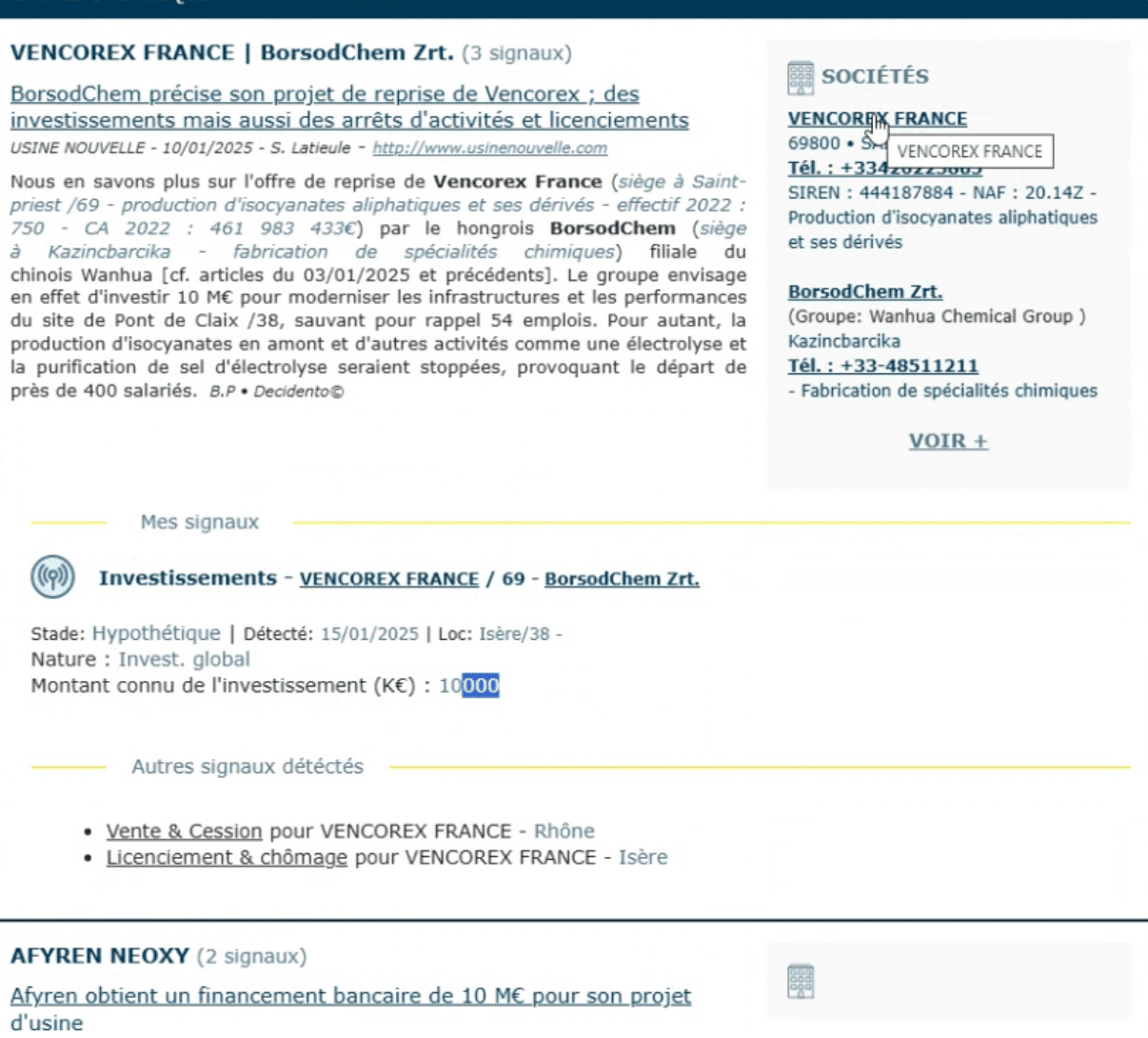
With this database, you can follow all the news and business signals about the companies you prospect: creation, investment projects, hiring, international expansion, mergers and acquisitions, partnerships, divestments… The goal: help you identify companies with a project underway or a need you can meet.
In total, more than 450,000 business signals are detected and added to the database every year.
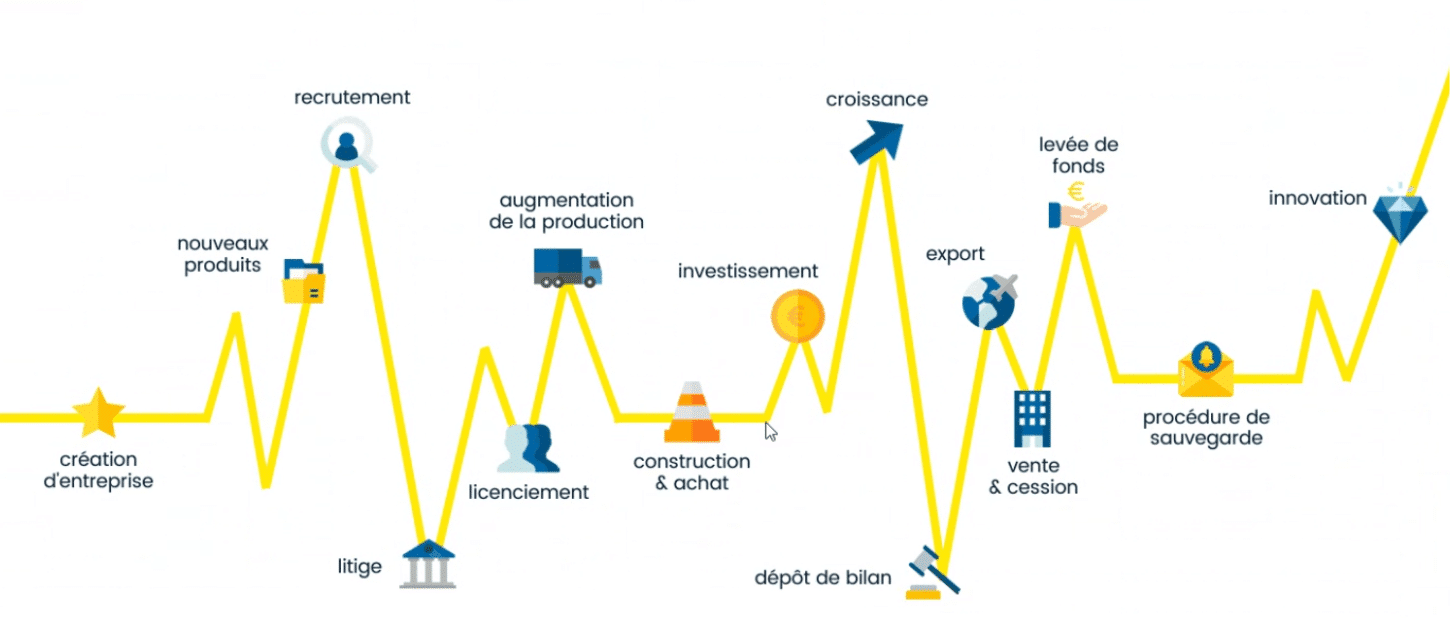
This database is enriched through:
- 3 tools developed in-house by the data science team that pull information from millions of data sources, including paid press (Decidento spends more than 50,000 euros on press subscriptions).
- A team of 9 journalists and 3 monitoring analysts. This team analyses the collected data, summarises the relevant information and tags it. The tags structure the database and power precise search filters.
These business signals are accessible from the company records in the company database.
The features of the Decidento software
Decidento’s main use goes like this: you build a list of companies that precisely match your search criteria (thanks to the thousands of filters available), you open the company records to learn more about each prospect and their news (the famous signals I mentioned above). If the prospect is worth targeting, you open the org chart to identify the people to contact.
Let’s look at how to use the Decidento databases in the software.
Finding companies to prospect
Decidento is a company search engine. You can look up a specific company or brand and access all the available information on the organisation, its contacts and its news.
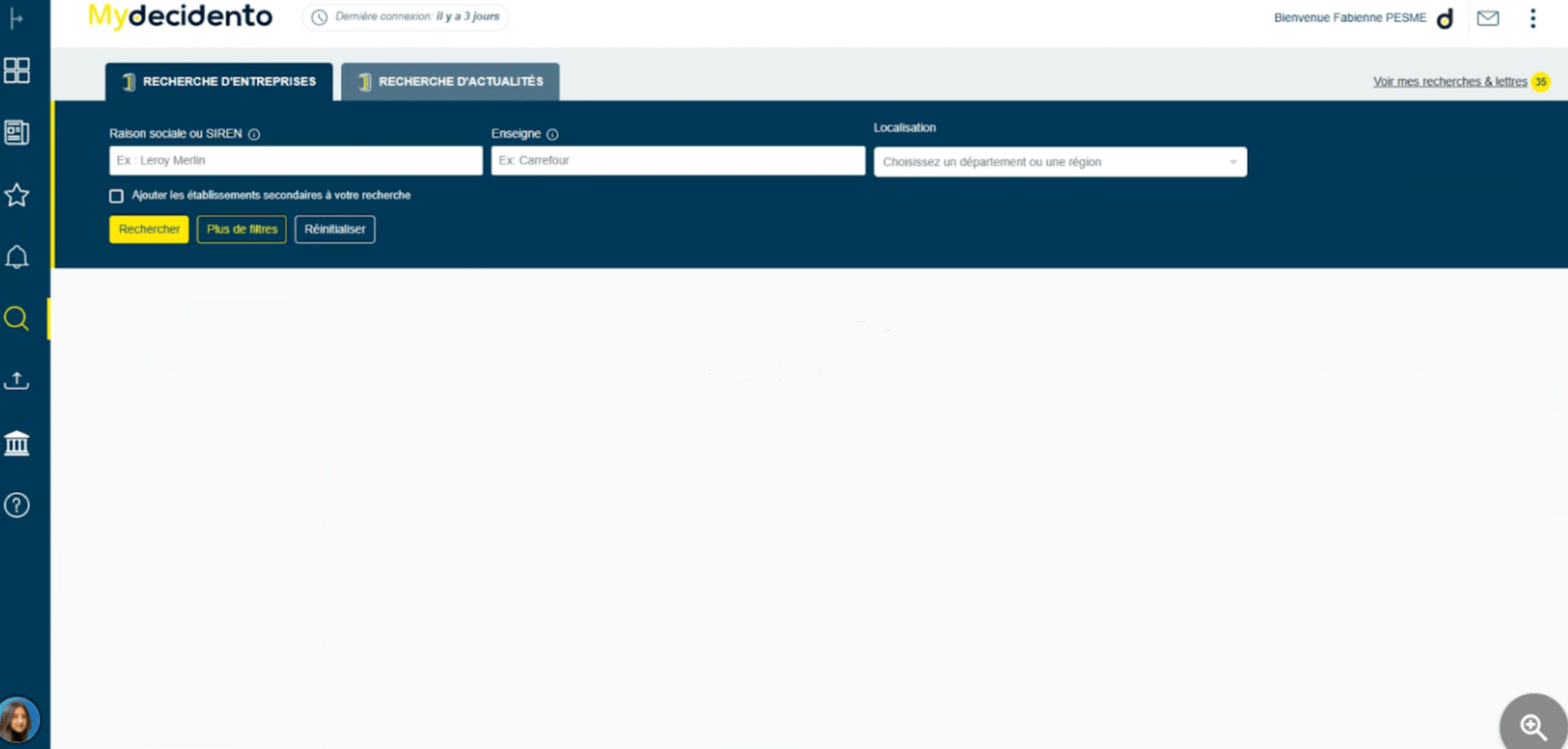
But you can also, and above all, use the advanced search engine to get a targeted prospect list matching your criteria.
There are more than 5,000 filtering keys. Here is a preview:
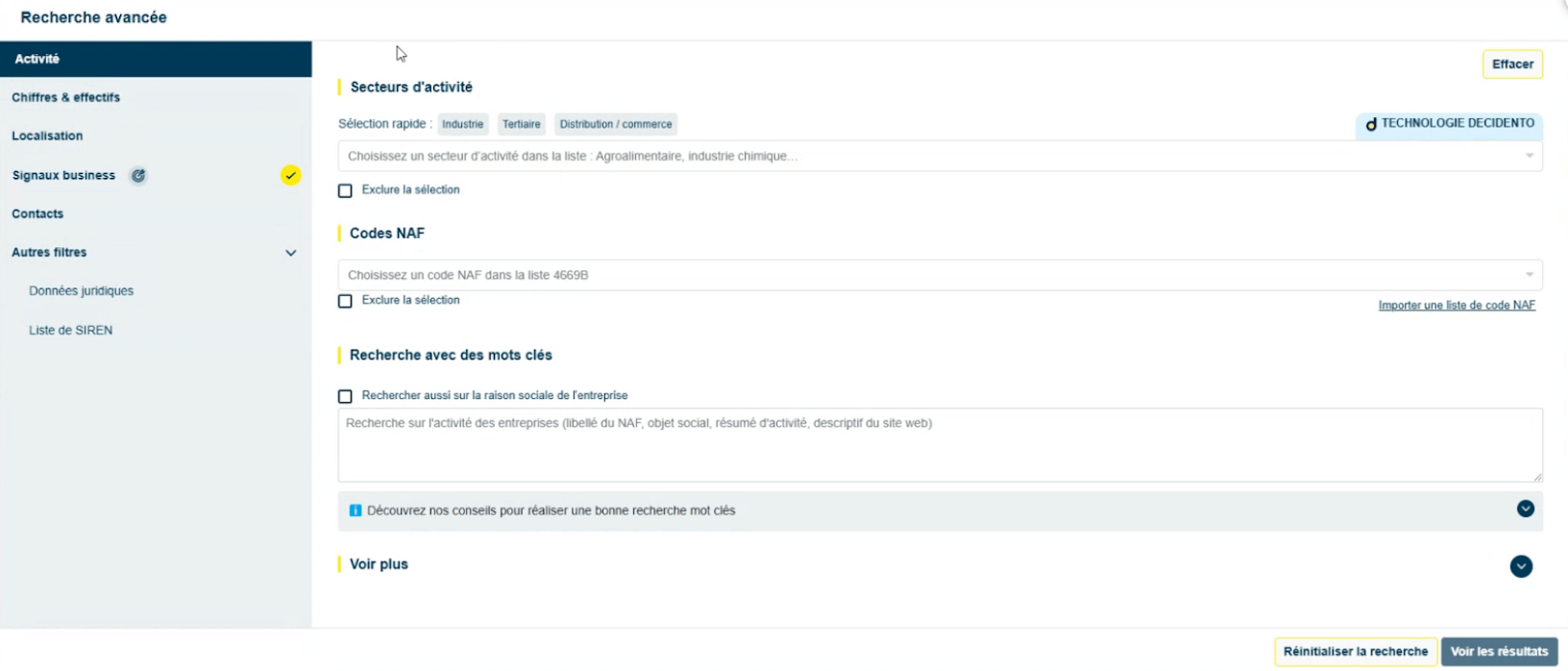
First, you can search for companies by business sector, using a directory built in-house by Decidento. This directory is a simple, intuitive alternative to the traditional NAF codes, which are often not very telling.
You can also refine your search with keywords.
For example, if you target companies specialised in stainless steel manufacturing, you can select “Metallurgy” in the business sector field and type the keyword “stainless” in the search bar. This makes for finer targeting.
And to make searching for companies by activity even easier, Decidento announces an AI-powered feature, not yet available at the time of testing, that will let you describe in natural language the type of companies you want to find.
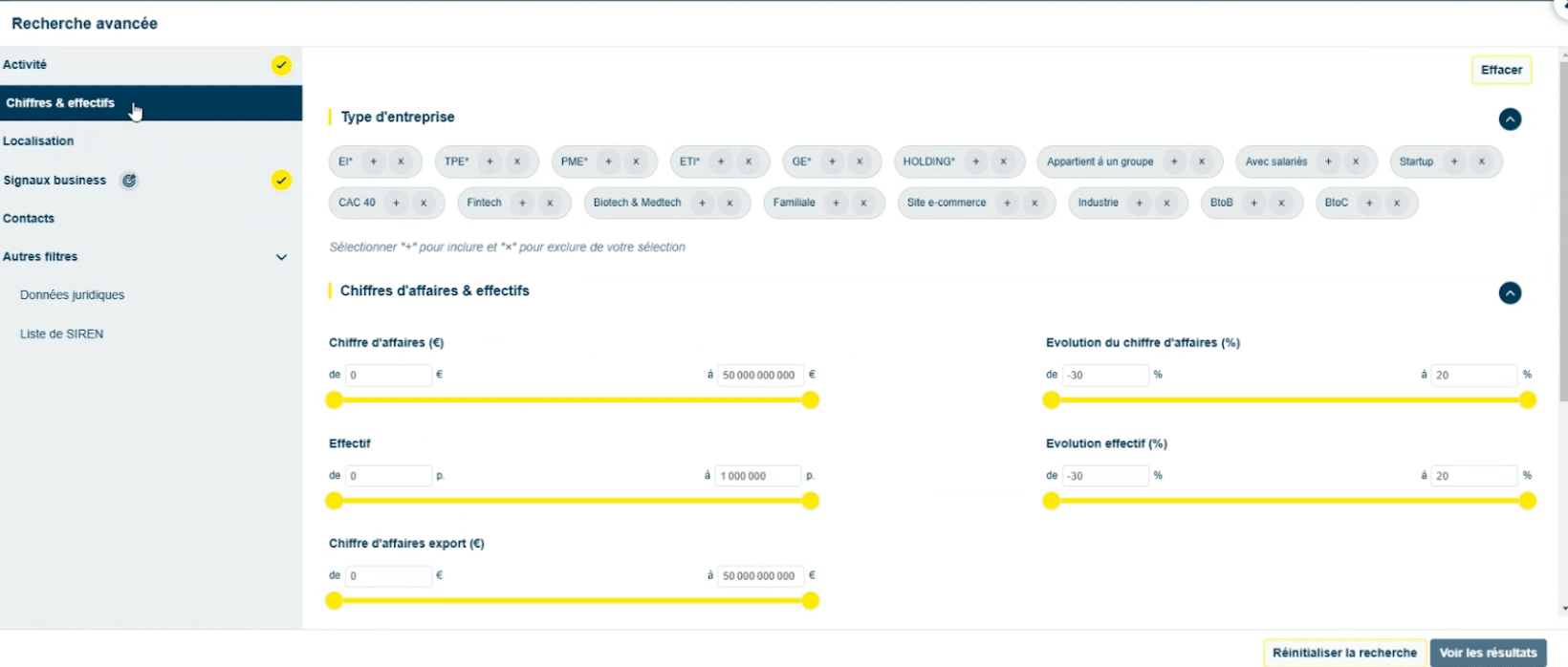
You can also filter companies by type/size, revenue and headcount. You can go a long way. For example, you can filter companies whose revenue changed by x% over the last year.
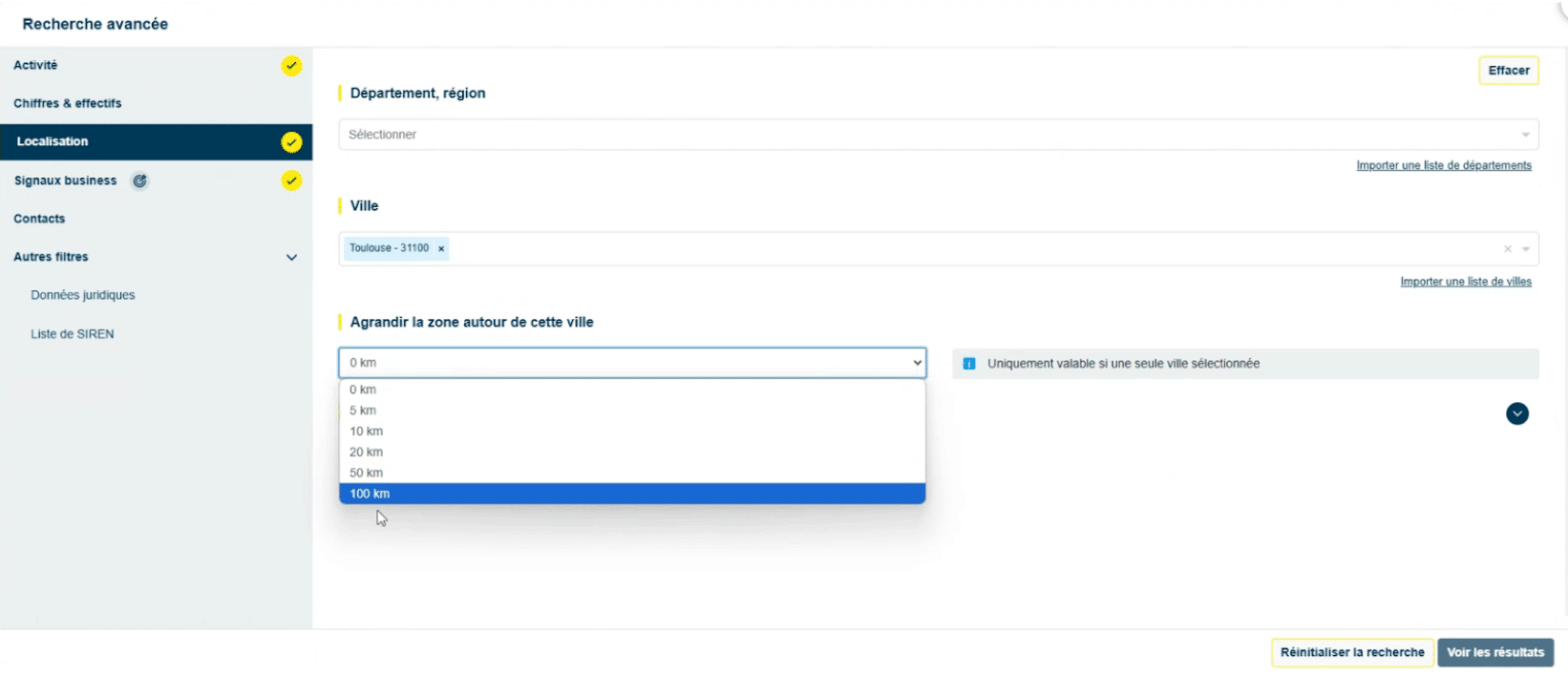
You can also filter companies by location: department, region, city. If you select a city, you can widen the area around it to target a broader geography. A handy feature for field sales reps.
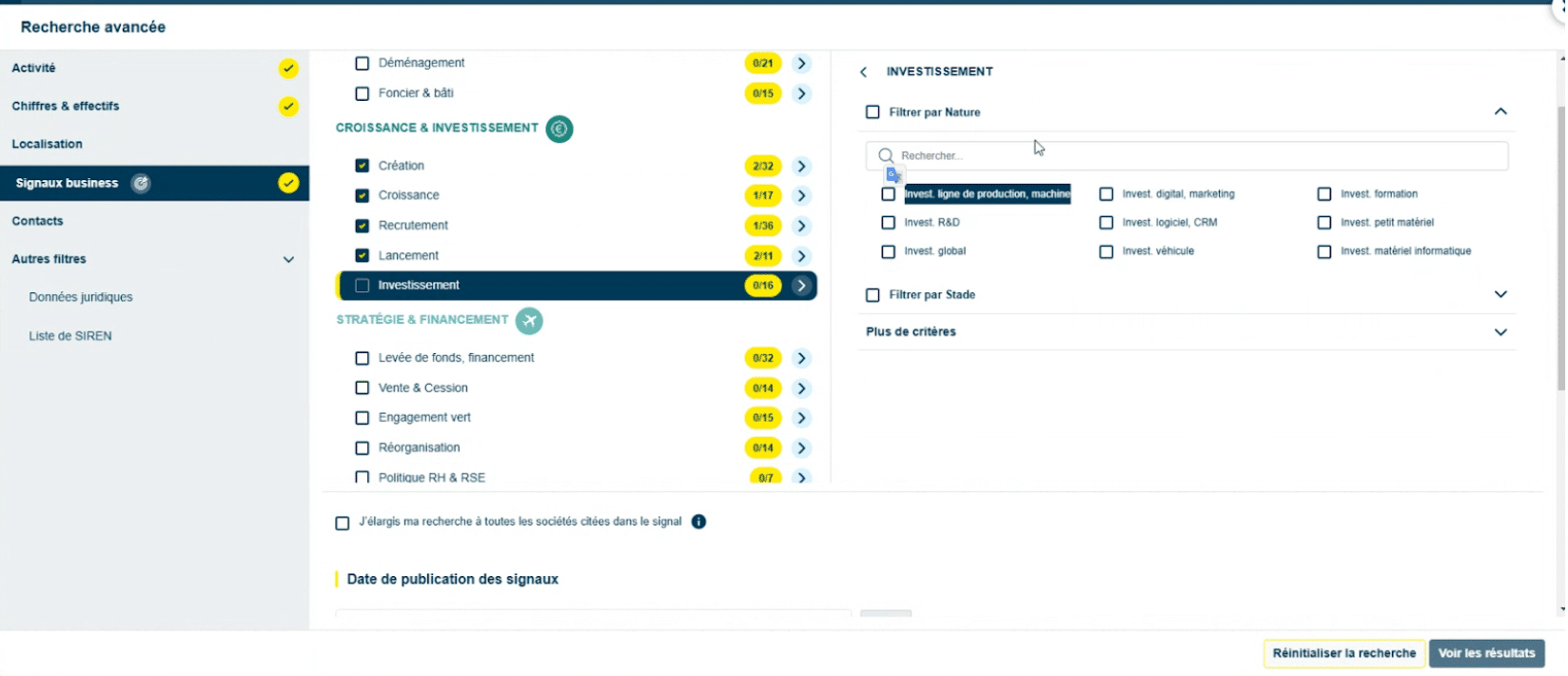
And now for business signals! This is where the number of filters is most impressive. For example, you can filter:
- Companies that received a government grant.
- Companies that raised funds.
- Companies that adopted CRM software.
- Companies that hired a new marketing director.
- Companies that are increasing production or investing in their production lines.
- etc.
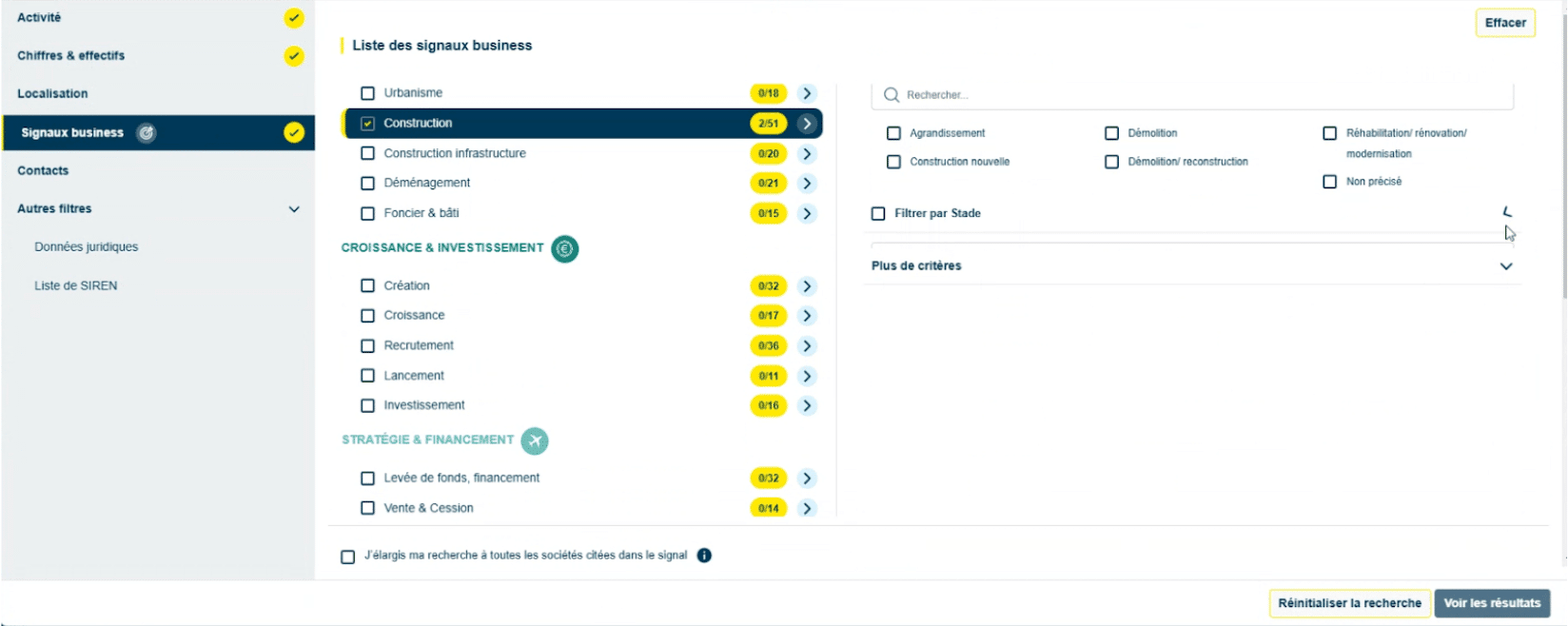
Most of the filters used in the database come from the tags the journalists add when they write their news summaries. Behind the prospecting tool, there is a lot of editorial work.
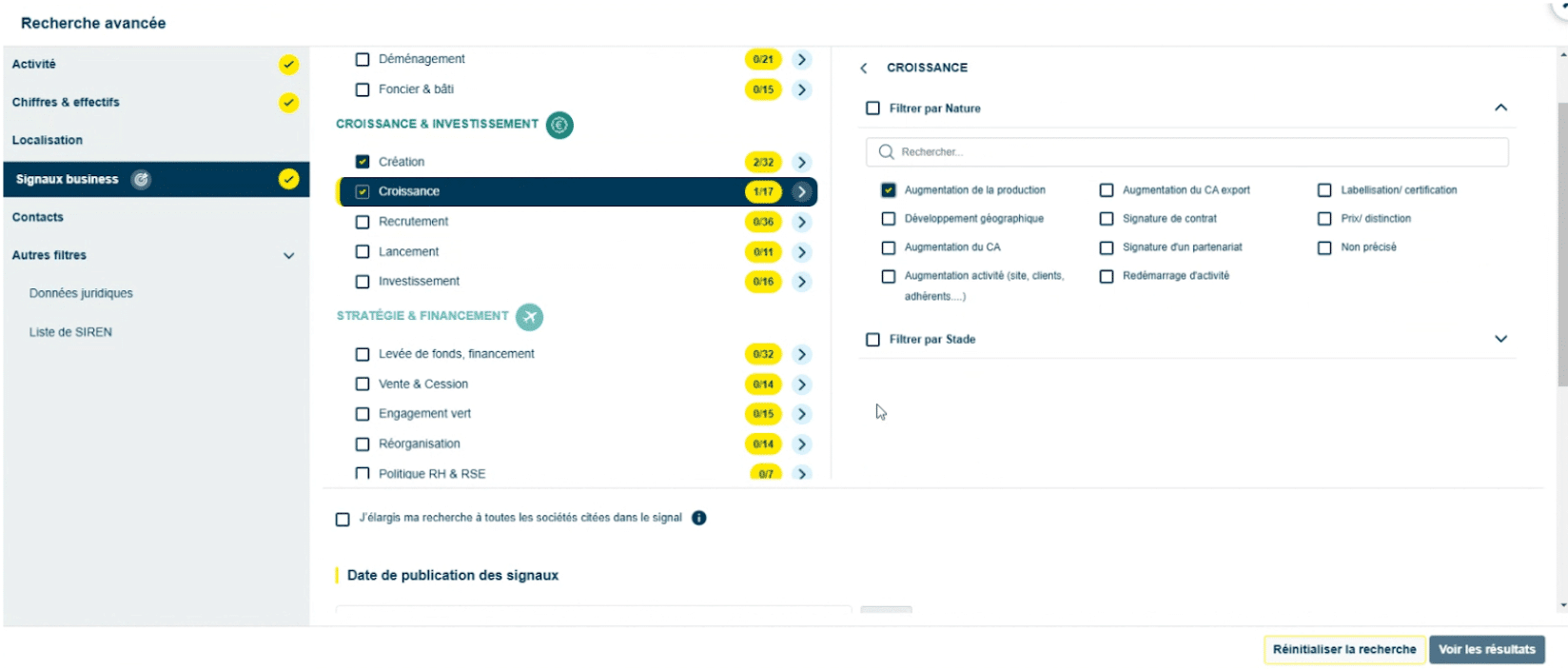
Once you have set all the relevant filters, just click “See results” to get the list of companies matching your criteria:
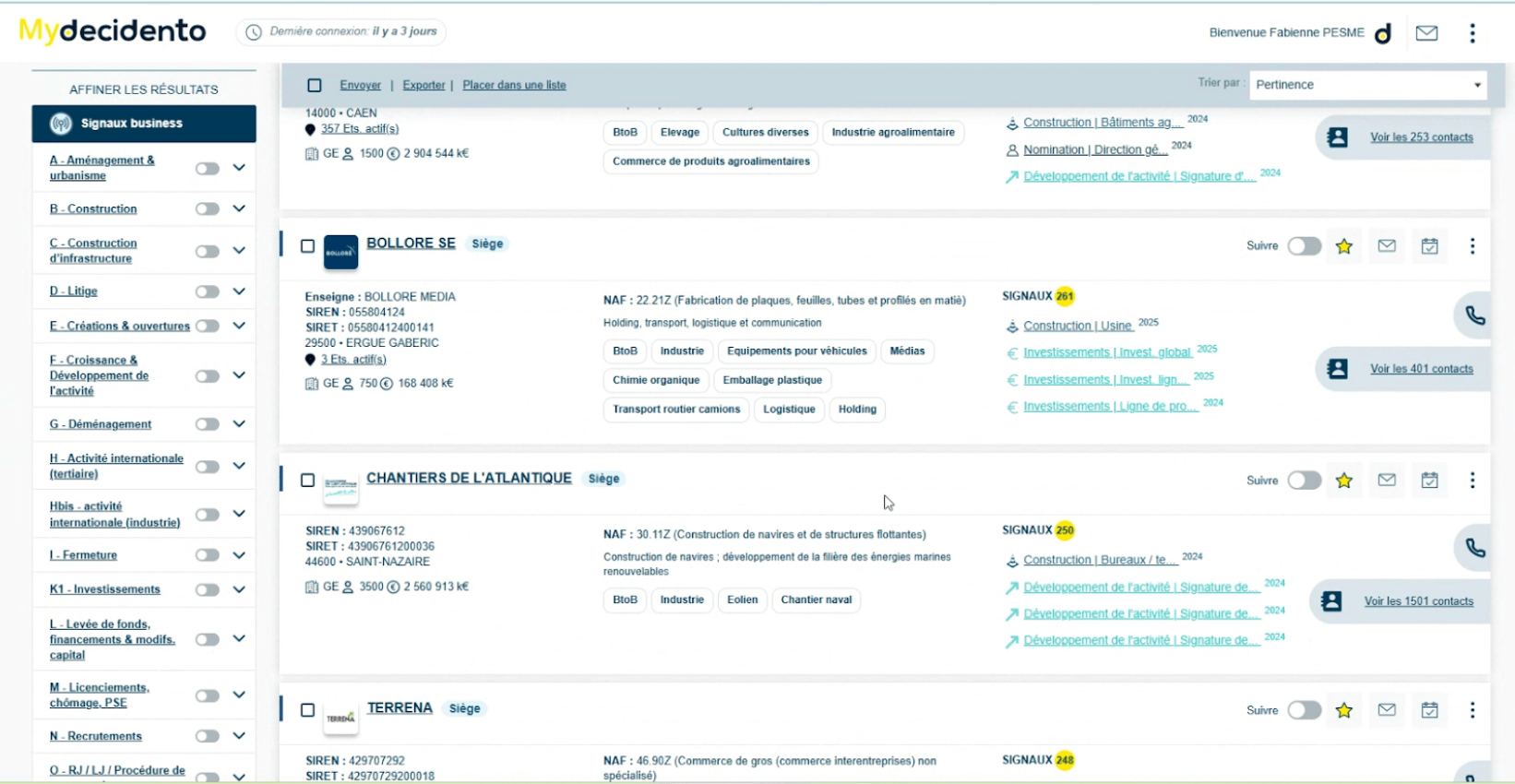
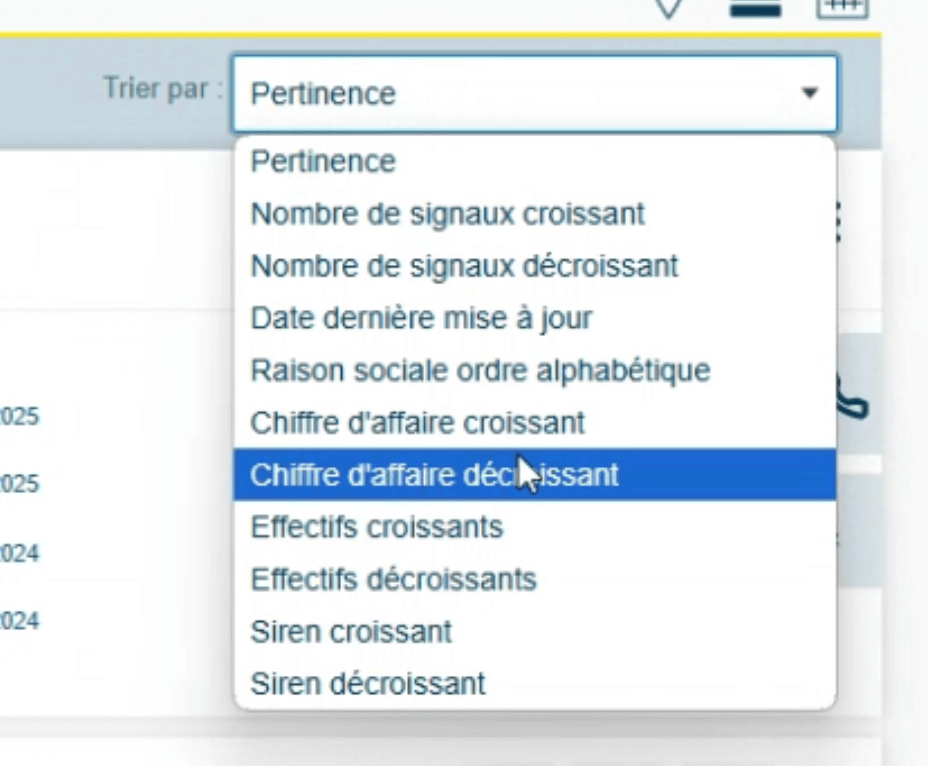
You can sort the results by relevance, number of signals, last update date, company name or revenue.
When you click on a company, you get its full record:
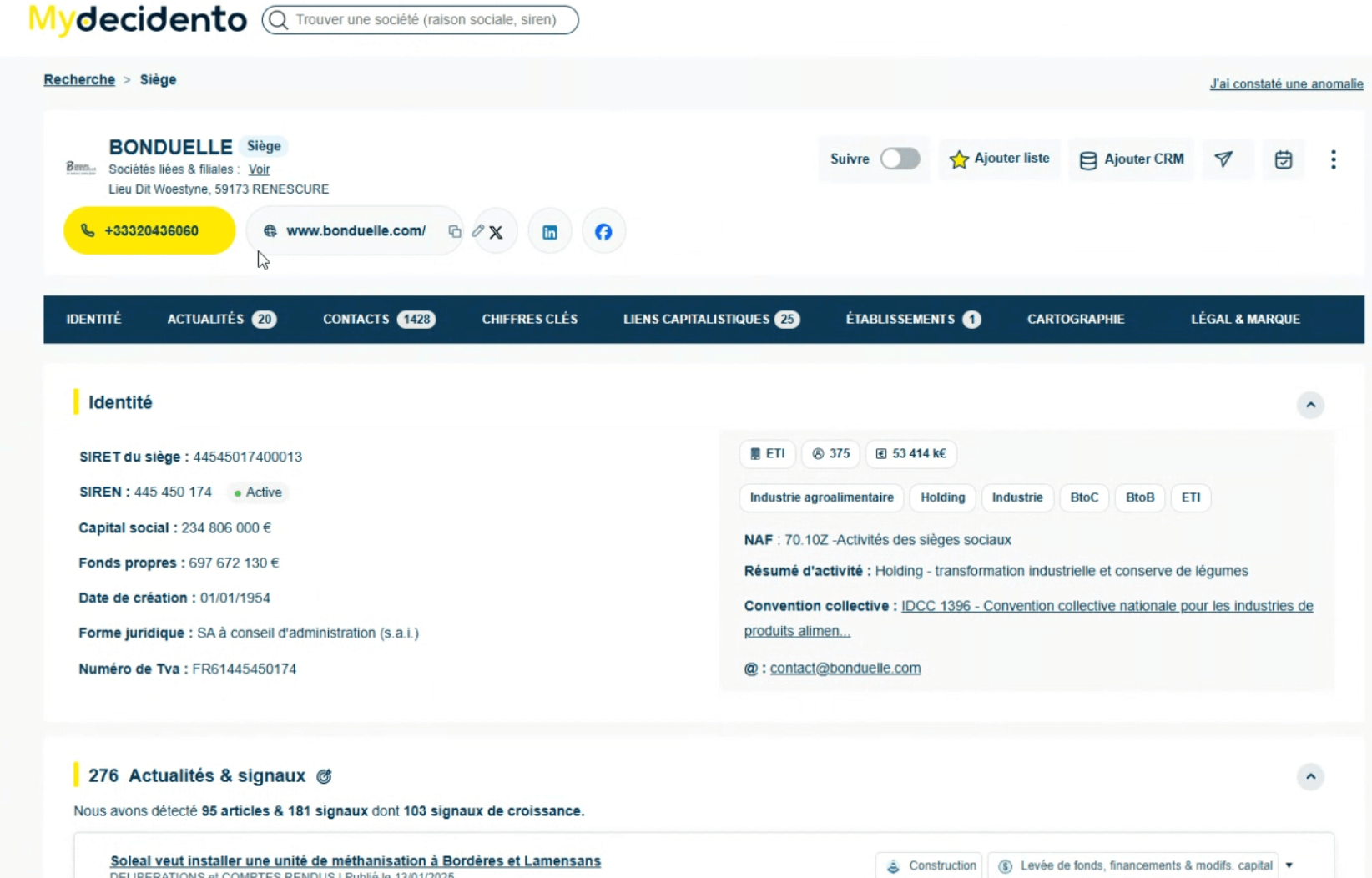
The records are very detailed. You get access to:
- Identity data. The business summary is meant to be filled in by AI (from an analysis of the prospect’s website), a feature not yet available at the time of testing.
- News and signals (more on this later).
- The org chart (more on this later).
- Ownership links with shareholders and legal representatives, related companies and subsidiaries.
- Associated establishments.
- A map of stores / premises / plants (as well as those of companies with the same NAF code, to plan sales rounds).
- Legal information.
A picture is worth a thousand words, so I will let you look at these few screenshots. They give a good idea of the level of detail in these 360 records:
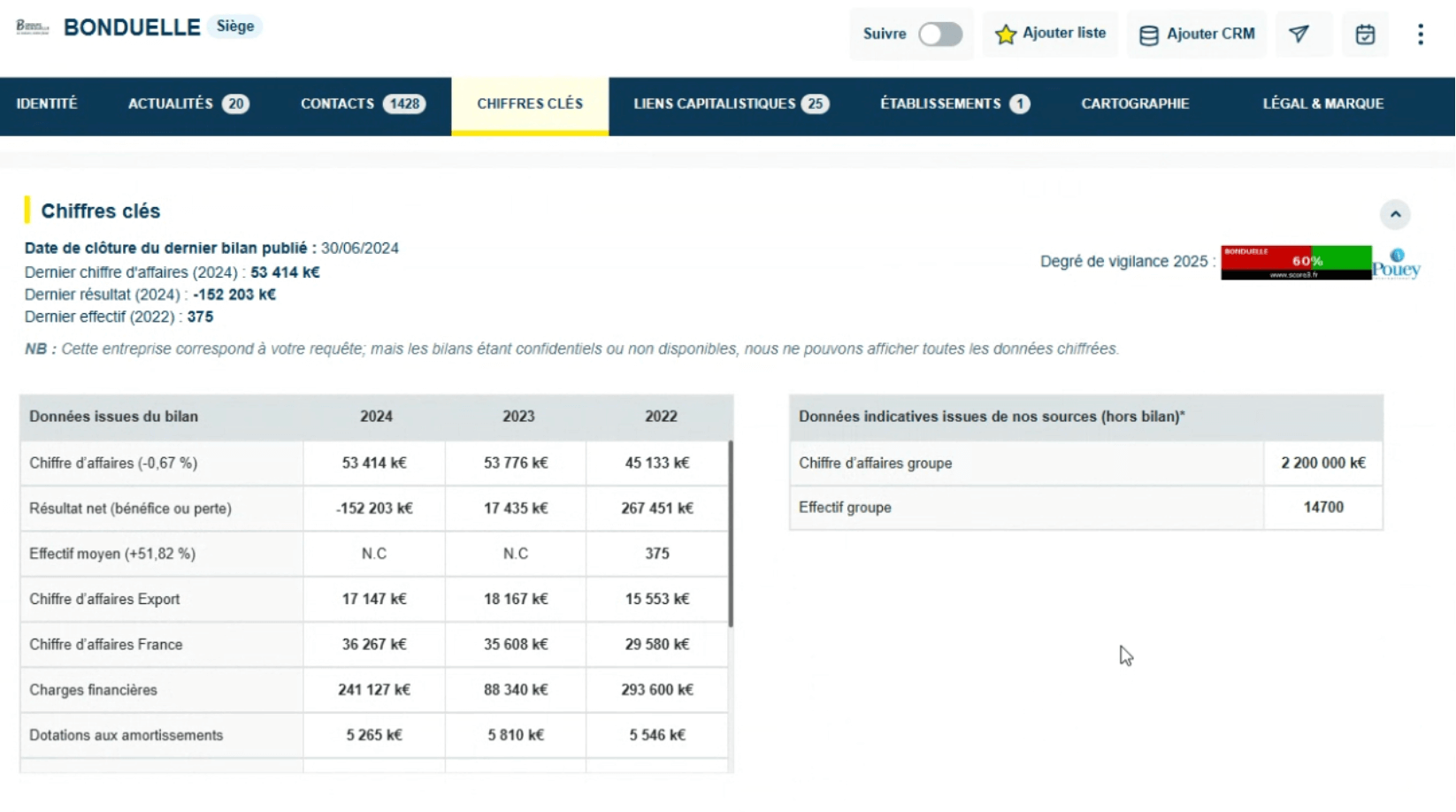
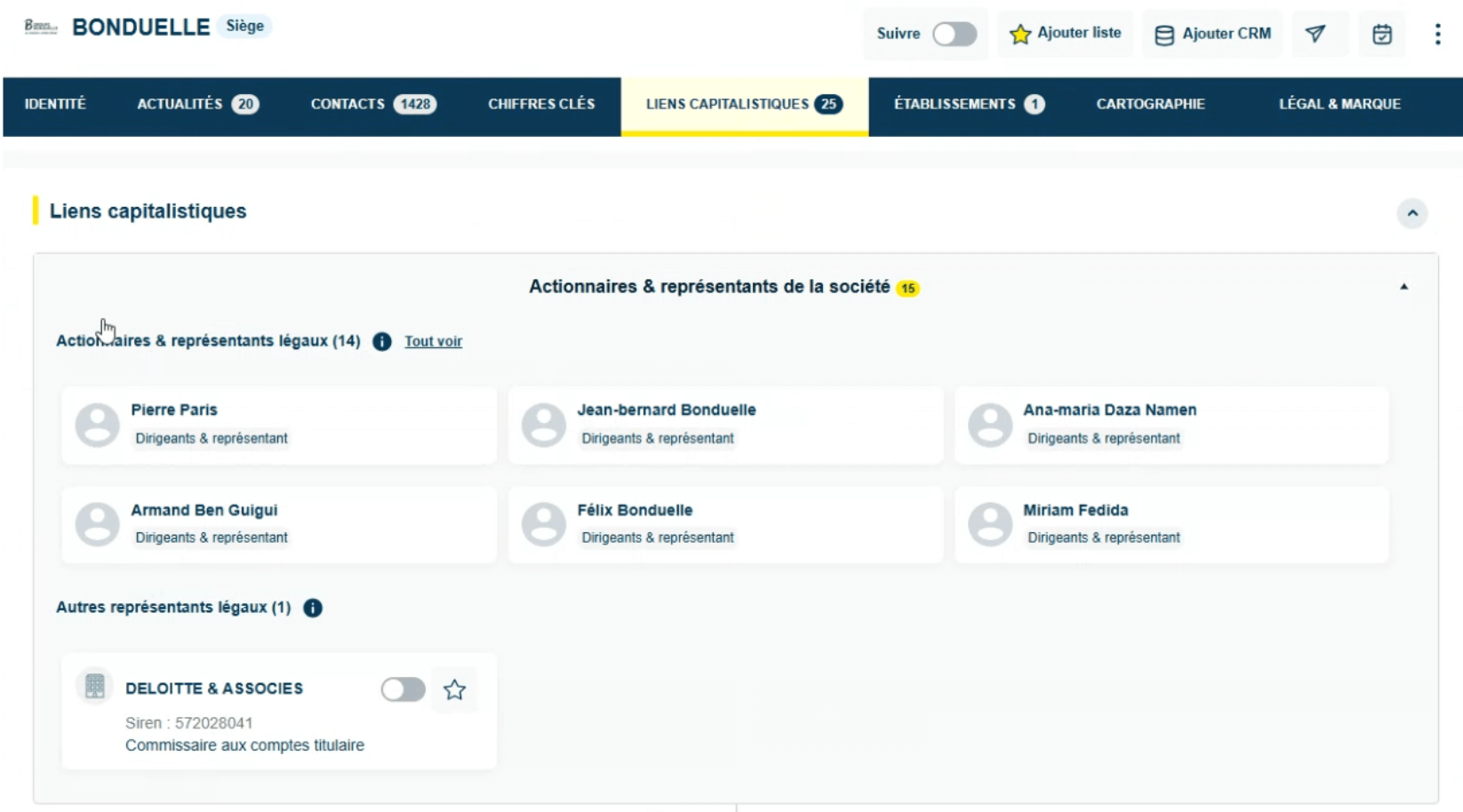
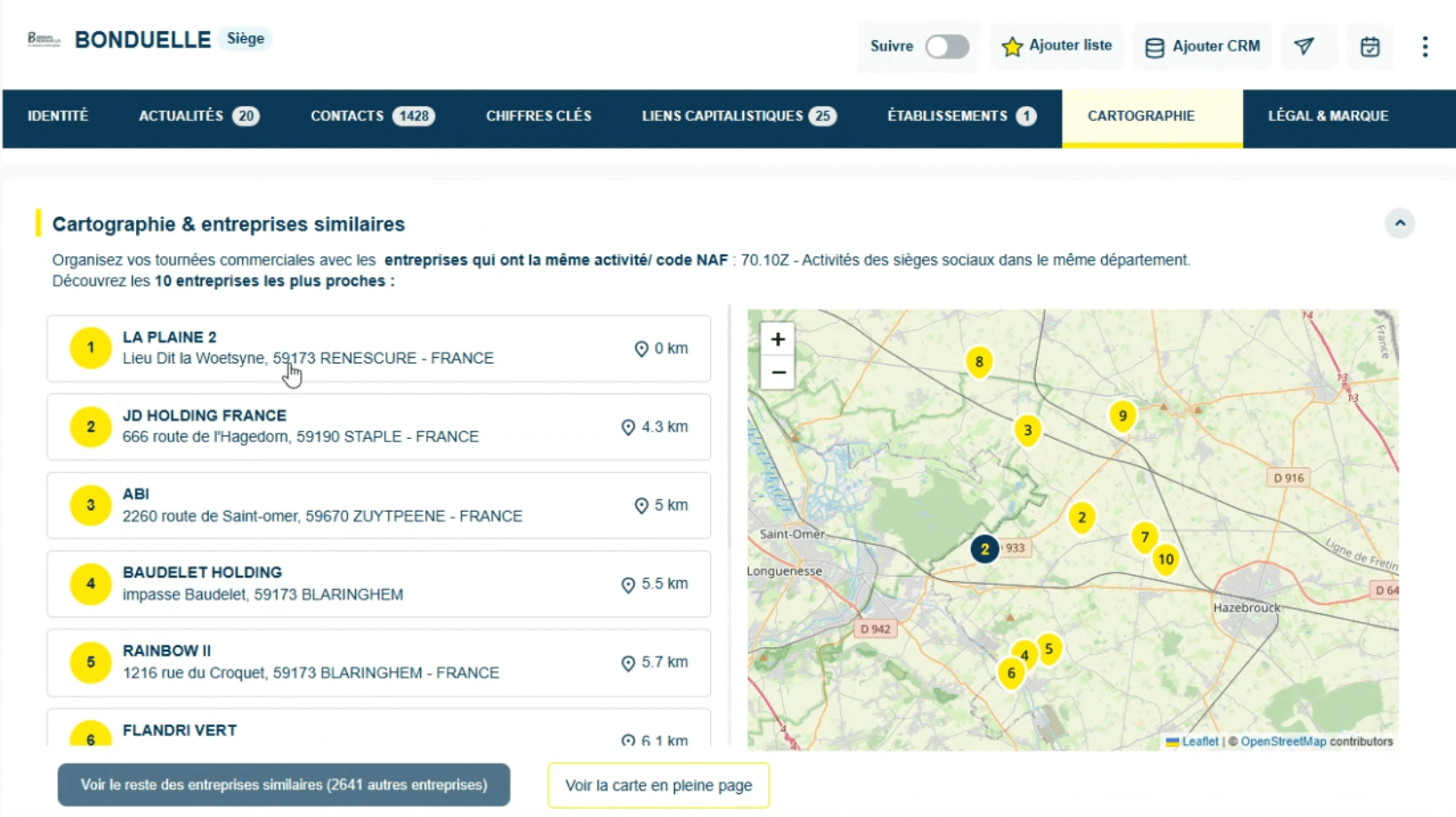
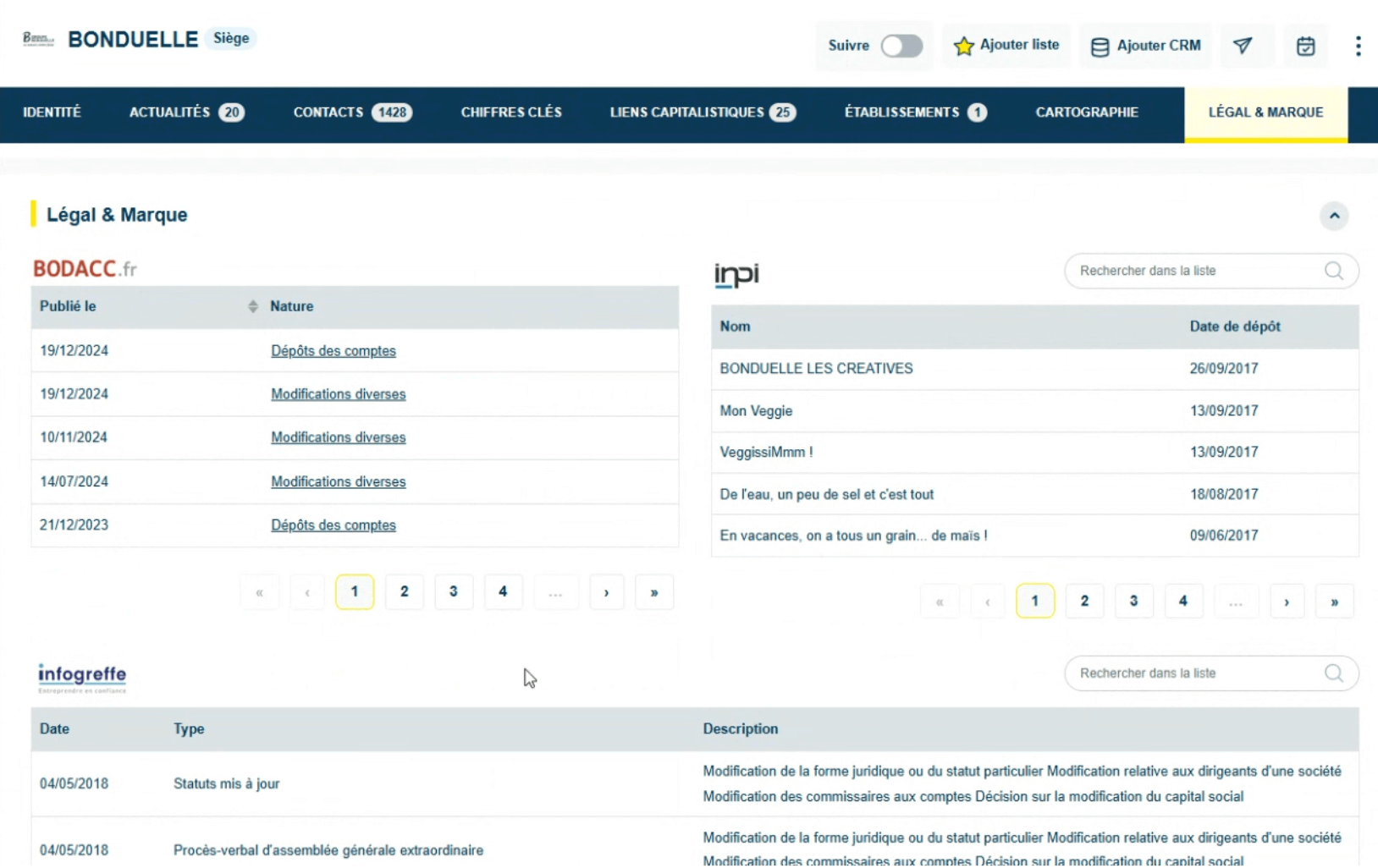
From the search results, you can build prospect lists and track your sales reps’ activity on each company in the list. Decidento can therefore serve as a mini-CRM if you do not have CRM software (and only use Excel files).
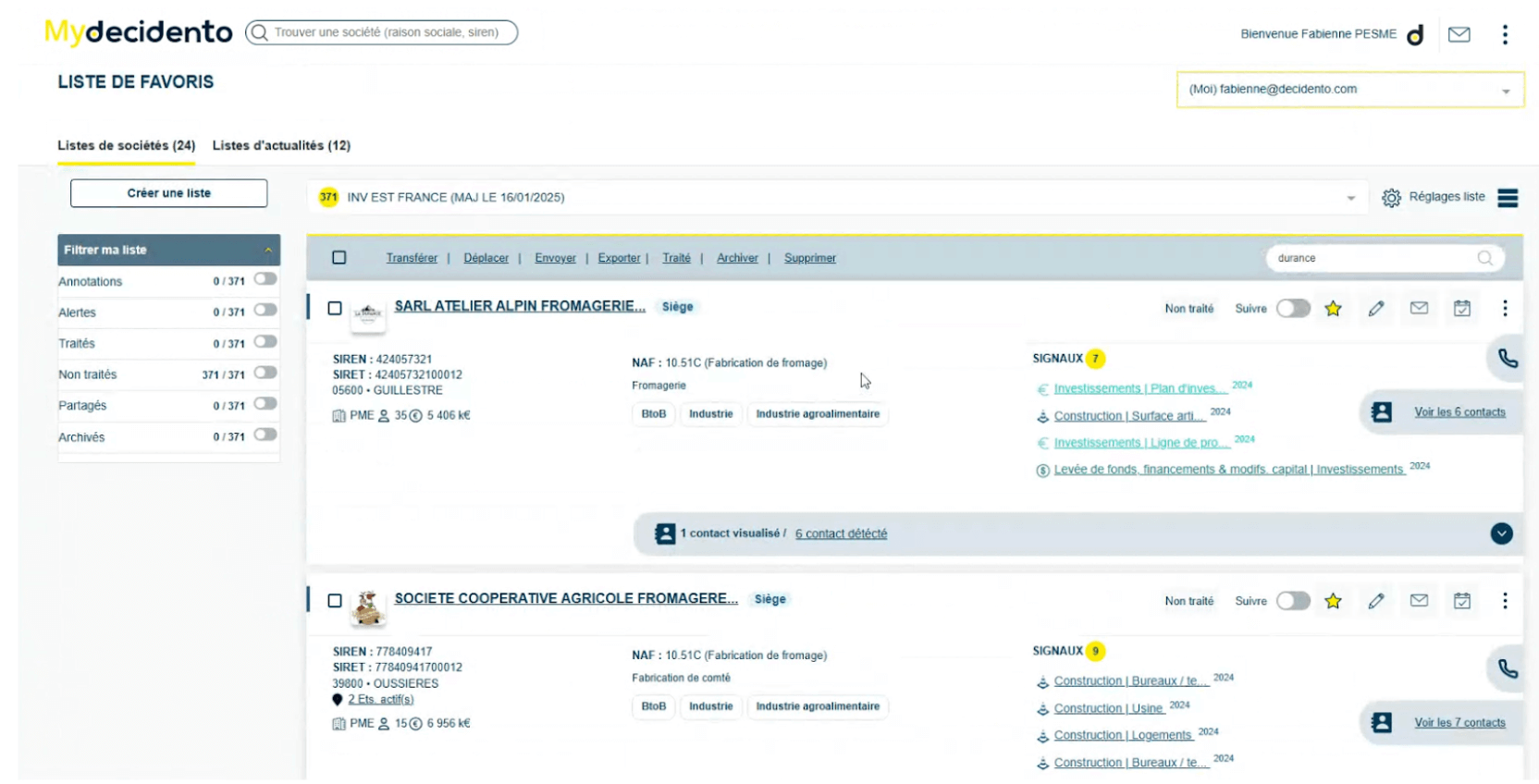
Knowing what is happening at companies: Decidento’s key asset
Decidento started out as a tool dedicated to B2B information monitoring. The platform’s two founders (Laetitia Nourissat Gourd and Fabienne Pesme) both come from that professional world.
Today, while some users mainly work with the company database and the contact database, the news database remains at the heart of Decidento’s identity. It is the very foundation of the platform.
The information monitoring produced by Decidento enriches company and contact data with a contextual dimension that is very valuable in B2B prospecting.
In Decidento, contextual data is used to:
- Let users filter companies by business signals.
- Show, in the company record, all the business-relevant news about that company.
Here is what news / signals look like in a company record (we use the Bonduelle record again):
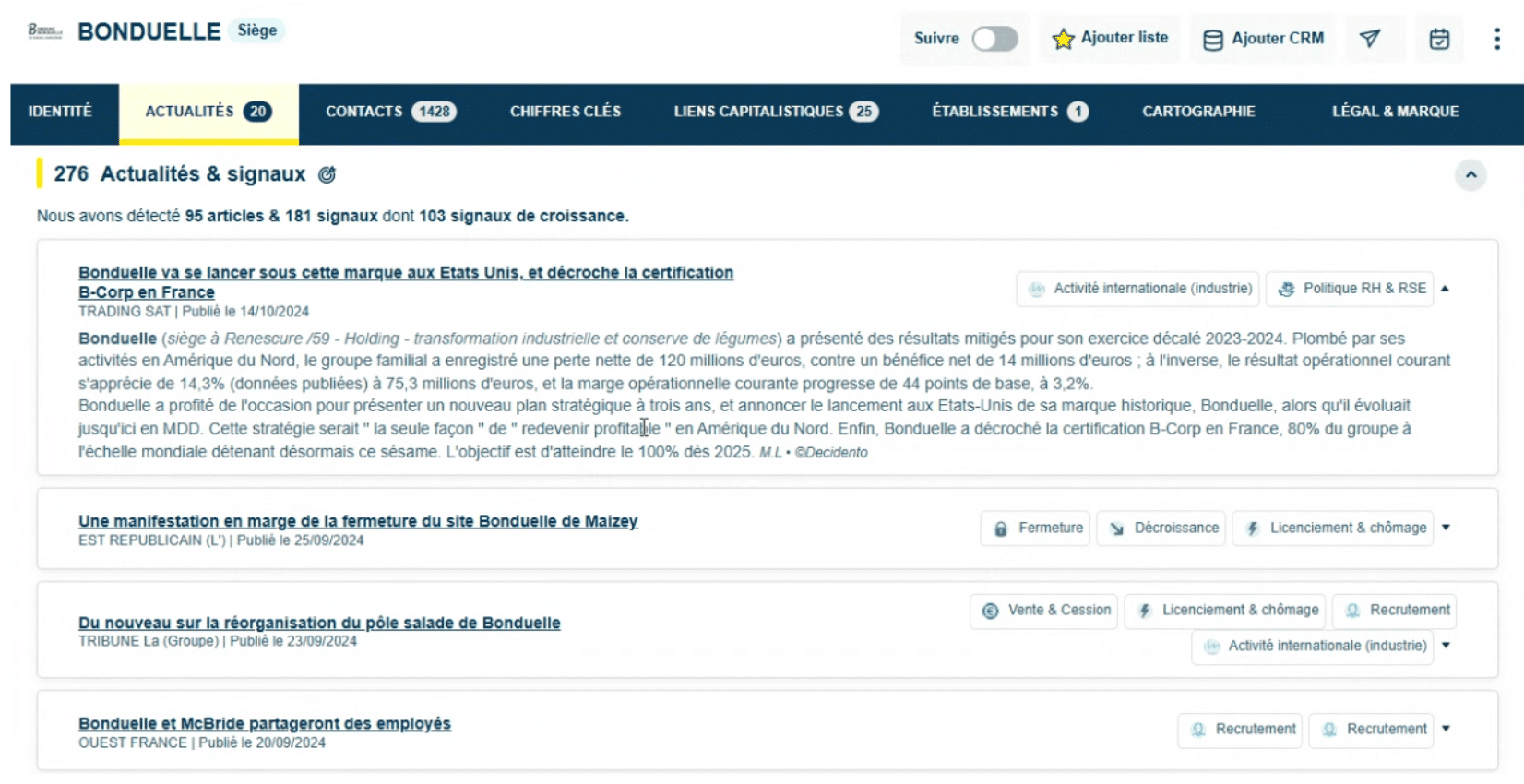
Note that these news summaries are written by the team of journalists and monitoring analysts. Each summary carries several tags, the same tags that, as a reminder, serve as filters in the advanced search (see above).
So Decidento is not just a tool for sales and marketing people: it is also a relevant platform for information and legal monitoring professionals.
Finding contacts at the targeted companies
You have identified companies that match precise criteria, with news suggesting now is the right time to approach them. All that is left is to take action and contact them.
To do that, you need information on the companies’ staff. This information is also available in Decidento. As we have seen, contact data mostly comes from LinkedIn and the Decidento contact database holds 16 million active profiles.
You access these profiles from the company records, in the Contacts tab:
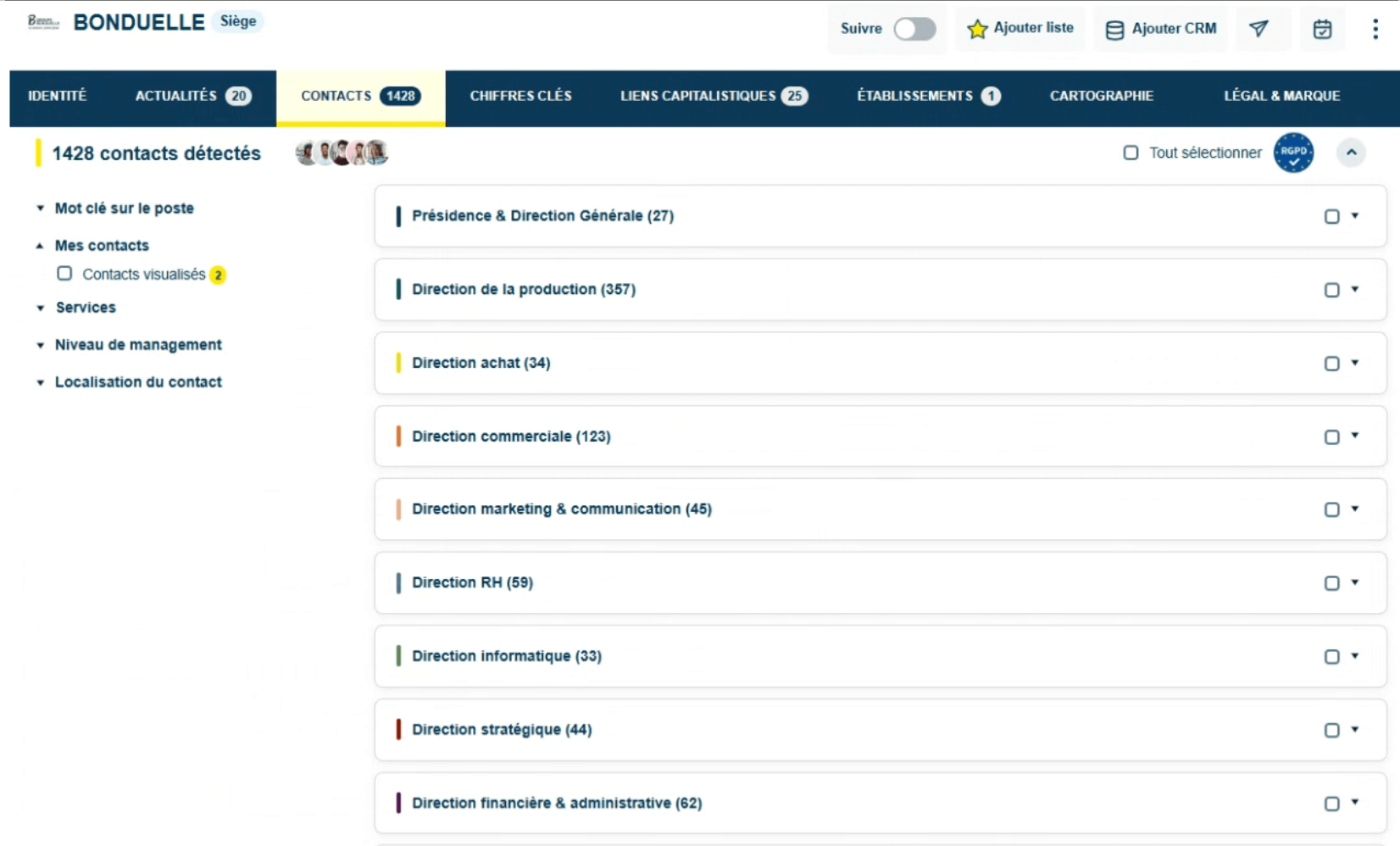
This tab shows the company’s org chart. On the Bonduelle record, for example, there are 357 contacts in the production department. You can then select a sub-category to narrow down the contacts:
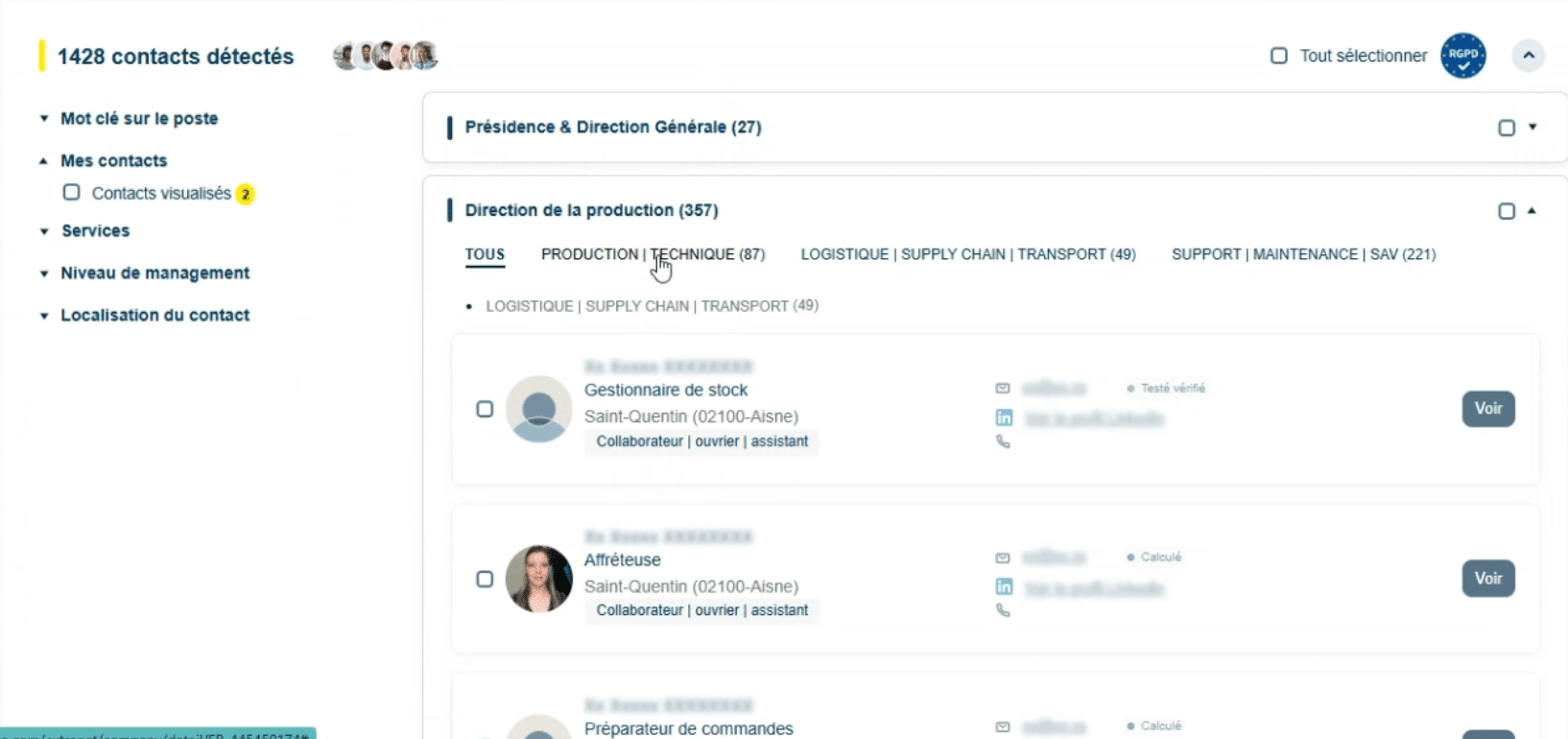
The (very well done) organisation of contacts into several levels of departments and management is made possible by an AI tool developed by the Decidento team in 2024.
You can also find the contact(s) matching given job titles using the keyword search engine.
Once you have identified the position you are interested in, you click “View”. This triggers an automatic update of the information (which is why it is blurred at first). That way, only information that is current at that moment is shown.

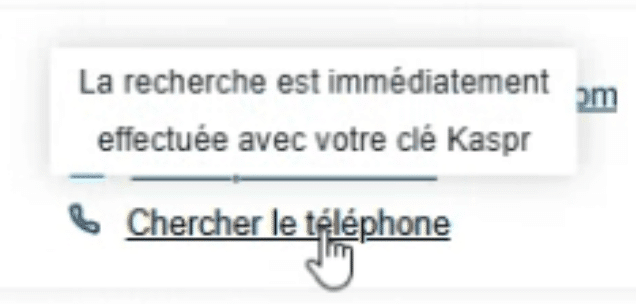
After a few seconds you get: the name, the email and the LinkedIn profile. For phone numbers, you have to go through Kaspr, with a separate subscription. Decidento offers a discount to customers who do not have a Kaspr subscription.
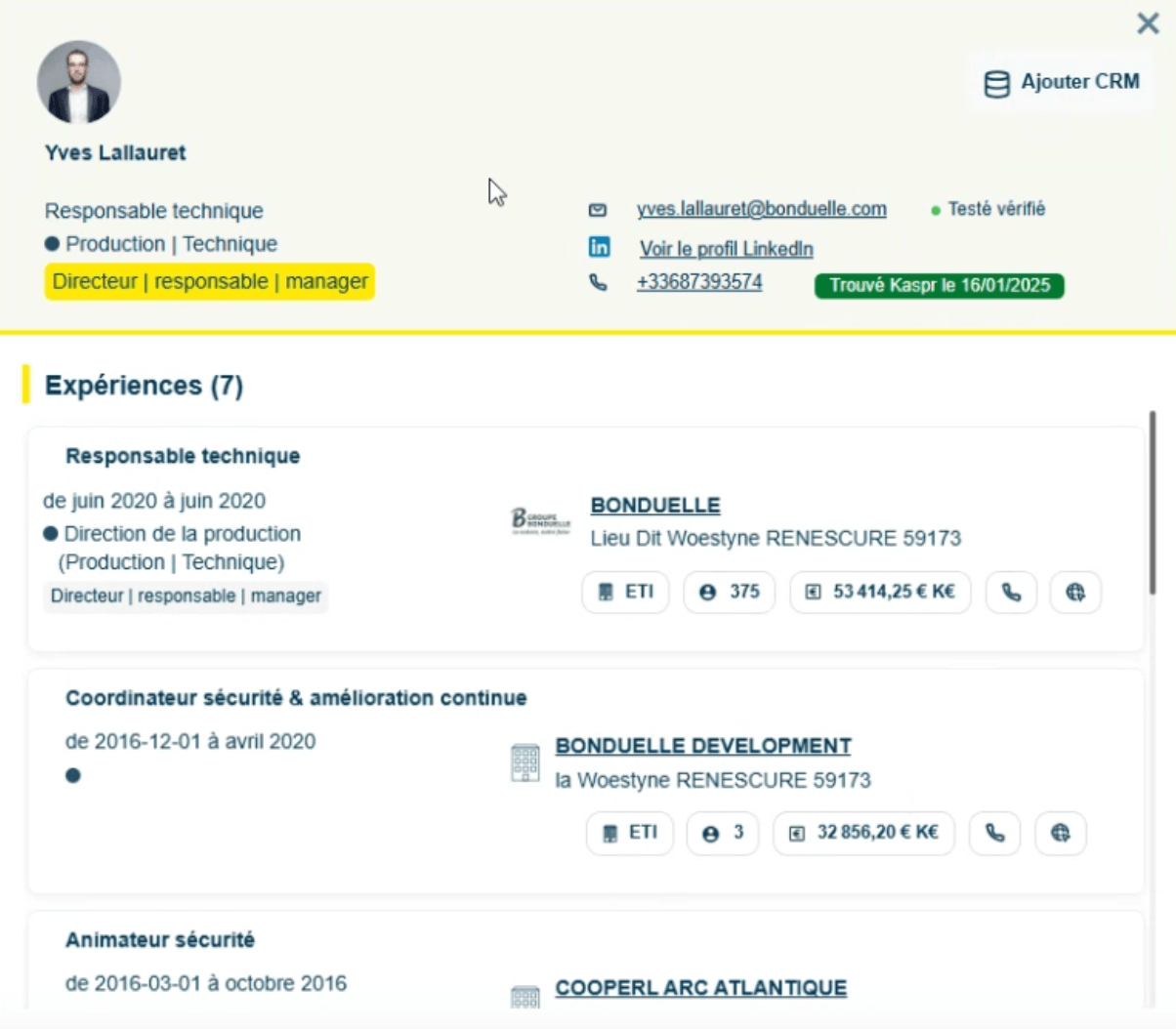
You can also open the contact record, which shows their work experience and education. Here again, the information displayed comes mostly from LinkedIn.
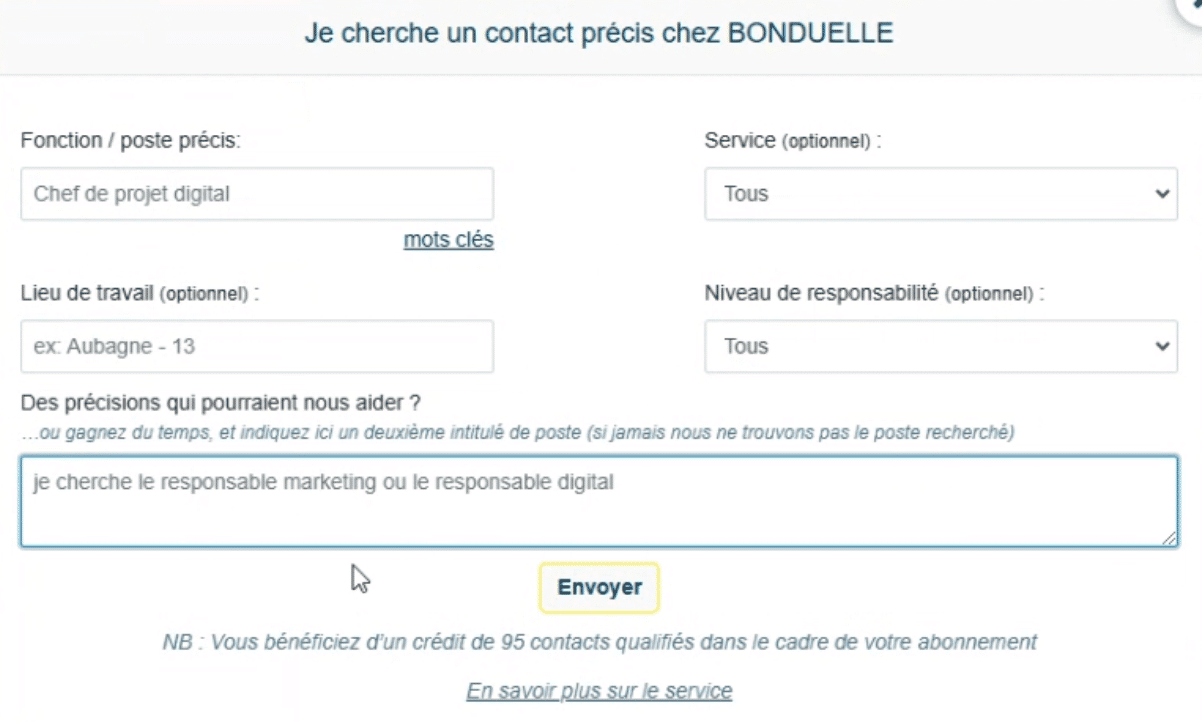
If you cannot find the right contact among the results, you can contact the Decidento team. They will look for the requested contact themselves, calling the company directly if the information is not available from their sources. Decidento commits to sending the information within 48 hours at most.
Enriching your CRM (Decidento’s integrations)
You can use Decidento to enrich, clean and make your CRM or ERP more reliable. This way you can feed your sales reps fresh leads in the CRM and update the company records in your CRM.
Decidento offers a native connector with Salesforce and Dynamics 365. If you use another CRM, you can use Zapier.
Setting up B2B monitoring (with the newsletter)
Decidento also lets you send customisable newsletters.
For example, you can set up a daily delivery of news on your prospects, a specific business sector or a region, straight to you and your colleagues.
This is where the platform’s origins in monitoring show. The newsletter, however, is an add-on, billed on top of the subscription.
Decidento, a tool for Sales AND marketing
On Salesdorado, we mostly talk about sales prospecting, but a tool like Decidento can also be used by marketing teams.
You can use the search engine to build large B2B email lists. For example, you can search for companies in the industrial sector (with a small number of filters), then pull all the contacts linked to those companies, then retrieve the email addresses to build a prospect list you can then use for a marketing campaign.
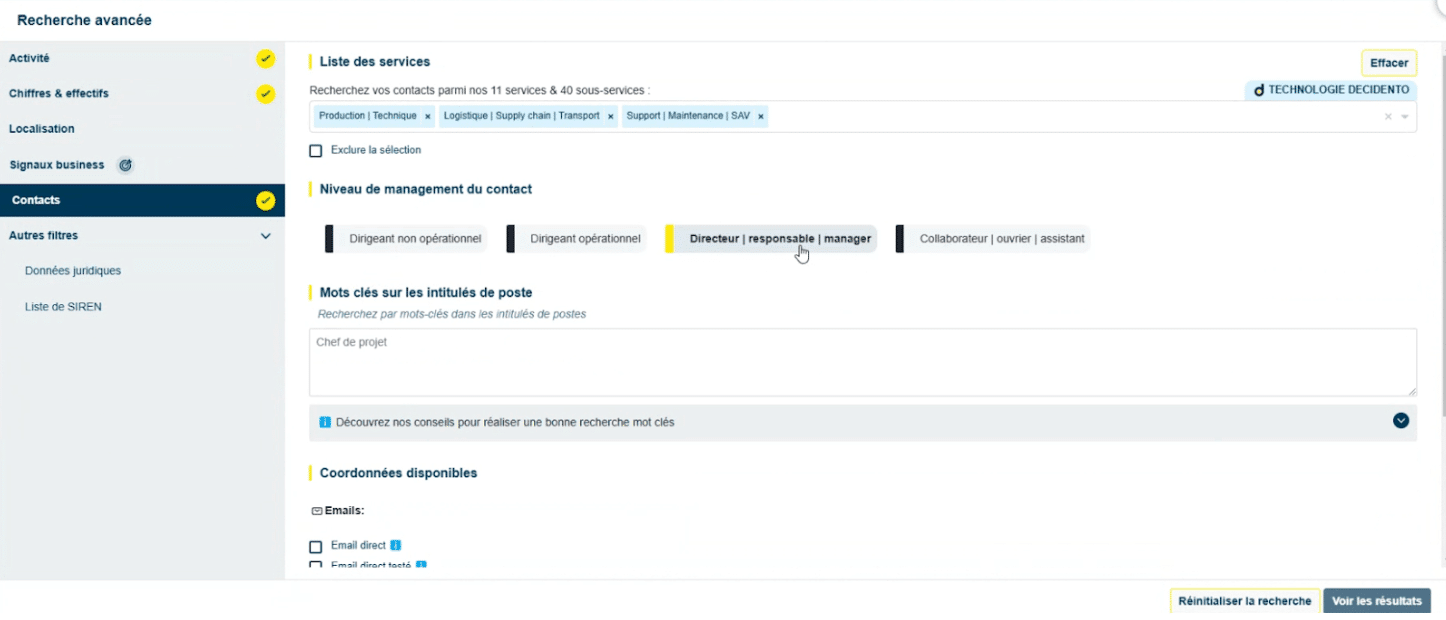
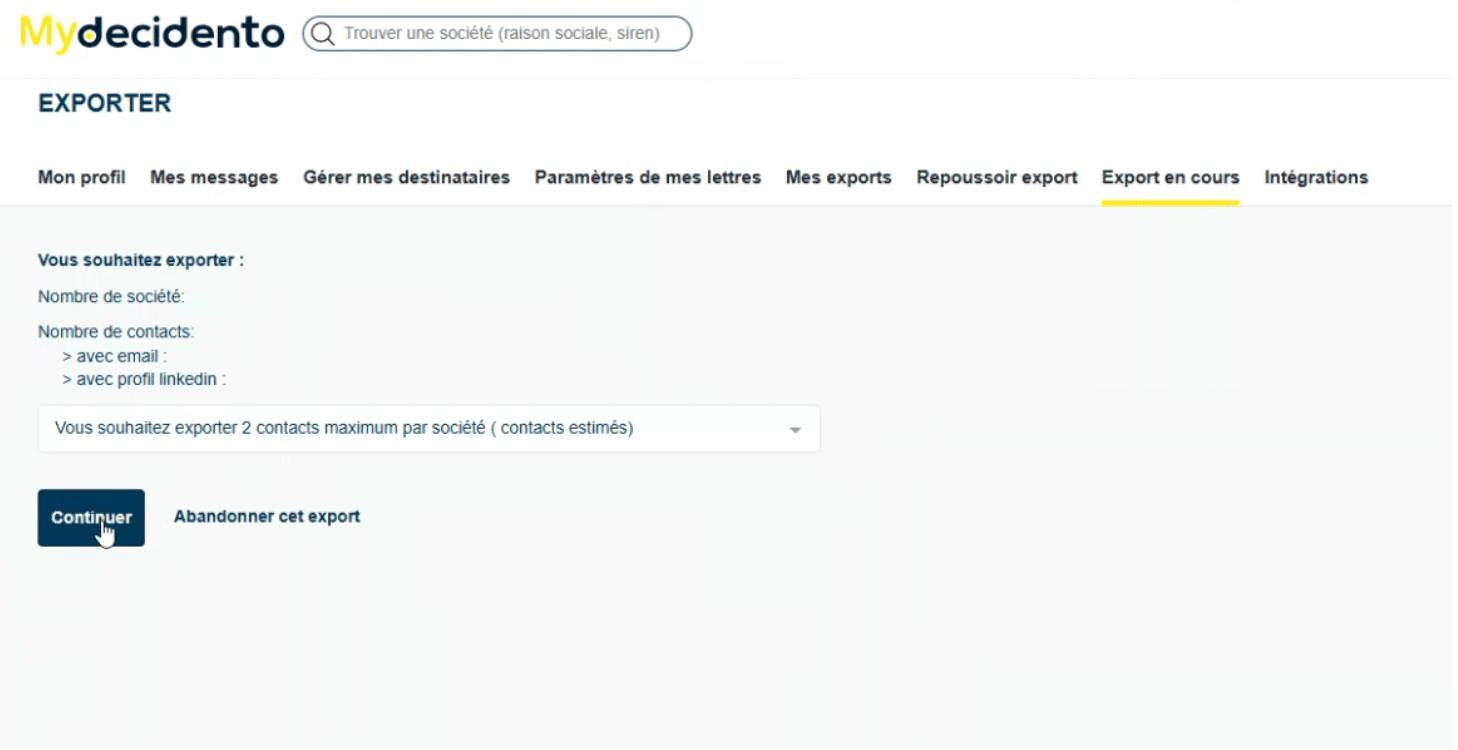
Exporting (to .csv or Excel) is very simple:
Decidento pricing
Decidento pricing is quote-based.
Decidento offers several plans, defined according to your needs and the functional scope you choose. For example, you can perfectly well buy access to the company database and the contact database only, without the news database. It will cost you less.
Also worth knowing: a Decidento licence can be used by 5 different users. That is rare enough among prospecting tools to be worth mentioning.
On top of the subscription, Decidento charges credits that you use up every time you export Decidento data to your third-party tools: CRM, marketing tool.
Note too that the newsletter is an add-on billed on top of the subscription.
Finally, as mentioned, Decidento does not handle phone numbers natively but relies on Kaspr. So you also need to budget for that subscription (Decidento gets you a discount).
Discover DecidentoTo form your own opinion, Decidento offers a free demo by appointment.