Lunacal is a new player in the market for appointment scheduling software, at least at the time this article was written, in late August 2025. The platform was officially launched in July 2025 by an Indian team, after nearly a year of development.
What does Lunacal bring to a market that is already very mature? Is it just yet another booking tool?
The answer is no, because Lunacal comes with a simple, effective value proposition: turning the booking page, often seen as a mere formality, into a brand showcase, a marketing tool.
When we came across the tool, it intrigued us. It is a young solution, still evolving fast, but one worth a closer look. In this review, we walk you through what sets it apart, its strengths and the points that still need work, because there are some.
Our take on Lunacal’s key features
Lunacal’s main promise, to recap, is to turn your booking page into a marketing tool, a professional showcase. With this tool, you are not just offering a slot in your calendar, you are showcasing your business, your image and your credibility at the very moment the prospect books.
Interface
Here is what the editing interface looks like:
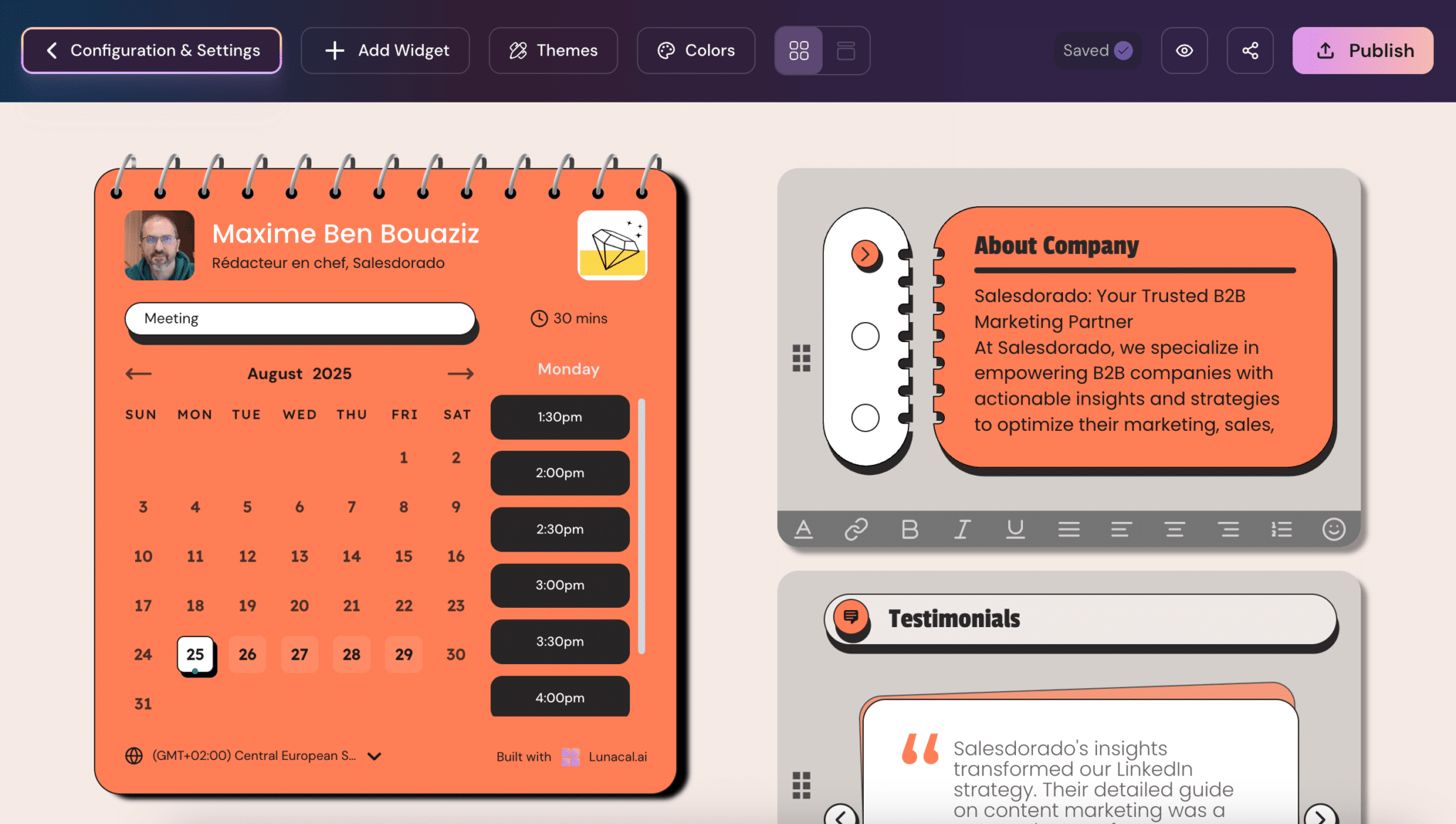
On the left, the calendar. On the right, the widgets that turn your booking page into a marketing tool.
Widgets
Lunacal offers many types of fully customizable widgets. You can enrich the experience with text, customer testimonials, an image gallery, presentation videos, downloadable documents or an FAQ. You can also add audio, a map and links to your social media.
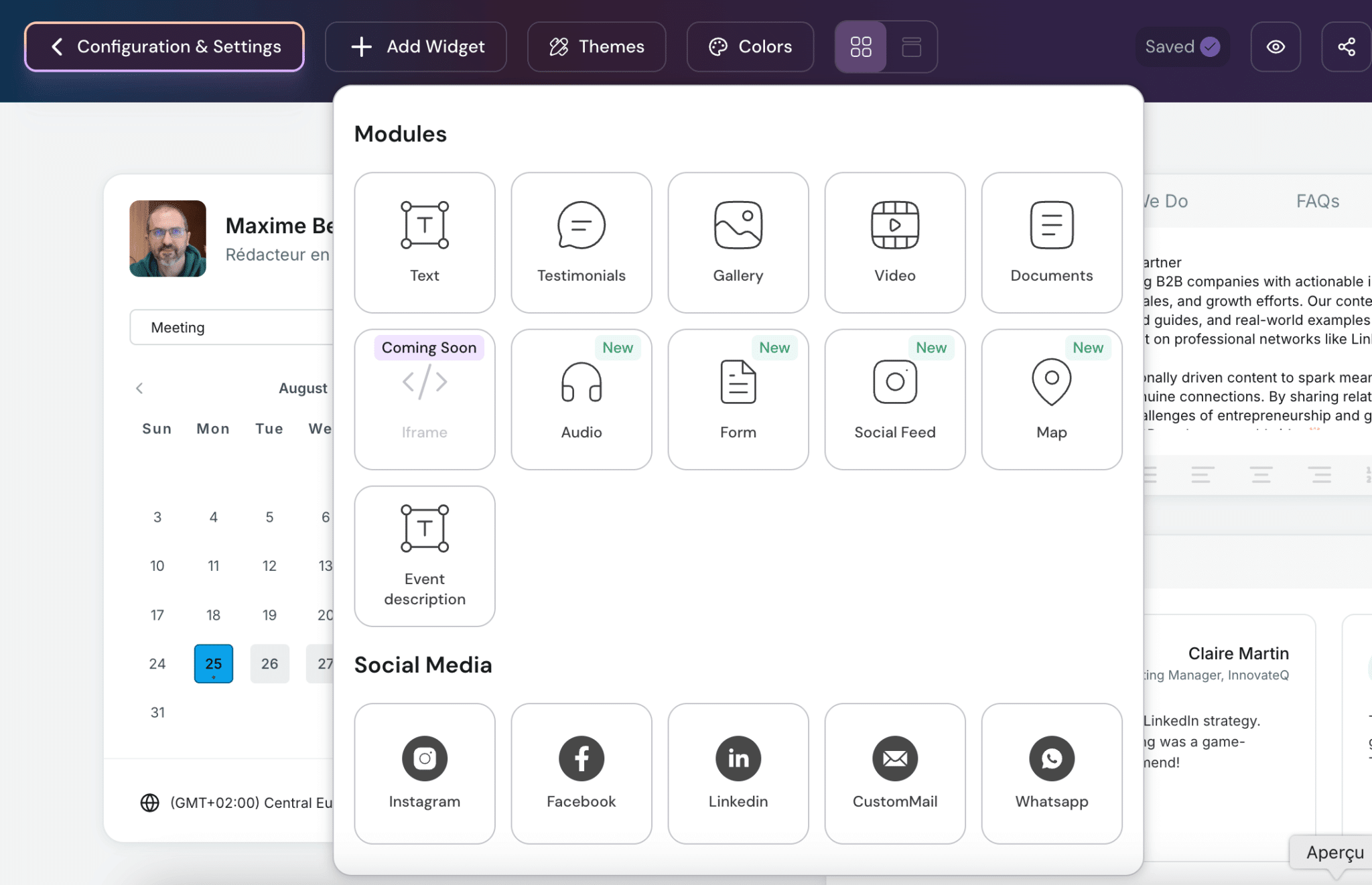
Ease of use is right on schedule, so to speak: a few clicks are enough to turn your plain booking page into a real landing page.
Design
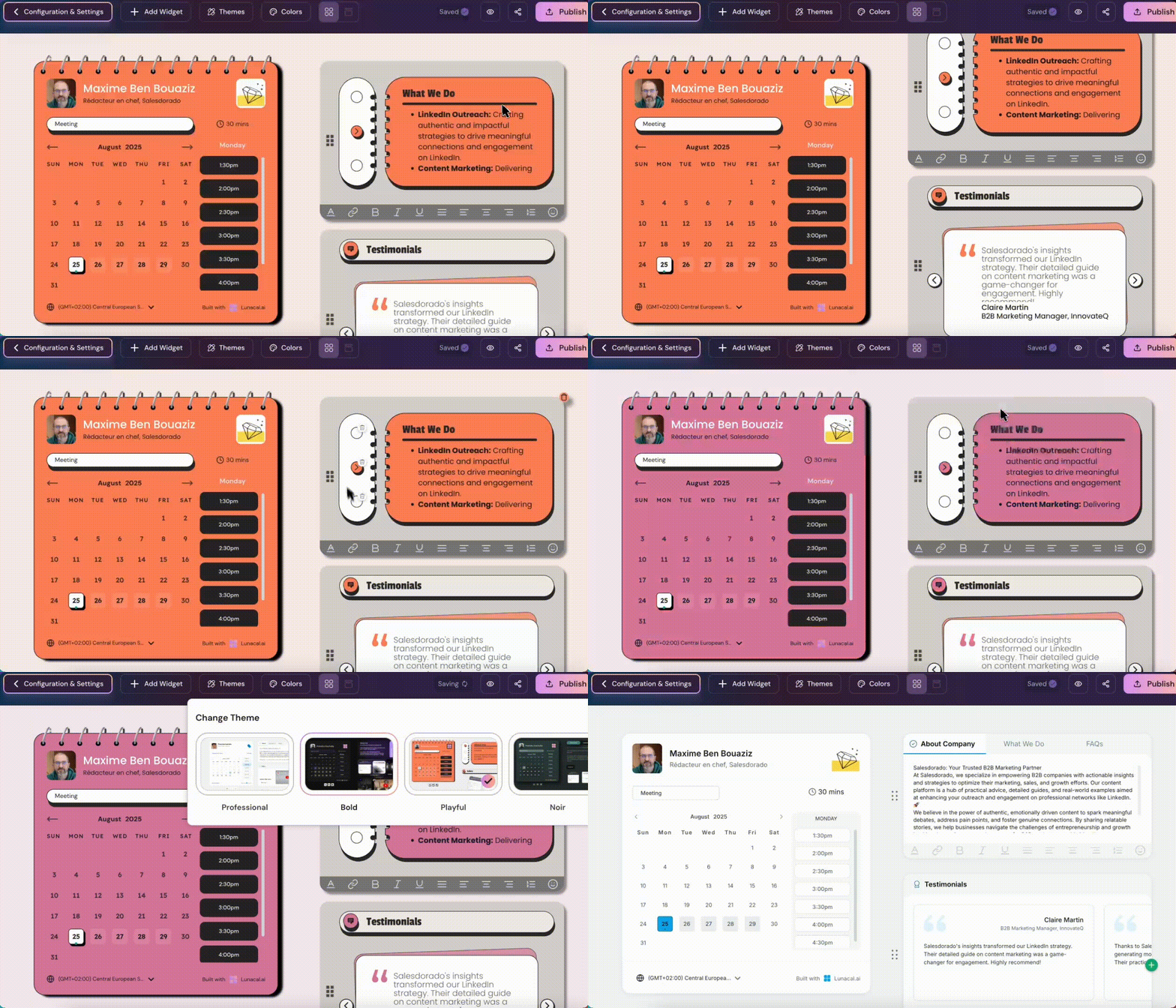
On the design side, Lunacal lets you choose between several display themes. Once the theme is chosen, you can adapt the colors to your visual identity.
Calendar sync
Of course, the tool does not neglect the basics. Sync with your Google, Outlook and Apple calendars is two-way, integrations with Zoom, Teams, Meet or FaceTime are native, and you can schedule automatic reminders to avoid no-shows.
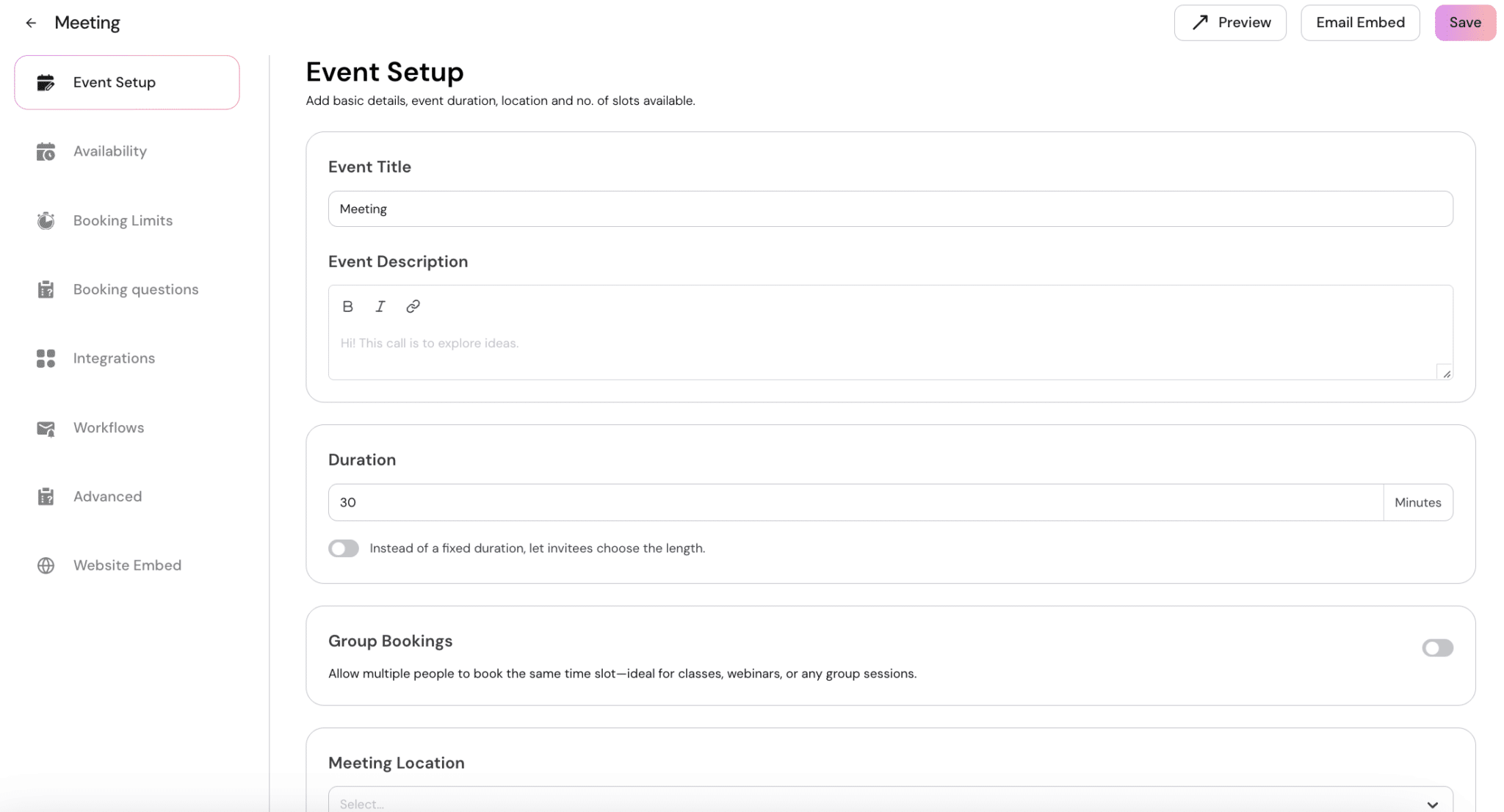
Event setup
You also control buffer times between two appointments, or a minimum booking notice.
Collaboration
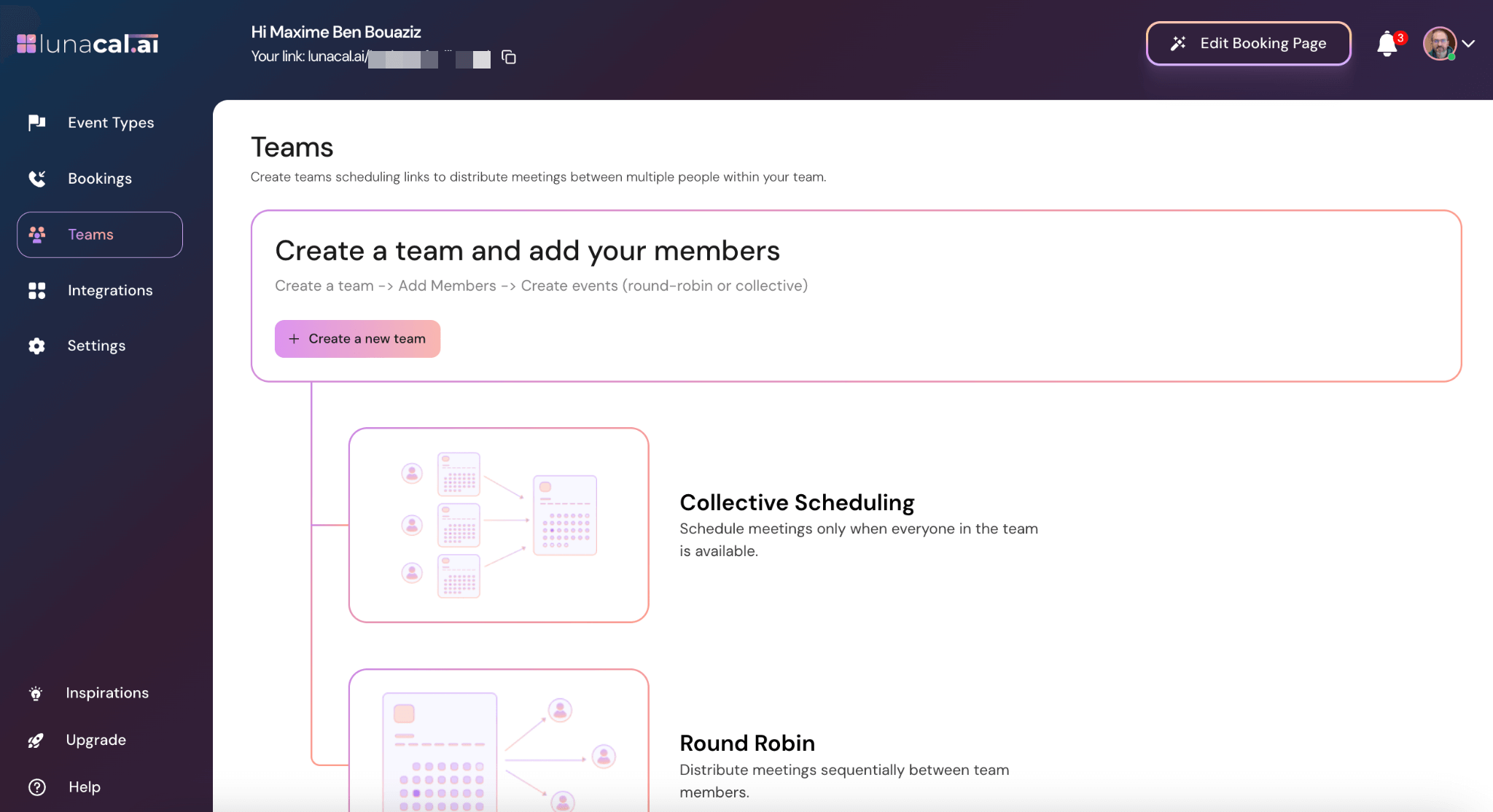
For teams, Lunacal goes even further. You can create collective pages, distribute appointments evenly with round robin, or only offer a slot when all the members involved are available. These features will speak to agencies, sales teams and customer service departments.
Integrations
Finally, on integrations, the tool already ticks a lot of boxes. Granted, only 13 native integrations are offered, but you can connect Lunacal to more than 6,000 apps through Zapier, and use webhooks (available from the Teams plan) to automate your workflows.
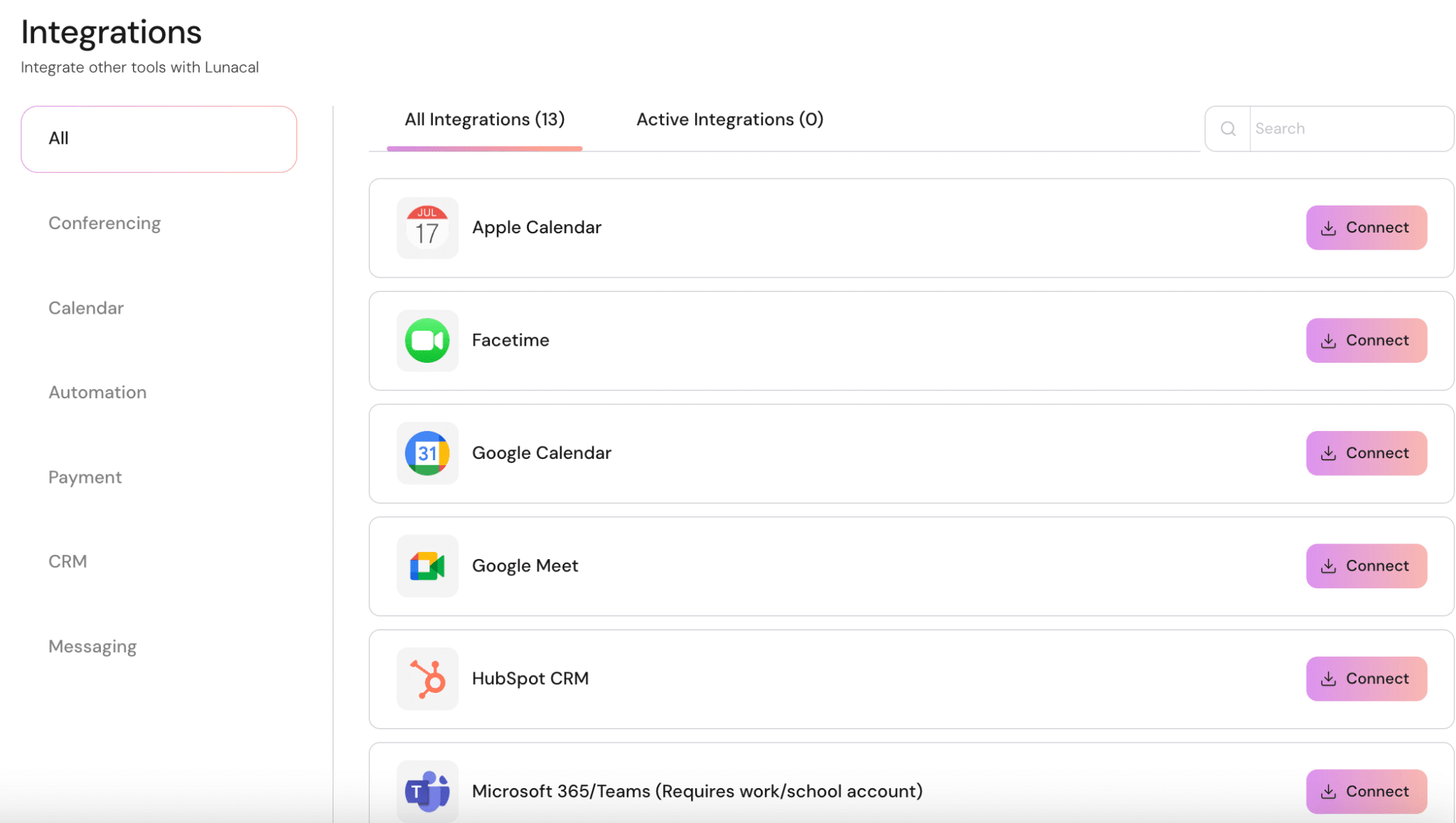
Lunacal is a very easy tool to pick up and rather well thought out. It really gives your booking pages another dimension. One may regret that the number of themes is still fairly limited, 4 in total, but the tool has only just launched.
Plans and pricing
Lunacal’s pricing is simple: 3 plans are offered, each with a 7-day free trial before you commit. Price-wise, it sits in the market average, with the advantage of including a strong layer of customization from the entry-level plan.
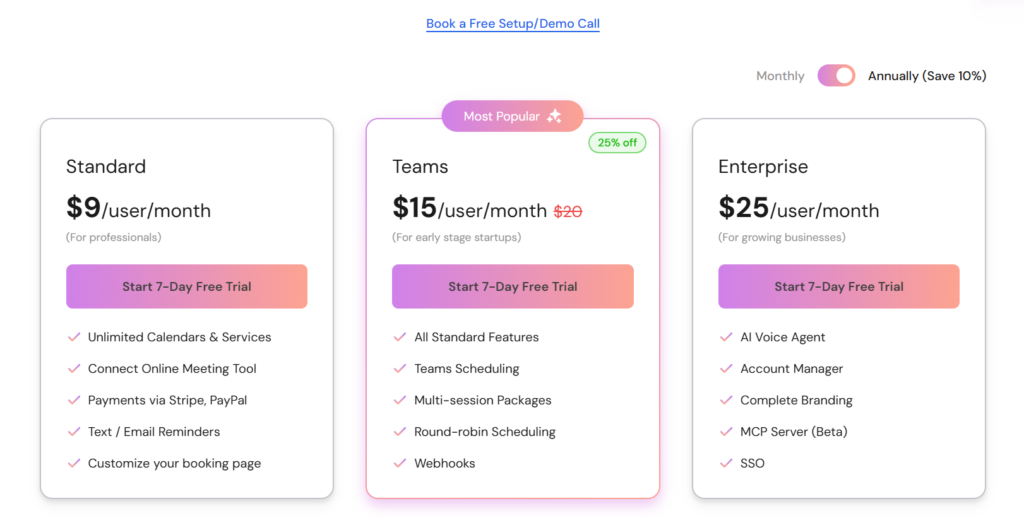
- The Standard plan, at $9 per user per month, is mainly aimed at independent professionals. It lets you manage an unlimited number of calendars and services, connect your video conferencing tool, collect payments via Stripe or PayPal, send reminders by email or SMS and customize your booking page.
- The Teams plan, at $15 per user per month (promotional price, instead of $20), is aimed at startups and small teams. It adds team scheduling, round robin, multi-session packages and webhooks.
- The Enterprise plan, at $25 per user per month, targets growing businesses. It includes an account manager, full branding, SSO, an AI voice agent and an MCP server (in beta).
Verdict: a credible alternative to Calendly?
So, is Lunacal a real Calendly competitor? Not yet. Calendly remains today the most complete and most widely adopted tool, with an ecosystem of integrations and features that goes far beyond what Lunacal offers for now.
But Lunacal is not really trying to play on the same field. Its strength lies elsewhere: turning the booking page into a real marketing tool. And on that point, the tool clearly makes a difference.
If you are looking for a proven solution, Calendly remains the logical choice. But if your priority is to polish your image and use booking as a conversion lever, Lunacal is an original, well-thought-out alternative that deserves a try.
Turn your booking pages into real professional showcases. Try Lunacal for free today.