Monday CRM in a nutshell
Monday is first and foremost one of the most popular team productivity tools on the market.
One of the many features it offers is a CRM function, which lets you add a dashboard to your project management boards, and handle your leads in a highly visual interface that other typical CRMs don’t share.
As an all-purpose product for small and large companies alike, Monday has built a complete tool with a wide range of features to cover an organisation’s various needs, which has made it a top choice in recent years. Although it isn’t a CRM tool at heart, it makes an excellent option for smaller companies, particularly for service businesses that operate heavily in “project” mode.
Getting started with Monday CRM
Let’s get into the detail of the solution through Monday’s great strength: its design and ease of use. With this tool, we are a long way from the counter-intuitive CRM stereotype.
With Monday, the CRM design involves a colour scheme and several boards on a single screen with different colours and titles, which lets you easily grasp which leads are at which stage at a glance. The overall design is ideal for people who work visually.
Creating your first board
After signing up, it can be slightly confusing to work out where the CRM actually is, since you get the main project management tool when you first register. When you open the program, Monday offers a set of pre-built boards to help you get going quickly. The boards dedicated to CRM sit in the Sales & Customers section.
You can also draw on the other boards to set up effective sales processes! They are very thorough too, and let you manage your reps’ commissions, for instance.
That can be a lot of information to start with, but you only need to play around with the tool a little to realise how easy it is to use.
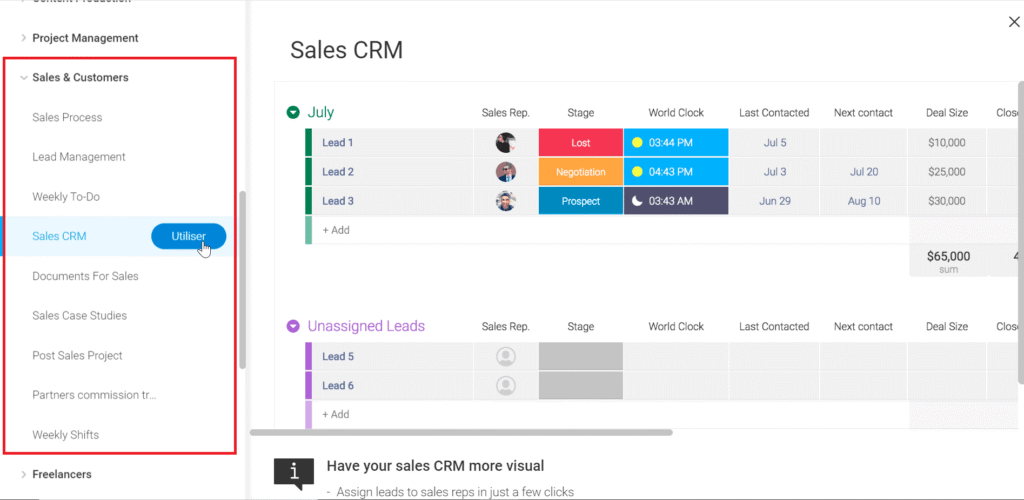
Since the CRM has a very intuitive, colourful drag-and-drop interface, it is very easy to use and understand. The design clearly shows how to add contacts and columns to your list, and how to edit and move your contacts.
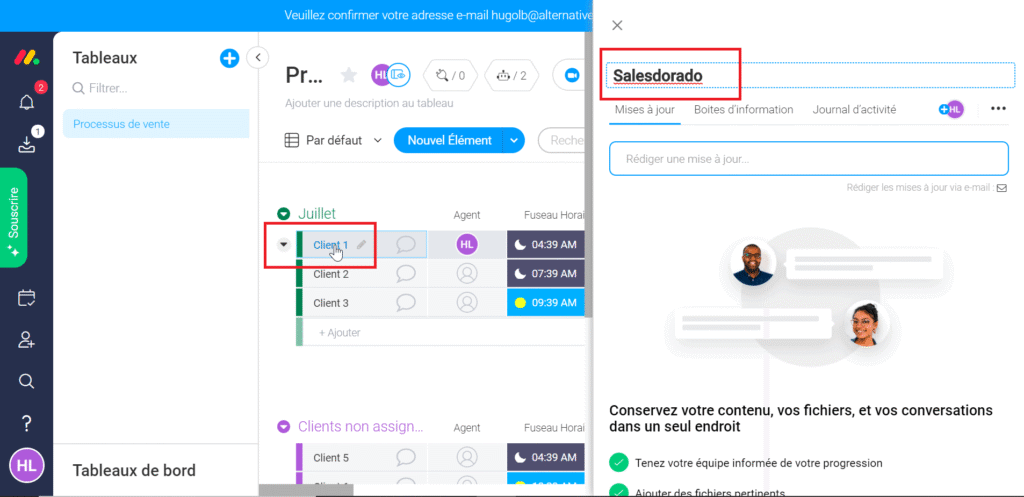
In the example below, we add a first customer: just click the spot in the board and a pop-up window appears, letting you edit every piece of information tied to your customer.
Day-to-day management
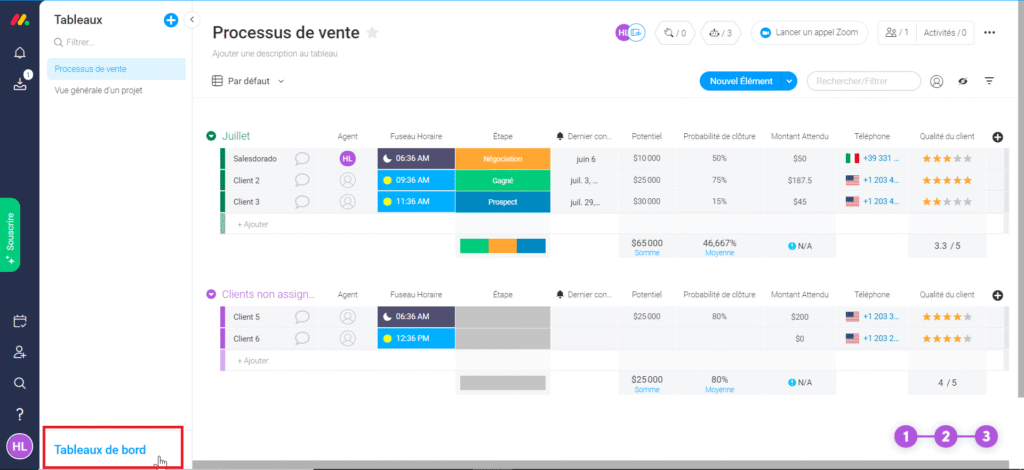
As you can see below, you can add whatever information you want for each lead. Monday’s template board here includes business potential, the probability of closing the deal and the expected amount, among others.
Again, the intuitive side of the solution is welcome: every type of information is customisable and lets you build tracking boards that are highly visual and pleasant for your teams.
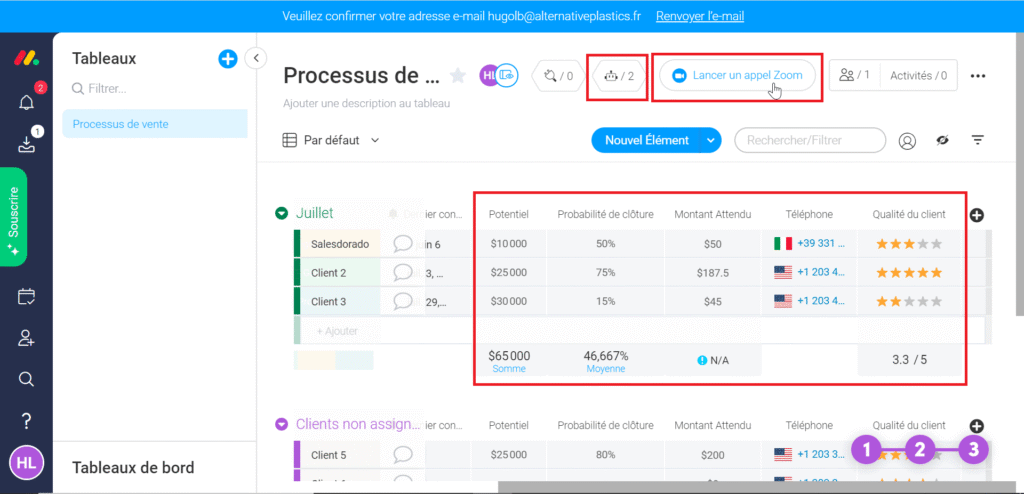
You can also connect with your Zoom account, which will make life noticeably easier if video calls are part of your sales process.
Automating tasks
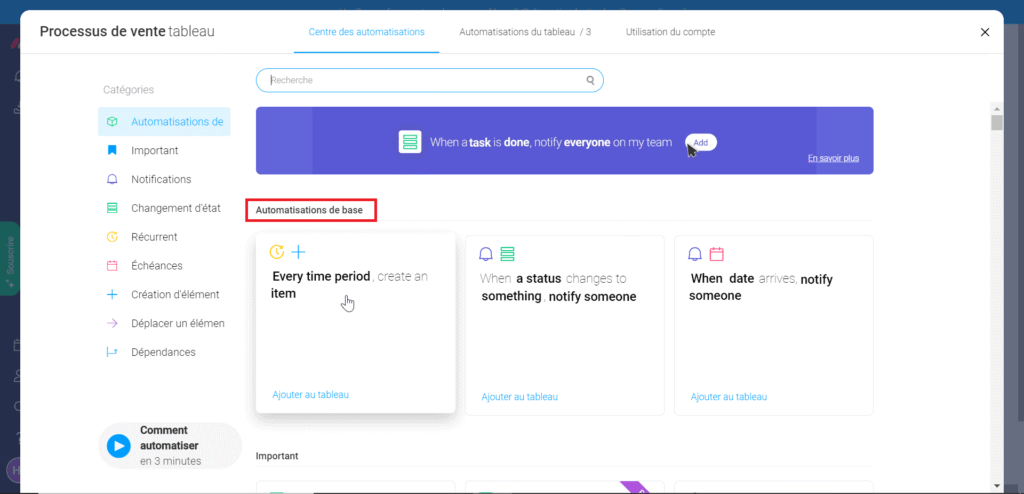
To make life a little simpler still, Monday also lets you automate lead follow-up. So you can automatically send notifications to your team based on an event; to assign a new lead, for example.
Handling reporting
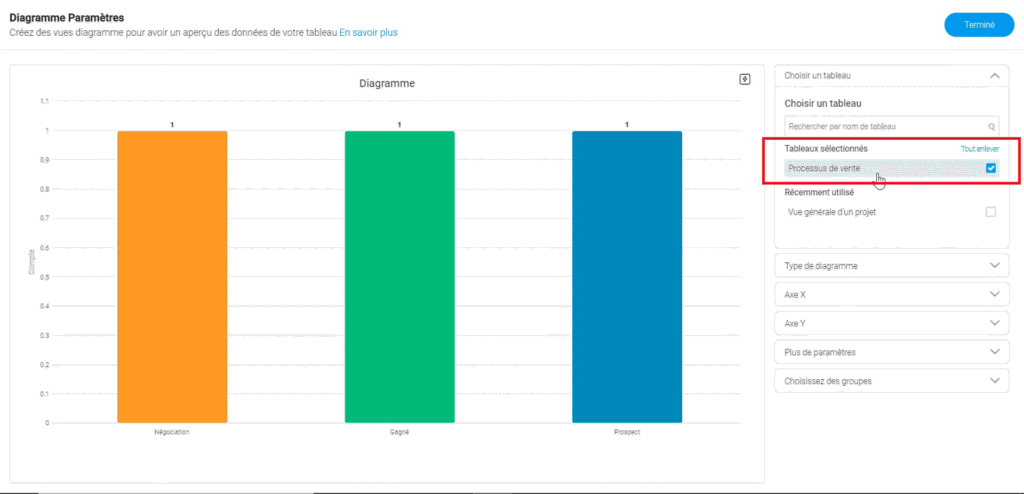
Although Monday doesn’t offer the traditional automatically generated reports that most CRMs do, it is designed so that any user can build any specific report they need from scratch. Reports are very flexible and can help visualise both the big picture and the small details tied to the project.
For instance, you can build reports that focus on a team’s performance or on a team member’s progress, track a specific user’s efficiency across several projects, or look in detail at a granular overview of one or more projects at a time.
To do that, you can easily create your own reporting through the Dashboard tab at the bottom left of the main menu, then add the widgets that speak to you most. In the example below we picked the Chart widget, we select the board we’re interested in and the data is pulled in.
Monday CRM: plans & pricing
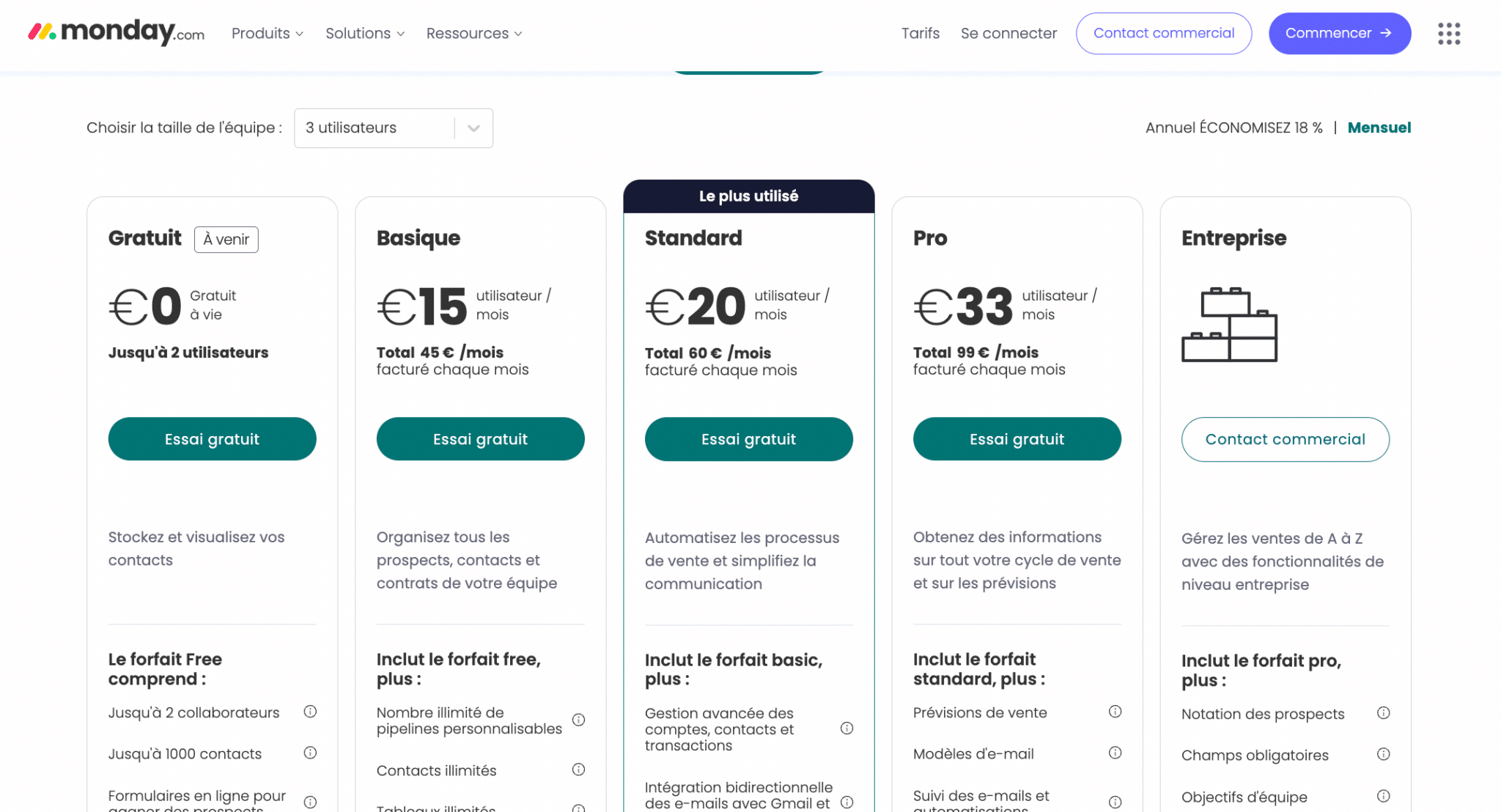
Monday CRM currently offers 4 paid plans. A free plan will be available soon, but it will be limited to storing contacts. Pricing depends on the number of users, with a minimum of 3 users. Here are the prices of the various plans for 3 users:
- Basic plan, at 45€ per month, for small teams with basic needs. It lets you organise your leads and contacts and create an unlimited number of pipelines. It gives access to the Monday CRM mobile app.
- Standard plan, at 60€ per month, ideal for growing teams. It lets you try out task automation and integration features (capped at 250 automations per month). The Standard plan also covers activities, quotes and invoices.
- Pro plan, at 99€ per month. It handles far more automations and integrations (25,000 per month), gives access to the email editor and to basic reporting features. The Pro plan opens up the HubSpot integration.
- Enterprise plan, on request. This plan takes you to 250,000 automations/integrations per month, gives access to the Salesforce integration, to advanced reporting features (goal reports), to lead scoring and more.
Every plan offers monthly or annual payment options, with an 18% discount on annual subscriptions.
On all plans, if you have more than 200 users, you’ll need to contact the monday.com sales team for a custom quote.
All plans are billed monthly, annually or every two years. Annual plans include an 18% discount, and two-year plans include a 32% discount.
Connecting Monday CRM to your existing tools
The software is somewhat limited in terms of integrations, so if that side matters a lot to you, weigh it carefully. Fortunately, the tool integrates fairly well with Zapier and its alternatives.
The tool does connect with a number of business applications such as:
- Google Drive
- Trello
- Slack
- Asana
- Google Calendar
- Jira
- DropBox
- Microsoft Excel
You’ll find the full list of Monday CRM integrations here.
Overall, if you don’t want overly complicated CRM features and integrations, Monday.com is an excellent choice and you can try it freely. It suits companies of every size, but it fits sales organisations with short lists and simple processes best, the kind easily handled through a visual interface.
The drag-and-drop function sets it apart from many other CRMs. It’s an excellent choice, especially when you can use it seamlessly with their project management tool for your whole team.