Plezi One is designed as an all-in-one tool for generating leads through content. And it pulls it off brilliantly. The tool manages to bring together web browsing data, CRM data and SEO data from Search Console, in a very clear interface geared towards action and performance.
More than a tool, it is a whole set of best practices and methods built into the experience. The free plan is very generous and genuinely allows any B2B entrepreneur to set up an inbound marketing strategy, and above all to get leads, and revenue, out of it.
Plezi One’s feature set
The web tracking script
It all starts with installing Plezi’s web tracking script. The wizard walks you through installing it, through Google Tag Manager, the option we chose and recommend, through WordPress, or by hand.
In practice, it is a small piece of JavaScript code, a bit like Google Analytics, that lets you track activity on your website and resource downloads, and identify your visitors and what they do there.
It is a fundamental step to get value out of your marketing automation tool, and the team is well aware of it. They went all out to make the integration easy, with detailed video tutorials and step-by-step instructions.
Resources and forms
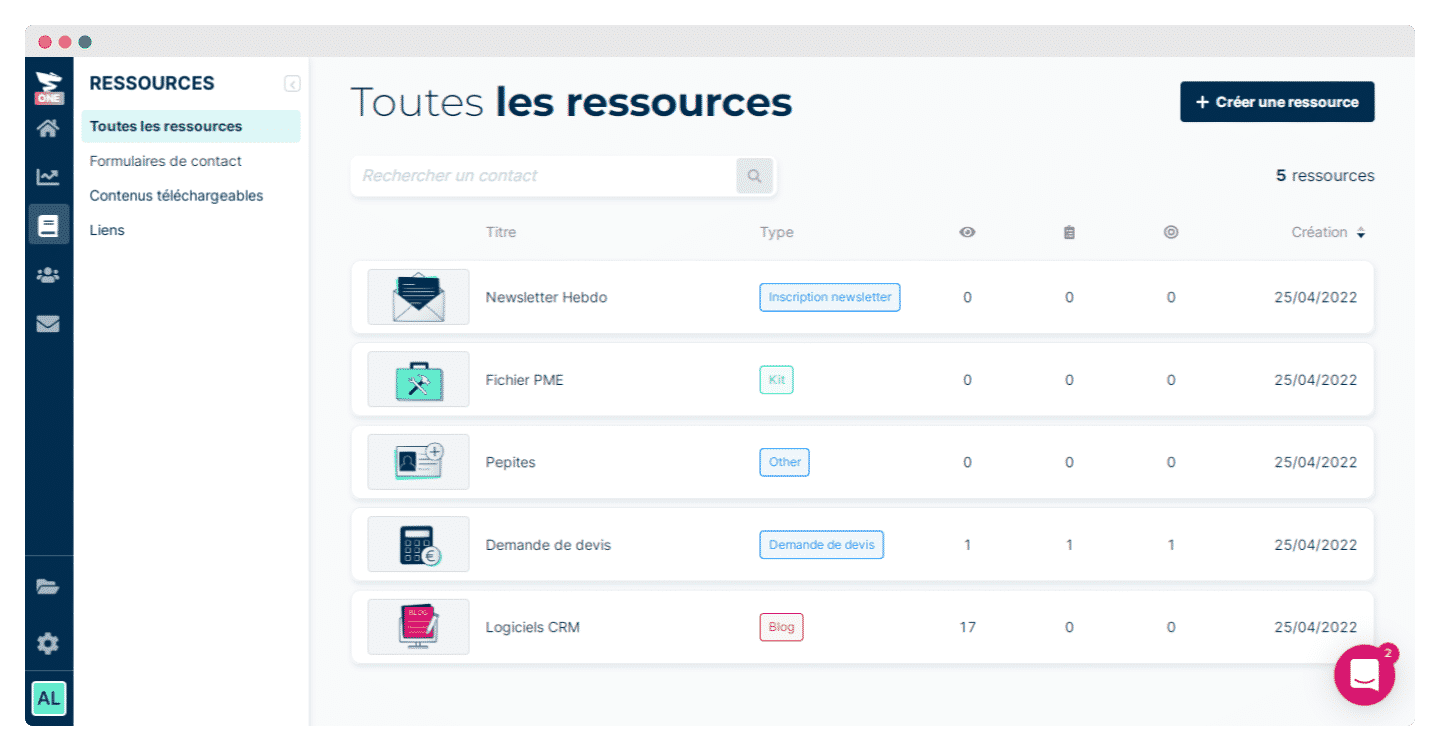
Plezi One is designed first and foremost to help you generate leads.
The tool is built around what it calls resources. In practice, these are micro-conversion objects: articles, landing pages, downloadable documents or forms.
You can host resources that you promise visitors in exchange for filling in a form. Plezi lets you link a form to a resource, so you don’t have to build the marketing automation workflow yourself.
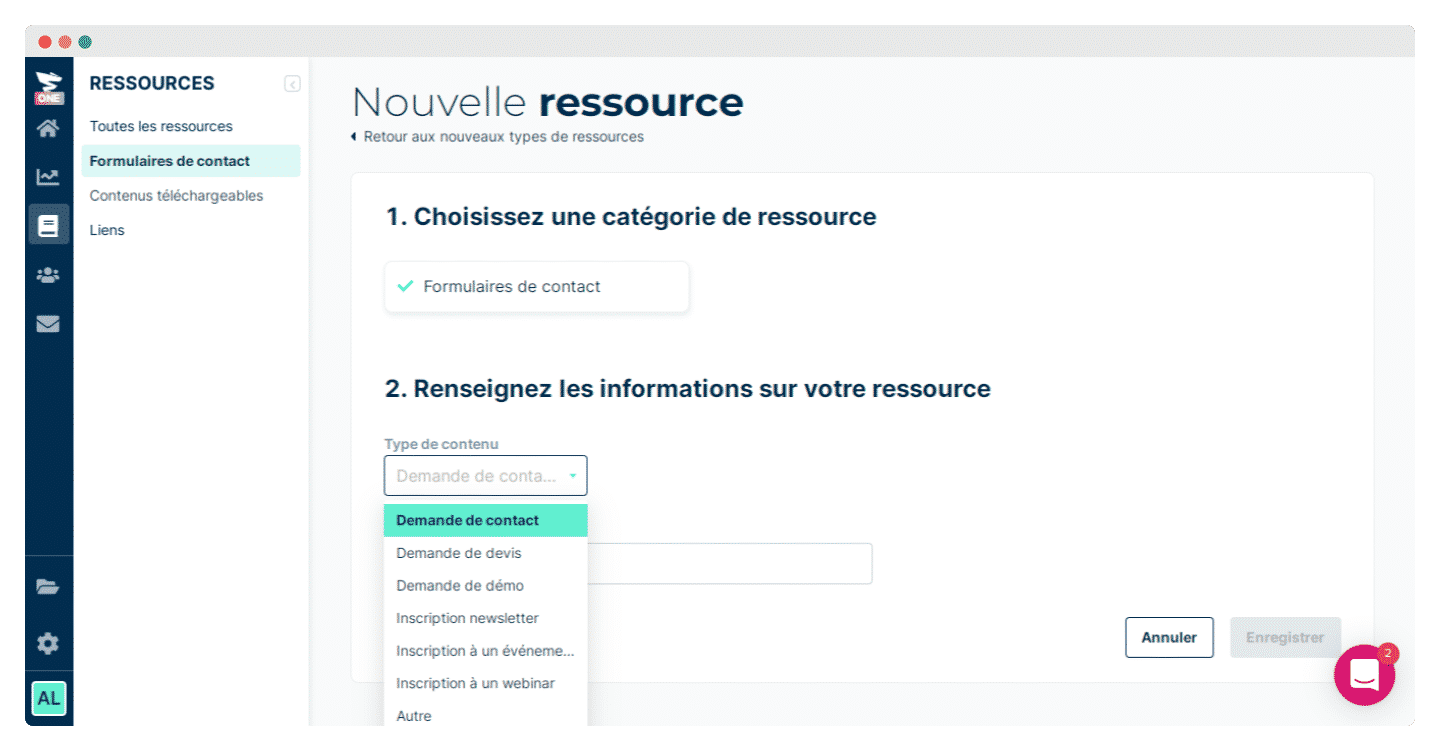
To build a form, you can rely on pre-designed templates that come with all the best practices: opt-in checkbox, thank-you message, welcome email.
You then get a snippet of HTML code to copy and paste into your CMS. If you use WordPress, we warmly recommend turning it into a shortcode so you can easily insert it in the right places.
Lead management and segmentation
The contacts page also puts the emphasis on simplicity and conversion, highlighting by default the acquisition medium, that is, the traffic source behind the conversion for each of your leads.
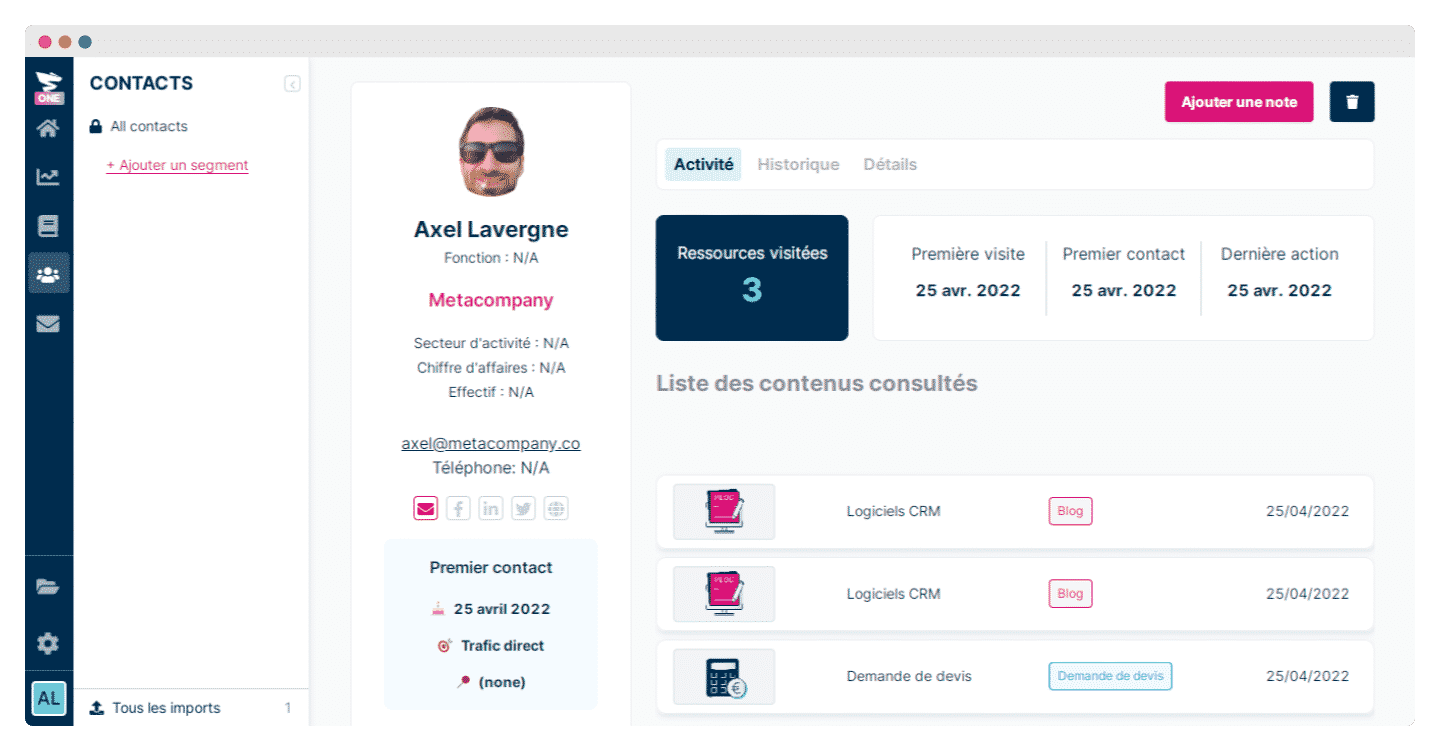
You can access a lead’s entire history on their record: the number of sessions and the detail of their activity in each session, the pages visited and how many, the content requested. Plezi One gives you access to a large amount of very precise information, which lets you follow all of your prospects’ activity to convert as many leads as possible.
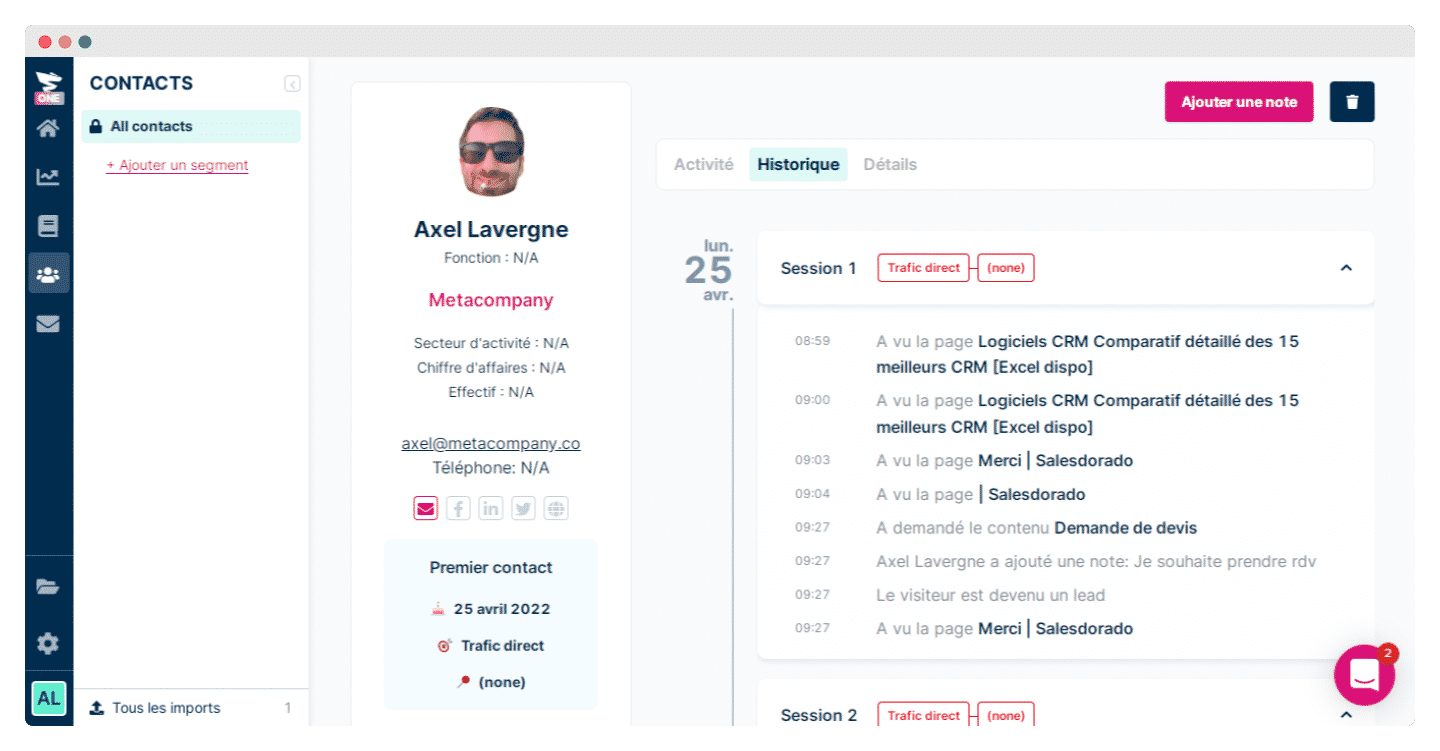
You can of course complete the prospect record manually with any kind of information: personal data, but also data about their company.
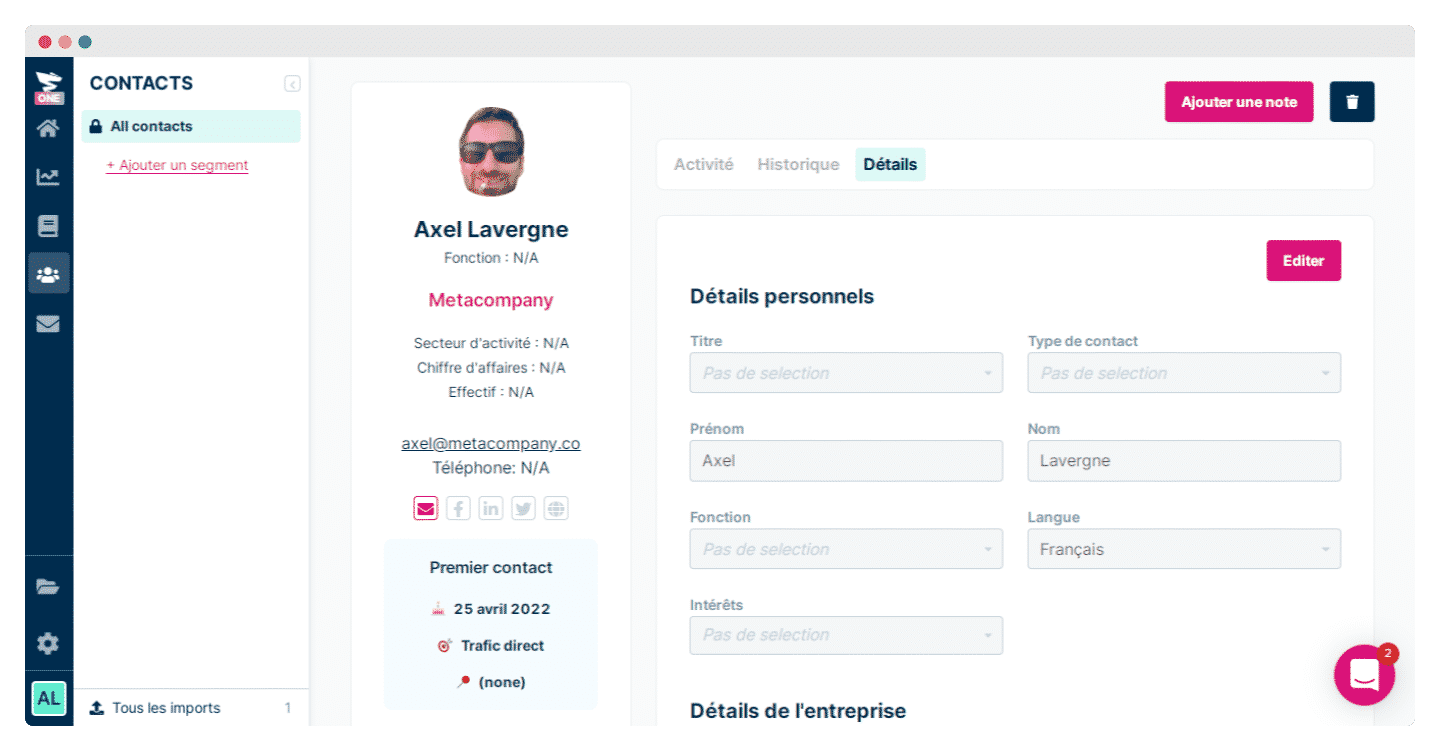
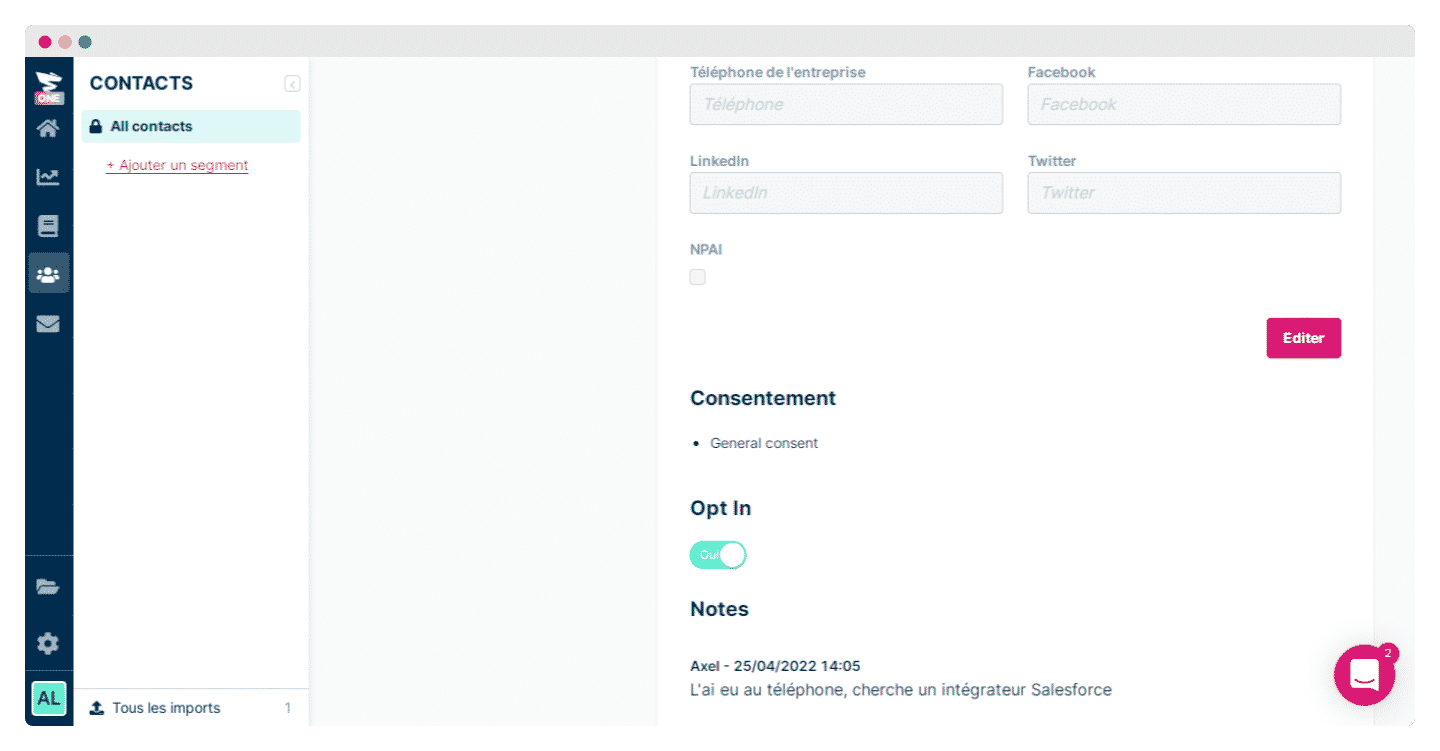
Your teams can add notes at the bottom of each prospect record to complete this information.
Email marketing campaigns
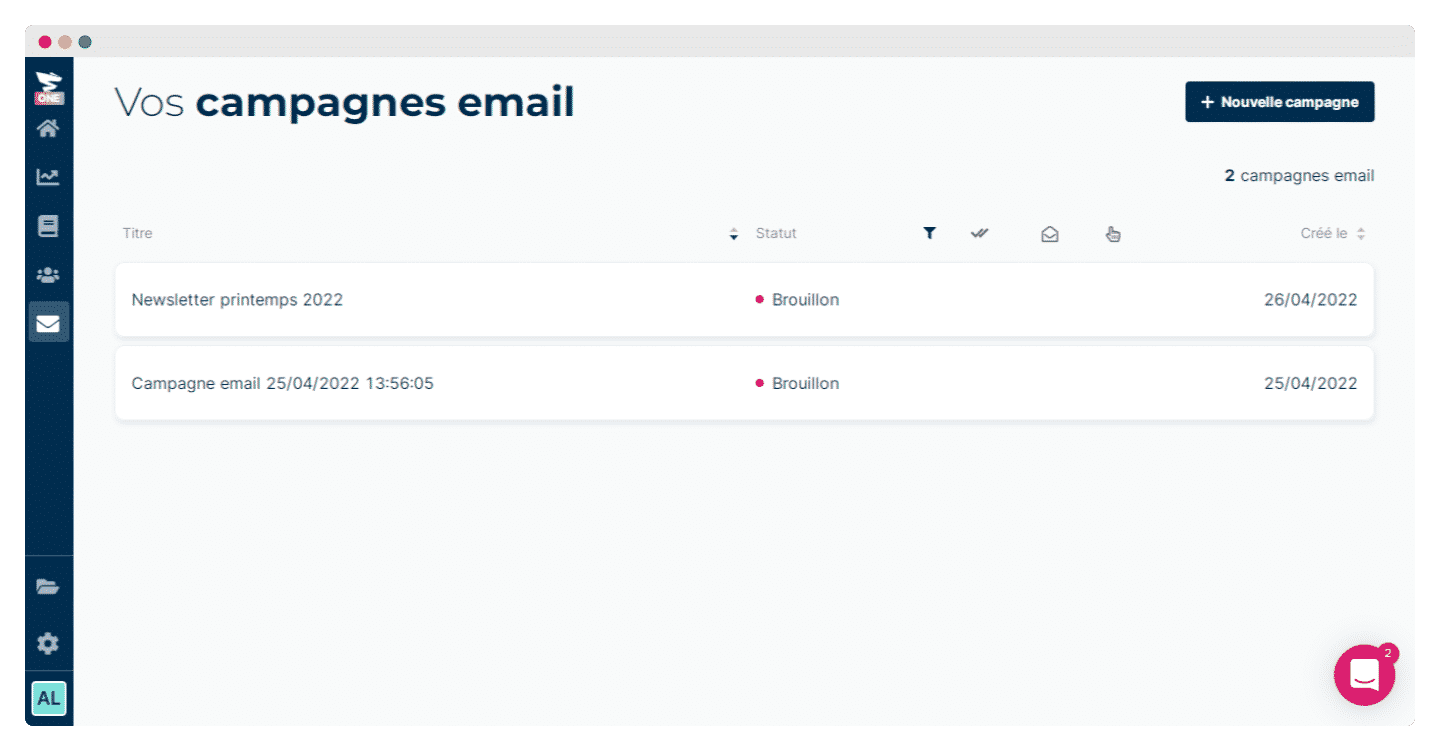
In the Emailing tab, you will find all your campaigns, their last modified dates and their statuses. Plezi One’s real strength is how easy it is to use: the tool is very intuitive, and creating a new campaign is genuinely easy.
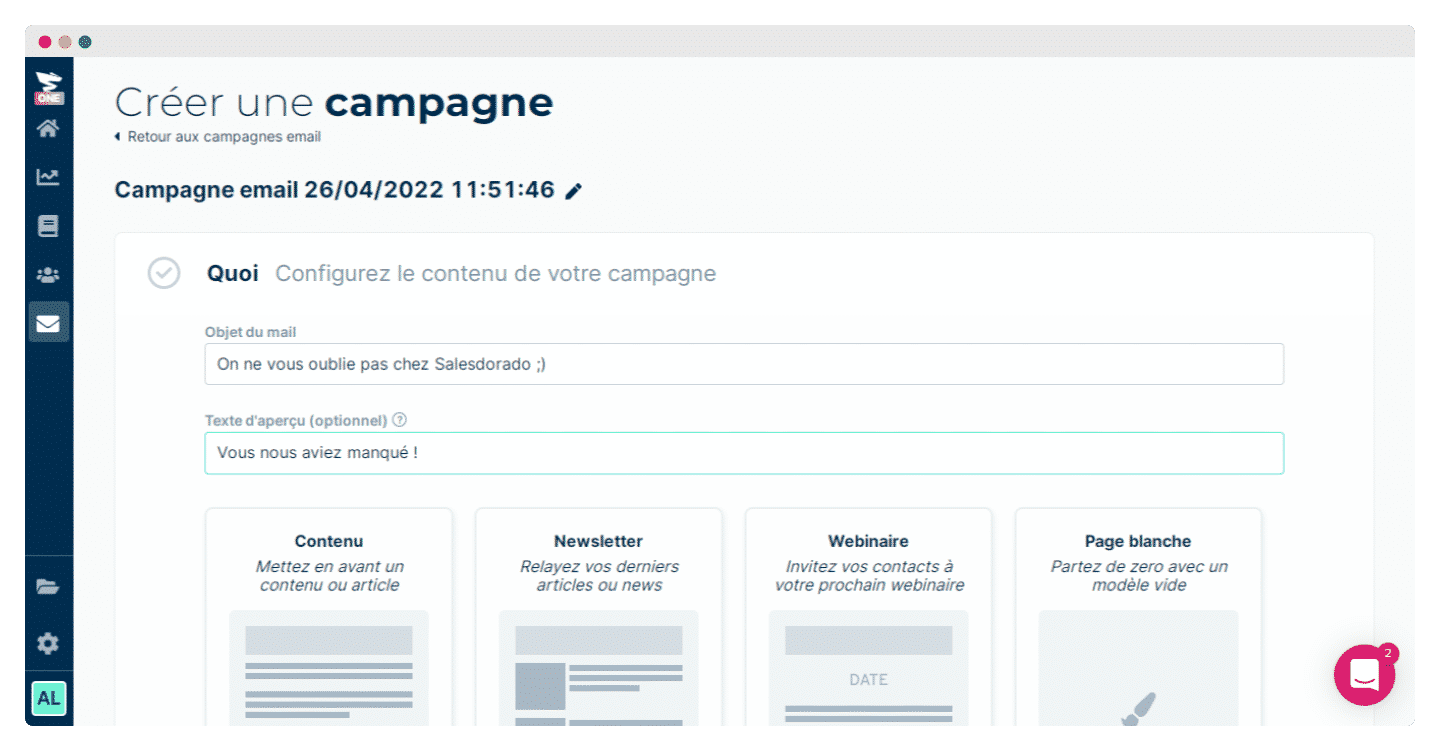
You start by giving your campaign a title and, above all, by choosing a format, article, newsletter or webinar, or by building your own from a blank page.
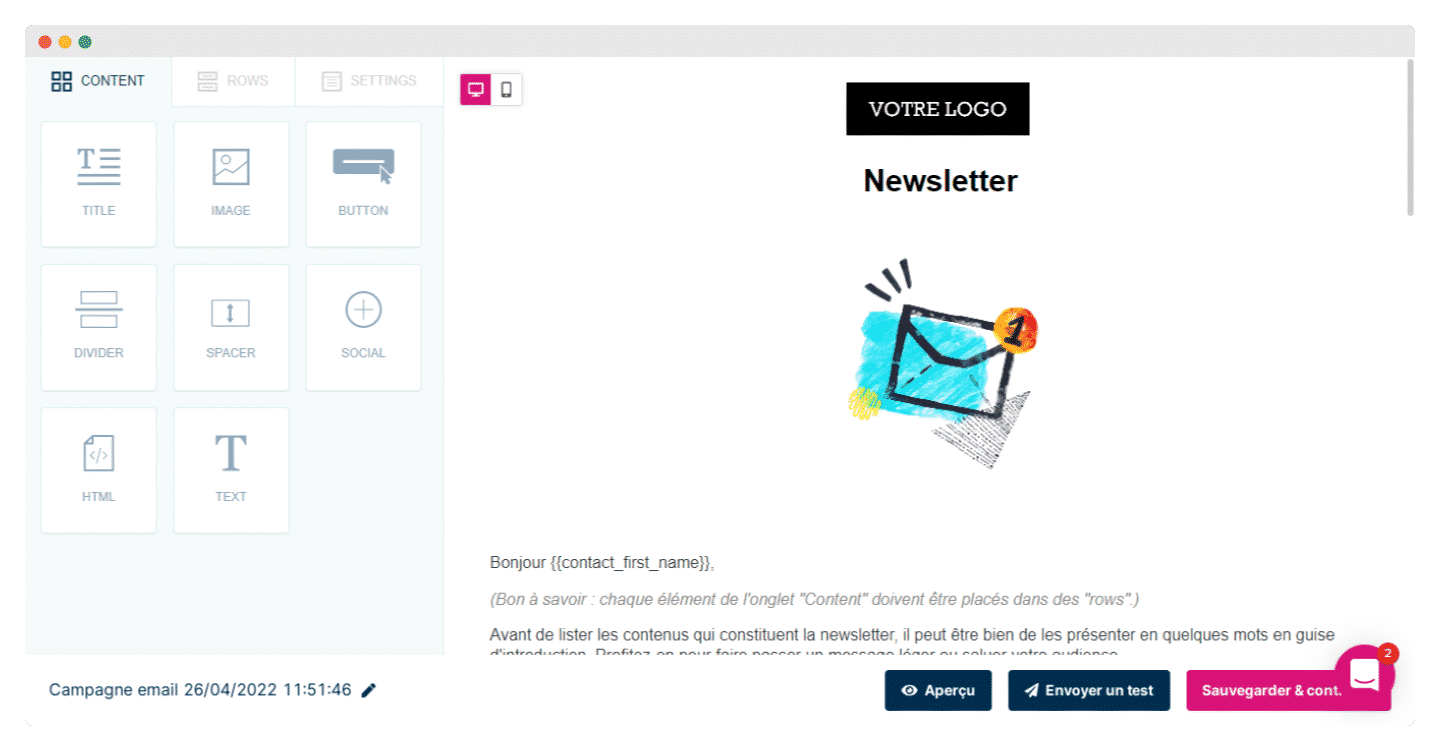
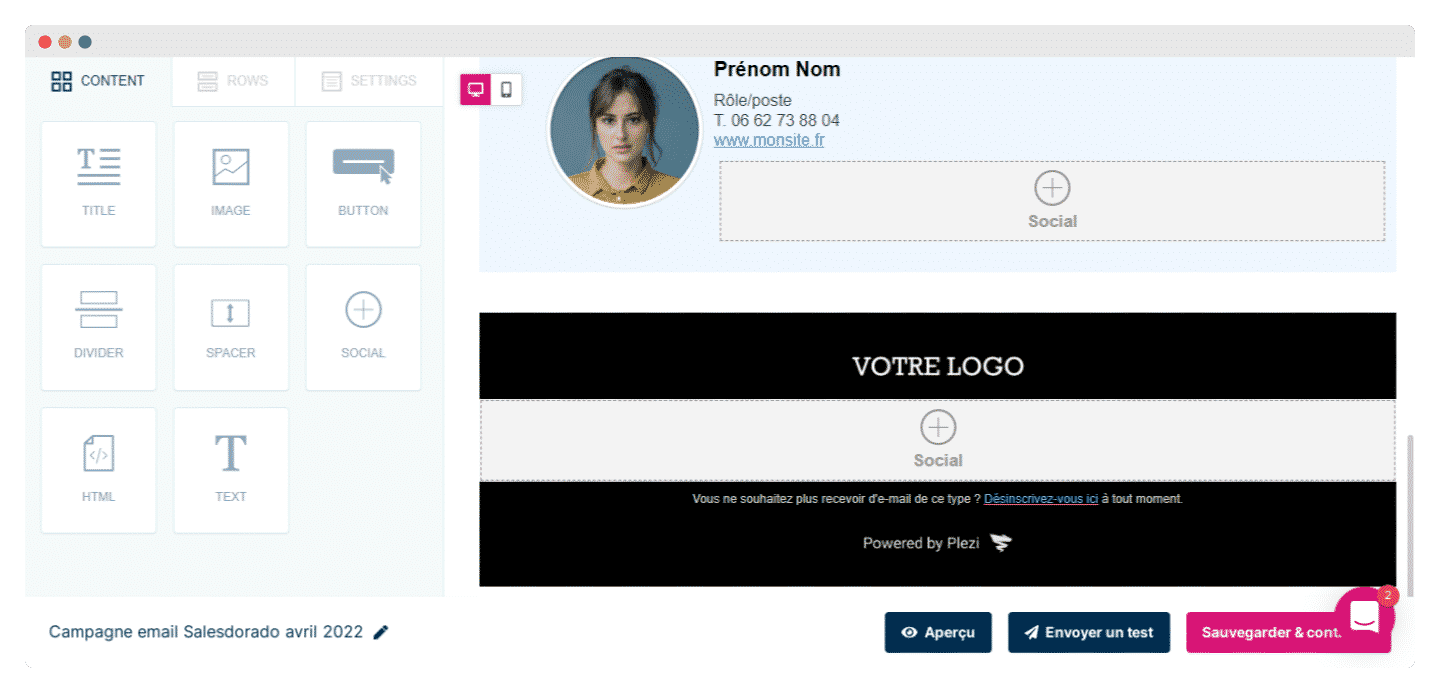
The upside is that the templates steer you on what content to write and how to present it, while remaining endlessly customizable. You can add social media buttons, HTML code, your images and your contact details.
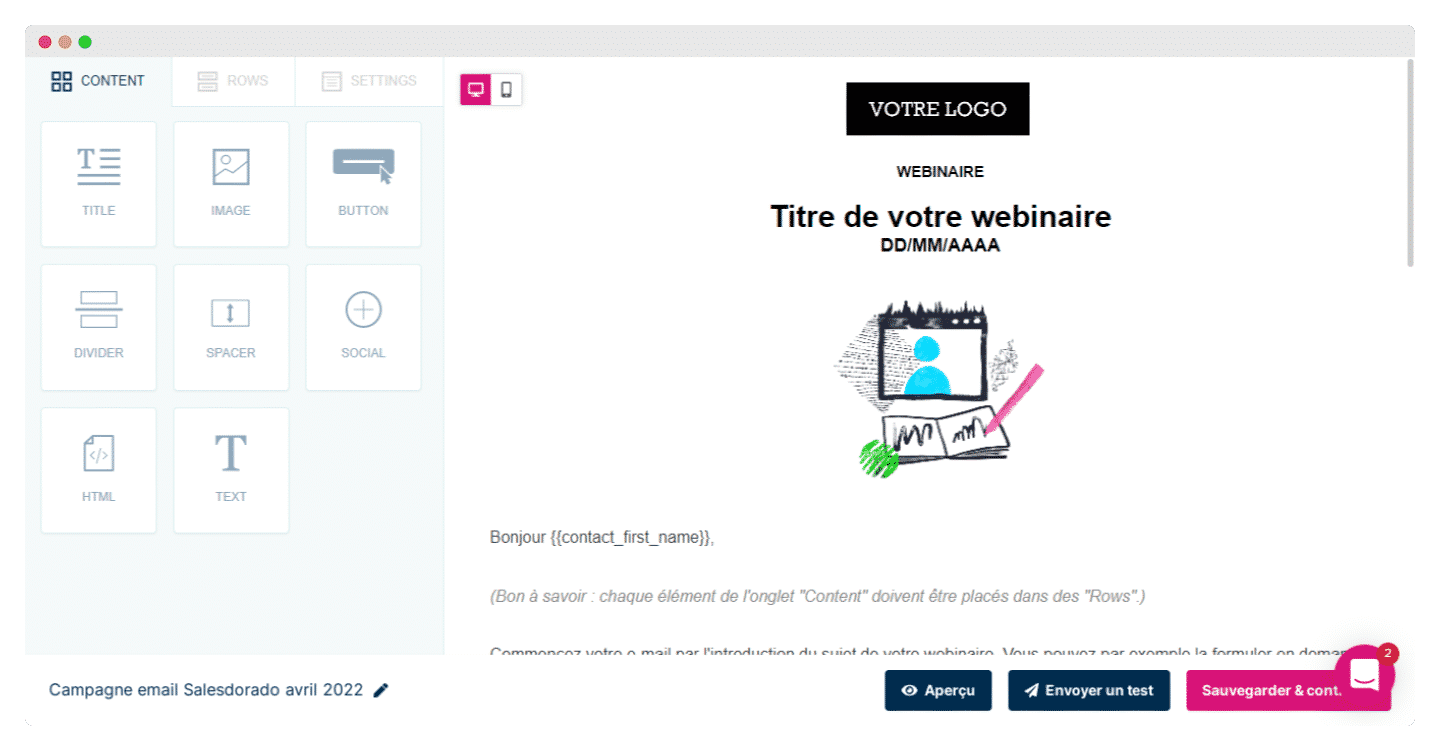
In short, for start-ups and very small businesses that are not necessarily marketing experts, Plezi One strikes a good balance between a tool that is fairly rich and customizable to your needs, and a tool that remains truly intuitive and simple to use for those who know nothing about it.
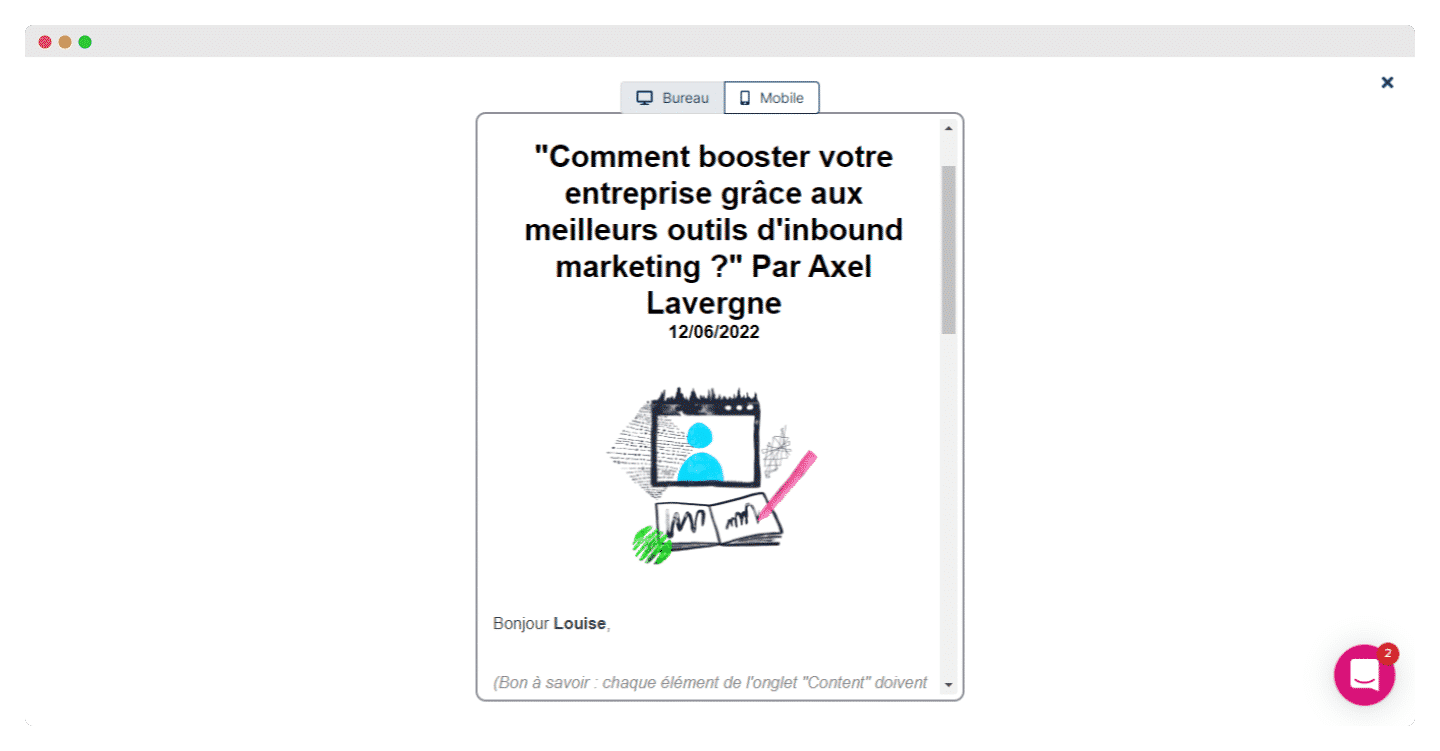
You can preview your campaign before sending it, in desktop or mobile view.
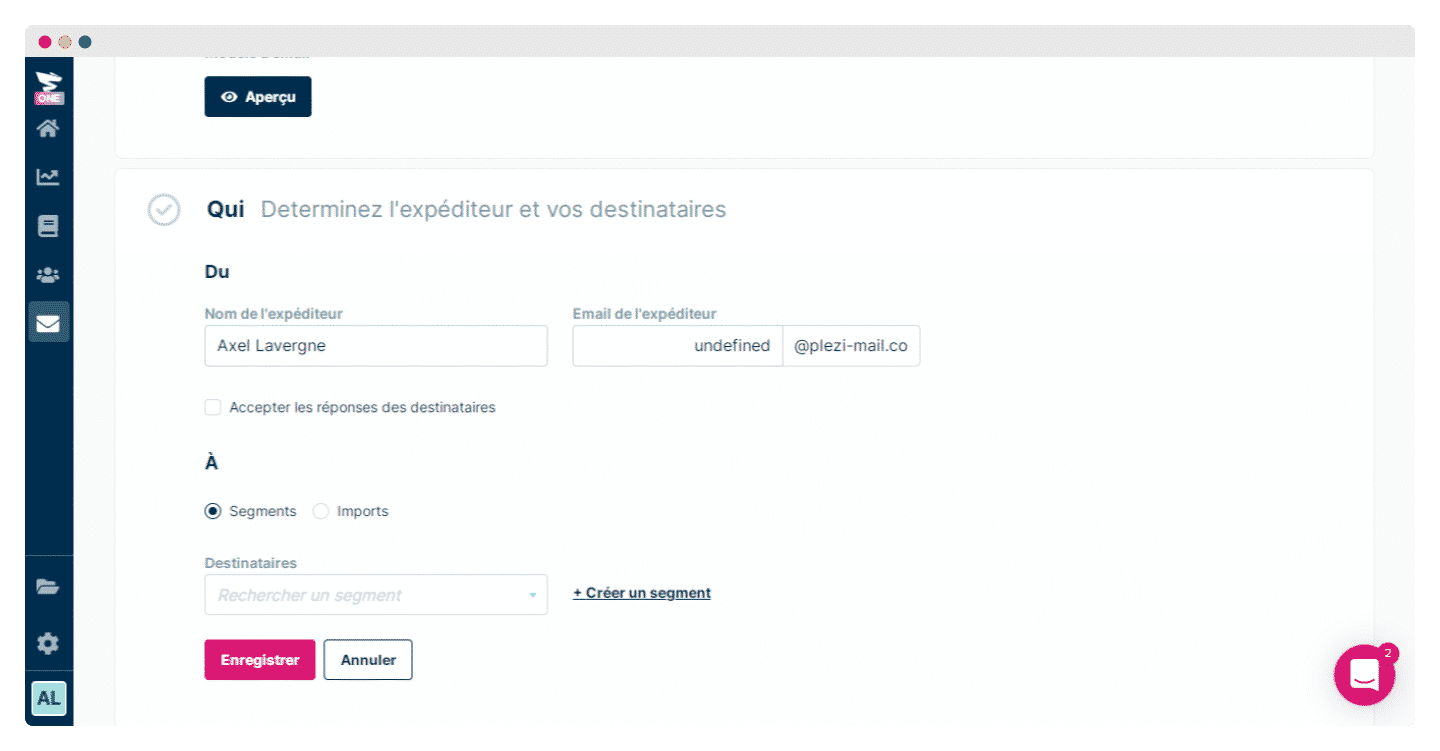
You then decide on the campaign’s sender and their email address, but above all on its recipients: you can import your contacts, then select segments if you have created any.
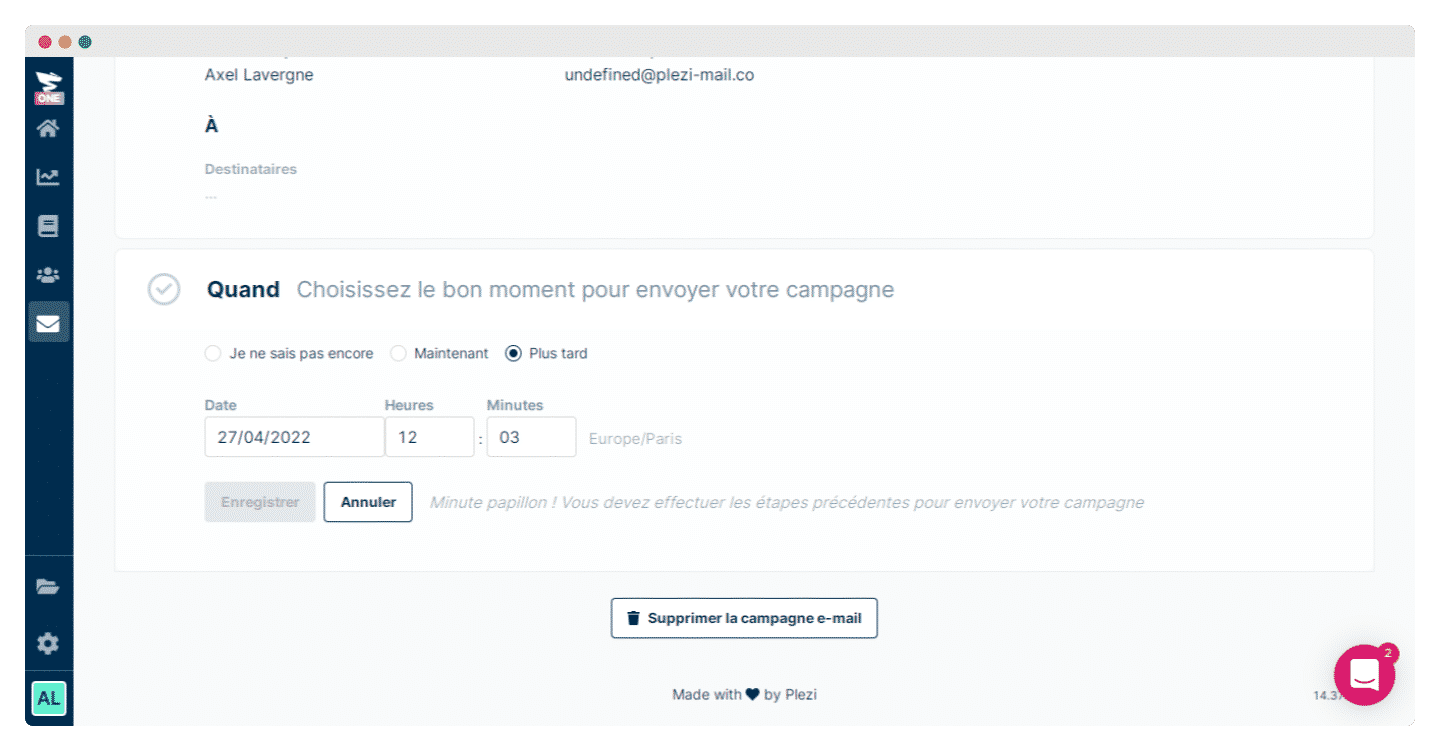
Last step: you choose when to send the campaign, which you can of course schedule for later.
Reporting in Plezi One
Reporting in Plezi One is very simple, fun and thorough. It is one of the only lightweight marketing automation tools to put so much weight on conversions and measuring results, rather than on activity, and it is hugely refreshing.
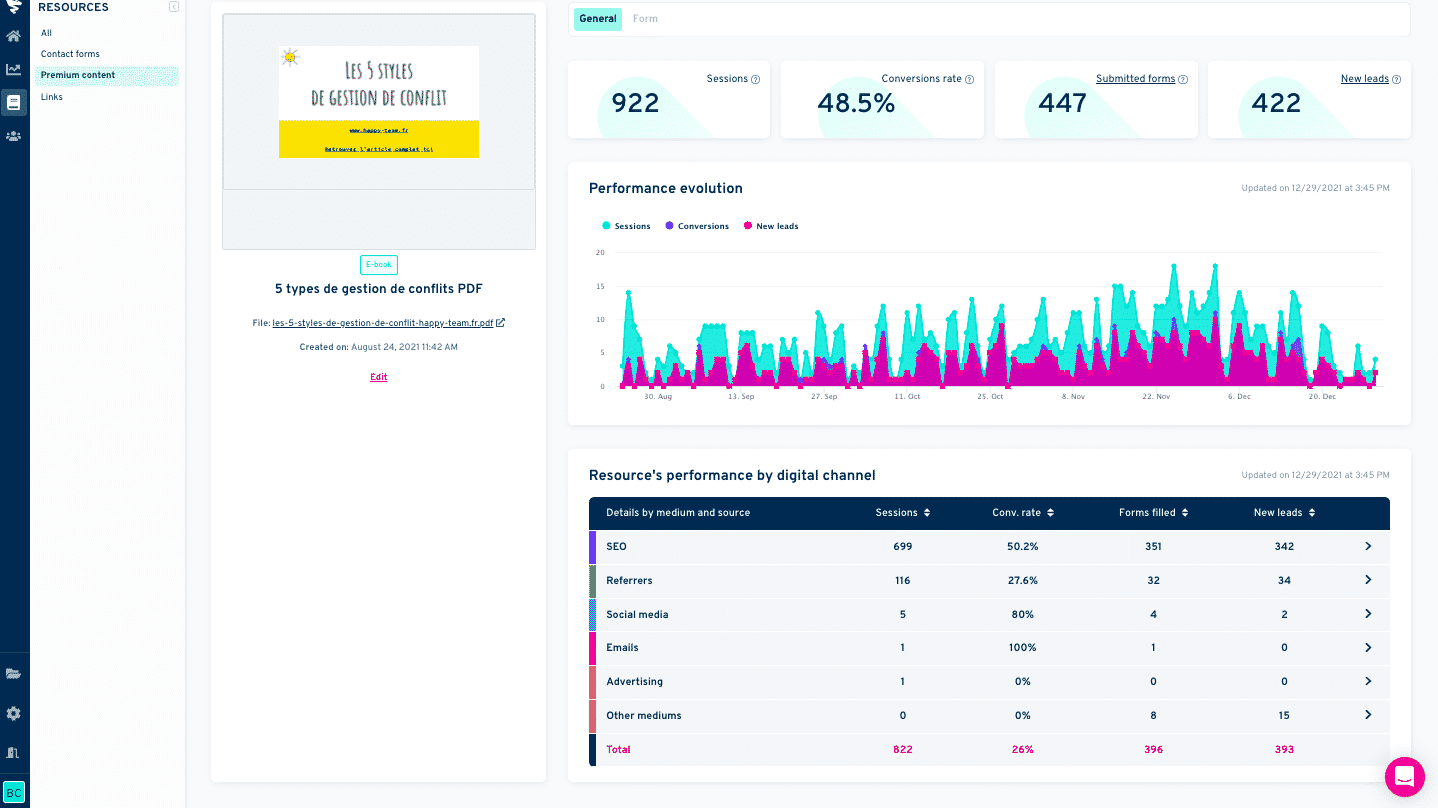
The dashboard highlights traffic, conversions into submitted forms, and into leads, that is, new contacts acquired through a form.
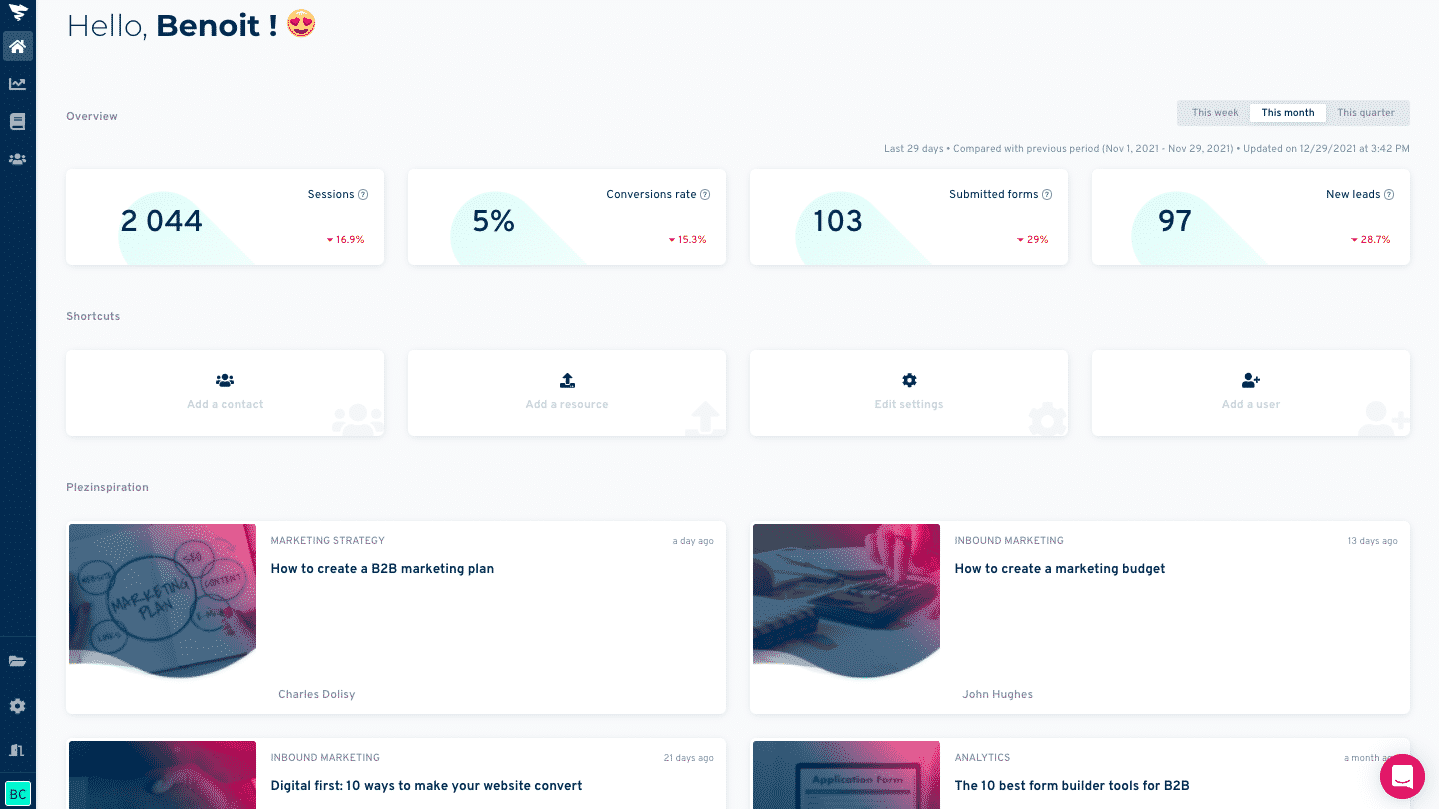
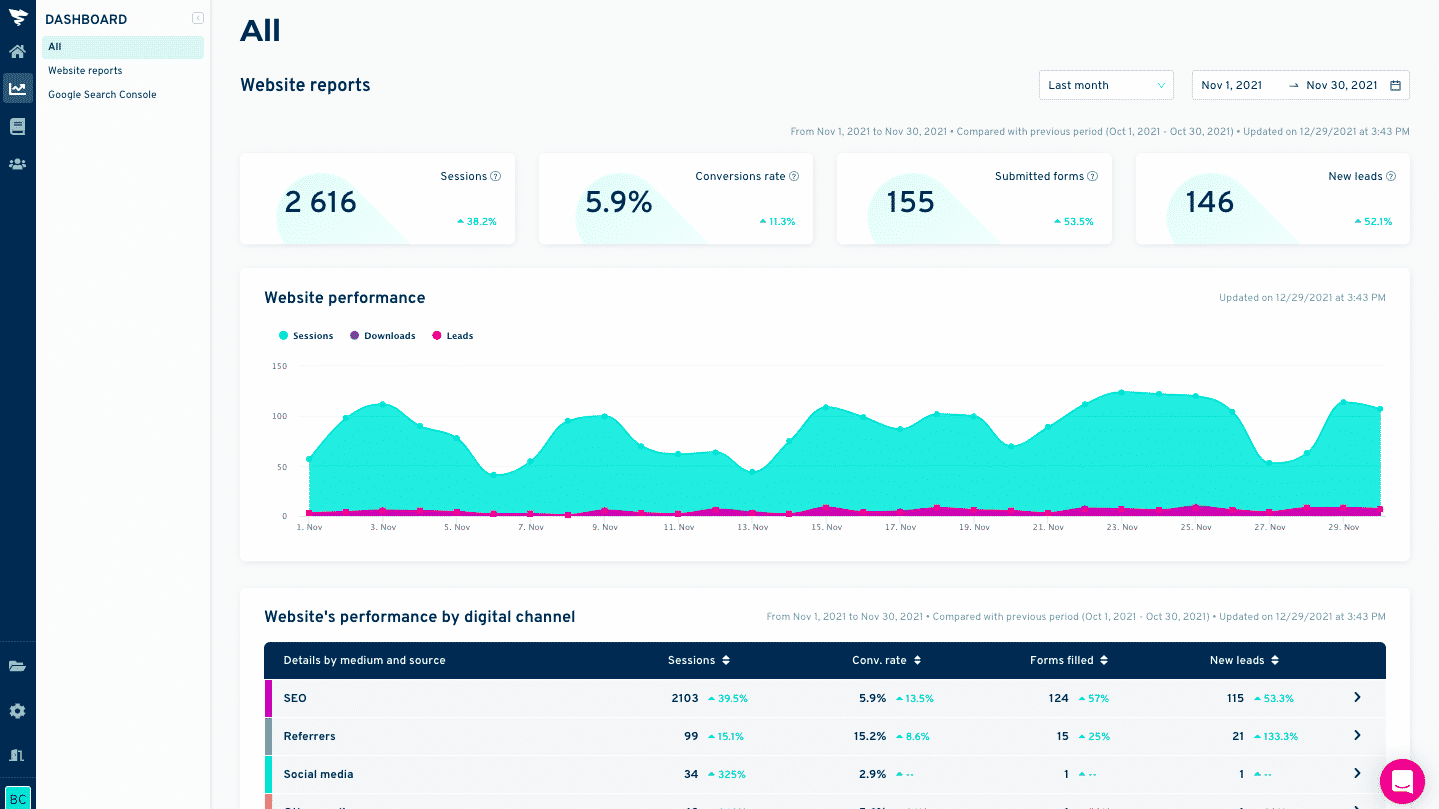
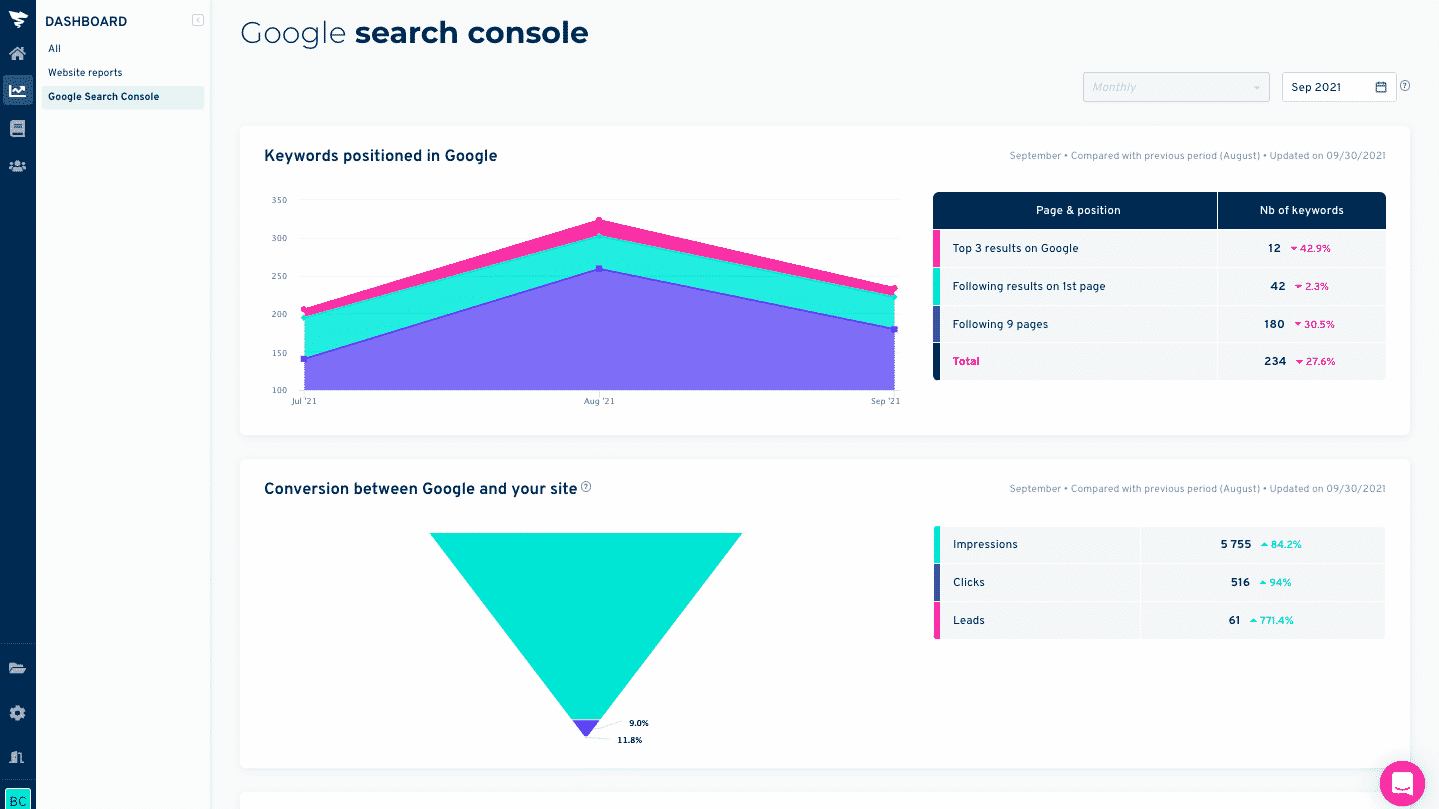
The tool also breaks down traffic sources by medium, rather better than Google Analytics, it has to be said, and even pulls in Google Search Console data to give you a detailed report on the conversion funnel via Google.
Plezi One integrations
At the time of our test, Plezi One was still brand new, and the integrations marketplace still a little thin. But the essentials are there:
- The tracking script can be added to any website, and integration is made easier with Google Tag Manager and WordPress.
- The Search Console integration is very thorough, and not a gimmick at all: it gives you visibility on all the traffic generated by Google, and on the impact of that traffic on your performance.
- The WordPress integration lets you insert forms in one click in the page and post editor, and it is compatible with Gutenberg, Elementor, Divi and shortcodes.
Customer support at Plezi One
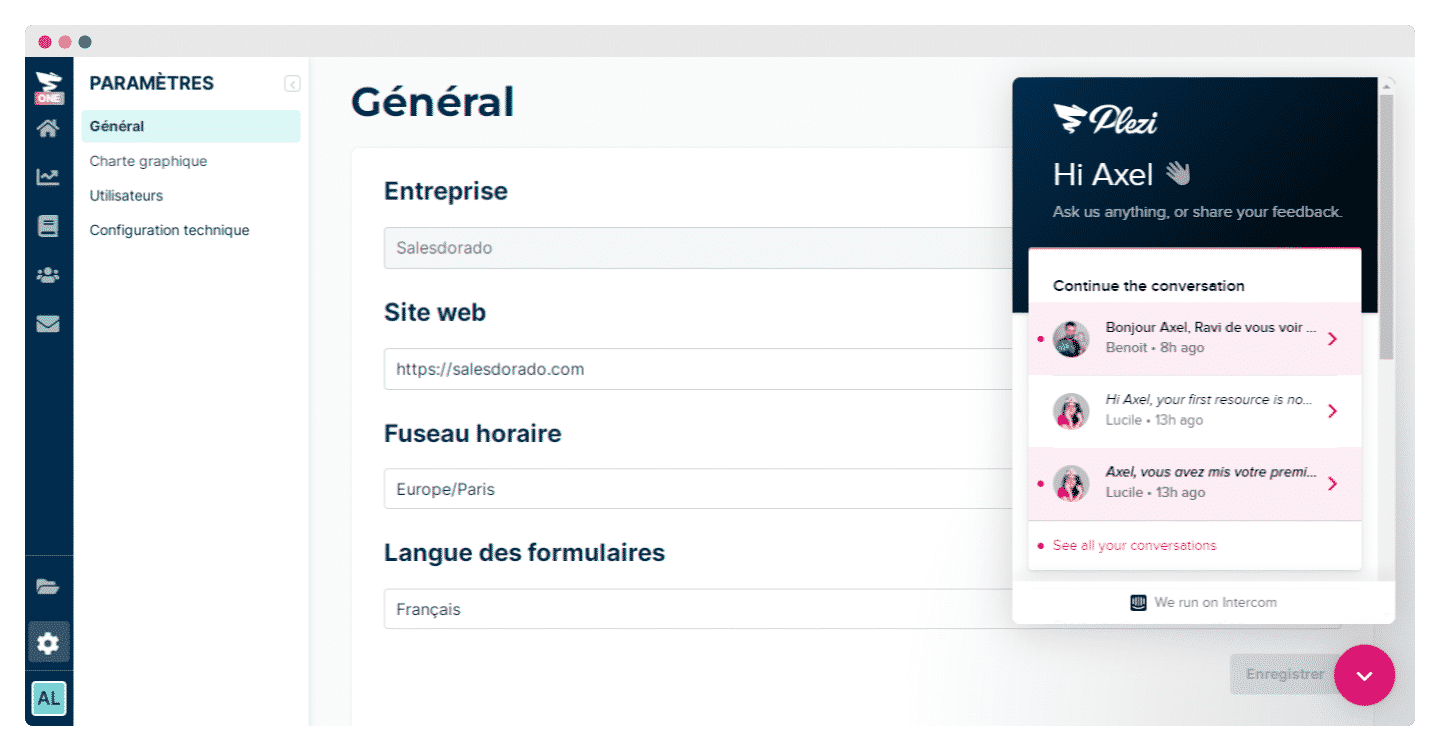
The team went all out on customer support to be reachable at any time. You can contact it from the Intercom widget at the bottom of the page whenever you like, and plenty of contextual messages have been built into the tool to guide you through the discovery phase.
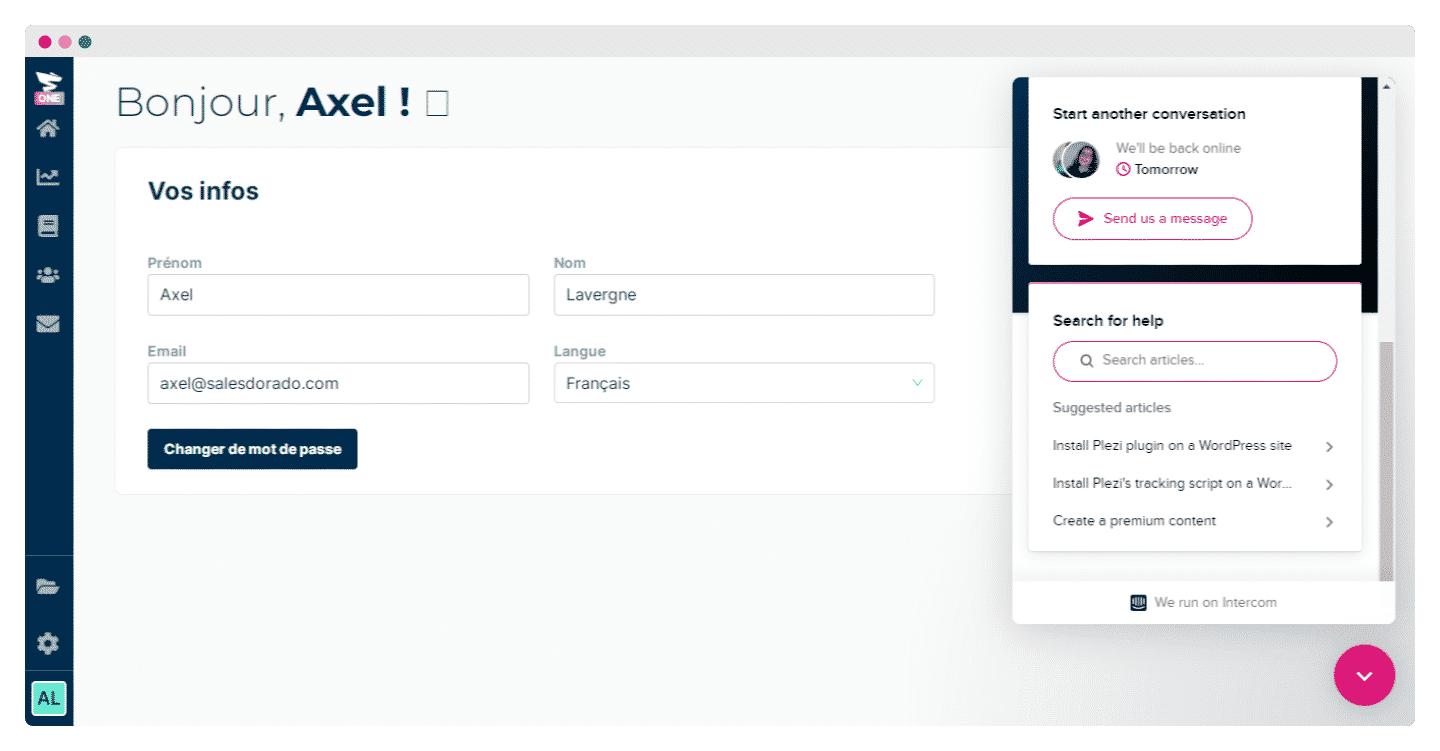
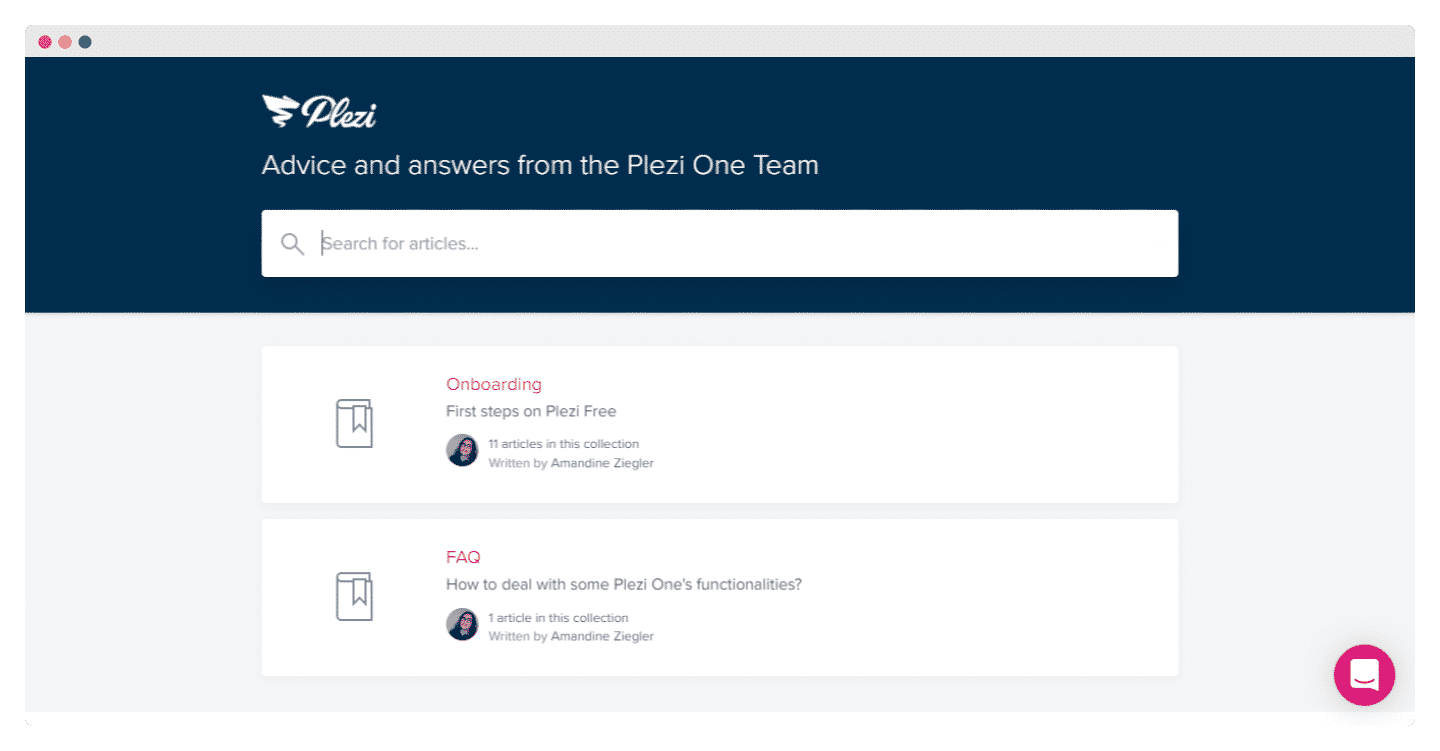
The knowledge base is already fairly well stocked, with very precise content on each element and lots of 2 to 5 minute videos.
Above all, it is one of the only tools on the market available entirely in French, with responsive French-speaking support.
Plezi One pricing
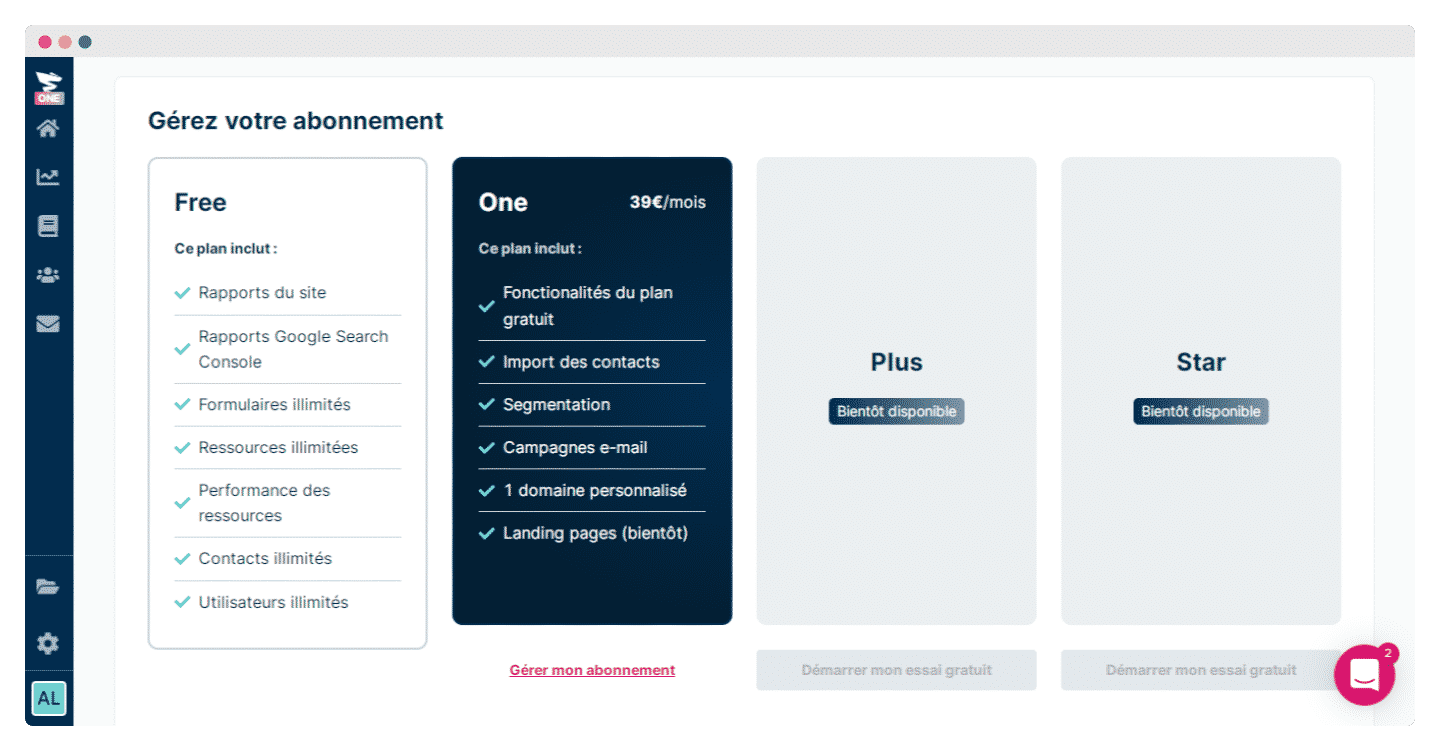
Plezi One’s big strength is its price. There are few free marketing automation tools, and even fewer this complete.
Plezi One offers a very rich free version, which includes:
- Analysis reports, Google Search Console data and your site’s reports.
- Unlimited forms and contacts.
- Unlimited access to their resources.
- An unlimited number of users.
For us, this is really Plezi One’s decisive advantage, especially for start-ups and very small businesses that cannot necessarily afford expensive software: no marketing automation solution allowed you, at the time of our test, to go this far for free.
Plezi One offers a paid version with very good value for money: the One plan, at €39 per month, adds email campaigns, contact import and a custom domain on top of the free plan.