Taplio’s key features
Taplio focuses on one specific goal: helping creators, consultants and marketing teams post more, and better, on LinkedIn without spending hours on it. That is THE value proposition of this LinkedIn prospecting tool.
To get there, the tool combines content generation, scheduling, engagement and analytics in a single interface. Here are Taplio’s main functional building blocks.
AI content creation, the heart of the product
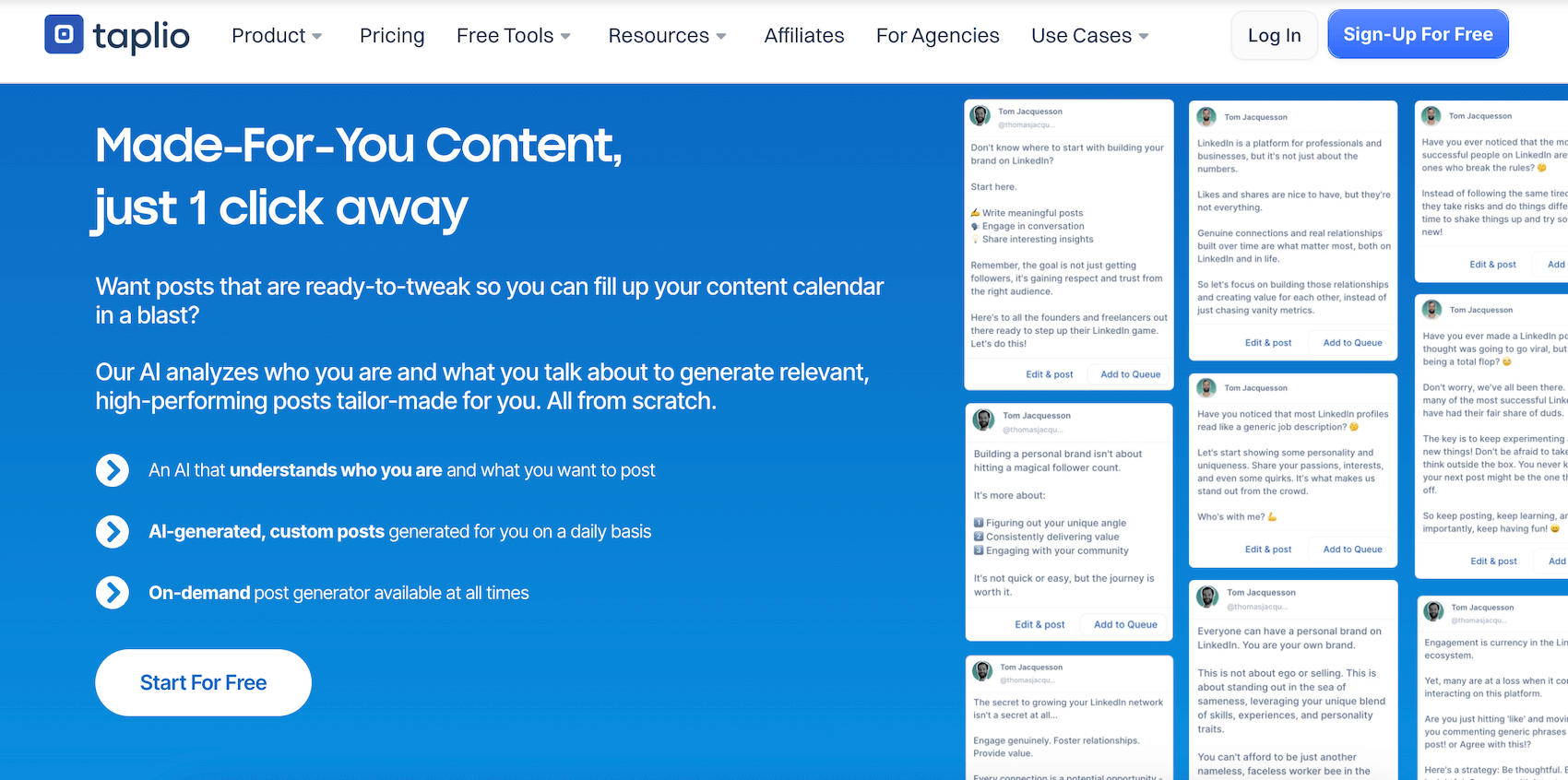
This is the building block Taplio built its young reputation on. The tool relies on an AI trained on millions of LinkedIn posts to suggest ideas, generate drafts and rewrite texts in different tones. The experience is designed to take you very quickly from inspiration to a usable first draft, which you can then refine to match your style.
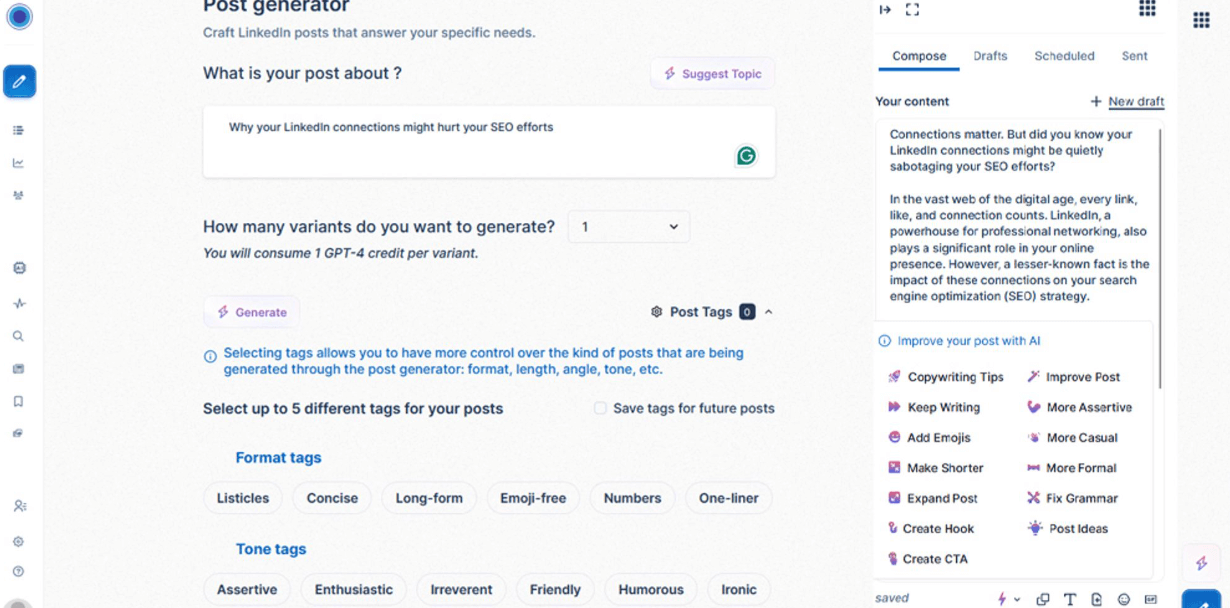
You can start from a simple idea, a topic, an article link, a YouTube video or even an old post. Taplio then suggests several variants, rewords the introduction, tests other hooks and adjusts the length.
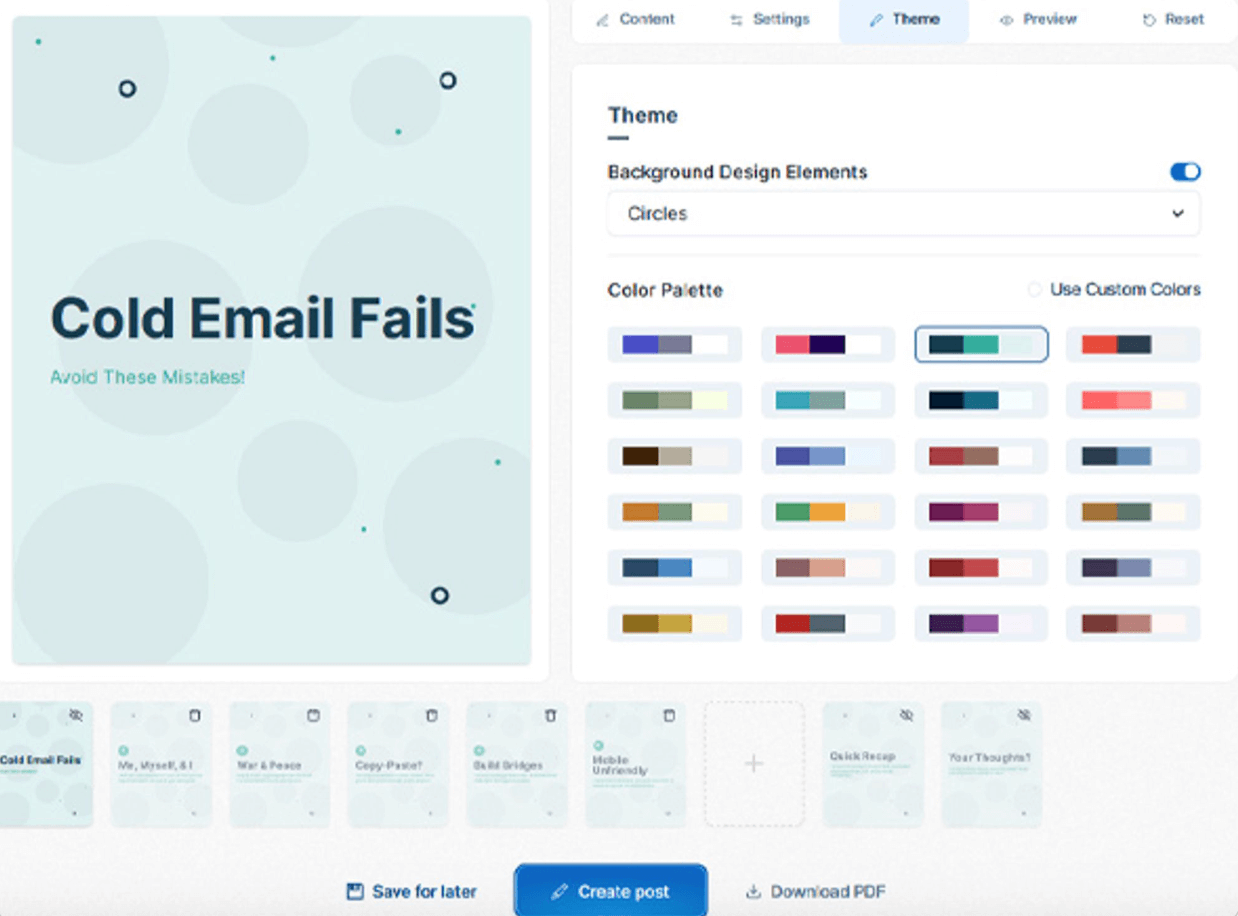
The carousel generator is the other centerpiece: it turns a theme, a link or a draft into a complete visual format, ready to be tweaked and published.
The tool clearly goes beyond simple text generation. You can ask it to change the tone, more assertive, more conversational, more concise, to tighten a message or expand it, or to sharpen the clarity of an argument.
Here the AI acts as a useful editorial assistant, but it generally produces drafts rather than final posts. A personal touch remains indispensable to avoid the “generic content” effect, a point often raised by advanced users.
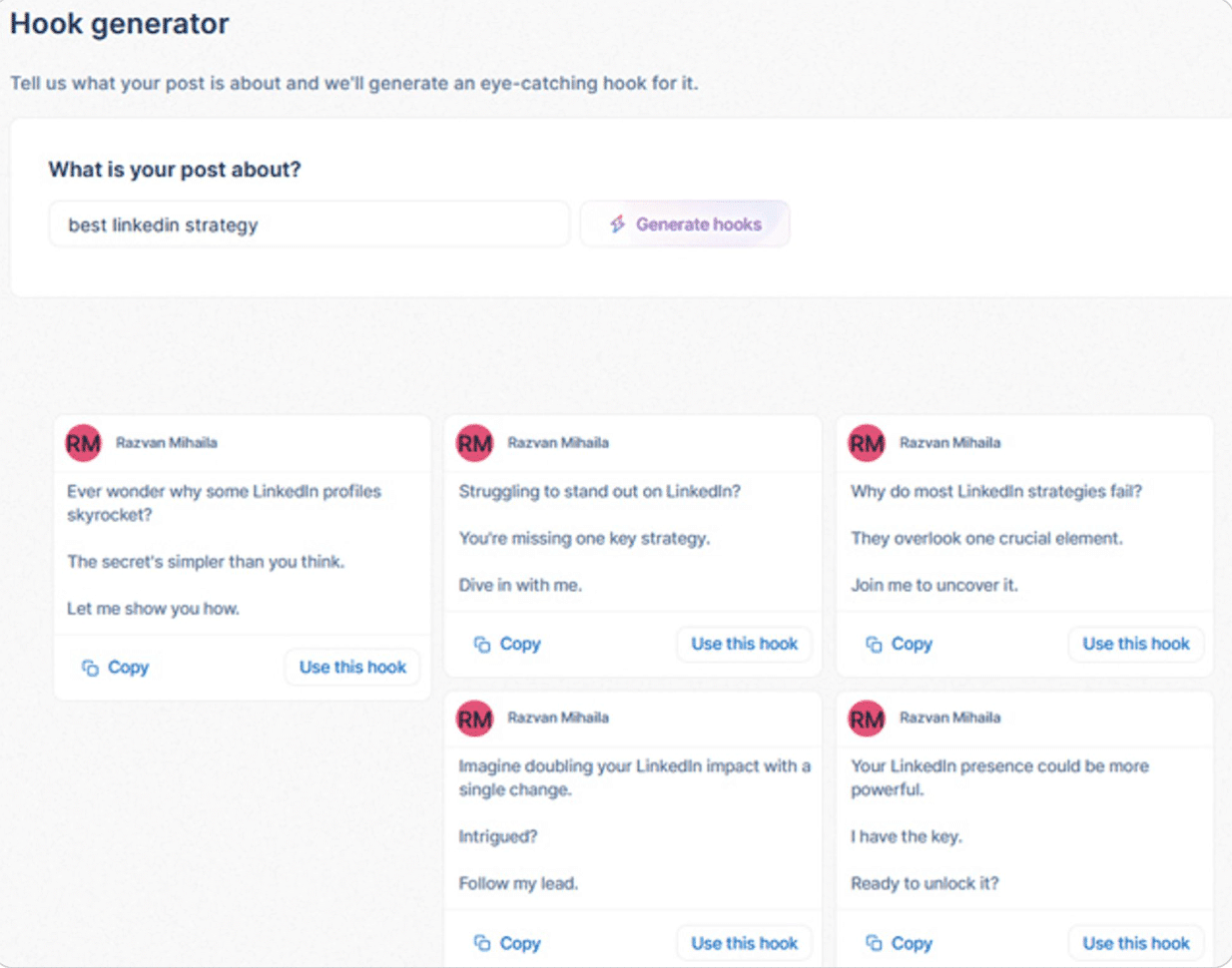
Salesdorado’s takeTaplio is one of the best tools on the market for going from zero ideas to a solid draft in a few minutes. But for content that rings true and actually performs with your audience, you will still have to rework every post to inject your expertise and your voice.
Scheduling and the editorial calendar
Taplio does more than generate content, it also helps you structure it. The editorial calendar is one of the tool’s strong points: simple, clear and designed to keep your posting consistent. You can schedule your posts by week or by month, or add them to a queue that automatically maintains the frequency you set.
The tool also recommends posting times based on historical performance and your audience’s engagement. For users who often struggle with consistency, this feature is genuinely handy and removes the “when should I post?” friction.
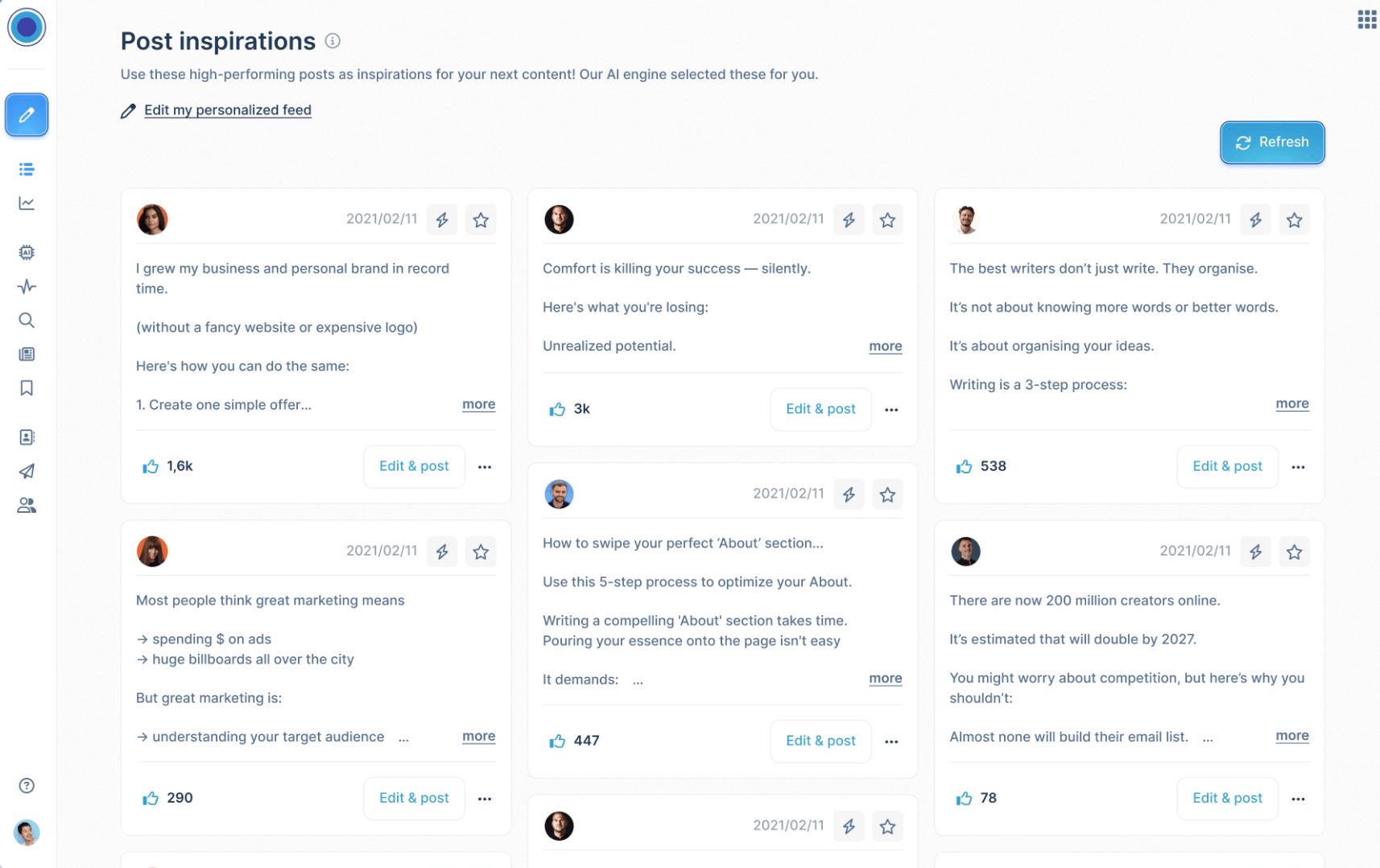
You can also recycle your best posts. Taplio identifies the content that performed well and suggests republishing it or reworking it in another format: carousel, short version, long version. It is a common practice, a good LinkedIn post can often live several lives, and Taplio makes this recycling logic easy.
Assisted engagement & social pipeline
Posting is good. Engaging is better. Taplio gets this and offers a set of tools designed to make interactions easier without turning the user into a robot.
Taplio lets you create lists of accounts to follow: prospects, influencers in your niche, partners, clients, colleagues. From these lists, the tool automatically surfaces their new posts to help you react regularly and keep the relationship going.
The other key aspect concerns comments on your own posts. Taplio identifies the messages you haven’t replied to, highlights important interactions and, if you wish, offers AI-generated reply suggestions.
Taplio also allows some more automated actions, engagement or semi-automated prospecting, which can flirt with the limits set by LinkedIn. These features should be used with discretion.
Analytics and performance tracking
Taplio offers an analytics module far more complete than what LinkedIn provides natively. You get an overview of your activity: follower growth, views, interactions, engagement rate, top posts and trends over recent weeks or months.
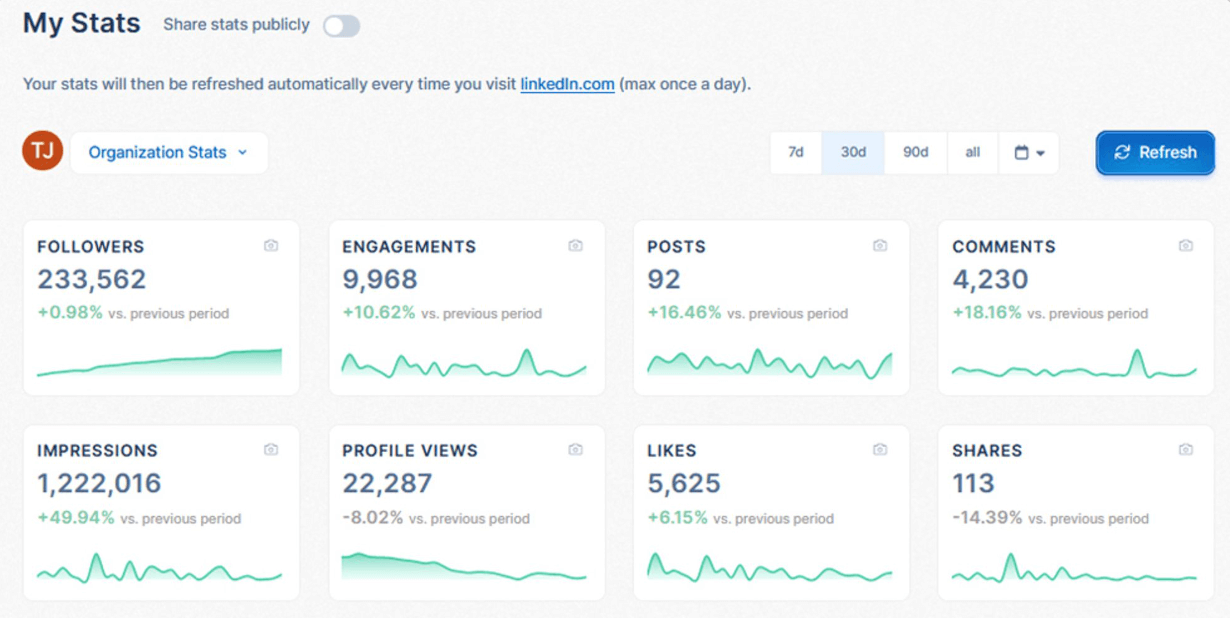
The main value of the dashboard is simple, fast steering:
- which formats work;
- which hooks generate the most clicks;
- which days perform best;
- which topics spark the most conversations.
For most users, this information is more than enough to optimize their editorial line.
That said, Taplio remains limited for advanced B2B use cases. You don’t get the granularity of a tool like Shield, which offers detailed analysis of your audience, its geographic breakdown, roles and industries, and can even measure ROI by post type. For companies that need to prove LinkedIn really generates qualified leads, Taplio quickly shows its limits.
Salesdorado’s takeTaplio’s analytics are perfect for steering your pace, your inspiration and your “best posts”. But if your goal is proving ROI or a fine-grained analysis of your B2B audience, Taplio will feel rather limited on that front.
The Taplio X Chrome extension
Taplio X is one of the tool’s most popular additions. This free Chrome extension overlays insights directly in the LinkedIn interface:
- your best posts;
- content suggestions;
- high-performing posts in your niche;
- a quick analysis of the profile you are viewing.
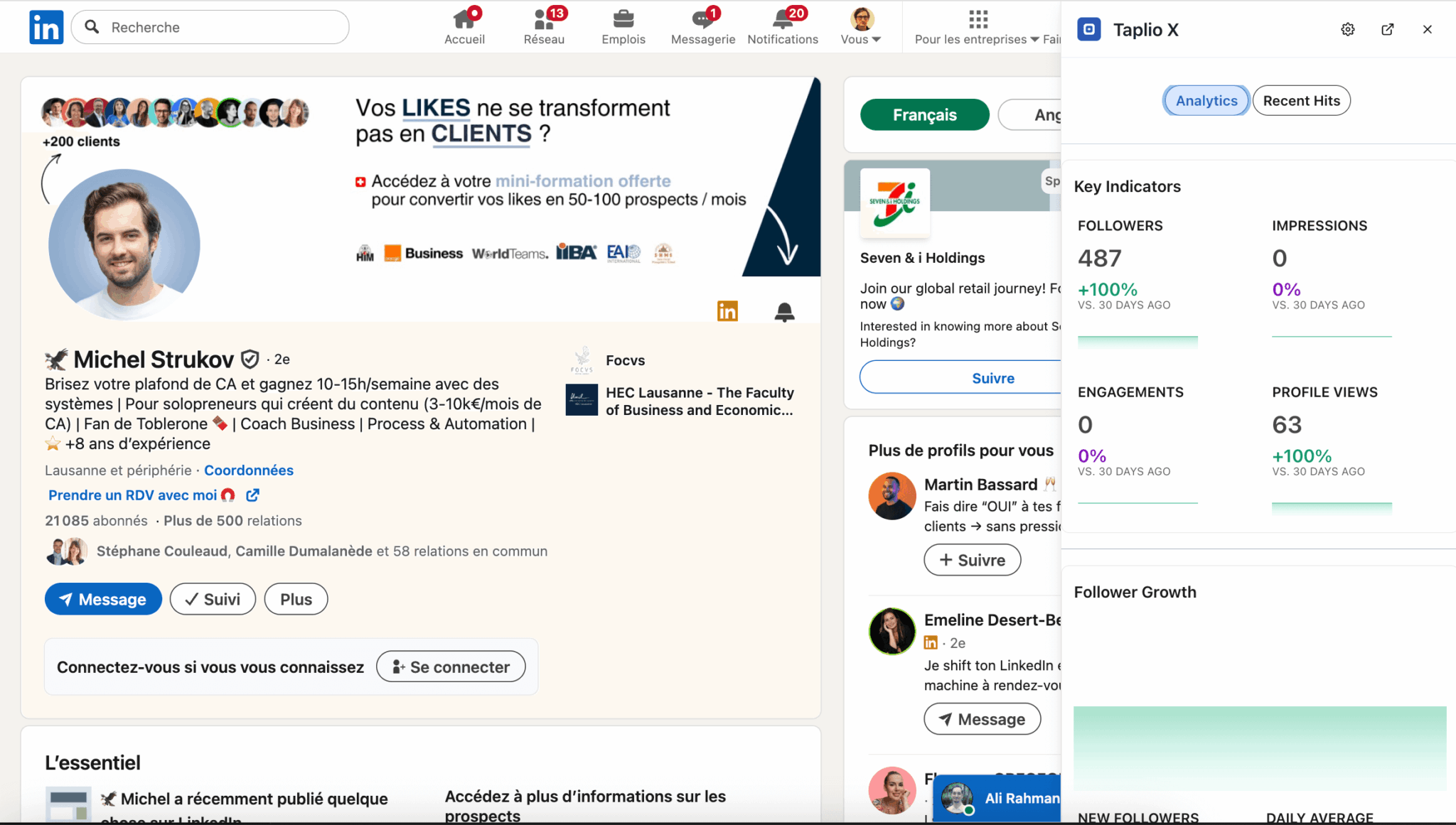
The goal is to make Taplio present at every step of your daily LinkedIn use, without having to open the app. While scrolling the feed or viewing a LinkedIn profile, you already get useful information and ideas for engaging or posting.
Integrations & workflows: Zapier, HubSpot
The Growth and Pro plans give access to advanced integrations via Zapier. The Zapier integration opens the door to more than 6,000 applications: CRMs, databases, marketing tools, spreadsheets, storage spaces.
For a marketing team or an agency, this makes it possible, for example, to automatically sync post ideas and post performance, or to send leads identified on LinkedIn to an internal pipeline.
The connection to HubSpot is one of the most concrete use cases. As soon as a prospect interacts with your posts, comments, forms, contact requests, Taplio can automatically pass the information on to the CRM. This lets you tie personal branding and content efforts to tangible business metrics: new contacts created, opportunities, conversions.
Support, documentation & community
Taplio offers clear documentation, fairly rich but in English, with short guides, simple tutorials and videos to get familiar with the tool quickly. The knowledge base covers the basics: post creation, queue management, carousels, extension, integrations.
Support largely depends on the plan you choose, as always with this kind of tool. Starter plan users mostly have to rely on the documentation and online resources, while the Pro plan gives access to much more responsive support. For agencies or teams using Taplio at scale, this point can tip the balance.
Taplio pricing & value for money
Taplio offers three plans billed monthly.
| Plan | Price | AI credits | Best for |
|---|---|---|---|
| Starter | $39 per month | No AI credits. You get post ideas, scheduling and analytics, but no automatic content generation or rewriting. | Discovering the tool, posting more regularly, structuring your presence with a simple calendar without relying on AI yet. |
| Growth | $69 per month | 250 AI credits per month, enough to regularly generate posts, carousels and images without heavy use. | Creators and freelancers who post several times a week, want to make use of carousels and AI images, and start automating part of their engagement. |
| Pro | $199 per month | Unlimited AI credits and comments, designed for heavy use, managing several accounts and high volumes of generation and engagement. | Agencies and marketing or sales teams that manage several profiles, want to industrialize content and connect LinkedIn to a CRM pipeline at high volumes. |
The differences between plans are not just about the volume of AI credits: access to key features changes the experience considerably. The Growth plan is Taplio’s first “real” tier, since it unlocks AI generation, text, carousels and images, the engagement tools and the Zapier integration. This is clearly the level where the tool starts to show its full potential.
The Pro plan, for its part, shifts Taplio into another kind of use. With unlimited AI credits and the ability to manage several accounts in parallel, it becomes a tool for scale: perfect for agencies or marketing teams that produce a large volume of content and want to connect LinkedIn to their CRM via Zapier or HubSpot. For a solo user, however, the price gap will be hard to justify.
Salesdorado’s takeTaplio is a very good choice for regular creators, consultants who live off their visibility, or teams that have built LinkedIn into their sales strategy. If you post rarely or opportunistically, on the other hand, its pricing may seem out of proportion.