The vendor offers an impressive set of software, from CRM to video conferencing, by way of email management, a chat module and even a light CMS to build mini-sites easily.
On Zoho CRM, the brand’s flagship product, a lot has changed: the pricing grid has been reworked, and the vendor has done deep work on its whole visual identity, which used to be its main weak spot. The tool keeps an impressive functional depth, at prices that stay gentle.
Contact management in Zoho CRM
Zoho’s user experience has been reworked in depth. On contact management, that shows up as a chronological view that surfaces priority prospects and customers, in a very visual interface that is pleasant to pick up.
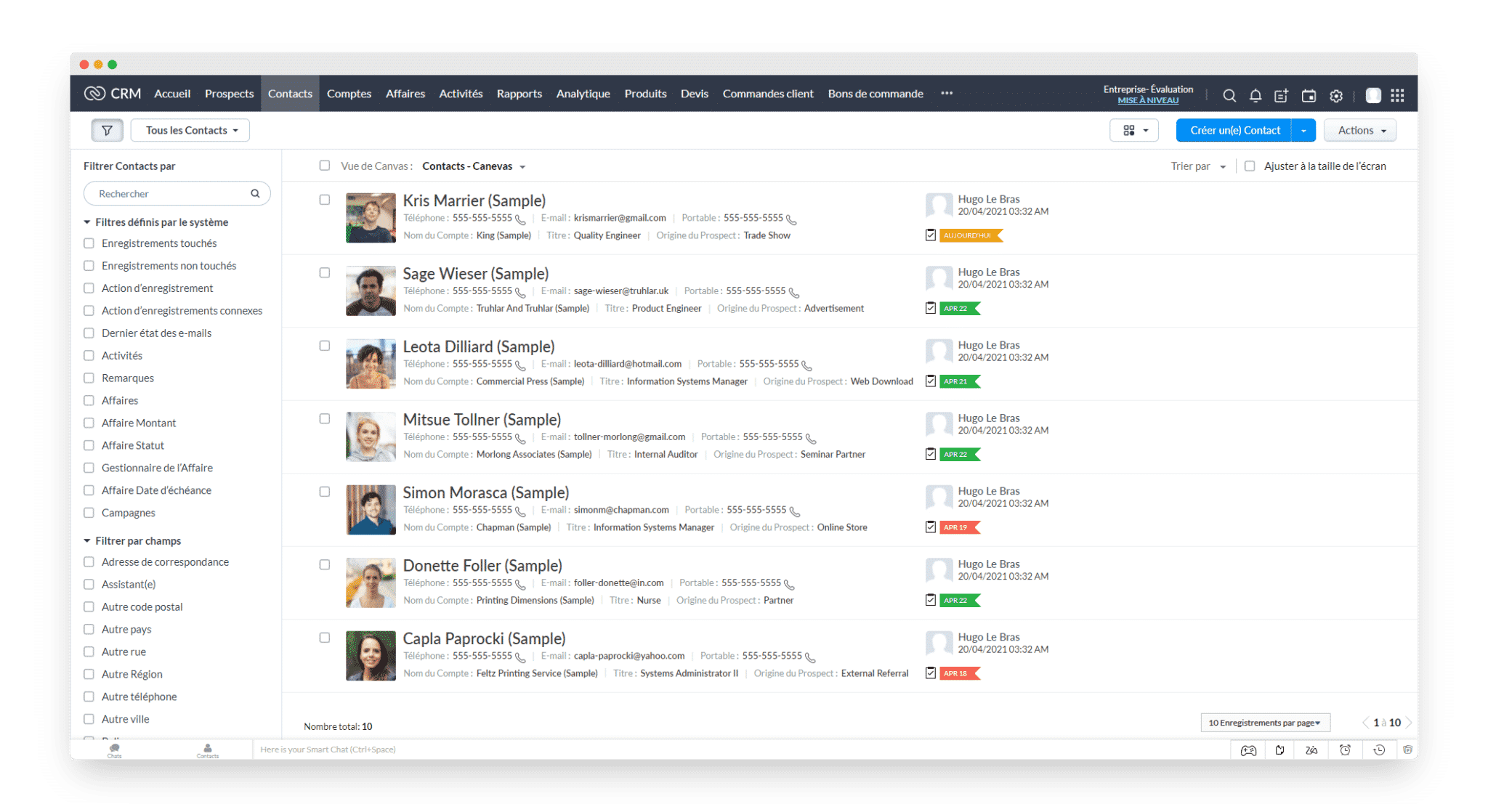
One detail that saves time day to day: the colour-coded label shows the type of action to carry out for each prospect along with its due date. One click on it opens the related activity straight away.
The tool offers a large number of advanced filters to query CRM data by tasks, notes, email exchanges and other activities.
If you want to grow your presence inside an account, in an Account Based Marketing logic, Zoho CRM lets you create “company” accounts and then attach several individual contacts to them.
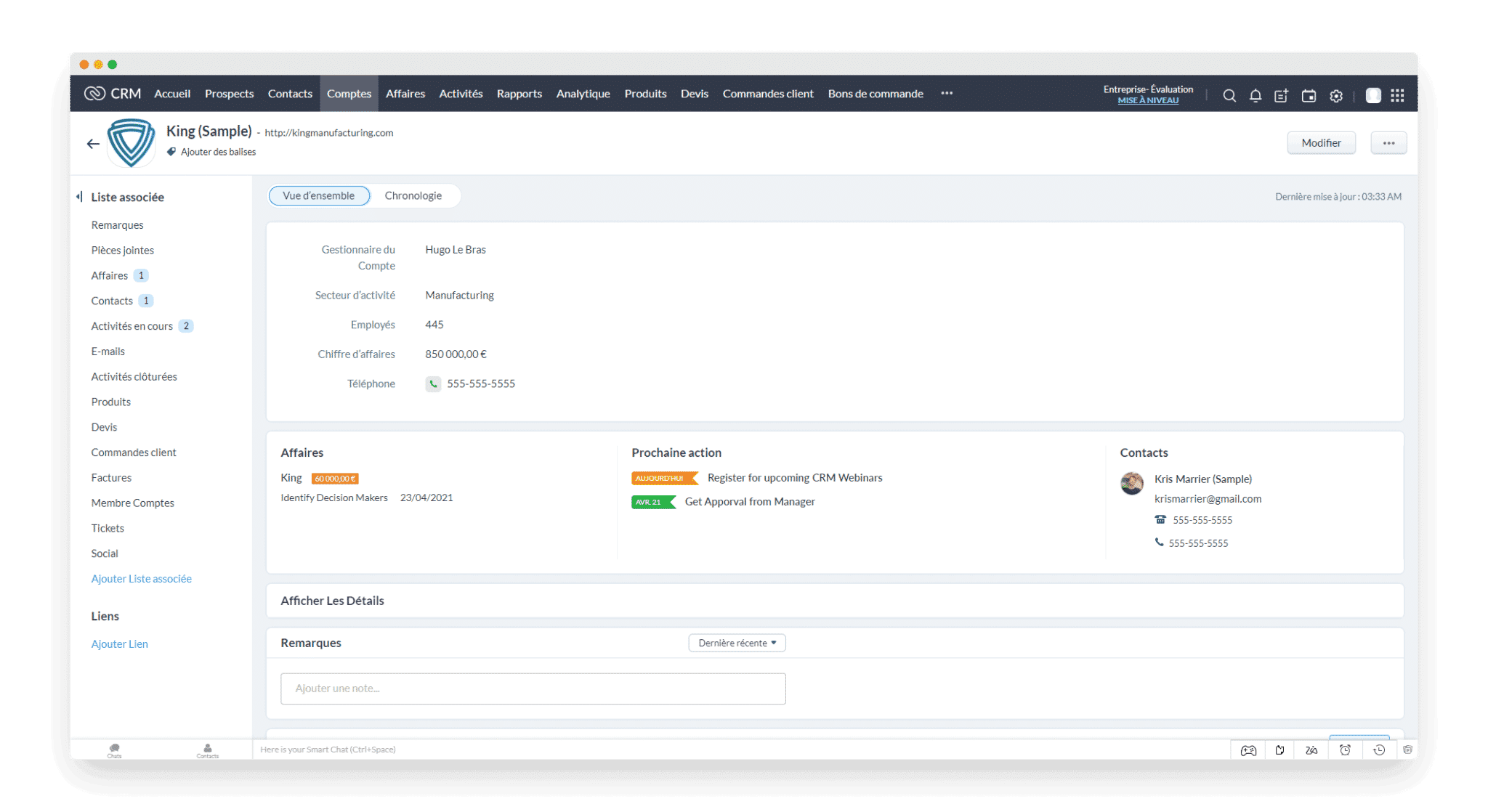
It is easy to organise people into active prospects and to give them different classification categories. You can attach documents to individual contact records and then find every uploaded file again in the document library.
Managing sales opportunities in Zoho CRM
Zoho CRM’s aim is to let companies of every size follow the customer relationship across its whole life cycle, from first contact to closing the deal.
With that in mind, the software brings together the tools you need to move leads along your sales funnel:
- Management of your B2B email campaigns
- Lead capture
- Lead nurturing
- Segmentation
- B2B prospecting tools
- Interaction tracking
- Assigning leads to the right reps
New prospects start out as leads and are converted into contacts once qualified. At that point, the associated company becomes an account. As is often the case with Zoho, you use what you need: if you only generate a handful of leads, you can skip that step and have new names appear straight in the contact list.
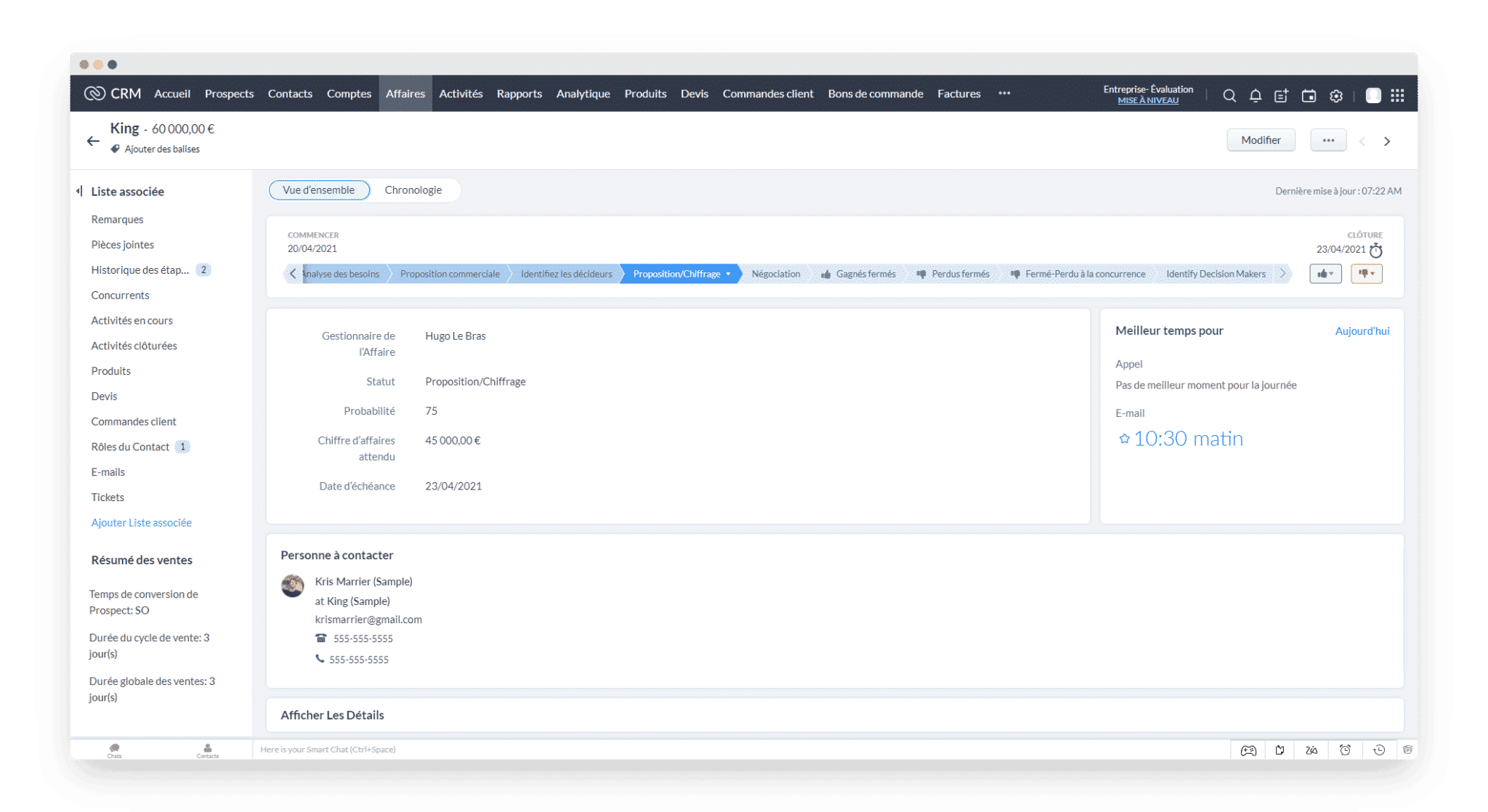
If, on the other hand, you need to generate a large number of leads from multiple sources, Zoho collects them through a feature called SalesSignals. It monitors different channels (chats, emails, social networks) and alerts you in real time when a prospect mentions your company.
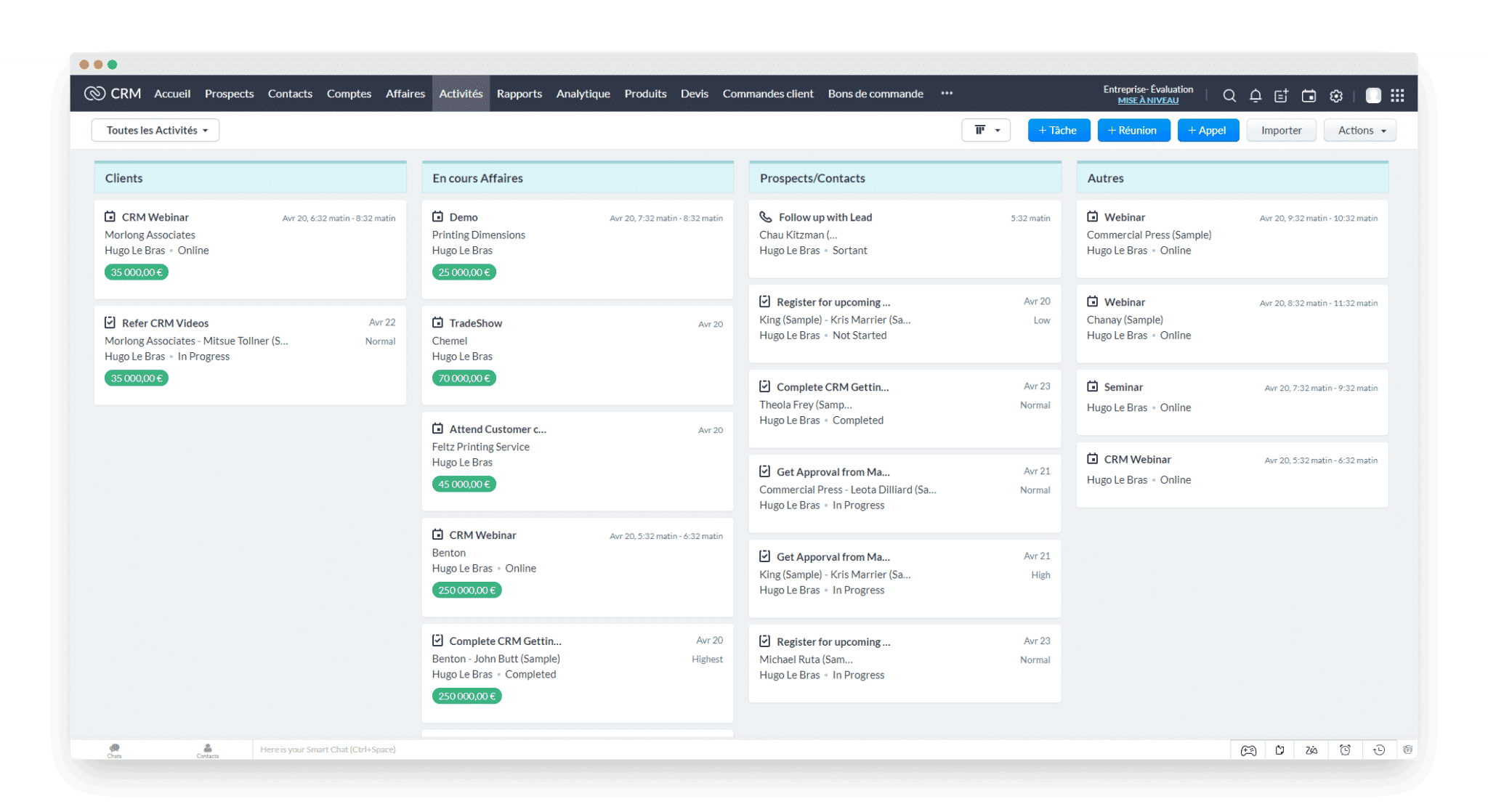
The “Activities” view above gives an overall picture of the tasks waiting for you in the days ahead.
These advanced multi-source lead tracking features make Zoho a solid opportunity management tool, able to move up a gear for a sales team that currently runs its prospecting by hand.
Sales automation in Zoho CRM
Lead scoring
Every well-structured sales organisation leans on lead scoring processes to focus its effort on the prospects with the most value.
Zoho CRM hands you the keys to implement those sales processes: in the settings, under the “automation” heading, you will find the “scoring rules”. The criteria on offer let you sharpen your sales strategy.
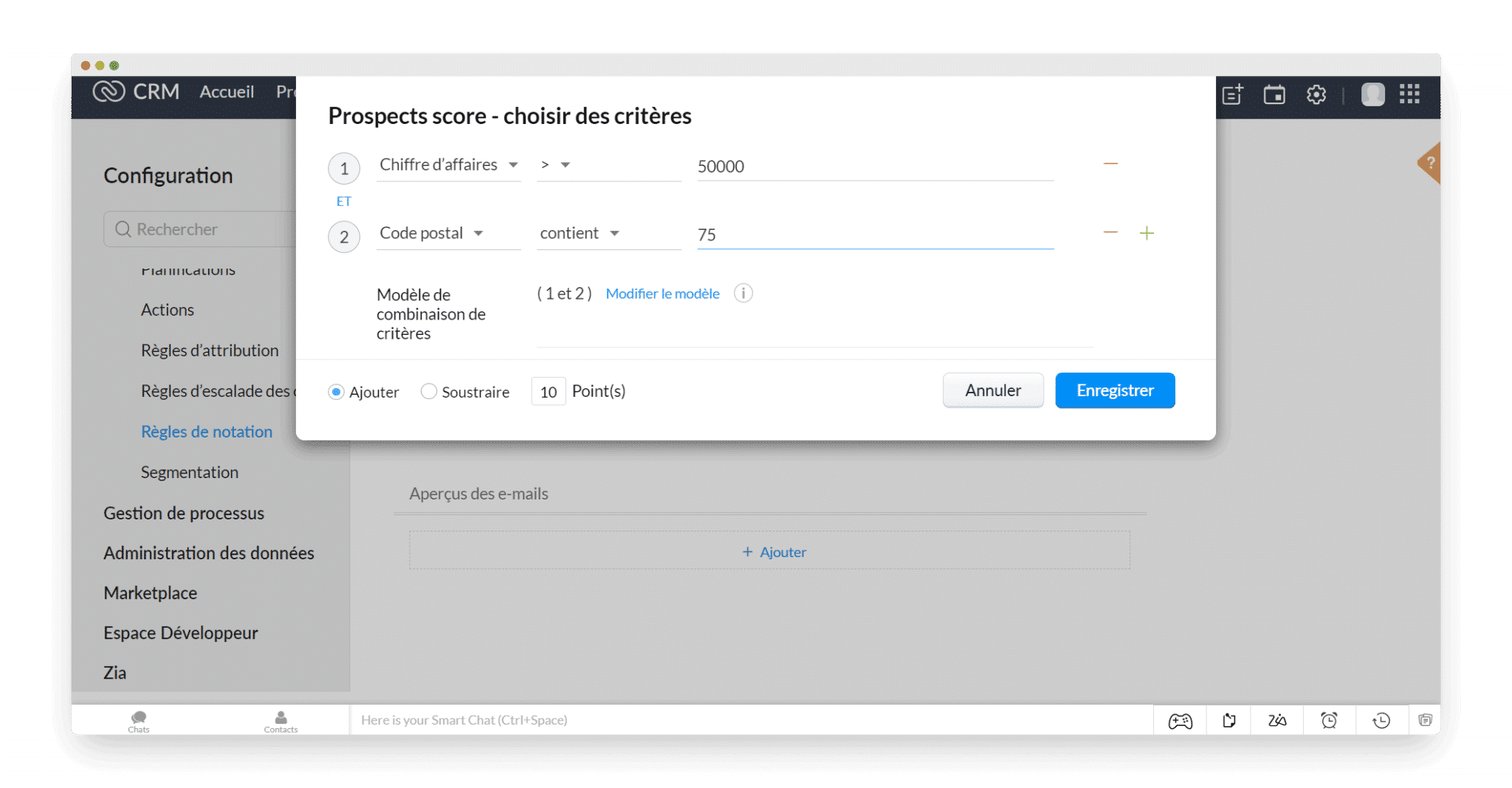
In the example above, the rule adds 10 points to every prospect located in the Paris region whose revenue is above 50,000 euros. Once your criteria are set, they apply across your whole contact base.
To reach the prospects you care about faster, you can sort your leads by score directly in the contact management tool.
Lead routing
Lead routing means dispatching leads to the relevant reps according to the organisation you have put in place. Same path in the menu: pick “assignment rules”, then set your criteria.
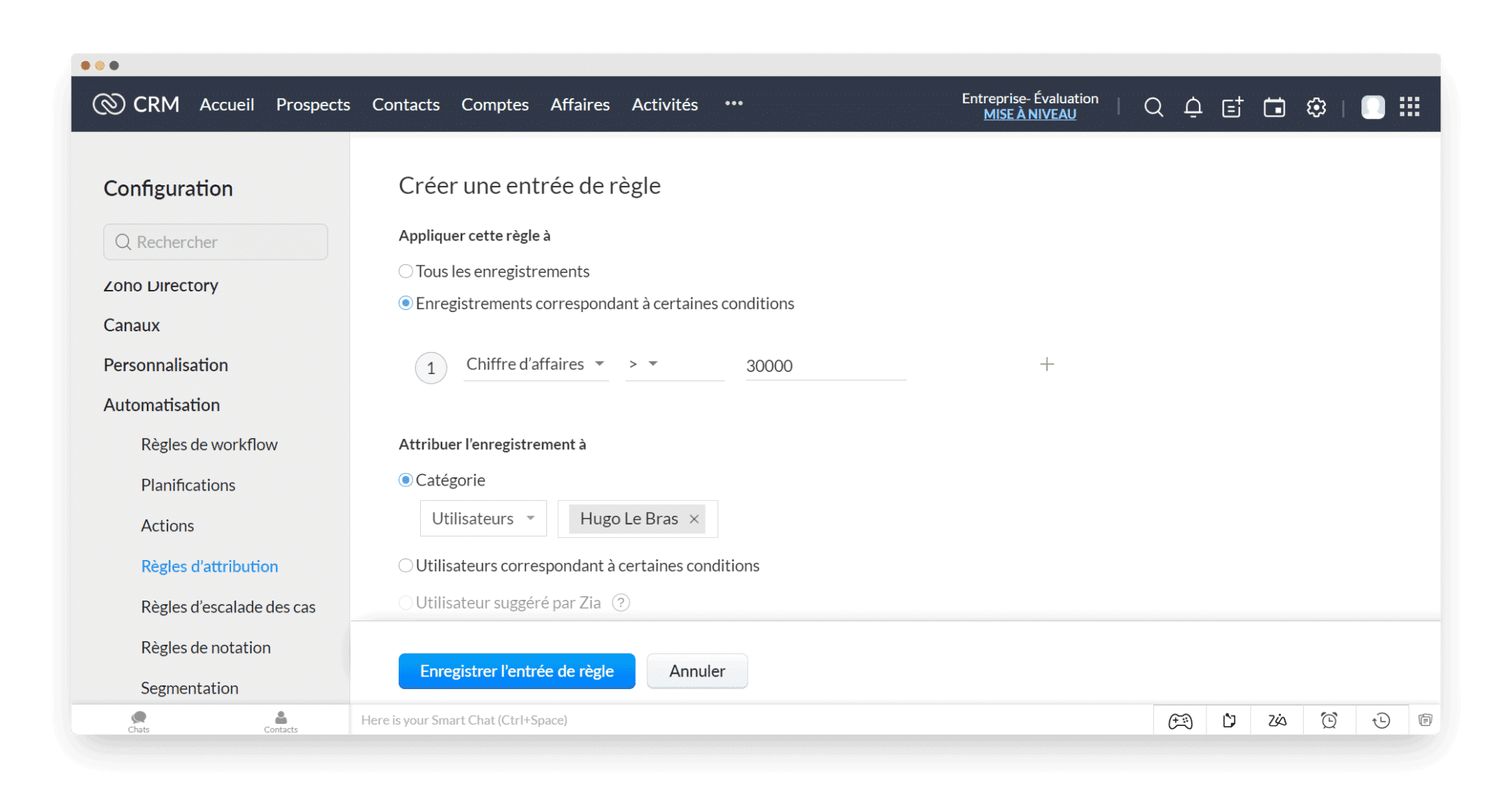
In our example, every lead with revenue above 30,000 euros is assigned to Hugo. Our demo account offered few options, but nothing stops you from building far more sophisticated rules and automatically assigning your prospects to the various members of the team.
One limit worth knowing: those rules only apply to prospects imported or captured through your web forms.
Automated follow-up sequences
Sending automated email sequences is less essential in B2B than in B2C, but you still have more important things to deal with than chasing your prospects one by one.
With Zoho CRM, it can be done: still in the same part of the menu, select “workflow rules”. Building the scenario is then straightforward, chaining conditions, triggers and actions. You can create up to 10 conditions for a single workflow.
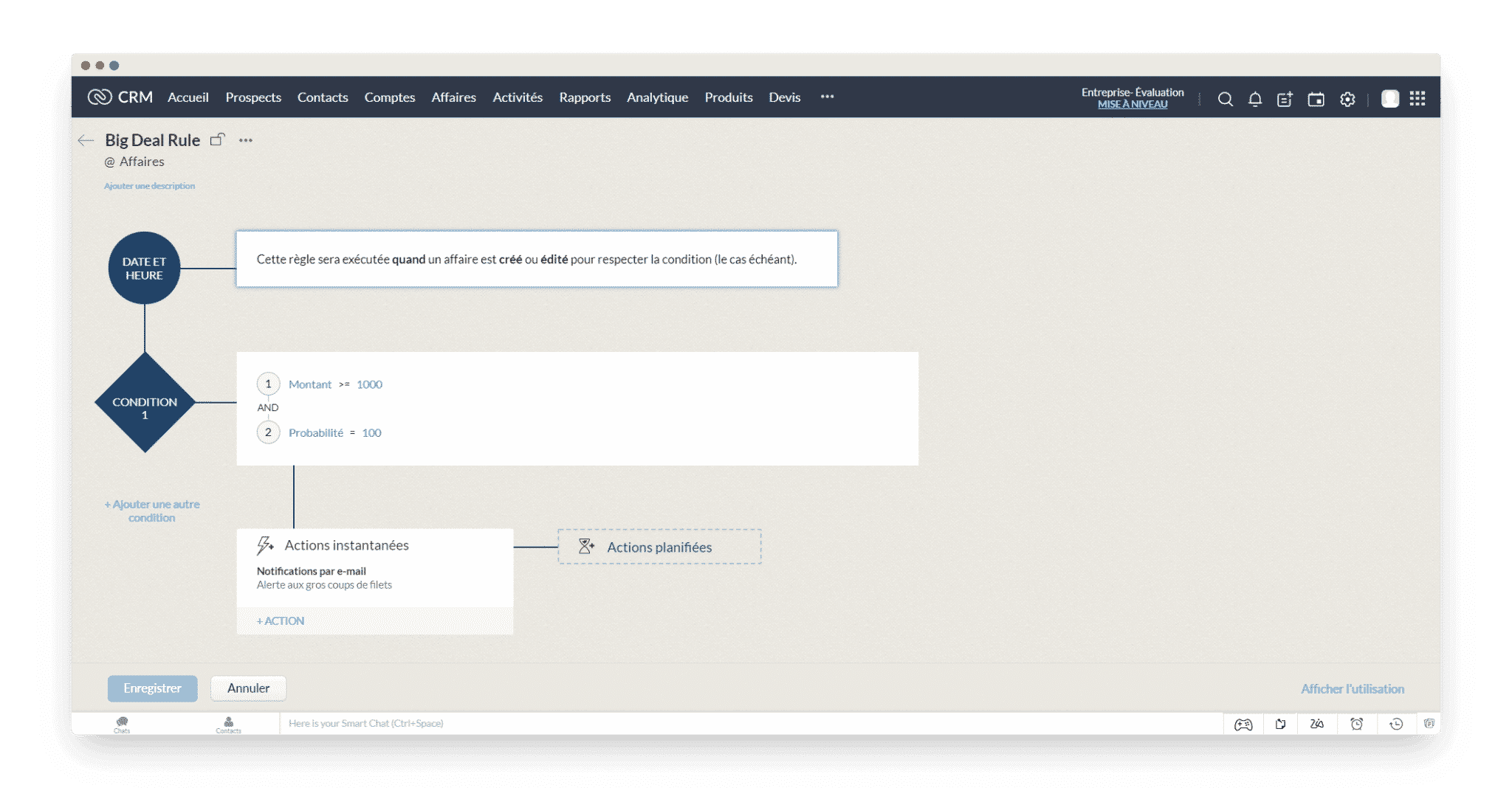
The example above is not a follow-up scenario, but such a pattern is fairly simple to define: when X has not sent me an email for Y days, I automatically send them follow-up email Z.
If you are comfortable with the tool, go further and cross your lead scoring rules with your follow-up scenarios, to feed every prospect information according to how far along the funnel they are.
Macros and webhooks
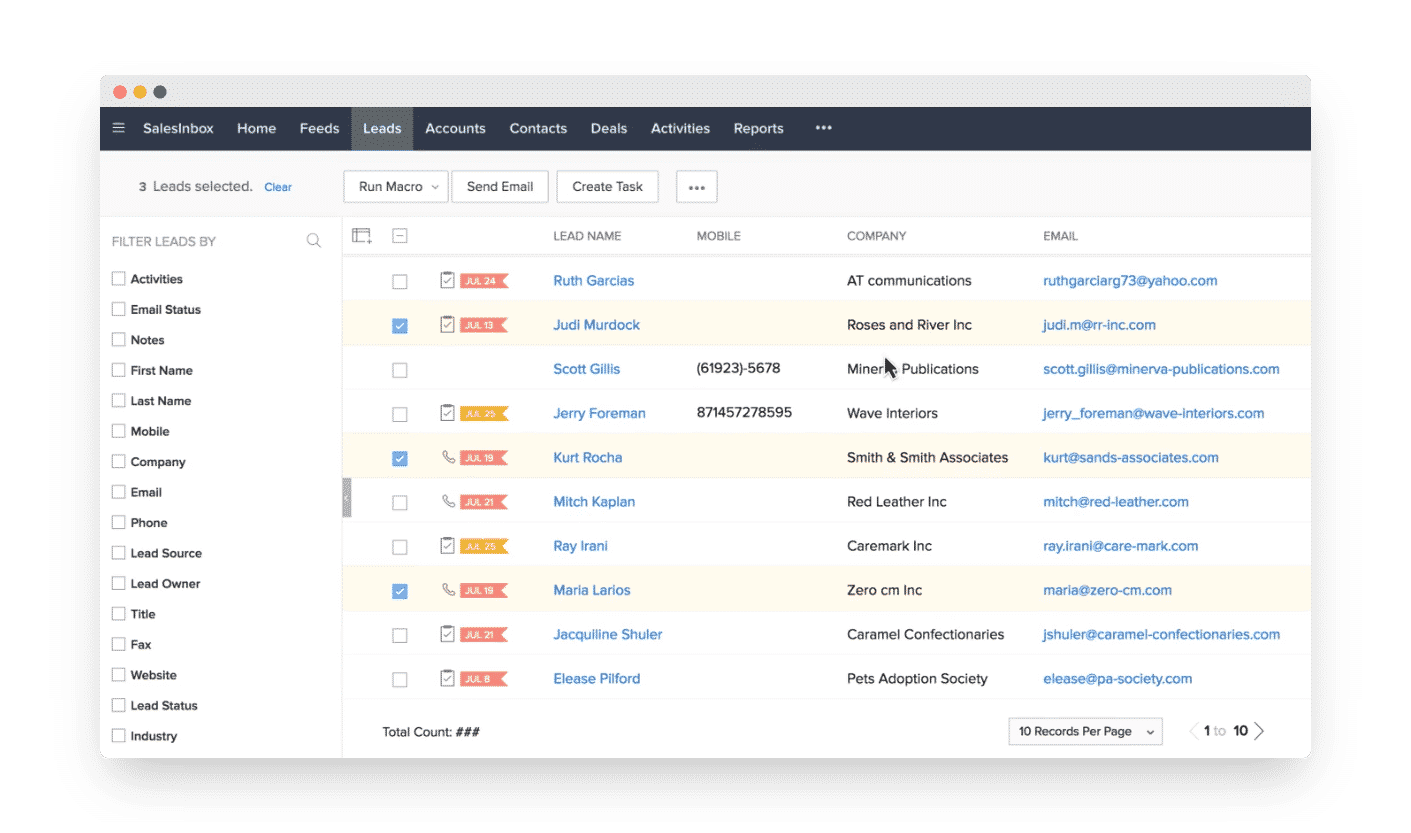
With Zoho CRM’s macros, you trigger a series of automated actions from a manual one: sending an email, updating a contact. A welcome bonus, the CRM spots that kind of time-consuming task on its own and suggests macros to save you time.
On top of that, when you want to automate actions that need a connection with third-party applications (telling your logistics team a deal has just been won, for instance), Zoho CRM offers webhooks to link those applications to your CRM.
For an SMB, Zoho CRM’s sales automation options are more than enough. The tool will not hold you back on that front.
Usability and user experience in Zoho CRM
Users long criticised the tool for its dated interface and a user experience that held back adoption across teams. Zoho’s teams listened and moved the software’s usability forward. The least you can say is that it worked.
A lot of work has gone into making the various features quickly reachable. Lead tracking, the actions to take on each account and even the workflow editor shown above are easy to pick up.
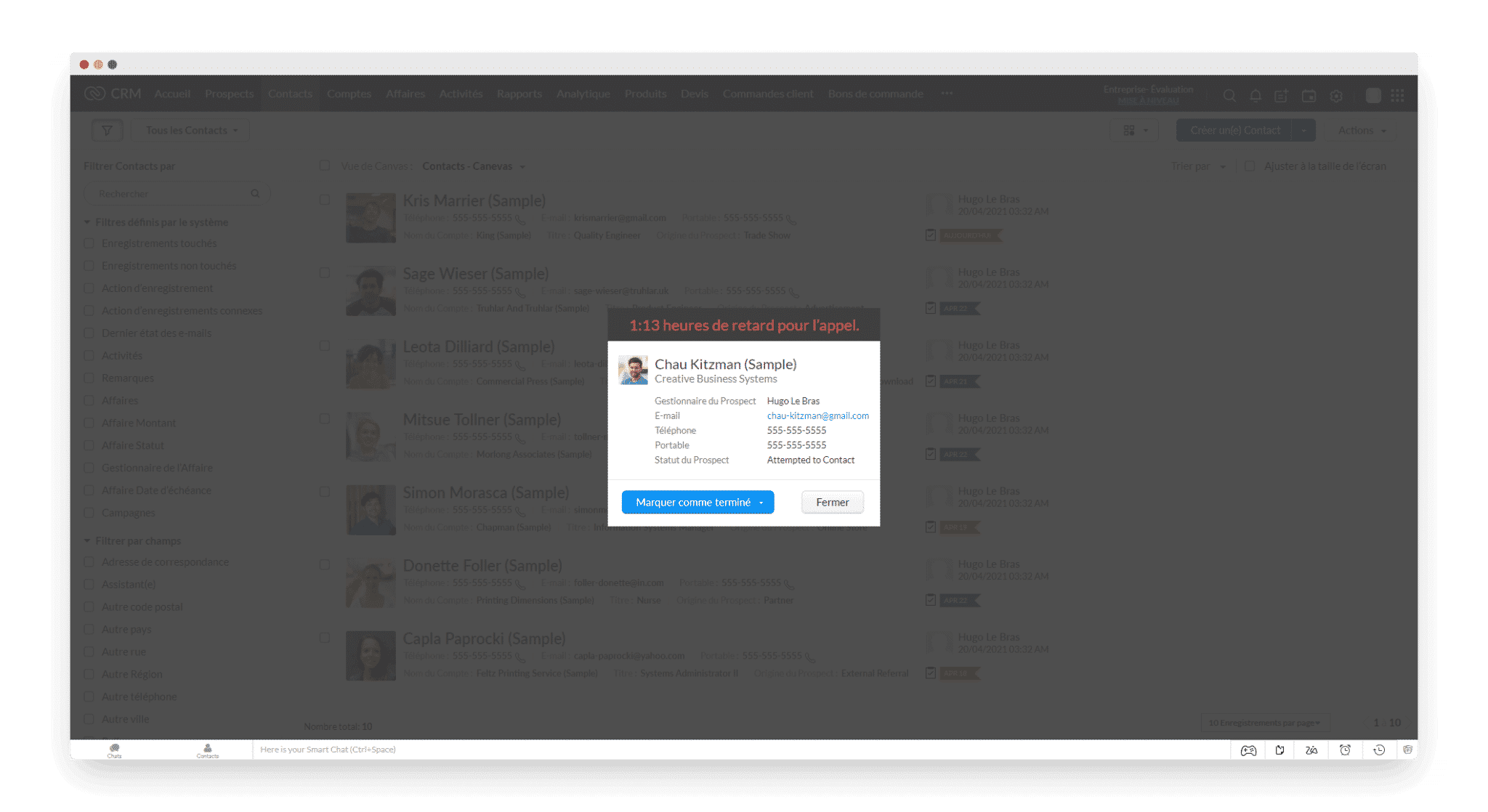
To stop things slipping through, the tool fires automatic reminders based on the activities in your calendar. The well-judged optimisations brought by the AI, such as automatically suggested macros, are also welcome.
Integrations
Third-party integrations are available on the Zoho Marketplace. You will find the most widely used business applications there, notably Google Workspace, Mailchimp, Constant Contact, Evernote, ClickDesk, Microsoft Office 365, QuickBooks, Zendesk Support and GoToMeeting.
All in all, there are more than 600 integrations available, including around a hundred VoIP telephony providers.
Zoho CRM is also a component of the Zoho suite, which counts more than 40 applications, among them:
- Zoho Webinar
- Zoho Social, for advanced social media management
- Zoho Books, for accounting
- Zoho Surveys, to build and send surveys to your prospects and contacts
That is a real plus: you roll out other blocks of the suite without going through an extra vendor. And if you would rather not use the rest of the suite, the integrations to the applications you cannot do without are right there.
Zoho CRM pricing
The free version
To size up the tool and test the various features, Zoho offers a free version for up to three users, with access to the essentials: lead, account and deal management.
Zoho Bigin, the stripped-down version
Zoho also offers an ultra-light version of its product, Zoho Bigin. It is a small pipeline-oriented CRM, made for small organisations.
Zoho Bigin is available from 7 euros per user per month, billed annually. The tool lets you set up to 5 web forms, connect your mailbox and build custom dashboards.
It is a very good option if you are starting out: real software, able to follow you for a long time, at a very accessible price.
Zoho CRM’s four plans
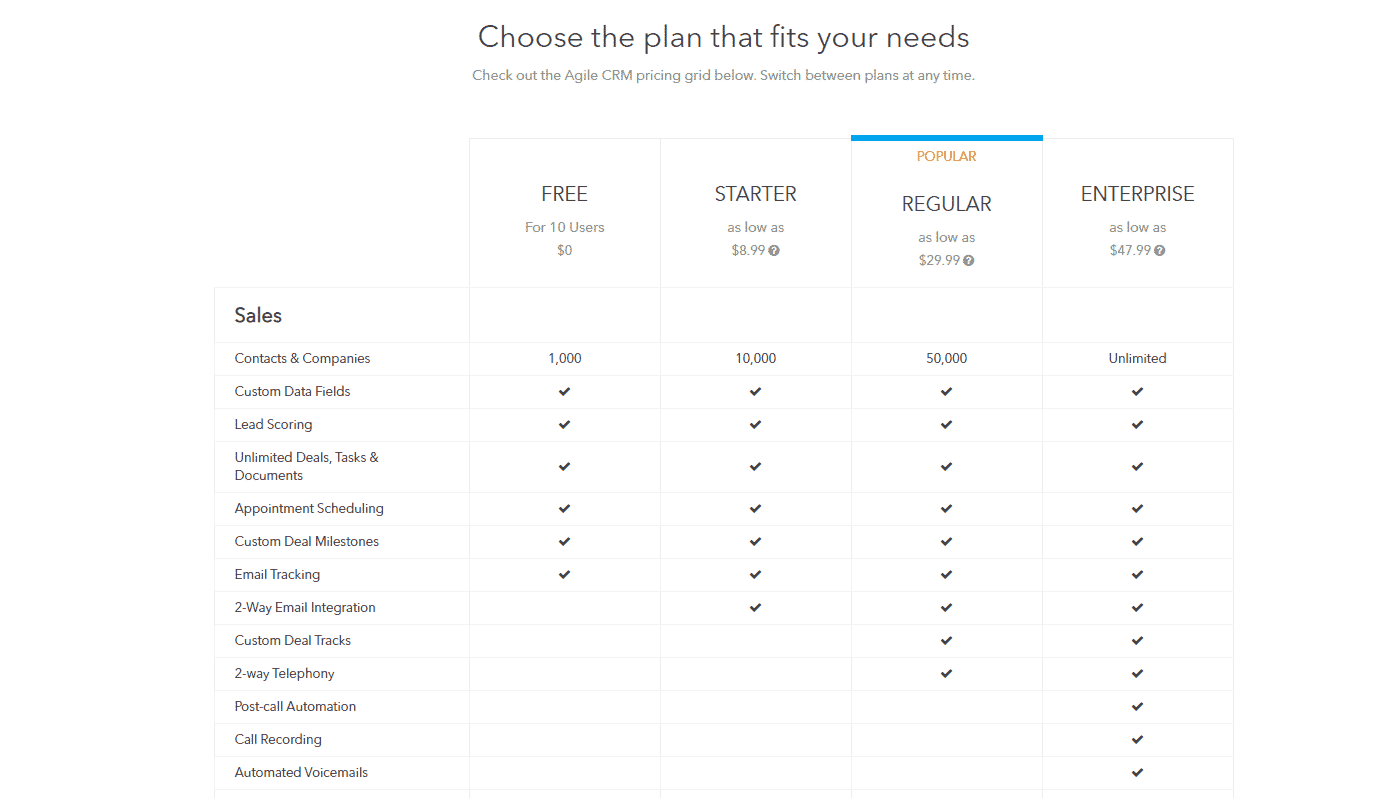
Zoho CRM’s offer is built around four plans:
- Standard, at 20 euros per user per month. This plan includes the lead scoring features covered above, automated scenarios, plus the ability to create several sales pipelines and custom dashboards.
- Professional, at 35 euros per user per month. This tier adds SalesSignals to follow your prospects’ activity, form integration and built-in inventory management.
- Enterprise, at 50 euros per user per month. This plan brings in Zia, Zoho’s AI tool, the multi-user portal plus the mobile SDK and MDM.
- Ultimate, at 65 euros per user per month billed annually, which mainly adds the advanced business intelligence solution built into the analytics tools.
A free 15-day trial gives access to every feature, on top of the free plan capped at three users.