If you are looking for a CRM that suits SMEs, mid-market companies and large groups at the same time, Microsoft Dynamics is the best fit.
This complete, capable CRM will let you structure the work of your sales reps with a view to improving their productivity. Let us take a closer look at the main features of Microsoft Dynamics CRM.
#1 The sales funnel in Microsoft Dynamics CRM
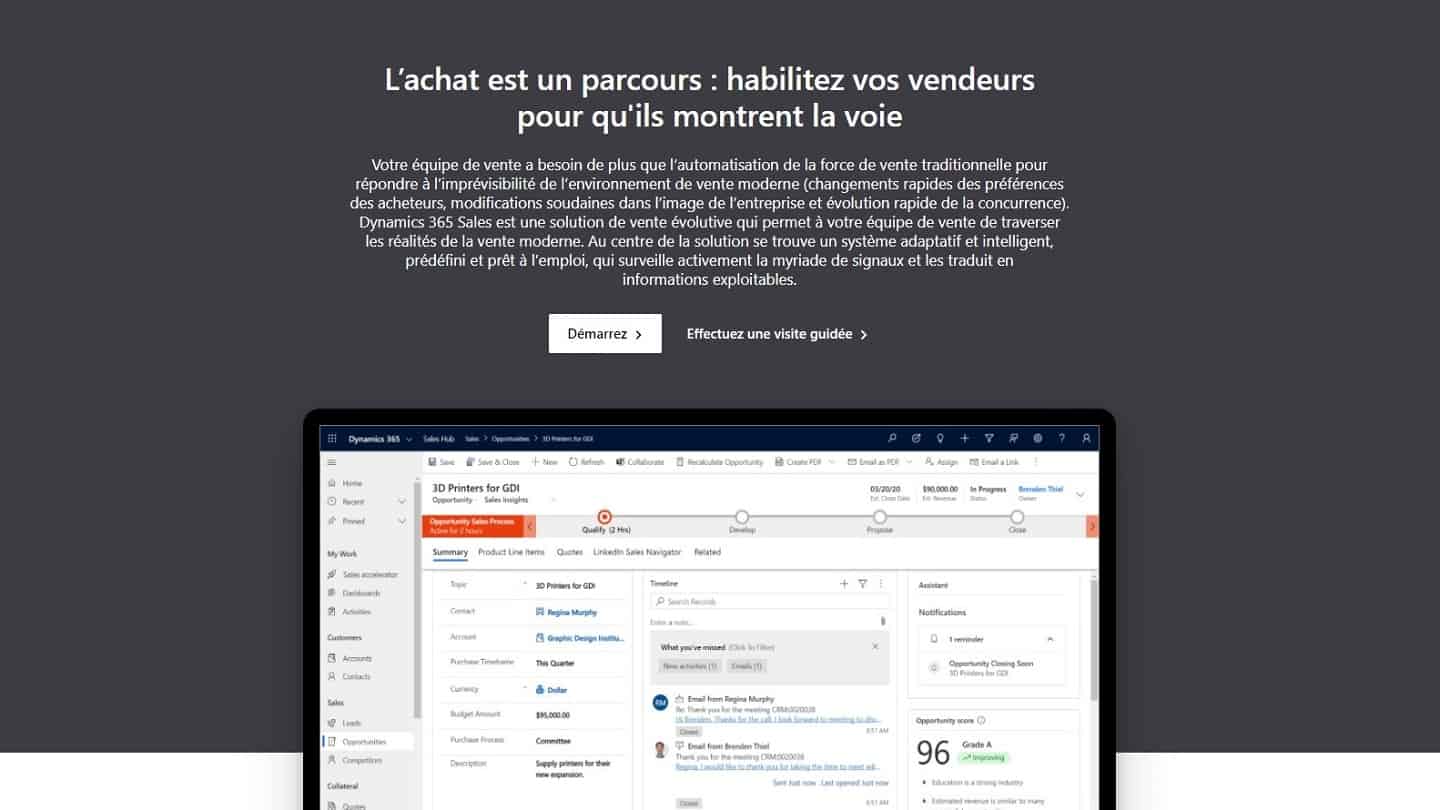
The Microsoft Dynamics 365 CRM naturally includes a Sales part. Here, everything is centralised to give your sales reps the tools they need to perform. Task and meeting management, smart automation, real-time data: this tool is also connected to the rest of the Office suite for a 365 view.
Once your sales reps start attracting new leads, you have to make sure they turn “hot”, in other words ready to close. That is what is called an opportunity. In the Microsoft Dynamics CRM, those opportunities are displayed as a list. If you want to move a lead to another stage of your sales pipeline, you will have to go through several clicks, so not very practical.
Salesdorado’s takeThat is a shortcoming compared with other CRMs, most of which offer drag and drop by default.
Once your lead is mature and finally ready to buy, Microsoft Dynamics 365 Sales will let you:
- Create custom quotes, purchase orders and invoices,
- Send them by email,
- And, finally, track them precisely thanks to the complete, customisable reports Microsoft provides.
A quality CRM software for handling all your quotes and invoices.
#2 Contact management in Microsoft Dynamics CRM
Contact management is a strong point of Microsoft Dynamics. When you open a contact record, you see options to:
- Create a new record,
- Deactivate the record,
- Link the current record to a different contact record,
- Add the contact to a marketing list,
- Assign a user to the record.
Salesdorado’s tipIf you click the phone number shown on one of your contacts’ pages, and if you have connected Skype to your account, you will be able to make calls straight from this CRM.
Like most of the best CRM software on the market, Microsoft Dynamics handles opportunities separately from leads. The “Leads” record displays a timeline at the top, letting you easily see where you stand in the process: Qualify, Develop, Propose and Close. The summary section holds details on the marketing lists the user is assigned to as well as their recent activities. You can also assign the lead to an opportunity from that view.
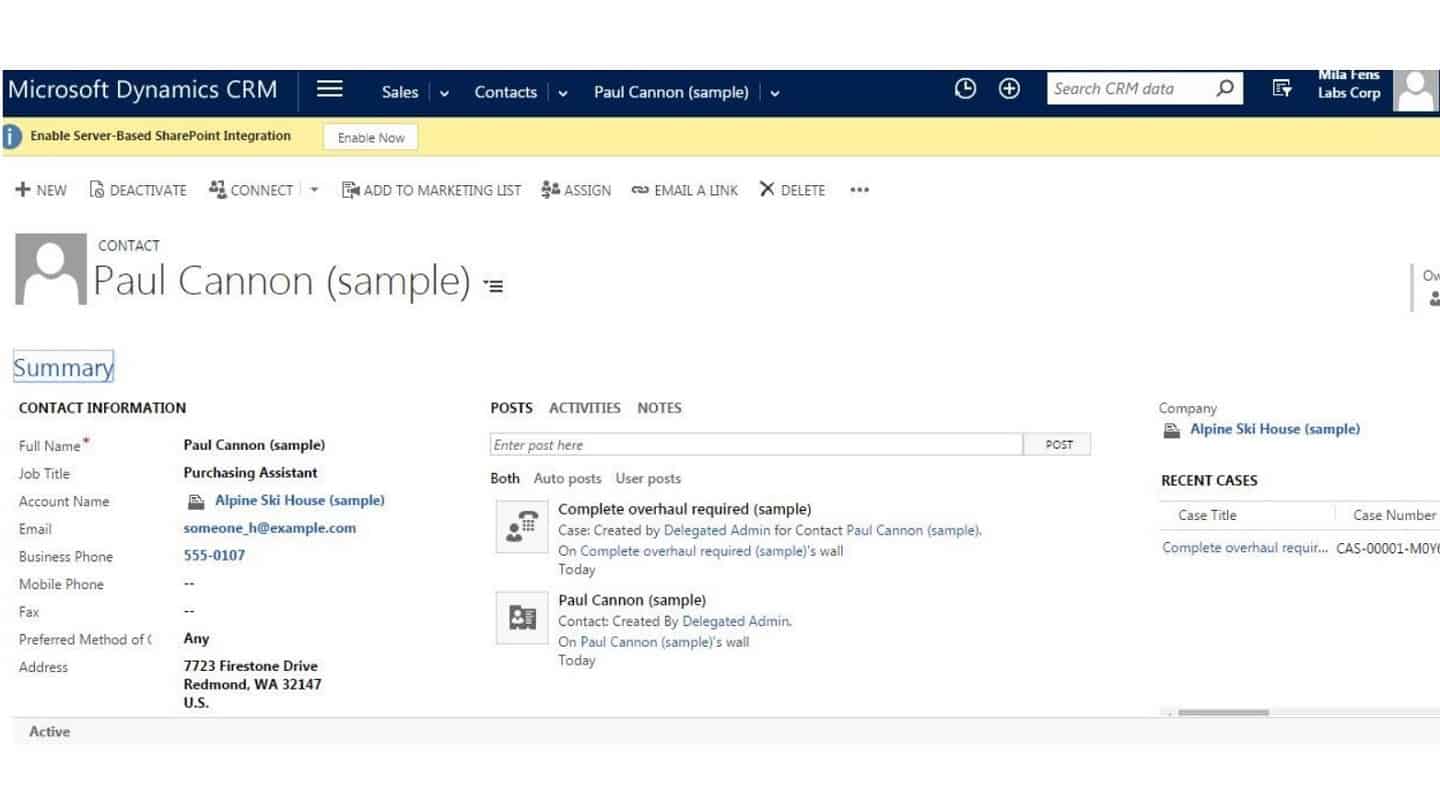
The “Opportunity” record looks a lot like the Leads record, with the same timeline at the top and the summary section at the bottom. There is a ton of information available and plenty of features, but they are not laid out quite as they are in many other CRM solutions, which makes the learning curve for your sales reps, and therefore adoption, noticeably longer.
Salesdorado’s takeContact management is very well developed in Microsoft Dynamics CRM. A shame, though, that opportunities and leads look so much alike.
#3 Ease of use and setup of Microsoft Dynamics CRM
This is Microsoft Dynamics’ biggest shortcoming. At the very start of your use, Microsoft offers a guided tour, tailored by role, so that you can see how a sales representative, a field rep, a sales manager or a customer service agent would use the software.
But every entry you make has to be saved by clicking the relevant button. You will have to watch out for that particular point because nobody will tell you. You will also notice that the only way to reach the 30-day trial Microsoft offers is to click a small link right at the bottom of the page. The least that can be said is that it is not exactly put forward.
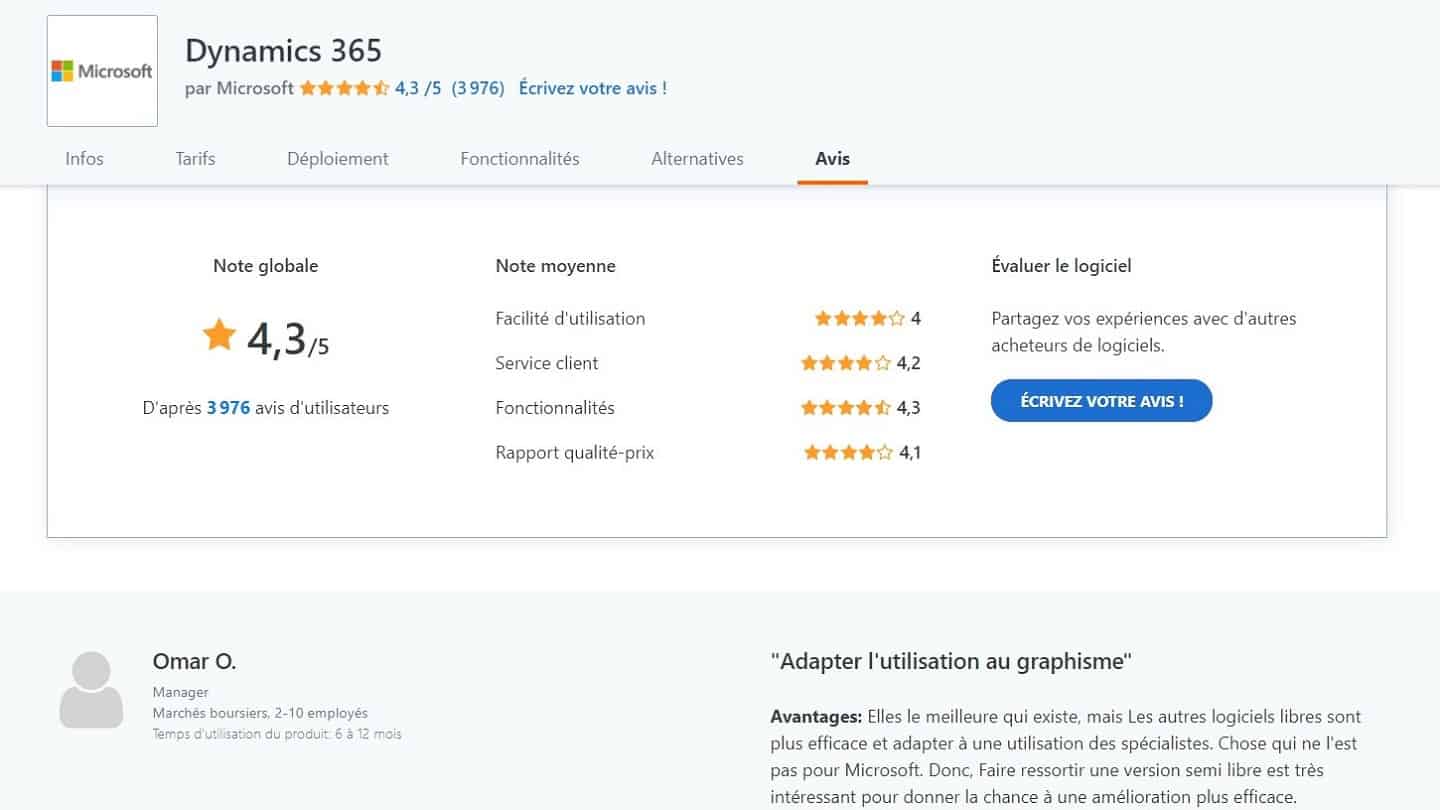
Salesdorado’s takeMicrosoft Dynamics is not the easiest software to get to grips with. Be persistent!
#5 Microsoft Dynamics CRM: integrations with the Microsoft ecosystem and with other tools
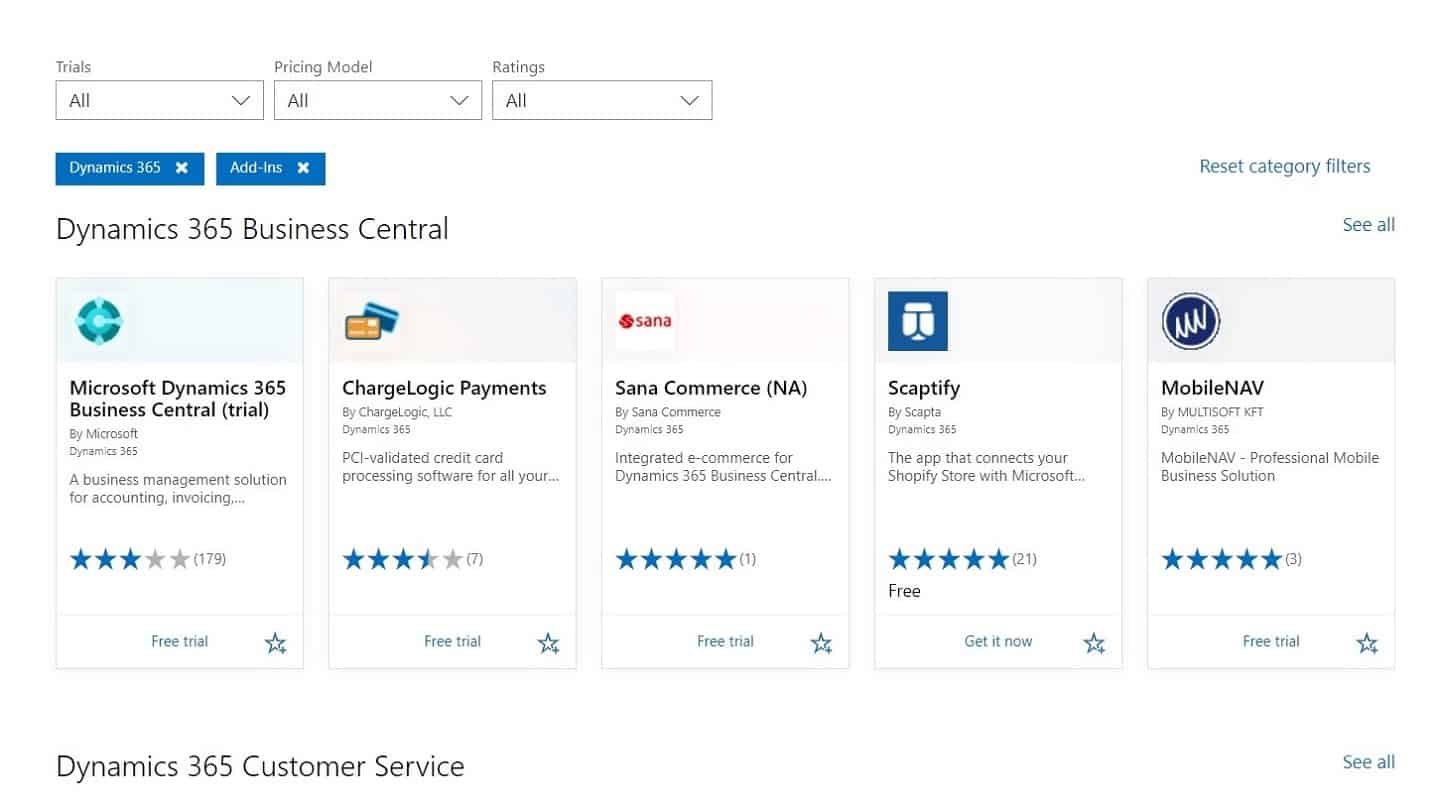
If you already run a Microsoft shop, Microsoft’s CRM makes integration with other Microsoft products easy. There is also a button to switch on server-based SharePoint integration, and you can set up Skype to handle all phone calls straight from the CRM.
AppSource is similar to Salesforce‘s App Store, offering third-party tools to plug into your Microsoft ecosystem.
Microsoft Dynamics CRM Online has no integration with popular software such as Quickbooks or Zendesk. To use those tools, you have to get hold of third-party connectors such as DBsync on the market, or install your software API key in Zapier, a widely used third-party connector.
When you first log in to your trial version, you are invited to watch a video tutorial and other help material. The help material is thorough and it is easy to find the information you need.
Chat support is easy to reach and, overall, I found the agents competent and keen to help. I sent a help request saying I could not log in and I got a phone call within the hour to help me access the account.
Salesdorado’s takeUsing Microsoft Dynamics CRM is a lot more rewarding if you already work with Microsoft tools. You can build a full Microsoft ecosystem to make buy-in easier for your teams.
#6 Microsoft Dynamics CRM pricing in detail
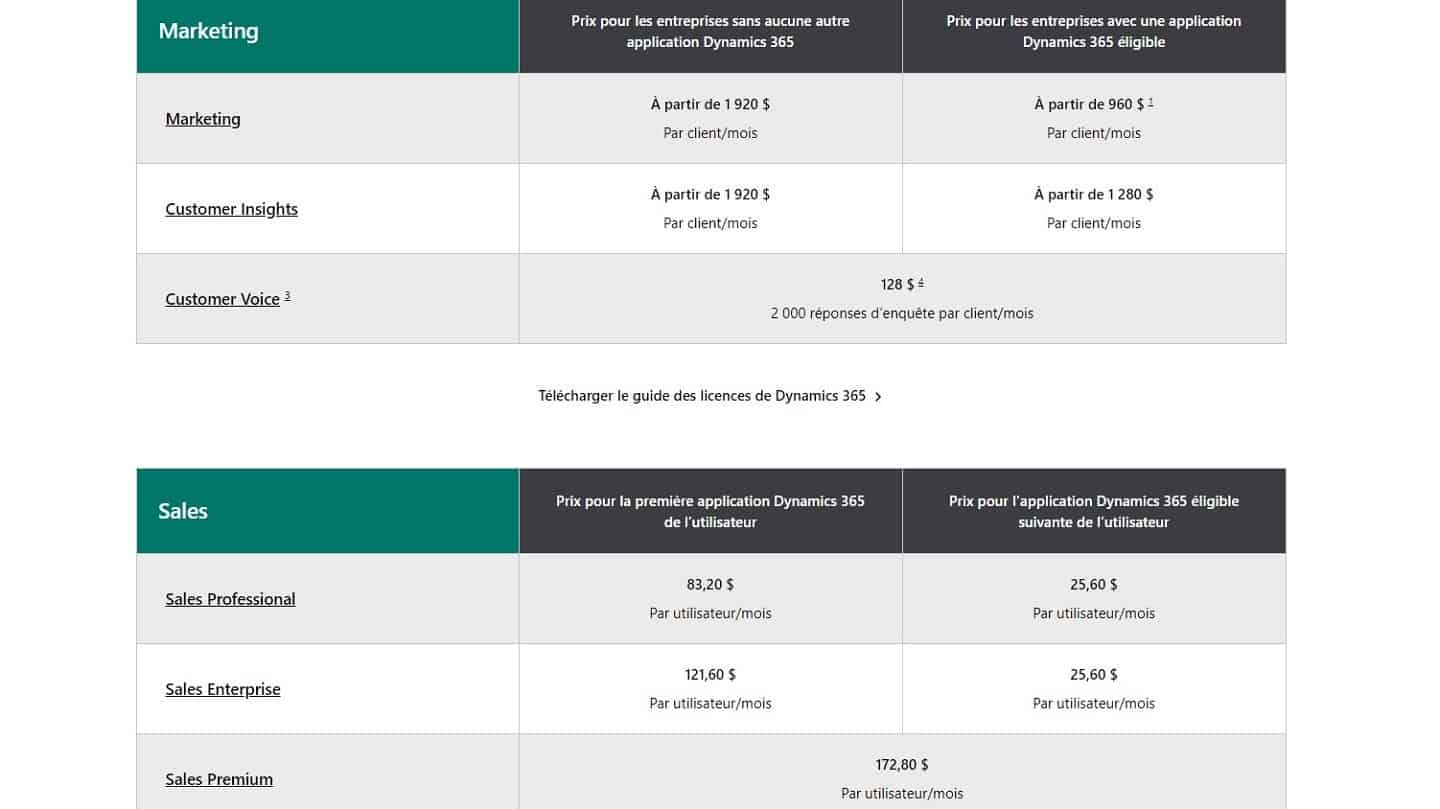
We only cover the cost of the software here, which is just one part of the cost of a CRM. To sign up to Microsoft Dynamics CRM online, you have to pay for a minimum of five users.
Small organisations that want fewer than five users, or that want the on-premise version to install on their own infrastructure, have to work with a Microsoft partner to get up and running. In that case, we would rather recommend alternatives such as Pipedrive or ActiveCampaign.
Microsoft Dynamics CRM’s pricing plans are complicated, with different plans targeting sales and marketing professionals.
- On the Sales side, the Professional package (from 54.80 € per user per month) is recommended for sales reps and customer support teams. It includes social media analytics, sales and customer service automation, as well as precise reports.
- On the marketing side, the Marketing package (from 1,265 € per month) offers campaign management, lead management and scoring, social marketing and statistical analysis.
Salesdorado’s takeIn our view, Microsoft would gain from being far clearer and more transparent about its pricing plans.