On other fronts, though, Smartlead is far more conventional. Its campaign editor is genuinely basic, built around linear sequences with no real dynamic personalization. The built-in CRM covers the basics of prospect tracking but with nothing particularly innovative. And Smartlead ships no B2B data enrichment service.
So Smartlead is first and foremost a specialist in mass email sending. It sticks to its core business: delivering your messages at scale without landing in SPAM. Here is my detailed take on Smartlead.
Smartlead’s key features
Mailbox manager and deliverability
One of Smartlead’s strong points is being able to use an unlimited number of sending mailboxes. That is what makes all the difference against a tool like Lemlist (which caps you at 5 mailboxes), and it is what lets you handle enormous sending volumes, because you are no longer boxed in by the restrictions of internet providers and email clients.
As an example, Smartlead’s mid-tier plan (the Pro plan) lets you send no less than 150,000 emails per month.
Adding your addresses is simple, since Smartlead offers connectors with the main mailbox providers (Gmail, Outlook and Zoho).
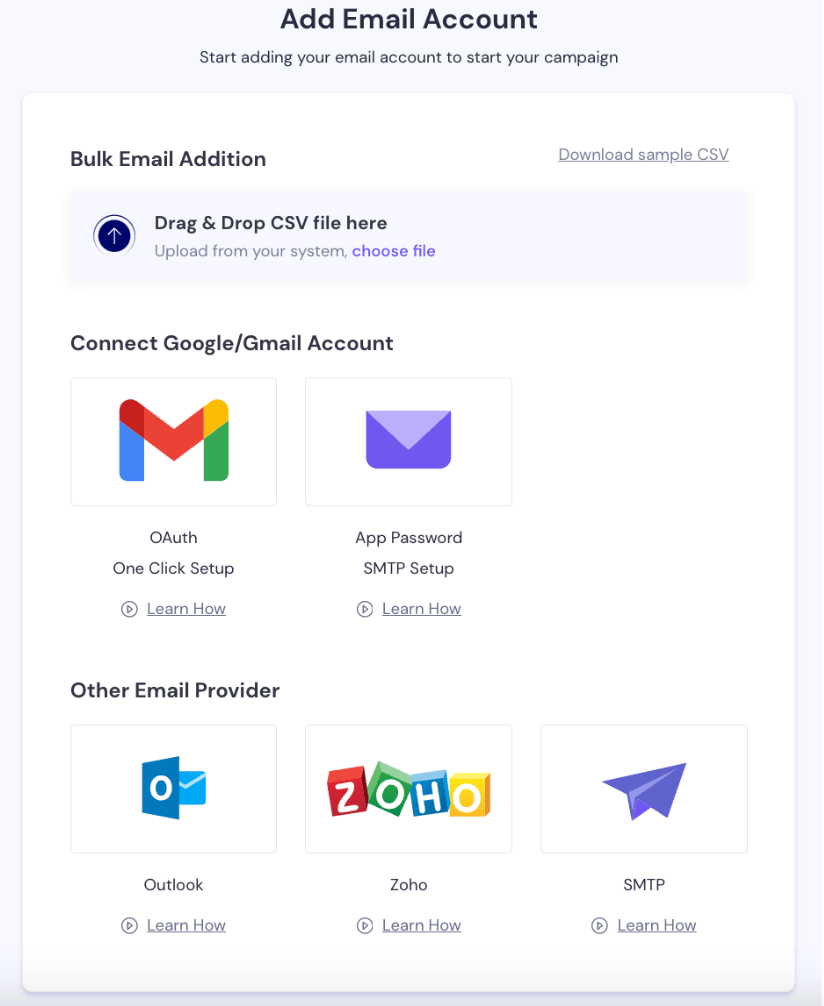
You can also add addresses in bulk by loading a CSV prospecting file.
Smartlead’s other strong point is that you can warm up every mailbox to build its reputation and, in the end, its deliverability rate.
Warming up, in a word, means raising the number of emails sent from each address very gradually so it does not get flagged as a spam address. Thanks to artificial intelligence, that process is fully automated in Smartlead.
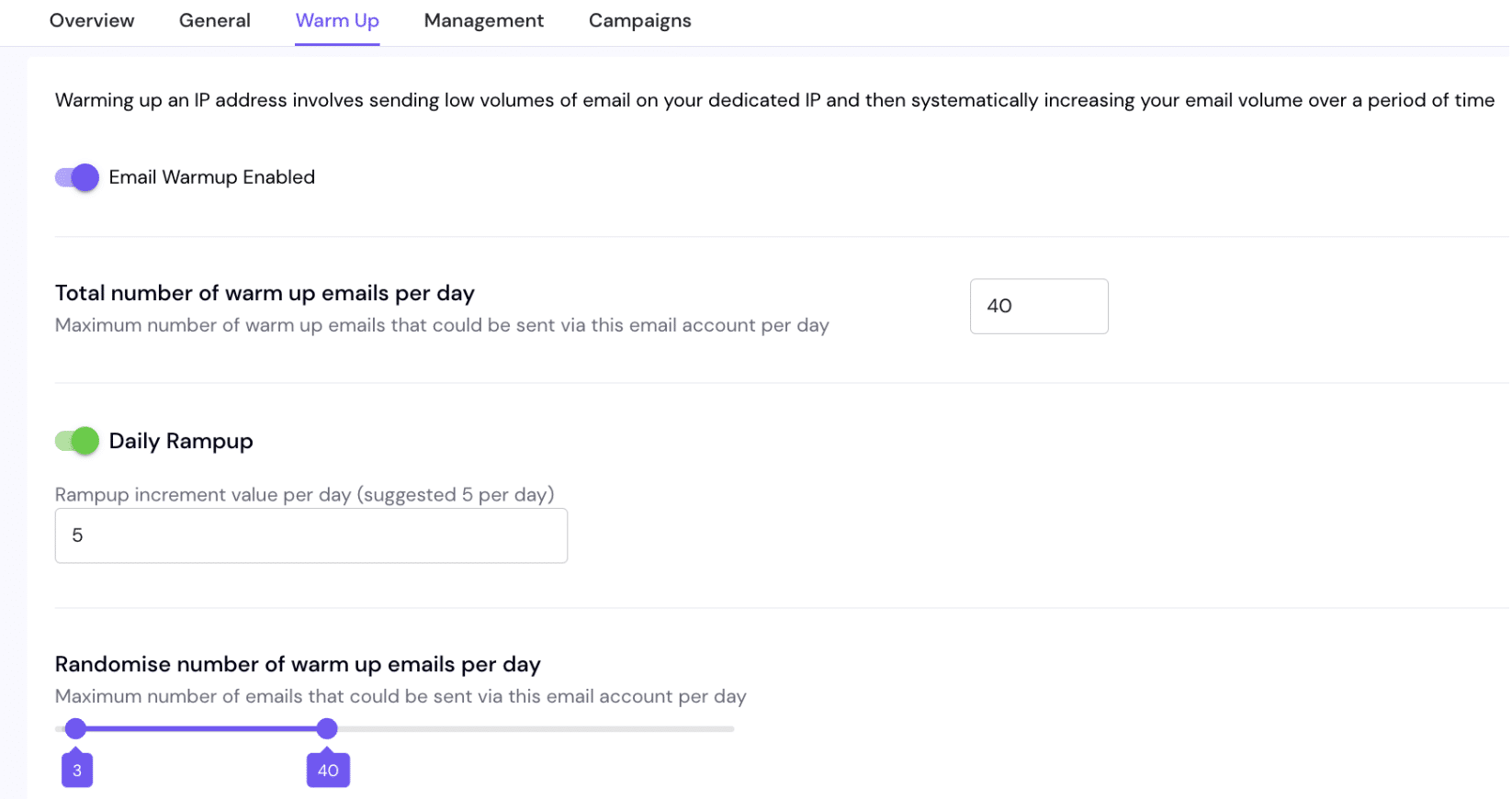
On top of that, Smartlead offers advanced features such as:
- Automatic address rotation. One campaign can be sent from several mailboxes to spread the sends and protect IP reputation.
- Daily sending thresholds. You can cap the number of emails sent per day for each address, to keep the balance between volume and quality as tight as possible.
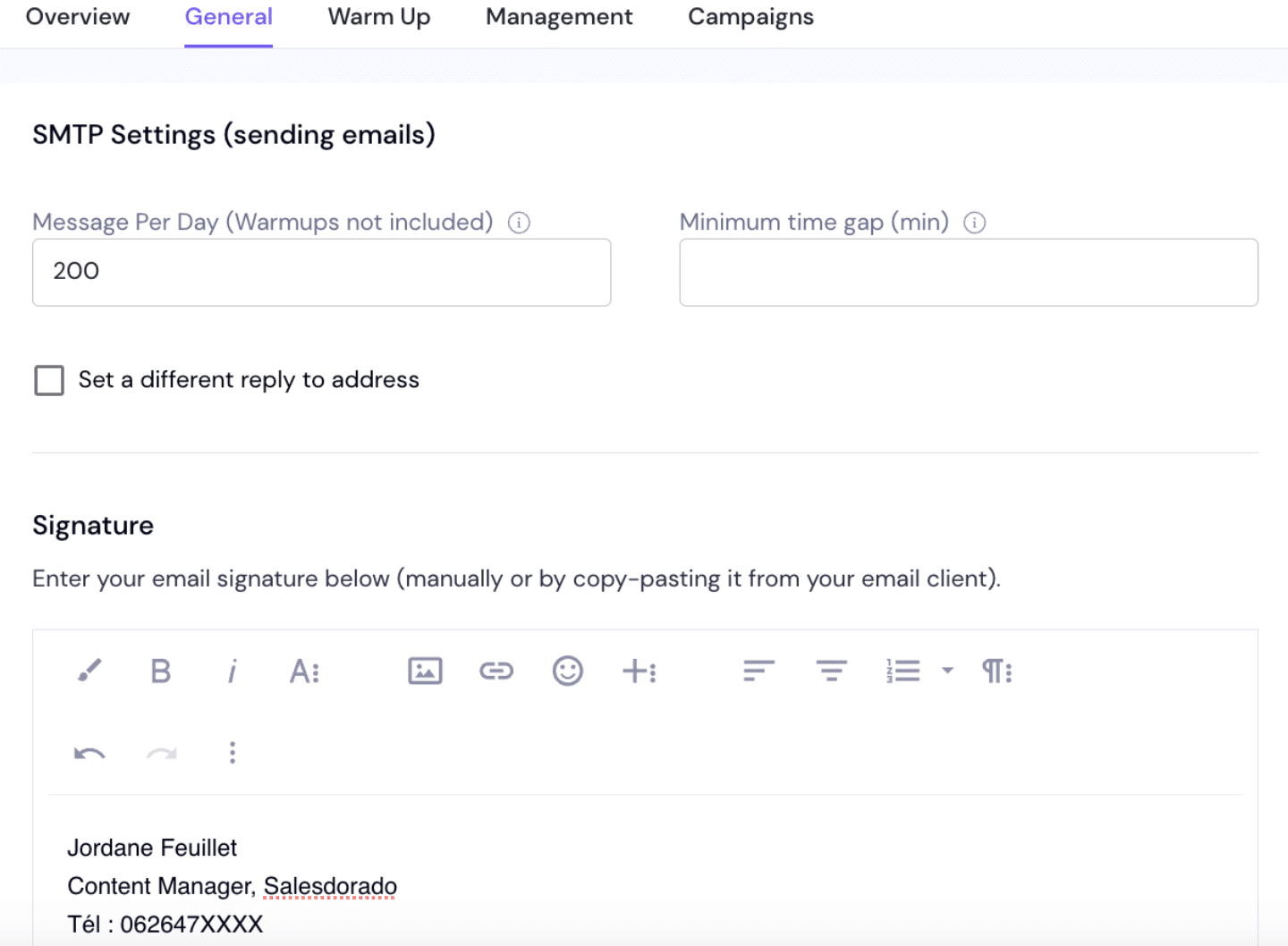
- Dedicated IP servers. Every campaign gets its own IP server, which helps cut the risk of being blocked by mailbox providers.
Worth adding that Smartlead does not stop at automating your sends, it also gives you tools to improve your performance:
- Email verification (offered as an add-on), to cut bounce rates by spotting invalid addresses.
- SPF and DMARC checkers.
- The Blacklist Check Tool, to see whether your addresses or IPs are on any blocklist.
- A bounce rate calculator.
- And more.
In short, everything is built so you can deliver email at volume, effectively. We were impressed by the breadth of features and services Smartlead offers. If you are looking for a tool to prospect at scale (several tens of thousands of emails a month), how the tool handles and improves email deliverability is one of the main criteria to weigh. And on that one, Smartlead does the job very well.
Email campaign manager
To launch a campaign, the first step is importing a prospect list as CSV. Unlike other tools, there is no way to pick an existing list already sitting in your account.
Next you move on to writing your email sequence. No trigger configuration here, this is a “campaign” approach, with few scripting options. Calling them multichannel prospecting sequences would be stretching it. The first email goes out on a date you set in the settings. You can add as many emails as you need to the sequence, setting a custom delay (in days) between each send.
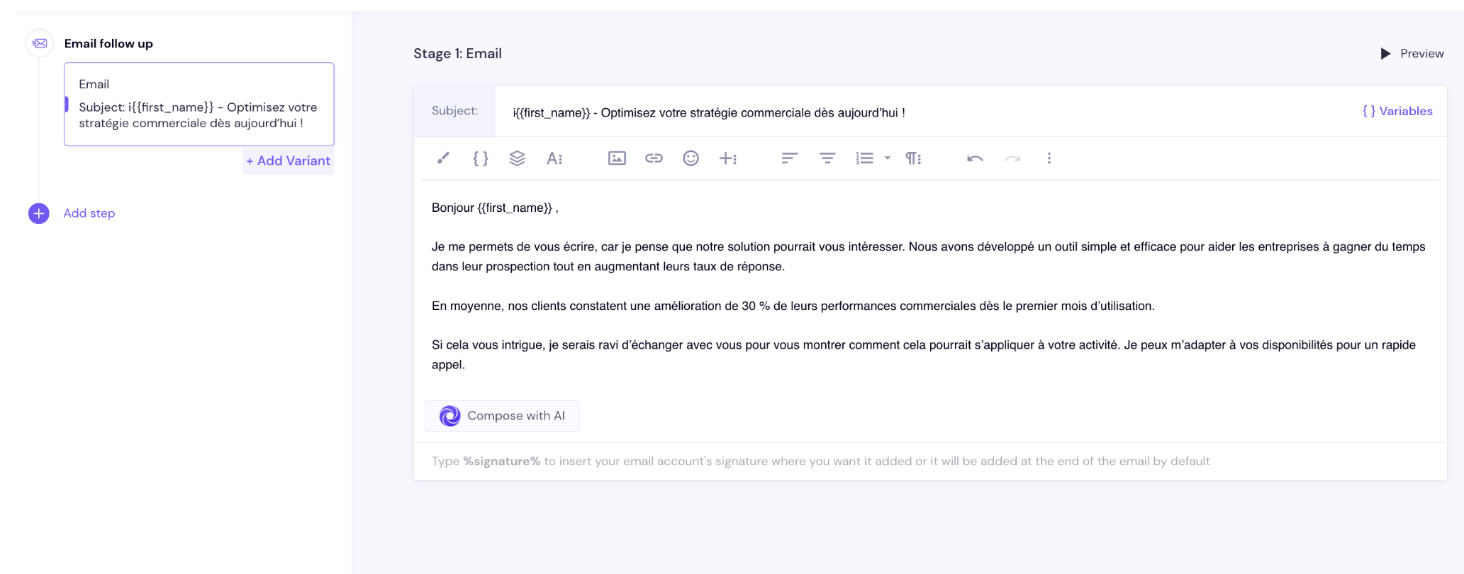
To write your prospecting emails, you can use ChatGPT 4 if you have connected the OpenAI API to Smartlead. The tool also lets you use variables pulled straight from the columns of your CSV file (first name, last name, company, city and so on) to personalize your messages.
You can also use subject line variants:
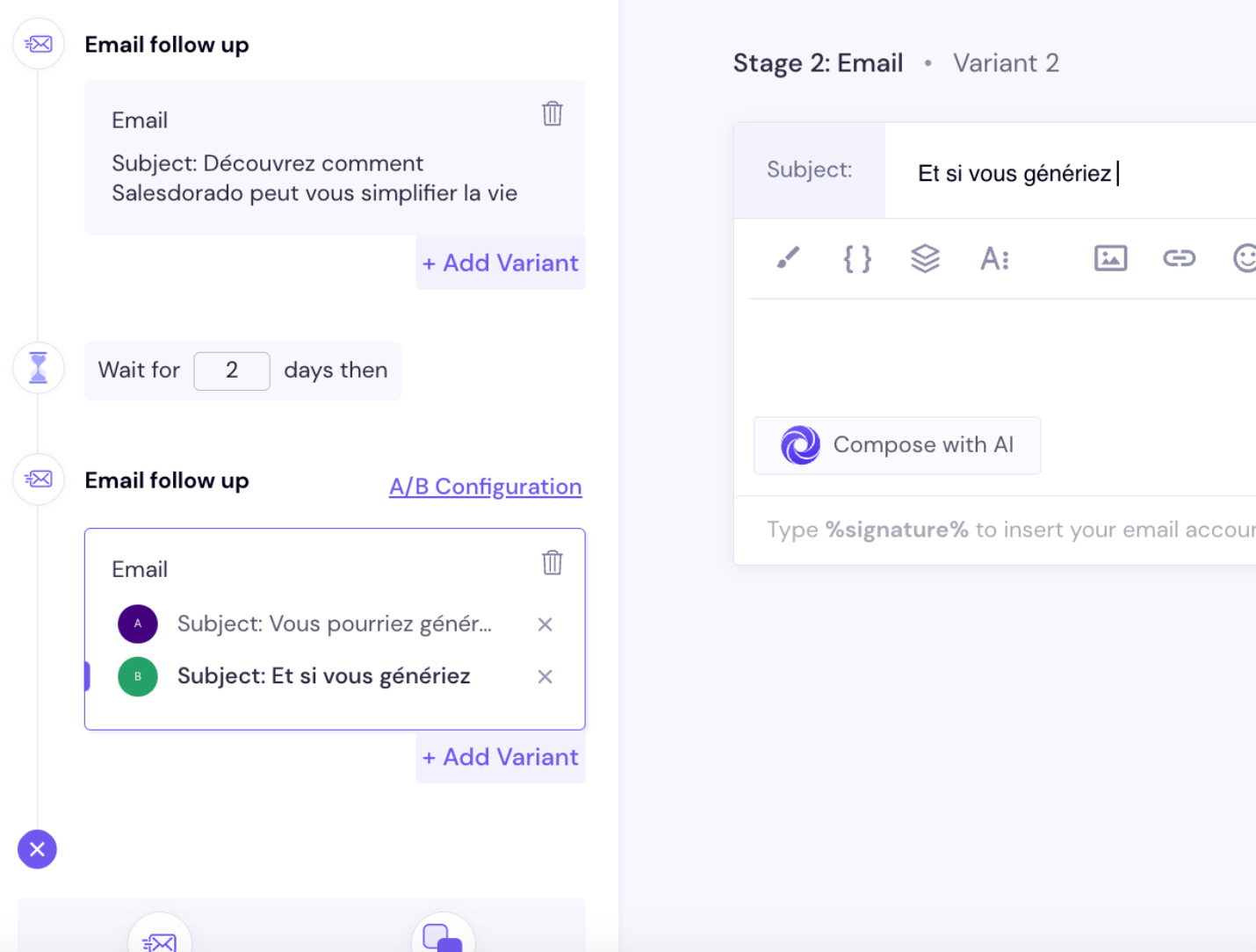
Once your emails are written and their sequencing set, you pick the sending address from all the ones you have added to your account.
Then comes scheduling. You set eligible sending days, time ranges, the campaign start day and a maximum number of new leads reached per campaign day. Once those parameters are set, Smartlead’s AI optimizes the send timings while protecting the reputation of your addresses.
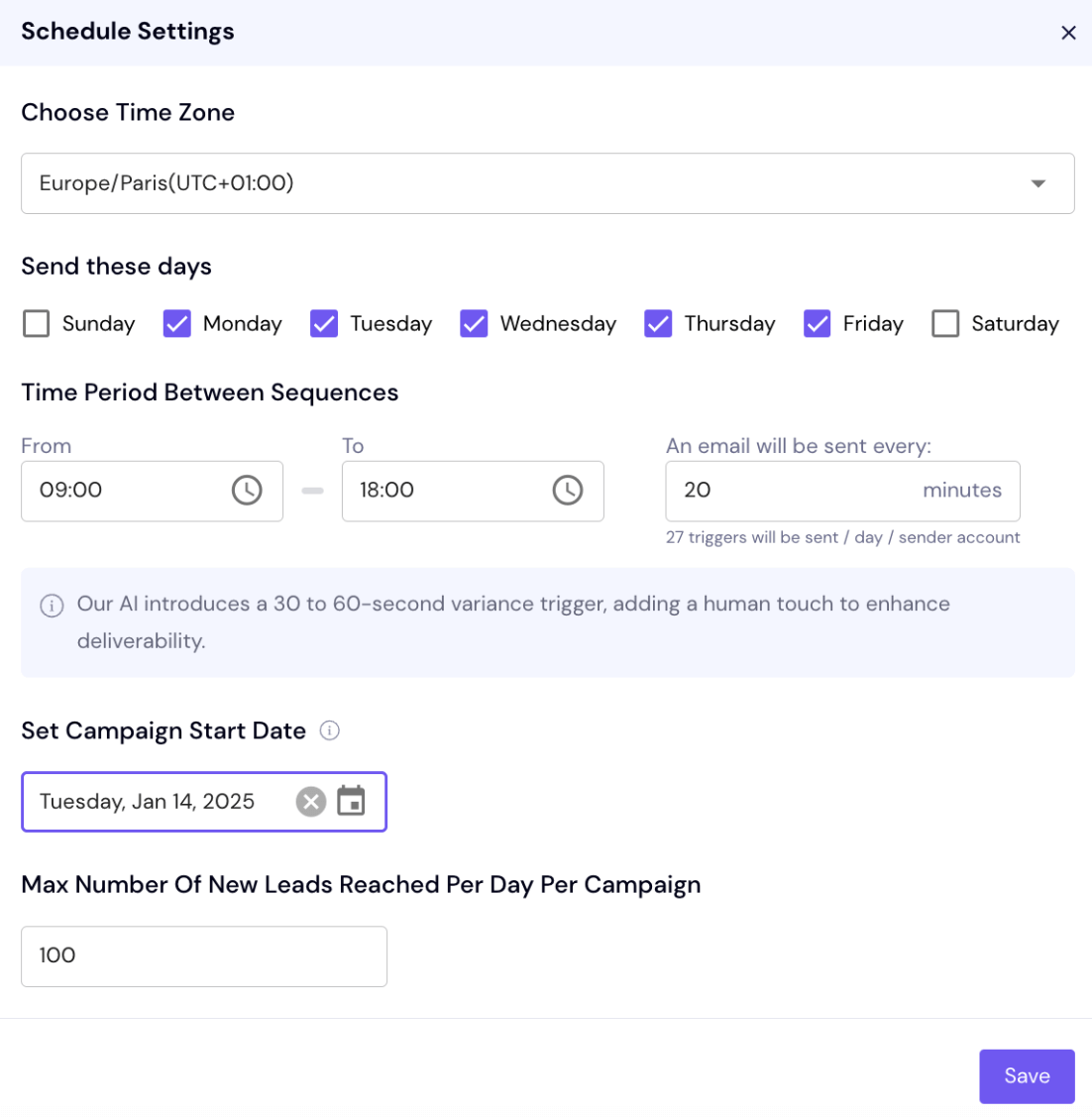
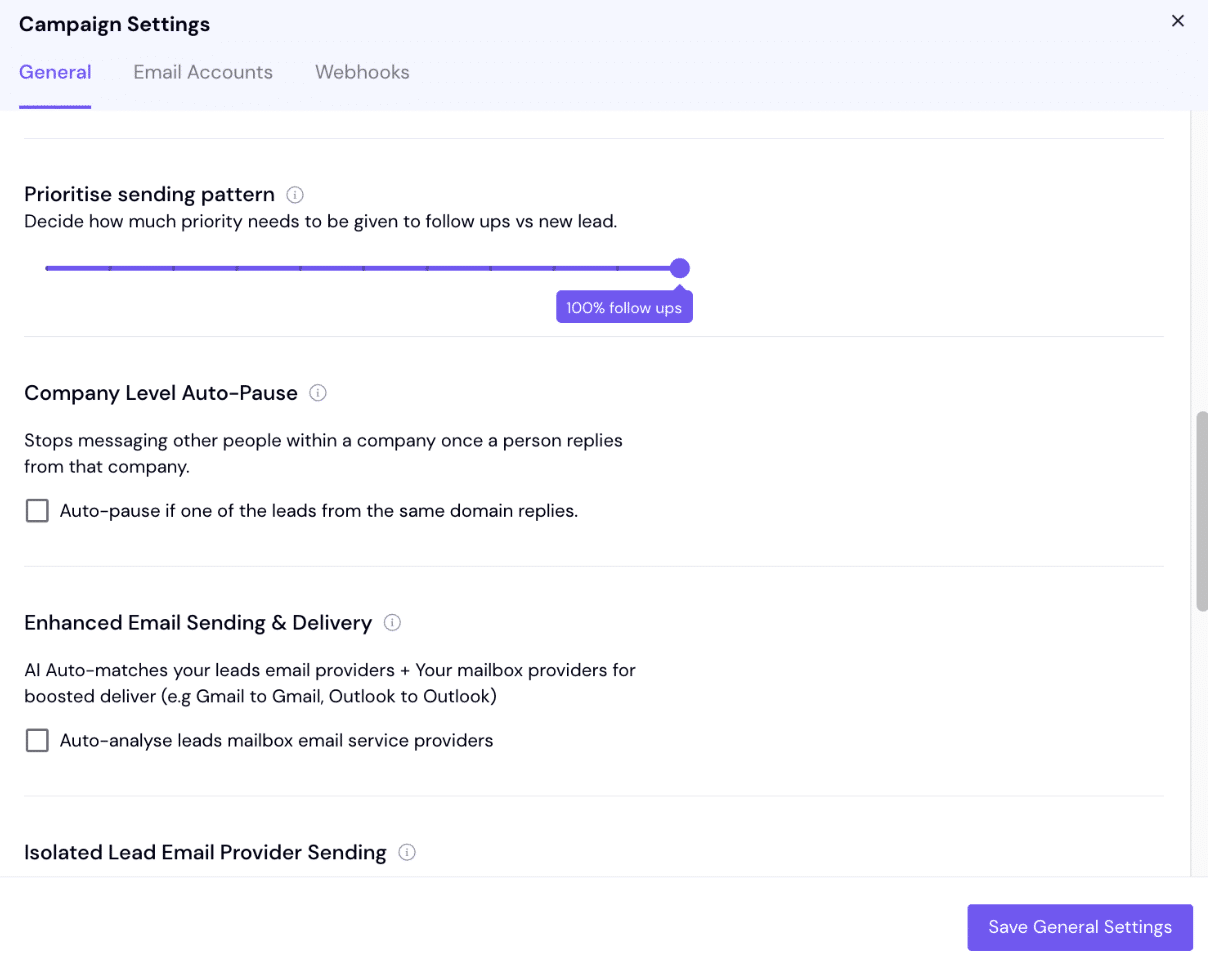
Smartlead offers a great many settings:
- Automatic stop, as soon as a lead replies, clicks a link or opens an email.
- Plain-text sending, no HTML, to improve deliverability.
- Open and click tracking, which you can switch on or off as needed.
- SmartServer. Smartlead automatically picks the best sending server.
- Server rotation, to spread the load across several sending addresses.
- Pause by company: if one person at a company replies, every send to that company can be suspended.
- Sending priority. You can choose between follow-up emails and new leads.
- AI Auto-Match, which automatically lines up the lead’s email provider with your mailbox’s (Gmail with Gmail, for example).
- AI categorization, to segment your leads intelligently.
- And so on.
Lead management
On most prospecting tools, you start by importing your leads and building your lists before creating your first campaign. On Smartlead it is the other way round. You start by creating a campaign. It is at the start of building that prospecting campaign that you are asked to import your csv file.
Once the file is imported, the leads show up in the “All Leads” menu with all their associated information. For each lead you can see the number of campaigns they are in.
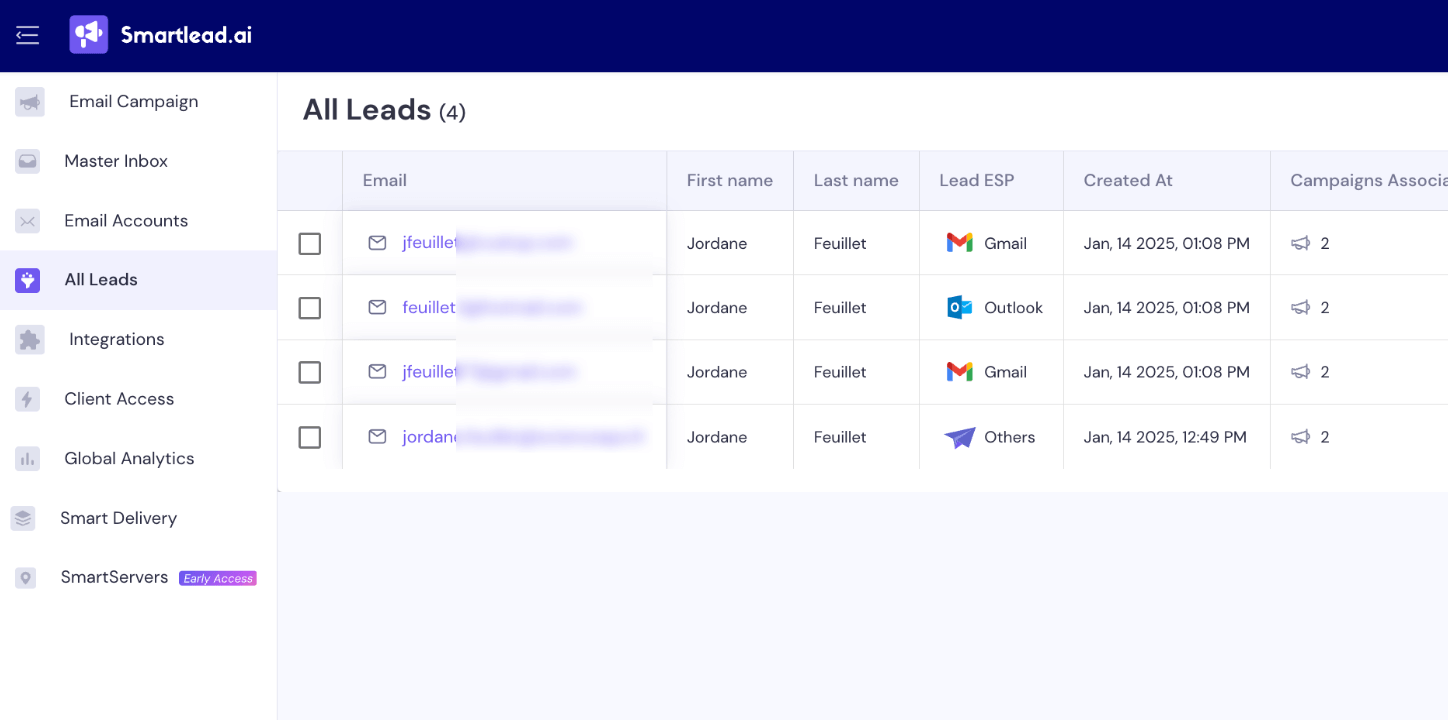
If you want to create a new campaign and send it to the same prospecting file (a fairly rare case), you will have to re-import the file at the start of building the campaign, following the same process. Smartlead handles deduplicating the existing contacts and adding the new ones to the “All leads” list.
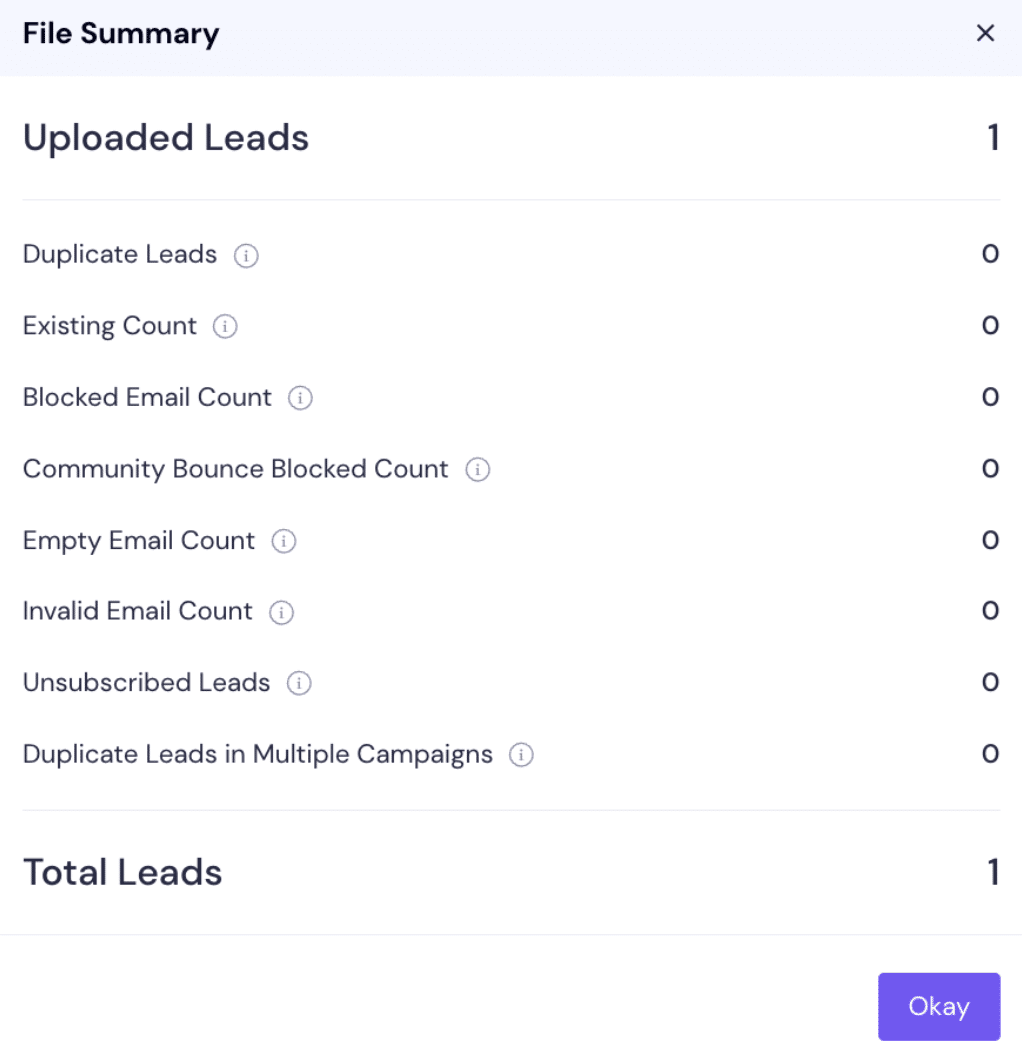
So on Smartlead there is no way to segment your contacts and manage lists. That is one of the tool’s main flaws, in my view.
Master Inbox
Smartlead’s Master Inbox lets you handle all your exchanges with prospects in one place, along with all your mailboxes. It is a welcome and clearly essential service, especially if you run several dozen, or several hundred, addresses on Smartlead.
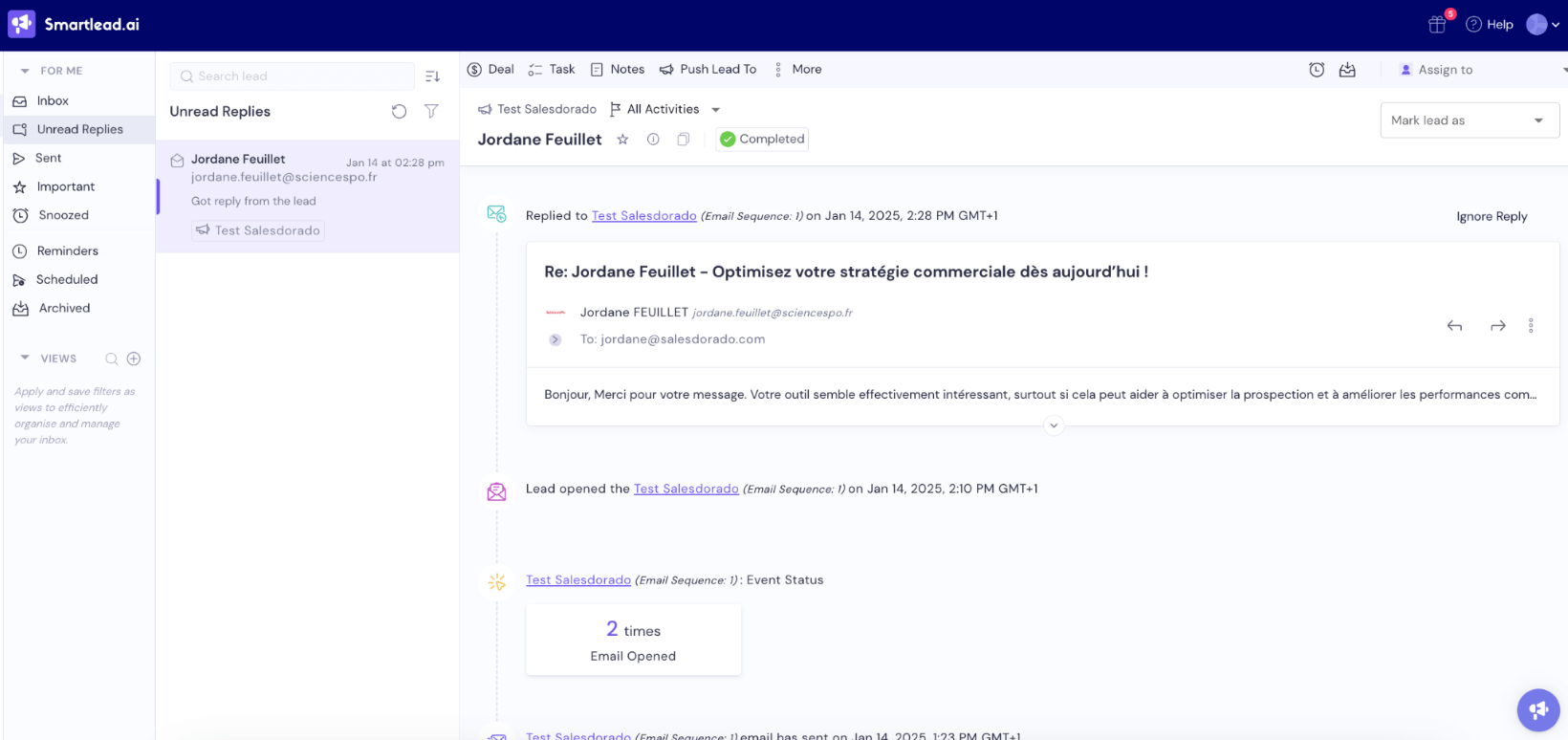
Here are the main features attached to that centralized inbox:
- You can schedule messages and set reminders.
- You can set tasks with deadlines and priorities, and also work with your team through a shared workspace for prospect notes.
- You can send and receive attachments.
- You can easily spot the messages you have not answered yet.
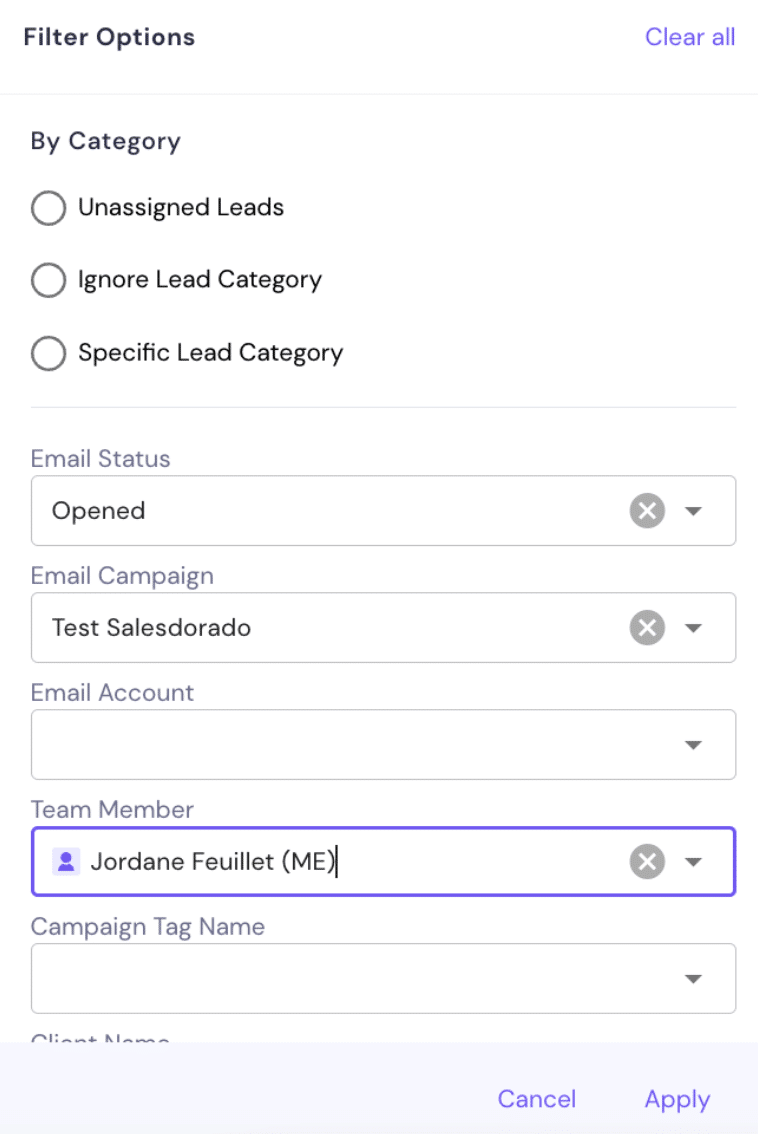
- You can use filters to build custom views and reach specific leads faster.
- You can assign leads to specific members of your team.
We tested it, we liked it: this centralized mailbox does the job. We really appreciated the filtering options, which make moving around the inbox much easier.
Reporting
Smartlead gives you an overview of every sending address in use, with the ability to see the number of emails sent per day per address, the number of replies received, and the share of emails landing in spam. That is quite handy for monitoring the reputation of your various addresses.
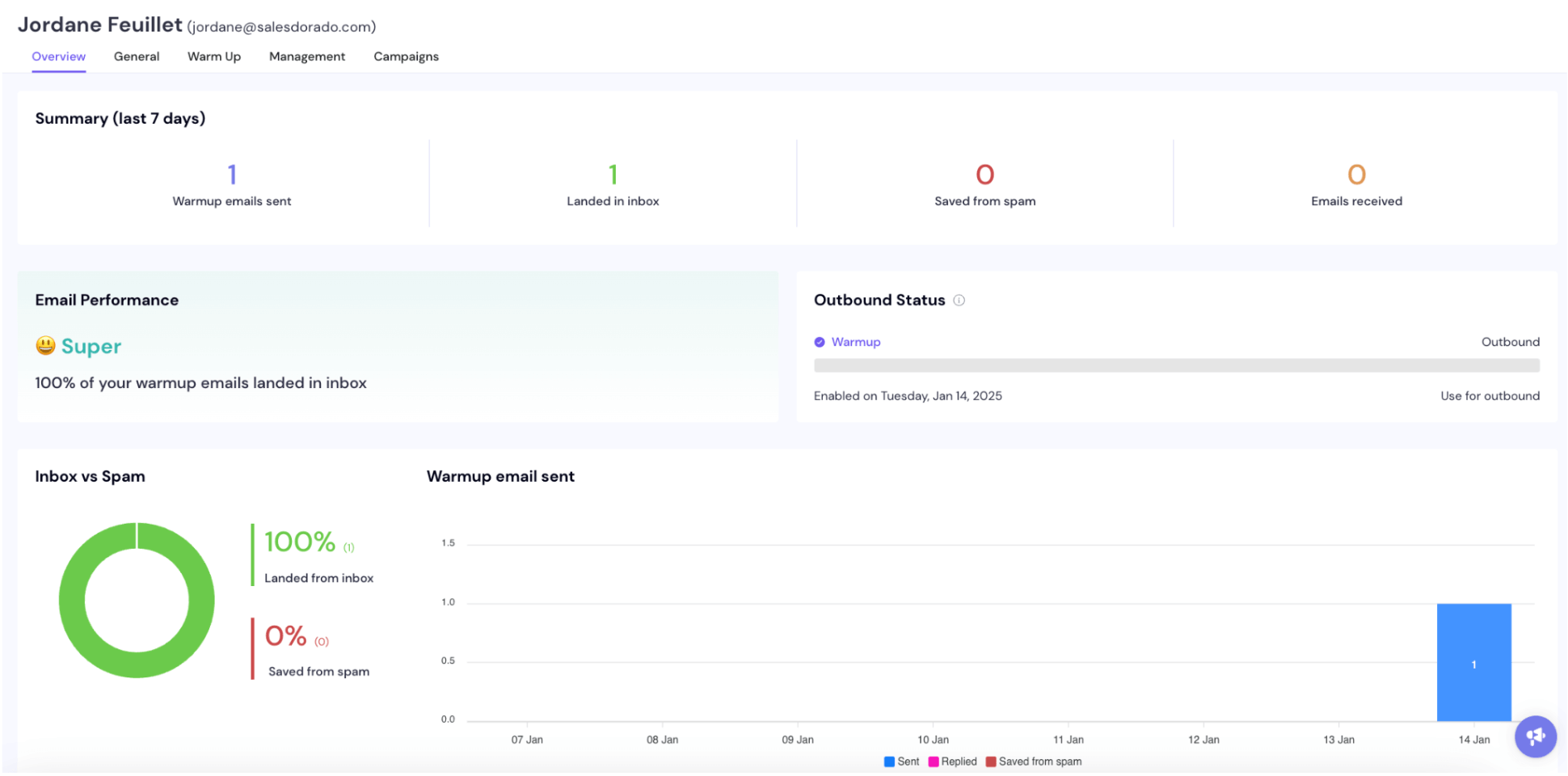
You can also see which campaigns the sending address in question is used in.
Smartlead also gives access to a “Global Analytics” report to track account performance, with the ability to filter by campaign or by sending address.
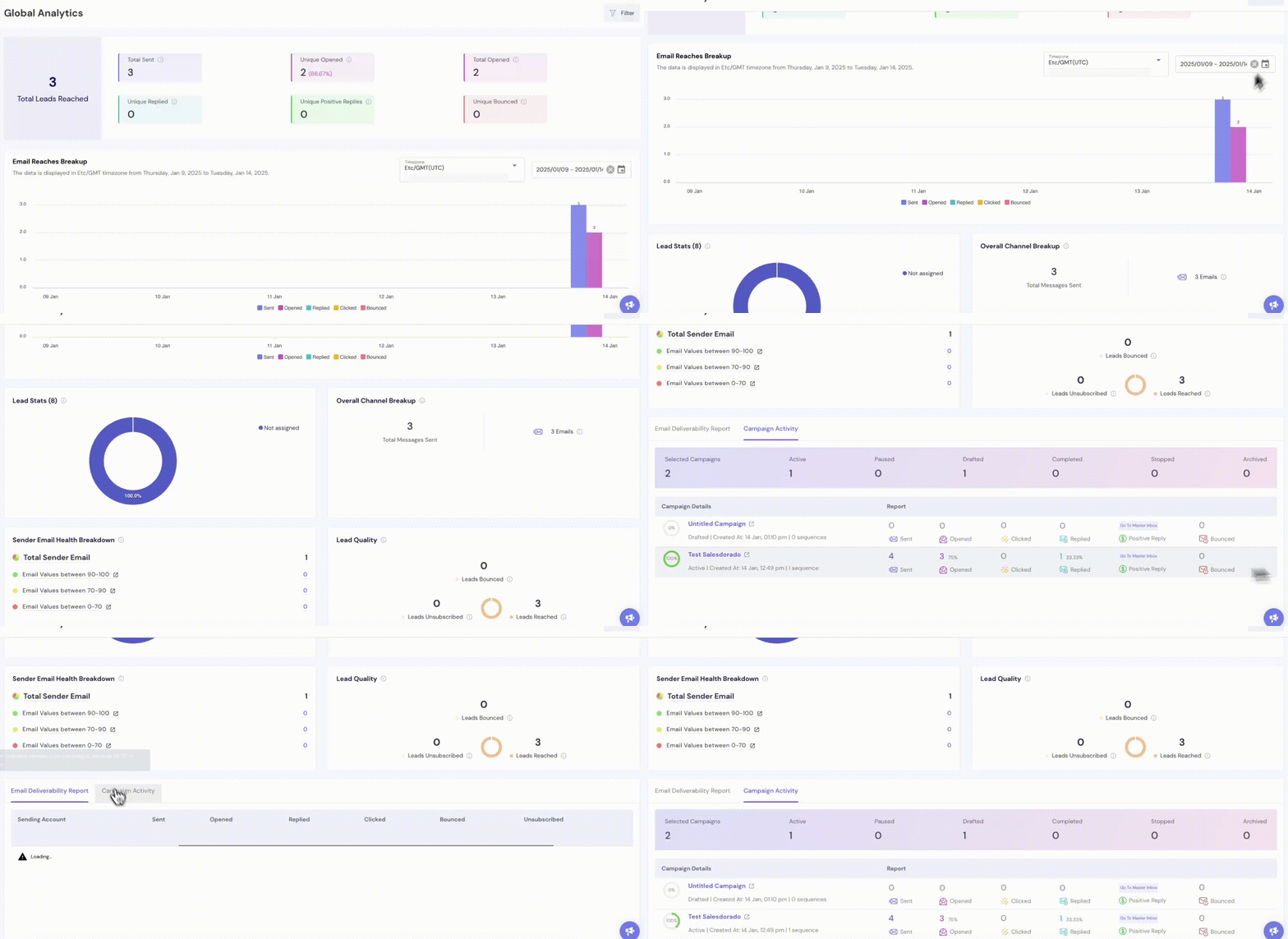
You get the classic cold emailing KPIs: total emails sent, opens, replies, bounces, number of leads generated and so on.
It is fairly standard reporting, nothing revolutionary, but it does the work. And you can export your data to third-party tools, through webhooks or the API, if you want to push the analysis further (using your CRM or your reporting/BI tool).
Smartlead’s integrations
Smartlead offers native integrations (connectors) with a fairly short list of tools:
- 3 mailbox tools: Gmail, Outlook and Zoho Mail, to make connecting your prospecting addresses to Smartlead easier.
- Slack, so you can get notifications in Slack when a lead replies, for example.
- Zapier.
- HubSpot.
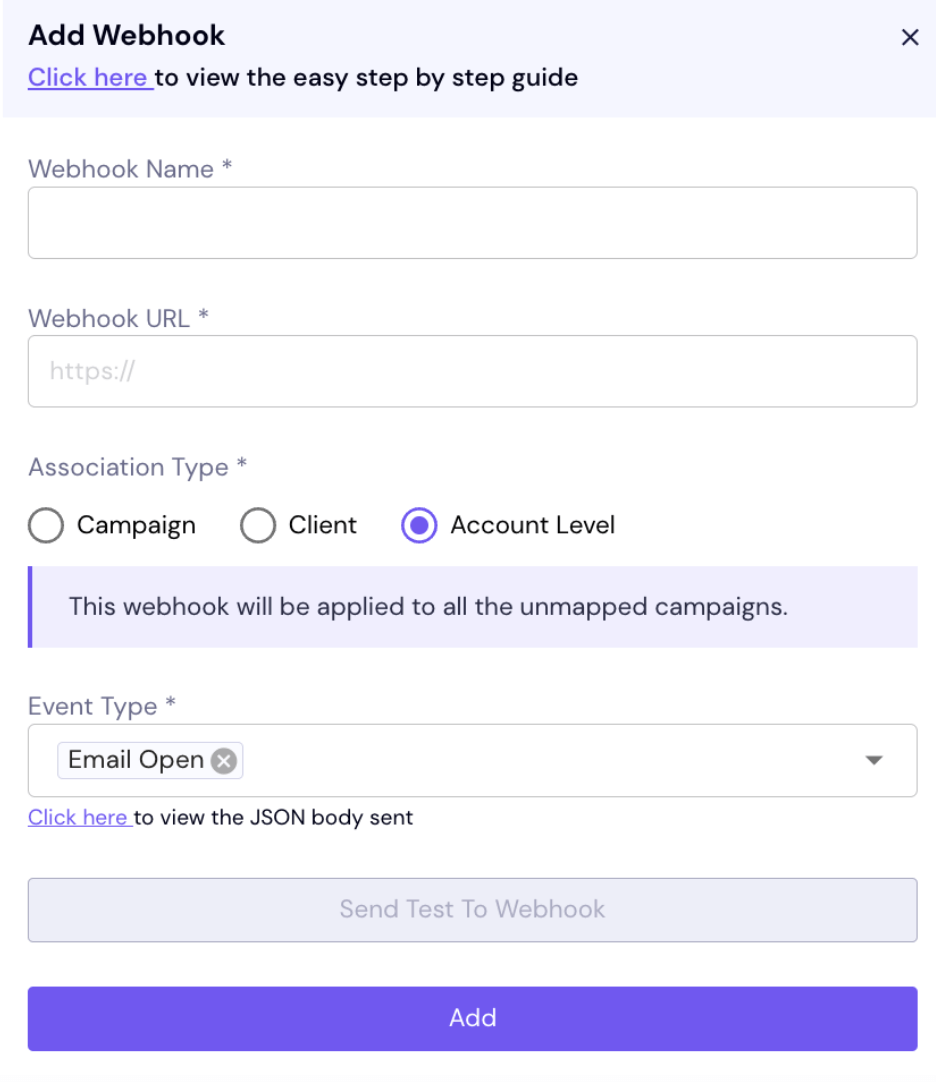
But Smartlead offers an API to widen the range of syncs between your tools. So it is entirely possible to use Smartlead with a CRM other than HubSpot. You can also add webhooks to, for instance, push reporting data to third-party tools.
Smartlead’s pricing
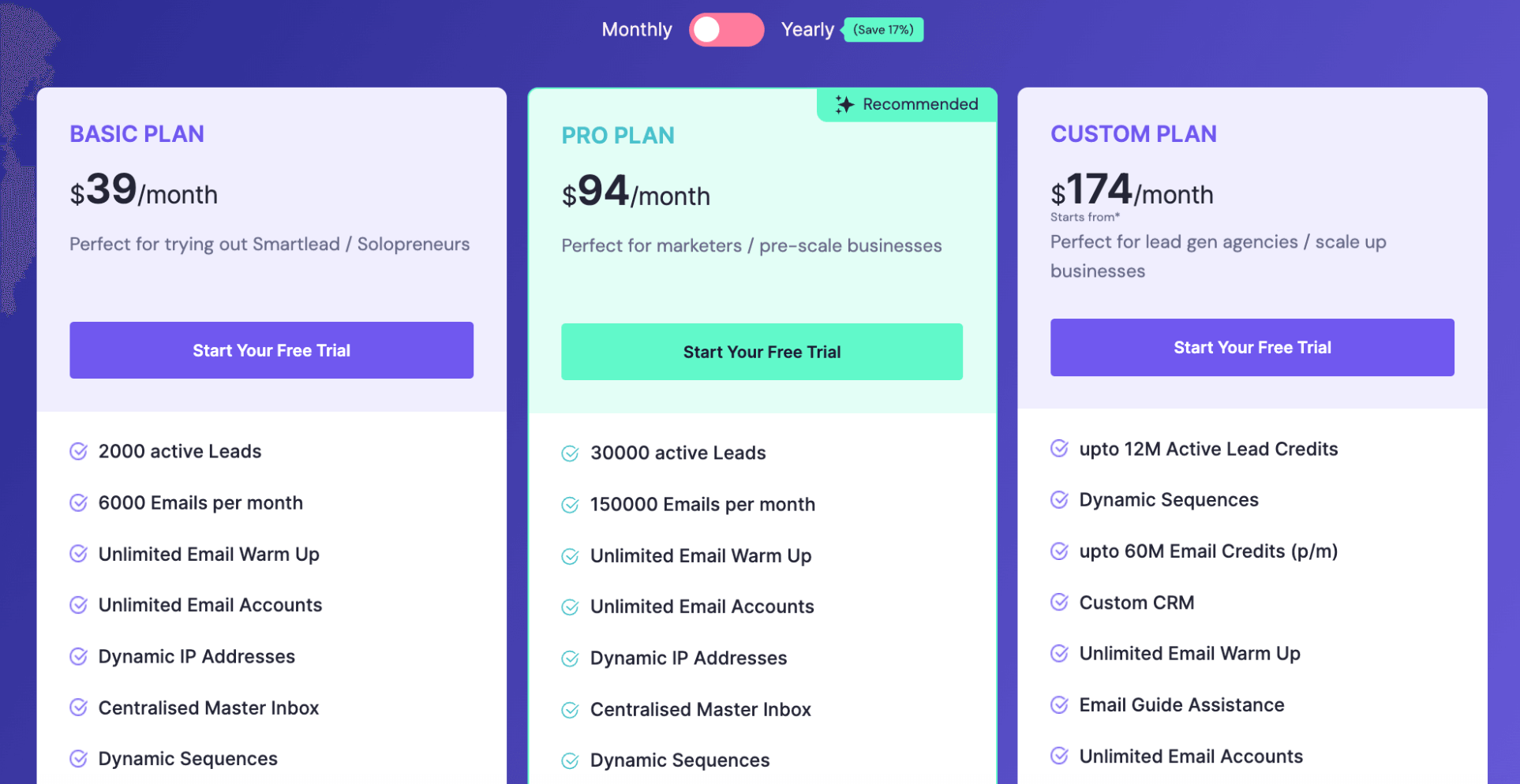
Smartlead offers 3 pricing plans:
- The Basic Plan, at $39 per month, built for small businesses and freelancers, which lets you handle 2,000 leads and send up to 6,000 emails per month. It also gives access to the address warm-up and reporting features. From this entry plan onward you can use an unlimited number of email addresses and build dynamic multichannel prospecting sequences. That is one of Smartlead’s strong points.
- The Pro plan, at $94 per month, which lets you handle 30,000 active leads and send 150,000 emails per month. From this plan onward you get dedicated customer support, webhooks and the integrations.
- The Custom plan, at $174 per month, built for agencies and large companies. It extends capacity to 12 million active leads and 60 million monthly emails. Only from this plan do you reach the CRM features (not tested in this article).
| Feature | Basic Plan | Pro Plan | Custom Plan |
|---|---|---|---|
| Monthly pricing | $39/month | $94/month | $174/month |
| Annual pricing | $34/month | $79/month | Contact sales |
| Active leads | 2,000 | 30,000 | Up to 12 million |
| Emails per month | 6,000 | 150,000 | Up to 60 million |
| Unlimited email warm-up | Yes | Yes | Yes |
| Custom CRM | No | Yes | Yes |
| Support | Reply within 24 hours | Faster reply | Priority reply |
A few notes about Smartlead’s plans:
- This is Smartlead’s big distinctive feature: there is no cap at all on the number of users. Your whole team can use the same Smartlead account with no restrictions. That is an important difference from Lemlist, whose plans are all limited to 1 user. Smartlead’s main pricing variable is the number of contacts and the number of emails sent.
- Every plan gives access to every channel: email, social networks, SMS and so on. To be honest, we did not test the other channels. In practice, Smartlead is above all email prospecting, the other channels are fairly marginal. The “multichannel” side is (still) embryonic.
- On the Pro and Custom plans, you can run several clients or several entities under white label. That is exactly why Smartlead is genuinely well suited to agencies. 1 extra client is billed $29 per month.
- On every plan, you save 17% by subscribing annually rather than monthly.
- For comparison, Lemlist offers an address warm-up tool, but it is a separate product from Lemlist (Lemwarm) billed $29 per mailbox.
Smartlead’s customer support
As with every tool, the level of support depends closely on the plan you choose. The entry plan gives access to basic email support, with limited responsiveness, even though the vendor promises a reply within 24 hours.
Higher plans give access to more responsive support, but as far as we know no plan, not even Custom, gives access to a dedicated account manager.
Smartlead makes up for it by providing:
- A complete documentation center, explaining every aspect of the platform in detail. Smartlead also has a YouTube channel with plenty of tutorials.
- An active Slack community where users help each other out.
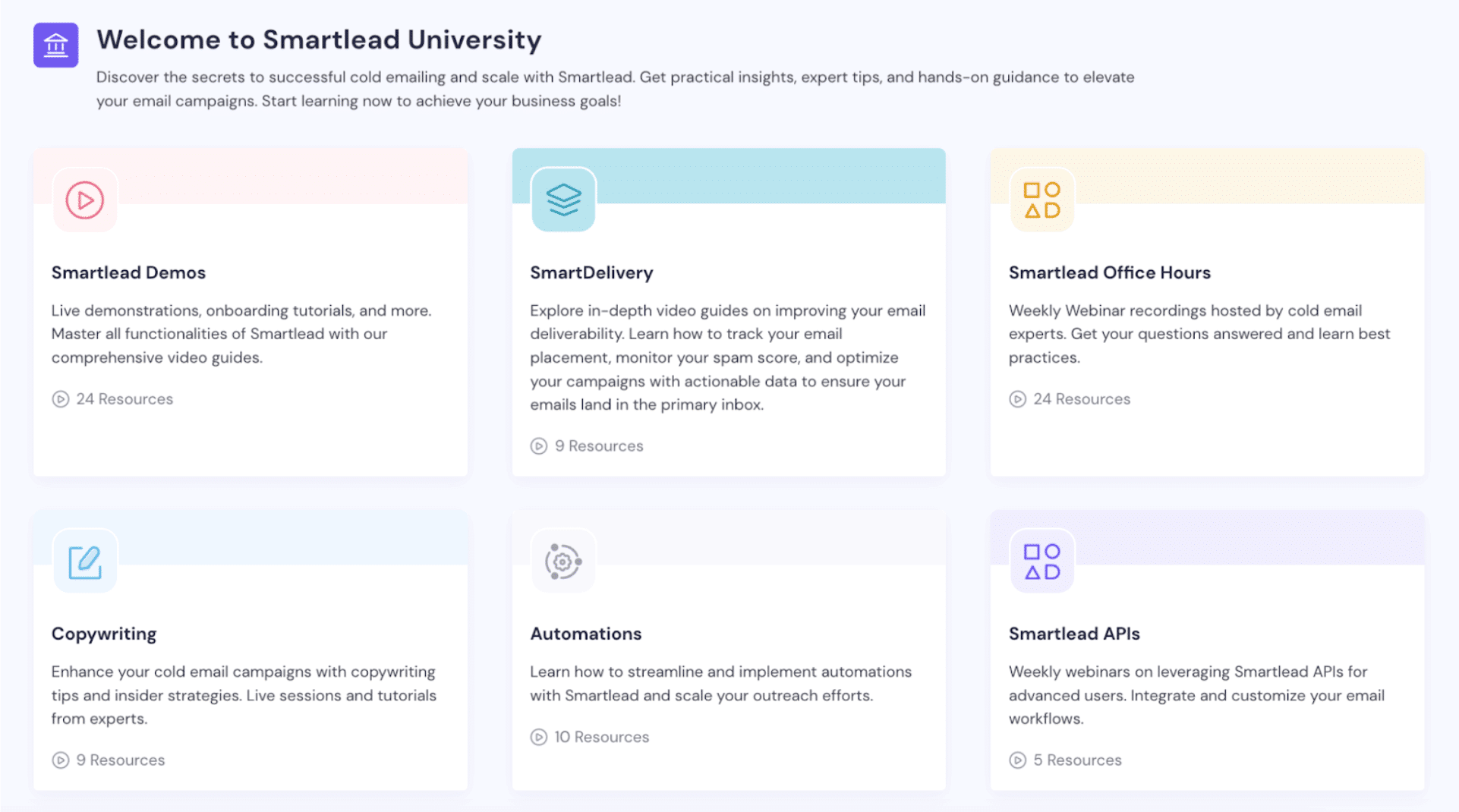
- An online academy with guides, tutorials and advice on prospecting and on the Smartlead platform.