Pipedrive CRM’s pros and cons at a glance
- Pipedrive offers excellent sales pipelines, far more usable than those of Salesforce and Hubspot: adoption and the quality of the prospect record in Pipedrive let you build genuine forecasts with no missing data.
- As we say in our Top 10 best mobile CRMs, Pipedrive’s mobile app is one of its real strengths. Not only does it have caller identification features that tell you a prospect’s sales potential, it also records your calls and voice notes automatically. Worth noting too that the user experience is very pleasant thanks to a simple visual pipeline.
- Among its weak spots, Pipedrive offers few marketing features, unlike HubSpot and its native marketing suite or ActiveCampaign, which blends a sales CRM with a complete marketing automation suite. But Pipedrive is fairly simple to connect to another marketing tool (unlike Salesforce, which you have to bolt Pardot onto).
- Pipedrive’s reporting is more than enough for a sales team, but if you need a very analytical use of your CRM, it will feel a little limited. Even though the quality of the API and the integrations lets you aggregate an enormous amount of data into Pipedrive, the visualisation tools don’t go as far as Salesforce or Hubspot, which can handle marketing attribution.
The sales funnel: Pipedrive’s key feature
As the name suggests, the heart of Pipedrive lies in its visual pipeline built around “deals” that move from opportunity to win (or loss). In most cases, you’ll be able to start with the standard sales pipeline Pipedrive offers. If you want to create your own pipeline, you can do it easily in the settings.
Once you have added your new opportunity in Pipedrive, it appears in the pipeline alongside your other deals.
Pipedrive’s enormous strength lies in the interface of that “sales funnel” screen. You can move opportunities to each stage of your sales funnel with a simple drag and drop. No complicated settings, no dropdown list that never ends: you have 5 or 6 possible statuses at most, and you have a holistic view of your pipeline at all times.
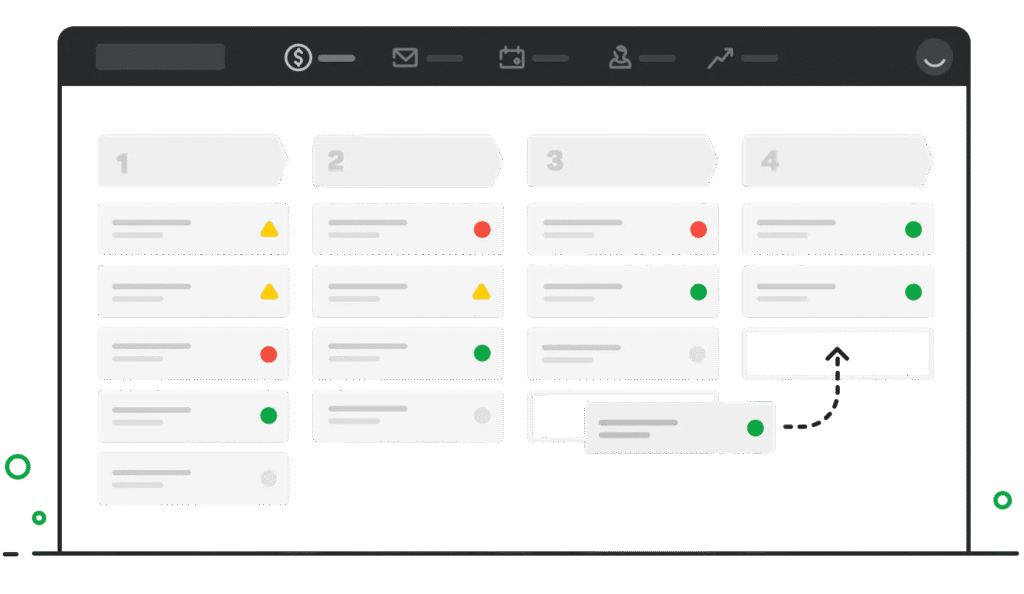
You (and your teams) can filter this view by team member to see only the opportunities that concern them, and see at a glance which part of the sales funnel needs work first: for instance, if lead volume is missing at the top of the funnel, prospecting efforts need stepping up, and you spot it at a glance.
It may sound trivial, but to our mind it is really what lets Pipedrive bring a very agile view (and therefore a very agile sales strategy) to your sales processes.
Contact management in Pipedrive: our take
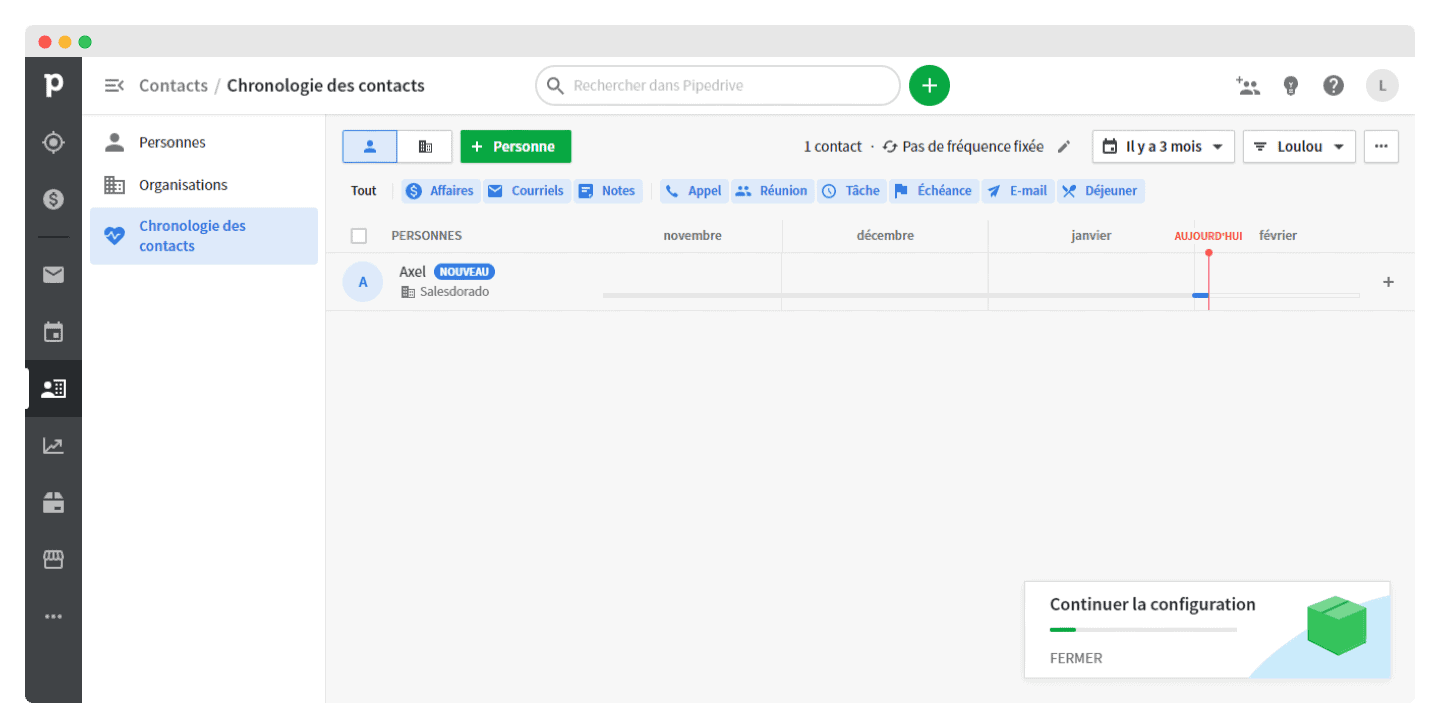
Pipedrive offers several features to help companies organise their contacts, their teams and their correspondence. The “Contact timeline” screen helps sales reps work out who to contact next and when to send follow-ups.
The “smart contact data” feature pulls public information about the companies you are prospecting straight in. The tool can also identify and merge duplicate contacts automatically.
 The “Email” tab centralises all your inboxes, Pipedrive being fully synced with Google, Microsoft Office and iCloud.
Every email tied to a specific deal or contact can be consulted in Pipedrive’s contact entries. So you can send emails from Pipedrive that will also show up in your mail client, and equally, everything you send from your inbox is recorded in Pipedrive.
You can also connect emails to the deals they relate to, to quickly make out their monetary value, their status in the sales funnel and the next scheduled activity.
Administration & reporting in Pipedrive: a lot of progress
The tool lets administrators restrict what other users can see and edit. You can also split your sales department into teams, track their wins and losses, and create custom team targets.
The “Dashboard” tab gives you access to your important information:
- The value of all your new opportunities
- Each employee’s sales funnel
- Opportunities won and lost
- Deals started
You can filter this data by pipeline, by project and by period. You can customise your columns by filter.
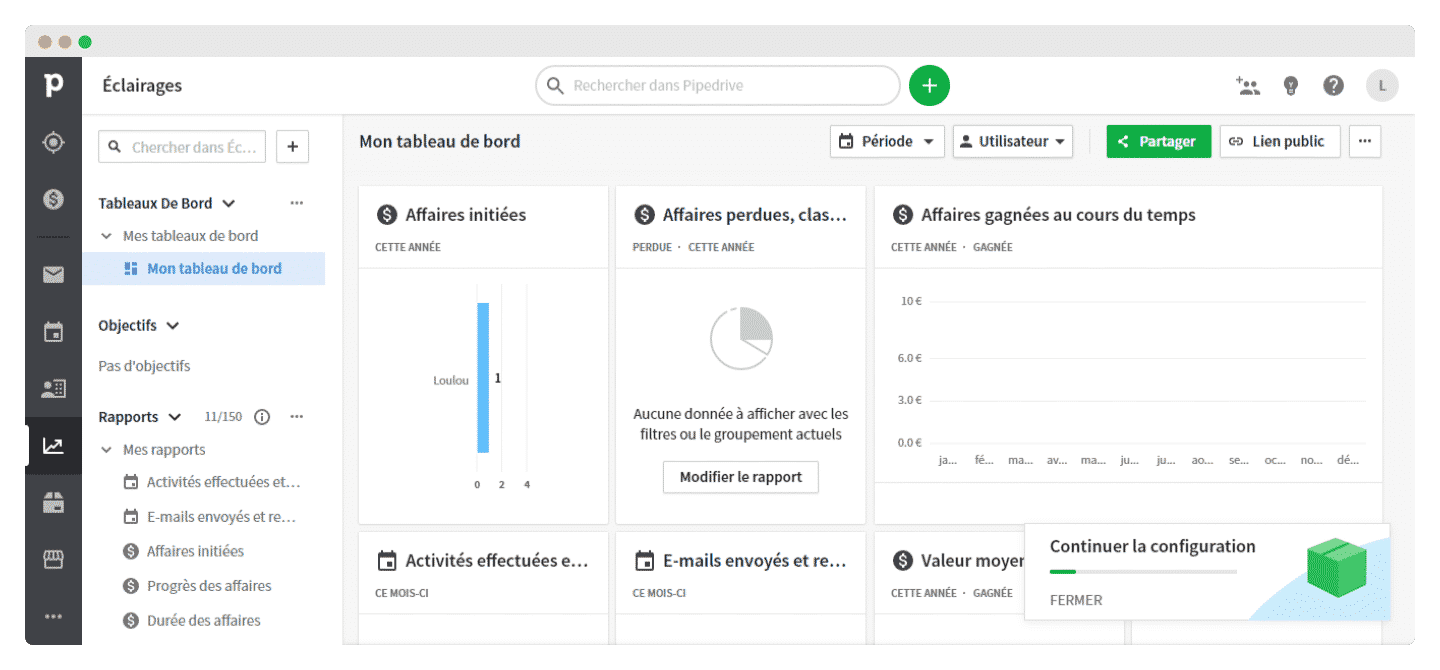
Pipedrive has improved its reporting a great deal: you now have access to several boards bringing together charts of won and lost deals, charts of completed activities and a deeper analysis of pipeline conversion.
On Pipedrive’s dashboard, you can see how many opportunities were started, won and lost by product, by value, by discount and by the most active members of the sales team.
There are also deal-centred views showing who started a deal, where it sits in the pipeline or the state of every deal started within a given period.
Prospect records and data models in Pipedrive
Here we show you what the Pipedrive interface looks like for prospect records and data models.
The deal record
The Pipedrive interface gives you a dedicated inbox for your leads or for the deals you aren’t ready to work on yet.
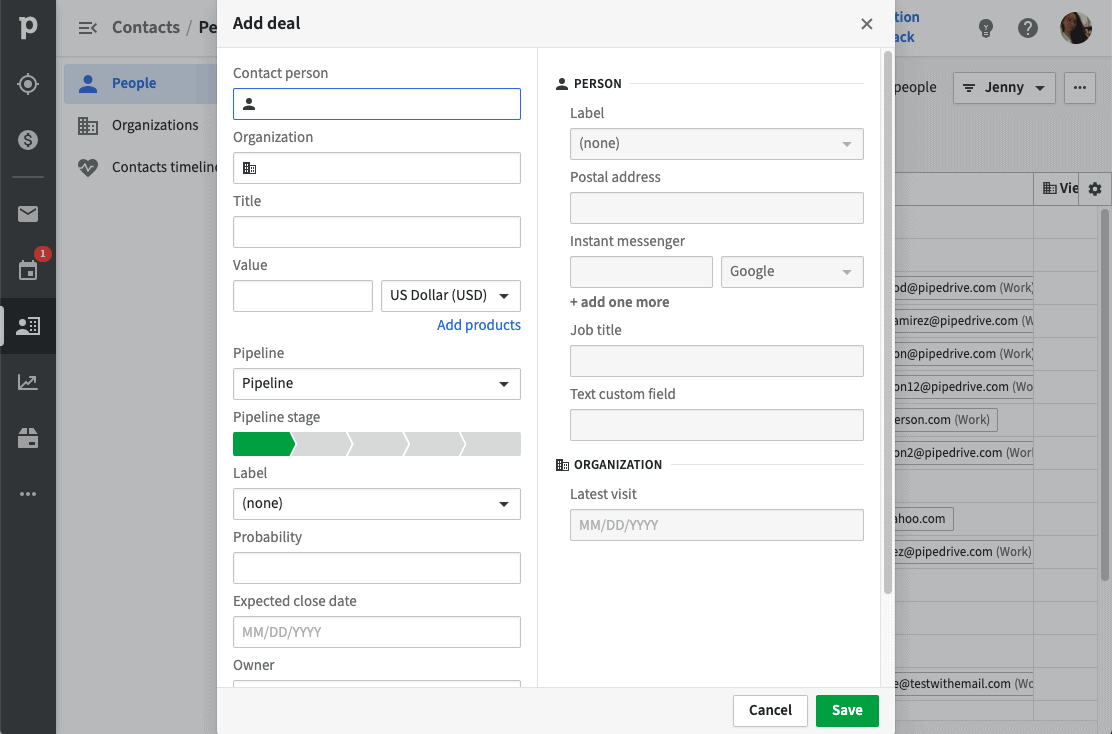
You can then fill in all your prospects’ details: you say who the prospect is, then the company, the current pipeline stage and the hoped-for closing date.
The contact record
Here you can enter the details of all your customers, then link them to their company, and to every deal in progress with them.
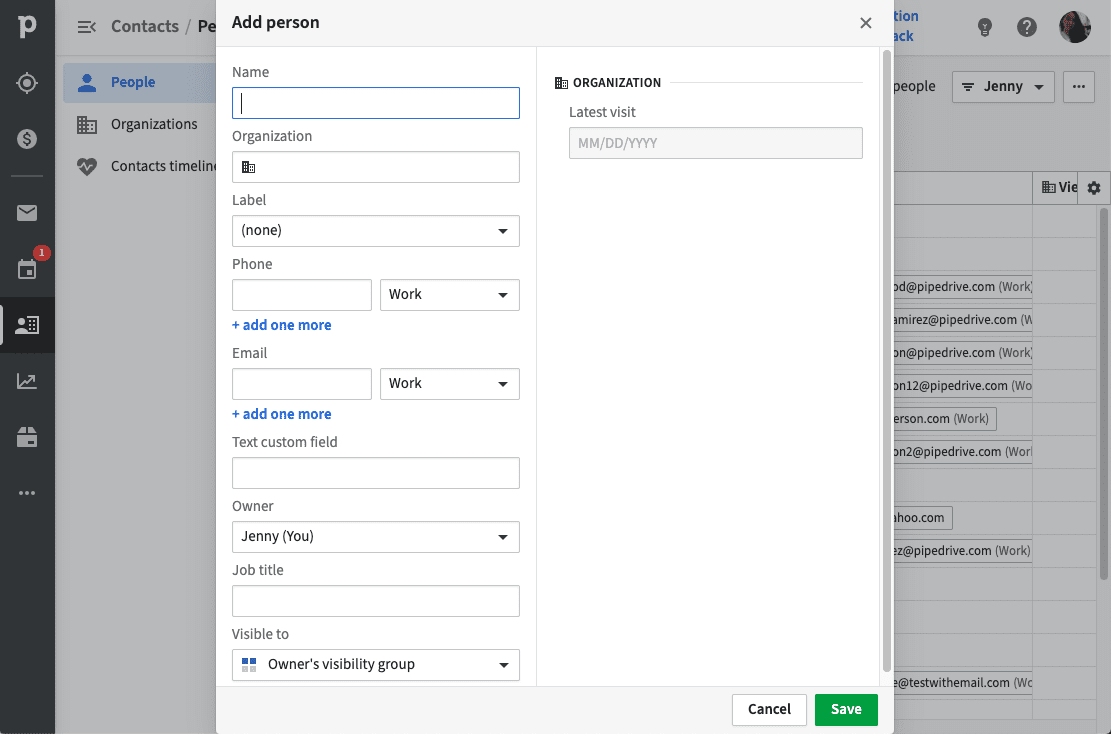
The company record
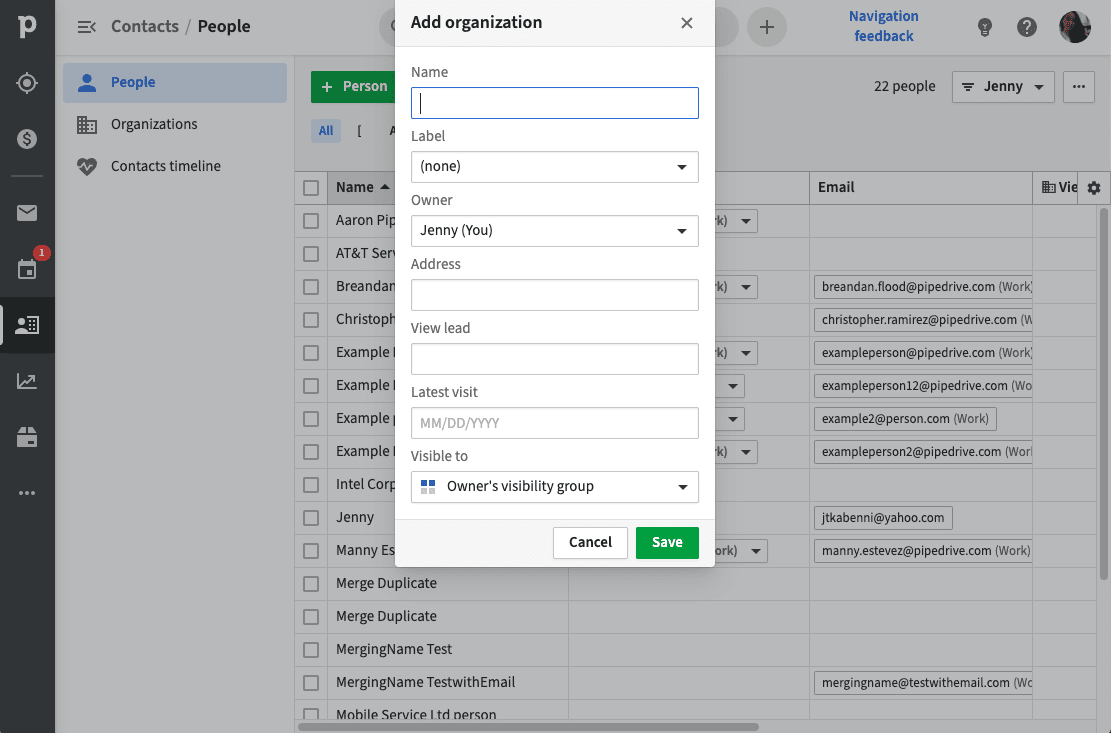
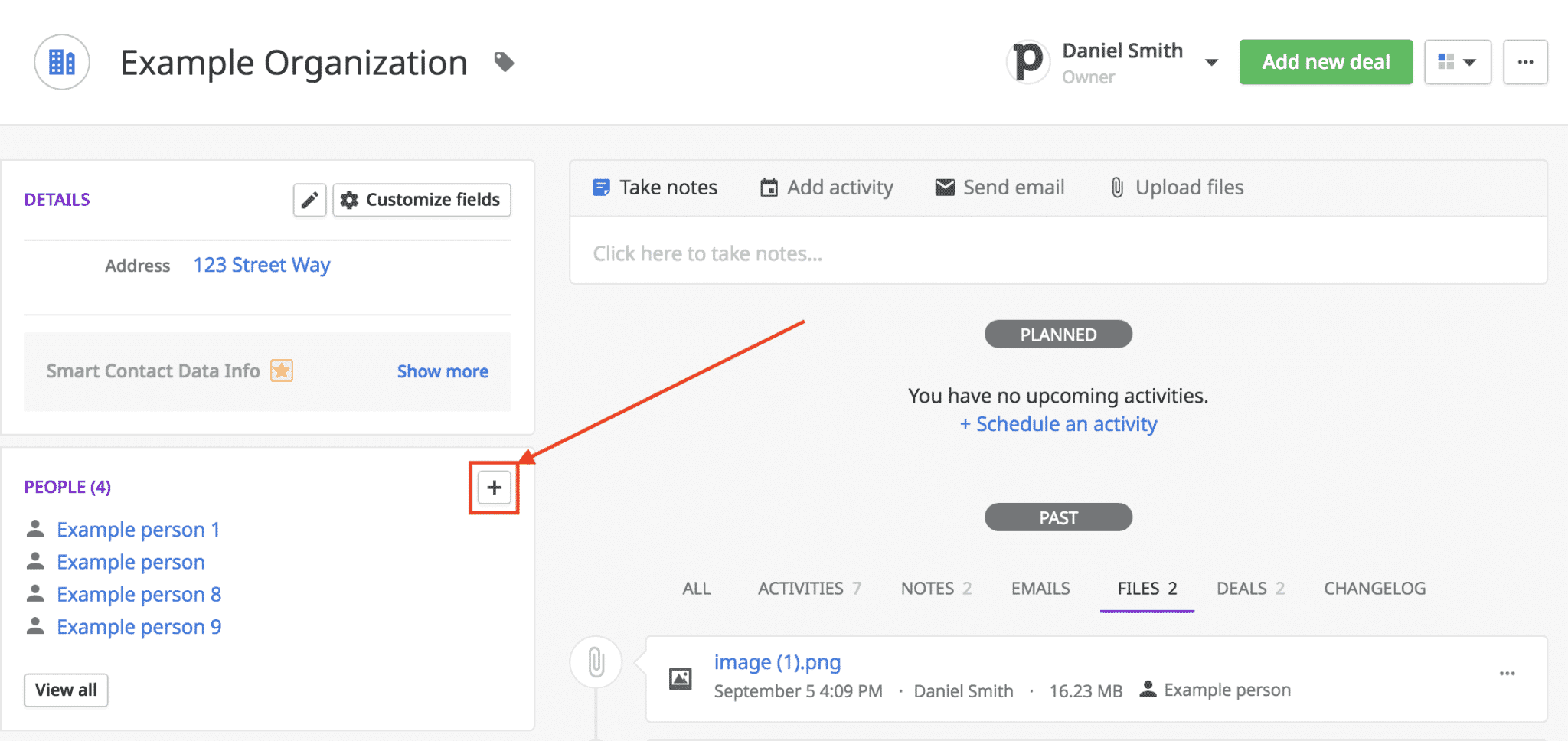
Finally, you can fill in company records, where you can list everyone who works there, with notes on that company’s activity.
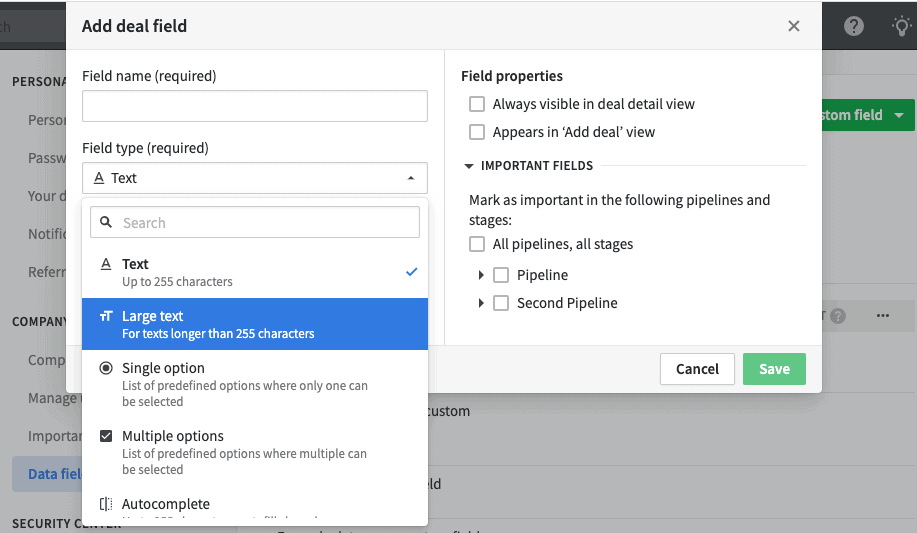
Custom fields
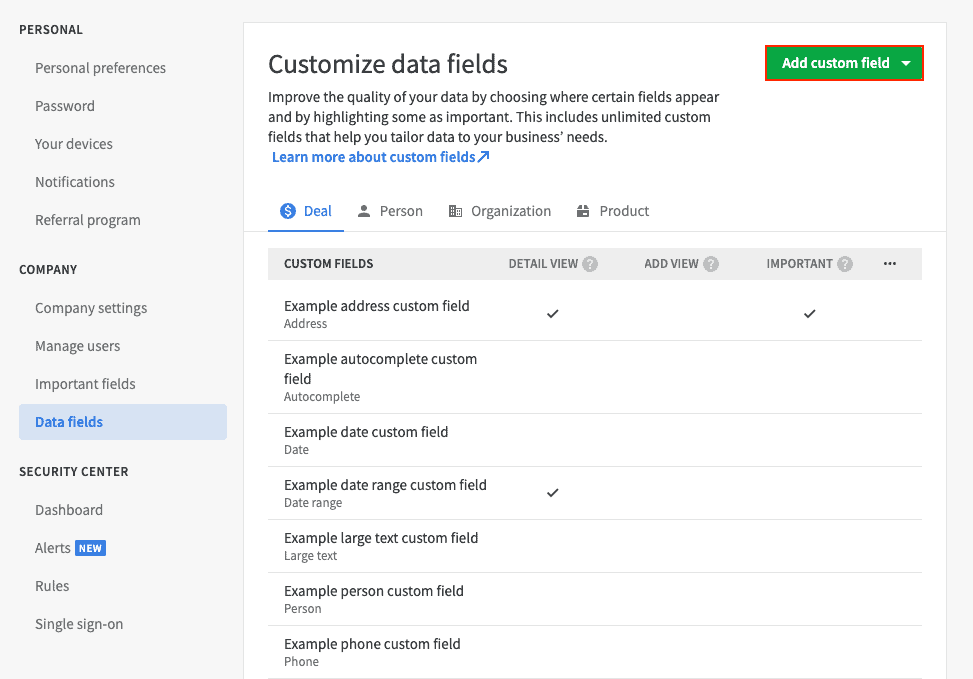
Depending on what your company needs, you can create custom fields and then filter your data on them. These fields can apply to people, deals, organisations and so on.
Going further
If you want to dig deeper into the analysis, we have written head-to-head comparisons of Pipedrive against its main alternatives:
Pipedrive’s mobile apps: a strong point
This is one of Pipedrive’s greatest strengths: you can get to your deals on the move thanks to Pipedrive’s apps for Android and iPhone. Like the web version, the mobile apps are simple and easy to use. On Android, the software even integrates with Google Assistant for voice commands.
You can quickly see your deals, your activities and your contacts; you can record calls, take notes, tie both to deals and schedule follow-up activities.
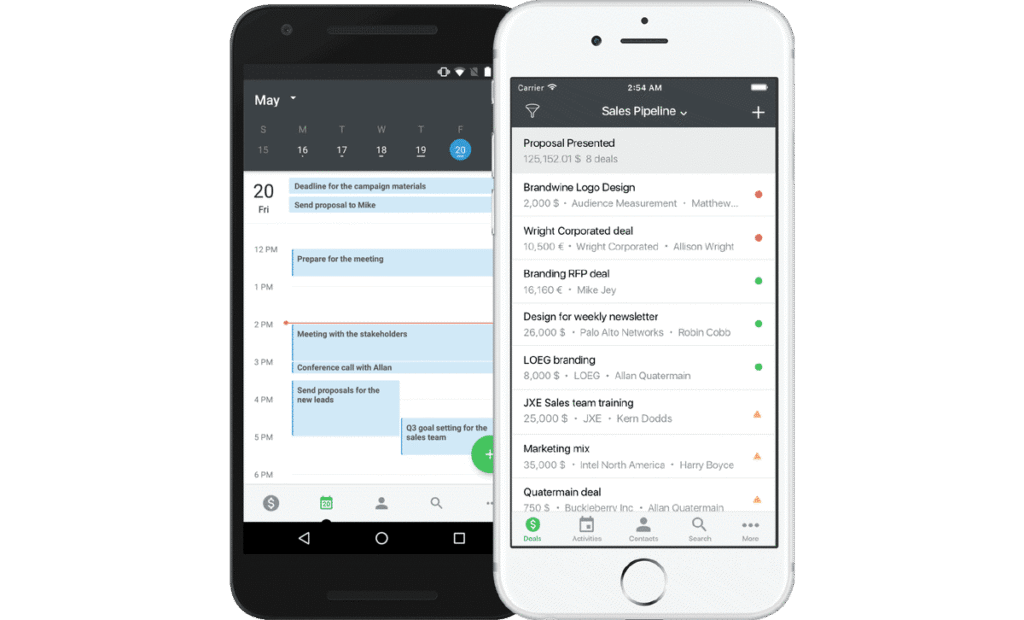
On reporting, the live dashboard gives you an overview of deal status by date, person, activity, win and loss. Under the Progress tab, you’ll find reports covering a specific user or the whole company. Like the rest of Pipedrive’s interface , the reports are visually appealing and easy to understand.
Going further, the app also lets you scan notes, and locate your contacts to schedule meetings when you happen to be nearby.
Going further
Have a look at our comparison of the best mobile CRM software.
Connecting Pipedrive to your existing tools
Pipedrive natively integrates most newsletter and lead generation tools, with Zapier & Make. The simplicity of its organisation, its information and its setup comes through in its open API too, which is extremely easy to work with.
That said, the tool is a little short on integrations with third-party tools: even though most of the leaders are covered, you’ll probably fall back on Zapier or Make fairly quickly.
Connecting Pipedrive to cold mailing tools
Pipedrive integrates with your cold mailing tools, which lets you:
- Launch prospecting campaigns when contacts added to Pipedrive are moved to a particular status, or when a piece of information is filled in, and so on.
- Create or move a lead in Pipedrive when a (positive) reply comes back from a prospecting campaign.
- You can also tag the various contacts by campaign to get final reporting on the prospecting campaigns (rather than stopping at the leads generated)
Connecting Pipedrive to your customer support or live chat tools
By connecting Pipedrive to your customer support tools or live chat software, you can:
- Create leads in Pipedrive the moment the lead is captured in the chat, instantly.
- Give customer support teams the sales context in every conversation to help them prioritise, and answer better.
- Give sales teams the information from a conversation with customer support.
Going further
Have a look at our comparison of live chat tools.
Connecting Pipedrive to CPQ (Configure, Price, Quote) tools
The CPQ process covers everything from drafting the sales proposal through to issuing the quote, then the invoice.
For instance, you can connect Pipedrive to Quickbooks, the leading invoicing software on the French SME market.
More broadly, these integrations with CPQ tools let you:
- Generate customers and invoices automatically from Pipedrive in a few clicks.
- Hold your sales teams accountable by giving them the payment information on invoices inside Pipedrive.
- Raise your conversion rates and speed up your sales with the payment link built into your invoices.
APIs, NoCode platforms and webhooks, one of the reasons for Pipedrive’s success
Here we really do have a major strength of Pipedrive’s:
- The Make and Zapier integrations are native, and genuinely open up a lot of possibilities.
- The API is hugely complete and flexible with a node.js client and a php client, and documentation of high quality.
- Webhooks let any of your tools listen to everything happening in Pipedrive.
With Pipedrive, you can create up to 40 webhooks per user. From that webhook, Pipedrive automatically sends a notification to the relevant tools about data changes as soon as they happen. You can find everything webhooks can do with Pipedrive here.
Going further
In our article on how to enrich your CRM, Captain Data shows how they automated the enrichment of their CRM (Pipedrive) with Integromat and a bit of elbow grease.
Pipedrive pricing in detail
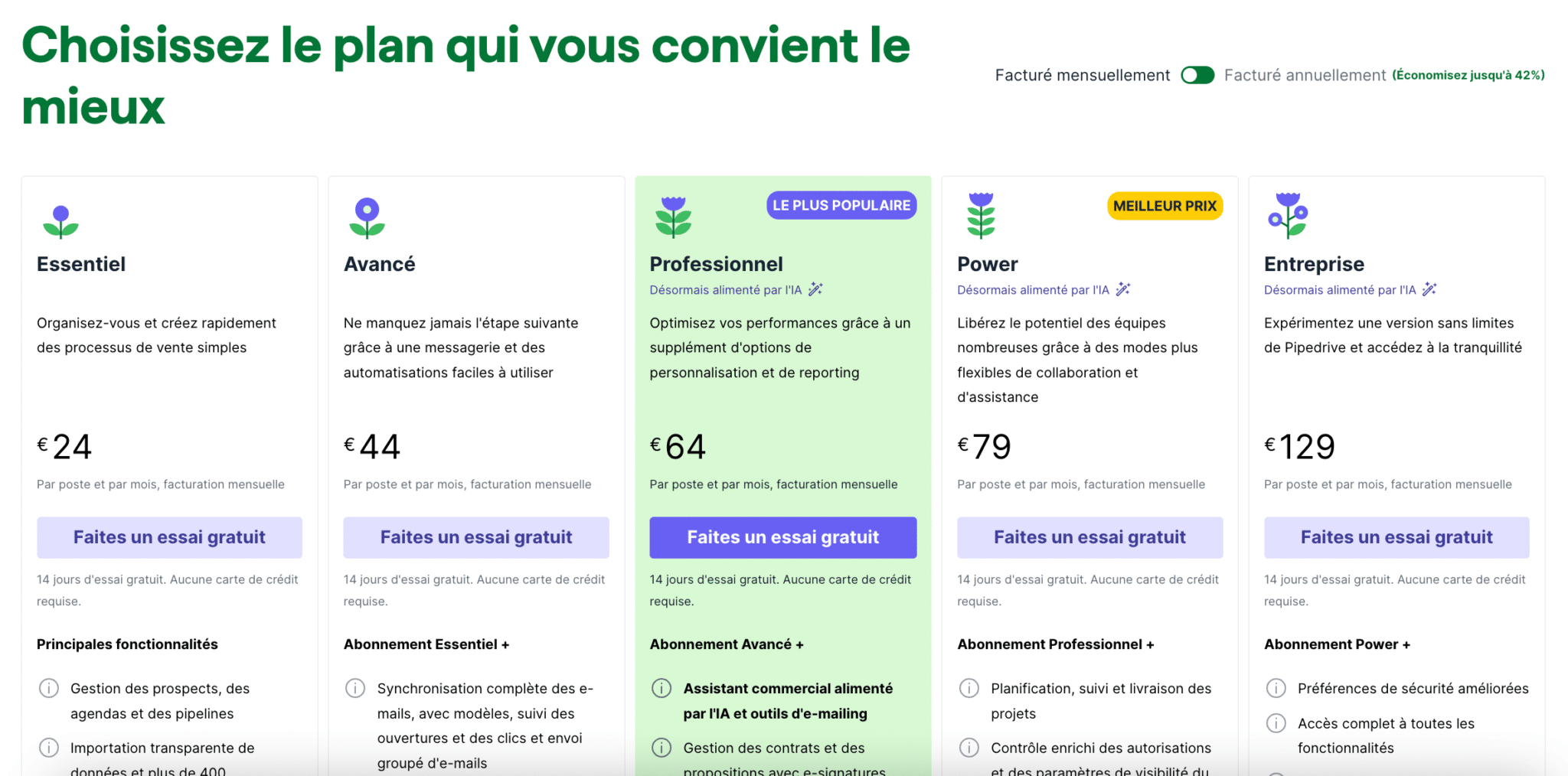
On pricing, Pipedrive stays very affordable, especially for a tool this complete and this intuitive.
There are four pricing plans available at Pipedrive, so there is no stress or sense of financial obligation when you start out. All the more so as Pipedrive offers a free trial period. Note that the prices below correspond to an annual commitment, however.
Pipedrive pricing: Essential plan
Ideal for startups and micro-businesses that want to organise and structure their sales two or three people at a time, since it starts at only 24€ a month with no commitment (14€ a month on annual billing).
It is a smart starting point for building a transparent sales process quickly and easily. This plan gives you access to all the integrations and mobile apps. It lets you create custom pipelines and connect your mailbox to the tool. On reporting, you can create a dashboard to track your sales.
Pipedrive pricing: Advanced plan
This one is aimed more at growing sales organisations and costs 44€ per month per user (34€ on annual billing).
The big draw is that this plan adds a lot of context to your CRM: it lets you enrich existing data from social networks such as Linkedin, for instance, or from your mailbox since it offers mailbox integration.
Pipedrive’s Professional plan: price
The professional plan is meant for sales organisations with several tiers of hierarchy and packs in far more sales features. Its list price is 64 € per month per user (49€ on annual billing).
It includes advanced activity based selling features, click-to-call and call recording.
It is also ideal for getting a real view of your performance and your sales targets: on top of customisable dashboards, the plan offers fairly deep reporting on your company targets or team targets so you can measure your performance better.
Pipedrive pricing: Power plan
Designed for large sales teams and fast-growing companies, the Power plan is offered at 79€ per month per user (64€ on annual billing).
This plan adds advanced project management features, with a Projects module and a Kanban board view. It also includes deep customisation options for permissions, and improved automation tools, ideal for companies after flexibility and collaboration.
Pipedrive’s Enterprise plan: pricing
The displayed price is 129€ per month per user (99€ on annual billing), but in practice those prices are negotiable when you buy a certain number of licences.
It is meant for the largest companies: it is Pipedrive’s best plan, and it holds additional integration and onboarding features.
The watchword of this plan is flexibility: it offers extremely deep customisation. As it is often driven by technical concerns (security and so on), the Enterprise plan offers reinforced security along with different permissions per user type.
Worth noting too: phone support is available.
Training costs on Pipedrive
The big advantage of Pipedrive is that there is little to no need for training as it is traditionally understood.
There are, however, courses on the other side of the Atlantic offered by Verkko or the Agence Gro, aimed essentially at sales operators to help you get the most out of automation in Pipedrive.
Integration costs on Pipedrive
Beyond the fact that Pipedrive doesn’t require specific training, the tool brings a lot of good practice with it and offers a lot of content to help you get the most out of your CRM.
So the bulk of the integration cost clearly sits in connecting the tool to your other tools, but the native Zapier & Integromat integrations make the exercise very accessible.
If you still want Pipedrive installed turnkey, that is possible with a specialist integrator. Pipedrive offers a selection of experts on their site.
Going further
Take a look at our guide to estimating the true cost of CRM software.