The catch is that, given the number of modules and a UX that could be improved, getting started is a little complicated, especially if you are new to this. But at that price, above all for very small businesses, it is worth a try!
In this article, we go through every feature of the software, the pricing, and we round up the main feedback from its users.
#1 Contact management in Agile CRM
Contact management in Agile is fairly intuitive. The tool lets you import your contacts from various sources:
- CSV files
- From Salesforce
- From other tools: Google, Stripe, Shopify, Quickbooks and Freshbooks.
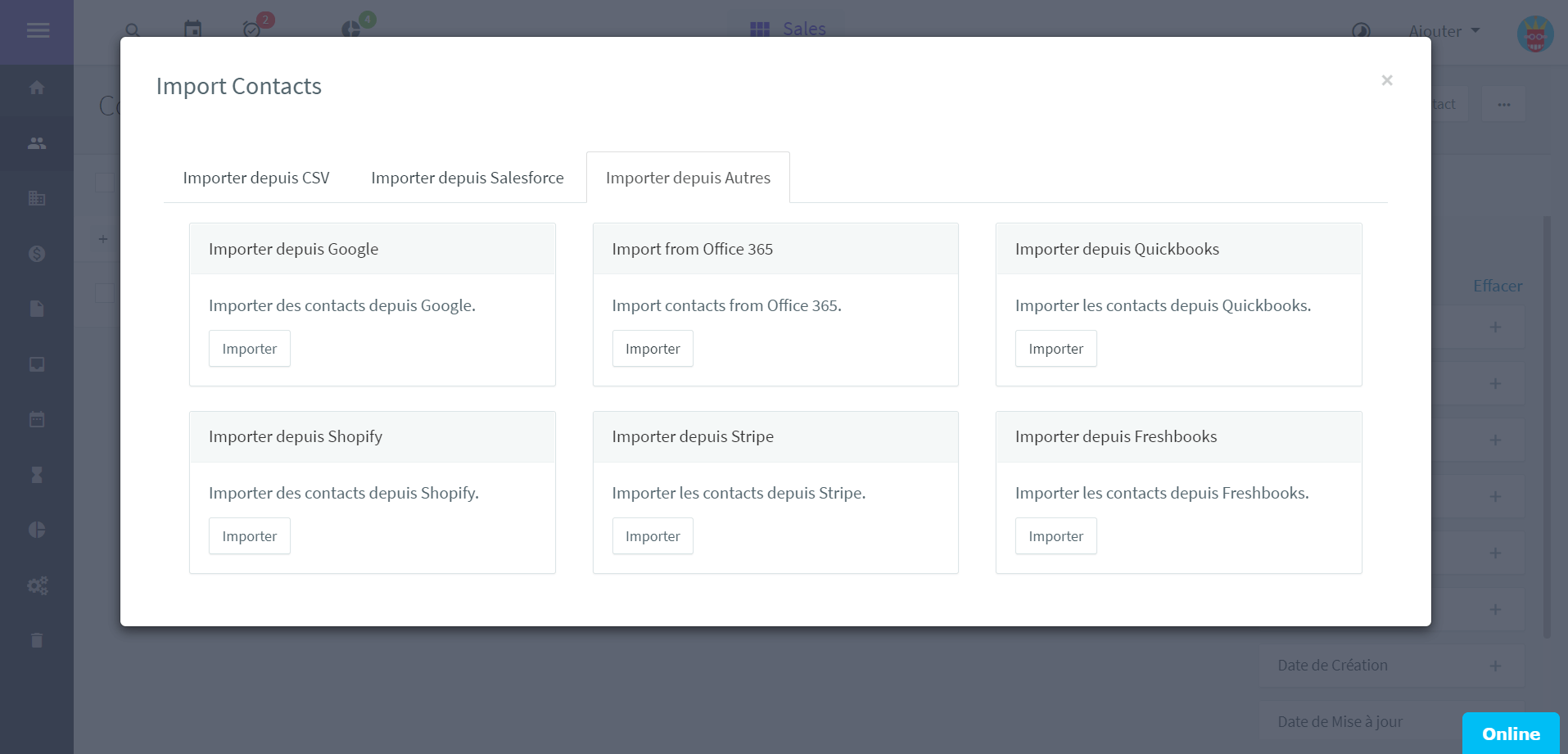
Importing contacts with Agile CRM
Once your contacts are imported, Agile CRM lets you organise them better using the filters in the right-hand column. The following ones are particularly useful:
- Tags: labels you customise, such as customers, prospects or partners for instance.
- Score: sort your leads by their score, as part of your lead scoring strategy.
- Automation Status: sort your contacts by how far they have moved through your marketing automation workflows.
- Owner: look up the leads assigned to one particular sales rep.
These filters let you move quickly through your customer database and work more efficiently when you need to act on one particular group of contacts.
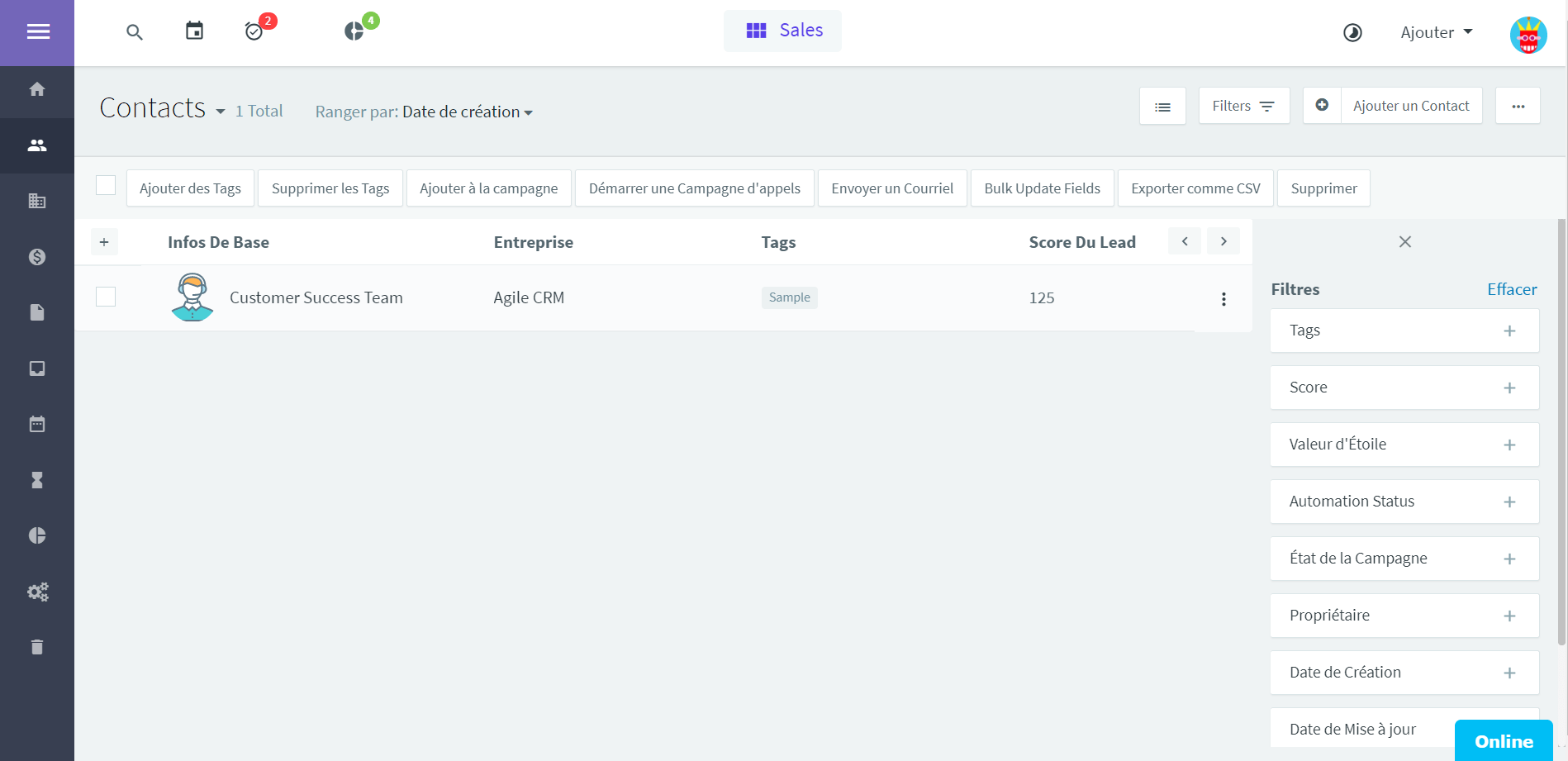
Contact management
Beyond organising contacts, the tool lets you enrich each contact’s detailed record based on the interactions with the lead. The visual timeline is worth a look, as it gives an overall view of how the lead has progressed and of the actions taken by your sales team.
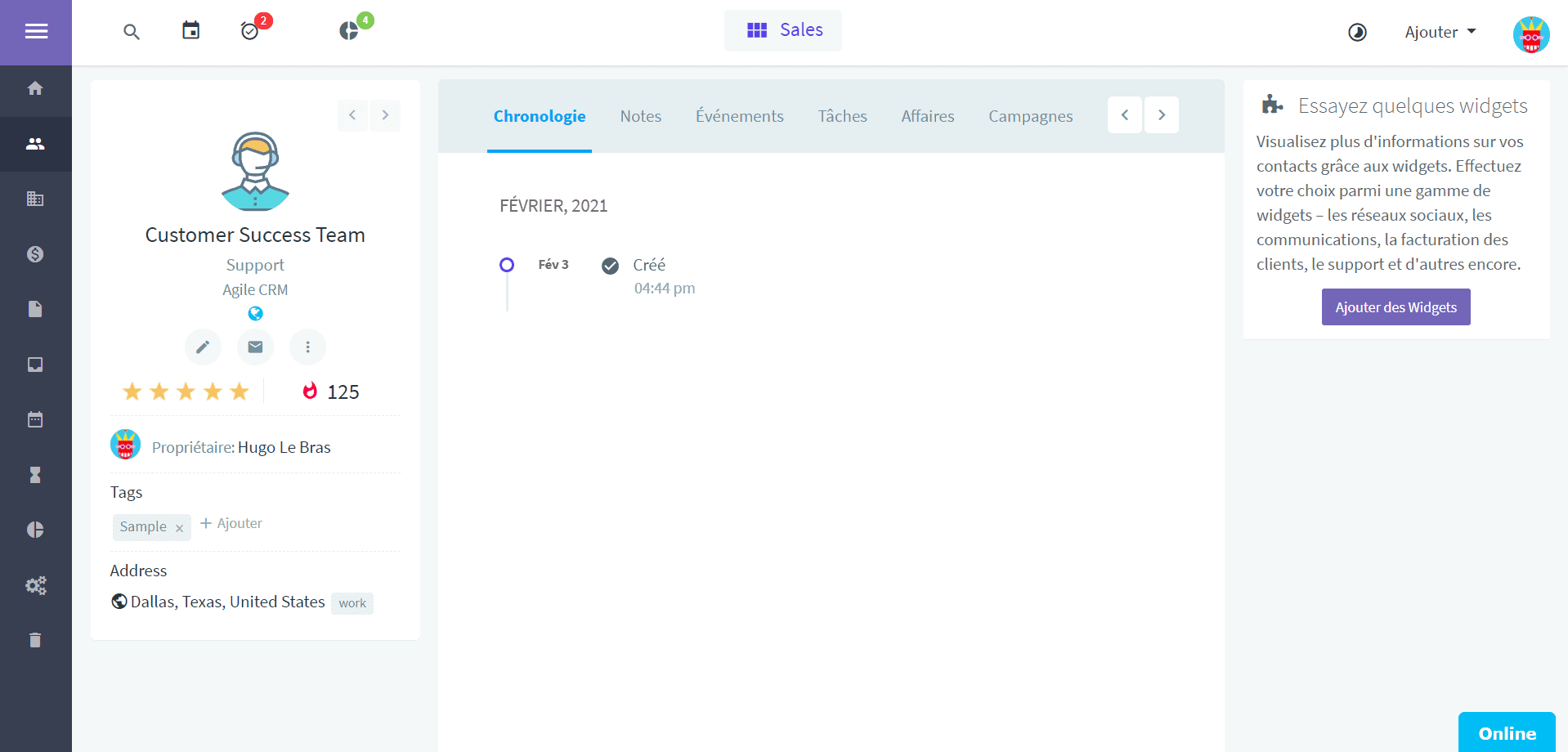
Detailed contact record
Salesdorado’s takeThe contact management tool Agile CRM offers is intuitive, and the filters are very handy for organising your contacts and picking out specific groups. Being quite visual, the solution is pleasant to use.
#2 The sales funnel in Agile CRM
Opportunity management
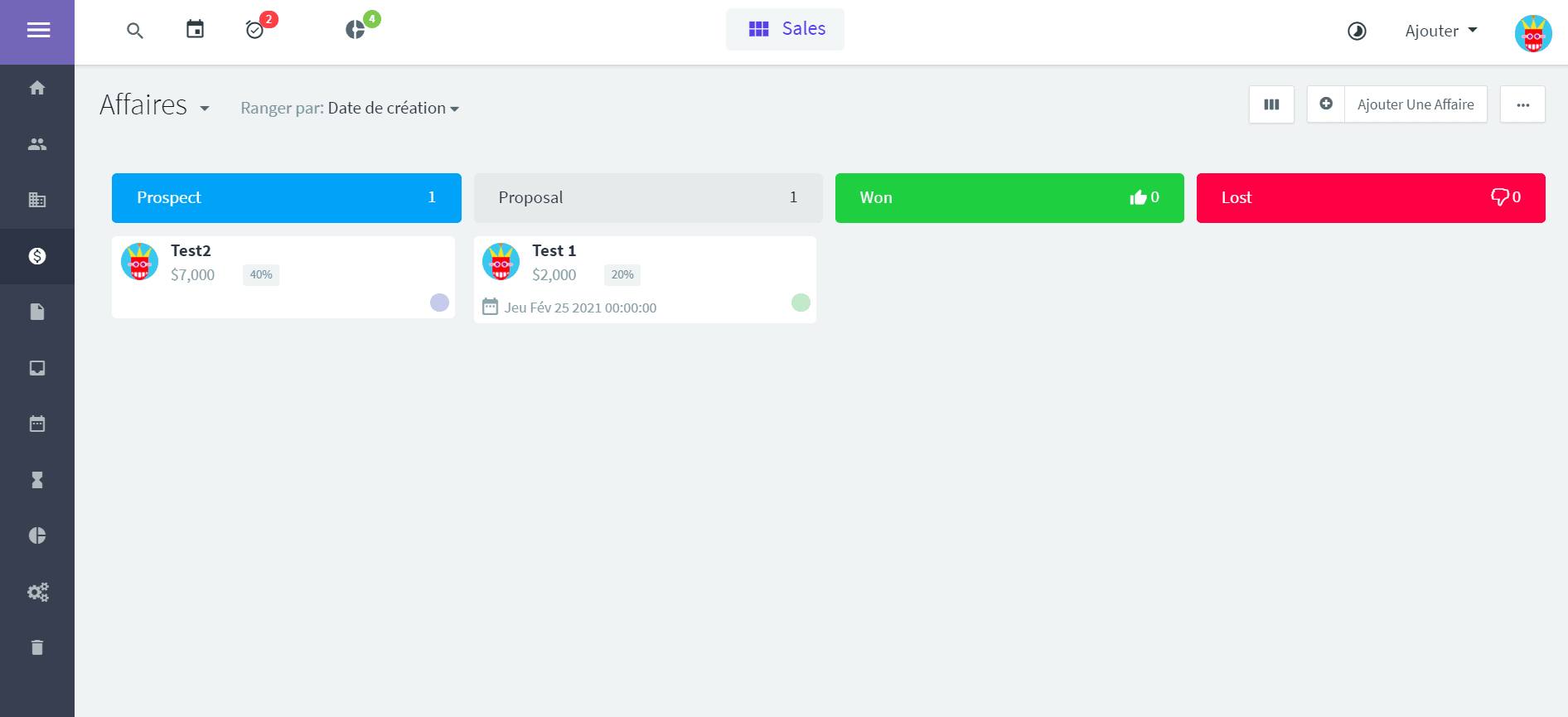
The Agile CRM sales pipeline
Agile CRM offers a sales pipeline that is, once again, quite visual and pleasant to follow. The Kanban view lets you drag and drop your leads into the right column as they move through your sales funnel.
By moving the cursor over the “title” (for example “Prospect”) of each column, you get the total value of the deals as well as the average deal value in that column.
One small drawback worth noting, these columns have fixed names such as New, Prospect, Proposal, Won and Lost. Those titles cannot be changed, and the column width cannot be reduced or increased for customisation purposes.
Automations
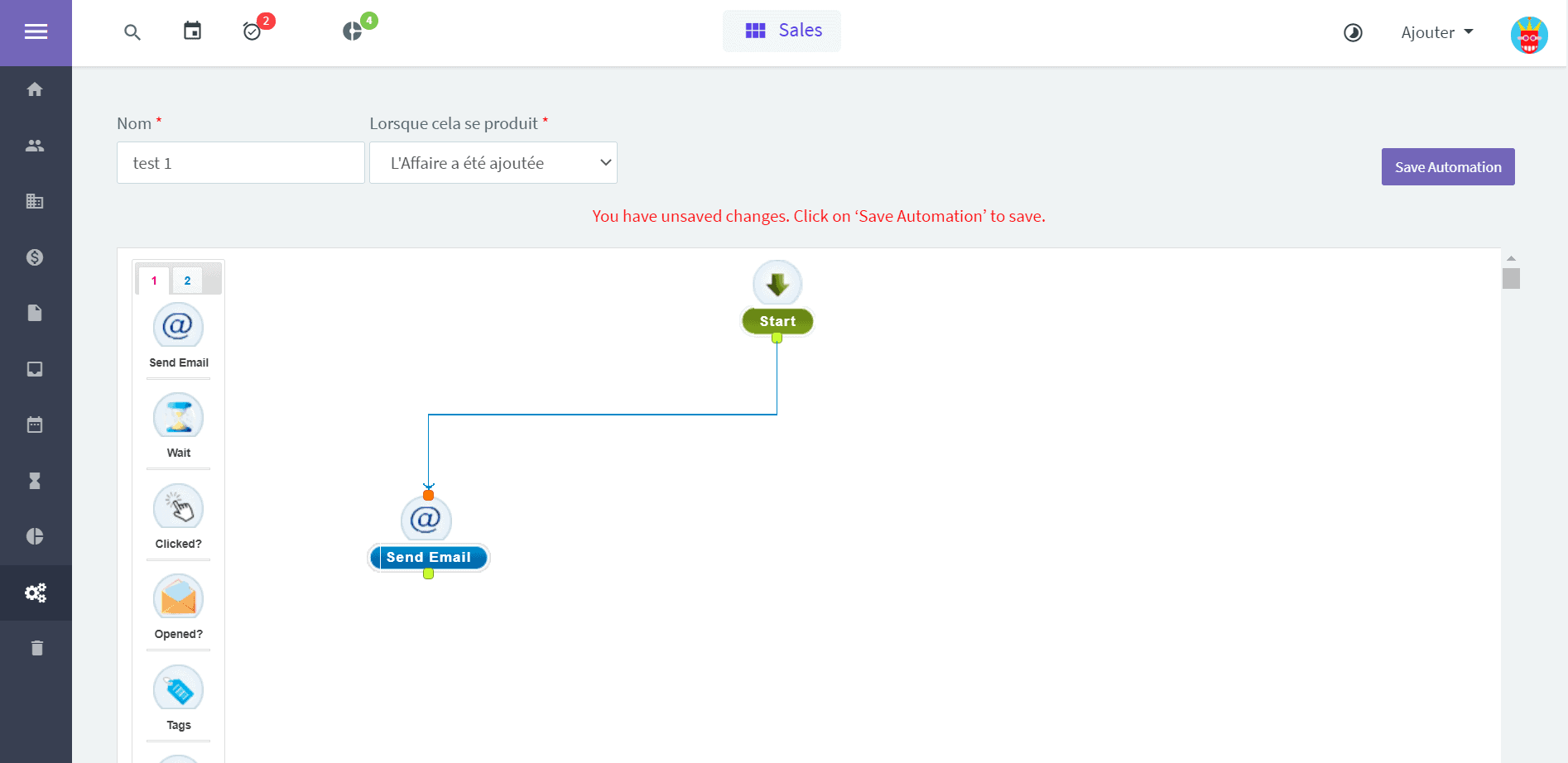
An example of a workflow with Agile CRM
Another feature worth a look to strengthen your sales processes and save your sales teams time: automations. Usually the preserve of marketing teams, they are useful in that they let you trigger scenarios based on how the status of your leads changes.
In the example above, when the deal is created the scenario fires and an email is sent automatically. By automatically pulling your leads into lead nurturing processes that feed them relevant content, including on social media, you make your sales team’s job easier and improve your sales performance.
“Sales Gamification”
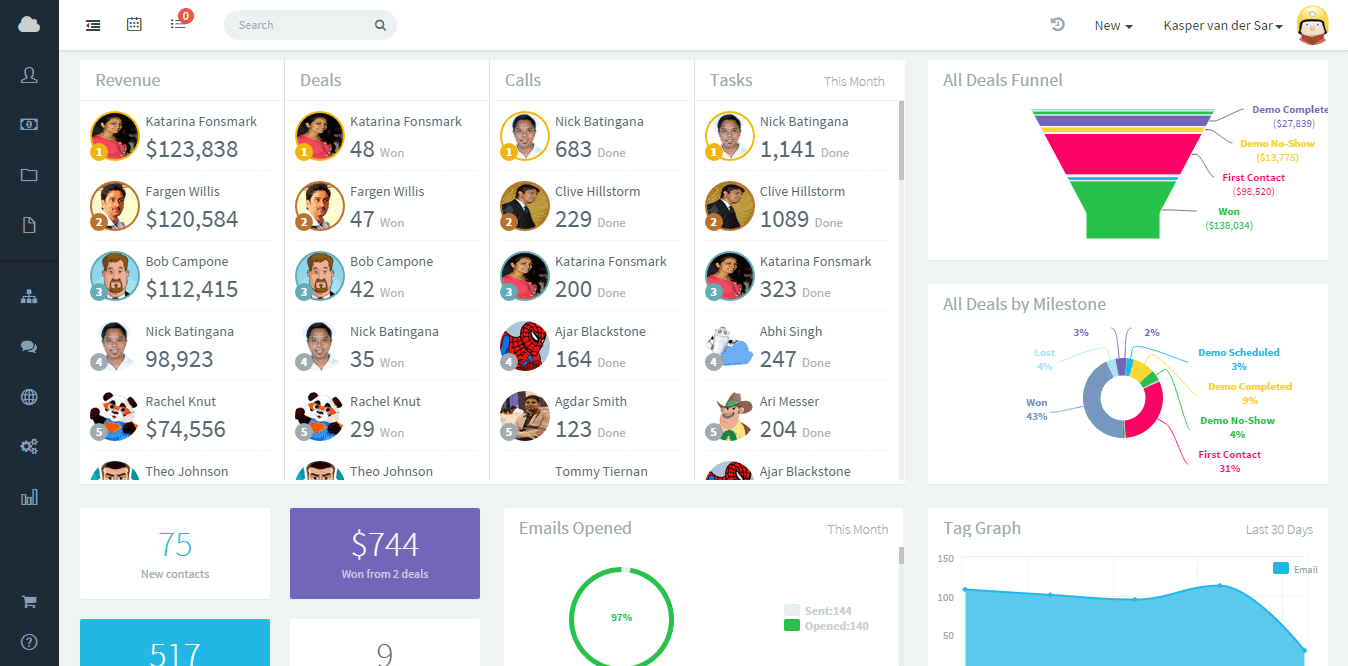
Put your sales reps in competition
A less common feature offered by Agile CRM: sales gamification. The idea is to set up (healthy) competition within your sales team by comparing each rep’s performance, the deals won, the calls made or the revenue generated.
Users can look at the personalised leaderboard to check their performance in real time against their colleagues. The idea is to create positive momentum that pulls the whole team up.
Salesdorado’s takeOn opportunity management, Agile CRM is very complete, and the automation and “sales gamification” features are a real plus for your sales processes. What we regret, on the other hand, is that the pipeline cannot be customised, a shame!
#3 Ease of use & setup
Creating an account with Agile CRM is simple and free. You are up and running in a few minutes and an onboarding video walks you through all the key features as you start. Navigation is fairly simple: you move between the various tabs through the vertical ribbon on the left.
Navigating and reaching the basic features is easy enough. For the more advanced features, however, Agile CRM does not make it easy on us: guidance is thin on the ground and the UX is a little dated, which does not help in getting to grips with the tool.
Some elements, such as the onboarding video dating from 2015 and the workflow editor, are a little old school, but they do have the merit of working.
Another small reservation on the translation of the various modules: not everything is translated into French, which can be an obstacle for some of your colleagues.
Salesdorado’s takeAll in all, Agile CRM is not the most intuitive tool on the market, but being able to test the tool for free is a big advantage if you are hesitating over investing in a CRM software.
#4 Agile CRM’s integrations
Agile CRM offers plug-ins that let you connect its tool with the main software solutions on the market:
- Forms and landing pages: Gravity Form, Unbounce, Leadpages…
- CMS: WordPress, Joomla, Drupal…
- Ecommerce: Shopify, WooCommerce, Magento…
- Invoicing: Quickbooks, Stripe, Braintree…
- Support: Zendesk, Clickdesk, HelpScout…
- Social media: Facebook, Twitter, LinkedIn, Google Plus…
Salesdorado’s takeThe integrations with Facebook, Twitter and LinkedIn in particular are very powerful: they let you enrich your customer data from how your contacts behave on social media.
#6 Agile CRM pricing
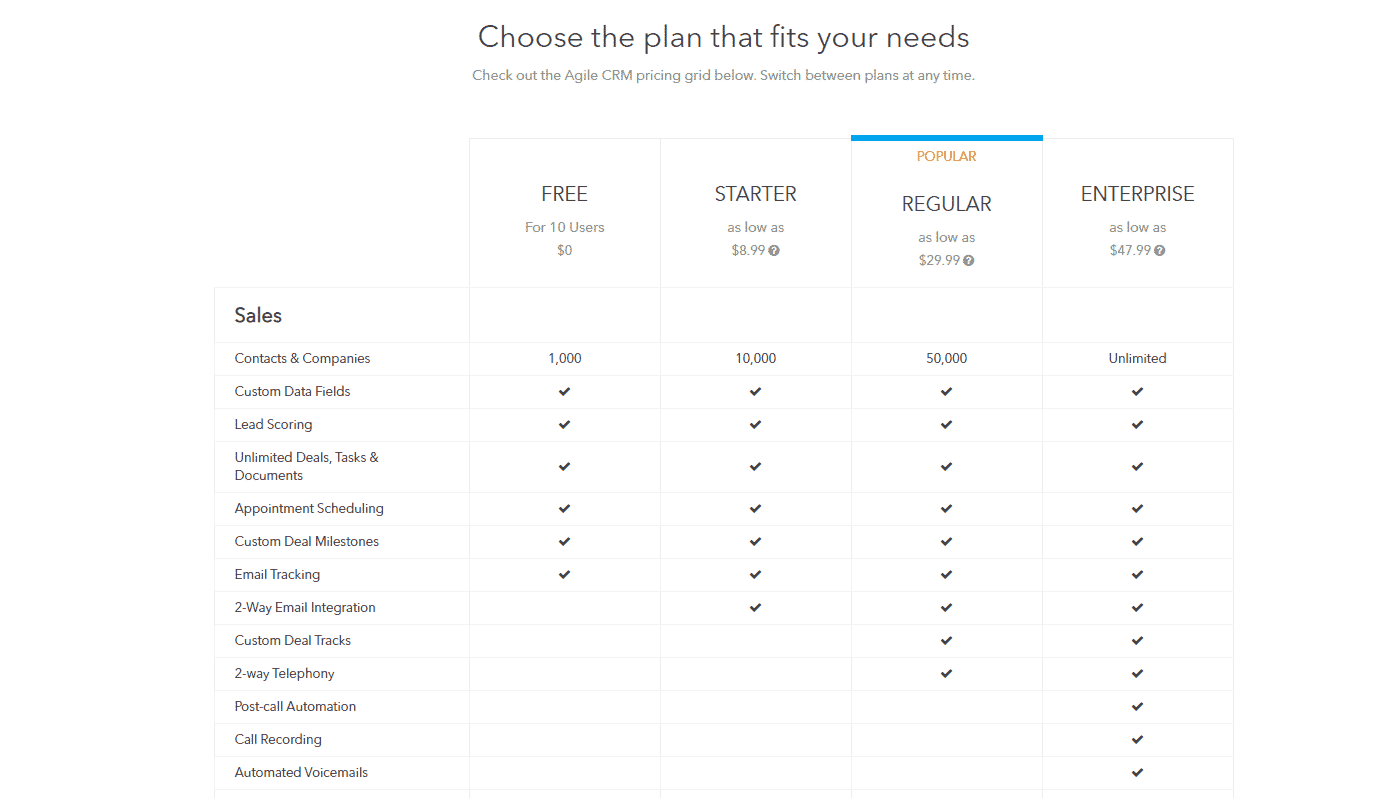
On pricing, Agile CRM offers 4 packages (they include Marketing and Support features, but we are only looking at the Sales side here):
- Free: we are labouring the point a little because it is fairly rare, if not very rare, for a free version to let you exploit a tool this far. Here, you can go up to 1,000 contacts and up to 10 internal users! Feature-wise, you can use the sales pipeline we described as well as lead scoring. Ideal to start with if you are a small organisation.
- Starter: for $8.99 per user per month, up to 10,000 contacts and full email integration.
- Regular: for $29.99 per user per month, up to 50,000 contacts as well as access to the opportunity tracking and analysis tool.
- Enterprise: from $47.99 per user per month, for an unlimited number of contacts and access to every feature.
Salesdorado’s takeThe tool is powerful and being able to exploit it this far for free is a stroke of luck! It means you do not spend any money while you learn to use it.