Founded in 2003, GoToWebinar was one of the pioneers of the webinar software market and still hosts millions of webinars every year all over the world.
In this article, we walk you through GoToWebinar’s features as well as its strengths and weaknesses, so you can decide whether the software fits your needs when it comes to running webinars.
Features in detail
Webinar setup
GoToWebinar lets you run:
- Live webinars: they are scheduled in advance and the host presents them live. The best way to build a connection and interact with the audience. They are generally used for product demos, other marketing presentations or coaching.
- “Automated” webinars: these are pre-recorded presentation videos. Attendees can watch them at any time and the host does not have to be present. Attendees can ask questions, which are sent by email.
- Webcasts: designed for one-way broadcasting, they do not expect as much engagement from the audience.
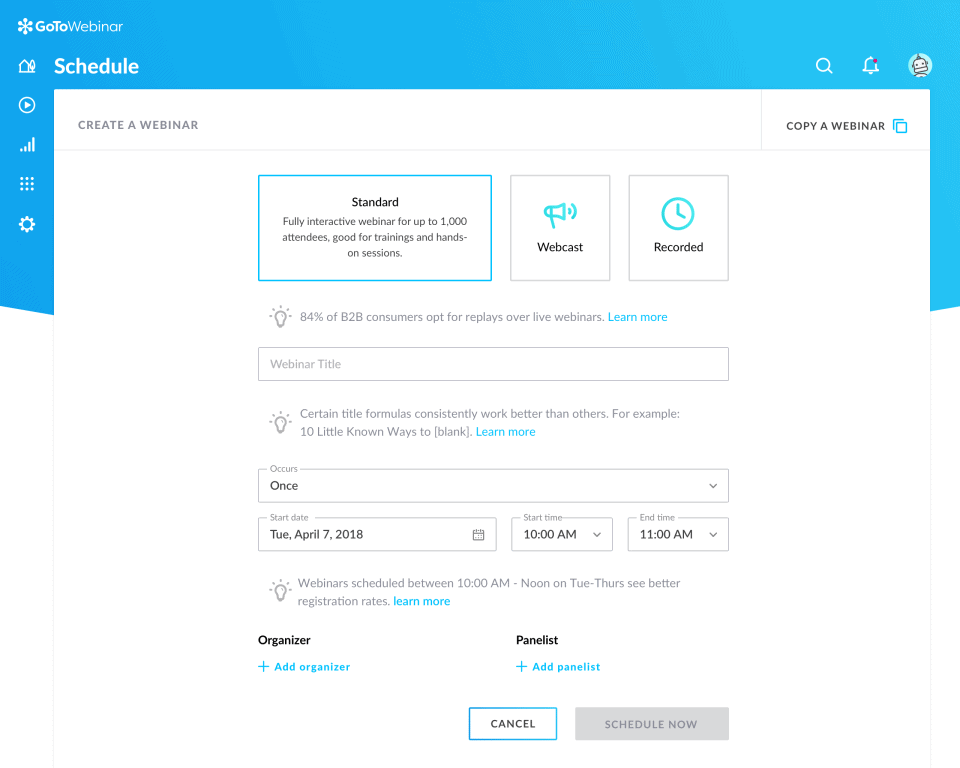
As you can see above, the tool lets you run one-off or recurring events. You can also add up to 6 organizers and 6 presenters (panelists above) to your webinars. Organizers have full control over video, audio and engagement features; presenters are the key speakers of your webinars, they can share their screen and be on camera.
Salesdorado’s takeOverall, launching your webinar is fairly simple, you are guided step by step. The key features are all there, including recording, which lets some people watch your webinar at another time if they are not available on the day.
Lead generation
Email features
After registering for your webinar, your attendees receive an email confirming their registration. This email includes:
- Your personalized message
- An “Add to calendar” link
- A “Join webinar” button
- Instructions for joining by phone
- A button to cancel the registration (and free up the seat)
Reminder emails contain the same information as the registration confirmation email. You can send up to 3 reminder emails, but scheduling is limited. You can schedule them to go out:
- 1 hour before
- 2 hours before
- 3 hours before
You cannot send one 15 or 30 minutes before the webinar, for example.
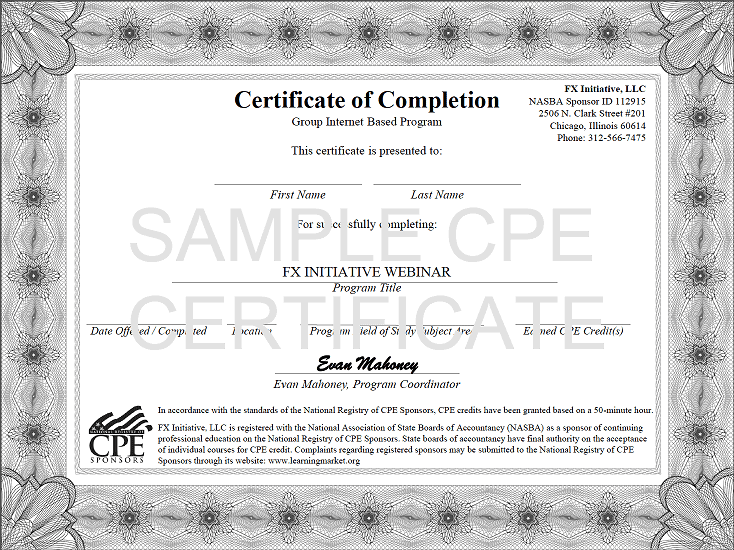
On the other hand, you can segment your audience for your webinar follow-up emails. This means you can send different follow-up emails to attendees and to absentees (people who registered but did not show up). Finally, with the Complete plan, you can also include a certificate of attendance in the webinar follow-up email.
GoToStage
GoToWebinar has developed a feature aimed at increasing your visibility and the reach of your webinars, available from the Elevate plan. With “GoToStage”, you can create a custom channel in your company’s colors and add all your content to it so your audience can access it. You can also tag your webinars with relevant keywords so they show up in search engine results.
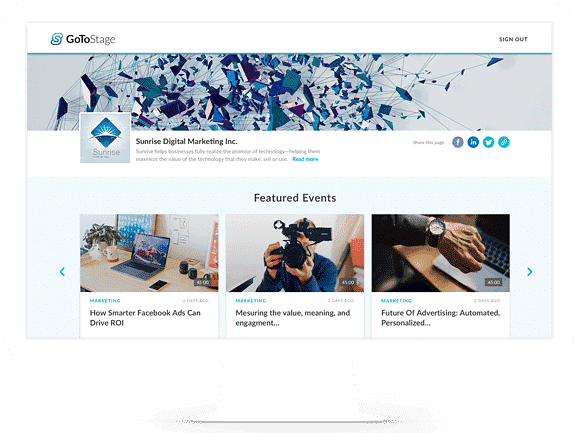
Salesdorado’s takeAll in all, the customization options for emails and registration pages are limited. On the other hand, used well, GoToStage can be a real opportunity to grow your audience and steer it toward your other content.
Attendee experience
You can interact with your audience in two main ways: polls and Q&A. Polls must be set up in advance and you can launch them at any time during the webinar.
When you launch polls, screen sharing (and therefore your slideshow) stops so the polls can be shown full screen. After the poll, you can choose to share the results with attendees.
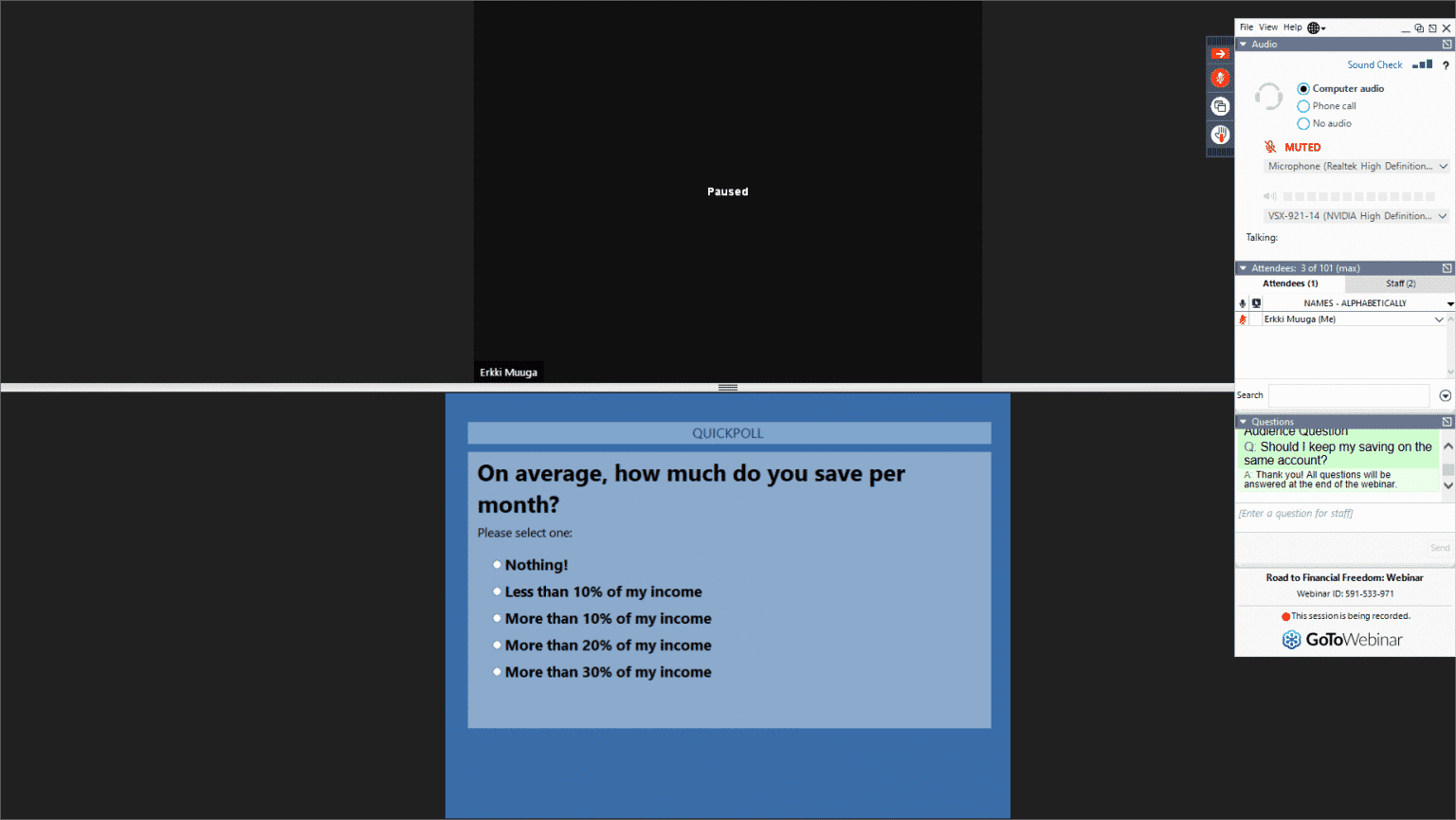
Q&A management is not the most intuitive on the market when you are an organizer, but it does its main job by letting you interact with your audience.
Two other interesting features on this front:
- You have tools to draw on the screen.
- You can track your audience’s attention by seeing the percentage of attendees who have GoToWebinar on top of their other applications and those who follow your webinar “in the background”.
Salesdorado’s takeOnce again, the key features for interacting with your audience and creating engaging content are there, but the UX could use a bit of a refresh. The attention tracking feature, for its part, is very interesting.
Reporting
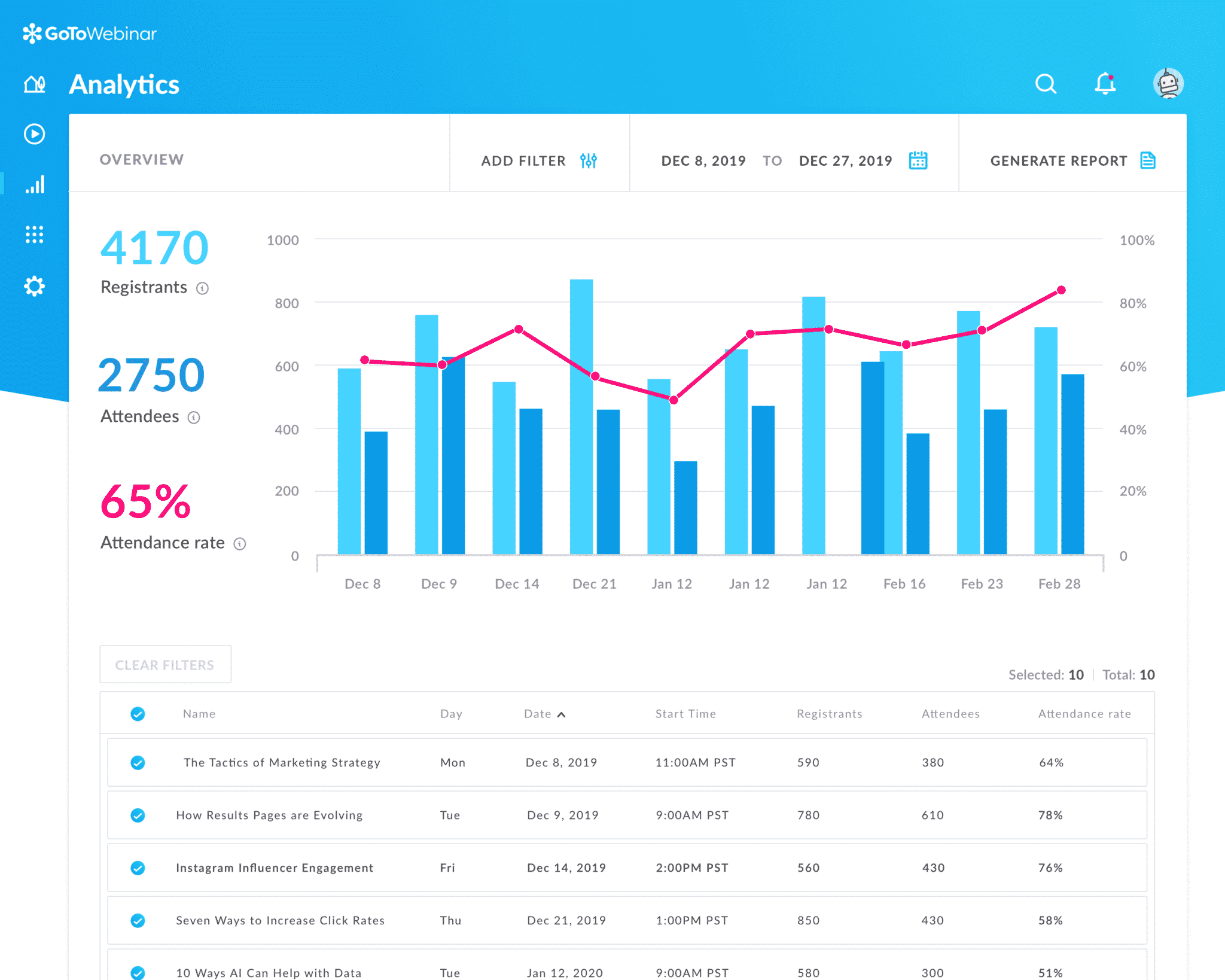
As you can see above, GoToWebinar gives you access to a lot of information about your attendees:
- Average attendance rate: how many registrants showed up.
- Average attention: what percentage of attendees had the application “on top” of their other applications.
- Poll response rate: what percentage of attendees answered the polls.
- Survey response rate: what percentage of attendees answered the post-webinar survey.
Knowing who asks questions and what they ask helps you get to know your audience better.
Look at how many questions each attendee asked to see who was really engaged and who was barely listening. Use frequently asked questions to steer the topic of your next webinar.
With this information you can easily get in touch with a “hot” prospect after a webinar, to give them more detail about your product or service.
Salesdorado’s takeClearly one of the tool’s strengths: you have all the information you need to analyze your webinars’ performance, follow up on hot leads and better target your webinar topics to your audience.
GoToWebinar integrations
GoToWebinar integrates with marketing automation tools, CRMs and other everyday tools, including HubSpot, Salesforce and Zapier. Integrating with these tools lets you manage your events, registration data and communications from your marketing management solution or CRM.
GoToWebinar’s APIs give you even more control and flexibility. The updated APIs give you full access to GoToWebinar. Among other things, they let you schedule webinars and collect data on your attendees, which simplifies setting up and running the webinar.
Salesdorado’s takeRunning webinars is an excellent lead generation tool, and following up on those leads through your CRM software is a must to optimize your sales performance. With that in mind, GoToWebinar lets you connect to the main tools on the market.
GoToWebinar pricing
GoToWebinar offers three pricing plans and also lets you try all the features for free, with no commitment and no credit card.
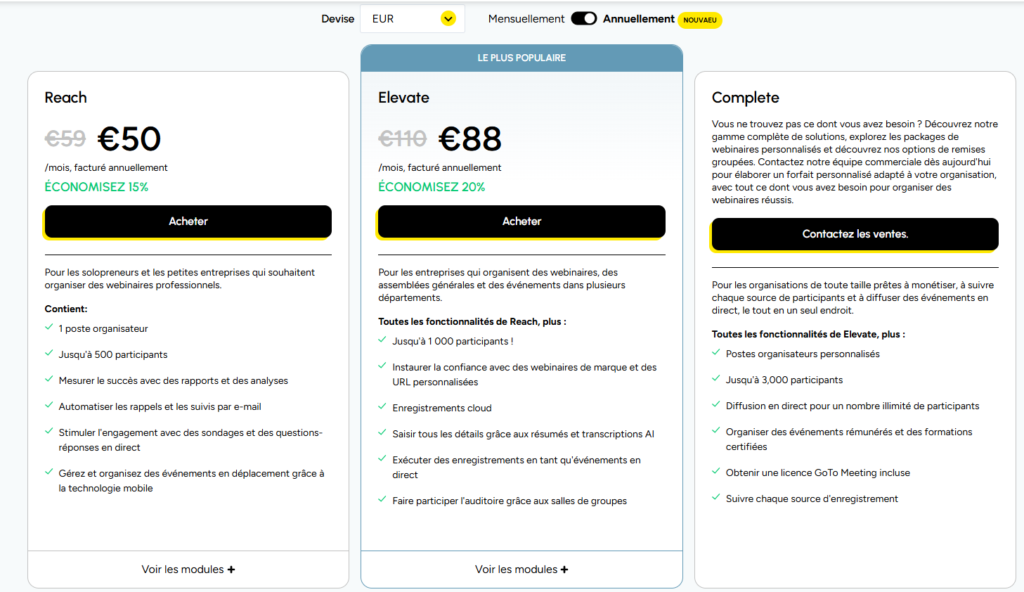
- Reach: €59/month or €50/month (billed annually). For 500 attendees and one organizer seat, includes reports and analytics, automated emails, polls and live Q&A.
- Elevate: €110/month or €88/month (billed annually). 1,000 attendees and all the features of the Reach plan, plus custom branding and URLs, cloud recordings and AI summaries.
- Complete: custom quote. Up to 3,000 attendees, plus paid events, training certificates and an included GoTo Meeting license.
Salesdorado’s takeGoToWebinar has cut its prices significantly, with an entry-level plan at €50 per month. The tool keeps a solid positioning, but it is now much more affordable than before. The feature depth is there, the UX less so, and it could use a few adjustments.